1821 files
-
VPXJP-Batch-XenonphMODv1.0.thumb.PNG.0ce07369b4301b54d5dc02e6d9580a08.PNG)
Conan (Rowamet 1983) VPX Sound+Reg MOD
By xenonph
I first would like to thank JPSalas and Batch for giving me permission to make these VPX mods. I would also like to thank them for making great tables!!
They both put in alot of time and work on the original tables, and it is appreciated!! So if you like this mod, I would encourage you to thank the original authors of the table!
Batch's VP9 Conan DT version...
http://www.vpforums.org/index.php?app=downloads&showfile=11060
JPSalas' VPX Rolling Stones..
http://www.vpforums.org/index.php?app=downloads&showfile=12914
I also would like to thank Allknowing2012 and Gtxjoe for teaching me how to add timers to script.
I also would like to thank Steve "Slydog43" for which these VPX mods would not be possible!!
v2.1
Converted all pics to WebP format to reduce overall size of table.(VPX7.2 Required)
Converted Wav files in sound manager to ogg format which reduces file size.
File size went from 25.2 MB's to 9.23 MB's!!!
v2.0
Added modified JPSalas LUT Toggled with Buy-In Key (2 Key).
Converted mp3's to ogg format, and scripted music to be played from Conan folder.
(Place Conan folder in your Music folder)
Also lowered Decibal Level on all the music and sword clashing sounds by 6.4 Db's.
All sounds in manager are played through Backglass now.
Added NVOffset script command, so not to interfere with other tables using same rom.
Added Fluppers Flashers to the 3 Bumpers and 2 Bumperslings.
I used Batch's graphics from his VP9 version, as his version was the best version of Conan available in my opinion.
I added Batch's Backdrop to DT version, and had to modify it to fit the DMD reels. I just enlarged the box he had in upper left and moved the reels to fit. Any other way would have messed up his backdrop pic.(It all can still be seen clearly.)
I added Crom Font for Backdrop text lights.
SoundMOD:
I found a bunch of sound effects on Google search.
All of these sound effects are from the first Conan the Barbarian movie that was made in the 80's.
There are 10 background music sounds. 5 for plunger pull, 5 for Drain.
There 19 other voice and sword sound effects trigered by bumpers, rollovers, targets, saucer, coin insert.
Place contents of music folder into music folder where Visual Pinball is installed.
The Credits and Match are off by default.
Hit F6 on keyboard when table is running to open Settings Menu, and you can adjust from there.
(I was going to include a nvram with the Credits and Match on, but it would be just as simple for you to change using F6.)
This table uses the 7 Digit Rolling Stones ROM. (rollstob)
Hope you like it!!
Stay tuned for VPX version of Conan the Destroyer sound mod!!
3508 downloads
-
SoundMODv2_0b.thumb.PNG.823837b3516ae3219baa8eafe7e212bd.PNG)
Road Runner (Atari 1979) SoundMOD
By xenonph
I first would like to thank Kalavera for giving me permission to make this sound mod. I would also like to thank him for making a great table!! I also would like to thank TAB which let Kalavera use his VP9 table to make his VPX mod.
I would also like to thank Arngrim for adding DOF to script for Kalavera. There is much more important info on original download page.
They put in alot of time and work on the original table, and it is appreciated!! So if you like this mod, I would encourage you to thank the original author of the table, as I have only made a few changes!
Original Table...
http://vpuniverse.com/forums/files/file/4962-road-runner/
I also would like to thank Flupper for his great Flasher resource table!!
I would also like to thank Thalamus for telling me how to use resource tables!!
I also would like to thank Allknowing2012 and Gtxjoe for teaching me how to add timers to script!
I also would like to thank DJRobX, STAT, Gtxjoe, and nFozzy, for helping me shorten my StopSounds and PlaySounds script commands.
(They each wrote out an example, and between them all, I was able to figure it out!! BIG THANKS!!!)
I would also like to thank DJRobX for showing me example of flasher script command for flasher placement in FS mode.
I also would like to thank Steve "Slydog43" for which these VPX mods would not be possible!!
Version 2.1
Converted all pics to WebP format to reduce overall size of table.(VPX7.2 Required)
Converted Wav files in sound manager to ogg format which reduces file size.
File size went from 115 MB's to 34.3 MB's!!!
Version 2.0
Added Modified version of JPSalas LUT script.
LUT's are toggled with the Buy-In Key.(2 Key)
Bumper pics toggled with Right Magna-Save are saved and loaded on next table run.
FS Backdrop pics toggled with Left Magna-Save are saved and loaded on next table run.
Version 1.1
Thanks to Vogliadicane's info I changed to his Ball Image, and set ambient (keep this low) from 29,29,29 to 0,0,0.
So the ball should look more natural. HUGE THANKS FOR THIS INFO VOGLIADICANE!!!!
Version 1.0
Lowered Rubber Physics hit height to 27.
Changed DT view settings, changed X Scale to 1, changed Y Scale to 1, Changed Z Offset to -140
Changed FS view settings, changed X Scale to 1, changed Y Scale to 1, and other settings.
Adjusted many objects so outer lines and edges were straightened. Plastics, sidewood, apron, side top and bottom rails, plungerplastic, etc.
Raised height of bumpercaps to 61, so lines are not showing through.
Raised height of halo on bumper lights so the whole bumper is covered with light when activated.
Added 6 modified wheel image pics to upper blank strip in FS view, which can be toggled with Left Magna-Save button.
(This wouldn't work with STAT's script as is, so had to modify, as you can't change pics on flashers, but you can make them visible or not, so I added 3 different flashers to same area, and just made the others not visible while viewing current. If you try adding pic to upper area with ramp or wall, it pushes the table offscreen, but when pics are done with flashers, it doesn't effect the table or push it off screen!!)
Added modified version of STAT's Change team script, so 14 different bumper pics can be toggled with Right Magna-Save button.
The second bumper pic toggled, is a white version of same bumper, which is as I saw it on IPDB.
Added BIP variable and "plungerreleasefree" sound effect to plunger, played when ball is not in plunger lane.
Added invisible wall above drain so ball doesn't jump up onto apron when draining fast.
Added Keypress of N for shutting off Mod Sounds.
Added Keypress of M for turning on Mod Sounds.
Mod Sounds are on by default, but can be shut off on Line 16 of table script by changing "SoundMod = 1" to "SoundMod = 0"
Added 25 sound effects, 5 of which are different versions of same 60's cartoon theme song.
All pics, trademarks, Logos and sounds belong to their respectful owners. This table is for personal home, and non-commercial use only. This table should be used for educational purposes only..
Hope you enjoy!!
1904 downloads
-
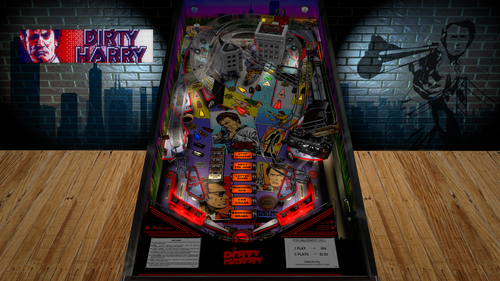
Dirty Harry (Williams 1995)
By TastyWasps
You Feeling Lucky Punk?
Dirty Harry has been "cleaned" up a bit for the latest VPX gameplay updates.
Improvements:
Scripting/Visual/Physics
* nFozzy physics / sling corrections
* Fleep mechanical and ramp sounds (SSF)
* Dynamic Ball Shadows (thanks Wylte)
* Drop Target Bouncers
* Flupper Domes
* Basic lighting changes to add more contrast / warmer feel.
Gameplay Improvements:
* Ball would often drop SDTM off the right wall if not flipped with the upper flipper. Fixed.
* Right upper flipper was literally hidden from view from a material setting. Fixed.
Quick History:
The most recent version of Dirty Harry VPX was version 2.0 that was created / scripted by Knorr with many enhancements since 2016 with Flupper assisting on ramps a killer shiny gun mod that matches the theme of the more shiny flippers and bumper surfaces.
So, about a month ago (on VPChat discord), ashleyb asked if anyone would want to "freshen up" Dirty Harry as they felt like it needed some gameplay updates... I chimed in and said I'd look into it. It was originally a Knorr project and Flupper did some of the most recent work making a killer shiny gun mod. Flupper was good with updating it so off to the races.
Commendations:
Thanks to the original Williams team listed in the IPDB link for another one of their '90s pins that stand the test of time.
Thanks to the original authors, Knorr and Flupper for a very solid recreation of the Dirty Harry VPX table from previous versions of Visual Pinball.
Thanks to the VPW team and ashleyb for advice, opinions and testing.
Now... Go Ahead and Make Your Day!
8383 downloads
-
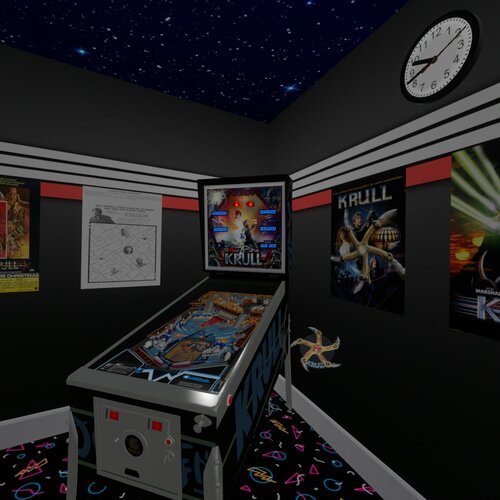
Krull (Gottlieb 1983) (10.8)
By Rascal
This is a hybrid update to my vpx conversion of a rare Gottlieb 1983 Krull pinball machine. For more details of the table I updated check out this link.
https://vpuniverse.com/files/file/5455-krull-gottlieb-1983/
Special thanks go out to the following people.
Ahr1man and his hawk eyes and his 4k monitor with his magnifying glass for finding every pixel out of place.
Rawd for being Rawd and just so I can boost his popularity more than it already is.
Smaug for his really slick video intro and help getting the word out. Also for beta testing.
Gigalula for beta testing and reporting.
tamoore for beta testing and reporting.
Studlygoorite for beta testing and reporting, he found that I had a bunch of sounds set to the backglass that should have been set to the playfield.
VPW team for many VR settings and object for the VR view.
And of course thanks to kevinleedrum and mfuegemann for the 2014 vp9 version.
I hope I got all the people that helped, if not let me know and I will add you.
Enjoy!
923 downloads
-
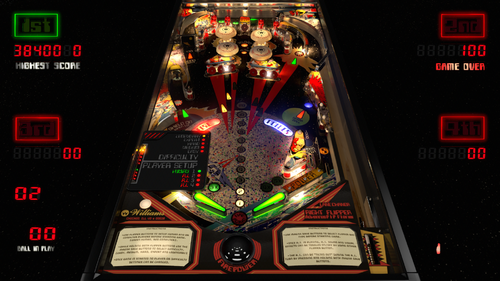
Firepower (Vs A.I.) V3.7
By 3rdaxis
Welcome to Firepower (Vs A.I.) V3.7 Needs VPX 10.7.3 To Run
A first of it's kind pinball game that you can actually play and challenge a fully capable A.I. computer. (Hal-9000)
This release is both graphically and physically identical to my original Firepower but can also still be played in a vanilla state like the original.
By default the computer's level of skill is set to "Legendary" . Player 2, 3 and 4 are the computer. There are four levels of difficulty to choose from. Easy, Normal, Hard, Expert and Legendary.
You can pick and choose which player is human or computer and even have all four players computer if you wish (lots of fun to watch and even bet on games).
INSTRUCTIONS:
(In Game)
'*Use the "L" key on keyboard to select language.
'*Use Flipper Buttons to setup human and or computer players before starting game. (Green Human, Red Computer).
'*Use Magna Save buttons to select flipper bat type.
'*While pressing and holding both flipper buttons use the Magna save buttons to select difficulty. (Easy, Medium, Hard, Expert and Legendary)
'*Press and hold the Right Flipper Button (six seconds) to display player and difficulty status during game play. Logic Panel displays during DTmode only.
'*Once game is started no selections can be made or changed until game is over.
'*The A.I. can be shutdown during the A.I. turn by pressing and holding both Magna Save buttons. The player can then take control.
'*All options can be hard set in the script under Table Options as desired.
A very special thank you to rothbauerw for help with the coding and conditional logic. Slydog43 for additional coding and everyone else in the community. Vogliadicane for the cool backglass and coding.
This is something that I hope you will all enjoy as much as I have enjoyed making it. I very much plan I installing this on other tables in the near future.
Same as before I recommend turning off AO (Ambient Occlusion) in video preferences and keeping ScSp turned on.
Anything else (Anti-Aliasing, Post-proc AA) will depend on your set-up.
I also suggest going through the THX set-up to ensure that you are experiencing this table as it was intended. Enjoy...
V3.4.0 Change Log Notes:
*The A.I. has a few new tricks up it's sleeves and will average about 400,000 points. It will still have a bad game now and then but will also sometimes play until the cows come home. You have been warned.
*It will nudge harder, do bounce passes and his shot priority logic has been optimized to limit any dangerous shots and maximize points.
*By default the table now as instruction cards explaining the user interface for setting up the A.I. game including player(s) (A.I. or Human), difficulty, canceling the A.I.'s turn etc.
*If the AI Nudge is turned off the right outlane post will move to the easy position during the computers turn. This is in case you have an accelerometer that tilt's out during the AI's turn thus still giving it a fair advantage.
V3.4.8 Change Log Notes:
If the A.I "TILT's" it will learn not to nudge the table for the remainder of that game.
V3.5.8 Change Log Notes:
Hidden in-game functions:
*Press and hold the Right Flipper Button for six seconds to display Logic panel and Player/Difficulty Status during game play. Logic Panel displays with DTmode only.
*While still holding the Right Flipper Button:
*Use the Left Magna Save Button to change Flipper Bat Type.
*Use the Right Magna Save Button to toggle on/off A.I. sound effects, voice and laser sights.
*Use the Left Flipper Button to change the Score Display colors. (score reels only)
*These changes will stay for the remainder of that game and will revert back to your script options when the table is re-started.
V3.6 Change Log Notes:
Lots of UI bug fixes. (Thank hworths1545 for the catch)
Fixed Legendary difficulty light state.
Added French to languages.
PROVIDED STRICTLY FOR PERSONAL USE AND NOT FOR COMMERCIAL SALE OR DISTRIBUTION. PLEASE DO NOT MASS RE-DISTRIBUTE TABLES OR ROMS. Any unauthorized distribution may result in legal action taken against the party(s) in question.
4130 downloads
-
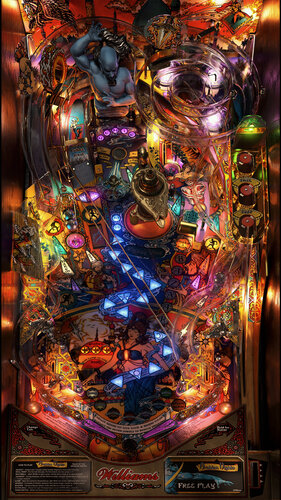
Tales of the Arabian Nights 4k Williams 1996
By Flupper
Full rebuild of Totan in Blender, all prerendered for 4K resolution. Thanks to:
Original build by JPSalas in 2015
High res playfield and plastics - Clark Kent
Beta Testing and Table Reference - Randr
DOF - Arngrim
Special thanks:
Knorr, for sounds from his soundpack
nFozzy, for physics techniques
G5K, for rendering advice
For best performance use these settings:
- use 10.7.x
- no brute-force 4x SSAA (is not necessary), but quality SMAA
- exclusive full screen with 1 for FPS limiter and 1 for maximum prerendered frames
- Ambient occlusion, ball trails, screen space reflections all off
Other remarks:
- magnasave buttons changes the LUT, see script options
- it is advised to keep the POV settings as they are in the download for the full screen mode; all textures have been prerendered for this POV
- day/night slider does not do much (only on lamp and playfield), use LUT to change contrast/brightness
14616 downloads
-
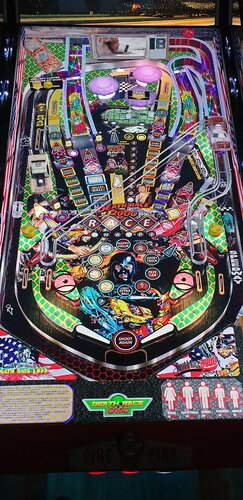
Death Race 2000
By balutito
Welcom to the Death Race, "You finish first or not at all" 😁
I don't really know why, but I love this old movie, completely crazy.
As JPSalas was kind enough to leave the NASCAR table free to modify, I took the opportunity to offer you a deadly version.
Thanks to JPSalas and everyone who worked on the table before me.
Magnasave option
If you are a careful driver, use the LEFT Magnasave If you're a big sick, V8 lover, road killer, use the Right Magnasave
You have no Magnasave ?
You can change the playfield line 29 of the script.
Or use your keyboard just for testing
ROM = nascar
PS: I do not know why, but on this table impossible to mutate the ROM? If someone has an idea ?
Music by RAZOR
ENJOY
All Logos, Music, Copyrights and Trademarks are property of their respective owners.
PROVIDED STRICTLY FOR PERSONAL / HOME USE AND NOT FOR COMMERCIAL SALE / RE-SALE OR DISTRIBUTION!
7784 downloads
-
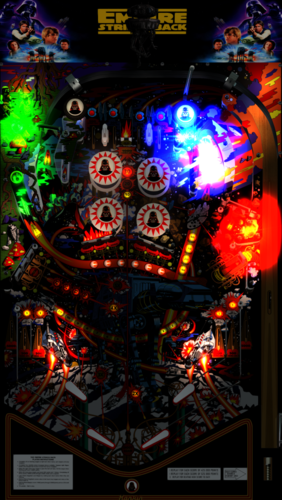
Star Wars Empire Strikes Back, The (Hankin 1980) MOD
By xenonph
I first would like to thank 32assassin for giving me permission to make this sound mod. I would also like to thank him for making a great table!! I also would like to thank everyone who contributed to this table including, Artwork by Francisco7666, and DOF by Arngrim!!
They put in alot of time and work on the original table, and it is appreciated!! So if you like this mod, I would encourage you to thank the original author of the table, as I have only made a few changes!
Original Table...
http://www.vpforums.org/index.php?app=downloads&showfile=11797
I also would like to thank Flupper for his great Flasher resource table!!
I would also like to thank Thalamus for telling me how to use resource tables!!
I also would like to thank Allknowing2012 and Gtxjoe for teaching me how to add timers to script!
I also would like to thank DJRobX, STAT, Gtxjoe, and nFozzy, for helping me shorten my StopSounds and PlaySounds script commands.
(They each wrote out an example, and between them all, I was able to figure it out!! BIG THANKS!!!)
I would also like to thank DJRobX for showing me example of flasher script command for flasher placement in FS mode.
I would also like to thank STAT for his NFL Script to change teams which this bumper script is based on. THANKS STAT!!
I also would like to thank Steve "Slydog43" for which these VPX mods would not be possible!!
WARNING!!! THIS TABLE HAS ALOT OF FLASHING LIGHTS, AND MAY CAUSE SEIZURES!!! PLAY AT OWN RISK!!!
v3.1
Converted all pics to WebP format to reduce overall size of table.(VPX7.2 Required)
Converted Wav files in sound manager to ogg format which reduces file size.
File size went from 116 MB's to 42.2 MB's!!!
Version 3.0
Added modified JPSalas LUT Toggled with Right Magna-Save Key.
Added modified JPSalas LUT script combined with STAT's TEAM Change script.
Now all pic changes are saved and loaded on next table run.
All bumper pics are toggled with Left Magna-Save now. 6 to choose from.
9 different FS Backdrops toggled with F Key.
Converted mp3's to ogg format, and scripted music to be played from StarWarsESB folder.
(Place StarWarsESB folder in your Music folder)
Also lowered Decibal Level on all the music by 6.4 Db's.
Added NVOffset script command, so not to interfere with other tables using same rom.
Version 2.4.1
Added Missing Load Lut script command. Now Lut is saved and loaded for next time table is played.
Version 2.4
Added JP's Lut's script.
Press and hold Left Magna-Save, then press Right Magna-Save to toggle the different Lut's.
Version 2.3
Moved plunger activated sounds to trigger in plunger lane.
Lowered GI lights height from 5 to 1 on lights around drop targets and lower bumper slings, as it looked like cutting into drop targets and pegs.
Raised drop targets from -10 to -3 so now tops are seen when in dropped position.
(I didn't want to start from scratch with 32assassins newest table, so I just adapted a few of his things to this table.)
Changed kickers from red KickerHole to metal KickerCup.
Added reflections to playfield.
Changed material and color on rubbers.
Changed pegs to metal material.
Added 9 different FS Backdrops toggled with F Key.(Similiar to Battlestar Galactica mod)
Can also use options at top of table script, to save option.
Added 5 different colors to GI Lighting toggled with 2 Key.
Can also use options at top of table script, to save option.
(Default GI Color is white. 1=Red 2=Blue 3=Green 4=Purple)
Added JPSalas GI Effect activated by drop targets, bumpers, and ball release to plunger.
Version 2.2.1
Added NFozzy's FastFlips by changing usesolenoids=19. Big thanks NFozzy!!!
Version 2.2
Added HauntFreaks FS POV settings for cabinets.
Added FS backdrop pic to cover exposed area after using HF POV settings.
Shut off variable when coin is inserted and player 1 is pressed before the 2 second timer shuts off. So now player1 start pics won't shut off early if player1 is pressed before 2 second timer shuts off on coin insert.
Shut off 2 more variables on drain hit.(Can't believe I missed this.)
Fixed Pics for FS view (For those who modified POV settings, the pics were cut in half in FS view. So now they are seen at top of table when activated, thanks to DJRobX for the example script command for placement of flashers.
Fixed DT view Darth flashing eyes so nose isn't lit up also.
Added warning about flashing lights may cause seizures while playing game.
Added 2 more pics activated by sound effects.
Added keypress of the letter "N" that shuts off Pics that are activated by sounds.
Added Keypress of the letter "M" that turns Pics on that are activated by sounds.
Added choice of 1 of 4 upper two bumpers pics selected by Left Magna-Save button (L-CTRL).
Added choice of 1 of 8 lower four bumpers pics selected by Right Magna-Save button (R-CTRL).
I learned how to add this script code to change bumper pics from STAT's example in my NFL mods.
The first 3 bumper pics when changed are same for both upper and lower bumpers. (Red,Blue and Green stormtrooper.)
The last 4 bumper pics for the lower 4 bumpers are 2 different Stormtrooper helmets with and without black border.
These last 4 stormtrooper helmet bumper cap pics, look better on FS setup as compared to DT view, and didn't look right when added to upper 2 bumpers.
(Mainly added for FS view users.)
Version 2.1
Forgot to turn off variable on drain hit, so after 3rd ball drain, the "plungerreleasefree" wasn't playing. It works correctly now.
Added 16 pics that are triggered on and off by events. Each sound effect corresponds with pic of character.
I am seeing how people react to this mod, and if they like it, I will upload it to other sites.
Version 2.0
Added 27 flashers from Fluppers resource table. Big Thanks Flupper!!
3 of them are visible above the plastics. The rest are underneath the plastics.
I figured why not add fantasy flashers, as the table is already fantasy sound mod.
(I may do this for all my sound mods!! I am addicted to flashers!! lol)
Fixed left targets below bumper. Two of them were named wrong.
(Would have never noticed this if not for adding these flashers!)
Added "plungerreleasefree" sound effect from BorgDogs Buck Rogers VPX table, so if no ball is in plunger, it plays "plungerreleasefree" sound effect, and no others.
Added "Impressive" Vader sound effect to plungerlane rollover, that is triggered only when you enter plungerlane after Darth target is down.
Removed background music sound effect "0ESB13.mp3", as it didn't fit table.
Added triangles to front of bottom inlane wire guides, as you could get ball to balance on it. Now you can't.
Missed a few rubbers that were set to hit height of 35. Changed them to 27.
Adjusted Y-Offset for DT view, and X-Offset for Cabinet view, to cover opening at bottom of apron.
1 of 3 colors illuminates plunger lane with plunger release.
Added Vader eyes flashing for DT view. This flasher is tied to all Vader targets and bumpers and the 2 Vader spinners.
Version 1.8
Added 30 more sound effects, including 4 new background music sound effects.
Changed all sound effects to be played through backglass instead of table per Vogliadicanes info.
Version 1.7
Removed DOF call from script for Bumpers 5 and 6 so they are like 32assassin had them originally.
Removed upper outside rollover lane dividers as the original table did not have them.
Added timer to start up music so there is an attract mode sequence started at table start.
Added Sub for sound effect on Ball Release to plunger.
Added "coin" sound effect to insert coin key 5.
Added StopSounds Sub to cut down size of script.
Added 10 more voice sound effects triggered by coin insert, Player1 Start, and 2 upper Kickers.
Added 1 more background music sound effect that plays during ball in play, triggered by plunger pull.
Version 1.6
Fixed right flipper advancing upper Starship Lanes lights.
Version 1.5
Fixed drop targets so they reset properly. They were mistakenly set to the wrong solenoid callback number.
Version 1.4
Lowered hit height physics from 35 to 27 on all rubbers.(Big thanks to Thalamus for this info!!)
Fixed ball from getting stuck in lower right inlane after changing from 35 to 27, by moving the right sling over to left the least amount I could.
Fixed ball getting stuck on top of upper right rollover divider that I added in v1.3, by raising it to same level as divider next to it, and then making small transparent wall to make sure it doesn't happen again.
Removed script that I added to make insert coin key 5. Added new script that BorgDog showed me that will allow for both 3 and 5 keys to work for inserting credits. (Big thanks BorgDog!!)
Removed Darth Vader breathing sound effect from 2 upper kickers, and replaced with Yoda saying "Help you I can." (Hear enough of the Darth breathing on side drains!!)
Added random voice sound effects between attract mode background music sound effects.
Version 1.3
Added lane dividers to sides of upper rollovers.(They seemed to be missing and allowed for rollover to not be hit when ball traveled through outer lanes.)
I just copied and pasted the same dividers that were already made for inner upper rollovers.
Version 1.2
I added script command so the 5 key works as insert coin. (No need to modify VPMkeys.vbs or Hankin.vbs)
If you want the insert coin key to be 3, just comment out Line 13 in table script or delete it.
I changed name of upper rollovers on right side to sw14 and sw15. The outside lane was mistakenly named sw14, instead of sw15, and inside lane was named TopRollover, instead of sw14.
I added FlipperUP and FlipperDown sounds from GIJOE table.
I added soundFX script to bottom 2 bumpers. I just copied the end of script that was on the other 4 bumpers.
I added 12 background music sound effects, 17 drain voice sound effects, 9 coin voice sound effects, and 26 other sound effects triggered by events.(All from Empire Strikes Back movie.)
The top center target plays 1 of 3 ship flyby sound effects, X-Wing, Millenium Falcon, and a Tie Fighter.
I added script command that shuts off the rom sound at table start, and turns it back on with table exit.
(If you want the original rom sounds on, download the original table. THIS IS A SOUND MOD!!)
********************************************
Place contents of music folder in your music folder located where you installed Visual Pinball Program.
WARNING!!! THIS TABLE HAS ALOT OF FLASHING LIGHTS, AND MAY CAUSE SEIZURES!!! PLAY AT OWN RISK!!!
All pics, trademarks, Logos and sounds belong to their respectful owners. This table is for personal home, and non-commercial use only. This table should be used for educational purposes only..
Hope you enjoy!!
5108 downloads
-
SoundMODv2_0b.thumb.PNG.b7493e50d2355423ab576a035deebab1.PNG)
Amazing Spider-Man (Gottlieb 1980) Sound MOD
By xenonph
A graphics and sound Mod of gtxjoes VPX table.
I want to thank gtxjoe for allowing mods without permission.(Big thanks Sir!!)
I also want to thank him for making an incredible table!!
Check the original table for more info. I'm sure alot of time and effort went into making this table, and it is deeply appreciated, so all credit should be directed gtxjoe's way.
Original Table..
http://www.vpforums.org/index.php?app=downloads&showfile=12261#
I also would like to thank Allknowing2012 and Gtxjoe for teaching me how to add timers to script.
I also would like to thank Steve "Slydog43" for which these VPX mods would not be possible!!
v2.1
Converted all pics to WebP format to reduce overall size of table.(VPX7.2 Required)
Converted Wav files in sound manager to ogg format which reduces file size.
File size went from 151 MB's to 36.8 MB's!!!
Version 2.0
Added Modified version of JPSalas LUT script.
Toggle LUT's with Buy-In Key. (2 Key)
Moved plunger activated sounds to trigger in plunger lane.
Added Scoring LED Color Option at top of table script. 4 different colors to choose from.
Also added Web Shooter Flipper Sounds Option at top of script. It is off by Default.
Added Web Shooter sound effect to trigger in plunger lane.
Included Fantasy Backglasses Day and Night mod with download package.
Added Instruction Card.
Instruction Card Pic uploaded with permission of Inkochnito. (Huge thanks!!)
Find all your Pinball Card needs at Inkochnito's Pinball Cards site:
http://www.pinballrebel.com/pinball/cards/
Version 1.1
Added timers to sound effects. Added different sound effects and deleted some old bad ones.
(Went from over 40 to over 70 sound effects.)
A couple of background music sound effects were very hard to find. I wanted to add 16 different background music sound effects, but as it is with about 4, the size is 150MB!! And alot of them didnt seem to fit the table atmosphere. The very last episode of this cartoon series was "Revolt from the 5th Dimension". It has some spacey music and trippy visuals. The actual name of the background music played in that episode was "LSD"!! (It didn't fit table atmosphere!!)
When I originally started this mod, I wanted to make a sound effects mod. Then I noticed a few nicks and chips in paint, and signs of wear on the playfield. (I know others like to have the chips and faded playfield. More realistic they say. You can download the original table if you don't like the cleaned up playfield.) So I decided to try and get rid of all that and to try and brighten some of the existing colors. 4 days later I had completed my touch up of playfield. Then noticed the BG for the DT version in VPX. It also had chips of paint missing. So I decided to clean up the BG too.
You probably won't notice much change, unless you have both playfield pics new and old, side by side. Then you will see I actually put alot of time and effort into this. I also changed color of the faded green lights to blue like the IPDB pics.
Only thing besides the playfield touch-up I did, was made the radius of red skirting below bumpers smaller, like the pics on IPDB, and reshaped the upper plastic wall so it would fit under the upper plastic and increased the bottom and top height so you can't see the through it while in DT mode.
On the Fantasy version I added new bumper images and 13 new BG images to choose from.
I added over 40 sound effects all from the 1967 cartoon series of Spider-Man, triggered by quarter, plunger pull, upper 3 kickers, all rollovers, spinner, and drain.
Made a Fantasy dB2S Backglass day and night mod and regular Black and Blue border day mods.
dB2S Backglasses here...
http://www.vpforums.org/index.php?app=downloads&showfile=12548
All pics, trademarks, Logos and sounds belong to their respectful owners. This table is for personal home, and non-commercial use only. This table should be used for educational purposes only..
Hope you like it!!
2972 downloads
-
SoundMODv2_0b.thumb.PNG.c78604492133702faf9ffd56109f30c5.PNG)
Buck Rogers (Gottlieb 1980) Sound MOD
By xenonph
I first would like to thank BorgDog for giving me permission to make this sound mod. I would also like to thank him for making a great table!! I also would like to thank everyone who contributed to this table including, Hauntfreaks and Sindbad!!
They put in alot of time and work on the original table, and it is appreciated!! So if you like this mod, I would encourage you to thank the original author of the table, as I have only made a few changes!
Check Original Table download page for more important info.
Original Table...
http://vpinball.com/VPBdownloads/buck-rogers-gottlieb-1980/
I also would like to thank Allknowing2012 and Gtxjoe for teaching me how to add timers to script.
I also would like to thank DJRobX, STAT, Gtxjoe, and nFozzy, for helping me shorten my StopSounds and PlaySounds script commands.
(They each wrote out an example, and between them all, I was able to figure it out!! BIG THANKS!!!)
I would also like to thank Scottacus for all the help with the TILT sound effects script!! BIG THANKS!!
I also would like to thank Steve "Slydog43" for which these VPX mods would not be possible!!
Version 2.1
Converted all pics to WebP format to reduce overall size of table.(VPX7.2 Required)
Converted Wav files in sound manager to ogg format which reduces file size.
File size went from 166 MB's to 54.3 MB's!!!
Version 2.0
Added Modified version of JPSalas LUT script.
LUT's are toggled with the Buy-In Key.(2 Key)
Added Instruction Card.
Instruction Card Pic uploaded with permission of Inkochnito. (Huge thanks!!)
Find all your Pinball Card needs at Inkochnito's Pinball Cards site:
http://www.pinballrebel.com/pinball/cards/
Version 1.11a
Stopped some timers that were still activated after pressing player1 start.
Added coin sound effect to 3 key.
Version 1.1a
Noticed "Drain" sound effect was missing from sound manager, so I added it to sound manager from another table.
(It was hard to catch this as you could only tell after last ball drain.)
Also fixed script so coin is heard on coin insert.(There was not a coin sound effect named "coin" that the script was calling for. So I just changed to "Coin3" as there were 2 different coin sound effects already in the sound manager.)
Scottacus helped fix the script for DT view objects to disappear when in FS mode.
(If you ran FS view without B2s, the objects didn't disappear as per Scotts info.)
BIG THANKS!!
I added GI lights to Buck Rogers Logo and pic on left side of DT backdrop.
Scottacus came up with working TILT sound effects script!! BIG THANKS!! (I will learn this if it kills me!!)
1 of 4 sound effects will be played when you TILT table.
I Added 133 sound effects triggered by events.
All of these sound effects are played through backglass instead of table per Vogliadicanes info.
There are 4 background music sound effects triggered by plunger.(From actual Movie.)
There are 2 other background music sound effects that are not triggered by plunger.
1 is triggered by hitting upper kicker. (1 in 16 chance of triggering it.) Twiggy says "Get Down Groovy" and a groovy song is played.(One from actual movie.)
The other background music sound effect is only played during attract mode after losing a game.
(This is the song that was played at end of tv show. It sounds corny, but true Buck Rogers fans will appreciate it.)
You will need to hit F6 to bring up the Dipswitch Menu, and turn off ROM scoring sounds.
(Or use the nvram I included with download.) Copy the nvram to your nvram folder where Visual Pinball is installed.
I couldn't seem to shut off the ROM sounds and have them turn back on with table exit like other sound mods I have released.
So you will need to turn off these sounds with either method above.
BorgDog has made this in Portrait Mode. STAT left a POV.xml for Landscape Mode as attachment here in BorgDog's Support Topic..
http://vpinball.com/forums/topic/buck-rogers-gottlieb-1980/#post-49053
I will include this with download, but be sure to thank STAT for it!!
Simply load table into Visual Pinball Editor, and click "File" tab, then click "Import Backdrop POV".
Then a window will pop up allowing you to browse to BuckRogersPOV.xml.
After importing simply start table. You will need to save the table after making changes, for them to stay
If you are looking for a dB2S Backglass, Borgdog included one with his table download. (I didn't have enough room to include the dB2S Backglass, as these 2 Buck Rogers Sound Mods are over 166 MB's each.)
So you need to go to his download page if you want the dB2S Backglass.
All pics, trademarks, Logos and sounds belong to their respectful owners. This table is for personal home, and non-commercial use only. This table should be used for educational purposes only..
Hope you enjoy!!
I also made a version 1.1b that Scottacus changed all the DT LED's to reels to get his No Credit sound effect script to work, but I have a 720p monitor, so people with other screen resolutions, will see the LED's don't line up correctly. So I will try to get this fixed and have it uploaded shortly. I guess someone with a 1080p monitor will have to line them up correctly, as my screen resolution is 1365x768, which makes them not line up on others monitors.
2389 downloads
-
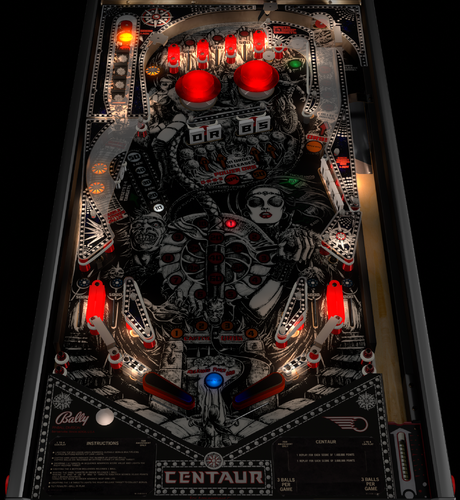
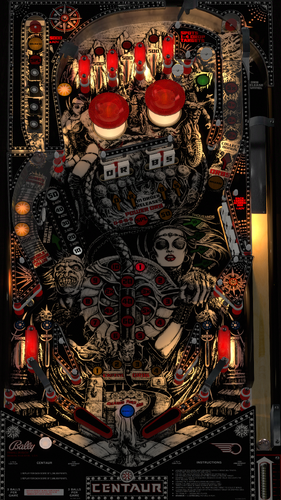
Centaur (Bally 1981)
By bord
A bit of a legacy upload, this great game was adopted as a physics improvement project by the great rothbauerw in late 2020. Here we are a few years later and, although lacking some bells and whistles visually, this holds up well and plays great.
Includes VR setup, nFozzy physics.
Original credits read:
2018 - Script adapted from an unreleased version by Borgdog, Hauntfreaks, Drybonz. Base script by 32assassin. Testing and apron scan by The Loafer.
2020 - major physics and VR overhaul by rothbauerw
3997 downloads
-
.thumb.jpg.f1cc1fe61c3626cc79a3f2fd67fb4fc1.jpg)
Joker Poker (Gottlieb 1978)
By Goldchicco
This is a complete rebuilt of 32assassin table ver 1.0
Artwork by Hi-Rez00
10.6 TABLE
based on releases by 32assassin & BorgDogs
Big thank you to you to:
@markrock76 for the playfield mesh and playfield shadow image
@HiRez00 for the new scans of playfield and plastics.
What's new:
* New lights, new lighting
* New table physics
* Added nFozzy flippers
* Added Fleep Sound
* Correct few elements position on the table
* New script
* Reworked all the images, cleaned and upscaled
* Added Flippers Shadows and Ball Shadows
* Added playfield mesh (thanks @markrock76)
* New Playfield and Plastics images (thanks @HIRez00)
* Tuned Slingshots and Bumpers force
* Corrected Rubbers Hit Height
* Added JP's LUT code
* New instruction Cards in the apron
* Repositioned Bumpers correctly
* Corrected Bumpers Height
* Changed Drop Targets height so they don't disappear when down
* Adjusted numerous table elements physics properties
* Adjusted general table physics (added dampeners)
* Other small tuning
Press F6 and configure the Dip switches to select 5 balls and other features (need to do this only once)
To rotate and select between the nine LUT files press and Hold the Left Magnasave and rotate pressing the Right Magnasave.
Hope you enjoy it and please leave constructive feedback or comments in the support topic and will try to make it better.
All Logos, Copyrights and Trademarks are property of their respective owners.
PROVIDED STRICTLY FOR PERSONAL / HOME USE AND NOT FOR COMMERCIAL SALE / RE-SALE OR DISTRIBUTION!
Permission to Mod: Yes with approval
2723 downloads
-
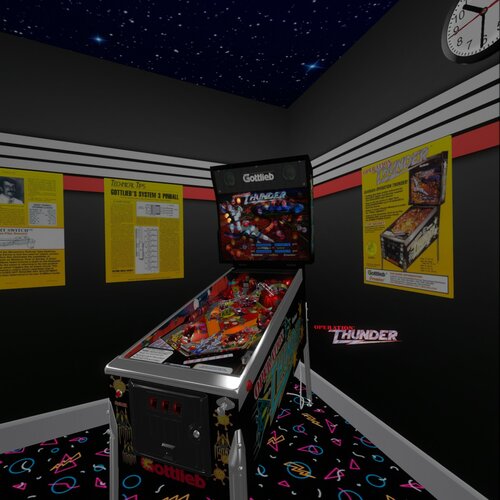
Operation Thunder (Gottlieb 1992) (10.8)
By Rascal
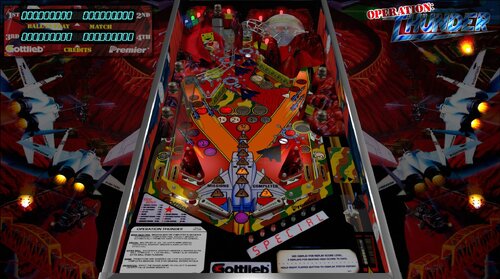
This is a hybrid version of a 1992 Premier Operation Thunder pinball table. It has four views (Desktop, Fullscreen, Full Single Screen, and VR). If you enable B2S in desktop mode it will automatically make the segment display invisible for those who like to play desktop with B2S. This table was originally made in VP9 by mfuegemann and converted to VPX by Rascal. Here is the link to that version so you can read the details from there.
https://vpuniverse.com/files/file/5476-operation-thunder-1992-gottliebpremier/
As mentioned, this table will disable the segment displays and the vpinmame display if B2S is enabled. LUT setting can be changed using the left magnasave button. VR is automatically detected when VR is enabled in VP-GL VR settings. Other VR settings include Logo on/off, right posters on/off, left posters on/off, glass on/off, and glass scratches on/off. These are set at the top of the script. This table was made with the beta 10.8 GL version of VPX and is recommended to use that version. It has been reported during beta testing that some people running the 64bit version of 10.8 see some black dot anomallys and are not present if they run it in the 32bit version of VP GL. This is a bug in the 64bit version, because Ahr1man painstakingly deleted objects all the way down to the playfield and was unable to remove all the dots. This was more prominent in Fullscreen and Full Single Screen modes.
Thanks go out to the following people.
mfuegemann - for the awesome work he did on this table for VP9.
Ahr1man - for beta testing, bug reporting, and inspecting up close all objects on the table.
Rawd - for beta testing and confirming bugs.
Gigalula - for beta testing and suggesting some game play modifications on the upper flipper to make it easier to hit the left ramp.
tamoore - for beta testing.
Enjoy!
1449 downloads
- operation thunder
- gottlieb
- (and 3 more)
-
.thumb.png.56574ac2ee620488e66062074ce40dc7.png)
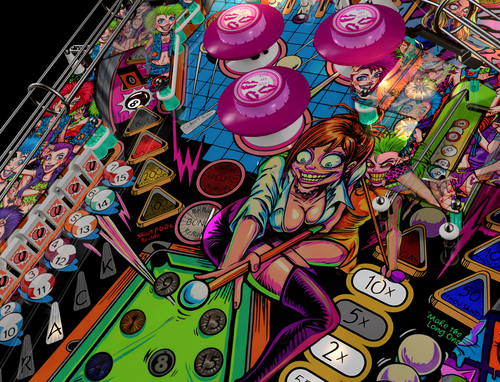
Laser Cue (Williams 1984) w VR Room
By UnclePaulie
A version of Laser Cue VPX was originally done by Goldchicco, however in this release, most everything was done or redone once again, as the original table size was incorrect, and the playfield he used was high rez, but wasn't aligned correctly. This required me to completely redo everything like I did on Jungle Lord and Barracora. Thank you to Hauntfreaks for helping with the initial playfield image. He used his magic to get it upscaled and enhanced. I then got the text looking good, as well as various color mods.
This is another early 80's Williams table like Black Knight, Solar Fire, Jungle Lord, Pharaoh, etc. This has a very basic ruleset, but good game play, Table instructions are included in the Table info section. Laser Cue is a four flipper game from 1984, and features an unusual “billiards in space”, science-fiction theme. The game is equipped with a bell that rings when billiard balls are collected or extra balls achieved. The main bank of drop targets are individually controlled, and must be collected in the indicated order to remain dropped. Extra ball play guarantees the player twenty-five seconds of play time, serving all lost balls within that time back to the shooter lane. (excerpt from Pinside).
Since the table is basic, there were essentially two ways the table was set up to play... easy and hard. I have it defaulted to HARD. There is an option in the script to make it easy. (Easy mode adds a rail between the right two flippers. const FlipperGuideHard = "0" is the easy setting, and adds a guard rail between right flippers. "1" removes it. (Default is "1" / hard).
Included in this Version 2.0 is Hybrid VR/desktop/cabinet modes, new upscaled playfield and plastics, VPW physics, flipper tricks, dynamic shadows, Fleep sounds, Lampz, 3D inserts, new general illumination lighting, sling corrections, drop and stand-up targets, etc. Significant time was spent on researching online videos, to ensure accuracy of shots, ball drops, and overall playability. I also created a desktop backglass with a cool lighting effect, as well as the VR backglass and other VR options. There are also some performance improvements.
I would like to thank the VPW team for testing and feedback (especially Hauntfreaks, Apophis, Tastywasps, PinStratsDan and all others who tested!) Also thanks for prior assistance on items used in this table, including Tomate (lower rail prim), Goldchicco, and the rest of the VPW team!
There are several options in the script. Including VR, ball brightness, LUT lighting options, and you can turn the bell off if you don't like that sound. Also, you can set the difficulty level, and the volume of the bell.
The LUT changes are done by holding cntl (or left mangasave) and then while holding, scroll through the options with the right magnasave.
This is a hybrid table done in VPX 10.72, and I have code in here to automatically choose between VR, desktop, and cabinet. Additional options in the script include two VR environments, a VR clock, a topper, posters, and settings for dynamic shadows if you experience a performance hit.
Thanks again to the VPW team for feedback!
2801 downloads
-
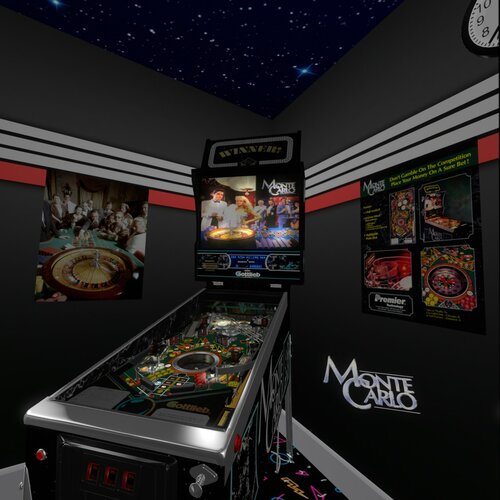
Monte Carlo (Premier 1987) (10.7)
By Rascal
This is a hybrid update to the Monte Carlo Premier 1987 that can be found here at https://vpuniverse.com/files/file/5473-gottlieb-monte-carlo-1987-vpx/
All the same credits go out as to that version. This version is a hybrid version and includes four views (desktop, fullscreen, full single screen, and VR. Left magnasave controls LUT settings. There are options that can be set in the script for VR Logo, posters, glass with or without scratches. You can also set the blades from black marble to casino chips. There is an option to set the backglass to NOS or Wildman's awesome alternative backglass. Thanks, Wildman for permissions to use the alternative image (I recommend the alternative B2S which I will link). I updated many things on this table, including work to the roulette wheel, the launcher lane ramp, and much more. My partners on this project are Ahr1man, who added a lot of the VR view stuff and Rawd, who always gives me useful feedback which I try to implement. Thanks go out to the VPW crew for VR room and cabinet things.
EDIT: I forgot to thank Rajo Joey for his help with the segment display which I grabbed from his awesome Surf 'n Safari table.
1166 downloads
- monte carlo
- premier
- (and 3 more)
-
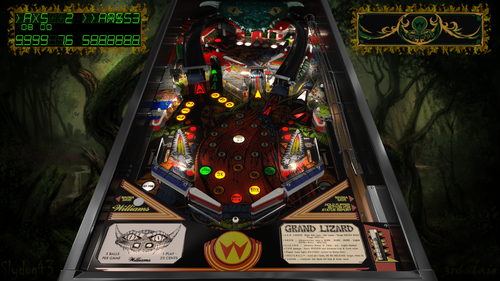
Grand Lizard (Williams 1986)
By 3rdaxis
1986 Williams Grand Lizard VPX Beta 10.7.3
A 3rdaxis and Slydog43 collaboration.
A very special thanks to JP Salas and Rosve for their VP9 versions
Thanks to Sliderpoint and Ben Logan for play testing and suggestions, GTXJoe and DJRobX for scripting help and finally the entire community for everything else during this endeavor.
Table options (Located in script) include Custom Music, Side Blades, Plastics, Flipper Bat color and Flipper Rubber colors, Rubber colors, GI color,
Center Post, and Out-lane Post position (difficulty)
PROVIDED STRICTLY FOR PERSONAL USE AND NOT FOR COMMERCIAL SALE OR DISTRIBUTION. PLEASE DO NOT MASS RE-DISTRIBUTE ROMS OR TABLES. Any unauthorized distribution may result in legal action taken against the party(s) in question.
4428 downloads
-
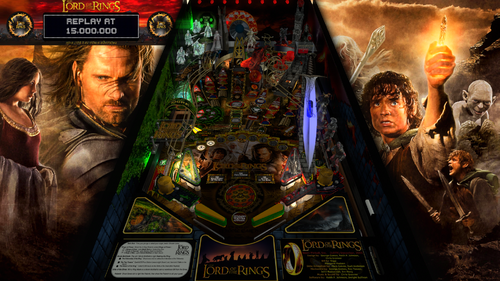
Lord Of The Rings Siggis Mod
By Siggi
This is a reupload from VPinball. Nothing changed since version 1.2
This is a grahpic mod of JP's Lord of the Rings. (Neo LED MOD)
As always i changed a lot, can't remember everything. It's been a while ago.
I hope you still like it.
.....and keep on playin' pinball
Siggi
4032 downloads
-
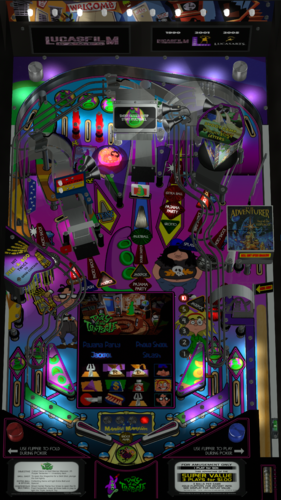
Day of the Tentacle (Stern 2002) RyGuy Mod
By ryguy417
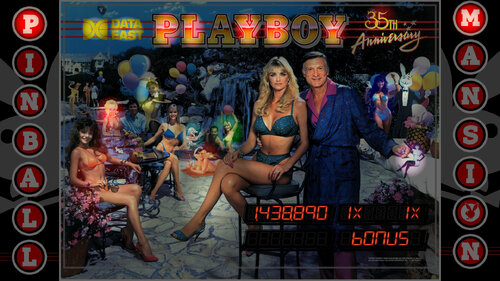
This is a reskin/mod of Stern's 2002 Playboy table. I actually really like the table layout, but the theme was not the best with the kiddos around. Have no fear--this is based on using VPMAlias, so you can keep your original Playboy table should you wish.
Day of the Tentacle, Sam and Max Hit the Road, and the Secret of Monkey Island were my favorite point-and-click adventure games growing up. I still have Secret of Monkey Island on my bookcase--with all the 5.25 floppies ready to go. However, Day of the Tentacle was the best of the bunch, with a really clever time travel element to boot.
Hopefully this is a good "kid-safe" option for some of you, and a stroll down memory lane for all who played these LucasArts games.
Thanks to @Manbearpig for assistance with testing!
Thanks to @HiRez00 for the permission to mod and for all the work that he and others did to make the Playboy table so spot on in the first place.
Instructions
Add "playboystentacle,playboys" to your vpmalias file Move the pup pack to your pup videos folder. It's designed for a full dmd setup only Move the vpx and b2s files to your tables folder. Turn off sound on the rom by pressing f1** Optional: press 7, navigate to the P.B. install options and select no adult content/sounds (kid-friendly)* --Note: the supplied cfg and nv files *should* cover for this, but if not, follow step 4.
*The full DMD videos are timed to "cover" any overtly sexual content, but priority order may cause the occasional miss. Topper and wheel are provided for your use.
**For those interested in turning off the sound temporarily (i.e. you plan to use the other playboy table a lot too), follow this script. Thanks @Manbearpig for the tip!!
Example script:
2679 downloads
-
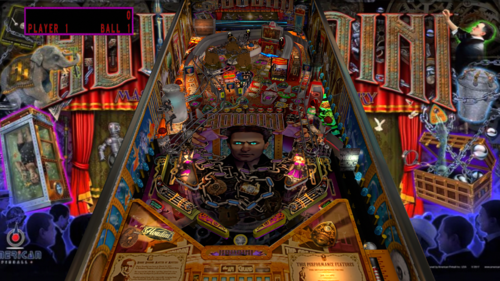
Great Houdini
By marty02
hello to all I am sharing a new Great houdini table based on the script of bond, Mission impossible and friday 13 of jpsalas which I thank very much.
Great Houdini
new game rules script edit
soundtrack with excerpts from Film houdini
some remix sound from Theater of houdini
5 multiball modes
3 magnets
change the lighting with the right and left magma keys.
Complete package: Backglass mini backglass for Pup media for pinballX.
Happy New Year's Eve and have fun or not because the table is difficult.
7209 downloads
-
(VRRoom)1.0.4.thumb.jpg.e166f5f7246b12ceab63ccf4d52bfcb3.jpg)
Blue Note (Gottlieb 1978)(VR Room)
By RajoJoey
Description:
***************
The table is made by the great Jeff Whitehead (Loserman76).
May he rest in peace. 😞 I hope, there are pinballs where you are, Jeff.
I would like to thank Jeff, for allowing me, to convert his tables to VR.
Info
It is a hybrid table. So you can play in VR, desktop or cabinet mode, but you need the external backglass (included in the rar file).
There is no need to change the script. A VR headset is automatically detected.
I added the following things:
VR room, artwork for cabinet, backbox and flyer, animations for buttons and plungers, LUT files (change with magnasave buttons).
'* Table primary build/scripted by Loserman76
'* Table images by GNance
'* VR update by Rajo Joey
Best to play in VPinball_GL 10.8: https://github.com/vpinball/vpinball/actions/workflows/vpinball-gl.yml
***********************************************
These are quick conversions, as I don't like playing in a dark room and don't want to spend more days or weeks to convert a table.
If you want to do your own conversions, I wrote two tutorials for EM tables like Loserman76's and make templates of the tables, pictures and materials.
Also there are some .psd files, to change the artwork in an easy way for example.
In the template tables there are generic artwork for the cabinet and the backbox. Some people may be happy with that and don't need the real artwork.
There is a short tutorial for people, who know the editor and a longer one for newbies. Both instructions are in English and German.
https://mega.nz/folder/5csAGRAa#gSFFQN_jXbw03y7LpQENHg
544 downloads
-
(VRRoom)1.0.4.thumb.jpg.d2848dc080438eadf2a6ae0d8cda140b.jpg)
Neptune (Gottlieb 1978)
By RajoJoey
Description:
***************
The table is made by the great Jeff Whitehead (Loserman76).
May he rest in peace. 😞 I hope, there are pinballs where you are, Jeff.
I would like to thank Jeff, for allowing me, to convert his tables to VR.
Beautiful backglass is made by leojreimroc. A big thanks to him.
Info
It is a hybrid table. So you can play in VR, desktop or cabinet mode. You don't need the external backglass for VR.
There is no need to change the script. A VR headset is automatically detected.
I added the following things:
VR room, artwork for cabinet, backbox and flyer, animations for buttons and plungers, LUT files (change with magnasave buttons).
'* Table build/scripted by Loserman76
'* Image redraws/touchups/fixes by GNance
'* VR update by Rajo Joey
'* VR backglass/scripting by leojreimroc
Works in 10.7.2, best to play in VPinball_GL 10.8: https://github.com/vpinball/vpinball/actions/workflows/vpinball.yml
***********************************************
These are quick conversions, as I don't like playing in a dark room and don't want to spend more days or weeks to convert a table.
If you want to do your own conversions, I wrote two tutorials for EM tables like Loserman76's and make templates of the tables, pictures and materials.
Also there are some .psd files, to change the artwork in an easy way for example.
In the template tables there are generic artwork for the cabinet and the backbox. Some people may be happy with that and don't need the real artwork.
There is a short tutorial for people, who know the editor and a longer one for newbies. Both instructions are in English and German.
https://mega.nz/folder/5csAGRAa#gSFFQN_jXbw03y7LpQENHg
475 downloads
-
(VRRoom)1.0.4.thumb.jpg.6c46e745136c0f1e3924f8e7ebeb103a.jpg)
Hit The Deck (Gottlieb 1978)
By RajoJoey
Description:
***************
The table is made by the great Jeff Whitehead (Loserman76).
May he rest in peace. 😞 I hope, there are pinballs where you are, Jeff.
I would like to thank Jeff, for allowing me, to convert his tables to VR.
Beautiful backglass is made by leojreimroc. A big thanks to him.
Info
It is a hybrid table. So you can play in VR, desktop or cabinet mode. You don't need the external backglass for VR.
There is no need to change the script. A VR headset is automatically detected.
I added the following things:
VR room, artwork for cabinet, backbox and flyer, animations for buttons and plungers, LUT files (change with magnasave buttons).
'* Table build/scripted by Loserman76
'* Image redraws/touchups/fixes by GNance
'* VR update by Rajo Joey
'* VR backglass/scripting by leojreimroc
Works in 10.7.2, best to play in VPinball_GL 10.8: https://github.com/vpinball/vpinball/actions/workflows/vpinball.yml
***********************************************
These are quick conversions, as I don't like playing in a dark room and don't want to spend more days or weeks to convert a table.
If you want to do your own conversions, I wrote two tutorials for EM tables like Loserman76's and make templates of the tables, pictures and materials.
Also there are some .psd files, to change the artwork in an easy way for example.
In the template tables there are generic artwork for the cabinet and the backbox. Some people may be happy with that and don't need the real artwork.
There is a short tutorial for people, who know the editor and a longer one for newbies. Both instructions are in English and German.
https://mega.nz/folder/5csAGRAa#gSFFQN_jXbw03y7LpQENHg
527 downloads
-
(VRRoom)1.0.3.thumb.jpg.130b9571dd0869af5dd29611e4a2c48e.jpg)
World Series (Gottlieb 1972)
By RajoJoey
Description:
***************
The table is made by the great Jeff Whitehead (Loserman76).
May he rest in peace. 😞 I hope, there are pinballs where you are, Jeff.
I would like to thank Jeff, for allowing me, to convert his tables to VR.
Info
It is a hybrid table. So you can play in VR, desktop or cabinet mode, but you need the external backglass.
There is no need to change the script. A VR headset is automatically detected.
I added the following things:
VR room, artwork for cabinet, backbox and flyer, animations for buttons and plungers, LUT files (change with magnasave buttons).
'* Table build/scripted by Loserman76
'* Playfield/plastics all redrawn by GNance
'* VR update by Rajo Joey
Works in 10.7.2, best to play in VPinball_GL 10.8: https://github.com/vpinball/vpinball/actions/workflows/vpinball.yml
***********************************************
These are quick conversions, as I don't like playing in a dark room and don't want to spend more days or weeks to convert a table.
If you want to do your own conversions, I wrote two tutorials for EM tables like Loserman76's and make templates of the tables, pictures and materials.
Also there are some .psd files, to change the artwork in an easy way for example.
In the template tables there are generic artwork for the cabinet and the backbox. Some people may be happy with that and don't need the real artwork.
There is a short tutorial for people, who know the editor and a longer one for newbies. Both instructions are in English and German.
https://mega.nz/folder/5csAGRAa#gSFFQN_jXbw03y7LpQENHg
493 downloads
-
(VRRoom)1.0.3.thumb.jpg.4f484da324b6b58cf6341fba07d6973c.jpg)
Wild Life (Gottlieb 1972)
By RajoJoey
Description:
***************
The table is made by the great Jeff Whitehead (Loserman76).
May he rest in peace. 😞 I hope, there are pinballs where you are, Jeff.
I would like to thank Jeff, for allowing me, to convert his tables to VR.
Info
It is a hybrid table. So you can play in VR, desktop or cabinet mode, but you need the external backglass.
There is no need to change the script. A VR headset is automatically detected.
I added the following things:
VR room, artwork for cabinet, backbox and flyer, animations for buttons and plungers, LUT files (change with magnasave buttons).
'* Table build/scripted by Loserman!
'* Image redraw/touchups/fixes by GNance
'* original FP table images/plastics by Popotte
'* VR update by Rajo Joey
Works in 10.7.2, best to play in VPinball_GL 10.8: https://github.com/vpinball/vpinball/actions/workflows/vpinball.yml
***********************************************
These are quick conversions, as I don't like playing in a dark room and don't want to spend more days or weeks to convert a table.
If you want to do your own conversions, I wrote two tutorials for EM tables like Loserman76's and make templates of the tables, pictures and materials.
Also there are some .psd files, to change the artwork in an easy way for example.
In the template tables there are generic artwork for the cabinet and the backbox. Some people may be happy with that and don't need the real artwork.
There is a short tutorial for people, who know the editor and a longer one for newbies. Both instructions are in English and German.
https://mega.nz/folder/5csAGRAa#gSFFQN_jXbw03y7LpQENHg
387 downloads
(2 reviews)0 comments
Submitted
-
(VRRoom)1.0.3.thumb.jpg.cb74f327712a9842f39b1ad6fefbc894.jpg)
Volley (Gottlieb 1976)
By RajoJoey
Description:
***************
The table is made by the great Jeff Whitehead (Loserman76).
May he rest in peace. 😞 I hope, there are pinballs where you are, Jeff.
I would like to thank Jeff, for allowing me, to convert his tables to VR.
Info
It is a hybrid table. So you can play in VR, desktop or cabinet mode, but you need the external backglass.
There is no need to change the script. A VR headset is automatically detected.
I added the following things:
VR room, artwork for cabinet, backbox and flyer, animations for buttons and plungers, LUT files (change with magnasave buttons).
'* Table build/scripted by Loserman76
'* Images/Plastics by Popotte
'* Redraw by Bodydump
'* VR update by Rajo Joey
Works in 10.7.2, best to play in VPinball_GL 10.8: https://github.com/vpinball/vpinball/actions/workflows/vpinball.yml
***********************************************
These are quick conversions, as I don't like playing in a dark room and don't want to spend more days or weeks to convert a table.
If you want to do your own conversions, I wrote two tutorials for EM tables like Loserman76's and make templates of the tables, pictures and materials.
Also there are some .psd files, to change the artwork in an easy way for example.
In the template tables there are generic artwork for the cabinet and the backbox. Some people may be happy with that and don't need the real artwork.
There is a short tutorial for people, who know the editor and a longer one for newbies. Both instructions are in English and German.
https://mega.nz/folder/5csAGRAa#gSFFQN_jXbw03y7LpQENHg
535 downloads
(0 reviews)0 comments
Submitted
-
VPU Staff's Top Picks
-
New & Updated Visual Pinball
-
New & Updated Future Pinball
-
New & Updated Backglasses
-
New & Updated DMD Colorizations
-
New & Updated Virtual Reality Enabled Tables
-
VPU Remix & Mods
-
New & Updated Popper Media
-
Updated Files
-
Download Statistics
30730
Files108282
Comments45212
Reviews




.thumb.png.557350d1c3d2c33f9858e4f7b4ca12ae.png)
.thumb.png.559ffeefc18faf238c9a03f881e135dd.png)
AltB2SwithFullDMDss.thumb.png.2c40717e6bdbbccab69ec7a207568de9.png)
.thumb.png.85033277c8e20968a765361789c8a6be.png)
.thumb.png.480ccd27eee863a689bbd5773712b451.png)
.thumb.png.ea3fee98572c2872208e177931efd7b5.png)
.thumb.png.5a990e5c323fd6164aa9885ea6b06665.png)

.thumb.png.f450a9ccd2cbf450b5b3aaf7663b19bd.png)


Illuminated.thumb.png.14480180d30f65f5cfe74edf577300de.png)






.thumb.jpg.c30c90acd2ee5e74325fc265b9aaebb7.jpg)
fullDMD.thumb.png.d5b7f53f18164ff93bcf624ccf220fe0.png)
.thumb.png.ffd24cbf13a91dbc73610e5f79b4962d.png)











.thumb.png.9e2768ccc91095a59606f575abaab0fa.png)
JGBMod.thumb.jpg.31636f935b2d3cd9bb24d4b84a750c80.jpg)




Rules.thumb.png.ab4cea71430daf8bfe6b7a24c77b4276.png)


Manbearpig-4K30FPSPlayfieldVideo.thumb.jpg.b01cc4a4b40d449d279c7641e5b0bb2c.jpg)




Rules.thumb.png.26f058d8fca7190f2538fcf1380d272f.png)