-
SYSTEM SEARCH
System Scanners Online:
Username: Guest
>> System Scan?
>> The Universe >
Incoming Message:
Due to system limitations searching with words of 3 or less characters will not return results. For instance; Doctor Who. This will not return results as the system is trying to search for both Doctor AND Who in which Who will not be found as it's a 3 character word. To find Doctor Who; you'd search for either Doctor or "Doctor Who".
Search Tips:
For specific searches; enclose your search with quotes. Example: "Doctor Who" or "Addams Family".
Search the Community
Showing results for tags 'vr room'.
-
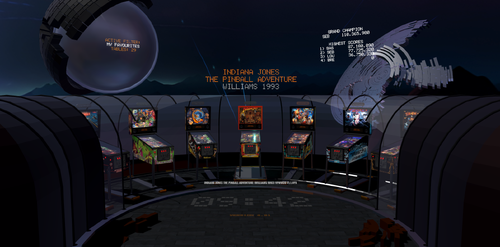
Version 4.94
6901 downloads
New Launcher Project: Check out, how it works: Version 4 (coded in Unity) Big thanks to A. Rubin for his amazing work on hundreds of tableskins! Big thanks to Rajo Joey for providing his tablesound-archive! Installation: ---------- install into your VPX folder start only the launcher4.exe inside your VPX folder setup your paths and keys via settings at trayicon-menu restart launcher optimize your single-klick speed rotation-speed (inside launchers overlay-settings) start with 0.0 and increase to 0.1 ... problems with autoupdate? -> try starting launcher as admin Performance problems? 1) Set renderScale to 1.0 in VR! 2) Try disabling table-videos 3) Try disabling "room" Changelog: --------- What's new in version 4.8x - new circular tableselection - random table function What's new in version 4.67 Tablesounds are included in the resources. If you want to overwrite the existing sound you can can place your own tablesounds inside /vrlauncher4/config/tablesounds/ The filenames have to match against the tablearray like the vpx-names. What's new in version 4.64 If you want to hear backgroundmusic place mp3 here: /vrlauncher4/config/music.mp3. What's new in version 4.63 You can (it's optional) launch vpx with special params for vr or novr. vrlauncher4/config/config.xml: <vpparams2d>-ini novr.ini -Minimized -Play</vpparams2d> These params will be passed to VPX if you are in launcher 2d-mode. Since 10.8 Beta 5 you can launch VPX with an ini-file with settings. If you setup a novr.ini with the following setting... [PlayerVR] AskToTurnOn = 2 ... VPX will start in 2d mode (turn off VR). <vpparams2d>-ini novr.ini -Minimized -Play</vpparams2d> in vrlauncher4/config/config.xml will load this ini-file while launching tables. The result of these settings is that you can set in the launcher whether you want to play in VR or 2D. The launcher automatically detects if you have a VR device connected, so you won't receive any more error messages in VPX because of that. (F9 toggles VR/2D) What's new in version 4.62 online /config/offlinedata/mytables.csv merges into tablearray You can place your special tables there (readme.txt) What's new in version 4.61 + VR-settingseditor in VR-mode + 2D-settingseditor in 2D-mode Hint: If you want a full table-rotation set rotation angle to 180° What's new in version 4.53 The program was created with the latest Unity LTS compiler and is delivered with an MSI installer to prevent blocked DLLs and read-only directories from causing issues. New features in this version include automatic online and offline updates. Starting from this version, the program can update itself automatically online or manually through copied update files. What's new in version 4.50 1) tablename.bat files will launch corectly. 2) Autoupdate-function added. Please check if /vrkauncher4/update/xdelta.exe is not blocked! Otherwise the update will not work. To activate autoupdates you have to setup settings in config.xml to: <autoupdate>1</autoupdate> Problems: to fix update pls check /vrlauncher4/update/ ✅ check if the xdelta.exe in this folder is not blocked. ✅ check if update_{YOUVERSION}.zip was downloaded ✅ there is a file version.cfg - check if it‘s {YOURVERSION}. if not, zip was not extracted ✅ set version in version.cfg back to {YOURVERSION} to reset update ✅ restart launcher What's new in Version 4.36 <suspendmode>4</suspendmode> Launcher4 will stay alive without animation and userinteractions until vpx finishes. Launcher4's CPU-usage is low. Good loading-times. (waits in an own task) <msaaSampleCount>4</msaaSampleCount> Antialiasing higher = better quality but less performance possible values: 0 disabled 2 = 2x 4 = 4x 8 = 8x <renderScale>1.0</renderScale> UniversalRenderPipelineAsset render scale (Renderresolution of viewport) <floor>1</floor> 0 = disable floor and shadow-rendering on it <bgcolor>0.0,0.0,0.0</bgcolor> Backgroundcolor float values R , G , B 1.0,0.0,0.0 = red 1.0,0.0,1.0 = purple (red+blue) What's New in Version 4.35 <vpxpreviewx>-1</vpxpreviewx> <vpxpreviewy>-1</vpxpreviewy> <vpxprevieww>1200</vpxprevieww> <vpxpreviewh>800</vpxpreviewh> You can move and resize the VPX-Preview window. (x,y,w,h) (-1,-1 disables this movement.) What's New in Version 4.34 <settings> <vrrecentermode>0</vrrecentermode> <gamma>1.0</gamma> </settings> vrrecentermode: 0: launcher calls device-recenter-function. 1: launcher calls device-recenter-function AND resets main camera to viewport. (Meta does not allow device-recenter-function anymore.) gamma: Values between 0.0 and 2.0 will change gamma post process. What's New in Version 4.33 Released October 13 focusgrab works with vpx 10.8 (hidden sdl window) recenter workaround for oculus and openxr What's New in Version 4.32 Released October 12 -ini param removed (because VPX 10.8 beta is handling them automatically) What's New in Version 4.31 Released October 10 If you have a 64bit-system this is your config: <paths> <tables>E:\Tables-VR\</tables> <vpexe32bit>C:\VP\VPinballX_GL_32bit.exe</vpexe32bit> <vpexe64bit>C:\VP\VPinballX_GL_64bit.exe</vpexe64bit> <defaultversion>64bit</defaultversion> <vpparams>-Minimized -Play</vpparams> <highscores>C:\VP\PINemHi\PINemHi.exe</highscores> </paths> If you have 32bit tables you can name them something with "32bit" inside filename. If you have a 32bit-system this is your config: <paths> <tables>E:\Tables-VR\</tables> <vpexe32bit>C:\VP\VPinballX_GL_32bit.exe</vpexe32bit> <vpexe64bit>C:\VP\VPinballX_GL_64bit.exe</vpexe64bit> <defaultversion>32bit</defaultversion> <vpparams>-Minimized -Play</vpparams> <highscores>C:\VP\PINemHi\PINemHi.exe</highscores> </paths> If you have 64bit-tables you can name them something with "64bit" inside filename. What's New in Version 4.30 Released October 1 This time a little update for technicians: Launcher checks for tablepath/tablename.ini sends -ini params to vpx. Launcher checks for tablepath/tablename.bat to launch this instead of exe+params. Tablename and vpx params are sent as params to the bat-file. Make sure, that your bat file waits for VPX to exit. What's New in Version 4.29 alpha Released September 24 64bit compiled with newest stable Unity release all 2023 table-artwork included new "openxr" device value 4.28 FEATURES tabledata offline or ONLINE coded in unity/c# for oculus vr OR openvr (32bit windows) starts only once and takes control, when vpx is quitting 0% CPU-usage while playing VPX much faster loading time than v.3 Favourites are controlled ingame. Hold filterkey and add/remove current table as favourite. You can share your tableartwork and get online artwork inside app since 4.29 coded in unity/c# for oculus vr OR openvr, openxr (64bit windows) ------------------------------------------ INSTALLATION Install downloaded VPX VR-Launcher 4.57.msi. Setup instruction inside /vrlauncher4/readme.txt! start VPX VR-Launcher 4.exe (from the root) right click trayicon and select settings ---------------------------------------------------------- Details are described in the included "/vrlauncher4/readme.txt". Please read this readme.txt before asking. Thanks. ---------------------------------------------------------- have fun! BaSti -

Version 1.0.1
4299 downloads
Voici une nouvelle création intégrale dont l’implantation et le gameplay sont inspirés de la version « Shooting The Rapids Deluxe » de Zaccaria Pinball pour ceux qui connaissent. J’ai conservé la majorité des règles de la version Zaccaria (environ 90%) et j’ai ajouté/modifié/amélioré quelques-unes comme l’ajout de SkillShot, changer le départ de la bille partant du plunger, etc… Bien sûr, tout le design et les sons sont complétement différents pour cette version VPX. J’espère que vous prendrez du plaisir avec les nombreux combos possibles et les différents modes de jeux dans cette ambiance Amérindienne. Table requise : - Pour VPX 64 bit version 10.8.0 (or +) - Besoin de Pinup: Version 1.5.2 (or +) - DOF à jour Table includes : - Nfozzy Fleep physics et sounds - DOF basic et quelques effets MX - PupDmd (Configuré pour 2 écrans uniquement désolé, je vous laisse le soins d’ajouté vous-même des supports pour vos autres écrans) mais l’UltraDmd peux être activé - Changement des 9 musiques avec Magna-Save droite et gauche pendant la partie (Pour ceux qui souhaitent modifier les musiques de la table, attention le script est programmé pour les durées actuelles de chacune d’entre-elles) - VR Room mode Cabinet/Mini/Méga (Table Hybride) - Nombreuses options F12 pour la personnalisation des sons, du visuel et un mode difficulté supérieur (Pin central enlevé + Lumières RIVER qui change d’emplacement avec les Flips) Media includes : PupDmd / Roues / Loading / Fiche de règle / FullDmd png Gameplay : - 1 à 4 joueurs / 3 à 5 billes - Objectifs/Régles directement visible sur le PupDmd - 5 missions chronométrées (Arrow/Axe/Bear/Hawk/Wolf) - (Pour info le fait de toucher un Bumper fait changer la mission en attente) - 3 mini-games sur le plateau supérieur (Sun/Wind/Moon) - 1 mini-game sur le plateau principal (Echo of the Totem) - 3 SkillShot (Add 1 ball / Active KickBack / Start Mission ready) - 1 Indian multiball - 1 Add ball (en plus du SkillShot) avec le Pin tournant du plateau supérieur - Bonus de fin de bille multiplié 2/4/6/8/10 (Target BOW) - 2 Bonus en cours de partie sur le plateau supérieur (Net Bonus et Water Combo) - 3 Bonus temporaires/chronométrés sur le plateau principal : - Tomahawk Spin (women) = Le spinner droite Active un bonus sur le sling droit - Tomahawk Spin (men) = Le spinner gauche Active un bonus sur le sling gauche - Spirits Rapids = Augmente la valeur des Bumpers - Combo Simple/Double/triple/SuperCombo - Jackpot Simple/Double/triple/SuperJackpot - Autre : Réactive Balle Save ou bonus « RETURN » si déjà actif / Active KickBack « CANOE » Merci à @Burger pour l’amélioration des sons de table, @Gman pour certain sons, @Dicentim pour test et avis, puis à l’ensemble de la Team SuperTilted pour tout les projets en cours et à venir que nous partageons au quotidien. Bon jeux à tous !!! ------------------------------------------------------------------------------------------------------------ Here is a brand-new original creation; its layout and gameplay are inspired by the "Shooting The Rapids Deluxe" version from Zaccaria Pinball, for those familiar with it. I have retained the majority of the Zaccaria version's rules (about 90%) while adding, modifying, or improving a few elements—such as introducing a Skill Shot and changing the ball launch from the plunger. Naturally, the design and soundscape are completely different for this VPX version. I hope you enjoy the many possible combos and the various game modes set against this Native American backdrop. Table requirements : - VPX 64-bit version 10.8.0 (or later) - Pinup version 1.5.2 (or later) - DoF: needs updating Table features : - Nfozzy/Fleep physics and sounds - Basic DOF and some MX effects - PupDMD (Configured for 2 screens only sorry, I’ll leave it to you to add mounts for your other screens yourself) but UltraDMD can also be enabled. - Switch between 9 music tracks during gameplay using the left and right Magna-Save buttons (Note: If you wish to change the music tracks, the script is programmed based on the current duration of each track) - VR Room Cabinet/Mini/Mega modes (Hybrid table) - Menu F12 options for customizing sound and visuals, plus a higher difficulty mode (center post removed + RIVER lights that change position with the flippers) Media included: PupDMD / Wheel art / Loading screen / Rules sheet / FullDmd png Gameplay: - 1 to 4 players / 3 to 5 balls - Objectives/Rules visible directly on the PupDMD - 5 timed missions (Arrow/Axe/Bear/Hawk/Wolf) - (FYI, hitting a bumper changes the pending mission.) - 3 mini-games on the upper playfield (Sun/Wind/Moon) - 1 mini-game on the main playfield (Echo of the Totem) - 3 Skill Shots (Add 1 ball / Activate Kickback / Ready Mission Start) - 1 Indian Multiball - 1 Add-a-Ball (in addition to the Skill Shot) via the upper playfield's spinning pin - End-of-ball bonus multiplier 2x/4x/6x/8x/10x (BOW targets) - 2 in-game bonuses on the upper playfield (Net Bonus and Water Combo) - 3 temporary/timed bonuses on the main playfield: - Tomahawk Spin (Women) = Right spinner activates a bonus on the right slingshot - Tomahawk Spin (Men) = Left spinner activates a bonus on the left slingshot - Spirits Rapids = Increases bumper values - Single/Double/Triple Combo / Super Combo - Single/Double/Triple Jackpot / Super Jackpot - Other: Reactivates Ball Save or "RETURN" bonus if already active / Activates "CANOE" Kickback Thanks to @Burger for improving the table sounds, @Gman for certain sounds, @Dicentim for testing and feedback, and the entire SuperTilted Team for all the current and future projects we share daily. Happy gaming, everyone!!! -
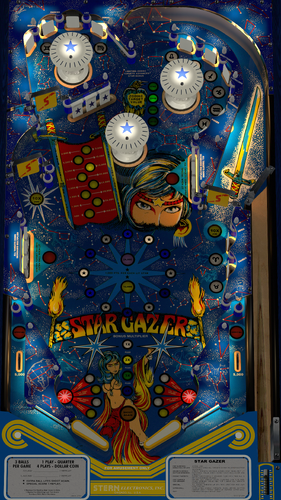
Version 2.0.0
2133 downloads
"Thou art gazing at the brightest star of all." Star Gazer (Stern 1980) is an addicting game with 3 spinners and concave scoops feeding the flippers. It's fast and lots of points can be achieved with building the values of bonus and spinners. Even though there were only 869 units produced this is very much a "gotta play again" table. One of the "best spinner" games out there. Thanks to apophis for providing a playfield scan to @redbone. And especially thanks to Redbone for prepping and cleaning the playfield as well as other images, plastics, targets, etc. Also thanks to HauntFreaks for providing the VR backglass images (redraws by Felsi). And again thanks to Apophis for guidance on blender to bake the metal walls to be shiny, as well as some performance enhancements. This table was done from scratch placing everything, and implementing the latest VPW (2025) standards, physics, alllamps and 3D inserts, backglass for desktop, roth targets, standalone compatibility, sling corrections, optional DIP adjustments, updated flipper physics, VR and fully hybrid, Flupper style bumpers and lighting. I also baked the GI and interior wood and metal walls. I've once again studied hours of videos to ensure accurate placement, gameplay, bounces, physics, etc. Lots of time was spent on getting the spinners timed correctly, and shots matching video play. I've provided a .nvram file for the ROM menu settings, and I've hard coded the DIP switch settings as usual. This table is loaded with options in the F12. Various balls, ball brightness, flasher options, flippers, screw caps, plastic edge colors, LUTs, Dip settings, and plenty of other VR stuff, including LED undercab lighting. Please NOTE there are several items to consider on the ROM settings: The default settings for the ROM options are hard coded into the script and are based on the recommended values from Stern for 3 balls. If you want to change the ROM settings themselves, you need to change the "SetDIPSwitches to 1" in the script, and then use the F6 menu to change. However... I am not able to hard code the ROM menu options. Typically, there are levels of score achievements that award a free play. The default ROM has that set to off. I've included an nvram file you can use that sets that to match the instruction/score cards and Stern's recommendation (720,000 and 1,440,000). I also have instructions in the script on how to change that if you wish to do yourself. Thanks again to Redbone, Apophis and Hauntfreaks! Also thanks to everyone else from the VPW team that provided testing and feedback! Required Software (64-bit versions): VPX 10.8.0 or later: https://github.com/vpinball/vpinball/releases/tag/v10.8.0-2051-28dd6c3 VPinMame 3.7.0.47 or later recommended: https://github.com/vpinball/pinmame/actions/runs/15769888098 B2S Server 2.1.3 or later (if B2S used): https://github.com/vpinball/b2s-backglass/releases/tag/v2.1.3 -
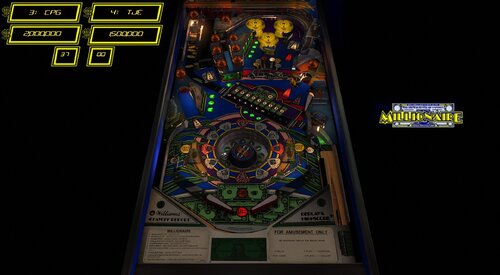
Version 1.0.1
1653 downloads
Thanks to @Goldchicco for creating this table and allowing this update @studly_do_right resolved some visual annoyances in VR @burger nFozzy physics, Fleep sound, extensive gameplay matching to the real table. Added some primitives and animations. Added VR and VR digits, animated VR buttons . Improved look or Roulette wheel and animations @teisen made various visual and lighting adjustments (description of adjustments in the table info) @Wildman backglass assets used for VR backglass Description of Goldchicco VPX table by: Goldchicco 3D Wheel model by Andrei Miraklov Wheel code by iaakki base VPX table released by: hmuek Special Thanks to : hmuek for let me use his VPX table as base for this release. 32assassin for always be there. Andrei Miraklov for the 3D toy of the wheel and his AMAZING talent. iaakki for the wheel code. Batch for the backdrop image for Desktop users. Movieguru for working on the images -
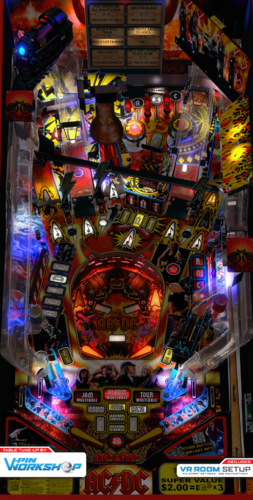
Version 1.13
28466 downloads
It's a long way to the top if you wanna rock n' roll! This mod started out as a simple collaboration between Hauntfreaks and Fluffhead35 to add new physics and VR room ended up as so much more. This table has had the bell code completely reworked by Apophis to work more like the real table. The playfield has been tweaked by none other than nFozzy himself to be more in line with the blueprint. He also fixed the right and left ramps to be true to the real table. nFozzy has graced this table with his experience to make it table amazing to play. This table was a mod of Sixtoe's AC/DC VR Room, where we made it a hybrid table. Fluffhead35 - Fleep, nFozzy physics, dynamic shadows, drop target code and new drop targets, 3d inserts, added new flipper bats, lighting tweaks, added Lampz code, adjusted nudge HauntFreak - Added new VR Room, Lighting Adjustments, Playfield Shadows Sixtoe - Original VR, Lighting, separated out horns on the train, many more he could not remember. Fixed right ramp, fixed bumper flashers. Realignment and prettying up rubbers and stuff. Apophis - New Bell Physics, scripting, guidance nFozzy - new collidable ramps to fix the shapes of them, moved top hole variance, bell metal/orbit metal tweaks, playfield reshape to correct dimensions. implemented ramp protectors, blank sidewalls, ramp stickers, adjusted bell position. Tomate - New visual ramps Retro27 - VR Room / Cabinet Reworked, New DMD Decals, Start button, tournament mode lights added. Adjustment to Instructions cards, added new render mode for VR Schlabber34 – reworked drop targets and other objects in blender for use in table. Bietekwiet, PinStratsDan, BountyBob, VPW Team - Beta testing! Many thanks to the original team who built this table from the ground up: ninuzzu, DJRobX, dark, tom tower, knorr, rysr, Peter J and Javier. And thanks to the VPDevTeam for the freaking amazing VPX. THIS UPDATE NEEDS THE LATEST VPINMAME, AT LEAST v3.6.0-1209 https://github.com/vpinball/pinmame/releases -
Version 10.7.2
1082 downloads
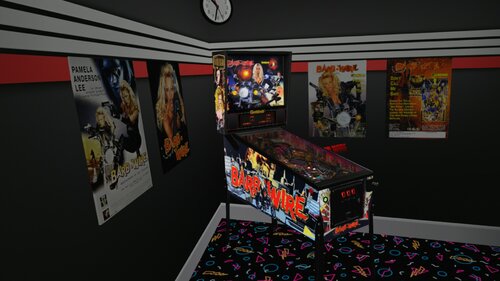
Here's another VR Conversion I want to share with you guys. This was created in collaboration with Rascal, who helped me a lot. If you don't know something yourself, Rascal knows it. 🤗 Why did I want to convert this particular table, simply because it's on my list and I really like it. I hope someone has as much fun with it and like it as I do, so I'm going to share it with you guys now. '********************* VR OPTIONS ************************************************** '*********************************************************************************** 'VR Logo - Set VRLogo = 0 to turn off VR Logo. VRLogo = 1 'VR Poster-Right - Set VRPosterR = 0 to turn off VR Poster-Right. VRPosterR = 1 'VR Poster-Left - Set VRPosterL = 0 to turn off VR Poster-Left. VRPosterL = 1 'VR table Glass - Set Glass = 0 to turn off VR playfield Glass. Glass = 1 'VR Playfield glass Scratches - Set to 0 if you want to turn them off. GlassScratch = 1 '*********************************************************************************** Update 11.08.2026 Joe Picasso recently updated his non-VR version to 1.3. This update includes the exact same changes that were made in that version which are: Fixed bug that made the table crash due to ball velocity and also fixed ramp sounds for the wire return ramps. All credits for this update goes to Burger! Thx Mate! You don't need B2S but i want to give Credits to HiRez00 because i used his Backglass and his realy good Quality Speaker/DMD Grill Texture. And without my friend Rascal, we would only have a standard grill. This is the Link to the BS2 and Grill i used: A big thanks to Joe Picasso for creating such a beautyfull table and give me Permission to convert it to VR. I also want to thank Rawd for his VR toys and Sixtoe for his great templates and Rascal for helping me with the Mesh and everything else and of course Studlygoorite for beta testing . -
Version 2.1.1
9143 downloads
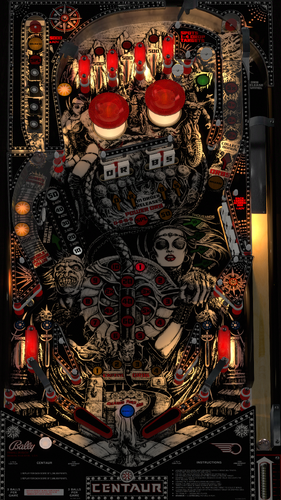
Bad Move Human! Centaur (Bally 1981) has quickly become my favorite pinball machine after doing this development. Its fun, challenging, and the multiballs are awesome! Thanks to Bord, @redbone, and Hauntfreaks for graphics assistance. Bord provided a real scanned playfield, and Redbone updated it for scaling, inserts, and other touchups. Redbone also created images for the plastics, apron, bumpers, and targets. The VR backglass images are from Hauntfreaks. Version 2.0 is a complete build from scratch utilizing full VPW standards, physics, baked GI VLM, 3D inserts, AllLamps routines, shadows, updated backglass for desktop, roth drop and standup targets, standalone compatibility, sling corrections, optional DIP adjustments, updated flipper physics, VR and fully hybrid, Flupper style bumpers and lighting. Lot of hours were spent studying gameplay videos to match the table skill shots and physics action. I've implemented a full two trough system in this table to recreate what the actual table has and does for the orbs multiballs. A lot of work and timing went into getting that just right. Many primitives were redone in blender to get as accurate as I could. Some were reused and/or updated from Bord's prior table. And as usual, there are plenty of options in the F12 menu, including ball choices, flipper colors, targets, screw caps, pulsing Queen's Chamber, and brightness of bumpers when off and when lit. There are also multiple VR room environments and other VR options all done via the F12 menu, including LED undercab lighting, toppers, and more. You can also change the ROM sound volume in the F12 menu. (Note if you want to change the ROM volume, you'll need to restart the table after the change.). I've also implemented some mods to replicate the recent Haggis Pinball Centaur Orblivion mod/update. Graphics, VR updates, targets, etc. will be automatically updated with the Haggis mod in the F12 menu. You can also get all the mods individually by selecting them one at a time. Please NOTE there are several items to consider on the ROM settings: The default settings for the ROM options are hard coded into the script and are based on the recommended values from Bally for 3 balls and harder play, AND a one free tilt with a warning. If you want to change the ROM settings yourself, you need to change the "SetDIPSwitches to 1" in the script, and then use the F6 menu to change. However... I am not able to hard code the ROM menu options. Typically, there are levels of score achievements that award a free play. The default ROM has that set to off. I've included an nvram file you can use that sets that to match the instruction/score cards and Bally's recommendation (1,200,000 and 2,800,000). Also, there are settings in the menu to set replays, sound, and HSTD. All this has been done for you in the included nvram file. I also have instructions in the script on how to change that if you wish to do yourself. Thanks again to Redbone for providing all the graphics updates, and to Hauntfreaks for the updated backglass images, and Bord for the playfield! Required Software (64-bit versions): VPX 10.8.0 final release or later: https://github.com/vpinball/vpinball/releases VPinMame v3.6.0-1227 or later: https://github.com/vpinball/pinmame/releases B2S Server 2.1.3 or later (if B2S used): https://github.com/vpinball/b2s-backglass/releases -
CabCapture.thumb.png.a2c00b61a6b7043444898e3394166c93.png)
Version 3.0.3
6209 downloads
Solar Fire (Williams 1981) is one of several Williams System 7 machines, and one of the most complicated rulesets of the time, but only had 507 units made. It's a fun, fast table and higher scores are very achievable... 1M-2.5M is a good game. The Solar Gun feature is fun to achieve, as a magnet slings a captured ball back and forth while generating points when lit. There is a lot to do on this table with all the targets to hit to enable other functions. You'll find similarities to Black Knight, Grand Lizard, and other tables of that era. This table significantly utilizes magnasaves to keep your ball from going into the outlanes. I made Solar Fire a few years ago but was only an update to another table, and the playfield, graphics, etc were not great, nor accurate. Also, I've learned so much more since then, and physics, graphics and everything is leaps further now, I decided to redo the table from scratch. I found a playfield online that had accurate hole placement, and so @redbone completely upscaled, enhanced, and cleaned up the playfield. This 3.0 version utilizes the latest VPW standards, physics, alllamps and 3D inserts, backglass for desktop, roth targets, standalone compatibility, sling corrections, updated flipper physics, VR and fully hybrid, Flupper style bumpers and lighting. Baked GI, walls, and created a playfield mesh for the saucer physics. Dozens of hours were spent studying gameplay videos to match the table shots and action. Also I loved what Mecha_Enron did in Cosmic Gunfight as far as an interactive tutorial, I decided to learn and implement in this table. To utilize, go into the F12 menu and turn on the tutorial. Also thanks to Primetime5k for implementing staged flippers and testing. As well as to the VPW team for testing. Once again, I've included several options in the F12 menu including various balls, ball brightness, GI brightness, insert brightness, flippers, caps, plastic edge colors, LUTs, and other VR stuff, including LED undercab lighting... AND the interactive tutorial. For the ROM settings... The baseline comes pretty much correct except for the high score to date is defaulted to something high and the coins are defaulted to one credit is 3 games. I've included a .nvram file that will adjust the coin/credits to 1 coin is 1 credit. Also, I've set the default high score to 100,000. Required Software (64-bit versions): VPX 10.8.0 final release or later: https://github.com/vpinball/vpinball/releases VPinMame v3.6.0-1227 or later: https://github.com/vpinball/pinmame/releases B2S Server 2.1.3 or later (if B2S used): https://github.com/vpinball/b2s-backglass/releases -

Version 2.9
60 downloads
VPX VR Injector is a tool that lets you add a complete VR Room to an existing Visual Pinball X table, even when no dedicated VR version of the table exists. Simply select a .vpx table, choose a VR Room pack, customize the cabinet artwork if needed, and inject. The tool automatically adds the VR cabinet, backbox, DMD, room elements, materials, textures and required script changes while adapting the VR setup to the dimensions of the original playfield. ✨ Main features 🎮 One-click VR injection into existing .vpx tables 📦 Multiple Cabinet Packs for different cabinet eras and styles 🏠 Independent Room Style selection: Standard, Deluxe or Ultra Minimal 🧪 Experimental Hybrid mode preserving the original 2D/Desktop table while adding selectable VR Rooms 🏠 Multiple Rooms in one Hybrid table: Standard, Deluxe and Ultra Minimal, switchable from F12 ⚡ Automatic cabinet dimensions based on the source playfield 🎛️ Generic Width / Length / X / Y / Z adjustments 🔢 DMD Custom X / Y / Depth / Width / Height fine adjustments 💾 Reusable Generic presets, including DMD Custom values, with import/export 🎨 Custom cabinet button color with live 3D Preview 🕹️ Animated cabinet flipper buttons 🕹️ Progressive VR plunger animation 🖼️ Source-table image extraction with suggestions and previews 🧩 Built-in multi-layer texture editor with layer visibility toggle 🎭 Automatic *_Empty mask workflow 🗂️ Hybrid artwork management with separate Cabinet / Standard / Deluxe customization states 🧱 Built-in Texture Library for Standard Room walls, floor and roof 🖼️ Built-in poster library for Deluxe Poster 1 / Poster 2 ✨ AI Artwork Assistant / Studio for Gemini and ChatGPT web workflows 🧊 Integrated 3D Preview using real VPX meshes, UV mapping and current custom settings 🧹 Smart VR Cleanup with suggested items automatically grouped first, plus Rail/Rails, Lockbar, Lockdownbar and likely side-rail detection ⚠️ Combined source-table warning for existing VR objects and possible cabinet conflicts, with direct access to VR Cleanup 🌐 VPS integration to detect existing dedicated VR releases before injection 🖼️ VPS VR release browser with thumbnails, release details and individual links 📦 Recommended Cabinet Pack suggestion based on matched VPS table metadata 🔢 DigitGrid / Flasher DMD detection and repositioning 🌐 Optional Mixed Reality 360° sphere 🎚️ F12 VR Room / Mixed Reality switch 🔄 Portable automatic updater 🌗 Dark / Light themes 🌐 English / French interface 🎓 Quick Tour and Complete Tutorial ⚙️ Standalone Windows executable Full documentation, usage instructions and updates are available on the GitHub project page here : https://github.com/Nesta78/VPX-VR-INJECTOR ⚠️ Note regarding antivirus software: some antivirus programs may flag VPX VR Injector in error. These detections are related to the application's packaging and specific functions, such as the update system. No malicious code has been intentionally included in the software. A digital signature for the application is planned to help reduce these false positives. If Windows Defender has quarantined VPX VR Injector: open Windows Security > Virus & threat protection > Protection history, select the detection corresponding to VPX VR Injector, and then choose "Restore" or "Allow on device"—but only if you downloaded the software from the official source. You can then relaunch the application. Thank you to Sixtoe & Dardog for VR Room ressources, and all VR Discord testers That's a beta version (with 0 risks for your setup!) - Please report issues. -
cabinetcapture.thumb.png.683cc75fa52c33563cb95b7666d127fb.png)
Version 4.0.4
11026 downloads
Let the Sorcerer work a little magic for you! I've done a few versions of this table in the past, as well as other authors. The past versions I did built on older versions. Apophis reached out to me that the physics weren't quite right on the other tables, as he plays one a lot in the arcade. So, I completely overhauled the table to version 4.0 and essentially started from scratch, reusing only a few primitives. Redbone worked a new playfield, plastics, and other graphics for me. I did a full implementation of current VPW standards, physics, targets, 3D inserts, playfield mesh, VR, hybrid, baked GI lighting, shadows, etc. There's an F12 menu with some options in there. Also thanks also to Primetime5k, who helped me get staged flippers implemented and tested. Note: a new alternate gsound was recently released, however if you choose to use that, the ROM volume option needs to be at 0... which is default. However is you don't use gsound, I recommend turning that ROM volume down to -12 or something... as it can get a bit annoying if too loud. Also, you can turn off the background sound. Instructions for that and others are at the bottom of the script, however, here's the instructions as well: ROM Instructions and example to turn off background sound Start table as usual Press (8) to get into ROM menu Press (7) to start correct advancement Press (8) several times until 04 is shown in the Credit Display. 'Auto-Up / Manual-Down switch is controlled by (7) Press (8) repeatedly until you get to the adjustment number desired. For example, background sound is defaulted to on. It is adjustment number 35. You'll see a 1 in the upper left display. Press (1) to change that value. To turn off sound, set the value to 0. Note: Press (7) to reverse the advancement up or down. (9) will exit/reset Note: Auto-Up / Manual-Down (7) also controls the direction the menus will advance Enjoy, and hopefully you also feel that the physics and table play much harder, and closer to the actual table. Thanks again to Redbone, apophis, and Primetime5k, as well as the VPW team for testing. Required Software (64-bit versions): VPX 10.8.0 RC4 or later: https://github.com/vpinball/vpinball/releases/tag/v10.8.0-1975-051104c B2S Server 2.1.2 or later (if B2S used): https://github.com/vpinball/b2s-backglass/releases/tag/v2.1.2 VPinMame 3.6.0-1122: https://github.com/vpinball/pinmame/releases/tag/v3.6.0-1122-79a301d -
Version FULLDMD PUP Edition
3050 downloads
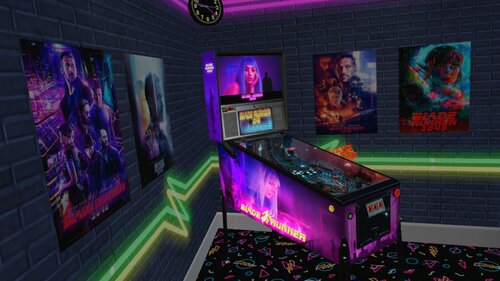
I want to share a VR Room Conversion of Blade Runner 2049 with you today. I converted this table for VR because it is a Beauty from "wpilot" and should not be missing in any VR collection. I hope someone has as much fun with it and like it as I do, so I'm going to share it with you guys now. I had to adjust a few little things, prettify and hide them, but the table works quite well now in VR. Edit 10/03/2024: New Version Blade Runner 2049 (2021) FULLDMD PUP Edition.zip Attention: If the Ball is too bright open in VPX->Preferences->Video/Graphics Options and activate under Ball Rendering "disable Lighting" then click on the left "Specific table overrides" and save. For all of you with VPMFlips Error open Script and look at Line 79 "Const UseSolenoids = 2" turn it to 1 and try again. Thanks to Panasony, one of our Community Members from "VR Pinball Group." (https://discord.gg/dKSP9eTPt7) we can present you a better looking Full DMD now. Hopefully this is the last update at least for now. You should definitely use the linked pup pack (and leave a like) so that the new FuLL DMD works properly. Then copy the pup files from my .zip file into your pup folder (make a backup). Sorry guys for the inconvenience but the Full DMD update is worth it, I didn't want to withhold it from you. '********************* VR OPTIONS ************************************************** '*********************************************************************************** 'VR PuP/Backglass - Switch the VRBackglass with your right MagnaSafe !BEFORE! you start a Game! 'If you want to use the Pup-Pack hit 3 times the right MagnaSafe Button to switch to PuP Backglass! 'LUT Change - Switch the LuT Options with your left MagnSafe! 'VR Logo - Set VRLogo = 0 to turn off VR Logo. VRLogo = 1 'VR Poster-Right - Set VRPosterR = 0 to turn off VR Poster-Right. VRPosterR = 1 'VR Poster-Left - Set VRPosterL = 0 to turn off VR Poster-Left. VRPosterL = 1 'VR table Glass - Set Glass = 0 to turn off VR playfield Glass. Glass = 1 'VR Playfield glass Scratches - Set to 0 if you want to turn them off. GlassScratch = 1 '*********************************************************************************** If you want to use the Pup Pack follow this Link! A big thanks to wpilot for creating such a beautyfull table and Rajo Joey for the LUT Template and more importantly the elimination of the annoying Flex DMD error and the possibility to change the backglass via Magnasave button and some other fixes. I also want to thank Rawd for his VR toys and Sixtoe for his great templates and of course Studlygoorite and Solters for beta testing . And not to forget JP Salas for making the Original 'Pokemon Pinball' Table. And a big THANKS to Apophis for his nice tutorials! Link to the original Blade Runner Table: https://www.vpforums.org/index.php?app=downloads&showfile=14820&st=50#commentsStart- 64 comments
- 7 reviews
-
- 74
-

-
- vpx blade runner 2049
- vr room
- (and 12 more)
-
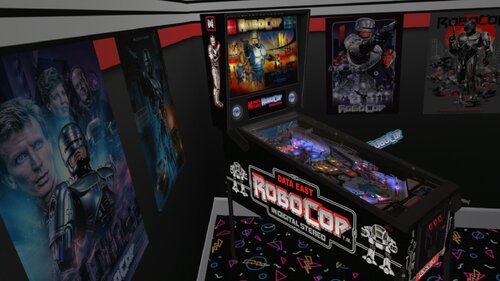
Version v10.7 required
1502 downloads
I want to share my first VR Room Conversion with you today. Unfortunately, there hasn't been a VR port yet, at least none that I could find, so I had to make it myself. There are many good versions out there, but Drakkon's version was the only one that worked for me. I hope someone else has fun with it, so I'm sharing it with you now. 12/03/2024 added Original Cabinet Decals in separate .zip File Install Intructions in ReadMe.txt VR Options to change in Skript: '********************* VR OPTIONS ************************************************** '*********************************************************************************** 'VR Logo - Set VRLogo = 0 to turn off VR Logo. VRLogo = 1 'VR Poster-Right - Set VRPosterR = 0 to turn off VR Poster-Right. VRPosterR = 1 'VR Poster-Left - Set VRPosterL = 0 to turn off VR Poster-Left. VRPosterL = 1 'VR table Glass - Set Glass = 0 to turn off VR playfield Glass. Glass = 1 'VR Playfield glass Scratches - Set to 0 if you want to turn them off. GlassScratch = 1 You will need this B2S: Big shoutout to Wildman for his fabulous backglasses! I would also like to thank Rawd for their VR Toys and kiwi for the support. And a very warm greeting and a big thank you for Rajo Joey, who put me on the right path and supported me with advice and action. Also thanks to Studlygoorite for beta testing and of course drakkon for allowing me to take his artwork to the next dimension. I almost forgot the good Sixtoe, thanks for your great templates! -
 View File Banzai Run Minimal VR Room (Williams 1988) A minimal VR room for Arconovums fantastic FSS version of Banzai Run by Williams. This table is great fun and really shows off visual pinball in VR, they'll probably be another version coming along to fix some of the more complex issues (it a very *very* complicated table, the work Arconovum has done is fantastic) but I wanted to get this table out to play VR Conversion by Sixtoe, DJRobX and Walter Whitmer New playfield by Ebislit. Enjoy! Submitter Sixtoe Submitted 04/02/2021 Category VR - Virtual Reality Pinball Modified by Sixtoe, DJRobX, WalterWhitmer Original Table Author Arcanovum
 -
.thumb.png.0d6bba2f3ed2ddfc4c28da8b0e9f3f72.png)
Version 2.0.0
2175 downloads
Gottlieb's Race Thru Space! Another extended wide-body machine like Circus. Lots of fun to play, two Varitargets, a hard to hit bonus saucer, and fast loops. Redbone had been working on getting the playfield to a much better state, and reached out to me to see if I'd like to create the table from it. It was very similar to physics, style, etc. from the Circus table that I just worked on, so I got to work. Lots of hours were put in on this one, and lots of tweaking on the Varitargets to emulate a real machine. As usual, I updated to latest VPW standards, physics, GI and shadow baking, Lampz and 3D inserts, dynamic shadows, updated backglass for desktop, playfield mesh for a saucer bevel, roth drop and standup targets, standalone compatibility, sling corrections, optional DIP adjustments, updated flipper physics, varitargets, VR and fully hybrid modes, Flupper style bumpers and lighting, gBOT system and trough. Redbone provided the playfield and updated the plastics and apron, also provided some ambient sounds. Hauntfreaks provided the higher resolution VR backglass and cab artwork. I also added options for balls, ball brightness, LUTs, Dip settings, ambient sounds, siderails, and plenty of other VR stuff. Hauntfreaks even provided a fun space themed wallpaper VR Room walls. I've included an option for two ROMS (you can find them at pinballnirvana.com... starrac7 and starrace). The original 6 digit ROM, and a 7 digit ROM (so when you score over a million you can see it). There's an option in the script to change that, however I've defaulted to the 7 digit. Make sure to grab the correct backglass if you are in a cab environment. Hauntfreaks just released the corresponding backglasses. I've included the nvram files to initially set the Dips, as the ROM creates settings that should be adjusted. You can either grab those nvram files and put them in your nvram directory, or follow this process to do an initial setup for yourself. (When you open the table, hit F6 (that'll load the default DIPS and display them). You can then select various ROM options, and I recommend these shown below. Once entered, you can exit out, and in the script, you can set the SetDIPSwitches to zero. That will set the ROM settings and turn off the option. If you later want to change that, you can turn it back on and change the dips.) - 3 ball, Playfield special of "extra ball" - Game mode of "replay" - Novelty of "normal" - Tilt of "ball in play" - Check the Match, Credits, Sound when scoring - AND most importantly, "Scoring Sounds Only". Again note... the background sounds from this era can get kind of annoying... especially if you have a good bass speaker in your cab. Make sure to follow the above procedure for turning the sounds option to "Scoring Sounds Only". Thanks again to Redbone for the playfield and plastic images, the space sound, and Hauntfreaks for the updated Backglass, and cab art images! Also thanks to Rothbauerw for his linear target code, bietekwiet, passion4pins, and everyone else from the VPW team that provided feedback! -
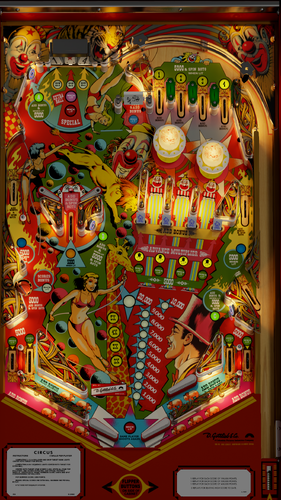
Version 2.0.1
3694 downloads
ArmyAviation reached out to me to finish a table he'd been working on. He spent lots of time on getting a good playfield created and also placed all the table elements. He also did the plastics (with resources from Stagio and Sckurk). And he used the primitives and roto scripting from Borgdog. He also started on the implementation of the VPW physics and sounds. Since taking the table over, I did a lot of mods... (all documented in the script). I updated to latest VPW physics scripts and flipper ball collisions, GI and playfield shadow baking, Lampz and 3D inserts, dynamic shadows, drop target shadows, changed to a gBOT (global ball on table) system, updated backglass for desktop, a playfield mesh for a saucer bevel, roth drop and standup targets, standalone compatibility, sling corrections, optional DIP adjustments, updated flipper physics, roto lighting, VR and fully hybrid modes, Flupper style bumpers and lighting, drop target shadows, and several errors corrected. Full details are at the bottom of the table's script. Redbone further upscaled the playfield. I also added options for balls, ball brightness, LUTs, Dip settings, and VR stuff. I've also included Hauntfreaks updated backglass image from Wildman in the VR backglass... look for his updated backglass here: I've included an option for two ROMS. The original 6 digit ROM, and a 7 digit ROM (so when you score over a million you can see it). There's an option in the script to change that, however I've defaulted to the 7 digit. Make sure to grab the correct backglass if you are in a cab environment. Also, I've included the nvram files to initially set the Dips, as the ROM creates settings that aren't wanted. You can either grab those nvram files and put them in your nvram directory, or follow this process to do an initial setup for yourself. (Open the table, and in the script, change, change SetDIPSwitches to 1, and then when you open the table, hit F6 (that'll load the default DIPS and display them). Then exit out, and set the SetDIPSwitches back to zero. That will set the ROM settings. If you later want to change that, you can turn it back on and change the dips.) Thanks to apophis, bord, and pinstratsdan for feedback and testing, as well as the VPW team for additional testing. -
 View File Millionaire (Williams 1987)_Hybrid Thanks to @Goldchicco for creating this table and allowing this update @studly_do_right resolved some visual annoyances in VR @burger nFozzy physics, Fleep sound, extensive gameplay matching to the real table. Added some primitives and animations. Added VR and VR digits, animated VR buttons . Improved look or Roulette wheel and animations @teisen made various visual and lighting adjustments (description of adjustments in the table info) @Wildman backglass assets used for VR backglass Description of Goldchicco VPX table by: Goldchicco 3D Wheel model by Andrei Miraklov Wheel code by iaakki base VPX table released by: hmuek Special Thanks to : hmuek for let me use his VPX table as base for this release. 32assassin for always be there. Andrei Miraklov for the 3D toy of the wheel and his AMAZING talent. iaakki for the wheel code. Batch for the backdrop image for Desktop users. Movieguru for working on the images Submitter teisen Submitted 09/21/26 Category VPX - Pinball Tables VPX Standalone No
 -

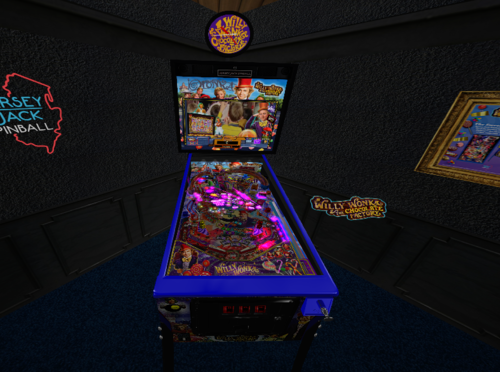
Version 1.0.1
3624 downloads
VR room for the incredible Willy Wonka Pro table submitted by 'marty02'. This VR room was design based on the Jersey Jack Willy Wonka Limited Edition cabinet. This download comes with the table with VR room and the required PUP video pack that goes into your PinUpSystem/PUPVideos/ folder. NOTE: If you already have the required PUP video pack for this table, choose the version WITHOUT the PUP pack. The table itself has not been changed or modified in any way from the original submitter. ENJOY!- 11 comments
- 3 reviews
-
- 50
-
-
- willy wonka
- willy wonka pro
- (and 2 more)
-
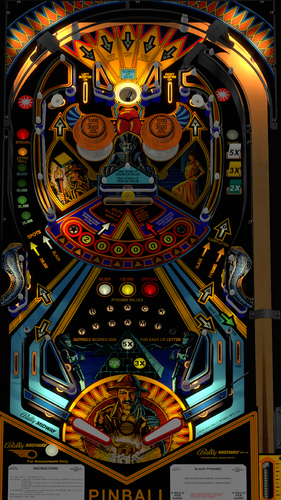
Version 2.0.1
3193 downloads
The legend known as Black Pyramid lives again through the far corners of Bally's 1984 pinball machine! This is a great play and challenging table. The main goal is to achieve 10,000,000 points to get a free game according to several reviews of game play. A good overview of the rules can be seen here: https://www.youtube.com/watch?v=YEZIFjQppR4 This was a definite challenge to create as there wasn't a good playfield available, however thanks to @redbone for spending countless hours creating a playfield from various images on the web. And thanks to Apophis for helping me with various Blender techniques to obtain a solid VLM GI bake, as well as physics testing. I was able to utilize various images, videos, and Redbone's playfield to get accurate placement of everything, and then implemented the latest VPW standards for physics, GI VLM, 3D inserts, AllLamps routines, shadows, updated backglass for desktop, Roth drop and standup targets, a swinging target, standalone compatibility, sling corrections, default and optional DIP adjustments, updated flipper physics, VR and fully hybrid, Flupper style bumpers and lighting. Redbone also updated the plastics, target images, and bumpers. Dozens and dozens of hours were spent studying gameplay videos to match the table skill shots and physics action. Significant time was also spent on implementing a center swinger target solution to be a combination of Roth standup targets and the swinger target approach done by Loserman on Space Oddesy. There are options included in this table via the F12 menu including colors for balls, flippers, screws, LED plastics, and brightness of bumpers when off and when lit. There are also multiple VR room environments and other VR options all done via the F12 menu. You can also change the ROM sound volume in the F12 menu. (Note if you want to change the ROM volume, you'll need to restart the table after the change.). Please NOTE on the ROM settings: The default settings for the ROM options are hard coded into the script and are based on the recommended values from Bally for 3 balls. If you want to change the ROM settings themselves, you need to change the "SetDIPSwitches to 1" in the script, and then use the F6 menu to change. Also NOTE: Bally recommends to ensure that the self-test position settings for the ROM menu items for 16,17,18,19 are set to "03". I recommend doing immediately when you first launch the game. Here is the procedure to set the self-test positions on this Bally 35 MPU table: Press 7 to enter test mode. Continue to repeatedly press 7 until you see 01 appear in the ball in play/match display Press and HOLD the 1 key until it reaches the value you want to set it to (start with 16). The value will increase by 1 while you are holding in the 1 key. If you happen to go past the value you want to set it to, while holding in the 1 key press and release the 7 key. The value will then decrement by 1 while you are holding in the 1 key. When you reach the value you want, release the 1 key. Set the value to 03. Repeat pressing 7 to scroll the remainder of the settings (17,18,19) and change values to 03 in the similar manner. Press F3 to save your changes and reset the table. Required Software (64-bit versions): VPX 10.8.0 RC7 or later: https://github.com/vpinball/vpinball/releases/tag/v10.8.0-2046-043fac7 B2S Server 2.1.2 or later (if B2S used): https://github.com/vpinball/b2s-backglass/releases/tag/v2.1.2 VPinMame 3.6.0-1194: https://github.com/vpinball/pinmame/releases/tag/v3.6.0-1194-0474eb3 -
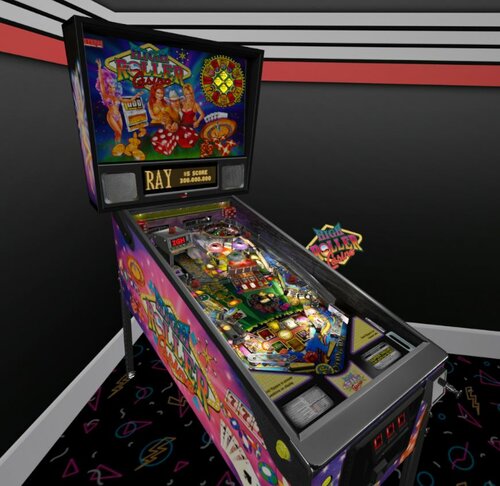
Version 1.0.0
911 downloads
VR Room for High Roller Casino by DJRobX & Dids666. This needed fairly minimal conversion as it was built so accurately in the first place, the most work needed was to get the backglass working properly natively Enjoy!- 4 comments
-
- 33
-
-
cabcapture.thumb.png.aa7b3b587065d2e5fae56d433e45f38f.png)
Version 2.1.4
15799 downloads
I Added the VR conversions to Apollo 13 last year (2020), the version of the table that was modified was done by Balater (Thanks for the permission to mod!), originally done by Herweh, Fransisco666, and 32assassin. Over time several authors worked on the early versions of that table including, Thalamus, JP, DJRobX, Rothbauerw, Amgrim, ClarKent, Chucky87, agentEight6, and Bigus1. I also used the dark image from chucky87's backglass file and imported into the table for use in VR. That mod done in 2020 had several updates specifically for VR, and other light mods. Sixtoe assisted at that time as well. Also, Retro27 added a topper and a few other VR updates and I animated the backglass for VR as well. Since that time I added several more updates, including nFozzy and Roth physics and flippers, Fleep sounds, several physics updates to the table, slings, and bumpers. A few other modifications were done as well to the sounds, playfield, and other adjustments. Thanks to Bord for posting tutorial videos. Also thanks to the VPW team for their help and examples. I also added dynamic shadows done by Iakki, Apophis, and Wylte. The latest update, Version 2.0, includes so many fixes and updates. I've corrected the number of balls coming out of the rocket during multiball, as well as the rocket timing, and subway trough. The ramp behind the moon now works for the orbiter and moon gravity missions, the trap door for the 8-ball lock is animated, fixed the slings, and added holes under the sling movements. Also the left spinner lane didn't send the ball into the upper saucer. That is now corrected. I've also added 16 switchable LUTs. Then, several members from the VPW team jumped in and made this table so amazing. What a great group! Thank you all! oqqsan: Added Flupper dome lights and flashers. Also fixed the ball stuttering when the moon rotated with the ball. Tomate: created new ramps and textures (they look so real!) Also wire ramps, posts, gates, apron, missing materials in some screws, and other stuff. Skitso: redid the GI lighting, spot lights and inserts. Also warmed the LUT a bit. Sixtoe: Did some visual updates to the ball, moon, rocket, and plastic ramp Apophis: Updated the playfield image for alpha cutouts for Lampz inserts. Added Lampz code, and new inserts. Updated some flipper nudge physics. Corrected the triangularization dynamic shadow effects, removed the subway ball shadows, and lowered the number of dynamic sources. Sheltemke: Provided an updated translite image for the backglass. It's now included in the VR version, and Wildman created a new b2s file. Also, modified the text on the inserts to a text flasher to make it more readable. RIK, Fluffhead35, Lumi, and Wylte all tested and provided feedback. Wylte: Updated the ball shadow code to not turn on when in subways, and other optimizations. Also modified for better performance. Separated dynamic and ambient ball shadow options, and added lockbar key as plunger alternative. This table is a hybrid release, so it will work on desktop, cabinet, and VR. OPTIONS: Options can be selected in the script to change to desktop, cabinet, or VR mode. For VR mode, there's an option for two different room environments, and to add a clock on the wall. Also... VR users... the Dynamic Shadows performance issue has been corrected. However, if you still experience performance issues, you can turn off dynamic shadows or ambient shadows or both in the script. Anyway, I hope you enjoy! And thanks again to Balater, retro27, Sixtoe, oqqsan, tomate, skitso, apophis, sheltemke, RIK, Fluffhead35, Lumi, and Wylte, and the entire team of authors that have contributed to this table over time. If I missed anyone in the credits, let me know, and I'll add, as I don't mean to miss anyone. -
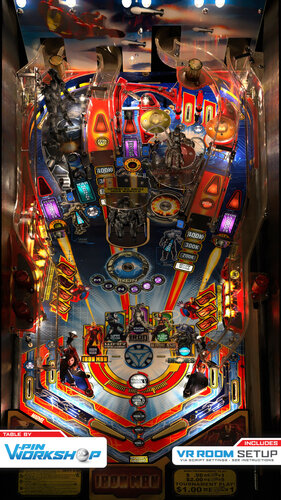
Version 1.0
15149 downloads
"Pinball Fans, Sometimes you gotta run before you can walk!" At last! Here it is! VPW are very proud to present our first blender toolkit table! This table requires at least VPX 10.7.2 and the VR version requires at least 10.8.0-514 **edit** PinMAME 3.5 is also required. (Download Links Below) Iron Man is a very hard arcade style pinball by John Borg with short brutal games and is a regular of the pinball competition circuit. Development started in September 2021, Sixtoe had talked about wanting to redo it as there was no accurate version, but the only available playfield was wrongly aligned, poor quality and there were no other decent assets for it so it was a non-starter. But whilst Sixtoe was finishing off Judge Dredd, out of the blue Bord supplied a full playfield scan including all plastics! So at this point it was all systems go, we then spent some t-shirt money on a full set of decals, Dazz got the Iron Monger toy and EBisLit got the Whiplash and Warmachine toys and Dazz 3D scanned them all in for us. A few months into development when it was playing well and being built in Blender by Sixtoe, Niwak started to make real progress with the blender toolkit, and rather than going through the process of Tomate running it through blender octane and building all the UVmaps (which takes a looong time) we decided to shift development to the toolkit version and put it on hold whilst that was developed further. A few months later when the toolkit was working well, development was picked up again on Iron Man with Sixtoe, Tomate and Niwak working together developing both the table and Niwak bugfixing the toolkit as problems arose (particularly with the Iron Monger toy!). Then just lots of testing and tweaking and here we are! Current default ROM is 1.85ve as 1.86ve does not have fastflips enabled yet. New Options Menu *WHILE IN GAME* hold the left magnasave and tap right magnasave. *Requires FlexDMD (linked below) - Light Level - Colour Saturation - Outpost Difficulty - Mech Volume - Ramp Volume - Ball Volume - Cabinet Mode (Hides Rails) - Incandescent GI (Real machine has pure white LED's, not incandescent bulbs) - Dynamic Ball Shadows - Spotlight Shadows - Ambient Ball Shadows - VR Room Choice (Minimal / Ultra Minimal) - VR Backglass (Static / Animated) - VR Sideblades (Original / Static image with no reflections) - VR Topper (On / Off) VPW Iron Man Mechanics ******************** Project Lead - Sixtoe Playfield & Plastic Scans - Bord Table Modeling - Sixtoe & Tomate Blender Toolkit Work - Tomate, Niwak & Sixtoe Lighting - Sixtoe & iaakki Fleep Sounds & Sound Scripting - Apophis & Sixtoe Iron Monger Toy - Dazz for the model & 3D scanning it, Flupper for the 3d model simplification Whiplash & Warmachine Toys - EBisLit for the models, Dazz for 3D scanning, Tomate for the 3d model simplification Iron Monger Animation Code - DJRobX, Sixtoe, iaakki, apophis, NNiwak Various fixes and script assistance - apophis, iaakki, Bord, flux, fluffhead35, Niwak Plastic Redraws - Sixtoe & Embee Iron Man Custom Topper - Rawd Backglass Image - Wildman VR Backglass - leojreimroc Desktop Background - JoePicasso Testing - Entire VPW Team VPX 10.7.2 Official Release (Required) https://github.com/vpinball/vpinball/releases/tag/v10.7.2-366-f94da1e VPX 10.8.0-514 Pre-Release (fixes for VR Users) https://github.com/vpinball/vpinball/actions/runs/3405492533 Flex DMD (Required) https://github.com/vbousquet/flexdmd PinMAME 3.5 (Required) https://github.com/vpinball/pinmame/releases ROM Iron Man Rules https://www.pinballnews.com/games/ironman/index5b.html -
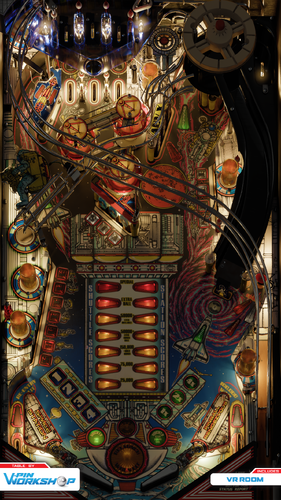
Version 1.0.0
5244 downloads
"This is VPW control to Major Tom, you've really made the grade!" VPW are proud to (xmas) present Space Station by Williams! This machine is pretty unique in that it doesn't have inlanes, just slings leading straight on to the flippers, so there's no chance of a respite from the action! It's a bit of a hidden gem if you've not played it before. Tomate really fancied doing this one and luckily we managed to track down a playfield we could buy to scan (thanks to those of you who donated through our beer me link here or bought something through our merch store!), and as part of developing it he also played with the way we do inserts and flashers and made them look even more special! We honestly think it's one of the best looking machines we've done so far and the light show is something else, especially in multiball. *WARNING* There are versions of vpinmame where the solenoid sticks on for System 11 games, but the released versions are fine, be warned and check your solenoids are not latching on if you're using a "non release" version. VPW CREW Tomate - Commander. Blender modeling. Sixtoe - Pilot. VPX table build. Apophis - Flight Engineer. Fixing parts. MCarter - Payload Specialist. GI wiring. DGrimmReaper - EVA Specialist. Porting Rawd's VR room from the old version. Rawd - Special Specialist. Original VR Room. bthlonewolf - Mission Specialist. Ball tinting. RobbyKingPin - Crew Medical Officer. Fleep sounds. nFozzy - Flight Controller. Space Station toy code and his previous table version. iaakki - Machine specialist, side by side testing with a real machine. Our Merch Store - 100% of profits go into buying stuff to make new machines Changelog '001 - tomate - blank VPX table with correct dimensions created '002 - tomate - first 512 batch to place the objects on VPX '003 - Sixtoe - Built... Everything? Crashes. Sucks to be me. '004 - apophis - Ground control to Major Sixtoe. Fixed crashes, standup targets, some collections. Trough, kickback, GI still not working correctly. '005 - Sixtoe - I think my spaceship knows which way to go. Hooked up space station & placeholder prim, Fixed trough, added settings to flippers, slings and pop bumpers, adjusted flipper triggers, kickback fixed, turned everything invisible, added more blocker walls, loads of small fixes and tweaks. Still no GI. Fully playable now? '006 - tomate - New 2k batch added, GI doesnt work yet - No flashers added '007 - mcarter78 - Hook up modulated GI with coil driven color toggle '008 - tomate - New 2k batch added, inserts fixed, added Flupper LUT and desaturated options (see 2°, 3° and 4° option into game menu), changed material for upper PF color and added option menu for MB GI color '009 - mcarter78 - Add more MB GI color options and random option. Fix for GI level after multiball end. '010 - tomate - Extra LUT options added, l30 fixed, tweaked blue MB color '011 - tomate - new 2k batch added with a lot of blender fixes, movable objects collection set (not hooked up yet), flashers and bumper lights added '012 - apophis - simplified the GI code '013 - tomate - new 2k batch added, new flashers, more LUT options added '014 - tomate - new 2k batch added, tweaked flashers materisl, improved upperPF material, fixed upper PF inserts and bulbs '015 - Sixtoe - Hooked up movables (flippers, slings, targets, spacestation and diverter) but there are visual issues (space station lighting and drop targets?), made upper pf hole fractionally bigger, added plunger texture and tweaked power '016 - apophis - Fixed some fleep stuff. Fixed some animation stuff. Set up ramp rolling sfx triggers. Made bumper lights follow GI. Adjusted flipper strength. Removed old space station toy prim. '017 - tomate - unwrapped PF, added diverter and space station stages, tried to fix upper PF front wall but failed '018 - apophis - Fix motor sfx issue. Trying to get the SS and Diverter animations to work. Still broken. '019 - tomate - New batch added, several fixes at blender side (finally upperPF looks correct), new diverter/SS stages added '020 - apophis - SS and Diverter animations working. Added desktop alphanumeric display. '021 - Reverted '022 - Sixtoe - Tweaked and randomised kickers, including kickback, hard coded sling timer and reduced to 10 (still bugs out occasionally?), split shooter wall and changed to wood, retooled orbit exit and gate lower rubber, made physical drop target smaller, made cone rubbers smaller, swapped to correct Const EOSTnew (thanks RobbyKingPin) '023 - tomate - tweaked upperPF and bumpers caps materials. Added missing materials to room brightness array '024 - tomate - new 2k batch added, new flahser domes, unwrapped textures for flippers and targets, fixed PF texture, changed value for DTDropUnits (thanks Apophis!) '025 - apophis - Made desktop LED display only visible in desktop mode. '026 - tomate - flasher domes fixed '027 - tomate - new 2k batch, inserts color corrected, performance improvements '028 - Sixtoe - new 4k batch '029 - tomate - added missing renders, separated GINS and GIGS for raytraced shadows, modified upper PF hole to get some ball flirting, fixed slingshots default position (thanks bthlonewolf!) '030 - tomate - added "Vibrant" LUT for the ones that prefer to play with AGX instead Reinhard filter '031 - tomate - diverted fixed '032 - tomate - PF texture fixed '033 - apophis - Sling lightmap visibility bug fixed '034 - DGrimmReaper - Ported over VR from Rawd's Table (still need to hook up Backglass lights) '035 - RobbyKingPin - Created a custom Fleep Sound package made from assets and codes used from Bride of Pinbot. Customized to be more identical to the original Fleep codes to make future conversions a bit more easy. '036 - DGrimmReaper - Hooked Up VR Backglass Lights '037 - tomate - new natural green MB option added, lighting tweaks, ball reflection decreased, bloom strength increased '038 - tomate - re-rendered GI lighting, now swappable by script (still need to add this as an option in f12 menu) '039 - DGrimmReaper - cleaned up images and converted larger images to webp '040 - RobbyKingPin - Fixed an issue with the Rothbauer droptarget codes. Hooked up relay sounds for flashers and GI. Removed a duplicate subroutine for the GI color. '041 - tomate - right flipper texture fixed '042 - bthlonewolf - ball tint in multiball, added color temp settings to tie into existing code '043 - apophis - Cab rails visible in desktop mode. Small tweak to bumper positions. Hooked up GI Backbox solenoid to VR backbox GI. Adjusted cRed_Ball and cGreen_Ball. Updated VR plaque. Some code cleanup. '044 - apophis - Fixed random GI color option. Added info card. '045 - bthlonewolf - added tint scaling in multiball, option in tweak to disable 'RC1 - apophis - Animated: bumpers, gates, switches. Fixed VR backglass positions. Adjusted rail position in desktop mode. Added VPW logo layer. Updated table credits. Tweaked ball tint colors. Updated relay sounds for flashers and gi and rubber sound (thanks RKP). Updated upperpf prim (thanks Sixtoe). 'RC2 - bthlonewolf - Tint z-axis fix, gate animations/speed fixed 'RC3 - tomate - Inserts glitches fixed (Thanks Mecha Enron), wall right and wall left added to Metal collection (thanks Studlygoorite) 'RC4 - bthlonewolf - gate fix for real this time 'RC5 - Mecha_Enron - Create option for siderails/lockbar 'RC6 - RobbyKingPin - Reverted back to the old balldrop sounds. 'RC7 - tomate - PF reflections fixed, blockdown bar position adjusted for desktop mode, ball rolling sounds adjusted 'RC8 - bthlonewolf - tilt switch changed to 9 'RC9 - Sixtoe - Removed stray rubber, tweaked plunger area, tweaked centre targets, removed collidable from many VR objects, updated credits, tidied file. 'RELEASE 1.0 -

[New VP10 Alert] Shooting The Rapids Deluxe
Tombg posted a topic in New Visual Pinball 10 - Releases
View File Shooting The Rapids Deluxe Voici une nouvelle création intégrale dont l’implantation et le gameplay sont inspirés de la version « Shooting The Rapids Deluxe » de Zaccaria Pinball pour ceux qui connaissent. J’ai conservé la majorité des règles de la version Zaccaria (environ 90%) et j’ai ajouté/modifié/amélioré quelques-unes comme l’ajout de SkillShot, changer le départ de la bille partant du plunger, etc… Bien sûr, tout le design et les sons sont complétement différents pour cette version VPX. J’espère que vous prendrez du plaisir avec les nombreux combos possibles et les différents modes de jeux dans cette ambiance Amérindienne. Table requise : - Pour VPX 64 bit version 10.8.0 (or +) - Besoin de Pinup: Version 1.5.2 (or +) - DOF à jour Table includes : - Nfozzy Fleep physics et sounds - DOF basic et quelques effets MX - PupDmd (Configuré pour 2 écrans uniquement désolé, je vous laisse le soins d’ajouté vous-même des supports pour vos autres écrans) mais l’UltraDmd peux être activé - Changement des 9 musiques avec Magna-Save droite et gauche pendant la partie (Pour ceux qui souhaitent modifier les musiques de la table, attention le script est programmé pour les durées actuelles de chacune d’entre-elles) - VR Room mode Cabinet/Mini/Méga (Table Hybride) - Nombreuses options F12 pour la personnalisation des sons, du visuel et un mode difficulté supérieur (Pin central enlevé + Lumières RIVER qui change d’emplacement avec les Flips) Media includes : PupDmd / Roues / Loading / Fiche de règle / FullDmd png Gameplay : - 1 à 4 joueurs / 3 à 5 billes - Objectifs/Régles directement visible sur le PupDmd - 5 missions chronométrées (Arrow/Axe/Bear/Hawk/Wolf) - (Pour info le fait de toucher un Bumper fait changer la mission en attente) - 3 mini-games sur le plateau supérieur (Sun/Wind/Moon) - 1 mini-game sur le plateau principal (Echo of the Totem) - 3 SkillShot (Add 1 ball / Active KickBack / Start Mission ready) - 1 Indian multiball - 1 Add ball (en plus du SkillShot) avec le Pin tournant du plateau supérieur - Bonus de fin de bille multiplié 2/4/6/8/10 (Target BOW) - 2 Bonus en cours de partie sur le plateau supérieur (Net Bonus et Water Combo) - 3 Bonus temporaires/chronométrés sur le plateau principal : - Tomahawk Spin (women) = Le spinner droite Active un bonus sur le sling droit - Tomahawk Spin (men) = Le spinner gauche Active un bonus sur le sling gauche - Spirits Rapids = Augmente la valeur des Bumpers - Combo Simple/Double/triple/SuperCombo - Jackpot Simple/Double/triple/SuperJackpot - Autre : Réactive Balle Save ou bonus « RETURN » si déjà actif / Active KickBack « CANOE » Merci à @Burger pour l’amélioration des sons de table, @Gman pour certain sons, @Dicentim pour test et avis, puis à l’ensemble de la Team SuperTilted pour tout les projets en cours et à venir que nous partageons au quotidien. Bon jeux à tous !!! ------------------------------------------------------------------------------------------------------------ Here is a brand-new original creation; its layout and gameplay are inspired by the "Shooting The Rapids Deluxe" version from Zaccaria Pinball, for those familiar with it. I have retained the majority of the Zaccaria version's rules (about 90%) while adding, modifying, or improving a few elements—such as introducing a Skill Shot and changing the ball launch from the plunger. Naturally, the design and soundscape are completely different for this VPX version. I hope you enjoy the many possible combos and the various game modes set against this Native American backdrop. Table requirements : - VPX 64-bit version 10.8.0 (or later) - Pinup version 1.5.2 (or later) - DoF: needs updating Table features : - Nfozzy/Fleep physics and sounds - Basic DOF and some MX effects - PupDMD (Configured for 2 screens only sorry, I’ll leave it to you to add mounts for your other screens yourself) but UltraDMD can also be enabled. - Switch between 9 music tracks during gameplay using the left and right Magna-Save buttons (Note: If you wish to change the music tracks, the script is programmed based on the current duration of each track) - VR Room Cabinet/Mini/Mega modes (Hybrid table) - Menu F12 options for customizing sound and visuals, plus a higher difficulty mode (center post removed + RIVER lights that change position with the flippers) Media included: PupDMD / Wheel art / Loading screen / Rules sheet / FullDmd png Gameplay: - 1 to 4 players / 3 to 5 balls - Objectives/Rules visible directly on the PupDMD - 5 timed missions (Arrow/Axe/Bear/Hawk/Wolf) - (FYI, hitting a bumper changes the pending mission.) - 3 mini-games on the upper playfield (Sun/Wind/Moon) - 1 mini-game on the main playfield (Echo of the Totem) - 3 Skill Shots (Add 1 ball / Activate Kickback / Ready Mission Start) - 1 Indian Multiball - 1 Add-a-Ball (in addition to the Skill Shot) via the upper playfield's spinning pin - End-of-ball bonus multiplier 2x/4x/6x/8x/10x (BOW targets) - 2 in-game bonuses on the upper playfield (Net Bonus and Water Combo) - 3 temporary/timed bonuses on the main playfield: - Tomahawk Spin (Women) = Right spinner activates a bonus on the right slingshot - Tomahawk Spin (Men) = Left spinner activates a bonus on the left slingshot - Spirits Rapids = Increases bumper values - Single/Double/Triple Combo / Super Combo - Single/Double/Triple Jackpot / Super Jackpot - Other: Reactivates Ball Save or "RETURN" bonus if already active / Activates "CANOE" Kickback Thanks to @Burger for improving the table sounds, @Gman for certain sounds, @Dicentim for testing and feedback, and the entire SuperTilted Team for all the current and future projects we share daily. Happy gaming, everyone!!! Submitter Tombg Submitted 09/10/26 Category VPX - Pinball Tables VPX Standalone Yes -
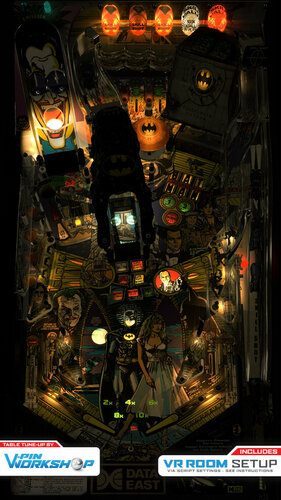
Version 1.1
13511 downloads
Have You Ever Danced With the Devil in the Pale Moonlight? The VPin Workshop members present Batman by Data East! This is actually a really fun table that benefitted from a lot from a proper rebuild from the ground up and conversion to it's correct widebody dimensions, its definitely worth a play even if you didn't enjoy it before Includes a built in VR mode and numerous options which you can enable in the script. • Main table overhaul: Cyberpez • Visuals: Skitso • Inserts: iaaki • nFozzy physics: fluffhead35 • Fleep Sounds: baldgeek • VR Stuff: Sixtoe • Miscellaneous fixes and tweaks: Entire VPW team inc. Sixtoe, iaakki, Skitso, apophis, wylte, fluffhead35, oqqsan • Apron Primitive: tomate • Testing: Rik, VPW team This release would not have been possible without the legacy of those who came before us including, in this case, Javiers VPX version, some 3D models from Dark and the original playfield by 85vett. Thank you to Rothbauerw and nFozzy for the physics. Thanks to Fleep for sounds. We recommend that you run this with the fabulous altsound from iDigStuff, which, like most Data East licensed tables, truly enhances the experience! ** VPW Mod V1.0 - CHANGE LOG ** ************************************** VPin Workshop Revisions ************************************** ' Started from Skitso mod of Javiers VPX version. ' 002 cyberpez - All table objects and playfield re-aligned, altered and resized to correct proportions. ' 003 skitso - visual pass ' 003 cyberpez - Added primitive playfield, Reworked Joker Ramp and trough (Primitives - got rid of fall through kickers) also reworked musuim kicker. Chanaged playfield image to one without transparent holes. ' 006 baldgeek - Added Fleep Sounds ' 007 fluffhead35 - nFozzy physics ' 008 skitso - repositioned and tweaked lower playfield GI lights, remade gangster inserts, batman face and logo inserts and moon insert with skitso style, removed primitive playfield that was of wrong size. ' 009 skitso - repositioned rest of the GI lights, made bat cave toy opaque, made flugelheim toy disable light from behind, fixed ton of depth bias issues around right plastic ramp. Cyberpez added mesh playfield back. ' 010 cyberpez - added nFozzy lighting script. Primitive inserts. Flupper Flasher Domes, sixtoe-tweaked plastic ramp. Probably other things. ' 011 skitso - redone joker ramp lighting and flashers, improved left side dome flashers, improved top flashers, added proper bumper lights, tweaked insert primitive material colors, slight tone tweak to PF, improved skitso style inserts (moon, batman face and bat logo), Added shadow to plunger lane and bat mobile. ' 013 skitso - improved backwall flashers (better color, a tad thicker font for better readability), improved left flashers, tweaked gangster inserts, small tweak to top bumper light ' 014 gtxjoe - add debug shot tester (Press 2 for outlane blocker, Press and hold key to test shots: w e r y u i p a s f g h. While holding a key, use flippers to adjust shot angle ) ' 014b cyberpez - reworked museum again. I think its working. ' 015 skitso - remade bat cave flasher, tweaked blue insert_on material ' 017 iaakki - 3 prim insert rework ' 018 iaakki - 3 prim insert rework continued ' 019 iaakki - 3 prim insert rework continued... ' 020 skitso - tweaked Joker ramp decals to have more pink tone. (warm lighting subdues the change though), improved right hand gangster insert (skitso style) and flasher, tweaked bumper lights more more accuracy, moved Flugelheim walls to more correct position and added shadow. ' 021c tomate - collidable ramp fixed, alternative apron adedd ' 022 skitso - tweaked iaakki's middle PF square 3 prim flashers. Added 2 arrow 3 prim flashers (first try, please be gentle) ' 023 iaakki - apron scaled, rubberizer added, targetbouncer added to posts and sleeves, live catch fixed, rubbers hit treshold fixed, slings tuned, flipper angles and sizes fixed, batcave texture swap disabled ' 024 Sixtoe - Fixed left flasher flare positions, added VR cabinet, room and modes, added blocker wall for left middle plastic as ball can jump over and behind it, aligned a couple of handful of metals, aligned top middle left flasher decal, removed collidable from a handful of things, aligned batmobile in shooter lane, aligned and resized batcave a bit (it was very tall in VR), adjusted triggers (dropped and lengthened), adjusted apron wall and made visible for VR, adjusted apron guard prim, adjusted depth bias of shooter land plastic to -1000 ' 025 skitso - added skitso style insert "see through" effect around center playfield square bat tv inserts, 'joker's mouth 4 million' insert, green multiplier inserts and 'shoot again' insert at the bottom of the table. ' 026 skitso - remade the two green lamps on top of the joker ramp, repositioned orange flasher domes. ' 027 cyberpez - started to change out nut bolts and things. Fixed plunger lane. Added ramp tweak to cave entrance . Started changing diverter. ' 028 skitso - set slope to 5.2, bumper force set to 9. Tweaked left dome flashers, moved multiplier insert prims to z-1, fixed million plus and batlogo flashers on top of the batcave, improved bat logo lamp on flugelheim front, improved plunger lane red bulb, resized all GI lights to new table measurements, fixed texture swap for bumpers and Flugelheim flashers, improved Flugelheim flashers, tweaked bumper off texture, made Flugelheim and dome flashers reflect from batcave, small tweaks, iaakki improved batcave fading and fixed flipper nudge values. ' 029 cyberpez - Changed plunger release speed to 90. Change slings to 4. Lowered back wall flashes. Added rails and primitive flasher bulbs under Joker. ' 030 iaakki - Flugelgugel flashers reworked to have own timer. Made it swap PF flash to different depending to port state. Levels to be adjusted ' 031 skitso - further tweaked Flugelheim flashers and added side blade reflection, tweaked Joker ramp flashers, improved Flugelheim rising wall texture, fixed sticky plungerlane ' 032 cyberpez - Adjusted clear plastics. More nuts / bolts / screws. Made top left gate/bracket custom primitive and animated. Maybe rotated left orage domes to line up with holes. Shifted Museum back and left a bit. Adjusted Museum trough, hope it fixed 3ball multiball. Adjusted rubber on the small random posts by bumpers. Adjusted top side of lane guides. ' 033 skitso - fixed museum flasher locations, fixed top right ramp/protector depth bias issue, removed ball reflection status from few GI bulbs, fixed jackpot insert below Flugelheim. Added a slideblade reflection to left dome flashers (code missing) ' 034 iaakki - flugelheim pTrough primitive adjusted to work better for 3-ball mb, bar hit sound added, left domereflection added to code ' 035 skitso - tweaked left dome reflection ' 036 skitso - fixed minor flasher clipping under Joker ramp, fixed clipping decal on top skill shot flasher dome, improved w/lit insert flasher ' 037 cyberpez - shrunk museum a bit. More nuts and bolts and things. adjusted switch 28 and 29 posistion, animated primitive gates. Animated switches for Joker Eye's and Mouth. Tweaks to diverter. ' 038 skitso - resized and moved museum flashers once more. Removed one stray peg inside museum, made Joker mouth flasher visible through the mouth hole. ' 039 iaakki - rtx ball shadow code included with ramp rolling etc. Some depth bias or z-order issues visible. Shadows are too dark on purpose. Should be reduced once it work ' 040 skitso - resized insert prims to correct size and shape. Removed playfield reflections from insert prims and a bunch of other crap that didn't need it for a hefty performance boost ' 041 iaakki - NormalMapped inserts only in VR mode, right ramp sleeves fixed, shadow depth bias debugged etc ' 042 cyberpez - orginization baby. Also tweaked bumper "ring drop offset. changed out "random" posts on either side of bumper area. ' 043 apophis - Fixed the Fleep installation. Fixed some ballshadow issues...shadows are still bugging on insert primitives. Cleaned up the script a bit. ' 044 Wylte - Fixed shadows, with update to latest primitive/image/materials. Updated RollingUpdate sub with latest shadow code. Thinned shadows slightly ' 045 fluffhead35 - Added BallPitchV Function and used for Plastic Ramp Sounds. Changed TargetBouncerFactor to 1.5. Added RubbersD point to make microbounces happen ' 046 fluffhead35 - Updated PlasticRamp Sound and amplified the volume of the sound. ' 047 fluffhead35 - Updated BallRoll Sound and amplified the volume of the sound. Fixed BallPitchV as it was on a BallRoll sound and put it on plastic ramp sound. Added in ligic by oqqsan to stop ball rolling sound at no balls in play. ' 048 fluffhead35 - Reverted TargetBouncer Logic to iaakki version. Changed BallRoll Sound to use version with lower amplification. Enabled sw14 for BIPL ' 049 oqqsan - Fix for poltergeist ball at plunger (forgot to save?) ' 050 Wylte - Implemented ". Commented out dynamic shadow z live updates, left ambient for ramps. Changed recommended TargetBouncerFactor maximum to 1.5 ' 051 fluffhead35 - Implemented option BallRollAmpFactor to set amplification factor for BallRoll Sounds. ' 052 cyberpez - added a couple stragic walls to help stop stuck balls. Added wall under Flugelgugel to stop clipping of plastic. Stop ball collison bellow 0 Z. Started adding options. ' 053 Sixtoe - New playfield mesh, adjusted playfield hole primitives and added new playfield edge texture, fixed lots of VR depth bias issues, hooked up plunger, changed black nut material to black powdercoat to make it slightly mmore visible, adjusted primtives to line up better in 3D, adjusted collidable primtivies so they line up correctly, adjusted sideblade flashers to light orange-ish so it doesn't blow out with pure white anymore, added cut down museum flasher so it doesn't stick out of the cabinet. Split rubber collidables where they have a post in the middle, probably some other stuff I've forgotten... ' 054 cyberpez - copied LUT swapper from tftc, JokerRampFlasher mod. halfpost mod. rubber color mod. added a couple missing screws and adjusted floating rubbers. ' 055 tomate - New apron added, cab POV changed ' 056 Skitso - fixed default LUT (vpx original) to what it was earlier, tweaked apron texture and disable lighting. Added subtle shadow to the plunger lane, below bat mobile/apron. Set white rubbers as default. Made final visual pass with tiny tweaks here and there. ' 057/8 Sixtoe - Various tweaks and fixed, desktop pov fixed, script cleaned, rails fixed in desktop, playfield mesh error fixed, lights cut to shape -
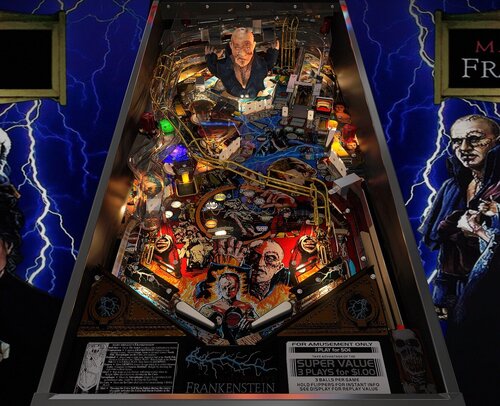
Version 2.0.4
3771 downloads
2.0 table credits: - Burger & Schlabber34 - Thanks to Burger for bringing this table back to life. He asked me if he could update the physics and all the table creators know how this usually ends. Then we needed a nice F12 menu, then Burger mentioned VR, the ramps were prerendered so i had to make VR optimized ramps but the meshes were shitty so i cleaned them up and then you need new renders for VR refraction and the prerandered ramps. After a ton of bugs that we killed we finally had V2.0! @burgerIt was a pleasure! Thanks my friend! - UnclePaulie - A ton of help on bug fixing and sticking his head deep into the VR table. - DGrimmreaper - VR cabinet primitives, VR animations and lights including VR flipper cabinet button/start button/plunger, ported DMD and b2s to VR, VR scripting, VR hallway - Studleygoorite – Identified missing details and provided solutions to several tricky issues - Hauntfreaks - B2S backglass update that brings the table together visually - masonm- cabinet textures for VR cabinet - DaRdog- UV maps in VR that made texturing possible - Thalamus - Careful playtesting and valuable feedback throughout development - Robby King Pin – physics support - Tombg - playtesting Original table credits: -Herweh: Script allmost from scratch - Dark: We all know what he did! Frank is just jawdropping!! - Dids666: For starting all of this and his awesome meshes. Thanks for letting us finish this!! - Sheltemke: For stitching together the PF image and playtesting - Mlager8: For PS help on the sling plastics - RothbauerW: For his awesome physics' guide at vpinball.com and some more help on the physics - Mark70, Bord, Thalamus: For beta testing and some good hints - Batch: For the DT background image (Sorry for making it a bit darker! Batch's original is in the image manager for those who like more pop)- 41 comments
- 24 reviews
-
- 219
-
-
- sega
- frankenstein
- (and 4 more)