Jump to content

Saw - The final game (RSI 2026)

  • Get Support
  • Create an account or sign in to download this
download_no_perm
7507 Views
1570 Downloads
4.8 From 5 reviews
350.29 MB File Size
SawthefinalgameRSI2026 ROM Name
shacker22 Created by
shacker22 Artwork by
shacker22 Scripting by
Original Manufacturer
2026 Year

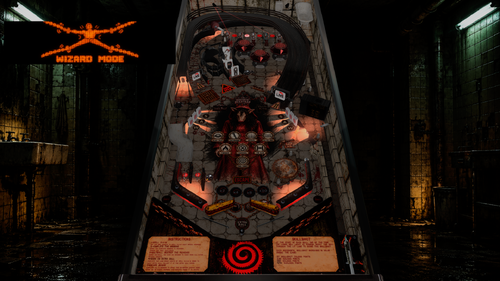
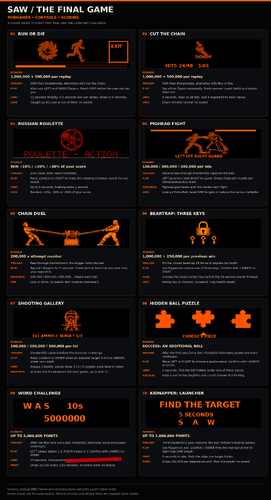
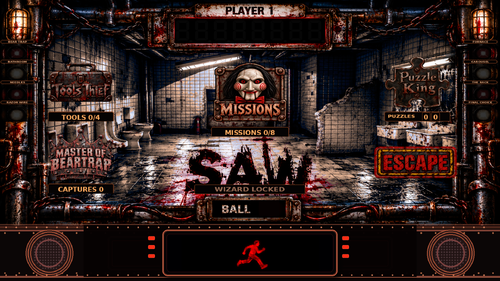
7 Screenshots

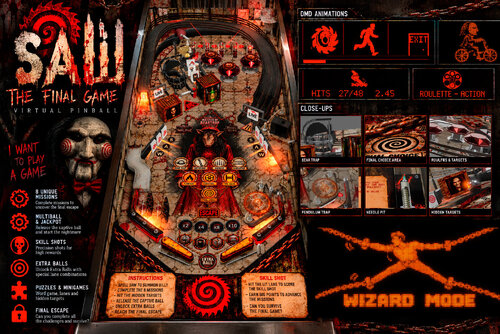
Hi, my name is Lucas Vitale (shacker22), and I’m an e-commerce developer. I built my own virtual pinball machine a few months ago and absolutely love it. Unfortunately, I’ve been dealing with some health issues and haven't been able to play as much as I’d like, so I decided to create my own table instead. I started with zero experience but learned as I went, combining my programming knowledge, ideas, and design skills to create a table based on a theme I’ve always loved—*SAW*—and integrated it into my pinball setup. The table is 100% original; I didn't use a base template. If you find any bugs or have suggestions, please leave a comment here, and I’ll gather them for an update. This is a fan-made table, so all rights belong to their respective owners, including the rights to the soundtrack. I hope to release updates based on your feedback, and if it’s a success, I’ll likely make another one—now that I know how to do it even better.

Edited by shacker22


Permission from ORIGINAL Author(s)?

This is my own creation.

Allow file to be included on a VPUniverse downloader app?

Yes

VPX Standalone

No
Contact Author First.
10.8 required
No

What's New in Version 1.1   See changelog

Released

-added direct b2s for 2 screens

-reduce music volume

-added some fixes

User Feedback

You may only provide a review once you have downloaded the file.


PinballVR

   2 of 2 members found this review helpful 2 / 2 members

Awesome work. Very Nice Table. Bravo!!!!!!

Response from the author:

Thanks!

bil

   1 of 2 members found this review helpful 1 / 2 members

Très beau travail 

A big thanks 

Response from the author:

Thanks for the comment

BrutalJoke

· Edited by BrutalJoke


So after a couple times of trying to get it to work on a standalone ? I just made a small change in the vbs code in order to get this table working in standalone : i changed it to 'ScoreText.Visible = Not SawShowFlexDMDWindow
' Neutral textbox tint: the frame itself supplies the orange colour.
'ScoreText.FontColor = RGB(255, 255, 255)

it is line 8 and 9 in the vbs code... just add ' in front of these lines. It worked for me hope it will do so for you on your standalone vpx.

Have a nice one guys :)

Ps Just not sure if the whole table will work we have to start and testing it

Skully63


Beautiful table with a great vibe that matches the franchise of movies!! Keep up the good work!! 

hotpepper


Very cool game and awesome work.  Thank you!

Response from the author:

Thanks a lot!

×
  • Create New...