
1821 files
-
(VRRoom)1.0.3.thumb.jpg.10419f939d5fffbf4313ed6b72ce01d7.jpg)
Sure Shot (Gottlieb 1976)
By RajoJoey
Description:
***************
The table is made by the great Jeff Whitehead (Loserman76).
May he rest in peace. 😞 I hope, there are pinballs where you are, Jeff.
I would like to thank Jeff, for allowing me, to convert his tables to VR.
Info
It is a hybrid table. So you can play in VR, desktop or cabinet mode, but you need the external backglass.
There is no need to change the script. A VR headset is automatically detected.
I added the following things:
VR room, artwork for cabinet, backbox and flyer, animations for buttons and plungers, LUT files (change with magnasave buttons).
'* Table build/scripted by Loserman76
'* Image redraws/touchups/fixes by GNance
'* VR update by Rajo Joey
Works in 10.7.2, best to play in VPinball_GL 10.8: https://github.com/vpinball/vpinball/actions/workflows/vpinball.yml
***********************************************
These are quick conversions, as I don't like playing in a dark room and don't want to spend more days or weeks to convert a table.
If you want to do your own conversions, I wrote two tutorials for EM tables like Loserman76's and make templates of the tables, pictures and materials.
Also there are some .psd files, to change the artwork in an easy way for example.
In the template tables there are generic artwork for the cabinet and the backbox. Some people may be happy with that and don't need the real artwork.
There is a short tutorial for people, who know the editor and a longer one for newbies. Both instructions are in English and German.
https://mega.nz/folder/5csAGRAa#gSFFQN_jXbw03y7LpQENHg
368 downloads
-
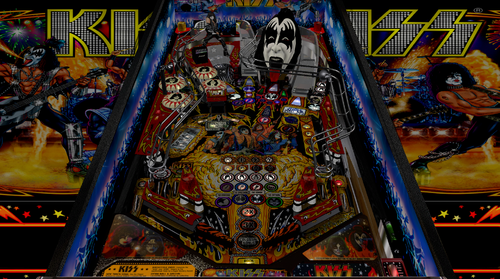
KISS Stern Balutito LE
By balutito
Balutito KISS you all. 😙
allknowing2012 having given its permission to modify its KISS table, I took it over point by point to try to improve it graphically.
Thanks to him for the work done upstream.
To make your life easier, I'm making the music and the ultraDMD available, but everything comes from @allknowing2012 ,KISS to him
if you already have this table, no need to load the KISS install .zip which contains the music and the ultraDMD
use left button to change city, right button to change music
Playfield, apron, inserts, all graphics have been taken over. The work is not perfect because the images were originally low resolution. I used the technique indicated by @pin666 for the playfield and the apron thanks to him.
I proposed a small Backglass update to @Wildman that you will find here:
🍻Balutito🍻
All Logos, Music, Copyrights and Trademarks are property of their respective owners.
PROVIDED STRICTLY FOR PERSONAL / HOME USE AND NOT FOR COMMERCIAL SALE / RE-SALE OR DISTRIBUTION!
14025 downloads
-
(VRRoom)1.0.3.thumb.jpg.29d86385c292f1d1834df43d2d16101f.jpg)
Top Score (Gottlieb 1975) (VR Room)
By RajoJoey
Description:
***************
The table is made by the great Jeff Whitehead (Loserman76).
May he rest in peace. 😞 I hope, there are pinballs where you are, Jeff.
I would like to thank Jeff, for allowing me, to convert his tables to VR.
Info
It is a hybrid table. So you can play in VR, desktop or cabinet mode, but you need the external backglass.
There is no need to change the script. A VR headset is automatically detected.
I added the following things:
VR room, artwork for cabinet, backbox and flyer, animations for buttons and plungers, LUT files (change with magnasave buttons).
'* Table build/scripted by Loserman!
'* VR update by Rajo Joey
Works in 10.7.2, but best to play in VPinball_GL 10.8: https://github.com/vpinball/vpinball/actions/workflows/vpinball.yml
***********************************************
These are quick conversions, as I don't like playing in a dark room and don't want to spend more days or weeks to convert a table.
If you want to do your own conversions, I wrote two tutorials for EM tables like Loserman76's and make templates of the tables, pictures and materials.
Also there are some .psd files, to change the artwork in an easy way for example.
In the template tables there are generic artwork for the cabinet and the backbox. Some people may be happy with that and don't need the real artwork.
There is a short tutorial for people, who know the editor and a longer one for newbies. Both instructions are in English and German.
https://mega.nz/folder/5csAGRAa#gSFFQN_jXbw03y7LpQENHg
350 downloads
(0 reviews)0 comments
Submitted
-
(VRRoom)1.0.3.thumb.jpg.95c10b687f4c5f5e2b6d2b01a3ff3793.jpg)
Top Hand (Gottlieb 1973) (VR Room)
By RajoJoey
Description:
***************
The table is made by the great Jeff Whitehead (Loserman76).
May he rest in peace. 😞 I hope, there are pinballs where you are, Jeff.
I would like to thank Jeff, for allowing me, to convert his tables to VR.
Info
It is a hybrid table. So you can play in VR, desktop or cabinet mode, but you need the external backglass.
There is no need to change the script. A VR headset is automatically detected.
I added the following things:
VR room, artwork for cabinet, backbox and flyer, animations for buttons and plungers, LUT files (change with magnasave buttons).
'* Table primary build/scripted by Loserman76
'* Table images by GNance
'* VR update by Rajo Joey
Works in 10.7.2, but best to play in VPinball_GL 10.8: https://github.com/vpinball/vpinball/actions/workflows/vpinball.yml
***********************************************
These are quick conversions, as I don't like playing in a dark room and don't want to spend more days or weeks to convert a table.
If you want to do your own conversions, I wrote two tutorials for EM tables like Loserman76's and make templates of the tables, pictures and materials.
Also there are some .psd files, to change the artwork in an easy way for example.
In the template tables there are generic artwork for the cabinet and the backbox. Some people may be happy with that and don't need the real artwork.
There is a short tutorial for people, who know the editor and a longer one for newbies. Both instructions are in English and German.
https://mega.nz/folder/5csAGRAa#gSFFQN_jXbw03y7LpQENHg
348 downloads
(0 reviews)0 comments
Submitted
-
(VRRoom)1.0.3.thumb.jpg.df5fe55f90a2877a07210ddb777dee68.jpg)
Top Card (Gottlieb 1974) (VR Room)
By RajoJoey
Description:
***************
The table is made by the great Jeff Whitehead (Loserman76).
May he rest in peace. 😞 I hope, there are pinballs where you are, Jeff.
I would like to thank Jeff, for allowing me, to convert his tables to VR.
Info
It is a hybrid table. So you can play in VR, desktop or cabinet mode, but you need the external backglass.
There is no need to change the script. A VR headset is automatically detected.
I added the following things:
VR room, artwork for cabinet, backbox and flyer, animations for buttons and plungers, LUT files (change with magnasave buttons).
'* Table primary build/scripted by Loserman76
'* Table images by GNance
'* VR update by Rajo Joey
Works in 10.7.2, but best to play in VPinball_GL 10.8: https://github.com/vpinball/vpinball/actions/workflows/vpinball.yml
***********************************************
These are quick conversions, as I don't like playing in a dark room and don't want to spend more days or weeks to convert a table.
If you want to do your own conversions, I wrote two tutorials for EM tables like Loserman76's and make templates of the tables, pictures and materials.
Also there are some .psd files, to change the artwork in an easy way for example.
In the template tables there are generic artwork for the cabinet and the backbox. Some people may be happy with that and don't need the real artwork.
There is a short tutorial for people, who know the editor and a longer one for newbies. Both instructions are in English and German.
https://mega.nz/folder/5csAGRAa#gSFFQN_jXbw03y7LpQENHg
403 downloads
(0 reviews)0 comments
Submitted
-
(VRRoom)1.0.3.thumb.jpg.7c4c873c2f621389ad30b9b24caf31eb.jpg)
Tiger (Gottlieb 1975) (VR Room)
By RajoJoey
Description:
***************
The table is made by the great Jeff Whitehead (Loserman76).
May he rest in peace. 😞 I hope, there are pinballs where you are, Jeff.
I would like to thank Jeff, for allowing me, to convert his tables to VR.
Info
It is a hybrid table. So you can play in VR, desktop or cabinet mode, but you need the external backglass.
There is no need to change the script. A VR headset is automatically detected.
I added the following things:
VR room, artwork for cabinet, backbox and flyer, animations for buttons and plungers, LUT files (change with magnasave buttons).
'* Table build/scripted by Loserman!
'* Playfield/Plastics by GNance
'* VR update by Rajo Joey
Works in 10.7.2, but best to play in VPinball_GL 10.8: https://github.com/vpinball/vpinball/actions/workflows/vpinball.yml
***********************************************
These are quick conversions, as I don't like playing in a dark room and don't want to spend more days or weeks to convert a table.
If you want to do your own conversions, I wrote two tutorials for EM tables like Loserman76's and make templates of the tables, pictures and materials.
Also there are some .psd files, to change the artwork in an easy way for example.
In the template tables there are generic artwork for the cabinet and the backbox. Some people may be happy with that and don't need the real artwork.
There is a short tutorial for people, who know the editor and a longer one for newbies. Both instructions are in English and German.
https://mega.nz/folder/5csAGRAa#gSFFQN_jXbw03y7LpQENHg
283 downloads
(0 reviews)0 comments
Submitted
-
(VRRoom)1.0.3.thumb.jpg.a7e04729a4b1097bc0582763aa699a30.jpg)
Texas Ranger (Gottlieb 1972) (VR Room)
By RajoJoey
Description:
***************
The table is made by the great Jeff Whitehead (Loserman76).
May he rest in peace. 😞 I hope, there are pinballs where you are, Jeff.
I would like to thank Jeff, for allowing me, to convert his tables to VR.
Info
It is a hybrid table. So you can play in VR, desktop or cabinet mode, but you need the external backglass.
There is no need to change the script. A VR headset is automatically detected.
I added the following things:
VR room, artwork for cabinet, backbox and flyer, animations for buttons and plungers, LUT files (change with magnasave buttons).
'* Table build/scripted by Loserman76
'* Playfield/plastics updated/redrawn by GNance
'* Original images by Popotte
'* VR update by Rajo Joey
Works in 10.7.2, but best to play in VPinball_GL 10.8: https://github.com/vpinball/vpinball/actions/workflows/vpinball.yml
***********************************************
These are quick conversions, as I don't like playing in a dark room and don't want to spend more days or weeks to convert a table.
If you want to do your own conversions, I wrote two tutorials for EM tables like Loserman76's and make templates of the tables, pictures and materials.
Also there are some .psd files, to change the artwork in an easy way for example.
In the template tables there are generic artwork for the cabinet and the backbox. Some people may be happy with that and don't need the real artwork.
There is a short tutorial for people, who know the editor and a longer one for newbies. Both instructions are in English and German.
https://mega.nz/folder/5csAGRAa#gSFFQN_jXbw03y7LpQENHg
396 downloads
(1 review)0 comments
Submitted
-
(VRRoom)1.0.3.thumb.jpg.aede3610fc56b29fe680b512767e3d2c.jpg)
Team One (Gottlieb 1977) (VR Room)
By RajoJoey
Description:
***************
The table is made by the great Jeff Whitehead (Loserman76).
May he rest in peace. 😞 I hope, there are pinballs where you are, Jeff.
I would like to thank Jeff, for allowing me, to convert his tables to VR.
Info
It is a hybrid table. So you can play in VR, desktop or cabinet mode, but you need the external backglass.
There is no need to change the script. A VR headset is automatically detected.
I added the following things:
VR room, artwork for cabinet, backbox and flyer, animations for buttons and plungers, LUT files (change with magnasave buttons).
'* Table build/scripted by Loserman!
'* VR update by Rajo Joey
Works in 10.7.2, but best to play in VPinball_GL 10.8: https://github.com/vpinball/vpinball/actions/workflows/vpinball.yml
***********************************************
These are quick conversions, as I don't like playing in a dark room and don't want to spend more days or weeks to convert a table.
If you want to do your own conversions, I wrote two tutorials for EM tables like Loserman76's and make templates of the tables, pictures and materials.
Also there are some .psd files, to change the artwork in an easy way for example.
In the template tables there are generic artwork for the cabinet and the backbox. Some people may be happy with that and don't need the real artwork.
There is a short tutorial for people, who know the editor and a longer one for newbies. Both instructions are in English and German.
https://mega.nz/folder/5csAGRAa#gSFFQN_jXbw03y7LpQENHg
321 downloads
(0 reviews)0 comments
Submitted
-
(VRRoom)1.0.3.thumb.jpg.3ba266a35d3dc6802d7c543224705b27.jpg)
Super Spin (Gottlieb 1977) (VR Room)
By RajoJoey
Description:
***************
The table is made by the great Jeff Whitehead (Loserman76).
May he rest in peace. 😞 I hope, there are pinballs where you are, Jeff.
I would like to thank Jeff, for allowing me, to convert his tables to VR.
Info
It is a hybrid table. So you can play in VR, desktop or cabinet mode, but you need the external backglass.
There is no need to change the script. A VR headset is automatically detected.
I added the following things:
VR room, artwork for cabinet, backbox and flyer, animations for buttons and plungers, LUT files (change with magnasave buttons).
'* Table build/scripted by Loserman!
'* Artwork redrawn by GNance
'* VR update by Rajo Joey
Works in 10.7.2, but best to play in VPinball_GL 10.8: https://github.com/vpinball/vpinball/actions/workflows/vpinball.yml
***********************************************
These are quick conversions, as I don't like playing in a dark room and don't want to spend more days or weeks to convert a table.
If you want to do your own conversions, I wrote two tutorials for EM tables like Loserman76's and make templates of the tables, pictures and materials.
Also there are some .psd files, to change the artwork in an easy way for example.
In the template tables there are generic artwork for the cabinet and the backbox. Some people may be happy with that and don't need the real artwork.
There is a short tutorial for people, who know the editor and a longer one for newbies. Both instructions are in English and German.
https://mega.nz/folder/5csAGRAa#gSFFQN_jXbw03y7LpQENHg
410 downloads
(0 reviews)0 comments
Submitted
-
(VRRoom)1.0.3.thumb.jpg.2a0fa2c8d079a6b6c9a84e8e05f14dc3.jpg)
Super Soccer (Gottlieb 1975) (VR Room)
By RajoJoey
Description:
***************
The table is made by the great Jeff Whitehead (Loserman76).
May he rest in peace. 😞 I hope, there are pinballs where you are, Jeff.
I would like to thank Jeff, for allowing me, to convert his tables to VR.
Info
It is a hybrid table. So you can play in VR, desktop or cabinet mode, but you need the external backglass.
There is no need to change the script. A VR headset is automatically detected.
I added the following things:
VR room, artwork for cabinet, backbox and flyer, animations for buttons and plungers, LUT files (change with magnasave buttons).
'* Table build/scripted by Loserman76
'* VR update by Rajo Joey
Works in 10.7.2, but best to play in VPinball_GL 10.8: https://github.com/vpinball/vpinball/actions/workflows/vpinball.yml
***********************************************
These are quick conversions, as I don't like playing in a dark room and don't want to spend more days or weeks to convert a table.
If you want to do your own conversions, I wrote two tutorials for EM tables like Loserman76's and make templates of the tables, pictures and materials.
Also there are some .psd files, to change the artwork in an easy way for example.
In the template tables there are generic artwork for the cabinet and the backbox. Some people may be happy with that and don't need the real artwork.
There is a short tutorial for people, who know the editor and a longer one for newbies. Both instructions are in English and German.
https://mega.nz/folder/5csAGRAa#gSFFQN_jXbw03y7LpQENHg
330 downloads
-
(VRRoom)1.0.3.thumb.jpg.4ad482e0a0e31b95a7a05748dcb424d3.jpg)
Spot Pool (Gottlieb 1976) (VR Room)
By RajoJoey
Description:
***************
The table is made by the great Jeff Whitehead (Loserman76).
May he rest in peace. 😞 I hope, there are pinballs where you are, Jeff.
I would like to thank Jeff, for allowing me, to convert his tables to VR.
Info
It is a hybrid table. So you can play in VR, desktop or cabinet mode, but you need the external backglass.
There is no need to change the script. A VR headset is automatically detected.
I added the following things:
VR room, artwork for cabinet, backbox and flyer, animations for buttons and plungers, LUT files (change with magnasave buttons).
'* Table build/scripted by Loserman76
'* Image redraws/touchups/fixes by GNance
'* VR update by Rajo Joey
Works in 10.7.2, but best to play in VPinball_GL 10.8: https://github.com/vpinball/vpinball/actions/workflows/vpinball.yml
***********************************************
These are quick conversions, as I don't like playing in a dark room and don't want to spend more days or weeks to convert a table.
If you want to do your own conversions, I wrote two tutorials for EM tables like Loserman76's and make templates of the tables, pictures and materials.
Also there are some .psd files, to change the artwork in an easy way for example.
In the template tables there are generic artwork for the cabinet and the backbox. Some people may be happy with that and don't need the real artwork.
There is a short tutorial for people, who know the editor and a longer one for newbies. Both instructions are in English and German.
https://mega.nz/folder/5csAGRAa#gSFFQN_jXbw03y7LpQENHg
357 downloads
(0 reviews)0 comments
Submitted
-
(VRRoom)1.0.3.thumb.jpg.f499381d4c4d36592e937d0bf10da747.jpg)
Spirit Of 76 (Gottlieb 1975) (VR Room)
By RajoJoey
Description:
***************
The table is made by the great Jeff Whitehead (Loserman76).
May he rest in peace. 😞 I hope, there are pinballs where you are, Jeff.
I would like to thank Jeff, for allowing me, to convert his tables to VR.
Info
It is a hybrid table. So you can play in VR, desktop or cabinet mode, but you need the external backglass.
There is no need to change the script. A VR headset is automatically detected.
I added the following things:
VR room, artwork for cabinet, backbox and flyer, animations for buttons and plungers, LUT files (change with magnasave buttons).
'* Table build/scripted by Loserman!
'* VPX conversion of AllKnowing2012's VP9 versions
'* VR update by Rajo Joey
Works in 10.7.2, but best to play in VPinball_GL 10.8: https://github.com/vpinball/vpinball/actions/workflows/vpinball.yml
***********************************************
These are quick conversions, as I don't like playing in a dark room and don't want to spend more days or weeks to convert a table.
If you want to do your own conversions, I wrote two tutorials for EM tables like Loserman76's and make templates of the tables, pictures and materials.
Also there are some .psd files, to change the artwork in an easy way for example.
In the template tables there are generic artwork for the cabinet and the backbox. Some people may be happy with that and don't need the real artwork.
There is a short tutorial for people, who know the editor and a longer one for newbies. Both instructions are in English and German.
https://mega.nz/folder/5csAGRAa#gSFFQN_jXbw03y7LpQENHg
372 downloads
(1 review)0 comments
Submitted
-
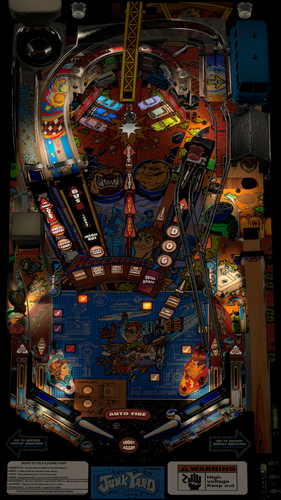
Junk Yard (Williams 1996)
By TastyWasps
Time to infiltrate Crazy Bob's at the Junk Yard and build the Jalopy!
This mod includes the latest VPW enhancements to modernize the older Junk Yard version for physics, sound and playability.
Enhancements:
* nFozzy physics
* Dynamic Ball Shadows
* Fleep sounds / rolling / ramp
* Flupper Domes
* LUT selector
* New playfield with better image quality
* Lots of small tweaks to improve game play or aesthetics.
* More detailed change log notes are in the script headers.
Also, a huge improvement to the game play experience is dtatane's amazing alt color rendering of the Junk Yard DMD located at https://vpuniverse.com/forums/topic/6943-junk-yard-64-colors
Quick History:
The only VPX version of Junk Yard was version 1.3 (last updated 10/12/16) with mfuegemann as the main author and help from Fuzzel, Dark and Hauntfreaks. There was also a SG1bsoN mod which was mostly lighting updates to an interesting color scheme.
I gave v1.3 a quick flip and immediately realized it needed an update on the physics front. I would later realize it needed other updates as I learned more about the VPW example table packages, etc. The physics obviously jump out at you the fastest if they are using the older VPX defaults.
So, back about 6 months ago, I reached out to apophis about trying to learn how to upgrade the physics and he helped me get started with the bord YouTube tutorials / documents, etc. Fast forward here and it has been a learning journey for me to understand how VPX works, how to code the upgrade packages from the Example table, etc.
I really just wanted to see this table get better physics, aesthetics and gameplay as a general goal for the project with the intention of learning VPX along the way on something that needed a little TLC.
Commendations:
Thanks to all of the team at Williams listed on the IPDB link.
Thanks to the original VPX authors: mfuegemann, Fuzzel, Dark and Hauntfreaks
Thanks to apophis, bord, Wylte and Sixtoe for coding assistance and thanks to PinStratsDan, Smaug, FriscoPinball and the VPW team for testing.
10372 downloads
-
1.0.3.thumb.jpg.1196504e1db2b0ca5cdcde95ea9c4883.jpg)
Spin Out (Gottlieb 1975) (VR Room)
By RajoJoey
Description:
***************
The table is made by the great Jeff Whitehead (Loserman76).
May he rest in peace. 😞 I hope, there are pinballs where you are, Jeff.
I would like to thank Jeff, for allowing me, to convert his tables to VR.
Info
It is a hybrid table. So you can play in VR, desktop or cabinet mode, but you need the external backglass.
There is no need to change the script. A VR headset is automatically detected.
I added the following things:
VR room, artwork for cabinet, backbox and flyer, animations for buttons and plungers, LUT files (change with magnasave buttons).
'* Table build/scripted by Loserman76
'* Playfied/Plastics/images redrawn by GNance
'* Original images by Greywolf
'* VR update by Rajo Joey
Works in 10.7.2, but best to play in VPinball_GL 10.8: https://github.com/vpinball/vpinball/actions/workflows/vpinball.yml
***********************************************
These are quick conversions, as I don't like playing in a dark room and don't want to spend more days or weeks to convert a table.
If you want to do your own conversions, I wrote two tutorials for EM tables like Loserman76's and make templates of the tables, pictures and materials.
Also there are some .psd files, to change the artwork in an easy way for example.
In the template tables there are generic artwork for the cabinet and the backbox. Some people may be happy with that and don't need the real artwork.
There is a short tutorial for people, who know the editor and a longer one for newbies. Both instructions are in English and German.
https://mega.nz/folder/5csAGRAa#gSFFQN_jXbw03y7LpQENHg
333 downloads
-
1.0.3.thumb.jpg.79a53413e1a71d4f973619c535222298.jpg)
Space Orbit (Gottlieb 1972) (VR Room)
By RajoJoey
Description:
***************
The table is made by the great Jeff Whitehead (Loserman76).
May he rest in peace. 😞 I hope, there are pinballs where you are, Jeff.
I would like to thank Jeff, for allowing me, to convert his tables to VR.
Info
It is a hybrid table. So you can play in VR, desktop or cabinet mode, but you need the external backglass.
There is no need to change the script. A VR headset is automatically detected.
I added the following things:
VR room, artwork for cabinet, backbox and flyer, animations for buttons and plungers, LUT files (change with magnasave buttons).
'* Table build/scripted by Loserman!
'* Table redraw/plastics by GNance
'* VR update by Rajo Joey
Works in 10.7.2, but best to play in VPinball_GL 10.8: https://github.com/vpinball/vpinball/actions/workflows/vpinball.yml
***********************************************
These are quick conversions, as I don't like playing in a dark room and don't want to spend more days or weeks to convert a table.
If you want to do your own conversions, I wrote two tutorials for EM tables like Loserman76's and make templates of the tables, pictures and materials.
Also there are some .psd files, to change the artwork in an easy way for example.
In the template tables there are generic artwork for the cabinet and the backbox. Some people may be happy with that and don't need the real artwork.
There is a short tutorial for people, who know the editor and a longer one for newbies. Both instructions are in English and German.
https://mega.nz/folder/5csAGRAa#gSFFQN_jXbw03y7LpQENHg
348 downloads
-
1.0.3.thumb.jpg.85fe6fca3e1983a066feb358516a5a5a.jpg)
Solar City (Gottlieb 1977) (VR Room)
By RajoJoey
Description:
***************
The table is made by the great Jeff Whitehead (Loserman76).
May he rest in peace. 😞 I hope, there are pinballs where you are, Jeff.
I would like to thank Jeff, for allowing me, to convert his tables to VR.
Info
It is a hybrid table. So you can play in VR, desktop or cabinet mode, but you need the external backglass.
There is no need to change the script. A VR headset is automatically detected.
I added the following things:
VR room, artwork for cabinet, backbox and flyer, animations for buttons and plungers, LUT files (change with magnasave buttons).
'* Table build/scripted by Loserman76
'* VR update by Rajo Joey
Works in 10.7.2, but best to play in VPinball_GL 10.8: https://github.com/vpinball/vpinball/actions/workflows/vpinball.yml
***********************************************
These are quick conversions, as I don't like playing in a dark room and don't want to spend more days or weeks to convert a table.
If you want to do your own conversions, I wrote two tutorials for EM tables like Loserman76's and make templates of the tables, pictures and materials.
Also there are some .psd files, to change the artwork in an easy way for example.
In the template tables there are generic artwork for the cabinet and the backbox. Some people may be happy with that and don't need the real artwork.
There is a short tutorial for people, who know the editor and a longer one for newbies. Both instructions are in English and German.
https://mega.nz/folder/5csAGRAa#gSFFQN_jXbw03y7LpQENHg
418 downloads
-
1.0.3.thumb.jpg.40724c2a0ea04322a3c88ccc32d71a89.jpg)
Soccer (Gottlieb 1975) (VR Room)
By RajoJoey
Description:
***************
The table is made by the great Jeff Whitehead (Loserman76).
May he rest in peace. 😞 I hope, there are pinballs where you are, Jeff.
I would like to thank Jeff, for allowing me, to convert his tables to VR.
Info
It is a hybrid table. So you can play in VR, desktop or cabinet mode, but you need the external backglass.
There is no need to change the script. A VR headset is automatically detected.
I added the following things:
VR room, artwork for cabinet, backbox and flyer, animations for buttons and plungers, LUT files (change with magnasave buttons).
'* Table build/scripting by Loserman76
'* VR update by Rajo Joey
Works in 10.7.2, but best to play in VPinball_GL 10.8: https://github.com/vpinball/vpinball/actions/workflows/vpinball.yml
***********************************************
These are quick conversions, as I don't like playing in a dark room and don't want to spend more days or weeks to convert a table.
If you want to do your own conversions, I wrote two tutorials for EM tables like Loserman76's and make templates of the tables, pictures and materials.
Also there are some .psd files, to change the artwork in an easy way for example.
In the template tables there are generic artwork for the cabinet and the backbox. Some people may be happy with that and don't need the real artwork.
There is a short tutorial for people, who know the editor and a longer one for newbies. Both instructions are in English and German.
https://mega.nz/folder/5csAGRAa#gSFFQN_jXbw03y7LpQENHg
348 downloads
-
1.0.3.thumb.jpg.44595715a5b0d2e4e46745aa04cd2d37.jpg)
Sky Jump (Gottlieb 1974) (VR Room)
By RajoJoey
Description:
***************
The table is made by the great Jeff Whitehead (Loserman76).
May he rest in peace. 😞 I hope, there are pinballs where you are, Jeff.
I would like to thank Jeff, for allowing me, to convert his tables to VR.
Info
It is a hybrid table. So you can play in VR, desktop or cabinet mode, but you need the external backglass.
There is no need to change the script. A VR headset is automatically detected.
I added the following things:
VR room, artwork for cabinet, backbox and flyer, animations for buttons and plungers, LUT files (change with magnasave buttons).
'* Table build/scripted by Loserman76
'* Playfield/Plastics/etc by GNance
'* VR update by Rajo Joey
Works in 10.7.2, but best to play in VPinball_GL 10.8: https://github.com/vpinball/vpinball/actions/workflows/vpinball.yml
***********************************************
These are quick conversions, as I don't like playing in a dark room and don't want to spend more days or weeks to convert a table.
If you want to do your own conversions, I wrote two tutorials for EM tables like Loserman76's and make templates of the tables, pictures and materials.
Also there are some .psd files, to change the artwork in an easy way for example.
In the template tables there are generic artwork for the cabinet and the backbox. Some people may be happy with that and don't need the real artwork.
There is a short tutorial for people, who know the editor and a longer one for newbies. Both instructions are in English and German.
https://mega.nz/folder/5csAGRAa#gSFFQN_jXbw03y7LpQENHg
531 downloads
-
1.0.3.thumb.jpg.0890e2c09de2296bc524c16a0382d334.jpg)
Ship Ahoy (Gottlieb 1976) (VR Room)
By RajoJoey
Description:
***************
The table is made by the great Jeff Whitehead (Loserman76).
May he rest in peace. 😞 I hope, there are pinballs where you are, Jeff.
I would like to thank Jeff, for allowing me, to convert his tables to VR.
Info
It is a hybrid table. So you can play in VR, desktop or cabinet mode, but you need the external backglass.
There is no need to change the script. A VR headset is automatically detected.
I added the following things:
VR room, artwork for cabinet, backbox and flyer, animations for buttons and plungers, LUT files (change with magnasave buttons).
'* Table build/scripted by Loserman!
'* Images by GNance
'* VR update by Rajo Joey
Works in 10.7.2, but best to play in VPinball_GL 10.8: https://github.com/vpinball/vpinball/actions/workflows/vpinball.yml
***********************************************
These are quick conversions, as I don't like playing in a dark room and don't want to spend more days or weeks to convert a table.
If you want to do your own conversions, I wrote two tutorials for EM tables like Loserman76's and make templates of the tables, pictures and materials.
Also there are some .psd files, to change the artwork in an easy way for example.
In the template tables there are generic artwork for the cabinet and the backbox. Some people may be happy with that and don't need the real artwork.
There is a short tutorial for people, who know the editor and a longer one for newbies. Both instructions are in English and German.
https://mega.nz/folder/5csAGRAa#gSFFQN_jXbw03y7LpQENHg
395 downloads
-
(3PopBumpers)1.0.3.thumb.jpg.8466b8571ce94401f1f6caaff71f6a6a.jpg)
Royal Pair (Gottlieb 1974) (3 Pop Bumpers) (VR Room)
By RajoJoey
Description:
***************
The table is made by the great Jeff Whitehead (Loserman76).
May he rest in peace. 😞 I hope, there are pinballs where you are, Jeff.
I would like to thank Jeff, for allowing me, to convert his tables to VR.
Info
It is a hybrid table. So you can play in VR, desktop or cabinet mode, but you need the external backglass.
There is no need to change the script. A VR headset is automatically detected.
I added the following things:
VR room, artwork for cabinet, backbox and flyer, animations for buttons and plungers, LUT files (change with magnasave buttons).
'* Table primary build/scripted by Loserman76
'* Table images by GNance
'* VR update by Rajo Joey
Works in 10.7.2, but best to play in VPinball_GL 10.8: https://github.com/vpinball/vpinball/actions/workflows/vpinball.yml
***********************************************
These are quick conversions, as I don't like playing in a dark room and don't want to spend more days or weeks to convert a table.
If you want to do your own conversions, I wrote two tutorials for EM tables like Loserman76's and make templates of the tables, pictures and materials.
Also there are some .psd files, to change the artwork in an easy way for example.
In the template tables there are generic artwork for the cabinet and the backbox. Some people may be happy with that and don't need the real artwork.
There is a short tutorial for people, who know the editor and a longer one for newbies. Both instructions are in English and German.
https://mega.nz/folder/5csAGRAa#gSFFQN_jXbw03y7LpQENHg
233 downloads
-
(2PopBumpers)1.0.3.thumb.jpg.b1c5134f5566e204542f508cc9ddb591.jpg)
Royal Pair (Gottlieb 1974) (2 Pop Bumpers) (VR Room)
By RajoJoey
Description:
***************
The table is made by the great Jeff Whitehead (Loserman76).
May he rest in peace. 😞 I hope, there are pinballs where you are, Jeff.
I would like to thank Jeff, for allowing me, to convert his tables to VR.
Info
It is a hybrid table. So you can play in VR, desktop or cabinet mode, but you need the external backglass.
There is no need to change the script. A VR headset is automatically detected.
I added the following things:
VR room, artwork for cabinet, backbox and flyer, animations for buttons and plungers, LUT files (change with magnasave buttons).
'* Table primary build/scripted by Loserman76
'* Table images by GNance
'* VR update by Rajo Joey
Works in 10.7.2, but best to play in VPinball_GL 10.8: https://github.com/vpinball/vpinball/actions/workflows/vpinball.yml
***********************************************
These are quick conversions, as I don't like playing in a dark room and don't want to spend more days or weeks to convert a table.
If you want to do your own conversions, I wrote two tutorials for EM tables like Loserman76's and make templates of the tables, pictures and materials.
Also there are some .psd files, to change the artwork in an easy way for example.
In the template tables there are generic artwork for the cabinet and the backbox. Some people may be happy with that and don't need the real artwork.
There is a short tutorial for people, who know the editor and a longer one for newbies. Both instructions are in English and German.
https://mega.nz/folder/5csAGRAa#gSFFQN_jXbw03y7LpQENHg
264 downloads
-
1.0.3.thumb.jpg.4247c802cbaf63555809d6a27172454a.jpg)
Pro Pool (Gottlieb 1973) (VR Room)
By RajoJoey
Description:
***************
The table is made by the great Jeff Whitehead (Loserman76).
May he rest in peace. 😞 I hope, there are pinballs where you are, Jeff.
I would like to thank Jeff, for allowing me, to convert his tables to VR.
Info
It is a hybrid table. So you can play in VR, desktop or cabinet mode, but you need the external backglass.
There is no need to change the script. A VR headset is automatically detected.
I added the following things:
VR room, artwork for cabinet, backbox and flyer, animations for buttons and plungers, LUT files (change with magnasave buttons).
'* Table build/scripted by Loserman76
'* Image redraws/touchups/fixes by GNance
'* Original images by Mike Farmer
'* VR update by Rajo Joey
Works in 10.7.2, but best to play in VPinball_GL 10.8: https://github.com/vpinball/vpinball/actions/workflows/vpinball.yml
***********************************************
These are quick conversions, as I don't like playing in a dark room and don't want to spend more days or weeks to convert a table.
If you want to do your own conversions, I wrote two tutorials for EM tables like Loserman76's and make templates of the tables, pictures and materials.
Also there are some .psd files, to change the artwork in an easy way for example.
In the template tables there are generic artwork for the cabinet and the backbox. Some people may be happy with that and don't need the real artwork.
There is a short tutorial for people, who know the editor and a longer one for newbies. Both instructions are in English and German.
https://mega.nz/folder/5csAGRAa#gSFFQN_jXbw03y7LpQENHg
321 downloads
-
1.0.3.thumb.jpg.9a5d748dde1a7e9e1e45e8e4baa63ced.jpg)
Jungle Life (Gottlieb 1972) (VR Room)
By RajoJoey
Description:
***************
The table is made by the great Jeff Whitehead (Loserman76).
May he rest in peace. :-( I hope, there are pinballs where you are, Jeff.
I would like to thank Jeff, for allowing me, to convert his tables to VR.
Info
It is a hybrid table. So you can play in VR, desktop or cabinet mode, but you need the external backglass.
There is no need to change the script. A VR headset is automatically detected.
I added the following things:
VR room, artwork for cabinet, backbox and flyer, animations for buttons and plungers, LUT files (change with magnasave buttons).
'* Table build/scripted by Loserman76
'* Playfield/plastics redrawn by GNance
'* VR update by Rajo Joey
Works in 10.7.2, but best to play in VPinball_GL 10.8: https://github.com/vpinball/vpinball/actions/workflows/vpinball.yml
***********************************************
These are quick conversions, as I don't like playing in complete darkness.
If you want to do your own conversions, I wrote two tutorials for EM tables like Loserman76's and make templates of the tables, pictures and materials.
Also there are some .psd files, to change the artwork in an easy way for example.
In the template tables there are generic artwork for the cabinet and the backbox. Some people may be happy with that and don't need the real artwork.
There is a short tutorial for people, who know the editor and a longer one for newbies. Both instructions are in English and German.
https://mega.nz/folder/5csAGRAa#gSFFQN_jXbw03y7LpQENHg
328 downloads
-
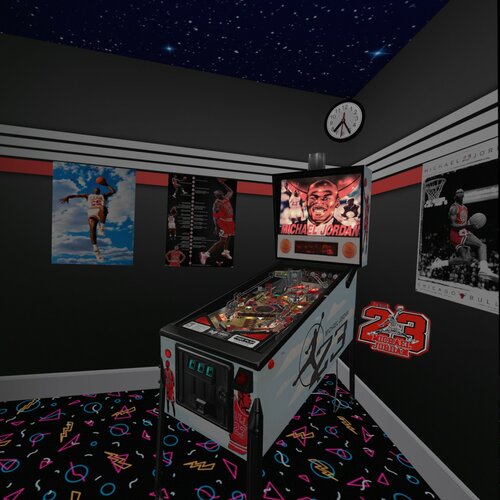
Michael Jordan (Data East 1992)
By Rascal
This is the hybrid 4 view version of Data East 1992 Michael Jordan. All the same credits that I put into the last release of this table at https://vpuniverse.com/files/file/5830-michael-jordan-data-east-1992/. I'm not suggesting that you should download that version, but all the description and past credits are there. This version includes 4 view to make it a hybrid, those views are Desktop, Fullscreen, Full Single Screen, and VR.
Current credits go out to:
Rawd - for making me a really cool and original looking launcher button and housing, including lighting it up and blinking. Also, for beta testing and giving suggestions to make it better.
Ahr1man - for his beta testing and bug reporting, and his suggestions to make it better.
VPW Crew - for VR room and Beacon from Lethal Weapon 3 only converted to clear.
Happy New Year everybody, I hope you enjoy this table.
2523 downloads
- michael jordan
- data east
- (and 3 more)
-
(VRRoom)1.0.3.thumb.jpg.c729b5a9977deac9c5044bfda69b473d.jpg)
Rock Star (Gottlieb 1978) (VR Room)
By RajoJoey
Description:
***************
The table is made by the great Jeff Whitehead (Loserman76).
May he rest in peace. :-( I hope, there are pinballs where you are, Jeff.
I would like to thank Jeff, for allowing me, to convert his tables to VR.
Info
It is a hybrid table. So you can play in VR, desktop or cabinet mode, but you need the external backglass.
There is no need to change the script. A VR headset is automatically detected.
I added the following things:
VR room, artwork for cabinet, backbox and flyer, animations for buttons and plungers, LUT files (change with magnasave buttons).
'* Table primary build/scripted by Loserman76
'* Table images by GNance
'* VR update by Rajo Joey
Works in 10.7.2, but best to play in VPinball_GL 10.8: https://github.com/vpinball/vpinball/actions/workflows/vpinball.yml
***********************************************
These are quick conversions, as I don't like playing in complete darkness.
If you want to do your own conversions, I wrote two tutorials for EM tables like Loserman76's and make templates of the tables, pictures and materials.
Also there are some .psd files, to change the artwork in an easy way for example.
In the template tables there are generic artwork for the cabinet and the backbox. Some people may be happy with that and don't need the real artwork.
There is a short tutorial for people, who know the editor and a longer one for newbies. Both instructions are in English and German.
https://mega.nz/folder/5csAGRAa#gSFFQN_jXbw03y7LpQENHg
431 downloads
(0 reviews)0 comments
Submitted
.thumb.png.c3f10bf0d78baa072423129a9928ef9e.png)
.thumb.jpg.51c7531114e2f7aeb4ee57cf584aeb66.jpg)
.thumb.png.35c418ea7c141a2a5682927da5bf2255.png)
fulldmdDark.thumb.png.720d86e44c1ed49fa7253836a8fe13b1.png)
.thumb.png.992a313f767bcd1daa0ac55d366cd978.png)
.thumb.png.2ad1e063155a6928eba32bb8f22824a4.png)
.thumb.png.f2ab273f0939d4e1d261b14a586d86e7.png)
.thumb.png.c678053045898b3c16f2852a2688b864.png)
.thumb.png.79f167488003ad866b4e74afb86ac3f9.png)
.thumb.gif.5e8abde834b01530ca82156cf50ae592.gif)

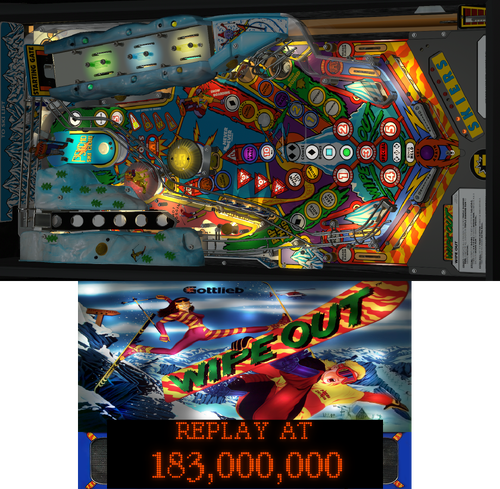
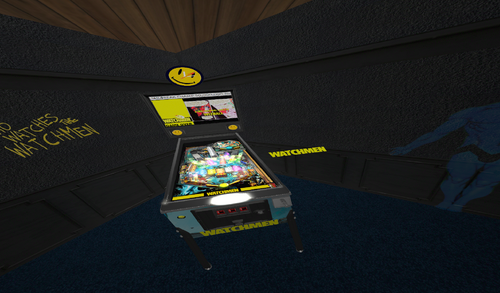
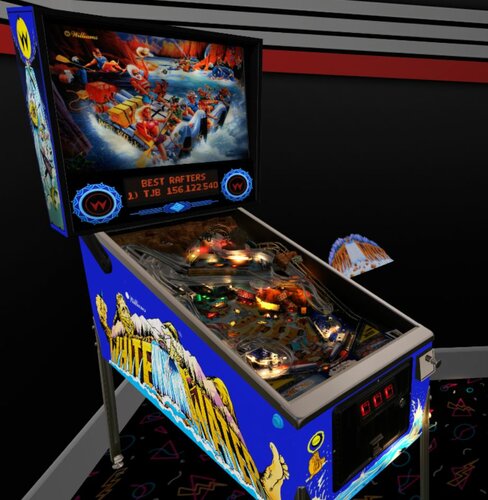
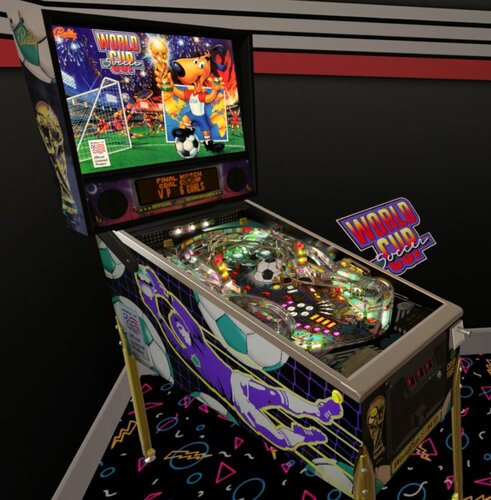
-frameat0m5s.thumb.jpg.b96a41d0ea804baa7ef2871a30b33b68.jpg)
v2.0.1-frameat0m20s.thumb.jpg.8869f48ad34b4b1a06d14ca1a3ef484d.jpg)
FullDMD.thumb.jpg.8f287e15d4752d287bc30ea9e9f0862f.jpg)


FullDMD.thumb.jpg.c71f17baf11ce6b38bde45eaa5bf0c46.jpg)
PuPPackOverlay.thumb.png.49159321dd66b769678b690265fc99cc.png)
PuPPackFullDMD.thumb.jpg.56154656ae2a1a72ebd641519736ee95.jpg)
FullDMD.thumb.png.526962a74f38fd3ca061f38d9631546d.png)
FullDMD.thumb.jpg.48db4b8bd4c41291e0f83f902aae1db5.jpg)
.thumb.jpg.c449a2738dd95e812e105db2a8225273.jpg)
PuPPackFullDMD.thumb.jpg.beb7d6243600b09f213964c42b9b1ef8.jpg)




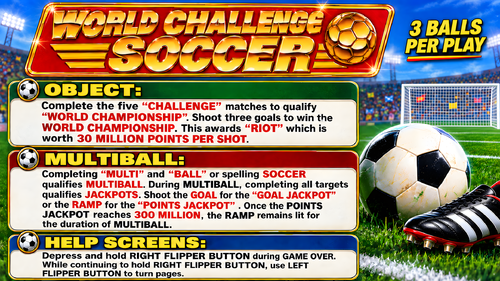
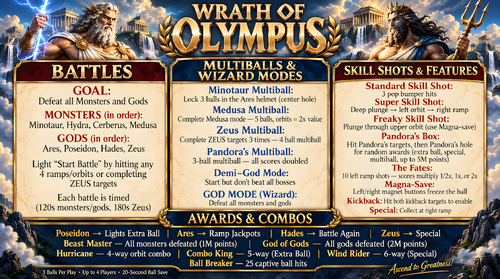
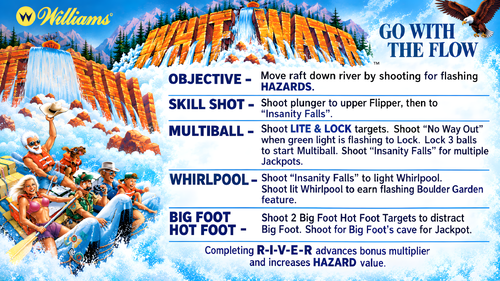
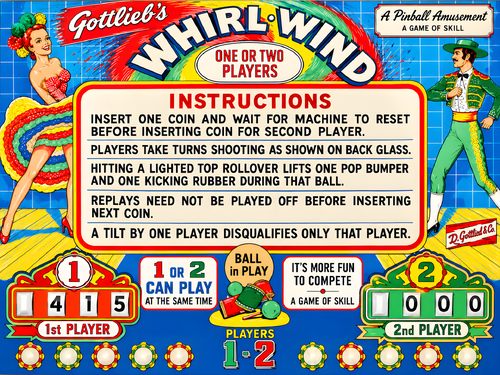
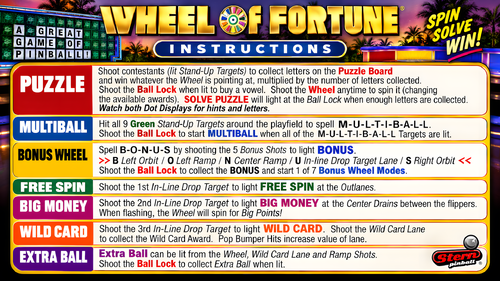
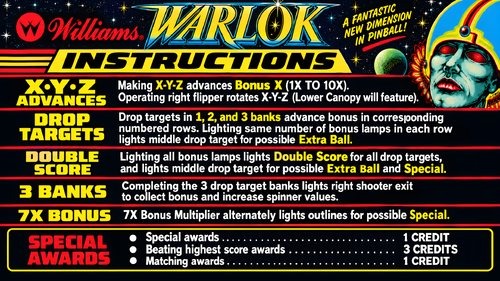



.thumb.jpg.ca2e48aaa7e3b0c3f1351c718ae1bd99.jpg)
.thumb.jpg.20dd148ff1405b0ecfdeca60a86b3448.jpg)
Rules.thumb.png.a366babf79fcfda036944253e9ccf383.png)
V5.thumb.jpg.69763cf83bb1d4276f12248eadeafcaa.jpg)
.thumb.png.6215d307d3376efb313d8cc895c76d2f.png)

