
THANKS:
JP Salas allowed me to use his Attack From Mars table as a base and provided advice during the creation.
@KRAKEN provided the original Attack From Mars Serum colorization, which was an immense help and saved me countless hours of dumping, masking and assigning frames. He also fixed many bugs in the video mode I would have never figured out on my own.
@apophis invited me to the VPW Discord and kindly let us use his asteroid for the VR room.
@DGrimmReaper created an awesome VR room, just looks so insanely good.
@cyberpez let me use key assets of his AFM table, which made the table so so much better.
@Thalamus supportive on VPU since day one and connected me to the VPW team.
@r2z2 and RomKnight provided insight on using Claude for VPX code optimization.
@hauntfreaks 's backglass was a template for the modded b2s.
@wrd1972 physics of cyberpez table were adopted as an option in F12 menu.
DISCLAIMER:
This table is a fan-made, non-commerical tribute. It may not be sold, bundled with paid products or services, or otherwise commercially exploited in any form.
Mass Effect and all related characters, music, voice recordings, and artwork are © BioWare / Electronic Arts Inc. Attack From Mars and its ROM are © Bally/Williams (Light & Wonder). All trademarks are property of their respective owners. No affiliation with or endorsement by any rightsholder is implied.
ASSUMING DIRECT CONTROL
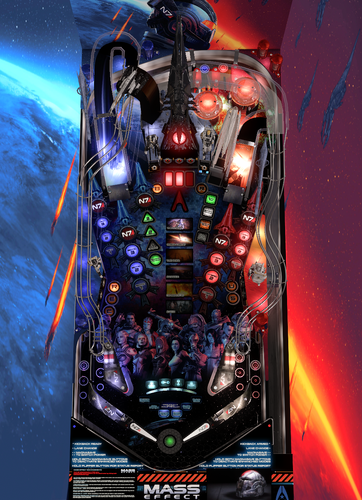
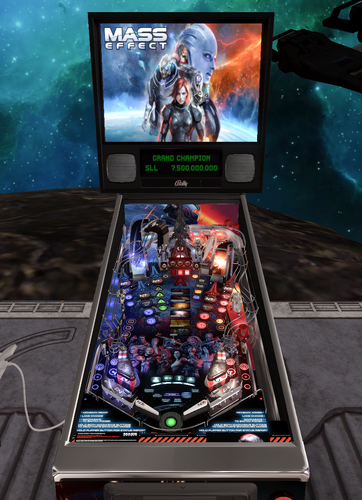
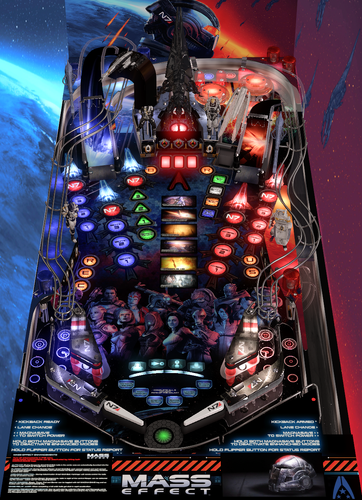
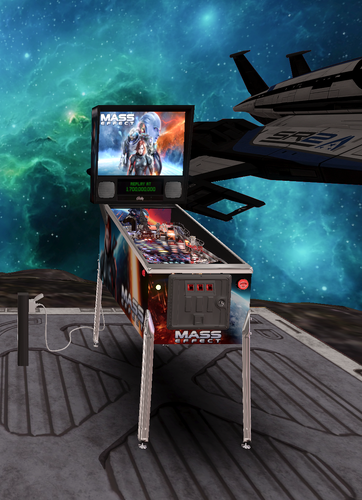
Modded Attack From Mars with more than 1500 callouts from the Mass Effect trilogy + more than 60 music tracks + effects, textures and 3d models from the games.
Full playfield, backglass, sound and DMD (Serum) reskin with nfozzy physics and fleep sounds, Flupper bumpers, rothbauerw flashers. Crank up the volume and dive into the frantic soundscape 
=============================================================
Needs the following software installed:
- Visual Pinball X 10.8 or higher
- VPinMAME 3.7 or higher
- DMDext 2.5.0 (with latest Serum version)
1. Place Mass Effect.vpx and .b2s in Tables folder.
2. Download the ROM afm_113b and place it in VPinMAME/roms directory.
3. Place altcolor/afm_113b_me in your VPinMAME/altcolor directory.
4. Start up the table. On first launch it configures itself via two dialogs:
- ROM alias: press "Yes" (registers "afm_113b_me,afm_113b" in your VPinMAME alias file).
- DMD settings: answer whether you have a RealDMD — "Yes" installs the SD
configuration (native resolution, right for RealDMD hardware), "No" installs
the HD configuration (upscaled, right for LCD / virtual DMD windows).
Written into DmdDevice.ini as an [afm_113b_me] section with values: colorize = true / scaletohd = true / scalermode = doubler / style.default.brightness = 0.70; settings of other
tables are not touched.
5. Press F1 and check both "Use external DMD (dll)" and "Colorize DMD (4 colors)".
Select "OK" to save.
=============================================================
This table includes a few "enchanced" gameplay elements inspired by the games, some of them are physics-altering in a non-realistic way. They can all be toggled in F12 menu or live by hitting both magna-save keys.
Enhancements include:
- Biotic powers (Stasis, Throw, Pull, Barrier) cycle with left magnasave, activate with right magnasave. (new power becomes available after each beaten wave.)
- Mass relay jump when completing a full orbit
- Reaper cannon shots on ball in vision cone during attack waves.
- Kickbacks, recharged by collecting Paragon (left ramp/orbit shots) and Renegade points (right ramp/orbit shots)
- Flipper strength ramp-up during Suicide Mission: each second passed and each jackpot hit in Suicide Mission (Total Annihilation) will increase the flipper strength.
- Ball manipulation during Indoctrination: Balls velocity remote controlled during this MB.
- Auto aim during Normandy MB: balls in the center area are automatically launched into the center target. Deactivated by default as it makes jackpot shots difficult
Edited by deadmanworking
Permission from ORIGINAL Author(s)?
written permission received.
This is my own creation.
User Feedback
You may only provide a review once you have downloaded the file.