1821 files
-
(VRRoom)1.0.3.thumb.jpg.644f1a38874de98ba4ddc27e717be316.jpg)
Quick Draw (Gottlieb 1975) (VR Room)
By RajoJoey
Description:
***************
The table is made by the great Jeff Whitehead (Loserman76).
May he rest in peace. :-( I hope, there are pinballs where you are, Jeff.
I would like to thank Jeff, for allowing me, to convert his tables to VR.
Info
It is a hybrid table. So you can play in VR, desktop or cabinet mode, but you need the external backglass.
There is no need to change the script. A VR headset is automatically detected.
I added the following things:
VR room, artwork for cabinet, backbox and flyer, animations for buttons and plungers, LUT files (change with magnasave buttons).
'* Table build/scripted by Loserman!
'* VR update by Rajo Joey
Works in 10.7.2, but best to play in VPinball_GL 10.8: https://github.com/vpinball/vpinball/actions/workflows/vpinball.yml
***********************************************
These are quick conversions, as I don't like playing in complete darkness.
If you want to do your own conversions, I wrote two tutorials for EM tables like Loserman76's and make templates of the tables, pictures and materials.
Also there are some .psd files, to change the artwork in an easy way for example.
In the template tables there are generic artwork for the cabinet and the backbox. Some people may be happy with that and don't need the real artwork.
There is a short tutorial for people, who know the editor and a longer one for newbies. Both instructions are in English and German.
https://mega.nz/folder/5csAGRAa#gSFFQN_jXbw03y7LpQENHg
438 downloads
(0 reviews)0 comments
Submitted
-
(VRRoom)1.0.3.thumb.jpg.7570a5737cc8606fac0b58ff244ac240.jpg)
Poseidon (Gottlieb 1978) (VR Room)
By RajoJoey
Description:
***************
The table is made by the great Jeff Whitehead (Loserman76).
May he rest in peace. :-( I hope, there are pinballs where you are, Jeff.
I would like to thank Jeff, for allowing me, to convert his tables to VR.
Info
It is a hybrid table. So you can play in VR, desktop or cabinet mode, but you need the external backglass.
There is no need to change the script. A VR headset is automatically detected.
I added the following things:
VR room, artwork for cabinet, backbox and flyer, animations for buttons and plungers, LUT files (change with magnasave buttons).
'* Table build/scripted by Loserman76
'* Image redraws/touchups/fixes by GNance
'* VR update by Rajo Joey
Works in 10.7.2, but best to play in VPinball_GL 10.8: https://github.com/vpinball/vpinball/actions/workflows/vpinball.yml
***********************************************
These are quick conversions, as I don't like playing in complete darkness.
If you want to do your own conversions, I wrote two tutorials for EM tables like Loserman76's and make templates of the tables, pictures and materials.
Also there are some .psd files, to change the artwork in an easy way for example.
In the template tables there are generic artwork for the cabinet and the backbox. Some people may be happy with that and don't need the real artwork.
There is a short tutorial for people, who know the editor and a longer one for newbies. Both instructions are in English and German.
https://mega.nz/folder/5csAGRAa#gSFFQN_jXbw03y7LpQENHg
489 downloads
-
(VRRoom)1.0.3.thumb.jpg.6b49095bc42b60f0b2f5118a80b8f082.jpg)
Pop-A-Card (Gottlieb 1971) (VR Room)
By RajoJoey
Description:
***************
The table is made by the great Jeff Whitehead (Loserman76).
May he rest in peace. :-( I hope, there are pinballs where you are, Jeff.
I would like to thank Jeff, for allowing me, to convert his tables to VR.
Info
It is a hybrid table. So you can play in VR, desktop or cabinet mode, but you need the external backglass.
There is no need to change the script. A VR headset is automatically detected.
I added the following things:
VR room, artwork for cabinet, backbox and flyer, animations for buttons and plungers, LUT files (change with magnasave buttons).
'* Table primary build/scripted by Loserman76
'* Table images by GNance
'* VR update by Rajo Joey
Works in 10.7.2, but best to play in VPinball_GL 10.8: https://github.com/vpinball/vpinball/actions/workflows/vpinball.yml
***********************************************
These are quick conversions, as I don't like playing in complete darkness.
If you want to do your own conversions, I wrote two tutorials for EM tables like Loserman76's and make templates of the tables, pictures and materials.
Also there are some .psd files, to change the artwork in an easy way for example.
In the template tables there are generic artwork for the cabinet and the backbox. Some people may be happy with that and don't need the real artwork.
There is a short tutorial for people, who know the editor and a longer one for newbies. Both instructions are in English and German.
https://mega.nz/folder/5csAGRAa#gSFFQN_jXbw03y7LpQENHg
425 downloads
(0 reviews)0 comments
Submitted
-
(VRRoom)1.0.3.thumb.jpg.da0067849fc2ca67e5342c4f4489b5be.jpg)
Play Pool (Gottlieb 1972) (VR Room)
By RajoJoey
Description:
***************
The table is made by the great Jeff Whitehead (Loserman76).
May he rest in peace. :-( I hope, there are pinballs where you are, Jeff.
I would like to thank Jeff, for allowing me, to convert his tables to VR.
Info
It is a hybrid table. So you can play in VR, desktop or cabinet mode, but you need the external backglass.
There is no need to change the script. A VR headset is automatically detected.
I added the following things:
VR room, artwork for cabinet, backbox and flyer, animations for buttons and plungers, LUT files (change with magnasave buttons).
'* Table build/scripted by Loserman76
'* Image redraws/touchups/fixes by GNance
'* Original images by Mike Farmer
'* VR update by Rajo Joey
Works in 10.7.2, but best to play in VPinball_GL 10.8: https://github.com/vpinball/vpinball/actions/workflows/vpinball.yml
***********************************************
These are quick conversions, as I don't like playing in complete darkness.
If you want to do your own conversions, I wrote two tutorials for EM tables like Loserman76's and make templates of the tables, pictures and materials.
Also there are some .psd files, to change the artwork in an easy way for example.
In the template tables there are generic artwork for the cabinet and the backbox. Some people may be happy with that and don't need the real artwork.
There is a short tutorial for people, who know the editor and a longer one for newbies. Both instructions are in English and German.
https://mega.nz/folder/5csAGRAa#gSFFQN_jXbw03y7LpQENHg
472 downloads
-
(VRRoom)1.0.3.thumb.jpg.74a355b75c284850fe4cb205cac9b4d4.jpg)
Pioneer (Gottlieb 1976) (VR Room)
By RajoJoey
Description:
***************
The table is made by the great Jeff Whitehead (Loserman76).
May he rest in peace. :-( I hope, there are pinballs where you are, Jeff.
I would like to thank Jeff, for allowing me, to convert his tables to VR.
Info
It is a hybrid table. So you can play in VR, desktop or cabinet mode, but you need the external backglass.
There is no need to change the script. A VR headset is automatically detected.
I added the following things:
VR room, artwork for cabinet, backbox and flyer, animations for buttons and plungers, LUT files (change with magnasave buttons).
'* Table build/scripted by Loserman!
'* VPX conversion of AllKnowing2012's VP9 versions
'* VR update by Rajo Joey
Works in 10.7.2, but best to play in VPinball_GL 10.8: https://github.com/vpinball/vpinball/actions/workflows/vpinball.yml
***********************************************
These are quick conversions, as I don't like playing in complete darkness.
If you want to do your own conversions, I wrote two tutorials for EM tables like Loserman76's and make templates of the tables, pictures and materials.
Also there are some .psd files, to change the artwork in an easy way for example.
In the template tables there are generic artwork for the cabinet and the backbox. Some people may be happy with that and don't need the real artwork.
There is a short tutorial for people, who know the editor and a longer one for newbies. Both instructions are in English and German.
https://mega.nz/folder/5csAGRAa#gSFFQN_jXbw03y7LpQENHg
370 downloads
-
(VRRoom)1.0.3.thumb.jpg.38b6f0903c2c51575aeb1ec5fa25015a.jpg)
Pin-Up (Gottlieb 1975) (VR Room)
By RajoJoey
Description:
***************
The table is made by the great Jeff Whitehead (Loserman76).
May he rest in peace. :-( I hope, there are pinballs where you are, Jeff.
I would like to thank Jeff, for allowing me, to convert his tables to VR.
Info
It is a hybrid table. So you can play in VR, desktop or cabinet mode, but you need the external backglass.
There is no need to change the script. A VR headset is automatically detected.
I added the following things:
VR room, artwork for cabinet, backbox and flyer, animations for buttons and plungers, LUT files (change with magnasave buttons).
'* Table build/scripted by Loserman76
'* Playfield/Plastics redraws by GNance
'* Original Playfield/Plastics by Popotte
'* VR update by Rajo Joey
Works in 10.7.2, but best to play in VPinball_GL 10.8: https://github.com/vpinball/vpinball/actions/workflows/vpinball.yml
***********************************************
These are quick conversions, as I don't like playing in complete darkness.
If you want to do your own conversions, I wrote two tutorials for EM tables like Loserman76's and make templates of the tables, pictures and materials.
Also there are some .psd files, to change the artwork in an easy way for example.
In the template tables there are generic artwork for the cabinet and the backbox. Some people may be happy with that and don't need the real artwork.
There is a short tutorial for people, who know the editor and a longer one for newbies. Both instructions are in English and German.
https://mega.nz/folder/5csAGRAa#gSFFQN_jXbw03y7LpQENHg
460 downloads
-
(VRRoom)1.0.3.thumb.jpg.d2c0a5389d378ee024a205cccc70a28d.jpg)
Lucky Strike (Gottlieb 1975) (VR Room)
By RajoJoey
Description:
***************
The table is made by the great Jeff Whitehead (Loserman76).
May he rest in peace. :-( I hope, there are pinballs where you are, Jeff.
I would like to thank Jeff, for allowing me, to convert his tables to VR.
Info
It is a hybrid table. So you can play in VR, desktop or cabinet mode, but you need the external backglass.
There is no need to change the script. A VR headset is automatically detected.
I added the following things:
VR room, artwork for cabinet, backbox and flyer, animations for buttons and plungers, LUT files (change with magnasave buttons).
'* Table build/scripted by Loserman76
'* Playfield/plastics redrawn by GNance
'* VR update by Rajo Joey
Works in 10.7.2, but best to play in VPinball_GL 10.8: https://github.com/vpinball/vpinball/actions/workflows/vpinball.yml
***********************************************
These are quick conversions, as I don't like playing in complete darkness.
If you want to do your own conversions, I wrote two tutorials for EM tables like Loserman76's and make templates of the tables, pictures and materials.
Also there are some .psd files, to change the artwork in an easy way for example.
In the template tables there are generic artwork for the cabinet and the backbox. Some people may be happy with that and don't need the real artwork.
There is a short tutorial for people, who know the editor and a longer one for newbies. Both instructions are in English and German.
https://mega.nz/folder/5csAGRAa#gSFFQN_jXbw03y7LpQENHg
457 downloads
-
(VRRoom)1.0.3.thumb.jpg.a5ffd940a89ced6899af2d9ab1a01858.jpg)
King Rock (Gottlieb 1972) (VR Room)
By RajoJoey
Description:
***************
The table is made by the great Jeff Whitehead (Loserman76).
May he rest in peace. 😞 I hope, there are pinballs where you are, Jeff.
I would like to thank Jeff, for allowing me, to convert his tables to VR.
Info
It is a hybrid table. So you can play in VR, desktop or cabinet mode, but you need the external backglass.
There is no need to change the script. A VR headset is automatically detected.
I added the following things:
VR room, artwork for cabinet, backbox and flyer, animations for buttons and plungers, LUT files (change with magnasave buttons).
'* Table build/scripted by Loserman76
'* Table images by Bodydump
'* VR update by Rajo Joey
Works in 10.7.2, but best to play in VPinball_GL 10.8: https://github.com/vpinball/vpinball/actions/workflows/vpinball.yml
***********************************************
These are quick conversions, as I don't like playing in complete darkness.
If you want to do your own conversions, I wrote two tutorials for EM tables like Loserman76's and make templates of the tables, pictures and materials.
Also there are some .psd files, to change the artwork in an easy way for example.
In the template tables there are generic artwork for the cabinet and the backbox. Some people may be happy with that and don't need the real artwork.
There is a short tutorial for people, who know the editor and a longer one for newbies. Both instructions are in English and German.
https://mega.nz/folder/5csAGRAa#gSFFQN_jXbw03y7LpQENHg
278 downloads
-
(VRRoom)1.0.3.thumb.jpg.773b6b8cbf66553316f932361c2a305c.jpg)
Jungle King (Gottlieb 1973) (VR Room)
By RajoJoey
Description:
***************
The table is made by the great Jeff Whitehead (Loserman76).
May he rest in peace. :-( I hope, there are pinballs where you are, Jeff.
I would like to thank Jeff, for allowing me, to convert his tables to VR.
Info
It is a hybrid table. So you can play in VR, desktop or cabinet mode, but you need the external backglass.
There is no need to change the script. A VR headset is automatically detected.
I added the following things:
VR room, artwork for cabinet, backbox and flyer, animations for buttons and plungers, LUT files (change with magnasave buttons).
'* Table build/scripted by Loserman!
'* Images by GNance
'* VR update by Rajo Joey
Works in 10.7.2, but best to play in VPinball_GL 10.8: https://github.com/vpinball/vpinball/actions/workflows/vpinball.yml
***********************************************
These are quick conversions, as I don't like playing in a dark room and don't want to spend more days or weeks to convert a table.
If you want to do your own conversions, I wrote two tutorials for EM tables like Loserman76's and make templates of the tables, pictures and materials.
Also there are some .psd files, to change the artwork in an easy way for example.
In the template tables there are generic artwork for the cabinet and the backbox. Some people may be happy with that and don't need the real artwork.
There is a short tutorial for people, who know the editor and a longer one for newbies. Both instructions are in English and German.
https://mega.nz/folder/5csAGRAa#gSFFQN_jXbw03y7LpQENHg
326 downloads
(0 reviews)0 comments
Submitted
-
(VRRoom)1.0.3.thumb.jpg.11e22889de7136a26bdd85870fa382c8.jpg)
Outer Space (Gottlieb 1972) (VR Room)
By RajoJoey
Description:
***************
The table is made by the great Jeff Whitehead (Loserman76).
May he rest in peace. :-( I hope, there are pinballs where you are, Jeff.
I would like to thank Jeff, for allowing me, to convert his tables to VR.
Info
It is a hybrid table. So you can play in VR, desktop or cabinet mode, but you need the external backglass.
There is no need to change the script. A VR headset is automatically detected.
I added the following things:
VR room, artwork for cabinet, backbox and flyer, animations for buttons and plungers, LUT files (change with magnasave buttons).
'* Table build/scripted by Loserman!
'* Playfield/Plastics by GNance
'* VR update by Rajo Joey
Works in 10.7.2, but best to play in VPinball_GL 10.8: https://github.com/vpinball/vpinball/actions/workflows/vpinball.yml
***********************************************
These are quick conversions, as I don't like playing in a dark room and don't want to spend more days or weeks to convert a table.
If you want to do your own conversions, I wrote two tutorials for EM tables like Loserman76's and make templates of the tables, pictures and materials.
Also there are some .psd files, to change the artwork in an easy way for example.
In the template tables there are generic artwork for the cabinet and the backbox. Some people may be happy with that and don't need the real artwork.
There is a short tutorial for people, who know the editor and a longer one for newbies. Both instructions are in English and German.
https://mega.nz/folder/5csAGRAa#gSFFQN_jXbw03y7LpQENHg
430 downloads
(0 reviews)0 comments
Submitted
-
(VRRoom)1.0.3.thumb.jpg.d78fe4153e4293392c362a9b434895e9.jpg)
Magnotron (Gottlieb 1974) (VR Room)
By RajoJoey
Description:
***************
The table is made by the great Jeff Whitehead (Loserman76).
May he rest in peace. 😞 I hope, there are pinballs where you are, Jeff.
I would like to thank Jeff, for allowing me, to convert his tables to VR.
Info
It is a hybrid table. So you can play in VR, desktop or cabinet mode, but you need the external backglass.
There is no need to change the script. A VR headset is automatically detected.
I added the following things:
VR room, artwork for cabinet, backbox and flyer, animations for buttons and plungers, LUT files (change with magnasave buttons).
'* Table build/scripted by Loserman76
'* Playfield/plastics updated/redrawn by GNance
'* Original images by Popotte
'* VR update by Rajo Joey
Works in 10.7.2, but best to play in VPinball_GL 10.8: https://github.com/vpinball/vpinball/actions/workflows/vpinball.yml
***********************************************
These are quick conversions, as I don't like playing in a dark room and don't want to spend more days or weeks to convert a table.
If you want to do your own conversions, I wrote two tutorials for EM tables like Loserman76's and make templates of the tables, pictures and materials.
Also there are some .psd files, to change the artwork in an easy way for example.
In the template tables there are generic artwork for the cabinet and the backbox. Some people may be happy with that and don't need the real artwork.
There is a short tutorial for people, who know the editor and a longer one for newbies. Both instructions are in English and German.
https://mega.nz/folder/5csAGRAa#gSFFQN_jXbw03y7LpQENHg
394 downloads
(0 reviews)0 comments
Submitted
-
(VRRoom)1.0.3.thumb.jpg.e8e56d8b7ab34732ec149a17e5eca48f.jpg)
King Pin (Gottlieb 1973) (VR Room)
By RajoJoey
Description:
***************
The table is made by the great Jeff Whitehead (Loserman76).
May he rest in peace. 😞 I hope, there are pinballs where you are, Jeff.
I would like to thank Jeff, for allowing me, to convert his tables to VR.
Info
It is a hybrid table. So you can play in VR, desktop or cabinet mode, but you need the external backglass.
There is no need to change the script. A VR headset is automatically detected.
I added the following things:
VR room, artwork for cabinet, backbox and flyer, animations for buttons and plungers, LUT files (change with magnasave buttons).
'* Table build/scripted by Loserman76
'* Playfield/Plastics redraws by GNance
'* Original Playfield/Plastics by Popotte
'* VR update by Rajo Joey
Works in 10.7.2, but best to play in VPinball_GL 10.8: https://github.com/vpinball/vpinball/actions/workflows/vpinball.yml
***********************************************
These are quick conversions, as I don't like playing in a dark room and don't want to spend more days or weeks to convert a table.
If you want to do your own conversions, I wrote two tutorials for EM tables like Loserman76's and make templates of the tables, pictures and materials.
Also there are some .psd files, to change the artwork in an easy way for example.
In the template tables there are generic artwork for the cabinet and the backbox. Some people may be happy with that and don't need the real artwork.
There is a short tutorial for people, who know the editor and a longer one for newbies. Both instructions are in English and German.
https://mega.nz/folder/5csAGRAa#gSFFQN_jXbw03y7LpQENHg
543 downloads
-
(VRRoom)1.0.3.thumb.jpg.3e8a9be696267ce599235d50dc008157.jpg)
King Kool (Gottlieb 1972) (VR Room)
By RajoJoey
Description:
***************
The table is made by the great Jeff Whitehead (Loserman76).
May he rest in peace. 😞 I hope, there are pinballs where you are, Jeff.
I would like to thank Jeff, for allowing me, to convert his tables to VR.
Info
It is a hybrid table. So you can play in VR, desktop or cabinet mode, but you need the external backglass.
There is no need to change the script. A VR headset is automatically detected.
I added the following things:
VR room, artwork for cabinet, backbox and flyer, animations for buttons and plungers, LUT files (change with magnasave buttons).
'* Table build/scripted by Loserman76
'* Table images by Bodydump
'* VR Update by Rajo Joey
Works in 10.7.2, but best to play in VPinball_GL 10.8: https://github.com/vpinball/vpinball/actions/workflows/vpinball.yml
***********************************************
These are quick conversions, as I don't like playing in a dark room and don't want to spend more days or weeks to convert a table.
If you want to do your own conversions, I wrote two tutorials for EM tables like Loserman76's and make templates of the tables, pictures and materials.
Also there are some .psd files, to change the artwork in an easy way for example.
In the template tables there are generic artwork for the cabinet and the backbox. Some people may be happy with that and don't need the real artwork.
There is a short tutorial for people, who know the editor and a longer one for newbies. Both instructions are in English and German.
https://mega.nz/folder/5csAGRAa#gSFFQN_jXbw03y7LpQENHg
373 downloads
-
(VRRoom)1.0.3.thumb.jpg.ef6202599478993458a9dda2fe3d28ca.jpg)
Jungle (Gottlieb 1972) (VR Room)
By RajoJoey
Description:
***************
The table is made by the great Jeff Whitehead (Loserman76).
May he rest in peace. 😞 I hope, there are pinballs where you are, Jeff.
Mustang1961 updated the table.
I would like to thank Jeff and Mustang1961, for allowing me, to convert this tables to VR.
Info
It is a hybrid table. So you can play in VR, desktop or cabinet mode, but you need the external backglass.
There is no need to change the script. A VR headset is automatically detected.
I added the following things:
VR room, artwork for cabinet, backbox and flyer, animations for buttons and plungers, LUT files (change with magnasave buttons).
'* Table build/scripted by Loserman!
'* Image redraw/touchups/fixes by GNance
'* original FP table images/plastics by Popotte
'* Table update by Mustang1961
'* VR update by Rajo Joey
Works in 10.7.2, but best to play in VPinball_GL 10.8: https://github.com/vpinball/vpinball/actions/workflows/vpinball.yml
***********************************************
These are quick conversions, as I don't like playing in a dark room and don't want to spend more days or weeks to convert a table.
If you want to do your own conversions, I wrote two tutorials for EM tables like Loserman76's and make templates of the tables, pictures and materials.
Also there are some .psd files, to change the artwork in an easy way for example.
In the template tables there are generic artwork for the cabinet and the backbox. Some people may be happy with that and don't need the real artwork.
There is a short tutorial for people, who know the editor and a longer one for newbies. Both instructions are in English and German.
https://mega.nz/folder/5csAGRAa#gSFFQN_jXbw03y7LpQENHg
363 downloads
(0 reviews)0 comments
Submitted
-
(VRRoom)1.0.3.thumb.jpg.eb73bc3054773c47cfaabc3fce4b6a5c.jpg)
Jumping Jack (Gottlieb 1973) (VR Room)
By RajoJoey
Description:
***************
The table is made by the great Jeff Whitehead (Loserman76).
May he rest in peace. 😞 I hope, there are pinballs where you are, Jeff.
I would like to thank Jeff, for allowing me, to convert his tables to VR.
Info
It is a hybrid table. So you can play in VR, desktop or cabinet mode, but you need the external backglass.
There is no need to change the script. A VR headset is automatically detected.
I added the following things:
VR room, artwork for cabinet, backbox and flyer, animations for buttons and plungers, LUT files (change with magnasave buttons).
'* Table primary build/scripted by Loserman76
'* Table images by Kiwi
'* VR Update by Rajo Joey
Works in 10.7.2, but best to play in VPinball_GL 10.8: https://github.com/vpinball/vpinball/actions/workflows/vpinball.yml
***********************************************
These are quick conversions, as I don't like playing in a dark room and don't want to spend more days or weeks to convert a table.
If you want to do your own conversions, I wrote two tutorials for EM tables like Loserman76's and make templates of the tables, pictures and materials.
Also there are some .psd files, to change the artwork in an easy way for example.
In the template tables there are generic artwork for the cabinet and the backbox. Some people may be happy with that and don't need the real artwork.
There is a short tutorial for people, who know the editor and a longer one for newbies. Both instructions are in English and German.
https://mega.nz/folder/5csAGRAa#gSFFQN_jXbw03y7LpQENHg
353 downloads
-
(VRRoom)1.0.3.thumb.jpg.60d1bb03ab2aeaea07dc2e2222d094a0.jpg)
Gold Strike (Gottlieb 1975) (VR Room)
By RajoJoey
Description:
***************
The table is made by the great Jeff Whitehead (Loserman76).
May he rest in peace. 😞 I hope, there are pinballs where you are, Jeff.
Mustang1961 updated the table.
I would like to thank Jeff and Mustang1961, for allowing me, to convert this tables to VR.
Info
It is a hybrid table. So you can play in VR, desktop or cabinet mode, but you need the external backglass.
There is no need to change the script. A VR headset is automatically detected.
I added the following things:
VR room, artwork for cabinet, backbox and flyer, animations for buttons and plungers, LUT files (change with magnasave buttons).
'* Table build/scripted by Loserman76
'* Playfield/plastics redrawn by GNance
'* Table update by Mustang1961
'* VR update by Rajo Joey
Works in 10.7.2, but best to play in VPinball_GL 10.8: https://github.com/vpinball/vpinball/actions/workflows/vpinball.yml
***********************************************
These are quick conversions, as I don't like playing in a dark room and don't want to spend more days or weeks to convert a table.
If you want to do your own conversions, I wrote two tutorials for EM tables like Loserman76's and make templates of the tables, pictures and materials.
Also there are some .psd files, to change the artwork in an easy way for example.
In the template tables there are generic artwork for the cabinet and the backbox. Some people may be happy with that and don't need the real artwork.
There is a short tutorial for people, who know the editor and a longer one for newbies. Both instructions are in English and German.
https://mega.nz/folder/5csAGRAa#gSFFQN_jXbw03y7LpQENHg
416 downloads
(0 reviews)0 comments
Updated
-
(VRRoom)1.0.3.thumb.jpg.3abf602c1c66b9c1ff0042037c11e7d5.jpg)
Jet Spin (Gottlieb 1977) (VR Room)
By RajoJoey
Description:
***************
The table is made by the great Jeff Whitehead (Loserman76).
May he rest in peace. 😞 I hope, there are pinballs where you are, Jeff.
I would like to thank Jeff, for allowing me, to convert his tables to VR.
Info
It is a hybrid table. So you can play in VR, desktop or cabinet mode, but you need the external backglass.
There is no need to change the script. A VR headset is automatically detected.
I added the following things:
VR room, artwork for cabinet, backbox and flyer, animations for buttons and plungers, LUT files (change with magnasave buttons).
'* Table build/scripted by Loserman!
'* VR Update by Rajo Joey
Works in 10.7.2, but best to play in VPinball_GL 10.8: https://github.com/vpinball/vpinball/actions/workflows/vpinball.yml
***********************************************
These are quick conversions, as I don't like playing in a dark room and don't want to spend more days or weeks to convert a table.
If you want to do your own conversions, I wrote two tutorials for EM tables like Loserman76's and make templates of the tables, pictures and materials.
Also there are some .psd files, to change the artwork in an easy way for example.
In the template tables there are generic artwork for the cabinet and the backbox. Some people may be happy with that and don't need the real artwork.
There is a short tutorial for people, who know the editor and a longer one for newbies. Both instructions are in English and German.
https://mega.nz/folder/5csAGRAa#gSFFQN_jXbw03y7LpQENHg
410 downloads
(1 review)0 comments
Updated
-
Mustang19611.0.3.thumb.jpg.356af948b0437b258ddf44dc810b8d78.jpg)
Jack In The Box (Gottlieb 1973)(VR Room)
By RajoJoey
Description:
***************
The table is made by the great Jeff Whitehead (Loserman76).
May he rest in peace. 😞 I hope, there are pinballs where you are, Jeff.
Mustang1961 updated the table.
I would like to thank Jeff and Mustang1961, for allowing me, to convert this tables to VR.
Info
It is a hybrid table. So you can play in VR, desktop or cabinet mode, but you need the external backglass.
There is no need to change the script. A VR headset is automatically detected.
I added the following things:
VR room, artwork for cabinet, backbox and flyer, animations for buttons and plungers, LUT files (change with magnasave buttons).
'* Table primary build/scripted by Loserman76
'* Table images by Kiwi
'* Table update by Mustang1961
'* VR Update by Rajo Joey
Works in 10.7.2, but best to play in VPinball_GL 10.8: https://github.com/vpinball/vpinball/actions/workflows/vpinball.yml
***********************************************
These are quick conversions, as I don't like playing in absolute darkness.
If you want to do your own conversions, I wrote two tutorials for EM tables like Loserman76's and make templates of the tables, pictures and materials.
Also there are some .psd files, to change the artwork in an easy way for example.
In the template tables there are generic artwork for the cabinet and the backbox. Some people may be happy with that and don't need the real artwork.
There is a short tutorial for people, who know the editor and a longer one for newbies. Both instructions are in English and German.
https://mega.nz/folder/5csAGRAa#gSFFQN_jXbw03y7LpQENHg
419 downloads
(0 reviews)0 comments
Submitted
-
1.0.3.thumb.jpg.bd5e215e5f1182a914280e23c83f4ebe.jpg)
Hot Shot (Gottlieb 1973)(VR Room)
By RajoJoey
Description:
***************
The table is made by the great Jeff Whitehead (Loserman76).
May he rest in peace. 😞 I hope, there are pinballs where you are, Jeff.
I would like to thank Jeff, for allowing me, to convert his tables to VR.
Info
It is a hybrid table. So you can play in VR, desktop or cabinet mode, but you need the external backglass.
There is no need to change the script. A VR headset is automatically detected.
I added the following things:
VR room, artwork for cabinet, backbox and flyer, animations for buttons and plungers, LUT files (change with magnasave buttons).
'* Table build/scripted by Loserman76
'* Image redraws/touchups/fixes by GNance
'* Original images by Mike Farmer
'* VR Update by Rajo Joey
Works in 10.7.2, but best to play in VPinball_GL 10.8: https://github.com/vpinball/vpinball/actions/workflows/vpinball.yml
***********************************************
These are quick conversions, as I don't like playing in absolute darkness.
If you want to do your own conversions, I wrote two tutorials for EM tables like Loserman76's and make templates of the tables, pictures and materials.
Also there are some .psd files, to change the artwork in an easy way for example.
In the template tables there are generic artwork for the cabinet and the backbox. Some people may be happy with that and don't need the real artwork.
There is a short tutorial for people, who know the editor and a longer one for newbies. Both instructions are in English and German.
https://mega.nz/folder/5csAGRAa#gSFFQN_jXbw03y7LpQENHg
455 downloads
(0 reviews)0 comments
Submitted
-
1.0.3.thumb.jpg.fd03fa751c5a6fe00a40273dc4105dbe.jpg)
High Seas (Gottlieb 1976)(VR Room)
By RajoJoey
Description:
***************
The table is made by the great Jeff Whitehead (Loserman76).
May he rest in peace. 😞 I hope, there are pinballs where you are, Jeff.
I would like to thank Jeff, for allowing me, to convert his tables to VR.
Info
It is a hybrid table. So you can play in VR, desktop or cabinet mode, but you need the external backglass.
There is no need to change the script. A VR headset is automatically detected.
I added the following things:
VR room, artwork for cabinet, backbox and flyer, animations for buttons and plungers, LUT files (change with magnasave buttons).
'* Table build/scripted by Loserman!
'* Images by GNance
'* VR Update by Rajo Joey
Works in 10.7.2, but best to play in VPinball_GL 10.8: https://github.com/vpinball/vpinball/actions/workflows/vpinball.yml
***********************************************
These are quick conversions, as I don't like playing in absolute darkness.
If you want to do your own conversions, I wrote two tutorials for EM tables like Loserman76's and make templates of the tables, pictures and materials.
Also there are some .psd files, to change the artwork in an easy way for example.
In the template tables there are generic artwork for the cabinet and the backbox. Some people may be happy with that and don't need the real artwork.
There is a short tutorial for people, who know the editor and a longer one for newbies. Both instructions are in English and German.
https://mega.nz/folder/5csAGRAa#gSFFQN_jXbw03y7LpQENHg
432 downloads
(0 reviews)0 comments
Submitted
-
1.0.3.thumb.jpg.9cf6470d5145d799a9b49c5cc2798078.jpg)
High Hand (Gottlieb 1973)(VR Room)
By RajoJoey
Description:
***************
The table is made by the great Jeff Whitehead (Loserman76).
May he rest in peace. 😞 I hope, there are pinballs where you are, Jeff.
I would like to thank Jeff, for allowing me, to convert his tables to VR.
Info
It is a hybrid table. So you can play in VR, desktop or cabinet mode, but you need the external backglass.
There is no need to change the script. A VR headset is automatically detected.
I added the following things:
VR room, artwork for cabinet, backbox and flyer, animations for buttons and plungers, LUT files (change with magnasave buttons).
'* Table primary build/scripted by Loserman76
'* Table images by GNance
'* VR Update by Rajo Joey
Works in 10.7.2, but best to play in VPinball_GL 10.8: https://github.com/vpinball/vpinball/actions/workflows/vpinball.yml
***********************************************
These are quick conversions, as I don't like playing in absolute darkness.
If you want to do your own conversions, I wrote two tutorials for EM tables like Loserman76's and make templates of the tables, pictures and materials.
Also there are some .psd files, to change the artwork in an easy way for example.
In the template tables there are generic artwork for the cabinet and the backbox. Some people may be happy with that and don't need the real artwork.
There is a short tutorial for people, who know the editor and a longer one for newbies. Both instructions are in English and German.
https://mega.nz/folder/5csAGRAa#gSFFQN_jXbw03y7LpQENHg
418 downloads
-
1.0.3.thumb.jpg.012d949c56af3f170760944ede2b877f.jpg)
Gridiron (Gottlieb 1977)(VR Room)
By RajoJoey
Description:
***************
The table is made by the great Jeff Whitehead (Loserman76).
May he rest in peace. 😞 I hope, there are pinballs where you are, Jeff.
I would like to thank Jeff, for allowing me, to convert his tables to VR.
Info
It is a hybrid table. So you can play in VR, desktop or cabinet mode, but you need the external backglass.
There is no need to change the script. A VR headset is automatically detected.
I added the following things:
VR room, artwork for cabinet, backbox and flyer, animations for buttons and plungers, LUT files (change with magnasave buttons).
'* Table build/scripted by Loserman76
'* VR Update by Rajo Joey
Works in 10.7.2, but best to play in VPinball_GL 10.8: https://github.com/vpinball/vpinball/actions/workflows/vpinball.yml
***********************************************
These are quick conversions, as I don't like playing in absolute darkness.
If you want to do your own conversions, I wrote two tutorials for EM tables like Loserman76's and make templates of the tables, pictures and materials.
Also there are some .psd files, to change the artwork in an easy way for example.
In the template tables there are generic artwork for the cabinet and the backbox. Some people may be happy with that and don't need the real artwork.
There is a short tutorial for people, who know the editor and a longer one for newbies. Both instructions are in English and German.
https://mega.nz/folder/5csAGRAa#gSFFQN_jXbw03y7LpQENHg
394 downloads
-
1.0.3.thumb.jpg.a5868c990151772be159da126beecdff.jpg)
Grand Slam (Gottlieb 1972)(VR Room)
By RajoJoey
Description:
***************
The table is made by the great Jeff Whitehead (Loserman76).
May he rest in peace. 😞 I hope, there are pinballs where you are, Jeff.
I would like to thank Jeff, for allowing me, to convert his tables to VR.
Info
It is a hybrid table. So you can play in VR, desktop or cabinet mode, but you need the external backglass.
There is no need to change the script. A VR headset is automatically detected.
I added the following things:
VR room, artwork for cabinet, backbox and flyer, animations for buttons and plungers, LUT files (change with magnasave buttons).
'* Table build/scripted by Loserman76
'* Playfield/plastics all redrawn by GNance
'* VR Update by Rajo Joey
Works in 10.7.2, but best to play in VPinball_GL 10.8: https://github.com/vpinball/vpinball/actions/workflows/vpinball.yml
***********************************************
These are quick conversions, as I don't like playing in absolute darkness.
If you want to do your own conversions, I wrote two tutorials for EM tables like Loserman76's and make templates of the tables, pictures and materials.
Also there are some .psd files, to change the artwork in an easy way for example.
In the template tables there are generic artwork for the cabinet and the backbox. Some people may be happy with that and don't need the real artwork.
There is a short tutorial for people, who know the editor and a longer one for newbies. Both instructions are in English and German.
https://mega.nz/folder/5csAGRAa#gSFFQN_jXbw03y7LpQENHg
834 downloads
(0 reviews)0 comments
Submitted
-
1.0.3.thumb.jpg.515b4e85873495bc29bb4f455f9b34bf.jpg)
Free Fall (Gottlieb 1974)(VR Room)
By RajoJoey
Description:
***************
The table is made by the great Jeff Whitehead (Loserman76).
May he rest in peace. 😞 I hope, there are pinballs where you are, Jeff.
I would like to thank Jeff, for allowing me, to convert his tables to VR.
Info
It is a hybrid table. So you can play in VR, desktop or cabinet mode, but you need the external backglass.
There is no need to change the script. A VR headset is automatically detected.
I added the following things:
VR room, artwork for cabinet, backbox and flyer, animations for buttons and plungers, LUT files (change with magnasave buttons).
'* Table build/scripted by Loserman76
'* Playfield/Plastics/etc by GNance
'* VR Update by Rajo Joey
Works in 10.7.2, but best to play in VPinball_GL 10.8: https://github.com/vpinball/vpinball/actions/workflows/vpinball.yml
***********************************************
These are quick conversions, as I don't like playing in absolute darkness.
If you want to do your own conversions, I wrote two tutorials for EM tables like Loserman76's and make templates of the tables, pictures and materials.
Also there are some .psd files, to change the artwork in an easy way for example.
In the template tables there are generic artwork for the cabinet and the backbox. Some people may be happy with that and don't need the real artwork.
There is a short tutorial for people, who know the editor and a longer one for newbies. Both instructions are in English and German.
https://mega.nz/folder/5csAGRAa#gSFFQN_jXbw03y7LpQENHg
409 downloads
(0 reviews)0 comments
Submitted
-
Hauntfreaks1.0.3.thumb.jpg.1d1eef954523d6785fccb939ca48c36d.jpg)
Flying Carpet (Gottlieb 1972)(VR Room)
By RajoJoey
Description:
***************
The table is made by the hauntfreaks.
I would like to thank hauntfreaks, for allowing me, to convert his tables to VR.
Info
It is a hybrid table. So you can play in VR, desktop or cabinet mode, but you need the external backglass.
There is no need to change the script. A VR headset is automatically detected.
I added the following things:
VR room, artwork for cabinet, backbox and flyer, animations for buttons and plungers, LUT files (change with magnasave buttons).
'* Layout and graphics by HauntFreaks
'* Scripting by BorgDog
'* VR update by Rajo Joey
Works in 10.7.2, but best to play in VPinball_GL 10.8: https://github.com/vpinball/vpinball/actions/workflows/vpinball-gl.yml
***********************************************
These are quick conversions, as I don't like playing in absolute darkness.
If you want to do your own conversions, I wrote two tutorials for EM tables like Loserman76's and make templates of the tables, pictures and materials.
Also there are some .psd files, to change the artwork in an easy way for example.
In the template tables there are generic artwork for the cabinet and the backbox. Some people may be happy with that and don't need the real artwork.
There is a short tutorial for people, who know the editor and a longer one for newbies. Both instructions are in English and German.
https://mega.nz/folder/5csAGRAa#gSFFQN_jXbw03y7LpQENHg
555 downloads
(2 reviews)0 comments
Submitted




.thumb.png.c3f10bf0d78baa072423129a9928ef9e.png)
.thumb.jpg.51c7531114e2f7aeb4ee57cf584aeb66.jpg)
.thumb.png.35c418ea7c141a2a5682927da5bf2255.png)
fulldmdDark.thumb.png.720d86e44c1ed49fa7253836a8fe13b1.png)
.thumb.png.992a313f767bcd1daa0ac55d366cd978.png)
.thumb.png.2ad1e063155a6928eba32bb8f22824a4.png)
.thumb.png.f2ab273f0939d4e1d261b14a586d86e7.png)
.thumb.png.c678053045898b3c16f2852a2688b864.png)
.thumb.png.79f167488003ad866b4e74afb86ac3f9.png)
.thumb.gif.5e8abde834b01530ca82156cf50ae592.gif)



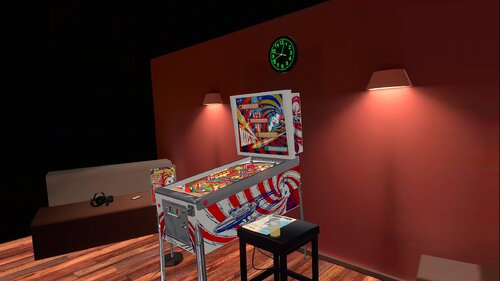
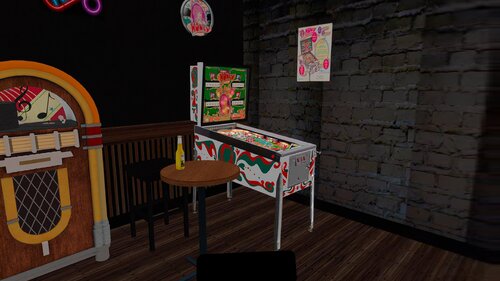
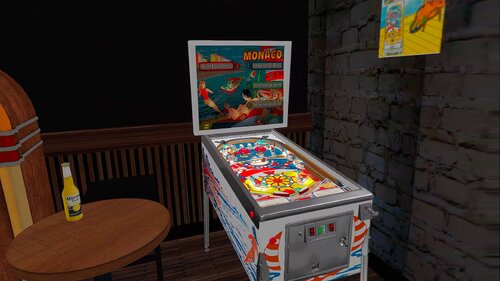
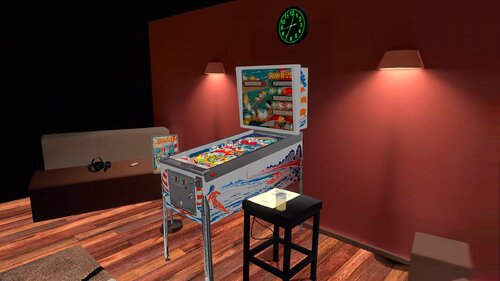
-frameat0m5s.thumb.jpg.b96a41d0ea804baa7ef2871a30b33b68.jpg)
v2.0.1-frameat0m20s.thumb.jpg.8869f48ad34b4b1a06d14ca1a3ef484d.jpg)






EM.thumb.png.6e71c0a5c086c9b2f83668d8434cff5d.png)

Rules.thumb.png.7e30062954df731c52a7124de50d3a35.png)













Rules.thumb.png.31dd7e5b65fcbd674e522a241f7e417a.png)


