-
SYSTEM SEARCH
System Scanners Online:
Username: Guest
>> System Scan?
>> The Universe >
Incoming Message:
Due to system limitations searching with words of 3 or less characters will not return results. For instance; Doctor Who. This will not return results as the system is trying to search for both Doctor AND Who in which Who will not be found as it's a 3 character word. To find Doctor Who; you'd search for either Doctor or "Doctor Who".
Search Tips:
For specific searches; enclose your search with quotes. Example: "Doctor Who" or "Addams Family".
Search the Community
Showing results for tags 'vpx'.
-

Version 1.0.1
4738 downloads
Voici une nouvelle création intégrale dont l’implantation et le gameplay sont inspirés de la version « Shooting The Rapids Deluxe » de Zaccaria Pinball pour ceux qui connaissent. J’ai conservé la majorité des règles de la version Zaccaria (environ 90%) et j’ai ajouté/modifié/amélioré quelques-unes comme l’ajout de SkillShot, changer le départ de la bille partant du plunger, etc… Bien sûr, tout le design et les sons sont complétement différents pour cette version VPX. J’espère que vous prendrez du plaisir avec les nombreux combos possibles et les différents modes de jeux dans cette ambiance Amérindienne. Table requise : - Pour VPX 64 bit version 10.8.0 (or +) - Besoin de Pinup: Version 1.5.2 (or +) - DOF à jour Table includes : - Nfozzy Fleep physics et sounds - DOF basic et quelques effets MX - PupDmd (Configuré pour 2 écrans uniquement désolé, je vous laisse le soins d’ajouté vous-même des supports pour vos autres écrans) mais l’UltraDmd peux être activé - Changement des 9 musiques avec Magna-Save droite et gauche pendant la partie (Pour ceux qui souhaitent modifier les musiques de la table, attention le script est programmé pour les durées actuelles de chacune d’entre-elles) - VR Room mode Cabinet/Mini/Méga (Table Hybride) - Nombreuses options F12 pour la personnalisation des sons, du visuel et un mode difficulté supérieur (Pin central enlevé + Lumières RIVER qui change d’emplacement avec les Flips) Media includes : PupDmd / Roues / Loading / Fiche de règle / FullDmd png Gameplay : - 1 à 4 joueurs / 3 à 5 billes - Objectifs/Régles directement visible sur le PupDmd - 5 missions chronométrées (Arrow/Axe/Bear/Hawk/Wolf) - (Pour info le fait de toucher un Bumper fait changer la mission en attente) - 3 mini-games sur le plateau supérieur (Sun/Wind/Moon) - 1 mini-game sur le plateau principal (Echo of the Totem) - 3 SkillShot (Add 1 ball / Active KickBack / Start Mission ready) - 1 Indian multiball - 1 Add ball (en plus du SkillShot) avec le Pin tournant du plateau supérieur - Bonus de fin de bille multiplié 2/4/6/8/10 (Target BOW) - 2 Bonus en cours de partie sur le plateau supérieur (Net Bonus et Water Combo) - 3 Bonus temporaires/chronométrés sur le plateau principal : - Tomahawk Spin (women) = Le spinner droite Active un bonus sur le sling droit - Tomahawk Spin (men) = Le spinner gauche Active un bonus sur le sling gauche - Spirits Rapids = Augmente la valeur des Bumpers - Combo Simple/Double/triple/SuperCombo - Jackpot Simple/Double/triple/SuperJackpot - Autre : Réactive Balle Save ou bonus « RETURN » si déjà actif / Active KickBack « CANOE » Merci à @Burger pour l’amélioration des sons de table, @Gman pour certain sons, @Dicentim pour test et avis, puis à l’ensemble de la Team SuperTilted pour tout les projets en cours et à venir que nous partageons au quotidien. Bon jeux à tous !!! ------------------------------------------------------------------------------------------------------------ Here is a brand-new original creation; its layout and gameplay are inspired by the "Shooting The Rapids Deluxe" version from Zaccaria Pinball, for those familiar with it. I have retained the majority of the Zaccaria version's rules (about 90%) while adding, modifying, or improving a few elements—such as introducing a Skill Shot and changing the ball launch from the plunger. Naturally, the design and soundscape are completely different for this VPX version. I hope you enjoy the many possible combos and the various game modes set against this Native American backdrop. Table requirements : - VPX 64-bit version 10.8.0 (or later) - Pinup version 1.5.2 (or later) - DoF: needs updating Table features : - Nfozzy/Fleep physics and sounds - Basic DOF and some MX effects - PupDMD (Configured for 2 screens only sorry, I’ll leave it to you to add mounts for your other screens yourself) but UltraDMD can also be enabled. - Switch between 9 music tracks during gameplay using the left and right Magna-Save buttons (Note: If you wish to change the music tracks, the script is programmed based on the current duration of each track) - VR Room Cabinet/Mini/Mega modes (Hybrid table) - Menu F12 options for customizing sound and visuals, plus a higher difficulty mode (center post removed + RIVER lights that change position with the flippers) Media included: PupDMD / Wheel art / Loading screen / Rules sheet / FullDmd png Gameplay: - 1 to 4 players / 3 to 5 balls - Objectives/Rules visible directly on the PupDMD - 5 timed missions (Arrow/Axe/Bear/Hawk/Wolf) - (FYI, hitting a bumper changes the pending mission.) - 3 mini-games on the upper playfield (Sun/Wind/Moon) - 1 mini-game on the main playfield (Echo of the Totem) - 3 Skill Shots (Add 1 ball / Activate Kickback / Ready Mission Start) - 1 Indian Multiball - 1 Add-a-Ball (in addition to the Skill Shot) via the upper playfield's spinning pin - End-of-ball bonus multiplier 2x/4x/6x/8x/10x (BOW targets) - 2 in-game bonuses on the upper playfield (Net Bonus and Water Combo) - 3 temporary/timed bonuses on the main playfield: - Tomahawk Spin (Women) = Right spinner activates a bonus on the right slingshot - Tomahawk Spin (Men) = Left spinner activates a bonus on the left slingshot - Spirits Rapids = Increases bumper values - Single/Double/Triple Combo / Super Combo - Single/Double/Triple Jackpot / Super Jackpot - Other: Reactivates Ball Save or "RETURN" bonus if already active / Activates "CANOE" Kickback Thanks to @Burger for improving the table sounds, @Gman for certain sounds, @Dicentim for testing and feedback, and the entire SuperTilted Team for all the current and future projects we share daily. Happy gaming, everyone!!! -
Version 3.0.0
3599 downloads
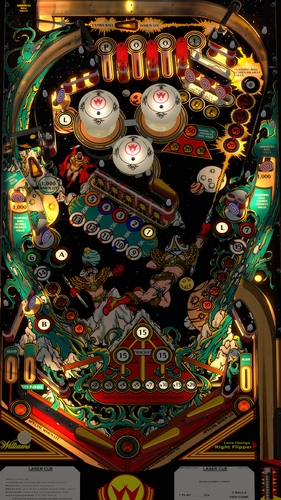
Laser Cue (Williams 1984) is one of several Williams System 7 machines, and was in production with 2800 units. It's a game with 4 flippers, and unusual billiards in space theme. It's fun, fast, and challenging especially if you the option to put in to hard mode which will remove the guide rail by the lower right flippers. Todd Tuckey at TNT in one of his videos said this was the table he recommends to people that are learning pinball, and want to learn flippers, and general gameplay. Version 3.0 was completely done from scratch, even though 2.0 was also done by UnclePaulie a few years ago, but the old one did not have a good playfield, had some issues with it, and gameplay wasn't accurate. So much has improved with VPW standards, physics, baking, etc. that an updated version was desired. This 3.0 version utilizes latest VPW standards, physics, alllamps and 3D inserts, backglass for desktop, roth targets, standalone compatibility, sling corrections, updated flipper physics, VR and fully hybrid. Baked GI, walls, Flupper style bumpers and lighting. Dozens of hours were spent studying gameplay videos to match the table shots and action. @redbone spent a lot of time creating an accurate, high resolution playfield from web images. Once again, I've included several options in the F12 menu including various balls, ball brightness, GI brightness, insert brightness, flippers, caps, matching plastic edge colors with pulsing option, ball selection, and other VR stuff, including LED undercab lighting. Redbone and I have also created an entirely new suite of ball choices such that it will be future compatible with 10.81 and on. The balls are now equirectangular, and included are various chrome, room environment reflections, glow balls, and an eight ball and cue ball. For the ROM settings... The baseline comes pretty much correct except for the high score to date is defaulted to something high and the coins are defaulted to one credit is 3 games. I've included a .nvram file that will adjust the coin/credits to 1 coin is 1 credit. Also, I've set the default high scores to 100,000. NOTE: this table will reward you ONE credit for EACH score you beat in the display. Meaning beating 4th place, 3rd, 2nd, or 1st will earn credits. So, if you get 1st... you'll get 4 credits, as you beat all 4 display scores. Required Software (64-bit versions): VPX 10.8.0 final release or later: https://github.com/vpinball/vpinball/releases VPinMame v3.6.0-1227 or later: https://github.com/vpinball/pinmame/releases B2S Server 2.1.3 or later (if B2S used): https://github.com/vpinball/b2s-backglass/releases -
Version 1.0.0
6052 downloads
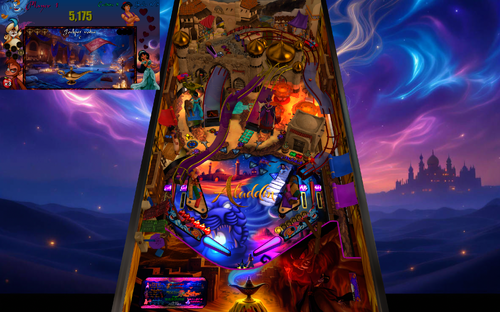
Voici une nouvelle création complétement créer de A à Z où j’y ai passé pas mal de temps (genre proche de 7-8 mois) … Je ferais probablement une mise à jour en fonction de vos commentaires s’ils sont pertinents uniquement, pour les petits problèmes personnels je ne répondrais probablement pas désolé. C’est une table qui est à la fois compliqué au gameplay (il faut y passer un peu de temps pour avoir un score convenable) mais aussi au niveau du code donc merci de pas être trop négatif sur vos commentaires. Je me suis principalement inspiré de mes parties de jeu sur console « super nintendo» ainsi que le dessin animé Disney de 1992 pour situer l’ambiance. Comme cela existait dans me jeux d’enfance ce jeux possédais un mode de triche qui permettais de passer les niveaux pour avancer dans le mode aventure, j’ai donc ajouté un avancement comme cela dans le menu F12. Je vous conseil d’ailleurs de l’utiliser pour passer au mode 1 dès le départ lorsque ce mode (collecter la lampe magique pour faire des vœux) vous semblera trop répétitif. Chaque mode d’avancement d’histoire se passe dans le mode souterrain ! Table requise: - VPX 64 bit version 10.8.0 (or +) - Pinup: Version 1.5.2 (or +) Ne pas m’envoyer de message pour les utilisateurs non pinup ou autres qui ne sont pas à jours. Cette table est faite uniquement pour jouer avec un PupDmd dernière génération - Dof : à mettre à jour Merci pour l’aide à 2 plus grand de mes amis de la communauté de SuperTilted : - @Burger pour les sons Nfozzy de la table et son aide au quotidien pour moi - @Gman pour ces quelques vidéos de fourniture du PupPack (il faut limité ce gars il est tellement fou de vidéo, lol) - Pour le reste merci à moi-même 😊 Bon jeu à tous ------------------------------------------------ Here's a brand new creation, made entirely from scratch, on which I spent quite a bit of time (around 7-8 months)... I'll probably update it based on your feedback, but only if it's relevant. I probably won't respond to minor personal issues, sorry. It's a table that's both complex in terms of gameplay (you need to spend some time to get a decent score) and in terms of code, so please don't be too negative in your comments. I was mainly inspired by my Super Nintendo console games and the 1992 Disney animated film to set the mood. Like in my childhood games, this game had a cheat mode that allowed you to skip levels to progress in adventure mode. So I added a similar progression option to the F12 menu. I recommend using it to jump straight to mode 1 when this mode (collecting the magic lamp to make wishes) starts to feel too repetitive. Each story progression mode takes place in the underground mode! Table requirements: - VPX 64-bit version 10.8.0 (or higher) - Pinup: Version 1.5.2 (or higher) Please do not message me if you are not using Pinup or if your system is not up to date. This table is designed exclusively for use with the latest generation PupDmd. - DoF: needs updating Thanks to two of my best friends in the SuperTilted community for their help: - @Burger for the Nfozzy sounds for the table and his daily support - @Gman for the PupPack videos (this guy needs to be limited, he's such a video fanatic, lol) - For everything else, thanks to myself 😊 Happy gaming everyone -
Version 1.1
9667 downloads
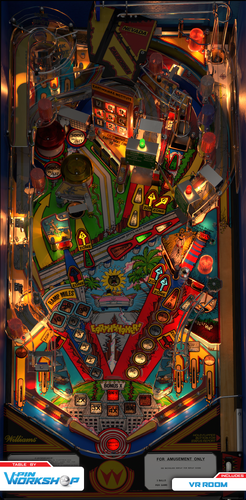
GIMME SHELTER! Prepare to shake, rattle, and roll your way through the epicenter of VPW's latest masterpiece, Earthshaker! Created by Bally/Williams in 1989 and designed by the seismic duo of Pat Lawlor and Larry Demar, this System 11 pin is a timeless classic. Break out your Richter scale of fun as VPW is ready to rock your world. The main objective of Earthshaker is to complete the Earthquake Institute's prediction for today. The predicted zones are lit in the windows of the building toy and to complete each prediction you must visit the lit earthquake zones; -Zones 1, 2, 3, and 4 are the standup targets -Zone 5 is the eject hole -Zone 6 is the loop under the Fault Zone (CA/NV) -Zones 7 and 8 are the right and left return lanes -Zone 9 is the captive ball Once you complete all the predicted zones, a lock is enabled and the bonus multiplier increases! Lock your first ball up the right ramp or in the drop hole. Then lock your second ball up the right ramp, plunge your third ball, and your MULTIBALL will begin! This tribute to one of pinball's best machines wouldn't exist without the immense talent from VPW and its support. I may be listed as the project lead, but the true credits go to "tremor-ific" expertise of Apophis, Tomate, Sixtoe, UnclePaulie, TastyWasps, Bord, Benji, Oqqsan, rothbauerw, Fliptronic, Niwak and our quake-tested testers PinStratsDan, Cliffy, Lumi, Darth Vito, Studlygoorite, jarr3, somatic, DGrimmReaper, and Bietekwiet. Building upon the original works of 32Assassin, I hope you look at the names above and realize how much hard work was done here. Truly, thank you everyone. - Friscopinball So, get your flippers warmed up and get ready to feel like you're right in the middle of a fault line, Earthshaker is the aftershock you've been waiting for. *Secret Bonus: Check out the amazing Sinking Institute mod that even original owners didn't get with their pin 🙂 VPW Seismologists Friscopinball - Project Lead, asset scans Tomate - 3D Modeling and Rendering Sixtoe - Building Physical Table, Lots of VR Stuff Apophis - Blender toolkit scripting, physics updates, animations, options UnclePaulie - VR backglass and alphanumeric DMD TastyWasps - Additional physics, Fleep updates, Deluxe VR Room Bord, Benji & Oqqsan - merged WIP versions, physics updates Primetime5k - Staged flipper functionality, testing Niwak - VPX Blender Toolkit, VPX Part Library VPW Testers - PinStratsDan, Cliffy, Bietekwiet, Lumi, Darth Vito, Studlygoorite, jarr3, somatic, DGrimmReaper Fliptronic - Playfield assets, research Based on works by 32Assassin Required Software (Use 64-bit versions): VPX 10.8.0 RC3 or later: https://github.com/vpinball/vpinball/releases/tag/v10.8.0-1947-3b3f101 VPinMame 3.6.0-929 or later: https://github.com/vpinball/pinmame/releases/tag/v3.6.0-929-8c5f83e B2S Server 2.1.1 or later (if B2S used): https://github.com/vpinball/b2s-backglass/releases/tag/v2.1.1 -
Version 3.1
18831 downloads
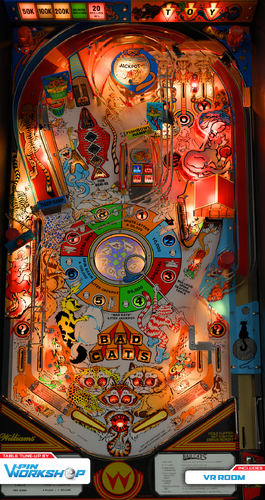
"One More Time…" This was one of VPWs first projects a few years ago after Brad1X had done a complete vector re-draw of it. At the time we released it with a lot of added dirt and scratches, but we always wanted a version a bit more cleaned up. In addition to new toolkit lighting, it has had a physics overhaul, and a very detailed Fleep sound pass with the sound package used in Bride of Pinbot (a table from the similar era). This update was driven primarily by Benji who did a great job updating the project with blender toolkit. Thanks to Apophis for his various scripting help and tutorials getting movables to work, Rothbauerw for various helps, Tomate for modeling new plastic ramps, Mcarter for all the script-side updates (especially Fleep sound package), Iaakki and MrGrynch for scripting support. Special Notes: VPX 10.8 Beta 7 (or higher) required for this table. This table also takes advantage of a new options page feature in 10.8, accessed via F12 key. The 3rd page in this menu has table specific options including some sweet mirrored side blades. These are disabled by default because they come at a decent performance cost, especially if you are playing in anaglyph or VR. The ‘Day/Night’ setting here is also where you will adjust the table brightness (not to be confused with the same functionality of old Day/Night slider). This project is dedicated to Brad1X who has done a few amazing re-draws for us and this is his favorite pinball table! All Logos, Copyrights and Trademarks are property of their respective owners. PROVIDED STRICTLY FOR PERSONAL / HOME USE AND NOT FOR COMMERCIAL SALE / RE-SALE OR DISTRIBUTION! -
Version 0.98
13853 downloads
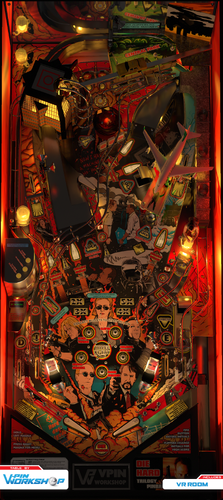
"Glass? Who gives a shit about glass? Who the fuck is this?" ⚠️WARNING: This machine is rated R and there is no family friendly mode... It's been quite the ride, but Die Hard Trilogy is finally here. From the bullshit mind of Astronasty comes five modes, three multiballs, two wizards, and a partridge in a pear tree. Choose to DIE HARD or DIE HARDER and find the best way to run up your score, but choose your plan of attack wisely, you can only complete the modes once. Featuring work by some of the most talented Vpin authors ever assembled. Cutting edge visuals are going to blow you away! Yippie Ki Yay MOTHERFUCKERS! NEW‼️ Automatically post your high score to the Die Hard iScored Leaderboard by enabling at the top of the script. Be sure to enter a unique cab name. DESIGN TEAM: Game Designer: Astronasty Layout: Dapheni, Astronasty PupDmd Design: Scampa123, Astronasty, Nailbuster Coding: Wizball, Oqqsan, Fluffhead Light Shows: Oqqsan Blender Work: Flux, Gedankekojote, Cyberpez VR Room: Rawd Backwall Mirror: Iaakki 3D Model Assistance: JoePicasso Original Artwork: Astronasty Sound Design: Frisco, Scampa123, Astronasty Monthly Leaderboard: iScored Dan, Nailbuster, Scampa123 Emotional Support: Rik SPECIAL THANKS: Apophis - Did a little bit of everything. Niwak - Toolkit magician. NailBuster - PupDMD magician. Sixtoe - He was around. JoePicasso - Makes me want to be a better man. Fleep - Dem soundz tho. Flupper - Godfather of rampz. NFozzy - Wizard. KetchupJonMustard - Endured hours of me bouncing ideas off of him at work. TerryRed - My go-to source for bitching about stuff in DMs. Manu - Made us make the game more betterer. Hawkeyez - Having the eyes of a hawk. RetroG33K - Reasons redacted Scott Danesi - LIONMAN! TryToTilt - Didn't do shit. Testers: PinStratsDan, Bietekwiet, MPT3K, OutsiderArts, KetchupJonMustard, Dom, Rick, Shaggy, Nesta78, and the rest of the VPW Jellyfish. EXTRA SPECIAL THANKS: To the V-pin community: Thank you for giving me an outlet for my creativity. I've never felt more motivated to create and I am beyond grateful for the team that helped me turn my ideas into (virtual) reality. I hope you enjoy our countless hours of work. ❤️ Astro REQUIRED: Visual Pinball 10.8.0 beta 7, 64-bit (or later): https://github.com/vpinball/vpinball/releases/tag/v10.8.0-1807-39824d6 Pup Framework v1.5 beta 3 (or later): https://www.nailbuster.com/wikipinup/doku.php?id=pinup_upgrade_v15 Pup Pack: https://mega.nz/file/69MBzJDR#uG_lUhuvuCySANQc5EE7UkQTXNY4bf48UgtYh5RhIss PLEASE NOTE: Yes you need 64 bits, goddamit. Welcome to the party, pal. Don't forget to run the appropriate BAT file in the DieHard pup pack directory for your particular screen setup. All game options can be adjusted by pressing F12 and then left flipper button during the game. Press start button to save your options. If you have a cab and you want the full experience, please refresh your DOF config files. If you have some stuttering try: (a) Disabling real time protection. (b) Disabling the mirror in options. (c) Limiting texture sizes to 3k. -
Version 1.01
11070 downloads
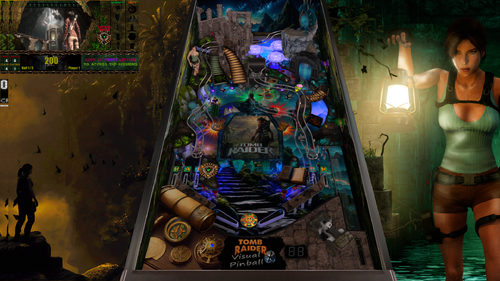
La belle Lara est de retour…Je suppose que vous avez comme moi-passé des heures sur la PS1 à chercher ces relics ou simplement essayé de trouver le chemin de la sortie pour passer un niveau suivant haha. J’espère que retrouverais un peu cette ambiance en jouant à cette table. Info table : - Table pour VPX 10.8 64b - Vous avez besoin de la mise à jour de PinupPopper pour le PUPDMD - 1 à 4 joueurs / 3 ou 5 billes / Fonction F12 pour activer ou désactiver les balles lumineuses - Nfozzy physics / DOF - Pack avec Media Merci à ceux qui ont testé et donné des idées pour améliorer la table (@Dicentim @Supergibson @MerlinRTP @JoePicasso) et la Team Super Tilted pour l'entraide au quotidien Bon jeu à tous ------------------------------------------ The beautiful Lara is back...I guess you, like me, spent hours on the PS1 looking for these relics or simply trying to find the way out to pass a next level haha. I hope that I will find a little of this atmosphere by playing at this table. Table information: - Table for VPX 10.8 64b - You need the PinupPopper update for PUPDMD - 1 to 4 players / 3 or 5 balls / F12 function to activate or deactivate the light balls - Nfozzy physics / DOF - Pack with Media Thanks to those who tested and gave ideas to improve the table (@Dicentim @Supergibson @MerlinRTP @JoePicasso) and Team Super Tilted for daily support Good game everyone- 73 comments
- 27 reviews
-
- 183
-

-
- tombraider
- vpx
- (and 5 more)
-
Version 1.3
15528 downloads
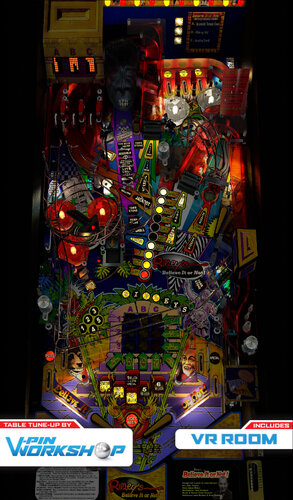
Beleive it or not, this VPW mod was started in June 2020! Based on the JPSalas version, this is one of the very first mods VPW attempted and has probably gone through more versions and more sets of hands than any other of our projects before, every time getting updated with whatever we were doing but never actually making it to release. Finally mcarter78 finally accepted the mission of getting it over the line and out the door, and here we are! (finally!) VPW Oddities ============ - mcarter78 - Project lead (well, the latest one anyway) - iaakki - Loads of stuff - Benji - Loads of early developement stuff - Sixtoe - All sorts of things - Apophis - Code & Tech support - RothbauerW - Varitarget support - Bord - Playfield mesh & physical scoop. - Hauntfreaks - Playfield image adjustments, cabinet and backglass images. - TastyWasps - VR Room and tweaks - PT5K - Staged flipper support - Ebislit - Early Insert work - Kingdids - Stern Bumpercaps - Kevv - Stripping and scanning his RBION for plastics - Wylte - Getting irl references - Passion4Pins - Additional graphics help - VPW team through the years - Testing - JPSalas - Original Version All options are available from in game menu accessed pressing F12 -
 View File Blood Machines (VPW Original 2022) ************************************** Version 2.0 Additional instruction: This needs VPX 10.7.3 or later and for VR it is optimized for 10.8 #814. Lighting works a bit differently per revision Scorbit uses 3 extra EXE files that should be but into VPX tables folder. Same place where you put the VPX file and BloodMachinesDMD-folder. Notice that some of these EXE files may need to be unblocked 2 of the EXE's are same than previous Scorbit tables, but this time they are just stored in tables folder. 3rd one is QRView which is made to enable QR code to be seen in VPX table. VPX doesn't normally support loading of external image files. Sources: https://github.com/iaakki/VPXQRView By default it runs still with FlexDMD. You must enable PUP from script and also remember to use options batch files under pup folder. ************************************** Alright, let’s do this old school… VPinWorkshop are proud to present our very first original table, “Blood Machines”, based on the movie from Seth Ickerman with music by Carpenter Brut. After watching Blood Machines iaakki thought that it would make a great theme for a pinball table, so we started talking about it in VPW and decided that if we were going to do it as our first completely original VPW table, that we wanted to do it properly. With this in mind we contacted Seth Ickerman to see if they would be interested in the project and to see if there was any chance they would be able to provide any assets that we could use. Thankfully Not only were they amazed at what we were doing, but they supplied us with 70gig of 3D models and textures which were used in the film! The only issue now was that these were so high detail that a huge amount of work was needed to optimize them so they would even load in VPX, but thankfully Flupper came to the rescue and did a fantastic job optimising the models and textures so we could put them in the table without setting your PC on fire (for example the ship went down from 8 million polygons to 130,000!) At the time of writing this the table was at revision 335 (release candidate 1.5) with *well* over 1000 man-hours sunken into it, the amount of work has been staggering but we hope that you’ll agree that it was worth it. The table itself has loads of features that have never been seen before in other VPX tables and we have tried our best to keep most/all of it secret as we want everyone to experience it for themselves firsthand, which is why until very recently we’ve kept details very close to our chest. *IMPORTANT* In order to fully enjoy the table and play it as it was designed to be played, you will need to purchase the awesome soundtrack by Carpenter Brut (about £5/$5/5e) and place the MP3s in your vpinball music directory: C:\Visual Pinball\Music\BLOOD MACHINES OST We really hope people do support the artist and purchase it from; https://carpenterbrut.bandcamp.com/album/blood-machines-ost VPW Blood Machines Project Lead – iaakki Table Layout Design – iaakki, Dapheni Art Lead & 2D Graphics – Astronasty 3D Objects & Textures – Tomate, Flupper, iaakki, Sixtoe, D.J. Scripting & Coding – iaakki, Apophis, oqqsan, Wylte, Lumigado, fluffhead35 DMD – Oqqsan, eMBee, Astronasty, Lumigado. VR – Sixtoe, leojreimroc, iaakki Table Rules – Apophis, iaakki, VPW Team. Shot Tester – gtxjoe Testing – Rik, PinStratsDan, VPW Team Installation Instructions =================== VPX 10.7 https://github.com/vpinball/vpinball/releases VPVR 10.7 https://github.com/vpinball/vpvr/releases/ FlexDMD v1.8.0 https://github.com/vbousquet/flexdmd/releases/ Windows 11 Crashing with oPlayer1 error? Go into windows11 apps>optional features>more windows features and check "media features" Riks Cabinet WIP Video PinStratsDan Desktop Video Rawds VR video: You can watch the film on Shudder, AMC’s streaming service; https://www.shudder.com/series/watch/blood-machines/033e95260abc2604?season=1 Submitter VPinWorkshop Submitted 04/13/2022 Category VPX - Pinball Tables
 -
Version 1.2.1
21873 downloads
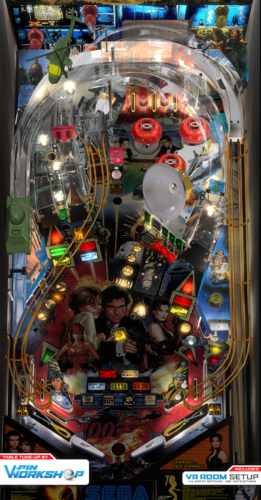
No more foreplay… Astronasty is a big fan of JPJs original release of Goldeneye and after receiving a clean playfield stitch from EBisLit he decided to pull the trigger on the mod. We gave it a full shake down by updating with nFozzy physics, Flupper domes, 3D inserts, Fleep sound effects, new ramp textures, GI lighting and shadows improvements, Radar dish enhancements, a VR room, and more. The pleasure will be all yours. Based on the VPX table by JPJ, Team PP and many more VPW Team Project lead: Astronasty Playfield cleanup: Astronasty, EBisLit Physics: Fluffhead35, Apophis Sound effects: Fluffhead35 3D Inserts: EBisLit, Oqqsan Dynamic Shadows: Wylte VR Room and Backglass: Leojreimroc, Sixtoe Lighting: Hauntfreaks, Sixtoe GI control update: Iaakki Radar dish updates: Apophis, Oqqsan Flasher dome updates: Apophis, Leojreimroc Script fixes: Oqqsan, Apophis Desktop background: Oqqsan Ramp updates: Tomate Testing: VPW team, 1 day by Rik Required Software (64-bit versions): VPX 10.8.0 RC4 or later: https://github.com/vpinball/vpinball/releases/tag/v10.8.0-1975-051104c VPinMame 3.6.0-998 or later: https://github.com/vpinball/pinmame/releases/tag/v3.6.0-998-a77c2d2 B2S Server 2.1.2 or later (if B2S used): https://github.com/vpinball/b2s-backglass/releases/tag/v2.1.2 -
Version 1.5
16300 downloads
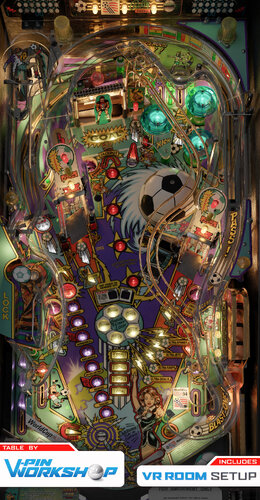
"It's The Biggest Game In The World!" VPW are proud to present World Cup Soccer '94 from Bally. This one has been kicking around for a good few years, a few people looked into converting Knorrs fantastic version to our latest physics including Sixtoe and RobbykingPin, especially as it didn't work properly in VR as a hybrid version. However due to it being constructed on a different scale none of our normal physics maths worked, so it always sat in the "too difficult" pile to do properly. That is until one day mcarter78 decided to break the seal and rebuild the table from scratch in VPX, roping tomate (our resident football fan) into building it in the blender toolkit where he rescaled the 3D modeling by Knorr and added / updated various bells and whistles, and replaced all the textures, then everyone else piled in and did their thing, with Sixtoe messing with everything and making the table work fully physically (#savetheballs), and DGrimmReaper and DaRdog working on the VR side, and apophis did script things that no-one else understood. Astronasty has access to a real one so we got to side by side test it to get it as close to the real one as possible in VPX. Enjoy! Team VPW mcarter78 - Captain tomate - Striker Sixtoe - Forward apophis - Winger DaRdog - Midfielder DGrimmReaper - Defender RobbyKingPin - Goalkeeper Astronasty - Ball Based on original recreation by Knorr and Clark Kent. Testing - pinstratsdan, bthlonewolf, nestorgian, bountybob, hauntfreaks, chugalaefoo, cl4ve, Studlygoorite, leojreimroc, DaRdog, redbone, hauntfreaks, colvert. Please note: The table has 4x button triggers on the playfield, the ball is *supposed* to be affected by them if it hits them, especially when they're hit slowly, tested side by side with the real machine. Change Log ' 0.001 - mcarter78 - Initial build - posts, walls, flippers, kickers, targets, all lights, initial scripting ' 0.002 - RobbyKingPin - Adjusted flipper dimensions and reshaped flippertriggers. Added rubber dampeners on posts, pegs and sleeves. Small corrections on nFozzy settings inside the script. Added Fleep parts into collections ' 0.003 - mcarter78 - Add plastic ramp prims & playfield mesh from tomate. Adding ramp triggers WIP ' 0.004 - Sixtoe - Added skillshot primitive ramp, added physical wire ramp, redid playfield mesh, changed all kickers to physical, added goalie ramp, added goalie kicker and scoop, added blueprint image ' 0.005 - mcarter78 - Added and adjusted height for remaining ramp triggers. Added skillshot triggers, WIP soccer ball & goalie mechs ' 0.006 - mcarter78 - Added ramp diverter & kickback plunger, minor scripting fixes ' 0.007 - tomate - ramp diverter modified sighly, some flashers adedd/moved to their right position, most of th gates still missing ' 0.008 - mcarter78 - Add lock area with magnet & switches, add missing ramp switches & missing gates ' 0.009 - tomate - most of the objects set as not visibles, first 10% test bumpy batch added ' 0.010 - tomate - new 2k batch adedd, color lut from flupper for AGX filter added ' 0.011 - Sixtoe - Turned a few more things non-visible, removed some redundant materials and images, rebuilt subway kicker so it works now ' 0.012 - mcarter78 - Set up GI, Animate flippers, slings, bumpers & rollovers ' 0.013 - tomate - Blender changes: GI setup, some changes to flasher and GI placement to match the real table, added flippers up position. VPX: new 2k batch added ' 0.014 - mcarter78 - Add animations for gates, ramp switches, soccer ball (wip), add new GI to collection, finish flipper animation ' 0.015 - mcarter78 - Add swPlunger for autoplunge, Add missing GI lights for bumpers ' 0.016 - tomate - blender fixes, unwrapped textures, new 2k batch added ' 0.017 - mcarter78 - Fix diverter operation and animation, add new right ramp mesh ' 0.018 - apophis - Soccerball animation updates. It is not all working yet. ' 0.019 - apophis - Soccerball animation working. ' 0.020 - mcarter78 - Implementation/Animation for goalie mech, finish standup targets implementation, add bottom sling posts to NoTargetBouncer ' 0.021 - mcarter78 - Fix goalie targets size/shape, add Y rotation to visual goalie to match real thing ' 0.022 - Sixtoe - Split skill ramp into frame and pins, changed pins to sleeve material, remade playfield mesh with physical button holes, added physical playfield buttons to physics layer (not hooked up to anything yet) ' 0.023 - mcarter78 - Hook up and animate playfield buttons, fix plunger alignment/strength, fix kickback visuals, tweak kicker angles, fix a couple stuck ball spots ' 0.024 - mcarter78 - Fix goalie walls (thanks DGrimmReaper, add wall sound to goalie hit, add metal sound to goal hit ' 0.025 - mcarter78 - Add wall between soccer ball and standup target to prevent stuck ball ' 0.026 - mcarter78 - Fix diverter orientation and power/hold logic ' 0.027 - mcarter78 - Another attempt to fix stuck ball at top lanes ' 0.028 - apophis - Updated bumper cap material and render probe. ' 0.029 - DGrimmReaper - Initial VR Setup (Not fully ready but playable) ' 0.030 - DGrimmReaper - VR Extra Ball button added, most buttons animations added (Left Magna and Extra Ball still needed). Still to do: VRBackglass ' 0.031 - mcarter78 - Hook up left magnasave button and EB buy-in button (also allows player to use lockdown bar button for buy-in) ' 0.032 - DGrimmReaper - Thanks to DaRdog for HD Cab Art and Mega Room. Animated Buttons for Left Magna and Extra Ball. Still to do: VRBackglass ' 0.033 - mcarter78 - Remove duplicate GT036 in GoalieWalls array ' 0.034 - mcarter78 - Fix positioning for gates, add under pf wall to prevent ball from sinking around soccer ball ' 0.035 - apophis - Reworked the goalie mech. ' 0.036 - Sixtoe - Experiment with table buttons, remade goalie ramp run and changed goalie subway, remade kickers, replaced playfield mesh with one I didn't mess up. ' 0.037 - DaRdog - Slimmed down 60mb ' 0.038 - apophis - Reworked the flipper angles and triggers. Fixed flipper shadows. Changed ball image. Added outlane difficulty option. Fixed GWalls_Hit. ' 0.039 - tomate - new 2k batch added, several fixes at blender side ' 0.040 - mcarter78 - Fix flippers position/angles & trigger shapes, add goal roof and ramp posts/pegs, enable mechanical plunger, add scoops to metals collection ' 0.041 - tomate - new 4k batch added, Pf set as hide part behind and layer0 set as not visible ' 0.042 - mcarter78 - Add sounds for soccer ball & goalie, fix lock magnet & inlane guides alignment, add KnockerPosition and enable Knocker, hook up and animate spinner, fix ramp end sounds, animate plunger, remove trough gate from sounds collection, tune kicker angles, animate diverter ' 0.043 - tomate - new 4k batch added, new soccer ball texture unwrapped, center target texture fixed, a few others improvements, desktop POV fixed ' 0.044 - Sixtoe - Added GI hack for left sling gi light, added physical deflector plates behind all kickers, rebuilt extra ball hole area, changed pop bumper size and position slightly, refactored most walls, added blocker areas, modified vuk scoop angle, changed physics material of all sleeves, added external faces to both ramp primitives, rebuilt lock area, added goalie net primitive, numerous other tweaks and fixes ' 0.045 - apophis - Added tint to bumper caps. Tweaked playfield button physics. Fixed goalie going into pf when moving. Wired up ball blurring effect. Fixed diverter animation. Added color to insert ball reflections. Removed reference blueprint image. ' 0.046 - apophis - Optimized ball blurring method. ' 0.047 - apophis - Improved blurring method (two blur images). ' 0.048 - tomate - Ball blur images changed ' 0.049 - Sixtoe - Changed throwin ramp primitive, changed ball physical object, removed collidable from ballblur prim, added collidable plastics, rebuilt goalie area AGAIN and adjusted VUK (should be fine now, might need a feed gate for multiple balls?), rebuilt lock area, fixed spinner direction, fixed some ball traps, adjusted vr cab and rails, automated rail visibility for VR and desktop, probably some other stuff I've forgotten. ' 0.050 - DGrimmReaper - VR Backglass bulbs and flashers added (thanks to Hauntfreaks for image and bulb/flasher placements) ' 0.051 - Sixtoe - Removed diverter bar protection island from lower ramp, converted diverters to primitives to stop them fouling lower ramps, tweaked free kick kicker, added some sound to the throw in ramp and area, hooked up trigger end top of upper ramp hole, added another option to ball buy in, rotated sling0 vlm's 180 degrees, made backbox rear solid, added another plastic protector. ' 0.052 - apophis - Refactored goalie mech so that it runs smooth. Optimized some frametimer stuff. Fix cab mode rails. Fixed custom shooter knob option. Enabled ball shadows near slings. ' 0.053 - DGrimmReaper - BP_Plunger animation for button press. Pitch image reduced to 4000x4000 and VRCabinet adjusted for coin toss on front of cab. ' 0.054 - tomate - missing flasher light added, splitted GI lights reduces, flasher power reduced, missing GI light on the left slinshot added, gi013 light hack removed, bumper caps material changed, ramps material improved, coin toss plastic improved ' 0.055 - apophis - Fixed plunger animation (for cab). Minor color adjustment on flasher LMs. Fixed visual sling rubbers. Fixed bumper caps refractions. Added playfield reflections option. ' 0.056 - Sixtoe - Fixed some trigger heights, added blocker wall and extra switch for sw42 goalie vuk and logic to stop multiple balls blocking VUK, unified some of the walls because there's something wrong with me. ' RC1 - apophis - Tweaks to goalie animation. Added cab rail option. ' RC2 - apophis - Adjusted magnet strengths and trigger sizes. ' RC3 - apophis - Reworked kicker sw42 logic to be more robust (hopefully). Made lock magnet grab center. Updated FS POV. ' RC4 - apophis - Fortified ramp near lock pin. Fixed tilt switch assignment. ' RC5 - apophis - Fixed goalie switches (thanks Astro). ' Release 1.0 ' 1.0.1 - apophis - Fixed ball motor sfx issue. Initialze slingshots properly. ' 1.0.2 - apophis - Added Narnia ball check ' 1.0.3 - Sixtoe - Fixed coin toss switches, fixed ball trap behind goal net, tested and tweaked goalie vuk, tweaked coin toss frame ' Release 1.1 ' 1.2 - Sixtoe - Redid pf mesh a bit, tweaked some physics objects ' 1,3 - Sixtoe - Redid loads of physics items, integrated ext2k's changes, remade hinges and messed about with rails ' 1.4 - Sixtoe - Turned on reflections in BM_Parts, Tweaked trough entrance, added new hinges to vr_cab collection, turned off reflections from vrcab_backbox. -

Version 1.0.0
1041 downloads
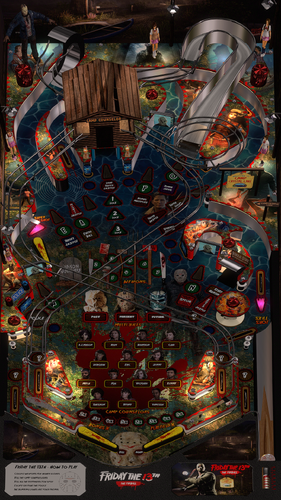
Credit to JPSalas for an awesome table, and thank you for allowing me to MOD, PupPack, and share it. Thanks to Autobott for the Topper image, and playtesting. Thanks to David from Nailbusters for the guidance and kind words. Unzip, Copy VPX file to Tables folder, copy JPsFriday13th folder to PupVideos folder. Select your screen setup inside PupPack folder by clicking on .bat file that suits you. I keep my clips at 640p so everyone can enjoy, even with low PC specs. (They only play for 5-10 seconds anyways) ******NOTICE AND DISCLAIMER********** This virtual pinball table is a non-commercial, fan-made tribute created strictly for private, educational, and home-entertainment use. It is provided "as-is" and free of charge. Ownership: All trademarks, logos, characters, and copyrighted materials related to Friday The 13th are the sole property of their respective owners. No claim of ownership is made to these assets. No Profit: This project is not affiliated with, endorsed by, or sponsored by the copyright holders. The creator(s) of this table have received no financial compensation for its development or distribution. Distribution: This file may not be sold, bundled with commercial hardware, or used for any commercial purpose. -
Version 2.1
22189 downloads
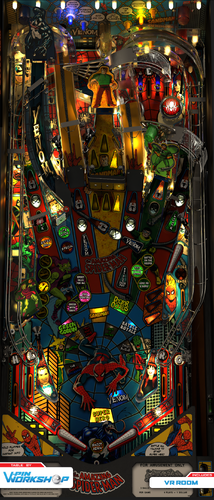
This is a mod of a mod based on Siggis’ excellent Spider-Man Classic graphics mod of the Spider-Man Vault Edition table (Stern 2016) made for Vpx originally by Alessio. Includes nFozzy physics, Fleep sounds, new metal textures, 3D inserts, new RGB GI lighting, minimal VR room by Sixtoe, and much more! Many thanks to everyone whose hands have touched and improved this table in the past. This release wouldn't have been possible without the legacy of those who came before us. Version 2.0 Required Software (Use 64-bit versions): VPX 10.8.0 RC3 or later: https://github.com/vpinball/vpinball/releases/tag/v10.8.0-1947-3b3f101 VPinMame 3.6.0-929 or later: https://github.com/vpinball/pinmame/releases/tag/v3.6.0-929-8c5f83e -
Version v2
2164 downloads
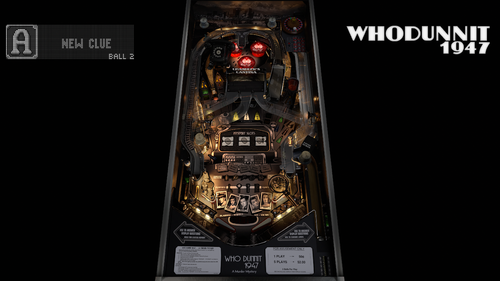
Altsound - Who Dunnit 1947 - Film Noir Remix Film noir, (French: “dark film”) style of filmmaking characterized by such elements as cynical heroes, stark lighting effects, frequent use of flashbacks, intricate plots, and an underlying existentialist philosophy. ************************************************* Designed to pair with Bord's beautiful Who Dunnit 1947 Table ************************************************* ************************************************************************************* Brought to you by iDigStuff & Apophis Thank you to Bord for the inspiration. Big thanks to Apophis for testing. ************************************************************************************ All Artwork, Logos, Copyrights and Trademarks are property of their respective owners. PROVIDED STRICTLY FOR PERSONAL / HOME USE AND NOT FOR COMMERCIAL SALE / RE-SALE OR DISTRIBUTION! Altsound-Who Dunnit 1947.zip- 3 comments
- 12 reviews
-
- 124
-
-
 Hey everyone, I'm looking to put a little bounty out for a fun custom project and wanted to see if any talented modders or graphic designers here would be down to help bring it to life! Here's an example of a real-world, totally custom physical pinball machine built with a Hershey Bears hockey team theme. The physical build looks as if it used a vintage Bally Power Play (1977) as the donor cabinet. You can check out the exact machine in action here: Here is what I’ve got ready to go: I have the complete high-quality audio package—all the custom arena announcers, crowd chants, and rink horns used on the machine. What I need a hand with: Exporting the playfield, plastics, and backglass textures from the base table. Re-skinning them with clean, high-res Hershey Bears logos and chocolate themes to match the video. Swapping out the stock sounds for my custom audio files. Creating a matching B2S backglass file for cabinet users. I know how much time and talent goes into this stuff, so I am more than happy to pay a fair financial bounty/donation for your time to make this a reality. If you love hockey, custom builds, or just fancy a fun weekend texture-swap project, drop a comment below or shoot me a PM so we can chat details and figures. Thanks a ton!
 -
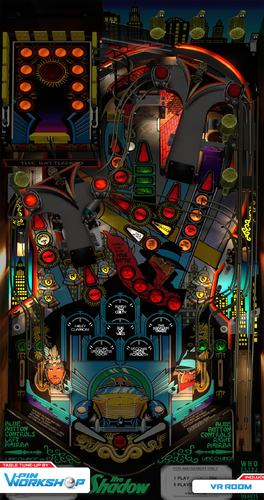
Version 1.0.0
3091 downloads
"You still think you can control the game with brute force?" Everyone loves The Shadow... Sixtoe was approached by Dough Nut and Burger at almost the same time asking about modding his old VR mod of a mod of a mod, with Dough Nut having made a fancy new VR mega room, and Burger doing a great job implementing nfozzy physics and fleep sound code, so we thought "why not merge them and fix a few more things along the way?" and here we are. It wasn't that easy modding a table after spending so long scratch building tables, so a 5 minute project turned into a few months as Sixtoe tinkered away, but we finally got it in good enough shape where we're happy enough to release it, so enjoy! Shadows This table is based on Sixtoes VR mod which was a mod of Skitso's Detail mod by Skitso, Markrock76, and Bord which was a mod of Alessio's original table. Sixtoe - Refactored table, new physical build, flupper flashers, new ramps, completely rebuilt battlefield at least 3 times, loads of other stuff, who knows at this point... Burger - Added nFozzy physics, added Fleep code, optimized ball shadow, removed duplicate subs Dough Nut - Mega VR Room added. tomate - Baked new ON/OFF textures for metal ramps and sidewalks, change GI to 2700k, lowered bloom strength to 0.2 apophis - Fixed script indentations (FML). Removed difficulty option for the battlefield. DGrimmReaper - VR Auto Detect. F12 Options for VR Room, VR Backglass and DT SideRails. Staged Flipper Support. DT Backdrop (HauntFreaks Backglass Assets) -
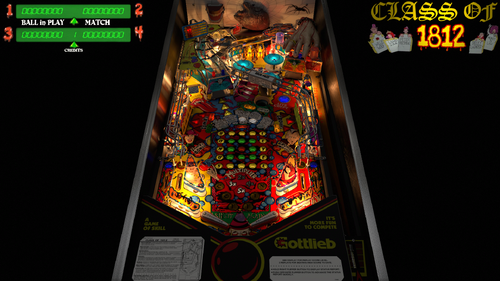
Version 3.0.22
18100 downloads
Early in 2021, I received permission from Bigus to update this table and add the VR conversions... originally done by Tom Tower and Ninuzzu. The VR conversion included backglass, flashers, lighting, GI, and other table issue fixes (high score initials, trough multiball and tilt issue, and others). I used the Blacksad dark image from his backglass, as it looks amazing. All the interactivity was done in the script. Sixtoe did a lot of lighting updates as well, including bloom lighting, overlay, etc. Version 2.0 includes a hybrid mode for desktop, cab, and VR. Plus all the latest updates that the VPW team has been doing lately. It includes Fleep sounds, nFozzy / Roth physics and flippers, and general table physics updates. It also has Rothbauerw drop targets, VPW Dynamics Shadows by Iakki, Apophis, and Wylte, Flupper Domes, and LUT options. Bord also added a playfield mesh so the ball goes into the center saucer more realistically. I also added a recent update by fluffhead35 for ballrolling and ramproll amplication sounds. Hauntfreaks provided a couple lighter ball images as well. I also added more VR options to include a wall clock, and additional animation. There are plenty of options in the script including LUT lighting changes, ball brightness, VR, cab, and desktop modes, dynamic shadows, rolling amplification, and other sound and shadow options. Also for VR users, you can change to different room environments. If you get 3 credits each time you add a coin, I put instructions in the script on how to modify your ROM to only add one coin. Anyway, I hope you enjoy! And thanks again to all involved! -
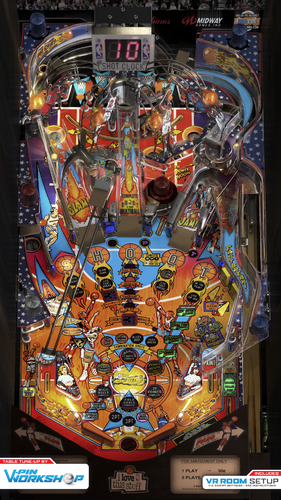
Version 1.3
13071 downloads
V-Pin Workshop proudly presents NBA Fastbreak by Bally! v1.3 Changes; Fully working VR backglass - Rawd & Leojreimroc Physics & script updates - iaakki LUT Switcher - Rawd When Tomate joined VPW he brought Darth Marino's NBA Fastbreak with him and hit the ground running! A veteran of Sketchup, he learned Blender surprisingly fast and baked out new textures for pretty much everything. There is only handful of objects that hasn't been redone in past 4 months. A thousand stuck balls later with much debugging, lighting and miscellaneous other contributions from iaakki and Sixtoe and we had shot and scored a decent tune-up for this table: Nfozzy physics, Fleep sounds, 3D inserts, flupper domes, VR room and more! Includes Desktop, Cab and VR versions in one VPX. Plastics, Ramps, Nuts, Bolts: Tomate Wires: Tomate, Mr_H Playfield: EBisLit, iaakki Physics: RothbauerW, Benji, iaakki Inserts: iaakki Lights: iaakki, Sixtoe VR Room: Sixtoe VR Fully Animated Backglass: Rawd Miscellaneous tweaks: iaakki, Sixtoe, Benji, Oqqsan Testing: VPin Workshop Discord, Rik Laubach This release wouldn't have been possible without the legacy of those who came before us including Darth Marino, DJRobX, CarnyPriest, MaX, Aurich, bmiki75, JPSalas Thank you to Flupper for 3D insert techniques & domes. Thank you to Rothbauerw for nFozzy physics. -
View File Star Trek The Next Generation (Williams 1993) VPW Mod Engage! VPW are proud to present a table tune up of Knorr and Clark Kent's version of Star Trek the Next Generation from Williams. Although already great, we've added updated nfozzy physics, added some fleep sound whilst keeping the original recordings from the real machine, added the full VR room suite from Rawd and Steely, updated Sixtoes VR cabinet with Leojreimroc making a fully functional backbox in VR and lots of other tweaks and fixes along the way. The table now plays even closer to the real thing and we hope you enjoy it! VPW Mod v1.0 ============ Project Lead - fluffhead35 VR Holodeck - Rawd/Steely VR Work/Backglass - Sixtoe/Leojreimroc Tweaks - ClarkKent, Apophis, Sixtoe ============ v01 - fluffhead35 - Added Flipper Triggers, Rubbers and Posts, Bumpers, slings, flipper, and table physics corrections. Adding in fliper and physic damperner code. - Adding in materials for all code v02 - fluffhead35 - Added Fleep sound v03 - fluffhead35 - finished Fleep sound and fixing upper flipper, changing flipper polarity to early 90's and later. Added Sling correction. Increased plunger strength. - Added logic to stop ball rolling sounds in subways. Set FlipperCoilRampupMode to 2 v05 - leojreimroc - Imported Rawd's Holodeck VR Room. Adjusted Laser barriers for VR. v06 - fluffhead35 - fixed flipper triggers. Rubber thickness fixed on upper flipper. Increased flipper hit sound level. Updated sling rubbers to use bottom corner for post pass. v07 - clarkkent - deleted zCol_Rubber_Sleeve008, RubberPost4, SubwayScoop_Prim v08 - fluffhead35 - Made Posts for post pass collidable, adjusted flippers to be in line with guide. Adjust playfield friction to .15. Adjusted sling posts physics for post pass. v09 - apophis - Added new playfield mesh. Increased speed of slingshot animations. v10 - Rawd - Added ClarkKent Cabinet artwork, some VR fixes and tweaks v11 - leojreimroc - Implemented Iaaki's flasher code to all solenoid flashers. Fixed a few flasher positions that were past the cabinet. Implemented VR Backglass lighting. v13 - fluffhead35 - Added new ball launch sound to help prevent high bass sounds. Adjusted size of sleave and physic materials of start mission scoop. Removed ball dampening triggers. v14 - fluffhead35 - updated the sling posts for post pass based on clark kents suggestions. Changed Table difficulty to 56. Added option to switch if ball launch should have bass lowered. v15 - fluffhead35 - Set default wire Ramp sounds to be from clark kents samples. Added option to use the other samples if user wants. Changed ball out to brighter ball. Turned off flipper corrections on upper right Flipper. - Changed environment emission image to be shinyenvironment3blur4. Adjusted gi around inlanes and inline insert lightings. 15d - set the falloff of gi lights to 5. Set the day night to 1, set environment lighting to black, adjusted warbird material, adjusted lighting around upper lanes. Adjusted some random insert lighting. Adjusted ramp friction based on clark kents suggestions. 15e - changed elasticity and scatter of sw57 to give ball more random bounces and goes down inlanes based on BountyBobs testing 16 - fluffhead35 - merged in nfozzy changed to init throughts at game start as well as using new flipper physics. Removed target bouncer from sleeve in start mission scoop. Lowered bumpercap3 from 25 to 20. Added TargetBouncer to Targets_hit 17 - Sixtoe - Added VR logo back in, hooked up cannon light primitives to lighting system, cleaned up script Submitter VPinWorkshop Submitted 02/19/2023 Category VPX - Pinball Tables
-
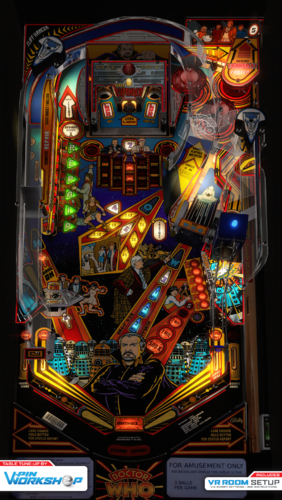
Version 1.1
11839 downloads
Well, it's like a big ball of wibbly-wobbly, timey-wimey... stuff... V-Pin Workshop are proud to present Doctor Who by Bally! This is an update / mod to Sixtoe's VR version, which was a VR mod of Sliderpoint and Rothbauerw's 2020 version with help from Bord, Fleep, ClarkKent, Fuzzel, Knorr & Thalamus, which was based on oooPLAYER1ooo & Unclewilly's 2010 version. Lots of small changes, but the most obvious are Rothbauerw updating it to the latest physics, Apophis adding primitive inserts, and numerous lighting changes by Sixtoe and Apophis. Check the script for all the normal options, If you get no sound, you're probably using the wrong (old) rom, use this; Enjoy! -

Version 3.0
1047 downloads
🎯 VPX Achievement Watcher A companion app for Visual Pinball X (VPX) that adds modern achievements, live overlays, and challenges by reading VPinMAME NVRAM data. ━━━━━━━━━━━━━━━━━━━━━━━━━━━━━━ Features ━━━━━━━━━━━━━━━━━━━━━━━━━━━━━━ 🏠 Dashboard Your control center at a glance: • System Status: Is the watcher running? Is VPX active? • Session Summary: Two cards side by side: ◦ Last Run: Last table played, score, achievements unlocked, and date ◦ Run Status: Live status indicators (green/yellow/red) for Table, Session, Cloud, and Leaderboard connection • 📬 Notifications: Clickable feed with alerts for leaderboard ranks, beaten achievement records, missing VPS-IDs, and available updates. Unread count shown on tab badge. Clear All button to dismiss • 📋 Setup Status: Checklist that verifies your setup is complete — Player Name set, Cloud Sync enabled, VPS-IDs assigned, Maps loaded, Overlays configured, and Widget Controls bound. Red/yellow/green indicators with direct links to fix missing items. Shows "✅ All set!" when everything passes • Quick Actions: Restart Engine, Minimize to Tray, Quit ━━━━━━━━━━━━━━━━━━━━━━━━━━━━━━ 👤 Player Your personal player profile and summary: • Player Level: Current level and XP progress bar based on unlocked achievements • Prestige System: Reach Prestige 1–5 by unlocking 2000 achievements per star (☆ → ★) • Level Table: All levels from Rookie to VPX Elite with their achievement thresholds • 🏅 Badges: 37 collectible badges earned through gameplay milestones — unlock achievements, complete challenges, reach levels, accumulate playtime, and more • Display Badge: Choose which badge icon appears next to your name on cloud leaderboards ━━━━━━━━━━━━━━━━━━━━━━━━━━━━━━ 📈 Progress Track your achievement progress per table: • Select Table: Dropdown with all played tables (ROM-based and custom/non-ROM tables) • Global Achievements: Cross-table achievements like total playtime, tables played, manufacturer milestones — with progress bars (e.g. 12/25) • Per-Table Achievements: Each achievement listed with status (✅ unlocked / 🔒 locked) • ℹ️ Info Links: Click the info icon on any achievement to see its unlock condition, VPS table info, and unlock timestamp • Rarity Tiers: Common, Uncommon, Rare, Epic, Legendary — color-coded based on how many cloud players have unlocked each one. Rarity legend shown below progress bar • Custom Table Progress: AWEditor-created achievements are tracked separately with their own progress view ━━━━━━━━━━━━━━━━━━━━━━━━━━━━━━ 📊 Records & Stats Records every round played, session duration, and scores in the background: • 🌍 Global NVRAM Dumps: Full raw NVRAM data overview per table — all fields and values in a multi-column table • 👤 Player Session Deltas: What changed during your session — actions, score differences, playtime, and field-by-field changes ━━━━━━━━━━━━━━━━━━━━━━━━━━━━━━ ☁️ Cloud Global cloud leaderboard for achievement progress: • Category: Achievement Progress leaderboard per table • Search: Enter a table or ROM name with autocomplete (resolves table titles to ROM keys) • Fetch: Load the leaderboard — ranked list with progress bars, medals (🏆🥈🥉), player badges, date, and ℹ️ VPS info links • VPS Info Dialog: Click ℹ️ on any leaderboard entry to see linked VPS table details and achievement breakdown 💡 Tip: You can find your personal 4-digit player ID in the "System" tab. Make a note of it! If you ever install Watcher on a new PC, you can use it to restore your cloud progress. ━━━━━━━━━━━━━━━━━━━━━━━━━━━━━━ ⚔️ Score Duels Challenge other players to direct score duels on the same table! The Score Duels tab is organized into 4 sub-tabs: 🎯 My Duels • 📬 Incoming Invitations: Inbox for duel challenges from other players — accept or decline with one click • 🔕 Do Not Disturb: Toggle to stop receiving new duel invitations • ⚔️ Start New Duel: Pick an opponent and table, then send a challenge • 🔀 Auto-Match: Join the matchmaking queue — automatically matched with a player who shares at least one table (by VPS-ID). Search times out after 5 minutes • 🟢 Active Duels: Overview of all running duels with status, time remaining, and cancel option • 📜 Duel History: Past duel results with opponent, table, scores, and date 🌍 Global Feed Live feed of all active and recently completed duels across all players. 🏆 Leaderboard Top 50 players ranked by duel wins. Shows Rank, Player Name, Wins, Losses, and Win Rate (%). Players need at least 3 completed duels to qualify. Your own row is highlighted with a ★. Medals for top 3: 🥇🥈🥉. 🏆 Tournament 4-player single-elimination knockout tournaments: • Join Queue: Enter the tournament matchmaking queue (30 min timeout) • Auto-Matching: When 4 players sharing at least one table are queued, a tournament is automatically created • Bracket: 2 Semifinals → 1 Final, all played on the same randomly selected table • 2 hours per match — each duel has a 2-hour time limit • Notifications: In-app alerts for tournament start, elimination, final reached, and final result • History: Completed tournaments are saved locally with your placement (🏆 Winner, #2, #3-4) 💬 Tournament Chat: Live chat for tournament participants — real-time messages ━━━━━━━━━━━━━━━━━━━━━━━━━━━━━━ 🎨 Appearance Customize the look and feel of the entire application, organized into 5 sub-tabs: 🖼 Overlay • Global Styling: Font family, base font size, and overlay scale slider (30–300%) • Widget Placement & Orientation: Place and save screen positions for each overlay independently. Each widget has Portrait Mode (90°), Rotate CCW, Place, and Test buttons: ◦ Main Stats Overlay (with auto-close option) ◦ Achievement Toasts ◦ System Notifications ◦ Status Overlay (cloud/leaderboard feedback, can be disabled) ◦ ⚔️ Duel Notifications • 🔄 Switch All → Portrait/Landscape: Toggle all overlay orientations at once • 📄 Overlay Pages: Enable/disable individual overlay pages — Page 1 (Highlights & Score) is always active; Page 2 (Achievement Progress), Page 3 (Cloud Leaderboard), Page 4 (VPC Leaderboard), Page 5 (Score Duels) can be toggled • Custom Background: Place an overlay_bg.jpg/png next to the executable for a custom overlay background 🎨 Theme • Active Theme: Select and apply a color theme from the dropdown • Color Preview: Live preview of Primary, Accent, Border, and BG colors • Overlay Preview / Test: Test Main Stats Overlay and Achievement Toast with the current theme • Available Themes: Full list of all themes with icon, name, and description 🔊 Sound • Enable/Disable: Master toggle for sound effects • Volume: Slider (0–100%) • Sound Pack: Choose from multiple packs (Zaptron, Vex Machina, Retro, etc.) • Events Table: Per-event enable/disable toggle and preview button for each sound event ✨ Effects • GPU-accelerated visual effects with automatic CPU fallback 🐾 Mascots • 🏆 Trophie (GUI Mascot): Lives in the bottom-left corner of the main window • 🎱 Steely (Desktop Overlay Mascot): A metallic chrome pinball that lives on your desktop as an always-on-top overlay. Reacts to game events • Skins: Multiple visual skins for both mascots • Personality: Unique speech bubbles, reactions, memory, and a "bickering" system between them • Portrait Mode: Steely supports 90° rotation for cabinet screens ━━━━━━━━━━━━━━━━━━━━━━━━━━━━━━ 📺 VPC Weekly Challenge View Discord's Weekly Challenge directly on the overlay (view only). ━━━━━━━━━━━━━━━━━━━━━━━━━━━━━━ 🕹️ Controls Configure hotkeys and input bindings for the overlay and challenges: • Supports keyboard keys and joystick buttons • Bindings for overlay toggle, duel accept (left), duel decline (right), and system tray show/hide • 💡 Flipper buttons or MagnaSave buttons work best ━━━━━━━━━━━━━━━━━━━━━━━━━━━━━━ 🗺️ Available Maps Browse all supported tables and their NVRAM map status: • ✅ NVRAM Map = achievement tracking supported • ❌ No NVRAM Map = not supported yet • 🟠 Local = .vpx file found in your tables folder • Filter by local tables with NVRAM maps, search by name or ROM • Assign VPS-IDs to link tables to the Virtual Pinball Spreadsheet database • View table author extracted from .vpx file metadata ━━━━━━━━━━━━━━━━━━━━━━━━━━━━━━ 🎯 AWEditor — Custom Achievement Editor Create custom achievements for tables that don't use VPinMAME ROMs (Non-ROM / Original tables): • 📋 Tables: Scan your tables directory for tables without NVRAM maps • ✏️ Codes: Analyze table scripts, detect events, and create custom achievement rules • Export: Generates VBScript + JSON files — the table writes trigger files that the watcher detects instantly • Full Script Export: Zero manual work — AWEditor inserts all FireAchievement calls automatically ━━━━━━━━━━━━━━━━━━━━━━━━━━━━━━ ⚙️ System The System tab has 2 sub-tabs: ⚙️ General • 👤 Player Profile: Set your display name and 4-character player ID. Identity fields are locked while Cloud Sync is active • ☁️ Cloud Sync & Backup: Enable/disable Cloud Sync (validates player name and ID against cloud for uniqueness). Auto-Backup toggle, manual Backup to Cloud, and Restore from Cloud (restores achievements, VPS mapping, and CAT progress) • 🐛 Feedback & Bug Reports: Report bugs or suggestions directly from the app • 🔑 Admin Login: Log in as chat moderator for Tournament Chat moderation (admin only) 🔧 Maintenance • 📁 Directory Setup: Configure BASE, NVRAM, and Tables directories • Repair Data Folders: Fix broken or missing data directories • Force Cache NVRAM Maps: Re-download and cache all NVRAM map files • 🔄 Update Databases: Force re-download of index.json, romnames.json, vpsdb.json, and VPXTool • ⬆️ Watcher Update: Check GitHub for newer releases — downloads and installs the Setup automatically with release notes preview ━━━━━━━━━━━━━━━━━━━━━━━━━━━━━━ 🛡️ Fair Play & Anti-Cheat To keep the leaderboards fair, local saves and scores are protected by hash signatures. Matches and tournaments use a feature called NVRAM tracking. Restarting from Ball 1, pressing F3, or restarting the VPX Player will result in disqualification. ━━━━━━━━━━━━━━━━━━━━━━━━━━━━━━ Data Sources The Achievement Watcher uses the following open-source projects and data sources: Thanks to this people: • NVRAM Maps by tomlogic — https://github.com/tomlogic/pinmame-nvram-maps • vpxtool by francisdb — https://github.com/francisdb/vpxtool • VPC Data by emb417 — https://github.com/emb417/vpc-data • VPS Database by VPS Team — https://github.com/VirtualPinballSpreadsheet/vps-db • Visual Pinball & PinMAME — https://github.com/vpinball -
Version 0.99.0
9464 downloads
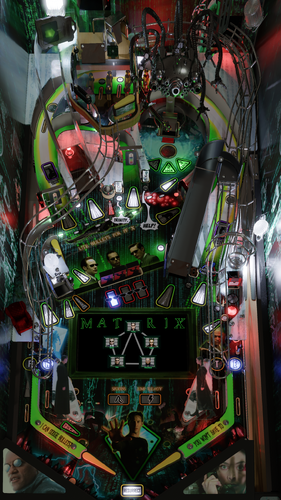
**************************************************************** The Matrix 0.99 By: Pincredibles and VPW **************************************************************** PuP-Pack Download: https://mega.nz/file/3J4yVQqZ#RqHEl3K3V3HbbnSCwGPH-Whjw6ZAlhHTYyo9SDO18TY Mirror: https://drive.google.com/file/d/1puuPlAQGACEs2e2ECu6O6gjZhfcOYAU-/view?usp=sharing **************************************************************** **************************************************************** The Team: DAPHISHBOWL - Pincredibles MPT3K - Pincredibles MR.H - Pincredibles HARLAN - Pincredibles FLUX - VPW ASTRONASTY - VPW SIXTOE - VPW APOPHIS - VPW IAAKKI - VPW DAPHENI NAILBUSTER - PinUp DARDOG - VR FLIPSTREAM PINSTRATSDAN STUDLY_DO_RIGHT BTHLONEWOLF BRUCE BEARDEDRIK IROD2001_ DIRTYPOOLPINBALL Special Thanks: STEPHEN SILVER KELLY MAZUROWSKI PAUL MARINO JACK DANGER JEFF DODSON **************************************************************** Intro: Wake up, Neo. Welcome to The Matrix Pinball, by Pincredibles. Prepare for a pinball adventure like no other. You are stationed aboard The Nebuchadnezzar aided by Tank, your operator. Tank will help you as you guide the crew; Neo, Trinity, Niobe and Morpheus as they try to free the minds of the human race and free them from the imprisonment of the Matrix. It won’t be smooth sailing. Agent Smith, Brown and Jones will attempt to stop you at all costs. Cypher is sneaking about, waiting to betray Morpheus and the crew. Sentinels will attack the ship and the Zion outpost. Visiting the Oracle could bring you some answers and perks to help. Do not forget to go through the training programs to gain perks and increase your Matrix mode score. Good luck. Maybe Morpheus was right. Maybe you are The One. **************************************************************** How it came to be: The goal of the Pincredible tables has always been to push things to the next level. All of the work done up to this point has been about building a strong foundation that would allow us to create our own original table. We began this project on February 27, 2022. By December 2024, I thought we were getting close to the finish line—but there was still so much more to add and improve. A tremendous amount of work has gone into this from many different people, and the entire process has been an incredible experience Basic requirements: VPX 64 bit version 10.8.0 2051 (or greater) Pinup: Version 1.5.2 DOF: Please make sure you update your DOF config **************************************************************** PuP-Pack Download: https://mega.nz/file/3J4yVQqZ#RqHEl3K3V3HbbnSCwGPH-Whjw6ZAlhHTYyo9SDO18TY **************************************************************** INSTALL: 1) Copy VPX file to your VPX Tables directory 2) Copy unzip the Pup Pack to the PinUPSystem\PUPVideos\ folder. You will see a Matrix folder 3) Run the batch file in the pup pack that matches your config. It should make all necessary script changes for you. 4) Update DOF (If necessary) **************************************************************** Version History: 0.99 - Initial version- 278 comments
- 85 reviews
-
- 395
-
-
- pincredibles
- vpw
- (and 5 more)
-
Version 1.0.1
16892 downloads
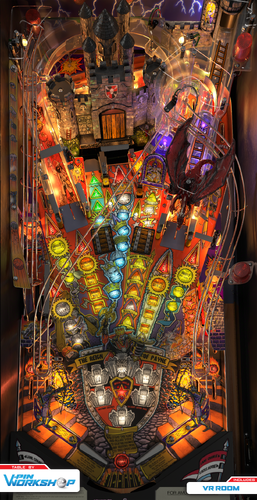
"The Castle Burns! Get the Marshmallows!" VPW are proud to present Medieval Madness by Williams. This one has been stuck in development hell since 2021. Sixtoe picked up the project in 2022 and built a new functioning VPX layout with the new playfield scan supplied by ClarkKent, but it had no graphics and we had a load of other projects in work. So, it languished as there was already a nice verion from Tom Tower and Ninuzzu. In early 2024 Tomate built some of the 3D side for fun and Sixtoe worked on the VPX side a bit more before moving onto other projects again (and Sixtoe half jokingly said Medieval Madness shall get delayed another month every time someone asked for it in another table's release). Then, in September 2025 Sixtoe and Tomate picked it up again to finally get it over the finish line with lots of help from Apophis, a VR room from DaRDog, and contributions from the rest of the gang, aided by MajorDrain giving 1:1 feedback against his real machine. It's worth noting that this has been side-by-side tested against 2 separate real machines, so it should be pretty faithful to the real thing. With that in mind; Stuff you'll be annoyed we replicated that aren't bugs Merlin's Magic - Some shots go through avoiding the saucer, this happens on the real machine. Castle Side Door - Some shots bounce off the edges and don't go through the door, this happens on the real machine. It's not an easy machine, the slings can be lethal and slow balls off the right orbit are dangerous. VPW Peasant Sixtoe - Project Lead, Scratch Table Build Tomate - 3D Modeling and Rendering Apophis - Physics, Lighting, and Animation Scripting DaRDog - VR Mega Room and Cab Mcarter - Adding Roth Targets, Tweaks ClarkKent - Playfield Scan Bord - Playfield Scan Color Correction CainArg - Playfield Scan Masks Freezy - Blender 3D Playfield HauntFreaks - Backglass Image MajorDrain - Real table reference, troll trapdoor audio and side by side testing Tyson171 - Real table reference Niwak - VPX and VPinMame support Gedankekojote97 - Early table dev support PinStratsDan - In-depth testing Testers - Studlygoorite, Iaakki, Unsavory, Superhac Castle Animation Scripting - Borrowed from Tom Tower and Ninuzzu's old version. If you want to use 109b or c ROM you will need both the mm_10 ROM and the mm_10b ROM as well, as the audio files are in the mm_10 ROM. Version Log '0.01 - Gedankekojote97 - nFozzy Flipper trigger and prim resize, flipper adjustments, dynamic Ball shadows added, slingshot corrections added, gi Relay Sound added, Latest scripts from VPW, New environment image '0.02 - Sixtoe - New playfield image, realigned entire playfield and important objects, replaced some parts with correct parts, updated physics and sound scripts, butchered entire table in preparation for toolkit import, removed and simplified loads of things, split into many layers to try and organise and figure out table. '0.03 - Sixtoe - Fixed left ramp losing balls and trolls crashing table. More minor tweaks. Cleaned old images out to reduce file size. '0.04 - Sixtoe - Aligned bolts and screws, aligned ramps to blueprint (adjusted right ramp interface prim), added inrect to actually fix trolls (duh), tweaks from apophis, added/fixed a few other things. '0.05 - Sixtoe - Ongoing alignment, construction and cleaning work, lights hooked up, pretty playable now. '0.06 - apophis - Added TOC and reorg script. Updated flipper triggers and physics scripts. Added tweak options menu. Removed old LUT code. Added PWM functionality for lamps, flashers, and GI. Removed old dynamic shadows, updated ambient. '0.07 - apophis - Set UseVPMModSol = 2 '0.08 - Sixtoe - Rebuilt entire castle physical area, new playfield mesh, various other physics changes. '0.09 - apophis - Fixed draw bridge script (HandleMech=0). Reduced flipper strength to 3000. Fortified some stuck ball areas. '0.10 - apophis - Fixed some ramp trigger locations. Fixed Diverter script. Flipper strength to 3050. Fixed some gate sound effects. '0.11 - Sixtoe - Reinforced entire table layout, walls are on "blocker walls" layer, changed merlin physical primitive scoop, various other minor tweaks '0.12 - Sixtoe - Realigned entire table as dimensions were out, rebuilt catapult ramp, rebuilt spiral ramp to stop ball trap, tweaked castle lock entrance '0.13 - Sixtoe - Redid GI assignments thanks to tyson171, some minor layout tweaks. '0.14 - tomate - 2k batch added, most VPX objects hidden, make some fixes in script to make it playable '0.15 - Sixtoe - Redid trolls physical objects, made other vpx objects hidden, adjusted drain area and wall heights, '0.16 - tomate - flippers animated, slingshots animated (still need some work) '0.17 - apophis - fixed draw bridge animation '0.18 - Sixtoe - Changed spinners to gates, fixed a few other things, tidied up some stuff. '0.19 - tomate - new 2k batch added with blender fixes '0.20 - apophis - Enabled room brightness option. Deleted Prim_Toys layer (and objects). Fixed animations: bumper rings, bumper skirts, castle towers, diverter, slings, trolls, casle gate, catapult, lock door, lock post, wire triggers. Still TODO: Roth stand up targets '0.21 - apophis - Fixed damsel lock. Adjusted desktop POV. Add desktop DMD visibility option. '0.22 - Sixtoe - Remade playfield mesh and combined with moat physical primitive, remade moat vuk scoop and mech, removed and merged redundant assets, converted merlin saucer to physical kicker, remade physical right ramp and physical ramp deflectors on both ramps and ramp entrances. '0.23 - tomate - damsel light added, some fixes on castle model, room light brighter to get mayor day/night range, unwrapped textures for plastic ramps, few other fixes here and there '0.24 - apophis - fixed DiverterP rotx and animation. '0.25 - tomate - new 2k batch added with some new unwrapped textures and fixes at blender side '0.26 - mcarter78 - hook up roth standup target code '0.27 - tomate - fine tune for inserts and flashers, troll bracket separated, some fixes for plastic ramps, new 2k batch added '0.28 - apophis - Fixed troll visuals. Added flasher and insert brightness options. Added outlane difficulty option. Added refraction and relfection probles. Added ramp and bumper cap materials. '0.29 - Sixtoe - Tweaked playfield mesh, rebuilt merlin kicker/kicker area, refactored collidable physics area around the castle and created a huge low poly collidable castle prim, replaced damsel tower, tweaked moat VUK, probably other things, tweaked inlanes, testing turning inserts to linear fading. '0.30 - apophis - Added back sw37 pulse in DoorPortculis_Hit. Fixed zfighting issue on drawbridge. Fixed iron gate down position (was going thru floor). Tweaked target elasticity. '0.31 - Sixtoe - Adjusted flipper angles (I feed on your tears), unified blocker walls and walls, few other tweaks and fixes '0.32 - apophis - Fixed(?) draw bridge initialization. Made post passes a little easier. '0.33 - tomate - 4k batch added, cleaned the file a little bit '0.34 - Sixtoe - Added gate to Damsel tower, reset flipper physics to default-ish williams. '0.35 - apophis - Tinted bumper lightmaps to purple. Adjust plastics material. Enabled reflections for BM_Parts. '0.36 - DaRdog - Added VR Mega room, VR Mimimal Room, VR Cab, Animated buttons, Animated Torches, Lighted start and launch buttons (Thanks Rawd and Apophis for help), VR scripting. Total damage is 35mb for images and 110k polys (includes VR rooms and VR Cab, not bad i think). '0.37 - DaRdog - small vr fix, coindoor key was crooked '0.38 - apophis - Show rails in desktop mode. Make some VR elements respond do day night slider. '0.39 - DaRdog - modified some vr elements material brightness to counteract the day/night slider darkening '0.40 - apophis - Animated VR backglass (thanks HauntFreaks). '0.41 - Sixtoe - Fixed various and numerous legacy sound issues, tweaked vr backglass (Apophis) '0.42 - tomate - few performance improvements and fixes on blender side, new 4k batch added '0.43 - apophis - Adjusted flipper angles (and triggers). Fixed flipper shaddow DB. Added rightmagna and lockbar buttons to plunger launch. '0.44 - tomate - Castle PF protector, ramp decals and dragon plastic fixed in blender, new 4k batch added 'RC1 - apophis - Commented out sw37_Hit to eliminate double pulse on switch 37. Updated table info and added rules card. Adjusted cab POV. A few cleanups for release candidate. 'RC2 - Sixtoe - Added sw37 back so it's only active when castle portcullis is open. Updated credits. 'RC3 - apophis - Increased sling strength (5.1) and lowered sling thresh (1.8). Tweaked sling correction curve . Dropped pf friction slightly (0.22). Lowered ST target mass (0.1). 'RC4 - mcarter78 - Add random rampstop and delayed ball drop sounds to ramp ends, decrease ramp stop bounceback, fix Y alignment between visual/physical flippers 'RC5 - apophis - Adjusted EB insert to be red. 'RC6 - apophis - Updated Trolls mech sound effects (thanks MajorDrain). 'RC7 - Sixtoe - minor tweak to wall, updated credits, changed default ROM to 1.09b as its a bugfix rom, added material for VRCab_LaunchButtonHousing, applied gateflooraccent texture, tweaked left inlane marginally. 'Release 1.0 1.0.1 - apophis - Added refraction option. Added default 1-to-1 LUT. Fixed Table1_exit (and un/pause) subs -
Version 1.1.1
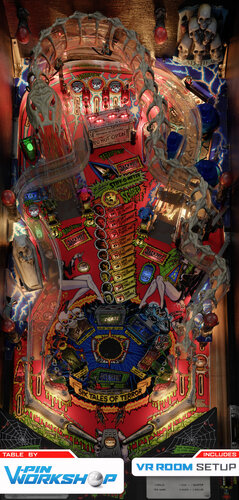
12364 downloads
"Ride The Boney Beast!" VPW proudly present a table that'll keep you up! This started about a year ago when Sixtoe got hold of a playfield scan of Scared Stiff and decided to follow through on a long time promise he'd made to make a series of "how to vpx" videos showing how to build a table totally from scratch. VPW How To VPX on Youtube It's one mcarter78's favorite tables, so he started to build it in the toolkit and got hold of some of the toys to scan them, Tomate came in to finish the blender side of things, and Apophis came on board to sort out some script things and add the VR bells and whistles. Cyberpez built a new 3D backglass and Tomate made a new 3D spider for it. During building it Sixtoe found a bug in VPX and Niwak fixed it, so now all of the flashers work properly and fade nicely now PWM is implemented properly (you'll need a recent-ish vpinmame for this!), and we think you'll enjoy the lightshow Check out all the options in the F12 menu, which includes the latest and greatest of everything VPW has to offer. Enjoy! VPW STIFFS Sixtoe - Project Lead, scratch table build and scripting. Tomate - 3D modeling and rendering. MCarter78 - 3D scanning, modeling and scripting. Apophis - Scripting and VR support. Cyberpez - Playfield Cutting, VR backglass. DGrimmReaper - Custom VR ball shooter. FrankEnstein - Custom instruction card. Testers - Pinstratsdan, Rik, Studleygoorite, mecha_enron, dad-e-drums, bthlonewolf, bountybob, robbykingpin, nestorgian, guus_8005, wrd1972 Required Software (64-bit versions): VPX 10.8.0 or later: https://github.com/vpinball/vpinball/releases/tag/v10.8.0-2051-28dd6c3 VPinMame 3.7.0.47 or later recommended: https://github.com/vpinball/pinmame/actions/runs/15769888098 B2S Server 2.1.3 or later (if B2S used): https://github.com/vpinball/b2s-backglass/releases/tag/v2.1.3 Version Log 001 - Sixtoe - "Just in case" Upload - Unplayable 002 - Sixtoe - Hit a script wall, please send help 003 - Sixtoe - IT'S ALIVE 004 - Sixtoe - Fully Playable 005 - tomate - First 2k batch added, most of the VPX objects set as not visible,VLM materials applied 006 - mcarter78 - Add room brightness, ball & plunger textures, make lights hidden, hide a few other trigger objects 007 - mcarter78 - Movables animation WIP (flippers, gates, crate, targets, bumpers, slings) 008 - tomate - dozens of fixes in Blender, not so many in VPX 009 - mcarter78 - Animate Leapers & diverter, fix GI string #s in update callback, Add rules card, cabinet mode & art blades to option menu 010 - mcarter78 - Reduce height of collidable targets under ramps causing stuck balls 011 - mcarter78 - Increase bumper ring speed 012 - mcarter78 - add collections/sfx for walls, metals & apron, add ramp rolling, crate hit, and autoplunger sounds 013 - mcarter78 - animate closed crate hit & ramp flap from spider VUK, hide ramp triggers 014 - tomate - some axis fixed in blender, open/close coffin prims added, fixed coffin position in VPX (thanks Apophis!), bumpers and gates elements re-named in blender and changed in the script, backgorund set to black for desktop mode 015 - apophis - Animated boogie arms. Updated desktop POV. Fixed GI rtx shadows. New ball image. 016 - tomate - crate and boogies textures fixed, set "hide parts behind" for PF object 017 - apophis - Adjusted slingshot strength and threshold. Fixed flipper shadows. Added ball shadows. Animated coffin door and cadaver. Added options: desktop DMD visibility, outlane difficulty, ramp refractions 018 - apophis - Fixed coffin diverter logic. 019 - tomate - 4k batch added 020 - tomate - some fixes on blender side, new 4k batch added, VPX unused textures deleted 021 - apophis - Increased flipper strength to 2500. Increased upper gates elasticity to 0.85 022 - mcarter78 - Animate autoplunger & leaper rods, less bouncy gates 023 - cyberpez - backglass first draft 024 - tomate - new 4k batch added, previous issues fixed (cadaver, top lanes and insert), collidalbe low poly right ramp updated to match visual ramp 025 - mcarter78 - Fix autoplunger gate, open up the crate more when entering 026 - tomate - new 4k batch added, targets textures fixed, GIL on group0 issue fixed 027 - apophis - Backglass second draft. Made BG visible in desktop mode. 028 - apophis - Added VR Cab. Made desktop backglass optional. Light blocker below playfield. Adjusted visible crate opening angle. 029 - Sixtoe - Crate VUK rejigged and randomised, various rubber tweaks, redid wall and rubber layout in blocker format, made l53 visible temporarily. 030 - tomate - new 4k batch added, flippers and l53 fixed, vpx l53 back to hide, changed PF render probe to dynamic, add a hole on PF blocker to see the visual VUK 031 - tomate - added default LUT and saturation option menu 032 - apophis - Fixed tilt switch assignment. Changed default LUT is 1to1. Made insert lights reflect on ball. Changed default cab POV. Added info card to tweak menu (thanks FrankEnstein). 033 - apophis - Improved post passes. Added inlane slowdown code. Added custom shooter knob option (thanks DGrimmReaper). Added minimal VR room with movie poster options. 034 - apophis - Fixed spider b2s issues. Disabled reflections of some items. RC1 - apophis - Fixed boogie man analog nudging. Updated some backglass flashers (thanks cyberpez). Updated custom rules card in tweak menu (thanks FrankEnstein). Fixed knocker sfx. Updated frog target hit sfx and scoop entrance sfx. Fixed VR poster visible bug. RC2 - mcarter78 - Only animate crate door on hit if not already currently animating RC3 - apophis - Solved crate door issue? Added playfield reflection options. Lowered plunger speed. RC4 - apophis - Accounted for frame rate in frog speed calcs. Adjusted down frog leap speed. Slowed down right vuk eject and ramps (slightly). Slingshots strength set to 4.2 from 4.5 RC5 - mcater78 - lowered ball height threshold for vuk trapdoor to >= 109 from > 110 and added a Y value failsafe RC6 - apophis - Updated (optimized) the reflection scope option. Improved spider wheel icon images (thanks HauntFreaks). Chnaged z lift on sw36 kicker from 100 to 105. RC7 - Sixtoe - Added metal hit to leaper targets, refactored entire cadaver coffin exit area, -
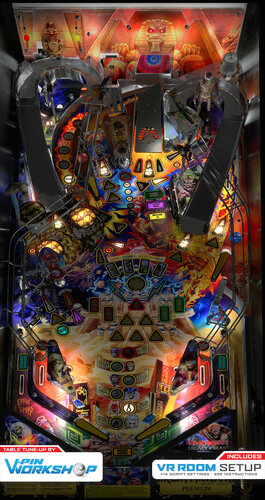
Version 1.0.12
29204 downloads
Iron Maiden Legacy of the Beast By: VPW ************************************** Version 1.0.12 Additional instruction: Download and update the new PUP pack. ** Backup your music files first if you purchased them. They are in the Music directory inside the PUP pack. ** 1.0.11 PUP Pack location https://mega.nz/file/KFpxTAhC#gqsHVYJLRxtGYU0erF3SvoBQi7q7LBnT9YNUkcBG5iE If you have a cab with MX LEDs and you want to see a custom fire animation on your back panel, download the following animated GIF and place it in your \DirectOuput\Config directory. https://drive.google.com/file/d/1JdxWgsUjNwwpt6Mx8UcBuF5IiLmO6YHE/view?usp=share_link ************************************** So many hours from so many users were put into this tribute table to show how far things have really come with the possibilities of VPX. We wanted to get this out there for all to enjoy and expand the user base since we have exhausted our testing. This is one of the most complex tables so far and we have pounded on it for months, but I am sure there are still issues that are lurking. If you find an issues, please post to the forums so we can work through them. Without the following people this could never happen. Special thanks to: RetroG33K, Soundscape, Iaakki, Daphishbowl, Apophis, Benji, Hawkeye, Sixtoe, MrH, Rik, Nailbuster, Tomate, AstroNasty, TerryRed, DarkStar, HiRez00, Seirif, Rothbauerw, PinStratsDan, leojreimroc, BountyBob, and many more. NOTES: **Don't change the variable PuPDMDDriverType=2. There was an oversight on bat file directions shown and no pup variables need to be changed for this table** - Make sure your PINUP is up to date: https://www.nailbuster.com/wikipinup/doku.php?id=release_notes - VPX Version: 10.7.2 INSTALL: 1) Copy VPX to your VPX Tables directory 2) Download the pup pack (link below) 3) Copy IM_LOTB directory inside the pup zip to <drive>:\PinUPSystem\PUPVideos 4) Run the batch file in the pup pack that matches your config. It should make all necessary script changes for you. 5) To get the full music, view the readme in the Pup Music directory <drive>:\PinUPSystem\PUPVideos\IM_LOTB\Music 6) Update your DOF config files 1.0.0 PUP Pack location https://mega.nz/file/jQoUiZ5Z#BhKnoLmeTdD2UbIcZ9yxeTpyxVtoz3jh2y-u43ZTOAQ MPT3K Scorbit Setup and Tutorial Manu made a great step by step on how to setup and use Scorbit https://youtu.be/Sb6GF_3wDtc