-
SYSTEM SEARCH
System Scanners Online:
Username: Guest
>> System Scan?
>> The Universe >
Incoming Message:
Due to system limitations searching with words of 3 or less characters will not return results. For instance; Doctor Who. This will not return results as the system is trying to search for both Doctor AND Who in which Who will not be found as it's a 3 character word. To find Doctor Who; you'd search for either Doctor or "Doctor Who".
Search Tips:
For specific searches; enclose your search with quotes. Example: "Doctor Who" or "Addams Family".
Search the Community
Showing results for tags 'visual pinball'.
-
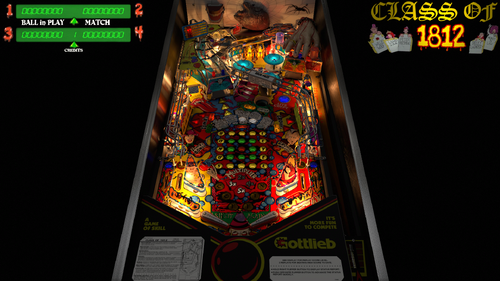
Version 3.0.22
18031 downloads
Early in 2021, I received permission from Bigus to update this table and add the VR conversions... originally done by Tom Tower and Ninuzzu. The VR conversion included backglass, flashers, lighting, GI, and other table issue fixes (high score initials, trough multiball and tilt issue, and others). I used the Blacksad dark image from his backglass, as it looks amazing. All the interactivity was done in the script. Sixtoe did a lot of lighting updates as well, including bloom lighting, overlay, etc. Version 2.0 includes a hybrid mode for desktop, cab, and VR. Plus all the latest updates that the VPW team has been doing lately. It includes Fleep sounds, nFozzy / Roth physics and flippers, and general table physics updates. It also has Rothbauerw drop targets, VPW Dynamics Shadows by Iakki, Apophis, and Wylte, Flupper Domes, and LUT options. Bord also added a playfield mesh so the ball goes into the center saucer more realistically. I also added a recent update by fluffhead35 for ballrolling and ramproll amplication sounds. Hauntfreaks provided a couple lighter ball images as well. I also added more VR options to include a wall clock, and additional animation. There are plenty of options in the script including LUT lighting changes, ball brightness, VR, cab, and desktop modes, dynamic shadows, rolling amplification, and other sound and shadow options. Also for VR users, you can change to different room environments. If you get 3 credits each time you add a coin, I put instructions in the script on how to modify your ROM to only add one coin. Anyway, I hope you enjoy! And thanks again to all involved! -
 New version is here PINemHi and PINemHi Leaderboard v3.6.2 The new version can be downloaded from https://pinemhi.com/ I would recommend to overwrite all files on previous install , maybe rename your old pinemhi.ini first to have the paths and user and code easily copied to the new pinemhi.ini file (and other settings of course) You should only copy the values from your old pinemhi.ini as there are new settings that need to be in there Also don't forget to stop pinemhi_rom_monitor before you overwrite the files Leave the rom section in the new pinemhi.ini intact as this has been altered to work with the newer version of vpinmame as well Whatsnew: *************************** PINemHi Version 3.6.2 *************************** Added the following games to PINemHi LeaderBoard: The Simpsons Michael Jordan Laser War Playboy 35th Anniversary Monday Night Football Atlantis Blackwater 100 Truck Stop Escape from the Lost World Dungeons & Dragons Heavy Metal Meltdown Party Animal Hardbody City Slicker Strange Science Special Force MotorDome Black Belt Badges added to PINemHi Leaderboard: Scores ------- All of the above (new) games Special scores -------------- The Simpsons (loops) Monday Night Football (loops) World Challenge Soccer (most goals and world champ) Gladiators (beast slayer) Teed Off (holes in one) Street Fighter II (the master) Operation: Thunder (five star general) Surf n Safari (rapids record) Car Hop (record heat wave) Hoops (high basket points) Vegas (slot king) Title Fight (highest punches) Silver Slugger (highest runs to date) Lights Camera Action! (5 of kind) Teenage Mutant Nina Turtles (Data East) (loops) Checkpoint (loops and speed record) Robocop (ramp jumps) Important ! Submitting a score can now be done in game using a button/key of your choice or f3 (vpinmame reset). Best way to do that is after a complete game played. When you do it in the middle of a game you can get pinball missing message starting a new game. If you get a lot of missing pinball messages even after completed games revert to the old method (exiting a game) PINemHi Changes: Added 161 roms in total (more details about them are in whatsnew.txt) New games supported: Aaron Spelling Agents 777 Ali Amazon Hunt II Amazon Hunt III Andromeda Atleta Attack Attila The Hun Big Game Black Velvet Break 301/Bullseye Bushido Camel Lights Catacomb Cerberus Cheetah Cheech & Chong: Road-Trip'pin Chuck-A-Luck The Clash Old Coney Island! Corsario Captain Hook Cue Cyclopes Dale Jr. Dracula Dragonfist Bugs fixed PINemHi: Star Light (L-1)=strlt_l1.nv, not showing all 4 high scores 🍻🍺
 -
Version 2.0.0
2166 downloads
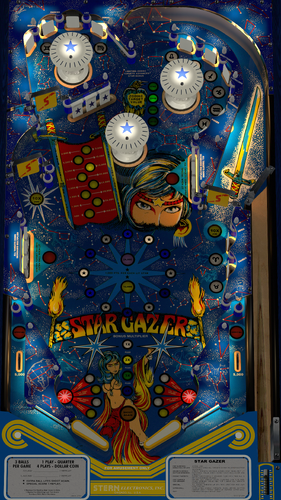
"Thou art gazing at the brightest star of all." Star Gazer (Stern 1980) is an addicting game with 3 spinners and concave scoops feeding the flippers. It's fast and lots of points can be achieved with building the values of bonus and spinners. Even though there were only 869 units produced this is very much a "gotta play again" table. One of the "best spinner" games out there. Thanks to apophis for providing a playfield scan to @redbone. And especially thanks to Redbone for prepping and cleaning the playfield as well as other images, plastics, targets, etc. Also thanks to HauntFreaks for providing the VR backglass images (redraws by Felsi). And again thanks to Apophis for guidance on blender to bake the metal walls to be shiny, as well as some performance enhancements. This table was done from scratch placing everything, and implementing the latest VPW (2025) standards, physics, alllamps and 3D inserts, backglass for desktop, roth targets, standalone compatibility, sling corrections, optional DIP adjustments, updated flipper physics, VR and fully hybrid, Flupper style bumpers and lighting. I also baked the GI and interior wood and metal walls. I've once again studied hours of videos to ensure accurate placement, gameplay, bounces, physics, etc. Lots of time was spent on getting the spinners timed correctly, and shots matching video play. I've provided a .nvram file for the ROM menu settings, and I've hard coded the DIP switch settings as usual. This table is loaded with options in the F12. Various balls, ball brightness, flasher options, flippers, screw caps, plastic edge colors, LUTs, Dip settings, and plenty of other VR stuff, including LED undercab lighting. Please NOTE there are several items to consider on the ROM settings: The default settings for the ROM options are hard coded into the script and are based on the recommended values from Stern for 3 balls. If you want to change the ROM settings themselves, you need to change the "SetDIPSwitches to 1" in the script, and then use the F6 menu to change. However... I am not able to hard code the ROM menu options. Typically, there are levels of score achievements that award a free play. The default ROM has that set to off. I've included an nvram file you can use that sets that to match the instruction/score cards and Stern's recommendation (720,000 and 1,440,000). I also have instructions in the script on how to change that if you wish to do yourself. Thanks again to Redbone, Apophis and Hauntfreaks! Also thanks to everyone else from the VPW team that provided testing and feedback! Required Software (64-bit versions): VPX 10.8.0 or later: https://github.com/vpinball/vpinball/releases/tag/v10.8.0-2051-28dd6c3 VPinMame 3.7.0.47 or later recommended: https://github.com/vpinball/pinmame/actions/runs/15769888098 B2S Server 2.1.3 or later (if B2S used): https://github.com/vpinball/b2s-backglass/releases/tag/v2.1.3 -
Version 2.1.1
9334 downloads
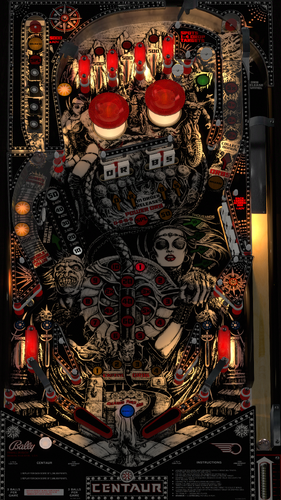
Bad Move Human! Centaur (Bally 1981) has quickly become my favorite pinball machine after doing this development. Its fun, challenging, and the multiballs are awesome! Thanks to Bord, @redbone, and Hauntfreaks for graphics assistance. Bord provided a real scanned playfield, and Redbone updated it for scaling, inserts, and other touchups. Redbone also created images for the plastics, apron, bumpers, and targets. The VR backglass images are from Hauntfreaks. Version 2.0 is a complete build from scratch utilizing full VPW standards, physics, baked GI VLM, 3D inserts, AllLamps routines, shadows, updated backglass for desktop, roth drop and standup targets, standalone compatibility, sling corrections, optional DIP adjustments, updated flipper physics, VR and fully hybrid, Flupper style bumpers and lighting. Lot of hours were spent studying gameplay videos to match the table skill shots and physics action. I've implemented a full two trough system in this table to recreate what the actual table has and does for the orbs multiballs. A lot of work and timing went into getting that just right. Many primitives were redone in blender to get as accurate as I could. Some were reused and/or updated from Bord's prior table. And as usual, there are plenty of options in the F12 menu, including ball choices, flipper colors, targets, screw caps, pulsing Queen's Chamber, and brightness of bumpers when off and when lit. There are also multiple VR room environments and other VR options all done via the F12 menu, including LED undercab lighting, toppers, and more. You can also change the ROM sound volume in the F12 menu. (Note if you want to change the ROM volume, you'll need to restart the table after the change.). I've also implemented some mods to replicate the recent Haggis Pinball Centaur Orblivion mod/update. Graphics, VR updates, targets, etc. will be automatically updated with the Haggis mod in the F12 menu. You can also get all the mods individually by selecting them one at a time. Please NOTE there are several items to consider on the ROM settings: The default settings for the ROM options are hard coded into the script and are based on the recommended values from Bally for 3 balls and harder play, AND a one free tilt with a warning. If you want to change the ROM settings yourself, you need to change the "SetDIPSwitches to 1" in the script, and then use the F6 menu to change. However... I am not able to hard code the ROM menu options. Typically, there are levels of score achievements that award a free play. The default ROM has that set to off. I've included an nvram file you can use that sets that to match the instruction/score cards and Bally's recommendation (1,200,000 and 2,800,000). Also, there are settings in the menu to set replays, sound, and HSTD. All this has been done for you in the included nvram file. I also have instructions in the script on how to change that if you wish to do yourself. Thanks again to Redbone for providing all the graphics updates, and to Hauntfreaks for the updated backglass images, and Bord for the playfield! Required Software (64-bit versions): VPX 10.8.0 final release or later: https://github.com/vpinball/vpinball/releases VPinMame v3.6.0-1227 or later: https://github.com/vpinball/pinmame/releases B2S Server 2.1.3 or later (if B2S used): https://github.com/vpinball/b2s-backglass/releases -
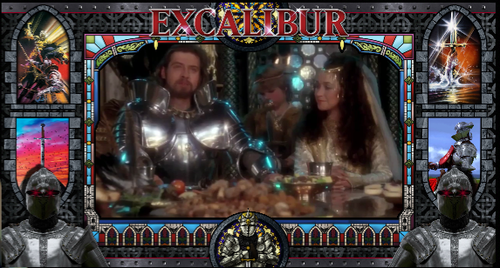
Version 1.0.0
957 downloads
Excalibur PupPack v1.0.0 - for use with Bigus' excellent Gottlieb Excalibur table (Excalibur (Gottlieb 1988)_Bigus(MOD)1.3 table This is my second PupPack made for VPX and is based on the 1981 classic King Arthur movie, 'Excalibur' - directed by John Boorman Special Thanks to JoePicasso for his terrific Pup Overlays and hawkeyez88 for his help with offering 6 different Screen options, based on user setups. Just unzip and copy the excalibr folder into your PUPVideos folder. Select the option 1 2 3 4 5 or 6 bat file for your setup and enjoy!!! -
CabCapture.thumb.png.a2c00b61a6b7043444898e3394166c93.png)
Version 3.0.3
6256 downloads
Solar Fire (Williams 1981) is one of several Williams System 7 machines, and one of the most complicated rulesets of the time, but only had 507 units made. It's a fun, fast table and higher scores are very achievable... 1M-2.5M is a good game. The Solar Gun feature is fun to achieve, as a magnet slings a captured ball back and forth while generating points when lit. There is a lot to do on this table with all the targets to hit to enable other functions. You'll find similarities to Black Knight, Grand Lizard, and other tables of that era. This table significantly utilizes magnasaves to keep your ball from going into the outlanes. I made Solar Fire a few years ago but was only an update to another table, and the playfield, graphics, etc were not great, nor accurate. Also, I've learned so much more since then, and physics, graphics and everything is leaps further now, I decided to redo the table from scratch. I found a playfield online that had accurate hole placement, and so @redbone completely upscaled, enhanced, and cleaned up the playfield. This 3.0 version utilizes the latest VPW standards, physics, alllamps and 3D inserts, backglass for desktop, roth targets, standalone compatibility, sling corrections, updated flipper physics, VR and fully hybrid, Flupper style bumpers and lighting. Baked GI, walls, and created a playfield mesh for the saucer physics. Dozens of hours were spent studying gameplay videos to match the table shots and action. Also I loved what Mecha_Enron did in Cosmic Gunfight as far as an interactive tutorial, I decided to learn and implement in this table. To utilize, go into the F12 menu and turn on the tutorial. Also thanks to Primetime5k for implementing staged flippers and testing. As well as to the VPW team for testing. Once again, I've included several options in the F12 menu including various balls, ball brightness, GI brightness, insert brightness, flippers, caps, plastic edge colors, LUTs, and other VR stuff, including LED undercab lighting... AND the interactive tutorial. For the ROM settings... The baseline comes pretty much correct except for the high score to date is defaulted to something high and the coins are defaulted to one credit is 3 games. I've included a .nvram file that will adjust the coin/credits to 1 coin is 1 credit. Also, I've set the default high score to 100,000. Required Software (64-bit versions): VPX 10.8.0 final release or later: https://github.com/vpinball/vpinball/releases VPinMame v3.6.0-1227 or later: https://github.com/vpinball/pinmame/releases B2S Server 2.1.3 or later (if B2S used): https://github.com/vpinball/b2s-backglass/releases -
cabinetcapture.thumb.png.683cc75fa52c33563cb95b7666d127fb.png)
Version 4.0.4
11066 downloads
Let the Sorcerer work a little magic for you! I've done a few versions of this table in the past, as well as other authors. The past versions I did built on older versions. Apophis reached out to me that the physics weren't quite right on the other tables, as he plays one a lot in the arcade. So, I completely overhauled the table to version 4.0 and essentially started from scratch, reusing only a few primitives. Redbone worked a new playfield, plastics, and other graphics for me. I did a full implementation of current VPW standards, physics, targets, 3D inserts, playfield mesh, VR, hybrid, baked GI lighting, shadows, etc. There's an F12 menu with some options in there. Also thanks also to Primetime5k, who helped me get staged flippers implemented and tested. Note: a new alternate gsound was recently released, however if you choose to use that, the ROM volume option needs to be at 0... which is default. However is you don't use gsound, I recommend turning that ROM volume down to -12 or something... as it can get a bit annoying if too loud. Also, you can turn off the background sound. Instructions for that and others are at the bottom of the script, however, here's the instructions as well: ROM Instructions and example to turn off background sound Start table as usual Press (8) to get into ROM menu Press (7) to start correct advancement Press (8) several times until 04 is shown in the Credit Display. 'Auto-Up / Manual-Down switch is controlled by (7) Press (8) repeatedly until you get to the adjustment number desired. For example, background sound is defaulted to on. It is adjustment number 35. You'll see a 1 in the upper left display. Press (1) to change that value. To turn off sound, set the value to 0. Note: Press (7) to reverse the advancement up or down. (9) will exit/reset Note: Auto-Up / Manual-Down (7) also controls the direction the menus will advance Enjoy, and hopefully you also feel that the physics and table play much harder, and closer to the actual table. Thanks again to Redbone, apophis, and Primetime5k, as well as the VPW team for testing. Required Software (64-bit versions): VPX 10.8.0 RC4 or later: https://github.com/vpinball/vpinball/releases/tag/v10.8.0-1975-051104c B2S Server 2.1.2 or later (if B2S used): https://github.com/vpinball/b2s-backglass/releases/tag/v2.1.2 VPinMame 3.6.0-1122: https://github.com/vpinball/pinmame/releases/tag/v3.6.0-1122-79a301d -
.thumb.png.0d6bba2f3ed2ddfc4c28da8b0e9f3f72.png)
Version 2.0.0
2186 downloads
Gottlieb's Race Thru Space! Another extended wide-body machine like Circus. Lots of fun to play, two Varitargets, a hard to hit bonus saucer, and fast loops. Redbone had been working on getting the playfield to a much better state, and reached out to me to see if I'd like to create the table from it. It was very similar to physics, style, etc. from the Circus table that I just worked on, so I got to work. Lots of hours were put in on this one, and lots of tweaking on the Varitargets to emulate a real machine. As usual, I updated to latest VPW standards, physics, GI and shadow baking, Lampz and 3D inserts, dynamic shadows, updated backglass for desktop, playfield mesh for a saucer bevel, roth drop and standup targets, standalone compatibility, sling corrections, optional DIP adjustments, updated flipper physics, varitargets, VR and fully hybrid modes, Flupper style bumpers and lighting, gBOT system and trough. Redbone provided the playfield and updated the plastics and apron, also provided some ambient sounds. Hauntfreaks provided the higher resolution VR backglass and cab artwork. I also added options for balls, ball brightness, LUTs, Dip settings, ambient sounds, siderails, and plenty of other VR stuff. Hauntfreaks even provided a fun space themed wallpaper VR Room walls. I've included an option for two ROMS (you can find them at pinballnirvana.com... starrac7 and starrace). The original 6 digit ROM, and a 7 digit ROM (so when you score over a million you can see it). There's an option in the script to change that, however I've defaulted to the 7 digit. Make sure to grab the correct backglass if you are in a cab environment. Hauntfreaks just released the corresponding backglasses. I've included the nvram files to initially set the Dips, as the ROM creates settings that should be adjusted. You can either grab those nvram files and put them in your nvram directory, or follow this process to do an initial setup for yourself. (When you open the table, hit F6 (that'll load the default DIPS and display them). You can then select various ROM options, and I recommend these shown below. Once entered, you can exit out, and in the script, you can set the SetDIPSwitches to zero. That will set the ROM settings and turn off the option. If you later want to change that, you can turn it back on and change the dips.) - 3 ball, Playfield special of "extra ball" - Game mode of "replay" - Novelty of "normal" - Tilt of "ball in play" - Check the Match, Credits, Sound when scoring - AND most importantly, "Scoring Sounds Only". Again note... the background sounds from this era can get kind of annoying... especially if you have a good bass speaker in your cab. Make sure to follow the above procedure for turning the sounds option to "Scoring Sounds Only". Thanks again to Redbone for the playfield and plastic images, the space sound, and Hauntfreaks for the updated Backglass, and cab art images! Also thanks to Rothbauerw for his linear target code, bietekwiet, passion4pins, and everyone else from the VPW team that provided feedback! -
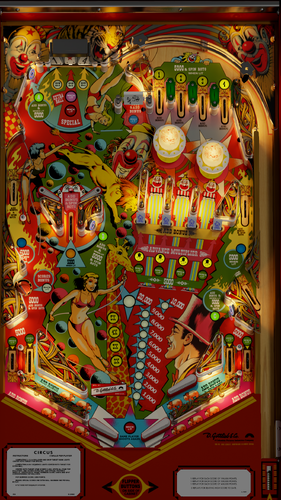
Version 2.0.1
3712 downloads
ArmyAviation reached out to me to finish a table he'd been working on. He spent lots of time on getting a good playfield created and also placed all the table elements. He also did the plastics (with resources from Stagio and Sckurk). And he used the primitives and roto scripting from Borgdog. He also started on the implementation of the VPW physics and sounds. Since taking the table over, I did a lot of mods... (all documented in the script). I updated to latest VPW physics scripts and flipper ball collisions, GI and playfield shadow baking, Lampz and 3D inserts, dynamic shadows, drop target shadows, changed to a gBOT (global ball on table) system, updated backglass for desktop, a playfield mesh for a saucer bevel, roth drop and standup targets, standalone compatibility, sling corrections, optional DIP adjustments, updated flipper physics, roto lighting, VR and fully hybrid modes, Flupper style bumpers and lighting, drop target shadows, and several errors corrected. Full details are at the bottom of the table's script. Redbone further upscaled the playfield. I also added options for balls, ball brightness, LUTs, Dip settings, and VR stuff. I've also included Hauntfreaks updated backglass image from Wildman in the VR backglass... look for his updated backglass here: I've included an option for two ROMS. The original 6 digit ROM, and a 7 digit ROM (so when you score over a million you can see it). There's an option in the script to change that, however I've defaulted to the 7 digit. Make sure to grab the correct backglass if you are in a cab environment. Also, I've included the nvram files to initially set the Dips, as the ROM creates settings that aren't wanted. You can either grab those nvram files and put them in your nvram directory, or follow this process to do an initial setup for yourself. (Open the table, and in the script, change, change SetDIPSwitches to 1, and then when you open the table, hit F6 (that'll load the default DIPS and display them). Then exit out, and set the SetDIPSwitches back to zero. That will set the ROM settings. If you later want to change that, you can turn it back on and change the dips.) Thanks to apophis, bord, and pinstratsdan for feedback and testing, as well as the VPW team for additional testing. -
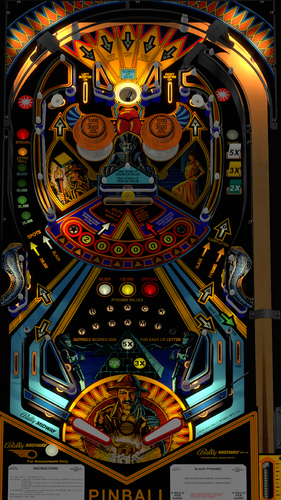
Version 2.0.1
3212 downloads
The legend known as Black Pyramid lives again through the far corners of Bally's 1984 pinball machine! This is a great play and challenging table. The main goal is to achieve 10,000,000 points to get a free game according to several reviews of game play. A good overview of the rules can be seen here: https://www.youtube.com/watch?v=YEZIFjQppR4 This was a definite challenge to create as there wasn't a good playfield available, however thanks to @redbone for spending countless hours creating a playfield from various images on the web. And thanks to Apophis for helping me with various Blender techniques to obtain a solid VLM GI bake, as well as physics testing. I was able to utilize various images, videos, and Redbone's playfield to get accurate placement of everything, and then implemented the latest VPW standards for physics, GI VLM, 3D inserts, AllLamps routines, shadows, updated backglass for desktop, Roth drop and standup targets, a swinging target, standalone compatibility, sling corrections, default and optional DIP adjustments, updated flipper physics, VR and fully hybrid, Flupper style bumpers and lighting. Redbone also updated the plastics, target images, and bumpers. Dozens and dozens of hours were spent studying gameplay videos to match the table skill shots and physics action. Significant time was also spent on implementing a center swinger target solution to be a combination of Roth standup targets and the swinger target approach done by Loserman on Space Oddesy. There are options included in this table via the F12 menu including colors for balls, flippers, screws, LED plastics, and brightness of bumpers when off and when lit. There are also multiple VR room environments and other VR options all done via the F12 menu. You can also change the ROM sound volume in the F12 menu. (Note if you want to change the ROM volume, you'll need to restart the table after the change.). Please NOTE on the ROM settings: The default settings for the ROM options are hard coded into the script and are based on the recommended values from Bally for 3 balls. If you want to change the ROM settings themselves, you need to change the "SetDIPSwitches to 1" in the script, and then use the F6 menu to change. Also NOTE: Bally recommends to ensure that the self-test position settings for the ROM menu items for 16,17,18,19 are set to "03". I recommend doing immediately when you first launch the game. Here is the procedure to set the self-test positions on this Bally 35 MPU table: Press 7 to enter test mode. Continue to repeatedly press 7 until you see 01 appear in the ball in play/match display Press and HOLD the 1 key until it reaches the value you want to set it to (start with 16). The value will increase by 1 while you are holding in the 1 key. If you happen to go past the value you want to set it to, while holding in the 1 key press and release the 7 key. The value will then decrement by 1 while you are holding in the 1 key. When you reach the value you want, release the 1 key. Set the value to 03. Repeat pressing 7 to scroll the remainder of the settings (17,18,19) and change values to 03 in the similar manner. Press F3 to save your changes and reset the table. Required Software (64-bit versions): VPX 10.8.0 RC7 or later: https://github.com/vpinball/vpinball/releases/tag/v10.8.0-2046-043fac7 B2S Server 2.1.2 or later (if B2S used): https://github.com/vpinball/b2s-backglass/releases/tag/v2.1.2 VPinMame 3.6.0-1194: https://github.com/vpinball/pinmame/releases/tag/v3.6.0-1194-0474eb3 -
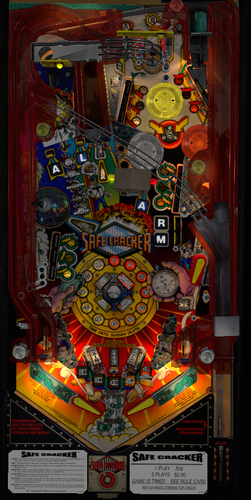
Version 2.0.0
5555 downloads
Bally's Safe Cracker combines pinball and board games! The goal is to advance to the board game for a chance to break into the safe while avoiding obstacles along the way. Players spin and stop the safe dial to determine how many spaces to advance. The player can collect winnings and resume playing pinball after each dial spin, or spin again and risk losing it all. Players must risk it all for a chance to break into the bank vault and win the token award. The original 1.0 version was done by fuzzel, flupper1, rothbauerw; with the VR room originally being done by b4ast1. Apophis requested that I update the table with an updated playfield scan from EBisLit, and include all the new VPW code, 3D inserts, hybrid mode, physics, drop, standup, and vari-targets, bumpers, flashers, playfield mesh, fleep sounds, etc. Redbone further cleaned the playfield up, as well as some other images. I was able to bake the GI lights using blender light maps to make it look as real as possible (thanks for teaching me, apophis!), as well as implementing a pwm approach to the fading. I've also included other VR rooms, a topper, a flasher/siren, and F12 options. I reused the ramps and other prims from fuzzel's table, as well several pieces of code from rothbauerw. Other options in the script include a constant called, "useownb2s". If you set this to 1, you will turn off the desktop built in backglass. This is for desktop users that want to use a b2s backglass, not the built in one. MAGIC TOKENs... if you win the board game, the table will issue you a magic token (you'll see the coin roll down). How the ROM works... is the next game played will force you to use the magic token/s that you've won, and you play a 4 ball multiball for 90 seconds. Awesome! But you need to earn the tokens... REQUIREMENTS: ROMs: You will need two ROMs: A percentaging version is for the number of tokens issued is limited based on the game's earnings, and in a home environment you want to be able to obtain tokens. They are located here: https://vpuniverse.com/files/file/5161-safe-cracker-18-no-percentaging-s11/ https://vpuniverse.com/files/file/5162-safe-cracker-18-s11/ VPX: version 10.8.0 RC3 or higher: https://github.com/vpinball/vpinball/releases/tag/v10.8.0-1947-3b3f101 VPM: version 3.6.0 or higher: https://github.com/vpinball/pinmame/actions/runs/8893510521 B2S: version 2.1.1 or higher (if using b2s) https://github.com/vpinball/b2s-backglass/releases Two versions of the b2s are available... one for 2 screens from wildman, and one that is 3 screens by ryguy417. https://vpuniverse.com/files/file/6999-safe-cracker-bally-1996/ https://vpuniverse.com/files/file/13623-safe-cracker-bally-1996-b2s-with-full-dmd/ Thanks to apophis, rothbauerw, ebislit, fuzzle, flupper1, redbone, and many others from the VPW team for testing and feedback. -
Version 2.0.0
3050 downloads
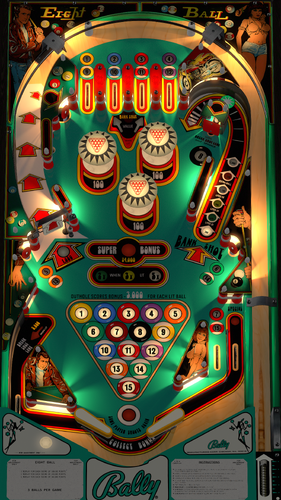
Bally's 1977 Eight Ball was the first in the series of 3 pool related Bally tables with a production run of over 20,000 units. Thanks to @redbone for creating a high resolution playfield, as well as assisting in the many other graphics including the plastics, flippers, apron, and targets! Also thanks to Hauntfreaks, as I used his backglass images for VR. This table was done from scratch placing everything, and implementing the latest VPW (2025) standards, physics, alllamps and 3D inserts, backglass for desktop, roth targets, standalone compatibility, sling corrections, optional DIP adjustments, updated flipper physics, VR and fully hybrid, Flupper style bumpers and lighting. I also baked the GI and interior wood and metal walls. I've once again studied hours of videos to ensure accurate placement, gameplay, bounces, physics, etc. Lots of time was spent on getting the left kickback accurate, timed correctly, and matching video play. I've provided a .nvram file for the ROM menu settings, and I've hard coded the DIP switch settings as usual. This table is loaded with options in the F12. Various balls, ball brightness, flippers, screw caps, plastic edge colors, LUTs, Dip settings, and plenty of other VR stuff, including LED undercab lighting. Please NOTE there are several items to consider on the ROM settings: The default settings for the ROM options are hard coded into the script and are based on the recommended values from Bally for 3 balls. If you want to change the ROM settings themselves, you need to change the "SetDIPSwitches to 1" in the script, and then use the F6 menu to change. However... I am not able to hard code the ROM menu options. Typically, there are levels of score achievements that award a free play. The default ROM has that set to off. I've included an nvram file you can use that sets that to match the instruction/score cards and Bally's recommendation (180,000, 340,000, 560,000). I also have instructions in the script on how to change that if you wish to do yourself. Thanks again to Redbone, and Hauntfreaks! Also thanks to everyone else from the VPW team that provided testing and feedback! Required Software (64-bit versions): VPX 10.8.0 or later: https://github.com/vpinball/vpinball/releases/tag/v10.8.0-2051-28dd6c3 VPinMame 3.7.0.47 or later recommended: https://github.com/vpinball/pinmame/actions/runs/15769888098 B2S Server 2.1.3 or later (if B2S used): https://github.com/vpinball/b2s-backglass/releases/tag/v2.1.3 -
Version 2.0.1
2065 downloads
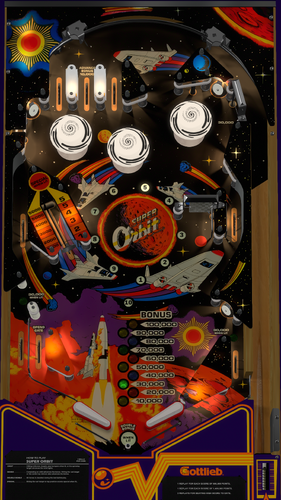
Gottlieb's Super Orbit! Lots of fun to play, with a varitarget, orbits, and lots of bonus opportunities. Redbone spent considerable time to get the playfield and plastic images just right, as resources for this table were very limited. As usual lots of hours were put in on this one, and lots of tweaking on the varitarget and physics to emulate a real machine. I implemented the latest VPW standards, physics, GI and shadow baking, Lampz and 3D inserts, dynamic shadows, updated backglass for desktop, roth standup and varitarget targets, standalone compatibility, sling corrections, optional DIP adjustments, updated flipper physics, VR and fully hybrid modes, Flupper style bumpers and lighting, gBOT system and trough. Redbone provided the playfield and updated the plastics and apron, and other images. Hauntfreaks provided the higher resolution VR backglass and Silversurfer updated the cab artwork. I also added options for balls, ball brightness, LUTs, Dip settings, siderails, and plenty of other VR stuff. DarthVito provided a few additional wallpaper VR Room walls. You can find the ROM at pinballnirvana.com... sorbit.zip. Also, I've included the nvram file to initially set the Dips, as the ROM creates settings that should be adjusted. You can either grab the nvram file and put it in your nvram directory, or follow this process to do an initial setup for yourself. (When you open the table, hit F6 (that'll load the default DIPS and display them). You can then select various ROM options, and I recommend these shown below. Once entered, you can exit out, and in the script, you can set the SetDIPSwitches to zero. That will set the ROM settings and turn off the option. If you later want to change that, you can turn it back on and change the dips.) - 3 ball - Playfield special of "extra ball" - Game mode of "replay" - Novelty of "normal" - Check the Match, Credits Thanks again to Redbone for the playfield and plastic images, Rothbauerw for the varitarget code, Hauntfreaks for the updated VR Backglass, DarthVito for additional VR walls, and Silversurfer for the cab art images! Also thanks to everyone else from the VPW team that provided feedback! -

Version 2.0.0
1936 downloads
Enjoy a Test of Champions on the Playfield of Combat in Bally Midway's exciting Four-Player Pinball Kings of Steel! Thanks to Redbone for cleaning up the playfield from the original scan from TAB, as well as target, bumper, and backwall images. Also thanks to apophis and the VPW team for feedback and testing. Hauntfreaks provided the higher resolution VR backglass. DarthVito did the VR wall environment. HIGHLY RECOMMENDED TO CHANGE 4 SELFTEST POSTIONS IN THE ROM FOR SPECIAL REPLAY/X-BALL/NOVELTY MODES!!!! Here is the procedure to set the selftest postions on this Bally 35 MPU table: 1. Press 7 to enter test mode. Continue to repeatedly press 7 until you see 01 appear in the ball in play/match display 2. Press and HOLD the 1 key until it reaches the value you want to set it to. The value will increase by 1 while you are holding in the 1 key. If you happen to go past the value you want to set it to, while holding in the 1 key press and release the 7 key. The value will then decrement by 1 while you are holding in the 1 key. When you reach the value you want, release the 1 key. 3. Repeat pressing 7 to scroll the remainder of the settings and change values in the similar manner. 4. Press F3 to save your changes and reset the table. Here are the recommended values to change to: 16: 02 - Special is extra ball (01 is 50,000, 03 is replay) 17: 02 - Special is extra ball (01 is 50,000, 03 is replay) 18: 03 19: 03 - High Score to date earns 3 credits (00 is 0; 01 is 1; 02 is 2) I updated to latest VPW standards, physics, GI VLM, and shadow baking, 3D inserts, Alllamps insert routines, shadows, updated backglass for desktop, playfield mesh for a saucer bevel, roth drop and standup targets, standalone compatibility, sling corrections, optional DIP adjustments, updated flipper physics, VR and fully hybrid modes, Flupper style bumpers and lighting, gBOT system and trough. Dozens and dozens of hours were spent studying gameplay videos to match the table skill shots and action. If you want to change the DIPs... you will need to go into the script options and change SetDIPSwitches to 1, then open the table, hit F6 (that'll load the default DIPS and display them). You can then select various ROM options. Once entered, you can exit out, and restart. That will then set the new ROM settings. Required Software (64-bit versions) VPX 10.8.0 RC3 or later: https://github.com/vpinball/vpinball/releases/tag/v10.8.0-1947-3b3f101 VPinMame 3.6.0-929 or later: https://github.com/vpinball/pinmame/releases/tag/v3.6.0-929-8c5f83e B2S Server 2.1.1 or later (if B2S used): https://github.com/vpinball/b2s-backglass/releases/tag/v2.1.1 -
CabinetCapture.thumb.png.d60e3815672cc451ae1848eb0133691d.png)
Version 2.01
2795 downloads
Thank you to Tony the Wrench who originally did this table in 2016. I was unable to reach him, however he indicated there is Full permission to mod without approval. I wanted to do this table to complete the series of the Williams early 80's tables that had the double playfields and magna saves (Black Knight, Solar Fire, Pharaoh, and Jungle Lord). I also would like to thank the VPW team for testing and feedback (especially Wylte, BountyBob, Thalamus, Astronasty, bietekwiet, leojreimroc, smaug, and PinStratsDan!)! And... an additional Thank you to leojreimroc for assisting with the VR backglass lighting! Updates in Version 2.0 done by UnclePaulie. Added VR, Desktop, and cab hybrid modes. Updated physics, drop targets, flippers, dynamic shadows, and lots of other updates to the VPW standards. Also added 3D inserts, updated lighting, the latest VPW physics, sounds, sling corrections and GI brightness and fading routines. Some other various fixes done. I also updated the desktop backglass as well as the VR backglass and other VR options. There are also some performance improvements, and I added a playfield mesh for upper and lower playfields, so there's a realistic bevel in the saucers. Significant changes were done overall, as the original table wasn't sized to the Williams era sizes. That resulted in nearly changing everything, lights, walls, ramps, etc. There are several options in the script. Including VR, ball brightness, and LUT lighting options. Since this table heavily relies on the usage of the magnasave buttons, the LUT changes are done by holding cntl (or left mangasave) and then while holding, scroll through the options with the right magnasave. This is a hybrid table, and it will automatically choose between desktop and cabinet, however, if you are playing in VR, you MUST change VR_Room to 1 in the script. Additional options in the script include two VR environments, a VR clock, and settings for dynamic shadows if you experience a performance hit. Thanks again to everyone that tested, provided feedback, and assisted!- 29 comments
- 8 reviews
-
- 141
-

-
- visual pinball
- visual pinball x
- (and 12 more)
-
Version 2.0.5
4537 downloads
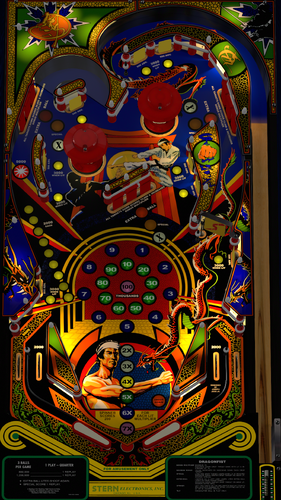
Dragonfist, the blackbelt of pins. It's the habit that's hard to kick! Dragonfist has something that keeps the pin player coming back for more. The backglass shows the number of spinner revolutions and can give the player a special bonus when 20, 40, 60, or 80 revolutions hit. Dropt Targets in the right and left orbit lanes, and a fun to hit spinner. It's a tough game to beat, a hard habit to kick, because Dragonfist is the blackbeld of Pins. Thanks to Redbone for providing me with a freshly stitched playfield, and for helping with upscales and lots of other graphics. Redbone also took lots of videos and pictures of an real table to help me in recreation. And thanks to Hauntfreaks and Redbone for providing me with an upscaled backglass for VR. Thanks also to the VPW team for testing and feedback! The whole table was done utilizing latest VPW standards for physics, lighting, GI baking, 3D inserts, shadows, drop targets, 3D inserts, etc. Dozens and dozens of hours were spent studying gameplay videos to match the table skill shots and physics action. There are plenty of options included in this table via the F12 menu including colors and marks for all targets, bumpers, flippers, walls, spinners, and LED plastic edges. There are also multiple VR room environment and other VR options all done via the F12 menu. You can also change the ROM sound volume in the F12 menu. (Note if you want to change the ROM volume, you'll need to restart the table after the change.). I've included default settings for the ROM options hard coded into the script. If you want to change the ROM settings themselves, you need to change the "SetDIPSwitches to 1" in the script, and then use the F6 menu to change. Ball options are also available in the script. All other options are in the F12 menu. PLEASE NOTE: There is ANOTHER option for an updated ROM. If you use the alternate ROM... you will see the high spins to date on the Player 4 LED display during the high score attract mode. ALSO, it will preset the Max Credits to 00 (essentially putting it in freeplay mode). IF you want to change to have credits put in, you'll need to follow the instructions here: https://www.vpforums.org/index.php?app=tutorials&article=109 . Essentially to increase max credits... press 7 to open the ROM menu, keep pressing 7 until you see 18 in the display, then LONG press the "1" key to increase the max credits. The max credit change is only needed for the alternate ROM, not the default one. (I will also include the ROM change description in the zip package). Version 16 (found here: Version 16 alternate ROM REQUIRES VPINMAME 1122 or later Required Software (64-bit versions): VPX 10.8.0 RC4 or later: https://github.com/vpinball/vpinball/releases/tag/v10.8.0-1975-051104c B2S Server 2.1.2 or later (if B2S used): https://github.com/vpinball/b2s-backglass/releases/tag/v2.1.2 VPinMame 3.6.0-1122: https://github.com/vpinball/pinmame/releases/tag/v3.6.0-1122-79a301d -
CabCapture.thumb.png.3ea3201e6290e1549d701679729d846b.png)
Version 2.0.1
2987 downloads
Everyone goes to his final reward eventually. And few ever escape. Either way, their money ALWAYS remains behind in Catacomb - the thrilling pin game from Stern. Having a player controlled action-packed backglass, combined with a super fast playfield, Catacomb demands the ultimate in refined skills and cunning strategy. What numbers should be picked? What colors must be chosen? Only seconds to decide... as a simulated voice alerts the player to his options. Thanks to Hauntfreaks for providing me with a freshly scanned playfield, and thanks to Redbone for helping with various upscales and graphics cleanup, and lots of other graphic updates. The whole table was done utilizing latest VPW standards for physics, lighting, GI baking, 3D inserts, playfield mesh, shadows, drop targets, 3D inserts, etc. Dozens and dozens of hours were spent studying gameplay videos to match the table skill shots and physics action. I've included default settings for the ROM options, as well as being able to change the ROM sounds in the F12 menu. (Note if you want to change the ROM volume, you'll need to restart the table after the change.). Also, if you want to change the ROM settings themselves, you need to change the "SetDIPSwitches to 1" in the script, and then use the F6 menu to change. Ball options are also available in the script. All other options (including VR rooms) are in the F12 menu. I reused the code from the prior HSM/lander table, as it was required to work with the B2S functionality. However it's been updated, AND if you are a VR user, I've created the backglass to be fully 3D and functional. Thanks also to the VPW team for testing and feedback! _________ Required Software (64-bit versions): VPX 10.8.0 RC4 or later: https://github.com/vpinball/vpinball/releases/tag/v10.8.0-1975-051104c VPinMame 3.6.0-998 or later: https://github.com/vpinball/pinmame/releases/tag/v3.6.0-998-a77c2d2 B2S Server 2.1.2 or later (if B2S used): https://github.com/vpinball/b2s-backglass/releases/tag/v2.1.2 -
View File Catacomb (Stern 1981) Everyone goes to his final reward eventually. And few ever escape. Either way, their money ALWAYS remains behind in Catacomb - the thrilling pin game from Stern. Having a player controlled action-packed backglass, combined with a super fast playfield, Catacomb demands the ultimate in refined skills and cunning strategy. What numbers should be picked? What colors must be chosen? Only seconds to decide... as a simulated voice alerts the player to his options. Thanks to Hauntfreaks for providing me with a freshly scanned playfield, and thanks to Redbone for helping with various upscales and graphics cleanup, and lots of other graphic updates. The whole table was done utilizing latest VPW standards for physics, lighting, GI baking, 3D inserts, playfield mesh, shadows, drop targets, 3D inserts, etc. Dozens and dozens of hours were spent studying gameplay videos to match the table skill shots and physics action. I've included default settings for the ROM options, as well as being able to change the ROM sounds in the F12 menu. (Note if you want to change the ROM volume, you'll need to restart the table after the change.). Also, if you want to change the ROM settings themselves, you need to change the "SetDIPSwitches to 1" in the script, and then use the F6 menu to change. Ball options are also available in the script. All other options (including VR rooms) are in the F12 menu. I reused the code from the prior HSM/lander table, as it was required to work with the B2S functionality. However it's been updated, AND if you are a VR user, I've created the backglass to be fully 3D and functional. Thanks also to the VPW team for testing and feedback! _________ Required Software (64-bit versions): VPX 10.8.0 RC4 or later: https://github.com/vpinball/vpinball/releases/tag/v10.8.0-1975-051104c VPinMame 3.6.0-998 or later: https://github.com/vpinball/pinmame/releases/tag/v3.6.0-998-a77c2d2 B2S Server 2.1.2 or later (if B2S used): https://github.com/vpinball/b2s-backglass/releases/tag/v2.1.2 Submitter UnclePaulie Submitted 09/24/24 Category VPX - Pinball Tables
-
cabinetscreencapture.thumb.png.2661920bb07bca5cb1b5a9e08e1f0d0e.png)
Version 2.0.0
6201 downloads
This table was originally done by Herwey, and he gave me the permission to add all the latest physics, sounds, etc. to this fun table. Thank you very much, Herwey! On his version 1.1 he had help from several others including Schreibi, 32assassin, OldSkoolGamer, Cosmic80, Bord, Rosve, Batch, Vogliadicane, Flupper, Ninuzzu, Dark, DJRobX, and Thalamus. I did quite a few updates in version 2.0 mentioned below (and detailed in the vpx script), essentially getting up to the latest VPW physics, lights, and sounds, and other corrections. This was the first table I put the 3D inserts in (Thanks to apophis for his tutorial, feedback, and advice!). Also thank you to all the testers on the VPW team for testing, feedback, and suggestions for improvement: nFozzy, apophis, Aubrel, Wylte, Rik, Rajo Joey, iaaki, BountyBob, rothbauerw, tomate, PinStratsDan, and Lumi! Note: If you are playing in VR... you MUST select VR_Room = 1 in the script!! There are several options to select in the script, including ball brightness, color mods, GI and Flasher options, VR Room, VR clock, VR posters, VR topper. Sub mods and flippers can be changed by clicking the right and left magna save buttons. (You can turn that option off in the script as well) IF YOU experience performance issues... there are options to change that. First of all, you can uncheck "Reflect Elements on Playfield in the table options window. Also, you can turn dynamic shadows off for additional performance if needed. Version 2.0 Updates include: - Implemented the table to a hybrid (desktop, cab, and VR), and has options for ball brightness. - Added VR to include an animated backglass (image from Wildman), and several VR options (room, poster, clock, topper). (Thanks to Sixtoe's VR templates). Also animated all the flippers, plunger, etc. - The table and flipper physics have been updated to the latest VPW standards, as well as dynamic shadows, drop targets, standup targets, ramprolling sounds, and several other tweaks. - Fleep sounds added, as well as relay sounds. - Added Flupper domes. - Adjusted the flippers to be actual size, and tweaked the flipper physics. - Added 3D insert primitives and tuned the lighting significantly for those. Lots of work on the playfield cutouts, and associated text layer. - Changed lamp control to VPW Lampz. - Corrected some errors in the table, including spinner movement, rebounder action, some ramp lift code, timing on saucer entry, and a few other things. - Adjusted the lighting levels, and GI overhead. - Tomate added new Bally Flipper primitives, wall textures, and fixed an issue with the ramp lift primitive... as it wasn't built correctly in blender. - Enhanced performance as much as I could by removing all getballs calls and no longer destroy and recreate balls. I implemented only the gBOT global call. - Updated the trough code to manage all balls on the table. - Updated some images to implement see through holes in the apron and sub. - Created new background for desktop mode, with animated lighting. - Added updated center drain post dome from Bord's space shuttle (done by Rothbauerw). - And so many other updates, all documented in the script. Once again thank you to Herwey, nFozzy, apophis, Aubrel, Wylte, Rik, Rajo Joey, iaaki, BountyBob, rothbauerw, tomate, PinStratsDan, and Lumi for testing, and feedback!! -
Version 3.0.1
8033 downloads
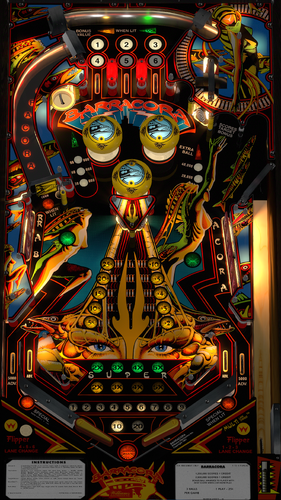
Barracora (Williams 1981) is one of several Williams System 7 machines, AND was designed by Roger Sharpe, and had 2,350 units made. It's a fun, fast table and higher scores are pretty achievable... 1M-2.5M is a good game. If you can get to 4-5M that is a very high score. I made Barracora a few years ago and was the first table I did with Redbone. I've learned so much more since then, and physics, graphics and everything is leaps further now, I decided to redo the table. when looking at the old table I realized there were so many things that weren't just right in my opinion I decided to completely start over from scratch. @redbone completely redid the playfield and Hauntfreaks redid the backglass images. This 3.0 version utilizes the latest VPW standards, physics, alllamps and 3D inserts, backglass for desktop, roth targets, standalone compatibility, sling corrections, updated flipper physics, VR and fully hybrid, Flupper style bumpers and lighting. Baked GI, walls, and created a playfield mesh for the saucer physics. Dozens of hours were spent studying gameplay videos to match the table shots and action. Thanks to the VPW team for the thorough testing! Once again, I've included several options in the F12 menu including various balls, ball brightness, flippers, caps, plastic edge colors, LUTs, and other VR stuff, including LED undercab lighting, and an AI generated topper as an option based on H.R. Giger's 1974 painting called, Li I. (this was the inspiration of the Barracora lady). For the ROM settings... The baseline comes pretty much correct except for the high score to date is defaulted to 2.5M and the coins are defaulted to one credit is 3 games. I've included a .nvram file that will adjust the coin/credits to 1 coin is 1 credit. Also, I've set the default high score to 100,000 (2.5 million is too high to achieve, and I was not able to save zero as the high score). Required Software (64-bit versions): VPX 10.8.0 final release or later: https://github.com/vpinball/vpinball/releases VPinMame v3.6.0-1227 or later: https://github.com/vpinball/pinmame/releases B2S Server 2.1.3 or later (if B2S used): https://github.com/vpinball/b2s-backglass/releases -
.thumb.png.ebb74b5d28e9624b337d3e4c990b2bb2.png)
Version 2.0.1
3543 downloads
Version 2.0 by UnclePaulie 2023 This version was done with UnclePaulie's Elektra as a baseline to start, since both were Bally 1981. I built everything ground up from there. Used a few prims and images from JP's prior table, as well as some logic. Also used EBisLit's playfield. Included in this Version 2.0 is Hybrid VR/desktop/cabinet modes, a new playfield from EBisLit, VPW physics, flipper tricks, dynamic shadows, Fleep sounds, Lampz, 3D inserts, new baked general illumination lighting and AO shadows, sling corrections, drop and stand-up targets, saucer, playfield meshes, various primitives, etc. Significant time was spent on researching online videos, to ensure accuracy of shots, ball drops, kickouts, and overall playability. I also created a desktop backglass with a cool lighting effect, as well as the VR backglass and other VR options. There are also some performance improvements, and I added a playfield mesh for the playfield, so there's a realistic bevel in the saucer. Thank you to EBisLit for the playfield image, and Redbone for upscaling and cleaning up the plastics image. Thanks to iaakki for teaching me how to bake the GI and AO shadows. Thank you to JPSalas for some of the primitives used (backwall lights, lower flippers, and bumpers). Also for some of the logic. Thanks to Hauntfreaks for the backglass images. Thank you to Bord for the upper flipper images. And thank you to the VPW team for testing, especially apophis, BountyBob, RobbyKingPin, Tastywasps, Wylte, and PinStratsDan. There are several options in the script. Including VR, ball brightness, and LUT lighting options. The LUT changes are done by holding cntl (or left mangasave) and then while holding, scroll through the options with the right magnasave. The Dip Switch settings are done in the script and are hardcoded. IF... you want to change them, there's a setting in the script to manually override that, and then use F6 during gameplay to bring up the Dip Switch setting. This is a hybrid table done in VPX 10.74, and I have code in here to automatically choose between VR, desktop, and cabinet. Additional VR options in the script include two VR environments, a VR clock, a topper, posters, and settings for dynamic shadows if you experience a performance hit. Thanks again to EBisLit, Redbone, iaakki, and the VPW team! -
View File Solar Fire (Williams 1981) Solar Fire (Williams 1981) is one of several Williams System 7 machines, and one of the most complicated rulesets of the time, but only had 507 units made. It's a fun, fast table and higher scores are very achievable... 1M-2.5M is a good game. The Solar Gun feature is fun to achieve, as a magnet slings a captured ball back and forth while generating points when lit. There is a lot to do on this table with all the targets to hit to enable other functions. You'll find similarities to Black Knight, Grand Lizard, and other tables of that era. This table significantly utilizes magnasaves to keep your ball from going into the outlanes. I made Solar Fire a few years ago but was only an update to another table, and the playfield, graphics, etc were not great, nor accurate. Also, I've learned so much more since then, and physics, graphics and everything is leaps further now, I decided to redo the table from scratch. I found a playfield online that had accurate hole placement, and so @redbone completely upscaled, enhanced, and cleaned up the playfield. This 3.0 version utilizes the latest VPW standards, physics, alllamps and 3D inserts, backglass for desktop, roth targets, standalone compatibility, sling corrections, updated flipper physics, VR and fully hybrid, Flupper style bumpers and lighting. Baked GI, walls, and created a playfield mesh for the saucer physics. Dozens of hours were spent studying gameplay videos to match the table shots and action. Also I loved what Mecha_Enron did in Cosmic Gunfight as far as an interactive tutorial, I decided to learn and implement in this table. To utilize, go into the F12 menu and turn on the tutorial. Also thanks to Primetime5k for implementing staged flippers and testing. As well as to the VPW team for testing. Once again, I've included several options in the F12 menu including various balls, ball brightness, GI brightness, insert brightness, flippers, caps, plastic edge colors, LUTs, and other VR stuff, including LED undercab lighting... AND the interactive tutorial. For the ROM settings... The baseline comes pretty much correct except for the high score to date is defaulted to something high and the coins are defaulted to one credit is 3 games. I've included a .nvram file that will adjust the coin/credits to 1 coin is 1 credit. Also, I've set the default high score to 100,000. Required Software (64-bit versions): VPX 10.8.0 final release or later: https://github.com/vpinball/vpinball/releases VPinMame v3.6.0-1227 or later: https://github.com/vpinball/pinmame/releases B2S Server 2.1.3 or later (if B2S used): https://github.com/vpinball/b2s-backglass/releases Submitter UnclePaulie Submitted 08/24/22 Category VPX - Pinball Tables VPX Standalone Yes
-
Version 2.0.0
2124 downloads
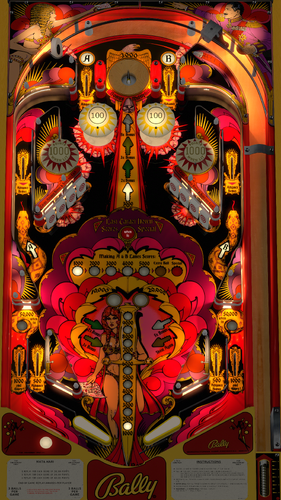
Bally's 1978 Mata Hari had a production run of 16,260 units, it is the ninth most produced Pinball machine in history. The theme is based upon the legend of Mata Hari, aka Margaretha Zelle (1876-1917) who was a popular exotic dancer throughout the early 20th century. She was accused and convicted in France of “Consorting with the Enemy” during World War I, which led to her being executed by firing squad. Thanks to Apophis for providing a high resolution playfield scan. Thanks also to @redbone for updating, scaling, and cleaning the playfield up, as well as assisting in the many other graphics including the plastics, flippers, apron, and targets! I used Hauntfreaks backglass for VR. And thank you to Tomate for helping with the saucer primitive. This table was done from scratch placing everything, and implementing the latest VPW (2025) standards, physics, alllamps and 3D inserts, backglass for desktop, roth drop targets, standalone compatibility, sling corrections, optional DIP adjustments, updated flipper physics, VR and fully hybrid, playfield mesh for the saucer, Flupper style bumpers and lighting. I also baked the GI and interior wood walls. I've once again studied hours of videos to ensure accurate placement, gameplay, bounces, physics, etc. I've provided a .nvram file for the ROM menu settings, and I've hard coded the DIP switch settings as usual. This table is loaded with options in the F12. Various balls, ball brightness, flippers, screw caps, plastic edge colors, LUTs, Dip settings, and plenty of other VR stuff, including LED undercab lighting. Please NOTE there are several items to consider on the ROM settings: The default settings for the ROM options are hard coded into the script and are based on the recommended values from Bally for 3 balls. If you want to change the ROM settings themselves, you need to change the "SetDIPSwitches to 1" in the script, and then use the F6 menu to change. However... I am not able to hard code the ROM menu options. Typically, there are levels of score achievements that award a free play. The default ROM has that set to off. I've included an nvram file you can use that sets that to match the instruction/score cards and Bally's recommendation (200,000, 340,000, and 480,000). I also have instructions in the script on how to change that if you wish to do yourself. Thanks again to Apophis, Redbone, Hauntfreaks, and Tomate! Also thanks to everyone else from the VPW team that provided testing and feedback! Required Software (64-bit versions): VPX 10.8.0 or later: https://github.com/vpinball/vpinball/releases/tag/v10.8.0-2051-28dd6c3 VPinMame 3.7.0.47 or later recommended: https://github.com/vpinball/pinmame/actions/runs/15769888098 B2S Server 2.1.3 or later (if B2S used): https://github.com/vpinball/b2s-backglass/releases/tag/v2.1.3 -
Version 2.0.4
3524 downloads
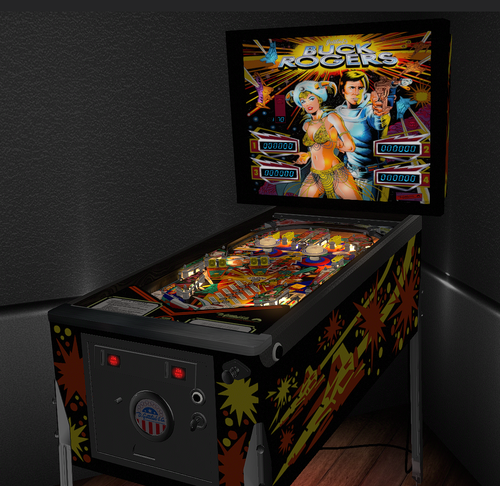
Gottlieb's 1980 Buck Rogers is based on the 1979 film and TV series "Buck Rogers in the 25th Century.", featuring a space adventure theme highlighted by vibrant sci-fi artwork on the backglass and playfield. Thanks to cwgoss28 for providing a playfield scan and Borgdog for plastic scans. Then of course thanks to @redbone who took those scans of the playfield and plastics and did a lot of work to get them to look so good! Also thanks to Apophis for proving video and pictures of actual gameplay as well as testing. Hauntfreaks also provided the higher resolution VR backglass images. I also want to thank Sixtoe for teaching me how to improve the playfield_mesh to avoid ball sticking issues. For this table, I updated to the latest VPW standards, physics, alllamps and 3D inserts, backglass for desktop, roth targets, standalone compatibility, sling corrections, optional DIP adjustments, updated flipper physics, VR and fully hybrid, Flupper style bumpers and lighting. Baked GI, walls, and created a playfield mesh for the saucer physics. The vari-target was done utilizing Roth's method, but modified to work with this table. Dozens and dozens of hours were spent studying gameplay videos (several photos and videos provided by Apophis.) to match the table shots and action. Once again, I've included several options in the F12 menu including various balls, ball brightness, flippers, caps, plastic edge colors, LUTs, and other VR stuff, including LED undercab lighting. For the ROM... since the latest VPinMAME, there is an error with older Gottlieb System 1 ROMs (they were using a bad "CF" spider chip dump all these years). So, if you download off of Pinball Nirvana... you'll likely get an error. The "New Fixed ROMs" can be found in the required software section below, called "new fixed ROMS for vpinmame" You'll see 17 ROMs in the pack. buckrgrs.zip is one of them, and you'll need that for this table. Please NOTE there are several items to consider on the ROM settings: The default settings for the ROM options are hard coded into the script and are based on the recommended values from Gottlieb for 3 balls. If you want to change the ROM settings themselves, you need to change the "SetDIPSwitches to 1" in the script, and then use the F6 menu to change. However... I am not able to hard code the ROM menu options. Typically, there are levels of score achievements that award a free play. The default ROM has that set to off. I've included an nvram file you can use that sets that to match the instruction/score cards and Gottlieb's recommendation (190,000, 320,000 and 460,000). Also, there are settings in the menu to set replays, sound, and HSTD. All this has been done for you in the included nvram file. I also have instructions in the script on how to change that if you wish to do yourself. Required Software (64-bit versions): VPX 10.8.0 final release or later: https://github.com/vpinball/vpinball/releases VPinMame v3.6.0-1227 or later: https://github.com/vpinball/pinmame/releases B2S Server 2.1.3 or later (if B2S used): https://github.com/vpinball/b2s-backglass/releases ROM: https://pinballnirvana.com/forums/resources/new-fixed-roms-for-vpinmame-v3-6-0-963-beta.8379/ -
Version 2.0.0
1514 downloads
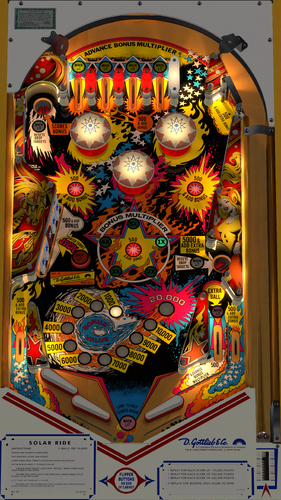
"Solar Ride," released by Gottlieb in February 1979, features a captivating outer space theme and "vibrant" backglass artwork. This machine was produced in two versions: an electro-mechanical model and a solid-state version. (this is the solid state version). Not much to this table, but gameplay is fun and getting bonus early is definitely desirable. Key strategies include shooting the drop targets to light up the special, managing the bonus multiplier, and utilizing the top left lane for a 2X bonus. In the F12 instructions, I have other strategy and tips as well. Thanks to CainArg for providing a playfield scan as well as the cleanup of it. Then of course thanks to @redbone who scaled it, as well as providing the apron, and upscaling the plastics. For this table, I updated to the latest VPW standards, physics, alllamps and 3D inserts, backglass for desktop, roth targets, standalone compatibility, sling corrections, optional DIP adjustments, updated flipper physics, VR and fully hybrid, Flupper style bumpers and lighting. Baked GI, walls, and created a playfield mesh for the saucer physics. Many hours were spent studying gameplay videos to match the table shots and action. I put as much detail into the table as I could... animating the upper gates, all the rubber animations, saucers, etc. Once again, I've included several options in the F12 menu including various balls, ball brightness, flippers, caps, plastic edge colors, LUTs, and other VR stuff, including LED undercab lighting. For the ROM... since the latest VPinMAME, there is an error with older Gottlieb System 1 ROMs (they were using a bad "CF" spider chip dump all these years). So, if you download that specific ROM off of Pinball Nirvana... you'll likely get an error. The "New Fixed ROMs" can be found in the required software section below. You'll see 17 ROMs in the pack. solaride.zip is one of them, and you'll need that for this table. Please NOTE there are several items to consider on the ROM settings: The default settings for the ROM options are hard coded into the script and are based on the recommended values from Gottlieb for 3 balls. If you want to change the ROM settings themselves, you need to change the "SetDIPSwitches to 1" in the script, and then use the F6 menu to change. However... I am not able to hard code the ROM menu options. Typically, there are levels of score achievements that award a free play. The default ROM has that set to off. I've included an nvram file you can use that sets that to match the instruction/score cards and Gottlieb's recommendation (170,000, 350,000 and 430,000). Also, there are settings in the menu to set replays, sound, and HSTD. All this has been done for you in the included nvram file. I also have instructions in the script on how to change that if you wish to do yourself. Required Software (64-bit versions): VPX 10.8.0 final release or later: https://github.com/vpinball/vpinball/releases VPinMame v3.6.0-1227 or later: https://github.com/vpinball/pinmame/releases B2S Server 2.1.3 or later (if B2S used): https://github.com/vpinball/b2s-backglass/releases ROM: https://pinballnirvana.com/forums/resources/new-fixed-roms-for-vpinmame-v3-6-0-963-beta.8379/