No files in this category yet.
Files From Subcategories
-
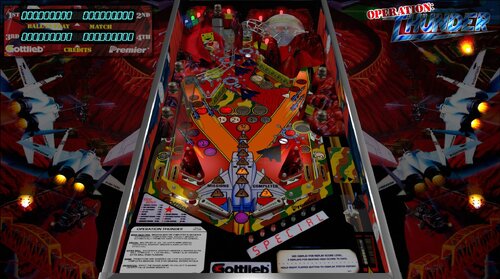
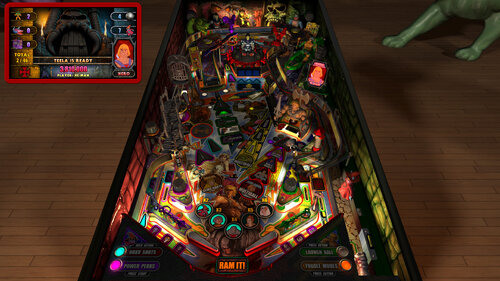
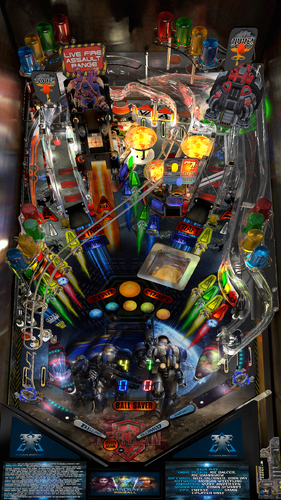
Operation Thunder (Gottlieb 1992)
By burger
You can run, you can hide, but you can't escape the THUNDER!
Originally created for VP9 by @mfuegemann, this table was converted to VPX by @Rascal, who also added VR support and made it a hybrid table with automatic mode detection.
Additional contributors to previous versions include @Ahr1man, @Rawd, @gigalula, and @tamoore.
A big thank you to everyone involved in creating, improving, and sharing this table, and for allowing others to continue building upon your work!
New in this version:
Added nFozzy physics
Added Fleep sound
Added a playfield mesh and subway
Moved LUT selection to the E12 menu
Attempted to enhance the look of a few things
1288 downloads
-
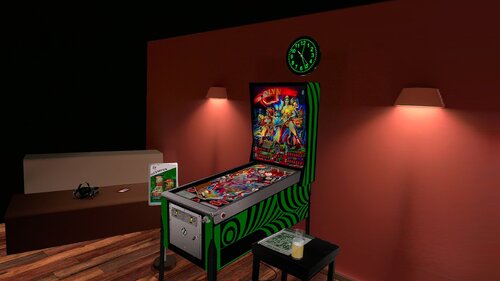
Olympus (Juegos Populares 1986) JP 6.0.0 DT-FS-VR-MR Ext2k Conversion
By Ext2k
This file is based on JP Salas table version 6.0.0 https://www.vpforums.org/index.php?app=downloads&showfile=18005
This table works in DT-FS-VR-MR
This file requires B2S
Added Minimal/Basti Room/PoolBar and Mixed Reality VRRoom on menu
Turn on/off music ambience on F12 Menu
New feature on music:
Download Media80.zip and extract to your Visual Pinball music folder
Download Media80 here: https://mega.nz/file/ojVABI7Q#ah8A9gxcdyc4mUAkv0yWaKpIOS4sl3ogoh7OSXSyyJw
The name of the songs are:
Song1
Song2
Song3
Until Song40
You can replace these MP3 files with your favorite music files until song40.
I will to use these feature in some of my future conversions
If you have it downloaded, you don't need to download again
To change to next song press Right Magnasave
To change to previous song press Left Magnasave
Virtual Desktop Settings Chromakey for Mixed Reality:
Color RGB = 255,255,255
Similarity: 2
Smoothness: 2
JPSalas 6.0.0 Updated September 2025
- Moved LUT to User Options (F12)
- Added some extra options to the User Options (F12)
- Updated physics to my latest rev 4.3.1. mostly bouncier rubbers and harder flippers.
320 downloads
-
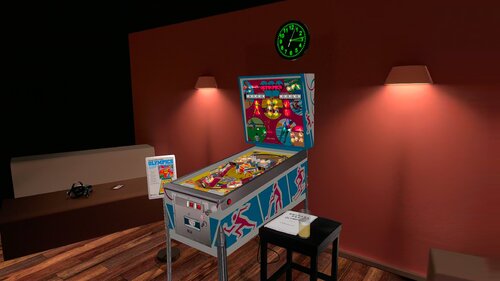
Olympics (Chicago Coin 1975) JP 6.0.0 DT-FS-VR-MR Ext2k Conversion
By Ext2k
This Table is based on original table from JPSalas,s and Halen https://www.vpforums.org/index.php?app=downloads&showfile=18648
This Table requires B2S
This table Works in DT/FS/VR and MR
F12 Options Menu added some options:
Backbox Frame: Black/White version
CoinSlots: Spain/USA
Ambience Sounds: ON/OFF (OFF by Default)
Music: ON/OFF (compilation of copyright free acoustic rock music) (OFF by Default)
Change VRRoom mode, Pool Room, Basti's Room or Mixed Reality.
Virtual Desktop Settings Chromakey:
Color RGB = 255,255,255
Similarity: 2
Smoothness: 2
610 downloads
-
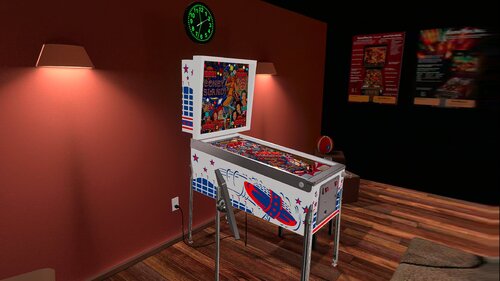
Old Coney Island (Game Plan 1979) JP v6.0.0 DT-FS-VR-MR Ext2k Conversion
By Ext2k
This file is based on JP Salas table version 6.0.0 https://www.vpforums.org/index.php?app=downloads&showfile=12546
This table works in DT-FS-VR-MR
This file requires B2S
New Game Plan CoinDoor
Added Minimal/Basti Room/PoolBar and Mixed Reality VRRoom on menu
Change CAB artwork Notmal/Early on F12 Menu
Turn on/off music ambience on F12 Menu
New feature on music:
Download Media70.zip and extract to your Visual Pinball music folder
Download Media70 here: https://mega.nz/file/gqkEWKzD#QZsmdKXdxkSfymBZ0umbwPTETvpFUH8OapztLTX1Zh8
The name of the songs are:
Song1
Song2
Song3
Until Song200
You can replace these MP3 files with your favorite music files until song200.
I will to use these feature in some of my future conversions
To change to next song press Right Magnasave
To change to previous song press Left Magnasave
Virtual Desktop Settings Chromakey for Mixed Reality:
Color RGB = 255,255,255
Similarity: 2
Smoothness: 2
JPSalas 6.0.0 Updated September 2025
- Moved LUT to User Options (F12)
- Added some extra options to the User Options (F12)
- Updated physics to my latest rev 4.3.1. mostly bouncier rubbers and harder flippers.
340 downloads
(0 reviews)0 comments
Submitted
-
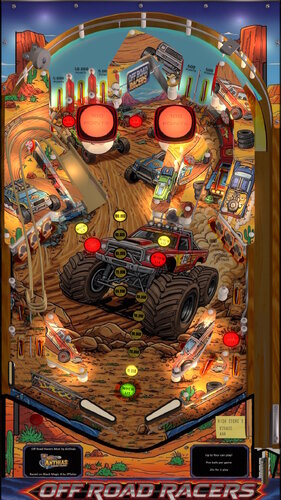
Off Road Racers
By Anthias
retheme / mod of Black Magic 4 by jpsalas
new sounds and music, new art, some layout changes including ramp and third flipper.
514 downloads
-
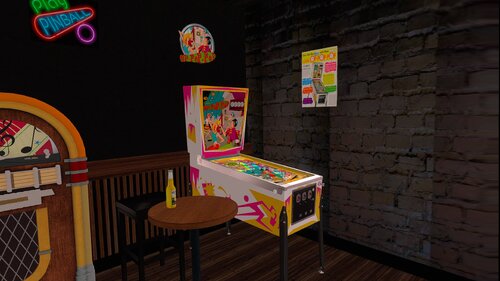
Op-Pop-Pop (Bally 1969) JP 1.0 DT-FS-VR-MR Ext2k Conversion
By Ext2k
This file is based on JPSalas Table version 1.0 https://www.vpforums.org/index.php?app=downloads&showfile=19118
I redraw all cab and Backbox Arts.
New Backbox
New Cab
I tryed to make the cabe more acurate like real pincab
Table works in DT-FS-VR and MR
Added Basti VRRoom, Pool Bar and Mixed Reality
This table requires B2S to work.
Menu F12 options for music (no copyright) and ambience.
Added flippers/start button animation for VR
Virtual Desktop Settings Chromakey for Mixed Reality:
Color RGB = 255,255,255
Similarity: 2
182 downloads
(2 reviews)0 comments
Submitted
-
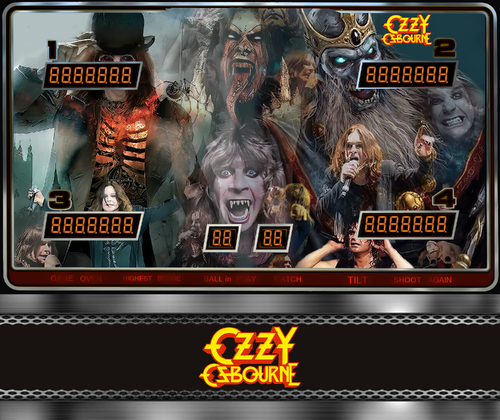
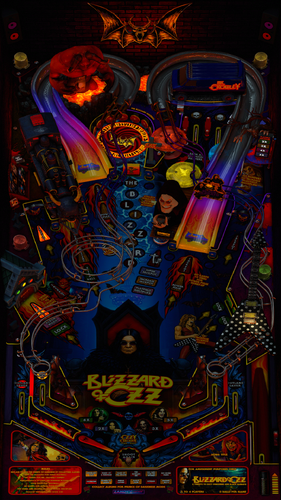
Ozzy Osbourne
By LAROUILLAS
I'm sharing Ozzy Osbourne with you, it was commissioned by a VPU member who loves.
includes B2S and Media loading, topper ...
Magna save left = Lut
Magna save right = Music
*********************************************************************************
I muted the ROM sound; you can re-enable it in the script at line 67.
67.Games("sorcr_l1").Settings.Value("sound") = 0 '1 enabled rom sound
*********************************************************************************
You can also mute the music and add background noise at lines 955 and 956.
955 Const PlaySong = True 'Control music playback [true -> ON, false -> OFF]
956 Const Playambience = False 'Control ambient playback [true -> ON, false -> OFF]
********************************************************************************
764 downloads
-
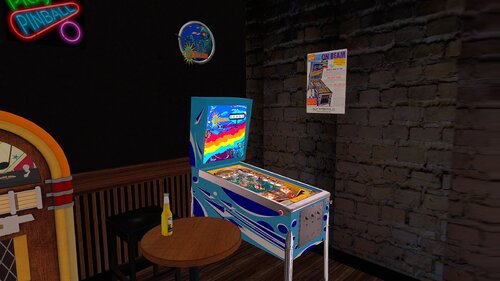
On Beam (Bally 1969) JP 1.0.1 DT-FS-VR-MR Ext2k Conversion
By Ext2k
This file is based on JPSalas Table version 1.01 https://www.vpforums.org/index.php?app=downloads&showfile=19021
Now table works in DT-FS-VR and MR
Added Basti VRRoom, Pool Bar and Mixed Reality
This table requires B2S to work.
Menu F12 options for music (no copyright) and ambience.
Added flippers/start button animation for VR
Virtual Desktop Settings Chromakey for Mixed Reality:
Color RGB = 255,255,255
Similarity: 2
Smoothness: 2
282 downloads
-
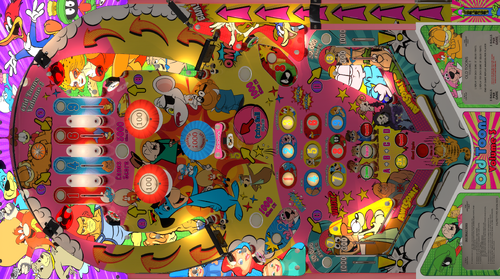
Old Toons Vol 3 (Hursty 2025)
By Hursty
Decided to do a re-skin of Voltan Escapes Cosmic Doom (Bally 1979), called 'Old Toons Vol 3 (Hursty 2025)'.
I was a kid in the 70's so decided to do a theme focused on old cartoons. Background audio has all 14 cartoon theme songs.
Instructions for background music:
Download the 'Old Toons Vol 3' zipped folder, unzip and place in the 'vPinball\VisualPinball\Music' folder
This re-skin uses these 14 cartoons:
Danger Mouse
Thundercats
He-Man
Road Runner
Alvin and the Chipmunks
Marvin the Martian
Smurfs
Garfield
Woody Woodpecker
Snagglepuss
Mr Magoo
Yosemite Sam
Yogi Bear
Huckleberry Hound
Massive THANK YOU!
@hauntfreaks is an absolute legend, nice bloke and amazingly talented. He suggested darkening the playfield which made it just that bit better. Whilst I sent him the original artwork for the backglass, he was very kind and generous to make the backglass for me. He also edited my file and made t so much better.
Files included in the download:
VPX and Backglass:
Old Toons Vol 3 (Hursty 2025).directb2s
Old Toons Vol 3 (Hursty 2025).vpx
Music Folder (contains 14 mp3 files that randomly plays as background music)
Old Toons Vol 3 (Folder that needs to be placed in the 'vPinball\VisualPinball\Music' folder)
Popper Media:
OLD Toons Vol 3 Wheel.png
OLD Toons Vol 3 Popper Audio.mp3
Old Toons Vol 3 Logo.png
OLD Toons Vol 3 Launch Audio.mp3
Old Toons Vol 3 DMD - Full Non-Animated.png
Old Toons Vol 3 (Hursty 2025) Loading HD.mp4
Old Toons Vol 3 (Hursty 2025) Loading 4K.mp4
Old Toons Vol 3 (Hursty 2025) (Hursty Toppers No Border).mp4
Old Toons Vol 3 (Hursty 2025) (Hursty Toppers Border).mp4
Old Toons Vol 3 (Hursty 2025) (Hursty DMD).mp4
Old Toons Vol 3 (Original) (Hursty Toppers 1920x540)
Rom
voltan.zip
There are 2 other tables, Vol 1 and Vol 2:
3025 downloads
-
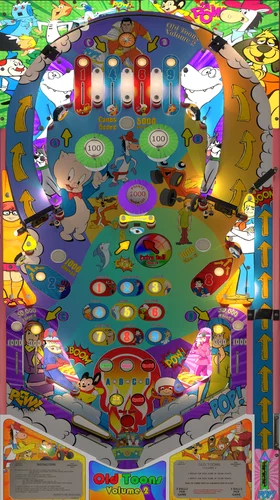
Old Toons Vol 2 (Hursty 2025)
By Hursty
Decided to do a re-skin of Voltan Escapes Cosmic Doom (Bally 1979), called 'Old Toons Vol 2 (Hursty 2025)'.
I was a kid in the 70's so decided to do a theme focused on old cartoons. Background audio has all 14 cartoon theme songs.
Instructions for background music:
Download the 'Old Toons Vol 2' zipped folder, unzip and place in the 'vPinball\VisualPinball\Music' folder
This re-skin uses these 14 cartoons:
Wacky Races
Speed Racer
JabberJaw
Quick Draw McGraw
Porky Pig
Atom Ant
The Jetsons
Magilla Gorilla
Touche Turtle
The Power of Shazam
Speed Buggy
Mighty Mouse
Hong Kong Phooey
Scooby Doo
Massive THANK YOU!
@hauntfreaks is an absolute legend, nice bloke and amazingly talented. He suggested darkening the playfield which made it just that bit better. Whilst I sent him the original artwork for the backglass, he was very kind and generous to make the backglass for me. He also edited my file and made t so much better.
@cliffy another legend who helped out and gave amazing advice.
Files included in the download:
VPX and Backglass:
Old Toons Vol 2 (Hursty 2025).directb2s
Old Toons Vol 2 (Hursty 2025).vpx
Music Folder (contains 14 mp3 files that randomly plays as background music)
Old Toons Vol 2 (Folder that needs to be placed in the 'vPinball\VisualPinball\Music' folder)
Popper Media:
OLD Toons Vol 2 Wheel.png
OLD Toons Vol 2 Popper Audio.mp3
Old Toons Vol 2 Logo.png
OLD Toons Vol 2 Launch Audio.mp3
Old Toons Vol 2 DMD - Full Non-Animated.png
Old Toons Vol 2 (Hursty 2025) Loading HD.mp4
Old Toons Vol 2 (Hursty 2025) Loading 4K.mp4
Old Toons Vol 2 (Hursty 2025) (Hursty Toppers No Border).mp4
Old Toons Vol 2 (Hursty 2025) (Hursty Toppers Border).mp4
Old Toons Vol 2 (Hursty 2025) (Hursty DMD).mp4
Rom
voltan.zip
There are 2 other tables, Vol 1 and Vol 3:
2661 downloads
-
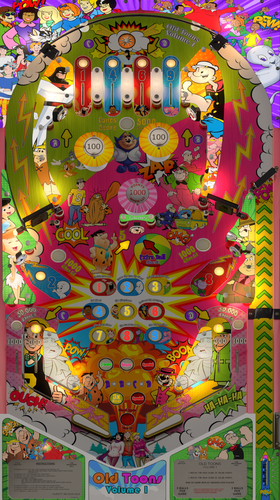
Old Toons Vol 1 (Hursty 2025)
By Hursty
Decided to do a re-skin of Voltan Escapes Cosmic Doom (Bally 1979), called 'Old Toons Vol 1 (Hursty 2025)'.
I was a kid in the 70's so decided to do a theme focused on old cartoons. Background audio has all 14 cartoon theme songs.
Instructions for background music:
Download the 'Old Toons Vol 1' zipped folder, unzip and place in the 'vPinball\VisualPinball\Music' folder
This re-skin uses these 14 cartoons:
Archie Captain Caveman Casper Funky Phantom Fat Albert Popeye Space Ghost Flintstones Great Grape Ape Pink Panther Tom and Jerry Top Cat Inch High Private Eye Josie and the Pussy Cats
I have a plan to make Volumes 2 and 3 (hopefully).
Massive THANK YOU!
@hauntfreaks is an absolute legend, nice bloke and amazingly talented. He suggested darkening the playfield which made it just that bit better. Whilst I sent him the original artwork for the backglass, he was very kind and generous to make the backglass for me. He also edited my file and made t so much better. He also fixed an issue with the scores etc. So many amazing people in the is hobby, and I feel very privileged that @hauntfreaks helped me.
Files included in the download:
VPX and Backglass:
Old Toons Vol 1 (Hursty 2025).directb2s Old Toons Vol 1 (Hursty 2025).vpx
Music Folder (contains 14 mp3 files that randomly plays as background music)
Old Toons Vol 1 (Folder that needs to be placed in the 'vPinball\VisualPinball\Music' folder)
Popper Media:
Audio Popper.mp3 Launch Audio.mp3 Old Toons Vol 1 (Hursty 2025) (Hursty DMD).mp4 Old Toons Vol 1 (Hursty 2025) (Hursty Toppers Border).mp4 Old Toons Vol 1 (Hursty 2025) (Hursty Toppers No Border).mp4 Old Toons Vol 1 (Hursty 2025) Loading 4K.mp4 Old Toons Vol 1 (Hursty 2025) Loading HD.mp4 Old Toons Vol 1 DMD Full Non-Animated.png Old Toons Vol 1 Logo.png Old Toons Vol 1 Wheel.png
Rom
voltan.zip
There are 2 other tables, Vol 2 and Vol 3:
3663 downloads
-
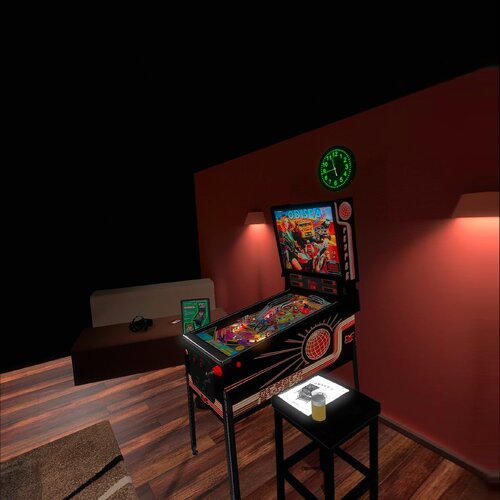
Odisea Paris-Dakar (Peyper 1987) 1.2 DT-FS-VR-MR Ext2k Conversion
By Ext2k
This file is based on Gooldchicco table.
Desktop/Fullscreen VR/Mixed Reality.
Added flippers/start button animation for VR
This table requires B2S to work included in file, upscaled backglass.
VRRoom by Ext2k and Basti's ROOM and Mixed Reality
Used some artwork from DarthVito and Topper
Menu F12 options for music (no copyright), ambience and you can select you coin spanish/usa
Virtual Desktop Settings Chromakey for Mixed Reality:
Color RGB = 255,255,255
Similarity: 2
Smoothness: 2
Enjoy!
380 downloads
-
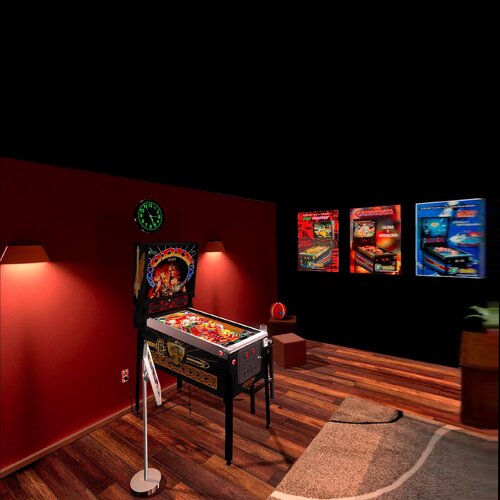
Odin Deluxe (Sonic 1985) Nestorigian1.3.1 DT-FS-VR-MR Ext2k Conversion
By Ext2k
This file is based on Nestorgian table https://www.vpforums.org/index.php?app=downloads&showfile=15254
I added some new elements on VR and F12 options
This table requires B2S to work.
B2S File by Nestorgian, included in file I just arranged some elements for VR, for desktop o Cabinet mode please download this: https://www.vpforums.org/index.php?app=downloads&showfile=15278
VRRoom by Ext2k and Basti's ROOM and Mixed Reality
Menu F12 options for music (no copyright), ambience and you can select you coin spanish/usa
Added flippers/start button animation for VR
Enjoy!
393 downloads
-
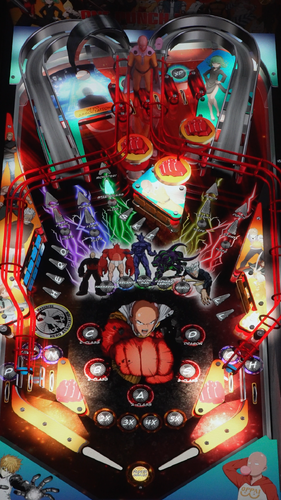
One Punch Man Pinball (Original 2024)
By mlaw
“Who are you?”
“I’m just a guy who’s a hero for fun.”
Climb the ranks of the Hero Association, defeat the monsters and save the city from Garou in ONE PUNCH MAN PINBALL!
Spell words for multipliers and multiball. Start acts/classes in the Hero Association to battle the monsters.
Preview here:
https://youtube.com/shorts/THWGlMjU0Ak?feature=share
DISCLAIMER: This is a reskin/mod of our Lord and Savior JP’s Diablo table. This uses UltraDMD so you will need to drop that in your tables folder along with the table file. The UltraDMD folder is still named “Diablo”. I’m trying to figure out the right script changes so that you can have both the original Diablo table and this new One Punch Man table, but I haven’t had any luck. If you don’t have the Diablo table you can disregard.
This is my second table…I still have a lot to learn.
Included in the zip file:
Table
Wheel
Full DMD video
Backglass video
PUP – just a simple looping backglass. (maybe a full pup in the future)
Thanks for your interest in the table!
643 downloads
-
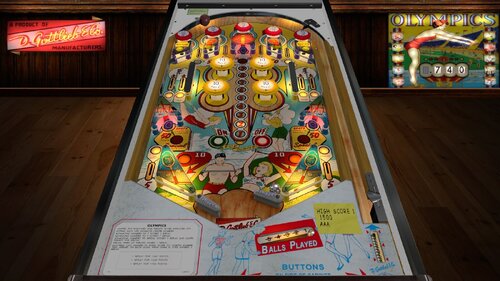
Olympics (Gottlieb 1962)_Teisen_MOD
By teisen
First I would like to thank Loserman76 for the beautiful work... wherever he is playing pinball!
small changes were made only aesthetically
small improvements in the playfield, plastics, lighting,flippers position... I want to make it clear that the descriptions for the tables I'm sharing are "standard" for all, changes are made when there is a need for some adjustment.
version used, follow the link to the original table
B2s made by Wildman! Thank you for your work and collaboration.
Adjustments made:
- Playfield touch-ups
- cap bumpers
- added primitive to the base of the bumpers and lighting
- lighting
- metals
- screws
- new pov
- illumination of lost balls
- new backdrop
- correction of playfield lights
- target adjustment
- other small touches
Loserman Description:
VPX conversion
Artwork done by GNance
others to thank: JPSalas, Pinuck, hauntfreaks, Borgdog, Arngrim
in addition to the "standard" keys (typically "1" to start game and "5" for coin), I've added "3" as another coin input and "4" for coin and auto-start game (like I recall the dime slots generally were) to simulate 3 coin slots
when game is not in progress, holding down left flipper for about 3-5 seconds will bring up the options menu. left flipper selects item, right flipper changes option.
I've also included shadows for the ball and flippers. If you want to turn them off look for these lines at the beginning of the script:
Const ShadowFlippersOn = true
Const ShadowBallOn = true
change to false if you want either of the shadows not showing on your tables
397 downloads
-
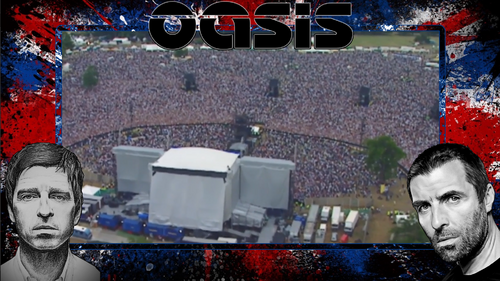
Oasis Knebworth Pup Pack & Balutito Table Mod
By Dr.Nobody
Oasis Knebworth Pup Pack & Balutito Table Mod
Ok not going to lie here, I love Oasis and I'm sure most people here dislike them 🤪
I was only going to make this for home use but I thought Ill just release it as a few were interested on VPU
The pup pack is based on Oasis's legendary Knebworth gig from August 10th 1996 of which I attended.
Table is Jps Seawitch modded by Balutito. Thanks Jp for being cool and letting us mod this and thanks to Balutito for the reskin
Special Thanks
Joe Picasso for teaching me how to make overlays
Hawkeyez88 for letting me use the triggers for Music videos.
DigitalJedi084 for his balls!!! I mean Glowball, so good!
Paladin and DigitalJedi084 for the B2s's
Balutito table reskin
Springjack for making me re edit 😀
Please note you must use the alias, instructions are in the pup apck
Live Forever!
Dom
I couldnt direct upload to VPU for some reason, it kept failing so Ive hosted on my mega.
Amy issues we will need to try something else.
609 downloads
-
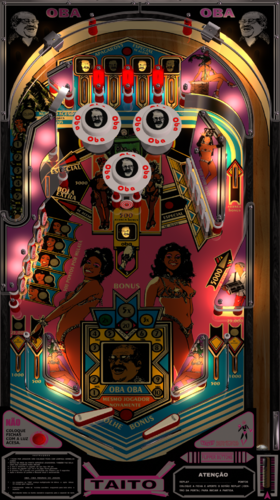
Oba Oba (Taito 1978) Sound Mod
By MauiPunter
Oba Oba
'Oba Oba' was a playhouse in Rio de Janeiro, established in 1973. The man who appears on the playfield is Oswaldo Sargentelli, founder of the house. The show was about samba and its famous mulatto, who also appear on the playfield and backglass.
This is a music mod and includes famous samba and bosa nova music to accompany this fun table. The table was created by JPSalas with source images by Carlos Guizzo and Tio Italo, backglass by Wildman, with a music mod added by MauiPunter. I find it really relaxing playing at this table.
The zip file contains everything you need for the table; the backglass, the media files, ROM, and the soundtrack to Oba Oba.
1. Place the sound files in your Music directory in a directory named obaoba.
2. The media zip contains all the media files you will need for Pinup Popper.
3. Place the VPX and directB2s file in your Tables directory.
Music Control:
Right Magna = Next Track
Left Magna = Stop Music
The table includes LUT controls which also are controlled by the Magna Save buttons, so, set your brightness and then you will be able to rotate through the songs.
Music starts immediately when the table is loaded. Then randomly chooses songs from the playlist, which contains the background tunes from the TV show.
All Artwork, Logos, Music, Copyrights, and Trademarks are the property of their respective owners.
PROVIDED STRICTLY FOR PERSONAL / HOME USE AND NOT FOR COMMERCIAL SALE / RE-SALE OR DISTRIBUTION!
710 downloads
-
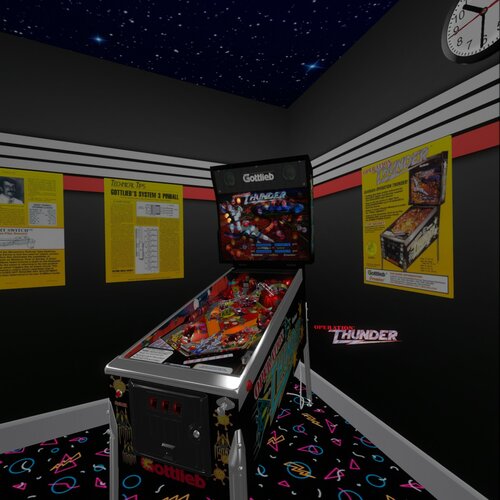
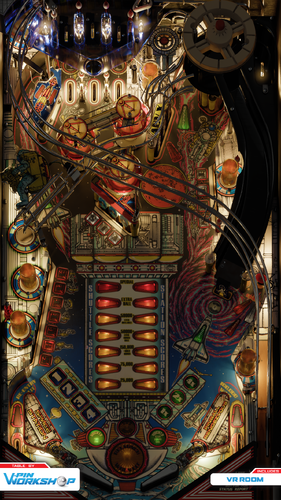
Operation Thunder (Gottlieb 1992) (10.8)
By Rascal
This is a hybrid version of a 1992 Premier Operation Thunder pinball table. It has four views (Desktop, Fullscreen, Full Single Screen, and VR). If you enable B2S in desktop mode it will automatically make the segment display invisible for those who like to play desktop with B2S. This table was originally made in VP9 by mfuegemann and converted to VPX by Rascal. Here is the link to that version so you can read the details from there.
https://vpuniverse.com/files/file/5476-operation-thunder-1992-gottliebpremier/
As mentioned, this table will disable the segment displays and the vpinmame display if B2S is enabled. LUT setting can be changed using the left magnasave button. VR is automatically detected when VR is enabled in VP-GL VR settings. Other VR settings include Logo on/off, right posters on/off, left posters on/off, glass on/off, and glass scratches on/off. These are set at the top of the script. This table was made with the beta 10.8 GL version of VPX and is recommended to use that version. It has been reported during beta testing that some people running the 64bit version of 10.8 see some black dot anomallys and are not present if they run it in the 32bit version of VP GL. This is a bug in the 64bit version, because Ahr1man painstakingly deleted objects all the way down to the playfield and was unable to remove all the dots. This was more prominent in Fullscreen and Full Single Screen modes.
Thanks go out to the following people.
mfuegemann - for the awesome work he did on this table for VP9.
Ahr1man - for beta testing, bug reporting, and inspecting up close all objects on the table.
Rawd - for beta testing and confirming bugs.
Gigalula - for beta testing and suggesting some game play modifications on the upper flipper to make it easier to hit the left ramp.
tamoore - for beta testing.
Enjoy!
1449 downloads
- operation thunder
- gottlieb
- (and 3 more)
-
(VRRoom)1.0.3.thumb.jpg.11e22889de7136a26bdd85870fa382c8.jpg)
Outer Space (Gottlieb 1972) (VR Room)
By RajoJoey
Description:
***************
The table is made by the great Jeff Whitehead (Loserman76).
May he rest in peace. :-( I hope, there are pinballs where you are, Jeff.
I would like to thank Jeff, for allowing me, to convert his tables to VR.
Info
It is a hybrid table. So you can play in VR, desktop or cabinet mode, but you need the external backglass.
There is no need to change the script. A VR headset is automatically detected.
I added the following things:
VR room, artwork for cabinet, backbox and flyer, animations for buttons and plungers, LUT files (change with magnasave buttons).
'* Table build/scripted by Loserman!
'* Playfield/Plastics by GNance
'* VR update by Rajo Joey
Works in 10.7.2, but best to play in VPinball_GL 10.8: https://github.com/vpinball/vpinball/actions/workflows/vpinball.yml
***********************************************
These are quick conversions, as I don't like playing in a dark room and don't want to spend more days or weeks to convert a table.
If you want to do your own conversions, I wrote two tutorials for EM tables like Loserman76's and make templates of the tables, pictures and materials.
Also there are some .psd files, to change the artwork in an easy way for example.
In the template tables there are generic artwork for the cabinet and the backbox. Some people may be happy with that and don't need the real artwork.
There is a short tutorial for people, who know the editor and a longer one for newbies. Both instructions are in English and German.
https://mega.nz/folder/5csAGRAa#gSFFQN_jXbw03y7LpQENHg
430 downloads
(0 reviews)0 comments
Submitted
-
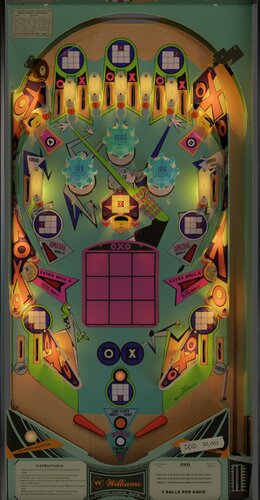
OXO (Williams 1973)
By scottacus
OXO is a four player tic-tac-toe table that is fun and fast playing.
Features include:
-VR mode with selectable room/minimal views in game using the left flipper options menu between games
-Bord blender renders
-Addition of the most resent nFozzy and crew physics
-Onevox's LUTs for on the fly contrast and brightness control
-New three dimensional sound routines from Whirlwind
-New save file system that has an easy to read text file and is game version specific to prevent problems when upgrading
-New scoring logic that blocks scores that occur too fast for an EM pin mech (again from Whirlwind)
Thanks to all of the folks who helped bring this table to completion, especially the VR discord group who got me going with VR!
1547 downloads
-
_DT.thumb.PNG.475f0c620d5abcb7432a56dbb552b3fa.PNG)
Outer Space (Gottlieb 1972)
By loserman76
VPX conversion
Artwork done by GNance
others to thank: JPSalas, Pinuck, hauntfreaks, Borgdog, Arngrim
in addition to the "standard" keys (typically "1" to start game and "5" for coin), I've added "3" as another coin input and "4" for coin and auto-start game (like I recall the dime slots generally were) to simulate 3 coin slots
when game is not in progress, holding down left flipper for about 3-5 seconds will bring up the options menu. left flipper selects item, right flipper changes option.
I've also included shadows for the ball and flippers. If you want to turn them off look for these lines at the beginning of the script:
Const ShadowFlippersOn = true
Const ShadowBallOn = true
change to false if you want either of the shadows not showing on your tables
799 downloads
-
_DT.thumb.PNG.32ab9cc79e127cd880074f5905144dab.PNG)
Olympics (Gottlieb 1962)
By loserman76
VPX conversion
Artwork done by GNance
others to thank: JPSalas, Pinuck, hauntfreaks, Borgdog, Arngrim
in addition to the "standard" keys (typically "1" to start game and "5" for coin), I've added "3" as another coin input and "4" for coin and auto-start game (like I recall the dime slots generally were) to simulate 3 coin slots
when game is not in progress, holding down left flipper for about 3-5 seconds will bring up the options menu. left flipper selects item, right flipper changes option.
I've also included shadows for the ball and flippers. If you want to turn them off look for these lines at the beginning of the script:
Const ShadowFlippersOn = true
Const ShadowBallOn = true
change to false if you want either of the shadows not showing on your tables
447 downloads
(0 reviews)0 comments
Submitted
-
_DT.thumb.PNG.f5605346dafa7053f824b4c7097e2847.PNG)
Out Of Sight (Gottlieb 1974)
By loserman76
VPX conversion
Artwork done by GNance
Original Art by Popotte
others to thank: JPSalas, Pinuck, hauntfreaks, Borgdog, Arngrim
in addition to the "standard" keys (typically "1" to start game and "5" for coin), I've added "3" as another coin input and "4" for coin and auto-start game (like I recall the dime slots generally were) to simulate 3 coin slots
when game is not in progress, holding down left flipper for about 3-5 seconds will bring up the options menu. left flipper selects item, right flipper changes option.
I've also included shadows for the ball and flippers. If you want to turn them off look for these lines at the beginning of the script:
Const ShadowFlippersOn = true
Const ShadowBallOn = true
change to false if you want either of the shadows not showing on your tables
534 downloads
(0 reviews)0 comments
Submitted
-
_DT.thumb.PNG.2d5b07996ff088548d964c27838f1234.PNG)
Orbit (Gottlieb 1971)
By loserman76
VPX conversion
Artwork done by GNance
others to thank: JPSalas, Pinuck, hauntfreaks, Borgdog, Arngrim
in addition to the "standard" keys (typically "1" to start game and "5" for coin), I've added "3" as another coin input and "4" for coin and auto-start game (like I recall the dime slots generally were) to simulate 3 coin slots
when game is not in progress, holding down left flipper for about 3-5 seconds will bring up the options menu. left flipper selects item, right flipper changes option.
I've also included shadows for the ball and flippers. If you want to turn them off look for these lines at the beginning of the script:
Const ShadowFlippersOn = true
Const ShadowBallOn = true
change to false if you want either of the shadows not showing on your tables
477 downloads
(1 review)0 comments
Submitted
-
DT.thumb.PNG.66df55297f5c7577829fea45105029b1.PNG)
Old Chicago (Bally 1975)
By loserman76
VPX conversion
Artwork done by GNance
Original art by Popotte
others to thank: JPSalas, Pinuck, hauntfreaks, Borgdog, Arngrim
in addition to the "standard" keys (typically "1" to start game and "5" for coin), I've added "3" as another coin input and "4" for coin and auto-start game (like I recall the dime slots generally were) to simulate 3 coin slots
when game is not in progress, holding down left flipper for about 3-5 seconds will bring up the options menu. left flipper selects item, right flipper changes option.
I've also included shadows for the ball and flippers. If you want to turn them off look for these lines at the beginning of the script:
Const ShadowFlippersOn = true
Const ShadowBallOn = true
change to false if you want either of the shadows not showing on your tables
1036 downloads
-
VPU Staff's Top Picks
-
New & Updated Visual Pinball
-
New & Updated Future Pinball
-
New & Updated Backglasses
-
New & Updated DMD Colorizations
-
New & Updated Virtual Reality Enabled Tables
-
VPU Remix & Mods
-
New & Updated Popper Media
-
Updated Files
-
Download Statistics
30723
Files108248
Comments45198
Reviews




.thumb.png.ee407e3d675b8de5b0921063406e4f49.png)
ss.thumb.png.9e8ec5a9b7c8a5af6712bc0645183d0c.png)
PF.thumb.png.28af87ddf7c03723946f5125b2e43756.png)
b.thumb.png.193e740f65dc86744c56017f8cd6aaf9.png)


BG.thumb.jpg.983e5c5881d8fac9cc37344b25ab45a8.jpg)
b2s.thumb.png.3101489baae9c1450dd44e5a01473a6c.png)
.thumb.png.6b031473a92a6f7cec3a0b5b1349c842.png)

.thumb.png.185a142d5aa61fcdf860a7ff1efa5d1b.png)
.thumb.png.7ceae9fdeceb915f9ae4ed888c6366a9.png)
.thumb.png.d2d01402c8668cf4ea77f283cd16a7a3.png)
.thumb.png.1f189df6ca20ea112ca726d69bbfa021.png)
.thumb.png.26244a5180bc705732fed3fabcbb8fbe.png)
.thumb.png.07ec1fb21613336aecbc4b13f0d5ef39.png)
.thumb.png.d0452c389d44e83be0d879d70d42c6d4.png)
.thumb.png.098601b967f707799368aed581e7f2fc.png)
7digit.thumb.png.196b439937c11f26d02c03af3db70fb6.png)
.thumb.png.5c6ae50d124f1c4f79ff0a2b8ba474b4.png)
.thumb.png.b14ad461a24be17a519334a9303fa221.png)
.thumb.png.d5d85aa3534da8f320c6c2810f563175.png)
.thumb.png.73956c3a34eaabf2262ac49024afcd51.png)
.thumb.png.6a984b2e74a02ec10e3149be96bb7146.png)
.thumb.png.2674158a2052b16256726aae9896b6ae.png)
.thumb.png.723498ad961e13a8a6de4663e9837f9e.png)
.thumb.png.080062eb8d75ccbf4586159126d7c038.png)
.thumb.png.1f91aacb795f51099755ea897a6f4766.png)








.thumb.png.9e2768ccc91095a59606f575abaab0fa.png)
JGBMod.thumb.jpg.31636f935b2d3cd9bb24d4b84a750c80.jpg)


.thumb.png.a8cc4560b1d1d1802d2cb48571c221a2.png)


EM.thumb.png.6e71c0a5c086c9b2f83668d8434cff5d.png)

Rules.thumb.png.7e30062954df731c52a7124de50d3a35.png)