-
SYSTEM SEARCH
System Scanners Online:
Username: Guest
>> System Scan?
>> The Universe >
Incoming Message:
Due to system limitations searching with words of 3 or less characters will not return results. For instance; Doctor Who. This will not return results as the system is trying to search for both Doctor AND Who in which Who will not be found as it's a 3 character word. To find Doctor Who; you'd search for either Doctor or "Doctor Who".
Search Tips:
For specific searches; enclose your search with quotes. Example: "Doctor Who" or "Addams Family".
Search the Community
Showing results for tags 'fleep'.
-
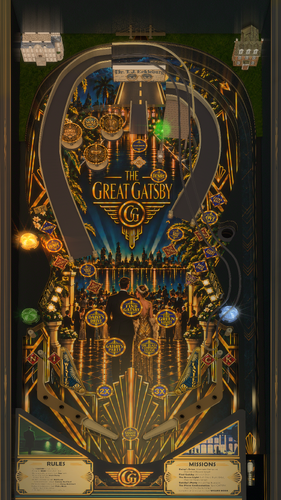
Version 1.0.1
485 downloads
Great job, old sport! Many thanks to all the talented creators who came before me and built this hobby to where it is today. You're all truly inspiring. Ever since I started going down this rabbit hole I knew one day I wanted to try my hand at creating a table based on my favorite novel, The Great Gatsby. What you're seeing is the result of many months of effort. The table has nfozzy physics and fleep sounds. Many things were taken from the VPX Example Table in order to dial things as close as I could get to what the community expects these days. All that being said, this is my first original table, so there are certainly going to be imperfections. DOF, b2s, wheel, and instructions are all included in the zip. Enjoy! -
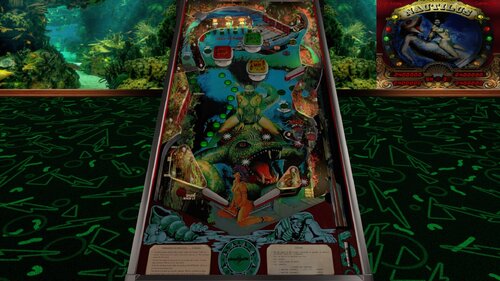
Version 1.0.0
580 downloads
Explore the mysteries of the deep with Playmatic's Nautilus (1984)! Many thanks to goldchicco and mfuegemann for their incredible creation, along with everyone who contributed to the project, including Arngrim, 32assassin, and movieguru! Credits for this release: Teisen: Enhanced playfield visuals, inserts, plastics, lighting, reflections, shadows, materials, bumpers, targets, rails, and the overall environment. Added flashers, playfield holes, and a backbar, along with improved images and a new desktop backdrop with relocated apron lights. Burger: Added nFozzy physics, Fleep sounds, VR hybrid support with animated backglass and buttons, desktop LED scoring, and F12 LUT options. Fine-tuned gameplay to better match the real machine and attempted to resolve an issue where Special or Match awards disable the pop bumpers. Special Thanks: @Studly_do_right for helping identify and resolve issues. @Ext2k for providing the VR room assets. ROM: nautilus B2S Backglass: https://www.vpforums.org/index.php?app=downloads&showfile=12481 IPDB: https://www.ipdb.org/machine.cgi?id=822 VR Room Included: Yes Created by: goldchicco, mfuegemann -
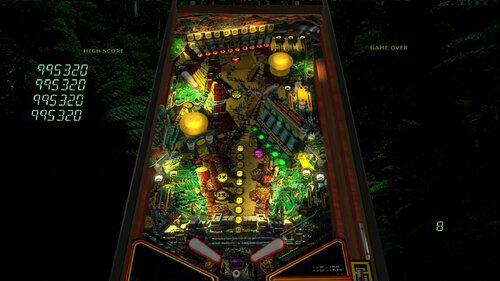
Version 1.0.0
928 downloads
Adventure awaits in the lost City of Gold! Thanks to everyone who contributed to building this table, including @jbg4208, 32Assassin, @Thalamus, @outhere, @theGhost787 Credits for this release: @burger Added nFozzy physics, Fleep sounds, VR support, and LUT options. Fine-tuned gameplay to better match the real machine and adjusted one area of the layout for improved accuracy @Wildman for the b2s assets used in VR @studly_do_right for fine-tuning a few lighting issues and identifying additional sound problems -
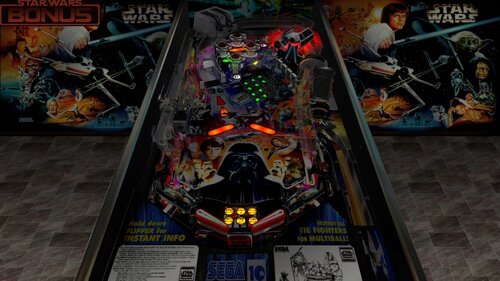
Version 1.3
5413 downloads
With each passing moment, you make yourself MORE addicted to pinball Credits for this version: I added nFozzy and Fleep @DaRdog81 created this insanely amazing VR Room! @r2z2helped with improving the feel of the physics Enjoy! from a certain point of view -
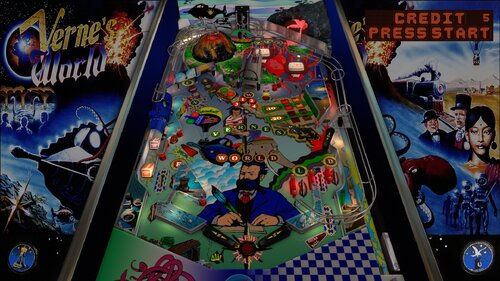
Version 1.0.1
804 downloads
Embark on a thrilling pinball adventure around the world with Jules Verne! I'd like to thank @jpsalas for creating this magnificent table! Thanks also to everyone else who previously contributed including @freneticamnesic, @gtxjoe, @pedator and @Akiles! Version notice: Tested successfully with VPX 10.8, but some users have experienced a problem with 10.8.1 where the "Submarine" kicker fails to eject the ball. Credits for this release: @burger nFozzy physics, Fleep sounds, VR support, gameplay tuning, and an attempted fix for a ROM/switch issue that could lead to suspended games @studly_do_right for fine-tuning some lighting issues and identifying additional sound problems, and other issues @Wildman for the B2S assets used in VR @Nesta78 helped streamline the VR implementation by creating the VPX VR Injector tool that I made good use of! ROM volume control: Press 9 a few times to reach the volume adjustment in the service menu. Once there, press Enter to raise the volume or press 1 to lower it Enabling Timed Ball Save feature: Press F6 to access the DIP switches. Check DIP switch #13 to enable the feature, then press OK and restart End of Game Buy-in: Press the plunger to cancel, or press 2 to continue -

[New VP10 Alert] Nautilus (Playmatic 1984)
teisen posted a topic in New Visual Pinball 10 - Releases
View File Nautilus (Playmatic 1984) Explore the mysteries of the deep with Playmatic's Nautilus (1984)! Many thanks to goldchicco and mfuegemann for their incredible creation, along with everyone who contributed to the project, including Arngrim, 32assassin, and movieguru! Credits for this release: Teisen: Enhanced playfield visuals, inserts, plastics, lighting, reflections, shadows, materials, bumpers, targets, rails, and the overall environment. Added flashers, playfield holes, and a backbar, along with improved images and a new desktop backdrop with relocated apron lights. Burger: Added nFozzy physics, Fleep sounds, VR hybrid support with animated backglass and buttons, desktop LED scoring, and F12 LUT options. Fine-tuned gameplay to better match the real machine and attempted to resolve an issue where Special or Match awards disable the pop bumpers. Special Thanks: @Studly_do_right for helping identify and resolve issues. @Ext2k for providing the VR room assets. ROM: nautilus B2S Backglass: https://www.vpforums.org/index.php?app=downloads&showfile=12481 IPDB: https://www.ipdb.org/machine.cgi?id=822 VR Room Included: Yes Created by: goldchicco, mfuegemann Submitter teisen Submitted 10/27/26 Category VPX - Pinball Tables VPX Standalone No -

Version 1.0.2
21047 downloads
Requirements: 10.8 64-bit, Updated PinupPopper Features: •VR room full and minimal •Scorbit (enable or disable in table script) •Nfozzy Physics •Fleep Sounds •Full PupDMD •Full media pack •F12 Tweak Menu containing Many options: •Difficulty options, flipper size, outlane size and trust post on or off, etc •Number of balls per game •Rule cards you can turn on and off •VR Room Options •Many others -
 View File The Great Gatsby (Original 2026) Great job, old sport! Many thanks to all the talented creators who came before me and built this hobby to where it is today. You're all truly inspiring. Ever since I started going down this rabbit hole I knew one day I wanted to try my hand at creating a table based on my favorite novel, The Great Gatsby. What you're seeing is the result of many months of effort. The table has nfozzy physics and fleep sounds. Many things were taken from the VPX Example Table in order to dial things as close as I could get to what the community expects these days. All that being said, this is my first original table, so there are certainly going to be imperfections. DOF, b2s, wheel, and instructions are all included in the zip. Enjoy! Submitter khangames Submitted 10/24/26 Category VPX - Pinball Tables VPX Standalone No
 -
 View File Verne's World (Spinball 1996) Embark on a thrilling pinball adventure around the world with Jules Verne! I'd like to thank @jpsalas for creating this magnificent table! Thanks also to everyone else who previously contributed including @freneticamnesic, @gtxjoe, @pedator and @Akiles! Version notice: Tested successfully with VPX 10.8, but some users have experienced a problem with 10.8.1 where the "Submarine" kicker fails to eject the ball. Credits for this release: @burger nFozzy physics, Fleep sounds, VR support, gameplay tuning, and an attempted fix for a ROM/switch issue that could lead to suspended games @studly_do_right for fine-tuning some lighting issues and identifying additional sound problems, and other issues @Wildman for the B2S assets used in VR @Nesta78 helped streamline the VR implementation by creating the VPX VR Injector tool that I made good use of! ROM volume control: Press 9 a few times to reach the volume adjustment in the service menu. Once there, press Enter to raise the volume or press 1 to lower it Enabling Timed Ball Save feature: Press F6 to access the DIP switches. Check DIP switch #13 to enable the feature, then press OK and restart End of Game Buy-in: Press the plunger to cancel, or press 2 to continue Submitter burger Submitted 10/23/26 Category VPX - Pinball Tables VPX Standalone No
 -
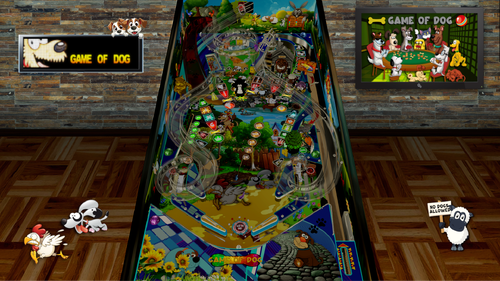
Version 1.0.4
6087 downloads
Welcome to the Game of Dog. Dogs are the ultimate point scorers and Ralph is the ultimate dog. In Game of Dog, you play Ralphy boy, zipping and zooming through life with unstoppable exuberance, doing what dogs do with a mouthful of lip for the big tough doggo Spike. Ralphy boy is cheeky and he is quick to move to the next opportunity whether it's chasing sheep, cats or anything that moves. That’s right! Ralph is an absolute legend and I hope you feel the joy and freedom to be a dog for a small moment in time. For those who'd like to see your dog on the game apron there is a how to card in the screenshots. Please pop a picture of your dog on the apron in the comments.Share a little bit about your dog . There are 4 downloads available depending on your setup including; *A combined VisualPinballX file for desktop, cabinet and virtual reality *Loaded Weopon's cabinet side blade mod for cabinet only * A backglass bundle which includes A 3 screen/2screen backglass and a 2 screen backglass with the bonometer are included in the backglass download and also can be found here https://vpuniverse.com/files/file/30978-game-of-dog-original-2026-2-3-screen-backglass-and-exclusive-2-screen-backglass/ *Rules and media No Rom is required. Desktop players please choose between the DesktopGameOfDog-Backglass1a, 1b, 1c & 1d images in the editor. Depending on your setup you may or may not see the active backglass and some prefer floorboards rather than parquetry . VR is detected automatically but ensure desktop mode is set in video graphics options. This now has a nice active backglass. The F12 menu includes game software requirements, Luts, 2 song set choices, volume settings & choice to show your dog picture on the apron Game of Dog was inspired by Martin McKenna, the boy who lived with dogs and sound and game concept and design was by good old Russ dog. Credit to the following people @jpsalas- Game framework and I used some objects from his games @burger- Physics, Fleep & help sought through a couple of issues @outhere -DOF @LoadedWeaponDid the nice little doggo bones on the flippers @DGrimmReaperEnabled active backglass for VR M.Carter -VR Room. This is cool Dr Beaglestein for allowing me to use his bonometer invention. @Gravy -detail checks and final polish Oqqsan- put me in the right direction to do an interactive backglass @bietekwiet- checked for analglyph and early testing The following people also provided feedback and checked to make sure the game wasn’t doing anything silly @lminimart, @studly_do_right , @Cliffy, @gramps Lights and stuff from the VPW example table Bord mesh tutorial was handy. This game is not for sale. -
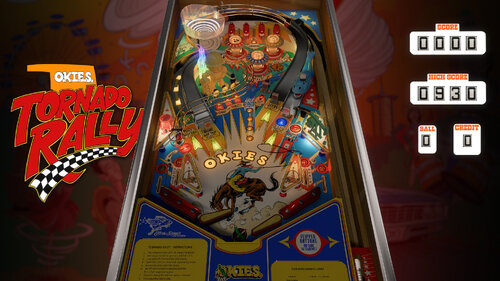
Version 1.4
4495 downloads
UPDATE: My first Vpin is now also my first homebrew machine! Check it out here.. My first Vpin table! Yee-haw!! An all original design, this table is an homage to the sooner state in the form of a modern EM table. Featuring nfozzy physics, fleep sounds, and a custom-themed VR room for those well equipped. The b2s is necessary for scorekeeping in VR, so make sure that is setup and working properly if that's how you like to play. Gameplay goal is simple--> Hit the ramps and the targets and feed the whale to spell out OKIES and release the multi-ball! NOTE: If the score rolls over 9999 an indicator star light will appear below the score! (up to 4 stars earnable) Special thanks to Apophis for his in-depth VPW tutorials and the whole VPW community for advice and testing, and a very extra special thanks to @hauntfreaks for his killer lighting design on the backglass! Don't forget to head on over and grab it! >>Grab the B2S backglass here!<< >>Wheel by DGrimmReaper<< -
View File El Dorado City of Gold (Gottlieb 1984) Adventure awaits in the lost City of Gold! Thanks to everyone who contributed to building this table, including @jbg4208, 32Assassin, @Thalamus, @outhere, @theGhost787 Credits for this release: @burger Added nFozzy physics, Fleep sounds, VR support, and LUT options. Fine-tuned gameplay to better match the real machine and adjusted one area of the layout for improved accuracy @Wildman for the b2s assets used in VR @studly_do_right for fine-tuning a few lighting issues and identifying additional sound problems Submitter burger Submitted 10/17/26 Category VPX - Pinball Tables VPX Standalone No
-
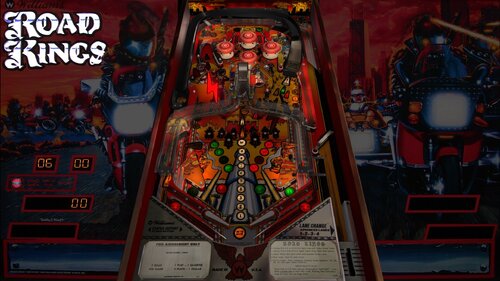
Version 1.0.1
1203 downloads
Kickstart your chopper! Who rules the post-apocalyptic wasteland? The Road Kings! Thank you to @sliderpoint for creating this table, with thanks to @arngrim for his contributions to other revisions as well. Released by Williams in 1986, Road Kings is a post-apocalyptic motorcycle-themed pinball machine designed by Mark Ritchie. It features two ramps, two-ball multiball, and a production run of 5,500 machines. Credits for this release: @teisen made extensive visual improvements, including playfield and plastic updates, new inserts and bumper caps, refined lighting and reflections, dynamic shadows, flashers, and adjustments to various table elements and materials. @burger added nFozzy physics, Fleep sounds, VR support with animated backglass, plunger buttons and digits, F12 LUT options, flipper shadows, and layout refinements. Also adjusted switch placement and tuned gameplay to better match the real machine. @hauntfreaks b2s assets used in VR @studly_do_right for help resolving all sorts of issues -
Version 1.0.1
1918 downloads
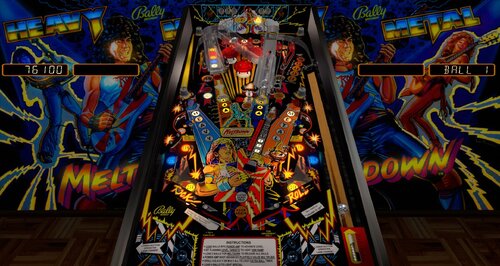
Thanks to 32assassin, @Javier15, and Francisco666 for their work on the previous versions that served as the foundation for this update. Heavy Metal Meltdown is a 1987 Bally pinball machine designed by Dan Langlois, with artwork by Tony Ramunni and a production run of just 1,600 machines. Its rock-music theme features a five-ball multiball, a ball-lock ramp, and distinctive stereo-speaker toppers that fit its over-the-top heavy-metal presentation. Credits for this release: @teisen – Made extensive visual improvements throughout the table, including updated artwork, inserts, plastics, ramps, metalwork, lighting, flashers, bumpers, shadows, materials, and numerous playfield details. @burger – Added nFozzy physics and Fleep sounds, with gameplay tuning to match the real machine. Added bonus lights to the back wall, resolved several layout and gameplay issues, and improved lock-ball tracking and behavior. @DGrimmReaper – Added the VR cabinet and room, including animated cabinet buttons and VR digits, and converted the table into a full hybrid that automatically supports Desktop, Cabinet, and VR play. @studly_do_right – Extensive testing and valuable feedback throughout development to help refine gameplay and catch issues. @hauntfreaks – Provided the B2S assets used to bring the backglass artwork into the VR environment. @kellyf – Performed extensive testing and provided detailed feedback to help tune the table’s gameplay and behavior as closely as possible to the real machine. Note: An NVRAM file is included with the download. Using this version from Bally prevents ROM issues, so I suggest placing it in your VPinMAME NVRAM folder. -
Version 1.1.2
7081 downloads
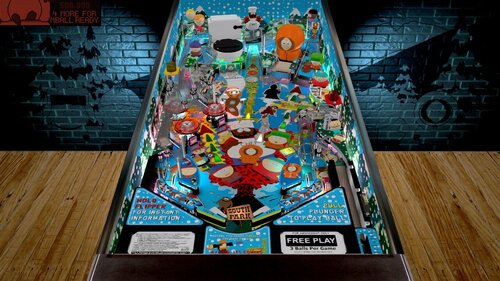
South Park (Sega 1999) with nFozzy, Fleep, and a VR MEGA room added. All credit goes to the original author, who we were not able to get in touch with: @Knorr Thanks to Knorr for creating such an incredible table and putting so much work into it! I added nFozzy and Fleep special thanks to @studly_do_right for all the time and effort he put into helping with the visuals and sound. thanks @DaRdog81 for adding the VR Mega room! -
Version 1.0.0
855 downloads
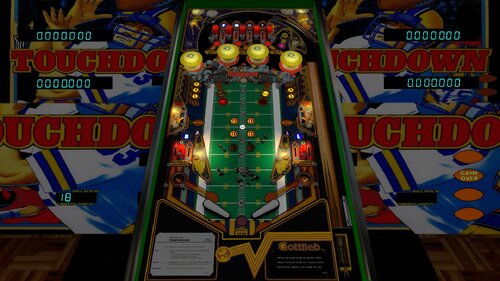
Take the field with Gottlieb’s Touchdown! A huge thank you to @balater for creating this table and so kindly making it available for others to modify. And to @bigus1 for the huge enhancements to the look of this table. Thank you both! Released in 1984, Touchdown is a classic Gottlieb System 80A table with a colorful football theme and straightforward old-school gameplay. It delivers the distinctive sights and sounds of Gottlieb pinball from the mid-1980s. Credits for this release: @burger – Added nFozzy physics, Fleep sounds, VR cabinet/room/digits/artwork, playfield mesh, and gameplay adjustments to match the new physics. @studly_do_right – Identified and resolved numerous visual and sound issues. @hauntfreaks – Provided the backglass assets used for the VR backglass. -
Version 1.0.1
1389 downloads
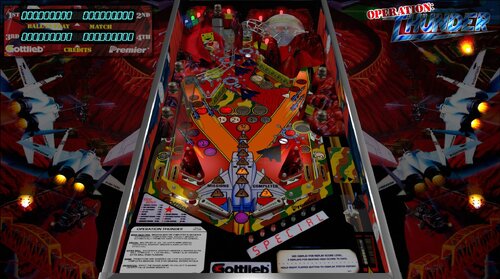
You can run, you can hide, but you can't escape the THUNDER! Originally created for VP9 by @mfuegemann, this table was converted to VPX by @Rascal, who also added VR support and made it a hybrid table with automatic mode detection. Additional contributors to previous versions include @Ahr1man, @Rawd, @gigalula, and @tamoore. A big thank you to everyone involved in creating, improving, and sharing this table, and for allowing others to continue building upon your work! New in this version: Added nFozzy physics Added Fleep sound Added a playfield mesh and subway Moved LUT selection to the E12 menu Attempted to enhance the look of a few things -
View File Road Kings (Williams 1986) Kickstart your chopper! Who rules the post-apocalyptic wasteland? The Road Kings! Thank you to @sliderpoint for creating this table, with thanks to @arngrim for his contributions to other revisions as well. Released by Williams in 1986, Road Kings is a post-apocalyptic motorcycle-themed pinball machine designed by Mark Ritchie. It features two ramps, two-ball multiball, and a production run of 5,500 machines. Credits for this release: @teisen made extensive visual improvements, including playfield and plastic updates, new inserts and bumper caps, refined lighting and reflections, dynamic shadows, flashers, and adjustments to various table elements and materials. @burger added nFozzy physics, Fleep sounds, VR support with animated backglass, plunger buttons and digits, F12 LUT options, flipper shadows, and layout refinements. Also adjusted switch placement and tuned gameplay to better match the real machine. @hauntfreaks b2s assets used in VR @studly_do_right for help resolving all sorts of issues Submitter burger Submitted 10/11/26 Category VPX - Pinball Tables VPX Standalone No
-
Version 1.0.0
415 downloads
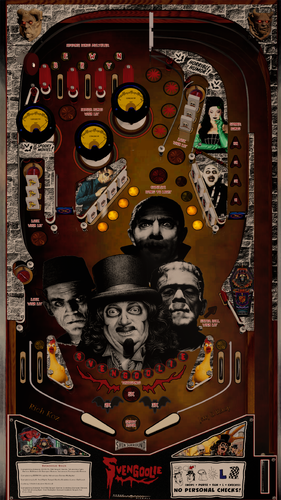
Svengoolie (Original 2026) “Svengoolie has been the premier horror show icon of Chicago, since multiple Emmy award winner Rich Koz became the hand-picked successor to the original Svengoolie back in the late '70s. He has appeared on a national basis on MeTV since April 2011 - and generations of viewers have become fans of the monstrous mirth and movies that this video vampire dispenses every week over the airwaves.” MeTV.com - Svengoolie This table was originally Itchigo's precoded table on Roguepinball.com. It was a working table with no graphics that was built to reskin so people could learn visual pinball. He originally designed it in 2012, so it started life as a vp 9.2 table. Downloaded over 500 times, this is the first finished release of it. Slackers! Backglass included in the zip along with a couple of wheels and the music folder to drop in your music directory as is. Thanks go out to the @Itchigo for providing the layout and vision for this table and for some unknown reason allowing me to run with it in any direction I chose! Thanks also for being so easy to work with and his many contributions to the hobby. What started out as just helping him with some artwork became a complete overhaul of the entire project including a couple tweaks to the initial layout. Didn’t know who Svengoolie was when I jumped in, but glad I did. Fun project. Thanks also go out to: @jpsalas – Living legend and classiest guy in the hobby. @burger – Tips and tech 24/7 tech support when implementing Nfozzy/Fleep. Da man! @studly_do_right – More unpaid Nfozzy/Fleep support and fixes and being Studly. @LoadedWeapon – Table lighting and for all he does as well. @Guycharrette – Testing, suggestions and unreasonable demand for flying chickens. Stop reading and go play some pinball. -
Version 1.0.1
1789 downloads
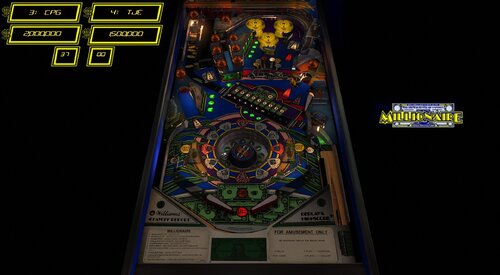
Thanks to @Goldchicco for creating this table and allowing this update @studly_do_right resolved some visual annoyances in VR @burger nFozzy physics, Fleep sound, extensive gameplay matching to the real table. Added some primitives and animations. Added VR and VR digits, animated VR buttons . Improved look or Roulette wheel and animations @teisen made various visual and lighting adjustments (description of adjustments in the table info) @Wildman backglass assets used for VR backglass Description of Goldchicco VPX table by: Goldchicco 3D Wheel model by Andrei Miraklov Wheel code by iaakki base VPX table released by: hmuek Special Thanks to : hmuek for let me use his VPX table as base for this release. 32assassin for always be there. Andrei Miraklov for the 3D toy of the wheel and his AMAZING talent. iaakki for the wheel code. Batch for the backdrop image for Desktop users. Movieguru for working on the images -
Version 1.0.1
1100 downloads
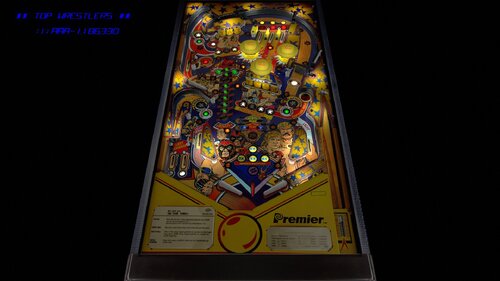
Get ready for some Tag-Team action! A huge thank you to @roccodimarco for creating this table and so kindly making it available for others to modify. And to @bigus1, I’m totally blown away by the work you did to make this table look so stunningly beautiful. Thank you both! Credits for this release: @burger – Added nFozzy physics, Fleep sounds, VR cabinet/room/digits, playfield mesh, and gameplay adjustments to match the new physics. @Nesta78 – Helped streamlined the VR implementation by creating the VPX VR Injector tool that I made good use of! @studly_do_right – Identified and resolved numerous visual and sound issues. @hauntfreaks – Provided the backglass assets used for the VR backglass. Enjoy, and let the main event begin!- 11 comments
- 9 reviews
-
- 110
-

-
View File Operation Thunder (Gottlieb 1992) You can run, you can hide, but you can't escape the THUNDER! Originally created for VP9 by @mfuegemann, this table was converted to VPX by @Rascal, who also added VR support and made it a hybrid table with automatic mode detection. Additional contributors to previous versions include @Ahr1man, @Rawd, @gigalula, and @tamoore. A big thank you to everyone involved in creating, improving, and sharing this table, and for allowing others to continue building upon your work! New in this version: Added nFozzy physics Added Fleep sound Added a playfield mesh and subway Moved LUT selection to the E12 menu Attempted to enhance the look of a few things Submitter burger Submitted 10/07/26 Category VPX - Pinball Tables VPX Standalone No
-
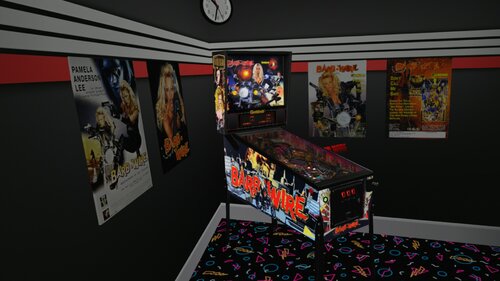
Version 10.7.2
1126 downloads
Here's another VR Conversion I want to share with you guys. This was created in collaboration with Rascal, who helped me a lot. If you don't know something yourself, Rascal knows it. 🤗 Why did I want to convert this particular table, simply because it's on my list and I really like it. I hope someone has as much fun with it and like it as I do, so I'm going to share it with you guys now. '********************* VR OPTIONS ************************************************** '*********************************************************************************** 'VR Logo - Set VRLogo = 0 to turn off VR Logo. VRLogo = 1 'VR Poster-Right - Set VRPosterR = 0 to turn off VR Poster-Right. VRPosterR = 1 'VR Poster-Left - Set VRPosterL = 0 to turn off VR Poster-Left. VRPosterL = 1 'VR table Glass - Set Glass = 0 to turn off VR playfield Glass. Glass = 1 'VR Playfield glass Scratches - Set to 0 if you want to turn them off. GlassScratch = 1 '*********************************************************************************** Update 11.08.2026 Joe Picasso recently updated his non-VR version to 1.3. This update includes the exact same changes that were made in that version which are: Fixed bug that made the table crash due to ball velocity and also fixed ramp sounds for the wire return ramps. All credits for this update goes to Burger! Thx Mate! You don't need B2S but i want to give Credits to HiRez00 because i used his Backglass and his realy good Quality Speaker/DMD Grill Texture. And without my friend Rascal, we would only have a standard grill. This is the Link to the BS2 and Grill i used: A big thanks to Joe Picasso for creating such a beautyfull table and give me Permission to convert it to VR. I also want to thank Rawd for his VR toys and Sixtoe for his great templates and Rascal for helping me with the Mesh and everything else and of course Studlygoorite for beta testing . -
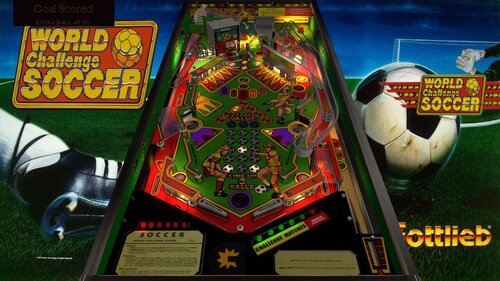
Version 1.0.0
1152 downloads
Game on with World Challenge Soccer! World Challenge Soccer is a 1994 Gottlieb System 3 pinball machine designed by Jon Norris, featuring three flippers, a soccer-themed playfield, and three-ball multiball. Only 1,470 machines were produced, making it a relatively uncommon Gottlieb title from the DMD era. A very special thanks to @fredobiwan for creating this wonderful table in the first place, and for graciously allowing us to build on his work and share this update. We truly appreciate it! Credits: @teisen extensive visual improvements, including playfield and insert color adjustments, plastics, metalwork and reflections, lighting, shadows, playfield holes, materials, environment, ramps, and the addition of a new backbar. @burger added nFozzy physics and Fleep sound, a playfield mesh, and best effort at matching gameplay to real table. @dacstyle for the beautify hybrid VR cabinet and room! @studly_do_right for testing, identifying and resolving issues @kellyf for testing- 9 comments
- 9 reviews
-
- 124
-
-
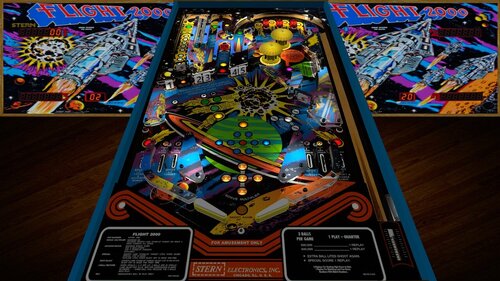
Version 1.0.0
1243 downloads
Thank you to @HSM and @jpsalasfor creating the VPX build of this table! And thanks @bigus1 for allowing us to mod your excellent mod Stern’s Flight 2000 pinball machine is a space-themed adventure for the true enthusiast. As the flyers put it, “Stern’s first talking pinball game is really taking off!”. One of the most interesting features of this game is the 3-ball multi ball. Each of the three balls has its own lift-off stages located on the upper left hand portion of the play field. Steppers, driven by solenoids, also move the balls in play along until kickers can kick the ball into the arch at the top. Changes in this version: I added nFozzy and Fleep @studly_do_rightimproved the look and sound, resolved issues, tested, and more @DGrimmReaper for the VR implementation @hauntfreaks for the new VR backglass/cabinet assets and link to new b2s! @Ext2k for the cabinet models @outhere for verifying DOF functionality following fleep conversion Enjoy! Note: This is a widebody table, so in my opinion it should not vertically fill the entire cabinet screen. If you want the robot voice: Press F6 Check/Enable talking sound Click OK Press F3 Desktop users can try the F12 option "Desktop VR Mode". Set that to on, then restart the table. Zoom out using Z offset (also in F12) to see the whole cabinet and backglass in the vr room on your desktop. You wont be able to look around but it's cool to see the whole cabinet with the table in it, imo