Jump to content
  •  


    31d68d9f-35f1-43cb-8cda-ec967dd60421.jpg

No files in this category yet.

  1. All
  2. A
  3. B
  4. C
  5. D
  6. E
  7. F
  8. G
  9. H
  10. I
  11. J
  12. K
  13. L
  14. M
  15. N
  16. O
  17. P
  18. Q
  19. R
  20. S
  21. T
  22. U
  23. V
  24. W
  25. X
  26. Y
  27. Z
  28. #

Files From Subcategories

  1. Conan the Barbarian - FIRE AND STEEL EDITION (source - Conan, Rowamet 1983 SoundMOD v2.1 by Xenonph, mod by Arminio)

    "... Let me tell you of the days of high adventure!"
    CONAN THE BARBARIAN - FIRE AND STEEL EDITION - mod - with "Forge mode", extra scoring, some new graphics, lighting, sounds, new LUT (Steel mood), 4 different aprons, 9 flipper looks etc. ...
     
    This table is a modified version of "Conan (Rowamet 1983) VPX Sound+Reg MOD" VPX table v2.1, made by Xenonph.
    Mod made with permission from Xenonph.
    Original table can be downloaded here: https://vpuniverse.com/files/file/4880-conan-rowamet-1983-vpx-soundreg-mod/
    With this mod you can use any backglass made for Conan table and mods, but you can also try my "FIRE AND STEEL" b2s - I think it fits nice + you get some extra light animation supported by code in this mod. Get it here:
    https://vpuniverse.com/files/file/29716-conan-the-barbarian-fire-and-steel-edition-for-conan-rowamet-1983-table-and-mods-b2s-dmd-image

    SPECIAL THANKS AND CREDITS:
    ***************************
    To JPSalas (author of Rolling Stones table, source for Conan), Batch (author of Conan mod, source for Xenonph version), Xenonph (who made version I modded ) To Supergibson for tips and solutions to some graphics problems To Curse for tips and ideas for improvement and for extensive testing! Additional music and sound effect are from pixabay.com (by various artists). Detail credits are in script. Some additional graphics taken from various internet sources but don't know original authors - so, thank you whoever you are!
    RECOMMENDATIONS:
    ******************
    I strongly recommend:
    To turn OFF all ROM sounds to enjoy full glory of the score and sounds + ROM plays parts of Rolling Stones songs which really does not fit here... Use F1 menu to turn OFF all ROM sounds, or  add    .Games(cGameName).Settings.Value("sound") = 0    between line 258 and 259 in script - NOTE: this line in script might not work as expected on older 10.8 releases, but feel free to try. I'll add this line of code as an option in some future updates for all of you who have VPX versions that supports it. Thanks to Taito for noticing this! Set DIP switches (F6 options) as it is recommended in PDF file. Settings I like I added in ZIP (Recomended_DIP_switches-F6_menu.png) so feel free to try them or use them as a starting point... If you play this mod in cabinet mode, please set "View layout mode" (F12 menu) to "Window" and set POV settings. Otherwise you may have problems with positions of some graphic elements and reflections etc... So, for those of you who already don't have all that set, I added my INI with my POV settings in ZIP - it is far from perfect but works OK on my setup, and maybe can be helpful as a starting point for your setup.
    ZIP CONTENT:
    ************
    VPX (of course ) INI file with my POV settings (as said above, maybe it won't work for you but you can maybe use it as a base for your setup) New music files (details below) Instruction card PDF with some detail instructions and recommended F6 DIP switch settings (based on original Bally's 1979 Rolling Stones manual and adapted for Conan and this mod) Screenshot of my favorite settings for DIP switch options (F6 menu)  
    ABOUT MOD:
    ***********
    Conan! The Barbarian! Oh man!
    When I watched that 1982 classic in cinema, back in the 80's, it was a huge hit in my country and, as a 15 year old kid, I was mesmerized! Apart from the fact that movie was different from comic books and novels I read before I watched it, entire movie tone, incredible soundtrack (but not even a candidate for an Oscar - can you believe that?!?), and big bodybuilder with impossible-to-pronounce surname in a leading role was stuck in my mind forever.
    Never had a chance to play real pinball with Conan theme, except virtual recreation of Rowamet's 1983 pinball machine. And I must say it was fun! And version I like the most is the one I used for this mod - Xenonph sound mod with amazing music score and sounds.
    Now, original VPX and all mods are excellent "remake" of the real thing (according to images on IPDB and some low quality youtube videos of the real machine). But the Rowamet design does not give much credit to the movie - so I decided to change some things... Still, I wanted to keep red tone and feel because it is perfectly fine and I did not want to change it much (I toned it a bit darker). But I tried to get it more "Conan-like" and more like a real machine, more "connected" to the 1982 movie, but also added a bit of a Conan comic book style (apron, b2s...). And with a new "Steel" LUT (actually, mix of LUT and graphic changes), you still can get a very different color tone and feel.
    Basic changes are in main table graphics - Rowamet put an official movie poster there, while I wanted to go with alternate posters with some modifications (I know Thulsa Doom snake head is not from the movie, but cut me some slack because this fits better here  ). You can choose between several different aprons (from mentioned comic book style to a bit modified original look), flippers and rubber looks (from classic white/red combination to "After the battle" scratched steel, black, gold, messy rubber etc... - you can set top and rubber separately), already mentioned "Steel" LUT, some new sounds and mechanical effects, new score (same tracks, but in  "full glory"), complete desktop mode redesign, lot of customization of various sound volumes etc. etc. etc. ...
     
    And this mod also have a new game "mode" and additional scoring:
    "FORGE MODE" - is activated by hitting target behind the sword (pointed with the sword) in the moment when sword is lit (while blinking, hit it exactly in the moment when it is lit - that requires a bit of luck and/or good timing). If ball drains during "Forge mode", it will be returned back in game. Mode lasts 10/20 seconds (configurable in script) or until ball drains (which comes first). Forge mode settings (duration, behavior, on/off...) can be set via options in script (check "OPTIONS TO USE" in script). Additional scoring: when you hit target pointed by the sword in exact moment when sword is lit (no matter if "FORGE MODE" is on/off/active), you get some extra points (300 or 3000 - depends on DIP switch settings - check F6 options and instructional PDF).  
    MUSIC INFO AND TIPS:
    *******************
    Just place CONAN folder in your Music folder. And if you already have CONAN folder with OGG files from Xenonph original table, don't worry - new files have different names and won't overwrite originals so you can have both and even use old ones if you prefer them more (by setting option "NewMusicSoundtrack" to False in script - check script for details).
    If music is too loud (and new tracks tend to be a bit louder because of full and "punchy" audio), you can always reduce music volume in F12 menu.

    CHANGES:
    *********
    There are lot of changes, so here is a list of most important ones (details also in script):
    New music track files (external OGG files) - the same music as in Xenonph version (amazing selection!), but with more bass and punch (I used all the same music pieces again from various soundtrack sources, in full sound quality). Also, you can play using original music files from source table if you have it and prefer them more  - see script option "NewMusicSoundtrack" in "OPTIONS TO USE" section... Additional intro speech added: Conan's prayer to Crom from "Battle against Doom Warriors" scene (chosen randomly between original intro and this one when game starts) Added some new sounds and mechanical effects/changed existing ones (various targets hits, extra ball kicker horse gallop, plunger ball kicks, bumper hits, target drops, sensors... etc.) Various sound and volume settings available from script... See options in section "OPTIONS TO USE" in script Changed a way how sound is played in some cases (no more music restarts if ball is re-launched, "cleaner" mixing of sounds with mechanical sound effects on hits + playback with a little delay to hear mechanical sounds better etc...) New main table graphics + various color and graphics changes on bumpers, pegs, caps, plastics, metal parts, screws... Some metallic parts are now colidable with ball, changed environment lighting etc. - all this to fit my vision and to get a bit different, and possibly more realistic look and feel (I hope it works)... + Better visibility of some parts/larger numbers etc. (for us with old eyes and/or 3D TVs ) + new lighting effects (flashers and most of classic lights replaced with halo lights etc.), some light spills fixed... All references to Rolling Stones replaced with references to Conan - on table (D-O-O-M instead 1-2-3-4 targets, THULSA instead small indicator for 5x bonus above D-O-O-M, CROM target etc...), F6 DIP switches menu, F12 menu instructions, instruction card on apron... Small changes of physic on flippers and table to get a bit more feel of ball weight (not much of a difference from source table, but still a little bit different ) + small changes of physics on plunger for easier ball launch... 4 different aprons - modded original + comic book style + fire (2 variations) - can be set via F12 menu 5+4 flipper looks - you can set 5 top and 4 rubber styles/colors separately - also set via F12 menu 14 LUTs - 13 original levels of brightness (from source table) + "Steel" mood (new LUT with some graphic "tweaks" which changes color tones to silvery-white). Also use F12 menu to set, instead magna save keys Ball and flippers shadows added Added a pin on a center drain between flippers to reduce accidental drains because ball can drops there too easily. Now ball can bounce back... Keys usage fixed - instead numbers, logical names of keys are used (compatible with VPX 10.8) New game feature added: FORGE MODE - as explained above... Additional scoring added - also as explained above... Complete desktop mode redesign - from background to LED placements + lockdown bar added + all text replaced with images (no embedded font that can cause problems on newer versions of Windows) etc... + Option to turn off all background info and logo for those of you who uses b2s in desktop mode (see "BackGlassOnDesktop" option in script) When TILT: music stops, new scream added. New b2s backglass created to use with this mod (additional light animations on b2s). ASCII art added to script...  
    Etc., etc., etc. ...
     
    All Logos, Music,  Copyrights and Trademarks are property of their respective owners.
    PROVIDED STRICTLY FOR PERSONAL AND HOME USE AND NOT FOR COMMERCIAL SALE/RE-SALE OR DISTRIBUTION!

    C R O M !  ⚔️
     

    694 downloads

       (8 reviews)

    11 comments

    Updated

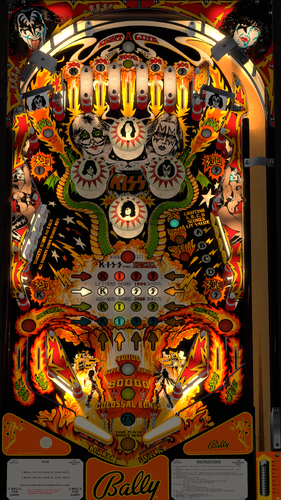
  2. Sister Storm (Lunar Howl 7)

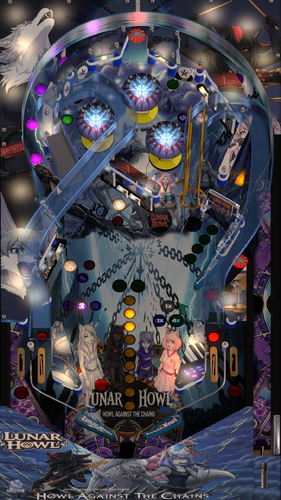
    Back in LH3 (Lupine and Howling) Spirit sang "I remember looking in her eyes, little sister with the same disguise" hinting she had left a younger sister behind when she fled her abusive family home in Abilene as a child. Spirit’s long lost sister arrives unexpectedly at Wolf Haven. Christened Tempest by an abusive family, Spirit gave her the name Storm before she fled, to use outside of family so if she ran family would ask people if they’d seen Tempest, and be told no. Spirit blames herself for the injury Storm carries on her face, believing herself a danger to her younger sister. The title track is a duet between the two sisters about the name, created after they reunited at Wolf Haven.
     
    Table is a mod of Alien Poker by JPSalas.
     
    as usual there is a zip of the mp3s for listening outside the game.
    LH7 - Sister Storm album.zip

    251 downloads
       (7 reviews)

    1 comment

    Updated

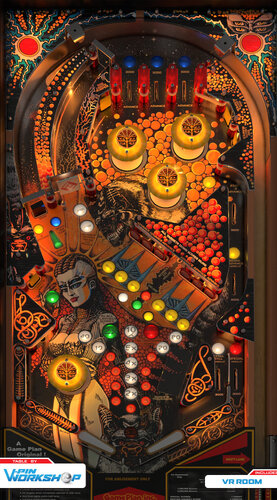
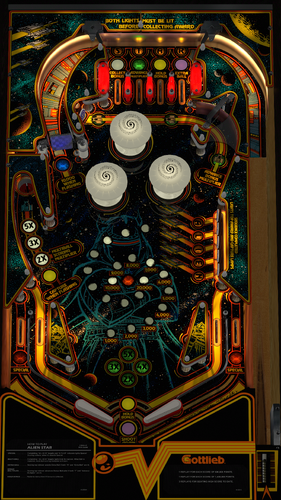
  3. Chuck A Luck Game Plan 1978

    This is Chuck A Luck made by Game Plan in 1978. This is the same table as Real. Game Plan rebranded Real as Chuck A Luck because Real didn't meet expectations. The only changes are the Chuck A Luck flag, and the pack of cigarettes.
     
    This is open for all improvements/mods with no restrictions. I used 10.8.0 to make this.
     
    The original table was made by JP, and I modded it to Chuck A Luck.
     
    Thanks to Flying Dutchman for the graphics.
     
    https://www.ipdb.org/machine.cgi?id=3020
     
    Rom: chucklck
     

    513 downloads
       (1 review)

    4 comments

    Updated

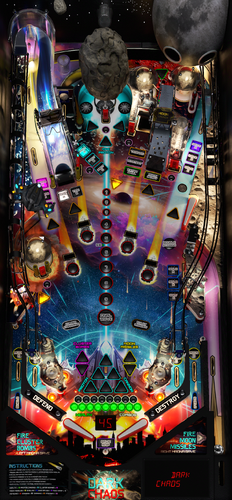
  4. U-Boat 65 (Nuova Bell Games 1988) 1.3 flexmod

    I saw this real table posted in facebook and it looked fun. I found the version by goldchico based on mfuegemann's VP9 table.  I enjoyed it a lot and found that since it uses 16 segment displays, it does not work with B2s Designer, nor DMDext DMD display.  I'm like, "I can fix that" and built a Flex DMD display and added some video to it behind the scores.  Additionally added some ambient sounds and tweaked the flippers and some lights.  By the original authors own admissions, this is a buggy rom, either in itself or in its implementation so there is a lot of patch scripting, but multiball in particular is still buggy.  Still, for single player, the good and the bad even out and this is a really fun table.  You might get a rom error the first time you run, but it will work afterwards.  I included a rom that works and has a couple extra sound effects than the one posted here, and nvram files for those that don't want an Italian display. Menu settings could only be adjusted in the vp9 version, but the dip switches work fine.
     
    I can't take any more time trying to get this table to 100% so I am hoping the more experienced coders can pick this up!

    598 downloads
       (6 reviews)

    20 comments

    Submitted

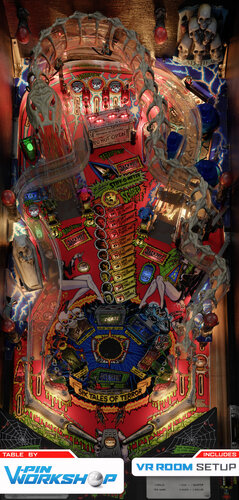
  5. 3D INI files for VPX 10.8

    Here there are from A to Z some of my 3D ini files.
    It is very usefull for 3D players.
    You can adjust for your better view with F12
    2D view looks ok for 2D players
    Created in 3D passive passive VPX 10.80 - 2051 GL for cabinet mode
    Enjoy it

    216 downloads
       (4 reviews)

    1 comment

    Updated

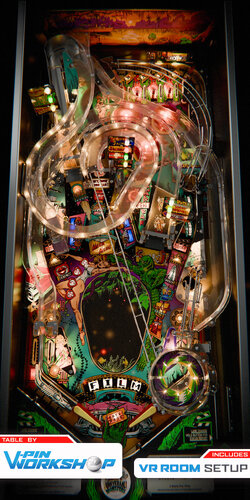
  6. Tales from the Crypt (Data East 1993) Mod patch

    3D INI/POV Window View Layout mode VPX 10.80 - 2051 GL
    Made in 3D passive playfield for cabinet mode

    65 downloads
       (0 reviews)

    1 comment

    Updated

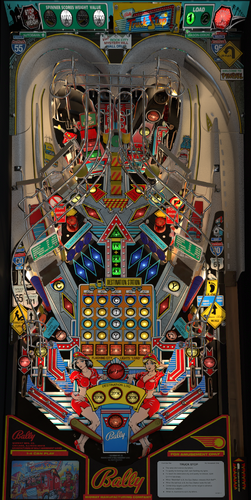
  7. Real Game Plan 1978

    This is Real made by Game Plan in 1978. I used JP's Black Velvet as a base because they are the same table. The graphics were horrible, thanks to Flying Dutchman and Planetxplanetx for their help in making this look so much better. It's still not perfect, so if you're so inclined this is open for all improvements/mods with no restrictions. I used 10.8.0 to make this.
     
    Rom: Real
     
    IPDB Link: https://www.ipdb.org/machine.cgi?id=1925

    540 downloads
       (2 reviews)

    5 comments

    Updated

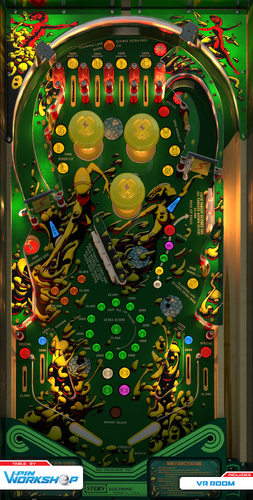
  8. VPX Achievement Watcher

    🎯 VPX Achievement Watcher
    A companion app for Visual Pinball X (VPX) that adds modern achievements, live overlays, and challenges by reading VPinMAME NVRAM data.
    ━━━━━━━━━━━━━━━━━━━━━━━━━━━━━━
    Features
    ━━━━━━━━━━━━━━━━━━━━━━━━━━━━━━
    🏠 Dashboard
    Your control center at a glance:
     
    • System Status: Is the watcher running? Is VPX active?

    • Session Summary: Two cards side by side:
        ◦ Last Run: Last table played, score, achievements unlocked, and date
        ◦ Run Status: Live status indicators (green/yellow/red) for Table, Session, Cloud, and Leaderboard connection

    • 📬 Notifications: Clickable feed with alerts for leaderboard ranks, beaten achievement records, missing VPS-IDs, and available updates. Unread count shown on tab badge. Clear All button to dismiss

    • 📋 Setup Status: Checklist that verifies your setup is complete — Player Name set, Cloud Sync enabled, VPS-IDs assigned, Maps loaded, Overlays configured, and Widget Controls bound. Red/yellow/green indicators with direct links to fix missing items. Shows "✅ All set!" when everything passes

    • Quick Actions: Restart Engine, Minimize to Tray, Quit
    ━━━━━━━━━━━━━━━━━━━━━━━━━━━━━━
    👤 Player
    Your personal player profile and summary:
     
    • Player Level: Current level and XP progress bar based on unlocked achievements

    • Prestige System: Reach Prestige 1–5 by unlocking 2000 achievements per star (☆ → ★)

    • Level Table: All levels from Rookie to VPX Elite with their achievement thresholds

    • 🏅 Badges: 37 collectible badges earned through gameplay milestones — unlock achievements, complete challenges, reach levels, accumulate playtime, and more

    • Display Badge: Choose which badge icon appears next to your name on cloud leaderboards
    ━━━━━━━━━━━━━━━━━━━━━━━━━━━━━━
    📈 Progress
    Track your achievement progress per table:
     
    • Select Table: Dropdown with all played tables (ROM-based and custom/non-ROM tables)

    • Global Achievements: Cross-table achievements like total playtime, tables played, manufacturer milestones — with progress bars (e.g. 12/25)

    • Per-Table Achievements: Each achievement listed with status (✅ unlocked / 🔒 locked)

    • ℹ️ Info Links: Click the info icon on any achievement to see its unlock condition, VPS table info, and unlock timestamp

    • Rarity Tiers: Common, Uncommon, Rare, Epic, Legendary — color-coded based on how many cloud players have unlocked each one. Rarity legend shown below progress bar

    • Custom Table Progress: AWEditor-created achievements are tracked separately with their own progress view
    ━━━━━━━━━━━━━━━━━━━━━━━━━━━━━━
    📊 Records & Stats
    Records every round played, session duration, and scores in the background:
     
    • 🌍 Global NVRAM Dumps: Full raw NVRAM data overview per table — all fields and values in a multi-column table

    • 👤 Player Session Deltas: What changed during your session — actions, score differences, playtime, and field-by-field changes 
    ━━━━━━━━━━━━━━━━━━━━━━━━━━━━━━
    ☁️ Cloud
    Global cloud leaderboard for achievement progress:
     
    • Category: Achievement Progress leaderboard per table

    • Search: Enter a table or ROM name with autocomplete (resolves table titles to ROM keys)

    • Fetch: Load the leaderboard — ranked list with progress bars, medals (🏆🥈🥉), player badges, date, and ℹ️ VPS info links

    • VPS Info Dialog: Click ℹ️ on any leaderboard entry to see linked VPS table details and achievement breakdown
     
    💡 Tip: You can find your personal 4-digit player ID in the "System" tab. Make a note of it! If you ever install Watcher on a new PC, you can use it to restore your cloud progress.
    ━━━━━━━━━━━━━━━━━━━━━━━━━━━━━━
    ⚔️ Score Duels
    Challenge other players to direct score duels on the same table!
     
    The Score Duels tab is organized into 4 sub-tabs:
     
    🎯 My Duels

    • 📬 Incoming Invitations: Inbox for duel challenges from other players — accept or decline with one click

    • 🔕 Do Not Disturb: Toggle to stop receiving new duel invitations

    • ⚔️ Start New Duel: Pick an opponent and table, then send a challenge

    • 🔀 Auto-Match: Join the matchmaking queue — automatically matched with a player who shares at least one table (by VPS-ID). Search times out after 5 minutes

    • 🟢 Active Duels: Overview of all running duels with status, time remaining, and cancel option

    • 📜 Duel History: Past duel results with opponent, table, scores, and date
     
    🌍 Global Feed
    Live feed of all active and recently completed duels across all players.
     
    🏆 Leaderboard
    Top 50 players ranked by duel wins. Shows Rank, Player Name, Wins, Losses, and Win Rate (%). Players need at least 3 completed duels to qualify. Your own row is highlighted with a ★. Medals for top 3: 🥇🥈🥉.
     
    🏆 Tournament
    4-player single-elimination knockout tournaments:

    • Join Queue: Enter the tournament matchmaking queue (30 min timeout)

    • Auto-Matching: When 4 players sharing at least one table are queued, a tournament is automatically created

    • Bracket: 2 Semifinals → 1 Final, all played on the same randomly selected table

    • 2 hours per match — each duel has a 2-hour time limit

    • Notifications: In-app alerts for tournament start, elimination, final reached, and final result

    • History: Completed tournaments are saved locally with your placement (🏆 Winner, #2, #3-4)
     
    💬 Tournament Chat: Live chat for tournament participants — real-time messages
    ━━━━━━━━━━━━━━━━━━━━━━━━━━━━━━
    🎨 Appearance
    Customize the look and feel of the entire application, organized into 5 sub-tabs:
     
    🖼 Overlay

    • Global Styling: Font family, base font size, and overlay scale slider (30–300%)

    • Widget Placement & Orientation: Place and save screen positions for each overlay independently. Each widget has Portrait Mode (90°), Rotate CCW, Place, and Test buttons:

        ◦ Main Stats Overlay (with auto-close option)
        ◦ Achievement Toasts
        ◦ System Notifications
        ◦ Status Overlay (cloud/leaderboard feedback, can be disabled)
        ◦ ⚔️ Duel Notifications

    • 🔄 Switch All → Portrait/Landscape: Toggle all overlay orientations at once

    • 📄 Overlay Pages: Enable/disable individual overlay pages — Page 1 (Highlights & Score) is always active; Page 2 (Achievement Progress), Page 3 (Cloud Leaderboard), Page 4 (VPC Leaderboard), Page 5 (Score Duels) can be toggled

    • Custom Background: Place an overlay_bg.jpg/png next to the executable for a custom overlay background
     
    🎨 Theme

    • Active Theme: Select and apply a color theme from the dropdown

    • Color Preview: Live preview of Primary, Accent, Border, and BG colors

    • Overlay Preview / Test: Test Main Stats Overlay and Achievement Toast with the current theme

    • Available Themes: Full list of all themes with icon, name, and description
     
    🔊 Sound

    • Enable/Disable: Master toggle for sound effects

    • Volume: Slider (0–100%)

    • Sound Pack: Choose from multiple packs (Zaptron, Vex Machina, Retro, etc.)

    • Events Table: Per-event enable/disable toggle and preview button for each sound event
     
    ✨ Effects

    • GPU-accelerated visual effects with automatic CPU fallback
     
    🐾 Mascots

    • 🏆 Trophie (GUI Mascot): Lives in the bottom-left corner of the main window

    • 🎱 Steely (Desktop Overlay Mascot): A metallic chrome pinball that lives on your desktop as an always-on-top overlay. Reacts to game events

    • Skins: Multiple visual skins for both mascots

    • Personality: Unique speech bubbles, reactions, memory, and a "bickering" system between them

    • Portrait Mode: Steely supports 90° rotation for cabinet screens
    ━━━━━━━━━━━━━━━━━━━━━━━━━━━━━━
    📺 VPC Weekly Challenge
    View Discord's Weekly Challenge directly on the overlay (view only).
    ━━━━━━━━━━━━━━━━━━━━━━━━━━━━━━
    🕹️ Controls
    Configure hotkeys and input bindings for the overlay and challenges:
     
    • Supports keyboard keys and joystick buttons

    • Bindings for overlay toggle, duel accept (left), duel decline (right), and system tray show/hide

    • 💡 Flipper buttons or MagnaSave buttons work best
    ━━━━━━━━━━━━━━━━━━━━━━━━━━━━━━
    🗺️ Available Maps
    Browse all supported tables and their NVRAM map status:
     
    • ✅ NVRAM Map = achievement tracking supported

    • ❌ No NVRAM Map = not supported yet

    • 🟠 Local = .vpx file found in your tables folder

    • Filter by local tables with NVRAM maps, search by name or ROM

    • Assign VPS-IDs to link tables to the Virtual Pinball Spreadsheet database

    • View table author extracted from .vpx file metadata
    ━━━━━━━━━━━━━━━━━━━━━━━━━━━━━━
    🎯 AWEditor — Custom Achievement Editor
    Create custom achievements for tables that don't use VPinMAME ROMs (Non-ROM / Original tables):
     
    • 📋 Tables: Scan your tables directory for tables without NVRAM maps

    • ✏️ Codes: Analyze table scripts, detect events, and create custom achievement rules

    • Export: Generates VBScript + JSON files — the table writes trigger files that the watcher detects instantly

    • Full Script Export: Zero manual work — AWEditor inserts all FireAchievement calls automatically
    ━━━━━━━━━━━━━━━━━━━━━━━━━━━━━━
    ⚙️ System
    The System tab has 2 sub-tabs:
     
    ⚙️ General

    • 👤 Player Profile: Set your display name and 4-character player ID. Identity fields are locked while Cloud Sync is active

    • ☁️ Cloud Sync & Backup:
     
    Enable/disable Cloud Sync (validates player name and ID against cloud for uniqueness). Auto-Backup toggle, manual Backup to Cloud, and Restore from Cloud (restores achievements, VPS mapping, and CAT progress)

    • 🐛 Feedback & Bug Reports: Report bugs or suggestions directly from the app

    • 🔑 Admin Login: Log in as chat moderator for Tournament Chat moderation (admin only)
     
    🔧 Maintenance

    • 📁 Directory Setup: Configure BASE, NVRAM, and Tables directories

    • Repair Data Folders: Fix broken or missing data directories

    • Force Cache NVRAM Maps: Re-download and cache all NVRAM map files

    • 🔄 Update Databases: Force re-download of index.json, romnames.json, vpsdb.json, and VPXTool

    • ⬆️ Watcher Update: Check GitHub for newer releases — downloads and installs the Setup automatically with release notes preview
    ━━━━━━━━━━━━━━━━━━━━━━━━━━━━━━
    🛡️ Fair Play & Anti-Cheat
    To keep the leaderboards fair, local saves and scores are protected by hash signatures.
    Matches and tournaments use a feature called NVRAM tracking. Restarting from Ball 1, pressing F3, or restarting the VPX Player will result in disqualification.
    ━━━━━━━━━━━━━━━━━━━━━━━━━━━━━━
    Data Sources
    The Achievement Watcher uses the following open-source projects and data sources:
    Thanks to this people:
    • NVRAM Maps by tomlogic — https://github.com/tomlogic/pinmame-nvram-maps
    • vpxtool by francisdb — https://github.com/francisdb/vpxtool
    • VPC Data by emb417 — https://github.com/emb417/vpc-data
    • VPS Database by VPS Team — https://github.com/VirtualPinballSpreadsheet/vps-db
    • Visual Pinball & PinMAME — https://github.com/vpinball

    923 downloads
       (5 reviews)

    90 comments

    Updated

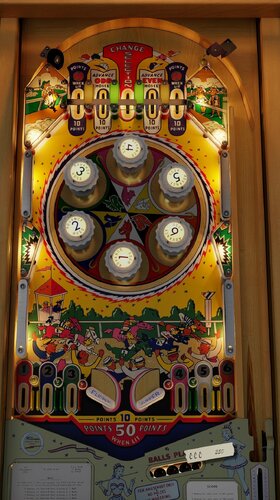
  9. Volley (Gottlieb 1976)

    What better way to celebrate Volley's 50th anniversary than playing this lovingly dialed VPX recreation.
    This competition classic Gottlieb table from 1976 has been tuned to competition standards and dressed up with all the visual grandeur expected from VPX tables today.
     
    Download from:
    https://pivotingart.com/pinball/index.html#volley
     
    -Built from scratch on a foundation of VPW Basic Table Template by Apophis
    -Utilizes some resources and techniques from Loserman's table
    -Big Thanks goes to Freezy and JSM for their asset donation. High rez playfield art and correct table layout would have been impossible without them.
    -Thanks to MCarter78 and Sixtoe for help with debugging and tweaking physics. 
    -Thanks to all that provided testing and feedback: Studly_do_right, Tomate, Nestogrian, Nova, Apophis
    -Thanks to HauntFreaks for his unwavering commitment to backglass perfection
     

    1331 downloads
       (21 reviews)

    66 comments

    Updated

  10. Grease: Pup-Pack Edition

    Update for those using PinUp Player 2.0
    If on a Pup Pack version older than v2.1, please update. 
     
    If on v2.1, verify the usePuPDriver.ini in the PUPVideos\grease folder has the following:
    Driver=PinUPDisplayX.exe
     
    ------------------------------------------------------------------------------------------------------
     
    Make sure to download both the newest Table and newest Pup Pack.
     
    The PuP Pack uses the external DMD to trigger events, so make sure to press F1 and have "Use External DMD" checked in order for the table to work correctly.
     
    Follow the instructions in the Read Me First.txt in the Grease Pup Pack folder.
     
    Grease is the Word!  Finally, a Grease table with a fully integrated Pup-Pack.  I spent about 500 hours on this learning how to build a pup-pack and do an integration using pupscript_vbs.pup to have three music tracks that the table switches between depending on the type of mode you are in and which song should play for that mode.  Please read the included "Read Me First.txt" file for setup instructions.
     
    SPECIAL THANKS TO VPW
    The whole crew for guidance and direction.  Especially via their great VPW ROM Example table.
    Kudos to apophis for inviting me in so the group could help me out and assistance throughout my upgrade.
    DaRdog & Rawd for the VR room, cabinet, and more.
     
    THANKS
    Thanks go out to the usuals: 
    JPSalas (for the original table and help with some features) NailBuster (for PUP) Joe Picasso (for the 3Dmodels) marty02 for the original Grease table art  
    Thanks also go out to:
    Boroka (for his constant encouragement & assistance with coming up with the modes) justthebest (for his QA help)
    If you enjoy this table, feel free to donate to me here: https://paypal.me/judremy

    IMPORTANT
    In VPinMAME, be sure you have the following:
    In DMDDevice.ini:
    [pinup]
    ; if enabled, send frames to PinUP.
    enabled = true
     
    In VPMAlias you should have a row that says:
    grease,elvis
     
    Download the Serum Colorization of Elvis which changes the DMD to Grease (by Boroka):
     
    Some other things to mention about the music for the table:
    The magna buttons change the song playing when in normal play mode. You can also engage a "jukebox mode" when a game isn't playing by using the same buttons.
     
    You can add/replace the music that plays during normal play by adding files to this folder (no special naming required):
    PinUPSystem\PUPVideos\grease\MusicBackground
     
    You can replace the music in PinUPSystem\PUPVideos\grease\MusicModes (filenames must match):
    the five main modes,
    the Encore mode (spelled Grease),
    the Graduation (wizard mode)
    and more in this folder
     
    FUN FACT:  The Grease song heard from spelling GREASE is the unused original opening song for the movie.

    15909 downloads
       (18 reviews)

    163 comments

    Updated

  11. Devil's Dare (Gottlieb 1982)

    Thank you Goldchicco, 32assassin, Mfuegemann and Francisco666 for creating this table!
     
    Devil’s Dare is a 1982 widebody pinball machine from Gottlieb known for its bold, arcade-style look and early use of synthesized speech. It’s a fast, challenging table with multiball action that helped bridge the gap between classic and modern pinball design.
     
    I added nFozzy physics and Fleep sounds. @studly_do_right added VR.  @teisenLighting, materials, inserts, bumpers, targets, spinner animation, shadows, and overall visual and environment enhancements. @Cliffynew lockbar and desktop rails thanks @Dicentim for DOF test thanks @DGrimmreaper for updating the VR cabinet and backglass and adding VR animations thanks @RajoJoey for the amazing VR cabinet assets! thanks @hauntfreaks for backglass assets!  
    Enjoy!
     
    Note: this is a widebody table, so in my opinion it shouldn’t fill the whole screen on a cabinet. Leave a few inches of black at the bottom (shrink it vertically) and scoot the table up towards the backglass. You won’t notice the empty strip at the bottom while playing because you'll be too busy enjoying a good aspect ratio.

    1532 downloads

       (17 reviews)

    28 comments

    Updated

  12. Freefall (Stern 1981)

    Thank you JP Salas for making this wonderful table and for granting permission to mod!
     
    Freefall is a hidden gem from Stern Electronics’ early solid-state era, released in 1981 with a sleek look and a bold skydiving theme that delivers fast, precise gameplay. Designed by Harry Williams—a true pioneer of pinball innovation—it challenges players to chase bonus multipliers, complete the “FREEFALL” rollover sequence, and lock balls for multiball, all on a playfield that seems simple at first but rewards control, timing, and accuracy.
     
    Changes in this version, thanks to:
    I added nFozzy and Fleep
    @studly_do_right improvements of the look and sound
    @DGrimmReaper for the VR implementation
    @hauntfreaks for the stunning backglass and VR backglass/cabinet assets 
    @Ext2k for cabinet models
    @outhere for verifying DOF functionality after the fleep conversion
     
    Enjoy!
     
    Note: FYI this is another widebody table, keep that in mind when setting your POV settings on a cabinet 
     
    To activate the rom voice simulation audio:
    Press F6
    Check/Enable talking sound
    Click OK
    Press F3

    910 downloads

       (8 reviews)

    5 comments

    Submitted

  13. Cowgirl PUP

    small clarification, the magnificent girls that you will see in the videos are not real, but they are so beautiful that they will disturb your imagination

    Cowgirl v2.0.mp4  

    749 downloads

       (13 reviews)

    26 comments

    Updated

  14. Flight 2000 (Stern 1980) Physics Sound VR MOD

    Thank you to @HSM and @jpsalasfor creating the VPX build of this table! And thanks @bigus1 for allowing us to mod your excellent mod
     
    Stern’s Flight 2000 pinball machine is a space-themed adventure for the true enthusiast. As the flyers put it, “Stern’s first talking pinball game is really taking off!”.  One of the most interesting features of this game is the 3-ball multi ball. Each of the three balls has its own lift-off stages located on the upper left hand portion of the play field. Steppers, driven by solenoids, also move the balls in play along until kickers can kick the ball into the arch at the top.
     
    Changes in this version:
    I added nFozzy and Fleep
    @studly_do_rightimproved the look and sound, resolved issues, tested, and more
    @DGrimmReaper for the VR implementation
    @hauntfreaks for the new VR backglass/cabinet assets and link to new b2s! 
    @Ext2k for the cabinet models
    @outhere for verifying DOF functionality following fleep conversion
     
    Enjoy!
     
    Note: This is a widebody table, so in my opinion it should not vertically fill the entire cabinet screen. 
     
    If you want the robot voice:
    Press F6
    Check/Enable talking sound
    Click OK
    Press F3
     
    Desktop users can try the F12 option "Desktop VR Mode". Set that to on,  then restart the table. Zoom out using Z offset (also in F12) to see the whole cabinet and backglass in the vr room on your desktop. You wont be able to look around but it's cool to see the whole cabinet with the table in it, imo


    1045 downloads

       (13 reviews)

    12 comments

    Submitted

  15. Split Second (Stern 1981)

    Thank you to jpsalas for creating this beautiful table and allowing this mod!
     
    This is a VPX mod of Split Second, a classic widebody focused on precision and timing. Featuring multiple flippers and a layered playfield, it rewards controlled play and accurate shots—true to its name, every move matters in a split second.
     
    This mod was a joint effort between @studly_do_right and myself:
    I added nFozzy physics and Fleep sounds studly_do_right did the VR implementation, visual tweaks, and sound polish  
    Special HUGE thanks to @outhere for verifying DOF functionality after the Fleep conversion. I just can't thank him enough for all his help on every table
     
    Enjoy!
     
    Note: This is a widebody table, so it shouldn’t fill your entire cabinet screen. Leave a few inches of black at the bottom (shrink vertically) and move the table upward toward the backglass. You won’t notice the empty space during gameplay—and the proportions will look much more natural.
     
    If you want the robot voice:
    Press F6
    Check/Enable talking sound
    Click OK
    Press F3

    984 downloads

       (7 reviews)

    9 comments

    Submitted

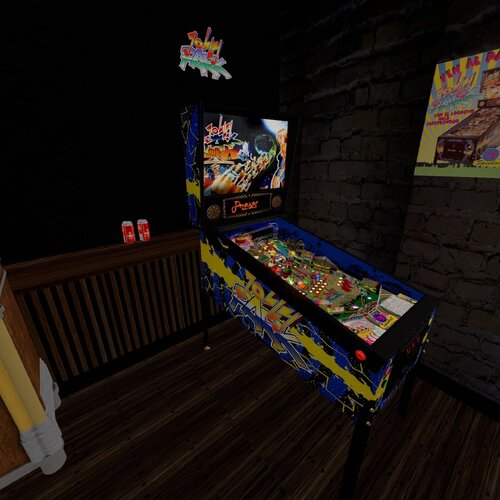
  16. Fast Times (Original 2026)

    Based on Gottlieb's Super Soccer/Soccer (1975) by loserman76

          REskin & Mod by The Postman81 

            Many thanks to Visual Pinball community. Many great creators layed the foundations for this awesome hobby.
     
             Please Mod this version. There is plenty to improve.
     
             AI disclosure: AI was used to create art & write code ( I am neither an artist nor a programmer. I admire those who can. Thank you for all you do.)
     
    ************NOTICE AND DISCLAIMER****************
            This virtual pinball table is a non-commercial, fan-made tribute created strictly for private, educational, and home-entertainment use. It is provided "as-is" and free of charge.
             Ownership: All trademarks, logos, characters, and copyrighted materials related to Fast Times At Ridmont High are the sole property of their respective owners. No claim of ownership is made to these assets.
             No Profit: This project is not affiliated with, endorsed by, or sponsored by the copyright holders. The creator(s) of this table have received no financial compensation for its development or distribution.
            Distribution: This file may not be sold, bundled with commercial hardware, or used for any commercial purpose.
             If you are the copyright holder and wish for this fan-tribute to be removed, please contact the creator directly.

    606 downloads

       (2 reviews)

    10 comments

    Updated

  17. Family Fun Game Plan 1979

    This is Family Fun from Game Plan. This is another variant of Star Trip. I used JP's Star Trip to turn this into Family Fun.
     
    Thanks to JP for the original table.
    Flying Dutchman for the new PF and plastics.
     
    I made this for my 2 screen setup. You may need to modify it for desktop use. I made it in 10.8.0.
    A b2s is included. Feel free to upgrade or mod.
     
    https://www.ipdb.org/machine.cgi?id=817
    Rom: famlyfun

    292 downloads

       (0 reviews)

    4 comments

    Submitted

  18. Sharkey's Shootout (Stern 2000) Update

    1st of all thanks to long time table maker freneticamnesic and all his great work on the original table and allowing people to mod his work.
    2nd this table does include the VR assests from Rajo Joey and Solters but they are dissabled and I have no way of testing VR but should be easy to get going.
    Now as for the Update:
    Huge thanks to @burger for nfozzy physics and Fleep Sounds
    I updated all the Lighting and images for 10.8 and added F12 for Cabinet/Desktop mode and POV included

    1940 downloads

       (15 reviews)

    25 comments

    Updated

  19. Sharkey's Shootout (Stern 2000) Burger LW

    INI/POV file
    Created in 3D passive playfield
    VPX 10.80 - 2051 GL 64
     

    42 downloads

       (0 reviews)

    0 comments

    Submitted

  20. Devil's Dare (Gottlieb 1982) Physics Sound VR MOD

    INI/POV file
    Created in 3D passive playfield
    VPX GL cabinet mode

    24 downloads

       (0 reviews)

    0 comments

    Submitted

  21. Knock Out (Gottlieb 1950) 1.1.zip

    Knock Out (Gottlieb 1950) 1.1 zip DOF version by MachWon
    What's new in this version
    1. Fixed a bug that caused a crash error when you got a score over 5 million.
    2. All the bumper caps were adjusted for color and lighting to look more like the original.
    3. Adjusted the apron and plunger cover color and added some detail to the rules card from the original.
    4. Removed the sticky note and added the high score to the apron.
    5. Added a center post as the original had one but this only functions correctly in the current location.
    5. Adjusted the physics for a bit faster ball play. 
    6. Balls load, drain, stack and function more like the original.
    7. Added some antique looking flippers from the original table.
    8. Added new text to some of the inserts from the original table and some improvements on the playfield.

    610 downloads

       (4 reviews)

    13 comments

    Updated

  22. Shovel Knight (Original 2017)

    Version 1.2.0 has a visual makeover courtesy of JoePicasso, with new ramps, playfield art, apron, desktop background, and 3D models!
     
    This is a VPX original table based on Shovel Knight, the retro-styled platform game released in 2014 by Yacht Club Games.
     
    The left and right magnasave buttons will activate the lower flippers only, allowing stage flipping.
     
    If you do not see a score display, change line 12 of the script to:
    Const bUseBackdropDisplay = True  
    Rules

    Modes
    Hit any shot to progress toward lighting a mode. The more modes that have been played, the more shots will be needed to light a mode. When a mode is lit, shoot the right saucer which will be lit with a blue shovel.
    During modes, hit flashing targets and shots with blue shovels. Doing well in modes will earn medals.
    After nine modes have been played, the next mode will be the Enchantress wizard mode, which is a time limited multiball. The better your medals are, the more time you will have in Enchantress mode
     
    Shovel Knight Multiball
    Hit the green S-H-O-V-E-L and K-N-I-G-H-T targets to light locks. Lock two balls under the ramps, then shoot the right saucer which will be lit with a green shovel.
    During Shovel Knight multiball, hit the yellow, orange, and red shots for jackpots. Complete the green S-H-O-V-E-L and K-N-I-G-H-T targets to light a super jackpot at the violet shot at the upper playfield hole. The second and third super jackpots will be double and triple super jackpots, but the upper playfield becomes increasingly difficult to access.
     
    Wanderer Multiball
    Hit the bumpers, the spinner, or the upper playfield hole to light Wanderer Multiball at the turquoise shot at the upper playfield hole.
    During Wanderer Multiball, hit turquoise shots or targets to build the wanderer jackpot. When the wanderer jackpot is at least 10,000 points, it can be collected at the turquoise shot at the center VUK.
    After collecting jackpots from four different wanderers, the next Wanderer Multiball will be a Super Wanderer Multiball.
     
    Shot Multipliers
    Complete the white lights at the inlanes and outlanes to enable a 2X multiplier for 60 seconds at the next shot you make.
    When a shot has a multiplier active, the “X” light under the shovel light for a shot will blink. When the multiplier has expired, the “X” light will be lit red, and that shot cannot be multiplied again until all shots have used multipliers.
    Multiplying the left loop also affects the scoring for the bumpers. Multiplying the right loop also affects the scoring for the spinner. Any shot that is multiplied counts as two shots towards lighting modes.
    The shot that enables the multiplier is not affected by it. If you want to double your super jackpot, the upper playfield hole needs to be doubled before lighting the super jackpot.
    After a 2X multiplier has been used on all ten shots, the right saucer will be lit with a white shovel, and shooting it will start Hall of Champions mode. Win Hall of Champions mode by completing all ten shots in time. During Hall of Champions, all shots have a 2X multiplier.
     
    Combos
    Hit consecutive yellow shots to increase the combo value. Collect the combo value at the orange shot at the left loop. After every 12th combo, all combo values will be tripled for 30 seconds.
    After scoring at least 60,000 points from combos, the right saucer will be lit with a violet shovel, and shooting it will start the juggling challenge multiball. Win the juggling challenge by locking five balls at the same time.
     
    Mystery awards
    Complete the three red targets above the right saucer to light a mystery award at the pink shot at the center lane.
     
    Extra Balls
    There are two extra balls available. An extra ball will be lit after playing four modes. The mystery award can award lighting an extra ball, and is guaranteed to light an extra ball before the fifth mystery award. Extra balls are collected at the magenta shot at the upper playfield hole.
     
    Secret Battle
    The secret battle will only reveal itself to the true Ace of Spades. The trials you must complete are:
    Score at least 125,000 points in Enchantress mode Collect a triple super jackpot in Shovel Multiball Collect a Wanderer jackpot in Super Wanderer Multiball Win the Hall of Champions mode by completing all ten shots Win the Juggling Challenge by locking five balls at the same time  
    Acknowledgements
    Special thanks to VPForum members sliderpoint for showing how to make a ramp like the right ramp, and cyberpez for the VUK, and JPSalas for several primitives, graphics, and sounds. Thanks to Outhere for DOF testing.

    5034 downloads

       (12 reviews)

    33 comments

    Updated

  23. KC Jones Gottlieb 1949

    This is KC Jones from Gottlieb (1949).  This is Pbecker 1946's vp9 converted to vpx. It still has a lot of dropwalls in it, but it's playable and ready for a proper rebuild. This is a 2 screen, b2s game. For desktop, you'll have to make some adjustments. I'm far from a physics expert, so feel free to make any adjustments. Phil made this back in 2014 in vp8 and vp9. I only did a conversion to make it playable in vpx (10.8.0). I included Phil's commentary when he made the table back in 2014. I also included a flyer and the only known picture of Casey Jones in the zip. The A key loads the ball.
     
    This table is free to mod or rebuild with no restrictions.
     
    Thanks to PBecker1946 for the original table (he is still with us, but he hasn't made anything new in quite a while).
     
    Thanks to Flying Dutchman for improving the graphics.
     
    https://www.ipdb.org/machine.cgi?id=1399
     
    No rom needed.

    666 downloads

       (0 reviews)

    10 comments

    Updated

  24. Corvette (Bally 1994)

    This is an update of @Goldchicco Corvette
     
    This was started a long time ago because my son wanted a newer one because there's a real one locally.
     
    Since then I forget really everyone who did what, a lot of people did a little. Thanks  to the @SuperTilted Team!!!!
     
    Major thanks goes to @burger for fleep/nfozzy and tons of other tweaks
                                               @DaRdog81 for the vr room and @DGrimmReaper for vr animations and backglass.

    1422 downloads

       (9 reviews)

    19 comments

    Submitted

  25. FloopyBat v1.2

    This is a DESKTOP ONLY Flappy Bird (clone) made in VPX.
     
    Enjoy!


    112 downloads

       (2 reviews)

    4 comments

    Updated

×
  • Create New...