VPX - POV (Point of View) & Physics Sets
Physics Set Exports
47 files
-
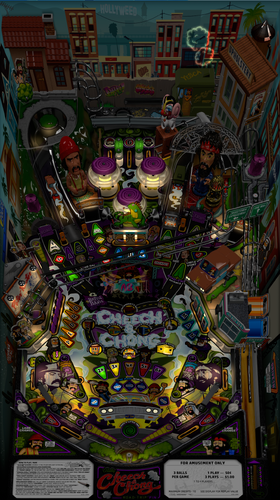
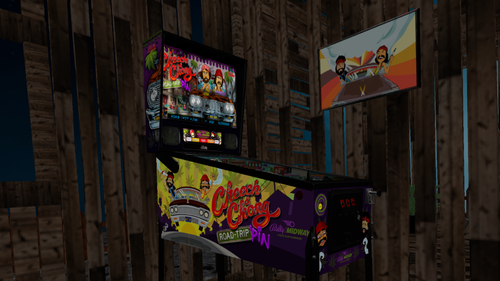
Cheech & Chong Road-Trip'pin (Original 2021) senseless - Forced Perspective for Cabinet
This is a Cabinet POV for 43" display, using VPX10.8. It is an alternate option to those offered by LoadedWeapon.
The objective of this POV is to maximise the depth perception of the playfield utilising the "Window" option in "View Layout Mode". The result is, when viewed directly from above, the image may look distorted - as shown in the attached screen shot - but when viewed from the front of the cabinet, the images regain their perspective (much like "STOP" painted on a road surface). Although specifically customised for this particular table, it should also be a close fit for the same table made by other creators. Link to Table:
Installation procedure:
1. Make a backup copy of your *.ini file for this table which will be located in your "Tables" folder.
2. Paste the downloaded *.ini file into your "Tables" folder
3. Rename the downloaded file to be exactly the same as your table file and B2S file. The most reliable way to do this is to select all files Table file,B2S and ini file. Right click with mouse. Select rename option. Rename the file. All 3 files will then be renamed automatically
Troubleshooting:
a) If you start the table and it is not visible or not centred properly
1. press f12.
2. Make sure you are on the page with heading "Point of View" which is the POV setting screen.
3. Use the Magna button to scroll down until "Vertical Offset" is highlighted
4. Use your flipper keys to adjust this value which will move playfield either up or down.
5. If the playfield is "black colour" it means that the playfield is "beyond" the location of your screen display. In such a case the "Vertical Offset" value is most likely a high negative value. In that case press the right flipper key. The value should reduce towards zero. As you get near to zero the playfield will become visible. Continue to adjust it until the edge of the apron is aligned with the bottom of your display screen.
b) In the unlikely event that you cannot get the screen to size to your playfield, simply delete the ini file and replace it with your backup copy.
35 downloads
(0 reviews)0 comments
Submitted
-
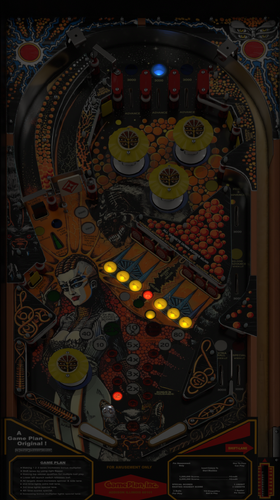
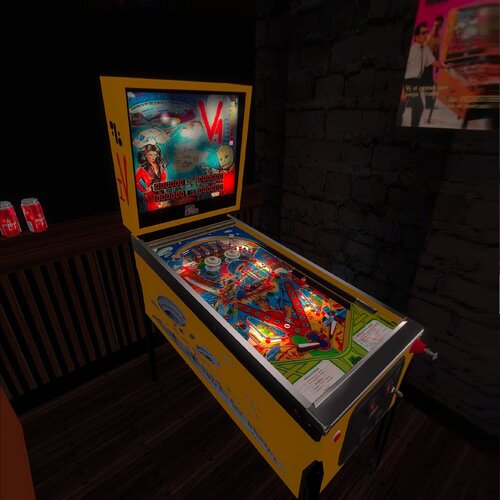
Andromeda (Game Plan 1985) VPW - Forced Perspective for Cabinet
This is a Cabinet POV for 43" display, using VPX10.8. It is an alternate option to those offered by LoadedWeapon.
The objective of this POV is to maximise the depth perception of the playfield utilising the "Window" option in "View Layout Mode". The result is, when viewed directly from above, the image may look distorted - as shown in the attached screen shot - but when viewed from the front of the cabinet, the images regain their perspective (much like "STOP" painted on a road surface). Although specifically customised for this particular table, it should also be a close fit for the same table made by other creators. Link to Table:
Installation procedure:
1. Make a backup copy of your *.ini file for this table which will be located in your "Tables" folder.
2. Paste the downloaded *.ini file into your "Tables" folder
3. Rename the downloaded file to be exactly the same as your table file and B2S file. The most reliable way to do this is to select all files Table file,B2S and ini file. Right click with mouse. Select rename option. Rename the file. All 3 files will then be renamed automatically
Troubleshooting:
a) If you start the table and it is not visible or not centred properly
1. press f12.
2. Make sure you are on the page with heading "Point of View" which is the POV setting screen.
3. Use the Magna button to scroll and highlight "Vertical Offset"
4. Use your flipper keys to adjust this value which will move playfield up or down.
5. If the playfield is "black colour" it means that it is "beyond" the location of your display screen. In such a case the "Vertical Offset" value is most likely a high negative value. In that case press the right Magna key. The value should reduce towards zero. As you get near to zero the playfield will become visible. Continue to adjust it until the apron is aligned with the bottom of your display screen.
b) In the unlikely event that you cannot get the screen to size to your playfield, simply delete the ini file and replace it with your backup copy.
34 downloads
(0 reviews)0 comments
Submitted
-
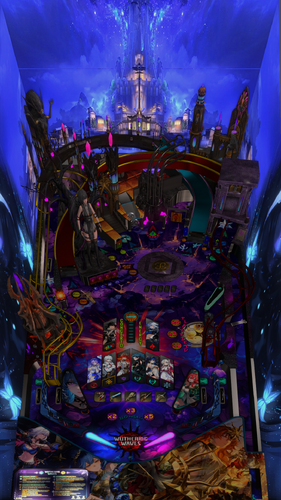
Wuthering Waves Table & Pup
By emanoel299
3D ini file.
It is very usefull for 3D players.
You can adjust for your better view with F12
2D view looks ok for 2D players
Created in 3D passive passive VPX 10.80 - 2051 GL for cabinet mode
Stereo output
Flipped interlaced (eg. LG TVs)
No fake stereo
Eye separeted 60 mm
Enjoy it
20 downloads
(0 reviews)0 comments
Submitted
-
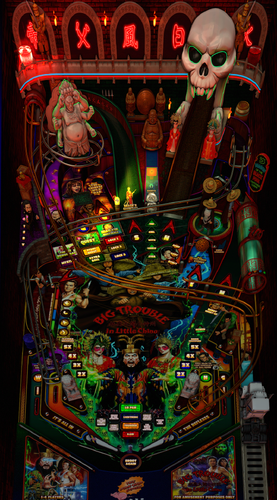
Big Trouble in Little China (original)
By emanoel299
3D ini file.
It is very usefull for 3D players.
You can adjust for your better view with F12
2D view looks ok for 2D players
Created in 3D passive passive VPX 10.80 - 2051 GL for cabinet mode
Stereo output
Flipped interlaced (eg. LG TVs)
No fake stereo
Eye separeted 60 mm
Enjoy it
30 downloads
-
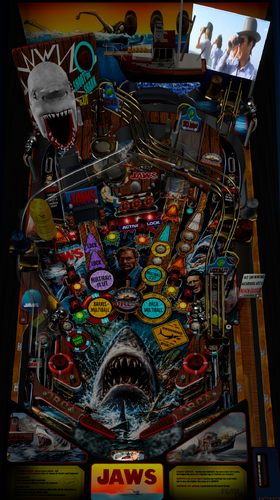
Jaws V2.4 Remastered (french)
By emanoel299
3D ini file.
It is very usefull for 3D players.
You can adjust for your better view with F12
2D view looks ok for 2D players
Created in 3D passive passive VPX 10.80 - 2051 GL for cabinet mode
Stereo output
Flipped interlaced (eg. LG TVs)
No fake stereo
Eye separeted 60 mm
Enjoy it
18 downloads
(0 reviews)0 comments
Submitted
-
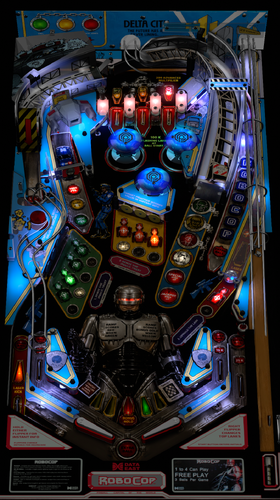
Robocop (Data East 1989) Remastered
By emanoel299
3D ini file.
It is very usefull for 3D players.
You can adjust for your better view with F12
2D view looks ok for 2D players
Created in 3D passive passive VPX 10.80 - 2051 GL for cabinet mode
Stereo output
Flipped interlaced (eg. LG TVs)
No fake stereo
Eye separeted 60 mm
Enjoy it
27 downloads
(0 reviews)0 comments
Submitted
-
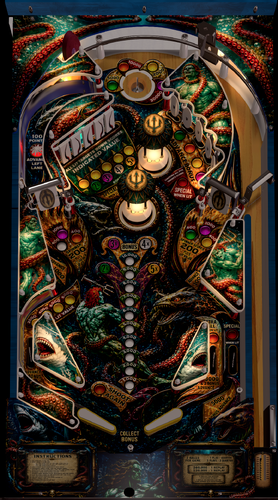
Trident (Stern, 1979) AI mod
By emanoel299
3D ini file.
It is very usefull for 3D players.
You can adjust for your better view with F12
2D view looks ok for 2D players
Created in 3D passive passive VPX 10.80 - 2051 GL for cabinet mode
Stereo output
Flipped interlaced (eg. LG TVs)
No fake stereo
Eye separeted 60 mm
Enjoy it
22 downloads
(1 review)0 comments
Submitted
-
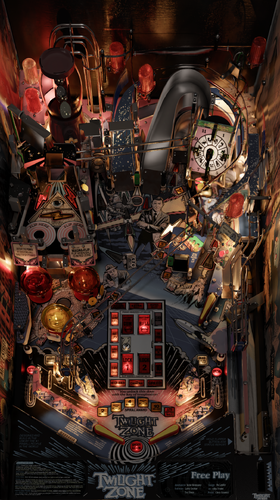
3D INI files for VPX 10.8
By emanoel299
Here there are from A to Z some of my 3D ini files.
It is very usefull for 3D players.
You can adjust for your better view with F12
2D view looks ok for 2D players
Created in 3D passive passive VPX 10.80 - 2051 GL for cabinet mode
Enjoy it
259 downloads
-
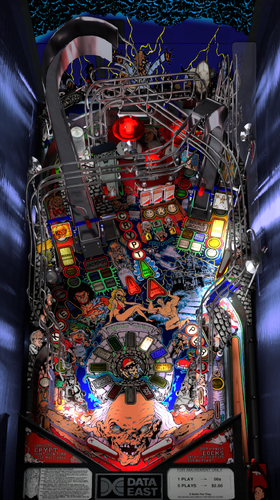
Tales from the Crypt (Data East 1993) Mod patch
By emanoel299
3D INI/POV Window View Layout mode VPX 10.80 - 2051 GL
Made in 3D passive playfield for cabinet mode
79 downloads
-
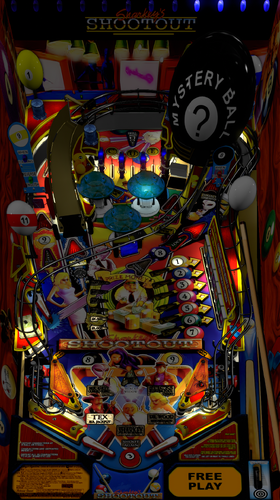
Sharkey's Shootout (Stern 2000) Burger LW
By emanoel299
INI/POV file
Created in 3D passive playfield
VPX 10.80 - 2051 GL 64
52 downloads
(0 reviews)0 comments
Submitted
-
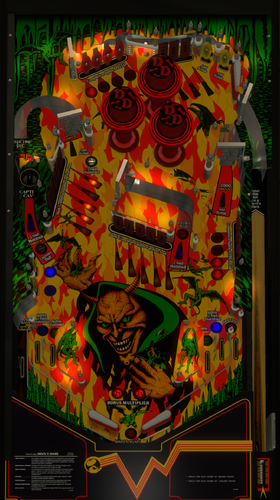
Devil's Dare (Gottlieb 1982) Physics Sound VR MOD
By emanoel299
INI/POV file
Created in 3D passive playfield
VPX GL cabinet mode
28 downloads
(0 reviews)0 comments
Submitted
-
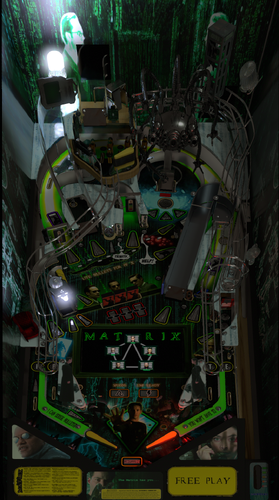
The Matrix (Original) 0.99.0 INI/POV
By emanoel299
The Matrix (Original 0.99.0) made in VPX GL cabinet mode
Enjoy it
278 downloads
-
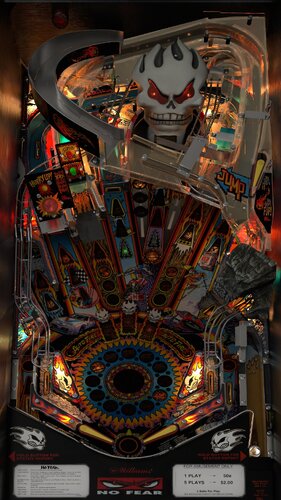
No Fear (Williams 1995) VPW Cabinet POV
By LoadedWeapon
No Fear (Williams 1995) VPW Cabinet POV made on 1.1.1 version of the table.
Thanks to VPW team for their amazing work!
Make sure the ini file name matches your table name
229 downloads
(2 reviews)0 comments
Submitted
-
-1to1-NoCards.thumb.jpg.1896055bf03fa874fec1bcc4e4b415b4.jpg)
Hook (Data East 1992)-1to1-NoCards.ini
By PaulDrummond
Hook (Data East 1992)-1to1-NoCards.ini
POV ini file for 1:1 table with no card display. Use Popper to display your instruction cards.
Side blades link:
First of what i plan to be a large series of 1:1 tables using the POV windowed mode. There are plenty or POV files but rarely any that maintain 1:1 aspect ratio.
I will try and pump one out per day all going well. Recommend using tables with side blades or adding them to tables without.
Feel free to contribute if you also like the idea of 1:1 tables. I am trying to keep a similar format. Include links to artwork or mod file .difs for the sideblades if used.
Remember to setup your screen dimensions in VPX first.
For best results with POV i recommend aligning your playfield screen parallel to your glass. Just my opinion.
NOTE: I run a 50" 4K screen and is all i have to test it on so let me know if it translates OK to other sizes/HD.
63 downloads
(0 reviews)0 comments
Updated
-
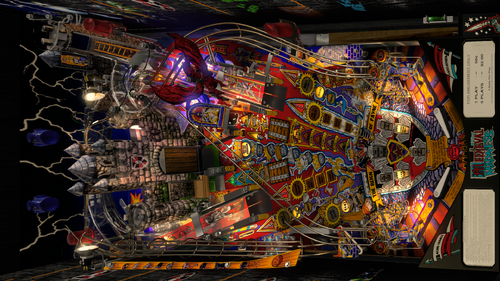
Medieval Madness (upgrade real final).ini
By emanoel299
This is my POV/INI file for Medieval Madness (upgrade Real final)
I did in Window mode point of view with a 3D passive playfield
You can Press F12 to adjust for your better view
Please rename the file as your table file name
287 downloads
-
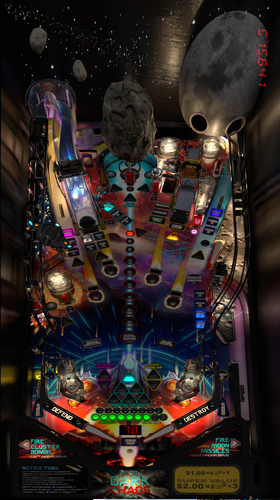
Dark Chaos (Original 2025) Apophis version - Forced Perspective for Cabinet
This is a Cabinet POV for 43" display, using VPX10.8. It is an alternate option to those offered by LoadedWeapon.
The objective of this POV is to maximise the depth perception of the playfield utilising the "Window" option in "View Layout Mode". The result is, when viewed directly from above, the image may look distorted - as shown in the attached screen shot - but when viewed from the front of the cabinet, the images regain their perspective (much like "STOP" painted on a road surface). Although specifically customised for this particular table, it should also be a close fit for the same table made by other creators. Link to Table:
Installation procedure:
1. Make a backup copy of your *.ini file for this table.
2. Paste the downloaded file into your "Tables" folder
3. Rename the downloaded file to be exactly the same as your table file and B2S file. The most reliable way to do this is to select all files, right click with mouse, then select rename option on one of the files. All 3 files will then be renamed automatically
Troubleshooting:
a) If you start the table and it is not visible or not centred properly
1. press f12.
2. Make sure you are on the page with heading "Point of View" which is the POV setting screen.
3. Use the Magna button to scroll and highlight "Vertical Offset"
4. Use your flipper keys to adjust this value which will move playfield up or down.
5. If the playfield is "black colour" it means that it is "beyond" the location of your display screen. In such a case the "Vertical Offset" value is most likely a high negative value. In that case press the right Magna key. The value should reduce towards zero. As you get near to zero the playfield will become visible. Continue to adjust it until the apron is aligned with the bottom of your display screen
162 downloads
(0 reviews)0 comments
Submitted
-
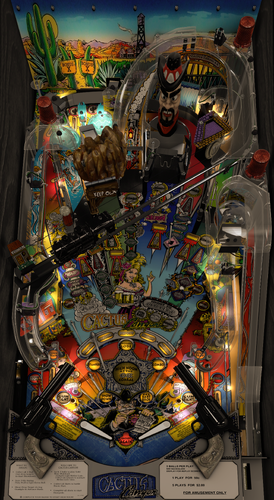
Cactus Canyon Continued (Bally 1995) VPW version - Forced Perspective for Cabinet
This is a Cabinet POV for 43" display, using VPX10.8. It is an alternate option to those offered by LoadedWeapon.
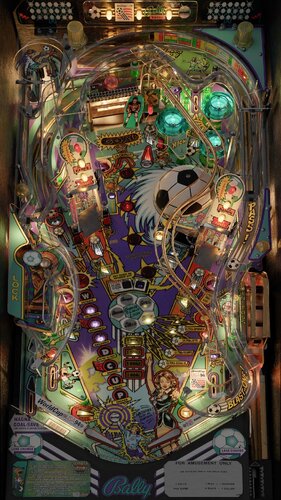
The objective of this POV is to maximise the depth perception of the playfield utilising the "Window" option in "View Layout Mode". The result is, when viewed directly from above, the image may look distorted - as shown in the attached screen shot - but when viewed from the front of the cabinet, the images regain their perspective (much like "STOP" painted on a road surface). Although specifically customised for this particular table, it should also be a close fit for the same table made by other creators. Link to Table:
Installation procedure:
1. Make a backup copy of your *.ini file for this table.
2. Paste the downloaded file into your "Tables" folder
3. Rename the downloaded file to be exactly the same as your table file and B2S file. The most reliable way to do this is to select all files, right click with mouse, then select rename option on one of the files. All 3 files will then be renamed automatically
Troubleshooting:
a) If you start the table and it is not visible or not centred properly
1. press f12.
2. Make sure you are on the page with heading "Point of View" which is the POV setting screen.
3. Use the Magna button to scroll and highlight "Vertical Offset"
4. Use your flipper keys to adjust this value which will move playfield up or down.
5. If the playfield is "black colour" it means that it is "beyond" the location of your display screen. In such a case the "Vertical Offset" value is most likely a high negative value. In that case press the right Magna key. The value should reduce towards zero. As you get near to zero the playfield will become visible. Continue to adjust it until the apron is aligned with the bottom of your display screen
208 downloads
(1 review)0 comments
Updated
-
-
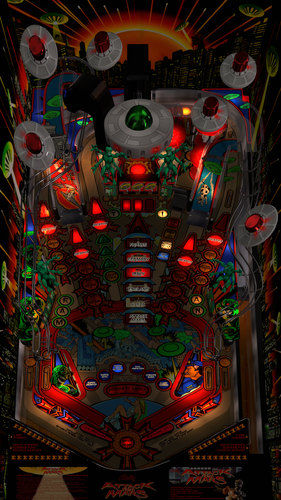
Attack from Mars (Bally 1995) JP Salas version - Forced Perspective for Cabinet
This POV is for 43" display in cabinet , using VPX10.8. It is an alternate option to those offered by LoadedWeapon.
The objective of this POV is to maximise the depth perception of the playfield utilising the "Window" option in "View Layout Mode". The result is, when viewed directly from above, the image may look distorted - as shown in the attached screen shot - but when viewed from the front of the cabinet, the images regain their perspective (much like "STOP" painted on a road surface). Although specifically customised for this particular table, it should also be a close fit for the same table made by other creators.
https://www.vpforums.org/index.php?app=downloads&showfile=11603
Installation procedure:
1. Make a backup copy of your *.ini file for this table.
2. Paste the downloaded file into your "Tables" folder
3. Rename the downloaded file to be exactly the same as your table file and B2S file. The most reliable way to do this is to select all files, right click with mouse, then select rename option on one of the files. All 3 files will then be renamed automatically
Troubleshooting:
a) If you start the table and it is not visible or not centred properly
1. press f12.
2. Make sure you are on the page with heading "Point of View" which is the POV setting screen.
3. Use the Magna button to scroll and highlight "Vertical Offset"
4. Use your flipper keys to adjust this value which will move playfield up or down.
5. If the playfield is "black colour" it means that it is "beyond" the location of your display screen. In such a case the "Vertical Offset" value is most likely a high negative value. In that case press the right Magna key. The value should reduce towards zero. As you get near to zero the playfield will become visible. Continue to adjust it until the apron is aligned with the bottom of your display screen.
296 downloads
- pov
- attack from mars
- (and 1 more)
(1 review)0 comments
Submitted
-
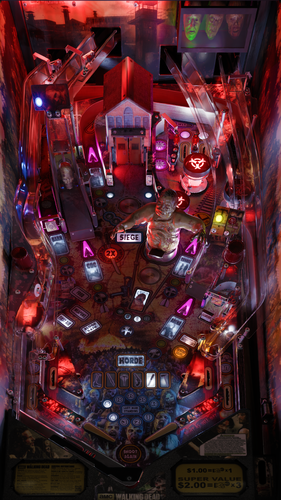
Walking Dead, The (Stern 2014) - flupper version - Forced Perspective for Cabinet
This POV is for 43" display in cabinet mode using VPX10.8. It is an alternate option to those offered by LoadedWeapon.
The objective of this POV is to maximise the depth perception of the playfield utilising the "window" POV mode. The result is that, when viewed from directly from above, the image may look distorted - as shown in the attached screen shot - but when viewed from the front of the cabinet, the images regain their perspective (much like "STOP" painted on a road surface). Although specifically customised for this particular table, it should also be a close fit for the same table made by other creators.
Installation procedure:
1. Make a backup copy of your *.ini file for this table.
2. Paste the downloaded file into your "Tables" folder
3. Rename the downloaded file to be exactly the same as your table file and B2S file. The most reliable way to do this is to select all files, right click with mouse, then select rename option on one of the files. All 3 files will then be renamed automatically
Troubleshooting:
a) If you start the table and it is not visible or not centred properly
1. press f12.
2. Make sure you are on "page 2/3" which is the POV setting screen.
3. Use the Magna button to highlight "Vertical Offset"
4. Use your flipper keys to adjust this value which will move playfield up or down.
5. If the playfield is "black colour" it means that it is "beyond" the location of your display screen. In such a case the "Vertical Offset" value is most likely a high negative value. In that case press the right Magna key. The value should reduce towards zero. As you get near to zero the playfield will become visible. Continue to adjust it until the apron is aligned with the bottom of your display screen.
141 downloads
- walking dead
- pov
- (and 2 more)
(0 reviews)0 comments
Submitted
-
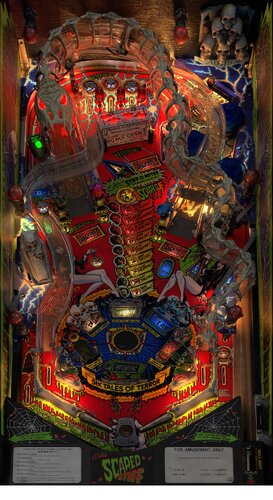
Scared Stiff VPW Cabinet POV
By LoadedWeapon
Before you message me... Scared Stiff VPW Cabinet POV
726 downloads
-
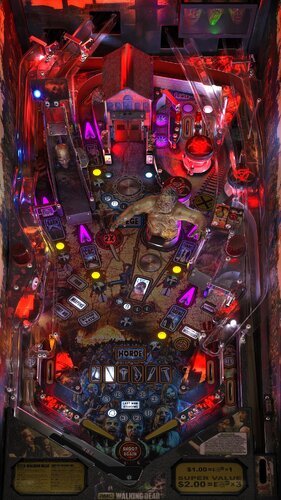
The Walking Dead LE/Premium 4K Cabinet POV
By LoadedWeapon
Just a request from people for cab pov enjoy!
Should work on day and night just fine..
418 downloads
-
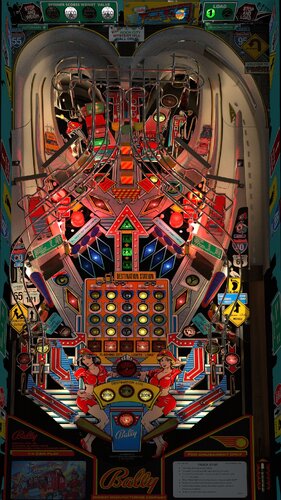
Truck Stop Cabinet POV
By LoadedWeapon
To make the walls brighter use the element select tool in the editor and select sidewall in the editor and in the options on the right put disable spot lights on 0.3 to make them brighter
234 downloads
(0 reviews)0 comments
Submitted
-
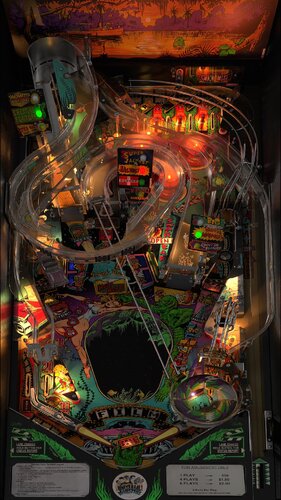
Creature from the Black Lagoon Cabinet POV
By LoadedWeapon
people have been asking for some new ones so...
584 downloads
-
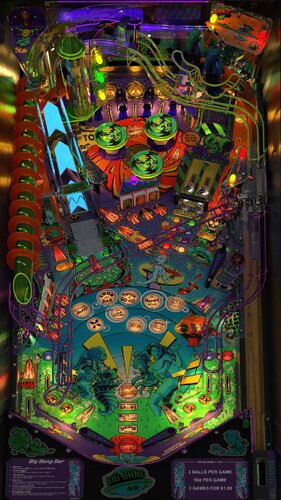
Big Bang Bar Cabinet POV
By LoadedWeapon
This is VPX 10.8 Window POV for Big Bang Bar VPW v2.1
Name it the same as the table and place in the tables folder.
Must use new 10.8 VPX for Cabinet Window POV
Enjoy!
674 downloads
-
VPU Staff's Top Picks
-
New & Updated Visual Pinball
-
New & Updated Future Pinball
-
New & Updated Backglasses
-
New & Updated DMD Colorizations
-
New & Updated Virtual Reality Enabled Tables
-
VPU Remix & Mods
-
New & Updated Popper Media
-
Updated Files
-
Download Statistics
30528
Files107615
Comments44933
Reviews

.thumb.jpg.48f7733c145a20bd79f95b037dcd15f5.jpg)


(v1.0)TableImage.thumb.png.8e12c2f55069538b38c5c92c1e4b2c6f.png)
.thumb.jpg.442b34db61476304f8b574607200b072.jpg)
AltB2SwithFullDMDss.thumb.png.2c40717e6bdbbccab69ec7a207568de9.png)
.thumb.png.85033277c8e20968a765361789c8a6be.png)
.thumb.png.480ccd27eee863a689bbd5773712b451.png)
.thumb.png.ea3fee98572c2872208e177931efd7b5.png)
.thumb.png.5a990e5c323fd6164aa9885ea6b06665.png)


.thumb.png.f450a9ccd2cbf450b5b3aaf7663b19bd.png)



Illuminated.thumb.png.14480180d30f65f5cfe74edf577300de.png)








.thumb.jpg.c30c90acd2ee5e74325fc265b9aaebb7.jpg)
fullDMD.thumb.png.d5b7f53f18164ff93bcf624ccf220fe0.png)
.thumb.png.ffd24cbf13a91dbc73610e5f79b4962d.png)


.thumb.png.4679c393a3f950ee4811f1f31c7cb59f.png)
2.thumb.png.9e8176cca3ff20e63d76cad155868a6f.png)
-frameat0m7s.thumb.jpg.6584a6a54212f4b594b76646524aa668.jpg)
1.0.1-frameat0m4s.thumb.jpg.1990291e411712686745bee8d79de306.jpg)



FullDMD.thumb.jpg.8f287e15d4752d287bc30ea9e9f0862f.jpg)
FullDMD.thumb.jpg.43072decb46a3e0f974195bdbb3ef98b.jpg)



.thumb.jpg.063ed4a20bfeafc78ad0f6483aa5b482.jpg)
Wheel.thumb.png.8c6ee8735e6f8588151f7757948df430.png)
.thumb.png.d8a09eb60093171064e33a6c7495968b.png)
.thumb.png.ba1139a3d514e38ecbab9a92a6dc04d7.png)
.thumb.jpg.52f236ea23dcee913b08d46b646dc681.jpg)
.thumb.jpg.693337290fa0ed4d90f4def7443090bd.jpg)
.thumb.jpg.6f3d49d8b28727bd92ad6c2c3ac1552a.jpg)
ComfyUI.thumb.jpg.49bfcb9ca4785d2ea15918a599cc724d.jpg)
.thumb.png.95d0789d9cff9cef5d6be97e2e2c8ba2.png)

wheel.thumb.png.14d205c9fc8ba6fb41967279ee445bb0.png)

9.thumb.png.a2b5f67fa1b913e2d6e0da6edb934d20.png)
.thumb.png.4963909f968996e30d2ff7ac67edbc74.png)


help.thumb.png.d4062b8594d8f9f46eac0a20c30f9a15.png)