-
SYSTEM SEARCH
System Scanners Online:
Username: Guest
>> System Scan?
>> The Universe >
Incoming Message:
Due to system limitations searching with words of 3 or less characters will not return results. For instance; Doctor Who. This will not return results as the system is trying to search for both Doctor AND Who in which Who will not be found as it's a 3 character word. To find Doctor Who; you'd search for either Doctor or "Doctor Who".
Search Tips:
For specific searches; enclose your search with quotes. Example: "Doctor Who" or "Addams Family".
Search the Community
Showing results for tags 'data east'.
-
Version 2.0
4603 downloads
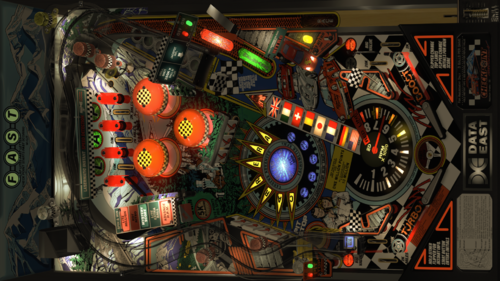
update of the VPX table of AgentEighty6, Goldchicco, 32assassin With the permission of AgentEighty6 Changelog Taken from the VPW example table: Dynamic Ball Shadows: iaakki, apophis, Wylte Rubberizer: iaakki Target Bouncer: iaakki, wrd1972, apophis Flipper and physics corrections: nFozzy, Rothbauerw Sound effects package: Fleep Ramp rolling sounds: nFozzy Lampz: nFozzy Bumpers: Flupper Flasher domes: Flupper 3D inserts: Flupper, Benji Drop targets: Rothbauerw Added physical trough New ball eject chute primitive and ramp draft more in line with the original Redrawn plastics and created primitives Recreated signals and primitives Animation of the hanging sign, on the ramp Porsche animation, hitting the target Also based on VP9 version by: Bodydump Requlem Destruk Batch- 48 comments
- 10 reviews
-
- 258
-

-
- checkpoint
- data east
- (and 3 more)
-
Version 2.4
7628 downloads
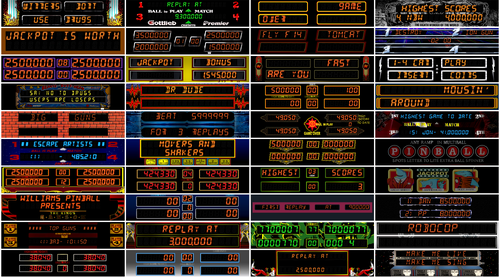
Thank you very much @jarr3, this would not be possible without your amazing b2s designer software. All credits goes to @hauntfreaks for his tremendous amount of work. Credits also goes to @Wildman, @ryguy417, @Walterwhite, @Rickochet, @chucky87, @Manbearpig, @iDigStuff, @PIPAllah Thank you all for allowing me to use your work. Extra thanks to @Herweh, @WaRcLaWz, @Blacksad, @RajoJoey All backglass remains exactly the same as the originals, I only modified the DMDs. The leds and illumination frames as well as the snippits has been scrupulously put back in the right place, after modifying the image in Photoshop. DMDs are 1480x320. -

Version 1.0.0
12966 downloads
stwr_107.zip -

Version 2.1.0
6542 downloads
Pin2dmd colorization v2.1, must have pin2dmd firmware 2.58 or higher installed or running freezy's dll 1.7.1. Extract the .pal and .vni files from zip and rename each pin2dmd and place into the correct alt_color folder for the rom you are running in vpinmame. This colorization will support both 1.03 and 1.06 roms. Please message me on vpuniverse for the real pin files. Donations accepted and appreciated paypal link: https://www.paypal.com/cgi-bin/webscr?cmd=_s-xclick&hosted_button_id=EFNCMPPZVGEFG Fixed in this version: Audits & Adjustments menu fully colorized Known bugs - AT-AT Pops - limitations of editor causes scene to be incomplete - Jabba - Couple frames non colored due to triggering challenges - Sarlaac Pit - limitations of editor causes scene to be incomplete - Skill Shot - frame skipping of DE machines may cause color glitch - X-Wing Millions - Couple frames non colored due to triggering challenges - Tri-Ball Restart - frame skipping of DE machines may cause color glitch - Million Pops - limitations of editor causes scene to be incomplete - Force Menu Mode - limitations of editor causes scene to be incomplete - Cantina Band - frame skipping of DE machines may cause color glitch - Free Play - not yet color supported- 20 comments
- 9 reviews
-
- 141
-
-
Version 1.0.0
918 downloads
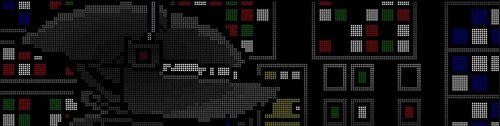
Hello everyone! Today I’m releasing a colorized version of the Data East *Star Wars* ROM. There is still a bit of work to do, but since I had announced a summer release, I decided to put out this version—which I’d say is about 90% complete. The high-score scroll isn't colorized yet, and the Stormtrooper shooting sequence isn't fully colorized; there are still a few bugs here and there, but rest assured that this ROM will receive one or two updates before the end of the year. For now, I’m off on vacation I hope you enjoy this colorization! Happy flipping to the whole community! I want to thanks all the Serum community, specialy Kraken for the help on the AT-AT scene. May the Force be with you, young Padawan! Table: Star Wars (Data East 1992) VPW - VPX - Pinball Tables - Virtual Pinball Universe DMDext version 2.4.0 is required to run these .cROMc files. Latest VPinMAME 3.7.x is recommended (VPinMAME-3.7.0-222-8133307) Any serum dll file need to be removed from the VPinMame folder to ensure compatibility. Personal, non-commercial use only. Please contact me if you would like to use it in another way. All Logos, Copyrights and Trademarks are property of their respective owners. PROVIDED STRICTLY FOR PERSONAL / HOME USE AND NOT FOR COMMERCIAL SALE / RE-SALE OR DISTRIBUTION! -
Version v10.7 required
1514 downloads
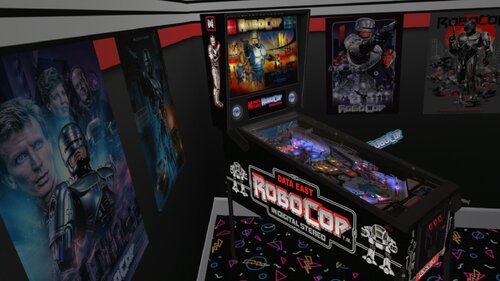
I want to share my first VR Room Conversion with you today. Unfortunately, there hasn't been a VR port yet, at least none that I could find, so I had to make it myself. There are many good versions out there, but Drakkon's version was the only one that worked for me. I hope someone else has fun with it, so I'm sharing it with you now. 12/03/2024 added Original Cabinet Decals in separate .zip File Install Intructions in ReadMe.txt VR Options to change in Skript: '********************* VR OPTIONS ************************************************** '*********************************************************************************** 'VR Logo - Set VRLogo = 0 to turn off VR Logo. VRLogo = 1 'VR Poster-Right - Set VRPosterR = 0 to turn off VR Poster-Right. VRPosterR = 1 'VR Poster-Left - Set VRPosterL = 0 to turn off VR Poster-Left. VRPosterL = 1 'VR table Glass - Set Glass = 0 to turn off VR playfield Glass. Glass = 1 'VR Playfield glass Scratches - Set to 0 if you want to turn them off. GlassScratch = 1 You will need this B2S: Big shoutout to Wildman for his fabulous backglasses! I would also like to thank Rawd for their VR Toys and kiwi for the support. And a very warm greeting and a big thank you for Rajo Joey, who put me on the right path and supported me with advice and action. Also thanks to Studlygoorite for beta testing and of course drakkon for allowing me to take his artwork to the next dimension. I almost forgot the good Sixtoe, thanks for your great templates! -
-
Version 1.0.0
2457 downloads
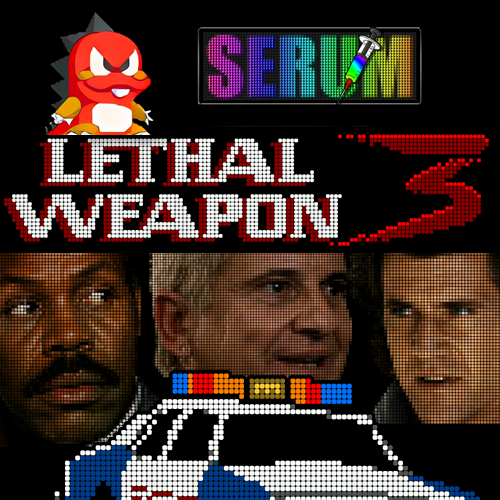
OK OK OK! I'm happy to share my Serum colorization of Lethal Weapon 3 (Data East, 1992). I spent a little over 100 hours on this project and truly enjoyed discovering this fast-paced and very fun table! Works with both the official Data East ROM v2.0.8 and PinballCode.com's unofficial ROM v3.0.1. To enable the HD headshots, make sure to add the following to your DmdDevice.ini: [lw3_208] scalermode = Doubler [lw3_301] scalermode = Scale2x You may specify Doubler or Scale2X depending on your up-scaling preferences. Requires DMDEXT v2.5.0 or more recent. (Serum64.dll 2.6.0 is built-in) Hope you enjoy! KRΛKΞN 🍻- 29 comments
- 25 reviews
-
- 162
-
-
- 1433
- lethal weapon
- (and 4 more)
-
Version 1.0.1
1774 downloads
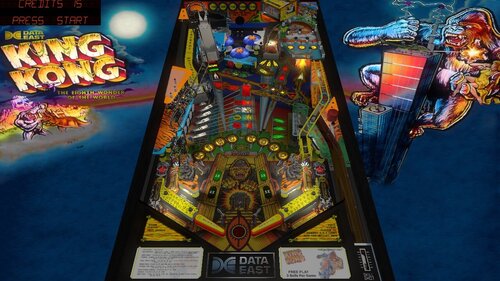
Use F12 to switch between prototypes, even in the middle of a game! This table was created by @cyberpez as a scratch build in 2020. Cyberpez redrew the playfield, plastics, decals, and countless other assets that brought the project to life. Cyberpez also credited @Dazz, @dup3d, @gtxjoe, @Javier15, @DStruct, @Wildman, @toxie, @fuzzel, @Thalamus, @wrd1972, nFozzy, @Flupper, @Schlabber34, @DJRobX, @BrandonLaw, @Dark, @Benji, @iaakki, @Sixtoe, @arconovum, @arngrim, @bord, and @rothbauerw for their contributions. King Kong was an unreleased Data East prototype from the early 1990s that went through numerous changes during development. Several prototype versions are known to exist today, each offering a unique glimpse into how the game evolved before the project was ultimately canceled. New in this version: @burger Added Fleep mechanical and ball sounds Refreshed the table's nFozzy physics implementation Resolved some stuck ball issues Added prototype selection and LUT controls to the F12 menu Attempted to further match gameplay with real table @studly_do_right Helped test the various prototypes and contributed additional sound effects. Info: The table loads a random prototype by default, so you'll get a different version each time you open it. You can use the F12 menu to select a specific prototype if you find one you prefer. -
Version 1.02
1735 downloads
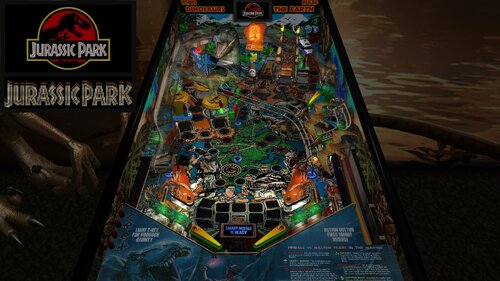
Note: In order to read the description for the new Version 1.02, you have to click on the "Permission to Mod" tab. For years, I have released Future Pinball tables with color DMD support for desktop PCs, but I always had to tell cabinet users that DMDExt did not support color. That has now changed—DMDExt version 2.5 adds color support! Click on the following link to learn more and download setup instructions for DMDExt 2.5: https://vpuniverse.com/files/file/30061-jurassic-park-revised-slamt1lt-edition-data-east-1993-color-dmd-ssf-pup-20-3-monitor-setup-fizx-33/page/3/?tab=comments#findComment-108589 This posting updates Slamt1lt’s Jurassic Park ULTIMATE Pro version 1.05. This table introduces three new features that have not been added to my previous table mods: 1. Faster game play on FizX – Several users asked me whether FizX could be made to play faster, and I suspected many others would appreciate the option as well. After working on this intermittently for about two months, I developed a solution that is included in this update. Four speed settings are available: Slow, Medium, Fast and Very Fast. The Slow setting matches the original FizX game speed. End users can boost the very fast game speed to make it even faster (or make other changes) with guidance provided in the instruction PDF file in the download. 2. Correct HUD DMD aspect ratio – A new version of BAM corrects the aspect ratio of the HUD DMD and it has the same shape as the backbox DMD. This feature requires some simple set up with guidance provided in the instruction PDF file included in the download. 3. Ball rolling sounds for ramps on cabinets - This table uses an updated FizX template with PUP 2.0 support. With PUP 2.0, you’ll hear ball rolling sounds on the plastic and wire ramps that are different from those on the playfield. Although I don't have a cabinet, DigitalArts successfully played this table on his cabinet verifying everything works correctly including the ramp sounds. In my Revised Slamt1lt Edition, my goal was to enhance and polish Slamt1lt's work while leaving the core design and gameplay untouched. I also incorporated a few select features from Rom’s version of the table; these are identified in the list of changes below. Slamt1lt's original features included changing playfield light insert colors during gameplay. He also added switchable original and modern audio modes. I personally prefer the modern mode, where Slamt1lt introduced new sounds and music. As expected, he included movie clips from Jurassic Park. Table Requirements BAM 1.5-397 or higher Required to display the HUD and overlays with the correct aspect ratio. BAM_v1.5-397 can be downloaded here: https://pinballnirvana.com/forums/threads/bam-update-v1-5-395.23944/#post-163376 PUP 2.0 This table was coded for PUP Surround Sound Feedback (SSF), which requires PUP 2.0 to function correctly. Follow the same installation method used for TerryRed’s Masters of the Universe Version 1.4. Note: The PUP pack for this table contains audio only (no video) and is used solely for SSF. Desktop users do not need to install PUP 2.0. Other Requirements If you wish to use SSF, the options for Backbox and Arcade Mode must be enabled on the FP Video / Rendering options. you need to change the "DOF_enabled" and "PUP_SSF_enabled" flags in the script to true. Video Overview of the Table and Game Play As with my recent table mods, I’ve added extensive in-game adjustments through a menu system that Gimli and I developed, called the “Tweaker.” Tweakers are available for game settings, lighting, and FizX. You can adjust parameters such as camera views, physics, ambient lighting, and sound levels. The first option in the FizX Tweaker allows you to select the game speeds (slow, medium, fast, very fast) mentioned earlier. The Tweakers include cabinet-friendly DMD displays and overlays. See the instruction manual included in the download for details on using the Tweaker and other table features. Another major upgrade is the complete overhaul of the table’s audio system. Every sound and piece of music is now categorized as music, game sound, sound effect, or voice quote, with independent volume controls for each category available in the game tweaker. Many other changes are identified in the "List of Changes" section which include adding Fleep’s recordings for all of the mechanical sounds. All of the large textures on the table were reworked with increased resolution and color correction. The textures were replaced on the backglass, speaker grill, side blades, apron, and exterior cabinet. Four lighting modes were added for Day, Dusk, Night and Dark Night and can be adjusted by the lighting tweaker. Colors were adjusted on lights used on the table to make them less harsh. See the list for more changes. Slamt1lt’s original Jurassic Park table was already a lot of fun to play, and I spent six months refining it. Based on videos of his recent tables, which feature faster gameplay, I believe he would appreciate the faster FizX options included here. After playing at faster speeds, it can be difficult to return to the slow setting. A big thank-you to Pop Bumper Pete for recording a new ball launcher sound to replace the previously used saucer sound. Thanks also to Fourbanks for general testing, and to DigitalArts for testing the three-monitor cabinet version—you can see a photo of his cabinet setup in the included image gallery. Please be sure to read the included PDF for setup instructions and additional tips. Thank you for downloading my table mod—and enjoy Jurassic Park, Revised Slamt1lt Edition! —George List of Changes 1. Replaced 1024x1024 backglass texture with 2048x2048 texture. 2. Added new custom speaker grill. 3. Replaced side blade textures on the inner cabinet wall. 4. Added a new custom apron texture and wire guides. Incorporated some of Slamt1lt’s original text using different colors. 5. Repositioned dinosaur models and adjusted the colors of the Parasaur and other dinosaurs. 6. Replaced the red bulbs at the top of the ramp entrance columns with animated flames that brighten during certain game modes. 7. Added music from the movie that alternates with Slamt1lt’s dinosaur soundtrack during attract mode. 8. Replaced the startup loading texture with 8 optional versions (4 for desktop, 4 for cabinets). Also changed the loading screen text from red to yellow. 9. Increased brightness of the topper and game room. 10. After reviewing Rom’s version, I implemented the flashing backglass bottom lights by copying the six lights, sequencer, and code. (Other unused lights in Rom’s version were not included.) 11. Added a new game room wall texture with an option to switch between it and the original. 12. Replaced the original exterior cabinet texture with two new custom textures. 13. Upscaled the playfield and all the plastics. Upscaled the texture for the "Shoot the T-Rex When Lit" box and edited it to clean it up. Upscaled the texture for the backwall and increased the contrast so it doesn't look washed out. Edited the top area of the backwall where to correct what looked like mistakes made on the graphic. Changed the text on the backwall so it reads from top to bottom on both sides and emphasized the correct words by making them larger. Filled in screw holes from the photos used to create the plastics. 14. Added the "Data East Presents Jurassic Park" to the DMD during the attract mode. Parts of Data East's DMD sequence were deleted and changed. Moved a "Game over" DMD animated sequence so it runs at the end of the game instead of during the attract mode. 15. Upscaled and edited the texture for the model of the amber mosquito. The area of the texture around the mosquito was made brighter to make the wings more obvious. Also added more bulbs so the mosquito is better lit. 16. Added code to eliminate the pop-up that asks for permission for the game to take control of the camera when the game starts. 17. Changed the brightness of the JP logo on the movie clip overlays so it is darker and matches the other frames of the video clips. 18. Added FizX physics and the most recent version of the menu system, called a tweaker. Adjusted the strength of several kickers to make them match FizX. Changed the start angle and swing of the flippers so it is now possible to hit the drop targets on the far left and right sides of the playfield. Adjusted the ramptor pit kicker so it points more to the left so it hits the center of the left flipper. 19, Fourbanks reported that the ball bounced out of the right inlane when dropped from the wire ramp. Invisible walls were added to both sides of the lane to prevent recurrence. Added the same walls to the left inlane. 20. Replaced the round boat kicker with a square kicker to prevent the ball from bouncing out of the kicker without triggering it. 21. Changed many of the colors of the playfield light inserts (and the corresponding colors defined in the script) and bulbs on the playfield and backbox to a less garish version. Reduced the glow radius of the bulbs under the slingshots and lane guides. 22. Found a dip in the ramp at the first bend on the uphill side of the custom ramp model. Added a short invisible FP ramp under the ramp model to fill in the dip and added an invisible wall to the right side of the ramp. Added an invisible approach ramp at the ramp entrance to make the transition between the playfield and ramp smoother. Changed the transition of the plastic ramp and diverter to the wire ramp so it is smoother. Changed the color of the end protector on the ramp exit from white to gray so it is the same color as the original table. 23. Slamt1lt's version changed the brightness of the plastics during game mode changes, but the apron remained dark throughout the game. Changed the apron on this version so it brightens and dims along with the rest of the plastics during gameplay. 24. Added a color DMD to the animated DMD sequences and background color with a border on the DMD text. Set up the DMD text so that the text with the brown background usually has game status info and the orange background usually has action required to identify a game mode (except during the attract mode). Added a section to the beginning of the script called "COLOR DMD STATUS," where cabinet users can turn off the color DMD because DMDExt cannot support it. In the process of making this change, I found some sequences where Slamt1lt missed duplicating some animated sequences on the backglass DMD that are on the HUD DMD. Revised Sub RampLightsOff() and Sub TRaptor1_Hit() to duplicate them. 25. Changed the captive ball configuration so it follows my guide at the following web address and makes it perform better: https://pinballnirvana.com/forums/threads/resolving-problems-with-captive-balls-on-future-pinball.23568/#post-160485 26. Changed the color of the 3 bumpers from greenish yellow caps with white base to yellow caps with dark gray base. 27. Added 6 unused dino sounds so they randomly play when the coin-in button is pressed. (from Rom's version of this table) Also fixed small bug where the voice quote "Hold onto your butts" was never played. 28. Added movement of the playfield texture during the earthquake sequence to make it appear more like an earthquake. Changed the sound played during the earthquake sequence from a mechanical sound to earthquake sound. (from Rom's version of this table) Slamt1lt added a "quick quake" sound that used a similar mechanical sound and was replaced with a short earthquake sound. 29. Duplicated the display of the movie clips onto the apron, mostly to improve visibility for cabinet users. 30. Added game and lighting tweakers. 31. Added lenses to 7 playfield light inserts that were missing. 32. The right side of the backwall was darker on all previous versions of the table. Fixed it by deleting a wall in front of the backwall on the playfield and adding the texture to an overlay at the bottom of the translite. 33. Reshaped the outer orbit lane wall to prevent the ball from getting stuck. 34. Added FizX presets for slow, medium, and fast gameplay. Added an option near the beginning of the script where end users can adjust the default settings. 35. Implemented BAM code allowing scores beyond 2 billion. Verified stability up to 922 trillion points 36. Added game tweaker option to choose video clip display location on the backwall or apron 37. Added option on the game tweaker to select whether the desktop camera view is changed during multiball or not. 38. Added option on the game tweaker to select between 2 audio options during the attract mode or alternate between the 2 during each startup. 39. Added game tweaker option to select between 2 cabinet textures or alternate between the 2 during each startup. 40. Added option on the game tweaker to select between 2 game room textures or alternate between the 2 during each startup. 41. Added 2 new options to the game tweaker. One adjusts how fast the earthquake sequence runs. The other turns the earthquake effect on and off that affects the ball. 42. Added an index to the beginning of the script to simplify finding the most used sections of the script. 43. Removed 14 MB of unused audio (overall file still ~10 MB larger than the original). 44. A rubber backstop was added to the end of the plastic ramp that exits to the left inlane to prevent the ball from bouncing around excessively. 45. Replaced all mechanical sounds with Fleep’s recordings and added ramp ball rolling sounds. 46. Pop Bumper Pete recorded a ball launcher sound that was added to replace the saucer sound previously used. 47. Added ball and flipper shadows. 48. Added an option in the script to disable DMD transition effects for cabinets that don't support it. 49. Updated to AIO template version 3.30.07 (PUP 2.0), enabling ramp ball rolling sounds on cabinets. 50. Categorized every sound and music file in the script. Added a way to adjust each of the 9 categories in the game tweaker. Found 2 misnamed sounds in the script that were corrected so that they will play. 51. Improved T-Rex lighting effect by replacing a dim flasher with a visible spotlight and adjusting brightness. The spotlight illuminates on each hit of the kicker in front of the T-Rex. 52. Created versions for 3 monitor cabinets and rotated display for desktops that are turned to portrait orientation. 53. Created an instruction manual for the table in PDF format, which includes more instructions on how to operate the tweakers than were available on earlier tables. Table Developers Polygame Puma Rom Slamt1lt GeorgeH Valued Contributors Gimli – Codeveloper of the Tweaker JLou5641 - Creator of FizX Fleep - Created recordings for mechanical sounds TerryRed – developed the FizX template Fourbanks –Tester of the desktop version Digitalarts – Tester of DOF and PUP SSF on this cabinet Pop Bumper Pete – recorded a new ball launcher sound -
Version 1.1.2
3516 downloads
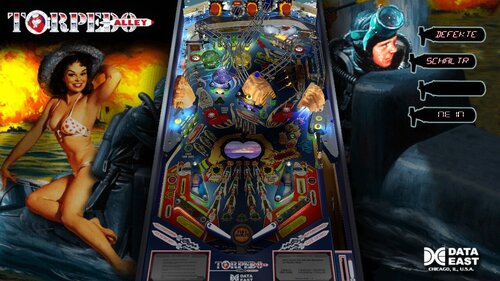
All credit goes to the original authors Dozer, Bigus1, TAB, Destruk, and Neo. Thanks for creating this excellent table! Torpedo Alley was produced by Data East in 1988. Take command of Torpedo Alley, a fast and chaotic naval battle where flashing beacons, rapid-fire shots, and explosive multiball action keep the pressure on from the first launch to the final drain. Credits for this version: I added nFozzy and Fleep, added VR backglass digits, fixed some layout issues and match gameplay to real table @studly_do_right improved lighting for better VR experience, other visual enhancements. Identified and resolved missing sound effects VR backglass assets by @hauntfreaks @DGrimmReaper added the VR cabinet and animated backglass, and other VR animations Note: if you want more flashing lights during the game, as F12 option has been added for this use Right Magnasave to select from the many different LUTs available -
Version 1.2
3406 downloads
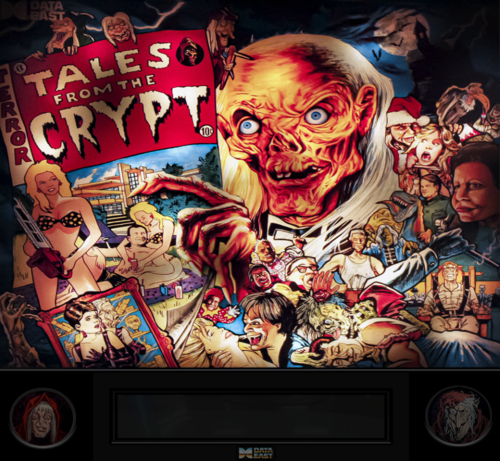
Disclaimer: Please do not redistribute, repost, repurpose or use the content for public or commercial purposes, images, or software code is prohibited without prior permission from author Reason for disclaimer: do to the total disrespect of the VP builders (tables, b2s, frontend , backend, etc.) and its community, certon talentless, low self esteem, trying to compensate individuals have taken it upon themselves to redistribute our work as if it is there god given right to do so.... the statements expressed are my personal opinions and not of VPU or its other members- 12 comments
- 6 reviews
-
- 117
-
-
- tales from the crypt
- data east
- (and 3 more)
-
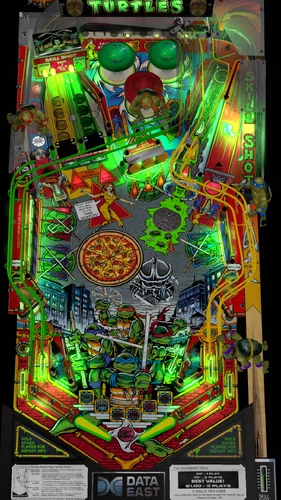
Version 1.2.3f
11269 downloads
Teenage Mutant Ninja Turtles (Data East 1991) v1.2.3f Cowabunga ! Notes: Total rebuild of the VR cabinet, New Options, Mega Rooms, nFozzy Physics, Fleep Sounds, and a LUT selector, Special Thanks to the Following: Crypt101, Gedankekojote97, Dough Nut, Cyberpez Recommended B2S by: hauntfreaks Versions: v1.2.3f - Vpx Standalone fix by Gerhard__B, Plunger Tweaked v1.2.3a-e - Auto Plunger fix, New options for Prototype Bumpers and PrototypeTopper, v1.2.3 - VR Cabinet Rebuild, Added New Backglass, DMD Flasher New Options (F12), New Mega Rooms by Dough Nut, Mega Sewer by Crypt101. nFozzy Physics, Fleep Sounds, and a LUT selector by Gedankekojote97. v1.2.2 - Added rolling ball sound and adjusted POV, fixed mystery lights not showing in desktop mode. v1.2.1 - Added VR Room Lighting option, suggested by Rawd v1.2.0 - VR Room and artwork by Retro27 -Cleaned up the Cabinet artwork -Added new Flashers -Added options for VR Room etc... v1.1 - Update Table by Cyberpez -File size reduced -Small bug fixes and tweaks v1.0 Original Table by Cyberpez -: table build, playfield redraw, ramp decal redraws, ramps, lots of little primitives here and there. Wrd1972: COUNTLESS resource pics and answering of far too many silly questions. Physics and table fine tuning. Plastic scans. Roth: Being a code wizard and for putting up with Wrd and me. (understatement of the century :P) Dark: Turtle Models!!!! and other small primitives here and there. (I did resize the turtle images to make the file size sorta reasonable) Flupper: Flasher Domes and Ramp Tutorial. Hauntfreaks: He made a pass and did the awesome things he does. themotherbrain: testing and feedback nFozzy: I'm using his new fading lights + a few tweaks by me. DJRobX: SSF code and thanks to RustyCardores for showing me the way, you can't go back!! Ball drop tweaks by Roth and me. Last but not least the developers and other table authors. This community is nothing without everyone doing their part!!!!!!- 50 comments
- 13 reviews
-
- 334
-
-
- teenage mutant ninja turtles
- vr-room
- (and 4 more)
-
-
.thumb.png.3b8f70e47ab2addf8ba01764ccc2ccea.png)
Version 2.0
4471 downloads
Last Action Hero (Data East 1993) -

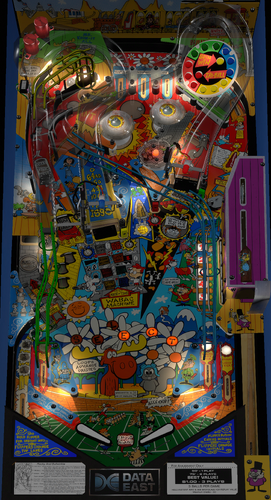
Version 1.0.6
6196 downloads
Here is an update to Rocky and Bullwinkle. TastyWasps added in all the good stuff, and made it play like a million bucks!! Few other tweaks here and there. Enjoy! -cp v1.06 - Upgrades: cyberpez & Scottacus - Nell Saw Fixed TastyWasps - nFozzy/Roth Physics, Fleep Sounds, Dynamic Ball Shadows, 2 Auto-Detect VR Rooms, Gameplay Balance / Enhancements Passion4Pins - Desktop Rails Arvid - Original VR Room Assets VPW Testing Team ---------------------------------------- Here's the notes from the original release. ---------------------------------------- This was a scratch build. Playfield I stitched together from some high-res photos I found online. Plastics are scans from FBX. Ramp decals, custom sidewalls, and a few other things I redrew myself. Most all of the 3D models I did myself. I know there are probably a few from Dark and Zany hiding in there somewhere. Sliderpoint was a huge help off and on with this build. He took a ton of pictures of his real machine. Measured all of his ramps and tweaked the VP ramps to get them just right. He also took videos of all of the SOL sounds that I edited and used for most all the VP table sounds. He also helped align and tweak the placements of objects early on. A while back Wrd19 came in and fine-tuned the physics. For what its worth I think it plays great. You will need to use the latest 10.6 version of VPX. As always, check the top of the script for options!!!! -------------------- Credits/Thanks: Me: table build, playfield stitch, ramp decal redraws, ramps, lots of little primitives here and there. Sliderpoint: Resource pics, ramp and table tweaks. Big help making this table great!! Wrd1972: Physics, playtesting and other tweaks along the way Rothbauerw: Being a code wizard and for putting up with Wrd and me. Playtesting. Dark: Different models here and there FBX: plastic scans. themotherbrain: testing and feedback nFozzy: I'm using his new fading lights + a few tweaks by me. DJRobX: SSF code and thanks to RustyCardores for showing me the way, you can't go back!! Ball drop tweaks by Roth and me. Last but not least the developers and other table authors. This community is nothing without everyone doing their part!!!!!! Victory for the good guys!! -cp -
Version 1.0.0
570 downloads
Manufacturer Playlist Playfield Media Bally, Williams, Data East, Gottlieb, Stern, Williams. -
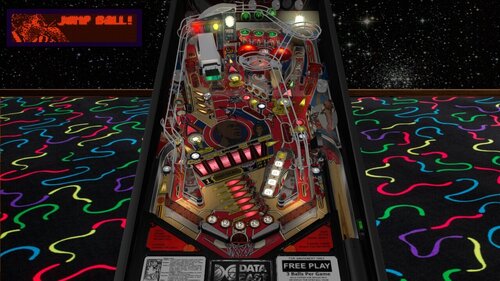
Version 1.0.2
2496 downloads
Michael Jordan is back on the court in this smooth VPX release loaded with fast shots, big dunks, and pure 90s vibe. Thanks @Rascal for creating this fabulous table! I added nfozzy and fleep The credits below are from previous versions of this table, Sorry if I missed anybody. Let me know and I will add you. @Javier15,oooPLAYER1ooo, @francisco666, @bigus1, pinballfan6500, @toxie, @Thalamus, @32assassin, @Rawd, @Ahr1man -
(Custom).thumb.png.ecfcdf9ac8ce053b4fbbb8bad6c53461.png)
Version 1.0.0
2497 downloads
Michael Jordan (Data East 1992) Hi Rez- 3 comments
- 8 reviews
-
- 103
-
-
- michael jordan
- data east
- (and 3 more)
-
- 3 comments
-
- 138
-
-
.thumb.png.1f8807d741dc29f75f8f733ca5326364.png)
Version 2.0
2911 downloads
Laser War(Data East 1987) -
.thumb.png.7f5317fb2617bb74a15330d7c9072806.png)
Version 2.0
4610 downloads
Hook (Data East 1992) -
.thumb.png.035672ef7931d59c3dc684ea83f1bceb.png)
Version 1.0.0
133 downloads
King Kong (Data East 1990) HI REZ ALT and Wheel -
-Prototype.thumb.png.a2418daeb76abc33fd2c09184d0b542c.png)
Version 1.0.0
84 downloads
King Kong (Data East 1990) - Prototype Cheers, FD. -
 View File King Kong Prototype (Data East 1990) Use F12 to switch between prototypes, even in the middle of a game! This table was created by @cyberpez as a scratch build in 2020. Cyberpez redrew the playfield, plastics, decals, and countless other assets that brought the project to life. Cyberpez also credited @Dazz, @dup3d, @gtxjoe, @Javier15, @DStruct, @Wildman, @toxie, @fuzzel, @Thalamus, @wrd1972, nFozzy, @Flupper, @Schlabber34, @DJRobX, @BrandonLaw, @Dark, @Benji, @iaakki, @Sixtoe, @arconovum, @arngrim, @bord, and @rothbauerw for their contributions. King Kong was an unreleased Data East prototype from the early 1990s that went through numerous changes during development. Several prototype versions are known to exist today, each offering a unique glimpse into how the game evolved before the project was ultimately canceled. New in this version: @burger Added Fleep mechanical and ball sounds Refreshed the table's nFozzy physics implementation Resolved some stuck ball issues Added prototype selection and LUT controls to the F12 menu Attempted to further match gameplay with real table @studly_do_right Helped test the various prototypes and contributed additional sound effects. Info: The table loads a random prototype by default, so you'll get a different version each time you open it. You can use the F12 menu to select a specific prototype if you find one you prefer. Submitter burger Submitted 06/19/26 Category VPX - Pinball Tables VPX Standalone No