No files in this category yet.
Files From Subcategories
-
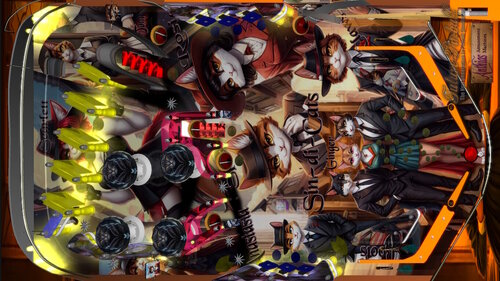
Sin-Di-Cats (Anthias, 2024, Original, BAM)
By Anthias
kitty crime just got organised.
A game about the feline mafia.
253 downloads
-
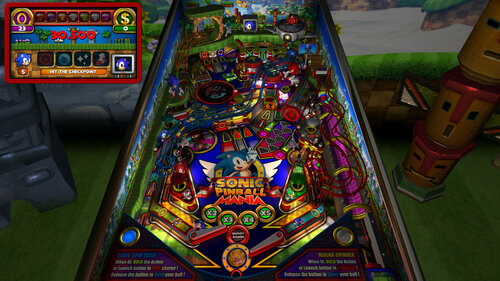
Sonic Pinball Mania (PinEvent V2, FizX 3.3)
By TerryRed
Sonic Pinball Mania (PinEvent V2 - FizX)
Created by: TerryRed
Version 2.0 (Feb 2024)
Get ready for the most EPIC Sonic pinball table ever created... and a pinball game like you've never seen before!
This has everything a Sonic fan could want in one table. Green Hill zone scenery, Sonic Loop ramp, animated bumpers, springs, item box, checkpoint, chaos emerald flashers, red star spinner, launch tunnel, rotating goal sign, moving robots, animated characters such as Sonic / Knuckles / Shadow... and even Dr Robotnik and his eggmobile which will follow your ball with it's spotlight... and much more!
This table takes full advantage of BAM's latest features with full dynamic lighting and ray cast shadows and shadowmaps to create a stunning visual pinball showcase!
What started as a quick BAM mod to update Brendan Bailey's classic Sonic table of 2005 (which was updated by SLAMT1LT in 2014), evolved into a complete overhaul to the entire table. Everything in the table has either been updated or changed, and I've added so many new things (new layout, art, models, lighting, modes, code, fixes, etc) that it's like a new table. Hence... Sonic Pinball Mania.
This table has been fully updated with FizX physics for game changing new physics on Future Pinball. FizX uses techniques similar to nFozzy physics on VPX to completely change the physics for the flippers, slings, rubbers, targets, ball behavior and more that allows this table play much more realistically than anyone ever thought was possible on Future Pinball. You will be amazed at the difference!
PinEvent V2
This table is also updated to fully support PinEvent V2 features (DOF, PUP SSF, PUP DMD). It has modern PUP DMD display options that can work with all setups. With it's crisp HD text and dazzling videos, it's sure to wow everyone who sees it.
I'm really proud of what I pulled off with this, and I really hope you enjoy it!
For an EPIC video preview of this table in action with PinEvent V2 features, check out this video:
Thanks of course to these awesome contributors:
TerryRed - Sonic Pinball Mania
Brendan Bailey (PinWizKid) - created the original Sonic the Hedgehog table in 2005
SLAMT1LT - sounds, music, code, DMD, etc from his Ultimate mod in 2014
Schlabber34 - new pre-rendered insert images
FLEEP - new mechanical sounds
JLou - for FizX and support
All the FP lads at Pinball Nirvanna for ideas, examples, and support
Nailbuster - Pinup Player and SSF support
Ravarcade - for creating the awesome BAM and providing assistance with BAM features
Chris Leathley - creator of Future Pinball
DISCLAIMER:
This table is a fan-made work of passion, and is NOT intended for commercial usage or to be included in any part of a commercial sale!
====================================================================
This table is single player only.
====================================================================
Static Camera Views (desktop mode only)
during attract mode only, you can press plunger to toggle integrated static desktop camera views
if you want to use your own BAM camera settings, or a FP camera view, then you must disable this feature in TABLE OPTIONS in the table script
SONIC BALL
right flipper button will toggle between Sonic and Chrome ball texture (only in attract mode). This can be set in TABLE OPTIONS in the table script
Plunger and Action Buttons (digital plunger, special 1, special 2)
all buttons/keys will activate Sonic Spin Dash and Magna-Spinner all buttons/keys will act as an autoplunger during gameplay
Second Stage Flippers
this table supports second stage flippers for cabinet players with this setup this needs to be enabled in TABLE OPTIONS in the table script ensure that your Second Flippers are setup in FP Control Settings ensure that your Special 1 and Special 2 keys / buttons are NOT the same keys / buttons as Second Flippers! (they are by default)
====================================================================
BAM Ray Cast Ball Shadows:
this table was created to look best with the new BAM Ray Cast Ball shadows this feature is ENABLED on the table script by default this feature requires a fast video card, and will use much more of your GPU if the table doesn’t run smooth, then your PC may not be fast enough to handle this feature (and you should disable it)
To disable this feature, you MUST disable it in TABLE OPTIONS (in the table script)
BAM Menu - Light and Post Processing settings:
BAM Lighting and Post Processing settings are set by the table script and will ALWAYS override the user's settings this is required to ensure that all lighting is set correctly at all times on this table, you can make changes to the Ambient and Diffusion Lighting in the table script in TABLE OPTIONS
Physics: FizX v3.3
===================================================================
Game not running smooth? Try the following:
run FP in Fullscreen, not Windowed disable RayCast Ball Shadows in TABLE OPTIONS (in table script) disable Reflections options in FP's Video / Rendering settings reduce / disable Antialiasing in FP's Video / Rendering settings disable any SSAO options in BAM plugins menu (disabled by default)
====================================================================
TABLE REQUIREMENTS (very important!)
all Visual C Runtime updates DirectX Future Pinball the latest BAM update FuturePinball.exe and FPLoader.exe patched for 4 GB access BAM Settings files installed FizX 1K ball model (for more accurate physics, default.zip in BAM folder) the REQUIRED “Video / Rendering Options” and “Editor Options” in Future Pinball video settings
All of the above is included with the latest FP and BAM Essentials AIO package!
Super easy to use for a new install, or just to update your existing install. I recommend everyone install this package to ensure you have the latest required BAM updates.
https://vpuniverse.com/files/file/14807-future-pinball-and-bam-essentials-all-in-one-complete/
====================================================================
INSTALL INSTRUCTIONS (REQUIRED)
PLEASE read the Install Instructions (included with the table's zip file) it shows you how to check what version of BAM you have installed it shows you how to install all the REQUIRED items above it shows you how to easily setup FP and BAM with the REQUIRED settings It's super easy, and only takes minutes to do!
====================================================================
How to run Future Pinball to play the table
PLEASE read the Install Instructions (included with the table's zip file) to know how to properly use FP and BAM
====================================================================
PROBLEMS?
Read the Install Instructions included in the table's zip file. It tells you everything you need to know!
====================================================================
Table MODS
please read the Disclaimer in the Install Instructions included with the table please ask me first, as I am still updating this table
====================================================================
21117 downloads
-
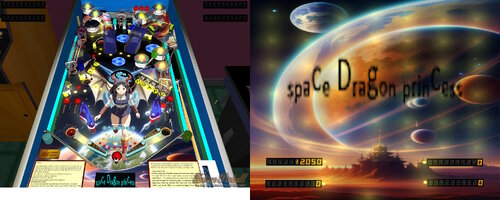
Space Dragon Princess
By Anthias
SURPRISE! a new Anime themed table by Anthias. Except the anime in question only exists in my head. I hope you enjoy it anyway!
Space Dragon Princess - a story of a princess. Who is a dragon. In space. What's not to love?
RULES:
Light HOARD targets to open first lock front left) lock 1st to open second (centre/lower left) lock 2nd to open 3rd (against rear left ramp) At any time, hit upper centre right kicker to release any locks. Release all at once for 4 ball multi to run a rampage.
Light SKY targs to light the bumper lamp for 3x bumpers.
Light top lanes for bonus multiplier
Light in/out lanes for ballsaver.
left loop channel doubles point each hit while lit.
Light PLANETS to open right hand flipper lane kicker. Hit kicker to activate ROYAL ENTOURAGE. Every three seconds the right hand centre kicker will launch another ball for ten balls! (NOTE only five balls on table at any time, if you already have five the machine will wait three seconds and retry until all ten are released.)
ROYAL FLIGHT mode:
Hit the target near the left slingshot to activate mode, lighting the target. Hit that same target again to commence the ROYAL FLIGHT Mode. The target scores an addition 5k on this hit and sets the next goal as a flashing light. Hit that goal for 10k additional, then the next for 20k, then 40k, then 80k, then 160k, then finally 320k to complete the flight. From the second strike of the first target, you have sixty seconds to complete the flight before it all resets.
DRAGON FLIGHT MODE:
The kicker on the platform near the top of the left ramp is a looped scoring mode. First hit scores 500, second scores 1000, third scores 2000, fourth scores 4000, fifth scores 8000, sixth scores 16000 seventh scores 32000, and sets the wall lights flashing, retaining the 32k value for the rest of the ball. YES the ball WILL jump the kicker - it's not supposed to be easy.
NOTE:
No mode will launch additional balls if there are five or more balls already in play. Modes will either not trigger or not launch if you have too many in play already.
As usual, free to mod. I have even included several source images within the table that were not used for modders to export and use in their modding. Some of them would suit very different styles of the anime interpretation, which could be cool to see.
191 downloads
-
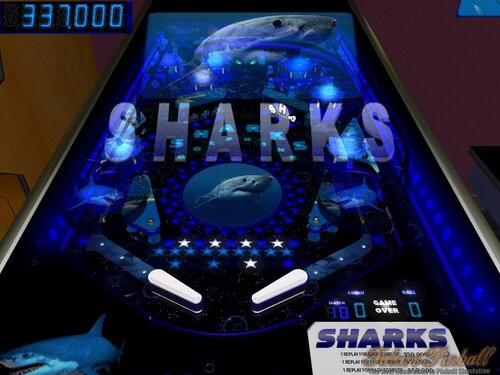
SHARKS
By mark1
Sharks,
An original future pinball table.
Table rules light "SHARKS" for special at the top kicker,
by hitting targets in the roto spinner, special lasts for 120 seconds.
Hitting all of the star targets (under the treasure holograms)
lights a chance for 15,000-point bonus,
at the mid left kicker (under treasure hologram).
lighting "Dolphins", (by hitting star triggers under the dolphin holograms),
lights a 60 second chance at Bonus multiplier increase,
and bonus, at the kicker behind the center drop targets.
It's A fun table with many holograms.
(Some very well-made Midi renditions of Rock and Pop music were used for background music.)
259 downloads
-
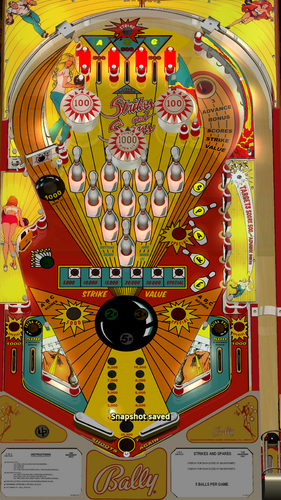
Strikes & Spares 1.01 V2 MOD With FizX SSF and DOF
By Gamer7
I updated this table with the help of Terry Reds Tutorial on updating future pinball tables with FizX Physics and Fleep Sounds. This Is SLAMTILTS Strikes & Spares ULTIMATE Pro 1.01 Most of everything has updated sounds and Physics. Thank You Terry Red for the tutorial. This is my first table mod that I have upload so go easy on me. Just put the Strikes & Spares 1.0.fpt in your tables folder and the FP_PUP_SSF in your PUPvideo folder.
981 downloads
-

bam shivaFlippers v3.3
By shiva
shivaFlippers is a replacement and a serious upgrade over the flippers used in all FP tables before it. shivaFlippers has more realistic shots, better control, and the unique variable coil system that simulates real flipper solnoids so you can vary the speed and strength of your shots. A good example of shivaFlippers and how it plays can be found in Jungle Girl fpx, which uses the 3.2 version, but will be upgraded to the new 3.3 version soon.
This now uses a variable coil system throughout the flipper arch when you press the flipper button (just like a real table). It is designed to emulate a actual flipper coil in operation, in which the amount of power gradually increases the strength (omega to you devs) of the flipper. This new code will start the variable coil at it's beginning coil when a flipper button is pressed no matter what degree the arch of the flipper is at, at the lowest point, at the highest point, and any angle in between. This means that in theory (remember, FP has it's limitations and bugs) you should be able to do all the things and special tricks that the pros do that require a variable strength. This means flick and tap passes, and I have seen Loop passes as well. (accidental, not based on personal skill)
This new version is a follow up to the previous version, based on previous comments and play from youtube videos, as well as new code additions and changes. My thanks to those that tested out the previous version, your comments (and videos so I can see different playing styles and find ways to improve shivaFlippers) were very helpful and I suspect you will find this version a lot better and more realistic when compared to the actual real world flippers. This uses and is adjusted to the "new template" in FP.
There is a video of the last 3.2 version here:
despite my poor playing, you can see how the flippers work. This new version though has been improved quite a bit.
The next release of Jungle Girl and the future major update to fpxEngine will use this new code. There are some pretty major changes with 3.3, but if you look in the script, previous version changes are noted as they give a good idea on what shivaFlippers can do over stock or DF flippers.
The latest shivaFlippers has a major new update that now supports dynamic Omega by flipper swing, (variable coil) and has a couple set tricks programmed in. (This depends on your hardware and reflexes)
- Variable coil strength, which varies the strength of the flipper depending on the flipper angle
* The amount of steps (or angles) are adjustable. Default set to 35. A lower number means stronger shots, a higher number means weaker shots
* Changing FlipperSwingAngleEnd can make flipper tap passes easier (Higher Number) or harder (Lower Number)
- Tip/tap pass for flipper start angle and max angle
- The flipper strength gets stronger the longer you hold the flipper button. This means that tip to tip passing is possible, but so are "loft" shots. This adds a huge degree of skill not possible before.
- Realistic EOS
- Flippers have better bounce
- New 2 wall method, with 3 triggers instead of timers
- Adjustable realistic aiming of how the ball angle comes off the flipper.
Version 3.3 (release notes)
- Variable coil is now FULLY enabled no matter what angle the flipper is at. Drop catches, tap passes, flipper flicks, no matter where the flipper is, oh my
' - Triggers reworked. A opto trigger is now used as opposed to a large trigger
' - Large sections of this code was rewritten
' - Fixed walls interfering if flippers all the way up. Walls reshaped and new coding in place. Ball can no hit as wall underneath the flipper if the flipper is raised
' - Flippers quite a bit more "snappy" compared to 3.1 version. Better range with the variable coil
' - Any flipper slowdown greatly reduced, closer to "never" now
' - you can adjust at a certain speed of the ball for when the walls become active, below that speed the walls are inactive
' - Separate by contact point omega's redone.
' - Coding simplified. Pre-Hits have been rewritten to increase performance and dependability
216 downloads
- shivaflippers
- fpxengine
- (and 3 more)
-
v.1.3.thumb.png.6b772f7b8f13e12de7384c24ddbaebf5.png)
Southern Belle (Gottlieb '55)v.1.3
By okobojimusky
Manufacturer: David Gottlieb & Co.
Date: June, 1955
Design: Wayne Neyens
Art: Roy Parker
Original Table: Fpozo45
Modifications: Okobojimusky
Modifications:
Backglass now functional.
Tilt adjusted.
Bugs fixed.
186 downloads
-
.thumb.png.c540df8e4c778b9ac49fefbe2426d30b.png)
Stage Door Canteen (Gottlieb '45)
By okobojimusky
Manufacturer: David Gottlieb & Co.
Date: November 1945
Design: Harry Mabs
Art: Roy Parker
Authors:
Original Table: Fpozo45
Modifications: Okobojimusky
Modifications:
Backglass fully functional.
Ball tray enlarged to prevent next ball being generated too soon by balls moving around in tray.
Tilt adjusted.
Scoring and other bugs fixed.
169 downloads
(0 reviews)0 comments
Submitted
-
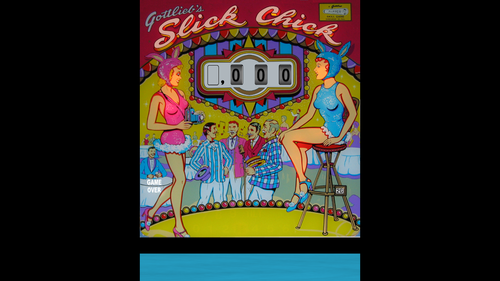
SlickChick_Gottlieb1963
By okobojimusky
Manufacturer: D. Gottlieb & Co.
Date: April 1963
Type: Electro-Mechanical
WedgeHead
Maximum credits: 26
Design: Wayne Neyens
Art: Roy Parker
Authors:
Original Table: FranzLeo
Modifications: Okobojimusky
Modifications in Version 1.2:
Match Feature modified and Match HUD moved to upper right corner of playfield to be visible on a single monitor system.
Pop bumpers modified so ball does not get stuck in pop bumpers.
Scoring changed to original game scoring.
Replays awarded for completing 1 to 4 sequence, or 5 Slick Chick sequences as in original game.
Ball tray bug fixed.
Other bugs fixed.
198 downloads
(0 reviews)0 comments
Submitted
-
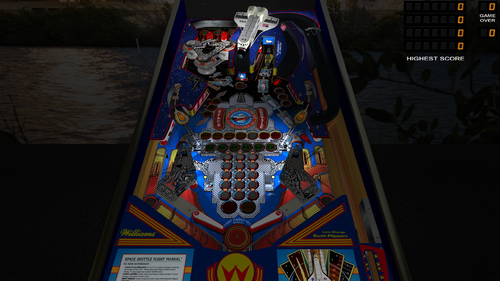
Space Shuttle (Williams, 1984)
By GeorgeH
Click on "Changelog" to see the description for Version 1.4.
Note that the Special 2 key opens the menu.
"Space Shuttle" from Williams is the first solid state production pinball machine to have a playfield toy. Of course, it is the model of the space shuttle. Sepeteus published his version of this table on Future Pinball back in 2011. I have updated it with the latest features of BAM and added models and textures from Tomasaco.
I never really played this table very much until I added what I call a "Sound Level Control Panel" in the script. Many of the original sounds were too loud and others were too soft so this option evens out the sound. You can use it to perform global adjustments the sound levels for 4 categories of sound used on the table. The default settings will probably work for you for those of you that aren't up to tinkering.
I decided to add some of the new features that are available now. I have always wanted to be able to open the menu system during a game. If you have played some of my previous table mods, you know that the menu fills the entire screen. Popotte was able to add some coding that pauses the ball movement when you open the menu and then resumes ball play when you close the menu. Thank you Popotte! The menu still opens using the Special 2 key but now you can press the same key to open it when a game is in play. It is really cool! Be aware that you need to be prepared to hit the flippers when you close the menu during a game. In order to avoid some possible fast flips when you close the menu, you may want to wait to open the menu when the ball is in the launch lane before you press the plunger key. That way the ball can't go anywhere when you close the menu. Be aware that it was necessary to remove the "Balls Per Game" option from the in-game menu. It would mess up your game if you try to change it during a game. You can only change "Balls Per Game" before you press the start game key.
A new feature was added on BAM Update v341 that is called ball shadows with ray casting. It is a dynamic type of ball shadow that changes as the ball travels past lights. I think it is a feature completely unique to Future Pinball. At the time of this writing, BAM Update v341 is the most current version of BAM. I added what is called fail safe coding that will turn the feature off if you have not upgraded to BAM 341. The feature is a little resource heavy. If you are having trouble with resources, there are directions in the script on how to disable it.
I added a mod from another BAM version to improve the performance of the spinner. I used Tomasaco's model for the spinner. It didn't seem too perform badly before the change but I do like it better with the change.
I developed a new flipper rotation speed chart for this table. It improves the characteristics of the flippers and you should be able to do tricks a little more easily.
I also added what I call a "Lighting Control Panel" in the script. You can make global adjustments to the lighting there for the 5 lighting modes for Day, Night, Dark Night, Night Glow and FP Original modes. I added spotlights on the shuttle. I ended up adding spotlights to all the general illumination flashers because there was light spillage from them onto the space shuttle and messing up the shadows from the two spots intended to illuminate it.
BAM has a global option that turns the HUD off on all tables. It may be used by some pinball cabinet users. The menu won't work if you use this option. If the HUD is enabled, the menu will display unsqueezed on a pinball cabinet.
The table loading screen defaults to a widescreen texture named "!LoadingLandscape" that is good for desktop users. The pinball cabinet users can switch to a texture named "!LoadingPortrait" that will not be squeezed.
Sepeteus added a rulesheet to version 1.1. I converted it to a PDF file, edited it and added screenshots of the parts of the table discussed. I also added a link to a video that does a good job of explaining the rules.
The download includes four library files that you need to save to your folder "Libraries". They are identical to the library files that were part of the original 1.1 version. There is no need to replace the libraries for this table if you installed version 1.1.
The download also has a high resolution version of the playfield texture that may be useful on a 4K display. The texture that is installed is actually high resolution also at 2048x4096. The version in the folder is higher res at 2155x4520 but it does not use "power of 2" so it will require more memory to load. The installed playfield texture should be sufficient for a desktop PC.
I added a version of the table that I call "rotated display". This is intended for those of us that have a desktop PC and can rotate the monitor so it is in portrait format. It improves the display if you are able to orient your monitor this way. I added a screenshot of it. This version will not be useful on pinball cabinets or on PCs which have a normal landscape orientation. The download includes a PDF file with directions on how to set up this version of the table.
List of Changes
1) Added new textures for the backglass and the table loading screen.
2) Added game room floor and backwall.
3) Added new instruction cards.
4) Added custom physics and dynamic flippers using emkickers on the slingshots.
5) Added a message that looks at BAM version that verifies you are using the correct version of BAM.
6) Added ball/flipper shadows and ball configuration to the script.
Added shadow maps.
7) Added plunger pull special script that allows you to easily select how far you pull back on the plunger.
😎 Added bulbs that provide a halo which shines through the slingshots. .
9) Added 2 spotlight flashers that shine on the shuttle.
10) Revised the rest of the general illumination flashers to use spotlights so they don't shine on the shuttle.
11) Added a new flipper rotation speed chart to the XML.
12) Added ball shadows using ray casting available on new BAM Update v340.
13) Made the degree of bounce off flippers adjustable in-game.
14) Added Paolo's sound for ball bouncing off flippers.
15) Updated menu system that is accessed by pressing the Special 2 key.
16) Added spinner physics mod available on BAM Update v334
17) Added in-game menu which pauses motion of ball when menu is open while game is in play.
George
1090 downloads
- bam
- custom physics
- (and 7 more)
-
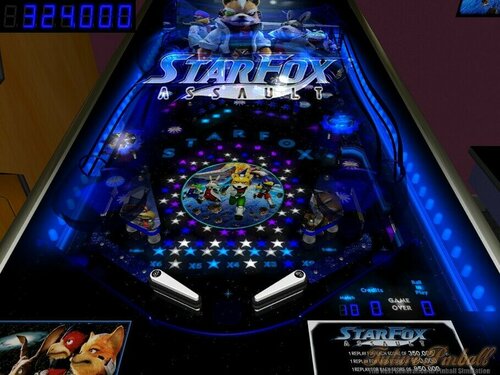
Star Fox
By mark1
Star Fox (Original),
An original future pinball table, based on the Nintendo video game.
It's a fun new table with lots of new holograms.
(background music includes s midi rendition of the "Star Fox" theme and some
midi music versions of Nintendo's Star Fox video game).
389 downloads
(0 reviews)0 comments
Submitted
-
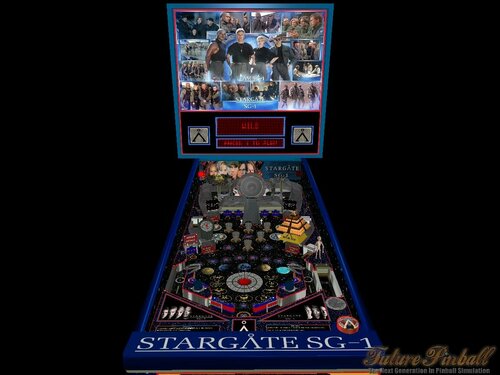
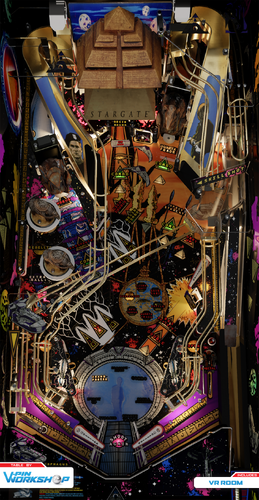
future pinball Stargate SG1 (Original)
By wild75
ATTENTION PLEASE
Dear friends, this game-flippers that I created (or update) is for FUN ONLY, and above all for FREE,
which is downloadable ONLY, in this site Vpuniverse,and PinSim site.
If you see it on other sites, know that it was against my will, and consequently it could be usedfor profit purposes,I urge you not to compromise with users or owners of incorrect sites,which require some type of specific action to download this game.
Based on the Stargate-SG1 series.I created this table, without Bam staff, but in the future I will update this to Bam, so for now I publish this version with the standard physics of Fp, for a test in this site.
The rules are very simple ....
1) Ramp-left-low: enter all the blocks and open the gate.
2) Ramp-right-low: attacks the lords of the system.
3) Ramps at the top: defeat the lords of the system.
4) Jaffa Attack: Hit all blue targets.
Some options you can activate by pressing the keys:
"G" if the ball is stuck in the bumpers.
"H" hud-desktop on-off
"K" selects the DHD system mode, automatic or manual.
"L" activates the DHD system.
"M" choose the music you prefer.
PS: Sorry i added the library via "media file" i forgot to insert them in the table downloader!!
Note: table and library (here below) they must be together, i.e. in the same folder to work properly. Thanks and sorry!!!
stargate-orizzonte.fpl
Have fun!!!
949 downloads
- original
- physics 1.0
- (and 1 more)
-
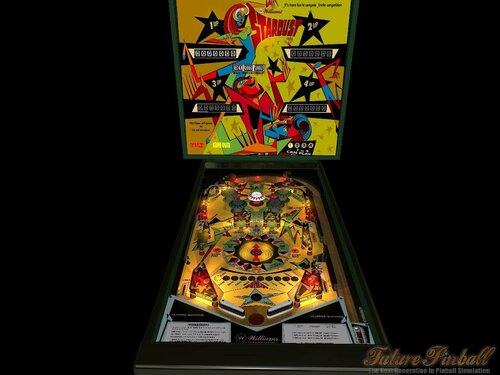
bam Stardust (Williams 1971)
By wild75
ATTENTION PLEASE
Dear friends, this game-flippers that I created (or update) is for FUN ONLY, and above all for FREE,
which is downloadable ONLY, in this site Vpuniverse,and PinSim site.
If you see it on other sites, know that it was against my will, and consequently it could be usedfor profit purposes,I urge you not to compromise with users or owners of incorrect sites,which require some type of specific action to download this game.
This table only works with BAM, and precisely with the LATEST VERSION,make sure you have it installed on your PC.
Bam Here---->https://www.ravarcade.pl/download
Stardust / IPD No. 2359
Info and Options:
* ToggleHudKey: Hud-Desktop On/Off
* Custom Camera: choose Flipper-Left "Deny", for the "camera" set to Fp, choose Flipper-Right "Allow" for Custom Camera in Added Bonus.
* Multiplayer game available.
* Optimal Physics made with great care, for optimal table gameplay.
Instructions
*Advance Bonus : Hitting the top slingshot and center targets.
*Bumpers Yellow/Green: Hitting the top target for light-modes.
*Bumpers Red: Activate the wheel of fortune, and activate light extraball change.
*Slingshot Left/Right: Activate light extraball change.
*Kickers: Wheel of fortune value.
*Target Center: Activate wheel of fortune,and post up.
*Wheel of fortune: Activate and spin for indicating the prize.
Have fun!
412 downloads
- futur pinball
- optimal physics
- (and 4 more)
-
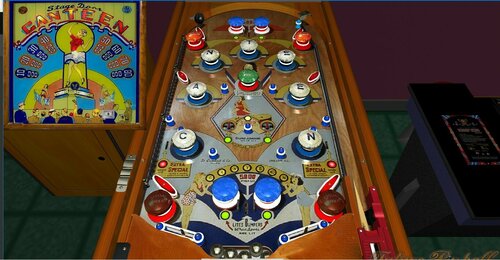
emreal pre wwii flipperless recreation Stage Door Canteen
By Francisco
Stage Door Canteen / IPD No. 2338 / November, 1945 / 1 Player
Manufacturer:D. Gottlieb & Company (1931-1977) [Trade Name: Gottlieb]
Date Of Manufacture:November, 1945
Model Number:A
Type:Electro-mechanical (EM)
Production:7,500 units (confirmed)
Serial Number Database:View at The Internet Pinball Serial Number Database (IPSND.net) (External site)
Theme:Dancing - Girls - Happiness - Music - Nightlife - Women
Specialty:Flipperless
Notable Features:5 balls for 5 cents. Passive bumpers (16), Kick-out holes (2).
Design by:Harry Mabs
Art by:Roy Parker
131 downloads
(0 reviews)0 comments
Submitted
-
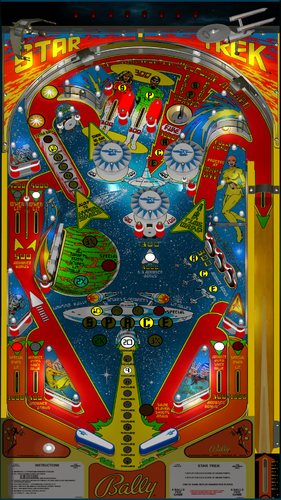
Star Trek ULTIMATE 1.03 doflinx 1.0
By xavuis62
Hello voici la table Star Trek ULTIMATE 1.03_2 que j ai commencé a faire le DOFLinx
287 downloads
-
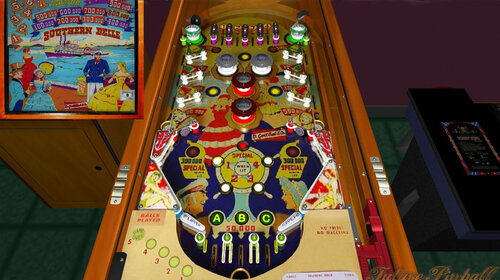
Southern Belle
By Francisco
Manufacturer: D. Gottlieb & Company (1931-1977) [Trade Name: Gottlieb] Date Of Manufacture: June, 1955 Model Number: 104 Type: Electro-mechanical (EM) Production: 1,000 units (confirmed) Serial Number Database: View at The Internet Pinball Serial Number Database (IPSND.net) (External site) Theme: American History - American West - Riverboats Notable Features: Flippers (2), Pop bumpers (4), Passive bumpers (2), Gobble holes (2) Standup targets (2).
Replay wheel maximum: 26
Tilt penalty: game over.267 downloads
(0 reviews)0 comments
Submitted
-
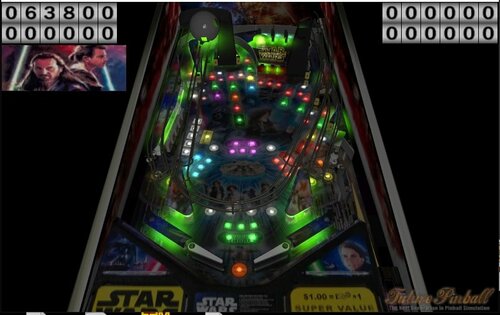 (0 reviews)
0 comments
Submitted
-
StargateAll:3.0:ultimate
By electrico343
Mi pequeña contribución a estas tres series que tantas horas felices nos dió .
Stargate SG1 Gracias a Jonathan Glassner, Brad Wright. With Richard Dean Anderson, Michael Shanks, Amanda Tapping, Christopher Judge.
Stargate Atlantis Brad Wright (Creator), Robert C. Cooper (Creator), Martin Wood, Andy Mikita, William Waring Joe Flanigan, Torri Higginson, Rachel Luttrell, Rainbow Francks, Jason Momoa, Paul McGillion, David Hewlett, Mitch Pileggi
Stargate Universo Robert C. Cooper, Brad Wright- Robert Carlyle, Louis Ferreira, Brian J. Smith y muchos mas.
Misión obtener los elementos necesarios repartidos por la mesa se visualizarán en el centro de la mesa. Una vez conseguido meter la bola en el hoyo central siempre que el flash central esté activado esto dará bola extra. A partir de una puntuación de 65000 y se iluminen (activadas por Bumpers) los cuadro especial con luz y si la bola pasa por el botón azul de dicho cartel se obtiene un crédito. No dará más de un crédito
Si la puntuación es mayor 20000 se verán hologramas
Si la puntuación supera los 95000 y se pisa el botón oculto en la mesa comienza la Autodestrucción
Si la puntuación sobrepasa los 200000 sin bolas de regalo aunque no se tenga ningún credito
My small contribution to these three series that gave us so many happy hours.
Stargate SG1 Thanks to Jonathan Glassner, Brad Wright. With Richard Dean Anderson, Michael Shanks, Amanda Tapping, Christopher Judge.
Stargate Atlantis Brad Wright (Creator), Robert C. Cooper (Creator), Martin Wood, Andy Mikita, William Waring Joe Flanigan, Torri Higginson, Rachel Luttrell, Rainbow Francks, Jason Momoa, Paul McGillion, David Hewlett, Mitch Pileggi
Stargate Universe Robert C. Cooper, Brad Wright Robert Carlyle, Louis Ferreira, Brian J. Smith and many more.
Mission obtain all necessary elements scattered around the table will be displayed in the center of the table. Once I managed to get the ball into the center hole provided that the central flash is activated this will give extra ball. From a score of 65000 and light up (activated Bumpers) the special box with light and if the ball passes through the blue button that cartel credit is obtained. It will not give more than one credit
If the score is greater holograms will be 20000
If the score exceeds 95000 and the hidden button is pressed on the table begins Autodestrucción
If the score exceeds 200000 balls gift without any credit although it does not have
337 downloads
(0 reviews)0 comments
Updated
-
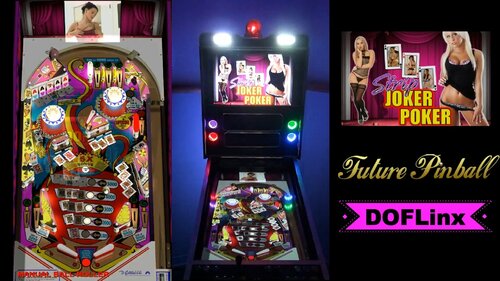
Strip Joker Poker (Ultimate 1.02) (DOFLinx Cabinet Edition)
By TerryRed
These girls are heating up your favorite Joker Poker Pinball game.... and when they are done, they will cool you off with the blower fan you pervs! Enjoy the SLAMT1LT mod, Strip Joker Poker (Ultimate 1.02) complete with DOFLinx cabinet feedback and lighting!
A quickie.... video demo of this table can be seen here in my cabinet.
1042 downloads
-
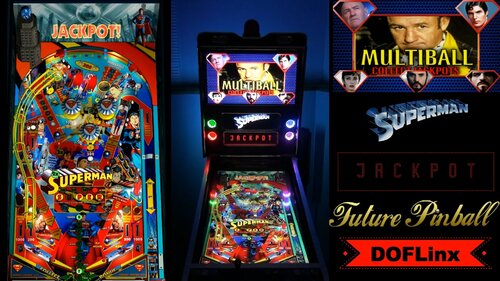
Superman (Ultimate Edition 1.04) (p2.7) (DOFLinx - Cabinet Edition)
By TerryRed
A video demonstration of this table in a cabinet using DOFLinx can be seen here:
DOFLinx - "A powerful utility for cabinet owners to make the most of force feedback and lighting." - by DDH69
This Future Pinball table has DOFLinx commands added to it. This will enable support for pinball cabinet force feedback devices such as solenoids (flippers,bumpers,slingshots,drop targets,etc), RGB lighting and flashers, beacon, strobes, blower fan, shaker and more!
Requirements / Installation: Regardless of using this table with force feedback (Pinball Cabinet) or without (Desktop), you MUST install the current DOFLinx.vbs script into your ‘Future Pinball\Scripts’ folder. Running the table without DOFLinx.vbs will cause an error. (FF_INIT)
Copy the *.fpt and .xml files to your Future "Pinball\Tables" folder
DOFLinx.vbs is included with the DOFLinx install package. This file is not included with this table to avoid version mismatches.
DOFLinx install package download:
The current download of DOFLinx can be found through this post at vpforums:
http://www.vpforums.org/index.php?showtopic=35852
It is recommended to use this table with BAM (Better Arcade Mode), in order to get the most accurate version of physics intended for this table. Copy the *.fpt and *.xml within this archive to your "Future Pinball\Tables" directory.
Cabinet Use:
For cabinet users running DOFLinx: This table will function with the in-game sounds for mechanical devices such as flippers, slingshots, bumpers, etc muted. Instead, you will only hear your cabinets feedback devices for those actions. The rest of the games sounds will play normally as intended by the table author.
Desktop Use:
For desktop users: This table will still function normally without the need for DOFLinx to be running or installed. You will however require the DOFLinx.vbs file (read "Requirements / Installation"). It will play perfectly with the original in-game mechanical sounds playing through your PCs speakers.
Note: Any DMDs or HudOverlays intended for desktop use were relocated to the backbox, so that cabinet users will be able to see them.
Night Mode:
For cabinet users who want to play at night with their cabinet noise makers turned off, this table can be toggled between Cabinet Use (noisy), and Desktop Use (Night Mode). Please consult the DOFLinx guide (included with the DOFLinx install package) for more information on how to use Night Mode.
We hope you enjoy the DOFLinx cabinet experience!
For SLAMT1LTs newest versions of his tables (without DOFLinx support), goto his website:
http://speak1970.wixsite.com/slamspinballemporium
Changelog:
DOFLinx (Cabinet) Mod by TerryRed
---------------------------------
DOFLinx devices supported in this table:
Left flipper
Right flipper
Left slingshot
Right slingshot
Mid field left solenoid
Mid field centre solenoid
Mid field right solenoid
Back left solenoid
Back right solenoid
Flasher, outside left
Flasher, inside left
Flasher, centre
Flasher, outside right
Flasher, inside right
Blower Fan
Shaker
Gear Motor
Strobe
Beacon
Start button
Coin button
Launch Ball button
RGB Undercab Lighting
ULTIMATE Edition by SLAMT1LT
** ULTIMATE Edition 1.04 **
new movie clips added
new music track added
new mode added - Super Bumps
fixed tilt ball search not working correctly
removed upper right flipper
improved graphics
adjusted flippers
** ULTIMATE Edition 1.03 **
new movie clips added
new quotes added
backglass lighting improved
incorrect score value for cerain shots changed
fixed LCD not showing correct information after URSA bonus is collected
fixed score value when Kryptonite Bonus collected from plunger lane
fixed playfield lighting not resetting properly
improved DMD timers
fixed mediation error when bumpers are hit too often in a row
** ULTIMATE Edition 1.02 **
fixed mediation error during multiball
fixed tilting the table not resetting multiball lights
fixed Fortress of Solitude lights not flashing when mode is ready
the P-U-R targets now only make a sound fx when collected
added new quote when table is tilted
changed DMD text to SUPER instead of SUPERMAN
changed colour of upper lane guide posts and rubbers
fixed Zod LCD display not showing when Zod is ready
1882 downloads
- doflinx
- future pinball
- (and 1 more)
-
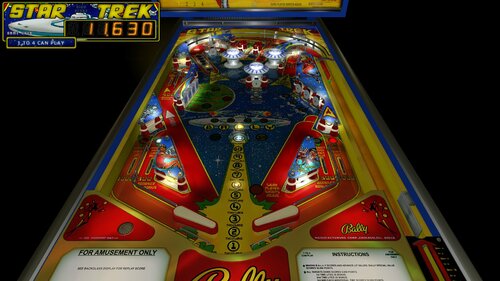
Star Trek xse v1.3 (Oct 2016)
By shiva
After 3 years, a update to Star Trek xse. Version 1.3, this features updates to the flippers (version 2) new physics and game play, and some special additions including a new lens and bulb effect with ball interaction, better backglass etc
This uses BAM, and was done with the 2.5 exe. The xml file is included, it is the 2.5 xml with a "few" modifications, mostly to set up better more natural shots, and a couple weirder settings that seemed to work better.
Hope everyone enjoys playing it as much as I enjoyed doing it. Any comments on the new things, as well as bug reports are appreciated, as I like to fine tune things and work out any kinks in the newer stuff. Please read this entire thread, the readme, and the actual FP manual first.
It should be at Pinsimdb shortly, but it's a little goofy sometimes. Awaiting admin approval there, in the meanwhile, you can grab it at Pinball Nirvana as well.
Download link
http://www.pinsimdb.org/pinball/table-1737-star_trek_xse
http://www.pinballnirvana.com/forums/downloads.php?do=file&id=5127
Version 1.2 - August 16, 2013
Version 1.3 - Oct 28, 2016
- Table/build/graphics/modifications by blue
- Script/sounds By Popotte 25/01/2008
- Custom models by francisco666 and Polygame
- Thanks to BC57 for the pics and his kindness
- Thanks to Minh Tan for splash screen image
- Thanks to all the other authors for their versions of this bally classic.
- Available at Pinsimdb.com, as well as Pinball Nirvana and VPUniverse
*** Keys ***
You can toggle (by the toggle HUD key) the HUD reel.
Access to the dip switches menu by the Special2Key.(set as the ' key by default) for adjustments (amount of balls/liberal-conservative settings etc)
Speed up the bonus count by pressing both flippers
*** Instructions ***
This new version was made specifically for use with Better Arcade Mode (BAM) and uses SlamTilits 2.5 xml file as a base. If you do not use BAM, It may work fine as a standalone exe, but hit is recommended to use the FP 2.5. exe. Other physics exe may not work as intended. Please read the Manual included with FP about adjusting plungers/kickers etc if you should have any problems if you use a different FP exe.
The object was to ignore trying to get FP to have perfect physics (which is impossible, we have been trying for 6 years) but instead just concentrate on getting FP to play as fun as possible. Though every effort, and trick in the book, was used, it's still FP after all, and well, you can't turn crap into gold.
You can download BAM here:
http://ravarcade.pl/?en_download,16
If you are new to Future Pinball, or have any problems, a help file is here:
http://gopinball.com/forum/viewtopic.php?f=84&t=6054
If you do not have BAM installed with Future Pinball (real easy actually) then there is a great help file here at:
http://www.gopinball.com/forum/viewtopic.php?f=86&t=5544
*** Rules ***
* making b-a-l-l-y scores and advances lit values
* all targets down scores 5,000 points. 1st time lites 2x bonus.
2st time lites 3x bonus.
3rd and each additional time scores special.
* top roll-over buttons and bottom ball return lanes score and advance hyper space values.
* outlanes special - lites when bally special is lit.
* ball thru outlane when lit for special scores 1 replay.
* ball thru warp speed lane scores bonus.
* maximum 1 extra ball per ball in play.
* tilt penalty - ball in play.
*** Version 1.3 ***
- Released Oct 2016
- Intended for use with Better Arcade Mode (BAM). Best non-Bam exe: Slamtilts 2.5 physics. BAM XML physics file uses 2.5 physics with modifications.
- Version 2 of my flipper technique, for far better range and speed. Slight modifications to this as opposed to Playboy, with a more center based setup. This uses triggers as well, so the small hidden flippers will only work when the ball is over the trigger. This prevents "mishits" and interference with ball movement
- Modified physics, better speed with coils, far more bounce and more polished gameplay. Outlanes more closed, flippers closer together for longer play. game still plays like the Bitch it actually is in real life.
- New 3 stage variable slingshot effect
- New Lens lighting and halo effect, with ball interaction
- New basic bulb lighting effect with ball interaction at certain spots
- Fixed some known "fp" problems with gates etc, layout changes and massaging to prevent drains except.... Try not to hit the center target unless you have to. Standard Bally drain shot, Paragon does the same. I modified it a bit so it doesn't drain as much, but it still does.
- Modified the pf image, fixed the dirty edges around lens lights. Recolored some things
- Backglass now has better lighting, no pinhole light effect. Also I moved some lights around for better effect, and added lights for player display/tilt/credits etc
*** Changes (version 1.2) ***
( Please go to this thread for full changes: http://www.gopinball.com/forum/viewtopic.php?f=2&t=4022&hilit=Star+trek+xse )
-New graphics, made to give the table a lighter appearance that the original. main images replaced, new images redone and recolored.
-New models used
- New Double lighting affect on the plastics. (Found on Layer 1)
- Layout modified based on new play field and plastics.
- Modified shaped physics were adjusted, and added to.
- Heavy flipper effect, using a wall to add a more stable surface to the flipper, and change the angle that the ball will hit the flipper.
- Heavy Drop Targets
- Hyperspace rule changed for the upper loop, there is now a timer that prevents scoring hyperspace twice in one shot if you go through the top loop
- User Key Change - Holding both Flippers keys down will now cause the bonus countdown to greatly speed up, as the stock Bally settings were very slow.
- Lots of changes for presentation of the table, and polish, including minor script changes.
602 downloads
(0 reviews)0 comments
Submitted
-
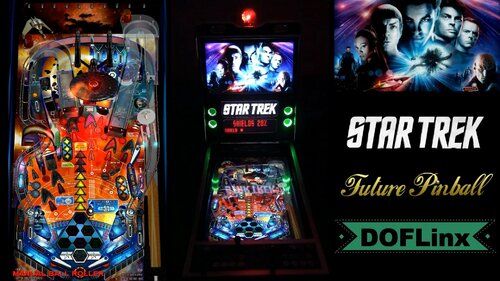
Star Trek (Stern) (Ultimate Edition) (v1.03) (p2.6) (DOFLinx - Cabinet Edition)
By TerryRed
Star Trek (Stern) (Ultimate Edition, v1.03) – by SLAMT1LT
DOFLinx mod by TerryRed and DDH69
A video demonstration of this table running on a cabinet using DOFLinx can be seen in the video above:
DOFLinx – “A powerful utility for cabinet owners to make the most of force feedback and lighting.” – by DDH69
This Future Pinball table has DOFLinx commands added to it. This will enable support for pinball cabinet force feedback devices such as solenoids (flippers,bumpers,slingshots,drop targets,etc), RGB lighting and flashers, beacon, strobes, blower fan, shaker, FIRE and other buttons lights, and more! This will work with Led-Wiz, Sainsmart USB, PACLED64, and KL25Z.
Cabinet Use:
For cabinet users running DOFLinx: This table will function with the in-game sounds for mechanical devices such as flippers, slingshots, bumpers, etc muted. Instead, you will only hear your cabinet’s feedback devices for those actions. The rest of the game’s sounds will play normally as intended by the table author.
Desktop Use:
For desktop users: This table will still function normally without the need for DOFLinx to be running or installed (read “Requirements / Installation”). It will play perfectly with the original in-game mechanical sounds playing through your PC’s speakers. Note: Any DMDs or HudOverlays intended for desktop use were moved out of view so that they will not appear on the playfield (this was intended for DOFLinx cabinet use) .
Night Mode:
For cabinet users who want to play at night with their cabinet noise makers turned off, this table can be toggled between Cabinet Use (noisy), and Desktop Use (Night Mode). Please consult the DOFLinx guide (included with the DOFLinx install package) for more information on how to use Night Mode.
Please read Requirements / Installation to setup DOFLinx.
We hope you enjoy the DOFLinx cabinet experience!
This is my first attempt at doing anything with VB script or creating feedback for a table. I only added in feedback support, and didn’t change any functions of the original table. SLAMT1LT gave permission to mod and host this table. – TerryRed
For SLAMT1LT’s newest versions of his tables (without DOFLinx support), goto his website:
http://speak1970.wixsite.com/slamspinballemporium
Requirements / Installation: Regardless of using this table with force feedback (Cabinet) or without (Desktop), you MUST install the current DOFLinx.vbs script into your ‘Future Pinball\Scripts’ folder. Running the table without this file will cause an error. The DOFLinx.vbs is included with the DOFLinx install package. This file is not included with this table to avoid version mismatches.
It is recommended to use this table with BAM (Better Arcade Mode), in order to get the most accurate version of physics intended for this table. Copy the *.fpt and *.xml within this archive to your “Future Pinball\Tables” directory.
DOFLinx install package download:
The current download of DOFLinx can be found through this post at vpforums:
http://www.vpforums.org/index.php?showforum=107
DOFLinx requires you to have DOF R3 (Direct Output Framework) installed.
ChangeLog:
DOFLinx full cabinet support mod (v 1.0) by TerryRed and DDH69
-added 10 solenoid feedback for flippers, bumpers, drop targets, slingshots, etc
-strobes, beacon, RGB lighting, RGB flashers, lighting effects and animation
-Coin, FIRE, and start button leds
-shaker motor and blower fan effects
-Night Mode support to run off mechanical noise makers
ULTIMATE Edition 1.03:
-fixed mission lights not flashing after winning extra ball
-fixed ball getting stuck in left kickback
-fixed ball getting stuck in plunger lane after warp factor
-fixed Vengeance light not switching off when table tilted
ULTIMATE Edition 1.02:
-added extra ball buy in feature
-added support for up to 4 players (table state is saved for each player)
-slightly improved geometry
-fixed ball dropping from left ramp before reaching the end
-fixed vengeance light still blinking when vengeance destroyed
-added Special award
-added more quotes
-improved tilt ball search feature
-improved Warp Combo feature
-movie clips now play on the backglass
-improved some DMD information
1432 downloads
(0 reviews)0 comments
Submitted
-
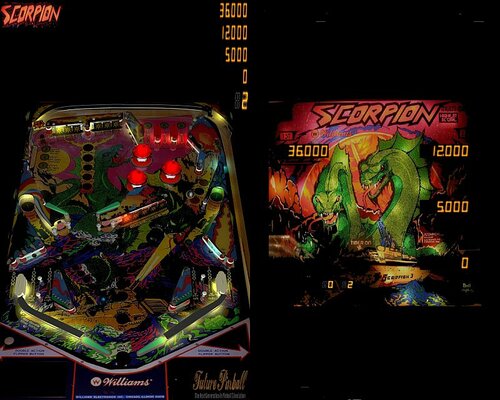
SCORPION
By fastdraw
Notable Features: Flippers (4), Pop bumpers (3), 5-bank drop targets (1), 3-bank drop targets (2), Standup targets (5), Kick-out holes (2), Left and right dual inlanes, 2-ball multiball. A ball locked in one kick-out hole will carry-over to the next player. Locking a second ball in the other kick-out hole will start multiball.
441 downloads
(2 reviews)0 comments
Updated
-
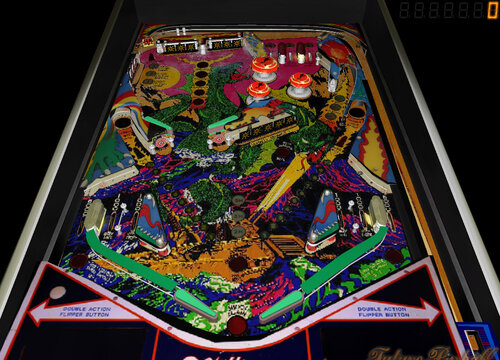
Scorpion
By theGhost787
Scorpion 1.0 with hard to find textures comes this re creation from Granit and ghostmachine. Game is 1.0 we couldnt find any more photos or plastics for this.
220 downloads
(1 review)0 comments
Submitted
-
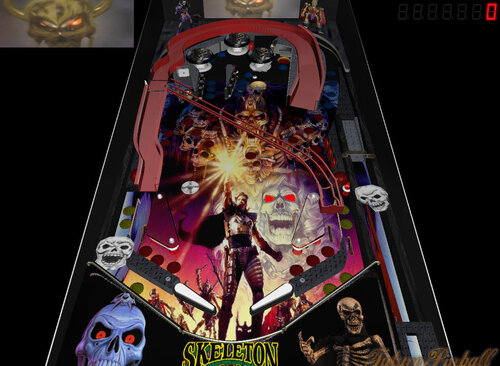
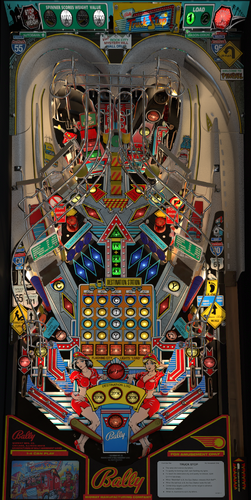
Skeleton Warriors
By theGhost787
Skeleton Warriors 1.0 pinball theme after a cartoon and comic book. Plays good may need more testing.
269 downloads
- cartoon
- future pinball
- (and 3 more)
(3 reviews)0 comments
Submitted






.thumb.png.559ffeefc18faf238c9a03f881e135dd.png)


.thumb.webp.0bf173c9897e6a0abb31dc0860d65739.webp)
.thumb.png.0d6edd49266048ee1998af124c7af1d1.png)
.thumb.png.678791bf85dc22bd18eef01a9d31ba8f.png)











Illuminated.thumb.png.d6fa09b724b6e29a5df6c2ff5f158c5b.png)
.thumb.jpg.e4d1136d8f00f0cfa812a8795e6f1d47.jpg)
.thumb.png.08a22dbcead2fb04268be37adc9de545.png)
.thumb.png.01beb8826637bdf57154f8d5dafc7368.png)








.thumb.png.9e2768ccc91095a59606f575abaab0fa.png)
JGBMod.thumb.jpg.31636f935b2d3cd9bb24d4b84a750c80.jpg)








1.thumb.png.af8ba175dc22df0d6be122a668a5a749.png)

1.0.0.thumb.png.74731c60a10f932288b30278f2b4e639.png)
ComfyUI.thumb.jpg.ec11a7bd7e54eca7bc77f3182057b969.jpg)
.thumb.jpg.8308735f4b0478336ffafc3db9325e9d.jpg)




_4k.thumb.jpg.6cf79e30e37584aa9495f6e1081d0f9d.jpg)
_4k.thumb.jpg.d6c3d9c6674a209ca5caa3972222b417.jpg)
-1.2_4k_4k.thumb.jpg.083b3aff5db673de92d0d1642359c230.jpg)

(2).thumb.png.c424668e5a5b53c0ec46a52d3853a4b1.png)
(1).thumb.png.69f356ad982093321d60471e04bd8ddb.png)

.thumb.png.5436f34b31da395c472f89defbbf23f3.png)