-
SYSTEM SEARCH
System Scanners Online:
Username: Guest
>> System Scan?
>> The Universe >
Incoming Message:
Due to system limitations searching with words of 3 or less characters will not return results. For instance; Doctor Who. This will not return results as the system is trying to search for both Doctor AND Who in which Who will not be found as it's a 3 character word. To find Doctor Who; you'd search for either Doctor or "Doctor Who".
Search Tips:
For specific searches; enclose your search with quotes. Example: "Doctor Who" or "Addams Family".
Search the Community
Showing results for tags 'williams'.
-
3scr(Small).thumb.png.77cc8d2d78556fbf3839f9d99a960354.png)
Version 1.0.0
2045 downloads
Millionaire (Williams 1987) 2scr 3scr ..- 3 comments
-
- 45
-

-
- millionaire
- williams
- (and 3 more)
-
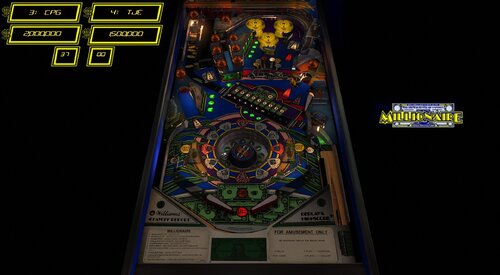
Version 1.0.1
1562 downloads
Thanks to @Goldchicco for creating this table and allowing this update @studly_do_right resolved some visual annoyances in VR @burger nFozzy physics, Fleep sound, extensive gameplay matching to the real table. Added some primitives and animations. Added VR and VR digits, animated VR buttons . Improved look or Roulette wheel and animations @teisen made various visual and lighting adjustments (description of adjustments in the table info) @Wildman backglass assets used for VR backglass Description of Goldchicco VPX table by: Goldchicco 3D Wheel model by Andrei Miraklov Wheel code by iaakki base VPX table released by: hmuek Special Thanks to : hmuek for let me use his VPX table as base for this release. 32assassin for always be there. Andrei Miraklov for the 3D toy of the wheel and his AMAZING talent. iaakki for the wheel code. Batch for the backdrop image for Desktop users. Movieguru for working on the images -
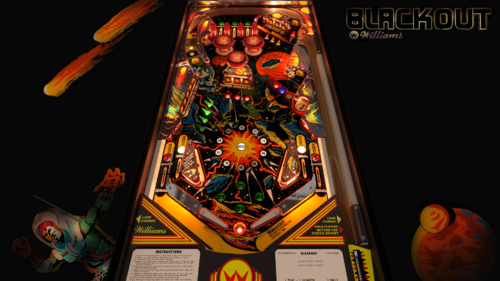
Version 1.0.1
4158 downloads
Blackout (Williams 1980) SBR34 Complete rebuild from scratch! Bord managed to get a complete set of scans including the playfield (thanks Chris)! The table dimensions and layout are as accurate as possible thanks to those scans. All posts were positioned on the corresponding holes in the PF scan. A big thanks goes to Bord! I could not have done this without him! He made working on this really easy for me! Thanks my friend! I also want to thank UnclePaulie for making this table VR-Ready! Options are in the script! I love that BG! Also a big thanks to Chris, iaakki, rothbauer and Rik for the help! I know all of you guys are busy! Thanks to 32assassin for bringing this table to VPX! I used my mod of his table as a base for this one! You can change the LUT's by pressing the magna save buttons! Credits: bord – scripting, DT background image and scores, prim animations, texture swaps, physics and countless other things...... Chris - playfield scan UnclePaulie - VR implementation, LUT selector iaakki - scripting assist, physics fixes rothbauerw - scripting assist, physics fixes hauntfreaks - plastics colour correction Rik - play testing Schlabber34 – new table layout, renderings, Youtube gameplay analysis, physics -
-
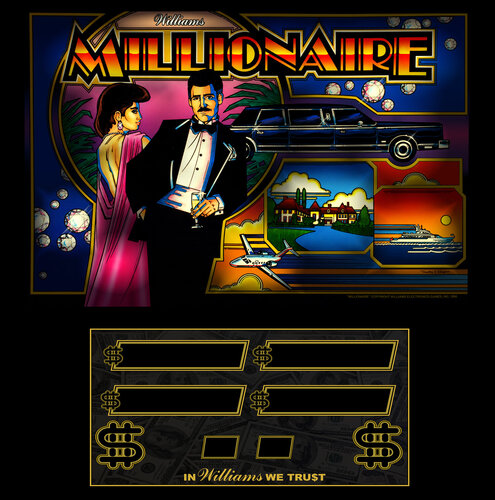
Version 1.0.0
202 downloads
Williams Millionaire (1987) FullDMD -
- 2 reviews
-
- 33
-
-
- directB2S
- the flintstones
- (and 3 more)
-
 View File Millionaire (Williams 1987)_Hybrid Thanks to @Goldchicco for creating this table and allowing this update @studly_do_right resolved some visual annoyances in VR @burger nFozzy physics, Fleep sound, extensive gameplay matching to the real table. Added some primitives and animations. Added VR and VR digits, animated VR buttons . Improved look or Roulette wheel and animations @teisen made various visual and lighting adjustments (description of adjustments in the table info) @Wildman backglass assets used for VR backglass Description of Goldchicco VPX table by: Goldchicco 3D Wheel model by Andrei Miraklov Wheel code by iaakki base VPX table released by: hmuek Special Thanks to : hmuek for let me use his VPX table as base for this release. 32assassin for always be there. Andrei Miraklov for the 3D toy of the wheel and his AMAZING talent. iaakki for the wheel code. Batch for the backdrop image for Desktop users. Movieguru for working on the images Submitter teisen Submitted 09/21/26 Category VPX - Pinball Tables VPX Standalone No
 -
Version 1.1
11568 downloads
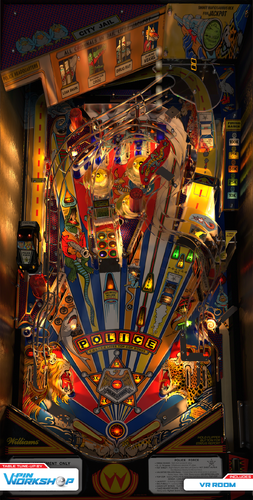
“573… Be on the lookout. We’ve got a new VPW release on the loose.” This one has been a looong time coming. A few years ago, gtxjoe stripped this mod of a mod down, added fleep sounds and nfozzy physics, dialed in the ramp—basically did all the VPX specific stuff with a special precision and flare only a VPX O.G. long time veteran like gtxjoe could do. Then Benji went on a long hiatus, possibly never to return. Was Police Force to be on-hold forever? That’s what it looked like. But then… Enter Niwak, revolutionizing VPX into the next era. And after seeing what could be done with the new light-baking with Blender Toolkit, Benji had to come back and finish what he started. First, he had to learn Blender. Uh…okay. But that turned out to be doable (with many tips from Tomate, Bord, Flux and more). And with tons of help from this whole bang-up crew—this tool-kitted version of Police Force is finally out in the wild. Special thanks to Jon Osborn who let Benji take apart, photograph, and measure a Police Force pin he was fixing up, which is what got this whole project moving forward. VPW SQUAD Benji - table lead, toolkit lighting/rendering Apophis - toolkit script-side integration, miscellaneous script magic - lieutenant programmer GTXJoe - Initial table side development Flux - LOTS of toolkit tech support and bug squashing while Benji learned the ropes Tomate - Plastic Ramp modeling, lots of miscellaneous help and tips for Blender and Toolkit Sixtoe - Table tweaks and improvements BradX - Full playfield and plastics redraw TastyWasps - VR Room Leojreimroc - VR Backglass and fixes Niwak - Blender Magickit Flupper - Police car model VPW testing crew – PinStratsDan, Studlygoorite, Eighties8, HauntFreaks, bietekwiet, ClarkKent, jsm174, somatik, BountyBob, DgrimmReaper, bord -
Version 1.0.0
84 downloads
No Good Gofers vpw - Rawds Edition vpx wheels and dmd picture if you appreciate the work, then thank you for not forgetting a "like" or a "review" , it's nice! Personal, non-commercial use only. Please contact me if you would like to use it in another way. All Logos, Copyrights and Trademarks are property of their respective owners. PROVIDED STRICTLY FOR PERSONAL / HOME USE AND NOT FOR COMMERCIAL SALE / RE-SALE OR DISTRIBUTION! -
(Medium).thumb.png.380a04b15d8519cb51df5fb639470d2c.png)
Version 2.1
3103 downloads
Hurricane(Williams 1991) -
(Small).thumb.png.59a33f02d52dd63608f52e5ca65fa834.png)
Version 2.1
2993 downloads
Riverboat Gambler (Williams 1990) HI REZ- 3 reviews
-
- 39
-
-
- riverboat gambler
- williams
- (and 3 more)
-
-
(Small).thumb.png.fd24f8ead4e6a2c7469d85c696c7d7ac.png)
Version 2.0
8060 downloads
Star Trek The Next Generation (Williams 1993) Hi Rez version Thanks to ClarkKent for the hi rez scan- 1 comment
- 13 reviews
-
- 97
-
-
- DirectB2S
- Star Trek The Next Generation
- (and 3 more)
-

Version 1.0.0
553 downloads
This is Drinkcrystal's version of Zodiac that Polsonator2 upscaled the graphics on, and I made a b2s for it. I'm not sure if I have the scoring correct, but anyone is free to make revisions, or a rebuild. -

Version 1.1.0
545 downloads
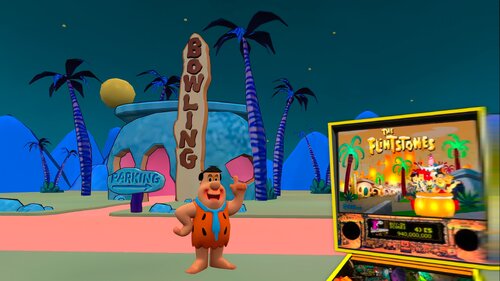
First off, Thank you to everyone who made this table a reality. G5K, 3rdAxis, DjRobX, Dark, LoadedWeapon, Pinball Lizard, Spacegoogie (who I based the VR Cab from) and anyone who I have missed. Excellent job on all your contributions to this amazing table! Who doesn't like the Flintstones? So thank you and you guys deserve all the credit. Nothing on the actual table was touched so if you want to play in cab or desktop mode I recommend getting the original table in which this VR conversion was created from link is below which is needed for the dif file as well. I have included a VR Mega Room, Minimal Room, and Ultra Minimal Room, for your tastes. You can find the menu by pressing F12. You can play this with a B2S which will give you the flashing lights on the back glass or you can play it without B2S with the standard Back glass image. Enjoy and have Fun, this table has really evolved into something special thanks to the many contributions across this great community. VPU Remix Tool Link You MUST download the original table the patch is based on from Pinball Lizard at **** THANKS SO MUCH TO ALL WHO CONTRIBUTED FOR CREATING THIS TABLE! ***- 13 comments
-
- 23
-
-
- flintstones
- vr
- (and 4 more)
-
1077 downloads
Bad Cats / IPD No. 127 / November, 1989 / 4 Players Manufacturer: Williams Electronic Games, Incorporated, a subsidiary of WMS Ind., Incorporated (1985-1999) [Trade Name: Williams] Model Number: 575 Common Abbreviations: BC MPU: Williams System 11B Type: Solid State Electronic (SS) Production: 2,500 units (approximate) Theme: Feline Mischief Specialty: Mechanical Backbox Animation Notable Features: Flippers (2), Pop bumpers (3), 5-bank drop targets (1), 3-bank drop targets (1), Kick-out holes (2), Linear target (1), Spinning Mystery Wheel in playfield. Backglass animation (woman hits cat with broom). The linear target functions similar to Gottlieb's vari-target. Design by: Barry Oursler Art by: Python Anghelo Mechanics by: Joe Joos Jr. Sound by: Dan Forden Software by: Ed Suchocki Marketing Slogans: "The cats are on the prowl with an easy access center ramp." "Reigning Cats and Dogs!" "Pinball Purr-Fection" "When we're good , we're very good. But when we're bad, we're even better!" -
.thumb.png.ba1139a3d514e38ecbab9a92a6dc04d7.png)
Version 1.0.0
76 downloads
Valencia (Williams1975) - Wheels to accompany JP´s & Halen´s latest recreation! Cheers, FD. -
Version 1.1.0
1747 downloads
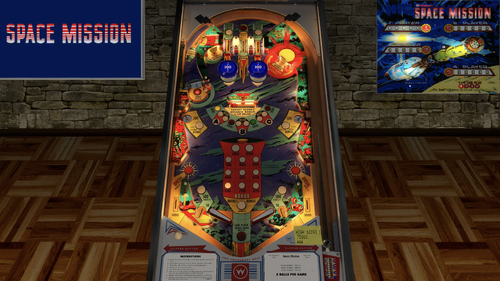
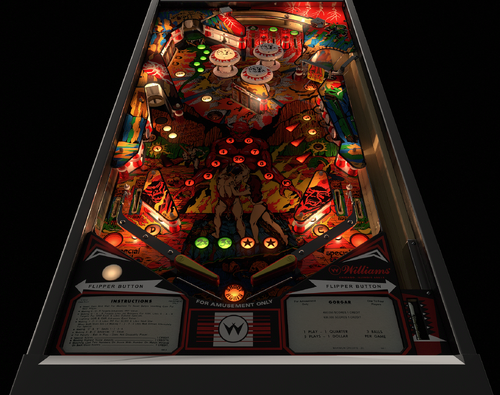
Space Mission came out in the year of the U.S Bicentennial. I remember that year and can tell you that the air was heavy with patriotism and this pinball machine, featuring the U.S. Apollo spacecraft, hews closely to the zeitgeist of 1976. (Although it also features the USSR's Soyuz spacecraft - depicting an event, the Apollo-Soyuz rendezvous, that had occurred the year before in 1975). Unusual features of this four-player, EM (electro-mechanical) table include a swinging target in the center of the playfield and the two ball kickers on either side of the flippers (watch people play the real table - they let the ball roll off the flipper into these kickers for extra points). Also, a spinner in the upper-left is fun to rocket through, and see if you can orbit the Super Bonus Advance in the upper-right. The Space Mission table is (at the time of this writing) #4 in the top-10 for electro-mechanical pinball. The two-player version of this table is called Space Odyssey. This is a community, EM table, originally created by the late Loserman76. We are indebted to him for, by my count, over 200 VPX tables. My changes to Loserman76's table, this version 1.1, add Fleep sounds and new sound code. The table now plays much better on cabinets with SSF (surround-sound feedback). Original table by Loserman76: https://vpuniverse.com/profile/2798-loserman76/?tab=node_filestabprofile_filesTab&page=22- 16 comments
- 8 reviews
-
- 126
-
-
Version 2.0
5313 downloads
VLM rebuild based on original works by Fuzzel and subsequent mod from Gedankekojote97. So many awesome folks in the community give advice and resources etc so if I missed anyone here, I apologise and will get you added if needed. Minions of Hell: - RetroRitchie: Blender remodel, VLM implementation, additional modelling, Apron, bumper cap and cab art decal redraws, plastics decal up-scales and cleanup, V.R. cab additions, latest VPW / nFozzy / Roth Physics update implementation - Darth Vito: Hellscape V.R. room, fire animations and SFX - Niwak - VPX Blender Toolkit, VPX Part Library Thanks to the following demonic entities - Fuzzel and Gedankekojote97 - for the original table & subsequent mod that this was based on. - Apophis - for the sweet updated spinner animation code - Scampa123: for the excellent close up photos of the real machine and for measuring the flipper gap. - Hauntfreaks - Upscaled and cleaned up playfield. - HighRez200 - Backglass images used for the VR cab. - Apophis, Tomate, Sixtoe, Bord, Wylte & the entire VPW Team for the scripting help, guides, resources, videos, example table and continued support - Schlabber34 for some lighting tips. - M.Carter78 for some vids and further close up photos. - Testers: Apophis, Lumi, Cliffy, Studlygoorite, TastyWasps, DGrimmRepaer, Darth Vito, Colvert, BountyBob, PinstratsDan, M.Carter78, Somatik, Flint Beastwood, Tomate. - Special thanks to Cliffy for always keeping me on my toes. ======================================================== Options available: - GI lights strength/color, overall saturation, room brightness - VR room choice (Hellscape or Minimal) - Hide Rails & lockdown - eye lamp mod: off, always on, light with pit flasher - room brightness - ball and mech sounds ============== Built for and Tested with VPX 10.8.0 RC3 or later: https://github.com/vpinball/vpinball/releases/tag/v10.8.0-1947-3b3f101 Topper Video here for those that use 'em -
.thumb.png.7c0cafd7e668d5fe3b6dccb98acf6b95.png)
Version 1.0.0
2073 downloads
Solar Fire (Williams 1981) New Build HI REZ- 20 comments
- 7 reviews
-
- 158
-
-
- solar fire
- williams
- (and 3 more)
-

Version Version 2025
2679 downloads
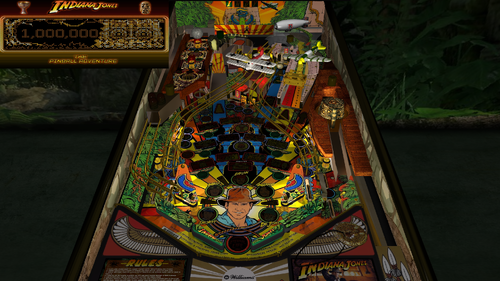
For years, I have released Future Pinball tables with color DMD support for desktop PCs, but I always had to tell cabinet users that DMDExt did not support color. That has now changed—DMDExt version 2.5 adds color support! Click on the following link to learn more and download setup instructions for DMDExt 2.5: https://vpuniverse.com/files/file/24721-indiana-jones-the-pinball-adventure-williams-1993-color-dmd-ssf-fizx-33-versions-included-for-desktop-2-and-3-monitor-setup-and-vr/page/2/?tab=comments#findComment-108605 Indiana Jones: The Pinball Adventure is a wide-body pinball machine designed by Mark Ritchie and released by Williams in 1993. It is based on the first three Indiana Jones films: Raiders of the Lost Ark, Temple of Doom, and The Last Crusade. The playfield features rectangular light inserts for 12 modes, with four modes representing each movie. Additionally, there is one video mode corresponding to each film. The bottom row of lights represents modes for Raiders of the Lost Ark, while the top row corresponds to The Last Crusade. The kicker, located beneath the biplane, allows players to lock three balls for multiball. There are 3 additional multiball modes. The game's goal is to complete the 12 modes and start the wizzard mode, where you score one billion points. Actor John Rhys-Davies (reprising his role as Sallah) recorded some new voice quotes for the game. What truly sets this game apart is how thoughtfully designed and enjoyable all the modes are to play. About five years ago, Gimli and I modified the Future Pinball (FP) version of this table. The first-ever use of the miniplayfield option in BAM was on his Ultimatum 3 version. Gimli incorporated the miniplayfield option in several areas, most notably to enable the Path of Adventure (POA) to tilt when using the flippers. In previous FP versions of the table, the POA was static and unmoving. Gimli's tilting POA worked flawlessly. Although I added new textures to the plastics at the time, I couldn’t locate any other textures, so they remained unchanged. As a result, the textures for the POA and right ramp were quite dark, and the playfield was of marginal quality. When I decided to update this table, I searched for better graphics but initially had little success. However, I eventually came across Bigus1's VPX version of the table, which features a beautiful playfield texture of outstanding quality. Bigus1 graciously allowed me to use his playfield texture; as well as, any other textures from his table that I needed. Thank you, Bigus1! Gimli had previously added several animations to the table that everyone liked so I left them intact. He also added what he calls his "True Multiplayer" feature. This feature provides true multiplayer functionality, saving each player's game and restoring it on their next turn. Although he used most of the available save registers, I discovered an unused nvS register, which allowed me to add one tweaker. I chose to implement a game tweaker, the most versatile of the three tweakers that Gimli and I have developed. Video Overview of the Table In addition to the new textures and game tweaker, I added FizX, Surround Sound Feedback (SSF), and a color DMD. I also reworked the problematic right ramp for smoother performance and revamped all the lighting with new shadow maps and spotlights. Two versions of the cabinet are switchable (see the instruction PDF file for more information). It seems that more users are running AMD processors on their PCs. Historically, AMD CPUs have had compatibility issues with Future Pinball. Many users report hard crashes after about 10 minutes of gameplay—or even sooner. In addition to crashing, AMD processors can cause stuttering and other performance problems. I received a report from a user on another table, where the playfield appeared as a gray screen with no image, and the system was using an AMD CPU. Systems with AMD GPUs are even more prone to crashes, and unfortunately, there’s little that can be done to resolve these issues. AMD graphics cards are known to have compatibility problems with many games, not just Future Pinball. Table developers cannot be held responsible for issues related to AMD hardware. Some users mistakenly blame these issues on script errors when they are actually caused by hardware incompatibility. Users with AMD Ryzen CPUs paired with NVIDIA graphics cards have had more success running Future Pinball. I’ve received reports that some users with this configuration encounter a string error, but it was successfully fixed using a solution I posted in the script. You might want to try this fix if you’re experiencing other issues with this setup. Since I have an Intel CPU in my PC, I’m unable to replicate or test any AMD-related problems you may encounter. Gimli’s original menu system, though effective, combined certain options to minimize the number of save registers needed. For example, the balls-per-game option was combined with an easy play mode. With the addition of the game tweaker, I could save 28 parameters to a single save register. This allowed me to split the combined options into separate choices. I also added several new parameters and 13 audio controls for sound and music, similar to those I’ve implemented in other tables. Gimli’s original menu system for saving games is still included. It is explained in the instruction PDF file accompanying the download and also displays a list of high scores. Video Demonstrating the 3 Menu Systems I’ve done my best to optimize the playing experience for both desktop PCs and pinball cabinets. As part of this effort, I included three versions of the table in the download: 1. Main Version – Suitable for desktops, cabinets with two monitors, and virtual reality headsets. 2. Three-Monitor Version – Designed for cabinets with three monitor displays. This version removes the speaker panel from the backbox and it works with DMDExt. 3. Rotated Display Version – For desktop PCs with a single monitor that can rotate to an upright (portrait) orientation. Make sure to refer to the instruction PDF file included in the download for setup guidance. I prefer to play the rotated display version on my desktop PC because it fills about 90% of the monitor’s available space. In comparison, the Full Table 2 view in Future Pinball only occupies about 50% of the screen, excluding the HUD (which isn’t necessary for the rotated display version). The rotated display offers a more immersive and engaging gameplay experience. I want to express my sincere gratitude to MadMrMax for assisting with testing and providing some custom fonts he created. Also, enhancing the visual appearance of this table would not have been possible without Bigus1's textures. Thanks again, Bigus1! —George List of Changes 1) Replaced the art on the playfield apron with similar gold-colored art. 2) Added a new desktop table loading texture with a rope bridge, matching the table's rope bridge mode. 3) Got permission from Bigus1 to use textures from his VPX version of Indiana Jones, The Pinball Adventure. Used Bigus1's playfield texture, the texture for the Path of Adventure (POA), textures for both slingshot plastics, textures for stationary targets, a portion of his backwall, a portion of the rope bridge from his plastics, and a portion of the texture for the right ramp. 4) The backwall was raised higher so you can see more than just the top of it. Reworked it to make it brighter. 5) Filled in gaps in the rope bridge plastic that goes around objects on the real table that aren’t present in this version to create a rectangular shape. 6) Found a higher-resolution texture for the backglass. Reconstructed Slamt1lt's animated backglass using the new texture to recreate the 12-step sequence. 7) Created a custom texture for each flipper. 8. The original table's HUD underlay featured an image to the left of the DMD, which caused the DMD to be reduced in size. The texture was replaced with one that has narrow sides, allowing the DMD to be made larger. 9) The instruction cards were previously added to the texture for the plastics. I added two surfaces for instruction cards on the apron, allowing for the use of higher-resolution cards, making the text easier to read. 10) Fixed several textures so they fit the plastics better, filled in exposed bolt holes, and upscaled the textures using an AI program. Changed the edge of the upper plastics from red to a texture colored similarly to the top of the plastics. Extended the plastic on the sides of the right ramp so that they fit on top of the posts. Added screw heads to the plastics. 11) Combined "cookie-cutter" 2048x4096 textures for one of the plastics with the POA to save PC resources. 12) Edited Bigus1's lenses for "The Pit" and "Extra Ball" and added them to the texture for the POA. Reshaped the light inserts for these two lenses and modified them so that the "cookie-cutter" option could be used. Extended the top of the texture by creating content to fill the gap to the top of the POA. Moved some objects around on the POA to center the lanes and make them fit the texture. 13) Created new side blades for the cabinet interior. 14) As spectacular as Bigus1's playfield is, some adjustments were made to the dark blue color so that the two center lanes and columns are slightly lighter, matching photographs of the Williams table. The flesh tones of Willie, Marian, and Dr. Jones were lightened slightly. The text on the ball saver light (labeled "Eternal Life") was adjusted to a more consistent red color. 15) The Indy sign above the top of the backbox had stopped working. I exported the model of the sign from Slamt1lt's original table and imported it into this table, which made it work again. I then revised the texture to match the colors of the logo on the backbox texture. 16) Changed the model for the side blades and added a model for the top rail that covers the default rail. I also added a surface that covers the default apron. Covering the default rail and apron allows them to be changed to a dark brown color, as seen on the original Williams cabinet. 17) Replaced the round playfield light inserts for Sallah, Marion, and Dr. Jones with shapeable lights to accommodate areas of the lens that are not perfectly round. 18) Reshaped the metal box on the exit to the Path of Adventure to improve its fit and finish, ensuring a better attachment to the metal ramp. 19) Added a texture to the bottom of the exterior wall of the Path of Adventure to make it consistent with the rest of the wall. 20) Added a new floor to the right upper ramp to improve performance (making the ball travel faster). Replaced the existing ball guide on the right upper ramp, which was not visible. 21) Added FizX physics using an older version of the tweaker that does not save settings because all the save registers were already used. 22) Reconfigured the plunger and nearby objects so that the ball no longer gets stuck in an area where the plunger cannot hit it when the ball is kicked out. 23) Added a surface above the right ramp to stop the ball from flying too high and hitting the edge of the plastic above the ramp. 24) Added texture to the stationary target hidden behind the drop targets, where no texture had previously existed. 25) Added Fleep's recordings and Surround Sound Feedback, including his ball-rolling sound on the playfield and ramps. 25) Changed the shape of the entrance to the ball lock so that the ball no longer partially enters and bounces out. 26) The table has a "Status Report" that can sometimes display. It can also be manually triggered during a game by pressing the "S" key. 27) Resolved an issue with the "big boulder ball" special effect, which appeared to bounce after FizX was added. This was fixed by temporarily increasing the table slope to 7.5 when the boulder starts and reducing it after the effect ends. 28) Added a "Sound Level Control Panel" that allows for controlling the volume of all audio on the table. 29) Moved the rubber band above the ball lock kicker to prevent balls from getting stuck there. 30) Added snake sound effects to the arc animation when a player chooses poorly in the video game. 31) Added color DMDs and coded them to include a background color for DMD text. This feature must be turned off on pinball cabinets that use DMDExt by changing the ColorDMDStatus in the script to "2." Cabinets that do not use DMDExt (such as 2-monitor setups) can display the color DMDs. 32) Created an alternate version of the backglass animation that does not flash, making it more accessible for individuals with photophobia. 33) Added the Game Tweaker. Moved several combined options from the menu to the tweaker as separate parameters, such as easy mode, balls per game, enhanced mode on/off, game rooms, original/Disney cabinets, game console cabinet, pan & zoom, and lighting modes. Added new parameters for ray casting on/off, 14 desktop camera views, swapping 3 playfield sounds and 2 wire ramp sounds, swapping 3 different side blades, toggling flashes on backglass animation, and creating a custom backglass speaker grill, which can be switched with the original. The original menu was retained for game save options and high score displays. 34) Made the "special 1" and "special 2" keys switchable between the original menu and the tweaker, as an option in the script. 35) Added JP's game pause code to pause the game when using the stable save option. 36) Added 13 audio controls to the game tweaker, allowing all sound levels to be adjusted in-game. 37) Added a keyboard key to change lighting modes by pressing the "L" key, eliminating the need to open the Game Tweaker. 38) Added an audio preset option to the game tweaker that has presets for 9 parameters to reduce sound level in increments of 0.05. 39) Replaced the texture for the right plastic ramp with a combined version of the original and Bigus1's version. 40) Completely reworked all the lighting from the previous version, adding modes for Day, Dusk, Night, and Dark Night. These modes are switchable via the Game Tweaker or by pressing the "L" key on the keyboard. 41) Reworked all the shadow maps. 42) Added spotlights to the planes and lit the spotlight on the biplane when pressing the start game key, tying it to the voice quotes. 43) Added two versions of the table: one for 3-monitor cabinets and another for single-monitor rotated displays for desktops 44) Created an instruction manual in PDF format. 45) Reworked Gimli's PDF of "Adrian's Guide to Indiana Jones: The Pinball Adventure" with Gimli's comments about this table. 46) The drop target in front of the captive ball has been changed. Previously, the target only dropped on the third ball hit, while the first two hits left the target standing. Now, the target will drop for 1 second after the first two ball hits before raising back up. This change matches the behavior of the real Williams table. 47) Constructed a new boulder ball using a bump map. (Adding the bump map required creating a new ball). Added another new custom ball to replace an older one. 48) Added a feature to the script where the Easy Mode times can be increased by any desired percentage. Table Developers GLXB, Highlnder00, Slamt1lt, Gimli, GeorgeH Valued Contributors On this version: Bigus1 textures, MadMrMax for helping test the table and providing fonts that he created. Thanks to Popotte for creating the code to pause the ball when performing the stable save. On Gimli's versions: Starac, Umpa, and Skinooe for testing and physics, Miownkhan for custom balls, Wecoc for Array Template that permits True Multiplayer tracking, Gin for help with Tank Chase DMD fonts On GLXB's version: Pinbalt, Highrise, LordHiryu, Wtiger, Magnox, and Toxie -
Version 1.0.0
558 downloads
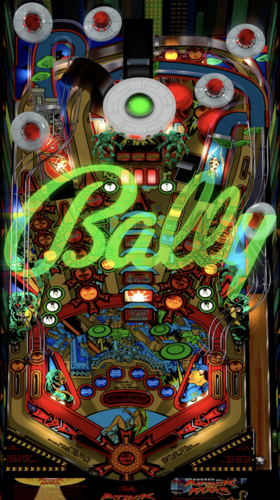
Manufacturer Playlist Playfield Media Bally, Williams, Data East, Gottlieb, Stern, Williams. -

Version 3.0
303 downloads
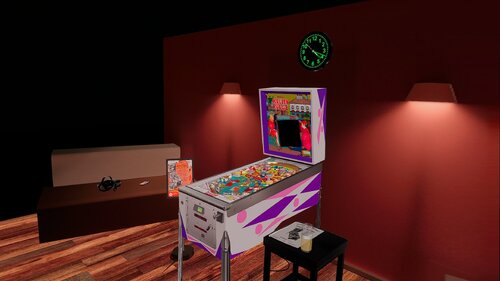
This file is based on JPSalas Table version 6.0.0 https://www.vpforums.org/index.php?app=downloads&showfile=17924 New VR Cab New VR Backbox New VR CoinDoor (Thanks to Jarski3094 for the CoinDoor Images) Added Flipper Buttons animation This table Works in DT/FS/VR and MR This table requires B2S to work (See link) Enable on F12 Music or Ambience Added Minimal Room, Pool Bar and Mixed Reality Virtual Desktop Settings Chromakey: Color RGB = 255,255,255 Similarity: 2 Smoothness: 2 About JPSalas version 6.0.0 Updated September 2025 - Moved LUT to User Options (F12) - Added some extra options to the User Options (F12) - Updated physics to my latest rev 4.3.1. mostly bouncier rubbers and harder flippers. -
_v2Illuminated.thumb.jpg.73a5fe4cf264029b96106ed8100a4218.jpg)
Version 1.0.1
9573 downloads
Specifications : Full rebuild from scratch New dark translite image rebuilt from differents pictures (crazy photoshop puzzle ) Resolution 1600 x 1204 @70dpi 2 screens grill full redraw DMD image full redraw for 3 screens Authentic color lamps and flashers Some new lamps IDs, everything switch off when tilt and restaurant lamps switch off during the game over sequence (like the authentic). New spring animation for the characters Each character moves independently of the other The movement of the characters is triggered by the solenoids [ Code by STAT, Thanks for sharing ] The characters are surrounded by plastic (like authentic), [ based on the Pookamoondo .psd file, Thanks for sharing ] Flashing restaurant windows lights behind each character Lamps reflection on the 2scr grill Contains about 80 snippits Installation [ To activate the animations of the backglass characters ] : 1. If you use this b2s with the table version "Diner (Williams 1990) VPW Mod 1.0": [ table link here ] 1.1 In Visual Pinball, edit the vpx table script, modify the setting "EnableBlacksadBackglass" to 1, click on compile and save the table. 1.2 As usual rename the B2S file exactly like the table name. 1.3 EnJoY ! 2. If you use this b2s with the table version "Diner VPX 1.2 (Williams 1990) by flupper1": [table link here] 2.1 In Visual Pinball, edit the code of the Flupper's DINER TABLE and replace it all by the STAT's code from the file "Diner_STAT.txt", click on compile and save the table. 2.2 As usual rename the B2S file exactly like the table name. 2.3 EnJoY ! A special thank you to Flupper who shares his magnificent tables and to the VPW Team for their excellent works (and all the other authors as well ). Blacksad -
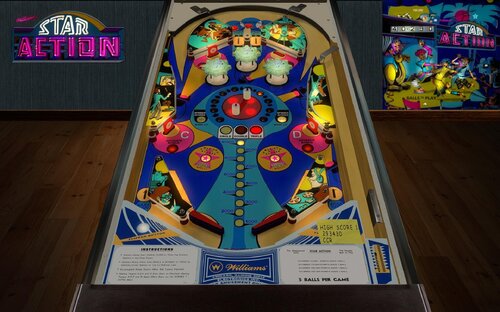
Version 1.1.3
1899 downloads
Remember 1973? Pink Floyd’s, Dark Side of the Moon, Wings album, Band on the Run, William’s Star Action pinball machine…. No, not that last one? Here’s your chance to enjoy this table from over 50 years ago. Star Action features a unique turntable (in playfield-center) that spins when you hit one of two posts (remind anyone of the lamp from Tales of the Arabian Nights?). Spin it to advance through the ten lights around its circumference to get Double, then Triple scoring. Wide flippers are a little more forgiving than the sometimes shorter variant you often see in older tables. This version, 1.1, features beautiful plastics, playfield, apron — and when combined with a masterclass backglass by @hauntfreaks hopefully it makes for a top-notch EM (electro-mechanical) table worthy as an update to @loserman76’s VPX contribution. Hold left flipper (shift) before game start for options menu. Options include: 5 ball or 3 ball play Reset high scores Change scoring values Enable/disable add a ball star mode Contributors include @Cliffy, @teisen, @hauntfreaks and @JCalhoun. The original table from @loserman76: https://vpuniverse.com/files/file/7246-star-action-williams-1973/- 45 comments
- 10 reviews
-
- 121
-
-
- williams
- williams 1973
- (and 2 more)