No files in this category yet.
Files From Subcategories
-
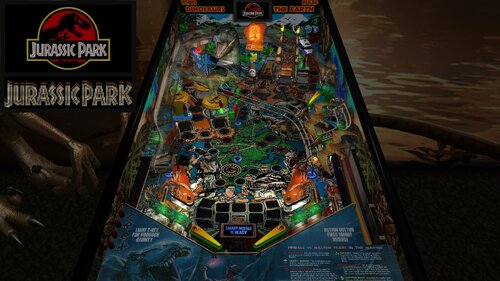
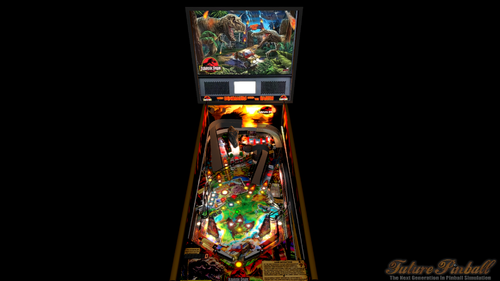
Jurassic Park, Revised Slamt1lt Edition (Data East, 1993) (Color DMD, SSF-PUP 2.0, 3 Monitor Setup, FizX 3.3)
By GeorgeH
Note: In order to read the description for the new Version 1.02, you have to click on the "Permission to Mod" tab.
For years, I have released Future Pinball tables with color DMD support for desktop PCs, but I always had to tell cabinet users that DMDExt did not support color. That has now changed—DMDExt version 2.5 adds color support! Click on the following link to learn more and download setup instructions for DMDExt 2.5:
https://vpuniverse.com/files/file/30061-jurassic-park-revised-slamt1lt-edition-data-east-1993-color-dmd-ssf-pup-20-3-monitor-setup-fizx-33/page/3/?tab=comments#findComment-108589
This posting updates Slamt1lt’s Jurassic Park ULTIMATE Pro version 1.05. This table introduces three new features that have not been added to my previous table mods:
1. Faster game play on FizX – Several users asked me whether FizX could be made to play faster, and I suspected many others would appreciate the option as well. After working on this intermittently for about two months, I developed a solution that is included in this update. Four speed settings are available: Slow, Medium, Fast and Very Fast. The Slow setting matches the original FizX game speed. End users can boost the very fast game speed to make it even faster (or make other changes) with guidance provided in the instruction PDF file in the download.
2. Correct HUD DMD aspect ratio – A new version of BAM corrects the aspect ratio of the HUD DMD and it has the same shape as the backbox DMD. This feature requires some simple set up with guidance provided in the instruction PDF file included in the download.
3. Ball rolling sounds for ramps on cabinets - This table uses an updated FizX template with PUP 2.0 support. With PUP 2.0, you’ll hear ball rolling sounds on the plastic and wire ramps that are different from those on the playfield. Although I don't have a cabinet, DigitalArts successfully played this table on his cabinet verifying everything works correctly including the ramp sounds.
In my Revised Slamt1lt Edition, my goal was to enhance and polish Slamt1lt's work while leaving the core design and gameplay untouched. I also incorporated a few select features from Rom’s version of the table; these are identified in the list of changes below.
Slamt1lt's original features included changing playfield light insert colors during gameplay. He also added switchable original and modern audio modes. I personally prefer the modern mode, where Slamt1lt introduced new sounds and music. As expected, he included movie clips from Jurassic Park.
Table Requirements
BAM 1.5-397 or higher
Required to display the HUD and overlays with the correct aspect ratio. BAM_v1.5-397 can be downloaded here:
https://pinballnirvana.com/forums/threads/bam-update-v1-5-395.23944/#post-163376
PUP 2.0
This table was coded for PUP Surround Sound Feedback (SSF), which requires PUP 2.0 to function correctly. Follow the same installation method used for TerryRed’s Masters of the Universe Version 1.4.
Note: The PUP pack for this table contains audio only (no video) and is used solely for SSF. Desktop users do not need to install PUP 2.0.
Other Requirements
If you wish to use SSF,
the options for Backbox and Arcade Mode must be enabled on the FP Video / Rendering options.
you need to change the "DOF_enabled" and "PUP_SSF_enabled" flags in the script to true.
Video Overview of the Table and Game Play
As with my recent table mods, I’ve added extensive in-game adjustments through a menu system that Gimli and I developed, called the “Tweaker.” Tweakers are available for game settings, lighting, and FizX. You can adjust parameters such as camera views, physics, ambient lighting, and sound levels.
The first option in the FizX Tweaker allows you to select the game speeds (slow, medium, fast, very fast) mentioned earlier. The Tweakers include cabinet-friendly DMD displays and overlays. See the instruction manual included in the download for details on using the Tweaker and other table features.
Another major upgrade is the complete overhaul of the table’s audio system. Every sound and piece of music is now categorized as music, game sound, sound effect, or voice quote, with independent volume controls for each category available in the game tweaker.
Many other changes are identified in the "List of Changes" section which include adding Fleep’s recordings for all of the mechanical sounds. All of the large textures on the table were reworked with increased resolution and color correction. The textures were replaced on the backglass, speaker grill, side blades, apron, and exterior cabinet. Four lighting modes were added for Day, Dusk, Night and Dark Night and can be adjusted by the lighting tweaker. Colors were adjusted on lights used on the table to make them less harsh. See the list for more changes.
Slamt1lt’s original Jurassic Park table was already a lot of fun to play, and I spent six months refining it. Based on videos of his recent tables, which feature faster gameplay, I believe he would appreciate the faster FizX options included here. After playing at faster speeds, it can be difficult to return to the slow setting.
A big thank-you to Pop Bumper Pete for recording a new ball launcher sound to replace the previously used saucer sound. Thanks also to Fourbanks for general testing, and to DigitalArts for testing the three-monitor cabinet version—you can see a photo of his cabinet setup in the included image gallery.
Please be sure to read the included PDF for setup instructions and additional tips.
Thank you for downloading my table mod—and enjoy Jurassic Park, Revised Slamt1lt Edition!
—George
List of Changes
1. Replaced 1024x1024 backglass texture with 2048x2048 texture.
2. Added new custom speaker grill.
3. Replaced side blade textures on the inner cabinet wall.
4. Added a new custom apron texture and wire guides. Incorporated some of Slamt1lt’s original text using different colors.
5. Repositioned dinosaur models and adjusted the colors of the Parasaur and other dinosaurs.
6. Replaced the red bulbs at the top of the ramp entrance columns with animated flames that brighten during certain game modes.
7. Added music from the movie that alternates with Slamt1lt’s dinosaur soundtrack during attract mode.
8. Replaced the startup loading texture with 8 optional versions (4 for desktop, 4 for cabinets). Also changed the loading screen text from red to yellow.
9. Increased brightness of the topper and game room.
10. After reviewing Rom’s version, I implemented the flashing backglass bottom lights by copying the six lights, sequencer, and code. (Other unused lights in Rom’s version were not included.)
11. Added a new game room wall texture with an option to switch between it and the original.
12. Replaced the original exterior cabinet texture with two new custom textures.
13. Upscaled the playfield and all the plastics. Upscaled the texture for the "Shoot the T-Rex When Lit" box and edited it to clean it up. Upscaled the texture for the backwall and increased the contrast so it doesn't look washed out. Edited the top area of the backwall where to correct what looked like mistakes made on the graphic. Changed the text on the backwall so it reads from top to bottom on both sides and emphasized the correct words by making them larger. Filled in screw holes from the photos used to create the plastics.
14. Added the "Data East Presents Jurassic Park" to the DMD during the attract mode. Parts of Data East's DMD sequence were deleted and changed. Moved a "Game over" DMD animated sequence so it runs at the end of the game instead of during the attract mode.
15. Upscaled and edited the texture for the model of the amber mosquito. The area of the texture around the mosquito was made brighter to make the wings more obvious. Also added more bulbs so the mosquito is better lit.
16. Added code to eliminate the pop-up that asks for permission for the game to take control of the camera when the game starts.
17. Changed the brightness of the JP logo on the movie clip overlays so it is darker and matches the other frames of the video clips.
18. Added FizX physics and the most recent version of the menu system, called a tweaker. Adjusted the strength of several kickers to make them match FizX. Changed the start angle and swing of the flippers so it is now possible to hit the drop targets on the far left and right sides of the playfield. Adjusted the ramptor pit kicker so it points more to the left so it hits the center of the left flipper.
19, Fourbanks reported that the ball bounced out of the right inlane when dropped from the wire ramp. Invisible walls were added to both sides of the lane to prevent recurrence. Added the same walls to the left inlane.
20. Replaced the round boat kicker with a square kicker to prevent the ball from bouncing out of the kicker without triggering it.
21. Changed many of the colors of the playfield light inserts (and the corresponding colors defined in the script) and bulbs on the playfield and backbox to a less garish version. Reduced the glow radius of the bulbs under the slingshots and lane guides.
22. Found a dip in the ramp at the first bend on the uphill side of the custom ramp model. Added a short invisible FP ramp under the ramp model to fill in the dip and added an invisible wall to the right side of the ramp. Added an invisible approach ramp at the ramp entrance to make the transition between the playfield and ramp smoother. Changed the transition of the plastic ramp and diverter to the wire ramp so it is smoother. Changed the color of the end protector on the ramp exit from white to gray so it is the same color as the original table.
23. Slamt1lt's version changed the brightness of the plastics during game mode changes, but the apron remained dark throughout the game. Changed the apron on this version so it brightens and dims along with the rest of the plastics during gameplay.
24. Added a color DMD to the animated DMD sequences and background color with a border on the DMD text. Set up the DMD text so that the text with the brown background usually has game status info and the orange background usually has action required to identify a game mode (except during the attract mode). Added a section to the beginning of the script called "COLOR DMD STATUS," where cabinet users can turn off the color DMD because DMDExt cannot support it. In the process of making this change, I found some sequences where Slamt1lt missed duplicating some animated sequences on the backglass DMD that are on the HUD DMD. Revised Sub RampLightsOff() and Sub TRaptor1_Hit() to duplicate them.
25. Changed the captive ball configuration so it follows my guide at the following web address and makes it perform better: https://pinballnirvana.com/forums/threads/resolving-problems-with-captive-balls-on-future-pinball.23568/#post-160485
26. Changed the color of the 3 bumpers from greenish yellow caps with white base to yellow caps with dark gray base.
27. Added 6 unused dino sounds so they randomly play when the coin-in button is pressed. (from Rom's version of this table) Also fixed small bug where the voice quote "Hold onto your butts" was never played.
28. Added movement of the playfield texture during the earthquake sequence to make it appear more like an earthquake. Changed the sound played during the earthquake sequence from a mechanical sound to earthquake sound. (from Rom's version of this table) Slamt1lt added a "quick quake" sound that used a similar mechanical sound and was replaced with a short earthquake sound.
29. Duplicated the display of the movie clips onto the apron, mostly to improve visibility for cabinet users.
30. Added game and lighting tweakers.
31. Added lenses to 7 playfield light inserts that were missing.
32. The right side of the backwall was darker on all previous versions of the table. Fixed it by deleting a wall in front of the backwall on the playfield and adding the texture to an overlay at the bottom of the translite.
33. Reshaped the outer orbit lane wall to prevent the ball from getting stuck.
34. Added FizX presets for slow, medium, and fast gameplay. Added an option near the beginning of the script where end users can adjust the default settings.
35. Implemented BAM code allowing scores beyond 2 billion. Verified stability up to 922 trillion points
36. Added game tweaker option to choose video clip display location on the backwall or apron
37. Added option on the game tweaker to select whether the desktop camera view is changed during multiball or not.
38. Added option on the game tweaker to select between 2 audio options during the attract mode or alternate between the 2 during each startup.
39. Added game tweaker option to select between 2 cabinet textures or alternate between the 2 during each startup.
40. Added option on the game tweaker to select between 2 game room textures or alternate between the 2 during each startup.
41. Added 2 new options to the game tweaker. One adjusts how fast the earthquake sequence runs. The other turns the earthquake effect on and off that affects the ball.
42. Added an index to the beginning of the script to simplify finding the most used sections of the script.
43. Removed 14 MB of unused audio (overall file still ~10 MB larger than the original).
44. A rubber backstop was added to the end of the plastic ramp that exits to the left inlane to prevent the ball from bouncing around excessively.
45. Replaced all mechanical sounds with Fleep’s recordings and added ramp ball rolling sounds.
46. Pop Bumper Pete recorded a ball launcher sound that was added to replace the saucer sound previously used.
47. Added ball and flipper shadows.
48. Added an option in the script to disable DMD transition effects for cabinets that don't support it.
49. Updated to AIO template version 3.30.07 (PUP 2.0), enabling ramp ball rolling sounds on cabinets.
50. Categorized every sound and music file in the script. Added a way to adjust each of the 9 categories in the game tweaker. Found 2 misnamed sounds in the script that were corrected so that they will play.
51. Improved T-Rex lighting effect by replacing a dim flasher with a visible spotlight and adjusting brightness. The spotlight illuminates on each hit of the kicker in front of the T-Rex.
52. Created versions for 3 monitor cabinets and rotated display for desktops that are turned to portrait orientation.
53. Created an instruction manual for the table in PDF format, which includes more instructions on how to operate the tweakers than were available on earlier tables.
Table Developers
Polygame
Puma
Rom
Slamt1lt
GeorgeH
Valued Contributors
Gimli – Codeveloper of the Tweaker
JLou5641 - Creator of FizX
Fleep - Created recordings for mechanical sounds
TerryRed – developed the FizX template
Fourbanks –Tester of the desktop version
Digitalarts – Tester of DOF and PUP SSF on this cabinet
Pop Bumper Pete – recorded a new ball launcher sound
1717 downloads
-
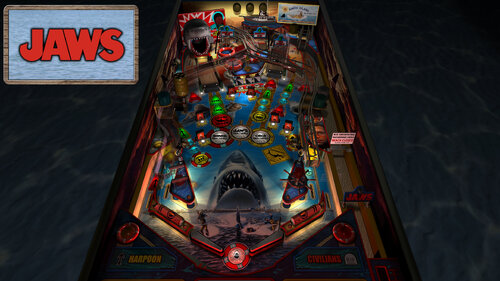
JAWS - BIGGER BOAT EDITION (PinEvent V2, FizX 3.3)
By TerryRed
JAWS - BIGGER BOAT EDITION
Table version: 2.0 (July 2026)
======================================
This table began as Rom's classic JAWS table for Future Pinball from many years ago. Then SLAMT1LT modded it over the years which evolved to his Ultimate Pro version. I proceeded to mod and update the Ultimate Pro table for FizX physics, PinEvent, and a complete table overhaul with many new additions and features which became the BIGGER BOAT EDITION.
It has been completely updated to use the newest modern BAM features to create an amazing real-time visual treat. It’s also been overhauled to use the latest FizX physics which completely transforms a Future Pinball table to have excellent modern physics for the entire table! I updated it to my PinEvent V2 standard, to allow for optional DOF, SSF, PUPDMD and other features that take this to another level. (now also updated to use PUP 2.0’s latest features!)
====================================================================
A video preview of the 2.0 update can be seen here:
======================================
Created by:
TerryRed : Jaws - Bigger Boat Edition
SLAMT1LT : Ultimate Pro table update
ROM : the original FP Jaws table
Thanks to:
Schlabber34: insert jewel images
FLEEP: mechanical sounds
JLou : FizX and support
ravarcade: BAM and support
Nailbuster: Pinup Player and support
Chris Leathley: Future Pinball
====================================================================
DISCLAIMER:
This table is a fan-made work of passion, and is NOT intended for commercial usage or to be included in any part of a commercial sale!
====================================================================
This is a three player game!
====================================================================
Physics: FizX v3.3
====================================================================
TABLE REQUIREMENTS (very important!)
- all Visual C Runtime updates
- DirectX
- Future Pinball
- the latest BAM update
- FuturePinball.exe and FPLoader.exe patched for 4 GB access
- BAM Settings files installed
- FizX 1K ball model (for more accurate physics, default.zip in BAM folder)
- the REQUIRED “Video / Rendering Options” and “Editor Options” in Future Pinball video settings
NOT TO WORRY!
All of the above is included with the latest FP and BAM Essentials AIO package!
Super easy to use for a new install, or just to update your existing install. I recommend everyone install this package to ensure you have the latest required BAM updates and other files installed!
https://vpuniverse.com/files/file/14807-future-pinball-and-bam-essentials-all-in-one-complete/
====================================================================
IMPORTANT! - UPDATE REQUIRED!
This table REQUIRES a newer version of BAM (1.5-409 or higher)
This is included with the FP and BAM Essentials AIO package version 3.7 or higher!
EVERYONE needs this new update to run this table! Simply install the latest FP and BAM Essentials AIO, and you are good to go!
====================================================================
What options can you try if your GPU has less VRAM (less than 6 GB)?
- you can enable Texture Compression (in FP video settings) which greatly reduces how much vram is used
- if you use a "Start FP" bat file, then you will also need to enable Texture Compression in that file!
- enabling Texture Compression may take a little longer to load, but not much
====================================================================
GUIDES INCLUDED WITH THE GAME
It's important that all players get to know the following docs, for their own benefit! They are VERY helpful and will save you lots of time!
INSTALL INSTRUCTIONS - read this guide to learn how to properly install and run this game!
TABLE MANUAL - read this guide for more information about this table and its features!
RULES - read this detailed guide to learn all the secrets of this game!
====================================================================
TABLE OPTIONS
- at the top of the table script, scroll down to the "TABLE OPTIONS" section
- this game has a MASSIVE number of features, options, and difficulty settings you can change!
- you can tailor this game to almost any way you want!
- there are some specific features that can only be enabled in this section!
====================================================================
INSTALL INSTRUCTIONS (REQUIRED)
- PLEASE read the Install Instructions (included with the table's zip file)
- it shows you how to install all the REQUIRED items
- it shows you how to easily setup FP and BAM with the REQUIRED settings
It's super easy, and only takes minutes to do!
====================================================================
HOW TO RUN FP AND PLAY A TABLE
Read the Install Instructions to know how to properly use FP and BAM
===================================================================
GAME NOT RUNNING SMOOTH?
Read the TABLE MANUAL for the solutions!
====================================================================
LOADING TIMES
With the 2.0 update of the table, I have highly optimized the table to drastically reduce load times. Combine this with the new BAM v408 update, and you see a massive difference in load times!
====================================================================
PROBLEMS?
Read the Install Instructions included in the table's zip file. It tells you everything you need to know!
====================================================================
Table MODS
- please read the Disclaimer in the Install Instructions included with the table
- please ask me first, as I am still updating this table
====================================================================
Some of the new features and updates:
- updates to the table, layout, code, sound, music, items, lighting, models, etc
- adjusted table geometry to allow for better ball flow
- updated entire table for FizX physics
- updated BAM lighting and post processing
- GI changes colour during different modes
- RayBaked GI lighting and shadows and inserts lighting
- insert models, lighting, textures, normal maps
- BAM spotlights
- ray cast ball shadows
- shadowmaps for G.I and flashers (made to work properly with ray cast ball shadows)
- updated playfield artwork (from Rom's original "clean" artwork)
- artwork for plastics, apron, backbox, ramp, sidewalls, backwall
- animated boat wheel and shark cage models and lights for slingshots
- animated life saver bumpers models
- new detailed animated Orca toy on the playfield
- bloody civilian death animations (arm and head models that pop up from bumper)
- animated blood on Jaws ramp when ball is eaten
- animated "water" effects on plastics and bumpers
- FP DMD color options
- Hooper's oxygen tank models
- lights on the apron for harpoon and civilians
- JAWS plunger lane sign with flasher, and plunger lane sand art
- FLEEP mechanical sounds
- PinEvent V2 support for DOF, SSF, PUP DMD, and PUP Stream (now updated for PUP DMD 2.0 features)
- enable / disable FP videos or PUP Stream on the Amity Billboard
- new Amity Billboard model for the playfield and Topper
- new cabinet coin door model
- attract mode flyby camera sequence
- VR Room options for Attract mode and Gameplay
- Mega / MR (mixed reality) / Minimal choices for VR room
- Mega Room has animated shark, highly detailed Orca boat, shark cage, larger animated caustics
- Mega Room changes lighting to blood water when civilians are killed and during other events
- lots of fixes and other things not covered here!
16187 downloads
-
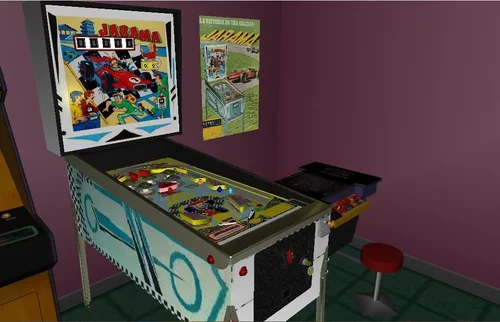
Jarama (Centromatic 1973) 1 EM
By eduguitar72
Jarama / IPD No. 6670 / 1 Player
Curious and original Spanish pinball whose name Jarama is an old and emblematic historical F1 circuit.
I have really enjoyed restoring the complicated graphics of the few existing photos of it and making the lap counter that gives a very original touch to the project.
Many hours of work graphically reconstructing a table lost in time, I finally think that I have managed to do a more than optimal job that I hope you will appreciate.
Enjoy!!!
49 downloads
(0 reviews)0 comments
Submitted
-
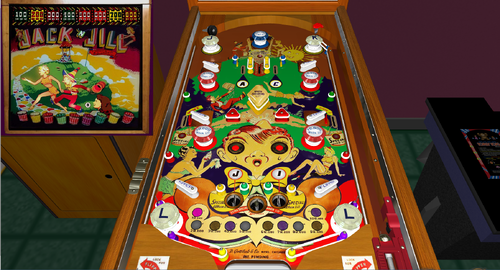
Jack' N Jill
By Francisco
Jack 'N Jill / IPD No. 1273 / April, 1948 / 1 Player
Manufacturer:D. Gottlieb & Company (1931-1977) [Trade Name: Gottlieb]
Date Of Manufacture:April, 1948
Model Number:4
Type:Electro-mechanical (EM)
Production:2,000 units (confirmed)
Serial Number Database:View at The Internet Pinball Serial Number Database (IPSND.net) (External site)
Theme:Nursery Rhyme
Notable Features:Flippers (6), Bumpers (9), Kick-out holes (3). Backglass light animation.
Design by:Harry Mabs
Art by:Roy Parker
118 downloads
(0 reviews)0 comments
Submitted
-
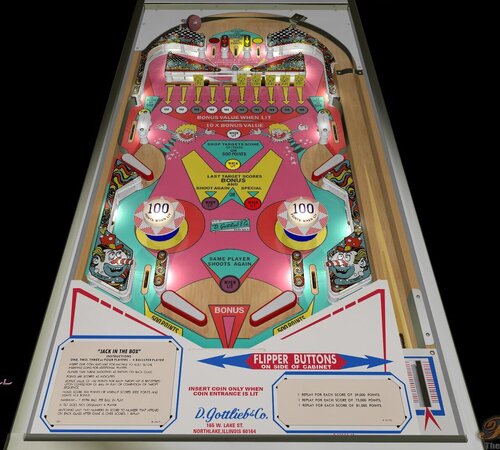
Jack in the Box (Gottlieb-1973) (FizX3.3)
By Popotte
Jack In The Box (Gottlieb, 1973)
IPDB No. 1277
NOTES:
- MOD UNAUTHORIZED WITHOUT EXPLICIT PERMISSION FROM THE AUTHOR
- Access the menu with the Special2Key.
- You can toggle (by the toggle HUD key) the HUD reel.
- If you use arrows for plunger (optional), you have to use arrow down and arrow up (customisable) in order to pull or push the plunger.
RULES:
* Bonus value of 100 points for each target hit is registered upon completion of ball or completion of target sequence
* Holes score 300 points or when lit scores 3000 points and lights 10X bonus
*Maximum - 1 extra ball per ball in play
IPDB HIGHLIGHTS:
Date Of Manufacture: February, 1973
Production: 8,300 units (confirmed)
Notable Features: Flippers (4), Pop bumpers (2), 10-bank drop targets (1), Kick-out holes (2). End-of-ball bonus.
Maximum displayed point score is 99,990 points per player.
Design by: Ed Krynski
Art by: Gordon Morison
Notes: The 2-player version is Gottlieb's 1973 'Jumping Jack'.
115 downloads
(0 reviews)0 comments
Submitted
-
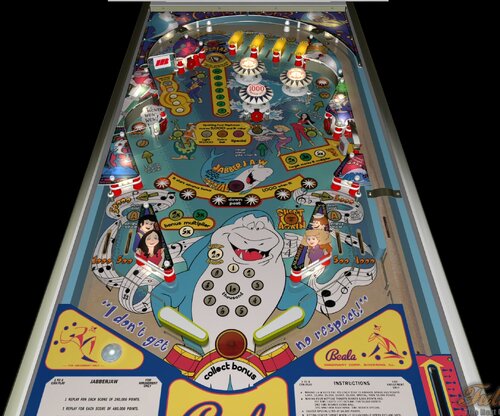
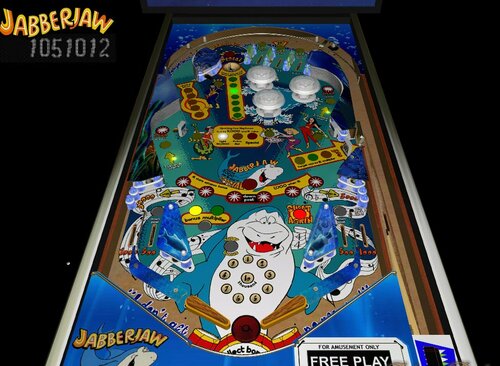
Jabberjaw (Original) (FizX3.3)
By Popotte
NOTES:
BAM 357 or higher is required in order to play this table.
MOD UNAUTHORIZED WITHOUT EXPLICIT PERMISSION FROM THE AUTHORS
You can access to the menu with the Special2 Key in order to set the dip switches:
- balls per game,
- scrolling,
- reset to recommanded settings,
- mode,
- J-A-W Special,
- saucer Special,
- saucer value,
- Neptune targets,
- bumper score,
- reset High Score to Date,
- tilt handling,
- reset High Score entries.
RULES:
* Making J-A-W lites one rollover star to advance bonus and scores 5,000, 10,000, 15,000, 25,000, Special, then 30,000 points.
* Making four Neptune targets scores 5,000 points and:
1st time lights left outlane for 50,000 points.
2nd time scores Extra Ball.
3rd and each additional time scores Special.
* Saucer Special lites at 14,000 points.
* Hitting center target when lit occasionally opens outlane gate.
* Center bumper scores 1,000 points.
* Drop target lites 2X, 3X & 5X bonus multipliers. Upper gate resets target.
* Spinner advances bonus every 5 spins.
* Special when lit awards one replay.
* Maximum 1 Extra Ball per ball in play.
* Tilt penalty - ball in play.
127 downloads
-
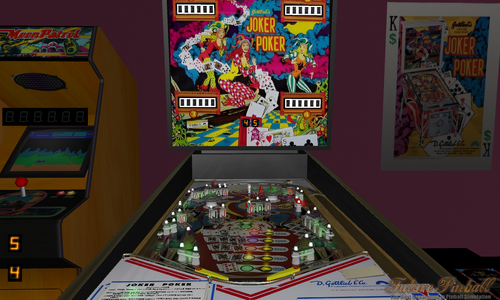
Joker Poker GottLieb 1978 (v 1.0)
By VP1000
' *********************************************************************
' ** Joker Poker GottLieb 1978 Version 1.0 **
' ** 5 Balls Per Player **
' ** Completing A-B-C Rollovers Lights Extra Ball And Double Bonus **
' ** Completing Aces and Joker Lights Up ExtraBall and Special **
' ** Completing Groups Of Targets Increases Bonus **
' ** Bonus Is Scored And Features Reset After Each Ball. **
' *********************************************************************
284 downloads
(0 reviews)0 comments
Submitted
-
Jet Set Radio NightTime Edition v1.2
By VP1000
Jet Set Radio Night Time Edition v1.2
A Pinball table that plays like your on a Skate Board
Sliding Sideways and Jumping up onto the next levels to get the Big Points.
'**********************************************
'** Added Changes to v1.2 **
'** Smoothed out the edges of the Night Time Texture **
'** Adjustments to Diverters for Cont. Play. **
'** Added Lights to Hood Scoop and Half Pipe **
'** **
'**********************************************
130 downloads
- jet set radio
- multiball
- (and 5 more)
(0 reviews)0 comments
Submitted
-
Jet Set Radio NightTime Edition v1.1
By VP1000
Hello Everyone this is a recreation of an Original Pinball table Called Jet Set Radio VPX 1.0 Original Author is Donuts10
Based On Skate Boarding and Grafitti.
I made this version Of Jet Set Radio NightTime Edition v1.1 Future Pinball Here is your personal Skate Park on a table where everyone gets a personal ramp just about everywhere you hit the ball you can go up to the second level to squash bugs or go down the half pipe on the right side upper level,this table plays like your skateboarding sliding sideways across the table sometimes.
There's also Multiball and the color of the ball stages up to the Golden Rhino.
Get ready to play,
Enjoy,
Cheers.
' *********************************************
' ** **
' ** Jet Set Radio **
' ** NightTime Edition v1.1 **
' ** Script,Textures and Music **
' ** **
' ** By:1000 **
' ** **
' *********************************************
' ** Game Play **
' ** There Are Timers **
' ** So The ball will wait going down Ramps **
' ** 2nd Level Ramp Shots = Colored Ball **
' ** 3rd Level Ramp Shots x 3 = Multiball **
' ** Left Side Spinner x 3 = MultiBall **
' ** Far North Through Loop is MultiBall **
' ** Hit Ball in Bumper Area **
' ** Upper Left **
' ** Kicker x 3 = ExtraBall **
' ** Yellow Ramp x 3 Changes Ball Color **
' ** Red Ramp x 3 Changes Ball Color **
' ** **
' *********************************************
79 downloads
- jet set radio
- multiball
- (and 4 more)
(0 reviews)0 comments
Updated
-
Jet Set Radio v1.0
By VP1000
Hello Everyone this is a recreation of an Original Pinball table Called Jet Set Radio VPX 1.0 Original Author is Donuts10
Based On Skate Boarding and Grafitti.
I made this version Of Jet Set Radio v1.0 Future Pinball Here is your personal Skate Park on a table where everyone gets a personal ramp just about everywhere you hit the ball you can go up to the second level to squash bugs or go down the half pipe on the right side upper level,this table plays like your skateboarding sliding sideways across the table sometimes.
There's also Multiball and the color of the ball stages up to the Golden Rhino.
Then There's the Bug Splat Bonus Round.
Get ready to play,
Enjoy,
Cheers.
' *********************************************
' ** **
' ** Jet Set Radio v1.0 **
' ** **
' ** Script,Textures and Music **
' ** **
' ** By:1000 **
' ** **
' *********************************************
' ** Game Play **
' ** There Are Timers **
' ** So The ball will wait going down Ramps **
' ** 2nd Level Ramp Shots = Colored Ball **
' ** 3rd Level Ramp Shots x 2 = Multiball **
' ** Left Side Spinner x 3 = MultiBall **
' ** Far North Through Loop is MultiBall **
' ** Hit Ball in Bumper Area **
' ** Upper Left **
' ** Kicker x 3 = ExtraBall **
' ** Yellow Ramp x 3 Changes Ball Color **
' ** Red Ramp x 3 Changes Ball Color **
' ** **
' *********************************************
'** Note: If The ball Gets Stuck into the Bumper Just nudge ball into the bumper and it should kick it out.
174 downloads
- jet set radio
- fpl
- (and 5 more)
(2 reviews)0 comments
Updated
-
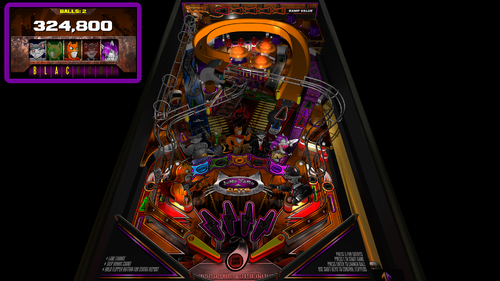
Junkyard Cats - BAM Edition (PinEvent V2 - FizX 3.3)
By TerryRed
Junkyard Cats - BAM Edition
Original Table by Brendan Bailey, 2012
BAM Edition, PinEvent V2, FizX mod by TerryRed
Version 2.1, Feb 2024
Thank you so much Brendan Bailey for supporting this update!
====================================================================
Brendan Bailey is one of FP's classic "original" table authors. EVERYTHING on this table was made by him! The layout, art, music, sounds, code. Such an amazing work of passion deserves to be updated to be enjoyed by a new generation of virtual pinball lovers!
I wanted to update to a classic FP "original" table to bring it up to my own modern day BAM standards, add my PinEvent V2 features, and completely update the table with FizX physics. The result is an excellent table that plays great with modern dynamic lighting, shadowmaps, ray cast shadows, and full cabinet support.
====================================================================
This table has been fully updated with FizX physics for game changing new physics on Future Pinball. FizX uses techniques similar to nFozzy physics on VPX to completely change the physics for the flippers, slings, rubbers, targets, ball behavior and more that allows this table play much more realistically than anyone ever thought was possible on Future Pinball. You will be amazed at the difference!
====================================================================
PinEvent V2
This table is also updated to fully support PinEvent V2 features (DOF, PUP SSF, PUP DMD). It has modern PUP DMD display options that can work with all setups. With it's crisp HD text and dazzling videos, it's sure to wow everyone who sees it.
For a video preview (before adding FizX) of the PinEvent V2 update that showcases the DOF cabinet lighting and the modern PUP DMD display, go here:
For a video preview of the new BAM update (before adding FizX), go here:
======================================
Original Table by Brendan Bailey:
- table
- art
- animation
- music
- sounds
- script
TerryRed's BAM Edition update:
- updated entire table for FizX physics
- added PinEvent V2 support for DOF, PUP SSF, PUP DMD, PUP Stream and new PuP-Pack
- added ball rolling sounds
- added nano kicker to left ramp scoop to make shots easier (was way too hard without it)
- made various adjustments to table geometry and layout to make it play easier
- added additional ramp blocker surfaces to prevent ball from flying off ramps / scoops
- added new 4K playfield, plastics, backbox textures created from Brendan's original files
- new G.I. lighting (dynamic lighting - x4 hidden flashers in lower and upper plastics)
- new drain flasher for accented colour
- new BAM post processing
- added shadowmaps to most G.I lights
- added pre-baked shadowmaps (created by BAM) to playfield and plastics textures
- added illuminated look to GI ON plastics texture
- adjusted playfield / plastics / apron, etc texture brightness to better match new lighting
- new 3D model inserts
- new pre-rendered insert textures
- new bump maps for inserts
- disabled glow radius for all inserts
- added sphere maps to the sides of all plastics
- updated GI on/off code
- adjusted GI on/off brightness for all lights / inserts / textures
- added all new FLEEP sounds for all mechanical actions (flippers, bumpers, slings, drain, etc)
- added BAM DF1 physics (updated settings in editor to better work with new physics)
- added invisible ramp blocker to prevent ball from flying off the ramp
- added invisible playfield blocker to prevent ball from flying on top of plastics
- hid slingshot bulbs that interfered with shadowmaps
Additional Contributors:
Schlabber34 - new pre-rendered insert images
FLEEP - new mechanical sounds
JLou - FizX and support
Nailbuster - Pinup Player and SSF support
Ravarcade - for creating the awesome BAM and providing assistance with BAM features
Chris Leathley - creator of Future Pinball
====================================================================
*** This table is single player only ***
====================================================================
Desktop Static Camera Views (attract mode)
during attract mode only, you can press plunger to toggle integrated static desktop camera views
if you want to use your own BAM camera settings, or a FP camera view, then you must disable this feature in TABLE OPTIONS in the table script
Action Buttons - digital plunger, special 1, special 2 (gameplay)
all buttons/keys will act as an autoplunger and an action button during gameplay
Second Stage Flippers
this table supports second stage flippers for cabinet players with this setup this needs to be enabled in TABLE OPTIONS in the table script ensure that your Second Flippers are setup in FP Control Settings ensure that your Special 1 and Special 2 keys / buttons are NOT the same keys / buttons as Second Flippers! (they are by default)
====================================================================
BAM Ray Cast Ball Shadows:
this table was created to look best with the new BAM Ray Cast Ball shadows this feature is ENABLED on the table script by default this feature requires a fast video card, and will use much more of your GPU if the table doesn’t run smooth, then your PC may not be fast enough to handle this feature (and you should disable it)
To disable this feature, you MUST disable it in TABLE OPTIONS (in the table script)
BAM Menu - Light and Post Processing settings:
BAM Lighting and Post Processing settings are set by the table script and will ALWAYS override the user's settings this is required to ensure that all lighting is set correctly at all times on this table, you can make changes to the Ambient and Diffusion Lighting in the table script in TABLE OPTIONS
Physics: FizX v3.3
===================================================================
Game not running smooth? Try the following:
run FP in Fullscreen, not Windowed disable RayCast Ball Shadows in TABLE OPTIONS (in table script) disable Reflections options in FP's Video / Rendering settings reduce / disable Antialiasing in FP's Video / Rendering settings disable any SSAO options in BAM plugins menu (disabled by default)
====================================================================
TABLE REQUIREMENTS (very important!)
all Visual C Runtime updates DirectX Future Pinball the latest BAM update FuturePinball.exe and FPLoader.exe patched for 4 GB access BAM Settings files installed FizX 1K ball model (for more accurate physics, default.zip in BAM folder) the REQUIRED “Video / Rendering Options” and “Editor Options” in Future Pinball video settings
All of the above is included with the latest FP and BAM Essentials AIO package!
Super easy to use for a new install, or just to update your existing install. I recommend everyone install this package to ensure you have the latest required BAM updates.
https://vpuniverse.com/files/file/14807-future-pinball-and-bam-essentials-all-in-one-complete/
====================================================================
INSTALL INSTRUCTIONS (REQUIRED)
PLEASE read the Install Instructions (included with the table's zip file) it shows you how to check what version of BAM you have installed it shows you how to install all the REQUIRED items above it shows you how to easily setup FP and BAM with the REQUIRED settings It's super easy, and only takes minutes to do!
====================================================================
How to run Future Pinball to play the table
PLEASE read the Install Instructions (included with the table's zip file) to know how to properly use FP and BAM
====================================================================
PROBLEMS?
Read the Install Instructions included in the table's zip file. It tells you everything you need to know!
====================================================================
Table MODS
please read the Disclaimer in the Install Instructions included with the table please ask me first, as I am still updating this table
====================================================================
9118 downloads
-

fpxengine Jungle Girl v1.2
By shiva
Jungle Girl fpx has now been released as version 1.2.
Pinball Nirvana Mirror download
This is my homage to the great Bally Games of 1980 and 81, and this new version fixes any remaining issues (I hope) and adds improvements to the flippers, a better sound system, and also voice tracks! (TTS alas)
Version 1.2 Update Video:
V1.2 play and stategy
Here's the version 1.2 notes:
script updated August 2023
' *** Version 1.2***
' New Additions
' - New Voice tracks (TTS unfortunately) and redid all music routines and code. Voices are randomized on certain features.
' - New controlling routines for better music management, and better timing routines.
' - Future versions of fpxEngine will be based on this script as opposed to it's own code. (after a major cleanup of course)
' - Modified a couple AddScoringEvent routines for a better playing experience
' - BAM version needs to be 280 or higher
' - If you have headphones, you will hear the 2nd background. This was in the previous version, just forgot to mention it.
' - Some new music changes
' shivaFlipper v4 Changes
' - Code rewritten to be simplier and improved performance. Game play, especially base flipper shots now slightly stronger. Full effect variable coil now added
' - Middle Trigger replaced with optoTrigger. Walls reshaped to adjust ball flow and shots
' - Variable coil now present throughout full flipper swing
' - Flippers moved and now shoot slightly different. This is due to a new FlipperRotationChart
' - shivaFlipper presets have been changed internally. (shivaFlippersPresetCase=4)
' - Strength of the flippers made a bit stronger, with slightly stronger base shots. Due to the new Flipper rotationalChart, tap passes may be a bit tougher to do now.
' - Variable coil preset changed to be a bit less sensitive, but still very sensitive.
' - Custom Bounce control changed to less bouncy, more realistic Bally type flippers. Set AddfpxBounce to a max of 10 ifd you want more bounce.
' - Top RightFlipper redone to match other flippers
' - Improved performance of the walls and fixed any issues, adjusted ball angle off flipper. New error correction code added.
' Rule changes
' - Changed a couple routines so the game now scores lower! Game now set to 5 balls, and 1500000 for the first replay. You can change this in User Adjustments
' - Loop shots changed. Both loop shots advance a letter. Right loop will now score advancing value as well. The Left will score the star trigger value. Fixed double scoring issue.
' Other changes
' - The game has several new settings in User adjustments so you can customize the table to your liking. This incudes shivaFlippers, fpxEngine, and the pinsettings.
' - ShivaFlippers has simplified settings for flippers as several settings are no longer needed due to new Variable coil system (EOS)
' - high score display only shows if a actual high score is made.
' - Minor physics changes. Fixed dead play areas, adjusted loop shot so ball is faster on loop etc. Never thought this game could get more fun, but it did.
1166 downloads
-
-
 (0 reviews)
0 comments
Submitted
-
Junk Yard
By theGhost787
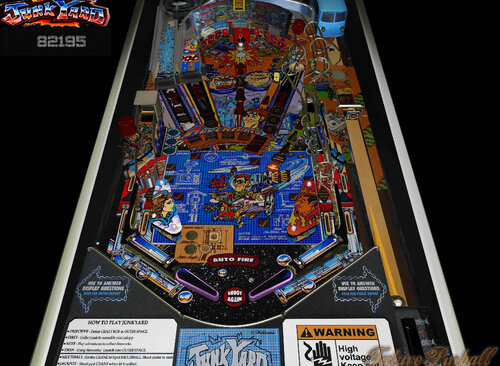
Junk Yard, Re created. 20degree helped with models. Dog house and light scripts and ball and chain also needed for anyone who has time.
Your contribution can be added to loading screen. I might update this one day. It just wont be anytime soon.
515 downloads
(3 reviews)0 comments
Submitted
-
Jungle Lord
By CRAIGDEE
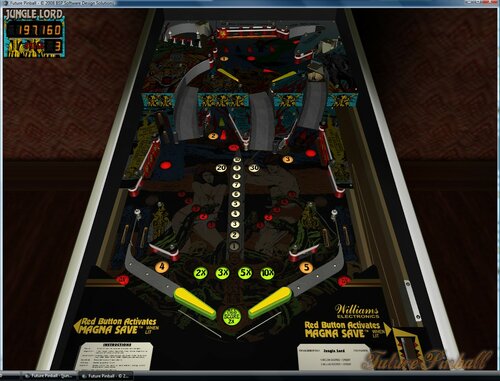
Re-creation of the 1981 Williams table by Franciso666.
524 downloads
- francisco666
- Williams
- (and 1 more)
(2 reviews)0 comments
Submitted
.thumb.png.cb7d972caf1a2ad79b1f087f2f94ec7b.png)
PF.thumb.jpg.6a367073abc8bc9e915af4c055a15387.jpg)
Screenshot.thumb.jpg.41175751570e0f2411b76a410cb65a88.jpg)
Backglass.thumb.jpg.b60b3a1e453c3f0bd68fcb37530c7152.jpg)

.thumb.png.40ee3bfd5d8c395fd105c3a925789542.png)
AltB2SwithFullDMD.thumb.png.5a99c13223557df135cd9d538b8d99bc.png)
.thumb.png.db9fec3c7243e4ffb844a89da3de5bf6.png)





.thumb.png.6ca50aae850d52b2f060f6789f95bae0.png)
.thumb.png.aac411d45a74693f791d4fb60c7fd49f.png)
.thumb.png.0403ec7ae159b42c516249ca1e6d1d96.png)
Illuminated.thumb.png.29b429e7934f09d56fb05cf930e00f94.png)
.thumb.png.81f3ea396ca58fcdb457287734bcbf0d.png)
.thumb.png.d3a8b24f1c9d1c8ef5ecb8164f9ef4ff.png)
(Medium).thumb.png.a53b87a0afa15880f643779518ab1b93.png)



.thumb.png.d976eb3304d497608590f035e0917838.png)
(Backglass).thumb.png.c71b4dcad29e4f8b4367129650f9d4b0.png)
.thumb.jpg.f72fb589a7149db9f2e135c8091deb76.jpg)

FullDMD.thumb.jpg.d4aded63d54a8631a6a35c8a9a3e8d0c.jpg)
.thumb.png.14ad7a006a34cc94e81bc9569946cace.png)



Rules.thumb.png.960e6f5d75b57c282937621dcf495b83.png)
Marty02Jpsalas-Rules.thumb.png.08b4088704143436999649ee95ded9cc.png)
Neekzz2.5-4K30FPSPlayfieldVideo.thumb.jpg.1adaa6a8981204763351779c5c26b665.jpg)


Rules.thumb.png.d01d6f0c7ee700c13b1f6222e1f0de3e.png)