-
SYSTEM SEARCH
System Scanners Online:
Username: Guest
>> System Scan?
>> The Universe >
Incoming Message:
Due to system limitations searching with words of 3 or less characters will not return results. For instance; Doctor Who. This will not return results as the system is trying to search for both Doctor AND Who in which Who will not be found as it's a 3 character word. To find Doctor Who; you'd search for either Doctor or "Doctor Who".
Search Tips:
For specific searches; enclose your search with quotes. Example: "Doctor Who" or "Addams Family".
Search the Community
Showing results for tags 'pinup popper'.
-
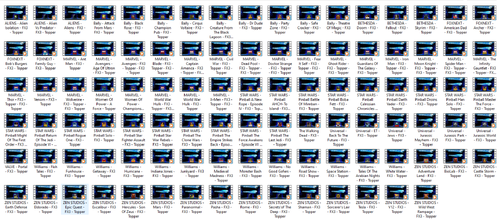
Version 1.0.0
101 downloads
Super pack de vídeos topper Sistema Pinball FX3 - 100 mesas - Vídeos 16x9 - Vídeos com o mesmo "padrão"- 1 comment
- 3 reviews
-
- 4
-

-
- pinball fx3
- pinup popper
- (and 1 more)
-
 [FREE TOOL] Pincab Toolbox — scan your VPX/Popper install and find what's broken (missing ROMs, 64-bit mismatches, backglasses…) Hi everyone, Like many of you, I've spent more evenings fixing my cab than playing it. A table crashing with a cryptic VPinMAME error, a DMD that died after moving to 64-bit, a backglass that stopped showing… and every time, an hour of digging through folders to find the cause. So I built the tool I wished existed: Pincab Toolbox, a free scanner that diagnoses your install in seconds (a bit longer on a large collection). What it checks: Missing ROMs — reads every table script (cGameName), resolves VPMAlias.txt, and names the exact missing .zip in VPinMAME\roms. Original/EM tables are recognized, so it doesn't flag them. Extracted ROMs — a ROM unzipped into a folder won't be loaded by VPinMAME; it flags that. 32/64-bit mismatches — THE trap of the VPX 10.8 transition: it inventories the bitness of every exe/DLL (VPinMAME, dmddevice, B2S, FlexDMD) and flags broken hybrid installs. Windows-blocked DLLs — a file extracted from a downloaded ZIP can be quarantined ("Mark of the Web") and fail to load; it detects that. Missing dependencies — B2S Backglass Server or FlexDMD required by your tables but absent. Backglass & Popper — missing .directb2s files, tables not registered in the PinUP Popper database, PUP-Pack presence. Compatibility — nFozzy/Roth physics signatures and minimum VPX versions declared in scripts. Outdated tables (beta) — checks against the open-source Virtual Pinball Spreadsheet database and links to the official page only. Script Diff — compare two versions of a table side by side before overwriting yours. Ground rules I committed to (because this community rightly cares): 100% local — nothing is uploaded, zero telemetry, no account. Read-only — the scanner NEVER modifies a file, a registry key or a database. Never downloads content — no tables, no ROMs, no media, ever. This is a diagnostic tool, not a downloader. The community sites remain THE source. Screenshot: [insert scan screenshot] Download: https://pincab-toolbox.vercel.app/ (Unsigned exe for now → the usual SmartScreen warning: "More info" → "Run anyway". Code signing lands in the next release.) There's a built-in demo mode if you want to see it in action before pointing it at your real setup. It's a v0.1 and I'm looking for blunt feedback — false positives, exotic tables, confusing messages. I fix fast. If it proves useful, a version that repairs some of what the scanner finds is in the works — always with a backup first, a preview of what will change, and undo. The scanner itself stays free and read-only, forever. Thanks, and happy flipping! Flipsync V
- 26 replies
-
- 2
-
-
- vpx
- visual pinball x
- (and 5 more)
-
If i could bother you with a little something of a technical difficulty here, here's what happens. If i try to replace a front end wheel just by copying and replacing the file, the front end still shows the old wheel. Now i guess there's some bug in the database that still has the old file or picture in there. You see, if i try to replace it from the media manager in PinUP Popper it works just fine and it replaces everything. The thing here is that i can't always find the 'nice' wheel from the media manager option and i would want a different kind of wheel. I am talking about a pinball table for Pinball M, or VPX, or any table actually. Oh and i have tried to go back a database earlier where i didn't even have the Pinball Midnight emulator in the menu installed, but that didn't help. I am running the PinUp Popper v1.50 and W11, if anyone has like a work-around or maybe a trick to get around this.
-
.thumb.png.95d0789d9cff9cef5d6be97e2e2c8ba2.png)
Version 1.8
5786 downloads
Virtual Pinball Media Files Folders on MEGA: VPX Attract Backglass-Over 250 for mostly original Visual Pinball X tables. A good substitute for the normal b2s backglass video file in your front end. Launch Audio is included in the folder for each table. Includes special Holiday tables. Future Pinball Attract Backglass-Actual Backglass image with added animations or video. Add a little flair to your Future Pinball collection. Future Pinball Playfield Videos-.mp4 video of playfield for use in your front end. Pinball FX3 Animated Backglass-All 99 2 screen versions with DMD/Speakergrille. 69 3 screen versions with and without FX3 logo. Best used with Pin Up Popper but they can be used with Pinball X/Y. Add these as your backglass file in Media Manager. Info here for keeping FX3 animated backglass playing when you load the table:https://www.nailbuster.com/wikipinup/doku.php?id=managing_games Full DMD-Over 800 Full DMD .mp4's. Lots of Full DMD's for Originals, EM tables and Future Pinball. Star Wars Popper Theme-My personal Star Wars Popper theme. I use this on my Star Wars themed cabinet. Phenom VPX 2 Screen Backglass-Video backglass for 2 screen users of Phenom's Kid tables. These allow your backglass video not to be blocked by your DMD for the table. Resize your DMD into the cutout. Table Wheel-Table Audio-Wheels and table audio Loading Videos-I made these for some of the Pup Packs I have in my lineup NFL Tables (Xenonph)-Full DMD for all tables. Popper playlist media for NFL tables. Instruction Cards for all 32 teams. Toppers-Topper Videos I have made Instruction Cards-Over 1300 Instruction Cards for use in your front end. Mostly EM and Original Tables. A big thank you to Inkochnito for his EM database (https://www.pinballrebel.com/pinball/cards/). Be sure to check out other instruction cards made by authors like @cheese3075@buffdriver @Kongedam @eddiemonsta @Frank_Enstein @CarnyPriest and others visit https://vpuniverse.com/files/category/91-instruction-cards/ or https://vpuniverse.com/files/category/9-hyperpin-media-packs/ (Authors - if you see anything in my MEGA belonging to you just drop me a PM and I will remove. I think I got them all out 😊) See the video from The Way of the Wrench (who inspired me to do this on my cabinet) for a tutorial on how to add to Popper https://youtu.be/RZTwHQNNqDc?si=l4nS24MQaMU9WAKP Pinball Flyers-Over 1900 pinball flyers for use in your front end. I created hundreds for tables that do not exist in real life and many that there were no pinball flyers available. I will continue to add to this as new tables are released. Add these to your front end just like the instruction cards. There is a sub folder called Popper - No Stretch will has non standard size flyers so they will not be stretched when shown in your Popper front end. A big thank you to the original table authors, artists, and others who allowed me to use their artwork. Big thank you to vogliadicane, IvanTBA, HiRez00, Cocothetrain, hauntfreaks, godisnothere, scutters, STAT, Rajo Joey, and Nick D for their work.- 15 comments
- 5 reviews
-
- 87
-
-
- future pinball
- animated backglass
- (and 28 more)
-
 Hi everyone, I'm trying to find out if this is possible or if it's simply a limitation of Future Pinball/BAM. My setup: PinUP Popper 1.5 FP & BAM Essentials AIO BAM 1.5-409 Future Pinball launched via FPLoader.exe Standard TerryRed launch script using VPXSTARTER Everything works perfectly. The only thing I'd like to improve is the loading experience. When I launch a Future Pinball table from Popper, the Popper loading screen appears as expected. As soon as Future Pinball starts loading the table, the table-specific FP loading screen appears on top. The interesting part is that the Popper loading screen is still running in the background (the animation continues), so it doesn't appear to be closing. It is simply covered by the Future Pinball playfield window. The backglass display is also taken over immediately by Future Pinball during loading. So this doesn't seem to be a timing issue—it looks more like a window Z-order / TopMost issue. My question is: Has anyone found a way to keep the PinUP Popper loading screen visible until the Future Pinball table is completely loaded, instead of showing the Future Pinball loading screen? I'm not trying to disable or modify the Future Pinball loading screen itself. I'd simply like the Popper loading screen to remain on top until gameplay starts. Is this currently possible, or is it just a limitation of how Future Pinball/BAM creates its loading window? Thanks in advance!
 -
hi, here's a beginner's question: i'm setting up my cab with a fullDMD (1920x1080) screen. Now i followed nailbusters tutorial at https://www.nailbuster.com/wikipinup/doku.php?id=popper_fx3 My result is: now i have a tiny dmd at the size 512x136 in the top left corner of my dmd-screen. Because i have no mouse in FX3 while playing a table, i can't move and resize the dmd so it fits into the backround-frame. According to nailbuster, the popper line "start /min "" "PUPDMDControl.exe" FX3 PINUP\[GAMENAME]" should do the rest. Can somone help me to understand this call? looks like this PupDMDControl can run with table-specific parameters, but where the heck can i find/set this PINUP\[GAMENAME] setting? Well, i'd even be happy having the same frame for every fx3-table and just the dmd fit.
-
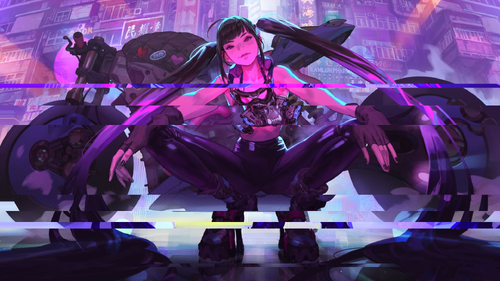
Version 1.0.1
242 downloads
2 versions of this slideshow, the first is only a simple zoom and fade transition, the other also has a glitch effect on the video as seen in the screenshot. I made the slideshow with assorted anime girl / bike / cyberpunk imagery meant to accompany the original table Raygun Runner by CrimsonTurtle8. There is nudity involved, so if you're not interested in something NSFW or containing AI art, this will not be your cup of tea. Also check out my Backglass / FullDMD music videos for Raygun Runner: And Fullscreen Loading Video: PROVIDED STRICTLY FOR PERSONAL / HOME USE AND NOT FOR COMMERCIAL SALE / RE-SALE OR DISTRIBUTION! If you're going to reuse these assets in your own work, make sure to link back to this download and credit me. -

Version 2.0.0
708 downloads
Alternative T-ARC Wheel (Part of the Retrowave Theme) Created entirely in 3D, used Blender 3.6 Includes Theme text layout, with fonts and how to install. Check Readme. Animated Loading Screens available here. System Wheels Playlist Wheels Media Packs Plus more PL_Recently Added (Retrowave Theme) PL_Adult Tables (retrowave Theme) PL_ALT DMD (Retrowave Theme) PL_Arcade Games (Retrowave Theme) PL_Most Played (Retrowave Theme) PL_ALT Sounds/Pinsounds (Retrowave Theme) PL_Kids Tables (Retrowave Theme) Video Preview- 13 comments
- 7 reviews
-
- 45
-
-
- pinup popper
- arc
- (and 1 more)
-
All the table info text has vanished, all the text is gone? I tried replacing PUPMenuScriptThemeOptions.txt, and PUPMenuScriptSysOptions.txt but still nothing. What am I missing?
-
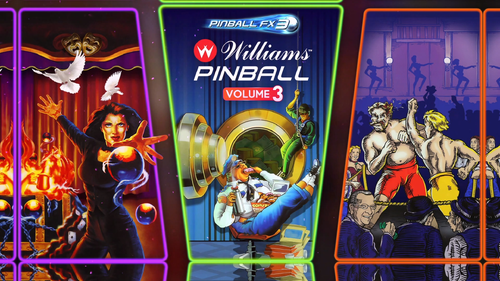
Version 1.0.0
367 downloads
FX3 Williams (Playlist) Playfield 1920x1080 Full DMD 1920x1080 Backglass 1920x1080 Wheel Other2 Playlist Badge As FX3 will not get additional tables, this is complete showcase of Williams/Bally in FX3. Retrowave Media Packs PL_ALT DMD (Retrowave Theme) PL_ALT Sounds/Pinsounds (Retrowave Theme) PL_Arcade Games (Retrowave Theme) PL_Most Played (Retrowave Theme) PL_Recently Added (Retrowave Theme) PL_Adult Tables (Retrowave Theme) PL_Kids Tables (Retrowave Theme) PL_Recently Played (Retrowave Theme) PL_Random Tables (Retrowave Theme) PL_Least Played (Retrowave Theme) PL_Features (Retrowave Theme) ALL packs support Pinup Media, Drag and drop the Zip file. To use a MediaPack on a playlist do the following: Select a playlist (Random). Drag and Drop the Media Pack file on the Playfield box or any of the other boxes. Confirm by clicking ‘Yes’. It will basically extract the mediapack, take all the media and rename them so they match your playlist. T-Arc (3 Colours, Purple, Cyan & Orange) System Wheels Playlist Wheels Loading Animations A Complete Retrowave with batch files, to help make it easy to setup. Will be released shortly, these will include T-ARC, T-BAR, System Wheels, Playlist Wheels and Badges. Also available Diablo III Pinball B2S Playlist (Playlist) Video Media Pinball M Wheel Alternative Pinup Popper Recording Sounds (replaces with more natural speaking) PL_Orbital (Playlist) Video Media- 3 reviews
-
- 19
-
-
- fx3
- pinup popper
- (and 4 more)
-

Version 1.0.0
45 downloads
Pinup Popper Start Game - startgame.png Alternative- 2 comments
-
- 5
-
-
- pinup popper
- start game
- (and 1 more)
-


Version 1.0.0
50 downloads
Pinup Popper System Menu - systemmenu.png Alternative- 4 comments
-
- 3
-
-
- pinup popper
- wheel
- (and 1 more)
-

Version 1.0.1
45 downloads
Pinup Popper - Add Favorites - favadd.png Alternative- 2 comments
- 1 review
-
- 4
-
-
- pinup popper
- wheel
- (and 1 more)
-

Version 1.0.0
39 downloads
Pinup Popper Game Info - Details.png alternative- 2 comments
-
- 3
-
-
- wheel
- pinup popper
- (and 2 more)
-
Version 1.0.0
48 downloads
Pinup Popper System Exit - systemexit.png Alternative- 2 comments
- 1 review
-
- 4
-
-
- pinup popper
- wheel
- (and 1 more)
-

Version 1.0.0
44 downloads
Pinup Popper Shutdown - shutdown.png Alternative- 2 comments
- 1 review
-
- 4
-
-
- pinup popper
- wheel
- (and 1 more)
-
Version 1.0.0
42 downloads
Pinup Popper Restart - restart.png Alternative- 2 comments
- 1 review
-
- 3
-
-
- pinup popper
- restart
- (and 1 more)
-
LoadingVideo.thumb.jpg.6baac972fe4ef28994a4fff6c72b7ef1.jpg)
Version 1.0.0
163 downloads
Hi everyone, here is a Tenacious Loading Video I created done in 2K for Zandy Arcade's amazing Tenacious D table. WARNING: THIS LOADING VIDEO CONTAINS EXPLICIT LANGUAGE! Have fun everyone!- 1 comment
- 2 reviews
-
- 15
-
-
- tenacious d
- loading
- (and 2 more)
-
Version 1.2
23 downloads
I wrote this bat script to help me, maybe it will help someone else. You'll have to open it up and edit the source directories, to match where you have Popper installed. What this does, is it will copy the media files - of your selected table - to that directory (provided the directory matches your table name). Why would you want this? Chances are, you probably don't! ...unless you organise your backups in the same way I do - table by table. In my backup directory - I have a folder for each table. Inside that folder, I keep everything related to that table, such as backglasses, different table authors, media, pup backs, etc. Thing is, I don't download all my media from VPU - sometimes (particularly in the beginning) I used Popper's media selection tool. This directly put the frontend media into popper. I curate things a bit differently now, but some of the media via popper is pretty cool. To ensure I have a local copy, I move the bat file into the relevant directory and then double click it. It'll copy the media (if it exists) into that directory (renaming as necessary). Boom, now I have a local copy for my backup. Why don't I just backup the Popper Media directory? Well, I could and probably should - but then it wouldn't be done table by table, which is how I like it. As I said, you probably don't need/want this - but if you do, here it is! Example: Move the bat file to a folder "24 (Stern 2009)" Run the bat file It will then go to your popper media and copy over all files that start with "24 (Stern 2009)" These media files will be copied to 24 (Stern 2009)\Media - any duplicate names will be renamed. The bat file will delete itself when the action is done. You'll note, when you look at the bat file, I'm not copying playfield or backglass. You can add those, if you want. For me, I don't need them because I just use popper's auto recorder to generate those. Please be aware that this version will self destruct. That's because each time I create a table directory, a "template" of directories and files are copied over and this is one of them. I don't need the bat file in there after it runs, so it deletes itself. -
Version 1.0.2
4658 downloads
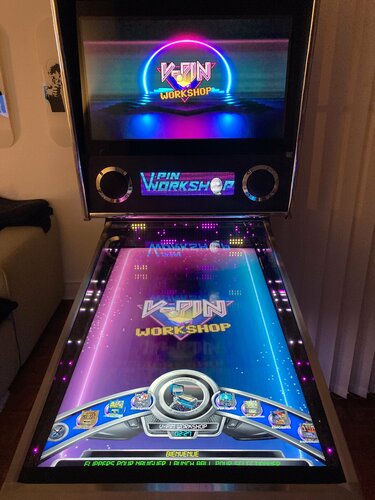
Waiting for a real graphic designer, or someone much more talented than me to create pinup popper videos for a VPin workshop playlist. I'm a huge fan of this Team 💪 I am offering 2 Backglass, 1 Playfield and 1 DMD. Both wheels are from Pritch 33. 3 Animated wheels are from oqqsan. Please bear with me this is my first video 🙏 -
Version 1.0.0
132 downloads
I stumbled across the perfect music video to serve as an accompaniment front-end asset for the original Raygun Runner table by CrimsonTurtle8, so I spliced and edited it with some FX and color alterations to fit the theme of the table better. The full version of the video has a woman in a swimsuit/leotard dancing on a stripper pole, so I marked it conservatively as NSFW. Song : "Away From You" by Versus View SFW version here: https://rumble.com/v51suod-raygun-runner-1080p-backglass-fulldmd-video.html I also created an NSFW slideshow video to serve as a FullDMD front-end asset for Raygun Runner: And a fullscreen Loading Video: PROVIDED STRICTLY FOR PERSONAL / HOME USE AND NOT FOR COMMERCIAL SALE / RE-SALE OR DISTRIBUTION! If you're going to reuse these assets in your own work, make sure to link back to this download and credit me.-
- 5
-
-
- raygun runner
- raygun
- (and 12 more)
-
Version 1.0.0
133 downloads
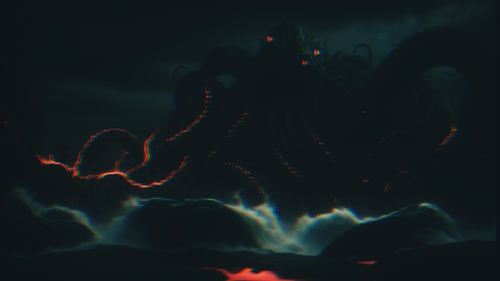
This is an animated slideshow of AI Eldritch Horror images paired with chanting of "Iä! Iä! Cthulhu fhtagn!" for the Clock of Eternal Fog table by CrimsonTurtle8. Recommended as a FullDMD asset for those with 3 screens since the Clock of Eternal Fog backglass does not include FullDMD content. Suitable as a FullDMD, Backglass, or FullDMD asset. Preview: https://rumble.com/v520c02-clockofeternalfog-1080p-fulldmdtopper-video.html For those who want to silence the audio and aren't aware: Simply right click the video after you've added it to the Pinup Popper Media Manager, choose Convert, choose the option to mute the volume. This will simply cut the audio so you are left with video and can use whatever other audio you want. PROVIDED STRICTLY FOR PERSONAL / HOME USE AND NOT FOR COMMERCIAL SALE / RE-SALE OR DISTRIBUTION! If you're going to reuse these assets in your own work, make sure to link back to this download and credit me. -

Version 1.0.0
47 downloads
Forge ambience for the Primordial Forge table by CrimsonTurtle8. Sounds of bubbling lava with the noise of a blacksmith working. There is also a full screen pinup girl image I use as a FullDMD placeholder for the same table, available here. PROVIDED STRICTLY FOR PERSONAL / HOME USE AND NOT FOR COMMERCIAL SALE / RE-SALE OR DISTRIBUTION! -


Version 1.0.0
43 downloads
Pinup style image that can serve as a front-end screen image for the original Primordial Quarry table by CrimsonTurtle8. PROVIDED STRICTLY FOR PERSONAL / HOME USE AND NOT FOR COMMERCIAL SALE / RE-SALE OR DISTRIBUTION!-
- 5
-
-
- pinup
- pinuppopper
- (and 10 more)
-

Version 1.0.0
45 downloads
Intro video with audio for Masonou's Mobile Suit Gundam Wing table, great as a FullDMD or Topper asset for your front-end. Also nice to have the silent looping video on the FullDMD to accompany the table during gameplay. Preview: https://rumble.com/v5gsjlv-mobile-suit-gundam-wing-fulldmd-video-intro-1080p-w-audio.html For those who want to silence the audio and aren't aware: Simply right click the video after you've added it to the Pinup Popper Media Manager, choose Convert, choose the option to mute the volume. This will simply cut the audio so you are left with video and can use whatever other audio you want. PROVIDED STRICTLY FOR PERSONAL / HOME USE AND NOT FOR COMMERCIAL SALE / RE-SALE OR DISTRIBUTION!-
- 3
-
-
- gundam
- mobile suit
- (and 19 more)