

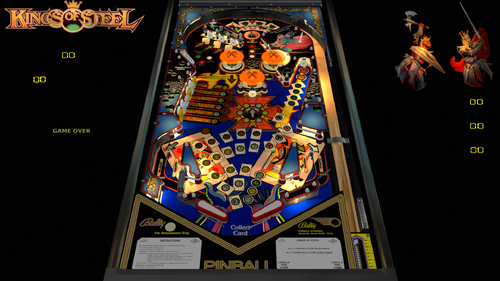

Enjoy a Test of Champions on the Playfield of Combat in Bally Midway's exciting Four-Player Pinball Kings of Steel!
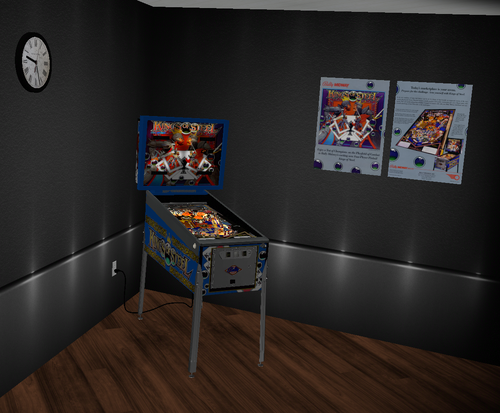
Thanks to Redbone for cleaning up the playfield from the original scan from TAB, as well as target, bumper, and backwall images. Also thanks to apophis and the VPW team for feedback and testing. Hauntfreaks provided the higher resolution VR backglass. DarthVito did the VR wall environment.
HIGHLY RECOMMENDED TO CHANGE 4 SELFTEST POSTIONS IN THE ROM FOR SPECIAL REPLAY/X-BALL/NOVELTY MODES!!!!
Here is the procedure to set the selftest postions on this Bally 35 MPU table:
1. Press 7 to enter test mode. Continue to repeatedly press 7 until you see 01 appear in the ball in play/match display
2. Press and HOLD the 1 key until it reaches the value you want to set it to. The value will increase by 1 while you are holding in the 1 key. If you happen to go past the value you want to set it to, while holding in the 1 key press and release the 7 key. The value will then decrement by 1 while you are holding in the 1 key. When you reach the value you want, release the 1 key.
3. Repeat pressing 7 to scroll the remainder of the settings and change values in the similar manner.
4. Press F3 to save your changes and reset the table.
Here are the recommended values to change to:
16: 02 - Special is extra ball (01 is 50,000, 03 is replay)
17: 02 - Special is extra ball (01 is 50,000, 03 is replay)
18: 03
19: 03 - High Score to date earns 3 credits (00 is 0; 01 is 1; 02 is 2)
I updated to latest VPW standards, physics, GI VLM, and shadow baking, 3D inserts, Alllamps insert routines, shadows, updated backglass for desktop, playfield mesh for a saucer bevel, roth drop and standup targets, standalone compatibility, sling corrections, optional DIP adjustments, updated flipper physics, VR and fully hybrid modes, Flupper style bumpers and lighting, gBOT system and trough. Dozens and dozens of hours were spent studying gameplay videos to match the table skill shots and action.
If you want to change the DIPs... you will need to go into the script options and change SetDIPSwitches to 1, then open the table, hit F6 (that'll load the default DIPS and display them). You can then select various ROM options. Once entered, you can exit out, and restart. That will then set the new ROM settings.
Required Software (64-bit versions)
VPX 10.8.0 RC3 or later: https://github.com/vpinball/vpinball/releases/tag/v10.8.0-1947-3b3f101
VPinMame 3.6.0-929 or later: https://github.com/vpinball/pinmame/releases/tag/v3.6.0-929-8c5f83e
B2S Server 2.1.1 or later (if B2S used): https://github.com/vpinball/b2s-backglass/releases/tag/v2.1.1
User Feedback
You may only provide a review once you have downloaded the file.