-
SYSTEM SEARCH
System Scanners Online:
Username: Guest
>> System Scan?
>> The Universe >
Incoming Message:
Due to system limitations searching with words of 3 or less characters will not return results. For instance; Doctor Who. This will not return results as the system is trying to search for both Doctor AND Who in which Who will not be found as it's a 3 character word. To find Doctor Who; you'd search for either Doctor or "Doctor Who".
Search Tips:
For specific searches; enclose your search with quotes. Example: "Doctor Who" or "Addams Family".
Search the Community
Showing results for tags 'tool'.
Found 9 results
-
 [FREE TOOL] Pincab Toolbox — scan your VPX/Popper install and find what's broken (missing ROMs, 64-bit mismatches, backglasses…) Hi everyone, Like many of you, I've spent more evenings fixing my cab than playing it. A table crashing with a cryptic VPinMAME error, a DMD that died after moving to 64-bit, a backglass that stopped showing… and every time, an hour of digging through folders to find the cause. So I built the tool I wished existed: Pincab Toolbox, a free scanner that diagnoses your install in seconds (a bit longer on a large collection). What it checks: Missing ROMs — reads every table script (cGameName), resolves VPMAlias.txt, and names the exact missing .zip in VPinMAME\roms. Original/EM tables are recognized, so it doesn't flag them. Extracted ROMs — a ROM unzipped into a folder won't be loaded by VPinMAME; it flags that. 32/64-bit mismatches — THE trap of the VPX 10.8 transition: it inventories the bitness of every exe/DLL (VPinMAME, dmddevice, B2S, FlexDMD) and flags broken hybrid installs. Windows-blocked DLLs — a file extracted from a downloaded ZIP can be quarantined ("Mark of the Web") and fail to load; it detects that. Missing dependencies — B2S Backglass Server or FlexDMD required by your tables but absent. Backglass & Popper — missing .directb2s files, tables not registered in the PinUP Popper database, PUP-Pack presence. Compatibility — nFozzy/Roth physics signatures and minimum VPX versions declared in scripts. Outdated tables (beta) — checks against the open-source Virtual Pinball Spreadsheet database and links to the official page only. Script Diff — compare two versions of a table side by side before overwriting yours. Ground rules I committed to (because this community rightly cares): 100% local — nothing is uploaded, zero telemetry, no account. Read-only — the scanner NEVER modifies a file, a registry key or a database. Never downloads content — no tables, no ROMs, no media, ever. This is a diagnostic tool, not a downloader. The community sites remain THE source. Screenshot: [insert scan screenshot] Download: https://pincab-toolbox.vercel.app/ (Unsigned exe for now → the usual SmartScreen warning: "More info" → "Run anyway". Code signing lands in the next release.) There's a built-in demo mode if you want to see it in action before pointing it at your real setup. It's a v0.1 and I'm looking for blunt feedback — false positives, exotic tables, confusing messages. I fix fast. If it proves useful, a version that repairs some of what the scanner finds is in the works — always with a backup first, a preview of what will change, and undo. The scanner itself stays free and read-only, forever. Thanks, and happy flipping! Flipsync V
- 26 replies
-
- 2
-

-
- vpx
- visual pinball x
- (and 5 more)
-
Pincab Toolbox — a big batch of updates Since my last post, a lot has changed under the hood, and most of it is stuff you asked for. Scanner: New interface (green, cleaner tables, a collapsible detail panel, a Tutorial tab that explains what each check actually does) Now available in English, French and Spanish A dozen more checks: missing B2S global config file, missing .ttf fonts a table script needs, hard-coded absolute paths in a script, local copies of core.vbs/controller.vbs, and more Scans a whole drive or multiple drives now, not just one folder A "Check for updates" button that compares your version to the latest release PDF export of your report Repair (still closed beta): Way less noise, only real issues become items to fix, not every single scan result The repaired history now shows exactly what changed on each item, not just a filename A new Beginner / Expert toggle, pick how much technical detail you want to see No longer needs Administrator rights for the whole app, Windows only asks when one specific fix truly needs it A "recheck my score" button that reruns the same scan after a repair and shows you the before/after Two new automatic fixes: repositioning an off-screen DMD window, and registering a missing or mismatched COM component (VPinMAME, B2S, FlexDMD) Six fixes working today, always backed up first, always undoable in one click Already have it? Open the app, hit "Check for updates" in the Scanner tab, and grab the new build. Never tried it? Download it, scan your cab, and tell me what's broken. And tell me what you'd want next, what checks or fixes would actually save you time on your cab? Follow the page for the next updates https://pincab-toolbox.vercel.app/ Happy flipping!
-

Version 3.0
1003 downloads
🎯 VPX Achievement Watcher A companion app for Visual Pinball X (VPX) that adds modern achievements, live overlays, and challenges by reading VPinMAME NVRAM data. ━━━━━━━━━━━━━━━━━━━━━━━━━━━━━━ Features ━━━━━━━━━━━━━━━━━━━━━━━━━━━━━━ 🏠 Dashboard Your control center at a glance: • System Status: Is the watcher running? Is VPX active? • Session Summary: Two cards side by side: ◦ Last Run: Last table played, score, achievements unlocked, and date ◦ Run Status: Live status indicators (green/yellow/red) for Table, Session, Cloud, and Leaderboard connection • 📬 Notifications: Clickable feed with alerts for leaderboard ranks, beaten achievement records, missing VPS-IDs, and available updates. Unread count shown on tab badge. Clear All button to dismiss • 📋 Setup Status: Checklist that verifies your setup is complete — Player Name set, Cloud Sync enabled, VPS-IDs assigned, Maps loaded, Overlays configured, and Widget Controls bound. Red/yellow/green indicators with direct links to fix missing items. Shows "✅ All set!" when everything passes • Quick Actions: Restart Engine, Minimize to Tray, Quit ━━━━━━━━━━━━━━━━━━━━━━━━━━━━━━ 👤 Player Your personal player profile and summary: • Player Level: Current level and XP progress bar based on unlocked achievements • Prestige System: Reach Prestige 1–5 by unlocking 2000 achievements per star (☆ → ★) • Level Table: All levels from Rookie to VPX Elite with their achievement thresholds • 🏅 Badges: 37 collectible badges earned through gameplay milestones — unlock achievements, complete challenges, reach levels, accumulate playtime, and more • Display Badge: Choose which badge icon appears next to your name on cloud leaderboards ━━━━━━━━━━━━━━━━━━━━━━━━━━━━━━ 📈 Progress Track your achievement progress per table: • Select Table: Dropdown with all played tables (ROM-based and custom/non-ROM tables) • Global Achievements: Cross-table achievements like total playtime, tables played, manufacturer milestones — with progress bars (e.g. 12/25) • Per-Table Achievements: Each achievement listed with status (✅ unlocked / 🔒 locked) • ℹ️ Info Links: Click the info icon on any achievement to see its unlock condition, VPS table info, and unlock timestamp • Rarity Tiers: Common, Uncommon, Rare, Epic, Legendary — color-coded based on how many cloud players have unlocked each one. Rarity legend shown below progress bar • Custom Table Progress: AWEditor-created achievements are tracked separately with their own progress view ━━━━━━━━━━━━━━━━━━━━━━━━━━━━━━ 📊 Records & Stats Records every round played, session duration, and scores in the background: • 🌍 Global NVRAM Dumps: Full raw NVRAM data overview per table — all fields and values in a multi-column table • 👤 Player Session Deltas: What changed during your session — actions, score differences, playtime, and field-by-field changes ━━━━━━━━━━━━━━━━━━━━━━━━━━━━━━ ☁️ Cloud Global cloud leaderboard for achievement progress: • Category: Achievement Progress leaderboard per table • Search: Enter a table or ROM name with autocomplete (resolves table titles to ROM keys) • Fetch: Load the leaderboard — ranked list with progress bars, medals (🏆🥈🥉), player badges, date, and ℹ️ VPS info links • VPS Info Dialog: Click ℹ️ on any leaderboard entry to see linked VPS table details and achievement breakdown 💡 Tip: You can find your personal 4-digit player ID in the "System" tab. Make a note of it! If you ever install Watcher on a new PC, you can use it to restore your cloud progress. ━━━━━━━━━━━━━━━━━━━━━━━━━━━━━━ ⚔️ Score Duels Challenge other players to direct score duels on the same table! The Score Duels tab is organized into 4 sub-tabs: 🎯 My Duels • 📬 Incoming Invitations: Inbox for duel challenges from other players — accept or decline with one click • 🔕 Do Not Disturb: Toggle to stop receiving new duel invitations • ⚔️ Start New Duel: Pick an opponent and table, then send a challenge • 🔀 Auto-Match: Join the matchmaking queue — automatically matched with a player who shares at least one table (by VPS-ID). Search times out after 5 minutes • 🟢 Active Duels: Overview of all running duels with status, time remaining, and cancel option • 📜 Duel History: Past duel results with opponent, table, scores, and date 🌍 Global Feed Live feed of all active and recently completed duels across all players. 🏆 Leaderboard Top 50 players ranked by duel wins. Shows Rank, Player Name, Wins, Losses, and Win Rate (%). Players need at least 3 completed duels to qualify. Your own row is highlighted with a ★. Medals for top 3: 🥇🥈🥉. 🏆 Tournament 4-player single-elimination knockout tournaments: • Join Queue: Enter the tournament matchmaking queue (30 min timeout) • Auto-Matching: When 4 players sharing at least one table are queued, a tournament is automatically created • Bracket: 2 Semifinals → 1 Final, all played on the same randomly selected table • 2 hours per match — each duel has a 2-hour time limit • Notifications: In-app alerts for tournament start, elimination, final reached, and final result • History: Completed tournaments are saved locally with your placement (🏆 Winner, #2, #3-4) 💬 Tournament Chat: Live chat for tournament participants — real-time messages ━━━━━━━━━━━━━━━━━━━━━━━━━━━━━━ 🎨 Appearance Customize the look and feel of the entire application, organized into 5 sub-tabs: 🖼 Overlay • Global Styling: Font family, base font size, and overlay scale slider (30–300%) • Widget Placement & Orientation: Place and save screen positions for each overlay independently. Each widget has Portrait Mode (90°), Rotate CCW, Place, and Test buttons: ◦ Main Stats Overlay (with auto-close option) ◦ Achievement Toasts ◦ System Notifications ◦ Status Overlay (cloud/leaderboard feedback, can be disabled) ◦ ⚔️ Duel Notifications • 🔄 Switch All → Portrait/Landscape: Toggle all overlay orientations at once • 📄 Overlay Pages: Enable/disable individual overlay pages — Page 1 (Highlights & Score) is always active; Page 2 (Achievement Progress), Page 3 (Cloud Leaderboard), Page 4 (VPC Leaderboard), Page 5 (Score Duels) can be toggled • Custom Background: Place an overlay_bg.jpg/png next to the executable for a custom overlay background 🎨 Theme • Active Theme: Select and apply a color theme from the dropdown • Color Preview: Live preview of Primary, Accent, Border, and BG colors • Overlay Preview / Test: Test Main Stats Overlay and Achievement Toast with the current theme • Available Themes: Full list of all themes with icon, name, and description 🔊 Sound • Enable/Disable: Master toggle for sound effects • Volume: Slider (0–100%) • Sound Pack: Choose from multiple packs (Zaptron, Vex Machina, Retro, etc.) • Events Table: Per-event enable/disable toggle and preview button for each sound event ✨ Effects • GPU-accelerated visual effects with automatic CPU fallback 🐾 Mascots • 🏆 Trophie (GUI Mascot): Lives in the bottom-left corner of the main window • 🎱 Steely (Desktop Overlay Mascot): A metallic chrome pinball that lives on your desktop as an always-on-top overlay. Reacts to game events • Skins: Multiple visual skins for both mascots • Personality: Unique speech bubbles, reactions, memory, and a "bickering" system between them • Portrait Mode: Steely supports 90° rotation for cabinet screens ━━━━━━━━━━━━━━━━━━━━━━━━━━━━━━ 📺 VPC Weekly Challenge View Discord's Weekly Challenge directly on the overlay (view only). ━━━━━━━━━━━━━━━━━━━━━━━━━━━━━━ 🕹️ Controls Configure hotkeys and input bindings for the overlay and challenges: • Supports keyboard keys and joystick buttons • Bindings for overlay toggle, duel accept (left), duel decline (right), and system tray show/hide • 💡 Flipper buttons or MagnaSave buttons work best ━━━━━━━━━━━━━━━━━━━━━━━━━━━━━━ 🗺️ Available Maps Browse all supported tables and their NVRAM map status: • ✅ NVRAM Map = achievement tracking supported • ❌ No NVRAM Map = not supported yet • 🟠 Local = .vpx file found in your tables folder • Filter by local tables with NVRAM maps, search by name or ROM • Assign VPS-IDs to link tables to the Virtual Pinball Spreadsheet database • View table author extracted from .vpx file metadata ━━━━━━━━━━━━━━━━━━━━━━━━━━━━━━ 🎯 AWEditor — Custom Achievement Editor Create custom achievements for tables that don't use VPinMAME ROMs (Non-ROM / Original tables): • 📋 Tables: Scan your tables directory for tables without NVRAM maps • ✏️ Codes: Analyze table scripts, detect events, and create custom achievement rules • Export: Generates VBScript + JSON files — the table writes trigger files that the watcher detects instantly • Full Script Export: Zero manual work — AWEditor inserts all FireAchievement calls automatically ━━━━━━━━━━━━━━━━━━━━━━━━━━━━━━ ⚙️ System The System tab has 2 sub-tabs: ⚙️ General • 👤 Player Profile: Set your display name and 4-character player ID. Identity fields are locked while Cloud Sync is active • ☁️ Cloud Sync & Backup: Enable/disable Cloud Sync (validates player name and ID against cloud for uniqueness). Auto-Backup toggle, manual Backup to Cloud, and Restore from Cloud (restores achievements, VPS mapping, and CAT progress) • 🐛 Feedback & Bug Reports: Report bugs or suggestions directly from the app • 🔑 Admin Login: Log in as chat moderator for Tournament Chat moderation (admin only) 🔧 Maintenance • 📁 Directory Setup: Configure BASE, NVRAM, and Tables directories • Repair Data Folders: Fix broken or missing data directories • Force Cache NVRAM Maps: Re-download and cache all NVRAM map files • 🔄 Update Databases: Force re-download of index.json, romnames.json, vpsdb.json, and VPXTool • ⬆️ Watcher Update: Check GitHub for newer releases — downloads and installs the Setup automatically with release notes preview ━━━━━━━━━━━━━━━━━━━━━━━━━━━━━━ 🛡️ Fair Play & Anti-Cheat To keep the leaderboards fair, local saves and scores are protected by hash signatures. Matches and tournaments use a feature called NVRAM tracking. Restarting from Ball 1, pressing F3, or restarting the VPX Player will result in disqualification. ━━━━━━━━━━━━━━━━━━━━━━━━━━━━━━ Data Sources The Achievement Watcher uses the following open-source projects and data sources: Thanks to this people: • NVRAM Maps by tomlogic — https://github.com/tomlogic/pinmame-nvram-maps • vpxtool by francisdb — https://github.com/francisdb/vpxtool • VPC Data by emb417 — https://github.com/emb417/vpc-data • VPS Database by VPS Team — https://github.com/VirtualPinballSpreadsheet/vps-db • Visual Pinball & PinMAME — https://github.com/vpinball -
Version 1.0.0
59 downloads
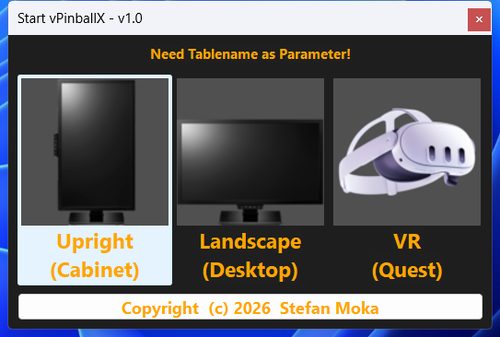
Hi everyone, I'd like to share a small free tool I built — StartVPX — plus the frontend I use it with. StartVPX (free) is a tiny helper that starts a Visual Pinball table the right way, every time. When you launch a table it pops up a clean chooser with three buttons — Cabinet, Desktop, or VR — and then takes care of everything else: ▶️ Correct mode per table: Cabinet (fullscreen), Desktop (angled playfield view), or VR (OpenGL build) — your choice at launch. 🖥️ Multi-monitor aware: positions the window where it belongs and brings VPX reliably to the front. 🎛️ Sets BGSet automatically (Cabinet vs Desktop) and handles the VPinMAME DMD window — no manual fiddling. 🎮 Built-in controller → keyboard mapping that replaces JoyToKey. It supports Xbox/XInput pads (analog triggers work as flippers, and yes — even the Guide button) and DirectInput arcade encoders. It only runs while VPX is running, and it's fully configurable. No third-party tools to install. 🪶 Lightweight and clean: a single small Windows app, free, with nothing proprietary bundled. Settings live in a simple INI file. The Launcher is the frontend in the screenshots. It shows your tables as round wheel-art icons if you replace the default icon; one click launches the table through StartVPX. A few highlights: Organize tables across multiple pages, each with its own skin. It's also a full Windows app launcher — programs, folders, websites — with handy extras (clock, weather, GPU temperature, clipboard manager, screen magnifier, monitor brightness). So it's useful far beyond pinball. Free to use for the first 16 buttons. More info on my homepage: https://www.launcher-online.de How it works: Launcher icon → StartVPX.exe "Table.vpx" → pick Cabinet/Desktop/VR → VPX starts. StartVPX also works standalone with any frontend that can pass a table name on the command line, even a shortcut will do. Requirements: Windows 7 or newer, Visual Pinball 10.8 (the OpenGL build for VR), optional VPinMAME for ROM-based tables. Good to know: StartVPX doesn't touch your VPinMAME/DMD settings by default. If your DMD doesn't show up, set SetShowWinDMD=1 in the INI once, launch a table in Desktop mode, then set it back to 0. This is an early release — I'd love to hear how it works on your setups, and I'm happy to take feature requests. Thanks for taking a look! 🎯 Rgds. SittingDuck -
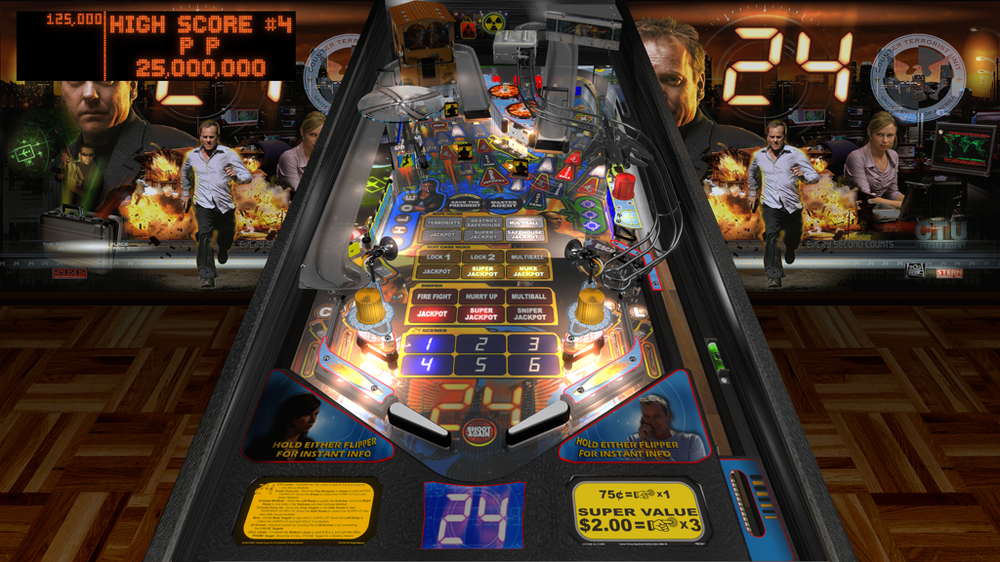
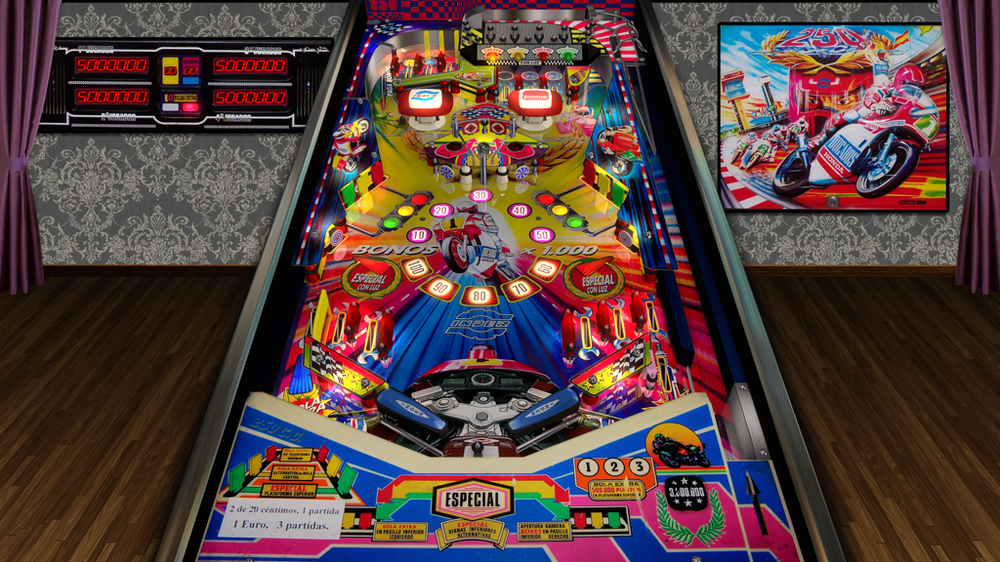
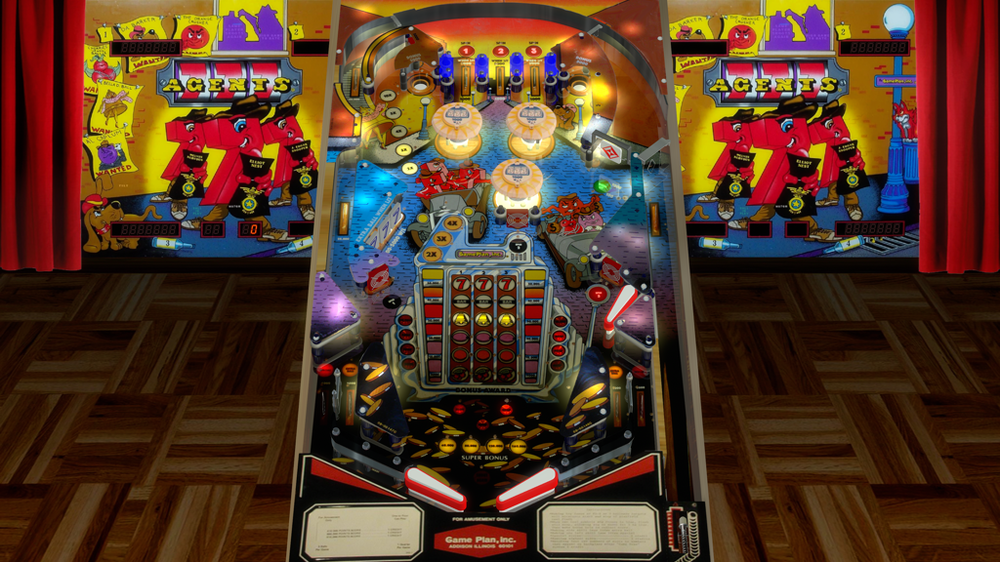
Hi, I'm Aaron Bewza and am currently working on an automatic screenshot tool: Aaron's Automatic Image and Video Snaps Utility It will be available totally free for everyone soon. This is a very brief overview so far: - finds all your VPX tables in your "tables" folder (assignable) - opens them automatically one-by-one - waits ten seconds for the table/rom to be active - saves a fullscreen image to your "snaps" folder (assignable) and/or a fullscreen video to your "videos" folder. - scales output image/video up or down to your preferred resolution and filetype, with quality/compression controls I'm getting 1.5 MB snapshots and 4 MB clear videos which still look decent after scaling down substantially from 4k (files attached) Right now it takes approximately 25 seconds to cycle through each game with the ten-second buffer then the ten second video recording happening. This translates as 3 1/2 hours to process 500 tables. I still need to make it user-friendly but I will return soon. Thanks very much for having me on your site Here is my AHK v1.1 code for you to check out yourselves, please remember I'm still working on it and this is only the start of it. #SingleInstance, Ignore ; only one instance of program may be run #NoEnv ; no system variables ; Automatic Screenshots ; by Aaron Bewza ; December 2025 ; written in AHK v1.1 Loop, Files, %A_ScriptDir%\tables\*.vpx { Run, VPinballX64.exe -play "%A_LoopFileFullPath%" -Minimized -exit ; otherwise chosen game is run SplitPath, A_LoopFileFullPath,,,, OutNameNoExt ; gets game name WinWaitActive, ahk_class VPPlayer ; waits for pinball window to be active Sleep, 10000 ; waits for table to be fully operational SavedScreenshot = %A_ScriptDir%\snap\%OutNameNoExt%.png ; <-- makes variable name from this Runwait, ffmpeg.exe -f gdigrab -framerate 1 -y -i desktop -frames:v 1 -compression_level 10 -vf scale=1024:-1 "%SavedScreenshot%",, Hide ; grabs a fullscreen screenshot and saves it Soundplay, %A_ScriptDir%\click.mp3, Wait ; plays camera click sound WinClose, ahk_class VPPlayer ; close pinball window WinWaitClose, ahk_class VPPlayer ; waits for pinball window to close } return #IfWinNotActive ahk_class VPPlayer ; if pinball window is not active Esc::ExitApp ; "Esc" exits program (otherwise exits pinball window) #IfWinActive /* LShift:: Gui, Submit, NoHide ; submits fresh variables SavedScreenshot = %A_ScriptDir%\snap\%OutNameNoExt%.png Runwait, ffmpeg.exe -f gdigrab -framerate 1 -y -i desktop -frames:v 1 -compression_level 10 -vf scale=1024:-1 "%SavedScreenshot%",, Hide return */ ; end script
-
I thought of collecting tools which might help with the VPX standalone version for iOS and upcoming Android releases. I will start with a simple script for windows which creates the *.vpxz files from your tables collection. (work in process)
- 15 replies
-
- 3
-
-
- vpx
- standalone
- (and 3 more)
-

Version 1.0.0
62 downloads
I am creating topper videos (1920x1080) for my own build but sharing in the community. I will be sharing all the ones I created from scratch. All my topper videos have a color border on them, that is the style I wanted for my build. I do not have versions without the border. I have used other people's topper creations and added borders for my own build, but not sharing those on the website as I have not asked permission. Reach out to me if you ever need wheel art, dmd or topper art created. -

Version 1.0.0
30 downloads
Davadruix made some nice regular dmd images, and wheels but didn't have a full DMD image to go with them. I threw this together for my machine using the logo from his work. He gave me permission to post if anyone uses his wheels but also has a full DMD. All credit goes to him as I just made the frame essentially. Check out his media pack here-
- 4
-
-
- tool music
- tool
- (and 2 more)
-
Version 1.0.0
223 downloads
"Tool Music Table" vpw wheels and dmd pictures if you appreciate the work, then thank you for not forgetting a "like" or a "review" , it's nice! Personal, non-commercial use only. Please contact me if you would like to use it in another way.