
No files in this category yet.
Files From Subcategories
-

Visual Pinball X Official Releases
By Dazz
Visual Pinball
An open source pinball table editor and simulator.
This project was started by Randy Davis, open sourced in 2010 and continued by the Visual Pinball development team. This is the official repository.
Features
Simulates pinball table physics and renders the table with DirectX Simple editor to (re-)create any kind of pinball table Table logic (and game rules) can be controlled via Visual Basic Script Over 1000 real/unique pinball machines, plus over 400 original creations were rebuilt/designed using the Visual Pinball X editor (over 2500 if one counts all released tables, incl. MODs and different variants), and even more when including its predecessor versions (Visual Pinball 9.X) Emulation of real pinball machines via Visual PinMAME is possible via Visual Basic Script Supports configurable camera views (for example for correct display in virtual cabinets) Support for Stereo3D output and Tablet/Touch input
This download will take you to the official repository on Github for the Visual Pinball project.
21781 downloads
-
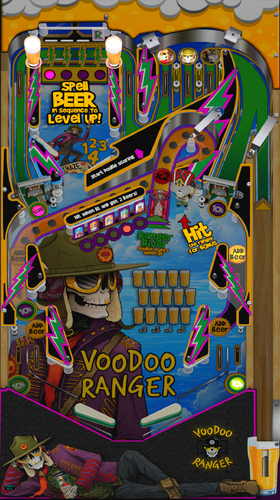
Voodoo Ranger (ROCK 1985 MOD) 3.0.0
LIVE RANGEROUSLY!
I made this MOD for my home cabinet, so I thought I would share.
This is a MOD of ROCK (1985) VPX8 - version by JPSalas 2025, version 6.0.0 It's one for the beer folks out there. Voodoo Ranger has a great branding theme that lends itself well to pinball. So, I had to add it to the mancave. Hope you like it ...and feel free to improve upon it. I'm still a rookie. Cheers!
ORIGINAL SONG INCLUDED for TABLE
Voodoo Ranger (80s Edition Remix)
* Table is designed for 5 ball play (adjust your rom)
* This ROM has a delay before the first ball appears.
(Wait for "Rock and Roll Lives!" to finish)
* Contains custom callouts, sfx and music
(magnasave to skip tracks)
1926 downloads
-
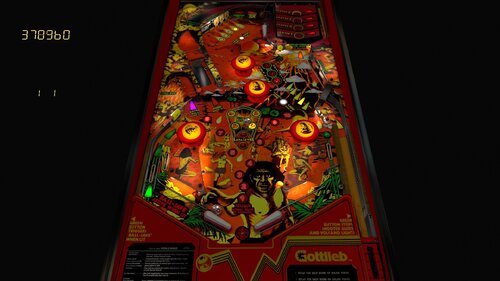
Volcano (Gottlieb 1981)
By burger
Thank you to @allknowing2012 for creating this, and to @bigus1 for his extensive visual and layout improvements. And thanks to both for allowing the mod!
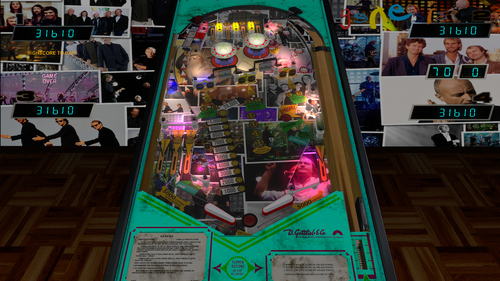
Volcano is a pinball machine from September 1981, manufactured by D. Gottlieb & Co.. Volcano is a fast, chaotic pinball game where you shoot lit craters to send balls underground and build toward explosive multiball. When the volcano erupts, everything comes rushing back at you, so control and timing are everything.
Thanks @RusstyT for extensive playfield graphics, lighting, and visual improvements throughout the table.
Huge thanks to @kellyf who partnered up on this one! We tried our best to make this game play similar to the real table. It's not perfect, but we tried our best!
Thanks very much also to @outhere for verifying the DOF solenoids are working properly, a behind the scenes hero
Thanks @studly_do_right for testing
Thanks @gnomulus for adding the VR cabinet and room
Thanks @DGrimmReaper for adding VR digits
Note:
This table uses both Magnasave buttons!
The left Magnasave controls the left outlane ball save — the light must be on, and you need to time it correctly
The right Magnasave is used to aim the ball on launch (the right launch wall moves! look closely) and to freeze the crater lights for one second
2371 downloads
-
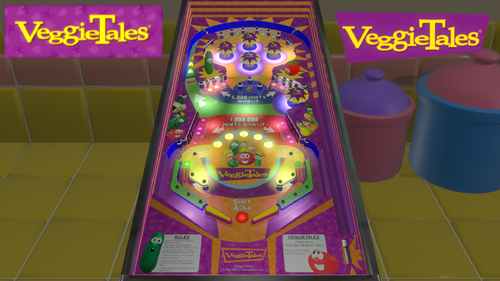
VeggieTales (Original 2026)
"Have we got a pinball for you!"
Join Bob, Larry and their other friends to play this very first original VeggieTales pinball game!
All files (table, rules and music files) are included inside the compressed zip file. (Simply extract the files into the folder and start VeggieTales.vpx)
What's new on Version 2.0
B2S Backglass and FlexDMD are now available for cabinet gameplay.
CREDITS:
Original Visual Pinball X table and playfield artworks by Josué Beauregard. Characters 3D models by JY Studios (https://www.youtube.com/@JY_Studios). Sound effects by Cartoon Trax from Hollywood Edge. All characters' dialogues came from the various VeggieTales episodes. Music by Kurt Heinecke. VeggieTales with some official renders is the trademark and copyrighted by Big Idea Productions, Inc. and NBCUniversal and it was formerly created by Phil Vischer and Mike Nawrocki.
DISCLAIMERS:
This custom pinball table was non-existent in real life and it was not made for sale or any commercial use. No ROM required for playing this table. Sounds, images and fonts are already included inside the table file.1161 downloads
-
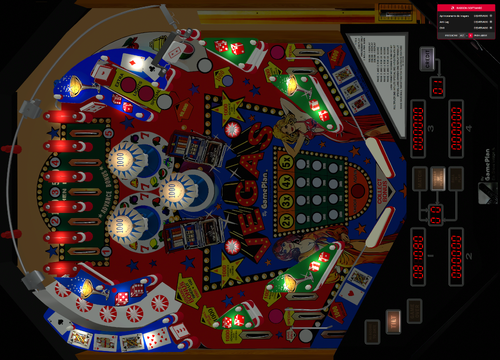
Vegas (Game Plan 1979)
By Taito
I only made adjustments to the inserts to display their characters, with Itchico's permission. All credits go to the previous authors and collaborators: Destruk, Lander, Joep, Apocalypse, Itchigo, Flying Dutchman. B2s and .ini included.
159 downloads
(1 review)0 comments
Submitted
-
.thumb.png.c51ff1b2d0a3a63659307748211a3b32.png)
Vegas-Game Plan 1979
By Itchigo
This is Vegas by Game Plan (1979).
I made this from Destruk's vp8 version and replaced everything with new vpx (10.8.0) objects. Flying Dutchman provided the new graphics.
You will need to set the dipswitches via F6. I have provided a PDF manual which shows the settings.
This table is free to improve or mod. I made this for my 2 screen setup. You'll have to adjust it for desktop use.
The zip file includes the table and db2s. I'm not a big physics guy. Feel free to make any physics adjustments.
Rom: vegas
IPDB Link: https://www.ipdb.org/machine.cgi?id=3738
517 downloads
-

vpx VPX Achievement Watcher
By Solters
🎯 VPX Achievement Watcher
A companion app for Visual Pinball X (VPX) that adds modern achievements, live overlays, and challenges by reading VPinMAME NVRAM data.
━━━━━━━━━━━━━━━━━━━━━━━━━━━━━━
Features
━━━━━━━━━━━━━━━━━━━━━━━━━━━━━━
🏠 Dashboard
Your control center at a glance:
• System Status: Is the watcher running? Is VPX active?
• Session Summary: Two cards side by side:
◦ Last Run: Last table played, score, achievements unlocked, and date
◦ Run Status: Live status indicators (green/yellow/red) for Table, Session, Cloud, and Leaderboard connection
• 📬 Notifications: Clickable feed with alerts for leaderboard ranks, beaten achievement records, missing VPS-IDs, and available updates. Unread count shown on tab badge. Clear All button to dismiss
• 📋 Setup Status: Checklist that verifies your setup is complete — Player Name set, Cloud Sync enabled, VPS-IDs assigned, Maps loaded, Overlays configured, and Widget Controls bound. Red/yellow/green indicators with direct links to fix missing items. Shows "✅ All set!" when everything passes
• Quick Actions: Restart Engine, Minimize to Tray, Quit
━━━━━━━━━━━━━━━━━━━━━━━━━━━━━━
👤 Player
Your personal player profile and summary:
• Player Level: Current level and XP progress bar based on unlocked achievements
• Prestige System: Reach Prestige 1–5 by unlocking 2000 achievements per star (☆ → ★)
• Level Table: All levels from Rookie to VPX Elite with their achievement thresholds
• 🏅 Badges: 37 collectible badges earned through gameplay milestones — unlock achievements, complete challenges, reach levels, accumulate playtime, and more
• Display Badge: Choose which badge icon appears next to your name on cloud leaderboards
━━━━━━━━━━━━━━━━━━━━━━━━━━━━━━
📈 Progress
Track your achievement progress per table:
• Select Table: Dropdown with all played tables (ROM-based and custom/non-ROM tables)
• Global Achievements: Cross-table achievements like total playtime, tables played, manufacturer milestones — with progress bars (e.g. 12/25)
• Per-Table Achievements: Each achievement listed with status (✅ unlocked / 🔒 locked)
• ℹ️ Info Links: Click the info icon on any achievement to see its unlock condition, VPS table info, and unlock timestamp
• Rarity Tiers: Common, Uncommon, Rare, Epic, Legendary — color-coded based on how many cloud players have unlocked each one. Rarity legend shown below progress bar
• Custom Table Progress: AWEditor-created achievements are tracked separately with their own progress view
━━━━━━━━━━━━━━━━━━━━━━━━━━━━━━
📊 Records & Stats
Records every round played, session duration, and scores in the background:
• 🌍 Global NVRAM Dumps: Full raw NVRAM data overview per table — all fields and values in a multi-column table
• 👤 Player Session Deltas: What changed during your session — actions, score differences, playtime, and field-by-field changes
━━━━━━━━━━━━━━━━━━━━━━━━━━━━━━
☁️ Cloud
Global cloud leaderboard for achievement progress:
• Category: Achievement Progress leaderboard per table
• Search: Enter a table or ROM name with autocomplete (resolves table titles to ROM keys)
• Fetch: Load the leaderboard — ranked list with progress bars, medals (🏆🥈🥉), player badges, date, and ℹ️ VPS info links
• VPS Info Dialog: Click ℹ️ on any leaderboard entry to see linked VPS table details and achievement breakdown
💡 Tip: You can find your personal 4-digit player ID in the "System" tab. Make a note of it! If you ever install Watcher on a new PC, you can use it to restore your cloud progress.
━━━━━━━━━━━━━━━━━━━━━━━━━━━━━━
⚔️ Score Duels
Challenge other players to direct score duels on the same table!
The Score Duels tab is organized into 4 sub-tabs:
🎯 My Duels
• 📬 Incoming Invitations: Inbox for duel challenges from other players — accept or decline with one click
• 🔕 Do Not Disturb: Toggle to stop receiving new duel invitations
• ⚔️ Start New Duel: Pick an opponent and table, then send a challenge
• 🔀 Auto-Match: Join the matchmaking queue — automatically matched with a player who shares at least one table (by VPS-ID). Search times out after 5 minutes
• 🟢 Active Duels: Overview of all running duels with status, time remaining, and cancel option
• 📜 Duel History: Past duel results with opponent, table, scores, and date
🌍 Global Feed
Live feed of all active and recently completed duels across all players.
🏆 Leaderboard
Top 50 players ranked by duel wins. Shows Rank, Player Name, Wins, Losses, and Win Rate (%). Players need at least 3 completed duels to qualify. Your own row is highlighted with a ★. Medals for top 3: 🥇🥈🥉.
🏆 Tournament
4-player single-elimination knockout tournaments:
• Join Queue: Enter the tournament matchmaking queue (30 min timeout)
• Auto-Matching: When 4 players sharing at least one table are queued, a tournament is automatically created
• Bracket: 2 Semifinals → 1 Final, all played on the same randomly selected table
• 2 hours per match — each duel has a 2-hour time limit
• Notifications: In-app alerts for tournament start, elimination, final reached, and final result
• History: Completed tournaments are saved locally with your placement (🏆 Winner, #2, #3-4)
💬 Tournament Chat: Live chat for tournament participants — real-time messages
━━━━━━━━━━━━━━━━━━━━━━━━━━━━━━
🎨 Appearance
Customize the look and feel of the entire application, organized into 5 sub-tabs:
🖼 Overlay
• Global Styling: Font family, base font size, and overlay scale slider (30–300%)
• Widget Placement & Orientation: Place and save screen positions for each overlay independently. Each widget has Portrait Mode (90°), Rotate CCW, Place, and Test buttons:
◦ Main Stats Overlay (with auto-close option)
◦ Achievement Toasts
◦ System Notifications
◦ Status Overlay (cloud/leaderboard feedback, can be disabled)
◦ ⚔️ Duel Notifications
• 🔄 Switch All → Portrait/Landscape: Toggle all overlay orientations at once
• 📄 Overlay Pages: Enable/disable individual overlay pages — Page 1 (Highlights & Score) is always active; Page 2 (Achievement Progress), Page 3 (Cloud Leaderboard), Page 4 (VPC Leaderboard), Page 5 (Score Duels) can be toggled
• Custom Background: Place an overlay_bg.jpg/png next to the executable for a custom overlay background
🎨 Theme
• Active Theme: Select and apply a color theme from the dropdown
• Color Preview: Live preview of Primary, Accent, Border, and BG colors
• Overlay Preview / Test: Test Main Stats Overlay and Achievement Toast with the current theme
• Available Themes: Full list of all themes with icon, name, and description
🔊 Sound
• Enable/Disable: Master toggle for sound effects
• Volume: Slider (0–100%)
• Sound Pack: Choose from multiple packs (Zaptron, Vex Machina, Retro, etc.)
• Events Table: Per-event enable/disable toggle and preview button for each sound event
✨ Effects
• GPU-accelerated visual effects with automatic CPU fallback
🐾 Mascots
• 🏆 Trophie (GUI Mascot): Lives in the bottom-left corner of the main window
• 🎱 Steely (Desktop Overlay Mascot): A metallic chrome pinball that lives on your desktop as an always-on-top overlay. Reacts to game events
• Skins: Multiple visual skins for both mascots
• Personality: Unique speech bubbles, reactions, memory, and a "bickering" system between them
• Portrait Mode: Steely supports 90° rotation for cabinet screens
━━━━━━━━━━━━━━━━━━━━━━━━━━━━━━
📺 VPC Weekly Challenge
View Discord's Weekly Challenge directly on the overlay (view only).
━━━━━━━━━━━━━━━━━━━━━━━━━━━━━━
🕹️ Controls
Configure hotkeys and input bindings for the overlay and challenges:
• Supports keyboard keys and joystick buttons
• Bindings for overlay toggle, duel accept (left), duel decline (right), and system tray show/hide
• 💡 Flipper buttons or MagnaSave buttons work best
━━━━━━━━━━━━━━━━━━━━━━━━━━━━━━
🗺️ Available Maps
Browse all supported tables and their NVRAM map status:
• ✅ NVRAM Map = achievement tracking supported
• ❌ No NVRAM Map = not supported yet
• 🟠 Local = .vpx file found in your tables folder
• Filter by local tables with NVRAM maps, search by name or ROM
• Assign VPS-IDs to link tables to the Virtual Pinball Spreadsheet database
• View table author extracted from .vpx file metadata
━━━━━━━━━━━━━━━━━━━━━━━━━━━━━━
🎯 AWEditor — Custom Achievement Editor
Create custom achievements for tables that don't use VPinMAME ROMs (Non-ROM / Original tables):
• 📋 Tables: Scan your tables directory for tables without NVRAM maps
• ✏️ Codes: Analyze table scripts, detect events, and create custom achievement rules
• Export: Generates VBScript + JSON files — the table writes trigger files that the watcher detects instantly
• Full Script Export: Zero manual work — AWEditor inserts all FireAchievement calls automatically
━━━━━━━━━━━━━━━━━━━━━━━━━━━━━━
⚙️ System
The System tab has 2 sub-tabs:
⚙️ General
• 👤 Player Profile: Set your display name and 4-character player ID. Identity fields are locked while Cloud Sync is active
• ☁️ Cloud Sync & Backup:
Enable/disable Cloud Sync (validates player name and ID against cloud for uniqueness). Auto-Backup toggle, manual Backup to Cloud, and Restore from Cloud (restores achievements, VPS mapping, and CAT progress)
• 🐛 Feedback & Bug Reports: Report bugs or suggestions directly from the app
• 🔑 Admin Login: Log in as chat moderator for Tournament Chat moderation (admin only)
🔧 Maintenance
• 📁 Directory Setup: Configure BASE, NVRAM, and Tables directories
• Repair Data Folders: Fix broken or missing data directories
• Force Cache NVRAM Maps: Re-download and cache all NVRAM map files
• 🔄 Update Databases: Force re-download of index.json, romnames.json, vpsdb.json, and VPXTool
• ⬆️ Watcher Update: Check GitHub for newer releases — downloads and installs the Setup automatically with release notes preview
━━━━━━━━━━━━━━━━━━━━━━━━━━━━━━
🛡️ Fair Play & Anti-Cheat
To keep the leaderboards fair, local saves and scores are protected by hash signatures.
Matches and tournaments use a feature called NVRAM tracking. Restarting from Ball 1, pressing F3, or restarting the VPX Player will result in disqualification.
━━━━━━━━━━━━━━━━━━━━━━━━━━━━━━
Data Sources
The Achievement Watcher uses the following open-source projects and data sources:
Thanks to this people:
• NVRAM Maps by tomlogic — https://github.com/tomlogic/pinmame-nvram-maps
• vpxtool by francisdb — https://github.com/francisdb/vpxtool
• VPC Data by emb417 — https://github.com/emb417/vpc-data
• VPS Database by VPS Team — https://github.com/VirtualPinballSpreadsheet/vps-db
• Visual Pinball & PinMAME — https://github.com/vpinball
1032 downloads
-
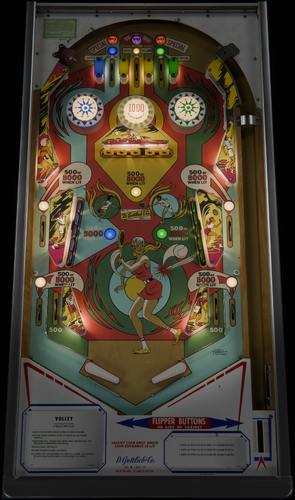
Volley (Gottlieb 1976)
What better way to celebrate Volley's 50th anniversary than playing this lovingly dialed VPX recreation.
This competition classic Gottlieb table from 1976 has been tuned to competition standards and dressed up with all the visual grandeur expected from VPX tables today.
Download from:
https://pivotingart.com/pinball/index.html#volley
-Built from scratch on a foundation of VPW Basic Table Template by Apophis
-Utilizes some resources and techniques from Loserman's table
-Big Thanks goes to Freezy and JSM for their asset donation. High rez playfield art and correct table layout would have been impossible without them.
-Thanks to MCarter78 and Sixtoe for help with debugging and tweaking physics.
-Thanks to all that provided testing and feedback: Studly_do_right, Tomate, Nestogrian, Nova, Apophis
-Thanks to HauntFreaks for his unwavering commitment to backglass perfection
1429 downloads
-
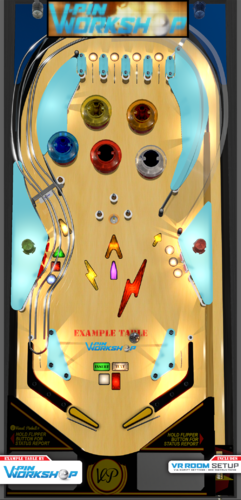
VPin Workshop Example & Resource Table
By VPinWorkshop
WARNING: This is not a typical playable table!
Download this if you are interested in learning about some of the table-building techniques used at VPW. Some of the content was developed at VPW, but most content is curated from already existing examples provided by our great gurus. Pick and choose which enhancement you want to use on your own VP project. Hope you all find this to be a helpful resource!
CONTENT CONTRIBUTION CREDITS
Dynamic Ball Shadows: iaakki, apophis, Wylte, fluffhead35
Rubberizer: iaakki
Target Bouncer: iaakki, wrd1972, apophis
Flipper and physics corrections: nFozzy, Rothbauerw
Sound effects package: Fleep
Lampz & Ramp Rolling Sounds: nFozzy
Flasher Domes & Bumpers: Flupper
3D inserts: Flupper, Benji
Drop Targets & Targets: Rothbauerw
VR Cabinet & Room: Sixtoe, Flupper, 3rdaxis
Advanced Queuing System: Arelyel
FlexDMD: oqqsan
2737 downloads
-
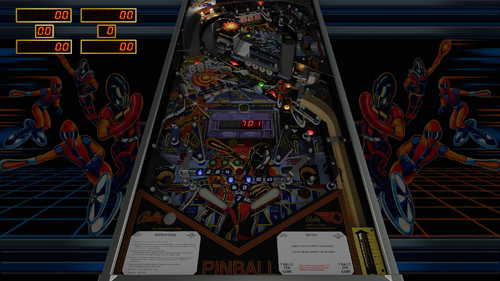
Vector (Bally 1982)
By Mecha_Enron
NOTE: This download includes an NVRAM file that resets the Flip-O-Meter “fastest flip-to-date” score back to zero. This allows players to set and compete against a fresh high-speed record rather than inheriting an existing value from the ROM. Thanks Thalamus!
ENTER THE VECTORDOME AND PLAY BALLY'S GAME OF THE FUTURE
Vector is Bally’s ambitious early-80s take on a “game of the future,” built around a bi-level playfield, four flippers, and a rule set that strongly rewards accuracy/nudging. Guided by the PAC (Play Analysis Computer), the main objective is to access the Vectorscan ramp and build towards your MultiBall.
The Vectorscan ramp is the signature shot. A successful flip is measured by the Flip-O-Meter, which converts shot speed directly into points and tracks the fastest flip-to-date. Beating that record awards a Special, while the Bonus Light uses the same display to show your Vectorscan bonus.
Entry to the ramp is guarded by the Defender drop targets. Completing Defenders 1–3 in sequence qualifies the top saucers for locked balls, while out-of-sequence hits require additional targets to be cleared. The upper playfield’s X-Y-Z targets can remotely drop the Defender targets.
Vector is known for being tough. Many objectives require shots in sequence, making full 3-ball Multi-Ball a real challenge. At the same time, the lower playfield side saucers give skilled nudgers a chance to recover balls that would normally drain, adding an extra layer of control if you’re paying attention.
Visually, Vector benefits from a darker overall environment, which helps the bi-level playfield stand out and makes the Vectorscan ramp and Flip-O-Meter feel more dramatic. That’s how I prefer to play it, but brighter lighting options are included and can be adjusted in the table settings for players who prefer a more evenly lit or classic look. Dip switches are set to the factory-recommended default settings for authenticity. Updating line 62 for SetDIPSwitches=1 allows for adjustments using the F6 menu.
A big thanks to DGrimmReaper for his work on the VR cabinet and room, and to Hauntfreaks for the awesome backglass (link provided). Thanks as well to Sinbad and Schlabber34 for their previous work on the original Vector VPX table, which this release builds upon.
Features include:
VLM toolkit visuals Nfozzy physics Fleep sounds Desktop, Cabinet, and VR modes
Special Thanks to (alphabetical):
apophis
Bthlonewolf
carny_priest
cl4ve
DGrimmReaper
guus_8005
HauntFreaks
m.carter78
Nestorgian
Schalbber34
Studlygoorite
superhac
Thalamus
tomate
UnclePaulie
2529 downloads
-
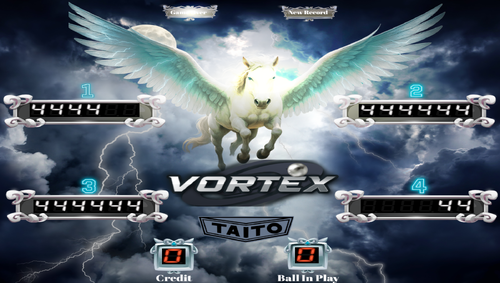
VORTEX NEW reskin
By tonyfox
BUT A BEAUTIFUL TAITO TABLE MADE BY JPSALES I MADE SOME CHANGES TO THE ART AND THE SOUNDS OK
Gravar_2025_08_22_15_40_04_684.mp4267 downloads
-
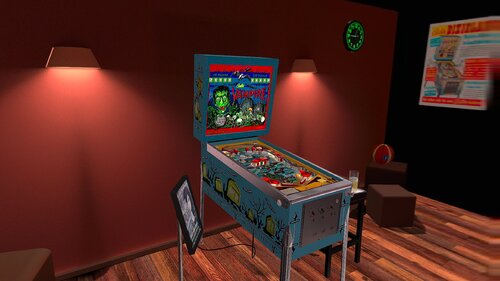
Vampire (Bally 1971) JP 1.01 DT-FS-VR-MR Ext2k Conversion
By Ext2k
This file is based on JPSalas Table version 1.0.1. https://www.vpforums.org/index.php?app=downloads&showfile=19092
Table works in DT-FS-VR and MR
Added Basti VRRoom, Pool Bar and Mixed Reality
This table requires B2S to work. (See B2S Link)
Menu F12 options for music (no copyright) and ambience.
Added flippers/start button animation for VR
Virtual Desktop Settings Chromakey for Mixed Reality:
Color RGB = 255,255,255
Similarity: 2
399 downloads
-
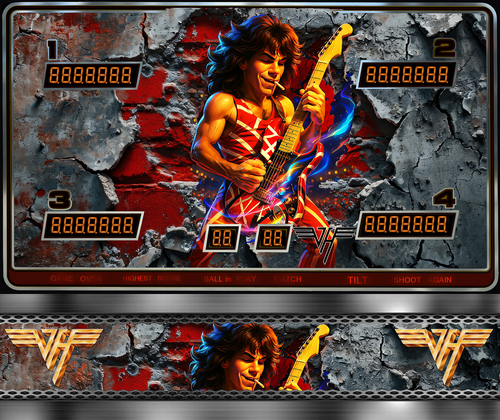
VanHalen V2.0
By LAROUILLAS
I'm sharing Van Halen with you, it was commissioned by a VPU member who loves.
includes B2S and Media loading, topper ...
Magna save left = Lut
Magna save right = Music
Alias = sorcr_l1VH,sorcr_l1
678 downloads
-

VPinballX.starter
By jarr3
Small tool to start the right VPinballX version depending on the selected table file.
To all who ask:
Should I really try out the new VPX release with all the new tables coming for 10.8? How can I use different versions of VPinballX for different tables?
This is my answer to those questions! The tool VPinballX.starter can be put as replacement for VPinballX.exe in the default folder....
It will start the right VPinballX version depending on the table file. It is meant to be a "set and forget" tool.
Please do not forget to like and review..., what is important for content creators (tables, backglasses, DMD colorization?) is as important for us writing the tool-set!
It uses a small ini file similar to this one:
;A Configuration file for VPinballX.starter [VPinballX.starter] ;DefaultVersion when started without any table param. DefaultVersion=10.80 LogVersions=1 [TableNameExceptions] ;If left string is found in the Table filename we will use the right string to add to the version number search CASE sensitive... Table Name=x32 Another Table=GL x32=x32 GL=GL X74=.RevertX7 old table=.RevertX7 [VPinballX] ;Default value used when not found in the table below. Default=VPinballX64.8-1786.exe Default.RevertX7=VPinballX.7.4.exe ;File versions converted to the right VPinballXxx.exe 10.72=VPinballX72.exe 10.80=VPinballX64.8-1786.exe 10.80GL=VPinballX_GL64.exe 10.80x32=VPinballX.8-1786.exe
It works like this:
VPinballX.starter is started with exactly the same parameters as VPinballX.exe. First it loads the table file and finds out what version it was saved with (using the same technique as VPX). It takes this information and looks in the ini file above to find out which version of VPinballX.xxx.exe YOU want to run.
It will then run the VPinballXxx.exe that you have configured with exactly the same parameters that were given to the starter. If you simply double-click the VPinballX.starter without a table, the default entry under [VPinballX.starter] will be used or if it cannot find a version stored in the table, it will use the default in [VPinballX].
In this way, the correct table version or the version you have selected will be used. Each time you start VPinballX.starter, a log entry will be added to VPinballX.starter.log stating which version was used. This can be disabled by setting LogVersions=0.
Table Name Exceptions
A new feature called Table Name Exceptions allows to configure exceptions to the automated finding the right executable. The Exceptions are either that a string is added to the table filename hinting that this table should use the x32 version instead, or can be parts of a table filename pointing to the same string. This string will be added when searched for the executable.
So either you name the table with an exception string like (x32, x64, GL) or you enter parts of the table names into the ini, where you know they only want certain versions (like x32, x64 or even GL)
What you decide here is all up to you!
E.g starting a table needing 10.80 and having an exception "GL" will look for 10.80GL in the [VPinballX] section in the ini. This is made using pure string handling, there is NO logic behind the strings in the ini file. You can define your own standard here.
How to set it up
Copy VPinballX.starter.exe next to your VPinballX.exe files. Double click on VPinballX.starter.exe and follow the instructions. It will create a template VPinballX.starter.ini that you will need to edit to your liking. The values 10.72, 10.80 (10.74 has no specific version saved) and so on all come from the pinball tables saved in different versions by VPinballX.exe.
Once you are happy with VPinballX.starter.exe, you can rename it to VPinballX.exe; it will take care of starting the right version independent if you are using Windows Explorer, PinballX, PinballY or Pinup Popper...
Have fun!
1920 downloads
-
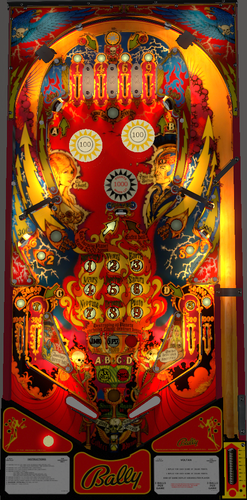
Voltan Escapes Cosmic Doom (Bally 1979)
By UnclePaulie
Voltan Escapes Cosmic Doom (Bally 1979) is a fun, fast table that Bally only produced 365 machines. A weird, fun theme with some challenging shots, and a very hungry drain and outlane play.
Hauntfreaks reached out to me some time ago about updating Voltan. It ended up being behind in my queue of other tables I was doing, and I finally got to doing this table. What a cool, fun table! @redbone utilized playfield images off the web to come up with a properly sized playfield that looks amazing after all the updates he did! I then built the table from scratch, using a few primitives that Bord had from some work he did years ago on this. I've done my best to get all the physics and shots to match videos off the web.
As usual, all the latest VPW standards for physics, GI VLM, 3D inserts, AllLamps routines, shadows, updated backglass for desktop, roth standup targets, standalone compatibility, sling corrections, default and optional DIP adjustments, updated flipper physics, VR and fully hybrid, Flupper style bumpers and lighting. Redbone also updated the plastics, target, and spinner images. Lot of hours were spent studying gameplay videos to match the table skill shots and physics action. Thanks to hauntfreaks for also providing the backglass images, as well as some initial VR cabinet images.
Also... redbone was toying with SSF and noticed that sounds were right for SSF, so Apophis and I were able to successfully find that there's a small bug in the VPW script for audiopan and audiofade routines. Now for those of you with SSF, it should sound great!
As usual, there are plenty of options in the F12 menu, and redbone also made an ambiance background sound file to play if you choose. Other options include colors for balls, flippers, screws, and brightness of bumpers when off and when lit. There are also multiple VR room environments and other VR options all done via the F12 menu. You can also change the ROM sound volume in the F12 menu. (Note if you want to change the ROM volume, you'll need to restart the table after the change.).
Please NOTE on the ROM settings: The default settings for the ROM Dip Switch options are hard coded into the script and are based on the recommended values from Bally for 3 balls and harder play. If you want to change the ROM Dip Switch settings themselves, you need to change the "SetDIPSwitches to 1" in the script, and then use the F6 menu to change.
Required Software (64-bit versions):
VPX 10.8.0 Final or later: https://github.com/vpinball/vpinball/releases/tag/v10.8.0-2051-28dd6c3
B2S Server 2.1.2 or later (if B2S used): https://github.com/vpinball/b2s-backglass/releases/tag/v2.1.2
VPinMame 3.6.0-1194: https://github.com/vpinball/pinmame/releases
The updated b2s file can be found here: https://vpuniverse.com/files/file/23841-voltan-escapes-cosmic-doom-bally-1979-b2s/
2086 downloads
-
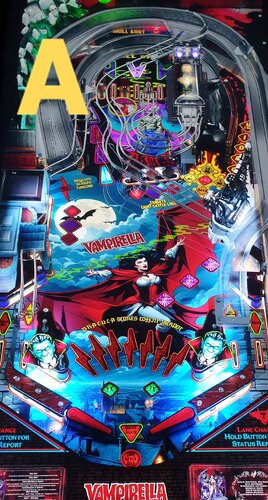
Vampirella Balutito MOD
By balutito
Tremble poor mortals ...
HI everyone
I am proposing here an adaptation of the dracula playfield on Vampirella theme
As I couldn't choose, I give you the possibility to choose between 4 playfields, A B C or D
Thank's to JPSALAS for permission to work on his Bram Stoker's Dracula table.
All Logos, Music, Copyrights and Trademarks are property of their respective owners.
PROVIDED STRICTLY FOR PERSONAL / HOME USE AND NOT FOR COMMERCIAL SALE / RE-SALE OR DISTRIBUTION!
GOOD GAme
BALUTITO
3920 downloads
-
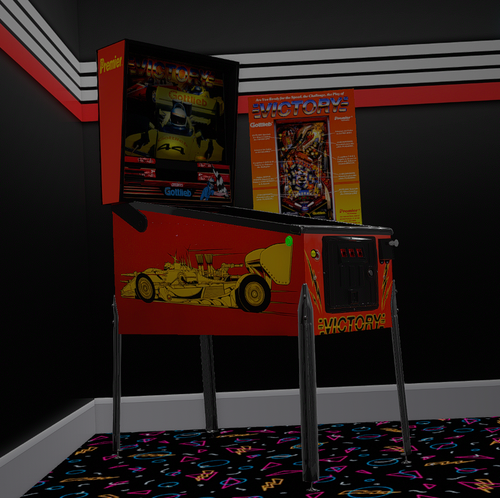
Victory (Gottlieb 1987) _VR ROOM
By DarthVito
VR Room added to table by Sinbad and @Schlabber34
Previously I credited another tablre author, but I realized I made an error in my file names. I had multiple 2d versions downloaded and got confused! First time VR Room pains lol
494 downloads
-
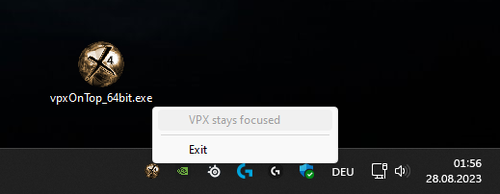
vpxOnTop
By b4ast1
My small trayicon tool that gives "Visual Pinball Player" the focus.
Visual Pinball Player ist the player-instance window of VPX.
This useful tool ensures that the VPX player instance maintains focus. It checks every second to see if the focus is on the player and resets it to the window if necessary. This ensures that keyboard inputs always reach VPX. This is especially helpful when looking through the VR headset and can't see what the windows on the desktop are doing.
32bit & 64bit version included (i know, this makes no sense - but before someone is asking for 64bit version...)
180 downloads
-
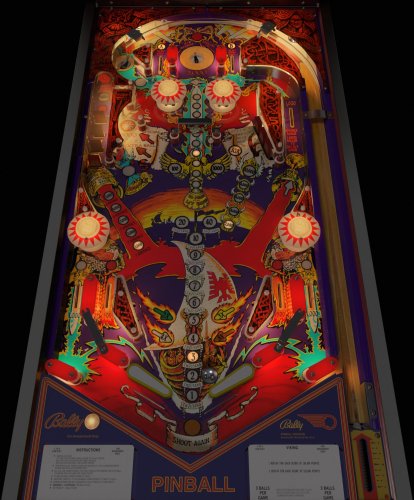
Viking Music Mod (Bord)
By 10mmSocket
Music mod for Bords Viking table. Rename the vbs script the same as your table and add it to the tables folder and the Viking music folder to your Music folder. You will need Bords table for this to work. With this process you can return the table to non-music by just removing the custom script from the tables folder.
856 downloads
-
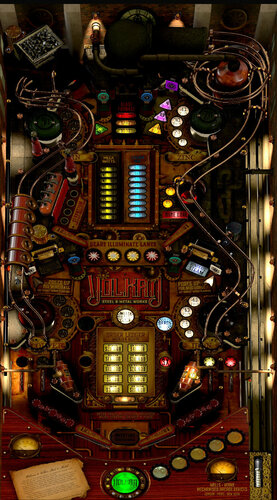
Volkan Steel and Metal (Original 2023)
By Onevox
WELCOME TO VOLKAN STEEL & METAL
An Original by onevox & oqqsan
onevox: Game Concept, Layout & Graphic Design, 3D Modeling, Sound Design
oqqsan: Programming, Lighting Design, Special Effects, Animations, Game & Rules Improvements
apophis: Fleep sounds, nFozzy physics, DOF, Consulting
leojreimroc & sixtoe: VR Implementation
Testing by VpinWorkshop: Bietekwiet, PinStratsDan, H3RBSKIx, leojreimroc, JoePicasso, Smaug, porggy, sixtoe, bord, iaakki, Thalamus, fluffhead, tyson171, Wylte, Arelyel Krele, Primetime5k, Robby King Pin
Special thanks to Joe Picasso, the VPX dev team, and DJRobX & Rusty Cardores for SSF
Attract Music: Industrial Elegance by Gooseworx
Volkan Steel & Metal is a unique game with toggled scoring where some strategically placed targets change scoring to Player 2 (Robert Baron), and others change it back to Player 1 (Capt. Tweed). In a one player game, your goal is retain as much of the "money" as possible. Once a score is awarded, it is retained by the player.
Hold Left MagnaSave button to display game info, Right MagnaSave to flip pages
The backstory will help understand the rules and concept:
Volkan Steel & Metal is an original game design based on a late 1800s Steampunk metal factory founded by Capt. Augustus Tweed in the town of Irongate. The Company found massive success with Tweed's discovery that Strontium, when used in alloys, makes metals stronger and lighter. This proved valuable in the development of Steampunk airships, devices and prosthetics. Competitors were unsuccessful in re-creating Tweed's formulas, so their tactics turned ruthless. Tweed's sister, Abigail, naively met and married Mr. Robert Baron while in college, and convinced her brother to hire Baron at Volkan to improve their standing in the community. But Tweed suspects Baron is trying to take control of the Company, or is a spy trying to steal the formulas. Robert and Abigail think Tweed is paranoid.
Your goal is to complete orders for metals and alloys while retaining as much of the Volkan’s profits. To complete an order, you will need Coal (saucer) to stoke the Blast Furnace (upper left VUK) and raise the temperature. You will also need a certain amount of Steam and Electricity for each order to run the factory. And, of course, the necessary ores needed for each order: Iron, Copper, Tin, and Zinc bumpers & Carbon standup. Plus, Volkan’s secret element: Strontium drop targerts. Once everything is collected for each order, the Blast Furnace door opens in the upper center. A successful shot completes the order.
TOGGLED SCORING
ONE PLAYER GAME
Build your fortune by running Volkan Steel & Metal. Your money is collected in Tweed’s bank account. But your scheming brother-in-law, Robert Baron, will STEAL your money and MEDDLE in your affairs if you’re not careful. Two Baron Blue standups switch scoring from Tweed's Player 1 score to Baron's Player 2 score. Two Tweed Green targets switch scoring from Baron’s score back to Tweed’s score. Play as Baron! Use flippers to choose if you want to play as Tweed or Baron before launching Ball 1.
TWO PLAYER GAME
Must be selected before first ball is launched. In a two player game where Tweed is Player 1 and Baron is Player 2, both players can add to their own score and switch scoring to their opponent with the Blue and Green targets. So keep an eye on the center console (apron) light, playfield lights or backbox to see who has control. Player with the most money at the end of the game takes control of Volkan.
Hold Left MagnaSave button for game info, Right MagnaSave to flip pages
14330 downloads
-
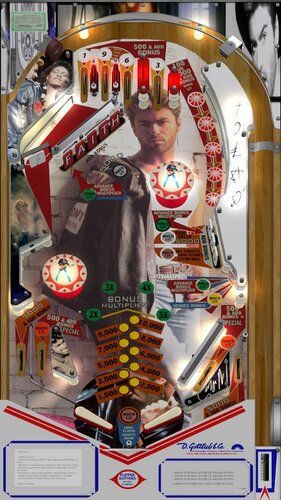
george michael VPX Table Faith George Michael ver. 1.01
By VLive
A tous les passionnés de pincab,
J'ai réalisé cette table en modifiant la table ici https://www.vpforums.org/index.php?app=downloads&showfile=14884
Celle ci est une modification de la table VPX Charlies's Angels
Tous les fichiers sont présents dans le pack. Installez vos fichiers dans Vpinball
Amusez-vous bien.
5474 downloads
-
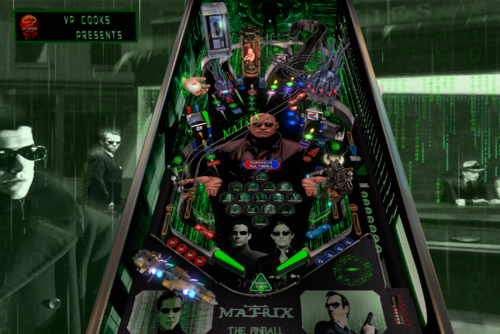
VP_Cooks-THE MATRIX
By VP_Cooks
For all the fans of The Matrix saga, we've created a full experience for all of you, with hours and hours of hard work, for you to enjoy!
Special mention to the mission Killing the Sentinel, triggered by the left target (indicated with an arrow). You'll have to discover how and when to activate it!
Mission are activated in 2 phases, the first one, Entering the Matrix through the phone booth, and then, starting it in the right scoop (also indicated).
In the end, you'll have to choose... RED PILL OR BLUE PILL???
Special thanks to JP Salas for all his unbelievable help and the wonderful script, that we used to create this table.
3642 downloads
-
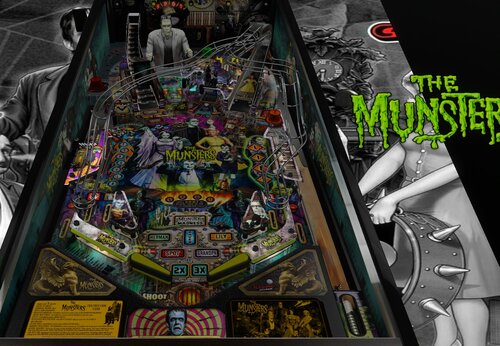
VR ROOM The Munsters (PRO)(Original 2020) v1.06b.vpx
This is a small update to Munsters to add Scorbit score tracking. I have also address the bug where you got your bonus multiple times by hitting the flipper buttons.
I have re-based this on the VR release rather than the original V1.05 I released previously.
Please note the README-Scorbit.txt file enclosed as you WILL need to move a couple files to the Pup locations (rather than reissuing a pup pack).
Enjoy
Stay tuned for Aerosmith - coming real soon and now Rush is a WIP.
Thanks
Daryl
allknowing2012
(PS. I lost access to allknowing2012 so now I am allknowing2013 🙂 )
4922 downloads
-
(VRRoom)1.0.3.thumb.jpg.cb74f327712a9842f39b1ad6fefbc894.jpg)
Volley (Gottlieb 1976)
By RajoJoey
Description:
***************
The table is made by the great Jeff Whitehead (Loserman76).
May he rest in peace. 😞 I hope, there are pinballs where you are, Jeff.
I would like to thank Jeff, for allowing me, to convert his tables to VR.
Info
It is a hybrid table. So you can play in VR, desktop or cabinet mode, but you need the external backglass.
There is no need to change the script. A VR headset is automatically detected.
I added the following things:
VR room, artwork for cabinet, backbox and flyer, animations for buttons and plungers, LUT files (change with magnasave buttons).
'* Table build/scripted by Loserman76
'* Images/Plastics by Popotte
'* Redraw by Bodydump
'* VR update by Rajo Joey
Works in 10.7.2, best to play in VPinball_GL 10.8: https://github.com/vpinball/vpinball/actions/workflows/vpinball.yml
***********************************************
These are quick conversions, as I don't like playing in a dark room and don't want to spend more days or weeks to convert a table.
If you want to do your own conversions, I wrote two tutorials for EM tables like Loserman76's and make templates of the tables, pictures and materials.
Also there are some .psd files, to change the artwork in an easy way for example.
In the template tables there are generic artwork for the cabinet and the backbox. Some people may be happy with that and don't need the real artwork.
There is a short tutorial for people, who know the editor and a longer one for newbies. Both instructions are in English and German.
https://mega.nz/folder/5csAGRAa#gSFFQN_jXbw03y7LpQENHg
535 downloads
(0 reviews)0 comments
Submitted
-
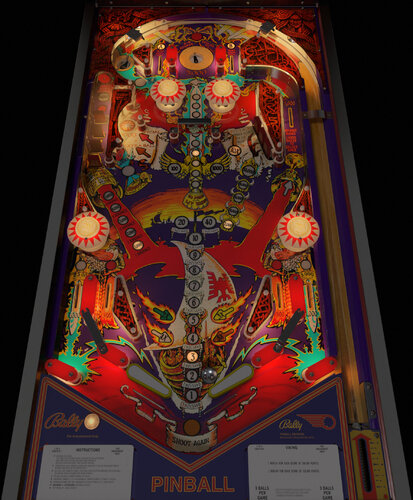
Viking (Bally 1980)
By bord
A brutal game from Bally's classic era. Rip the spinner, build your multiplier, pray you hit the saucer.
I first worked on this game years ago. Since then it has been updated a few times. This [final] version has big script, sound, physics and VR overhaul all thanks to the work of nestorgian, fluffhead35, apophis, leojreimroc.
B2S included. Use the nvram or F6 into the menu before crying about not being able to see credits on the backglass.
3233 downloads
.thumb.png.7ba565be6e6de21664996c30ff261a55.png)
.thumb.png.1f1587894de4031af1711c9cab12fb62.png)
.thumb.png.4fed455e6fe435e6d0ed576430ccaefe.png)
Screenshot.thumb.png.9077adc9434e976d9fe5b91e85062ba5.png)

BG.thumb.jpg.995fda378a6992a25dde673780d8ffbf.jpg)
BG.thumb.jpg.9ae774d9dd3c89bcf3a7127b7b6e2bf4.jpg)

Screenshot.thumb.jpg.37e9d9318702d5be4bbcef1f48c3ef2b.jpg)
backglassipdbphoto.thumb.jpg.686fb4e0c5d8440ded220a6fa42f7b81.jpg)


.thumb.png.d8cc99bb9a5b89cbf721c9f788682d36.png)
.thumb.png.08e7e8beebe6f66ccf2a748c7496a268.png)
.thumb.png.ea87133bf01ad97336c3abb66b9a052e.png)




.thumb.png.7f644d5a7b553abe19b20ff29c3722b1.png)

















2.thumb.jpg.157901c34294205c4891caebb57509e9.jpg)
.thumb.png.6fcb2ba697c8618ffc3a8483f63e0b74.png)
_desktop.thumb.jpg.8644cf03e94391723f4a3eb1b42c5d56.jpg)

.thumb.png.d1dea273256c43315c5c2ce8a4289462.png)
FullDMD.thumb.jpg.075c519165cf2f2aa187eefe80c7bf35.jpg)


FullDMD.thumb.jpg.ed411c2c07f52aa0136b3fcca7c56bac.jpg)








2.thumb.png.83263f93c9eb44d273b183be4ff967b0.png)
.thumb.png.1da521260808dbbd4b4b25111d977d83.png)
-bg.thumb.jpg.2c1154830e39d65b772f1e281a721513.jpg)
.thumb.jpg.f0833382c008bec2e01545903c33be24.jpg)
.thumb.jpg.f75265c266a71d5940a0785526685d18.jpg)
.thumb.jpg.ae5005ede780b64e2612147a5d79bb7d.jpg)
.thumb.jpg.466948e033a373b4505131d025e7309e.jpg)
-InstructionsCard.thumb.jpg.487c543cf483f299df78130042fff09d.jpg)

ComfyUI.thumb.jpg.c0ff1bb92438b608be8e57d1706d5986.jpg)
ComfyUI.thumb.jpg.4cb0575449b60fd456801c2e4578ae3f.jpg)


