No files in this category yet.
Files From Subcategories
-
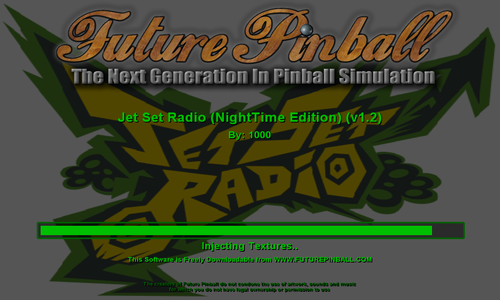
Jet Set Radio NightTime Edition v1.2
By VP1000
Jet Set Radio Night Time Edition v1.2
A Pinball table that plays like your on a Skate Board
Sliding Sideways and Jumping up onto the next levels to get the Big Points.
'**********************************************
'** Added Changes to v1.2 **
'** Smoothed out the edges of the Night Time Texture **
'** Adjustments to Diverters for Cont. Play. **
'** Added Lights to Hood Scoop and Half Pipe **
'** **
'**********************************************
130 downloads
- jet set radio
- multiball
- (and 5 more)
(0 reviews)0 comments
Submitted
-
Jet Set Radio NightTime Edition v1.1
By VP1000
Hello Everyone this is a recreation of an Original Pinball table Called Jet Set Radio VPX 1.0 Original Author is Donuts10
Based On Skate Boarding and Grafitti.
I made this version Of Jet Set Radio NightTime Edition v1.1 Future Pinball Here is your personal Skate Park on a table where everyone gets a personal ramp just about everywhere you hit the ball you can go up to the second level to squash bugs or go down the half pipe on the right side upper level,this table plays like your skateboarding sliding sideways across the table sometimes.
There's also Multiball and the color of the ball stages up to the Golden Rhino.
Get ready to play,
Enjoy,
Cheers.
' *********************************************
' ** **
' ** Jet Set Radio **
' ** NightTime Edition v1.1 **
' ** Script,Textures and Music **
' ** **
' ** By:1000 **
' ** **
' *********************************************
' ** Game Play **
' ** There Are Timers **
' ** So The ball will wait going down Ramps **
' ** 2nd Level Ramp Shots = Colored Ball **
' ** 3rd Level Ramp Shots x 3 = Multiball **
' ** Left Side Spinner x 3 = MultiBall **
' ** Far North Through Loop is MultiBall **
' ** Hit Ball in Bumper Area **
' ** Upper Left **
' ** Kicker x 3 = ExtraBall **
' ** Yellow Ramp x 3 Changes Ball Color **
' ** Red Ramp x 3 Changes Ball Color **
' ** **
' *********************************************
79 downloads
- jet set radio
- multiball
- (and 4 more)
(0 reviews)0 comments
Updated
-
Jet Set Radio v1.0
By VP1000
Hello Everyone this is a recreation of an Original Pinball table Called Jet Set Radio VPX 1.0 Original Author is Donuts10
Based On Skate Boarding and Grafitti.
I made this version Of Jet Set Radio v1.0 Future Pinball Here is your personal Skate Park on a table where everyone gets a personal ramp just about everywhere you hit the ball you can go up to the second level to squash bugs or go down the half pipe on the right side upper level,this table plays like your skateboarding sliding sideways across the table sometimes.
There's also Multiball and the color of the ball stages up to the Golden Rhino.
Then There's the Bug Splat Bonus Round.
Get ready to play,
Enjoy,
Cheers.
' *********************************************
' ** **
' ** Jet Set Radio v1.0 **
' ** **
' ** Script,Textures and Music **
' ** **
' ** By:1000 **
' ** **
' *********************************************
' ** Game Play **
' ** There Are Timers **
' ** So The ball will wait going down Ramps **
' ** 2nd Level Ramp Shots = Colored Ball **
' ** 3rd Level Ramp Shots x 2 = Multiball **
' ** Left Side Spinner x 3 = MultiBall **
' ** Far North Through Loop is MultiBall **
' ** Hit Ball in Bumper Area **
' ** Upper Left **
' ** Kicker x 3 = ExtraBall **
' ** Yellow Ramp x 3 Changes Ball Color **
' ** Red Ramp x 3 Changes Ball Color **
' ** **
' *********************************************
'** Note: If The ball Gets Stuck into the Bumper Just nudge ball into the bumper and it should kick it out.
175 downloads
- jet set radio
- fpl
- (and 5 more)
(2 reviews)0 comments
Updated
-
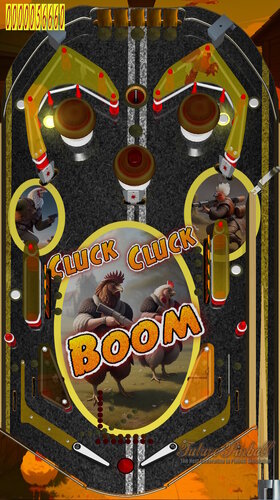
Cluck Cluck Boom
By Anthias
This is a verry simple, verry silly table.
The chicken cartel is a dangeroud organisation. You may think that chicken crime is a pouoltry affair, but these feathered felons are deadly serious.
They are led by a dangerous rooster known only as "The Road." He ruthlessly maintains his position at the top of the pecking order.
Never cross The Road. If you do... Cluck Cluck Boom.
Drop the three target bank for bumper x 3
Drop the 4 target bank for loop/channel x 3\
Light the three leaf targets for table x incriment
light the inout lanes for ball save
light the various lanes for bonus times
drop the 5 targets to light the kicker
shoot the LIT kicker for two ball multi
93 downloads
(0 reviews)0 comments
Submitted
-
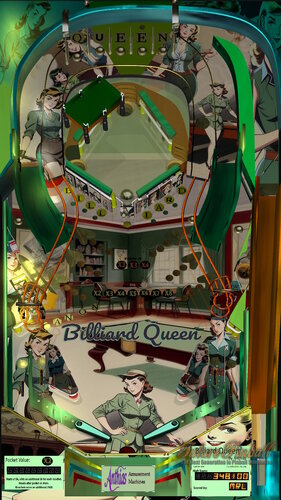
fizx Billiard Queen
By Anthias
Billiard Queen was a comic I started drawing about 25 years ago. When FP launched, it was among the first tables themes I considered for the platform. A promo poster was in the game room on the the first version of Flame Reaper. Sadly the initial concept layout in FP as well as pretty much all the art I had drawn is lost. But I have decided to resurrect the concept. Giving the art a vaguely 1950s/60s comic feel.
Some layout elements from it were on my firepower tribute table, so it's kind of fitting that I've used FPT as a launchpad for this build. Of course the two tables are radically different in the end.
wheel and logo both included. Built using FizX3.3
RULES
hit left spot target then right kicker for quick multi
sink the captive ball for the current pocket value. Starts at 5k, adds 5k for each time the captive ball hits the side walls of its field before sinking.
drop center target, then light full lights of one of the six loop triggers, to light one of the girls. Drop that girls target to set her as a candidate for billiard queen. Sink the captive ball while she is set, and she becomes queen. The value of the pocket for that sink is doubled. queen items are then all reset.
light QUEEN for bonus x
light IARD for bumpers x 3
light BILLIARD and CANON to light lock
once locked, shoot target (left og playfield) to release for three ball multiball.
Light arrows and three trailing lights at loops to set arrows flashing, flash all six for table x. (note: each arrow will reset after 60 seconds if not completed in that time.)
light in out lanes for ball saver.
189 downloads
-
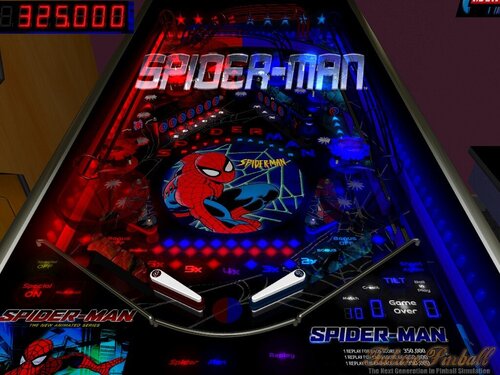
Spider-Man (Original)
By mark1
Spider-Man (Original),
An original future pinball table, based on Stan Lee's and Marvel Comics, Spider-Man , The Animated serie's.
Table rules,
Lighting, "Spider Man" lights specials at the top kicker,
( Special lasts 90 seconds).
The roto spinner offers small bonus' through out the game, (hit the "Green Goblin"
during specials for more bonus').
Spell "Peter Parker",(by getting all the targets under "red or blue spider" holograms) to get a chance for bonus
and bonus multiplier increase, at the right side kicker, and gives a chance for multiball on the upper left side.
Getting all of the "red or blue star" holograms,lights a chance for 5,000 point bonus.
(background music includes some great midi renditions of Spider man theme's and rock music).
Replay scores on table card.
Visit my website for more future pinball tables. https://mark1pinball.weebly.com/
500 downloads
-
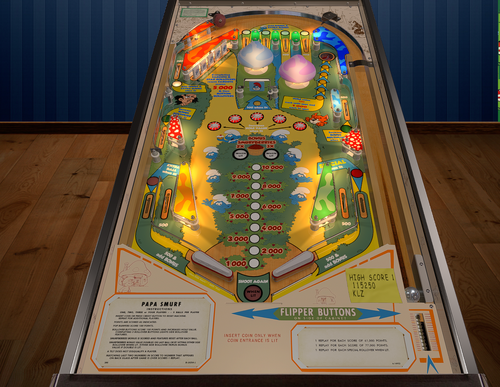
Rockmakers (Bally 1968)
By Angelo
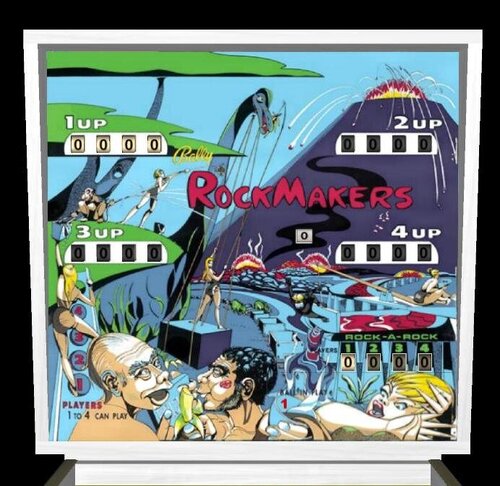
RockMakers / IPD No. 1980 / August, 1968 / 4 Players
[ Submit Changes ]
Average Fun Rating: 7.3/10 (6 ratings/6 comments) [ Add Your Rating! ]
Manufacturer: Bally Manufacturing Corporation (1931-1983) [Trade Name: Bally]
Project Date: November 24, 1967
Date Of Manufacture: August, 1968
Model Number: 821
Type: Electro-mechanical (EM)
Production: 2,420 units (confirmed)
Serial Number Database:View at The Internet Pinball Serial Number Database (IPSND.net) (External site)
Theme: Fantasy
Specialty: Zipper Flippers
Notable Features: Flippers (3, lower 2 are zipper flippers), Pop bumpers (3), Mushroom bumpers (3), Slingshots (3), Upper right ball return lane, Right drop lane, right outlane ball return gate. An arc of mini-rollover buttons in lower playfield spells out R-O-C-K M-A-K-E-R-S. A ball having perfect trajectory can score the entire arc. Each player has a Rock-A-Rock score reel on the backglass to count the number of times either R-O-C-K or M-A-K-E-R-S is achieved. A Rock-A-Rock threshold can be set to award extra ball or replay (operator option).
109 downloads
-
Hogans Heroes "Stalag 13" Pro Edition v1.0
By VP1000
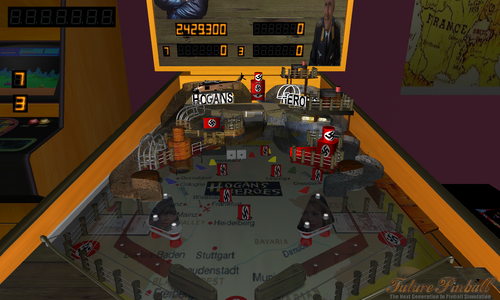
Hello everyone It's been a long time since you saw this table it was back in "vp9"
I brought this one back to life To Give Everyone a Chance to Step Back In Time.
Introducing Hogans Heroes "Stalag 13" Pro Edition v1.0
'*******************************************
'** Hogans Heroes "Stalag 13" Pro Edition **
'********** Object Of The Game **************
'** Shoot For The Yellow Arrows To Go Up **
'** To The Upper PlayField. **
'** **
'** Knock Down The Letters **
'** Hogans Or Heroes **
'** To Set Up For Water Tower MultiBall. **
'** **
'** And To Remove The Nazi Flag To Gain **
'** Access Opening The Ramp For **
'** Gestapo MultiBall. **
'** **
'** **
'** You May Have To Nudge The Table To **
'** Keep Play Moving. **
'** **
'*******************************************
272 downloads
- hogans heroes
- stalag 13
- (and 2 more)
-
Cars - Lightning Edition
By MetaTed
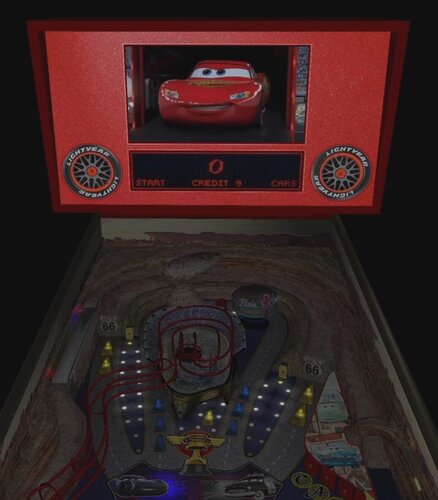
Cars - Lightning Edition v1.2
Please enjoy my first original table, I hope it brings a smile to your face!
The video below shows how it looks on a 1-screen desktop setup or VR, but it will work on 2- or 3-screen cab setups as well.
There is a custom PUPpack included in the download package. The table will work without it, but you'll be missing half the fun!
I am inspired by all of the talented and generous people of the virtual pinball community.
This table would not be possible without the incredible efforts of TerryRed and JLou to create and code the All In One Table for Future Pinball.
*** I highly recommend following TerryRed's guides for setting up Future Pinball / BAM. ***
Please check the included Readme file for the different Display Configuration Options that can be set in the Table Script.
Rules:
The game is very simple ...
Hit the flashing lights to advance the playfield/bonus multiplier!
2x (Chip Hicks) - Slim Yellow Targets
4x (Cruz Ramirez) - Inlane & Outlane Rollovers
6x (Strip Weathers) - Upper Rollovers & Stadium Shot
Lighting 6x locks first ball for multi-ball.
8x (Doc Hudson) - 2 Desert Orbits Left & Right
10x (Jackson Storm) - Light C-A-R-S & Stadium Hurry Up
12x (Sheriff) - 3 Neon Orbits & 15 Bumper Hits
Re-lock the ramp by lighting C-A-R-S and hitting the Stadium Hurry Up.
Hit the Bridge Shot during multi-ball to score a massive JACKPOT!
571 downloads
- future pinball
- fizx
- (and 3 more)
-
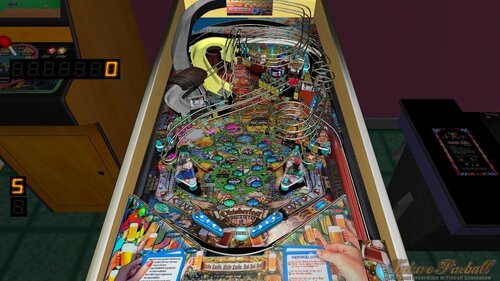
Oktoberfest "Pinball On Tap" v 1.4
By VP1000
' ****************************
' ** **
' ** Oktoberfest **
' ** "Pinball On Tap" **
' ** Version 1.4 **
' ** Fixed MultiBall **
' ** Added Textures **
' ** Lights **
' ** Playfield Adjustment **
' ** **
' ****************************
If This Is the First Time Downloading Oktoberfest Then Unpack Normally.
If You have Already Downloaded Other Versions Of Oktoberfest Then You only Need To Unpack The New TGA and New BMP Textures.
Music is On.
===============
***** It's a Whole lot Easier To Go Up The Ramp for CorkScrew RollerCoaster.*****
1) When the Left Ramp Light is Lit then you can go up the ramp for Corkscrew RollerCoaster.
A) The First time up the ramp you will go down CorkScrew RollerCoaster.
The Second time locks the ball for CorkScrew Multiball.
C) The 3rd time Releases the ball and starts CorkScrew Multiball.
D) Every Other time starts CorkScrew Multiball.
E) To Light Up the Left Ramp there is a Trigger on the right side of the yellow ramp.
F) There are also other triggers that operate the ramp,
so you can go round and round or the magnet may grab the ball and drop it into the bumper area.
2) When the Yellow Ramp Light is Lit then you can go up the ramp for Barrell MultiBall.
A) The First time up the ramp you will go down Barrell MultiBall.
The Second time locks the ball for Barrell MultiBall.
C) The 3rd time Releases the ball and starts Barrell MultiBall.
D) Every Other time starts Barrell MultiBall.
************Important**************
At the end of the game if there was a ball Locked then gently nudge the table,
and they will fall if you wait they should fall automatically.
Then Start The next Game.
Enjoy Playing.
If you hit 20 ducks you get an extra ball.
Also If you put the ball into the left or right "Buildings" Kickers 7 times you get an ExtraBall.
Go into the Far north kicker behind the target 7 times = ExtraBall
2 Balls into Corkscrew Rollercoaster starts Corkscrew RollerCoaster Multiball
Also 2 Balls up the Yellow ramp Starts Barrell Multiball
Read Me Attached
Cheers.
Enjoy.
575 downloads
- corkscrew
- roller coaster
- (and 3 more)
-
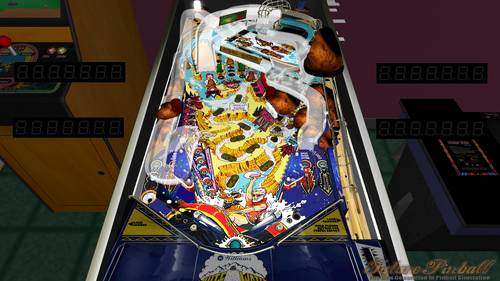
White Water v1.0 "Soaking Wet Edition"
By VP1000
White Water v1.0 "Soaking wet Edition"
Enjoy.
780 downloads
- white water
- raft
- (and 4 more)
-
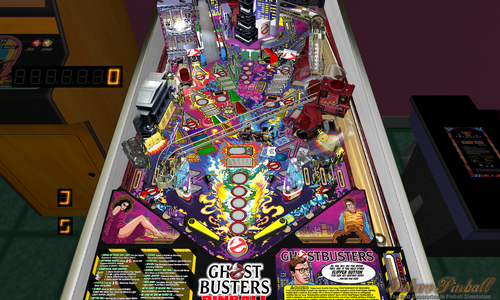
GhostBusters 2 "NightTime Edition" V1.0
By VP1000
Hello Everyone Presenting Ghostbusters 2 "NightTime Edition" V1.0
Including MultiBall
Watch the Ghosts run back to the Slingshot Area after you hit them.
Attached is a read me.
Enjoy.
1818 downloads
- fpl
- ghostbusters
- (and 4 more)
-
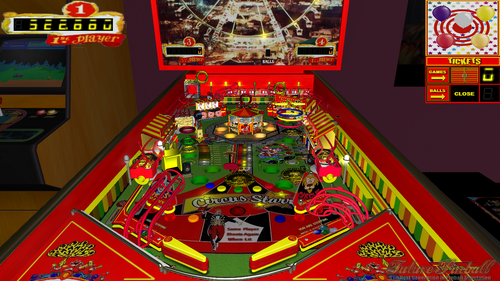
Circus Starr "Ring Master" Pro Edition v1.3
By VP1000
Hello everyone I present to you Circus Starr "Ring Master" Pro Edition v1.1
Enjoy.
===========================
Points are on Playfield.
3 light up free pass top lane= Extra ball.
3 drop girls knock down opens right gate.
5 balloons targets knock down opens left gate.
Go into Yellow Building 8 Times = Extra ball.
Use Big Hammer to make bell ring "Level 9 or 10" = Extra ball.
===========================
Bonus Center Playfield
1color on same line=100 points
2color on same line=500 points
3color on same line=1000 points
color activate with 3 stars upper right side and
with manege in center.
manege have 2 horses with 3 colors super bonus
shoot same target color two or more
go up color in center playfield.
=======================================
612 downloads
- circus
- colored balls
- (and 1 more)
(1 review)0 comments
Updated
-
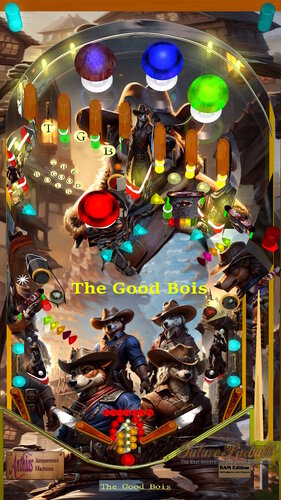
The Good Bois (Anthias, Original, 2024).
By Anthias
It's a frontier town, in the wild west. These dogs are determined to clean the place up, and will not rest until they have fetched every outlaw. The Good Bois have rolled into town, if you have any shady dealings, best you skeedaddle right fast, or they'll be barking up your tree in no time!
199 downloads
(1 review)0 comments
Submitted
-
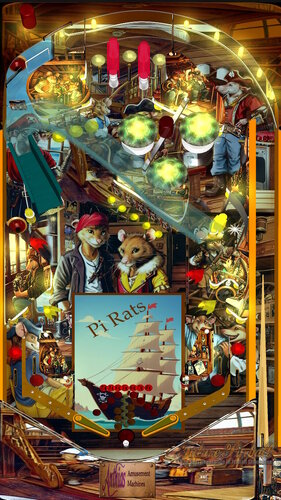
Pi Rats (anthias, original, 2024)
By Anthias
They say rats desert a sinking ship, but these rats are the ones sinking the ships.
282 downloads
(3 reviews)0 comments
Submitted
-
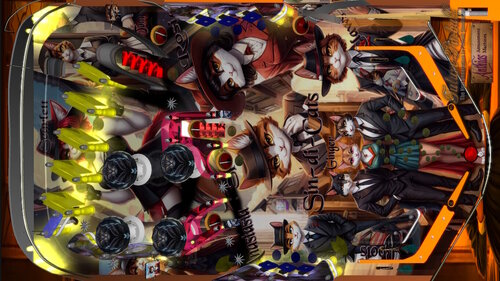
Sin-Di-Cats (Anthias, 2024, Original, BAM)
By Anthias
kitty crime just got organised.
A game about the feline mafia.
253 downloads
-
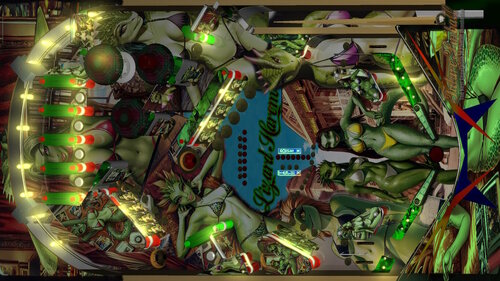
Lizard Harem (Anthias, 2024, original, EM)
By Anthias
King Goana has a harem full of lizard girls he has charmed from all over the lizard world.
And now, you get to play with them!
An EM original table with GeorgeH's BAM physics.
275 downloads
-
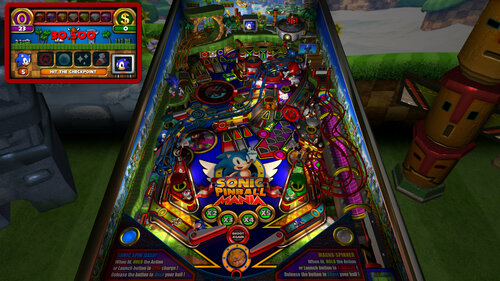
Sonic Pinball Mania (PinEvent V2, FizX 3.3)
By TerryRed
Sonic Pinball Mania (PinEvent V2 - FizX)
Created by: TerryRed
Version 2.0 (Feb 2024)
Get ready for the most EPIC Sonic pinball table ever created... and a pinball game like you've never seen before!
This has everything a Sonic fan could want in one table. Green Hill zone scenery, Sonic Loop ramp, animated bumpers, springs, item box, checkpoint, chaos emerald flashers, red star spinner, launch tunnel, rotating goal sign, moving robots, animated characters such as Sonic / Knuckles / Shadow... and even Dr Robotnik and his eggmobile which will follow your ball with it's spotlight... and much more!
This table takes full advantage of BAM's latest features with full dynamic lighting and ray cast shadows and shadowmaps to create a stunning visual pinball showcase!
What started as a quick BAM mod to update Brendan Bailey's classic Sonic table of 2005 (which was updated by SLAMT1LT in 2014), evolved into a complete overhaul to the entire table. Everything in the table has either been updated or changed, and I've added so many new things (new layout, art, models, lighting, modes, code, fixes, etc) that it's like a new table. Hence... Sonic Pinball Mania.
This table has been fully updated with FizX physics for game changing new physics on Future Pinball. FizX uses techniques similar to nFozzy physics on VPX to completely change the physics for the flippers, slings, rubbers, targets, ball behavior and more that allows this table play much more realistically than anyone ever thought was possible on Future Pinball. You will be amazed at the difference!
PinEvent V2
This table is also updated to fully support PinEvent V2 features (DOF, PUP SSF, PUP DMD). It has modern PUP DMD display options that can work with all setups. With it's crisp HD text and dazzling videos, it's sure to wow everyone who sees it.
I'm really proud of what I pulled off with this, and I really hope you enjoy it!
For an EPIC video preview of this table in action with PinEvent V2 features, check out this video:
Thanks of course to these awesome contributors:
TerryRed - Sonic Pinball Mania
Brendan Bailey (PinWizKid) - created the original Sonic the Hedgehog table in 2005
SLAMT1LT - sounds, music, code, DMD, etc from his Ultimate mod in 2014
Schlabber34 - new pre-rendered insert images
FLEEP - new mechanical sounds
JLou - for FizX and support
All the FP lads at Pinball Nirvanna for ideas, examples, and support
Nailbuster - Pinup Player and SSF support
Ravarcade - for creating the awesome BAM and providing assistance with BAM features
Chris Leathley - creator of Future Pinball
DISCLAIMER:
This table is a fan-made work of passion, and is NOT intended for commercial usage or to be included in any part of a commercial sale!
====================================================================
This table is single player only.
====================================================================
Static Camera Views (desktop mode only)
during attract mode only, you can press plunger to toggle integrated static desktop camera views
if you want to use your own BAM camera settings, or a FP camera view, then you must disable this feature in TABLE OPTIONS in the table script
SONIC BALL
right flipper button will toggle between Sonic and Chrome ball texture (only in attract mode). This can be set in TABLE OPTIONS in the table script
Plunger and Action Buttons (digital plunger, special 1, special 2)
all buttons/keys will activate Sonic Spin Dash and Magna-Spinner all buttons/keys will act as an autoplunger during gameplay
Second Stage Flippers
this table supports second stage flippers for cabinet players with this setup this needs to be enabled in TABLE OPTIONS in the table script ensure that your Second Flippers are setup in FP Control Settings ensure that your Special 1 and Special 2 keys / buttons are NOT the same keys / buttons as Second Flippers! (they are by default)
====================================================================
BAM Ray Cast Ball Shadows:
this table was created to look best with the new BAM Ray Cast Ball shadows this feature is ENABLED on the table script by default this feature requires a fast video card, and will use much more of your GPU if the table doesn’t run smooth, then your PC may not be fast enough to handle this feature (and you should disable it)
To disable this feature, you MUST disable it in TABLE OPTIONS (in the table script)
BAM Menu - Light and Post Processing settings:
BAM Lighting and Post Processing settings are set by the table script and will ALWAYS override the user's settings this is required to ensure that all lighting is set correctly at all times on this table, you can make changes to the Ambient and Diffusion Lighting in the table script in TABLE OPTIONS
Physics: FizX v3.3
===================================================================
Game not running smooth? Try the following:
run FP in Fullscreen, not Windowed disable RayCast Ball Shadows in TABLE OPTIONS (in table script) disable Reflections options in FP's Video / Rendering settings reduce / disable Antialiasing in FP's Video / Rendering settings disable any SSAO options in BAM plugins menu (disabled by default)
====================================================================
TABLE REQUIREMENTS (very important!)
all Visual C Runtime updates DirectX Future Pinball the latest BAM update FuturePinball.exe and FPLoader.exe patched for 4 GB access BAM Settings files installed FizX 1K ball model (for more accurate physics, default.zip in BAM folder) the REQUIRED “Video / Rendering Options” and “Editor Options” in Future Pinball video settings
All of the above is included with the latest FP and BAM Essentials AIO package!
Super easy to use for a new install, or just to update your existing install. I recommend everyone install this package to ensure you have the latest required BAM updates.
https://vpuniverse.com/files/file/14807-future-pinball-and-bam-essentials-all-in-one-complete/
====================================================================
INSTALL INSTRUCTIONS (REQUIRED)
PLEASE read the Install Instructions (included with the table's zip file) it shows you how to check what version of BAM you have installed it shows you how to install all the REQUIRED items above it shows you how to easily setup FP and BAM with the REQUIRED settings It's super easy, and only takes minutes to do!
====================================================================
How to run Future Pinball to play the table
PLEASE read the Install Instructions (included with the table's zip file) to know how to properly use FP and BAM
====================================================================
PROBLEMS?
Read the Install Instructions included in the table's zip file. It tells you everything you need to know!
====================================================================
Table MODS
please read the Disclaimer in the Install Instructions included with the table please ask me first, as I am still updating this table
====================================================================
21171 downloads
-
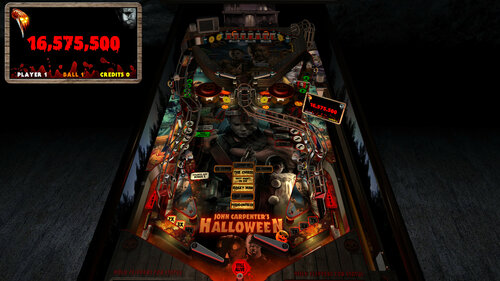
Halloween - Big Bloody Mike (PinEvent V2, FizX 3.3)
By TerryRed
Halloween - Big Bloody Mike (PinEvent V2, FizX)
Version: 2.0 (Feb 2024)
This is SLAMT1LT’s Halloween (Ultimate Pro) table which has been updated to my Big Bloody Mike mod. It has been completely updated to use the newest BAM features to create an amazing real-time visual treat with many cool new additions, as well as excellent new mechanical sounds from FLEEP!
See new effects, such as blood spilling down the playfield during Score Drain, animated spotlights, flashlight ball, pumpkin ball, and animated Michael Myers character which will stalk you on the playfield and in the VR Game Room.
This table has been fully updated with FizX for game changing new physics on Future Pinball. FizX uses techniques similar to nFozzy on VPX to completely change the physics for the flippers, slings, rubbers, targets, ball behavior and more that allows this table play much more realistically than anyone ever thought was possible on Future Pinball. You will be amazed at the difference!
PinEvent V2
This table is also updated to fully support PinEvent V2 features (DOF, PUP SSF, PUP DMD). It has modern PUP DMD display options that can work with all setups. With it's crisp HD text and dazzling videos, it's sure to wow everyone who sees it.
For a video walkthrough of the updates, new features, and all game modes, watch here:
Screenshots:
Thanks of course to these awesome contributors:
SLAMT1LT: created the original Ultimate Pro 1.02 table
TerryRed: BIG BLOODY MIKE mod, PinEvent V2, FizX
Schlabber34: insert jewel images
FLEEP: mechanical sounds
JLou: FizX and support
ravarcade: BAM and support
Nailbuster: Pinup Player, PUP DMD, PUP SSF
Chris Leathley: Future Pinball
DISCLAIMER:
This table is a fan-made work of passion, and is NOT intended for commercial usage or to be included in any part of a commercial sale!
====================================================================
This table is single player only.
====================================================================
Desktop Static Camera Views (attract mode)
during attract mode only, you can press plunger to toggle integrated static desktop camera views
if you want to use your own BAM camera settings, or a FP camera view, then you must disable this feature in TABLE OPTIONS in the table script
During Attract, the flipper buttons will toggle between Pumpkin Ball and Chrome Ball
====================================================================
BAM Ray Cast Ball Shadows:
this table was created to look best with the new BAM Ray Cast Ball shadows this feature is ENABLED on the table script by default this feature requires a fast video card, and will use much more of your GPU if the table doesn’t run smooth, then your PC may not be fast enough to handle this feature (and you should disable it)
To disable this feature, you MUST “first” disable it in TABLE OPTIONS (in the table script)
BAM Menu - Light and Post Processing settings:
BAM Lighting and Post Processing settings are set by the table script and will ALWAYS override the user's settings this is required to ensure that all lighting is set correctly at all times on this table, you can make changes to the Ambient and Diffusion Lighting in the table script in TABLE OPTIONS
Physics: FizX v3.3
===================================================================
Game not running smooth? Try the following:
run FP in Fullscreen, not Windowed disable RayCast Ball Shadows in TABLE OPTIONS (in table script) disable Reflections options in FP's Video / Rendering settings reduce / disable Antialiasing in FP's Video / Rendering settings disable any SSAO options in BAM plugins menu (disabled by default)
====================================================================
TABLE REQUIREMENTS (very important!)
all Visual C Runtime updates DirectX Future Pinball the latest BAM update FuturePinball.exe and FPLoader.exe patched for 4 GB access BAM Settings files installed FizX 1K ball model (for more accurate physics, default.zip in BAM folder) the REQUIRED “Video / Rendering Options” and “Editor Options” in Future Pinball video settings
All of the above is included with the latest FP and BAM Essentials AIO package!
Super easy to use for a new install, or just to update your existing install. I recommend everyone install this package to ensure you have the latest required BAM updates.
https://vpuniverse.com/files/file/14807-future-pinball-and-bam-essentials-all-in-one-complete/
====================================================================
INSTALL INSTRUCTIONS (REQUIRED)
PLEASE read the Install Instructions (included with the table's zip file) it shows you how to check what version of BAM you have installed it shows you how to install all the REQUIRED items above it shows you how to easily setup FP and BAM with the REQUIRED settings It's super easy, and only takes minutes to do!
====================================================================
How to run Future Pinball to play the table
PLEASE read the Install Instructions (included with the table's zip file) to know how to properly use FP and BAM
====================================================================
PROBLEMS?
Read the Install Instructions included in the table's zip file. It tells you everything you need to know!
====================================================================
Table MODS
please read the Disclaimer in the Install Instructions included with the table please ask me first, as I am still updating this table
====================================================================
12430 downloads
-
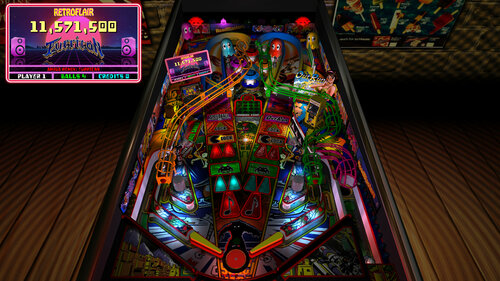
RetroFlair - BAM Edition (PinEvent V2, FizX 3.3)
By TerryRed
RetroFlair - Bam Edition (PinEvent V2, FizX)
Version: 2.2 (Feb 2024)
This is Rom's classic Future Pinball table the lets us jam to classic Arcade and Amiga tunes.
I have updated it to my BAM Edition and PinEvent V2 mod to use the newest BAM features to create an amazing real-time visual treat with cool new additions, as well as excellent new mechanical sounds from FLEEP!
See cool features such as the new PAC-MAN, Outrun, and Speedball modes. New mesh inserts, new RGB G.I. lighting effects, real beacon and spotlights, new shadowmaps, ray cast shadows, and more.
This table has been fully updated with FizX physics for game changing new physics on Future Pinball. FizX uses techniques similar to nFozzy physics on VPX to completely change the physics for the flippers, slings, rubbers, targets, ball behavior and more that allows this table play much more realistically than anyone ever thought was possible on Future Pinball. You will be amazed at the difference!
PinEvent V2
This table is also updated to fully support PinEvent V2 features (DOF, PUP SSF, PUP DMD). It has modern PUP DMD display options that can work with all setups. With it's crisp HD text and dazzling videos, it's sure to wow everyone who sees it.
For a video walkthrough of the updates, new features, and all game modes, watch here:
Screenshots:
Thanks to these awesome contributors:
ROM: original RetroFlair table build
TerryRed: BAM Edition table update, PinEvent V2, FizX
Schlabber34: insert jewel images
FLEEP: mechanical sounds
JLou: FizX and support
ravarcade: BAM and support
Nailbuster: Pinup Player, PUP DMD, PUP SSF support
Chris Leathley: Future Pinball
DISCLAIMER:
This table is a fan-made work of passion, and is NOT intended for commercial usage or to be included in any part of a commercial sale!
====================================================================
This table is single player only.
====================================================================
Desktop Static Camera Views (attract mode)
during attract mode only, you can press plunger to toggle integrated static desktop camera views
if you want to use your own BAM camera settings, or a FP camera view, then you must disable this feature in TABLE OPTIONS in the table script
Action Buttons - digital plunger, special 1, special 2 (gameplay)
all buttons/keys will act as an autoplunger and an action button during gameplay
RGB Animated G.I. Lighting
Flipper buttons will toggle between Default G.I., and RGB G.I. that will cycle through all colours. This can be done only during attract mode.
====================================================================
BAM Ray Cast Ball Shadows:
this table was created to look best with the new BAM Ray Cast Ball shadows this feature is ENABLED on the table script by default this feature requires a fast video card, and will use much more of your GPU if the table doesn’t run smooth, then your PC may not be fast enough to handle this feature (and you should disable it)
To disable this feature, you MUST “first” disable it in TABLE OPTIONS (in the table script)
BAM Menu - Light and Post Processing settings:
BAM Lighting and Post Processing settings are set by the table script and will ALWAYS override the user's settings this is required to ensure that all lighting is set correctly at all times on this table, you can make changes to the Ambient and Diffusion Lighting in the table script in TABLE OPTIONS
Physics: FizX v3.3
===================================================================
Game not running smooth? Try the following:
run FP in Fullscreen, not Windowed disable RayCast Ball Shadows in TABLE OPTIONS (in table script) disable Reflections options in FP's Video / Rendering settings reduce / disable Antialiasing in FP's Video / Rendering settings disable any SSAO options in BAM plugins menu (disabled by default)
====================================================================
TABLE REQUIREMENTS (very important!)
all Visual C Runtime updates DirectX Future Pinball the latest BAM update FuturePinball.exe and FPLoader.exe patched for 4 GB access BAM Settings files installed FizX 1K ball model (for more accurate physics, default.zip in BAM folder) the REQUIRED “Video / Rendering Options” and “Editor Options” in Future Pinball video settings
All of the above is included with the latest FP and BAM Essentials AIO package!
Super easy to use for a new install, or just to update your existing install. I recommend everyone install this package to ensure you have the latest required BAM updates.
https://vpuniverse.com/files/file/14807-future-pinball-and-bam-essentials-all-in-one-complete/
====================================================================
INSTALL INSTRUCTIONS (REQUIRED)
PLEASE read the Install Instructions (included with the table's zip file) it shows you how to check what version of BAM you have installed it shows you how to install all the REQUIRED items above it shows you how to easily setup FP and BAM with the REQUIRED settings It's super easy, and only takes minutes to do!
====================================================================
How to run Future Pinball to play the table
PLEASE read the Install Instructions (included with the table's zip file) to know how to properly use FP and BAM
====================================================================
PROBLEMS?
Read the Install Instructions included in the table's zip file. It tells you everything you need to know!
====================================================================
Table MODS
please read the Disclaimer in the Install Instructions included with the table please ask me first, as I am still updating this table
====================================================================
8552 downloads
-
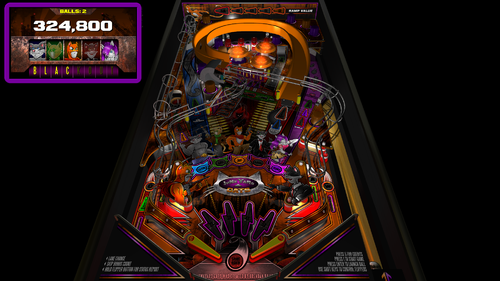
Junkyard Cats - BAM Edition (PinEvent V2 - FizX 3.3)
By TerryRed
Junkyard Cats - BAM Edition
Original Table by Brendan Bailey, 2012
BAM Edition, PinEvent V2, FizX mod by TerryRed
Version 2.1, Feb 2024
Thank you so much Brendan Bailey for supporting this update!
====================================================================
Brendan Bailey is one of FP's classic "original" table authors. EVERYTHING on this table was made by him! The layout, art, music, sounds, code. Such an amazing work of passion deserves to be updated to be enjoyed by a new generation of virtual pinball lovers!
I wanted to update to a classic FP "original" table to bring it up to my own modern day BAM standards, add my PinEvent V2 features, and completely update the table with FizX physics. The result is an excellent table that plays great with modern dynamic lighting, shadowmaps, ray cast shadows, and full cabinet support.
====================================================================
This table has been fully updated with FizX physics for game changing new physics on Future Pinball. FizX uses techniques similar to nFozzy physics on VPX to completely change the physics for the flippers, slings, rubbers, targets, ball behavior and more that allows this table play much more realistically than anyone ever thought was possible on Future Pinball. You will be amazed at the difference!
====================================================================
PinEvent V2
This table is also updated to fully support PinEvent V2 features (DOF, PUP SSF, PUP DMD). It has modern PUP DMD display options that can work with all setups. With it's crisp HD text and dazzling videos, it's sure to wow everyone who sees it.
For a video preview (before adding FizX) of the PinEvent V2 update that showcases the DOF cabinet lighting and the modern PUP DMD display, go here:
For a video preview of the new BAM update (before adding FizX), go here:
======================================
Original Table by Brendan Bailey:
- table
- art
- animation
- music
- sounds
- script
TerryRed's BAM Edition update:
- updated entire table for FizX physics
- added PinEvent V2 support for DOF, PUP SSF, PUP DMD, PUP Stream and new PuP-Pack
- added ball rolling sounds
- added nano kicker to left ramp scoop to make shots easier (was way too hard without it)
- made various adjustments to table geometry and layout to make it play easier
- added additional ramp blocker surfaces to prevent ball from flying off ramps / scoops
- added new 4K playfield, plastics, backbox textures created from Brendan's original files
- new G.I. lighting (dynamic lighting - x4 hidden flashers in lower and upper plastics)
- new drain flasher for accented colour
- new BAM post processing
- added shadowmaps to most G.I lights
- added pre-baked shadowmaps (created by BAM) to playfield and plastics textures
- added illuminated look to GI ON plastics texture
- adjusted playfield / plastics / apron, etc texture brightness to better match new lighting
- new 3D model inserts
- new pre-rendered insert textures
- new bump maps for inserts
- disabled glow radius for all inserts
- added sphere maps to the sides of all plastics
- updated GI on/off code
- adjusted GI on/off brightness for all lights / inserts / textures
- added all new FLEEP sounds for all mechanical actions (flippers, bumpers, slings, drain, etc)
- added BAM DF1 physics (updated settings in editor to better work with new physics)
- added invisible ramp blocker to prevent ball from flying off the ramp
- added invisible playfield blocker to prevent ball from flying on top of plastics
- hid slingshot bulbs that interfered with shadowmaps
Additional Contributors:
Schlabber34 - new pre-rendered insert images
FLEEP - new mechanical sounds
JLou - FizX and support
Nailbuster - Pinup Player and SSF support
Ravarcade - for creating the awesome BAM and providing assistance with BAM features
Chris Leathley - creator of Future Pinball
====================================================================
*** This table is single player only ***
====================================================================
Desktop Static Camera Views (attract mode)
during attract mode only, you can press plunger to toggle integrated static desktop camera views
if you want to use your own BAM camera settings, or a FP camera view, then you must disable this feature in TABLE OPTIONS in the table script
Action Buttons - digital plunger, special 1, special 2 (gameplay)
all buttons/keys will act as an autoplunger and an action button during gameplay
Second Stage Flippers
this table supports second stage flippers for cabinet players with this setup this needs to be enabled in TABLE OPTIONS in the table script ensure that your Second Flippers are setup in FP Control Settings ensure that your Special 1 and Special 2 keys / buttons are NOT the same keys / buttons as Second Flippers! (they are by default)
====================================================================
BAM Ray Cast Ball Shadows:
this table was created to look best with the new BAM Ray Cast Ball shadows this feature is ENABLED on the table script by default this feature requires a fast video card, and will use much more of your GPU if the table doesn’t run smooth, then your PC may not be fast enough to handle this feature (and you should disable it)
To disable this feature, you MUST disable it in TABLE OPTIONS (in the table script)
BAM Menu - Light and Post Processing settings:
BAM Lighting and Post Processing settings are set by the table script and will ALWAYS override the user's settings this is required to ensure that all lighting is set correctly at all times on this table, you can make changes to the Ambient and Diffusion Lighting in the table script in TABLE OPTIONS
Physics: FizX v3.3
===================================================================
Game not running smooth? Try the following:
run FP in Fullscreen, not Windowed disable RayCast Ball Shadows in TABLE OPTIONS (in table script) disable Reflections options in FP's Video / Rendering settings reduce / disable Antialiasing in FP's Video / Rendering settings disable any SSAO options in BAM plugins menu (disabled by default)
====================================================================
TABLE REQUIREMENTS (very important!)
all Visual C Runtime updates DirectX Future Pinball the latest BAM update FuturePinball.exe and FPLoader.exe patched for 4 GB access BAM Settings files installed FizX 1K ball model (for more accurate physics, default.zip in BAM folder) the REQUIRED “Video / Rendering Options” and “Editor Options” in Future Pinball video settings
All of the above is included with the latest FP and BAM Essentials AIO package!
Super easy to use for a new install, or just to update your existing install. I recommend everyone install this package to ensure you have the latest required BAM updates.
https://vpuniverse.com/files/file/14807-future-pinball-and-bam-essentials-all-in-one-complete/
====================================================================
INSTALL INSTRUCTIONS (REQUIRED)
PLEASE read the Install Instructions (included with the table's zip file) it shows you how to check what version of BAM you have installed it shows you how to install all the REQUIRED items above it shows you how to easily setup FP and BAM with the REQUIRED settings It's super easy, and only takes minutes to do!
====================================================================
How to run Future Pinball to play the table
PLEASE read the Install Instructions (included with the table's zip file) to know how to properly use FP and BAM
====================================================================
PROBLEMS?
Read the Install Instructions included in the table's zip file. It tells you everything you need to know!
====================================================================
Table MODS
please read the Disclaimer in the Install Instructions included with the table please ask me first, as I am still updating this table
====================================================================
9149 downloads
-
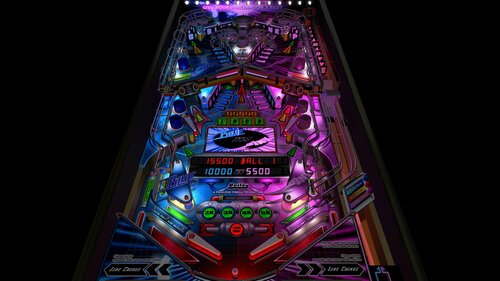
Blue vs Pink - BAM Edition (PinEvent V2 - FizX 3.3)
By TerryRed
Blue vs Pink - BAM Edition (PinEvent V2 - FizX 3.3)
Original Table by Brendan Bailey, 2009
BAM Edition, PinEvent V2, and FizX mod by TerryRed, 2022
Table version: 2.1 - BAM Edition (PinEvent V2, FizX 3.3) (Feb 2024)
Thank you so much Brendan Bailey for supporting this update!
====================================================================
Brendan Bailey is one of FP's classic "original" table authors. EVERYTHING on this table was made by him! The layout, art, music, sounds, code. Such an amazing work of passion deserves to be updated to be enjoyed by a new generation of virtual pinball lovers!
I wanted to update to a classic FP "original" table to bring it up to my own modern day BAM standards, add my PinEvent V2 features, and completely update the table with FizX physics. The result is an excellent table that plays great with modern dynamic lighting, shadowmaps, ray cast shadows, and full cabinet support.
====================================================================
This table has been fully updated with FizX physics for game changing new physics on Future Pinball. FizX uses techniques similar to nFozzy physics on VPX to completely change the physics for the flippers, slings, rubbers, targets, ball behavior and more that allows this table play much more realistically than anyone ever thought was possible on Future Pinball. You will be amazed at the difference!
PinEvent V2
This table is also updated to fully support PinEvent V2 features (DOF, PUP SSF, PUP DMD). It has modern PUP DMD display options that can work with all setups. With it's crisp HD text and dazzling videos, it's sure to wow everyone who sees it.
====================================================================
For a video preview of the new BAM update comparison, go here:
====================================================================
Original Table by Brendan Bailey:
- table
- art
- animation
- music
- sounds
- script
TerryRed's BAM Edition update:
- updated entire table for FizX physics
- added PinEvent V2 support for DOF, PUP SSF, PUP DMD, PUPStream, and a new pup-pack
- new G.I. lighting (dynamic lighting - x4 hidden flashers in lower and upper plastics)
- added drain flasher for accented lighting
- new options for changing G.I lighting colours (dynamic lighting only)
- new BAM post processing
- added shadowmaps to most lights
- added pre-baked shadowmaps (created by BAM) to playfield and plastics texture
- adjusted playfield / plastics / apron, etc texture brightness to better match new lighting
- new 3D model inserts
- new pre-rendered insert textures
- new bump maps for inserts
- disabled glow radius for all inserts
- adjusted brightness of all playfield video textures (what a pain!) to better match new lighting
- added sphere maps to the sides of all plastics
- added new GI on/off code
- adjusted GI on/off brightness for all lights / inserts / playfield videos
- added all new FLEEP sounds for all mechanical actions (flippers, bumpers, slings, drain, etc)
- updated entire table for FizX physics
- added playfield blocker surface to prevent ball from jumping on plastics
Thanks of course to these awesome contributors:
Brendan Bailey (PinWizKid) - created the original Blue vs Pink table in 2009
Schlabber34 - new pre-rendered insert images
FLEEP - new mechanical sounds All the FP lads at Pinball Nirvanna for ideas, examples, and support
JLou - FizX and support
Nailbuster - Pinup Player and SSF support
Ravarcade - for creating the awesome BAM and providing assistance with BAM features
Chris Leathley - creator of Future Pinball
DISCLAIMER:
This table is an "original" creation, and is NOT intended for commercial usage or to be included in any part of a commercial sale!
====================================================================
*** This table is single player only ***
====================================================================
Desktop Static Camera Views
during attract mode only, you can press plunger to toggle integrated static desktop camera views
if you want to use your own BAM camera settings, or a FP camera view, then you must disable this feature in TABLE OPTIONS in the table script
G.I. colour and Brightness
Special key / button 1 = change G.I. colours Special key / button 2 = change G.I. brightness
Second Stage Flippers
this table supports second stage flippers for cabinet players with this setup this needs to be enabled in TABLE OPTIONS in the table script ensure that your Second Flippers are setup in FP Control Settings ensure that your Special 1 and Special 2 keys / buttons are NOT the same keys / buttons as Second Flippers! (they are by default)
====================================================================
BAM Ray Cast Ball Shadows:
this table was created to look best with the new BAM Ray Cast Ball shadows this feature is ENABLED on the table script by default this feature requires a fast video card, and will use much more of your GPU if the table doesn’t run smooth, then your PC may not be fast enough to handle this feature (and you should disable it)
To disable this feature, you MUST “first” disable it in TABLE OPTIONS (in the table script)
BAM Menu - Light and Post Processing settings:
BAM Lighting and Post Processing settings are set by the table script and will ALWAYS override the user's settings this is required to ensure that all lighting is set correctly at all times on this table, you can make changes to the Ambient and Diffusion Lighting in the table script in TABLE OPTIONS
Physics: FizX v3.3
===================================================================
Game not running smooth? Try the following:
run FP in Fullscreen, not Windowed disable RayCast Ball Shadows in TABLE OPTIONS (in table script) disable Reflections options in FP's Video / Rendering settings reduce / disable Antialiasing in FP's Video / Rendering settings disable any SSAO options in BAM plugins menu (disabled by default)
====================================================================
TABLE REQUIREMENTS (very important!)
all Visual C Runtime updates DirectX Future Pinball the latest BAM update FuturePinball.exe and FPLoader.exe patched for 4 GB access BAM Settings files installed FizX 1K ball model (for more accurate physics, default.zip in BAM folder) the REQUIRED “Video / Rendering Options” and “Editor Options” in Future Pinball video settings
All of the above is included with the latest FP and BAM Essentials AIO package!
Super easy to use for a new install, or just to update your existing install. I recommend everyone install this package to ensure you have the latest required BAM updates.
https://vpuniverse.com/files/file/14807-future-pinball-and-bam-essentials-all-in-one-complete/
====================================================================
INSTALL INSTRUCTIONS (REQUIRED)
PLEASE read the Install Instructions (included with the table's zip file) it shows you how to check what version of BAM you have installed it shows you how to install all the REQUIRED items above it shows you how to easily setup FP and BAM with the REQUIRED settings It's super easy, and only takes minutes to do!
====================================================================
How to run Future Pinball to play the table
PLEASE read the Install Instructions (included with the table's zip file) to know how to properly use FP and BAM
====================================================================
PROBLEMS?
Read the Install Instructions included in the table's zip file. It tells you everything you need to know!
====================================================================
Table MODS
please read the Disclaimer in the Install Instructions included with the table please ask me first, as I am still updating this table
====================================================================
7412 downloads
-
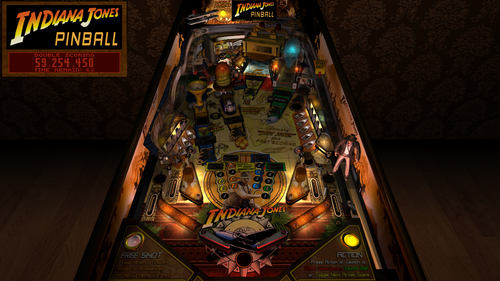
Indiana Jones - Fortune and Glory Edition (PinEvent Lite, FizX 3.3)
By TerryRed
Indiana Jones - Fortune and Glory Edition (PinEvent Lite, FizX 3.3)
Version 1.3 (Feb 2024)
Original wip table build by: GLXB & Highlnder00
Ultimate Pro update by: SLAMT1LT
Fortune and Glory Edition, PinEvent Lite, FizX update by: TerryRed
Do not make the mistake in thinking this is the same as the Stern table. The layout and art are where the similarities end. SLAMT1LT did a massive update to the older WIP build of this table years ago for his Ultimate Pro update which completely changes this to a new game. New gameplay / rules / code, new sounds / voices / music, new lighting effects, new videos, new freeshots / action button and more.
I've never played the original (real) Stern table (only the VP version). Once I played the FP Ultimate Pro table, I was blown away, and it has become one of my favorite all time tables. BAM has had many new updates and new features added since the original Ultimate Pro table was released years ago. I'm a big Indy fan, so I really wanted to add my own bit of flair to this amazing table.
I've also overhauled this table and modernized it to my own preferences for lighting, shadows, FizX physics, and more. I added some new features and many fixes that prevented game progression, etc. This table takes full advantage of BAM's latest features with full dynamic lighting and ray cast shadows and shadowmaps to create a stunning visual pinball showcase! Top that off with all new FLEEP mechanical sounds! This makes an already great game look / sound / play absolutely amazing. I love it!
This table has been fully updated with FizX physics for game changing new physics on Future Pinball. FizX uses techniques similar to nFozzy physics on VPX to completely change the physics for the flippers, slings, rubbers, targets, ball behavior and more that allows this table play much more realistically than anyone ever thought was possible on Future Pinball. You will be amazed at the difference!
PinEvent Lite
I've added my PinEvent Lite features for DOF, SSF, etc.
PinEvent Lite features for this table:
DOF (basic config, no custom animated effects... yet) PUP (simple backglass and speaker grill options) PUP SSF Night Mode TILT BOB
NOTE: PinEvent Lite tables do NOT have PUP-Pack options that include support for PUPDMD / videos / modern text, etc. That will come at a later date, when the table is upgraded to PinEvent V2.
DMDExt
Cabinet users will need to use DMDExt to mirror the FP DMD to their DMD display / real DMD. Read the included Install Instructions for more info and links on how to do this.
For an EPIC video preview of this table's updates and new features, and a gameplay demo of almost all modes, check out this video
Thanks of course to these awesome contributors:
GLXB & Highlnder00 – original wip table build
SLAMT1LT – Ultimate Pro update
TerryRed – Fortune and Glory, PinEvent, FizX updates
Schlabber34 - new pre-rendered insert images
FLEEP - new mechanical sounds
JLou - for FizX and support
Everyone at Pinball Nirvanna for ideas, examples, and support
Nailbuster - Pinup Player and SSF support
Ravarcade - for creating the awesome BAM and providing assistance with BAM features
Chris Leathley - creator of Future Pinball
DISCLAIMER:
This table is a fan-made work of passion, and is NOT intended for commercial usage or to be included in any part of a commercial sale!
====================================================================
This table is single player only.
====================================================================
Desktop Static Camera Views
during attract mode only, you can press plunger to toggle integrated static desktop camera views
if you want to use your own BAM camera settings, or a FP camera view, then you must disable this feature in TABLE OPTIONS in the table script
Playfield Video Screen
during attract mode, left flipper will toggle the position if the playfield video screen
Indy animated model
you can have an animated Indy character on the playfield, in the game room, or not at all this can be set in TABLE OPTIONS near the top of the table script
Action Buttons (digital plunger, special 1, special 2)
all buttons/keys will act as an autoplunger during gameplay all buttons/keys will act as activate ACTION or FREESHOT when they are lit
====================================================================
ACTION and FREESHOT
On the apron you will see lights for Action and Freeshot. These indicate when you can use these functions. They are activated with plunger, special 1, special 2 buttons.
Action
green = launch ball red = shoot the swordsman yellow = toggle next active scene
Freeshot
a Freeshot can be used when you are in a mode and want to instantly make the lit shot the Freeshot light will light up orange when you are allowed to make a Freeshot you get an additional Freeshot on each new ball Freeshots can be stacked up if you don’t use them not all lit shots are allowed for a Freeshot there are other times when you are NOT allowed to make a Freeshot (you’ll hear a buzz if you try) such as when a ball is held, a ball is in a kicker, a mode starts, during some video sequences, etc.
TABLE OPTIONS
BAM Ray Cast Ball Shadows:
this table was created to look best with the new BAM Ray Cast Ball shadows this feature is ENABLED on the table script by default this feature requires a fast video card, and will use much more of your GPU if the table doesn’t run smooth, then your PC may not be fast enough to handle this feature (and you should disable it)
To disable this feature, you MUST disable it in TABLE OPTIONS (in the table script)
BAM Menu - Light and Post Processing settings:
BAM Lighting and Post Processing settings are set by the table script and will ALWAYS override the user's settings this is required to ensure that all lighting is set correctly at all times on this table, you can make changes to the Ambient and Diffusion Lighting in the table script in TABLE OPTIONS
Physics: FizX v3.3
===================================================================
Game not running smooth? Try the following:
run FP in Fullscreen, not Windowed disable RayCast Ball Shadows in TABLE OPTIONS (in table script) disable Reflections options in FP's Video / Rendering settings reduce / disable Antialiasing in FP's Video / Rendering settings disable any SSAO options in BAM plugins menu (disabled by default)
====================================================================
TABLE REQUIREMENTS (very important!)
all Visual C Runtime updates DirectX Future Pinball the latest BAM update FuturePinball.exe and FPLoader.exe patched for 4 GB access BAM Settings files installed FizX 1K ball model (for more accurate physics, default.zip in BAM folder) the REQUIRED “Video / Rendering Options” and “Editor Options” in Future Pinball video settings
All of the above is included with the latest FP and BAM Essentials AIO package!
Super easy to use for a new install, or just to update your existing install. I recommend everyone install this package to ensure you have the latest required BAM updates.
https://vpuniverse.com/files/file/14807-future-pinball-and-bam-essentials-all-in-one-complete/
====================================================================
INSTALL INSTRUCTIONS (REQUIRED)
PLEASE read the Install Instructions (included with the table's zip file) it shows you how to check what version of BAM you have installed it shows you how to install all the REQUIRED items above it shows you how to easily setup FP and BAM with the REQUIRED settings It's super easy, and only takes minutes to do!
====================================================================
How to run Future Pinball to play the table
PLEASE read the Install Instructions (included with the table's zip file) to know how to properly use FP and BAM
====================================================================
PROBLEMS?
Read the Install Instructions included in the table's zip file. It tells you everything you need to know!
====================================================================
Table MODS
please read the Disclaimer in the Install Instructions included with the table please ask me first, as I am still updating this table
====================================================================
Changelog
Fortune and Glory Edition (PinEvent Lite - FizX - Table updates) by TerryRed
1.3
- updated FizX physics code (includes some fixes) and physics xml settings
- removed flipper nudge commands that are no longer needed
- updated table to reflect changes in new physics code and settings
1.2
- updated table for FizX physics v3.3 (much more efficient with CPU usage)
- new Debug options that can be enabled / disabled
- new Toggle_Static_Camera option (disables toggling the static view during attract mode with plunger button)
- use_RayCast_Shadows can now completely disable ray cast shadows (no need to disable in the BAM menu after)
Note: this table update requires the new BAM 1.5-373 update (included in my FP and BAM Essentials AIO)
1.1
- table completely updated for FizX v3.2 physics
- new Lighting settings in TABLE OPTIONS in the table script
- small fixes
- updated PuP-Pack
1.0
- completely updated entire table for FizX physics v3.0
- added FizX Tweaker Tool and HUD DMD
- various table changes needed to properly work with new physics
- added new rubbers, sling diverters, bumpers for FizX
- removed old EM kickers in bumpers (no longer needed)
- removed older smoke ball rolling code and commands (no need for vbs file)
- removed older mechanical sounds and triggers
- replaced all mechanical sounds with FLEEP sounds
- removed items / surfaces no longer being used (dark plastics, sound triggers, etc)
- updated table for all PinEvent features (except for PUP DMD and PUP Stream)
- added PUP SSF and DOF support (basic DOF for now)
- added new Ball rolling code for FP sounds and PUP SSF (detects which is enabled and works with that)
- updated lighing and post processing
- added new shadowmaps to many GI bulbs and flashers and enabled ray cast shadows
- added shadowmaps TGA directly to table (no cache needs to be created)
- overhauled entire table for new lighting and shadows
- replaced some flasher bulbs with real flashers
- changed spotlights to real BAM spotlights
- updated spinner toys to use Wecoc's spinner toy code and one trigger
- added new static desktop camera options (can be toggled during attract, or set in script)
- added new apron art, lights, ring models for ACTION and FREESHOT functions
- added fixes to update "time left" in realtime on the DMD
- completely overhauled rules and code for FREESHOT
- new freeshot rule: you get additional FREESHOT on each new ball
- new freeshot rule: you can use more than one freeshot during a scene (but not for every lit shot)
- new freeshot rule: you can choose how much Thrust Boost you get during Crystal Skull Scene 1 if using a Freeshot
- freeshot / action / autoplunger can all be controlled with plunger / special 1 / special 2 buttons
- added option to change location of video screen (backwall, backramp, apron - can be toggled during attract, or set in script)
- fixed bugs that prevented progression when all scenes were lit for any movie
- new light insert images, and new decal cut outs (overlay layer)
- new Indy animated model with options to show him on the playfield, in the room, or not at all
- various other fixes and updates
A huge amount of work overall...so I'm sure there's lots I've forgotten to include - TerryRed
7191 downloads
-
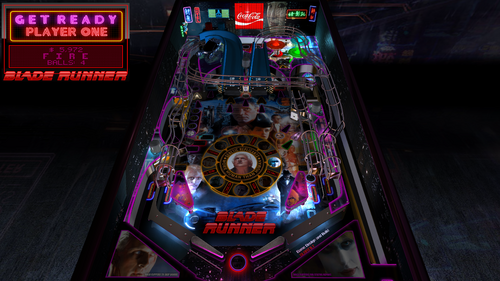
Blade Runner - Replicant Edition (PinEvent Lite, FizX 3.3)
By TerryRed
Blade Runner - Replicant Edition (PinEvent Lite, FizX 3.3)
Version 1.3 (Feb 2024)
Original Ultimate Pro 1.04 table by: SLAMT1LT
Replicant Edition, PinEvent Lite, FizX update by: TerryRed
SLAMT1LT's original table captures the visuals, sounds and atmosphere of this sci-fi classic movie.
I love Blade Runner, so I really wanted to add my own bit of flair to this amazing table. I've added my PinEvent Lite features for DOF, SSF, etc (PUP DMD is a future update).
I've also overhauled this table and modernized it to my own preferences for lighting, shadows, FizX physics, new art, and more. I added some new features and added many fixes that prevented game progression, etc. This makes an already great game look / sound / play absolutely amazing. I love it!
This table has been fully updated with FizX physics for game changing new physics on Future Pinball. FizX uses techniques similar to nFozzy physics on VPX to completely change the physics for the flippers, slings, rubbers, targets, ball behavior and more that allows this table play much more realistically than anyone ever thought was possible on Future Pinball. You will be amazed at the difference!
PinEvent Lite
I've added my PinEvent Lite features for DOF, SSF, etc (PUP DMD is a future update).
PinEvent Lite features for this table:
DOF (basic config, no custom animated effects... yet) PUP (simple backglass and speaker grill options) PUP SSF Night Mode TILT BOB
NOTE: PinEvent Lite tables do NOT have PUP-Pack options that include support for PUPDMD / videos / modern text, etc. That will come at a later date, when the table is upgraded to PinEvent V2.
DMDExt
Cabinet users will need to use DMDExt to mirror the FP DMD to their DMD display / real DMD. Read the included Install Instructions for more info and links on how to do this.
For an EPIC video preview of this table's updates and new features, and a gameplay demo of almost all modes, check out this video:
Thanks of course to these awesome contributors:
SLAMT1LT – original Ultimate Pro 1.04 table
TerryRed – Replicant Edition, PinEvent, FizX updates
Schlabber34 - new pre-rendered insert images
FLEEP - new mechanical sounds
JLou - for FizX and support
Everyone at Pinball Nirvanna for ideas, examples, and support
Nailbuster - Pinup Player and SSF support
Ravarcade - for creating the awesome BAM and providing assistance with BAM features
Chris Leathley - creator of Future Pinball
DISCLAIMER:
This table is a fan-made work of passion, and is NOT intended for commercial usage or to be included in any part of a commercial sale!
====================================================================
====================================================================
This table is single player only.
====================================================================
Desktop Static Camera Views
during attract mode only, you can press plunger to toggle integrated static desktop camera views
if you want to use your own BAM camera settings, or a FP camera view, then you must disable this feature in TABLE OPTIONS in the table script
Video Screen (apron option - cabinet only)
you can chose to have the video screen displayed on the apron. This can be changed in the table script in TABLE OPTIONS
Action Buttons (digital plunger, special 1, special 2)
all buttons/keys will act as an autoplunger during gameplay
====================================================================
TABLE OPTIONS
BAM Ray Cast Ball Shadows:
this table was created to look best with the new BAM Ray Cast Ball shadows this feature is ENABLED on the table script by default this feature requires a fast video card, and will use much more of your GPU if the table doesn’t run smooth, then your PC may not be fast enough to handle this feature (and you should disable it)
To disable this feature, you MUST disable it in TABLE OPTIONS (in table script)
BAM Menu - Light and Post Processing settings:
BAM Lighting and Post Processing settings are set by the table script and will ALWAYS override the user's settings this is required to ensure that all lighting is set correctly at all times on this table, you can make changes to the Ambient and Diffusion Lighting in the table script in TABLE OPTIONS
Physics: FizX v3.3
===================================================================
Game not running smooth? Try the following:
run FP in Fullscreen, not Windowed disable RayCast Ball Shadows in TABLE OPTIONS (in table script) disable Reflections options in FP's Video / Rendering settings reduce / disable Antialiasing in FP's Video / Rendering settings disable any SSAO options in BAM plugins menu (disabled by default)
====================================================================
TABLE REQUIREMENTS (very important!)
all Visual C Runtime updates DirectX Future Pinball the latest BAM update FuturePinball.exe and FPLoader.exe patched for 4 GB access BAM Settings files installed FizX 1K ball model (for more accurate physics, default.zip in BAM folder) the REQUIRED “Video / Rendering Options” and “Editor Options” in Future Pinball video settings
All of the above is included with the latest FP and BAM Essentials AIO package!
Super easy to use for a new install, or just to update your existing install. I recommend everyone install this package to ensure you have the latest required BAM updates.
https://vpuniverse.com/files/file/14807-future-pinball-and-bam-essentials-all-in-one-complete/
====================================================================
INSTALL INSTRUCTIONS (REQUIRED)
PLEASE read the Install Instructions (included with the table's zip file) it shows you how to check what version of BAM you have installed it shows you how to install all the REQUIRED items above it shows you how to easily setup FP and BAM with the REQUIRED settings It's super easy, and only takes minutes to do!
====================================================================
How to run Future Pinball to play the table
PLEASE read the Install Instructions (included with the table's zip file) to know how to properly use FP and BAM
====================================================================
PROBLEMS?
Read the Install Instructions included in the table's zip file. It tells you everything you need to know!
====================================================================
Table MODS
please read the Disclaimer in the Install Instructions included with the table please ask me first, as I am still updating this table
====================================================================
Changelog
Replicant Edition (PinEvent Lite - FizX - Table updates) by TerryRed
1.3
- updated FizX physics code (includes some fixes) and physics xml settings
- removed flipper nudge commands that are no longer needed
- updated table to reflect changes in new physics code and settings
1.2
- updated table for FizX physics v3.3 (much more efficient with CPU usage)
- new Debug options that can be enabled / disabled
- new Toggle_Static_Camera option (disables toggling the static view during attract mode with plunger button)
- use_RayCast_Shadows can now completely disable ray cast shadows (no need to disable in the BAM menu after)
- updated some lighting
Note: this update requires the new BAM 1.5-373 (included with my latest FP and BAM Essentials AIO)
1.1
- table completely updated for FizX v3.2 physics
- new Lighting settings in TABLE OPTIONS in the table script
- small fixes
- updated PuP-Pack
1.0
- completely updated entire table for FizX physics v3.0
- added FizX Tweaker Tool and HUD DMD
- added new rubbers, sling diverters, bumpers for FizX
- removed old EM kickers in bumpers (no longer needed)
- updated lighting (headlight spotlight) with Spinner (flying police car)
- added easing to Spinner (flying police car) miniplayfield to give it smooth movement
- various table changes needed to properly work with new physics
- removed older smoke ball rolling code and commands (no need for vbs file)
- added new static desktop camera options (can be toggled during attract, or set in script)
- removed older mechanical sounds and triggers
- replaced all mechanical sounds with FLEEP sounds
- removed items / surfaces no longer being used (dark plastics, sound triggers, etc)
- updated table for all PinEvent features (except for PUP DMD and PUP Stream)
- added PUP SSF and DOF support (basic DOF for now)
- added new Ball rolling code for FP sounds and PUP SSF (detects which is enabled and works with that)
- updated lighting and post processing
- added new shadowmaps to many GI bulbs and flashers and enabled ray cast shadows
- added shadowmaps TGA directly to table (cache does not need to be created)
- overhauled entire table for new lighting and shadows
- extended spinner alarm time to around 12 secs (instead of 6 secs)
- added option to specify Range Timer duration in TABLE OPTIONS
- converted DMD and related code from 128x16 to 128x32
- added new HUD frame for 128x32 DMD, added new Backglass art for 128x32 DMD
- added new option to display video screen on the apron (cabinet / vr mode only)
- moved GUN targets and drop targets up to give more room (to hard to hit with new correct flipper angles)
- updated playfield and plastics art to accomodate GUN Target changes
- added new insert jewel images and decals
- various other fixes
A huge amount of work overall...so I'm sure there's lots I've forgotten to include - TerryRed
5707 downloads
-
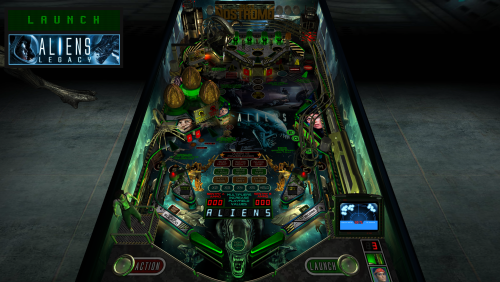
Aliens Legacy - "Game Over, Man" (PinEvent Lite, FizX 3.3)
By TerryRed
Aliens Legacy - "Game Over, Man" (PinEvent Lite, FizX 3.3)
Version 1.3 (Feb 2024)
Original table design and concept by: David Eisner
Ultimate Pro 1.03 table by: SLAMT1LT
Game Over Man, PinEvent Lite, FizX update by: TerryRed
Aliens Legacy Pinball started long ago around 2010 as an original design by David Eisner, then later updated by Destruk, Pinballwzd, Steve Paradis and Tom Niwinski.
After that, the table was updated many times by SLAMT1LT (ULTRA, HARDCORE, Ultimate / Bad Ass, etc). Years later, he updated the table with a massive awesome update for his Ultimate Pro version. It has become one of my favorite all time tables.
BAM has had many new updates and new features added since the Ultimate Pro table was released years ago. I love the Alien movies, so I really wanted to add my own bit of flair to this amazing table.
I've added my PinEvent Lite features and overhauled this table and modernized it to my own preferences for lighting, shadows, FizX physics, and more. I added some new features, new models, new changes, and more. This makes an already great game look / sound / play absolutely amazing. I love it!
This table has been fully updated with FizX physics for game changing new physics on Future Pinball. FizX uses techniques similar to nFozzy physics on VPX to completely change the physics for the flippers, slings, rubbers, targets, ball behavior and more that allows this table play much more realistically than anyone ever thought was possible on Future Pinball. You will be amazed at the difference!
PinEvent Lite
I've added my PinEvent Lite features for DOF, SSF, etc (PUP DMD is a future update).
PinEvent Lite features for this table: DOF (basic config, no custom animated effects... yet) PUP (simple backglass and speaker grill options) PUP SSF Night Mode TILT BOB
NOTE: PinEvent Lite tables do NOT have PUP-Pack options that include support for PUPDMD / videos / modern text, etc. That will come at a later date, when the table is upgraded to PinEvent V2.
DMDExt
Cabinet users will need to use DMDExt to mirror the FP DMD to their DMD display / real DMD. Read the included Install Instructions for more info and links on how to do this.
For an EPIC video preview of this table's updates and new features, and a gameplay demo of almost all modes, check out this video:
Thanks of course to these awesome contributors:
David Eisner : original build, additional audio design (Mother voice)
SLAMT1LT : Ultimate Pro 1.03 table update, coding, artwork, audio design, videos, VFX, Motion Tracker animation
Steve Paradis : Alien creature and NOSTROMO models
Wild : Sentry Gun toy
TerryRed : "Game Over Man" update, PinEvent Lite, FizX, coding, lighting, shadows, art, models, table updates
Schlabber34 - new pre-rendered insert images
FLEEP - new mechanical sounds
JLou - for FizX and support
Everyone at Pinball Nirvanna for ideas, examples, and support
Nailbuster - Pinup Player and SSF support
Ravarcade - for creating the awesome BAM and providing assistance with BAM features
Chris Leathley - creator of Future Pinball
====================================================================
DISCLAIMER:
This table is a fan-made work of passion, and is NOT intended for commercial usage or to be included in any part of a commercial sale!
====================================================================
====================================================================
This table is single player only.
====================================================================
Desktop Static Camera Views (attract mode)
during attract mode only, you can press plunger to toggle integrated static desktop camera views
if you want to use your own BAM camera settings, or a FP camera view, then you must disable this feature in TABLE OPTIONS in the table script
Action Buttons - digital plunger, special 1, special 2 (gameplay)
all buttons/keys will act as an autoplunger and an action button during gameplay
Change G.I. colours (attract mode)
special 1 / 2 buttons will toggle the G.I. colours during attract mode
Video Screen (apron option – cabinet or vr only)
the video screen can be displayed on the apron. This can be changed in the table script in TABLE OPTIONS
====================================================================
TABLE OPTIONS
BAM Ray Cast Ball Shadows:
this table was created to look best with the new BAM Ray Cast Ball shadows this feature is ENABLED on the table script by default this feature requires a fast video card, and will use much more of your GPU if the table doesn’t run smooth, then your PC may not be fast enough to handle this feature (and you should disable it)
To disable this feature, you MUST disable it in TABLE OPTIONS (in the table script)
BAM Menu - Light and Post Processing settings:
BAM Lighting and Post Processing settings are set by the table script and will ALWAYS override the user's settings this is required to ensure that all lighting is set correctly at all times on this table, you can make changes to the Ambient and Diffusion Lighting in the table script in TABLE OPTIONS
Physics: FizX v3.3
===================================================================
Game not running smooth? Try the following:
run FP in Fullscreen, not Windowed disable RayCast Ball Shadows in TABLE OPTIONS (in table script) disable Reflections options in FP's Video / Rendering settings reduce / disable Antialiasing in FP's Video / Rendering settings disable any SSAO options in BAM plugins menu (disabled by default)
====================================================================
TABLE REQUIREMENTS (very important!)
all Visual C Runtime updates DirectX Future Pinball the latest BAM update FuturePinball.exe and FPLoader.exe patched for 4 GB access BAM Settings files installed FizX 1K ball model (for more accurate physics, default.zip in BAM folder) the REQUIRED “Video / Rendering Options” and “Editor Options” in Future Pinball video settings
All of the above is included with the latest FP and BAM Essentials AIO package!
Super easy to use for a new install, or just to update your existing install. I recommend everyone install this package to ensure you have the latest required BAM updates.
https://vpuniverse.com/files/file/14807-future-pinball-and-bam-essentials-all-in-one-complete/
====================================================================
INSTALL INSTRUCTIONS (REQUIRED)
PLEASE read the Install Instructions (included with the table's zip file) it shows you how to check what version of BAM you have installed it shows you how to install all the REQUIRED items above it shows you how to easily setup FP and BAM with the REQUIRED settings It's super easy, and only takes minutes to do!
====================================================================
How to run Future Pinball to play the table
PLEASE read the Install Instructions (included with the table's zip file) to know how to properly use FP and BAM
====================================================================
PROBLEMS?
Read the Install Instructions included in the table's zip file. It tells you everything you need to know!
====================================================================
Table MODS
please read the Disclaimer in the Install Instructions included with the table please ask me first, as I am still updating this table
====================================================================
Changelog
**** Game Over, Man - PinEvent Lite - FizX - Table updates - by TerryRed ****
v1.3
- updated FizX physics code (includes some fixes) and physics xml settings
- removed flipper nudge commands that are no longer needed
- updated table to reflect changes in new physics code and settings
v1.2
- updated table for FizX physics v3.3 (much more efficient with CPU usage)
- new Debug options that can be enabled / disabled
- new Toggle_Static_Camera option (disables toggling the static view during attract mode with plunger button)
- use_RayCast_Shadows can now completely disable ray cast shadows (no need to disable in the BAM menu after)
V 1.1
- table completely updated for FizX v3.2 physics
- new Lighting settings in TABLE OPTIONS in the table script
- small fixes
- updated PuP-Pack
v1.0
- completely updated entire table for FizX physics v3.0
- added FizX Tweaker Tool and HUD DMD
- added new rubbers, sling diverters, bumpers for FizX
- various table changes needed to properly work with new physics
- removed older smoke ball rolling code and commands (no need for vbs file)
- removed older mechanical sounds and triggers
- replaced all mechanical sounds with FLEEP sounds
- removed items / surfaces no longer being used (dark plastics, sound triggers, etc)
- added new static desktop camera options (can be toggled during attract, or set in script)
- updated table for all PinEvent features (except for PUP DMD and PUP Stream)
- added PUP SSF and DOF support (basic DOF for now)
- added new Ball rolling code for FP sounds and PUP SSF (detects which is enabled and works with that)
- updated lighting and post processing
- added new shadowmaps to many GI bulbs and flashers and enabled ray cast shadows
- added shadowmaps TGA directly to table (cache does not need to be created)
- overhauled entire table for new lighting and shadows
- added new beacon flasher that triggers during various events
- converted DMD and related code from 128x16 to 128x32
- added new option to display video screen on the apron (cabinet / vr mode only)
- updated spinner toy and code to use Wecoc's spinner code
- added new bump mapped jewel images for arrow inserts
- updated plastics art
- added new Backglass art and grill for 128x32 DMD
- new apron layout, new apron art, new launch and action lights on the apron
- new animated Ripley model
- new table models (bumper eggs, motion tracker, rifle, face hugger)
- new gameroom models (face hugger topper, alien, alien queen)
- positioned motion tracker hologram on new motion tracker model
- new animated explosion effect for when ship explodes
- new options for second stage flippers
- new options for changing G.I. colours
- new options for changing the FP DMD colours
- various other updates and fixes
A huge amount of work overall...so I'm sure there's lots I've forgotten to include - TerryRed
7634 downloads
-
VPU Staff's Top Picks
-
New & Updated Visual Pinball
-
New & Updated Future Pinball
-
New & Updated Backglasses
-
New & Updated DMD Colorizations
-
New & Updated Virtual Reality Enabled Tables
-
VPU Remix & Mods
-
New & Updated Popper Media
-
Updated Files
-
Download Statistics
31020
Files109041
Comments45469
Reviews