No files in this category yet.
Files From Subcategories
-
(0 reviews)
0 comments
Updated
-
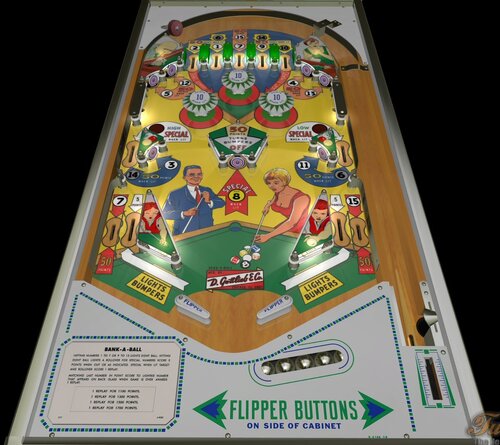
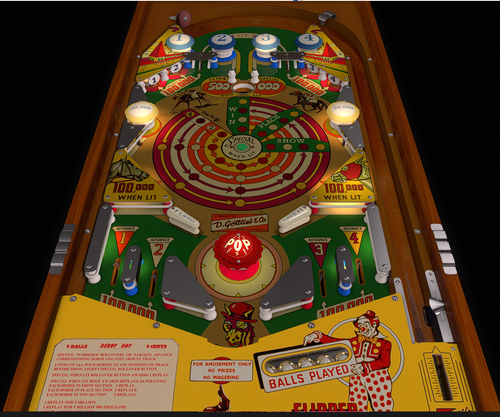
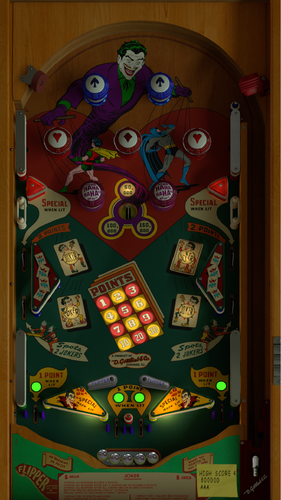
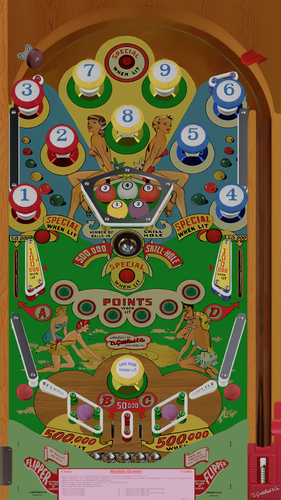
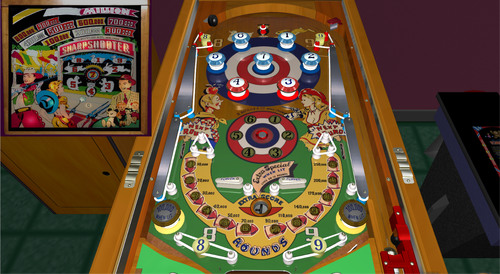
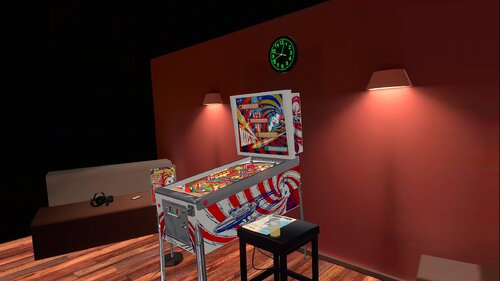
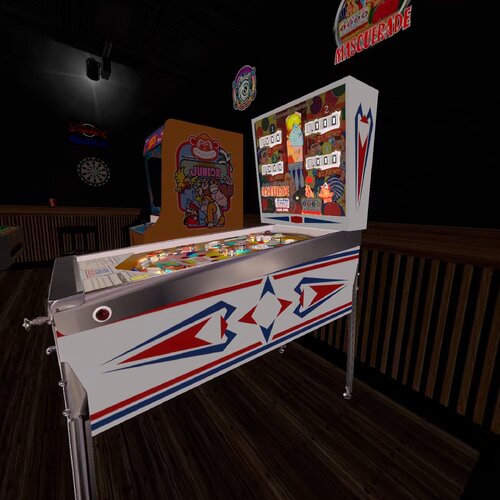
Capersville (Bally 1966).fpt
By gianzo
Table entirely built by myself. Some textures are adapted from Starman7007's VP9 table.
59 downloads
-
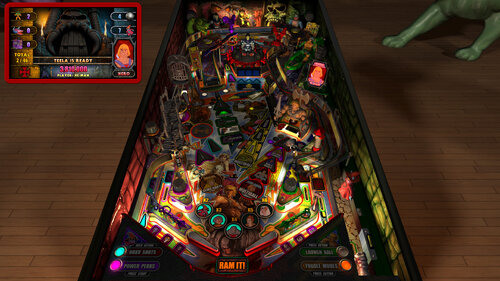
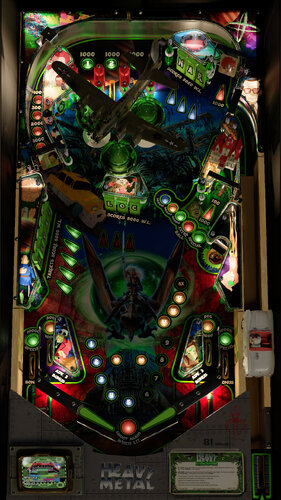
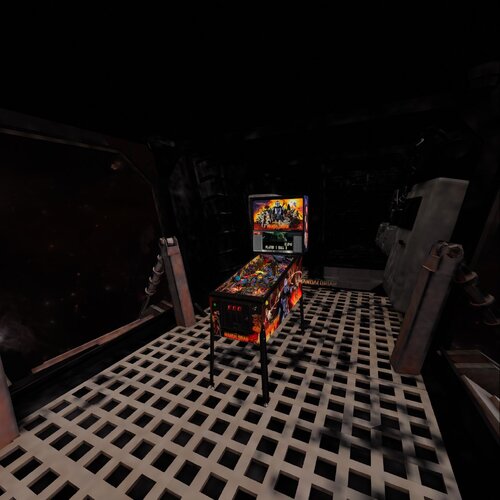
Megadeth (Thermo-Nuclear Protection) (v1.07)
By VP1000
Megadeth "Thermo-Nuclear Protection" (v1.06)
1) Knock Down Both Targets behind middle Spinner
to go to Upper Level.
2) Extra-Ball: There is a Trigger on the Upper Level
hit this 5 times Awards Extra-Ball.
3) Megadeth (Thermo-Nuclear) Multi-Ball: Top Of PlayField
on each side of Lane Guides are 2 Kickers
Fall into either one for Megadeth (Thermo-Nuclear) Multi-Ball.
4) R.I.P MultiBall:Left Ramp goes Down for 10 seconds
Knock ball under Ramp without going to the end of the tunnel,
If ramp lifts up while ball is under Ramp
Ball Is Captured and Released within Time for R.I.P. Multi-Ball.
5) Knock Ball through Left Spinner to enter "The Cage"
For A Period Of Time the Ball will Bounce around until Released.
6) Change Song: Add Coin to Change Song.
Enjoy Playing,
More To Come.
374 downloads
-
Sunny
By Francisco
Manufacturer:Williams Manufacturing Company (1944-1958) [Trade Name: Williams]
Date Of Manufacture:December 29, 1947
Model Number:14
Type:Electro-mechanical (EM)
Serial Number Database:View at The Internet Pinball Serial Number Database (IPSND.net) (External site)
Notable Features:5 balls for 5 cents. Flippers (4), Passive bumpers (13), Kick-out holes (3).
Design by:Gordon Horlick
Art by:George Molentin
Notes:'Sunny' was the first flipper pinball machine made by Williams.
We previously showed the designer of this game was Harry Williams. The manufacturer’s original playfield drawing (not shown here) is dated x/x/49 (edge of paper is missing) and is signed with initials GTH. It also indicates the original game name was 'Super Bonanza'.
NOTE:" VERSION 1.0 "
This version 1.0 is a new, corrected version due to a bug detected in the original version by me that affects the game's gameplay.
Now you can play it with no problem. Is 100% playable.
Enjoy ioThis version 1.0 is a new, corrected version due to a bug detected in the original version that affects the game's gameplay.
Feel free to send me comments. Thank you.
114 downloads
(0 reviews)0 comments
Submitted
-
Dragonette
By Francisco
1954 Gottlieb Dragonette pinball
Description: Dragonette, Gottlieb, 6/54, 950 produced, 5 trap holes, double award, BALL COLLECT TRAY, complete side bumpers 1 to 8 in order to light playfield replays, outstanding Roy Parker backglass and playfield art, woodrail pinball. Dragonette came out first, but was so popular Gottlieb released 4 Belles, which is a copy of Dragonette.
Gottlieb Dragonette has several ways to win a replay (or if game played as Double award, two replays). First is to complete the 1-8 side bumper sequence (in order). If this is done, the red "ding dong" bottom rollovers (A/B lanes next to the flipper) lights for a replay. These two left/right side rollovers alternate with the 10,000 unit. Next is to complete both the A and B rollovers next to the flippers, as this awards a Replay. It also lights the center rollover between the red pop bumpers for a Replay. The next way is to put a ball in each of the four outside trap holes. This also awards a Replay. Putting a ball into the fifth center trap hole gives another replay.
Notes:Same playfield layout as Gottlieb's 1954 '4-Belles'.
'Dragonette' artwork satirized the popular 'Dragnet' television show.
90 downloads
(0 reviews)0 comments
Submitted
-
The Addams Family, Revised Slamt1lt Edition (Bally, 1992) (Color DMD, SSF, 3 Monitor Setup, FizX 3.3)
By GeorgeH
Happy Halloween!
Just in time for Halloween, I am sharing my update to Slamt1lt’s Addams Family ULTIMATE Pro version 1.05. Slamt1lt brilliantly expanded Bally’s 1992 classic with changing playfield light insert colors during gameplay. He added a new Mansion Mode that he calls Classic Addams TV Show, replacing the old six-million-point mode. He added the switchable retro and modern modes. The retro mode plays the original sounds and music where the modern mode adds new sounds, music and other features. He added sideblades with pictures of the Addams family members textured with a bump map. He also added movie clips, revamped DMD graphics, and attract mode enhancements.
Video Overview of the Table and Game Play
In my Revised Slamt1lt Edition, my goal was to enhance and polish Slamt1lt’s work while leaving his core design and gameplay untouched. Slamt1lt mentioned in the script that he not able to add a black and white mode. At the time he created the ULTIMATE Pro version, the only way to replace a texture in the script was to list a table object's name and the texture. Unfortunately, Future Pinball leaves many table objects unnamed. A newer BAM feature later introduced global texture replacement by name, allowing textures on unnamed objects to be replaced as well. Using this new capability, I was able to add the black-and-white mode.
The best place to showcase the black and white mode is on the Classic Addams TV Show mode, reflecting the original show’s black-and-white broadcast. You can also choose to play the entire game in black and white or disable the mode entirely to enjoy full color — all adjustable through the new game menu.
Gimli and I developed a menu system that we call a "tweaker". Tweakers were added for game, lighting and FizX. You can adjust parameters like camera views, physics, and sound levels. It has cabinet-friendly DMD displays and overlays. See the instruction manual in the download for not only how to operate the tweaker but other features on the table as well.
Another major upgrade is the complete overhaul of the table’s audio system. Every sound and piece of music is now categorized as music, game sound, sound effect, or voice quote, with independent volume controls for each category available in the game tweaker.
Cabinet users will also appreciate the addition of Surround Sound Feedback (SSF) which uses Fleep’s recordings and adds FizX 3.3.
My friend Paolo replaced the low-polygon bear rug model with a new, higher-quality version — it now raises its head and its eyes glow red at various points during the game.
Something that is very popular with the desktop and VR users is the addition of a color DMD which you can see in the screenshots. Unfortunately, DMDExt normally used on cabinets does not support the color DMD. I have requested a new feature to be added to DMDExt to pass the DMD colors at the website linked below. This change would allow you to expand the color pallet you use on other tables also. Please post comments that you would like to see this change happen. It requires a login ID that you can set up in a few minutes.
https://github.com/freezy/dmd-extensions/issues/520
The Addams Family is my favorite table that Slamt1lt created, and if you’ve been thinking about trying one of my tables, this is the perfect place to start. I feel like the four months of development time paid off.
A big thank-you to Paolo for the new bear model and animation script, to Fourbanks for testing assistance, and to DigitalArts for testing the three-monitor cabinet version. You can see a photo of his cabinet setup in the image gallery included with the posting. Please be sure to read the included PDF for setup instructions and additional tips.
Thank you for downloading my table mod — and enjoy The Addams Family, Revised Slamt1lt Edition!
— George
List of Changes
1) Replaced nearly all of the textures on the plastics with higher resolution graphics.
2) Replaced the playfield textures with unbaked textures from the previous version. Replaced the apron textures with higher resolution unbaked textures.
3) Created instruction cards and added them onto new surfaces on top of the apron (The new surfaces allow higher resolution textures be used.)
4) Added new backglass texture and speaker panel with higher resolution graphics.
5) Added the electric shock onto the left flipper with the same one that was on the right flipper. (It displays the status report that Slamt1lt added).
6) Identified 2 playfield textures that were being loaded into memory but never used and so they were deleted.
7) Replaced the HUD texture that had Addams Family logo with picture of the family with logo.
😎 Removed dynamic flippers and installed FizX with Hud toggle key code. Removed Smoke's ball rolling sound so as to not conflict with the version of ball rolling sound on the FizX template. Removed all of Slamt1lt's triggers that added ball hit sounds. The ones added by FizX sound better and use Fleep's recordings.
9) After installing FizX, the ball would only travel about 2/3 of the way up the right bear ramp before rolling back down. Found that Slamt1lt had changed the custom ramps to be not collidable and added FP ramps. It was determined that he did this because of the prior physics made the ball jump off the ramp. An effort was made to fix the FP ramps but the custom ramps from the previous version worked better so they were added and the old FP ramps deleted. This made the ramps fully functional.
10) Moved the upper left flipper slightly and reconfigured the area around it to allow the flipper to hit the stationary targets and kickers on the right side of the table. Made corresponding changes to the playfield texture to make it match the position of the flipper. Blackened the playfield behind the 2 grave targets.
11) Reconfigured the upper right flipper and surrounding objects to make it easier to hit the ramp and the train lane.
12) Changed the code for the camera so that the message is no longer displayed that asks permission for the game to take over camera control.
13) Added and tested lighting and game tweakers.
14) The slingshots flash when hit on Slamt1lt's version. The shadow maps were changed to be brighter during the flashes by adding more bulbs.
15) Slamt1lt added black and white versions of the playfield and plastics to the texture manager; however, he posted in the script "BAM seems capable of switching all textures to Black and White, but it didn't work when I tested it. The code is still here should I wish to return to the idea in a later update." Since Slamt1lt posted this table, a new method of swapping textures was added to BAM that swaps one texture for another rather than having to apply a new texture to each surface. This makes it easier to replace the textures on the plastics. I managed to create black and white version using the new code. Slam created a new mode called "Classic Addams TV Show" that replaces the 6 million point mode on the original table. I decided to apply the black and white colors to this mode since the show was broadcast in black and white. I think it is what he would have done. Most textures where changed to B&W but a little bit of color was retained to keep it from looking sterile.
15) Fourbanks found that after launching the ball, the ball would hit the blue plastic that was sticking out into the lane. The blue plastic was moved and the launch ramp was moved slightly so the ball falls directly into the lane instead of bouncing off the wall.
16) Replaced the default textures for the targets with custom textures.
17) Changed the geometry of the table so that after the skill shot is hit, the ball will roll down to the right main flipper if the upper flipper is not moved.
18) Found a lane wall on the approach to the left ramp that was not correctly aligned with the ramp and fixed it. The change makes the upper right flipper hit the ramp better.
19) Added option for end users to be able to turn the camera view during multiball on or off.
20) Added camera view options to the game tweaker that allow full view of the plunger window so end users can see when to release the plunger to hit the skill shot (except for option #14). Also set the views up to be able to see the full overlay on the backwall that displays video clips.
21) Found a small bug on spelling THING on the backbox. The stars could not be lit up but it has been fixed.
22) Fixed a place that Fourbanks found where the ball would get stuck between the bookcase (after it rotates 90 degrees) and a rubber band. Changed the playfield texture to incorporate changes need for changing the rubber band.
23) Slamt1lt added a bump map to the side blades which included the photographs of family members. The photographs didn't look good with the bump maps so they were removed although the bump maps were retained for the rest of the side blades. Also removed the burned in shadows on the texture for the side blades.
24) Replaced the rap music that played during quick multiball with new music. The rap music still plays with the video during the attract mode.
25) Added frames to the DMD during the attract mode that identify the keys to press to open the tweaker, choose modern or retro mode, change lighting modes and view in-game statistics.
26) Found a high resolution texture to replace the ramp stair case texture which does not have burned in shadows.
27) Added code that allows the score to exceed 2 billion points and tested it by adding a score of nine hundred trillion points.
28) When the partially clear plastic on the swamp near the upper right flipper) was illuminated, a narrow white border around all the images. Found a higher resolution texture and identified a way to remove the white borders.
29) Added a light blue texture to the large posts and set them to crystal in the FP editor.
30) Added a spotlight on Fester and turned it on during the appropriate sequences.
31) Changed Uncle Lester's model from gray to a skin tone with reduced shininess.
32) Revised the playfield texture to remove the exposed wood on the left side of the plunger lane. Blacked the exposed wood on the playfield texture where the ball drains. Removed exposed wood on playfield texture for the train wreck lane. Changed the green area of the playfield texture on the left of the bumpers to color in areas where raw wood was visible.
33) Reshaped the green plastic under the ramp to cover the exposed wood and other markings on the playfield texture.
34) Paolo added a new model of the bear and animated the head.
35) Changed Fester's kicker hole so it blinks red at the same time as the red light on the side of the chair prior to multiball.
36) Added an option where the end user can toggle the playfield so it does not turns black and white or have it on for the whole game (default).
37) Added TGA file to the image manager to eliminate the saving of the shadow maps to the cache.
38) Changed the backbox lights so they change brightness with the lighting modes (Day, Dusk, Night, Dark Night).
39) Fixed the short ramp between the train wreck and the bear ramp to prevent the ball from bouncing back when going up the ramp.
40) Added color to the DMDs with an option in the script that turns it off for cabinet users that have DMDExt installed which does not allow the color to pass.
41) Added an option in the game tweaker to adjust the amount of time needed to hold a flipper down to display a status report during gameplay.
42) Added an option in the script where the DMD transition effects can be disabled. Many of these effects are not as smoothly on DMDext as they are on FP. Also the last frame of any DMD transition doesn't get picked up by DMDext and the DMD may still show the last frame until the next display.
44) Duplicated the spelling of THING onto the Hud which will free desktop users from having to look at the backglass periodically.
45) Added a plunger modification that still functions like the one that Slamt1lt added but it changes it so you can press the arrow up and down keys to move the plunger up and down so it can be finely adjusted before pressing the plunger key to launch the ball. It makes it easier to hit the skill shot. Code was also added that allows the flippers to operate in place of the arrow keys for the cabinet users.
46) Duplicated the video display onto the playfield apron and made it switchable on the game tweaker so that the video can be display on either the backwall or the apron or also displayed on both (the default). This makes the video easily displayed on a cabinet because it is not easily seen on the backwall of cabinets. Desktop users may like the video better on the apron.
47) Changed the topper lighting so it stays lit during the game but gets brighter during the lightning effects.
48) Removed execute commands in the script and changed to use standard coding to prevent possible stuttering.
49) Added code for ball/flipper shadows at the beginning of the script.
50) Added third place scores to the attract mode.
51) Added a parameter to the game tweaker where users can adjust the number of seconds they have between hitting the left orbit and hitting the left ramp so that a star is lit on the display for the spelling of THING.
52) If you change the camera view to one of FP's standard views, the option was added so you can press the letter "V" and change the view back to the view that is selected on the game tweaker. Note that if you want to change to a different view, you will need to open the game tweaker and change the "Desktop Camera View" option.
53) Added option to the game tweaker where the end user can select when the playfield goes dark. The first option is to display all dark sequences that Slamt1lt created. The second is for no dark sequences and have the playfield bright during the entire game. The third option is to have the dark sequences run during the attract mode, the two multiball modes, when the swamp kicker is hit, and when the ball drains.
54) Added the Retro/Modern switch to the tweaker but kept the Special 2 key. Both options save your setting for the next time you play the table.
55) Replaced the table sounds with Fleep's recordings and Surround Sound Feedback (SSF). Added ball rolling sound to the playfield and ramps.
56) Categorized all the music and every sound used on the table into the groups: background music, game sounds, sound effects and voice quotes.
57) Added volume controls for each of the categories of sound and ball rolling sound controls on the game tweaker.
58) With the help of Popotte, TerryRed and Shiva, fixed the code for the train wreck target so it no longer registers double hits which made 2 sets of code run at the same time and made 2 conflicting sets of audio run at the same time.
59) Created versions for 3 monitor cabinets and rotated display for desktops turned to portrait orientation.
60) Created instruction manual for the table in PDF format.
Table Developers
GLXB
Highlnder00
PolyGame
Slamt1lt
Paolo – added new bear model and head animations script
GeorgeH
Valued Contributors
Gimli – Codeveloper of the Tweaker
JLou5641 - Creator of FizX
Fleep - Created recordings for mechanical sounds
TerryRed – developed the FizX template
Popotte - Developer of the plunger modification
Fourbanks –Tester of the desktop version
Digitalarts – Tester of DOF and PUP SSF on this cabinet
Popotte, TerryRed, and Shiva – Resolved the issue of 2 hits on a target registering as a single hit.
2242 downloads
-
Capt. Fantastic and The Brown Dirt Cowboy (Bally-1976) (FizX 3.3)
By Popotte
Capt. Fantastic and The Brown Dirt Cowboy (Bally-1976) FizX 3.3 V1.00
IPDB No. 438:
NOTES:
You must use BAM 365 or higher
MOD UNAUTHORIZED WITHOUT EXPLICIT PERMISSION FROM THE AUTHOR
You can access to the menu with the Special2Key.
You can toggle (by the toggle HUD key) the HUD reel.
If you use arrows for plunger (optional), you have to use arrow down and arrow up (customisable) in order to pull or push the plunger.
RULES:
You can find more explanations in the manual included in the .zip
* Insert coin and wait for machine to reset before inserting coin for next player.
* Knocking all targets down lites ball return lane to score 1 extra ball.
* Knocking all targets down 2nd times lites left out lane to score special.
* Knocking down all targets 3rd and each additional times score special.
* 1 replay for ball thru left outlane when lit for special.
* 1 replay for knocking all targets down when lit for special.
* 1 extra ball for ball thru ball return lane when lit.
* Lit bumpers score 100 points.
* Making "A" and "B" lites double bonus.
* Maximum - 1 extral ball per ball in play.
* Tilt penalty - ball in play.
* 1 replay for each player matching last two numbers on score reels with number wich lites on back glass at end of game.
IPDB HIGHLIGHTS:
Date Of Manufacture:June, 1976
Production:16,155 units (confirmed)
Notable Features:Flippers (4), Pop bumpers (3), Slingshots (2), Star rollovers (8), Standup targets (2), 5-bank drop targets (1), Right outlane detour gate. End-of-ball bonus.
Maximum displayed point score depends on the version:
Early production Over The Top games show 99,990 points per player.
Modified production games show 199,990 points per player.
Design by:Greg Kmiec
Art by:Dave Christensen
Notes:'Capt. Fantastic' was inspired by the movie 'Tommy' and includes a representation of Elton John, as his character from the movie, playing pinball on the backglass. The game name, however, is the title of Elton John's 1975 autobiographical song and album where "Captain Fantastic" was Elton and "The Brown Dirt Cowboy" was his then-lyricist Bernie Taupin. Included in the song lyrics are the words "From the end of the world to your town" which appear at the very top center of the backglass.
Tom Nieman, VP of Marketing for Bally Pinball, tells us the flyer was made while Elton was recording a new album in Canada. For this flyer, a game was shipped to the Toronto hotel where Elton was staying. That is why he is shown wearing a Canadian hockey jersey. Elton then asked Nieman to send a game to his various residences and one to his "mum" in the UK.
Artist Dave Christensen included in the backglass several depictions of people doing things that, at first, escaped notice by Bally management. A small number of games with these so-called "X-rated" or "uncensored" backglasses made it through production before changes were required to be made. Specifically, small mirrored stars were added over the objectionable parts and, curiously, these stars did not effectively obscure the offending art in all instances. Nieman explained to us that he and Christensen wanted the correction to be as minimal as possible because they knew they had "a monster hit" on their hands. The X-rated version is often referred to as the "no stars" version even though all of the backglasses in the production run did contain a certain number of peripheral decorative stars anyway. Nieman is depicted in the backglass as the man in the three-piece suit, and he says that 'Brutus' is artist Paul Faris.
Mr. Nieman attended the 1975 New York premier party for the movie "Tommy" held in the 57th Street subway station. He had agreed with artist Christensen to represent the date of this event in the backglass art as the score 31775. A biography of Keith Moon records the date of this party as March 18, 1975. It is easy to believe that the party extended over both days.
Bally made an unknown quantity of playfields for this game having orange star rollover inserts instead of the usual green ones. This version is seldom seen, which indicates the quantity made was small. Pictured in this listing are three different examples of this "orange version" playfield. Two of the three also have a white drop target Special insert, instead of the expected red-colored one. The production run of this game was over 16,000 units, and these "orange version" playfields may have simply resulted from spot shortages during the production run of playfield parts having the correct colors. More information is needed to understand the reason for these playfield differences.
The Early Production game pictured here has serial number 1088 and has green star rollover inserts on its playfield. It has the Over The Top backglass which is uncensored and, like the game in the flyer, its cabinet front has the "reversed" red and blue striping as compared to the striping on the cabinet sides.
Included in this listing is a playfield showing signatures of both the designer and artist silkscreened in the black area at the bottom where the outlanes exit towards the outhole. Greg Kmiec tells us that Christensen had sneaked their signatures there but when Bally management heard about it and saw it, they made Christensen remove the signatures. Greg initially stated that only ten playfields were produced like this in a pilot run, not to appear on production games, but when the production game with serial number 1087 was identified as having a signed playfield, it caused him to wonder if a larger quantity of, say, 100 was actually made, to have appeared on production games. Another explanation would be that game 1087 was retrofitted with a pilot run playfield after it left the factory. We note that the game with serial number 1088 does not have a signed playfield.
One game in this listing has a backbox frame painted red instead of the usual white. We have no further information on this except the same variation has been seen on Bally's 1978 'Bobby Orr Power Play'.
A home version of this game was also produced; see Bally's 1977 'Captain Fantastic & The Brown Dirt Cowboy'.
167 downloads
(0 reviews)0 comments
Updated
-
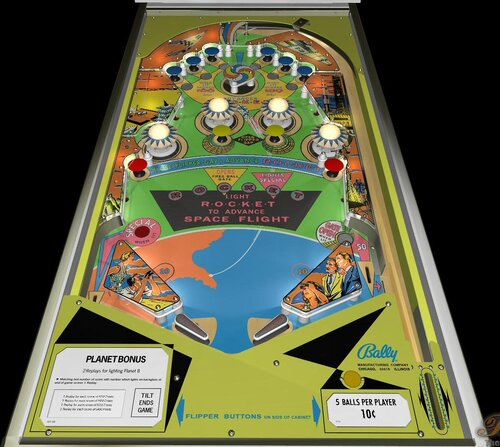
Mermaid
By Francisco
Mermaid / IPD No. 1574 / May, 1951 / 1 Player
Manufacturer:D. Gottlieb & Company (1931-1977) [Trade Name: Gottlieb]
Date Of Manufacture:May, 1951
Model Number:50
Type:Electro-mechanical (EM)
Production:600 units (confirmed)
Serial Number Database:View at The Internet Pinball Serial Number Database (IPSND.net) (External site)
Theme:Sports - Fishing
Specialty:Mechanical Backbox Animation
Notable Features:Flippers (2), Pop bumpers (3), Passive bumpers (7), Kick-out holes (2), V-shaped Safety Gate between flippers. Backbox animation (man catches boot when points are scored while a fish surfaces to apparently thumb its "nose").
Design by:Wayne Neyens
Art by:Roy Parker
203 downloads
-
Sunny
By Francisco
Sunny / IPD No. 2421 / December 29, 1947 / 1 Player
Manufacturer:Williams Manufacturing Company (1944-1958) [Trade Name: Williams]
Date Of Manufacture:December 29, 1947
Model Number:14
Type:Electro-mechanical (EM)
Serial Number Database:View at The Internet Pinball Serial Number Database (IPSND.net) (External site)
Notable Features:5 balls for 5 cents. Flippers (4), Passive bumpers (13), Kick-out holes (3).
Design by:Gordon Horlick
Art by:George Molentin
Notes:'Sunny' was the first flipper pinball machine made by Williams.
We previously showed the designer of this game was Harry Williams. The manufacturer’s original playfield drawing (not shown here) is dated x/x/49 (edge of paper is missing) and is signed with initials GTH. It also indicates the original game name was 'Super Bonanza'.
73 downloads
(0 reviews)0 comments
Submitted
-
Casino
By Francisco
Casino / IPD No. 463 / August 20, 1958 / 1 Player
Manufacturer:Williams Manufacturing Company (1944-1958) [Trade Name: Williams]
Date Of Manufacture:August 20, 1958
Model Number:201
Type:Electro-mechanical (EM)
Serial Number Database:View at The Internet Pinball Serial Number Database (IPSND.net) (External site)
Theme:Cards/Gambling
Notable Features:Flippers (2), Pop bumpers (4), Kick-out holes (2), Gobble hole (1). Rollovers and kick-out holes light playing cards on backglass.
Design by:Harry Mabs
Art by:George Molentin
Notes:We previously showed the designer was Harry Williams. The manufacturer’s original playfield drawing (not shown here) is dated 1/29/58, revised 3/19/58, and is signed by (Harry) Mabs.
163 downloads
-
RoboCop - Dead or Alive Edition (PinEvent Lite, FizX 3.3)
By TerryRed
RoboCop - Dead or Alive Edition (PinEvent Lite, FizX 3.3)
Version 1.3 (Feb 2024)
Original table build by: ROM
Ultimate Pro update by: SLAMT1LT
Dead or Alive Edition, PinEvent Lite, FizX update by: TerryRed
SLAMT1LT did a massive update to Rom's original build of this table years ago for his Ultimate Pro update which completely changes this to a new game. New gameplay / rules / code, new sounds / voices / music, new lighting effects, new videos and more.
I love RoboCop, so I really wanted to add my own bit of flair to this amazing table. I've added my PinEvent Lite features for DOF, SSF, etc (PUP DMD is a future update).
I've also overhauled this table and modernized it to my own preferences for lighting, shadows, FizX physics, new art, and more. I added some new features and added many fixes that prevented game progression, etc. This makes an already great game look / sound / play absolutely amazing. I love it!
This table has been fully updated with FizX physics for game changing new physics on Future Pinball. FizX uses techniques similar to nFozzy physics on VPX to completely change the physics for the flippers, slings, rubbers, targets, ball behavior and more that allows this table play much more realistically than anyone ever thought was possible on Future Pinball. You will be amazed at the difference!
PinEvent Lite
I've added my PinEvent Lite features for DOF, SSF, etc (PUP DMD is a future update).
PinEvent Lite features for this table:
DOF (basic config, no custom animated effects... yet) PUP (simple backglass and speaker grill options) PUP SSF Night Mode TILT BOB
NOTE: PinEvent Lite tables do NOT have PUP-Pack options that include support for PUPDMD / videos / modern text, etc. That will come at a later date, when the table is upgraded to PinEvent V2.
DMDExt
Cabinet users will need to use DMDExt to mirror the FP DMD to their DMD display / real DMD. Read the included Install Instructions for more info and links on how to do this.
For an EPIC video preview of this table's updates and new features, and a gameplay demo of almost all modes, check out this video:
Thanks of course to these awesome contributors:
ROM – original table build
SLAMT1LT – Ultimate Pro update
TerryRed – Dead or Alive Edition, PinEvent, FizX updates
Schlabber34 - new pre-rendered insert images
FLEEP - new mechanical sounds
JLou - for FizX and support
Everyone at Pinball Nirvanna for ideas, examples, and support
Nailbuster - Pinup Player and SSF support
Ravarcade - for creating the awesome BAM and providing assistance with BAM features
Chris Leathley - creator of Future Pinball
DISCLAIMER:
This table is a fan-made work of passion, and is NOT intended for commercial usage or to be included in any part of a commercial sale!
====================================================================
====================================================================
This table is single player only.
====================================================================
Desktop Static Camera Views
during attract mode only, you can press plunger to toggle integrated static desktop camera views
if you want to use your own BAM camera settings, or a FP camera view, then you must disable this feature in TABLE OPTIONS in the table script
Playfield Video Screen
the playfield video screen will adjust for a better view in cabinet mode
Action Buttons (digital plunger, special 1, special 2)
all buttons/keys will act as an autoplunger during gameplay
====================================================================
TABLE OPTIONS
BAM Ray Cast Ball Shadows:
this table was created to look best with the new BAM Ray Cast Ball shadows this feature is ENABLED on the table script by default this feature requires a fast video card, and will use much more of your GPU if the table doesn’t run smooth, then your PC may not be fast enough to handle this feature (and you should disable it)
To disable this feature, you MUST disable it in TABLE OPTIONS (in the table script)
BAM Menu - Light and Post Processing settings:
BAM Lighting and Post Processing settings are set by the table script and will ALWAYS override the user's settings this is required to ensure that all lighting is set correctly at all times on this table, you can make changes to the Ambient and Diffusion Lighting in the table script in TABLE OPTIONS
Physics: FizX v3.3
===================================================================
Game not running smooth? Try the following:
run FP in Fullscreen, not Windowed disable RayCast Ball Shadows in TABLE OPTIONS (in table script) disable Reflections options in FP's Video / Rendering settings reduce / disable Antialiasing in FP's Video / Rendering settings disable any SSAO options in BAM plugins menu (disabled by default)
====================================================================
TABLE REQUIREMENTS (very important!)
all Visual C Runtime updates DirectX Future Pinball the latest BAM update FuturePinball.exe and FPLoader.exe patched for 4 GB access BAM Settings files installed FizX 1K ball model (for more accurate physics, default.zip in BAM folder) the REQUIRED “Video / Rendering Options” and “Editor Options” in Future Pinball video settings
All of the above is included with the latest FP and BAM Essentials AIO package!
Super easy to use for a new install, or just to update your existing install. I recommend everyone install this package to ensure you have the latest required BAM updates.
https://vpuniverse.com/files/file/14807-future-pinball-and-bam-essentials-all-in-one-complete/
====================================================================
INSTALL INSTRUCTIONS (REQUIRED)
PLEASE read the Install Instructions (included with the table's zip file) it shows you how to check what version of BAM you have installed it shows you how to install all the REQUIRED items above it shows you how to easily setup FP and BAM with the REQUIRED settings It's super easy, and only takes minutes to do!
====================================================================
How to run Future Pinball to play the table
PLEASE read the Install Instructions (included with the table's zip file) to know how to properly use FP and BAM
====================================================================
PROBLEMS?
Read the Install Instructions included in the table's zip file. It tells you everything you need to know!
====================================================================
Table MODS
please read the Disclaimer in the Install Instructions included with the table please ask me first, as I am still updating this table
====================================================================
Changelog
Dead or Alive Edition (PinEvent Lite - FizX - Table updates) by TerryRed
1.3
- updated FizX physics code (includes some fixes) and physics xml settings
- removed flipper nudge commands that are no longer needed
- updated table to reflect changes in new physics code and settings
1.2
- updated table for FizX physics v3.3 (much more efficient with CPU usage)
- new Debug options that can be enabled / disabled
- new Toggle_Static_Camera option (disables toggling the static view during attract mode with plunger button)
- use_RayCast_Shadows can now completely disable ray cast shadows (no need to disable in the BAM menu after)
Note: this table update requires the new BAM 1.5-373 update (included in my newest FP and BAM Essentials AIO)
1.1
- table completely updated for FizX v3.2 physics
- new Lighting settings in TABLE OPTIONS in the table script
- small fixes
- updated PuP-Pack
1.0
- completely updated entire table for FizX physics v3.0
- added FizX Tweaker Tool and HUD DMD
- added new rubbers, sling diverters, bumpers for FizX
- various table changes needed to properly work with new physics
- removed older smoke ball rolling code and commands (no need for vbs file)
- added new static desktop camera options (can be toggled during attract, or set in script)
- removed older mechanical sounds and triggers
- replaced all mechanical sounds with FLEEP sounds
- removed items / surfaces no longer being used (dark plastics, sound triggers, etc)
- updated table for all PinEvent features (except for PUP DMD and PUP Stream)
- added PUP SSF and DOF support (basic DOF for now)
- added new Ball rolling code for FP sounds and PUP SSF (detects which is enabled and works with that)
- updated BAM lighting and post processing
- added new shadowmaps to many GI bulbs and flashers and enabled ray cast shadows
- added shadowmaps TGA directly to table (cache does not need to be created)
- overhauled entire table for new lighting and shadows
- added new beacon flashers that trigger during various events
- added new BAM spotlight flashers and events for Robocop and ED209
- added new bump mapped jewel images for all inserts
- video screen will now move to an angle to be more visible (cabinet mode only)
- updated spinner toys and code to use Wecoc's spinner code
- updated / new art for plastics, sidewalls, backbox, apron, room wall, flippers
- edited ramps to remove portions that interfered with proper ball flow
- repositioned drop targets and standup targets for better ball flow and shots
- various other updates and fixes
A huge amount of work overall...so I'm sure there's lots I've forgotten to include - TerryRed
6663 downloads
-
De-Icer
By Francisco
De-Icer / IPD No. 653 / November 18, 1949 / 1 Player
Manufacturer:Williams Manufacturing Company (1944-1958) [Trade Name: Williams]
Date Of Manufacture:November 18, 1949
Model Number:33
Type:Electro-mechanical (EM)
Serial Number Database:View at The Internet Pinball Serial Number Database (IPSND.net) (External site)
Theme:Aviation - Travel - Women
Notable Features:Impulse flippers (2), Pop bumpers (2), Kick-out holes (5). Pressing either flipper button pulses both flippers simultaneously. Tilt penalty is ball in play, tilt is reset by ball passing through rollunder wire at bottom of playfield below flippers.
Design by:Harry Williams
Art by:George Molentin
Notes:The manufacturer’s original playfield drawing (not shown here) is dated 9/21/49 and has the signed initials HEW.
The name of this game comes from "Lil' De-Icer", one of many appellations given to pin-up artwork painted on the front of American aircraft during WWI and especially WWII, known collectively as "Nose Art".
221 downloads
(1 review)0 comments
Submitted
-
WipeOut v1.01
By VP1000
Big Thanks for all the Contributors for making an Awesome Table in Visual Pinball.
Here is WipeOut Future Pinball
Enjoy.
' *********************************************************************
' ** WipeOut **
' ** v1.01 **
' ** By: 1000 **
' ** And Other Contributors in Visual Pinball **
' *********************************************************************
574 downloads
-
Queen of Hearts
By Francisco
Queen of Hearts / IPD No. 1891 / December, 1952 / 1 Player
Manufacturer:D. Gottlieb & Company (1931-1977) [Trade Name: Gottlieb]
Date Of Manufacture:December, 1952
Model Number:72
Type:Electro-mechanical (EM)
Production:2,200 units (confirmed)
Serial Number Database:View at The Internet Pinball Serial Number Database (IPSND.net) (External site)
Theme:Cards/Gambling
Notable Features:Flippers (2), Pop bumpers (3), Passive bumpers (2), Slingshots (2), Gobble holes (5), Rollunders (2).
Sound: 3 bells.
Design by:Wayne Neyens
Art by:Roy Parker
Notes:On the backglass, the Seven of Clubs card incorrectly has eight pips (clubs) on it.
This is not the first game to have gobble holes. Gottlieb and other manufacturers used them as far back as 1934.
Designer Wayne Neyens told an audience at Chicago's Expo 2010 that 'Queen of Hearts' was his favorite of the games he designed.
191 downloads
(2 reviews)0 comments
Submitted
-
Darth Maul
By mark1
Darth Maul,
an original future pinball table,based on Star Wars by George Lucas and 20th Century fox' films.
Table rules; Lighting, "D.A.R.T.H."and "M.A.U.L."(by hitting targets on the left or right side),will light specials in the very top kickerhole.(Note: Special only lasts 90 seconds, and if you hit Darth Maul in the roto-spinner, specials will end.You have to start over again).
Lighting "P.R.O.B.E." (by hitting star targets(scattered around top center,and bumpers) ,will light a 60 second bonus chance, and if you hit the Emperer in the roto-spinner, the bonus chance will end.You have to start over again,otherwise the roto spinner targets give 10 to 100 points.)
Getting all the targets under the blue star holograms, also give's a bonus chance.
replay scores on the table card.
(background music includes some great midi renditions of John Williams Star Wars classics).
(It's a fun table and with some new holograms.)
You can find other Future pinball tables at my website, https://mark1pinball.weebly.com/
301 downloads
-
Circus Starr (Basic) v1.0
By VP1000
' Table Play
'**1) Hit All 3 Splash Girls Left Side Top And Right lower gate will open .
'**2) Hit all 5 bottles get xtra-ball and open left gate left outlane for multiball.
'**3) Left Gate will open to access Kicker1 "Left Outlane" go inside to start MultiBall.
'**Have Fun.
'===========================
'Bonus Center Playfield
'Roto Target
'1color on same line=100 points
'2color on same line=500 points
'3color on same line=1000 points
' color activate with 3 stars upper right side and
' with manege in center.
' manege have 2 horses with 3 colors super bonus
' shoot same target color two or more
' go up color in center playfield.
'=======================================
164 downloads
(0 reviews)0 comments
Submitted
-
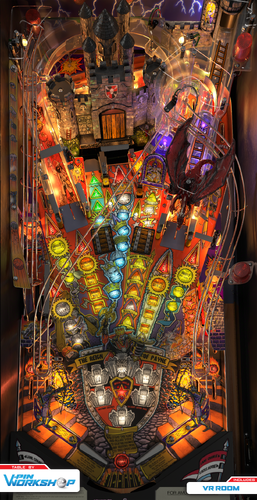
Medieval Castle (Original) (SSF, FizX 3.3) (Versions included for Desktop, 2 and 3 Monitor Cabinets and VR)
By GeorgeH
In order to read the description for Version 1.2, you have to click on the "Permission to Mod" tab.
Version 1.1 Description:
This table is a little-known gem. I know that some of you avoid original tables like the plague but Roney Pinball created something here that is really special. This is one of the first tables I found when I first started playing Future Pinball more years ago that I care to mention. I played it for many hours. Everything about it just feels right for medieval knights and castles. It is very immersive and transports you to a bygone era of chivalry, castles, and epic battles. The sound effects are particularly good. The dynamic soundtrack includes the sounds of swords clashing, horses galloping, and dungeon echoes. When I replayed it before creating this modification, I could not hear the flipper sounds because they were overpowered by other sounds so I knew I had my work cut out for me.
Note: Be sure you read the "Must Read" sections below and all the text in bold print.
The following video demonstrates the unique features of Medieval Castle and has a short bit of game play:
BAM – Must Read
This table requires BAM version 1.5-373 or later for it to perform as intended and to not crash or generate error messages. This version was released on 1/28/24 and you must have it installed for FizX 3.3 to work. You can download it here:
https://www.ravarcade.pl/download
Zip File – Must Read
There is a zip file included in the download. It contains the model of a ball with 1K polygons. Do not unzip the zip file. Just save it with the same name as the table and place it in the same folder as the table. If you don't use it, the physics won't be correct. Some end users have added the zip file to their BAM folder so it works on all tables. If you have done this, you can delete the zip file in the download.
DOF and PUP SSF
I decided to add PinMechSound which is a first for me. If you are not aware of what it is, it is a way for pinball cabinet users to add DOF and surround sound feedback (SSF) to their cabinets. I think there is a way to add it to a desktop but I don't think it produces much benefit for my setup. Debo26 was nice enough to test this table on his cabinet. To make SSF work, you must add the PUP-Pack that is included in the download. Copy "FP_PUP_SSF_GEORGE" to your PUPVideos folder.
Just adding PinMechSound wasn't enough for the sound, however. The sound was not balanced so I added what I call a "Sound Level Control Panel" where I balanced each of the 6 groups of all sounds used on the table and then balanced the 6 groups together so they sounded right. You can adjust the 6 groups in the script yourself if you wish but I think I got it right.
FizX and Tweaker
I added FizX 3.3 with the latest version of the FizX menu system that we call a "tweaker". Press the Special 1 key to open the FizX tweaker and read the directions on the overlay that appears on your screen for navigating the system. I moved the options on the tweaker so the parameters I use the most are displayed first on the list with the lesser-used parameters at the bottom. If you are not familiar with FizX, you might find the parameters on the tweaker intimidating. You will however be able to understand the option for "Bounce Choices" which is the very first option. The option refers to the bounce of the ball off the flippers. The "Bounce Choices" option allows you to make selections that anyone can understand. For example, you can select "Low Bounce" or "Medium Bounce". I recommend you try making changes to this option. I have already made adjustments on the tweaker but everyone knows I like the flippers to have a very low bounce. From what I have seen, most folks prefer higher bounce.
Lighting
I added lighting modes for Day, Dusk, Night, Dark Night, and FP Original. I went a bit further than I usually do by adjusting over 50 parameters for each lighting mode that you can see near the beginning of the script. Press the Special 2 key to toggle through the lighting modes. FP Original doesn't look quite as good as the other lighting modes but it helps those that have lower-end PCs.
Camera Views
This table has a large segmented display on the backbox that cannot be seen with the popular "Full Table 2" view. If you can't see the display, you can't play the game very effectively. I created three camera view profiles that show the segmented display. I set one of them, to be the default in the script so the segmented display should be visible when you first play the table. You can change the default camera view by pressing the "V" key repeatedly to toggle through the three options.
Plunger Modification
Popotte developed a plunger mod that added a new feature to the code I had been using. The code that I used in the past makes the plunger pull back more slowly, making it easier to hone in on just the right power to hit certain skill shots on most tables. This table does not have a skill shot but it does have a hidden kicker in the back of the castle where this modification makes it easier to hit.
The plunger that Popotte created has two modes of operation. The slow plunger pullback is the same as previous versions I used and works like a normal plunger would by pressing the plunger key. The second method is where you can use the up and down arrow keys to position the plunger exactly before it is released. Then you press the plunger key to release the ball. Popotte had been using this mod for a long time but it required setting a switch to either use the slow pullback or the arrow keys. He and I worked together to figure out a way to code it so it does not require a switch. ...So you can either press the plunger key and release it at the point where you want it to let go or you can very precisely adjust the plunger with the up and down arrow keys and then press the plunger key to let go of the plunger.
Easy Game Play
There is an option in the script for easy gameplay. The option is set to false by default. You can change it to true if you want easier gameplay. The comments in the script identify all the changes it makes.
Rules
I wrote a set of rules that I added to the instruction cards on the apron. I had written rules which included what happens when the kicker is hit that is inside the castle on the left side. Then I decided that Roney Pinball might have wanted this to be unknown to the end user because he calls it a "Mystery" in the game. I decided to add that content exclusively to a PDF file that is in the download. The content of the PDF is identical to the rules added to the instruction cards except for what happens inside the castle. If you want the castle rules to remain a "Mystery", you should delete the PDF file.
The Spinner
I had some trouble with the spinner on this table from the start. It would only spin once or twice when it was hit and would stop. I tried adding some code that Ravarcade created but it didn't perform any better. Wecoc developed a method where the spinner object on the table is converted to a toy with some special code that operates it. It makes the spinner on this table work perfectly. It also helps your score quite a bit when you complete the mode that adds 1000 points to your score for each spin.
Table Loading Screen
There are two table-loading textures as listed below. The first landscape texture is the default and is intended to be used on desktop PCs. The portrait texture is intended to be used on pinball cabinets and is used on the "rotated display" version of the table described below.
LoadingLandscape.jpg
LoadingPortrait.jpg
Rotated Display
Finally, I added a version of the table for those of us who have desktop PCs with a single monitor that can swivel so it is oriented in an upright position. I call it a rotated display. To play the table, you need to change the "Rotation" option to 270 degrees on the "Preferences" > "Video / Rendering Options" screen of the FP editor. You can try it on a standard monitor to see what it looks like but it will be oriented sideways. The popular Full Table 2 view only uses about 50% of the screen for the playfield whereas this option uses about 90% of the screen. It produces a more immersive gaming experience.
Conclusion
I hope you give this table a chance. It is truly one of the best original tables. You would think the castle uses a model but it uses 80+ Future Pinball standard walls and surfaces. It must have taken Roney Pinball some time to create. I added everything I could think of to improve the gameplay of this table. I hope you like it.
Table Developers
Roney Pinball
GeorgeH
Contributions by:
Gimli – Codeveloper of the FizX Tweaker
JLou5641 - Creator of FizX
Fleep - Created recordings for mechanical sounds
TerryRed – developed the "All in One" template of FizX
Popotte - Developer of the plunger modification
Wecoc - Developer of the spinner
Debo26 – Tester of DOF and PUP SSF on this table
List of Changes:
1) Upscaled most of the textures on the table except for the castle.
2) Made the castle textures darker.
3) The segmented display was not visible on the Full Table 2 view so 3 switchable camera views were added which can be changed by pressing the letter "V" repeatedly.
4) Added model for game room with texture.
5) Added new rock texture to the ramp and new shingle texture for the castle roof.
6) Added Hud toggle key that saves setting to fpRam.
7) Added plunger pull special script to slow down pull-back, making it easier to hone in on a shot to the hidden kicker.
😎 Added a ball stop surface above the ramp to keep the ball from flying and added an invisible approach ramp.
9) Fixed bug that displays M1Count not defined.
10) Added more time to display the text on the segmented display on the backwall so you have time to read it.
11) Moved the lens for the "Jackpot 100,000" light on the playfield texture up higher on the playfield so the light for it could be moved so it does not cover the text.
12) Added Fleep recordings for mechanical sounds.
13) Aligned the left wall of the table that has a break in it and made the ball bounce to the right.
14) Adjusted the color of all the light inserts on the playfield.
15) Changed the displays on the long segmented display 1) to include baseline point values (without bonuses) 2) added displays for when the hidden kicker is hit 3) made displays last longer so you have time to read them.
16) Added custom flipper texture.
17) Added black side rail caps and lock down bar.
18) Added BAM code that allows the score to exceed 2 billion points and made some code changes to support it.
19) After upscaling the lenses for the 2x to 6x bonus multiplier lights, the text was centered, and the background lightened to make the numbers more prominent.
20) When all lights were illuminated on the 2-bank stationary targets and the 3-bank drop targets they never displayed long enough to see it. Added more time to allow end users to see the light before turning off.
21) There were 2 extra ball lights on the playfield where the coding was never finished. Added extra ball awards completing the sequences for 2-bank stationary targets and the 3-bank drop targets (see the rules).
22) Fixed the display so it does not say multiball when no prisoner lights are lit and only the original ball returned.
23) Wrote rule sheet and added it to instruction cards on the apron and included a PDF in the download with the rules.
24) Added portrait loading texture for cabinet users.
25) Added a new feature by Popotte to the plunger mod. You can now use the up and down arrow keys to position the plunger exactly where you want then press the plunger key to let go of the plunger. If you don't want to use the arrow keys, press and hold the plunger key.
26) Added Sound Level Control Panel that adjusts every sound used on the table.
27) Added music to the attract mode.
28) Added Pin Mech Sound.
29) Changed 3 modes that could only be completed one time so they can be repeated.
30) Corrected a problem with the trigger below the left gate in the middle of the table. This trigger did not consistently turn on the green lights in front of the ramp in the correct sequence. This was fixed.
31) Created a version of the table for Rotated Display for those that have single monitor PCs and can tilt their monitor 90 degrees.
1250 downloads
-
Oktoberfest "Pinball On Tap" v1.7
By VP1000
' *******************************
' ** Oktoberfest **
' ** "Pinball On Tap" **
' ** Version 1.7 **
' ** Coded By: 1000 **
' ** Spell T A P **
' ** To Make Ramps **
' ** Go Down For **
' ** CorkScrew **
' ** Multi-Ball **
' ** Put Music On **
' ** Timers **
' ** Changed Lights **
' *******************************
355 downloads
-
Holloween "Trick Or Treat" v1.0
By VP1000
' ************************************
' ** Holloween **
' ** "Trick Or Treat " **
' ** v1.0 **
' ** Coded By: 1000 **
' ************************************
150 downloads
(1 review)0 comments
Submitted
-
Galaxia (Original) (SSF, FizX 3.3) (Versions included for Desktop, 2 and 3 Monitor Cabinets and VR)
By GeorgeH
With this table, I’ve updated my third release that was originally created by Roney Pinball. Galaxia has always been one of my favorite tables from when I first started playing pinball on my PC. It quickly became addictive. Part of the reason, I believe, was how easy it became to earn extra balls once I learned the table’s mechanics. After a modest improvement in my gameplay, I could often keep a single game going for 30 minutes to an hour.
In this update, I’ve modified nearly every aspect of Galaxia. The original music track was replaced with three new ones. I also added FizX 3.3, using the most current FizX Tweaker. Surround Sound Feedback (SSF) and ball rolling sounds have been implemented using Fleep's recordings.
Visually, the most noticeable change is the addition of two vertical up-kickers equipped with wire ramps. Several geometry issues affecting table objects were corrected. I also created a custom game room environment. Popotte's ingenious plunger modification has been included, allowing precise positioning of the plunger before launching the ball.
Four lighting modes have been added: Day, Dusk, Night, and Dark Night. Numerous light lenses and object textures have been revised. A HUD DMD is now included, displaying the same content as the 27-digit segmented display. This is useful for desktop users and for cabinet users with third monitors via DMDExt.
One of the most challenging fixes was correcting errors related to one of the three extra ball options. And that’s just the beginning—see the “List of Changes” section below for a complete breakdown.
AMD CPUs and GPUs have historically caused compatibility issues with Future Pinball, often misinterpreted as script errors when hardware incompatibility is the real culprit. AMD GPUs are known to create problems in other games as well, not just Future Pinball. Users with AMD Ryzen CPUs paired with NVIDIA GPUs have generally reported better results. However, some have encountered a "string error" with this setup. In those cases, the issue was successfully resolved using a fix I discuss in the instructions PDF file included in the download. I can’t guarantee that this fix will resolve your specific issue, only that others reported success using it. Since I use an Intel CPU and an NVIDIA GPU, I’m unable to replicate or test AMD-specific problems myself.
Galaxia is a widebody table, and I estimate its width falls somewhere between Genie and Embryon. I was concerned it might not fit well in a pinball cabinet, so I asked DigitalArts to test it. I posted a screenshot from a video he sent me so you can see how it looks—I think it turned out beautifully. He also shared the CFG file from his cabinet, which I’ve included in the download. It should work for most users, though you may need to make adjustments for your setup. He confirmed that the physics, DOF, and SSF all worked properly. From the video, I could see that the DMD displayed perfectly on his third monitor using DMDExt.
A big thank-you to DigitalArts for testing the table on his cabinet. Since I don’t have one myself, his help was invaluable in ensuring everything functions properly for cabinet users.
Although this update required a deep dive and took longer than expected, it was truly a labor of love. Be sure to read the instruction PDF included in the download to take full advantage of all the table’s features. You’ll also find a rulesheet to help you learn how to play. I hope you enjoy it!
—George
List of Changes
1. Added two vertical up-kickers (VUKs) with wire ramps and set the score for hitting them to 5,000 points. A flare was added around the left VUK to match the right one.
2. Translated Spanish text to English on playfield textures, decals, and the 27-digit display.
3. Fixed several geometry issues:
After rolling around the bottom of the launch lane when kicked out, the ball would often settle in an area where the plunger couldn’t reach it. This was fixed by lowering the plunger (the rod was overextended), repositioning the autoplunger and plunger kicker, and narrowing the launch lane.
The right upper flipper was set back into a recess into the wall where the ball would often get stuck. Extended the wall behind the flipper straight out to the end of the enclosure for the captive ball. The wall behind the flipper was extended to the edge of the captive ball enclosure. The lane guide on the approach to the flipper was moved to improve ball trajectory. Playfield and plastic textures were updated to match the new layout.
Adjusted lane guides for all four flippers to prevent the ball from jumping when rolling onto the flippers.
Repositioned the end of the lane guide above the left ball lock to prevent the ball from getting stuck.
4. Added new table loading textures for desktops and cabinets.
5. Moved the opening on the apron above the for improved ball visibility.
6. Installed bulbs on top of plastics for locked balls. Bulb color indicates mode:
Green: ball ready to be locked
Yellow: ball locked and awaiting drop target hit
Red: pop-up raised, lock blocked
7. Darkened the texture of the plunger lane.
8. Added FizX 3.3 with the latest version of the tweaker menu.
9. Replaced the original music theme with three new tracks for attract mode, multiball, and gameplay music.
10. Reshaped the apron to be symmetrical and edited its texture accordingly.
11. Updated the right slingshot so it is no longer transparent (matching other plastics). The green starfield texture was revised to include the Lagoon Nebula.
12. Reviewed all scoring events awarding 10,000+ points and added point values to both the 27-digit display and DMD.
13. Played an unused sound when Special is completed.
14. Created a new game room featuring a background texture of the Orion Nebula.
15. Added BAM code to allow scores above 2 billion and corrected related scripting errors.
16. Implemented Popotte’s plunger mod. The plunger now pulls back more slowly, allowing better reaction time. See the included PDF for instructions.
17. Upscaled the textures for the playfield, plastics, apron, backglass and cabinet. Edited the cabinet texture slightly.
18. Fixed scoring logic for awarding an extra ball on the half-round lane below the left ball lock (orange arrow).
Removed flashers that triggered on each star target hit.
Fixed light sequencing.
All the lights and other functions for this extra ball were set up to carry over to the next ball. (The original version had one light that carried over to the next ball and the other lights did not.)
All the lights and related functions for this extra ball have been configured to carry over to the next ball. (In the original version, only one light carried over, while the others did not.)
19. Added four bulbs under the slingshots to trigger the flash of shadow maps when the ball hits the slings.
20. Developed a set of rules that were added the rules to the instruction cards on the apron.
21. Added three switchable camera views that can be toggled using the "V" key.
22. Added ball rolling sounds for the playfield and both wire ramps.
23. Added surround sound feedback (SSF) for DOF and PUP.
24. Adjusted colors of all light inserts to be more subdued while retaining the original aesthetic.
25. Added ball count and credits to the HUD, which were previously only visible on the backbox.
26. Converted five bitmap decals used for extra ball lights on the bottom-left of the playfield to use black text (replacing white). Converted these to TGA files with alpha transparency.
27. Replaced low-resolution lens textures for green 2x–6x playfield light inserts with high-res versions.
28. Updated segmented display colors to a less garish tone and disabled the “Boredom Effect.”
29. Added four lighting modes—Day, Dusk, Night, and Dark Night that can be toggled using the Special 2 key.
30. Added a HUD DMD that mirrors the 27-digit display. For cabinet users, the DMD also supports third monitor output via DMDExt.
31. Configured the left flipper key to cycle through the four lighting modes before the game starts. The right flipper key now opens the Tweaker menu pre-game, helping cabinet users with limited buttons.
32. Updated the 27-digit display and DMD to indicate which keys control lighting modes and the Tweaker during attract mode.
33. Added shadow maps to selected bulbs beneath the plastics.
34. Added adjustments in the script for ball/flipper shadows, ball Brightness, ball reflections, ball shininess and ball specular, and ray casting.
35. Replaced default flipper textures with custom ones.
36. Set the posts holding rubber bands to crystal with lighting-responsive sphere-mapped textures.
37. Discovered some abandoned code and completed it to increase jet bumper scores when the jet light is on.
The jet light activates after 20 bumper hits.
Once active, bumper scoring increases from 50 to 300 points.
38. Changed two flashers on the back wall to display different colors based on six major in-game events.
39. Replaced captive ball posts with a different material and aligned them to the lower-left flipper for performance optimization.
40. Added two missing blue bulbs under the rounded back plastics between the posts.
41. Replaced all target textures and applied a metal texture from Shiva’s collection.
42. Created a rotated display version of the table.
43. Created a three-monitor version of the table.
44. Included a PDF download containing a full instruction manual.
45. Added to the download a rulesheet with screenshots as a PDF file.
46. The table features pop-up blockers in the ball locks, which prevent access to the kicker during multiball. Originally, these pop-ups remained raised until all balls had drained after multiball and a new ball was launched from the plunger. This was changed so access to the kicker is allowed when only one ball remains on the playfield.
Table Developers
Roney Pinball
GeorgeH
Contributions by:
Gimli – Codeveloper of the Tweaker
JLou5641 - Creator of FizX
Fleep - Created recordings for mechanical sounds
TerryRed – Developer of the "All in One" template of FizX
Popotte – Creator of the plunger mod
DigitalArts – Cabinet tester
Shiva – textures for all the targets and a metal texture
Anthias – The flipper texture is from his Custom Flipper Pack
721 downloads
-
Indiana Jones, The Pinball Adventure (Williams, 1993) (Color DMD, SSF, FizX 3.3) (Versions included for Desktop, 2 and 3 Monitor Setup and VR)
By GeorgeH
Indiana Jones: The Pinball Adventure is a wide-body pinball machine designed by Mark Ritchie and released by Williams in 1993. It is based on the first three Indiana Jones films: Raiders of the Lost Ark, Temple of Doom, and The Last Crusade. The playfield features rectangular light inserts for 12 modes, with four modes representing each movie. Additionally, there is one video mode corresponding to each film. The bottom row of lights represents modes for Raiders of the Lost Ark, while the top row corresponds to The Last Crusade. The kicker, located beneath the biplane, allows players to lock three balls for multiball. There are 3 additional multiball modes. The game's goal is to complete the 12 modes and start the wizzard mode, where you score one billion points. Actor John Rhys-Davies (reprising his role as Sallah) recorded some new voice quotes for the game. What truly sets this game apart is how thoughtfully designed and enjoyable all the modes are to play.
About five years ago, Gimli and I modified the Future Pinball (FP) version of this table. The first-ever use of the miniplayfield option in BAM was on his Ultimatum 3 version. Gimli incorporated the miniplayfield option in several areas, most notably to enable the Path of Adventure (POA) to tilt when using the flippers. In previous FP versions of the table, the POA was static and unmoving. Gimli's tilting POA worked flawlessly. Although I added new textures to the plastics at the time, I couldn’t locate any other textures, so they remained unchanged. As a result, the textures for the POA and right ramp were quite dark, and the playfield was of marginal quality.
When I decided to update this table, I searched for better graphics but initially had little success. However, I eventually came across Bigus1's VPX version of the table, which features a beautiful playfield texture of outstanding quality. Bigus1 graciously allowed me to use his playfield texture; as well as, any other textures from his table that I needed. Thank you, Bigus1!
Gimli had previously added several animations to the table that everyone liked so I left them intact. He also added what he calls his "True Multiplayer" feature. This feature provides true multiplayer functionality, saving each player's game and restoring it on their next turn. Although he used most of the available save registers, I discovered an unused nvS register, which allowed me to add one tweaker. I chose to implement a game tweaker, the most versatile of the three tweakers that Gimli and I have developed.
Video Overview of the Table
In addition to the new textures and game tweaker, I added FizX, Surround Sound Feedback (SSF), and a color DMD. I also reworked the problematic right ramp for smoother performance and revamped all the lighting with new shadow maps and spotlights. Two versions of the cabinet are switchable (see the instruction PDF file for more information).
It seems that more users are running AMD processors on their PCs. Historically, AMD CPUs have had compatibility issues with Future Pinball. Many users report hard crashes after about 10 minutes of gameplay—or even sooner. In addition to crashing, AMD processors can cause stuttering and other performance problems. I received a report from a user on another table, where the playfield appeared as a gray screen with no image, and the system was using an AMD CPU. Systems with AMD GPUs are even more prone to crashes, and unfortunately, there’s little that can be done to resolve these issues. AMD graphics cards are known to have compatibility problems with many games, not just Future Pinball. Table developers cannot be held responsible for issues related to AMD hardware. Some users mistakenly blame these issues on script errors when they are actually caused by hardware incompatibility.
Users with AMD Ryzen CPUs paired with NVIDIA graphics cards have had more success running Future Pinball. I’ve received reports that some users with this configuration encounter a string error, but it was successfully fixed using a solution I posted in the script. You might want to try this fix if you’re experiencing other issues with this setup. Since I have an Intel CPU in my PC, I’m unable to replicate or test any AMD-related problems you may encounter.
Gimli’s original menu system, though effective, combined certain options to minimize the number of save registers needed. For example, the balls-per-game option was combined with an easy play mode. With the addition of the game tweaker, I could save 28 parameters to a single save register. This allowed me to split the combined options into separate choices. I also added several new parameters and 13 audio controls for sound and music, similar to those I’ve implemented in other tables.
Gimli’s original menu system for saving games is still included. It is explained in the instruction PDF file accompanying the download and also displays a list of high scores.
Video Demonstrating the 3 Menu Systems
I’ve done my best to optimize the playing experience for both desktop PCs and pinball cabinets. As part of this effort, I included three versions of the table in the download:
1. Main Version – Suitable for desktops, cabinets with two monitors, and virtual reality headsets.
2. Three-Monitor Version – Designed for cabinets with three monitor displays. This version removes the speaker panel from the backbox and it works with DMDExt.
3. Rotated Display Version – For desktop PCs with a single monitor that can rotate to an upright (portrait) orientation.
Make sure to refer to the instruction PDF file included in the download for setup guidance.
I prefer to play the rotated display version on my desktop PC because it fills about 90% of the monitor’s available space. In comparison, the Full Table 2 view in Future Pinball only occupies about 50% of the screen, excluding the HUD (which isn’t necessary for the rotated display version). The rotated display offers a more immersive and engaging gameplay experience.
I want to express my sincere gratitude to MadMrMax for assisting with testing and providing some custom fonts he created. Also, enhancing the visual appearance of this table would not have been possible without Bigus1's textures. Thanks again, Bigus1!
I aim to improve Future Pinball gameplay for everyone. I believe the color DMDs I’ve been adding to my table mods greatly enhance the gaming experience. There have been times when I struggled to discern what the DMD was displaying until I added color. Unfortunately, cabinets using DMDExt cannot display the color. I’ve submitted a DMDExt feature request to address this issue on the following website. This change would allow cabinet users to expand the color palette used on all tables. If you’d like to help, please post comments supporting this change on the linked page. Creating a login ID takes only a few minutes.
https://github.com/freezy/dmd-extensions/issues/520
—George
List of Changes
1) Replaced the art on the playfield apron with similar gold-colored art.
2) Added a new desktop table loading texture with a rope bridge, matching the table's rope bridge mode.
3) Got permission from Bigus1 to use textures from his VPX version of Indiana Jones, The Pinball Adventure. Used Bigus1's playfield texture, the texture for the Path of Adventure (POA), textures for both slingshot plastics, textures for stationary targets, a portion of his backwall, a portion of the rope bridge from his plastics, and a portion of the texture for the right ramp.
4) The backwall was raised higher so you can see more than just the top of it. Reworked it to make it brighter.
5) Filled in gaps in the rope bridge plastic that goes around objects on the real table that aren’t present in this version to create a rectangular shape.
6) Found a higher-resolution texture for the backglass. Reconstructed Slamt1lt's animated backglass using the new texture to recreate the 12-step sequence.
7) Created a custom texture for each flipper.
8. The original table's HUD underlay featured an image to the left of the DMD, which caused the DMD to be reduced in size. The texture was replaced with one that has narrow sides, allowing the DMD to be made larger.
9) The instruction cards were previously added to the texture for the plastics. I added two surfaces for instruction cards on the apron, allowing for the use of higher-resolution cards, making the text easier to read.
10) Fixed several textures so they fit the plastics better, filled in exposed bolt holes, and upscaled the textures using an AI program. Changed the edge of the upper plastics from red to a texture colored similarly to the top of the plastics. Extended the plastic on the sides of the right ramp so that they fit on top of the posts. Added screw heads to the plastics.
11) Combined "cookie-cutter" 2048x4096 textures for one of the plastics with the POA to save PC resources.
12) Edited Bigus1's lenses for "The Pit" and "Extra Ball" and added them to the texture for the POA. Reshaped the light inserts for these two lenses and modified them so that the "cookie-cutter" option could be used. Extended the top of the texture by creating content to fill the gap to the top of the POA. Moved some objects around on the POA to center the lanes and make them fit the texture.
13) Created new side blades for the cabinet interior.
14) As spectacular as Bigus1's playfield is, some adjustments were made to the dark blue color so that the two center lanes and columns are slightly lighter, matching photographs of the Williams table. The flesh tones of Willie, Marian, and Dr. Jones were lightened slightly. The text on the ball saver light (labeled "Eternal Life") was adjusted to a more consistent red color.
15) The Indy sign above the top of the backbox had stopped working. I exported the model of the sign from Slamt1lt's original table and imported it into this table, which made it work again. I then revised the texture to match the colors of the logo on the backbox texture.
16) Changed the model for the side blades and added a model for the top rail that covers the default rail. I also added a surface that covers the default apron. Covering the default rail and apron allows them to be changed to a dark brown color, as seen on the original Williams cabinet.
17) Replaced the round playfield light inserts for Sallah, Marion, and Dr. Jones with shapeable lights to accommodate areas of the lens that are not perfectly round.
18) Reshaped the metal box on the exit to the Path of Adventure to improve its fit and finish, ensuring a better attachment to the metal ramp.
19) Added a texture to the bottom of the exterior wall of the Path of Adventure to make it consistent with the rest of the wall.
20) Added a new floor to the right upper ramp to improve performance (making the ball travel faster). Replaced the existing ball guide on the right upper ramp, which was not visible.
21) Added FizX physics using an older version of the tweaker that does not save settings because all the save registers were already used.
22) Reconfigured the plunger and nearby objects so that the ball no longer gets stuck in an area where the plunger cannot hit it when the ball is kicked out.
23) Added a surface above the right ramp to stop the ball from flying too high and hitting the edge of the plastic above the ramp.
24) Added texture to the stationary target hidden behind the drop targets, where no texture had previously existed.
25) Added Fleep's recordings and Surround Sound Feedback, including his ball-rolling sound on the playfield and ramps.
25) Changed the shape of the entrance to the ball lock so that the ball no longer partially enters and bounces out.
26) The table has a "Status Report" that can sometimes display. It can also be manually triggered during a game by pressing the "S" key.
27) Resolved an issue with the "big boulder ball" special effect, which appeared to bounce after FizX was added. This was fixed by temporarily increasing the table slope to 7.5 when the boulder starts and reducing it after the effect ends.
28) Added a "Sound Level Control Panel" that allows for controlling the volume of all audio on the table.
29) Moved the rubber band above the ball lock kicker to prevent balls from getting stuck there.
30) Added snake sound effects to the arc animation when a player chooses poorly in the video game.
31) Added color DMDs and coded them to include a background color for DMD text. This feature must be turned off on pinball cabinets that use DMDExt by changing the ColorDMDStatus in the script to "2." Cabinets that do not use DMDExt (such as 2-monitor setups) can display the color DMDs.
32) Created an alternate version of the backglass animation that does not flash, making it more accessible for individuals with photophobia.
33) Added the Game Tweaker. Moved several combined options from the menu to the tweaker as separate parameters, such as easy mode, balls per game, enhanced mode on/off, game rooms, original/Disney cabinets, game console cabinet, pan & zoom, and lighting modes. Added new parameters for ray casting on/off, 14 desktop camera views, swapping 3 playfield sounds and 2 wire ramp sounds, swapping 3 different side blades, toggling flashes on backglass animation, and creating a custom backglass speaker grill, which can be switched with the original. The original menu was retained for game save options and high score displays.
34) Made the "special 1" and "special 2" keys switchable between the original menu and the tweaker, as an option in the script.
35) Added JP's game pause code to pause the game when using the stable save option.
36) Added 13 audio controls to the game tweaker, allowing all sound levels to be adjusted in-game.
37) Added a keyboard key to change lighting modes by pressing the "L" key, eliminating the need to open the Game Tweaker.
38) Added an audio preset option to the game tweaker that has presets for 9 parameters to reduce sound level in increments of 0.05.
39) Replaced the texture for the right plastic ramp with a combined version of the original and Bigus1's version.
40) Completely reworked all the lighting from the previous version, adding modes for Day, Dusk, Night, and Dark Night. These modes are switchable via the Game Tweaker or by pressing the "L" key on the keyboard.
41) Reworked all the shadow maps.
42) Added spotlights to the planes and lit the spotlight on the biplane when pressing the start game key, tying it to the voice quotes.
43) Added two versions of the table: one for 3-monitor cabinets and another for single-monitor rotated displays for desktops
44) Created an instruction manual in PDF format.
45) Reworked Gimli's PDF of "Adrian's Guide to Indiana Jones: The Pinball Adventure" with Gimli's comments about this table.
46) The drop target in front of the captive ball has been changed. Previously, the target only dropped on the third ball hit, while the first two hits left the target standing. Now, the target will drop for 1 second after the first two ball hits before raising back up. This change matches the behavior of the real Williams table.
47) Constructed a new boulder ball using a bump map. (Adding the bump map required creating a new ball). Added another new custom ball to replace an older one.
48) Added a feature to the script where the Easy Mode times can be increased by any desired percentage.
Table Developers
GLXB, Highlnder00, Slamt1lt, Gimli, GeorgeH
Valued Contributors
On this version: Bigus1 textures, MadMrMax for helping test the table and providing fonts that he created. Thanks to Popotte for creating the code to pause the ball when performing the stable save.
On Gimli's versions: Starac, Umpa, and Skinooe for testing and physics, Miownkhan for custom balls, Wecoc for Array Template that permits True Multiplayer tracking, Gin for help with Tank Chase DMD fonts
On GLXB's version: Pinbalt, Highrise, LordHiryu, Wtiger, Magnox, and Toxie
2128 downloads
-
fizx Road Runner (Original) (SSF, 3 Monitor Setup, FizX 3.3)
By GeorgeH
Road Runner is a great table created by the incredible table developer Roney Pinball. I decided I wanted to work on a simple table with a simple update so I chose Road Runner. It didn't take long; however, to determine that it was a bit more sophisticated than I thought. It has a flyer that explains a few things but not everything. I decided to write a set of rules since no one had ever posted them before now. I wrote quite a few rules that filled up both instruction cards on the apron but I was able to add everything I wanted.
I added FizX Lite 3.0 and the latest version of the FizX tweaker. An improved version of the lighting tweaker was published on Avatar 2.2. Since then, Gimli and I have spent much time improving the tweaker. We found three huge bugs that have been resolved. Avatar 2.2 had occasions where end users reported getting string errors that have now been resolved. One bug was caused by Future Pinball sometimes performing calculation errors, like 6 times 10 being equal to 59.9999. That might be considered close enough but it causes havoc on an array where every two characters in the string represents the saved value for one parameter. We fixed it by adding rounding for each calculated value to a non-decimal number. I have noticed that the fix has made the tweaker much more stable without any string errors.
I have added overlays that describe each of the parameters on the FizX tweaker. I provide directions on how to navigate the tweaker on the first screen that you see when the tweaker opens. All you need to remember is to press the Special 1 key to open the tweaker. If you want a longer description of the Reset to Default, Reset to StartUp, and Save functions, arrow down to the end of the parameters and you will find a detailed description of each. Unfortunately, the tweaker does not have enough save locations to add settings for the upper flippers. If you want to change the settings for the upper flippers, they can be changed in the script. You can, however, change the settings for the main flippers on the tweaker.
If you are not familiar with FizX, you might find the parameters on the tweaker intimidating. You will however be able to understand the option for "Bounce Choices". The option refers to the bounce of the ball off the flippers. The "Bounce Choices" option allows you to make selections that anyone can understand. For example, you can select "Low Bounce" or "Medium Bounce". I recommend you try making changes to this option. I have already made adjustments on the tweaker but everyone knows I like the flippers to have a very low bounce. From what I have seen, most folks like higher bounce.
I didn't add my usual lighting mod this time but I think you will like the lighting nevertheless. There are lots of options at the beginning of the script where you can change the lighting and other options.
Zip File – Must Read
There is a zip file included in the download. It contains the model of a ball with 1K polygons. Do not unzip the zip file. Just save it with the same name as the table and place it in the same folder as the table. If you don't use it, the physics won't be correct.
Table Loading Screen
There are two table-loading textures as listed below. The first landscape texture is the default and is intended to be used on desktop PCs. The portrait texture is intended to be used on pinball cabinets.
LoadingLandscape.jpg
LoadingPortrait.jpg
Conclusion
The entrance to the right wire ramp was rather problematic. The ball kept bouncing around the ramp entrance and not going down it. However, persistence paid off and I managed to get it to work. This table was otherwise a pleasure to work on. I hope you enjoy it.
GeorgeH
List of Changes
1) Added ball/flipper shadows, ball configuration, and ray casting to the script.
2) Added FizX Lite 3.0.
3) Added the latest version of the FizX tweaker which includes a Flipper Bounce Choice option that combines the settings of 3 FizX parameters for each of the 9 bounce choices.
4) Added overlays to the tweaker that explain each of the FizX parameters.
5) Added a HUD Toggle Key that saves settings.
6) Added new lighting and spotlight with lights turning off when the ball is not in play.
7) Added new landscape-shaped texture on the table loading screen for desktops and portrait-shaped texture for cabinets.
😎 Added game room floor and backwall.
9) Added BAM code that allows the score to exceed 2 billion points.
10) Added plunger pull special script to slow down pull-back.
11) Added new music to attract mode and new background music to all modes.
12) Upscaled textures for playfield, backglass, and cabinet.
13) Reworked the entrance to the right wire ramp to improve performance. Adjusted all ramps.
14) Added rolling ball sounds to the playfield and all four ramps.
15) Adjusted the color of all light inserts on the playfield and changed the color on one ramp.
16) Added more time to display the text on the segmented display on the backwall so you have time to read it.
17) Developed a set of rules which include many of the point values. Added the rules to the instruction cards on the apron.
18) Added desktop camera setting to the script.
Table Developers
Roney Pinball
Mugsy
GeorgeH
Contributions by:
Gimli – Codeveloper of the Tweaker
JLou5641 - Creator of FizX
Fleep - Created recordings for mechanical sounds
TerryRed – Developer of the "All in One" template of FizX
2119 downloads
- bam
- future pinball
- (and 2 more)
-
Lancers
By Francisco
Average Fun Rating: 7.0/10 (7 ratings/6 comments) [ Add Your Rating! ]
Manufacturer:D. Gottlieb & Company (1931-1977) [Trade Name: Gottlieb]
Date Of Manufacture:August, 1961
Model Number:178
Type:Electro-mechanical (EM)
Production:1,700 units (confirmed)
Serial Number Database:View at The Internet Pinball Serial Number Database (IPSND.net) (External site)
Theme:Cavalry - Military
Notable Features:Flippers (2), Pop bumpers (4), Slingshots (2), Kick-out holes (4). The two center kick-out holes propel balls towards top of playfield. The two side holes kick balls towards flippers. 3 or 5 ball play.
Design by:Wayne Neyens
Art by:Roy Parker
143 downloads
-
Continental Cafe
By Francisco
Continental Cafe / IPD No. 565 / July, 1957 / 2 Players
Manufacturer:D. Gottlieb & Company (1931-1977) [Trade Name: Gottlieb]
Date Of Manufacture:July, 1957
Model Number:132
Type:Electro-mechanical (EM)
Production:1,350 units (confirmed)
Serial Number Database:View at The Internet Pinball Serial Number Database (IPSND.net) (External site)
Notable Features:Flippers (2), Pop bumpers (4), Gobble holes (3), Bullseye targets (2).
Design by:Wayne Neyens
Art by:Roy Parker
Notes:The backglass carries Gottlieb's famous phrase: Amusement Pinballs, as American as Baseball and Hot Dogs!
152 downloads
(0 reviews)0 comments
Submitted
-
Gladiator
By Francisco
Manufacturer:D. Gottlieb & Company (1931-1977) [Trade Name: Gottlieb]
Date Of Manufacture:January, 1956
Model Number:111
Type:Electro-mechanical (EM)
Production:1,200 units (confirmed)
Serial Number Database:View at The Internet Pinball Serial Number Database (IPSND.net) (External site)
Theme:Historical
Notable Features:Flippers (2), Pop bumpers (4), Passive bumpers (2), Slingshots (2), Gobble holes (2), Standup targets (2), Left and right dual outlanes. Double match awards 2 or 10 replays (operator option).
Maximum displayed point score is 1,999 points per player.
Replay wheel maximum: 26
Sound: 2 bells, knocker.
Design by:Wayne Neyens
Art by:Roy Parker
Notes:The backglass carries Gottlieb's famous phrase: Amusement Pinballs, as American as Baseball and Hot Dogs!
133 downloads
(0 reviews)0 comments
Submitted