No files in this category yet.
Files From Subcategories
-
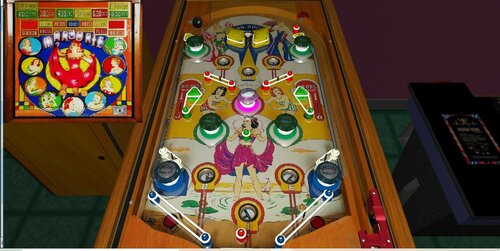
em real flipperless pinball recreation. Marjorie (Gottlieb 1947)
By Francisco
Marjorie / IPD No. 1548 / July, 1947 / 1 Player
Manufacturer:D. Gottlieb & Company (1931-1977) [Trade Name: Gottlieb]
Date Of Manufacture:July, 1947
Model Number:G
Type:Electro-mechanical (EM)
Production:1,200 units (confirmed)
Serial Number Database:View at The Internet Pinball Serial Number Database (IPSND.net) (External site)
Theme:Girls - Women
Specialty:Flipperless
Notable Features:5 balls for 5 cents. Passive bumpers (9), Trap holes (6).
Design by:Harry Mabs
Art by:Roy Parker
131 downloads
-
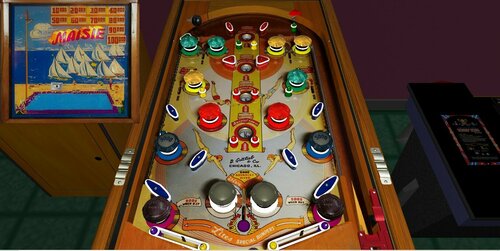
Maisie - Gottlieb 1947
By Francisco
Maisie / IPD No. 1520 / March, 1947 / 1 Player
Manufacturer:D. Gottlieb & Company (1931-1977) [Trade Name: Gottlieb]
Date Of Manufacture:March, 1947
Model Number:E
Type:Electro-mechanical (EM)
Production:3,500 units (confirmed)
Serial Number Database:View at The Internet Pinball Serial Number Database (IPSND.net) (External site)
Theme:Beach - Boating - High Diving - Recreation - Swimming - Water - Women
Specialty:Flipperless
Notable Features:Passive bumpers (14), Kick-out holes (4). Backglass light animation.
In the backglass light animation, Maisie climbs the ladder as the player hits the "Advance" rollovers or drops a ball into a kickout hole. When Maisie is at the top of the ladder, the two white bumpers at bottom-center will light. Rolling through the rollover between these bumpers steps Maisie down into the pool, awards a replay and 10,000 points, and lights all four kickout holes for replays.
Design by:Harry Mabs
Art by:Roy Parker
218 downloads
(0 reviews)0 comments
Submitted
-
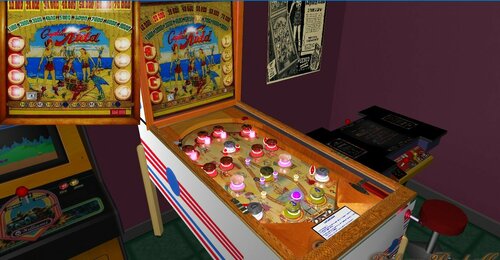
Captain Kidd
By Francisco
Captain Kidd / IPD No. 436 / May, 1941 / 1 Player
Manufacturer: Genco Manufacturing Company, of Chicago, Illinois, USA (1931-1958) Date Of Manufacture: May, 1941 Type: Electro-mechanical (EM) Serial Number Database: View at The Internet Pinball Serial Number Database (IPSND.net) (External site) Theme: Historical - Pirates Specialty: Flipperless Notable Features: Passive bumpers (16). Photos in: The Billboard, Jun-14-1941, page 98 Captain Kidd / IPD No. 436 / May, 1941 / 1 Player
[ Submit Changes ] Average Fun Rating: Needs More Ratings! 6.4 / 10 (1 ratings) [ Add Your Rating! ] Manufacturer: Genco Manufacturing Company, of Chicago, Illinois, USA (1931-1958) Date Of Manufacture: May, 1941 Type: Electro-mechanical (EM) Serial Number Database: View at The Internet Pinball Serial Number Database (IPSND.net) (External site) Theme: Historical - Pirates Specialty: Flipperless Notable Features: Passive bumpers (16). Photos in: The Billboard, Jun-14-1941, page 98
167 downloads
(0 reviews)0 comments
Submitted
-
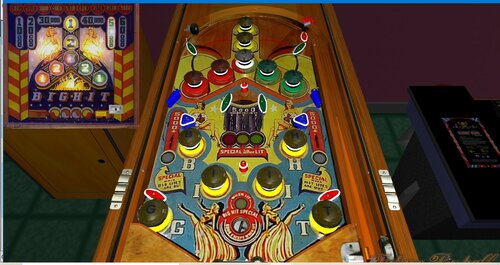 (0 reviews)
0 comments
Updated
-
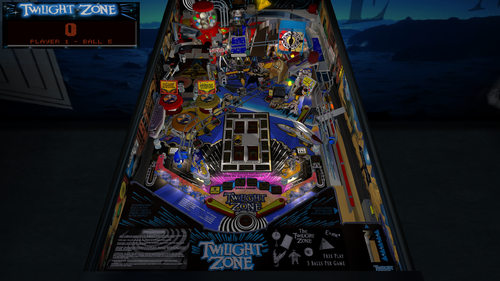
Twilight Zone (Bally, 1993)
By GeorgeH
Note that BAM (Better Arcade Mode) must be installed for this table to operate properly.
This table has a menu that is accessed by pressing the Special 2 key.
Many of the guys who compete in pinball championships consider "Twilight Zone" to be one of the most difficult tables to play. I suppose that might be true but it is still really fun to play which I think is due to its incredible design. The FP version of the table was originally built by Francisco666 and the models were built by ROM. The basic rules are also not all that difficult to remember either. The center of the playfield has a door with lights around the perimeter. The lights display most of the available modes. During game play, one of these lights is usually blinking. Hitting the bumpers will move the blinking light around the perimeter of the door. You can start a mode of whatever light is blinking by hitting the kicker under the piano. The kicker under the slot machine may also start the modes randomly also. Any mode that you complete will change the blinking light to be lit solid. There are more rules but this will get you started.
The quality of the original voice quotes was pretty bad but Francisco probably used the best available audio files at the time. I reworked the audio to provide a much cleaner sound. I found about 7 or 8 different versions of audio so I selected the best sounds from each. The new sounds are included in the new library, DIMENSION_SONIDOS.
When I got to the music, I decided to provide two versions of music libraries in addition to the original music. All three music libraries have the same name but I changed the case of some of the letters so you can identify the version. All of the libraries are compatible with the older versions of the table. You can only save one of these versions of the music to your library folder at a time so you might want to save them the other versions to a subfolder.
Original Remix - DIMENSION_MUSICA.fpl
Alternate - DIMension_musica.fpl
Rock - DIMENSion_musica.fpl
I added Shiva flippers to this table that are switchable to the standard Gimli/George dynamic flippers. Shiva flippers have more power in the center of the flippers than at the tip and base. The Gimli/George flippers has the least power at the tip and the most power at the base. I also added a flipper rotation speed chart that I think will be used for the first time on this table. I am using a slightly modified version of a chart that JLou5641 developed. The chart changes the way a flipper accelerates and moves. It helps to improve the accuracy of the shots. I recommend that you try the options for physics in the menu shortly after you download the table because it doesn't take long for your mind to get locked into a certain way of playing the table. There is also menu switchable music that play the original rock song, "The Twilight Zone". It will replace some of the music selections in the music libraries listed above.
There are a few changes I made that couldn't be done when the table was created. The real table has a "power ball" that is made of white ceramic and is much lighter than a steel ball. When this FP table was built, a white ball was impossible to create so they offered a choice of different colored balls. For this table, I created a white ball using a photograph of an ceramic ball used on the real table. I also changed the physics of it when it is released onto the table so it is lighter.
My friend, AnonTet, performed a lot of testing on this table but he also figured out a way to make the dynamic flippers more efficient. This became necessary when I tried to add Wild's code that adds a sound when the ball hits the flipper. Wild also made a change to the model used on the side blades. He took a model that had the best fit I could find and made it fit perfectly.
I added two new table loading textures that you can select on the Table Information screen of the FP editor:
LoadingLandscape – For desktop usage
LoadingPortrait – For pinball cabinet usage
Of course, the table has the same lighting options I have added to other tables. I added a spotlight for the first time on the miniplayfield. It will probably use it again on other tables.
Included in the download is a zip file that contains a file that changes the unlit pixels of the DMD. It changes the color of them to be the same color as the background. If you choose to use it, it must remain zipped, have the same name as the table and be placed in the same folder as the table.
You can download a different version of the table that is called "rotated display". This is for a desktop PC with a single monitor that can be rotated so the monitor is in portrait format. I added a screenshot of it and the download includes a PDF file with directions.
Pat Lawlor designed a beautiful table that really needs no enhancements. If you play this table a lot, you might get tired of the same music so I added some options there. Even though Slamt1lt added some video and music, the game play of this table is the same as the original. My objective here was to make the table look, sound and perform better. I think you will agree that this objective has been met. I hope you enjoy it!
These are the list of changes:
1. Replaced poorly recorded sounds, including all voice quotes.
2. Added new instruction cards.
3. Added custom physics and dynamic flippers with Gimli/GeorgeH flippers and Shiva's flippers.
4. Added emkickers to the slingshots to improve physics.
5. Added lighting mod and add Lighting Control Panel to the script.
6. Added HUD Toggle Key that saves setting.
7. Added new textures on the table loading screen for both desktop and cabinets.
8. Added menu system with options for lighting, balls per game, HUD on/off etc.
9. Added message that looks at BAM version and reminds you to upgrade BAM if needed.
10. Added shadow maps.
11. Edited plunger pull special script so you can make the skill shot.
12. Added switchable option for 3 or 5 balls per game that saves setting.
13. Added bulbs that provide the halo that shines through the slingshots.
14. Added side rails with art (sometimes called side blades).
15. Added bump maps to the camera and slot machine.
16. Added DMD background color, ball/flipper shadows and ball configuration to the script.
17. Added rock version of theme music and made it switchable with the default theme music.
18. Added menu option to switch between Gimli/GeorgeH flippers and Shiva's flippers.
19. Added menu option to switch table slope so end user can easily change ball speed.
20. Added menu option to switch bounce control options.
21. Converted images and video images to use power of 2 to reduce table loading time.
22.Lowered right ramp to make it perform better.
23. Added BAM code that allows the score to exceed 2 billion points.
24. Changed the end of game video so it can be turned off. Also fixed the end of game video so it plays the correct audio file and remove the broken Rod Steiger video.
More detail about the development of this mod is available at this link:
https://pinballnirvana.com/forums/threads/twilight-zone.20208/
George
3130 downloads
-
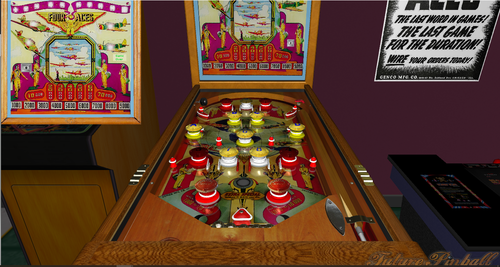
em real flipperless pinball recreation. " Four Aces" - Genco 1942
By Francisco
Date Of Manufacture:May, 1942
Type:Electro-mechanical (EM)
Serial Number Database:View at The Internet Pinball Serial Number Database (IPSND.net) (External site)
Theme:Aviation - Combat - Military - Historical - Wartime - Warfare - World War II
Specialty:Flipperless
Notable Features:Passive bumpers (14).
Notes:According to the manufacturer's ad placed in Billboard magazine dated May 2, 1942, this was their last game due to the shutdown in production as ordered by the War Production Board.
The playfield shows the following patent number:
Patent RE 20698 [GAME APPARATUS] Filed October 8, 1934. Granted April 19, 1938 to William H. Bellah.
164 downloads
(0 reviews)0 comments
Submitted
-
.thumb.jpg.df257c3a475f08a400cf11f9eaf40415.jpg)
em real pinball flipperless recreation.stationary flippers. Bally Rocket (Bally'47)
By Francisco
Project Date:April 14, 1947
Model Number:494
Type:Electro-mechanical (EM)
Serial Number Database:View at The Internet Pinball Serial Number Database (IPSND.net) (External site)
Theme:Space Age
Specialty:Flipperless
Notable Features:5 balls for 5 cents. Passive bumpers (10), Kick-out holes (5).
Notes:This game is flipperless. The green flipper-like bumpers on each side of the upper kick-out hole are stationary, and do not flip.
154 downloads
(0 reviews)0 comments
Submitted
-
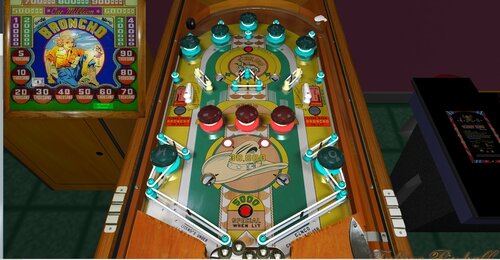
real pinball flipperless recreation "Broncho" - (Genco 1947) v.1.3
By Francisco
Type:Electro-mechanical (EM)
Production:2,260 units (confirmed)
Serial Number Database:View at The Internet Pinball Serial Number Database (IPSND.net) (External site)
Theme:American West - Rodeo
Specialty:Flipperless
Notable Features:5 cents per play. Kick-out holes (4). 3 or 5 ball play.
Maximum displayed point score is 1,495,000 points. After this score, it rolls over to 1,400,000 and will step continuously in 5000-point increments as points are earned.
There is a fixed replay threshold at 1,000,000 points. The operator can add additional threshholds at 600,000 / 700,000 / 800,000 / 900,000 points.
Replay wheel maximum: 57
Sound: none, no bells or knocker.
Design by:Harvey Heiss, Steve Kordek
Notes:This flipperless game has stationary bumpers that are shaped like flippers.
163 downloads
-
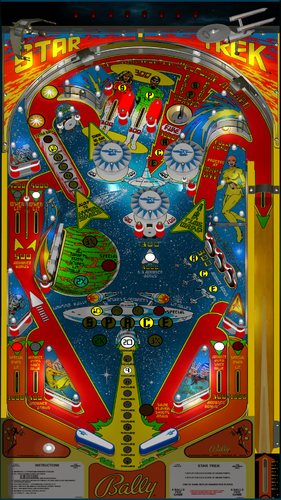
Star Trek ULTIMATE 1.03 doflinx 1.0
By xavuis62
Hello voici la table Star Trek ULTIMATE 1.03_2 que j ai commencé a faire le DOFLinx
287 downloads
-
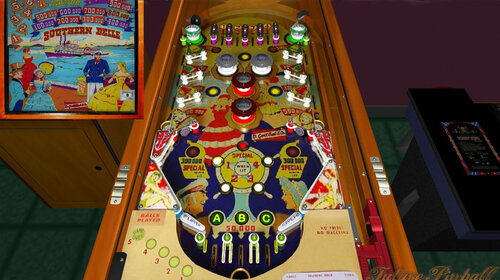
Southern Belle
By Francisco
Manufacturer: D. Gottlieb & Company (1931-1977) [Trade Name: Gottlieb] Date Of Manufacture: June, 1955 Model Number: 104 Type: Electro-mechanical (EM) Production: 1,000 units (confirmed) Serial Number Database: View at The Internet Pinball Serial Number Database (IPSND.net) (External site) Theme: American History - American West - Riverboats Notable Features: Flippers (2), Pop bumpers (4), Passive bumpers (2), Gobble holes (2) Standup targets (2).
Replay wheel maximum: 26
Tilt penalty: game over.267 downloads
(0 reviews)0 comments
Submitted
-
 (0 reviews)
0 comments
Submitted
-
 (0 reviews)
0 comments
Submitted
-
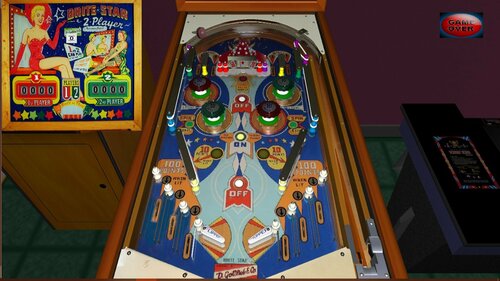
Brite Star (Gottlieb 1958)
Brite Star / IPD No. 378 / April, 1958 / 2 Players
Manufacturer: D. Gottlieb & Company (1931-1977) [Trade Name: Gottlieb] Date Of Manufacture: April, 1958 Model Number: 143 Type: Electro-mechanical (EM) Production: 800 units (confirmed) Serial Number Database: View at The Internet Pinball Serial Number Database (IPSND.net) (External site) Theme: Show Business Notable Features: Flippers (2), Pop bumpers (4), Slingshots (2), Roto-targets (3), Left and right triple outlanes. Double match awards 2 or 10 replays (operator option).
Maximum displayed point score is 1,999 points per player.
Tilt penalty: game over, per player.
Replay wheel maximum: 26 replays. Design by: Wayne Neyens Art by: Roy Parker
291 downloads
(0 reviews)0 comments
Submitted
-
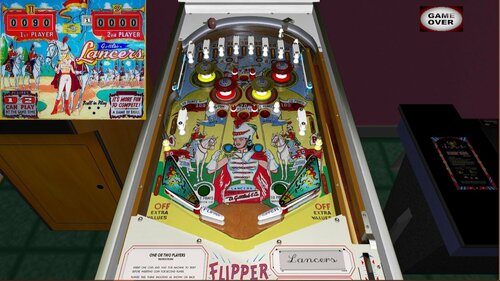
Lancers (Gottlieb 1961)
Manufacturer: D. Gottlieb & Company (1931-1977) [Trade Name: Gottlieb] Date Of Manufacture: August, 1961 Model Number: 178 Type: Electro-mechanical (EM) Production: 1,700 units (confirmed) Serial Number Database: View at The Internet Pinball Serial Number Database (IPSND.net) (External site) Theme: Cavalry - Military Notable Features: Flippers (2), Pop bumpers (4), Slingshots (2), Kick-out holes (4). The two center kick-out holes propel balls towards top of playfield. The two side holes kick balls towards flippers. 3 or 5 ball play. Design by: Wayne Neyens Art by: Roy Parker
309 downloads
(0 reviews)0 comments
Submitted
-
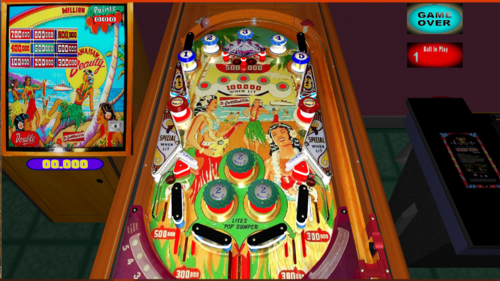
Hawaiian Beauty ( Gottlieb 1954 )
By Francisco
Manufacturer: D. Gottlieb & Company (1931-1977) [Trade Name: Gottlieb] Date Of Manufacture: May, 1954 Model Number: 85 Type: Electro-mechanical (EM) Production: 900 units (confirmed) Serial Number Database: View at The Internet Pinball Serial Number Database (IPSND.net) (External site) Theme: American Places - Travel Notable Features: Flippers (2), Pop bumpers (3, between the flippers), Gobble holes (2). Design by: Wayne Neyens Art by: Roy Parker210 downloads
(0 reviews)0 comments
Submitted
-
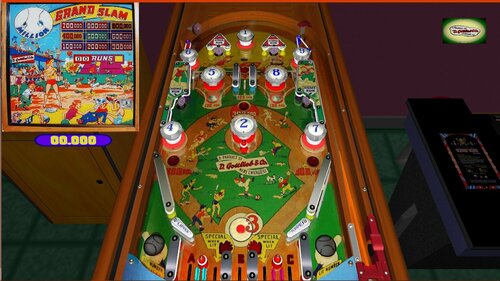
Grand Slam Gottlieb - 1953
By Francisco
Grand Slam / IPD No. 1074 / April, 1953 / 1 Player
Manufacturer: D. Gottlieb & Company (1931-1977) [Trade Name: Gottlieb] Date Of Manufacture: April, 1953 Model Number: 76 Type: Electro-mechanical (EM) Production: 1,800 units (confirmed) Serial Number Database: View at The Internet Pinball Serial Number Database (IPSND.net) (External site) Theme: Sports - Baseball Notable Features: Flippers (2), Pop bumpers (3), Passive bumpers (5), Slingshots (2), Standup targets (4), Kick-out holes (3). There are five outlanes between the flippers. Design by: Wayne Neyens Art by: Roy Parker250 downloads
(0 reviews)0 comments
Submitted
-
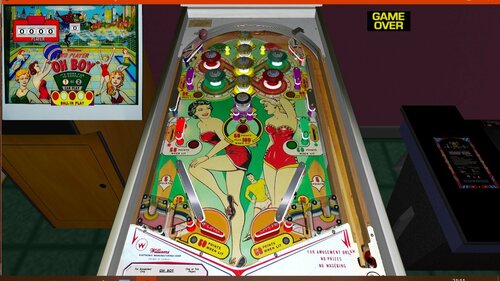
Oh Boy (Williams-1964)
By Francisco
Oh Boy / IPD No. 1696 / February 07, 1964 / 2 Players
Average Fun Rating: Needs More Ratings! 7.0 / 10 (5 ratings) [ Add Your Rating! ] Manufacturer: Williams Electronic Manufacturing Company (1958-1967) [Trade Name: Williams] Date Of Manufacture: February 07, 1964 Model Number: 288 Type: Electro-mechanical (EM) Production: 1,700 units (confirmed) Serial Number Database: View at The Internet Pinball Serial Number Database (IPSND.net) (External site) Theme: Girls/Women Notable Features: Flippers (2), Pop bumpers (5), Passive bumpers (4), Slingshots (2), Ball kickers (2), Kick-out hole (1). Double match award optional for 2, 5 or 10 replays (operator adjustable). Design by: Steve Kordek Art by: George Molentin238 downloads
(0 reviews)0 comments
Submitted
-
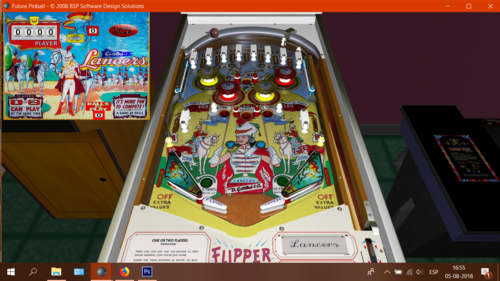
" Lancers " ( Gottlieb 1961 )
By Francisco
Manufacturer: D. Gottlieb & Company (1931-1977) [Trade Name: Gottlieb] Date Of Manufacture: August, 1961 Model Number: 178 Type: Electro-mechanical (EM) Production: 1,700 units (confirmed) Serial Number Database: View at The Internet Pinball Serial Number Database (IPSND.net) (External site) Theme: Cavalry - Military Notable Features: Flippers (2), Pop bumpers (4), Slingshots (2), Kick-out holes (4). The two center kick-out holes propel balls towards top of playfield. The two side holes kick balls towards flippers. 3 or 5 ball play. Design by: Wayne Neyens Art by: Roy Parker148 downloads
(0 reviews)0 comments
Submitted
-
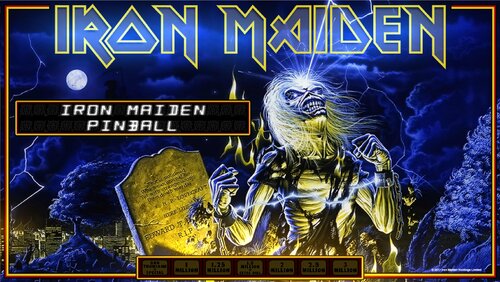
Iron Maiden
By watacaractr
Finally! Hello, to all my fellow pinball Edheads! Newbie here, and this is my first time modding an FP table, or any table for that matter, so please go easy on me. Iron Maiden is my favorite band and this is dedicated to them and all of the fans. This table was built in FP using BAM, so it is best played that way. This is strictly a cabinet table only(the desktop version looks terrible, sorry guys) This table is very large and I apologize in advance for any inconvenience, I just couldn't stop adding things! lol.
Thank you Francisco666, Slamt1lt and anyone else that has worked off of the original Earthshaker table.
Thank you Bruce, Steve, Dave, Adrian, Nicko and Janick for giving us the best music of our lives!
Thank you Derek Riggs and all of the other awesome artists who have contributed their talents over the years and of course a huge thanks to Mr. Edward T. Head!
Please feel free to give feedback. I look forward to any opinions or suggestions you may have.
Enjoy! UP THE IRONS!
1110 downloads
(0 reviews)0 comments
Updated
-
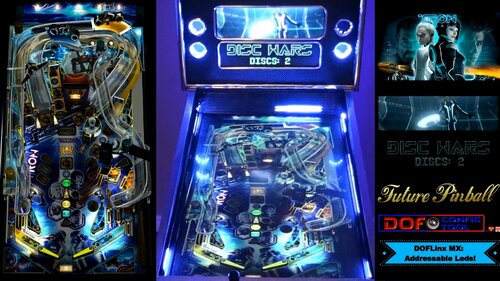
Tron Legacy (Stern) (Ultimate): DOFLinx MX Cabinet Edition
By TerryRed
The Grid's most awesome addressable leds make for Light Cycle ramp effects, Light Jet Cannons, Explosions and the coolest de-resolution effects you have ever seen in a real pinball cabinet!
A video demonstration of this table can be seen here in my cabinet:
This table has complete cabinet feedback and lighting support for the following:
– 10 solenoids for flipper, slingshots, bumpers, etc..
– 5 RGB flashers
– Blower Fan
– Shaker
– Gear motor
– Strobe
– Beacon
– Start button
– Coin button
– Launch Ball button
– RGB Undercab Lighting
– Addressable Leds
Requirements:
- DOF R3 installed (for DOFLinx cabinet feedback and lighting) and addressable leds already setup and working (for MX led effects).
- DOFlinx 5.20 or higher is REQUIRED, even if you don't have addressable leds.
- addressable leds are NOT required to play this table, but they are HIGHLY recommended.
- to use the addressable leds with this table you must have your DOF "config" files updated by using DOF Config Tool! (just like you would for Visual Pinball)
To play a Future Pinball table with addressable leds support (DOFLinx MX):
- update DOFLinx as per normal (must be 5.20 or higher). Make sure you copy over the new DOFLinx.vbs to "Future Pinball Scripts".
- add DIRECTOUTPUTGLOBAL=c:DirectOuputConfigGLobalConfig_b2sServer.xml (assuming you have it there) to your DOFLinx.ini file.
- download the awesomeness of a Future Pinball DOFLinx MX table
- check DOF Config Tool to see if support for that table has been added to it yet (you will see FP tables start with "FP:") If there are no DOF commands showing for that table, its not supported yet.
- "Generate" a new Config File (containing directoutputconfig30.ini in the zip) and copy the new files to your "DirectOutput Configs" folder.
- play the epicness that is Future Pinball with DOFLinx cabinet feedback and addressable leds!
DOFLinx 5.20+ download link:
http://www.vpforums.org/index.php?app=downloads&showfile=12318
Consult the DOFLinx guide included in the download link for more information on setting up DOFLinx.
2141 downloads
- dof
- doflinx mx
- (and 1 more)
-
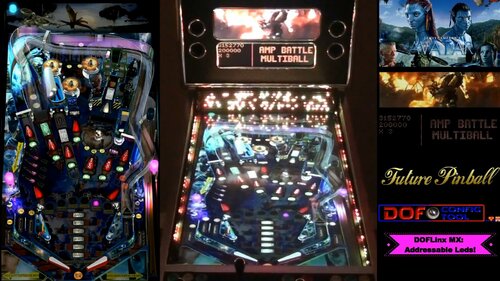
Avatar (Ultimate): DOFLinx MX Cabinet Edition
By TerryRed
The most amazing lighting in a pinball cabinet allows for particle effects, great explosions, electrical effects, and machine gun fire, thanks to the new DOF addressable led MX support in DOFLinx 5.20!
A video demonstration can be seen here in my cabinet:
This table has complete cabinet feedback and lighting support for the following:
– 10 solenoids for flipper, slingshots, bumpers, etc..
– 5 RGB flashers
– Blower Fan
– Shaker
– Gear motor
– Strobe
– Beacon
– Start button
– Coin button
– Launch Ball button
– RGB Undercab Lighting
– Addressable Leds
Requirements:
- DOF R3 installed (for DOFLinx cabinet feedback and lighting) and addressable leds already setup and working (for MX led effects).
- DOFlinx 5.20 or higher is REQUIRED, even if you don't have addressable leds.
- addressable leds are NOT required to play this table, but they are HIGHLY recommended.
- to use the addressable leds with this table you must have your DOF "config" files updated by using DOF Config Tool! (just like you would for Visual Pinball)
To play a Future Pinball table with addressable leds support (DOFLinx MX):
- update DOFLinx as per normal (must be 5.20 or higher). Make sure you copy over the new DOFLinx.vbs to "Future Pinball Scripts".
- add DIRECTOUTPUTGLOBAL=c:DirectOuputConfigGLobalConfig_b2sServer.xml (assuming you have it there) to your DOFLinx.ini file.
- download the awesomeness of a Future Pinball DOFLinx MX table
- check DOF Config Tool to see if support for that table has been added to it yet (you will see FP tables start with "FP:") If there are no DOF commands showing for that table, its not supported yet.
- "Generate" a new Config File (containing directoutputconfig30.ini in the zip) and copy the new files to your "DirectOutput Configs" folder.
- play the epicness that is Future Pinball with DOFLinx cabinet feedback and addressable leds!
DOFLinx 5.20+ download link:
http://www.vpforums.org/index.php?app=downloads&showfile=12318
Consult the DOFLinx guide included in the download link for more information on setting up DOFLinx.
1484 downloads
(0 reviews)0 comments
Updated
-
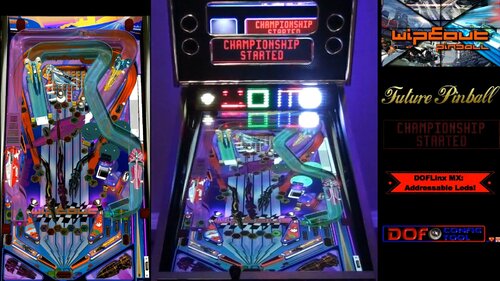
Wipeout: DOFLinx MX Cabinet Edition
By TerryRed
Wipeout: DOFLinx MX Cabinet Edition Witness a modern light show in a retro theme, thanks to the new DOF addressable led MX support in DOFLinx 5.20! A video demonstration in my cabinet can be seen here:
This table has the complete cabinet feedback and lighting support for the following:
- 10 solenoids for flipper, slingshots, bumpers, etc..
- 5 RGB flashers
- Blower Fan
- Shaker
- Gear motor
- Strobe
- Beacon
- Start button
- Coin button
- Launch Ball button
- RGB Undercab Lighting
- Addressable leds
Requirements:
- DOF R3 installed (for DOFLinx cabinet feedback and lighting) and addressable leds already setup and working (for MX led effects).
- DOFlinx 5.20 or higher is REQUIRED, even if you don't have addressable leds.
- addressable leds are NOT required to play this table, but they are HIGHLY recommended.
- to use the addressable leds with this table you must have your DOF "config" files updated by using DOF Config Tool! (just like you would for Visual Pinball)
To play a Future Pinball table with addressable leds support (DOFLinx MX):
- update DOFLinx as per normal (must be 5.20 or higher). Make sure you copy over the new DOFLinx.vbs to "Future Pinball \ Scripts".
- add DIRECTOUTPUTGLOBAL=c:\DirectOuput\Config\GLobalConfig_b2sServer.xml (assuming you have it there) to your DOFLinx.ini file.
- download the awesomeness of a Future Pinball DOFLinx MX table
- check DOF Config Tool to see if support for that table has been added to it yet (you will see FP tables start with "FP:") If there are no DOF commands showing for that table, its not supported yet.
- "Generate" a new Config File (containing directoutputconfig30.ini in the zip) and copy the new files to your "DirectOutput \ Configs" folder.
- play the epicness that is Future Pinball with DOFLinx cabinet feedback and addressable leds!
DOFLinx 5.20+ download link:
http://www.vpforums.org/index.php?app=downloads&showfile=12318 Consult the DOFLinx guide included in the donwload link for more information on setting up DOFLinx.
826 downloads
(0 reviews)0 comments
Updated
-
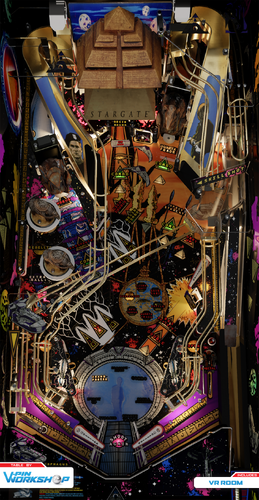
StargateAll:3.0:ultimate
By electrico343
Mi pequeña contribución a estas tres series que tantas horas felices nos dió .
Stargate SG1 Gracias a Jonathan Glassner, Brad Wright. With Richard Dean Anderson, Michael Shanks, Amanda Tapping, Christopher Judge.
Stargate Atlantis Brad Wright (Creator), Robert C. Cooper (Creator), Martin Wood, Andy Mikita, William Waring Joe Flanigan, Torri Higginson, Rachel Luttrell, Rainbow Francks, Jason Momoa, Paul McGillion, David Hewlett, Mitch Pileggi
Stargate Universo Robert C. Cooper, Brad Wright- Robert Carlyle, Louis Ferreira, Brian J. Smith y muchos mas.
Misión obtener los elementos necesarios repartidos por la mesa se visualizarán en el centro de la mesa. Una vez conseguido meter la bola en el hoyo central siempre que el flash central esté activado esto dará bola extra. A partir de una puntuación de 65000 y se iluminen (activadas por Bumpers) los cuadro especial con luz y si la bola pasa por el botón azul de dicho cartel se obtiene un crédito. No dará más de un crédito
Si la puntuación es mayor 20000 se verán hologramas
Si la puntuación supera los 95000 y se pisa el botón oculto en la mesa comienza la Autodestrucción
Si la puntuación sobrepasa los 200000 sin bolas de regalo aunque no se tenga ningún credito
My small contribution to these three series that gave us so many happy hours.
Stargate SG1 Thanks to Jonathan Glassner, Brad Wright. With Richard Dean Anderson, Michael Shanks, Amanda Tapping, Christopher Judge.
Stargate Atlantis Brad Wright (Creator), Robert C. Cooper (Creator), Martin Wood, Andy Mikita, William Waring Joe Flanigan, Torri Higginson, Rachel Luttrell, Rainbow Francks, Jason Momoa, Paul McGillion, David Hewlett, Mitch Pileggi
Stargate Universe Robert C. Cooper, Brad Wright Robert Carlyle, Louis Ferreira, Brian J. Smith and many more.
Mission obtain all necessary elements scattered around the table will be displayed in the center of the table. Once I managed to get the ball into the center hole provided that the central flash is activated this will give extra ball. From a score of 65000 and light up (activated Bumpers) the special box with light and if the ball passes through the blue button that cartel credit is obtained. It will not give more than one credit
If the score is greater holograms will be 20000
If the score exceeds 95000 and the hidden button is pressed on the table begins Autodestrucción
If the score exceeds 200000 balls gift without any credit although it does not have
337 downloads
(0 reviews)0 comments
Updated
-
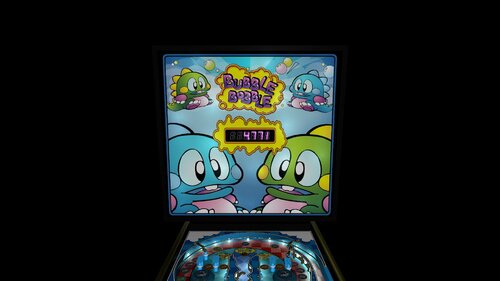
Bubble Bobble (DOFLinx Cabinet Edition)
By TerryRed
The classic Future Pinball table that lets you pop bumpers and pop bubbles at the same time. Now with full DOFLinx cabinet feedback and lighting. This is a simple and colourful table that has a mini video game built into the playfield.
A quick video demo of this table can be seen here in my cabinet:
1099 downloads
-
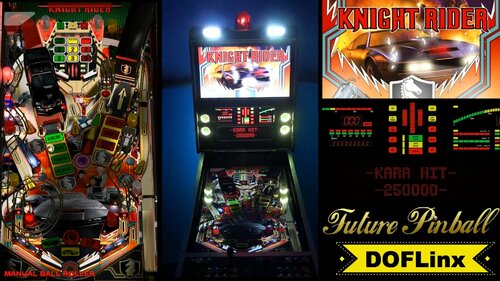
Knight Rider (DOFLinx Cabinet Edition)
By TerryRed
We're going back to the 80's for my DOFLinx mod of rom's excellent Knight Rider Future Pinball table. You got the lights....you got the feedback....and you got the Hoff's terrible perm!
A video demonstration of this table in my cabinet can be seen here:
Features:
- 10 solenoid feedback for flippers, bumpers, slingshots, etc
- 5 RGB flasher effects
- KITT's "woo-woo" animated red lights with your RGB flashers
- RGB under cabinet lighting
- gear motor for KITT and the truck ramp's movement
- shaker motor effects for engine rumble
- beacon and strobe effects
- blower fan effects
2146 downloads
- doflinx
- future pinball
- (and 2 more)
-
VPU Staff's Top Picks
-
New & Updated Visual Pinball
-
New & Updated Future Pinball
-
New & Updated Backglasses
-
New & Updated DMD Colorizations
-
New & Updated Virtual Reality Enabled Tables
-
VPU Remix & Mods
-
New & Updated Popper Media
-
Updated Files
-
Download Statistics
30580
Files107751
Comments45035
Reviews




SeahawksSuperbowlEditionv1_0DT.thumb.PNG.553639cb4f3a47ba36d85146031b077b.PNG)
2.thumb.jpg.157901c34294205c4891caebb57509e9.jpg)
.thumb.png.d01c3d940a1e513270f2fe5430ff0268.png)
.thumb.png.6fcb2ba697c8618ffc3a8483f63e0b74.png)
.thumb.jpg.acc1bcb306984f94b639dbf2975dd62f.jpg)
.thumb.png.559ffeefc18faf238c9a03f881e135dd.png)

BG.thumb.jpg.983e5c5881d8fac9cc37344b25ab45a8.jpg)
BG.thumb.jpg.995fda378a6992a25dde673780d8ffbf.jpg)
BG.thumb.jpg.8b11216f592066a6d57f75f8e8d108c5.jpg)
BG.thumb.jpg.5e84d0f816e85020ad7543d8bb54ff5f.jpg)

BG.thumb.jpg.ec4ce676cd27278c64ce26c75ea27474.jpg)
.thumb.png.cec808e8b058fde901e411dbcf2c7984.png)









.thumb.png.9e2768ccc91095a59606f575abaab0fa.png)
JGBMod.thumb.jpg.31636f935b2d3cd9bb24d4b84a750c80.jpg)








Wheel.thumb.png.5ba343fcfb364e4162fcc13cc3b086d1.png)
Neekzz2.5-4K30FPSPlayfieldVideo.thumb.jpg.1adaa6a8981204763351779c5c26b665.jpg)
Manbearpig-4K30FPSPlayfieldVideo.thumb.jpg.b01cc4a4b40d449d279c7641e5b0bb2c.jpg)
Tombg-4K30FPSPlayfieldVideo.thumb.jpg.839b9c68b913bc2052ed5f07b2b486f2.jpg)





.thumb.png.ecccb51649991318d278ea3c8b0e6ff4.png)
.thumb.png.1a81dc1ccde939ea789a9a84db0d18b0.png)

.thumb.png.536d6fff823243e3fa94adf7b301096a.png)