-
SYSTEM SEARCH
System Scanners Online:
Username: Guest
>> System Scan?
>> The Universe >
Incoming Message:
Due to system limitations searching with words of 3 or less characters will not return results. For instance; Doctor Who. This will not return results as the system is trying to search for both Doctor AND Who in which Who will not be found as it's a 3 character word. To find Doctor Who; you'd search for either Doctor or "Doctor Who".
Search Tips:
For specific searches; enclose your search with quotes. Example: "Doctor Who" or "Addams Family".
Search the Community
Showing results for tags 'dof'.
-
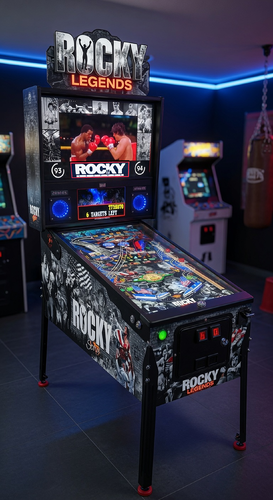
Version 2.0 and VR 2.0
9909 downloads
I present to you my new table, **ROCKY LEGENDS** The result of over six months of work, I poured my heart and soul into it. I hope you enjoy it as much as I enjoyed creating it. First, I want to thank two people. The first is **JPSalas**, for the base I used with his permission. The second is **Philip Mattioni**, for his incredible graphics. He fulfilled my desire for a polished table. It includes some new features: 3D objects that appear based on achievements, as well as rules that can be viewed in video format during gameplay and explained by Rocky himself. It contains numerous tasks to complete, along with the associated multiballs. For this occasion, I created an entry in the **DOF** for the toys and LED lighting. It comes with a **PUP-PACK** that retraces the world of the *Rocky* films. Feel free to leave your comments and opinions! VPX Version: I tested in VPX 10.8 64 Bit. Have fun playing, and good luck ! Special thanks for their help and pre-launch testing of the table to: Philip Mattioni (Graphics and testing), Micki, Kimiko (testing and 3D help), Fabrizio NT, Gwen Lizard, Victoria LF and Virgil Angus.. ______________________________________________________ Je vous présente ma nouvelle table, **ROCKY LEGENDS** Fruit de plus de six mois de travail, j’y ai mis tout mon cœur. J’espère qu’elle vous plaira autant que j’ai eu du plaisir à la réaliser. Je tiens tout d’abord à remercier deux personnes. La première est **JPSalas**, pour la base que j’ai utilisée avec son accord. La deuxième est **Philip Mattioni**, pour ses graphismes incroyables. Il a comblé mon désir d’avoir une table aboutie. Elle inclut quelques nouveautés : des objets 3D qui apparaissent selon les accomplissements, ainsi que des règles consultables en vidéo pendant le jeu et expliquées par Rocky lui-même, elle contient de nombreuses tâches à accomplir, ainsi que les multiballs associés. J’ai créé pour l’occasion une entrée dans le **DOF** pour les toys et les éclairages LED. Elle est accompagnée d’un **PUP-PACK** retraçant l’univers des films *Rocky*. N’hésitez pas à laisser vos commentaires et vos avis ! VPX Version: I tested in VPX 10.8 64 Bit. Amusez-vous bien, et surtout bonne chance ! Special thanks for their help and pre-launch testing of the table to: Philip Mattioni (Graphics and testing), Micki, Kimiko (testing and 3D help), Fabrizio NT, Gwen Lizard, Victoria LF and Virgil Angus.. ___________________________________________________________________________________________________ All Logos, Copyrights and Trademarks are property of their respective owners. PROVIDED STRICTLY FOR PERSONAL HOME USE AND NOT FOR COMMERCIAL SALE RE-SALE OR DISTRIBUTION! VIRTUAL PINBALL ALWAYS HAS AND ALWAYS WILL BE FREE TO ANYONE!!!! Edited February 2026 by JoeDilon -
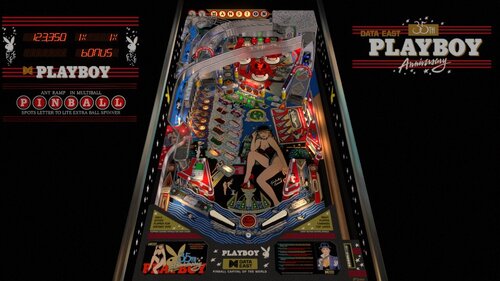
Version 1.1
1665 downloads
Huge thanks to @jpsalas for creating another amazing table and allowing others to mod his work. The "Playboy 35th Anniversary" pinball machine by Data East emerged at a distinctive crossroads of retro pop culture and mechanical innovation. Released in May 1989, this machine commemorated three and a half decades of the Playboy brand, wrapping its allure in a package that promised both nostalgia and entertainment. Designed by Joe Kaminkow and Ed Cebula, with artwork by Kevin O'Connor, the game was produced during a brief period from May to August 1989, resulting in a total of 2,338 units. I added nFozzy and Fleep, and matched gameplay And thanks to: @studly_do_right for all sorts of audio and visual help @r2z2 for your work trying variations of playfield physics settings (he says Claude assisted as well) @outhere verified the DOF solenoids are firing @Ext2k for VR cabinet assets and mega room @DGrimmReaper for VR animations, imported VR backglass assets, adding Marilyn Monroe Edition backglass to VR as well as original @hauntfreaks Created the backglass assets used in VR, the original and Marilyn Monroe Edition Enjoy!!- 5 comments
- 12 reviews
-
- 107
-

-
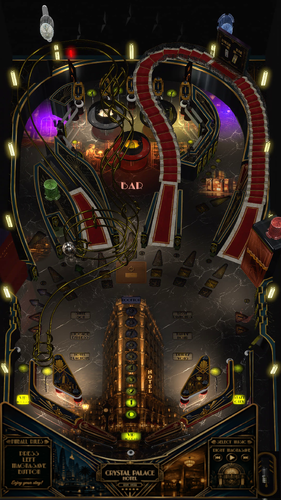
Version 1.2
1419 downloads
Paris, 1930. Welcome to the Crystal Palace Hotel, one of the most prestigious hotels in Paris. Your mission is to upgrade the Crystal Palace Hotel from 0 to 5 stars by completing its many activities and special missions. But becoming a five-star hotel is no easy task... Whether it's descending into the basement to repair the failed generators, roaming the corridors in pursuit of a mysterious ghost, or recovering the Countess's stolen diamonds, these are just a few of the tasks the manager will assign to you. Each completed mission brings you one step closer to the ultimate reward: the final rooftop party. So put on your finest evening clothes, complete the check-in, ascend the grand staircase or step into the elevator, if you've managed to repair it, and enjoy a night of jazz, mystery, cocktails and adventure in Paris. But be careful... Not every guest is what they seem. Your room is ready. Your adventure begins now. About the table Crystal Palace Hotel is an original Visual Pinball X table inspired by the golden age of Art Deco, luxury hotels and 1930s Paris. Developed by me, @ely_pincab , starting from the amazing VPW Example Table v1.7. The table has been designed with a strong emphasis on atmosphere, combining custom artwork, animations, music, lighting and dynamic effects to recreate the feeling of stepping inside a glamorous 1930s hotel. Features include: ⭐ A complete 0–5 star hotel progression system 🏨 Multiple hotel missions 🎷 Jazz Time 🛗 Interactive elevator 🧳 Luggage Express 👻 Suite 501 ghost hunt 💎 Lost Diamonds investigation 🍸 Happy Hour 🎰 Mystery Bag with good or bad rewards 🔐 Room Service and Secret Room Multiball ⚡ Hotel Blackout 💃 Rendezvous missions 🥂 Rooftop Party final objective 🎨 Custom FlexDMD animations (FlexDMD required) 💡 Dynamic DOF effects (download the latest version in DOFConfigTool) 🏛️ Original Art Deco artwork and environment 🎵 Custom music and sound design 🚫 No VR support yet 📖 Rules available at any time with the left MagnaSave button 🎵 Change the song with the right MagnaSave button 🍸 Open or close the bar doors with the Fire button to have easier access to bumpers area ⚙️ Mission difficulty level available in the F12 options This is my first table ever, so even though I have done my best to test it extensively, there are surely still some bugs. If you find one, please let me know and provide as much detail as possible to help me reproduce it. I will do my best to fix it in a future version. A big thank you to everyone who helped me debug the table and improve its gameplay. And a huge thank you also to the entire VPW team for making their Example Table available to the community. Without it, I would never have been able to achieve this result ! I hope you will enjoy your stay at the Crystal Palace Hotel ! -
View File ROCKY LEGENDS I present to you my new table, **ROCKY LEGENDS** The result of over six months of work, I poured my heart and soul into it. I hope you enjoy it as much as I enjoyed creating it. First, I want to thank two people. The first is **JPSalas**, for the base I used with his permission. The second is **Philip Mattioni**, for his incredible graphics. He fulfilled my desire for a polished table. It includes some new features: 3D objects that appear based on achievements, as well as rules that can be viewed in video format during gameplay and explained by Rocky himself. It contains numerous tasks to complete, along with the associated multiballs. For this occasion, I created an entry in the **DOF** for the toys and LED lighting. It comes with a **PUP-PACK** that retraces the world of the *Rocky* films. Feel free to leave your comments and opinions! VPX Version: I tested in VPX 10.8 64 Bit. Have fun playing, and good luck ! Special thanks for their help and pre-launch testing of the table to: Philip Mattioni (Graphics and testing), Micki, Kimiko (testing and 3D help), Fabrizio NT, Gwen Lizard, Victoria LF and Virgil Angus.. ______________________________________________________ Je vous présente ma nouvelle table, **ROCKY LEGENDS** Fruit de plus de six mois de travail, j’y ai mis tout mon cœur. J’espère qu’elle vous plaira autant que j’ai eu du plaisir à la réaliser. Je tiens tout d’abord à remercier deux personnes. La première est **JPSalas**, pour la base que j’ai utilisée avec son accord. La deuxième est **Philip Mattioni**, pour ses graphismes incroyables. Il a comblé mon désir d’avoir une table aboutie. Elle inclut quelques nouveautés : des objets 3D qui apparaissent selon les accomplissements, ainsi que des règles consultables en vidéo pendant le jeu et expliquées par Rocky lui-même, elle contient de nombreuses tâches à accomplir, ainsi que les multiballs associés. J’ai créé pour l’occasion une entrée dans le **DOF** pour les toys et les éclairages LED. Elle est accompagnée d’un **PUP-PACK** retraçant l’univers des films *Rocky*. N’hésitez pas à laisser vos commentaires et vos avis ! VPX Version: I tested in VPX 10.8 64 Bit. Amusez-vous bien, et surtout bonne chance ! Special thanks for their help and pre-launch testing of the table to: Philip Mattioni (Graphics and testing), Micki, Kimiko (testing and 3D help), Fabrizio NT, Gwen Lizard, Victoria LF and Virgil Angus.. ___________________________________________________________________________________________________ All Logos, Copyrights and Trademarks are property of their respective owners. PROVIDED STRICTLY FOR PERSONAL HOME USE AND NOT FOR COMMERCIAL SALE RE-SALE OR DISTRIBUTION! VIRTUAL PINBALL ALWAYS HAS AND ALWAYS WILL BE FREE TO ANYONE!!!! Edited February 2026 by JoeDilon Submitter JoeD Submitted 08/23/26 Category PuP-Pack Original (PuP-Original) Game Creations Modified by
-
 View File Crystal Palace Hotel (Original 2026) v 1.1 Paris, 1930. Welcome to the Crystal Palace Hotel, one of the most prestigious hotels in Paris. Your mission is to upgrade the Crystal Palace Hotel from 0 to 5 stars by completing its many activities and special missions. But becoming a five-star hotel is no easy task... Whether it's descending into the basement to repair the failed generators, roaming the corridors in pursuit of a mysterious ghost, or recovering the Countess's stolen diamonds, these are just a few of the tasks the manager will assign to you. Each completed mission brings you one step closer to the ultimate reward: the final rooftop party. So put on your finest evening clothes, complete the check-in, ascend the grand staircase or step into the elevator, if you've managed to repair it, and enjoy a night of jazz, mystery, cocktails and adventure in Paris. But be careful... Not every guest is what they seem. Your room is ready. Your adventure begins now. About the table Crystal Palace Hotel is an original Visual Pinball X table inspired by the golden age of Art Deco, luxury hotels and 1930s Paris. Developed by me, @ely_pincab , starting from the amazing VPW Example Table v1.7. The table has been designed with a strong emphasis on atmosphere, combining custom artwork, animations, music, lighting and dynamic effects to recreate the feeling of stepping inside a glamorous 1930s hotel. Features include: ⭐ A complete 0–5 star hotel progression system 🏨 Multiple hotel missions 🎷 Jazz Time 🛗 Interactive elevator 🧳 Luggage Express 👻 Suite 501 ghost hunt 💎 Lost Diamonds investigation 🍸 Happy Hour 🎰 Mystery Bag with good or bad rewards 🔐 Room Service and Secret Room Multiball ⚡ Hotel Blackout 💃 Rendezvous missions 🥂 Rooftop Party final objective 🎨 Custom FlexDMD animations (FlexDMD required) 💡 Dynamic DOF effects (download the latest version in DOFConfigTool) 🏛️ Original Art Deco artwork and environment 🎵 Custom music and sound design 🚫 No VR support yet 📖 Rules available at any time with the left MagnaSave button 🎵 Change the song with the right MagnaSave button 🍸 Open or close the bar doors with the Fire button to have easier access to bumpers area ⚙️ Mission difficulty level available in the F12 options This is my first table ever, so even though I have done my best to test it extensively, there are surely still some bugs. If you find one, please let me know and provide as much detail as possible to help me reproduce it. I will do my best to fix it in a future version. A big thank you to everyone who helped me debug the table and improve its gameplay. And a huge thank you also to the entire VPW team for making their Example Table available to the community. Without it, I would never have been able to achieve this result ! I hope you will enjoy your stay at the Crystal Palace Hotel ! Submitter ely_pincab Submitted 08/11/26 Category VPX - Pinball Tables VPX Standalone No
 -
 View File Playboy 35th Anniversary (Data East 1989) Physics Sound Hybrid MOD Huge thanks to @jpsalas for creating another amazing table and allowing others to mod his work. The "Playboy 35th Anniversary" pinball machine by Data East emerged at a distinctive crossroads of retro pop culture and mechanical innovation. Released in May 1989, this machine commemorated three and a half decades of the Playboy brand, wrapping its allure in a package that promised both nostalgia and entertainment. Designed by Joe Kaminkow and Ed Cebula, with artwork by Kevin O'Connor, the game was produced during a brief period from May to August 1989, resulting in a total of 2,338 units. I added nFozzy and Fleep, and matched gameplay And thanks to: @studly_do_right for all sorts of audio and visual help @r2z2 for your work trying variations of playfield physics settings (he says Claude assisted as well) @outhere verified the DOF solenoids are firing @Ext2k for VR cabinet assets and mega room @DGrimmReaper for VR animations, imported VR backglass assets, adding Marilyn Monroe backglass to VR as well as original @hauntfreaks Created the backglass assets used in VR, the Original and Marilyn Monroe versions Enjoy!! Submitter burger Submitted 05/11/26 Category VPX - Pinball Tables VPX Standalone No
 -
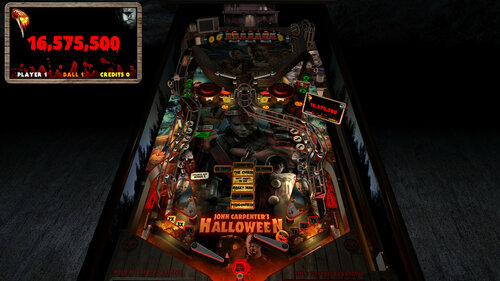
Version 2.0
12411 downloads
Halloween - Big Bloody Mike (PinEvent V2, FizX) Version: 2.0 (Feb 2024) This is SLAMT1LT’s Halloween (Ultimate Pro) table which has been updated to my Big Bloody Mike mod. It has been completely updated to use the newest BAM features to create an amazing real-time visual treat with many cool new additions, as well as excellent new mechanical sounds from FLEEP! See new effects, such as blood spilling down the playfield during Score Drain, animated spotlights, flashlight ball, pumpkin ball, and animated Michael Myers character which will stalk you on the playfield and in the VR Game Room. This table has been fully updated with FizX for game changing new physics on Future Pinball. FizX uses techniques similar to nFozzy on VPX to completely change the physics for the flippers, slings, rubbers, targets, ball behavior and more that allows this table play much more realistically than anyone ever thought was possible on Future Pinball. You will be amazed at the difference! PinEvent V2 This table is also updated to fully support PinEvent V2 features (DOF, PUP SSF, PUP DMD). It has modern PUP DMD display options that can work with all setups. With it's crisp HD text and dazzling videos, it's sure to wow everyone who sees it. For a video walkthrough of the updates, new features, and all game modes, watch here: Screenshots: Thanks of course to these awesome contributors: SLAMT1LT: created the original Ultimate Pro 1.02 table TerryRed: BIG BLOODY MIKE mod, PinEvent V2, FizX Schlabber34: insert jewel images FLEEP: mechanical sounds JLou: FizX and support ravarcade: BAM and support Nailbuster: Pinup Player, PUP DMD, PUP SSF Chris Leathley: Future Pinball DISCLAIMER: This table is a fan-made work of passion, and is NOT intended for commercial usage or to be included in any part of a commercial sale! ==================================================================== This table is single player only. ==================================================================== Desktop Static Camera Views (attract mode) during attract mode only, you can press plunger to toggle integrated static desktop camera views if you want to use your own BAM camera settings, or a FP camera view, then you must disable this feature in TABLE OPTIONS in the table script During Attract, the flipper buttons will toggle between Pumpkin Ball and Chrome Ball ==================================================================== BAM Ray Cast Ball Shadows: this table was created to look best with the new BAM Ray Cast Ball shadows this feature is ENABLED on the table script by default this feature requires a fast video card, and will use much more of your GPU if the table doesn’t run smooth, then your PC may not be fast enough to handle this feature (and you should disable it) To disable this feature, you MUST “first” disable it in TABLE OPTIONS (in the table script) BAM Menu - Light and Post Processing settings: BAM Lighting and Post Processing settings are set by the table script and will ALWAYS override the user's settings this is required to ensure that all lighting is set correctly at all times on this table, you can make changes to the Ambient and Diffusion Lighting in the table script in TABLE OPTIONS Physics: FizX v3.3 =================================================================== Game not running smooth? Try the following: run FP in Fullscreen, not Windowed disable RayCast Ball Shadows in TABLE OPTIONS (in table script) disable Reflections options in FP's Video / Rendering settings reduce / disable Antialiasing in FP's Video / Rendering settings disable any SSAO options in BAM plugins menu (disabled by default) ==================================================================== TABLE REQUIREMENTS (very important!) all Visual C Runtime updates DirectX Future Pinball the latest BAM update FuturePinball.exe and FPLoader.exe patched for 4 GB access BAM Settings files installed FizX 1K ball model (for more accurate physics, default.zip in BAM folder) the REQUIRED “Video / Rendering Options” and “Editor Options” in Future Pinball video settings All of the above is included with the latest FP and BAM Essentials AIO package! Super easy to use for a new install, or just to update your existing install. I recommend everyone install this package to ensure you have the latest required BAM updates. https://vpuniverse.com/files/file/14807-future-pinball-and-bam-essentials-all-in-one-complete/ ==================================================================== INSTALL INSTRUCTIONS (REQUIRED) PLEASE read the Install Instructions (included with the table's zip file) it shows you how to check what version of BAM you have installed it shows you how to install all the REQUIRED items above it shows you how to easily setup FP and BAM with the REQUIRED settings It's super easy, and only takes minutes to do! ==================================================================== How to run Future Pinball to play the table PLEASE read the Install Instructions (included with the table's zip file) to know how to properly use FP and BAM ==================================================================== PROBLEMS? Read the Install Instructions included in the table's zip file. It tells you everything you need to know! ==================================================================== Table MODS please read the Disclaimer in the Install Instructions included with the table please ask me first, as I am still updating this table ==================================================================== -
1.thumb.jpg.6529f2b48082f5cdb41319c55bcecd0b.jpg)
Version 1.0.0f
1188 downloads
Surfer (Gottlieb 1976) by the late loserman76. DOF Added by @foxyt -

Version 1.0.3
6544 downloads
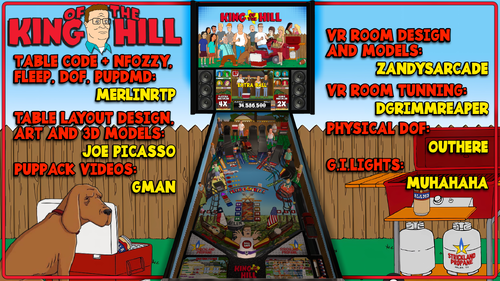
Table requirements: Latest VPX 10.8 Latest PinupPopper The table requires the included Pupdmd Puppack Right-click on Puppack zip, go to properties, and Unblock before Unzipping Once unzipped, place the kingofthehill folder in your PUPVideos folder Run the batch file inside Puppack that is designated for your setup CREDITS nFozzy, Fleep, Table & pupDMD Code - MerlinRTP Table Layout/Design, Art & Models – JoePicasso Pup Pack Videos – GMAN VR ROOM MEGA – ZandysArcade VR Tuning – DgrimmReaper GI Lights – MUHAHAHA Physical DOF – OUTHERE Testers - Studlygooright, DJ, Bootleggah, Mecha_Enron Features: NFozzy, Fleep, VR Mega, Physical DOF, Game Rules on Backglass Scorbit option at the top of the script (off by default) Line 168 -- ScorbitActive = 1 ' to Enable F12 menu options: VR cab, Minimal room, and Mega VR room options Center post on or off options Balls per game up to 5, set to 3 by default Disable Rule Cards Staged Flippers All sound options for music, mechs, and ball rolling are adjustable If you like the mode music you can find and subscribe to Appalachian Anarchy here: https://www.youtube.com/channel/UC9R7dZ59Vpqz5G0hMd25m4g Refrain from asking tech support questions in the review section instead click the support button, which will link you to the support page for this project. Where someone will be more than happy to assist you. but above all, Enjoy! built for free, with passion, through countless hours, over a long period of time for your entertainment. Please click like, comment, and leave a review. CHEERS! -
View File Wizard! (Bally 1975) Wizard! (Bally 1975) Wizard!, released in May 1975, was Bally's highest-production flipper game to that date with over 10,000 units produced. The game comes at the tail end of Bally's electromechanical production schedule and sets the stage for the company's solid-state success in the years to follow. Widely regarded as one of the first proper licensed games in pinball history, Wizard! features the likenesses of Ann Margret and Roger Daltrey, stars of the 1976 Ken Russell film Tommy (a screen adaptation of the Who's rock opera of the same name). Other than its classic theme, Wizard! is notable as being the first game to showcase playfield “flip flags”, a feature used on only a handful of other Bally games. This table is one of my favorite EM tables, so I had to add DOF to it to complete the illusion. Big thanks to @pinball58 for creating an amazing recreation of this machine. Also, big thanks to @hauntfreaks for the amazing backglass available. Here is a link to that backglass: All Artwork, Logos, Music, Copyrights, and Trademarks are the property of their respective owners. PROVIDED STRICTLY FOR PERSONAL / HOME USE AND NOT FOR COMMERCIAL SALE / RE-SALE OR DISTRIBUTION! Submitter MauiPunter Submitted 04/02/24 Category VPX - Pinball Tables
-
 I'm looking to purchase parts to add dof to a cabinet. What boards are commonly used I assume leds are easy to get at amazon . What about Matrix and boards. Also, can these items be bought on Amazon or am I better off to get them from a brand that everyone uses I'd rather buy them in Canada if possible, I don't know if I would wind up paying large tarrifs that adds a lot and brokerage fees from the shippers if I buy from the US. I will pay whatever but I'd like to know what I need and where I should get it from. Any help would be greatly appreciated.
 -
Version 1.0.0 french and new english
2798 downloads
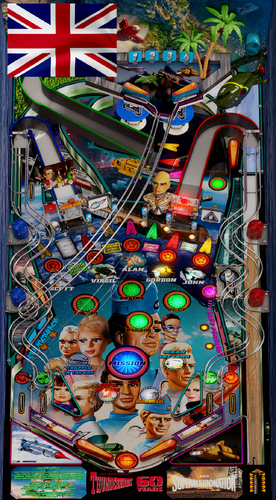
ALL CREDIT GOES TO @JPS and T-800 I'm excited to present my very first VPX table, based on a theme that reminds me of my younger days. I hope you enjoy this version of Thunderbirds. I've created a PUPPACK for it (the table is designed to be played exclusively with this pack) as well as a DOF entry for your effects and lighting. Remember to update your DOF configuration file to take advantage of these features. It is in Full French or full English for the voices and always accompanied by English text so that as many of you as possible can enjoy it. Please leave lots of comments/review, I have other projects in the works... Je suis ravi de vous présenter ma toute première table VPX, inspirée d'un thème qui me rappelle ma jeunesse. J'espère que vous apprécierez cette version de Thunderbirds. J'ai créé un pack PUPPACK (la table est conçue pour être jouée exclusivement avec ce pack) ainsi qu'une entrée DOF pour vos effets et éclairages. N'oubliez pas de mettre à jour votre fichier de configuration DOF pour profiter de ces fonctionnalités. Les voix sont en français et en anglais , le tout est toujours accompagné de textes en anglais afin que le plus grand nombre puisse en profiter. N'hésitez pas à laisser des commentaires/review, j'ai d'autres projets en cours… VPX Version: I tested in VPX 10.8 64 Bit. Have fun playing! Special thanks for their help and pre-launch testing of the table to: Micki, Kimiko and Franck Dbd Vidéo de la table: Thunderbirds 60TH Table VPX new creation ___________________________________________________________________________ All Logos, Copyrights and Trademarks are property of their respective owners. PROVIDED STRICTLY FOR PERSONAL HOME USE AND NOT FOR COMMERCIAL SALE RE-SALE OR DISTRIBUTION! VIRTUAL PINBALL ALWAYS HAS AND ALWAYS WILL BE FREE TO ANYONE!!!! Edited February 2026 by JoeDilon -
After installing dof my vpx tables wont load anymore and are stuck on loading script. The backglass is not stating so I can't check if the dof plugin is working. Is there a way to see logs where in the loading process the error occurs? kind regards, Koen
-
View File Thunderbirds 60TH V1.0.0 ALL CREDIT GOES TO @JPS and T-800 I'm excited to present my very first VPX table, based on a theme that reminds me of my younger days. I hope you enjoy this version of Thunderbirds. I've created a PUPPACK for it (the table is designed to be played exclusively with this pack) as well as a DOF entry for your effects and lighting. Remember to update your DOF configuration file to take advantage of these features. It is in Full French or full English for the voices and always accompanied by English text so that as many of you as possible can enjoy it. Please leave lots of comments/review, I have other projects in the works... Je suis ravi de vous présenter ma toute première table VPX, inspirée d'un thème qui me rappelle ma jeunesse. J'espère que vous apprécierez cette version de Thunderbirds. J'ai créé un pack PUPPACK (la table est conçue pour être jouée exclusivement avec ce pack) ainsi qu'une entrée DOF pour vos effets et éclairages. N'oubliez pas de mettre à jour votre fichier de configuration DOF pour profiter de ces fonctionnalités. Les voix sont en français et en anglais , le tout est toujours accompagné de textes en anglais afin que le plus grand nombre puisse en profiter. N'hésitez pas à laisser des commentaires ; j'ai d'autres projets en cours… VPX Version: I tested in VPX 10.8 64 Bit. Have fun playing! Special thanks for their help and pre-launch testing of the table to: Micki, Kimiko and Franck Dbd Vidéo de la table: Thunderbirds 60TH Table VPX new creation ___________________________________________________________________________ All Logos, Copyrights and Trademarks are property of their respective owners. PROVIDED STRICTLY FOR PERSONAL HOME USE AND NOT FOR COMMERCIAL SALE RE-SALE OR DISTRIBUTION! VIRTUAL PINBALL ALWAYS HAS AND ALWAYS WILL BE FREE TO ANYONE!!!! Edited February 2026 by JoeDilon Submitter JoeD Submitted 02/23/26 Category VPX - Pinball Tables VPX Standalone No
-
My basic idea was that I wanted a Beacon on top of my backbox. Then I wanted a red one, and a blue one, and a yellow one, and a purple one. I want them all, but that would not fit so... This is a MX beacon with full color support by WS2812 LEDs!! There is DOF support already, but not many tables are configured (yet). Attached is STL files for 3D-printing and simple assembly info. MX Beacon_20210417_223237.mp4 MX_Beacon_Pt4.stl MX_Beacon_Pt3.stl MX_Beacon_Pt2.stl MX_Beacon_Pt1.stl
-
View File KingOfTheHill2025-v1.00 Table requirements: Latest VPX 10.8 Latest PinupPopper The table requires the included Pupdmd Puppack Right-click on Puppack zip, go to properties, and Unblock before Unzipping Once unzipped, place the kingofthehill folder in your PUPVideos folder Run the batch file inside Puppack that is designated for your setup CREDITS nFozzy, Fleep, Table & pupDMD Code - MerlinRTP Table Layout/Design, Art & Models – JoePicasso Pup Pack Videos – GMAN VR ROOM MEGA – ZandysArcade VR Tuning – DgrimmReaper GI Lights – MUHAHAHA Physical DOF – OUTHERE Testers - Studlygooright, DJ, Bootleggah, Mecha_Enron Features: NFozzy, Fleep, VR Mega, Physical DOF, Game Rules on Backglass Scorbit option at the top of the script (off by default) Line 168 -- ScorbitActive = 1 ' to Enable F12 menu options: VR cab, Minimal room, and Mega VR room options Center post on or off options Balls per game up to 5, set to 3 by default Disable Rule Cards Staged Flippers All sound options for music, mechs, and ball rolling are adjustable If you like the mode music you can find and subscribe to Appalachian Anarchy here: https://www.youtube.com/channel/UC9R7dZ59Vpqz5G0hMd25m4g Refrain from asking tech support questions in the review section instead click the support button, which will link you to the support page for this project. Where someone will be more than happy to assist you. but above all, Enjoy! built for free, with passion, through countless hours, over a long period of time for your entertainment. Please click like, comment, and leave a review. CHEERS! Submitter Vpxpinballwizards Submitted 07/03/25 Category VPX - Pinball Tables VPX Standalone Yes
-
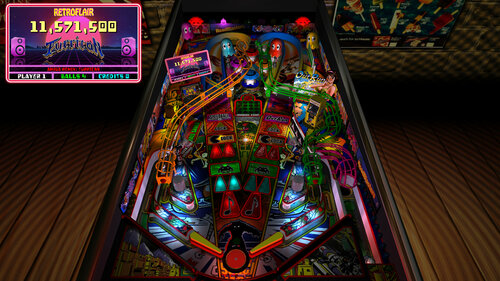
 View File RetroFlair - BAM Edition (PinEvent V2, FizX 3.3) RetroFlair - Bam Edition (PinEvent V2, FizX) Version: 2.2 (Feb 2024) This is Rom's classic Future Pinball table the lets us jam to classic Arcade and Amiga tunes. I have updated it to my BAM Edition and PinEvent V2 mod to use the newest BAM features to create an amazing real-time visual treat with cool new additions, as well as excellent new mechanical sounds from FLEEP! See cool features such as the new PAC-MAN, Outrun, and Speedball modes. New mesh inserts, new RGB G.I. lighting effects, real beacon and spotlights, new shadowmaps, ray cast shadows, and more. This table has been fully updated with FizX physics for game changing new physics on Future Pinball. FizX uses techniques similar to nFozzy physics on VPX to completely change the physics for the flippers, slings, rubbers, targets, ball behavior and more that allows this table play much more realistically than anyone ever thought was possible on Future Pinball. You will be amazed at the difference! PinEvent V2 This table is also updated to fully support PinEvent V2 features (DOF, PUP SSF, PUP DMD). It has modern PUP DMD display options that can work with all setups. With it's crisp HD text and dazzling videos, it's sure to wow everyone who sees it. For a video walkthrough of the updates, new features, and all game modes, watch here: Screenshots: Thanks to these awesome contributors: ROM: original RetroFlair table build TerryRed: BAM Edition table update, PinEvent V2, FizX Schlabber34: insert jewel images FLEEP: mechanical sounds JLou: FizX and support ravarcade: BAM and support Nailbuster: Pinup Player, PUP DMD, PUP SSF support Chris Leathley: Future Pinball DISCLAIMER: This table is a fan-made work of passion, and is NOT intended for commercial usage or to be included in any part of a commercial sale! ==================================================================== This table is single player only. ==================================================================== Desktop Static Camera Views (attract mode) during attract mode only, you can press plunger to toggle integrated static desktop camera views if you want to use your own BAM camera settings, or a FP camera view, then you must disable this feature in TABLE OPTIONS in the table script Action Buttons - digital plunger, special 1, special 2 (gameplay) all buttons/keys will act as an autoplunger and an action button during gameplay RGB Animated G.I. Lighting Flipper buttons will toggle between Default G.I., and RGB G.I. that will cycle through all colours. This can be done only during attract mode. ==================================================================== BAM Ray Cast Ball Shadows: this table was created to look best with the new BAM Ray Cast Ball shadows this feature is ENABLED on the table script by default this feature requires a fast video card, and will use much more of your GPU if the table doesn’t run smooth, then your PC may not be fast enough to handle this feature (and you should disable it) To disable this feature, you MUST “first” disable it in TABLE OPTIONS (in the table script) BAM Menu - Light and Post Processing settings: BAM Lighting and Post Processing settings are set by the table script and will ALWAYS override the user's settings this is required to ensure that all lighting is set correctly at all times on this table, you can make changes to the Ambient and Diffusion Lighting in the table script in TABLE OPTIONS Physics: FizX v3.3 =================================================================== Game not running smooth? Try the following: run FP in Fullscreen, not Windowed disable RayCast Ball Shadows in TABLE OPTIONS (in table script) disable Reflections options in FP's Video / Rendering settings reduce / disable Antialiasing in FP's Video / Rendering settings disable any SSAO options in BAM plugins menu (disabled by default) ==================================================================== TABLE REQUIREMENTS (very important!) all Visual C Runtime updates DirectX Future Pinball the latest BAM update FuturePinball.exe and FPLoader.exe patched for 4 GB access BAM Settings files installed FizX 1K ball model (for more accurate physics, default.zip in BAM folder) the REQUIRED “Video / Rendering Options” and “Editor Options” in Future Pinball video settings All of the above is included with the latest FP and BAM Essentials AIO package! Super easy to use for a new install, or just to update your existing install. I recommend everyone install this package to ensure you have the latest required BAM updates. https://vpuniverse.com/files/file/14807-future-pinball-and-bam-essentials-all-in-one-complete/ ==================================================================== INSTALL INSTRUCTIONS (REQUIRED) PLEASE read the Install Instructions (included with the table's zip file) it shows you how to check what version of BAM you have installed it shows you how to install all the REQUIRED items above it shows you how to easily setup FP and BAM with the REQUIRED settings It's super easy, and only takes minutes to do! ==================================================================== How to run Future Pinball to play the table PLEASE read the Install Instructions (included with the table's zip file) to know how to properly use FP and BAM ==================================================================== PROBLEMS? Read the Install Instructions included in the table's zip file. It tells you everything you need to know! ==================================================================== Table MODS please read the Disclaimer in the Install Instructions included with the table please ask me first, as I am still updating this table ==================================================================== Submitter TerryRed Submitted 04/08/21 Category Future Pinball Tables
 -
Version 1.0.0
5898 downloads
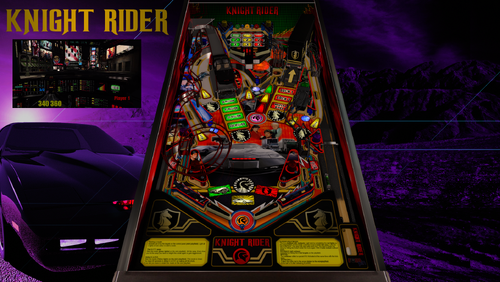
Ce n'est pas vraiment ce que je fais habituellement mais j'ai voulu recréer cette table qui existait déjà sur une ancienne version de VP PinGod Horspin ainsi que sur Future Pinball. J'ai repris les images, la majorité des sons et amélioré un peu l'ensemble, mais les règles sont les mêmes. Je l'ai également codée pour 4 joueurs. Vous pouvez jouer avec un B2S et/ou le mini PupDmd et/ou activer l'ultraDmd. Bref c'est une table assez simple et facile à jouer. Merci à @Outhere pour les Solénoïdes Dof et la team SuperTilted pour les tests et correction de bugs. Merci de modifier le script en fonction de votre configuration suivant les instructions fourni en photo dans la description que vous retrouverez aussi dans le puppack ! Bon jeu à tous ------------------- This isn't really what I usually do, but I wanted to recreate this table, which already existed on an older version of VP PinGod Horspin as well as on Future Pinball. I took the images, most of the sounds, and improved everything a bit, but the rules are the same. I also coded it for 4 players. You can play with a B2S and/or the mini PupDmd and/or activate the ultraDmd. Thanks to @Outhere for the Dof Solenoid and team SuperTilted for testing and bug fixes. In short, it's a fairly simple and easy table to play. Please modify the script according to your configuration following the instructions provided in the photo in the description which you will also find in the puppack ! Good game everyone.- 23 comments
- 18 reviews
-
- 114
-
-
- knight rider
- tombg
- (and 3 more)
-
Hi everyone, I'm having an issue using VPX 10.8 and DOF where the DOF Controller Options in the Keys, Nudge and DOF preferences don't seem to have any effect. My solenoids are always active and the sound is always active (active means they are triggering when expected buy I cant set DOF to just use SSF or just use DOF). I'm running a Dude's Cab with 8 solenoids and a 7.2 SSF amp. I looked in the log files that showed up in the directory of the particular table I'm running and the only messages I see of any importance is saying I have no global config file or cabinet config file which is true (see log below) but since I'm only sunning solenoids I didn't think I needed a global or cabinet config file Any suggestions on how to troubleshoot? I wanted to get debugging logging to work to I can't seem to get any additional logging. I added a DOFLinx.ini file to my DOF root, x64 and x86 folders with a single entry for debug and it doesn't seem to work. 2025.10.25 00:29:56.790 Global config file search: file not found, but Config folder will be used for other file searches (C:\DIRECTOUTPUT\Config) 2025.10.25 00:29:56.793 Loading global configuration from C:\DIRECTOUTPUT\Config\GlobalConfig_B2SServer.xml 2025.10.25 00:29:56.793 Error: Global config file "C:\DIRECTOUTPUT\Config\GlobalConfig_B2SServer.xml" does not exist; no global config loaded 2025.10.25 00:29:56.793 No global config file loaded 2025.10.25 00:29:56.795 Substitution variables: {DllDir}=C:\DIRECTOUTPUT; {InstallDir}=C:\DIRECTOUTPUT; {BinDir}=C:\DIRECTOUTPUT\X64; {TableDir}=C:\vPinball\VisualPinball\Tables\TablesInWork\Terminator2\NewWork; {TableName}=Terminator 2 - Judgment Day(Williams 1991)_Bigus(MOD)2.1; {RomName}=t2_l8 2025.10.25 00:29:56.797 Loading Pinball parts 2025.10.25 00:29:56.797 Loading cabinet 2025.10.25 00:29:56.797 Warning: No cabinet config file loaded. Will use AutoConfig. 2025.10.25 00:29:56.798 Cabinet auto configuration started
-
View File Knight Rider (vpx 2025) Ce n'est pas vraiment ce que je fais habituellement mais j'ai voulu recréer cette table qui existait déjà sur une ancienne version de VP PinGod Horspin ainsi que sur Future Pinball. J'ai repris les images, la majorité des sons et amélioré un peu l'ensemble, mais les règles sont les mêmes. Je l'ai également codée pour 4 joueurs. Vous pouvez jouer avec un B2S et/ou le mini PupDmd et/ou activer l'ultraDmd. Bref c'est une table assez simple et facile à jouer. Merci à @Outhere pour les Solénoïdes Dof et la team SuperTilted pour les tests et correction de bugs. Merci de modifier le script en fonction de votre configuration suivant les instructions fourni en photo dans la description que vous retrouverez aussi dans le puppack ! Bon jeu à tous ------------------- This isn't really what I usually do, but I wanted to recreate this table, which already existed on an older version of VP PinGod Horspin as well as on Future Pinball. I took the images, most of the sounds, and improved everything a bit, but the rules are the same. I also coded it for 4 players. You can play with a B2S and/or the mini PupDmd and/or activate the ultraDmd. Thanks to @Outhere for the Dof Solenoid and team SuperTilted for testing and bug fixes. In short, it's a fairly simple and easy table to play. Please modify the script according to your configuration following the instructions provided in the photo in the description which you will also find in the puppack ! Good game everyone. Submitter Tombg Submitted 06/06/25 Category VPX - Pinball Tables VPX Standalone No
-
 Hi, I got a big problem. I have a Cabinet with a high end PC, a pinscape controller and a lot of toys. A few days ago, I had a power defect and my cabinet crashed a few times. As I did not know where to find the problem, I checked my pinscape and disconnected everything. Now the pinscape is connected again. I tested all the inputs and outputs using the pinscape config tool. Everything works. But if I start a vpx or future pinball table, the left flipper and both slingshot toys do not fire (the do, if I use the pinscape config tool). The other toys fire (f. e. right flipper, shaker, gear, LEDs, flasher). I already reinstalled vpx and b2s server, but nothing changes. My DOF config is correct. Probably my hard drive suffered some damage, as my front end starts a usually but has lost the configured systems (vpx, future pinball etc.). Any help appreciated, thanks in advance.
 -

hurricane Hurricane - Solution for DOF Flipper
sicu posted a topic in Direct Output General Discussion
It turns out that it's my favorite table and DOF doesn't work for flippers 🙂. `^ After looking for the reason I discovered that there is a mistake in the public DOF configuration. It calls solenoid 48 and 46 when this table works with a switch matrix. So it's not S but W. Also the number is 12 for the left and 11 for the right. [SEE IMAGE] The script is also wrong (hurr_l2). The following lines are commented, you have to uncomment them and change the values in parentheses to the correct ones. Don't forget to compile your script and save the changes in your VPX emulator. Correct lines: 270 If keycode = LeftFlipperKey Then Controller.Switch(12) = 1 271 If keycode = RightFlipperKey Then Controller.Switch(11) = 1 292 If keycode = LeftFlipperKey Then Controller.Switch(12) = 0 293 If keycode = RightFlipperKey Then Controller.Switch(11) = 0 Enjoy the game HURRY HURRY HURRY 🎡!!
-
Version 2.2
8541 downloads
RetroFlair - Bam Edition (PinEvent V2, FizX) Version: 2.2 (Feb 2024) This is Rom's classic Future Pinball table the lets us jam to classic Arcade and Amiga tunes. I have updated it to my BAM Edition and PinEvent V2 mod to use the newest BAM features to create an amazing real-time visual treat with cool new additions, as well as excellent new mechanical sounds from FLEEP! See cool features such as the new PAC-MAN, Outrun, and Speedball modes. New mesh inserts, new RGB G.I. lighting effects, real beacon and spotlights, new shadowmaps, ray cast shadows, and more. This table has been fully updated with FizX physics for game changing new physics on Future Pinball. FizX uses techniques similar to nFozzy physics on VPX to completely change the physics for the flippers, slings, rubbers, targets, ball behavior and more that allows this table play much more realistically than anyone ever thought was possible on Future Pinball. You will be amazed at the difference! PinEvent V2 This table is also updated to fully support PinEvent V2 features (DOF, PUP SSF, PUP DMD). It has modern PUP DMD display options that can work with all setups. With it's crisp HD text and dazzling videos, it's sure to wow everyone who sees it. For a video walkthrough of the updates, new features, and all game modes, watch here: Screenshots: Thanks to these awesome contributors: ROM: original RetroFlair table build TerryRed: BAM Edition table update, PinEvent V2, FizX Schlabber34: insert jewel images FLEEP: mechanical sounds JLou: FizX and support ravarcade: BAM and support Nailbuster: Pinup Player, PUP DMD, PUP SSF support Chris Leathley: Future Pinball DISCLAIMER: This table is a fan-made work of passion, and is NOT intended for commercial usage or to be included in any part of a commercial sale! ==================================================================== This table is single player only. ==================================================================== Desktop Static Camera Views (attract mode) during attract mode only, you can press plunger to toggle integrated static desktop camera views if you want to use your own BAM camera settings, or a FP camera view, then you must disable this feature in TABLE OPTIONS in the table script Action Buttons - digital plunger, special 1, special 2 (gameplay) all buttons/keys will act as an autoplunger and an action button during gameplay RGB Animated G.I. Lighting Flipper buttons will toggle between Default G.I., and RGB G.I. that will cycle through all colours. This can be done only during attract mode. ==================================================================== BAM Ray Cast Ball Shadows: this table was created to look best with the new BAM Ray Cast Ball shadows this feature is ENABLED on the table script by default this feature requires a fast video card, and will use much more of your GPU if the table doesn’t run smooth, then your PC may not be fast enough to handle this feature (and you should disable it) To disable this feature, you MUST “first” disable it in TABLE OPTIONS (in the table script) BAM Menu - Light and Post Processing settings: BAM Lighting and Post Processing settings are set by the table script and will ALWAYS override the user's settings this is required to ensure that all lighting is set correctly at all times on this table, you can make changes to the Ambient and Diffusion Lighting in the table script in TABLE OPTIONS Physics: FizX v3.3 =================================================================== Game not running smooth? Try the following: run FP in Fullscreen, not Windowed disable RayCast Ball Shadows in TABLE OPTIONS (in table script) disable Reflections options in FP's Video / Rendering settings reduce / disable Antialiasing in FP's Video / Rendering settings disable any SSAO options in BAM plugins menu (disabled by default) ==================================================================== TABLE REQUIREMENTS (very important!) all Visual C Runtime updates DirectX Future Pinball the latest BAM update FuturePinball.exe and FPLoader.exe patched for 4 GB access BAM Settings files installed FizX 1K ball model (for more accurate physics, default.zip in BAM folder) the REQUIRED “Video / Rendering Options” and “Editor Options” in Future Pinball video settings All of the above is included with the latest FP and BAM Essentials AIO package! Super easy to use for a new install, or just to update your existing install. I recommend everyone install this package to ensure you have the latest required BAM updates. https://vpuniverse.com/files/file/14807-future-pinball-and-bam-essentials-all-in-one-complete/ ==================================================================== INSTALL INSTRUCTIONS (REQUIRED) PLEASE read the Install Instructions (included with the table's zip file) it shows you how to check what version of BAM you have installed it shows you how to install all the REQUIRED items above it shows you how to easily setup FP and BAM with the REQUIRED settings It's super easy, and only takes minutes to do! ==================================================================== How to run Future Pinball to play the table PLEASE read the Install Instructions (included with the table's zip file) to know how to properly use FP and BAM ==================================================================== PROBLEMS? Read the Install Instructions included in the table's zip file. It tells you everything you need to know! ==================================================================== Table MODS please read the Disclaimer in the Install Instructions included with the table please ask me first, as I am still updating this table ==================================================================== -
Version 1.0.0
1414 downloads
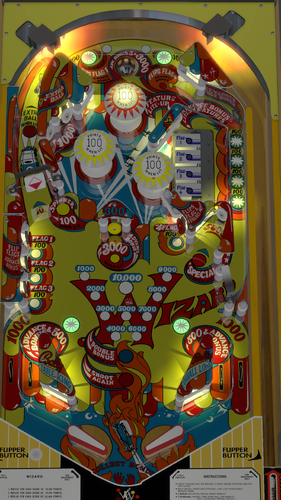
Wizard! (Bally 1975) Wizard!, released in May 1975, was Bally's highest-production flipper game to that date with over 10,000 units produced. The game comes at the tail end of Bally's electromechanical production schedule and sets the stage for the company's solid-state success in the years to follow. Widely regarded as one of the first proper licensed games in pinball history, Wizard! features the likenesses of Ann Margret and Roger Daltrey, stars of the 1976 Ken Russell film Tommy (a screen adaptation of the Who's rock opera of the same name). Other than its classic theme, Wizard! is notable as being the first game to showcase playfield “flip flags”, a feature used on only a handful of other Bally games. This table is one of my favorite EM tables, so I had to add DOF to it to complete the illusion. Big thanks to @pinball58 for creating an amazing recreation of this machine. Also, big thanks to @hauntfreaks for the amazing backglass available. Here is a link to that backglass: All Artwork, Logos, Music, Copyrights, and Trademarks are the property of their respective owners. PROVIDED STRICTLY FOR PERSONAL / HOME USE AND NOT FOR COMMERCIAL SALE / RE-SALE OR DISTRIBUTION! -
 Hey guys, having an issue where I can't get DOF and MX LEDS working properly, the problem has slightly different behavior depending on the table so I'll try to keep it brief: I have DOF setup and working in VPX 32-bit, confirmed this by launching a B2S table, right click the backglass and making sure DOF plugin is active with no errors on America's Most Haunted BIGUS MOD 2.0. WEMOS seems to work fine before a table is launched, blue blinking light and the RGB test button works fine. On launching Leprechaun King WEMOS seems to lock up and become unresponsive, blue blinking light on it turns off and only one LED on one of my Leg Protector LED arrays turns on and stays on. On launching AMH all LEDs flash and then I get similar leg LED behavior to Leprechaun King but the WEMOS status light stays on solid blue, no blinking. I have attached log files for each of these cases. The LK one has some exceptions regarding failure to put the COM port into command mode, the AMH log doesn't show any errors. Things I have tried: Full reinstall of DOF 32-bit, reflashed WEMOS, uninstalled and reinstalled drivers for the WEMOS and the CH341 driver(per Arnoz instructions on the product page, I saw that another user posted quite recently with a similar or possibly the same issue), checked the registry to make sure the 64-bit .dll wasn't still registered(I tried to do the 64-bit upgrade before confirming DOF was working previously so uninstalled and started again). Any help would be appreciated as I've spent a couple evenings trying to resolve this with no luck. Thinking it's possibly a config issue but I'm out of ideas atm. lepKingDirectOutput.logAMHDirectOutput.log