-
SYSTEM SEARCH
System Scanners Online:
Username: Guest
>> System Scan?
>> The Universe >
Incoming Message:
Due to system limitations searching with words of 3 or less characters will not return results. For instance; Doctor Who. This will not return results as the system is trying to search for both Doctor AND Who in which Who will not be found as it's a 3 character word. To find Doctor Who; you'd search for either Doctor or "Doctor Who".
Search Tips:
For specific searches; enclose your search with quotes. Example: "Doctor Who" or "Addams Family".
Search the Community
Showing results for tags 'inder'.
-


Version 3.0
372 downloads
This file is based on JP Salas table version 6.0.0 https://www.vpforums.org/index.php?app=downloads&showfile=16703# This table works in DT-FS-VR-MR This file requires B2S Added Minimal/Basti Room/PoolBar and Mixed Reality VRRoom on menu New Inder Cab New Inder Backbox Turn on/off music ambience on F12 Menu New feature on music: Download Media80.zip and extract to your Visual Pinball music folder (If you have downloaded yet its not necessary to download again) Download Media80 here: https://mega.nz/file/ojVABI7Q#ah8A9gxcdyc4mUAkv0yWaKpIOS4sl3ogoh7OSXSyyJw The name of the songs are: Song1 Song2 Song3 Until Song40 You can replace these MP3 files with your favorite music files until song40. I will to use these feature in some of my future conversions If you have it downloaded, you don't need to download again To change to next song press Right Magnasave To change to previous song press Left Magnasave Virtual Desktop Settings Chromakey for Mixed Reality: Color RGB = 255,255,255 Similarity: 2 Smoothness: 2 JPSalas 6.0.0 Updated September 2025 - Moved LUT to User Options (F12) - Added some extra options to the User Options (F12) - Updated physics to my latest rev 4.3.1. mostly bouncier rubbers and harder flippers. -
Version 2.4
7628 downloads
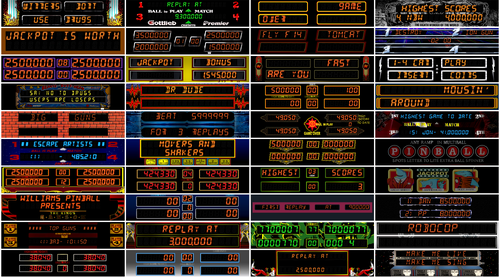
Thank you very much @jarr3, this would not be possible without your amazing b2s designer software. All credits goes to @hauntfreaks for his tremendous amount of work. Credits also goes to @Wildman, @ryguy417, @Walterwhite, @Rickochet, @chucky87, @Manbearpig, @iDigStuff, @PIPAllah Thank you all for allowing me to use your work. Extra thanks to @Herweh, @WaRcLaWz, @Blacksad, @RajoJoey All backglass remains exactly the same as the originals, I only modified the DMDs. The leds and illumination frames as well as the snippits has been scrupulously put back in the right place, after modifying the image in Photoshop. DMDs are 1480x320. -
Version 2.0.1
2575 downloads
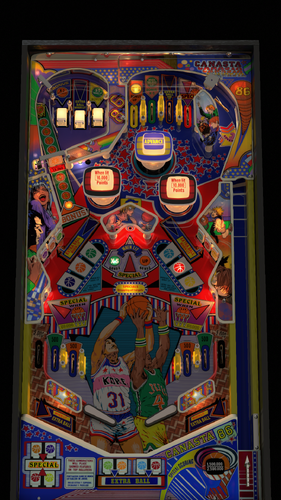
I decided to redo the playfield of this popular pinball that recalls the 86 basketball world cup, which I shared with JPSalas to update their great work, and allowed me to do this with the new physics and other improvements from the vpw team, which I thank for his constant work and teachings I also thank my Spanish friends who insisted on having this pinball in good resolution It plays very fast as a good inder table, but you can get a lot of extra balls to drain you just as fast Enjoy it -

18 downloads
r_screech.zip-
- 4
-

-
- inder
- system iii
- (and 1 more)
-

18 downloads
r_hotcold.zip-
- 3
-
-
- inder
- system iii
- (and 1 more)
-
Version 1.0.0
1040 downloads
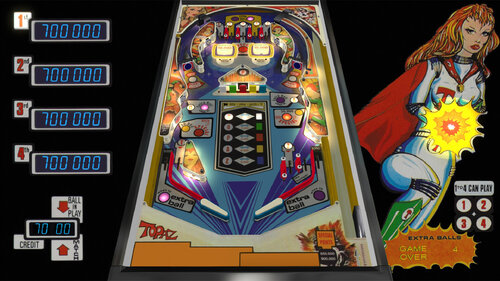
Version 1.0 by Roosta, based on the Inder table from 1979. Please take this for what it is, a first learning project and a nostalgia trip to attempt to replicate the first pinball table that I remember playing from my school days, what feels like a hundred years ago. For a long time I’ve been enjoying the amazing work from the community, while at the same time getting more and more curious about the process of creating these tables. So I decided to finally give it a shot. I began by experimenting with Skateboard (JPSalas version) from the same manufacturer as Topaz (Inder). Then I downloaded the amazing Example Table by the VPW Team, and with the help of some of the fantastic video tutorials by Bord and Apophis from the VPWorkshop channel and the updated version of Canasta86 by Nestorgian, I started modifying my table with the new amazing physics and sounds. An old flyer from IPDB and a user manual were the only resources that I was able to find for this table. Maybe that together with my lack of skill can explain the atrocious quality of plastics and images. I want to thank JPSalas and Nestorgian for bringing back these old Spanish pinball tables (petacos) and, of course, Bord, Apophis and the whole VPW Team for their incredible work and for taking the extra time to provide resources (example tables, tutorial videos, etc.) for all of us in this incredible community. NOTES: I included a nvram file that should be copied into the Visual Pinball\VPinMame\nvram folder. DIP Switch settings are available via F6 during gameplay. I also included a LUT selector with ten levels of darkness that can be selected using the magnasave keys. VPX10.7 should work fine, but it was mostly tested on VPX 10.8 Beta 5 (1347). -
.thumb.png.ed292d27476de68b2d769e9d0942730e.png)
Version 2.0
2103 downloads
Metal Man(Inder 1992) -
1.0.0.thumb.png.d74a1c4720c673917f3fc0fa19e510ad.png)
Version 1.0.0a
27 downloads
Yale (Inder 1974) wheel or logo for JPSalas' table over on VPF. -
Help.thumb.png.8977aa494e6f464baca60471e3e764d6.png)
Version 1.0.0
56 downloads
Instruction card for Brave Team by JPSalas-
- 8
-
-
- brave team
- inder
- (and 4 more)
-

Version 1.0.0
60 downloads
"Luck Smile (Inder 1976)" vpx wheels and dmd picture if you appreciate the work, then thank you for not forgetting a "like" or a "review" , it's nice! Personal, non-commercial use only. Please contact me if you would like to use it in another way. All Logos, Copyrights and Trademarks are property of their respective owners. PROVIDED STRICTLY FOR PERSONAL / HOME USE AND NOT FOR COMMERCIAL SALE / RE-SALE OR DISTRIBUTION! -
Version 1.0.0
55 downloads
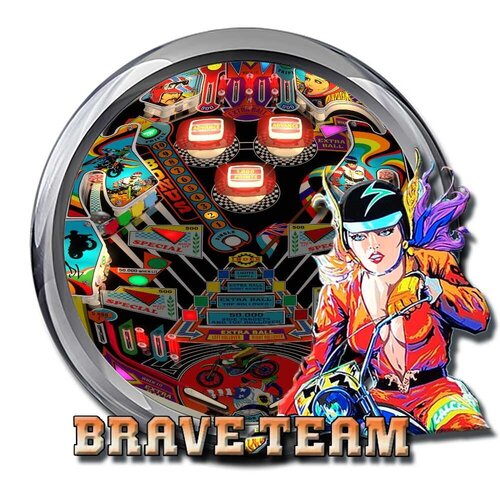
"Brave Team (Inder 1985)" vpx wheels and dmd picture if you appreciate the work, then thank you for not forgetting a "like" or a "review" , it's nice! Personal, non-commercial use only. Please contact me if you would like to use it in another way. All Logos, Copyrights and Trademarks are property of their respective owners. PROVIDED STRICTLY FOR PERSONAL / HOME USE AND NOT FOR COMMERCIAL SALE / RE-SALE OR DISTRIBUTION! -
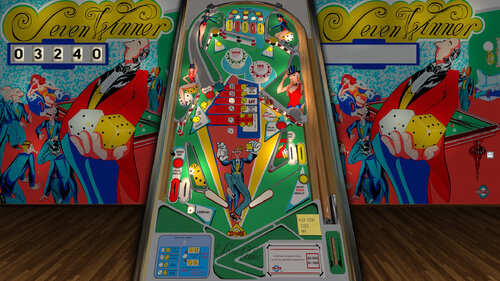
Version 1.0.0
485 downloads
This Table is based on original table from JPSalas,Akiles and Loserman76 https://www.vpforums.org/index.php?app=downloads&showfile=16263 Cab Decals Redraw, and adjusted some lights to see it better in Mixed Reality This table Works in DT/FS/VR and MR To change VRRoom press F12 and change mode, Pool Room, Minimal Room or Mixed Reality. Virtual Desktop Settings Chromakey: Color RGB = 255,255,255 Similarity: 2 Smoothness: 2 You can enable ambience ROOM at the end of the scpit. Set PlayAmbience=True -
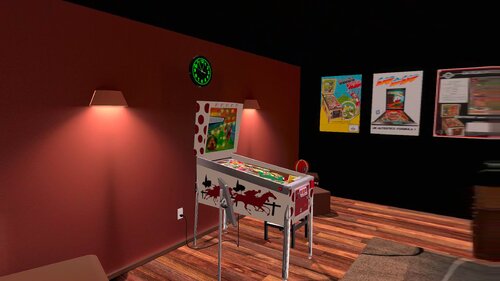
Version 2.0
481 downloads
This Table is based on original table from JPSalas,Akiles and Pedator https://www.vpforums.org/index.php?app=downloads&showfile=16751 This table Works in DT/FS/VR and MR New Inder 1976 Backbox by Ext2k and Rascal New adapted Coindoor by Ext2k most similar at Inder Coindoor New Vector art by me. Original Backglass by Akiles and Pedator Change Line 102 in the Script to 0 for Desktop or FullScreen Mode, is in 1 by default VRRoom = 1 '0=Desktop/FS 1=PoolHallRoom 2=Mixed Reality You can change VR Room to MR with right magnasave. Virtual Desktop Settings Chromakey: Color RGB = 255,255,255 Similarity: 2 Smoothness: 2 You can enable ambience ROOM at the end of the scpit. -
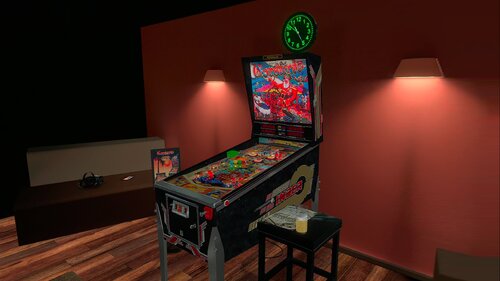
Version 3.0
435 downloads
This table is based on @Goldchicco table: https://www.vpforums.org/index.php?showtopic=46040 This table don't need B2S to work. New Cab and Backbox like Real Corsario Pinball Added Inder Legs Now LUT Works with F12 Enable Disable Rails on F12 for Cabinet users Added Basti's VRRoom, Pool Bar and Mixed Reality Added Ambience New feature on music: Download Media80.zip and extract to your Visual Pinball music folder Download Media80 here: https://mega.nz/file/ojVABI7Q#ah8A9gxcdyc4mUAkv0yWaKpIOS4sl3ogoh7OSXSyyJw The name of the songs are: Song1 Song2 Song3 Until Song40 You can replace these MP3 files with your favorite music files until song40. I will to use these feature in some of my future conversions If you have it downloaded, you don't need to download again To change to next song press Right Magnasave To change to previous song press Left Magnasave- 6 comments
-
- 25
-
-
View File Corsario (Inder 1989) GoldChicoo v1.1 DT-FS-VR-MR Ext2k Conversion This table is based on @Goldchicco table: https://www.vpforums.org/index.php?showtopic=46040 This table don't need B2S to work. New Cab and Backbox like Real Corsario Pinball Added Inder Legs Now LUT Works with F12 Enable Disable Rails on F12 for Cabinet users Added Basti's VRRoom, Pool Bar and Mixed Reality Added Ambience New feature on music: Download Media80.zip and extract to your Visual Pinball music folder Download Media80 here: https://mega.nz/file/ojVABI7Q#ah8A9gxcdyc4mUAkv0yWaKpIOS4sl3ogoh7OSXSyyJw The name of the songs are: Song1 Song2 Song3 Until Song40 You can replace these MP3 files with your favorite music files until song40. I will to use these feature in some of my future conversions If you have it downloaded, you don't need to download again To change to next song press Right Magnasave To change to previous song press Left Magnasave Submitter Ext2k Submitted 11/11/25 Category VPX - Pinball Tables VPX Standalone No
-
untilHi again everyone! My latest VPX tournament uses Inder's 'Canasta 86' table as created by @nestorgian. It started yesterday and finishes on Sunday November 2nd. See info card below for details! I use live tournament leaderboards on iScored, which also incorporates a live ranking leaderboard for an individual's top 16 scores posted on my live tables, covering not only live tournaments but all-time leaderboards too! Max Velocity
-
View File Lap by Lap (Inder 1986) JP v6.0.0 DT-FS-VR-MR Ext2k Conversion This file is based on JP Salas table version 6.0.0 https://www.vpforums.org/index.php?app=downloads&showfile=16703# This table works in DT-FS-VR-MR This file requires B2S Added Minimal/Basti Room/PoolBar and Mixed Reality VRRoom on menu New Inder Cab New Inder Backbox Turn on/off music ambience on F12 Menu New feature on music: Download Media80.zip and extract to your Visual Pinball music folder (If you have downloaded yet its not necessary to download again) Download Media80 here: https://mega.nz/file/ojVABI7Q#ah8A9gxcdyc4mUAkv0yWaKpIOS4sl3ogoh7OSXSyyJw The name of the songs are: Song1 Song2 Song3 Until Song40 You can replace these MP3 files with your favorite music files until song40. I will to use these feature in some of my future conversions If you have it downloaded, you don't need to download again To change to next song press Right Magnasave To change to previous song press Left Magnasave Virtual Desktop Settings Chromakey for Mixed Reality: Color RGB = 255,255,255 Similarity: 2 Smoothness: 2 JPSalas 6.0.0 Updated September 2025 - Moved LUT to User Options (F12) - Added some extra options to the User Options (F12) - Updated physics to my latest rev 4.3.1. mostly bouncier rubbers and harder flippers. Submitter Ext2k Submitted 10/09/25 Category VPX - Pinball Tables VPX Standalone No
-
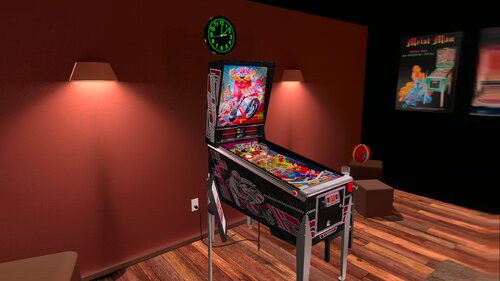
Version 3.01
476 downloads
This file is based on JP Salas 250cc table version 6.0.0 https://www.vpforums.org/index.php?app=downloads&showfile=14252 This table works in DT-FS-VR-MR New Ext2k Features: Fixed error on Backglass Now table don't need b2s on VR to work. New Inder Backbox Like 250cc New Inder Cab like 250cc New Inder Siderails. Added Minimal/Basti Room/PoolBar and Mixed Reality VRRoom on menu Turn on/off music ambience on F12 Menu Virtual Desktop Settings Chromakey for Mixed Reality: Color RGB = 255,255,255 Similarity: 2 Smoothness: 2 JPSalas 6.0.0 Updated September 2025 - Moved LUT to User Options (F12) - Added some extra options to the User Options (F12) - Updated physics to my latest rev 4.3.1. mostly bouncier rubbers and harder flippers. -
View File 250cc (Inder 1992) JP v6.0.0 DT-FS-VR-MR Ext2k Conversion This file is based on JP Salas 250cc table version 6.0.0 https://www.vpforums.org/index.php?app=downloads&showfile=14252 This table works in DT-FS-VR-MR New Ext2k Features: Fixed error on Backglass Now table don't need b2s on VR to work. New Inder Backbox Like 250cc New Inder Cab like 250cc New Inder Siderails. Added Minimal/Basti Room/PoolBar and Mixed Reality VRRoom on menu Turn on/off music ambience on F12 Menu Virtual Desktop Settings Chromakey for Mixed Reality: Color RGB = 255,255,255 Similarity: 2 Smoothness: 2 JPSalas 6.0.0 Updated September 2025 - Moved LUT to User Options (F12) - Added some extra options to the User Options (F12) - Updated physics to my latest rev 4.3.1. mostly bouncier rubbers and harder flippers. Submitter Ext2k Submitted 09/14/25 Category VPX - Pinball Tables VPX Standalone No
-
Version 3.0
400 downloads
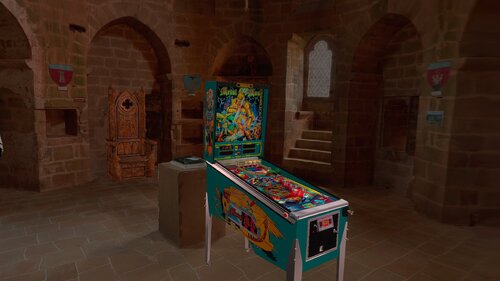
This file is based on JPSalas Table version 6.0 the original table is not uploaded yet, but I have it to make the VR version with JP's permission. New Inder Cabinet New Inder Backbox New Inder Siderails New Inder Plunger New Artwork thanks to @Atreyu Table works in DT-FS-VR and MR Added Castle Room, Basti VRRoom, Pool Bar and Mixed Reality This table works without B2S. Thanks to @DGrimmReaper for help me on Script. Now Lut works in F12 menu, no more Magnasave needed Remove Siderails on/off on menu for cabinet users. Added flippers/start button animation for VR Added Ambience and Music Thanks to all Discord VR Pinball Group for his support. Thanks to @JPSalas to add 6.0 at this table version. Virtual Desktop Settings Chromakey for Mixed Reality: Color RGB = 255,255,255 Similarity: 2 -
View File Metal Man (Inder 1992) JP v6.0.0 DT-FS-VR-MR Ext2k Conversion This file is based on JPSalas Table version 6.0 the original table is not uploaded yet, but I have it to make the VR version with JP's permission. New Inder Cabinet New Inder Backbox New Inder Siderails New Inder Plunger New Artwork thanks to @Atreyu Table works in DT-FS-VR and MR Added Castle Room, Basti VRRoom, Pool Bar and Mixed Reality This table works without B2S. Thanks to @DGrimmReaper for help me on Script. Now Lut works in F12 menu, no more Magnasave needed Remove Siderails on/off on menu for cabinet users. Added flippers/start button animation for VR Added Ambience and Music Thanks to all Discord VR Pinball Group for his support. Thanks to @JPSalas to add 6.0 at this table version. Virtual Desktop Settings Chromakey for Mixed Reality: Color RGB = 255,255,255 Similarity: 2 Submitter Ext2k Submitted 08/29/25 Category VPX - Pinball Tables VPX Standalone No
-
Version 2.0
257 downloads
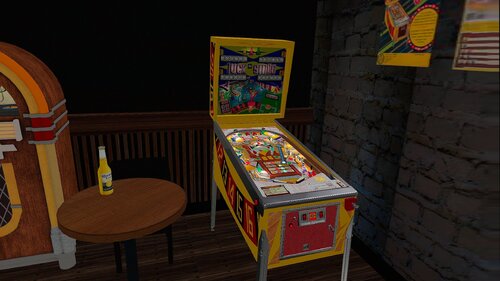
This file is based on JPSalas Table version 5.5 https://www.vpforums.org/index.php?app=downloads&showfile=16285 This is 4 player version. Table works in DT-FS-VR and MR Added Basti VRRoom, Pool Bar and Mixed Reality This table requires B2S to work. Menu F12 options for music (no copyright) and ambience. Added flippers/start button animation for VR Virtual Desktop Settings Chromakey for Mixed Reality: Color RGB = 255,255,255 Similarity: 2 -
View File Luck Smile (Inder 1976) JP v5.5 4p DT-FS-VR-MR Ext2k Conversion This file is based on JPSalas Table version 5.5 https://www.vpforums.org/index.php?app=downloads&showfile=16285 This is 4 player version. Table works in DT-FS-VR and MR Added Basti VRRoom, Pool Bar and Mixed Reality This table requires B2S to work. Menu F12 options for music (no copyright) and ambience. Added flippers/start button animation for VR Virtual Desktop Settings Chromakey for Mixed Reality: Color RGB = 255,255,255 Similarity: 2 Submitter Ext2k Submitted 08/14/25 Category VPX - Pinball Tables VPX Standalone No
-
Version 2.0
345 downloads
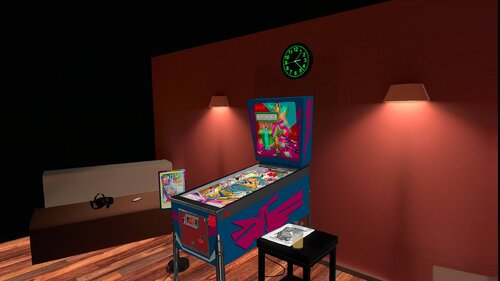
This Table is based on original table from JP Salas I only added The VRROOM and Mixed Reality too. You can change VR Room to MR with right magnasave. Virtual Desktop Settings Chromakey: Color RGB = 255,255,255 Similarity: 2 Smoothness: 2 You can enable ambience ROOM at the end of the scpit. This table requires B2S. -
Version 2.0
383 downloads
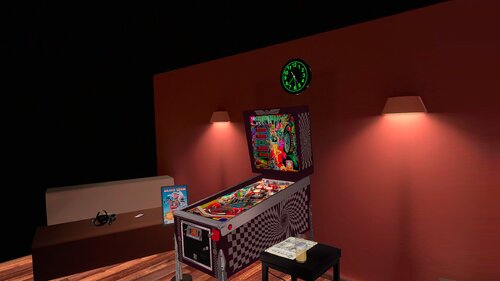
This file is based on JP Salas Brave Team version 4.0. I just added Game Roombased TastyWasps VR Room. Requires B2S included in File Enjoy!- 3 comments
-
- 23
-







.thumb.png.f1d5ddb3b218d4ddca5dbe967f50df0d.png)
