-
SYSTEM SEARCH
System Scanners Online:
Username: Guest
>> System Scan?
>> The Universe >
Incoming Message:
Due to system limitations searching with words of 3 or less characters will not return results. For instance; Doctor Who. This will not return results as the system is trying to search for both Doctor AND Who in which Who will not be found as it's a 3 character word. To find Doctor Who; you'd search for either Doctor or "Doctor Who".
Search Tips:
For specific searches; enclose your search with quotes. Example: "Doctor Who" or "Addams Family".
Search the Community
Showing results for tags 'animated backglass'.
Found 13 results
-
.thumb.png.95d0789d9cff9cef5d6be97e2e2c8ba2.png)
Version 1.8
5811 downloads
Virtual Pinball Media Files Folders on MEGA: VPX Attract Backglass-Over 250 for mostly original Visual Pinball X tables. A good substitute for the normal b2s backglass video file in your front end. Launch Audio is included in the folder for each table. Includes special Holiday tables. Future Pinball Attract Backglass-Actual Backglass image with added animations or video. Add a little flair to your Future Pinball collection. Future Pinball Playfield Videos-.mp4 video of playfield for use in your front end. Pinball FX3 Animated Backglass-All 99 2 screen versions with DMD/Speakergrille. 69 3 screen versions with and without FX3 logo. Best used with Pin Up Popper but they can be used with Pinball X/Y. Add these as your backglass file in Media Manager. Info here for keeping FX3 animated backglass playing when you load the table:https://www.nailbuster.com/wikipinup/doku.php?id=managing_games Full DMD-Over 800 Full DMD .mp4's. Lots of Full DMD's for Originals, EM tables and Future Pinball. Star Wars Popper Theme-My personal Star Wars Popper theme. I use this on my Star Wars themed cabinet. Phenom VPX 2 Screen Backglass-Video backglass for 2 screen users of Phenom's Kid tables. These allow your backglass video not to be blocked by your DMD for the table. Resize your DMD into the cutout. Table Wheel-Table Audio-Wheels and table audio Loading Videos-I made these for some of the Pup Packs I have in my lineup NFL Tables (Xenonph)-Full DMD for all tables. Popper playlist media for NFL tables. Instruction Cards for all 32 teams. Toppers-Topper Videos I have made Instruction Cards-Over 1300 Instruction Cards for use in your front end. Mostly EM and Original Tables. A big thank you to Inkochnito for his EM database (https://www.pinballrebel.com/pinball/cards/). Be sure to check out other instruction cards made by authors like @cheese3075@buffdriver @Kongedam @eddiemonsta @Frank_Enstein @CarnyPriest and others visit https://vpuniverse.com/files/category/91-instruction-cards/ or https://vpuniverse.com/files/category/9-hyperpin-media-packs/ (Authors - if you see anything in my MEGA belonging to you just drop me a PM and I will remove. I think I got them all out 😊) See the video from The Way of the Wrench (who inspired me to do this on my cabinet) for a tutorial on how to add to Popper https://youtu.be/RZTwHQNNqDc?si=l4nS24MQaMU9WAKP Pinball Flyers-Over 1900 pinball flyers for use in your front end. I created hundreds for tables that do not exist in real life and many that there were no pinball flyers available. I will continue to add to this as new tables are released. Add these to your front end just like the instruction cards. There is a sub folder called Popper - No Stretch will has non standard size flyers so they will not be stretched when shown in your Popper front end. A big thank you to the original table authors, artists, and others who allowed me to use their artwork. Big thank you to vogliadicane, IvanTBA, HiRez00, Cocothetrain, hauntfreaks, godisnothere, scutters, STAT, Rajo Joey, and Nick D for their work.- 15 comments
- 5 reviews
-
- 87
-

-
- future pinball
- animated backglass
- (and 28 more)
-

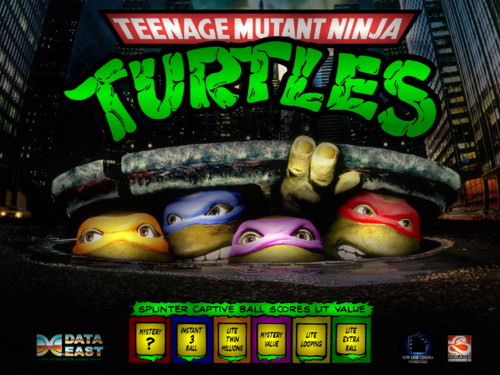
Version 2.0
598 downloads
Totally rebuilt for version 2! I took what I learned from my first pass and redid my TMNT backglass from the ground up. Changes: All elements resized and/or positioned for better visual balance and aesthetics Recreated the Splinter Feature Panel from scratch for better looks and legibility. Also changed the frame colors to represent all the turtles + April from default red & blue Replaced the TURTLES lights with illumination snippets to more clearly indicate which are lit Replaced the turtle head lights with regular white for greater clarity vs. the colored dodges Updated New Line logo to one I like better Added fantasy "credit" under Data East logo (just for looks) Added blinky headlights to the taxicab (my favorite change 😄) I welcome all constructive feedback, input, and questions. Enjoy, and let me know what you think! *************************************** Hi, friends. My first upload! I'm very excited to start contributing to the community that has taught me so much and provided so much entertainment. I have been deeply enjoying learning the ins and outs of vPinball and how the various programs work together, as well as modding and tinkering a bit on my own (oh yeah, and playing a little pinball 😆). I have been tinkering most recently with TMNT, so I thought it would be fun to try and create a backglass from scratch. Sources: I cropped the panel lights from Hauntfreaks's amazing version of the arcade BG and did some minimal cleanup (mostly just transparency and prepping the ooze for backlighting). The rest is compiled from Google image searches, arranged in GIMP, and assembled in B2S Designer (found here on VPU). I also used the All-in-One Backglass ID Finder from here (along with HF's BG) to start understanding how the assignments work. The images are a mashup of the 1990 film, the vintage cartoon/comics, and the original table, as well as some fantasy logos I thought were appropriate, added for fun. Features: The TURTLES letters in the logo sync with the panel on the playfield as you light them The character's heads do as well, and have colored lights to match their bandanas I put the Captive Ball Feature Panel at the bottom of the backglass Being a n00b, I am CERTAIN there are things I missed or could have done better, so constructive feedback and tips are very welcome and encouraged. Play around with it and let me know what you think! Feel free to use anything you find useful for your own project. Credit is appreciated, but, hey, I'm a pinballer, not a cop. Thank you SOOOOOO much to everyone here and at VPF, and I hope I can give back more to this wonderful community in the future. Enjoy! Flytrap (VPF) MrFlytrap (VPU)- 2 comments
- 2 reviews
-
- 22
-
-
- tmnt
- ninja turtles
- (and 4 more)
-
.thumb.gif.5116ddabf2068ee295431d5aeae425d2.gif)
Version 1.0.0
505 downloads
Tiki Bob's Atomic Beach Party (Original 2021) Thanks to iDigStuff and all involved for a great looking table. Thanks to Joey Beaulieu for a great image to work with.- 2 comments
- 2 reviews
-
- 24
-
-
- animated backglass
- fulldmd
- (and 1 more)
-
.thumb.jpg.9aa858d95e76ed203719a9a635ac166b.jpg)
.thumb.gif.12459c180c8ad24d06724443e8ef5d99.gif)
Version 1.0.0
692 downloads
Thanks to iDigStuff and all involved for a great looking table. Thanks to Joey Beaulieu for a great image to work with. Due to my backglass crapping out prior to getting a chance to play I decided to have a play around with the image. Hope you all enjoy the changes.- 7 comments
- 2 reviews
-
- 37
-
-
- animated backglass
- fulldmd
- (and 1 more)
-
Version 1.0.0
3846 downloads
Pinball FX 3 Animated Backglass 2 Options provided Without FX3 Logo With FX3 Logo Contains the following: Aliens vs Pinball Balls of Glory Pinball Bethesda Pinball Carnivals and Legends Core Pack Iron and Steel Pack Jurassic World Pinball Marvel Pinball Pinball Fx2 Portal South Park Pinball Star Wars Pinball Star Wars Pinball Balance of the Force Star Wars Pinball Heroes Within Star Wars Pinball Rogue One Star Wars Pinball Solo Pack Star Wars Pinball The Force Awakens Pack Star Wars Pinball The last Jedi The Walking Dead Universal Classics Pinball Williams Pinball UMP Williams Pinball Volume 1 Williams Pinball Volume 2 Williams Pinball Volume 3 Williams Pinball Volume 4 Williams Pinball Volume 5 Williams Pinball Volume 6 Zen Classics Installation: To be used with Pinup Popper (Follow appropriate instructions to get that configured) Open Pinball FX3 and access the cabinet mode settings Turn off Backglass Repositioning, Save settings and Exit Pinball FX3 Open PinUp Popper Setup Select the Popper Setup Tab Select Emulators Use the arrow to navigate the emulators until you arrive at Pinball FX3 Look for setting called "Keep Displays Open" and enter the number 2 in the field (If you have another number in here already simply use a comma to separate the numbers e.g 0,2) Save Settings and close Popper Setup Copy your chosen Pinball FX3 animated backglass videos to folder POPMedia\Pinball FX3\Backglass Videos PLEASE NOTE the file names for the backglass have not yet been renamed to match the Pinball FX3 table names, until this is done you will not be able to see the animated backglass videos. I have attached an image that I hope you will all find helpful to rename your files.- 6 comments
- 7 reviews
-
- 60
-
-
- pinballfx3
- fx3
- (and 2 more)
-

Version 1.0.0
49 downloads
Dune Animated Backglass/Topper/FullDMD. Something I made a while back but had some issues. Its not perfect but hopefully someone will enjoy-
- 5
-
-
- animated topper
- animated backglass
- (and 1 more)
-
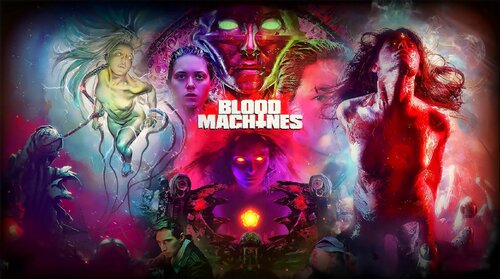
Version 1.0.0
756 downloads
Animated backglass Blood Machines. 2560 x 1440 resolution. Enjoy- 6 comments
- 4 reviews
-
- 48
-
-
- backglass
- blood machines
- (and 2 more)
-
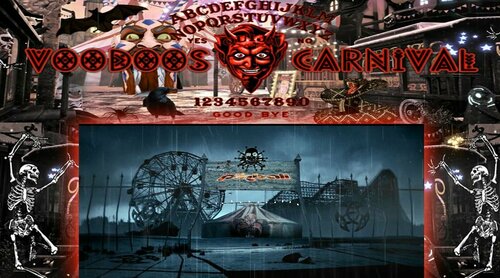
Version 2.0.0
437 downloads
Hi Again. Ive made another quick version without the ultraDMD holder. The scoring etc is of course coded inside the puppack so some people may not want or need the Ultra DMD. Much Love RJClarkee -
Version 1.0.0
382 downloads
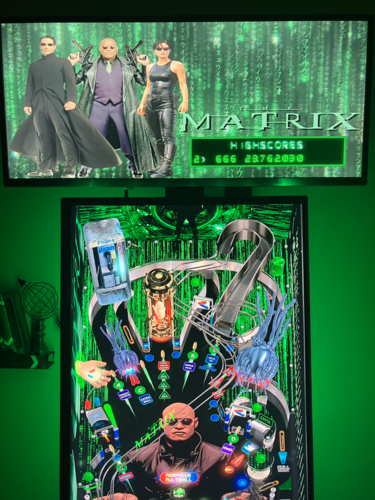
Animated backglass for the new VP Cooks table that was released for The Matrix. Has animated Matrix code behind still image of Neo, Morpheus and Trinity with logo, ideally for 2-screen setups. Any comments/reviews would be greatly appreciated. Thank you.- 5 comments
-
- 9
-
-
- animated backglass
- the matrix
- (and 1 more)
-
Version 1.0.0
430 downloads
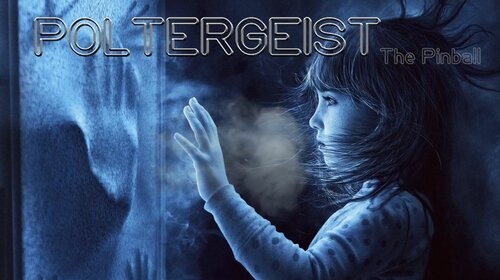
Animated mp4 Backglass for the new Poltergeist table from VPCooks. Perfect Companion to my animated DMD: https://vpuniverse.com/files/file/12363-poltergeist-full-video-dmd-1080p/ -
Version 1.0.0
212 downloads
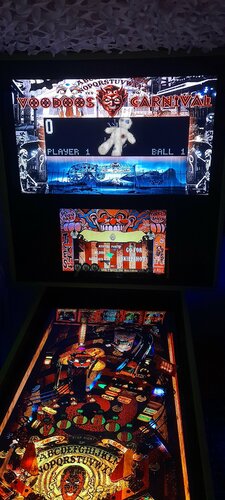
Hi Im totally in awe of the creators in this hobby. This table is NO exception..... Thanks for this. I like the pups on my 3rd display so i put the ultraDMD on top of my animated b2s and Voila! I hope you like it and someone else can make use of it. PLUR x Rjclarkee Pincade Rebel -
Version 1.0.0
240 downloads
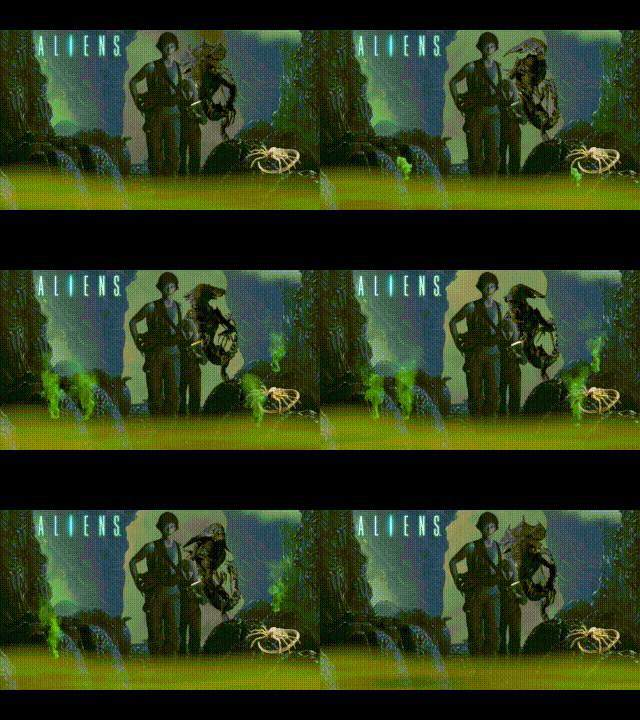
Aliens -
Version 1.0.0
179 downloads
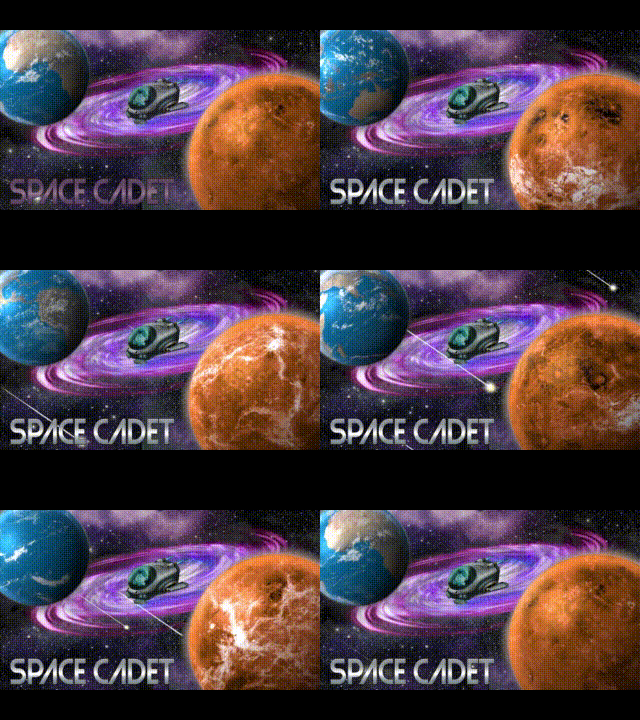
Space Cadet Animated backglass Just playing around. Could do with a little more work but best I can get it at this stage. Maybe someone will enjoy it.