174 files
-
.thumb.png.e7b4d398be4607926ceb2fb086c10e5e.png)
The Mandalorian
By iDigStuff
**************************
The Mandalorian 1.1
**************************
Reupload from Vpinball with fixes.
Concept & Graphic Design : Addestratore
Music & Sound Design : iDigStuff
Original Table Author (Cybernaut): mistermixer
Additional Script Support: William Hammond, HiRez00
The Mandalorians are a clan-based group that is comprised of members from multiple species—all bound
by a common culture, creed and code: “This is the way”. After the fall of the Empire and at the start
of the rise of the New Republic, some Mandalorians went into hiding following the Empire's Great Purge.
You are one member of this group, hiding in an enclave on Navaro.
You are a lone gunfighter in the outer reaches of the galaxy, far from the authority of the New Republic
as you collect bounties of the wanted to bring credits back to the tribe for use.
Release Notes from Authors
-If you have difficulty getting the table to accept credits please
replace the NVRAM in the "VPinMame NVRAM" folder with the provided file
-This table's soundtrack was programmed start to finish using the OST.
However if you would prefer to skip a track or stop the music you can control
it with the magnasave buttons
Included with download
-Table File
-Rules.pdf
-Wheel.png
-ROM
-Music Files
-NVRAM File
Installation:
Mandalorian 1.0.vpx --------> VPX Tables Folder
cybernaut.zip ----------------> Roms Folder
cybernaut.nvram --------------> Vpinmame\nvram Folder (if necessary)
Mandalorian ------------------> Drag and drop the ENTIRE FOLDER "Mandalorian" into VisualPinball\MUSIC
3057 downloads
- soundtrack
- music
- (and 4 more)
-
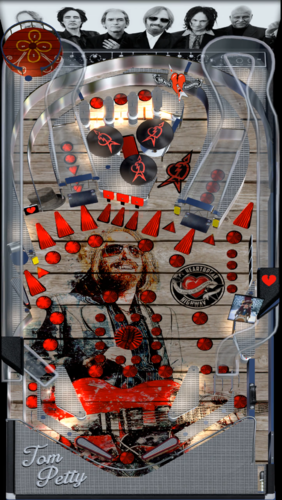
Tom Petty Music Table with Video PupPack
By darthwhat
Tom Petty! This table has been updated from the original version I made. Change the playfield art completely as well as adding a music video pupack. Hope you enjoy!
Download includes vpx table, ultradmd files, wheel image and puppack.
Note: Choose your screen(s) layout with any of the 1-5 options inside the tompettypup folder. Ultradmd options are at the bottom of the script to suit you color taste and dmd size.
Special shout out to Goldchicco and Hawkeyez88 for all your help getting me started in this amazing hobby.
Please rate and give a like if you download anything from vpuniverse. All creators and authors appreciate it as I'm sure you appreciate their work.
Thank you and Rock on!
1383 downloads
-
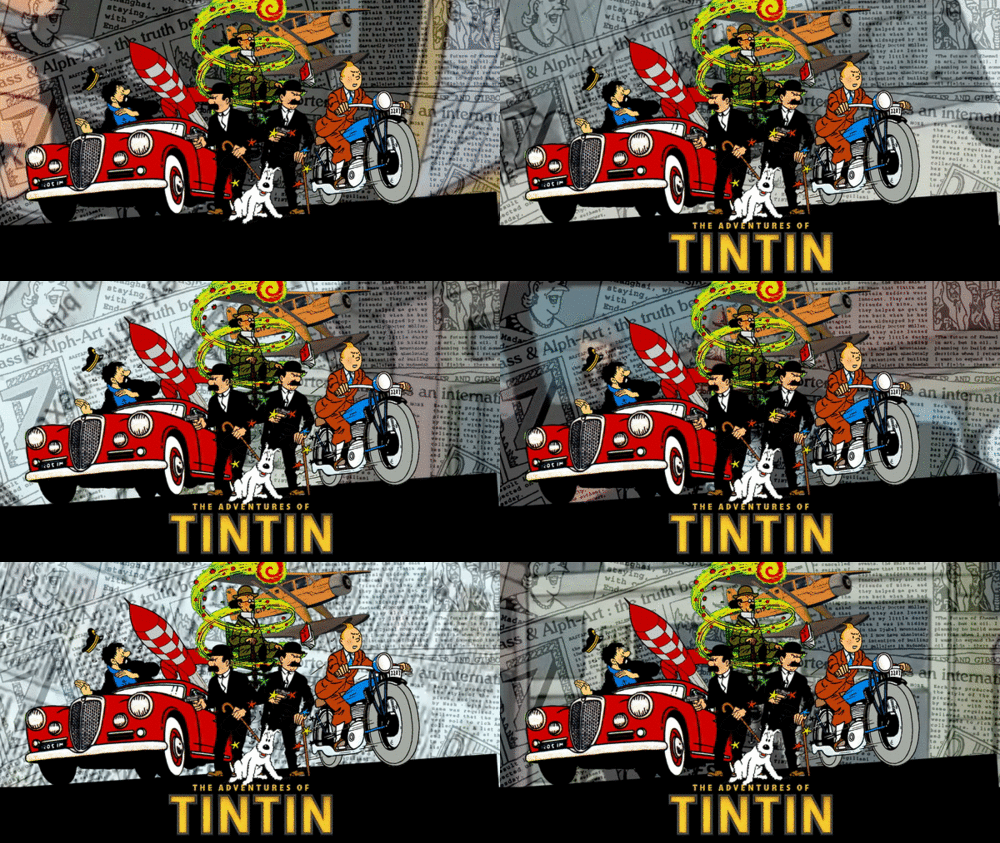
The Adventures of TinTin
By dvs626
The Adventures of TinTin
.
This is a Re-Skin of Sonic the Hedgehog 2
Original Table Designer: Brendan Bailey
Port to VPX: Javier
UltraDMD: Derek
As a kid I grew up watching TinTin so when I decided to perform my very first re-skin of a table I knew the theme had to be something I loved from my childhood.
To all the fans of TinTin I hope this table fills that void on your cabinets. Enjoy!
Download includes the VPX table + Pup-Pack
Please if you download the table take the time to Like/Vote and Comment to show your appreciation.
This table is not to be used in any commercial Pinball machines, this is a FREE table made by a fan for the fans!
Script Modified By:
Devious626
Phenom
Goldchicco
Hawkeyes88
TC Deez
Special Thanks:
To all those who create the software that drives this hobby. Thank You
To all who had involvement in the creation of the table. Thank You
To those who assisted with scripting. Thank You
To the "Orbital Creators Club" members for all of your assistance. Thank You
To the testers who had valuable feedback to improve the table. Thank You
Content Credit:
Tintin.com
Content from the cartoon series "The Adventures of TinTin"
Content based on the books of Hergé "The Adventures of TinTin"
Rules:
Multiball - Shoot the bottom and top 3 banks of drop targets to light the middle and side eject holes for ball lock. After locking two balls, the upper left side hole will be lit for multiball. During multiball, shoot the upper left side hole for a 250,000 point jackpot! When two balls have drained, normal play resumes, only now you must complete the drop targets twice in order to light lock.
Hurry Up - Completing the 5 stand up targets along the upper and lower playfields starts the "Hurry Up" feature. You have 15 seconds to shoot any hole (or the drop target in front of the lower eject hole) before complete the targets again. If a ball is locked the left side eject hole, you cannot score a hurry up award there.
Savers - The game begins with the kickback and the save gate active. They only save the ball once and then shut off. However, they can be reactivated by shooting either of the lower stand up targets when the purple shield light is flashing (they are lit when the ball passes through one of the inlanes).
Monk Protection - Hit the ramp shot 3 times starts Monk Protection. This causes all 3 savers to be active consistently for 20 seconds.
Bonus X - completing the top 3 lanes advances the bonus multiplier from 1X, 2X, 3X, 4X, and 5X. The multiplier is reset for each ball.
Extra Ball - Extra Balls are awarded when you reach the score of 750,000 and 1,500,000
1993 downloads
-
Tron Legacy (Stern) (PuP Edition, PMD 1.1) (do not use - out of date)
By TerryRed
NOTE: DO NOT use this table, as it is out of date. Use normal VPX tables and newer PuP-Packs instead. This table is here for refence only.
Tron Legacy (Stern) (PuP Edition)
PinUp Player Edition mod : TerryRed
PinUp Player created by: NailBuster
VPX table created by: ICPJuggla, freneticamnesic (original FP to VPX conversion).
RustyCardores: Surround sound mod, new sounds added (where there were none)
DJRobX: Updated physics and code to bring table inline with VPX 10.4 routines. ROM-controlled GI and PWM flasher support. Prettier Ball.
HauntFreaks: File size optimization
Other credits: Rom and GLXB (original FP table version), SLAMT1LT (Ultimate Edition FP version, and inspiration for this table mod)
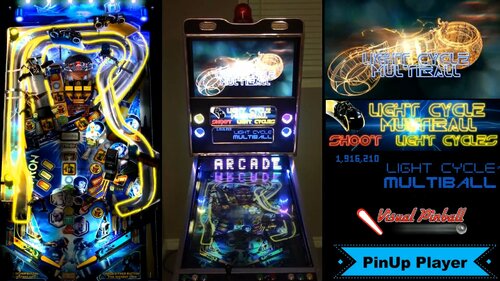
To see the world's first PinUp Player VPX table mod, watch this video of it here in my cabinet:
PinUp Player is a program that lets you play any video file on your Backglass, Topper, DMD, or any other screen using VLC media player. These videos can be controlled through the table’s script, switches, triggers, lights, or other table events. This allows any VP, FP or FX2 (using DOFLinx for FP and FX2) table to have a Backglass or Middle Screen with full videos like Jersey Jack Pinball, modern Stern tables, or Heighway Pinball tables.
You can control the videos using direct PuP control through the table’s script, or you can use B2S Server and create a PuPB2S that doesn’t require any modification of the table (but with less control), similar to a normal B2S (but really easy to make).
This PuP table mod is not using the PuPB2S method (which uses B2S Rom calls), and was a complete mod of the table script. I created all the videos myself (1920×1080 for Backglass, and 1920×822 for Topper), inspired by SLAMT1LT’s FP version.
Since this is a rom based table. I have no access or control over any of the game code or actions. I literally made A LOT of new code specifically for PUP that works based on only triggers / switches from the game, and the playfield lights and neon ramp colour logic. It’s a miracle I was able to pull this off, as this works with most MB modes, as well as the jackpots,etc all having unique videos with titles,etc. Because of this, I also wasn’t able to do anything for Sea of Simulation, End of Line MB, or portal, as they all use White for neon ramp colours, and I have no way to differentiate them.
To use this table you will need:
- VLC media Player "32 bit" only installed! (64 bit version won't work): https://www.videolan.org/vlc/index.html
- PinUp Player installed: http://www.vpforums.org/index.php?showtopic=38979&page=1
- "Tron_Legacy" PuP videos should be installed to your "PUPVideos" folder.
- there must be absolutely no files in the "PUPVideos\trn_174h" folder! (this folder is created when the table is first run, as is the Tron_Legacy folder) That folder is meant for a PuPB2S (based on the table's rom). This table's "PuP mod" doesn't use the PuPB2S function, so if you have any videos in there meant for a PuPB2S, then you will have videos from both folders playing...and you don't want that!
- ensure all files from PinUp Player are "unblocked". You may need to set PinUp Player Compatibility Mode to WinXP if you are running on Win7. You may also need to have PinUp Player "Run as Admin".
Desktop users:
VPX MUST be run in windowed fullscreen! PuP will not be visible if VPX is run in exclusive fullscreen. When setting up PuP, size and postition both your PuP Backglass and PuP Topper so they don't cover the table.
Cabinet users:
No Pinball X Topper or backglass "videos" can be playing when the table is launched and running. While it "may" work, having videos from PBX and PuP playing on the same screen may cause issues. Pinball X still image for your Backglass or Topper screen is fine. PuP will play over still images and B2S backglasses, no problem...in fact its encouraged to use a still image for the Topper background, as this PuP mod doesn't use any "Background images or videos" that are always displayed. You can run your playfield screen in Exclusive Fullscreen, just don't setup any PuP screens to play on that screen, as they won't be visible.
Recommendations:
- this table mod is designed to be used with both a Backglass PuP screen, and a Topper PuP screen. You don't require both of those however, in a cabinet for PuP to work.
- you can have both the PuP Backglass and PuP Topper on the same screen if you wish. Just re-size and position them on the same screen so they don't overlap each other. You may also only use one or the other if you wish.
- setup both your Backglass PuP screen and Topper PuP screen to "Pop-up enabled". This will have videos pop-up and play and then close when finished.
- note, that if you have a looping video playing (Topper, multiball modes) when you exit the table, PuP will continue to play this looping video as it hasn't been given a stop or disable loop command.
Please note:
This table mod is using a PinMAME Rom, and therefor I have no control over what the table is actually doing. All I have done is create new code in the table script that will react to switches, triggers, playfield lights, Timers, and the Neon Ramp colours to play videos as a result of in-game events. While I have thoroughly tested this mod, there may be rare instances where a video may play when it shouldn't, or a video will stop when it shouldn't (mostly just Topper videos). This is usually a result of a ball drain's timing being off a little (with ball saver,multi-ball modes, etc). This is beyond my control, but if it does happen, it won't affect the gameplay at all. Once you have a normal ball drain or certain multiball modes active again, then everything should be good to go again.
This mod was a lot of work, but the results are just too damn cool! I hope you enjoy it!
TerryRed
Configuring PinUp Player's Screen settings for this table only (so you don't need to change PuP's default settings):
Since I don't think SetScreenex is mentioned yet in any of the PuP docs...I'll mention how I used it with Tron (PuP Edition) here. In the table script near the top, you can find these two lines: PuPlayer.SetScreenex 2,0,0,0,0,1 'Set PuPlayer Backglass to Pop-Up On <screen number> , xpos, ypos, width, height, POPUP PuPlayer.SetScreenex 0,0,0,0,0,1 'Set PuPlayer Topper to Pop-Up On <screen number> , xpos, ypos, width, height, POPUP Screen number 2 = Backglass, screen number 0 = Topper. Change the last digit to 0 if you want to disable PopUp for this table ONLY! (though Pop-Up is recommended) Setting the xpos, ypos, width, height, to 0 will also use PinUp Players's default size and position if you don't want a different position and size for only this table. Or you can comment out the entire line with an apostrophe to disable the command entirely (and use PinUp Player's default settings). Also you will see these lines: PuPlayer.Init 0,"Tron_Legacy" PuPlayer.Init 2,"Tron_Legacy" If you don't want to use one of the PuP screens at all, just comment out the line with an apostrophe which screen (Backglass=2, Topper=0) you don't want to use specifically for this table ONLY! This way you don't have to change PuP's default settings. All of the above is only applicable to a PuP table "MOD" that doesn't use a PuPB2S (like Tron Legacy PuP Edition). This is the only way to allow for this table to have its own user definable PuP screens config without changing PuP's default settings.
3739 downloads
-
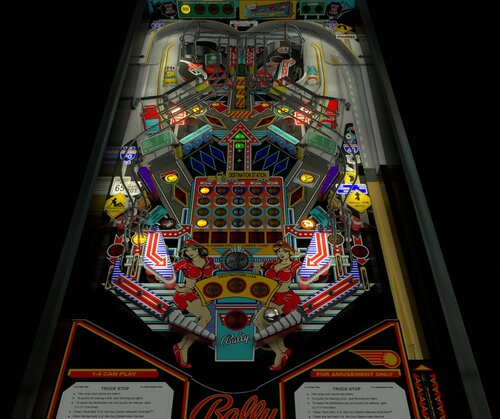
Truck Stop (Bally 1988)
By agentEighty6
'Big Betty's Truck Stop (Bally 1988)
'
' Development by agentEighty6 2020 for Visual Pinball X (previously uploaded to VPinball)
' Version 2.1.0
' I would like to send a very special thanks to the following.
' - sindbad : For being able to use his VP9 table resources.
' - BrandonLaw : Playfield and plastics cleanup and enhancement
' - bigus1 : Beta testing and lighting tweeks
' - flupper, nFozzy, and others : Flipper physics, flasher lighting, etc.
' - VPX development team: As always, thanks for your work in keeping VP alive and well
' - To anyone I may have forgotten, please let me know and I'll add you.
' Release notes:
' Version 2.1.0 - Physics overhaul and added dampening plus a bunch of table tweaks/corrections
3150 downloads
-
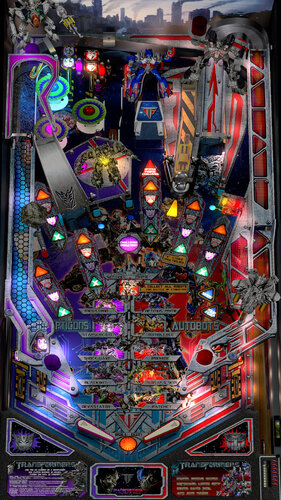
Transformers (Stern 2011) Detail Mod
By hauntfreaks
re-upload from 2018
Transformers (Stern 2011) Detail Mod of JP's table
reworked playfield so the correct right hand pro ramp could be used
FP ramps were used, texture modded by Draifet
left and right ramps detailed and modded to be "close" to the real machine
3D rendered shadows and ambient lights by Bord
new lighting and domes
flipper and ball shadows
normal maps added to all the models for more detail
added sounds
fast flips enabled
this is one of those tables that's just not 100% to the real machine, so don't expect it to be
again thanks, JP, Draifet, Bord and everyone that found real machine photos
2679 downloads
-
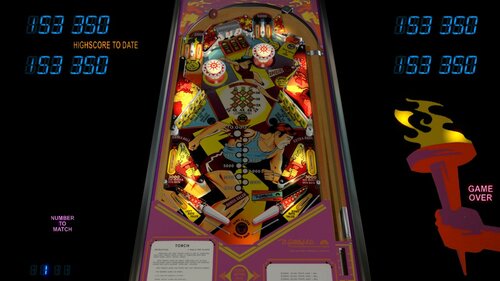
Torch (Gottlieb 1980)
By BorgDog
original description from vpinball.com below. file has not changed, however I'm not sure which version of the db2s is included with this as haunt and I had put out an updated one separately.
I started Torch after doing Close Encounters, because roto-target. I then got side tracked with Nobs, real Nobs, Bubba Hollywood, and well frankly forgot where I was with this. So today I got some top arch pictures from FortyTwo on pinside (thanks!) who is parting out a real one and decided to spend a little time getting this together. I made a quick db2s from an image I liked and included it or you can use one from vpu which I'm guessing is a Wildman production. There are a couple options at the top of the script for turning ball and flipper shadows on or off and for selecting some tone or chime sounds (the dof config will play your chimes if you have them).
876 downloads
-
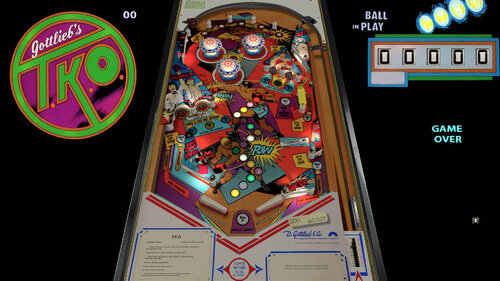
TKO (Gottlieb 1979)
By BorgDog
another old build from vpinball.com
Last wedgehead made by Gottlieb.
612 downloads
-
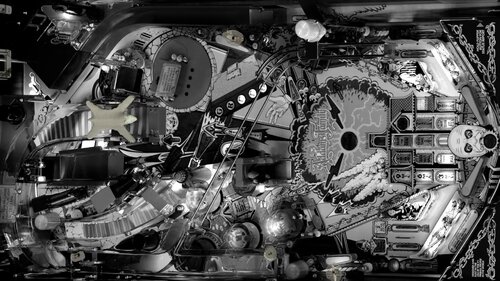
The Addams Family (Bally 1992) Black and White Table Mod.
A very special thank you to Sliderpoint and the G5K team, for their permission to modify the original masterpiece "The Addams Family" table. Thanks also to these contributors who helped with modifications for this special pack: 3rd axis and slydog43 for creating the B&W dmd mod and working on everything, Goldchicco for all the B&W element work on the table mod. Special thanks also to Joey Beaulieu for the original B2s artwork and Chucky87 for creating the working B2s. I (classicradios) had no involvement in this table mod, I'm uploading on behalf of the talented Joey Beaulieu.
605 downloads
-
-
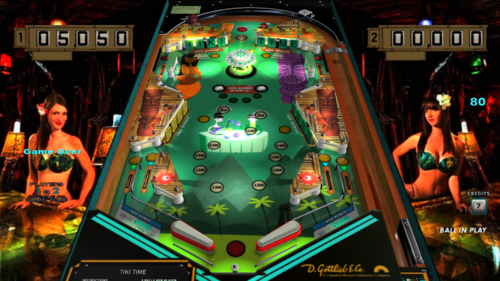
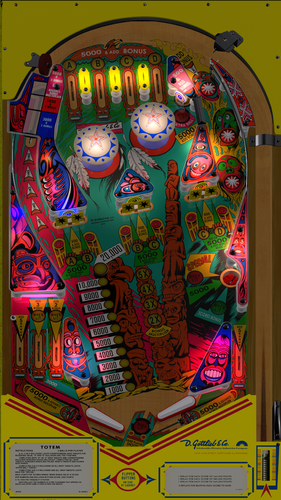
TikiTime
By TikiGoon
Tiki Time (2021)
PLEASE READ - IMPORTANT INSTRUCTIONS INCLUDED:
This VPX is a re-skin / re-theme of HiRez00's The Fog table which was a rework of BorgDog's Space Walk (Gottlieb 1979) table.
About 20 years ago I got swept up into the Tiki Bar craze. I could not see enough of them! Not talking a thatched covered beer hut on the beach in Florida, I am talking about your dark classy restaurant/bar where you can get a real Mai Tai or a Zombie, filled with carvings from Oceanic Arts. Sadly, many have gone out of business now. Fifteen years ago I gutted my first arcade machine and replaced it with MAME. The Windows XP desktop powering it died so I replaced it with Retro Pi last year. I ran across Visual Pinball and got it working well enough for me to feel comfortable with building my own cabinet this past September to put next to my RetroPi cabinet. I have loaded up 100's of table, including VPX, Future Pinball and this past week I added FX3 (Zen was running a sale). What I really felt I was missing was a good Polynesian themed table. I mean Beach Bums, Gilligan's Island, Endless Summer are all good, but I really wanted that old school feel of a 50's Tiki Bar. That's when I decided to see if I could make one.
I decided to start with simple table without DMD or complicated game play. I figured an EM table which had already been modified, would be a good introduction to getting a theme completed pretty quick. I followed HiRez00's plan of Kiss = Keep it simple, stupid.
After being granted permission by BorgDog and HiRez - I went through and redesigned all the artwork for the playfield, plastics, backglass, etc. I grabbed a trial copy of Photoshop, but transitioned to Gimp for all of my editing.
The back glass is a picture from one of my favorites; the Mai Kai in Fort Lauderdale. The play-field is filled with characters from Tiki artist Josh Agle (better known as Shag). Music is from Tiki Lounge greats Les Baxter, Martin Denny and more.
I am a 'cabinet' pinball user but I made sure the Desktop users would have a complete Tiki table as well.
USING LUT OPTIONS (VERY IMPORTANT):
- - - - - - - - - - - - - - - - - -
When you boot the table for the first time, the table will appear a lot brighter than it is intended, Tiki bars are usually pretty dim.
Hold down the LEFT MAGNASAVE and then press the RIGHT MAGNASAVE to cycle through the 13 LUT options. This bypasses the need of using the Day / Night slider. Depending on the resolution of your playfield monitor, everyones preferred LUT setting is different. When you cycle through the LUT options, when you select the one you prefer for your setup - it will automatically be saved when you exit / quit the table for the next time you play the table. You can adjust the LUT Option at any time when the table is loaded, even during gameplay.
PLEASE NOTE: Pressing the LEFT MAGNASAVE will shut off the music as well. Simply press the RIGHT MAGNASAVE (without the LEFT MAGNASAVE pressed) to resume music playback.
MUSIC OPTION:
- - - - - - - - - -
By default, the table is set up to play one of several random startup tracks, cycled Game Play tracks, and several random Game Over tracks. Instead of giving the option to turn ON or OFF all music, we split the options up at the top of the table script. You can adjust each type of music playback based on your preference. You can isolate and turn ON or OFF either the 3 options at the top of the script.
If you want to temporarily turn off the music, press the LEFT MAGNASAVE and it will stop the CURRENT music track. You can then press the RIGHT MAGNASAVE (without the LEFT MAGNASAVE pressed) to resume music playback.
During gameplay, and ONLY during gameplay, you can change the music track by pressing the RIGHT MAGNASAVE to switch to one of 6 music tracks. During actual gameplay is the only time this feature works.
OPTIONS MENU:
- - - - - - - - - -
When NOT in gameplay (i.e.: no ball in the plunger lane or game started) you can access the Game Options Menu by holding down the LEFT FLIPPER for 2 - 3 seconds. This allows you to change the number of balls, free play or coin play, high score visible setting, or Replay Score settings.
INSTALLATION (VERY IMPORTANT):
- - - - - - - - - - - - - - -
The install is fairly standard and straight forward, except for 1 IMPORTANT thing, the Music folder for VPX. In order to avoid the growing 'mess' of a million .mp3 files in your Music folder, the additional audio / music files for this table NEED TO BE INSIDE a folder called 'TikiTime'. This reduced adding to the clutter and global warming problem.
So when you unzip the music / audio for this table, the directory structure should look like this when installed 'Visual Pinball / Music / TikiTime'.
You will get an error when you boot the table if the mp3 files are simply dumped into the Music folder.
DOF CONTROL:
- - - - - - -
I didn't want this new version of the table to compete or interfere with the existing Space Walk (Gottlieb) table or the re-themed “The Fog”, so I have renamed the cGameName and all associate reference to Space Walk to "tikitime".
Until DOF is updated with this new table to be included, but you just can't wait - open your DOFConfig.ini and copy the command line for SpaceWalk_1979, paste it to a new line - and change 'SpaceWalk_1979' to 'tikitime'.
FINAL NOTES:
- - - - - - -
Overall - I am happy with how the table turned out. The look, features, sound, music, graphics and gameplay are how "I" wanted it for my cab. This was all my preference, and may differ from your tastes of preferences. Please make use of the multiple options to get it to your liking.
- Aloha!
FILES INCLUDED:
- - - - - - - - - -
TikiTime.vpx
TikiTime.directB2S
TikiTimeWheel.png
TikiTimeWheel3.png
ReadMe.txt
Link to Music Files.txt
MUSIC CAN BE DOWNLOADED FROM:
https://drive.google.com/file/d/11oOWtjJ78G07FK3B2fz6lWOfVT5JCDbM/view?usp=sharing
CREDITS:
- - - - -
BorgDog - Original Space Walk table
HiRez00 - Table Re-Theme / Re-Designs
Rascal - Scripting, Updates, and Testing
Loserman76 - EM Knowledge / Advice
JP Salas - LUT Selector Enhancement
- - - - - - - - - - - - - -
Permission to Mod: NO
- - - - - - - - - - - - - -
This project took about 30 hours to put together and I am happy to share it with everyone ... so "thanks" or comments in the support topic are appreciated.
PLEASE NOTE: I create these image, videos, tables and backglass files for fun and for the dedicated VPX pinball users on this and other forum. I DID NOT create this for you to download as SELL, MAKE MONEY OR PROFIT ON ... You have been warned!
DO NOT include any of these files with other downloads or projects without asking / getting permission first.
All Logos, Copyrights and Trademarks are property of their respective owners.
PROVIDED STRICTLY FOR PERSONAL / HOME USE AND NOT FOR COMMERCIAL SALE / RE-SALE OR DISTRIBUTION!
656 downloads
-
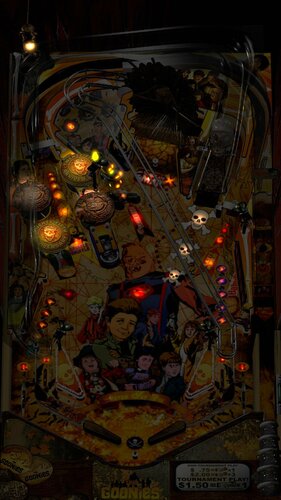
The Goonies Pinball Adventure
By Javier15
The Goonies Pinball Adventure
Original Future Pinball table created in 2012 for:
Glxb, Highlnder00, Jpinsa, Shaderbytes ported to VPX by Javier.
Note: The table uses PinUPPlayer DMD for the use of FS users, I don't have much time to check the DMD for DT (sorry for this).
I release the table almost like a beta and later with a little more time try to improve and fix faults that appear.
Please, if you can help me with a small contribution to update my work team and continue to make more tables I will be eternally grateful.
Paypal
2829 downloads
-
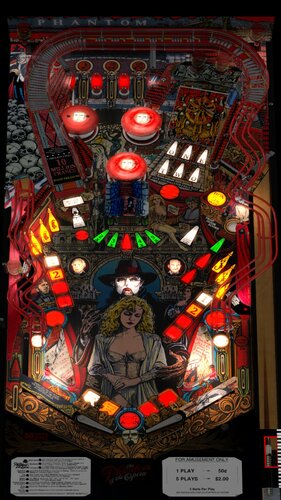
The Phantom Of The Opera (Data East 1990)
By DCrosby
Phantom Of The Opera
Original mod for VPX by 32Assassin
I finished up the modeling and texturing
New Machine Learned / AI Backboard Bumper Covers Light in Organ Added Missing Plastics Added Catwalk Ramp Added Wire Ramps L/R Added Magic Mirror flapper, and Plastics Adjusted Lighting for the Phantom letters in the back Do deal with sound Tuning, make sure Display DMD is set to 1 (On) in the script, then press "Tilde" -> ` The symbol to the left of the "1" key and modify sound banks, there are 3, 1 for the "Phantom of the opera sound and some FX" and the other two are for the organ and the other musical pieces that play.
5145 downloads
(3 reviews)0 comments
Updated
-
.thumb.png.f4d748f9f9e928837b4e7cc5a196c061.png)
Theatre of Magic ( Bally1995)
By ninuzzu
Theatre of Magic 2 versions
Theatre of magic VPX NZ-TT-HATMAGIC-1.0
Theatre of magic VPX NZ-TT 1.1
10629 downloads
- theatre of magic
- bally
- (and 3 more)
-
.thumb.png.c89976edb8479d719732d95d62aaf587.png)
Twilight Zone (Bally 1993)
By ninuzzu
Twilight Zone_VPX_2.1
8095 downloads
- twilight zone
- bally
- (and 2 more)
-
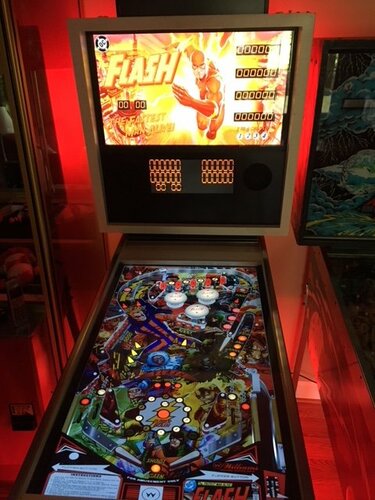
The Flash (Original 2018)
By Onevox
NOTE: Distribution of this file on a computer, virtual pinball machine or any variation of such device, which is sold as part of a product, or making this file available to download from a website, or via a file transfer process, without my permission is strictly prohibited. All characters, logos, and Flash themed graphics are the property of DC Comics.
This is re-theme of JP Salas' awesome Flash (Wiliams 1979). It is my first attempt at creating anything in visual pinball. I welcome input and suggestions. I didn't touch JP's coding cause I think it plays really well.
Big thanks to JP for letting me mod his work. Thanks to Wildman for letting me deconstruct his B2S file for Flash, then rebuild. Also, Hauntfreaks and Vogliadicane gave great advice on the graphics, it's much better with their input. And I have to thank Jim L. for telling me about comic book discrepancies.
2683 downloads
(1 review)0 comments
Updated
-
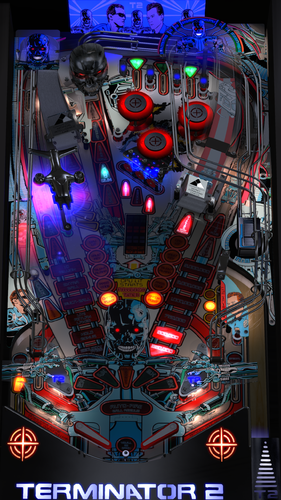
Terminator 2 Judgment Day Hanibal's Chrome Edition
By Hanibal2001
Thanks to the nice work before to all people making this table for VP10.
This is one of my favorit, so I must optimize it and hope you enjoy my work.
6254 downloads
(2 reviews)0 comments
Updated
-
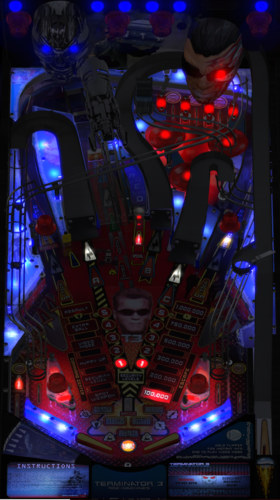
Terminator 3 (Stern 2003) Hanibals 4k Edition 1.0
By Hanibal2001
This is the vpx version of the Terminator 3 table from Stern.
There are a lot of Light and Flasher effects on the table, I like it
Have Fun with that.
5124 downloads
- terminator 3
- vpx
- (and 2 more)
-
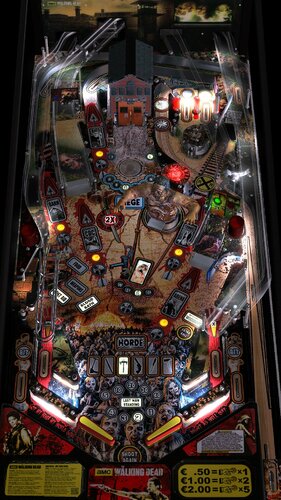
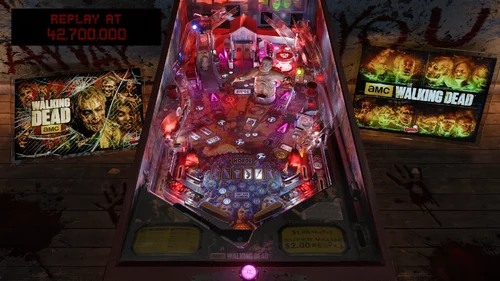
The Walking Dead Pro (Beta)
By Gronimod
As promised!
Here is the Beta Version of my Walking Dead Table. It´s finished about 95%. Only some Visual things have to be done.
You can play the table in the Stock Stern Version or you can Install the Bezel Mods. Simply press "F6" during play and choose the Mods you like to install. Restart the table and they are installed.
I hope you have Fun with this until the Releaseversion is ready (Which will hopefully not take so long.....You all know me and my breaks ...Kidding)
2949 downloads
-
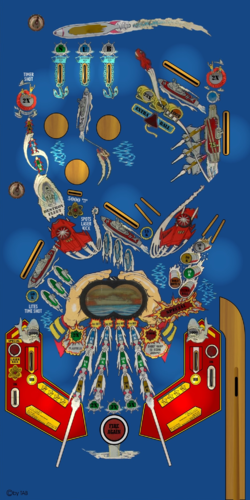
torpedo alley data east ok
By CON
table of dozer destruck tab
dmd working sript ok
merci a dozer de ne jamais repondre et aux autres qui racontent n ' importe quoi
651 downloads
(0 reviews)0 comments
Submitted
-
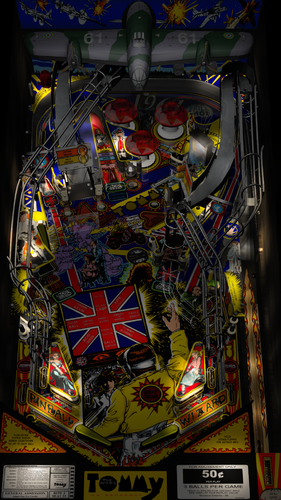
The Who's Tommy pinball wizard (Data East) (1994)(ninuzzu)
By ninuzzu
Well this is my first table. I builded it from scratch during the beta phase of VPX this summer. I upgraded it and now it's time for an official release.
There are some options and mods that you can enable/disable in the script ( TNT mod and Union Jack Mod included)
Credits/Thanks (in no particular order):
Franzleo for the ramps and the airplane models
Freneticamnesic for the help with the mirror animation
Dark and Zany for some primitive templates I used and edited
Javier1515,JPSalas,GTXJoe and Shoopity for some code and sounds effects I borrowed from their tables
Arngrim for the DOF support
VPDev Team for the new freaking amazing VPX
Hope you like it and enjoy!
4293 downloads
-
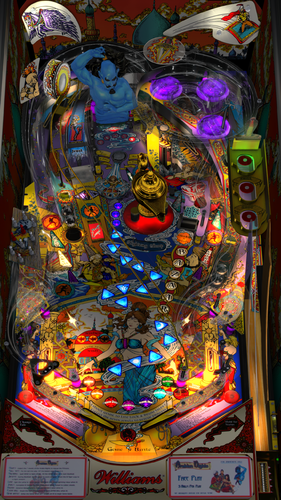
TOTAN Hanibals 4k Mod
By Hanibal2001
Based on Totan 1.1.1 shiny mod from flupper1 (Thanks a lot for permission).
I try to update this nice Table to 4k Resolution, with improvement of many graphic's and physics.
3480 downloads
-
Tron (Conversion from FP) (VPX Beta)
This is a relatively quick build, an update to one of my favorite tables for use in VPX.
Scripting done by 85vett, modified to work in VPX by myself
Table done by francisco666, rom, Glxb, with additions by myself and converted to work in VPX
Essentially, this is a FP to VPX conversion, using the script from the exist VP9 table.
I won't be maintaining this once VPX is out of beta.
1487 downloads
(11 reviews)0 comments
Updated
-
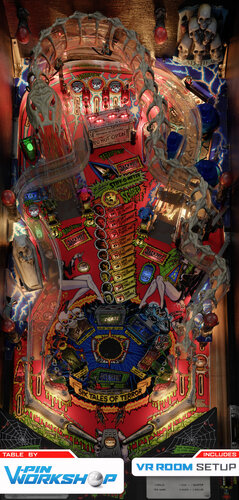
Tales From The Crypt (Conversion from FP) (VPX Beta)
This is a relatively quick build, done at the request of hauntfreaks. It's probably the most complete of the VPX conversions I'm uploading. This one has been available at VPF for a couple weeks so if you've already got it don't worry about this one!
Scripting done by JPSalas, modified to work in VPX by myself
Table done by francisco666 and polygame, with additions by myself and converted to work in VPX
Essentially, this is a FP to VPX conversion, using the script from the exist VP9 table.
I might maintain this one once VPX is out of beta but I make no promises...
2201 downloads
(7 reviews)0 comments
Updated




.thumb.png.1f24ff29cdee6064fe55a89ca1756977.png)
.thumb.jpg.268239e78097710a8d84b99071113f47.jpg)
.thumb.jpg.746b2019b42a33d780ca7f13efd7aaec.jpg)
![More information about "Air Aces (Bally 1975) [archival dump]"](https://vpuniverse.com/screenshots/monthly_2025_07/cc.thumb.jpg.07b0870b4f42f55369e675a843ad5277.jpg)
4k1.1.thumb.png.acc720d2407dfd8790ef5b8d001b5719.png)
.thumb.jpg.1412711d4755ecce399f98134a99ad90.jpg)
BG.thumb.jpg.f2a4f54dde2cdbe2faf1e56afb531dd2.jpg)
BG.thumb.jpg.ec48afe148c5178c194c4ebe183eec8e.jpg)


.thumb.png.5ed1bf5d422b34f5840444155482629c.png)
.thumb.png.d4397dd298430e53d1ffc35e075acfaf.png)
.thumb.png.37d622ffb83f526e1880533b0ac4838e.png)
.thumb.png.5bd2370f890b7345881acfb738d684d2.png)
.thumb.png.f137095d98ec9841dd182ade5601f197.png)
.thumb.png.ea06c353d4352058567ac3e64a4a393c.png)

Tombg.thumb.png.1cf8c17a821bf03cc454bbab9e32f765.png)

.thumb.png.f905fda47c6a90588fdc41f79d4ff1bd.png)
.thumb.png.4c65db620e7245a1d261b2438f467bcb.png)


Illuminated.thumb.png.d7ab5835d755629cbe62fbb97d7f508c.png)





![More information about "[VPURemix] The Flintstones Cartoon SE [Mod of G5K's v1.26]"](https://vpuniverse.com/screenshots/monthly_2026_01/CAB.thumb.jpg.5a44c6212978c094688bc3b71aa25ba0.jpg)
.thumb.jpg.d234cf4193065c4688cbf8f1159368b7.jpg)
FullDMD.thumb.jpg.449b0953dda8b2b8557c344ed3b8deb6.jpg)
FullDMD.thumb.jpg.669a887f6f92082fca96c76aaf77c4a7.jpg)
FullDMD.thumb.jpg.023317ba05c57a64f91c7de4b4a69d84.jpg)
.thumb.png.893666075be97742be90d861268db6f8.png)

PuPPackOverlay.thumb.png.a8c0983b0a88e2ad442c70197fb32e93.png)
PuPPackFullDMD.thumb.png.5a4db73523208aaf11a8764c884f5bef.png)
PuPPackFullDMD.thumb.jpg.7ba2e395c8717dbeb83d0181c9cf8a80.jpg)





.thumb.png.a8cc4560b1d1d1802d2cb48571c221a2.png)





EM.thumb.png.6e71c0a5c086c9b2f83668d8434cff5d.png)

Rules.thumb.png.7e30062954df731c52a7124de50d3a35.png)