1821 files
-
(Gottlieb1974)1.thumb.jpg.52eae5ac26c371fec2185e28b5a27e75.jpg)
Royal Pair (2 Pop Bumpers Mod) (Gottlieb 1974)
By loserman76
Royal Pair (2 Pop Bumpers Mod) (Gottlieb 1974) made by late loserman76
240 downloads
(0 reviews)0 comments
Submitted
-
1.thumb.jpg.ea4bf7562991dac0ad0a0e394dcb0c88.jpg)
Royal Pair (Gottlieb 1974)
By loserman76
Royal Pair (Gottlieb 1974) made by late loserman76
316 downloads
(0 reviews)0 comments
Submitted
-
_DT.thumb.PNG.4147e760691bb9c1cc0c904920187c9b.PNG)
2001 (Gottlieb 1971)
By loserman76
2001 vpx release
thanks to GNance , Arngrim
others to thank: JPSalas, Pinuck, hauntfreaks, Borgdog
in addition to the "standard" keys (typically "1" to start game and "5" for coin), I've added "3" as another coin input and "4" for coin and auto-start game (like I recall the dime slots generally were) to simulate 3 coin slots
when game is not in progress, holding down left flipper for about 3-5 seconds will bring up the options menu. left flipper selects item, right flipper changes option.
I've also included shadows for the ball and flippers. If you want to turn them off look for these lines at the beginning of the script:
Const ShadowFlippersOn = true
Const ShadowBallOn = true
change to false if you want either of the shadows not showing on your tables
633 downloads
(1 review)0 comments
Submitted
-
DT.thumb.PNG.66df55297f5c7577829fea45105029b1.PNG)
Old Chicago (Bally 1975)
By loserman76
VPX conversion
Artwork done by GNance
Original art by Popotte
others to thank: JPSalas, Pinuck, hauntfreaks, Borgdog, Arngrim
in addition to the "standard" keys (typically "1" to start game and "5" for coin), I've added "3" as another coin input and "4" for coin and auto-start game (like I recall the dime slots generally were) to simulate 3 coin slots
when game is not in progress, holding down left flipper for about 3-5 seconds will bring up the options menu. left flipper selects item, right flipper changes option.
I've also included shadows for the ball and flippers. If you want to turn them off look for these lines at the beginning of the script:
Const ShadowFlippersOn = true
Const ShadowBallOn = true
change to false if you want either of the shadows not showing on your tables
1035 downloads
-
_DT.thumb.PNG.eeec20afcf0f52e57379993f66434c82.PNG)
Nip It (Bally 1973)
By loserman76
Nip-It (Bally 1973)
Ok, here's a surprise one that never got released due to someone dropping off the face of the earth. Got tired of waiting so here it is. Hauntfreaks did the images, lighting etc. I did the table build and scripting.
437 downloads
-
_DT.thumb.PNG.44234a09ff56d5c12fc7e0fec0b28a64.PNG)
New York (Gottlieb 1976)
By loserman76
New York (1976)
Table build/scripting Loserman76
Images from AllKnowing2012's VP9x table
Backglass image by Wildman
753 downloads
-
_DT.thumb.PNG.d836557df5c2468f8d666240a1d1c3c6.PNG)
Neptune (Gottlieb 1978)
By loserman76
Neptune
Build/Coding by Loserman76
Artwork by GNance
Chris Aguilar - card images
'* hauntfreaks - newer postit note images, environment file, lighting information, primitives
'* BorgDog - his tables that helped me to understand more with VPX - and I probably lifted a primitive or 2 from them as well
'* GNance - score motor tweaks to behave like a real EM, PostIt routines, Options menu
'* JPSalas - gameroom backdrop
'* Pinuck - Gottlieb chimes and score motor routines
'* Arngrim - DOF coding and information
'* Chris Aguilar - card images
when game is not in progress, holding down left flipper for about 3-5 seconds will bring up the options menu. left flipper selects item, right flipper changes option
in addition to the "standard" keys (typically "1" to start game and "5" for coin), I've added "3" for coin and "4" for coin and auto-start game to simulate 3 coin slots
Shadow config settings:
Look for these 2 lines near the beginning of the scripting:
Const ShadowFlippersOn = true
Const ShadowBallOn = true
change to false if you want either of the shadows not showing on your tables
379 downloads
-
_DT.thumb.PNG.23f341f873ba1e4a9c3882f4db1971a0.PNG)
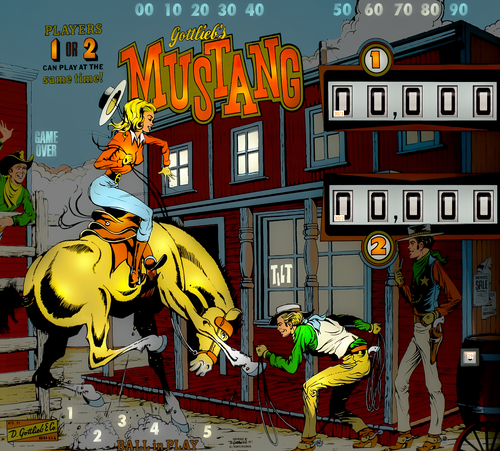
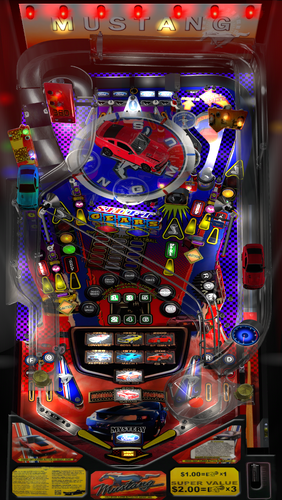
Mustang (Gottlieb 1977)
By loserman76
Mustang (1977)
Table build/scripted by Loserman76
Table images by GNance
466 downloads
(0 reviews)0 comments
Submitted
-
_DT.thumb.PNG.13a5fb62f4235b6e9db02be45da80a5b.PNG)
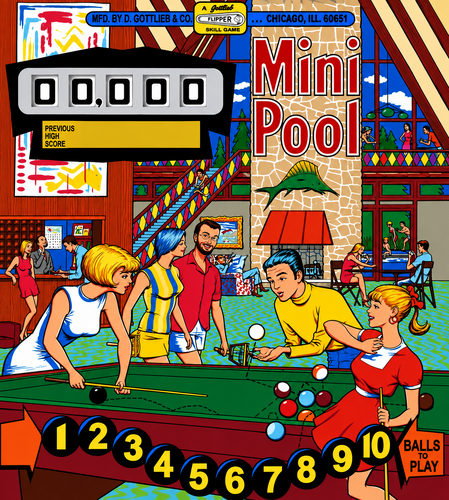
Mini Pool (Gottlieb 1969)
By loserman76
Mini Pool by Gottlieb - 1969
Another pool themed table. This is the USA add-a-ball version
439 downloads
(0 reviews)0 comments
Submitted
-
_DT.thumb.PNG.49c0d56a8cea3d381a71f4fa10b7b735.PNG)
Mini Cycle (Gottlieb 1970)
By loserman76
VPX conversion
Artwork done by Hauntfreaks
Backglass by Grizz
others to thank: GNance, JPSalas, Pinuck, hauntfreaks, Borgdog, Arngrim
in addition to the "standard" keys (typically "1" to start game and "5" for coin), I've added "3" as another coin input and "4" for coin and auto-start game (like I recall the dime slots generally were) to simulate 3 coin slots
when game is not in progress, holding down left flipper for about 3-5 seconds will bring up the options menu. left flipper selects item, right flipper changes option.
I've also included shadows for the ball and flippers. If you want to turn them off look for these lines at the beginning of the script:
Const ShadowFlippersOn = true
Const ShadowBallOn = true
change to false if you want either of the shadows not showing on your tables
337 downloads
(0 reviews)0 comments
Submitted
-
_DT.thumb.PNG.26899bb16cde6c068482c4ad9fbbdaa4.PNG)
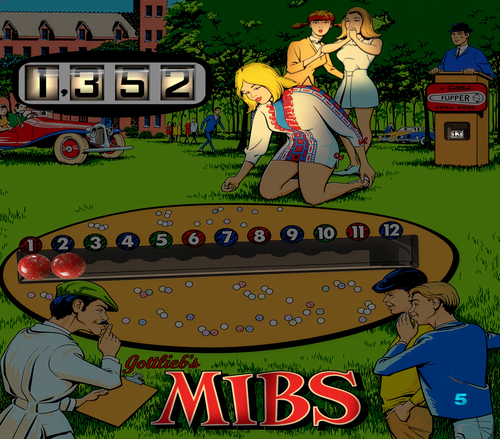
MIBS (Gottlieb 1969)
By loserman76
VPX conversion
thanks to Noah Fentz, GNance, Arngrim
others to thank: JPSalas, Pinuck, hauntfreaks, Borgdog
in addition to the "standard" keys (typically "1" to start game and "5" for coin), I've added "3" as another coin input and "4" for coin and auto-start game (like I recall the dime slots generally were) to simulate 3 coin slots
when game is not in progress, holding down left flipper for about 3-5 seconds will bring up the options menu. left flipper selects item, right flipper changes option.
I've also included shadows for the ball and flippers. If you want to turn them off look for these lines at the beginning of the script:
Const ShadowFlippersOn = true
Const ShadowBallOn = true
change to false if you want either of the shadows not showing on your tables
389 downloads
-
_DT.thumb.PNG.25bd8738266abbbd5b50540f4667d64b.PNG)
Melody (Gottlieb 1967)
By loserman76
Build/Coding by Loserman76
Artwork by GNance
'* hauntfreaks - newer postit note images, environment file, lighting information, primitives
'* BorgDog - his tables that helped me to understand more with VPX - and I probably lifted a primitive or 2 from them as well
'* GNance - score motor tweaks to behave like a real EM, PostIt routines, Options menu
'* JPSalas - gameroom backdrop
'* Pinuck - Gottlieb chimes and score motor routines
'* Arngrim - DOF coding and information
when game is not in progress, holding down left flipper for about 3-5 seconds will bring up the options menu. left flipper selects item, right flipper changes option
in addition to the "standard" keys (typically "1" to start game and "5" for coin), I've added "3" for coin and "4" for coin and auto-start game to simulate 3 coin slots
Shadow config settings:
Look for these 2 lines near the beginning of the scripting:
Const ShadowFlippersOn = true
Const ShadowBallOn = true
change to false if you want either of the shadows not showing on your tables
I've also included a wheel image in the ZIP for your convenience
858 downloads
-
_DT.thumb.PNG.3f29ee9c96248191a5aec08ef33e9151.PNG)
Magnotron (Gottlieb 1974)
By loserman76
VPX conversion
Artwork done by GNance
Original art by Popotte
others to thank: JPSalas, Pinuck, hauntfreaks, Borgdog, Arngrim
in addition to the "standard" keys (typically "1" to start game and "5" for coin), I've added "3" as another coin input and "4" for coin and auto-start game (like I recall the dime slots generally were) to simulate 3 coin slots
when game is not in progress, holding down left flipper for about 3-5 seconds will bring up the options menu. left flipper selects item, right flipper changes option.
I've also included shadows for the ball and flippers. If you want to turn them off look for these lines at the beginning of the script:
Const ShadowFlippersOn = true
Const ShadowBallOn = true
change to false if you want either of the shadows not showing on your tables
468 downloads
-
_DT.thumb.PNG.a1ba5c2dc44ba0bdbce7d2227976943b.PNG) (0 reviews)
(0 reviews)0 comments
Submitted
-
_DT.thumb.PNG.121ad0075e3710421b021f3d9a9e23ff.PNG) (0 reviews)
(0 reviews)0 comments
Submitted
-
_DT.thumb.PNG.969e50602e4584dd9f250f7bb9ce3330.PNG)
Lucky Ace (Williams 1974)
By loserman76
This is the One player replay/Add A Ball version of Dealer's Choice
This release wouldn't be possible without the following:
Halen who provided the images for this
488 downloads
(1 review)0 comments
Submitted
-
_DT.thumb.PNG.d915a796e4f435d01e05d4a4acf1c8be.PNG)
-
_DT.thumb.PNG.c0ce7a3ffb3d8942e577ee259e9cec60.PNG)
-
_DT.thumb.PNG.74a98a3d2246268904ba2c46789c5c40.PNG)
Lightning Ball (Gottlieb 1959)
By loserman76
Lightning Ball (Gottlieb 1959)
Build/Coding by Loserman76
Images by GNance
With my manual ball lift tables, you can press whatever key you have configured to start a new game (typically a "1") or the "A" key to load the ball to the shooter lane
Alternatively, in the options menu (when a game is not in play, hold the left shift key for 3 seconds to bring it up) you can set it to auto-lift the ball
499 downloads
(0 reviews)0 comments
Submitted
-
_DT.thumb.PNG.8bdf743c5d7dd98d765560ef2383feda.PNG)
Lawman (Gottlieb 1971)
By loserman76
VPX conversion
Artwork done by GNance
Original art by Popotte
others to thank: JPSalas, Pinuck, hauntfreaks, Borgdog, Arngrim
in addition to the "standard" keys (typically "1" to start game and "5" for coin), I've added "3" as another coin input and "4" for coin and auto-start game (like I recall the dime slots generally were) to simulate 3 coin slots
when game is not in progress, holding down left flipper for about 3-5 seconds will bring up the options menu. left flipper selects item, right flipper changes option.
I've also included shadows for the ball and flippers. If you want to turn them off look for these lines at the beginning of the script:
Const ShadowFlippersOn = true
Const ShadowBallOn = true
change to false if you want either of the shadows not showing on your tables
477 downloads
(0 reviews)0 comments
Submitted
-
_DT.thumb.PNG.2bb47e02d3712ca8eedc2ec3e3973704.PNG)
Lariat (Gottlieb 1969)
By loserman76
Lariat
Build/Coding by Loserman76
Artwork by GNance
324 downloads
(0 reviews)0 comments
Submitted
-
_DT.thumb.PNG.1bcb8d86e595b6908d00f34ffc5418cb.PNG) (1 review)
(1 review)0 comments
Submitted
-
_DT.thumb.PNG.35480e25f37c93a1d6ee10713f807aca.PNG)
Kings and Queens (Gottlieb 1965)
By loserman76
Kings And Queens
Build/Coding by Loserman76
Artwork by GNance
419 downloads
(0 reviews)0 comments
Submitted
-
_DT.thumb.PNG.0a8e683e2354d4da4c5fcbb7c85d99c1.PNG)
King Rock (Gottlieb 1972)
By loserman76
VPX conversion
Artwork done by Bodydump
others to thank: GNance, JPSalas, Pinuck, hauntfreaks, Borgdog, Arngrim
in addition to the "standard" keys (typically "1" to start game and "5" for coin), I've added "3" as another coin input and "4" for coin and auto-start game (like I recall the dime slots generally were) to simulate 3 coin slots
when game is not in progress, holding down left flipper for about 3-5 seconds will bring up the options menu. left flipper selects item, right flipper changes option.
I've also included shadows for the ball and flippers. If you want to turn them off look for these lines at the beginning of the script:
Const ShadowFlippersOn = true
Const ShadowBallOn = true
change to false if you want either of the shadows not showing on your tables
335 downloads
(0 reviews)0 comments
Submitted
-
_DT.thumb.PNG.e4641ba590b6ba01a410164d5ba902e4.PNG)
King Pin (Williams 1962)
By loserman76
conversion of PBecker's VP9x table to VPX
Thanks to PBecker and Itchigo for the VP9x version.
694 downloads
(0 reviews)0 comments
Submitted


(v1.07)RightSide.thumb.png.2649c5d14cfcd0c22978cb8460673f59.png)
BG.thumb.jpg.5e84d0f816e85020ad7543d8bb54ff5f.jpg)

.thumb.png.9bc1581a861a04426f0a94b68479125f.png)
.thumb.png.bb378995463054d65cfb4e3f362df376.png)
Illuminated1480x1080.thumb.png.f1c4d6c4c2cd7090020e36d19e1220cb.png)



_ver2.1Illuminated.thumb.jpg.966206f2f9f85596605e78920eb10dd6.jpg)

backglass.thumb.jpg.800b495b2efccfed1b36f7618f947890.jpg)
_screenshot_backglass_Light.thumb.png.80c1cd100169844b3c4216889b35832d.png)
altfulldmd.thumb.jpg.c40865cdca4f5f71125bb254759ea001.jpg)




![More information about "Metallica [Pro + Premium]"](https://vpuniverse.com/screenshots/monthly_2023_08/5.thumb.gif.472d8feb5e95702beb61483527f5b50c.gif)
.thumb.png.ba90a34949ce509b954f8e4cb6c59a6d.png)
.thumb.jpg.ba656a703d0bb22ba01fa322675ea6b9.jpg)
v2.1.0-frameat0m1s.thumb.jpg.296d08c438be1b39e9971e42f920bdd5.jpg)
-frameat0m14s.thumb.jpg.1ec0c0c516968d809d1fae2e03226d00.jpg)
FullDMD.thumb.jpg.8f287e15d4752d287bc30ea9e9f0862f.jpg)
FullDMD.thumb.jpg.c71f17baf11ce6b38bde45eaa5bf0c46.jpg)
PuPPackOverlay.thumb.png.49159321dd66b769678b690265fc99cc.png)
PuPPackFullDMD.thumb.jpg.56154656ae2a1a72ebd641519736ee95.jpg)
FullDMD.thumb.png.526962a74f38fd3ca061f38d9631546d.png)
FullDMD.thumb.jpg.48db4b8bd4c41291e0f83f902aae1db5.jpg)
.thumb.jpg.c449a2738dd95e812e105db2a8225273.jpg)
PuPPackFullDMD.thumb.jpg.beb7d6243600b09f213964c42b9b1ef8.jpg)


.thumb.png.1a81dc1ccde939ea789a9a84db0d18b0.png)
.thumb.png.442708ce6451dbc3a6afbcb8a06e700c.png)
Rules.thumb.png.96a398ac8d695b718e02307891276af4.png)
.thumb.jpg.753f020abf0f7058e8d768c9efcae031.jpg)
PuPPackWheel.thumb.png.372e0e8fced0cbdf51393114d51e7fc2.png)
Wheel.thumb.png.554abc70419661c5258e51147f845c04.png)


.thumb.png.2000494a722ff5f7151fd5eb14463abc.png)