1821 files
-
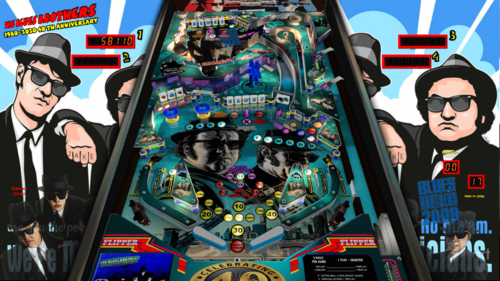
Blues Brothers 40 anniversary
By marty02
hello everyone we continue to share the old table that was on Vpinball. today blues brothers 40 years anniversary the table is nice but difficult so good fun for those who do not yet have this table. thanks to Jpsalas.
full pack,
playfield
backglass
media
music
rom
2664 downloads
-
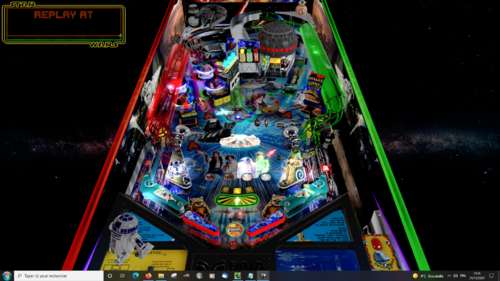
Star Wars millenium edition
By marty02
hello everyone as I said on godzilla's post I will share my tables which was at Vpinball.
I start with Star Wars millenium edition.
already thank you to Dids666 & DJRobX for the great table of star wars data east.
so new playfield
new lights
new 3D elements
new sounds
good feeling
4532 downloads
-
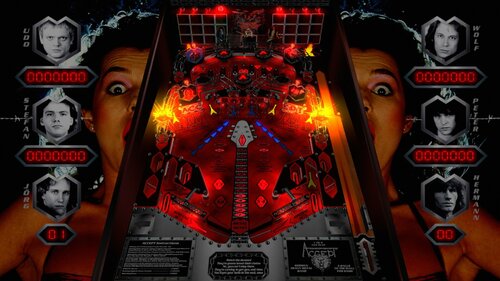
Accept (Germany) 1.2
By batch
Here is an original table about the German Heavy Metal band "ACCEPT"
I used the table "ALGAR" from Thalamus and Kalavera and Kalavera's B2S Backglass as a starting point, so, big thanks to them for their permission to use their work
So, you need to use the ROM "algar_l1" to run this table
I changed the location of every element and added wire ramps, but the rules remain almost the same
BALLS TO THE WALL replaces THE CHAMBER
RUSSIAN ROULETTE replaces RIVER STYX, but, each time, you have to reach the LEFT hole first, and then the RIGHT hole without the ball hitting any other element of the table to score the 2X value
METAL HEART replaces Extra-ball
Here are the new rules
Making 1-2-3-4 Advances X Value from 2X - 5X.
Making Either Bank of 3 Drop Targets Lites RUSSIAN and ROULETTE
Loops Shoots To Score 2X Value of Loop Shoot.
Making Six Flashing Drop Targets Awards 10,000 to 100,000 Value.
Making Six Flashing Drop Targets When 100,000 Lamp is Lit,
Lites Top Eject for Possible - METAL HEART
RUSSIAN and ROULETTE Loops Shoots Increase in Value
from 10,000 - 60,000. At 60,000 RUSSIAN and ROULETTE
Loops Shoots Lite Outlanes Which Alternate for Possible SPECIAL.
Driving Captive Balls Against BALLS TO THE WALL Targets
Scores Highest Flashing Values and Lights Ball Shooter Lanes
to Score 50,000 and to Release Balls in BALLS TO THE WALL Lanes.
If you want to listen to music when playing this table, just import your own mp3 files into your VPinball / Music folder
Name them as follows: Accept_01, Accept_02, and so on, and then, open the script and uncomment lines from 82 to 115
There are 24 lines for songs in the script, but you can remove some of them or add new ones, so don't forget to change quantity, Line 110 [musicNum = (musicNum + 1) mod XX]
You'll also find the b2s file in the download
Special thanks to :
Thalamus for setting sounds in the script, adding sounds and testing the table
JP Salas for testing the table and "cleaning" the script, and for his method to have flashers looking like flames from his table "DIABLO"
Xenonph for testing the table, and some of his comments
Flupper1 for his flashers templates
Kiwi for his "always" appropriate replies to my questions in topics, and also to many others for their availability and help !
Retro BASH for the primitive ramp I found in their Future Pinball table IRON MAIDEN
Zanny for his primitive Spotlights
Please tell me if I forgot someone !
And, of course, enormous thanks to VPX and VPinMAME developers !
Very special thanks to the band ACCEPT for their so "German" Heavy Metal (in the 80's, they seemed to come from another planet !)
and to all the fans who encouraged me when doing this table !
Sript options :
If you want to change sounds volumes, it's from lines 15 to 32 in the script
The artwork of the table is based on the five albums "Breaker", "Restless & Wild", "Balls to the Wall", "Metal Heart" and "Russian Roulette"
The band is : Udo Dirkschneider (vocals), Wolf Hoffmann (guitar), Peter Baltes (bass guitar), Stefan Kaufmann (Drums), Jörg Fischer (guitar), and Hermann Frank (guitar) - sometimes
Hope Accept fans will like this table (they will find no other ! ), and perhaps those who didn't know this band and don't listen to this kind of music too !
Let there be (German) Heavy Metal !
673 downloads
-
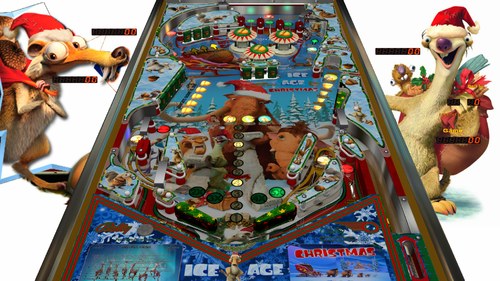
Ice Age Christmas
By balutito
Ice Age Christmas
Always with his agreement, I diverted Skateball from JP'Salas to offer you this Christmas table.
I hope you will be able to take advantage of the holidays to have fun with the children on this table.
Merry Christmas to everyone.
Good game
All Logos, Copyrights and Trademarks are property of their respective owners.
PROVIDED STRICTLY FOR PERSONAL / HOME USE AND NOT FOR COMMERCIAL SALE / RE-SALE OR DISTRIBUTION!
1230 downloads
-
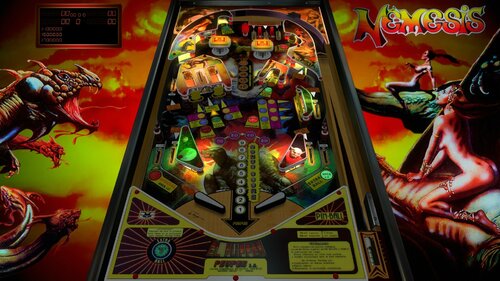
Nemesis 1.1.vpx
By batch
Ladies and Gentlemen, I'm glad and proud to propose you the VPX version of Nemesis (Peyper), one of the all fantastic VP9 tables from MFuegemann.
This table is from 2019, but I just wanna share it on VPU
I did a very soft lighting with no flashers, to show this colorful table to advantage.
Unfortunately, you can't register your highscore, this issue is ROM related.
I wanna thank the following persons:
First of all, MFuegemann, for accepting me to convert his VP9 table to VPX, and for his help.
Akiles for playfield and plastics images from the VP9 version I used as a starting point (I've had to redraw almost everything).
NFozzy for his flipper an rubber physics, and Rothbauerw for his tutorials, his help, and his patience.
Wiesshund for his method to delay the ball release
And, of course, big enormous thanks to VPinball and VPinMAME developers.
Hope you like it !
Bertrand (Batch)
976 downloads
-
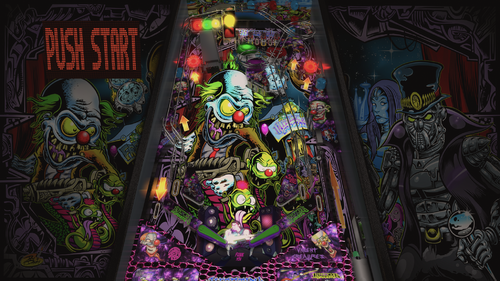
Infectious Grooves
By balutito
Hello everyone and thank you for your warm feedback.
This table is violent and funky.
I challenge you to manage to play without moving your ass on this music.
Note that the bassist of this group is not other than Mr. Robert Trujillo, current bassist of Metallica ...
I have not been able to trace the origins of the Aaron Speeling table on which I relied for this work. But I thank all those who have contributed from far or near.
Good game
All Logos, Copyrights and Trademarks are property of their respective owners.
PROVIDED STRICTLY FOR PERSONAL / HOME USE AND NOT FOR COMMERCIAL SALE / RE-SALE OR DISTRIBUTION!
2833 downloads
-
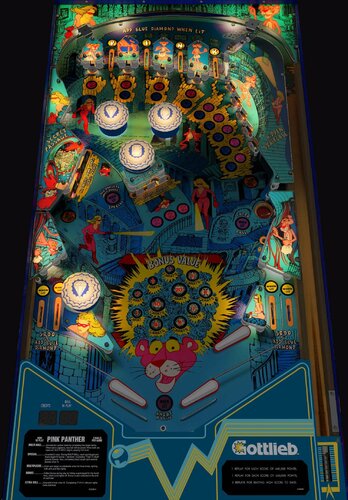
Pink Panther (Gottlieb 1981)
By bord
This is a legacy release of Gottlieb's Pink Panther widebody with a nice new VR update from @RajoJoey.
This was originally released in 2017, given a physics update in 2019, further tweaked w/ VR in 2021. Because of the age of the project and the limitations of the graphic assets no further updates or support is implied.
2488 downloads
-
.thumb.jpg.87c8c9c5cf996b27a41c4d3099b6c5ab.jpg)
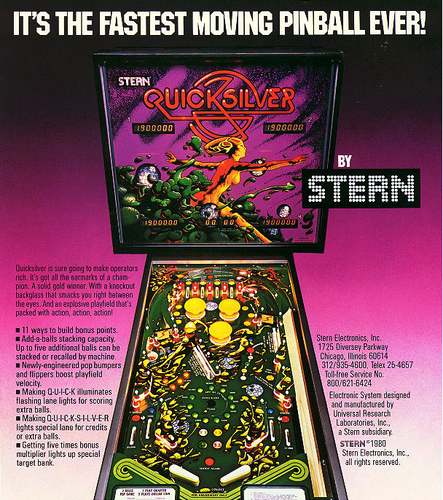
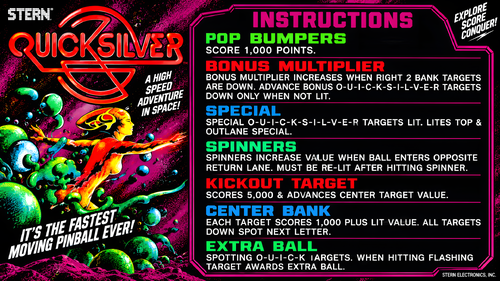
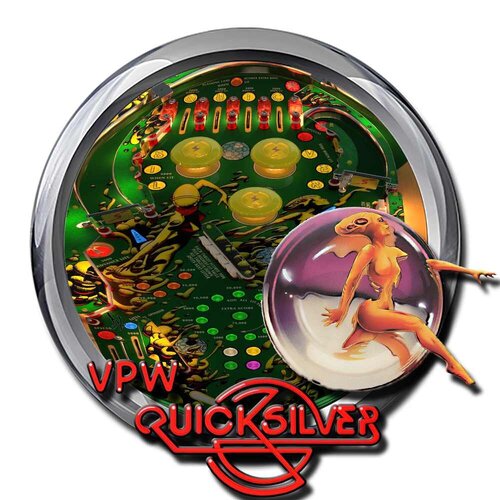
Quicksilver (Stern 1980)
By Goldchicco
This is a complete rebuilt of 32assassin table ver 1.1
10.6 TABLE
Big thank you to you to:
@markrock76 for the playfield mesh, playfield image and playfield shadow image
What's new:
* New lights, new lighting
* New table physics
* Added nFozzy flippers
* Added Fleep Sound
* Correct few elements position on the table
* New script
* Reworked all the images, cleaned and upscaled
* Added Flippers Shadows and Ball Shadows
* Added playfield mesh (thanks @markrock76)
* New Playfield image (thanks @markrock76)
* Tuned Slingshots and Bumpers force
* Corrected Rubbers Hit Height
* Added JP's LUT code
* Corrected Bumpers Height
* Changed Drop Targets height so they don't disappear when down
* Adjusted numerous table elements physics properties
* Adjusted general table physics (added dampeners)
* Other small tuning
Press F6 and configure the Dip switches to select 5 balls and other features (need to do this only once)
To rotate and select between the nine LUT files press and Hold the Left Magnasave and rotate pressing the Right Magnasave.
Hope you enjoy it and please leave constructive feedback or comments in the support topic and will try to make it better.
All Logos, Copyrights and Trademarks are property of their respective owners.
PROVIDED STRICTLY FOR PERSONAL / HOME USE AND NOT FOR COMMERCIAL SALE / RE-SALE OR DISTRIBUTION!
Permission to Mod: Yes with approval
2456 downloads
-
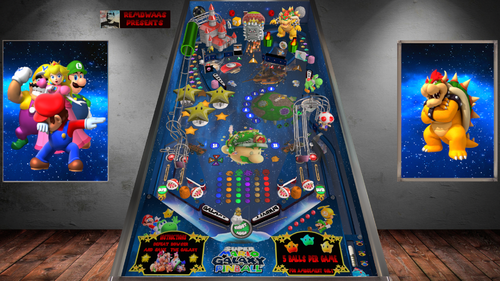
super mario galaxy pinball
By remdwaas1986
It's me! Remdwaas!
First of all the round of thanks:
Thanks to jpsals for helping me with the select player code and the last 7 problems that has been fixed today! Thanks again JP for trouble shooting the mario table!
Thanks to 3rdaxis for pushing me to do my own texture on a 3d model after 4 days i finally did it with blender!
Thanks to knorr for using his bucket and ramp from the soutpark table(i made the layout almost the same.)
Thanks to ninuzzu for letting me use parts from the Super Mario Brothers (1992) table
November 16, 2007
I was in the hardware store buying super mario galaxy for the Wii! This was something new, mario in space, walking around planets with nice music! When i saw there where only 2 mario pinball tables i needed to make the thirt one.
This is an original table, with everything included in the vpx file, and it doesn't need any external program to run. It can be run in desktop mode and in FS mode. The DMD will rotate accordingly. This is a 5 ball game with on 3,6 and 9 million an extra ball. This table is with ball savers on the side for more playing time!
For this table you can play as:
mario - diffrent playerball/ball lost dmd/ slingshot player and 50+ own sounds
luigi - diffrent playerball/ball lost dmd/ slingshot player and 50+ own sounds
peach - diffrent playerball/ball lost dmd/ slingshot player and 50+ own sounds
wario - diffrent playerball/ball lost dmd/ slingshot player and 50+ own sounds
- Each round you have the opportunity to defeat bowser. Kamek put a targetbank spell up, so first you need to hit the targetbank 3 times before you can hit browser 5 times after that. Can you defeat browser 5 times and win the super jackpot?
- Defeat spike,boo,koopa,goomba and bomb after 5 times hitting the target you will get an extra ball(if multiball is not enabled allready)
- Did you find the switch for king boo? he will send his boo army up and you can hit the boo's(code modified from the ghostbusterslimer table jpsalas) for extra bonuspoints--
- Hit the flag for extra points!
- There is a slotmachine in the castle, do you get lucky?
- Get all 8 galaxy's (Terrace, Fountain, Kitchen, Bedroom, Engine Room, Garden, Comet Observatory, Trial) so you collect all the letters smgalaxy for an extra multiball bonus
- Hit the yoshi bucket and have 25% change to find a yoshi egg, after 5 eggs a multiball bonus is waiting.
Leave a message behind and rank the table please!
Mushroom on!
2235 downloads
-
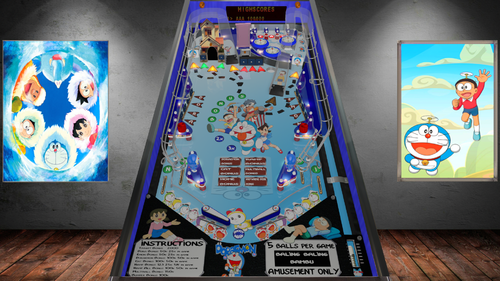
Doraemon
By remdwaas1986
Where do you want to go Nobi? We can just use the anywhere door to go to every place you want to go!
This is my first table released and there where a couple of problems that i fixed now. I decided to keep the DMD as it is now.
This is an original table, with everything included in the vpx file, and it doesn't need any external program to run. It can be run in desktop mode and in FS mode. This is a 5 ball game with on 1,3 and 5 million an extra ball. This table has no ball savers!
This table is based on Doraemon the animated series, which is very popular in Asia.
Features of this table :
Ramp bonus and sounds when shooting the ramps
Target bonus
target bank that has to be down before you can enter the slot machine.
Bonus from the slot machine
It was my first table ever made so i expand every time i learn more. Thanks to JPsalas for helping me with the code and providing me tips and tricks.
374 downloads
(1 review)0 comments
Submitted
-
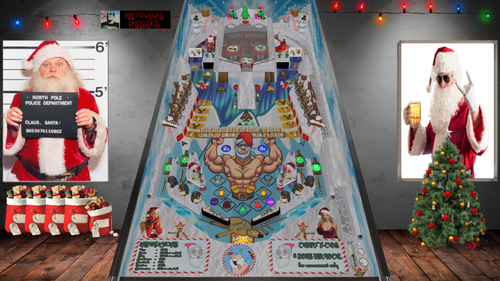
Drunken Santa
By remdwaas1986
Christmas is almost here!
It was the 6th of november this year i got a message to make a table together with somebody. I send this person messages with all the information, but didn't got any reply back lol. I decided to postpone my other projects and started on the 10th of November on new x-mas table "Drunken Santa". 19 days later this is the result!
First to all thanks to Davor Lipovac for using a sound from his Heineken table. Also my special thanks to stevegooner, because he is mister x-mas and provide all the nice x-mas tables in this community! I hope I'm also a good contribution to this community!
This is an original table, with everything included in the vpx file, and it doesn't need any external program to run. It can be run in desktop mode and in FS mode. The DMD will rotate accordingly. This is a 5 ball game with on 1,3 and 5 million an extra ball. This table is with ball savers on the side for more playing time! I put the music in the backglass(I also learn from last time) and add a flex dmd table. (for the flex table i used a different letter type, because the original wasn't showing nice on the dmd)
He drinks, burbs and he farts it's drunken Santa. Santa crashed with his sleigh when he wanted to deliver a package and now he is stuck in the chimney. Can you help drunken Santa and his elfs to lift the sleigh and get the package delivered?
Collect the 100 toys in Santa's workshop for an extra bonus.
Don't forget the beer and toy bonus.
Hit the beers out of the ice for extra bonus points
Can you get al 10 reindeers from the parking?
Hit three times the Christmas for an extra ball
complete the chimney for multiball
complete the sleigh for multiball
Leave a message behind and rank the table please!
Drink one on me and have a merry x-mas and a happy new year!
Cheers
636 downloads
-
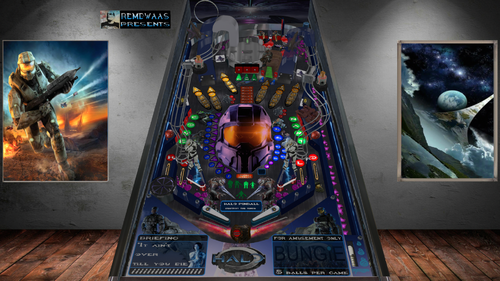
Halo
By remdwaas1986
Stick with the master chief He'll know what to do!
14 march 2002 Halo came out for the xbox in europe. For our generation was this one of the best games ever made. I played this a lot with friends on a old crt televions with split screen lol! Even Halo 2 we finished in one night playing(on easy of cource). snipering with the blood gulch level, what brings this back a lot of memories for sure! I didn't saw a Halo table out there and i felt the urge to make one.
First of all the round of thanks:
Thanks to jpsals for helping me with helping troubleshoot the code and explaining how the big ufo works in attack from mars. Also his patient because of all my messages. i was in panic mode because i almost had to redo 100+ 3d objects and 3d animations, it costed me 4 hours to find my own fault and its is fixed!
Thanks to flupper for helping me out with his light code.
Thanks to terry red to inspire me because his retro flair table.
This is an original table, with everything included in the vpx file, and it doesn't need any external program to run. It can be run in desktop mode and in FS mode with flexdmd automatically(with JP code fixes). This is a 5 ball game with on 3,6 and 9 million an extra ball. This table has no ball savers, only when the ball goes in to the left outer lane it will go in cortana's station and will be shoot back to the warzone!
This table is based on attack from mars. It hasn't the jumping aliens on it but so much more. It has needler bumpers, plasma rifle slingshots, changing flashers, changing colors, explosions and 3d animations.
Play the bank away by hitting the three bank targets. Then hit the door of the blood gulch bunker to enter the bunker. When you shoot into the bunker the covenantship will fly to you and stays above the bunker(instead of the big UFO), shoot the bunker again to destroy the covenantship every wave you have to shoot the bunker one more time extra to destroy the covenant ship, six times total. then it will restart. but the total waves,kills and missions that have been completed will be shown in the gameover screen.
At the end of the wave the bonus is 100K more then the last time. the small ufo's are replaced by banshees, who doesn't love banshees(hours we flew in them!)!
collect all six jackpots for the super jackpot(50K for each jackpot and 500k for the super jackpot). Every time your assistant Cortana will help you remind the status on how much % you are for getting a jackpot. (accept for the teleport lane, there will be only the lights).
If you shoot the ball in the teleport portal above your ball will be teleported to one of the 3 sides for extra randomness(with an extra ball it goes to the portal below).
If you shoot in the portal where Johnsen is sitting on, then 3 things can happen; teleport to three locations or missions/battles will start or the bonus level will start on the playfield below.
So every time you play it's different because you don't know where the ball teleports too!
Missions with timers:
1. collect 5 halo logo's - 60 seconds
2. collect letters C-H-I-E-F - 60 seconds
3. Skillshot low - 60 seconds
4. collect 5 frag grenades - 60 seconds
5. Skillshot high - 60 seconds
6. Collect 5 skulls - 60 seconds
7. Activate Halo Alpha - 90 seconds (bring the reactor on the left side offline)
8. Destroy Halo Alpha - no timer (destroy the left reactor and the halo ring, Halo Beta will now be available under the missions)
9. Activate Halo Beta - 90 seconds (bring the reactor on the right side offline)
10. Destroy Halo Beta - no timer (destroy the right reactor and the halo ring)
The mission lights are for mission 1 till 10 and the custom lights are for the mission animated battles
This missions/ animated battles are added above the main missions and you have change to get them also from the mission spinner(this are the other lights down the super jackpot):
11. Defeat 5 Flood carriers
12. Defeat 5 flood elites
13. Defeat 5 jackals
14. Defeat 5 grunds
15. Defeat 5 elites
After almost every mission you will get an extra ball and then the grund multiball modus will start. Kill the grunds till one ball remains on the table then the normal gameplay will be resumed.
I wanted to bring this table to the next level so i tried to do that by adding 3d annimation(wrote an tutorial for this see 1.6), so the enemies move and there is interaction with the master chief himself. Also by adding flashers which change from colors. I hope everybody enjoys this and remember we all work hard! So please rank/like the table and leave a message behind, thats the only appriciation we need and ask!
Now get back to the war soldier remdwaas out!
941 downloads
-
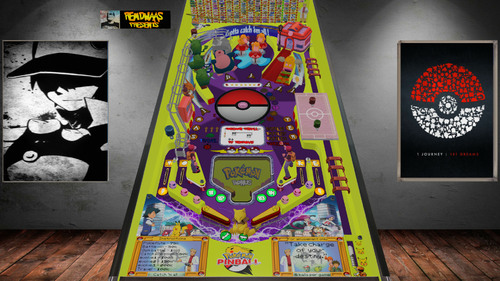
Remdwaas pokemon pinball
By remdwaas1986
I choose you Pikachu!
First my thanks to JP! thanks for letting me use your ramp from zelda, pikachu, eggs, some sounds and the pokemonballs. Also thanks again for helping troubleshooting the table and helping with some of the code.(when finished i had 11 issues) I'm so happy that JP always willing to help me, if i'm stuck. I really love his Pokémon table!
This is an original table, with everything included in the vpx file, and it doesn't need any external program to run. It can be run in desktop mode and in FS mode. The DMD will rotate accordingly.
It was 1999 and Pokémon came out for the Gameboy with all the nostalgic sounds! I remember playing while i was 13 years old and i thought that my accu was broken because a Pokémon was poisoned and the screen did weird. Next year i had Pokémon yellow and for the first time Pokémon pinball(2000).
This table is based on pokemon pinball(gameboy pokedex graphics)/ pokemon pinball ruby/ Pokémon Red en Blue(Gameboy) as well the first season of Pokémon the anime series. I made the playfield almost the same as Pokémon pinball ruby, but i use the pokecenter instead of a pokemarkt.(i don't have a flying bird or egg's that hatch) I only focus on the first 151 Pokémon's because that remembers me of my childhood.
You are ash and start in pallet town, you have to catch Pokémon's, do battles and win gym badges, just like the original Pokémon games.
The features of this table.
This table has like the original no multiballs, because that makes it nostalgic(just like Pokémon pinball from the Gameboy).
for this table i made more than 1100 dmd pictures, own letterype, 233 upperflashers for the town names/ catch update/ animations, 246 pokedex items / pokemons / towns / animations.
After 284 3d object for this table i stopped counting...
The script is more than 15.000 lines
This table has 2 Pikachu ball savers and a 60 second ball saver if you play the ball in the pokecenter. If you hit the spinner the Pikachu ball saver lights will be activated.
I use 78 Pokémon 3d objects from Pokémon quest(to let it look more authentic/old) with the 78 Gameboy sounds from the Pokémon's.(for the catching Pokémon part)
When you get the letters BAL then the ball will be upgraded and changed in another poke ball.(just like in pokemon pinball)
instead of sprout i used weepingbell, to start the catchmode. (weepingbell/victorybell always eat James from team rocket)
When the catch mode start you also have to hit the bumpers 3 times before the poke ball in the middle will open(thnx for helping with the magnet JP) to get the Pokémon appear on the playfield.
There is a 30 second time bonus to catch the Pokémon in the time for extra points. (i didn't want the Pokémon disappear because i would be frustrated and it has to be playable)
after hitting the Pokémon 3 times, shoot the middle from the poke ball again to really catch the pokemon.(there will be a 3d animation)
after catching and a Pokémon you can evolve the Pokémon(if its possible) hit the pokemoncenter and start evolve modus. You now need to hit the 3 letters E V O. (this is also from pokemon pinball only they use x-something)
Now again hit the poke ball in the middle if it opens after you get the letters EVO.
There are 4 bonus games on this table. If you evolve a Pokémon for the first time, the bonus game will start in the playfield below. I used the same layout of the bonus games that is used in the original pokemon pinball.
In this pinball version you can also travel to other city's, but you have to battle first with trainers
There are 27 trainers and 8 gymleaders
When traveling, the pokebattlefield(8 times) will change and also the car on the monorail(3 times).
You have a 50% change to win the battle, so you can also loose a battle and then you have to try again.
To access the battle cave you have first have to move snorlax in front of the cave, hit 3 times the target near the cave so you will get the poke flute and ash and his friends will move snorlax away in the dmd.
You can get a gym badge after the third battle that you win, after the gymbadge, travel start and the arrows of the lanes will blink to shoot. It works the same as Pokémon pinball, you need to get the 3 triggers in the left en right lane above and then travel will blink. then you can shoot the ball in the pokecenter to travel to the next city.
you start in pallet town and after one battle that you win, travel will start.
This table has also a 2x and 3x bonus multiplier
You can get the letters POKE from the lanes below for a 50k bonus
You can hit the targets MASTER for a 100k bonus
With 3,5 and 7 million you will get an extra ball for more playing time.
This table has only a target bonus at the end of a ball lost because you will get many points with battling/ catching and evolving Pokémon.
Play tip: if the ball comes from the right upper lane just leave your flippers and don't try to hit the ball, 9 from the 10 times it will come on the edge of your left flipper!
This pin cost me 6 weeks to build. Please leave a reply(so much appreciated) and rank the table! I will be busy the most of this year with my study and have to put my other projects on hold. Maybe later i will post another pinball project.
I hope you like it and how many Pokémon do you catch?
Like my other tables i have a normal table and flex table.
Cheers,
Remdwaas
985 downloads
-
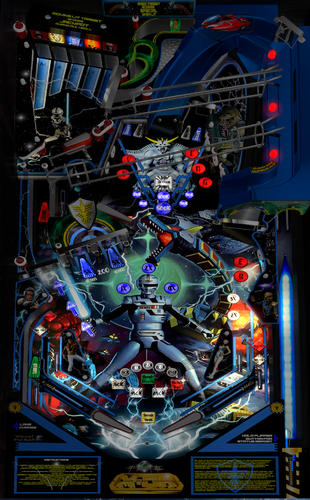
Space Sheriff Gavan (X-Or)
Table Based on Sword of Fury (Williams 1988) by Takut, which I thank.
I intentionally left the sound of the table on, but you can mute in the script, I put whatever it takes. The music file is in the table and the B2S archive as well as the logos and the dmd background for pinball X.
A Puppack is also available in the link to display a DMD.
Table Basée sur Sword of Fury (Williams 1988) de Takut, que je remercie.
J'ai laissé volontairement le son de la table activé, mais vous pouvez couper dans le script, j'ai mis ce qu'il fallait. Le fichier music est dans l'archive de la table et le B2S ainsi que les logos et le dmd background pour pinball X.
Un Puppack est aussi dispo dans le lien pour afficher un DMD.
885 downloads
-
_DT.thumb.PNG.3029545a8bd5a8c5b9ed0a79e127c26d.PNG) (0 reviews)
(0 reviews)0 comments
Submitted
-
_DT.thumb.PNG.8f6979057b7367a0a50713ba20e351da.PNG)
-
_DT.thumb.PNG.c06c8e1c13b1e2e8bb043b18ef4b2dd2.PNG) (0 reviews)
(0 reviews)0 comments
Submitted
-
_DT.thumb.PNG.4b922598d95c8a336eb1766873e95e5c.PNG) (1 review)
(1 review)0 comments
Submitted
-
_DT.thumb.PNG.6ce4bc4f579d1100896f16df81f1b553.PNG) (0 reviews)
(0 reviews)0 comments
Submitted
-
_DT.thumb.PNG.cdad7663f24616f1fe4502cb8b4113de.PNG) (0 reviews)
(0 reviews)0 comments
Submitted
-
_DT.thumb.PNG.ae9960a6bd347dd8a7e007848a0c871b.PNG)
-
_DT.thumb.PNG.c6c8d7d8e7904b3ec3edd99ff1204af0.PNG)
-
_DT.thumb.PNG.e08ea4ad21ea53596479ef524009313f.PNG) (1 review)
(1 review)0 comments
Submitted
-
_DT.thumb.PNG.2c4073bbbdfd7619edb4e1a3d6b10453.PNG)
-
_DT.thumb.PNG.afe1f99cc08f1f99d21d0407e8f6ee13.PNG) (0 reviews)
(0 reviews)0 comments
Submitted

1.thumb.jpg.54902e18dd1f7dbac68b5c1d0130a3c9.jpg)


(Custom).thumb.png.fdc01bc14fd91bd66f346f469b9e3b12.png)
(Custom).thumb.png.2ee3235d6effa14cccc028a70fb279ac.png)
.thumb.jpg.d03bc60844ec7cf8ff66b35866f30f5c.jpg)
.thumb.png.72d01d3ef8e786e6cf22b6f6be6d9036.png)
FullDMD.thumb.jpg.b00a0f52c9de3d5f472ba9b78ac04be9.jpg)

FullDMD.thumb.jpg.4b383074a895b40c044412d571ab614b.jpg)
FullDMD.thumb.jpg.e0f5bcd686d8c8dc2e8e07de47a21928.jpg)

.thumb.jpg.a41212864658134e898ad38b56678b5b.jpg)
ComfyUI.thumb.jpg.3999d3d496799a0cc0e8c4fc792707d4.jpg)

_4k.thumb.jpg.8f964c1503669c8608d368f25149830b.jpg)
PuPPackWheel.thumb.png.2bf66245ca08b7c65be8258c7fb371f9.png)
FullDMD.thumb.jpg.44f1c410fb5e0fd8529f560ef23c8184.jpg)




(HurstyToppersBorder).thumb.png.d926ab9009412d8cb0080b38089c0618.png)
.thumb.png.90c0f8d3dfe4399580399b2017f00c7a.png)