No files in this category yet.
Files From Subcategories
-

Spongebob Squarepants Pinball Adventure (Platinum Edition)
By LJV12343
Spongebob Squarepants Pinball Adventure (Platinum Edition) (Only 100 Downloads)
1. Collect all Drop targets to make a krabby patty
2. start a plankton multi ball by stopping Plankton!
added
new target Squidward spinner
( More features Coming soon)
491 downloads
-

Spongebob Squarepants Pinball Adventure (Bronze Edition)
By LJV12343
Spongebob Squarepants Pinball Adventure!
1. Hit Drop Targets To Collect Everything to make a Krabby patty
2.Stop Plankton and Collect a Muti Ball
(Sound Rom Download in my other files)
More features Coming Soon!
added different graphics and more lights
Play Today!
79 downloads
(0 reviews)0 comments
Submitted
-

Spongebob Squarepants Pinball Adventure (Gold Edition)
By LJV12343
Spongebob Squarepants Pinball Adventure Rules
1. Hit the drop targets to collect ingredients to make a krabby patty
2. Stop Plankton and get a magic MUTI ball!
More features Coming soon!
Note (please add scoring if you want it to score)
289 downloads
-
-
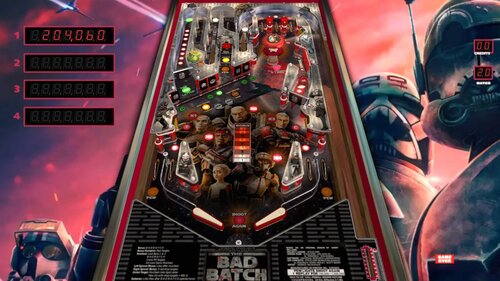
Star Wars-The Bad Batch
By topper2k
Here's a little Star Wars Bad Batch retheme I did of JP's Gamatron. Thanks to JP for all that he gives to the community including making his tables available for modification. He also gave me a few tips when I was trying to work a few scripting issues out. Many, many thanks.
Be sure to put the theme song mp3 in your VisualPinball/music folder.
BadBatchTheme.mp32687 downloads
-
-
Skyway (Williams 1954)
By bord
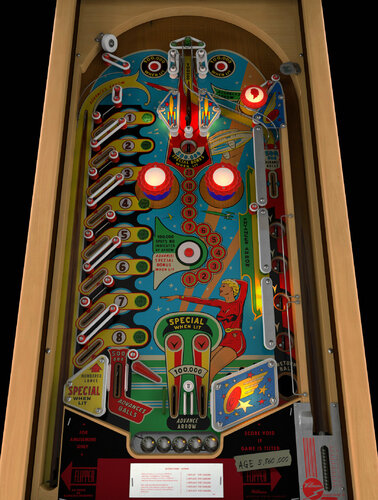
This Harry Williams-designed woodrail from 1954 is unlike any other pinball game I've encountered. It has a single impulse flipper, a wildly asymmetrical design, a center wire ramp, and beautiful midcentury artwork.
This project was a joint effort between me (models, textures), @scottacus (script, sound, B2S), and @Onevox (full art redraw). We started it nearly a year ago and it came out better than I had hoped.
A couple quick notes
right magnasave or "1" key for ball lift game options menu appears by holding the left flipper before starting a game the actual game doesn't track balls played so don't expect a GAME OVER lamp
2566 downloads
-

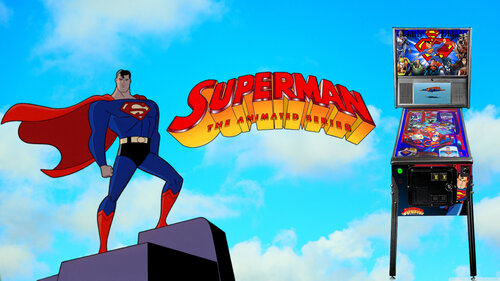
Superman Pup Pack And Table
By Dr.Nobody
Ok Guys I gave it my best shot.
I really do know its not perfect but Ill hopefully revisit it this summer.
Big Thanks to
Goldchicco for helping me whenever I drop him a message and hard work on the original table
Team Tuga ( Rear Apron and for the trolling )
Andrew Walsh ( Intro help )
Dave Sousa ( Dof , Glowball ) Amazing!!!
Ayatollah of Rock ( Mini Game ) Best Mini Game Ever!!!!!!!!!!!!!!!!
Pritch ( Wheels ) Ray ive lost them somewhere Ill find them.
Marty, Frisco and Palladin ( Testing )
Joe Picasso ( Amazing Overlays )
Vp Nation ( You guys rock )
If ive missed anyone message me and i will sort that...
Ive left instructions in the pup pack options that hopefully help you guys out.
I really hope my bat files work If not just replace the 3 pup files.
I have not done single screen options sorry. You guys will have to play.
Hope you enjoy it..
Guys please update your Dof and use alias supermanLE
1784 downloads
-
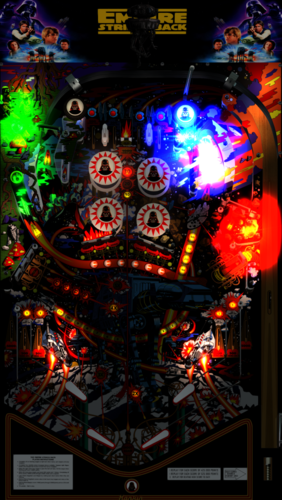
Star Wars Empire Strikes Back, The (Hankin 1980) MOD
By xenonph
I first would like to thank 32assassin for giving me permission to make this sound mod. I would also like to thank him for making a great table!! I also would like to thank everyone who contributed to this table including, Artwork by Francisco7666, and DOF by Arngrim!!
They put in alot of time and work on the original table, and it is appreciated!! So if you like this mod, I would encourage you to thank the original author of the table, as I have only made a few changes!
Original Table...
http://www.vpforums.org/index.php?app=downloads&showfile=11797
I also would like to thank Flupper for his great Flasher resource table!!
I would also like to thank Thalamus for telling me how to use resource tables!!
I also would like to thank Allknowing2012 and Gtxjoe for teaching me how to add timers to script!
I also would like to thank DJRobX, STAT, Gtxjoe, and nFozzy, for helping me shorten my StopSounds and PlaySounds script commands.
(They each wrote out an example, and between them all, I was able to figure it out!! BIG THANKS!!!)
I would also like to thank DJRobX for showing me example of flasher script command for flasher placement in FS mode.
I would also like to thank STAT for his NFL Script to change teams which this bumper script is based on. THANKS STAT!!
I also would like to thank Steve "Slydog43" for which these VPX mods would not be possible!!
WARNING!!! THIS TABLE HAS ALOT OF FLASHING LIGHTS, AND MAY CAUSE SEIZURES!!! PLAY AT OWN RISK!!!
v3.1
Converted all pics to WebP format to reduce overall size of table.(VPX7.2 Required)
Converted Wav files in sound manager to ogg format which reduces file size.
File size went from 116 MB's to 42.2 MB's!!!
Version 3.0
Added modified JPSalas LUT Toggled with Right Magna-Save Key.
Added modified JPSalas LUT script combined with STAT's TEAM Change script.
Now all pic changes are saved and loaded on next table run.
All bumper pics are toggled with Left Magna-Save now. 6 to choose from.
9 different FS Backdrops toggled with F Key.
Converted mp3's to ogg format, and scripted music to be played from StarWarsESB folder.
(Place StarWarsESB folder in your Music folder)
Also lowered Decibal Level on all the music by 6.4 Db's.
Added NVOffset script command, so not to interfere with other tables using same rom.
Version 2.4.1
Added Missing Load Lut script command. Now Lut is saved and loaded for next time table is played.
Version 2.4
Added JP's Lut's script.
Press and hold Left Magna-Save, then press Right Magna-Save to toggle the different Lut's.
Version 2.3
Moved plunger activated sounds to trigger in plunger lane.
Lowered GI lights height from 5 to 1 on lights around drop targets and lower bumper slings, as it looked like cutting into drop targets and pegs.
Raised drop targets from -10 to -3 so now tops are seen when in dropped position.
(I didn't want to start from scratch with 32assassins newest table, so I just adapted a few of his things to this table.)
Changed kickers from red KickerHole to metal KickerCup.
Added reflections to playfield.
Changed material and color on rubbers.
Changed pegs to metal material.
Added 9 different FS Backdrops toggled with F Key.(Similiar to Battlestar Galactica mod)
Can also use options at top of table script, to save option.
Added 5 different colors to GI Lighting toggled with 2 Key.
Can also use options at top of table script, to save option.
(Default GI Color is white. 1=Red 2=Blue 3=Green 4=Purple)
Added JPSalas GI Effect activated by drop targets, bumpers, and ball release to plunger.
Version 2.2.1
Added NFozzy's FastFlips by changing usesolenoids=19. Big thanks NFozzy!!!
Version 2.2
Added HauntFreaks FS POV settings for cabinets.
Added FS backdrop pic to cover exposed area after using HF POV settings.
Shut off variable when coin is inserted and player 1 is pressed before the 2 second timer shuts off. So now player1 start pics won't shut off early if player1 is pressed before 2 second timer shuts off on coin insert.
Shut off 2 more variables on drain hit.(Can't believe I missed this.)
Fixed Pics for FS view (For those who modified POV settings, the pics were cut in half in FS view. So now they are seen at top of table when activated, thanks to DJRobX for the example script command for placement of flashers.
Fixed DT view Darth flashing eyes so nose isn't lit up also.
Added warning about flashing lights may cause seizures while playing game.
Added 2 more pics activated by sound effects.
Added keypress of the letter "N" that shuts off Pics that are activated by sounds.
Added Keypress of the letter "M" that turns Pics on that are activated by sounds.
Added choice of 1 of 4 upper two bumpers pics selected by Left Magna-Save button (L-CTRL).
Added choice of 1 of 8 lower four bumpers pics selected by Right Magna-Save button (R-CTRL).
I learned how to add this script code to change bumper pics from STAT's example in my NFL mods.
The first 3 bumper pics when changed are same for both upper and lower bumpers. (Red,Blue and Green stormtrooper.)
The last 4 bumper pics for the lower 4 bumpers are 2 different Stormtrooper helmets with and without black border.
These last 4 stormtrooper helmet bumper cap pics, look better on FS setup as compared to DT view, and didn't look right when added to upper 2 bumpers.
(Mainly added for FS view users.)
Version 2.1
Forgot to turn off variable on drain hit, so after 3rd ball drain, the "plungerreleasefree" wasn't playing. It works correctly now.
Added 16 pics that are triggered on and off by events. Each sound effect corresponds with pic of character.
I am seeing how people react to this mod, and if they like it, I will upload it to other sites.
Version 2.0
Added 27 flashers from Fluppers resource table. Big Thanks Flupper!!
3 of them are visible above the plastics. The rest are underneath the plastics.
I figured why not add fantasy flashers, as the table is already fantasy sound mod.
(I may do this for all my sound mods!! I am addicted to flashers!! lol)
Fixed left targets below bumper. Two of them were named wrong.
(Would have never noticed this if not for adding these flashers!)
Added "plungerreleasefree" sound effect from BorgDogs Buck Rogers VPX table, so if no ball is in plunger, it plays "plungerreleasefree" sound effect, and no others.
Added "Impressive" Vader sound effect to plungerlane rollover, that is triggered only when you enter plungerlane after Darth target is down.
Removed background music sound effect "0ESB13.mp3", as it didn't fit table.
Added triangles to front of bottom inlane wire guides, as you could get ball to balance on it. Now you can't.
Missed a few rubbers that were set to hit height of 35. Changed them to 27.
Adjusted Y-Offset for DT view, and X-Offset for Cabinet view, to cover opening at bottom of apron.
1 of 3 colors illuminates plunger lane with plunger release.
Added Vader eyes flashing for DT view. This flasher is tied to all Vader targets and bumpers and the 2 Vader spinners.
Version 1.8
Added 30 more sound effects, including 4 new background music sound effects.
Changed all sound effects to be played through backglass instead of table per Vogliadicanes info.
Version 1.7
Removed DOF call from script for Bumpers 5 and 6 so they are like 32assassin had them originally.
Removed upper outside rollover lane dividers as the original table did not have them.
Added timer to start up music so there is an attract mode sequence started at table start.
Added Sub for sound effect on Ball Release to plunger.
Added "coin" sound effect to insert coin key 5.
Added StopSounds Sub to cut down size of script.
Added 10 more voice sound effects triggered by coin insert, Player1 Start, and 2 upper Kickers.
Added 1 more background music sound effect that plays during ball in play, triggered by plunger pull.
Version 1.6
Fixed right flipper advancing upper Starship Lanes lights.
Version 1.5
Fixed drop targets so they reset properly. They were mistakenly set to the wrong solenoid callback number.
Version 1.4
Lowered hit height physics from 35 to 27 on all rubbers.(Big thanks to Thalamus for this info!!)
Fixed ball from getting stuck in lower right inlane after changing from 35 to 27, by moving the right sling over to left the least amount I could.
Fixed ball getting stuck on top of upper right rollover divider that I added in v1.3, by raising it to same level as divider next to it, and then making small transparent wall to make sure it doesn't happen again.
Removed script that I added to make insert coin key 5. Added new script that BorgDog showed me that will allow for both 3 and 5 keys to work for inserting credits. (Big thanks BorgDog!!)
Removed Darth Vader breathing sound effect from 2 upper kickers, and replaced with Yoda saying "Help you I can." (Hear enough of the Darth breathing on side drains!!)
Added random voice sound effects between attract mode background music sound effects.
Version 1.3
Added lane dividers to sides of upper rollovers.(They seemed to be missing and allowed for rollover to not be hit when ball traveled through outer lanes.)
I just copied and pasted the same dividers that were already made for inner upper rollovers.
Version 1.2
I added script command so the 5 key works as insert coin. (No need to modify VPMkeys.vbs or Hankin.vbs)
If you want the insert coin key to be 3, just comment out Line 13 in table script or delete it.
I changed name of upper rollovers on right side to sw14 and sw15. The outside lane was mistakenly named sw14, instead of sw15, and inside lane was named TopRollover, instead of sw14.
I added FlipperUP and FlipperDown sounds from GIJOE table.
I added soundFX script to bottom 2 bumpers. I just copied the end of script that was on the other 4 bumpers.
I added 12 background music sound effects, 17 drain voice sound effects, 9 coin voice sound effects, and 26 other sound effects triggered by events.(All from Empire Strikes Back movie.)
The top center target plays 1 of 3 ship flyby sound effects, X-Wing, Millenium Falcon, and a Tie Fighter.
I added script command that shuts off the rom sound at table start, and turns it back on with table exit.
(If you want the original rom sounds on, download the original table. THIS IS A SOUND MOD!!)
********************************************
Place contents of music folder in your music folder located where you installed Visual Pinball Program.
WARNING!!! THIS TABLE HAS ALOT OF FLASHING LIGHTS, AND MAY CAUSE SEIZURES!!! PLAY AT OWN RISK!!!
All pics, trademarks, Logos and sounds belong to their respectful owners. This table is for personal home, and non-commercial use only. This table should be used for educational purposes only..
Hope you enjoy!!
5108 downloads
-
(VRRoom)1.0.3.thumb.jpg.10419f939d5fffbf4313ed6b72ce01d7.jpg)
Sure Shot (Gottlieb 1976)
By RajoJoey
Description:
***************
The table is made by the great Jeff Whitehead (Loserman76).
May he rest in peace. 😞 I hope, there are pinballs where you are, Jeff.
I would like to thank Jeff, for allowing me, to convert his tables to VR.
Info
It is a hybrid table. So you can play in VR, desktop or cabinet mode, but you need the external backglass.
There is no need to change the script. A VR headset is automatically detected.
I added the following things:
VR room, artwork for cabinet, backbox and flyer, animations for buttons and plungers, LUT files (change with magnasave buttons).
'* Table build/scripted by Loserman76
'* Image redraws/touchups/fixes by GNance
'* VR update by Rajo Joey
Works in 10.7.2, best to play in VPinball_GL 10.8: https://github.com/vpinball/vpinball/actions/workflows/vpinball.yml
***********************************************
These are quick conversions, as I don't like playing in a dark room and don't want to spend more days or weeks to convert a table.
If you want to do your own conversions, I wrote two tutorials for EM tables like Loserman76's and make templates of the tables, pictures and materials.
Also there are some .psd files, to change the artwork in an easy way for example.
In the template tables there are generic artwork for the cabinet and the backbox. Some people may be happy with that and don't need the real artwork.
There is a short tutorial for people, who know the editor and a longer one for newbies. Both instructions are in English and German.
https://mega.nz/folder/5csAGRAa#gSFFQN_jXbw03y7LpQENHg
368 downloads
-
(VRRoom)1.0.3.thumb.jpg.3ba266a35d3dc6802d7c543224705b27.jpg)
Super Spin (Gottlieb 1977) (VR Room)
By RajoJoey
Description:
***************
The table is made by the great Jeff Whitehead (Loserman76).
May he rest in peace. 😞 I hope, there are pinballs where you are, Jeff.
I would like to thank Jeff, for allowing me, to convert his tables to VR.
Info
It is a hybrid table. So you can play in VR, desktop or cabinet mode, but you need the external backglass.
There is no need to change the script. A VR headset is automatically detected.
I added the following things:
VR room, artwork for cabinet, backbox and flyer, animations for buttons and plungers, LUT files (change with magnasave buttons).
'* Table build/scripted by Loserman!
'* Artwork redrawn by GNance
'* VR update by Rajo Joey
Works in 10.7.2, but best to play in VPinball_GL 10.8: https://github.com/vpinball/vpinball/actions/workflows/vpinball.yml
***********************************************
These are quick conversions, as I don't like playing in a dark room and don't want to spend more days or weeks to convert a table.
If you want to do your own conversions, I wrote two tutorials for EM tables like Loserman76's and make templates of the tables, pictures and materials.
Also there are some .psd files, to change the artwork in an easy way for example.
In the template tables there are generic artwork for the cabinet and the backbox. Some people may be happy with that and don't need the real artwork.
There is a short tutorial for people, who know the editor and a longer one for newbies. Both instructions are in English and German.
https://mega.nz/folder/5csAGRAa#gSFFQN_jXbw03y7LpQENHg
410 downloads
(0 reviews)0 comments
Submitted
-
(VRRoom)1.0.3.thumb.jpg.2a0fa2c8d079a6b6c9a84e8e05f14dc3.jpg)
Super Soccer (Gottlieb 1975) (VR Room)
By RajoJoey
Description:
***************
The table is made by the great Jeff Whitehead (Loserman76).
May he rest in peace. 😞 I hope, there are pinballs where you are, Jeff.
I would like to thank Jeff, for allowing me, to convert his tables to VR.
Info
It is a hybrid table. So you can play in VR, desktop or cabinet mode, but you need the external backglass.
There is no need to change the script. A VR headset is automatically detected.
I added the following things:
VR room, artwork for cabinet, backbox and flyer, animations for buttons and plungers, LUT files (change with magnasave buttons).
'* Table build/scripted by Loserman76
'* VR update by Rajo Joey
Works in 10.7.2, but best to play in VPinball_GL 10.8: https://github.com/vpinball/vpinball/actions/workflows/vpinball.yml
***********************************************
These are quick conversions, as I don't like playing in a dark room and don't want to spend more days or weeks to convert a table.
If you want to do your own conversions, I wrote two tutorials for EM tables like Loserman76's and make templates of the tables, pictures and materials.
Also there are some .psd files, to change the artwork in an easy way for example.
In the template tables there are generic artwork for the cabinet and the backbox. Some people may be happy with that and don't need the real artwork.
There is a short tutorial for people, who know the editor and a longer one for newbies. Both instructions are in English and German.
https://mega.nz/folder/5csAGRAa#gSFFQN_jXbw03y7LpQENHg
331 downloads
-
(VRRoom)1.0.3.thumb.jpg.4ad482e0a0e31b95a7a05748dcb424d3.jpg)
Spot Pool (Gottlieb 1976) (VR Room)
By RajoJoey
Description:
***************
The table is made by the great Jeff Whitehead (Loserman76).
May he rest in peace. 😞 I hope, there are pinballs where you are, Jeff.
I would like to thank Jeff, for allowing me, to convert his tables to VR.
Info
It is a hybrid table. So you can play in VR, desktop or cabinet mode, but you need the external backglass.
There is no need to change the script. A VR headset is automatically detected.
I added the following things:
VR room, artwork for cabinet, backbox and flyer, animations for buttons and plungers, LUT files (change with magnasave buttons).
'* Table build/scripted by Loserman76
'* Image redraws/touchups/fixes by GNance
'* VR update by Rajo Joey
Works in 10.7.2, but best to play in VPinball_GL 10.8: https://github.com/vpinball/vpinball/actions/workflows/vpinball.yml
***********************************************
These are quick conversions, as I don't like playing in a dark room and don't want to spend more days or weeks to convert a table.
If you want to do your own conversions, I wrote two tutorials for EM tables like Loserman76's and make templates of the tables, pictures and materials.
Also there are some .psd files, to change the artwork in an easy way for example.
In the template tables there are generic artwork for the cabinet and the backbox. Some people may be happy with that and don't need the real artwork.
There is a short tutorial for people, who know the editor and a longer one for newbies. Both instructions are in English and German.
https://mega.nz/folder/5csAGRAa#gSFFQN_jXbw03y7LpQENHg
357 downloads
(0 reviews)0 comments
Submitted
-
(VRRoom)1.0.3.thumb.jpg.f499381d4c4d36592e937d0bf10da747.jpg)
Spirit Of 76 (Gottlieb 1975) (VR Room)
By RajoJoey
Description:
***************
The table is made by the great Jeff Whitehead (Loserman76).
May he rest in peace. 😞 I hope, there are pinballs where you are, Jeff.
I would like to thank Jeff, for allowing me, to convert his tables to VR.
Info
It is a hybrid table. So you can play in VR, desktop or cabinet mode, but you need the external backglass.
There is no need to change the script. A VR headset is automatically detected.
I added the following things:
VR room, artwork for cabinet, backbox and flyer, animations for buttons and plungers, LUT files (change with magnasave buttons).
'* Table build/scripted by Loserman!
'* VPX conversion of AllKnowing2012's VP9 versions
'* VR update by Rajo Joey
Works in 10.7.2, but best to play in VPinball_GL 10.8: https://github.com/vpinball/vpinball/actions/workflows/vpinball.yml
***********************************************
These are quick conversions, as I don't like playing in a dark room and don't want to spend more days or weeks to convert a table.
If you want to do your own conversions, I wrote two tutorials for EM tables like Loserman76's and make templates of the tables, pictures and materials.
Also there are some .psd files, to change the artwork in an easy way for example.
In the template tables there are generic artwork for the cabinet and the backbox. Some people may be happy with that and don't need the real artwork.
There is a short tutorial for people, who know the editor and a longer one for newbies. Both instructions are in English and German.
https://mega.nz/folder/5csAGRAa#gSFFQN_jXbw03y7LpQENHg
372 downloads
(1 review)0 comments
Submitted
-
1.0.3.thumb.jpg.1196504e1db2b0ca5cdcde95ea9c4883.jpg)
Spin Out (Gottlieb 1975) (VR Room)
By RajoJoey
Description:
***************
The table is made by the great Jeff Whitehead (Loserman76).
May he rest in peace. 😞 I hope, there are pinballs where you are, Jeff.
I would like to thank Jeff, for allowing me, to convert his tables to VR.
Info
It is a hybrid table. So you can play in VR, desktop or cabinet mode, but you need the external backglass.
There is no need to change the script. A VR headset is automatically detected.
I added the following things:
VR room, artwork for cabinet, backbox and flyer, animations for buttons and plungers, LUT files (change with magnasave buttons).
'* Table build/scripted by Loserman76
'* Playfied/Plastics/images redrawn by GNance
'* Original images by Greywolf
'* VR update by Rajo Joey
Works in 10.7.2, but best to play in VPinball_GL 10.8: https://github.com/vpinball/vpinball/actions/workflows/vpinball.yml
***********************************************
These are quick conversions, as I don't like playing in a dark room and don't want to spend more days or weeks to convert a table.
If you want to do your own conversions, I wrote two tutorials for EM tables like Loserman76's and make templates of the tables, pictures and materials.
Also there are some .psd files, to change the artwork in an easy way for example.
In the template tables there are generic artwork for the cabinet and the backbox. Some people may be happy with that and don't need the real artwork.
There is a short tutorial for people, who know the editor and a longer one for newbies. Both instructions are in English and German.
https://mega.nz/folder/5csAGRAa#gSFFQN_jXbw03y7LpQENHg
333 downloads
-
1.0.3.thumb.jpg.79a53413e1a71d4f973619c535222298.jpg)
Space Orbit (Gottlieb 1972) (VR Room)
By RajoJoey
Description:
***************
The table is made by the great Jeff Whitehead (Loserman76).
May he rest in peace. 😞 I hope, there are pinballs where you are, Jeff.
I would like to thank Jeff, for allowing me, to convert his tables to VR.
Info
It is a hybrid table. So you can play in VR, desktop or cabinet mode, but you need the external backglass.
There is no need to change the script. A VR headset is automatically detected.
I added the following things:
VR room, artwork for cabinet, backbox and flyer, animations for buttons and plungers, LUT files (change with magnasave buttons).
'* Table build/scripted by Loserman!
'* Table redraw/plastics by GNance
'* VR update by Rajo Joey
Works in 10.7.2, but best to play in VPinball_GL 10.8: https://github.com/vpinball/vpinball/actions/workflows/vpinball.yml
***********************************************
These are quick conversions, as I don't like playing in a dark room and don't want to spend more days or weeks to convert a table.
If you want to do your own conversions, I wrote two tutorials for EM tables like Loserman76's and make templates of the tables, pictures and materials.
Also there are some .psd files, to change the artwork in an easy way for example.
In the template tables there are generic artwork for the cabinet and the backbox. Some people may be happy with that and don't need the real artwork.
There is a short tutorial for people, who know the editor and a longer one for newbies. Both instructions are in English and German.
https://mega.nz/folder/5csAGRAa#gSFFQN_jXbw03y7LpQENHg
348 downloads
-
1.0.3.thumb.jpg.85fe6fca3e1983a066feb358516a5a5a.jpg)
Solar City (Gottlieb 1977) (VR Room)
By RajoJoey
Description:
***************
The table is made by the great Jeff Whitehead (Loserman76).
May he rest in peace. 😞 I hope, there are pinballs where you are, Jeff.
I would like to thank Jeff, for allowing me, to convert his tables to VR.
Info
It is a hybrid table. So you can play in VR, desktop or cabinet mode, but you need the external backglass.
There is no need to change the script. A VR headset is automatically detected.
I added the following things:
VR room, artwork for cabinet, backbox and flyer, animations for buttons and plungers, LUT files (change with magnasave buttons).
'* Table build/scripted by Loserman76
'* VR update by Rajo Joey
Works in 10.7.2, but best to play in VPinball_GL 10.8: https://github.com/vpinball/vpinball/actions/workflows/vpinball.yml
***********************************************
These are quick conversions, as I don't like playing in a dark room and don't want to spend more days or weeks to convert a table.
If you want to do your own conversions, I wrote two tutorials for EM tables like Loserman76's and make templates of the tables, pictures and materials.
Also there are some .psd files, to change the artwork in an easy way for example.
In the template tables there are generic artwork for the cabinet and the backbox. Some people may be happy with that and don't need the real artwork.
There is a short tutorial for people, who know the editor and a longer one for newbies. Both instructions are in English and German.
https://mega.nz/folder/5csAGRAa#gSFFQN_jXbw03y7LpQENHg
419 downloads
-
1.0.3.thumb.jpg.40724c2a0ea04322a3c88ccc32d71a89.jpg)
Soccer (Gottlieb 1975) (VR Room)
By RajoJoey
Description:
***************
The table is made by the great Jeff Whitehead (Loserman76).
May he rest in peace. 😞 I hope, there are pinballs where you are, Jeff.
I would like to thank Jeff, for allowing me, to convert his tables to VR.
Info
It is a hybrid table. So you can play in VR, desktop or cabinet mode, but you need the external backglass.
There is no need to change the script. A VR headset is automatically detected.
I added the following things:
VR room, artwork for cabinet, backbox and flyer, animations for buttons and plungers, LUT files (change with magnasave buttons).
'* Table build/scripting by Loserman76
'* VR update by Rajo Joey
Works in 10.7.2, but best to play in VPinball_GL 10.8: https://github.com/vpinball/vpinball/actions/workflows/vpinball.yml
***********************************************
These are quick conversions, as I don't like playing in a dark room and don't want to spend more days or weeks to convert a table.
If you want to do your own conversions, I wrote two tutorials for EM tables like Loserman76's and make templates of the tables, pictures and materials.
Also there are some .psd files, to change the artwork in an easy way for example.
In the template tables there are generic artwork for the cabinet and the backbox. Some people may be happy with that and don't need the real artwork.
There is a short tutorial for people, who know the editor and a longer one for newbies. Both instructions are in English and German.
https://mega.nz/folder/5csAGRAa#gSFFQN_jXbw03y7LpQENHg
348 downloads
-
1.0.3.thumb.jpg.44595715a5b0d2e4e46745aa04cd2d37.jpg)
Sky Jump (Gottlieb 1974) (VR Room)
By RajoJoey
Description:
***************
The table is made by the great Jeff Whitehead (Loserman76).
May he rest in peace. 😞 I hope, there are pinballs where you are, Jeff.
I would like to thank Jeff, for allowing me, to convert his tables to VR.
Info
It is a hybrid table. So you can play in VR, desktop or cabinet mode, but you need the external backglass.
There is no need to change the script. A VR headset is automatically detected.
I added the following things:
VR room, artwork for cabinet, backbox and flyer, animations for buttons and plungers, LUT files (change with magnasave buttons).
'* Table build/scripted by Loserman76
'* Playfield/Plastics/etc by GNance
'* VR update by Rajo Joey
Works in 10.7.2, but best to play in VPinball_GL 10.8: https://github.com/vpinball/vpinball/actions/workflows/vpinball.yml
***********************************************
These are quick conversions, as I don't like playing in a dark room and don't want to spend more days or weeks to convert a table.
If you want to do your own conversions, I wrote two tutorials for EM tables like Loserman76's and make templates of the tables, pictures and materials.
Also there are some .psd files, to change the artwork in an easy way for example.
In the template tables there are generic artwork for the cabinet and the backbox. Some people may be happy with that and don't need the real artwork.
There is a short tutorial for people, who know the editor and a longer one for newbies. Both instructions are in English and German.
https://mega.nz/folder/5csAGRAa#gSFFQN_jXbw03y7LpQENHg
532 downloads
-
1.0.3.thumb.jpg.0890e2c09de2296bc524c16a0382d334.jpg)
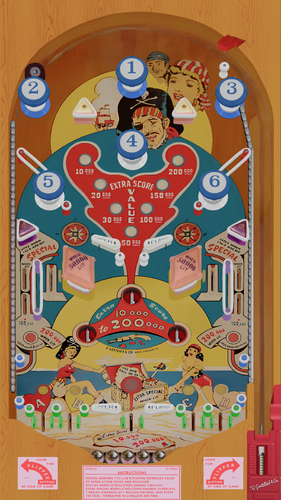
Ship Ahoy (Gottlieb 1976) (VR Room)
By RajoJoey
Description:
***************
The table is made by the great Jeff Whitehead (Loserman76).
May he rest in peace. 😞 I hope, there are pinballs where you are, Jeff.
I would like to thank Jeff, for allowing me, to convert his tables to VR.
Info
It is a hybrid table. So you can play in VR, desktop or cabinet mode, but you need the external backglass.
There is no need to change the script. A VR headset is automatically detected.
I added the following things:
VR room, artwork for cabinet, backbox and flyer, animations for buttons and plungers, LUT files (change with magnasave buttons).
'* Table build/scripted by Loserman!
'* Images by GNance
'* VR update by Rajo Joey
Works in 10.7.2, but best to play in VPinball_GL 10.8: https://github.com/vpinball/vpinball/actions/workflows/vpinball.yml
***********************************************
These are quick conversions, as I don't like playing in a dark room and don't want to spend more days or weeks to convert a table.
If you want to do your own conversions, I wrote two tutorials for EM tables like Loserman76's and make templates of the tables, pictures and materials.
Also there are some .psd files, to change the artwork in an easy way for example.
In the template tables there are generic artwork for the cabinet and the backbox. Some people may be happy with that and don't need the real artwork.
There is a short tutorial for people, who know the editor and a longer one for newbies. Both instructions are in English and German.
https://mega.nz/folder/5csAGRAa#gSFFQN_jXbw03y7LpQENHg
395 downloads
-
![More information about "Stars (Stern 1978) [SK-1]"](https://vpuniverse.com/screenshots/monthly_2022_03/stars_dt.thumb.jpg.4b3bc7ed0d3cb39a0d2d651e796ab543.jpg)
Stars (Stern 1978) [SK-1]
By bord
One the great classic pinball games and Steve Kirk's first of three for Stern. Stars is a beautiful game with balanced rules and multiple scoring strategies.
Game notes:
the ROM has a setting for 2 player or 4 player. You can turn on by hitting F6 after launching the game, and there's a dip setting to switch to 4 players. In the script options you must choose values for VR_Room, or Cab_mode. (The default is desktop mode of zero values). If you are using a full cabinet, VR_Room = 0, and cab_mode = 1. Desktop mode they are both zero.
Additional options in the script include two VR environments, a VR clock, and settings for dynamic shadows if you experience a performance hit,
VR by Uncle Paulie.
Thanks to apophis, Rosieodonell, JTJulkster, goodGRIEFF76, Major Frenchy and the weekly competition guys at the Virtual Pinball Chat discord for chipping in to get proper plastic scans for this game.
3372 downloads
-
Star Gazer (Stern 1980)(VR Room)
By RajoJoey
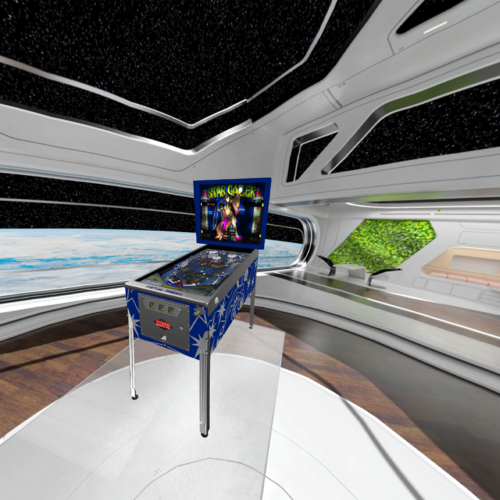
It is a hybrid table. You can play it in FS, DT or VR.
You have to play it in VPX 10.7!
The table was created by Felsir.
I would like to thank Felsir for allowing me to convert this table.
Info
Felsir paint a great new playfield. I have revised the playfield a little bit more.
Also I inserted some things like nFozzy physics, Fleep sounds and dyn. ballshadows.
There are 16 LUT files in the table. You can change them with the left MagnaSave button.
You can change the VR rooms with the right MagnaSave button.
You can change the DIP settings by pressing F6 after starting the table.
916 downloads
-
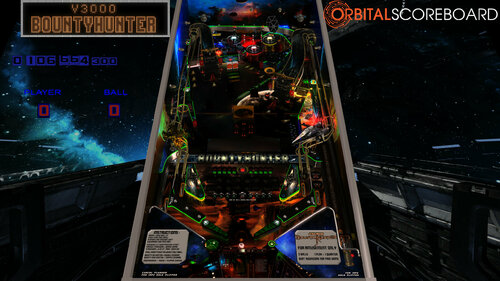
StarWars Bountyhunter
By tartzani
Starwars Bountyhunter 3.0
B2S included, no rom needed
Thanks to VPW crew for testing and for making such nice addons in the exampletable. It was time some more of them landed on this table.
Highscore will reset on first run.
v3.0 - 4 player enabled.
VPW exampletable features added : DynamicShadows, Targetbouncer, Ramproll sounds, Slingshotcorrections
Wizardmode / Scoring Update !
Ball Reflections ! Almost Everywhere
Lower flipper power. Lock1+lock2 is on a timer 15s. Reaplied on every ramp done.
Limits added on some features.
Added some new sounds, new ramps, new blastdoor, new droptargets and visible kickers.
v2.2 - VR-room, TournamentMode !
v2.0 - Everything redone o.0
v1.0 - First Release
DOF programmed and fixed by Apophis
Orbital Scoreboard Enabled
Added 23 different ball options
Several new 3D models around the table
Redone almost everything since v1.0
Super Testing by RIK , apophis and the team at vpw
Install Instructions:
Move the complete folder "Bountyhunter" to /Visual Pinball/Music/
Move the "BountyHunterDMD" folder -> /Visual Pinball/Tables/
Optional Downloads if you want FlexDMD
Table works fine without it, but you wantz it i hear ?
https://github.com/vbousquet/flexdmd
https://github.com/freezy/dmd-extensions
8611 downloads
- starwars
- bountyhunter
- (and 1 more)
-
v2.2SoundMODFS.thumb.png.45a6174b03249227d9902489e115fcce.png)
Six Million Dollar Man, The (Bally 1978) Sound MOD
By xenonph
Be sure to check the version number when downloading table from "new updated tables" section. The newest version is 2.3.
Usually the file needs to be approved by an administrator before you can download the table, but for some reason it is being put at front of list before it is approved.
So just be sure to check the file version, or you may be downloading old version, thinking it is the updated version.
A sound Mod of allknowing2012's table.
I first want to thank allknowing2012 for allowing mods without permission.
I also want to thank him and anyone else who helped make this table come to life. Including 32assassin, Hauntfreaks, and Arngrim.
BIG THANKS SIRS!!!
Check the original table for more info. I'm sure alot of time and effort went into making this table, and it is deeply appreciated, so all credit should be directed there way.
Find original table here...
http://www.vpforums.org/index.php?app=downloads&showfile=11355#
I also would like to thank Allknowing2012 and Gtxjoe for teaching me how to add timers to script.
I also would like to thank Steve "Slydog43" for which these VPX mods would not be possible!!
Version 2.3
Converted all pics to WebP format to reduce overall size of table.(VPX7.2 Required)
Converted Wav files in sound manager to ogg format which reduces file size.
File size went from 91.6 MB's to 34.3 MB's!!!
Version 2.2
Added JPSalas Lut script (With permission) toggled with left and right magna-save.
Moved sound effects from plunger to trigger in plunger lane.
Added darker apron. (Original is still in the Image Manager, but it doesn't work well with Lut changes)
Moved side rails inwards a smidge.(You could see backglass showing through slit)
Lined up primitive screws to match screw holes on upper center to upper right plastic. (They were way off!)
Moved sound effects to be played through backglass instead of table.
Added Fluppers Flashers. 2 above plastics at top of table, 2 below the bumperslings.
Changed Material settings on a few things.(Side rails and wood side walls, now they look normal)
Imported JPSalas Arcade physics.(Physics seem better, but still needs alot of work.)
Adjusted script so "Fast Flips" are now activated.
Adjusted and reshaped Insert lights, and changed a few to give them more depth.
Reduced amplification on a few bionic sound effects as they were drowning out music.
Version 2.1
Many changes now that I know how to add timers to script!!
I added 57 sound effects, including all sorts of bionics, bionic bigfoot, Oscar Goldman, Steve Austin, and much more.
ROM Sounds are off by default.
All pics, trademarks, Logos and sounds belong to their respectful owners. This table is for personal home, and non-commercial use only. This table should be used for educational purposes only..
Hope you enjoy!!
2282 downloads
-
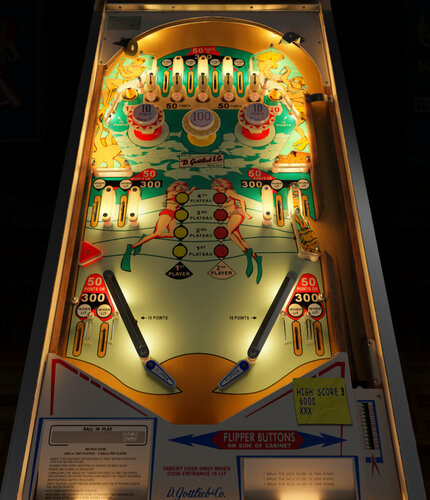
Scuba (Gottlieb 1970) Music Mod
By pdrum
I have been really enjoying @iDigStuff 's DIY music mod add-ons and wanted to create one myself for @bord's mod of Scuba. I love the
lighting and artwork on this table! He gave me permission to make the music mod and iDigStuff helped me with a few things in the script.
He also suggested I could use his description and instructions to keep setup consistent for users of the DIY music mods:
This is based on the new iDigStuff's DIY EM music mod series.
He has created a new method that allows you to apply the music mod yourself in three simple steps in a totally nondestructive way.
Meaning this will not affect the original authors table at all or change any elements!
It can also easily be simply bypassed or even deleted if you change
your mind and the table will play in its original state.
What is it?
Adds jukebox functionality to the table with custom themed music.
Adds some sound effects to enhance the experience.
DOWNLOAD AND FOLLOW THE INSTRUCTIONS
Designed to work with bord's 1.1 version of the table
Get it here:
https://vpuniverse.com/files/file/9430-scuba-gottlieb-1970-bord-mod/
494 downloads
.thumb.png.557350d1c3d2c33f9858e4f7b4ca12ae.png)
.thumb.png.559ffeefc18faf238c9a03f881e135dd.png)
.thumb.png.cec808e8b058fde901e411dbcf2c7984.png)

BG.thumb.jpg.983e5c5881d8fac9cc37344b25ab45a8.jpg)









![More information about "COBRETTI MOD [PATCH] - (Cobra Nuova Bell 1987) final"](https://vpuniverse.com/screenshots/monthly_2025_12/desktop.thumb.jpg.cb87ab4b57358731080547ada6f7016b.jpg)
.thumb.jpg.6d5926eaebbbe5b0f36ebe3ebaa2a0d2.jpg)
FullDMD.thumb.jpg.7572f8acb1ded2553ddaf16f281330a4.jpg)

FullDMD.thumb.jpg.e2497ef780e5fd06303515b9796d3987.jpg)
FullDMD.thumb.jpg.130b928ff5b8c8d0e6bc0dfb3022d8fb.jpg)
PuPPackFullDMD.thumb.jpg.d0f4451abb0a7da66806e1b762329c13.jpg)
FullDMD.thumb.jpg.ee9a41db28291ef1a9f6dee41178647e.jpg)
.thumb.png.a8cc4560b1d1d1802d2cb48571c221a2.png)
EM.thumb.png.6e71c0a5c086c9b2f83668d8434cff5d.png)
RulesCard.thumb.png.af7953b20af5e8a9ff72127cbfafd03b.png)





1.thumb.png.791d128c833d4ad28da60ca941eeaa89.png)
.thumb.png.f8836c8fdb3ad1183b94dc74adbf549c.png)