
158 files
-
.thumb.png.330e429abd8ffceac18092664dda94fe.png)
Biene Maja 1.00
By icepinball
Alle Logos, Charaktere, Urheberrechte und Warenzeichen sind Eigentum ihrer jeweiligen Eigentümer.
Ich bedanke mich bei allen die die Grundlage für den Tisch gemacht haben. Er basiert auf Seawitch 1980 und TBA .........
AUSSCHLIESSLICH FÜR DEN PERSÖNLICHEN GEBRAUCH UND NICHT FÜR DEN KOMMERZIELLEN VERKAUF ODER VERTRIEB BESTIMMT
BITTE NICHT endgeldlich WEITERVERTEILEN.
Ich DANKE allen die mit mir diesen Spass haben und allen die hier teilen und creativ sind mit ihren tollen Arbeiten und ihre Ideen.
Backglass, Spielfeld, Rad usw. im Ordner
ist erst mein 2 Tisch und mein 2 Backglass sollte etwas verbessert werden können gerne 🙂
nächster Tisch ist in Arbeit ...... WOODY WOODPECKER kommt bei 🙂
Viel Spass !!!!
445 downloads
-
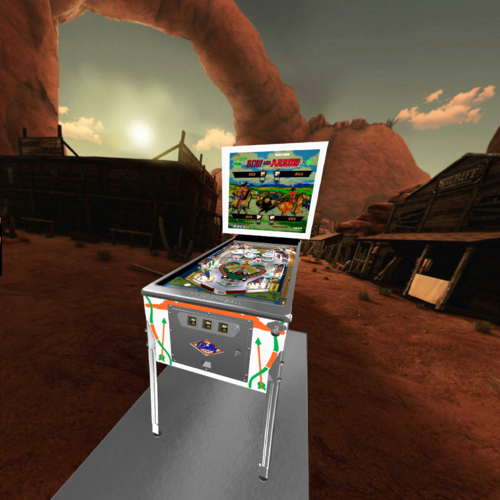
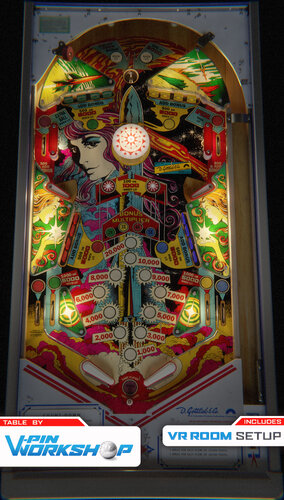
Bow And Arrow (Bally 1975)(VR Room)
By RajoJoey
It is a hybrid table. You can play it in FS, DT or VR.
The table was created by Goldchicco.
I would like to thank Goldchicco for allowing me to convert this table.
Info
There are 16 LUT files in the table. You can change them with the left MagnaSave button.
You can change the VR space with the right MagnaSave button.
You can change the DIP settings by pressing F6 after starting the table.
506 downloads
-
Barracora (Williams 1981)(VR Room)
By RajoJoey
It is a hybrid table. You can play it in FS, DT or VR.
The original table was created by Dids666.
I would like to thank Dids666 for allowing me to convert this table.
I thank Bord for the help with scripting the drop targets.
Info
I made some changes to the layout of some objects.
Also implemented or changed some other things: dyn. ballshadows, nFozzy's flipper physics.
There are 16 LUT files in the table. You can change them with the left MagnaSave button.
You can change the VR space with the right MagnaSave button.
444 downloads
-
1.thumb.jpg.a903674ad493e00a25d51e776ad4dbe1.jpg)
Baseball (Gottlieb 1970)
By loserman76
Baseball (Gottlieb 1970) made by the late loserman76.
874 downloads
-
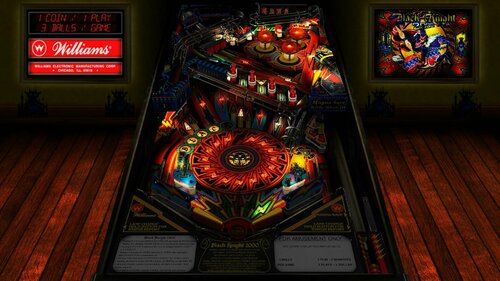
Black Knight 2000 (Williams 1989) w VR Room
By UnclePaulie
Thank you to Flupper for the permission to mod his 1.3 version of the table. Flupper did significant improvements to the lighting on 4k cabs, all lighting inserts, several glow ball options, and several other additions. It looks fantastic! I requested to make this a hybrid table for desktop and VR users. Also, I wanted to get all the latest VPW sound and physics updates added as well. Thanks to the VPW team for all tutorials, advice, code, etc. for the physics, sounds, etc. A HUGE thank you to Rothbauerw for all his advice, feedback, and suggestions on this table. It makes it play amazing! Also thanks to PinStratsDan, Apophis, Rawd, Wylte, Fluffhead, Sixtoe, Tomate, and Flupper for testing and feedback.
There are LOTS of options on this table. All of Flupper's cabinet mode settings from his 1.3 version are intact and are the default settings for cabinet mode (lighting, ball choice, pov, reflections, bloom, etc.). IF you want to change that, it's all via the script options.
Options include: VR, cab, desktop modes; VR room customizations, LUT, rail glow, brightness, bloom, flipper bats, a playfield RANSOM plate, and ball choices. They are all at the top of the script.
NOTE: You MUST choose which mode you are going to play in the script options at a minimum... VR, desktop, or cab_mode.
Updates by UnclePaulie include:
- Hybrid mode for VR, cab, and desktop
- Two VR room environments and an option for a clock and a topper
- Animated backglass in VR
- Brightness, bloom, reflections, and other lighting settings
- Updated to Roth/nFozzy phsics and flipper physics settings
- Updated to Fleep sounds
- Updated the ramproll and ball rolling sounds.
- Added dynamic shadows, and optimized to reduce stutter in VR on some systems.
- Updated to newer drop targets and drop target physics.
- Added in updated rubberizer code for flippers for more natural bounce.
- Additional ball options added... especially for VR users.
- Option for bright or dark LUT.
- Adjusted some of the inset light shapes to correct for small light leaks
- Adjusted rollover targets to be oriented correctly, and added plywood cutouts.
- Resized the flipper to a more natural length.
- Added a plunger groove to keep ball from floating around in plunger lane
- Added new relay sounds to the various light objects that turn on and off.
- Optimized other parts of code to help with stutter.
8229 downloads
-
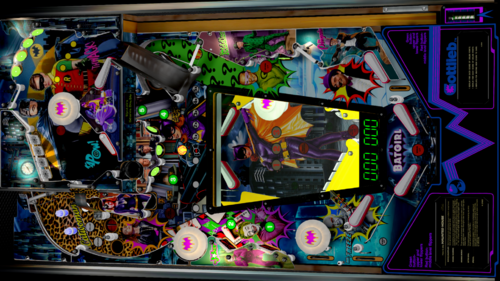
Batgirl WIP
This is a WIP I made nearly 3 years ago
Huge thanks to 32Assassin for his Haunted House table...
if memory serves
also big props to....
Christopher Franchi
who's artwork has been appreciated here...
and others too
I hope that someone (community) will come along
and pick up this table.
It needs a sound mod and a lot more to get it right
humbly submitted
1070 downloads
-
(BeatlesMOD)DT.thumb.PNG.d01698774c7273d6a24ca59233d2de39.PNG)
Beat Time (Williams 1967) Beatles Mod
By loserman76
Williams' Beat Time (1967)
'* Table primary build/scripted by Loserman!
'* Playfield/Plastics by hauntfreaks
'* http://www.ipdb.org/machine.cgi?id=213
'*
'* Thanks to the following for their contributions (whether they know it or not!)
'* If I have missed anyone, let me know as this table would not exist without the
'* folks in the community.
'*
'*
'* JPSalas - gameroom backdrop and methods gleaned from his fantastic tables
'* EalaDubhSidhe - table object templates
'* Black - HS save/load routines
'* Itchigo - table templates which gave me ideas on how to accomplish what I wanted in this table
'* CONRAM - various code ideas learned by tracing through code on his tables
'* Inkochnito - scorecards/instruction cards
'* Pinuck - Gottlieb chimes and score motor routines
'* Herweh - directB2S designer and tools
'* JimmyFingers - rolling ball and other objects' sound routines
'* GNance - updated score motor routines
'*
'*
'* Of course, the team behind Visual Pinball - without them, there wouldn't be much choice for playing pinball on a PC
'* I also must include Black and his Future Pinball as I used tables on that platform to help in building my VP tables.
'*
For this table, I am using my new method for enabling/disabling the dB2S backglass. By default the backglass is disabled. The easy way to enable it is this method:
1.Launch table and then exit. It will auto-create a file in the USER folder of VPinball named "LMEMTables.txt"
2.Open this file in notepad and change the "0" to a "1" and save.
3.Next time you launch, the backglass will launch.
Or for the die hards out there, create a text file in the USER folder named LMEMTables.txt and put a "1" (no quotes) on the first line and save it.
Operator menu options are as follows:
"[" - open/close the operator menu
"6" - changes balls per game (3/5)
"7" - change replay settings
On the full screen version, pay attention to the apron to tell whether it is set for 3 or 5 ball play and which replay settings you have selected.
501 downloads
-
BG.thumb.PNG.c609876dad9e04518c6b993906c4f4bb.PNG)
-
DT.thumb.PNG.0199c46b6813578a295ab4e54b231e69.PNG)
-
DT.thumb.PNG.59af5798e54820479b54dec8d51f7eb9.PNG)
-
DT.thumb.PNG.a539078b580fa0109351775373aee435.PNG) (0 reviews)
(0 reviews)0 comments
Updated
-
DT.thumb.PNG.01ffc8e493393ddecd49c42b206c8a59.PNG)
-
DT.thumb.PNG.8513d7a21134f106c16b4674749842a1.PNG)
-
DT.thumb.PNG.7bfc36cac6f363080bedd688e30854d9.PNG) (0 reviews)
(0 reviews)0 comments
Submitted
-
DT.thumb.PNG.9adb1d41fb389df46103fc367ef1e41f.PNG)
-
DT.thumb.PNG.3b8c870c04bbdbd4cb553b68babec5d3.PNG)
-
DT.thumb.PNG.163df75dfc37ec1919e39b7a6ebb978b.PNG)
-
DT.thumb.PNG.231ac306bfea740f91ea093cd76531f5.PNG)
-
DT.thumb.PNG.0535c9e0b3bfd1ed5f6031f1fefc6c0f.PNG) (0 reviews)
(0 reviews)0 comments
Submitted
-
DT.thumb.PNG.68fca10b5c36b4acb8f8b6c7e4a1c3d7.PNG)
Big Deal (Williams 1963)
By loserman76
Williams Big Deal (1963)
Images/artwork by Editoy
Scripting/build by Loserman76
This is a manual ball lift game. It's currently set to use either Right Magasave key, the "A" key, or the Game Start key. Hold left shift down for 3 seconds when game not in progress and you can change this to auto-ball lift
595 downloads
(0 reviews)0 comments
Submitted
-
DT.thumb.PNG.0cbcdcda95c2a810c734c8b592898fd4.PNG)
Beat Time (Williams 1967)
By loserman76
VPX conversion
Artwork done by Hauntfreaks
others to thank: GNance, JPSalas, Pinuck, hauntfreaks, Borgdog, Arngrim
in addition to the "standard" keys (typically "1" to start game and "5" for coin), I've added "3" as another coin input and "4" for coin and auto-start game (like I recall the dime slots generally were) to simulate 3 coin slots
when game is not in progress, holding down left flipper for about 3-5 seconds will bring up the options menu. left flipper selects item, right flipper changes option.
I've also included shadows for the ball and flippers. If you want to turn them off look for these lines at the beginning of the script:
Const ShadowFlippersOn = true
Const ShadowBallOn = true
change to false if you want either of the shadows not showing on your tables
337 downloads
(0 reviews)0 comments
Submitted
-
1.thumb.jpg.3a1614c1b29c77a32b7c7a9daa9c9f62.jpg)
Batter Up (Gottlieb 1970)
By loserman76
Batter Up (Gottlieb 1970) made by the late loserman76.
605 downloads
(2 reviews)0 comments
Submitted
-
1.thumb.jpg.6f72a117feb860af0005512f09c105ff.jpg)
Barbarella (Talleres del Llobregat 1972)
By loserman76
Barbarella (Talleres del Llobregat 1972) made by the late loserman76
731 downloads
(0 reviews)0 comments
Submitted
-
1.thumb.jpg.c9dc4e27064eff9dabb66e3b74dc1b75.jpg)
Bank Shot (Gottlieb 1976)
By loserman76
Bank Shot (Gottlieb 1976) made by late loserman76.
434 downloads
(0 reviews)0 comments
Submitted
-
1.thumb.jpg.6f37da8a4f535ec272ee4ea0889e31f7.jpg)
Bank A Ball (Gottlieb 1965)
By loserman76
Bank A Ball (Gottlieb 1965) made by late loserman76.
609 downloads
.thumb.png.cb7d972caf1a2ad79b1f087f2f94ec7b.png)
PF.thumb.jpg.3c1a9ba80eab8e3e622a68ae64a7acec.jpg)
PF.thumb.jpg.1b6303b458bcee3703956eba5675333d.jpg)

.thumb.png.fe57fddb7770282f6016646c996c293f.png)
.thumb.png.cf73dbdbdc5b8f54b1a834d0b8b79185.png)
.thumb.png.25511275b3c5d73e50113bb1cba9c3d6.png)
.thumb.png.47ebdaab1a97f26cc03899a1acca0316.png)
.thumb.png.1f89cf8998a393ea6f8700991b2f697f.png)
.thumb.png.286dfc353cea4ac014063f3862b193cf.png)
.thumb.png.2c9d6e1a631cc227f552eb5de1919ec0.png)
.thumb.png.b27d4ca8766bd82434e54fd15225de8d.png)
.thumb.png.b6b82e89d74536734a428e8f2280d533.png)

Illuminated.thumb.jpg.1ea75ddbebb9e5600122b89d542cb73c.jpg)



.thumb.png.1344add9b4c97c9e4de83032e29a5b11.png)

.thumb.png.144c9c5cbceaf427701f1ba90ef551e5.png)


![More information about "COBRETTI MOD [PATCH] - (Cobra Nuova Bell 1987) final"](https://vpuniverse.com/screenshots/monthly_2025_12/desktop.thumb.jpg.cb87ab4b57358731080547ada6f7016b.jpg)
.thumb.jpg.6d5926eaebbbe5b0f36ebe3ebaa2a0d2.jpg)
FullDMD.thumb.jpg.43072decb46a3e0f974195bdbb3ef98b.jpg)
FullDMD.thumb.jpg.711ea33336b6ada7eb61056ac0acb1bb.jpg)
FullDMD.thumb.jpg.5ed54dbedaf801372cd779d9bc689df4.jpg)
FullDMD.thumb.jpg.1c7f0ec590b81b8b884d30fc9ce9f590.jpg)
FullDMD.thumb.jpg.315b079ffa18909913badbf37a68c34b.jpg)
.thumb.png.ab6b19bf2db454c177015223ab85a4c1.png)
.thumb.png.79a218329a89fd26c8f567176614fcce.png)
.thumb.png.064bdd2b072b016561e1873c067dd0cb.png)




Rules.thumb.png.833ea0dece231b1c27787bd325cc11e1.png)



Wheel.thumb.png.5ba343fcfb364e4162fcc13cc3b086d1.png)

VPWv1.2.2.thumb.png.421f22a9974c4e398270f66c5f7a99a0.png)
.thumb.png.4922fe4cff631fca4173f1af0488f65a.png)

