No files in this category yet.
Files From Subcategories
-
SoundMODv2_0b.thumb.PNG.b7493e50d2355423ab576a035deebab1.PNG)
Amazing Spider-Man (Gottlieb 1980) Sound MOD
By xenonph
A graphics and sound Mod of gtxjoes VPX table.
I want to thank gtxjoe for allowing mods without permission.(Big thanks Sir!!)
I also want to thank him for making an incredible table!!
Check the original table for more info. I'm sure alot of time and effort went into making this table, and it is deeply appreciated, so all credit should be directed gtxjoe's way.
Original Table..
http://www.vpforums.org/index.php?app=downloads&showfile=12261#
I also would like to thank Allknowing2012 and Gtxjoe for teaching me how to add timers to script.
I also would like to thank Steve "Slydog43" for which these VPX mods would not be possible!!
v2.1
Converted all pics to WebP format to reduce overall size of table.(VPX7.2 Required)
Converted Wav files in sound manager to ogg format which reduces file size.
File size went from 151 MB's to 36.8 MB's!!!
Version 2.0
Added Modified version of JPSalas LUT script.
Toggle LUT's with Buy-In Key. (2 Key)
Moved plunger activated sounds to trigger in plunger lane.
Added Scoring LED Color Option at top of table script. 4 different colors to choose from.
Also added Web Shooter Flipper Sounds Option at top of script. It is off by Default.
Added Web Shooter sound effect to trigger in plunger lane.
Included Fantasy Backglasses Day and Night mod with download package.
Added Instruction Card.
Instruction Card Pic uploaded with permission of Inkochnito. (Huge thanks!!)
Find all your Pinball Card needs at Inkochnito's Pinball Cards site:
http://www.pinballrebel.com/pinball/cards/
Version 1.1
Added timers to sound effects. Added different sound effects and deleted some old bad ones.
(Went from over 40 to over 70 sound effects.)
A couple of background music sound effects were very hard to find. I wanted to add 16 different background music sound effects, but as it is with about 4, the size is 150MB!! And alot of them didnt seem to fit the table atmosphere. The very last episode of this cartoon series was "Revolt from the 5th Dimension". It has some spacey music and trippy visuals. The actual name of the background music played in that episode was "LSD"!! (It didn't fit table atmosphere!!)
When I originally started this mod, I wanted to make a sound effects mod. Then I noticed a few nicks and chips in paint, and signs of wear on the playfield. (I know others like to have the chips and faded playfield. More realistic they say. You can download the original table if you don't like the cleaned up playfield.) So I decided to try and get rid of all that and to try and brighten some of the existing colors. 4 days later I had completed my touch up of playfield. Then noticed the BG for the DT version in VPX. It also had chips of paint missing. So I decided to clean up the BG too.
You probably won't notice much change, unless you have both playfield pics new and old, side by side. Then you will see I actually put alot of time and effort into this. I also changed color of the faded green lights to blue like the IPDB pics.
Only thing besides the playfield touch-up I did, was made the radius of red skirting below bumpers smaller, like the pics on IPDB, and reshaped the upper plastic wall so it would fit under the upper plastic and increased the bottom and top height so you can't see the through it while in DT mode.
On the Fantasy version I added new bumper images and 13 new BG images to choose from.
I added over 40 sound effects all from the 1967 cartoon series of Spider-Man, triggered by quarter, plunger pull, upper 3 kickers, all rollovers, spinner, and drain.
Made a Fantasy dB2S Backglass day and night mod and regular Black and Blue border day mods.
dB2S Backglasses here...
http://www.vpforums.org/index.php?app=downloads&showfile=12548
All pics, trademarks, Logos and sounds belong to their respectful owners. This table is for personal home, and non-commercial use only. This table should be used for educational purposes only..
Hope you like it!!
2972 downloads
-
SoundMODv2_0b.thumb.PNG.c78604492133702faf9ffd56109f30c5.PNG)
Buck Rogers (Gottlieb 1980) Sound MOD
By xenonph
I first would like to thank BorgDog for giving me permission to make this sound mod. I would also like to thank him for making a great table!! I also would like to thank everyone who contributed to this table including, Hauntfreaks and Sindbad!!
They put in alot of time and work on the original table, and it is appreciated!! So if you like this mod, I would encourage you to thank the original author of the table, as I have only made a few changes!
Check Original Table download page for more important info.
Original Table...
http://vpinball.com/VPBdownloads/buck-rogers-gottlieb-1980/
I also would like to thank Allknowing2012 and Gtxjoe for teaching me how to add timers to script.
I also would like to thank DJRobX, STAT, Gtxjoe, and nFozzy, for helping me shorten my StopSounds and PlaySounds script commands.
(They each wrote out an example, and between them all, I was able to figure it out!! BIG THANKS!!!)
I would also like to thank Scottacus for all the help with the TILT sound effects script!! BIG THANKS!!
I also would like to thank Steve "Slydog43" for which these VPX mods would not be possible!!
Version 2.1
Converted all pics to WebP format to reduce overall size of table.(VPX7.2 Required)
Converted Wav files in sound manager to ogg format which reduces file size.
File size went from 166 MB's to 54.3 MB's!!!
Version 2.0
Added Modified version of JPSalas LUT script.
LUT's are toggled with the Buy-In Key.(2 Key)
Added Instruction Card.
Instruction Card Pic uploaded with permission of Inkochnito. (Huge thanks!!)
Find all your Pinball Card needs at Inkochnito's Pinball Cards site:
http://www.pinballrebel.com/pinball/cards/
Version 1.11a
Stopped some timers that were still activated after pressing player1 start.
Added coin sound effect to 3 key.
Version 1.1a
Noticed "Drain" sound effect was missing from sound manager, so I added it to sound manager from another table.
(It was hard to catch this as you could only tell after last ball drain.)
Also fixed script so coin is heard on coin insert.(There was not a coin sound effect named "coin" that the script was calling for. So I just changed to "Coin3" as there were 2 different coin sound effects already in the sound manager.)
Scottacus helped fix the script for DT view objects to disappear when in FS mode.
(If you ran FS view without B2s, the objects didn't disappear as per Scotts info.)
BIG THANKS!!
I added GI lights to Buck Rogers Logo and pic on left side of DT backdrop.
Scottacus came up with working TILT sound effects script!! BIG THANKS!! (I will learn this if it kills me!!)
1 of 4 sound effects will be played when you TILT table.
I Added 133 sound effects triggered by events.
All of these sound effects are played through backglass instead of table per Vogliadicanes info.
There are 4 background music sound effects triggered by plunger.(From actual Movie.)
There are 2 other background music sound effects that are not triggered by plunger.
1 is triggered by hitting upper kicker. (1 in 16 chance of triggering it.) Twiggy says "Get Down Groovy" and a groovy song is played.(One from actual movie.)
The other background music sound effect is only played during attract mode after losing a game.
(This is the song that was played at end of tv show. It sounds corny, but true Buck Rogers fans will appreciate it.)
You will need to hit F6 to bring up the Dipswitch Menu, and turn off ROM scoring sounds.
(Or use the nvram I included with download.) Copy the nvram to your nvram folder where Visual Pinball is installed.
I couldn't seem to shut off the ROM sounds and have them turn back on with table exit like other sound mods I have released.
So you will need to turn off these sounds with either method above.
BorgDog has made this in Portrait Mode. STAT left a POV.xml for Landscape Mode as attachment here in BorgDog's Support Topic..
http://vpinball.com/forums/topic/buck-rogers-gottlieb-1980/#post-49053
I will include this with download, but be sure to thank STAT for it!!
Simply load table into Visual Pinball Editor, and click "File" tab, then click "Import Backdrop POV".
Then a window will pop up allowing you to browse to BuckRogersPOV.xml.
After importing simply start table. You will need to save the table after making changes, for them to stay
If you are looking for a dB2S Backglass, Borgdog included one with his table download. (I didn't have enough room to include the dB2S Backglass, as these 2 Buck Rogers Sound Mods are over 166 MB's each.)
So you need to go to his download page if you want the dB2S Backglass.
All pics, trademarks, Logos and sounds belong to their respectful owners. This table is for personal home, and non-commercial use only. This table should be used for educational purposes only..
Hope you enjoy!!
I also made a version 1.1b that Scottacus changed all the DT LED's to reels to get his No Credit sound effect script to work, but I have a 720p monitor, so people with other screen resolutions, will see the LED's don't line up correctly. So I will try to get this fixed and have it uploaded shortly. I guess someone with a 1080p monitor will have to line them up correctly, as my screen resolution is 1365x768, which makes them not line up on others monitors.
2389 downloads
-
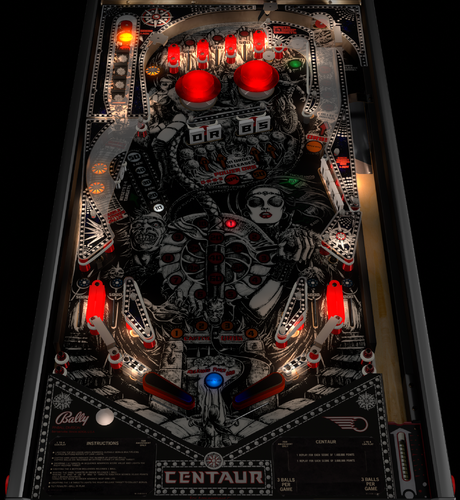
Centaur (Bally 1981)
By bord
A bit of a legacy upload, this great game was adopted as a physics improvement project by the great rothbauerw in late 2020. Here we are a few years later and, although lacking some bells and whistles visually, this holds up well and plays great.
Includes VR setup, nFozzy physics.
Original credits read:
2018 - Script adapted from an unreleased version by Borgdog, Hauntfreaks, Drybonz. Base script by 32assassin. Testing and apron scan by The Loafer.
2020 - major physics and VR overhaul by rothbauerw
3997 downloads
-
.thumb.jpg.f1cc1fe61c3626cc79a3f2fd67fb4fc1.jpg)
Joker Poker (Gottlieb 1978)
By Goldchicco
This is a complete rebuilt of 32assassin table ver 1.0
Artwork by Hi-Rez00
10.6 TABLE
based on releases by 32assassin & BorgDogs
Big thank you to you to:
@markrock76 for the playfield mesh and playfield shadow image
@HiRez00 for the new scans of playfield and plastics.
What's new:
* New lights, new lighting
* New table physics
* Added nFozzy flippers
* Added Fleep Sound
* Correct few elements position on the table
* New script
* Reworked all the images, cleaned and upscaled
* Added Flippers Shadows and Ball Shadows
* Added playfield mesh (thanks @markrock76)
* New Playfield and Plastics images (thanks @HIRez00)
* Tuned Slingshots and Bumpers force
* Corrected Rubbers Hit Height
* Added JP's LUT code
* New instruction Cards in the apron
* Repositioned Bumpers correctly
* Corrected Bumpers Height
* Changed Drop Targets height so they don't disappear when down
* Adjusted numerous table elements physics properties
* Adjusted general table physics (added dampeners)
* Other small tuning
Press F6 and configure the Dip switches to select 5 balls and other features (need to do this only once)
To rotate and select between the nine LUT files press and Hold the Left Magnasave and rotate pressing the Right Magnasave.
Hope you enjoy it and please leave constructive feedback or comments in the support topic and will try to make it better.
All Logos, Copyrights and Trademarks are property of their respective owners.
PROVIDED STRICTLY FOR PERSONAL / HOME USE AND NOT FOR COMMERCIAL SALE / RE-SALE OR DISTRIBUTION!
Permission to Mod: Yes with approval
2725 downloads
-
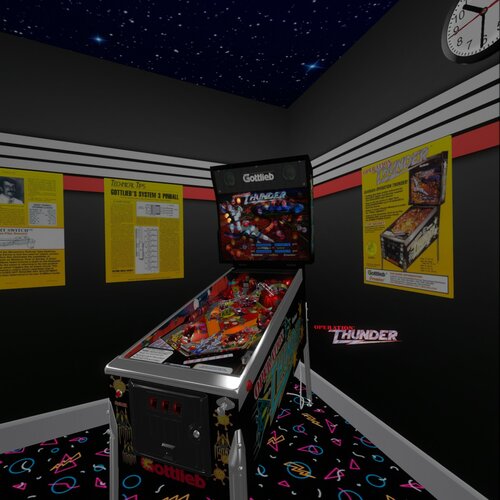
Operation Thunder (Gottlieb 1992) (10.8)
By Rascal
This is a hybrid version of a 1992 Premier Operation Thunder pinball table. It has four views (Desktop, Fullscreen, Full Single Screen, and VR). If you enable B2S in desktop mode it will automatically make the segment display invisible for those who like to play desktop with B2S. This table was originally made in VP9 by mfuegemann and converted to VPX by Rascal. Here is the link to that version so you can read the details from there.
https://vpuniverse.com/files/file/5476-operation-thunder-1992-gottliebpremier/
As mentioned, this table will disable the segment displays and the vpinmame display if B2S is enabled. LUT setting can be changed using the left magnasave button. VR is automatically detected when VR is enabled in VP-GL VR settings. Other VR settings include Logo on/off, right posters on/off, left posters on/off, glass on/off, and glass scratches on/off. These are set at the top of the script. This table was made with the beta 10.8 GL version of VPX and is recommended to use that version. It has been reported during beta testing that some people running the 64bit version of 10.8 see some black dot anomallys and are not present if they run it in the 32bit version of VP GL. This is a bug in the 64bit version, because Ahr1man painstakingly deleted objects all the way down to the playfield and was unable to remove all the dots. This was more prominent in Fullscreen and Full Single Screen modes.
Thanks go out to the following people.
mfuegemann - for the awesome work he did on this table for VP9.
Ahr1man - for beta testing, bug reporting, and inspecting up close all objects on the table.
Rawd - for beta testing and confirming bugs.
Gigalula - for beta testing and suggesting some game play modifications on the upper flipper to make it easier to hit the left ramp.
tamoore - for beta testing.
Enjoy!
1449 downloads
- operation thunder
- gottlieb
- (and 3 more)
-
.thumb.png.56574ac2ee620488e66062074ce40dc7.png)
Laser Cue (Williams 1984) w VR Room
By UnclePaulie
A version of Laser Cue VPX was originally done by Goldchicco, however in this release, most everything was done or redone once again, as the original table size was incorrect, and the playfield he used was high rez, but wasn't aligned correctly. This required me to completely redo everything like I did on Jungle Lord and Barracora. Thank you to Hauntfreaks for helping with the initial playfield image. He used his magic to get it upscaled and enhanced. I then got the text looking good, as well as various color mods.
This is another early 80's Williams table like Black Knight, Solar Fire, Jungle Lord, Pharaoh, etc. This has a very basic ruleset, but good game play, Table instructions are included in the Table info section. Laser Cue is a four flipper game from 1984, and features an unusual “billiards in space”, science-fiction theme. The game is equipped with a bell that rings when billiard balls are collected or extra balls achieved. The main bank of drop targets are individually controlled, and must be collected in the indicated order to remain dropped. Extra ball play guarantees the player twenty-five seconds of play time, serving all lost balls within that time back to the shooter lane. (excerpt from Pinside).
Since the table is basic, there were essentially two ways the table was set up to play... easy and hard. I have it defaulted to HARD. There is an option in the script to make it easy. (Easy mode adds a rail between the right two flippers. const FlipperGuideHard = "0" is the easy setting, and adds a guard rail between right flippers. "1" removes it. (Default is "1" / hard).
Included in this Version 2.0 is Hybrid VR/desktop/cabinet modes, new upscaled playfield and plastics, VPW physics, flipper tricks, dynamic shadows, Fleep sounds, Lampz, 3D inserts, new general illumination lighting, sling corrections, drop and stand-up targets, etc. Significant time was spent on researching online videos, to ensure accuracy of shots, ball drops, and overall playability. I also created a desktop backglass with a cool lighting effect, as well as the VR backglass and other VR options. There are also some performance improvements.
I would like to thank the VPW team for testing and feedback (especially Hauntfreaks, Apophis, Tastywasps, PinStratsDan and all others who tested!) Also thanks for prior assistance on items used in this table, including Tomate (lower rail prim), Goldchicco, and the rest of the VPW team!
There are several options in the script. Including VR, ball brightness, LUT lighting options, and you can turn the bell off if you don't like that sound. Also, you can set the difficulty level, and the volume of the bell.
The LUT changes are done by holding cntl (or left mangasave) and then while holding, scroll through the options with the right magnasave.
This is a hybrid table done in VPX 10.72, and I have code in here to automatically choose between VR, desktop, and cabinet. Additional options in the script include two VR environments, a VR clock, a topper, posters, and settings for dynamic shadows if you experience a performance hit.
Thanks again to the VPW team for feedback!
2801 downloads
-
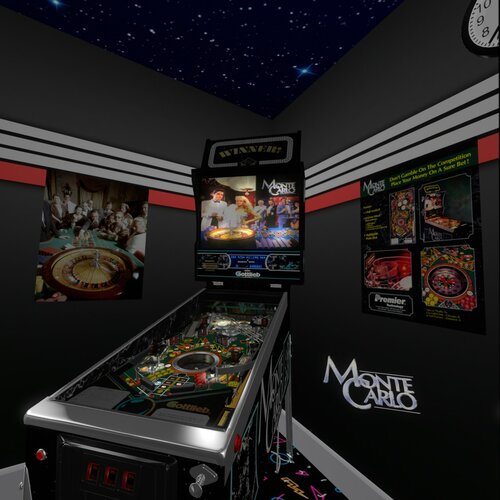
Monte Carlo (Premier 1987) (10.7)
By Rascal
This is a hybrid update to the Monte Carlo Premier 1987 that can be found here at https://vpuniverse.com/files/file/5473-gottlieb-monte-carlo-1987-vpx/
All the same credits go out as to that version. This version is a hybrid version and includes four views (desktop, fullscreen, full single screen, and VR. Left magnasave controls LUT settings. There are options that can be set in the script for VR Logo, posters, glass with or without scratches. You can also set the blades from black marble to casino chips. There is an option to set the backglass to NOS or Wildman's awesome alternative backglass. Thanks, Wildman for permissions to use the alternative image (I recommend the alternative B2S which I will link). I updated many things on this table, including work to the roulette wheel, the launcher lane ramp, and much more. My partners on this project are Ahr1man, who added a lot of the VR view stuff and Rawd, who always gives me useful feedback which I try to implement. Thanks go out to the VPW crew for VR room and cabinet things.
EDIT: I forgot to thank Rajo Joey for his help with the segment display which I grabbed from his awesome Surf 'n Safari table.
1166 downloads
- monte carlo
- premier
- (and 3 more)
-
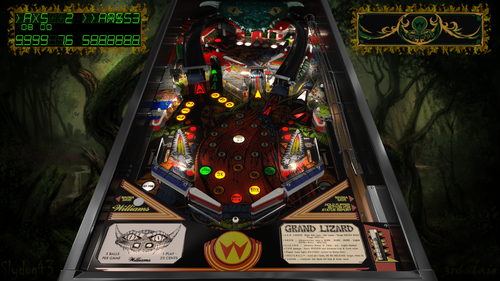
Grand Lizard (Williams 1986)
By 3rdaxis
1986 Williams Grand Lizard VPX Beta 10.7.3
A 3rdaxis and Slydog43 collaboration.
A very special thanks to JP Salas and Rosve for their VP9 versions
Thanks to Sliderpoint and Ben Logan for play testing and suggestions, GTXJoe and DJRobX for scripting help and finally the entire community for everything else during this endeavor.
Table options (Located in script) include Custom Music, Side Blades, Plastics, Flipper Bat color and Flipper Rubber colors, Rubber colors, GI color,
Center Post, and Out-lane Post position (difficulty)
PROVIDED STRICTLY FOR PERSONAL USE AND NOT FOR COMMERCIAL SALE OR DISTRIBUTION. PLEASE DO NOT MASS RE-DISTRIBUTE ROMS OR TABLES. Any unauthorized distribution may result in legal action taken against the party(s) in question.
4428 downloads
-
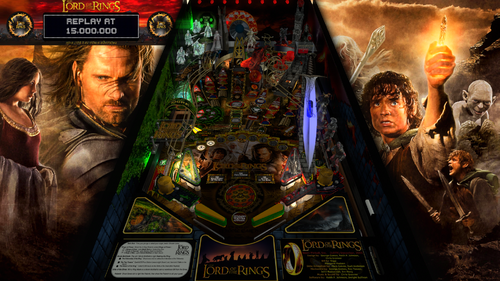
Lord Of The Rings Siggis Mod
By Siggi
This is a reupload from VPinball. Nothing changed since version 1.2
This is a grahpic mod of JP's Lord of the Rings. (Neo LED MOD)
As always i changed a lot, can't remember everything. It's been a while ago.
I hope you still like it.
.....and keep on playin' pinball
Siggi
4033 downloads
-
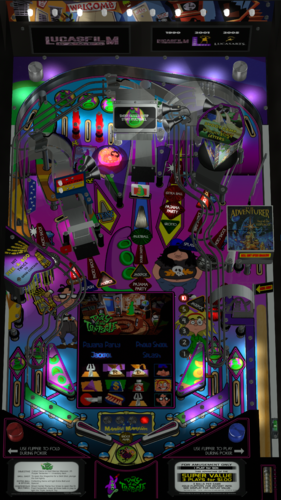
Day of the Tentacle (Stern 2002) RyGuy Mod
By ryguy417
This is a reskin/mod of Stern's 2002 Playboy table. I actually really like the table layout, but the theme was not the best with the kiddos around. Have no fear--this is based on using VPMAlias, so you can keep your original Playboy table should you wish.
Day of the Tentacle, Sam and Max Hit the Road, and the Secret of Monkey Island were my favorite point-and-click adventure games growing up. I still have Secret of Monkey Island on my bookcase--with all the 5.25 floppies ready to go. However, Day of the Tentacle was the best of the bunch, with a really clever time travel element to boot.
Hopefully this is a good "kid-safe" option for some of you, and a stroll down memory lane for all who played these LucasArts games.
Thanks to @Manbearpig for assistance with testing!
Thanks to @HiRez00 for the permission to mod and for all the work that he and others did to make the Playboy table so spot on in the first place.
Instructions
Add "playboystentacle,playboys" to your vpmalias file Move the pup pack to your pup videos folder. It's designed for a full dmd setup only Move the vpx and b2s files to your tables folder. Turn off sound on the rom by pressing f1** Optional: press 7, navigate to the P.B. install options and select no adult content/sounds (kid-friendly)* --Note: the supplied cfg and nv files *should* cover for this, but if not, follow step 4.
*The full DMD videos are timed to "cover" any overtly sexual content, but priority order may cause the occasional miss. Topper and wheel are provided for your use.
**For those interested in turning off the sound temporarily (i.e. you plan to use the other playboy table a lot too), follow this script. Thanks @Manbearpig for the tip!!
Example script:
2680 downloads
-
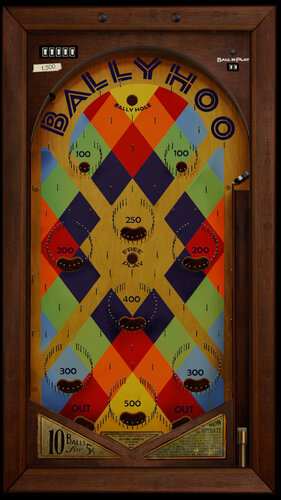
flipperless Ballyhoo (Bally 1932)
By CactusDude
Some explanation first. My username on VPinball was Warbler33. It still is over at VPForums. Why did I change my name here? If I had really thought about it, I probably would’ve been CactusDude everywhere from the start. But things didn’t happen that way. So after VPinball closed, I considered starting fresh here (you know, in that way high schoolers plan to become cool kids in college?). But in the aftermath of the shutdown, I kept learning about all the awesome tables I didn’t know about until they were already gone. I’d hate for anyone to be searching high and low for my stuff, so I decided to upload them at VPF under my old name. But I’ve come to learn that plenty of authors over here, that I enjoy the work of, don’t/can’t spend time over at VPF. Rather than give the impression that I support one site over the other, and to give more people access to my tables, I’ll be uploading stuff over here as well.
TL;DR – Warbler33 at VPF is CactusDude here at VPUniverse. I’m not reposting someone else’s tables without permission. They’re mine to share. I hope you enjoy them.
***
Here's "Ballyhoo" - the smash-hit that kicked off Bally's success back in 1932, recreated in VPX. No flippers in sight - just pins and balls living in the moment.
A huge thank you to mfuegemann for creating "Cavalcade (Stoner 1935)" which I stripped down and rebuilt as Ballyhoo. This was my first recreation in VPX (I did it in the fall of 2020) and I'm still proud of it.
I hope you enjoy playing it as much as I enjoyed making it.
This is essentially the version that was on VPinball. I just added the right magna key as a ball loader in addition to the originally mapped right flipper.
Download includes the table with a static backglass. There are also two wheels to choose from.
***
August 26, 2022 UPDATE: Thanks to Dan (dude81818) for contacting me with an offer to send over much nicer looking playfields/aprons/plungers for the table. He also spent a lot of time making sure that the frame around the table looked WAY better. If you open up the script, there are numbers you can change under "Playfield Options" which toggles the playfield/apron/plunger images. Trust me, a redownload is worth it - the table looks better than I ever could've hoped when I first made it.
1967 downloads
-
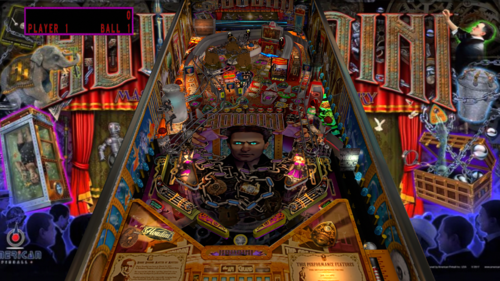
Great Houdini
By marty02
hello to all I am sharing a new Great houdini table based on the script of bond, Mission impossible and friday 13 of jpsalas which I thank very much.
Great Houdini
new game rules script edit
soundtrack with excerpts from Film houdini
some remix sound from Theater of houdini
5 multiball modes
3 magnets
change the lighting with the right and left magma keys.
Complete package: Backglass mini backglass for Pup media for pinballX.
Happy New Year's Eve and have fun or not because the table is difficult.
7212 downloads
-
(VRRoom)1.0.4.thumb.jpg.e166f5f7246b12ceab63ccf4d52bfcb3.jpg)
Blue Note (Gottlieb 1978)(VR Room)
By RajoJoey
Description:
***************
The table is made by the great Jeff Whitehead (Loserman76).
May he rest in peace. 😞 I hope, there are pinballs where you are, Jeff.
I would like to thank Jeff, for allowing me, to convert his tables to VR.
Info
It is a hybrid table. So you can play in VR, desktop or cabinet mode, but you need the external backglass (included in the rar file).
There is no need to change the script. A VR headset is automatically detected.
I added the following things:
VR room, artwork for cabinet, backbox and flyer, animations for buttons and plungers, LUT files (change with magnasave buttons).
'* Table primary build/scripted by Loserman76
'* Table images by GNance
'* VR update by Rajo Joey
Best to play in VPinball_GL 10.8: https://github.com/vpinball/vpinball/actions/workflows/vpinball-gl.yml
***********************************************
These are quick conversions, as I don't like playing in a dark room and don't want to spend more days or weeks to convert a table.
If you want to do your own conversions, I wrote two tutorials for EM tables like Loserman76's and make templates of the tables, pictures and materials.
Also there are some .psd files, to change the artwork in an easy way for example.
In the template tables there are generic artwork for the cabinet and the backbox. Some people may be happy with that and don't need the real artwork.
There is a short tutorial for people, who know the editor and a longer one for newbies. Both instructions are in English and German.
https://mega.nz/folder/5csAGRAa#gSFFQN_jXbw03y7LpQENHg
544 downloads
-
(VRRoom)1.0.4.thumb.jpg.d2848dc080438eadf2a6ae0d8cda140b.jpg)
Neptune (Gottlieb 1978)
By RajoJoey
Description:
***************
The table is made by the great Jeff Whitehead (Loserman76).
May he rest in peace. 😞 I hope, there are pinballs where you are, Jeff.
I would like to thank Jeff, for allowing me, to convert his tables to VR.
Beautiful backglass is made by leojreimroc. A big thanks to him.
Info
It is a hybrid table. So you can play in VR, desktop or cabinet mode. You don't need the external backglass for VR.
There is no need to change the script. A VR headset is automatically detected.
I added the following things:
VR room, artwork for cabinet, backbox and flyer, animations for buttons and plungers, LUT files (change with magnasave buttons).
'* Table build/scripted by Loserman76
'* Image redraws/touchups/fixes by GNance
'* VR update by Rajo Joey
'* VR backglass/scripting by leojreimroc
Works in 10.7.2, best to play in VPinball_GL 10.8: https://github.com/vpinball/vpinball/actions/workflows/vpinball.yml
***********************************************
These are quick conversions, as I don't like playing in a dark room and don't want to spend more days or weeks to convert a table.
If you want to do your own conversions, I wrote two tutorials for EM tables like Loserman76's and make templates of the tables, pictures and materials.
Also there are some .psd files, to change the artwork in an easy way for example.
In the template tables there are generic artwork for the cabinet and the backbox. Some people may be happy with that and don't need the real artwork.
There is a short tutorial for people, who know the editor and a longer one for newbies. Both instructions are in English and German.
https://mega.nz/folder/5csAGRAa#gSFFQN_jXbw03y7LpQENHg
475 downloads
-
(VRRoom)1.0.4.thumb.jpg.6c46e745136c0f1e3924f8e7ebeb103a.jpg)
Hit The Deck (Gottlieb 1978)
By RajoJoey
Description:
***************
The table is made by the great Jeff Whitehead (Loserman76).
May he rest in peace. 😞 I hope, there are pinballs where you are, Jeff.
I would like to thank Jeff, for allowing me, to convert his tables to VR.
Beautiful backglass is made by leojreimroc. A big thanks to him.
Info
It is a hybrid table. So you can play in VR, desktop or cabinet mode. You don't need the external backglass for VR.
There is no need to change the script. A VR headset is automatically detected.
I added the following things:
VR room, artwork for cabinet, backbox and flyer, animations for buttons and plungers, LUT files (change with magnasave buttons).
'* Table build/scripted by Loserman76
'* Image redraws/touchups/fixes by GNance
'* VR update by Rajo Joey
'* VR backglass/scripting by leojreimroc
Works in 10.7.2, best to play in VPinball_GL 10.8: https://github.com/vpinball/vpinball/actions/workflows/vpinball.yml
***********************************************
These are quick conversions, as I don't like playing in a dark room and don't want to spend more days or weeks to convert a table.
If you want to do your own conversions, I wrote two tutorials for EM tables like Loserman76's and make templates of the tables, pictures and materials.
Also there are some .psd files, to change the artwork in an easy way for example.
In the template tables there are generic artwork for the cabinet and the backbox. Some people may be happy with that and don't need the real artwork.
There is a short tutorial for people, who know the editor and a longer one for newbies. Both instructions are in English and German.
https://mega.nz/folder/5csAGRAa#gSFFQN_jXbw03y7LpQENHg
527 downloads
-
(VRRoom)1.0.3.thumb.jpg.130b9571dd0869af5dd29611e4a2c48e.jpg)
World Series (Gottlieb 1972)
By RajoJoey
Description:
***************
The table is made by the great Jeff Whitehead (Loserman76).
May he rest in peace. 😞 I hope, there are pinballs where you are, Jeff.
I would like to thank Jeff, for allowing me, to convert his tables to VR.
Info
It is a hybrid table. So you can play in VR, desktop or cabinet mode, but you need the external backglass.
There is no need to change the script. A VR headset is automatically detected.
I added the following things:
VR room, artwork for cabinet, backbox and flyer, animations for buttons and plungers, LUT files (change with magnasave buttons).
'* Table build/scripted by Loserman76
'* Playfield/plastics all redrawn by GNance
'* VR update by Rajo Joey
Works in 10.7.2, best to play in VPinball_GL 10.8: https://github.com/vpinball/vpinball/actions/workflows/vpinball.yml
***********************************************
These are quick conversions, as I don't like playing in a dark room and don't want to spend more days or weeks to convert a table.
If you want to do your own conversions, I wrote two tutorials for EM tables like Loserman76's and make templates of the tables, pictures and materials.
Also there are some .psd files, to change the artwork in an easy way for example.
In the template tables there are generic artwork for the cabinet and the backbox. Some people may be happy with that and don't need the real artwork.
There is a short tutorial for people, who know the editor and a longer one for newbies. Both instructions are in English and German.
https://mega.nz/folder/5csAGRAa#gSFFQN_jXbw03y7LpQENHg
493 downloads
-
(VRRoom)1.0.3.thumb.jpg.4f484da324b6b58cf6341fba07d6973c.jpg)
Wild Life (Gottlieb 1972)
By RajoJoey
Description:
***************
The table is made by the great Jeff Whitehead (Loserman76).
May he rest in peace. 😞 I hope, there are pinballs where you are, Jeff.
I would like to thank Jeff, for allowing me, to convert his tables to VR.
Info
It is a hybrid table. So you can play in VR, desktop or cabinet mode, but you need the external backglass.
There is no need to change the script. A VR headset is automatically detected.
I added the following things:
VR room, artwork for cabinet, backbox and flyer, animations for buttons and plungers, LUT files (change with magnasave buttons).
'* Table build/scripted by Loserman!
'* Image redraw/touchups/fixes by GNance
'* original FP table images/plastics by Popotte
'* VR update by Rajo Joey
Works in 10.7.2, best to play in VPinball_GL 10.8: https://github.com/vpinball/vpinball/actions/workflows/vpinball.yml
***********************************************
These are quick conversions, as I don't like playing in a dark room and don't want to spend more days or weeks to convert a table.
If you want to do your own conversions, I wrote two tutorials for EM tables like Loserman76's and make templates of the tables, pictures and materials.
Also there are some .psd files, to change the artwork in an easy way for example.
In the template tables there are generic artwork for the cabinet and the backbox. Some people may be happy with that and don't need the real artwork.
There is a short tutorial for people, who know the editor and a longer one for newbies. Both instructions are in English and German.
https://mega.nz/folder/5csAGRAa#gSFFQN_jXbw03y7LpQENHg
387 downloads
(2 reviews)0 comments
Submitted
-
(VRRoom)1.0.3.thumb.jpg.cb74f327712a9842f39b1ad6fefbc894.jpg)
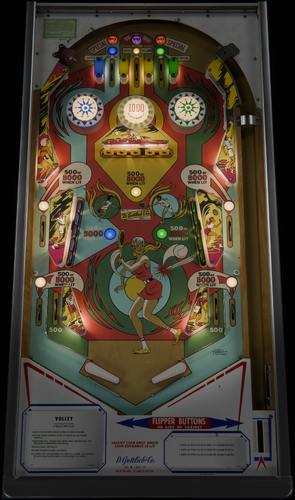
Volley (Gottlieb 1976)
By RajoJoey
Description:
***************
The table is made by the great Jeff Whitehead (Loserman76).
May he rest in peace. 😞 I hope, there are pinballs where you are, Jeff.
I would like to thank Jeff, for allowing me, to convert his tables to VR.
Info
It is a hybrid table. So you can play in VR, desktop or cabinet mode, but you need the external backglass.
There is no need to change the script. A VR headset is automatically detected.
I added the following things:
VR room, artwork for cabinet, backbox and flyer, animations for buttons and plungers, LUT files (change with magnasave buttons).
'* Table build/scripted by Loserman76
'* Images/Plastics by Popotte
'* Redraw by Bodydump
'* VR update by Rajo Joey
Works in 10.7.2, best to play in VPinball_GL 10.8: https://github.com/vpinball/vpinball/actions/workflows/vpinball.yml
***********************************************
These are quick conversions, as I don't like playing in a dark room and don't want to spend more days or weeks to convert a table.
If you want to do your own conversions, I wrote two tutorials for EM tables like Loserman76's and make templates of the tables, pictures and materials.
Also there are some .psd files, to change the artwork in an easy way for example.
In the template tables there are generic artwork for the cabinet and the backbox. Some people may be happy with that and don't need the real artwork.
There is a short tutorial for people, who know the editor and a longer one for newbies. Both instructions are in English and German.
https://mega.nz/folder/5csAGRAa#gSFFQN_jXbw03y7LpQENHg
535 downloads
(0 reviews)0 comments
Submitted
-
(VRRoom)1.0.3.thumb.jpg.10419f939d5fffbf4313ed6b72ce01d7.jpg)
Sure Shot (Gottlieb 1976)
By RajoJoey
Description:
***************
The table is made by the great Jeff Whitehead (Loserman76).
May he rest in peace. 😞 I hope, there are pinballs where you are, Jeff.
I would like to thank Jeff, for allowing me, to convert his tables to VR.
Info
It is a hybrid table. So you can play in VR, desktop or cabinet mode, but you need the external backglass.
There is no need to change the script. A VR headset is automatically detected.
I added the following things:
VR room, artwork for cabinet, backbox and flyer, animations for buttons and plungers, LUT files (change with magnasave buttons).
'* Table build/scripted by Loserman76
'* Image redraws/touchups/fixes by GNance
'* VR update by Rajo Joey
Works in 10.7.2, best to play in VPinball_GL 10.8: https://github.com/vpinball/vpinball/actions/workflows/vpinball.yml
***********************************************
These are quick conversions, as I don't like playing in a dark room and don't want to spend more days or weeks to convert a table.
If you want to do your own conversions, I wrote two tutorials for EM tables like Loserman76's and make templates of the tables, pictures and materials.
Also there are some .psd files, to change the artwork in an easy way for example.
In the template tables there are generic artwork for the cabinet and the backbox. Some people may be happy with that and don't need the real artwork.
There is a short tutorial for people, who know the editor and a longer one for newbies. Both instructions are in English and German.
https://mega.nz/folder/5csAGRAa#gSFFQN_jXbw03y7LpQENHg
368 downloads
-
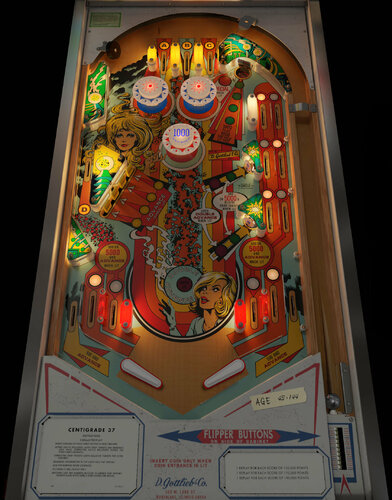
Centigrade 37 (Gottlieb 1977) Music Mod
By pdrum
A beautiful and mysterious cryogenically frozen women needs to be revived by getting the backglass
thermometer temperature to increase and raise her body temperature to 37 degrees Centigrade in Gottlieb's
1977 classic EM table.
There would always be a big story to tell about someone's life after being revived from a long cryonic preservation, what their life was like before and then after in very unfamiliar world. So, I decided with this
table enhancement to use songs with multiple themes of mystery, attraction, love, loss, life, death and a bit
of magic 🪄 - what's not to like. Songs used are from around the time period (late 60’s through late 70’s) of the table’s release.
***This is based on @iDigStuff's DIY EM music mod series***
He has created a new method that allows you to apply the music mod add on yourself in three simple steps in a totally nondestructive way.
Meaning this will not affect the original authors
table at all or change any elements!
It can also easily be bypassed or even deleted if you change
your mind and the table will play in its original state.
What is it?
Adds jukebox functionality to the table with custom themed music.
Adds some sound effects to enhance the experience.
Thanks to @bord for giving me permission to make the mod - add on
for his amazing table.
DOWNLOAD AND FOLLOW THE INSTRUCTIONS
Designed to work with bord's 3.2 version of the table
Get it here:
https://vpuniverse.com/files/file/7231-centigrade-37-gottlieb-1977/
Video preview of the mod:
902 downloads
-
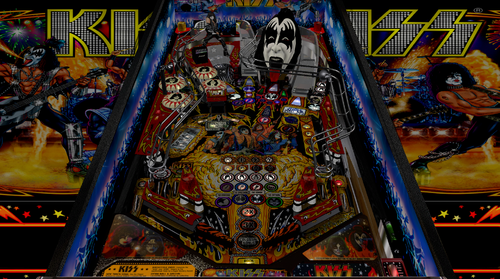
KISS Stern Balutito LE
By balutito
Balutito KISS you all. 😙
allknowing2012 having given its permission to modify its KISS table, I took it over point by point to try to improve it graphically.
Thanks to him for the work done upstream.
To make your life easier, I'm making the music and the ultraDMD available, but everything comes from @allknowing2012 ,KISS to him
if you already have this table, no need to load the KISS install .zip which contains the music and the ultraDMD
use left button to change city, right button to change music
Playfield, apron, inserts, all graphics have been taken over. The work is not perfect because the images were originally low resolution. I used the technique indicated by @pin666 for the playfield and the apron thanks to him.
I proposed a small Backglass update to @Wildman that you will find here:
🍻Balutito🍻
All Logos, Music, Copyrights and Trademarks are property of their respective owners.
PROVIDED STRICTLY FOR PERSONAL / HOME USE AND NOT FOR COMMERCIAL SALE / RE-SALE OR DISTRIBUTION!
14027 downloads
-
(VRRoom)1.0.3.thumb.jpg.29d86385c292f1d1834df43d2d16101f.jpg)
Top Score (Gottlieb 1975) (VR Room)
By RajoJoey
Description:
***************
The table is made by the great Jeff Whitehead (Loserman76).
May he rest in peace. 😞 I hope, there are pinballs where you are, Jeff.
I would like to thank Jeff, for allowing me, to convert his tables to VR.
Info
It is a hybrid table. So you can play in VR, desktop or cabinet mode, but you need the external backglass.
There is no need to change the script. A VR headset is automatically detected.
I added the following things:
VR room, artwork for cabinet, backbox and flyer, animations for buttons and plungers, LUT files (change with magnasave buttons).
'* Table build/scripted by Loserman!
'* VR update by Rajo Joey
Works in 10.7.2, but best to play in VPinball_GL 10.8: https://github.com/vpinball/vpinball/actions/workflows/vpinball.yml
***********************************************
These are quick conversions, as I don't like playing in a dark room and don't want to spend more days or weeks to convert a table.
If you want to do your own conversions, I wrote two tutorials for EM tables like Loserman76's and make templates of the tables, pictures and materials.
Also there are some .psd files, to change the artwork in an easy way for example.
In the template tables there are generic artwork for the cabinet and the backbox. Some people may be happy with that and don't need the real artwork.
There is a short tutorial for people, who know the editor and a longer one for newbies. Both instructions are in English and German.
https://mega.nz/folder/5csAGRAa#gSFFQN_jXbw03y7LpQENHg
350 downloads
(0 reviews)0 comments
Submitted
-
(VRRoom)1.0.3.thumb.jpg.95c10b687f4c5f5e2b6d2b01a3ff3793.jpg)
Top Hand (Gottlieb 1973) (VR Room)
By RajoJoey
Description:
***************
The table is made by the great Jeff Whitehead (Loserman76).
May he rest in peace. 😞 I hope, there are pinballs where you are, Jeff.
I would like to thank Jeff, for allowing me, to convert his tables to VR.
Info
It is a hybrid table. So you can play in VR, desktop or cabinet mode, but you need the external backglass.
There is no need to change the script. A VR headset is automatically detected.
I added the following things:
VR room, artwork for cabinet, backbox and flyer, animations for buttons and plungers, LUT files (change with magnasave buttons).
'* Table primary build/scripted by Loserman76
'* Table images by GNance
'* VR update by Rajo Joey
Works in 10.7.2, but best to play in VPinball_GL 10.8: https://github.com/vpinball/vpinball/actions/workflows/vpinball.yml
***********************************************
These are quick conversions, as I don't like playing in a dark room and don't want to spend more days or weeks to convert a table.
If you want to do your own conversions, I wrote two tutorials for EM tables like Loserman76's and make templates of the tables, pictures and materials.
Also there are some .psd files, to change the artwork in an easy way for example.
In the template tables there are generic artwork for the cabinet and the backbox. Some people may be happy with that and don't need the real artwork.
There is a short tutorial for people, who know the editor and a longer one for newbies. Both instructions are in English and German.
https://mega.nz/folder/5csAGRAa#gSFFQN_jXbw03y7LpQENHg
349 downloads
(0 reviews)0 comments
Submitted
-
(VRRoom)1.0.3.thumb.jpg.df5fe55f90a2877a07210ddb777dee68.jpg)
Top Card (Gottlieb 1974) (VR Room)
By RajoJoey
Description:
***************
The table is made by the great Jeff Whitehead (Loserman76).
May he rest in peace. 😞 I hope, there are pinballs where you are, Jeff.
I would like to thank Jeff, for allowing me, to convert his tables to VR.
Info
It is a hybrid table. So you can play in VR, desktop or cabinet mode, but you need the external backglass.
There is no need to change the script. A VR headset is automatically detected.
I added the following things:
VR room, artwork for cabinet, backbox and flyer, animations for buttons and plungers, LUT files (change with magnasave buttons).
'* Table primary build/scripted by Loserman76
'* Table images by GNance
'* VR update by Rajo Joey
Works in 10.7.2, but best to play in VPinball_GL 10.8: https://github.com/vpinball/vpinball/actions/workflows/vpinball.yml
***********************************************
These are quick conversions, as I don't like playing in a dark room and don't want to spend more days or weeks to convert a table.
If you want to do your own conversions, I wrote two tutorials for EM tables like Loserman76's and make templates of the tables, pictures and materials.
Also there are some .psd files, to change the artwork in an easy way for example.
In the template tables there are generic artwork for the cabinet and the backbox. Some people may be happy with that and don't need the real artwork.
There is a short tutorial for people, who know the editor and a longer one for newbies. Both instructions are in English and German.
https://mega.nz/folder/5csAGRAa#gSFFQN_jXbw03y7LpQENHg
403 downloads
(0 reviews)0 comments
Submitted
-
(VRRoom)1.0.3.thumb.jpg.7c4c873c2f621389ad30b9b24caf31eb.jpg)
Tiger (Gottlieb 1975) (VR Room)
By RajoJoey
Description:
***************
The table is made by the great Jeff Whitehead (Loserman76).
May he rest in peace. 😞 I hope, there are pinballs where you are, Jeff.
I would like to thank Jeff, for allowing me, to convert his tables to VR.
Info
It is a hybrid table. So you can play in VR, desktop or cabinet mode, but you need the external backglass.
There is no need to change the script. A VR headset is automatically detected.
I added the following things:
VR room, artwork for cabinet, backbox and flyer, animations for buttons and plungers, LUT files (change with magnasave buttons).
'* Table build/scripted by Loserman!
'* Playfield/Plastics by GNance
'* VR update by Rajo Joey
Works in 10.7.2, but best to play in VPinball_GL 10.8: https://github.com/vpinball/vpinball/actions/workflows/vpinball.yml
***********************************************
These are quick conversions, as I don't like playing in a dark room and don't want to spend more days or weeks to convert a table.
If you want to do your own conversions, I wrote two tutorials for EM tables like Loserman76's and make templates of the tables, pictures and materials.
Also there are some .psd files, to change the artwork in an easy way for example.
In the template tables there are generic artwork for the cabinet and the backbox. Some people may be happy with that and don't need the real artwork.
There is a short tutorial for people, who know the editor and a longer one for newbies. Both instructions are in English and German.
https://mega.nz/folder/5csAGRAa#gSFFQN_jXbw03y7LpQENHg
283 downloads
(0 reviews)0 comments
Submitted
.thumb.png.c51ff1b2d0a3a63659307748211a3b32.png)
.thumb.png.a5cbfa69f1dfff77e022c9172e66a755.png)

.thumb.png.26c1082d14c18fdb0cfb39a00af28027.png)
.thumb.PNG.f0d05ccb1e2f9c32e50315734179c602.PNG)
.thumb.png.1c0f10c46ab70f2f5377fb208a7e69c1.png)
RHP.thumb.png.53213b1ab3a70b6ce76fb280afc407fd.png)
RHP.thumb.png.8da7cbfa65f132ede1e03ec756fccf56.png)
FullDMD.thumb.jpg.1545394d848375985fbc0bf254b393c4.jpg)



.thumb.png.7381782a389e1b5f4abfdbce0648d056.png)









QuickPlayRules.thumb.png.5053efa465ebbb3c9646786510f71a6a.png)
InstructionCard.thumb.png.f75c739cb4502aa4ef5bd185fe7f5740.png)
.thumb.png.4f417d3b2d446135a74dd64bbfea3019.png)