-
SYSTEM SEARCH
System Scanners Online:
Username: Guest
>> System Scan?
>> The Universe >
Incoming Message:
Due to system limitations searching with words of 3 or less characters will not return results. For instance; Doctor Who. This will not return results as the system is trying to search for both Doctor AND Who in which Who will not be found as it's a 3 character word. To find Doctor Who; you'd search for either Doctor or "Doctor Who".
Search Tips:
For specific searches; enclose your search with quotes. Example: "Doctor Who" or "Addams Family".
Search the Community
Showing results for tags 'capnclaw'.
Found 25 results
-

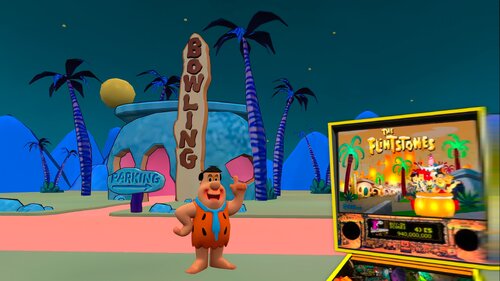
Version 1.1.0
534 downloads
First off, Thank you to everyone who made this table a reality. G5K, 3rdAxis, DjRobX, Dark, LoadedWeapon, Pinball Lizard, Spacegoogie (who I based the VR Cab from) and anyone who I have missed. Excellent job on all your contributions to this amazing table! Who doesn't like the Flintstones? So thank you and you guys deserve all the credit. Nothing on the actual table was touched so if you want to play in cab or desktop mode I recommend getting the original table in which this VR conversion was created from link is below which is needed for the dif file as well. I have included a VR Mega Room, Minimal Room, and Ultra Minimal Room, for your tastes. You can find the menu by pressing F12. You can play this with a B2S which will give you the flashing lights on the back glass or you can play it without B2S with the standard Back glass image. Enjoy and have Fun, this table has really evolved into something special thanks to the many contributions across this great community. VPU Remix Tool Link You MUST download the original table the patch is based on from Pinball Lizard at **** THANKS SO MUCH TO ALL WHO CONTRIBUTED FOR CREATING THIS TABLE! ***- 13 comments
-
- 23
-

-
- flintstones
- vr
- (and 4 more)
-
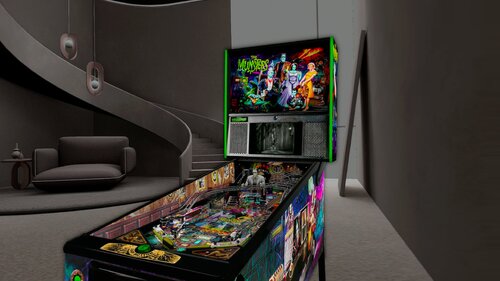
Version 1.0.0
696 downloads
First off Thank you to allknowing2012 for making this fine table. This is based off the VR ROOM The Munsters (PRO)(Original 2020) v1.06b version. It is the last updated version by allknowing2012 that included a minimal VR room as well as scorbit. I discovered there were issues with the VR cabinet and decided to embark on fixing them. I first made the "cabinet" rails and lock down bar invisible", I then proceeded to upgrade all the VR cabinet art and material color to the true to life Stern Pro Edition. I got a hold of high resolution scans as well for the art. I also fixed the animated plunger as it was stuck in the pull position and moved the DMD back a tiny bit to give it more depth. I have included a VR Deluxe Room, Minimal Room, and Ultra Minimal Room, for your tastes. Accessible via the F12 menu. Enjoy and have Fun, and thanks again to allknowing2012 for his excellent work on this table. VPU Remix Tool Link You MUST download the original table the patch is based on from allknowing2012 at **** THANKS SO MUCH TO ALL WHO CONTRIBUTED TO CREATING THIS TABLE! *** capnclaw -
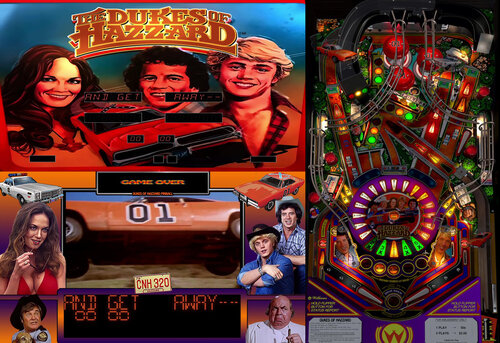
Version 1.5.0
9202 downloads
Dukes of Hazzard Pinball 2022 Table and Pup Pack Gameplay DUKES OF HAZZARD 2022 TABLE AND PUP PACK BROUGHT TO YOU BY CAPNCLAW ------------------------------------------------------------------------------------------------------------------------------------------------------------------- THANK YOU 32assassin, for the incredible original High Speed table Chokeee, for allowing me to work with his fantastic mod of the High Speed table Naibuster and Team, for the amazing PUP system, without you guys none of this would be possible VPNation, for running such a kick ass FB Group with amazing members The Entire VP Community, for freely sharing your knowledge and awesome creations Hawkeyez88 for optimizing the file sizes in the Pup Pack A Special Thanks to Smaug for his Support and Guidance! If I have missed anyone please let me know and I will amend. Thanks! ------------------------------------------------------------------------------------------------------------------------------------------------------------------- Just a few notes on this... Please dont use the VR option on this table as it likely will not work as I never worked on anything related to VR It is highly recommended you play with the PUP Pack as almost all sounds/triggers are generated from the PUP Pack This Pup Pack uses "PupCapture" triggers in some cases so the External DMD must be on The table requires you to add a line in the VPMalias text file in your VPINMAME folder. You can copy and paste the line found in the Install Instructions below The table has script built in that turns on the External DMD automatically and shuts it off again on Table Exit The table has script built in to automatically mute the rom and then unmute the rom on Table Exit as to not interfere with the actual High Speed table Custom Backglass created for Full DMD Pup Pack Users for their Backglass Screen I have included a media Wheel file for your use in the Pinup System as well ------------------------------------------------------------------------------------------------------------------------------------------------------------------- GET THE HIDEOUT JACKPOT… CATCH THE BAD GUYS... SAVE HAZZARD COUNTY! Advance the ramp light to red, shoot the ramp to start a Hazzard Police Chase! Shoot the ramp again for a getaway from Roscoe and company, this triggers Multi-Ball, shoot the ramp during Mult-Ball to get the jackpot and catch the bad guys! Save the day for the fine folks of Hazzard County! AN OUT OF THIS WORLD SURPRISE AWAITS WHEN YOU GET THE SPECIAL Light the Special by turning the Ramp Light Red twice in a game A Special is awarded when the ball rolls over the lit Special in either the left or right outlane DUKES OF HAZZARD 2022 PLAY SUMMARY Make Stoplight Targets to change Ramp Stoplight from Green to Yellow to Red. Eject Hole and Ramp spot Stoplight Lamp. Shoot Ball up Ramp to run Red Stoplight, starting Police Chase. Shoot Ball up Ramp DURING Police Chase to make a Getaway from Roscoe and Company and Begin *Multi-Ball* Play. Shoot Ball up Ramp DURING *Multi-Ball* Play to WIN Hideout Jackpot and Catch the Bad Guys. The Citizens of Hazzard will Thank You! Flipper return lanes light timed Freeway Arrow. Shooting up Lit Freeway scores and advances Freeway value toward Extra Ball. Each ball: 1st Freeway Shot lights Flipper Lanes; 2nd lights Spinners; 3rd lights Hold Bonus. Flashing 1-6 Targets Advances Ramp value and lights Kickback. ------------------------------------------------------------------------------------------------------------------------------------------------------------------- INSTALLATION INSTRUCTIONS *** PLEASE NOTE EXTERNAL DMD MUST BE VISIBLE IN ORDER FOR THE PUP CAPTURE TRIGGERS TO WORK *** ------------------------------------------------------------------------------------------------------------------------------------------------------------------- Option 1 - PUP on Full DMD Unzip the file to a temporary location and copy the "dukes" folder to your PuP Videos folder Run the "Option 1 - Pup on FullDMD" .bat file in the "dukes" folder Edit your VPMAlias.txt file found in your VPINMame folder and add the following line to it dukes,hs_l4 Copy the table and backglass files to your "Tables" folder Move/Resize/Save the position for the External DMD when into place with the frame provided in the bottom of the PUP Overlay ------------------------------------------------------------------------------------------------------------------------------------------------------------------- Option 2 - PUP on Backglass External DMD Separate Unzip the file to a temporary location and copy the puppack "dukes" folder to your PuP Videos folder Run the "Option 2 - Pup on BG Ext DMD Separate" .bat file in the "dukes" folder Edit your VPMAlias.txt file found in your VPINMame folder and add the following line to it dukes,hs_l4 Copy ONLY THE TABLE to your "Tables" folder, if you use the Backglass it will interfere with the PUP pack on your Backglass screen ------------------------------------------------------------------------------------------------------------------------------------------------------------------- Option 3 - PUP on Backglass with External DMD Unzip the file to a temporary location and copy the puppack "dukes" folder to your PuP Videos folder Run the "Option 3 - Pup on BG with Ext DMD" .bat file in the "dukes" folder Edit your VPMAlias.txt file found in your VPINMame folder and add the following line to it dukes,hs_l4 Copy ONLY THE TABLE to your "Tables" folder, if you use the Backglass it will interfere with the PUP pack on your Backglass screen Move/Resize/Save the position for the External DMD when into place with the frame provided in the bottom of the PUP Overlay ------------------------------------------------------------------------------------------------------------------------------------------------------------------- HAVE FUN AND ENJOY!- 93 comments
- 14 reviews
-
- 154
-
-
- dukes of hazzard
- capnclaw
- (and 1 more)
-
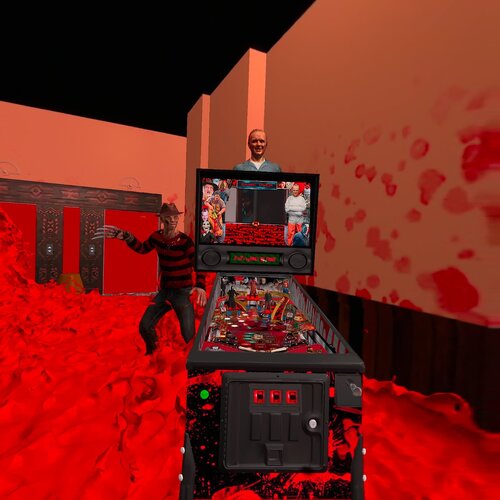
Version 1.2.0
420 downloads
Killers Hall of Fame 1.2 VR Edition (Original 2023) by CAPNCLAW WARNING: Contains graphic video clips in the PUP Pack and also Strong Language. Not recommended for kids. This is a separate VR ONLY table to be used in conjunction with the Killers Hall of Fame Pup Pack which can be found at the link below. There is an option at the top of the table script to choose Full VR Room or Mimimal Room. The default is Full VR Room. In the root of the Pup Pack you will see Option 4 -PUP on VR bat file. Please run that as shown below. Option 4 - PUP on VR (FOR USE WITH THE VR EDITION TABLE ONLY) Unzip the file to a temporary location and copy the puppack "killershof" folder to your PuP Videos folder Run the "Option 4 - Pup on VR" .bat file in the "killershof" folder Copy ONLY THE TABLE to your "Tables" folder, if you use the Backglass it will interfere with the PUP pack on your Backglass screen Please take the time to read the credits and thank you's in the Pup Pack post. HAVE FUN AND ENJOY! -
Version 1.0.0
88 downloads
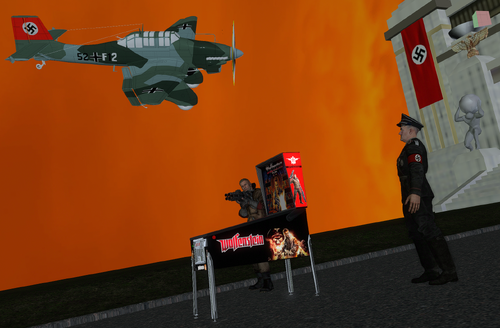
Wolfenstein 3D (Original 2026) VR Min Room Mega Room dif Patch for use with VPU Remix Tool **** PLEASE NOTE a B2S file is required. This is included when download the original table THIS IS A VR ONLY TABLE MOD. If you are looking to play this on desktop or cab please use the original table. ALSO NOTE... The use of Nazi imagery is strictly as it pertains to the table. I, in no way condone or support in any way, Nazi Philosophy or Politics. First off, thanks to @arminio and all involved with this table. They deserve all the credit. Just a great job all around on this table it is a lot of fun! I have added a VR Mega Room and VR Minimal Room to the Table with 3D Models and such. I disabled some options in F12 that pertained to desktop use. I have added VR Room selection option in the F12 menu for play in a Minimal VR Room or the Mega Room I created (Default). The Technical Info and Links: VPU Remix Tool Link You MUST download the original table created by Arminio at **** THANKS SO MUCH TO ARMINIO, THE ORIGINAL CREATORS, AND EVERYONE INVOLVED FOR CREATING THIS SUPER FUN TABLE ****- 1 review
-
- 9
-
-
- wolfenstein
- capnclaw
- (and 4 more)
-
View File Wolfenstein 3D (Original 2026) VR Min Room Mega Room VPU Remix Wolfenstein 3D (Original 2026) VR Min Room Mega Room dif Patch for use with VPU Remix Tool **** PLEASE NOTE a B2S file is required. This is included when download the original table THIS IS A VR ONLY TABLE MOD. If you are looking to play this on desktop or cab please use the original table. ALSO NOTE... The use of Nazi imagery is strictly as it pertains to the table. I, in no way condone or support in any way, Nazi Philosophy or Politics. First off, thanks to @arminio and all involved with this table. They deserve all the credit. Just a great job all around on this table it is a lot of fun! I have added a VR Mega Room and VR Minimal Room to the Table with 3D Models and such. I disabled some options in F12 that pertained to desktop use. I have added VR Room selection option in the F12 menu for play in a Minimal VR Room or the Mega Room I created (Default). The Technical Info and Links: VPU Remix Tool Link You MUST download the original table created by Arminio at **** THANKS SO MUCH TO ARMINIO, THE ORIGINAL CREATORS, AND EVERYONE INVOLVED FOR CREATING THIS SUPER FUN TABLE **** Submitter capnclaw Submitted 03/11/26 Category VPURemix - VPX Table Patches Modified by capnclaw Original Table Version 1.1.0
-
Version 1.3.0
10083 downloads
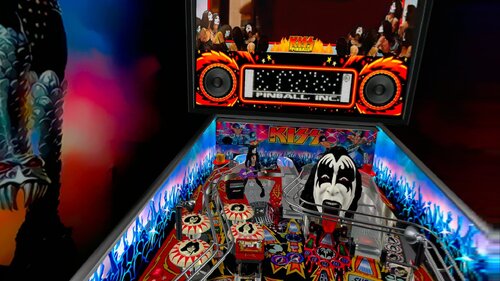
KISS Stern Pup Pack Add On by capnclaw October 2024 ------------------------------------------------------------------------------------------- First and most Important... Thanks to allknowing2012 for creating this table. Going through the code for the pup pack, I can see it must have taken an incredible amount of time and dedication to get to the finish line. Thank You! Thanks to Balutito for adding his magic touch to the original table, it really adds to playability and sparkle to the Table. Thank You! An Introduction... KISS, being my favorite band, I decided to create a Pup Pack for the KISS Stern Tribute table from allknowing2012 and later the mod from Balutito. My Pup Pack focuses on the original KISS members body of work in makeup from 1973-1980 and then again from 1996-2000. All clips and songs focus on these years. Easter Egg Added at the end of the attract video. Be sure to check it out! Original Table Adjustments and Fixes... - Added High Score Reset Option in Script (Line 281) Follow the Instructions in the Script - Fixed Stern Logo to proper Aspect Ratio in Ultra DMD - Swapped Lick It Up with Let Me Go Rock n Roll (PuP Pack focused on Original KISS Members) - Swapped I Love It Loud with Nothin To Lose (PuP Pack focused on Original KISS Members) - Swapped Dr Love with God Of Thunder Demon MB (Suits Demon MB much better) - Fixed Ultra DMD Not Displaying "Tournaments" and "14000000" under "Replay at" in Attract Mode - Added new pngs for the new songs in Ultra DMD - Swapped the New Title Names in KISSMusic vb script - Added Rules Card PNG YOU MUST COPY AND REPLACE ALL TABLE FILES ULTRA DMD Folder - Goes in Tables Folder in your vpinball Folder VPX Table File - Goes in your Tables Folder in your vpinball Folder Scripts - Place the individual Script Files in the root of the Visual Pinball "Scripts" folder Silenced Music Files - Goes in the "Music" folder under your main Visual Pinball folder. Individual music files go directly in the root of the "Music" folder. PUP Pack Zip File... Unzip the Pup Pack zip file into the root of your PUPVideos folder in PINUPSystem After it is unzipped open the folder and choose the PUP Option that best suits you. 3 Screen Backglass PUP users here is a link to a FULL DMD I made a while ago that should do well https://vpuniverse.com/files/file/7694-kiss-stern-tribute-table-full-dmd/ For 3 screen Full DMD PUP users you can find the amazing Backglass from Hauntfreaks at the link below https://vpuniverse.com/files/file/12271-kiss-stern-2015-b2s-with-full-dmd/ Please ENJOY AND HAVE FUN! Sincerely, capnclaw WizModePreview.mp4 -
View File KISS Pinball (Stern 2015) (Pup Pack Edition 2024) KISS Stern Pup Pack Add On by capnclaw October 2024 ------------------------------------------------------------------------------------------- First and most Important... Thanks to allknowing2012 for creating this table. Going through the code for the pup pack, I can see it must have taken an incredible amount of time and dedication to get to the finish line. Thank You! Thanks to Balutito for adding his magic touch to the original table, it really adds to playability and sparkle to the Table. Thank You! An Introduction... KISS, being my favorite band, I decided to create a Pup Pack for the KISS Stern Tribute table from allknowing2012 and later the mod from Balutito. My Pup Pack focuses on the original KISS members body of work in makeup from 1973-1980 and then again from 1996-2000. All clips and songs focus on these years. Easter Egg Added at the end of the attract video. Be sure to check it out! Original Table Adjustments and Fixes... - Added High Score Reset Option in Script (Line 281) Follow the Instructions in the Script - Fixed Stern Logo to proper Aspect Ratio in Ultra DMD - Swapped Lick It Up with Let Me Go Rock n Roll (PuP Pack focused on Original KISS Members) - Swapped I Love It Loud with Nothin To Lose (PuP Pack focused on Original KISS Members) - Swapped Dr Love with God Of Thunder Demon MB (Suits Demon MB much better) - Fixed Ultra DMD Not Displaying "Tournaments" and "14000000" under "Replay at" in Attract Mode - Added new pngs for the new songs in Ultra DMD - Swapped the New Title Names in KISSMusic vb script - Added Rules Card PNG YOU MUST COPY AND REPLACE ALL TABLE FILES ULTRA DMD Folder - Goes in Tables Folder in your vpinball Folder VPX Table File - Goes in your Tables Folder in your vpinball Folder Scripts - Place the individual Script Files in the root of the Visual Pinball "Scripts" folder Silenced Music Files - Goes in the "Music" folder under your main Visual Pinball folder. Individual music files go directly in the root of the "Music" folder. PUP Pack Zip File... Unzip the Pup Pack zip file into the root of your PUPVideos folder in PINUPSystem After it is unzipped open the folder and choose the PUP Option that best suits you. 3 Screen Backglass PUP users here is a link to a FULL DMD I made a while ago that should do well https://vpuniverse.com/files/file/7694-kiss-stern-tribute-table-full-dmd/ For 3 screen Full DMD PUP users you can find the amazing Backglass from Hauntfreaks at the link below https://vpuniverse.com/files/file/12271-kiss-stern-2015-b2s-with-full-dmd/ Please ENJOY AND HAVE FUN! Sincerely, capnclaw WizModePreview.mp4 Submitter capnclaw Submitted 10/27/24 Category PuP-Pack Original (PuP-Original) Game Creations Modified by
-
View File Munsters, The Pro Edition (Stern 2019) VR Room VPU Remix First off Thank you to allknowing2012 for making this fine table. This is based off the VR ROOM The Munsters (PRO)(Original 2020) v1.06b version. It is the last updated version by allknowing2012 that included a minimal VR room as well as scorbit. I discovered there were issues with the VR cabinet and decided to embark on fixing them. I first made the "cabinet" rails and lock down bar invisible", I then proceeded to upgrade all the VR cabinet art and material color to the true to life Stern Pro Edition. I got a hold of high resolution scans as well for the art. I also fixed the animated plunger as it was stuck in the pull position and moved the DMD back a tiny bit to give it more depth. I have included a VR Deluxe Room, Minimal Room, and Ultra Minimal Room, for your tastes. Accessible via the F12 menu. Enjoy and have Fun, and thanks again to allknowing2012 for his excellent work on this table. VPU Remix Tool Link You MUST download the original table the patch is based on from allknowing2012 at **** THANKS SO MUCH TO ALL WHO CONTRIBUTED TO CREATING THIS TABLE! *** capnclaw Submitter capnclaw Submitted 12/07/25 Category VPURemix - VPX Table Patches Modified by capnclaw Original Table Version v1.06b
-
Version 1.0.0
494 downloads
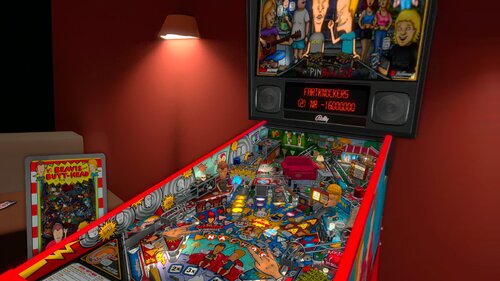
First off Thank you to watacaractr for all his contributions to the scene, his work is excellent and he doesn't disappoint here with Beavis and Butthead, in my eyes a masterpiece. If you look at the deluxe vr room I pay homage to this table and some other ones he has created. All credit goes to him for this amazing table. PLEASE NOTE IF YOU ARE PLAYING IN VR YOU MUST USE A B2S. IF YOU DONT HAVE B2S PLEASE SEARCH ON VPU. Also please hide B2S DMD if it is enabled in the back glass settings and enable external DMD in the rom settings (F1) or it wont show the score in VR VPU Remix Tool Link https://vpuniverse.com/files/file/2581-vpuremix-system-vppatching-system-vpx-only/ You MUST download the original table created by watacaractr at https://vpuniverse.com/files/file/18299-beavis-and-butt-head-pinballed-original-2024/ **** THANKS SO MUCH TO watacaractr FOR CREATING THIS TABLE! IT IS IN MY TOP 10 FOR SURE **** Added Deluxe VR Room and Minimal VR Room Added Animated Plunger Added VR Topper No modifications were done to the table itself and you can play this table in VR, Desktop, or Cabinet. Have fun and if you like it please leave some feedback. Thanks! And last but not least please give some love to watacaractr. He deserves all the credit! capcnlaw- 13 comments
- 2 reviews
-
- 27
-
-
- beavis and butthead
- capnclaw
- (and 7 more)
-
View File Flintstones, The Cartoon VR Edition (1994 Williams) VPURemix 1.0 First off, Thank you to everyone who made this table a reality. G5K, 3rdAxis, DjRobX, Dark, LoadedWeapon, Pinball Lizard, Spacegoogie (who I based the VR Cab from) and anyone who I have missed. Excellent job on all your contributions to this amazing table! Who doesn't like the Flintstones? So thank you and you guys deserve all the credit. Nothing on the actual table was touched so if you want to play in cab or desktop mode I recommend getting the original table in which this VR conversion was created from link is below which is needed for the dif file as well. I have included a VR Mega Room, Minimal Room, and Ultra Minimal Room, for your tastes. You can find the menu by pressing F12. You can play this with a B2S which will give you the flashing lights on the back glass or you can play it without B2S with the standard Back glass image. Enjoy and have Fun, this table has really evolved into something special thanks to the many contributions across this great community. VPU Remix Tool Link You MUST download the original table the patch is based on from Pinball Lizard at **** THANKS SO MUCH TO ALL WHO CONTRIBUTED FOR CREATING THIS TABLE! *** Submitter capnclaw Submitted 11/23/25 Category VPURemix - VPX Table Patches Modified by capnclaw Original Table Version 1.0.0
-
View File Judas Priest (Original 2019) v1.0 DT-FSS-VR-VPU-REMIX Judas Priest (Original 2019) DT-FSS-VR Mod dif Patch for use with VPU Remix Tool **** PLEASE NOTE a B2S file is required. I have created one you can use that I have included or you can download your own. First off, thanks to MauiPunter and all involved with this table. They deserve all the credit. This is an oldie but a goodie that unleashed the unstoppable cosmic force that is Judas Priest! I have added a VR Mega Room and VR Minimal Room to the Table with 3D Models and animated plunger. I have also added 3 side blade choices for your taste. All options are in the F12 menu. The Technical Info and Links: VPU Remix Tool Link You MUST download the original table created by MauiPunter at While you are there don't forget to grab the music and place an entry in VPMAlias.txt file as instructed below. *** IMPORTANT *** Place the music files in your Music directory in a subdirectory called: judas. Add the follwing entry to your VPMAlias.txt file: judas,skatebll **** THANKS SO MUCH TO MAUIPUNTER AND EVERYONE INVOLVED FOR CREATING AN OLDIE BUT A GOODIE! ROCK ON PREIST FREAKS! **** Submitter capnclaw Submitted 11/12/25 Category VPURemix - VPX Table Patches Modified by capnclaw Original Table Version 1.0
-
View File Beavis and Butt-head Pinballed (Original 2024) DT FSS VR VPURemix 1.0 First off Thank you to watacaractr for all his contributions to the scene, his work is excellent and he doesn't disappoint here with Beavis and Butthead, in my eyes a masterpiece. If you look at the deluxe vr room I pay homage to this table and some other ones he has created. All credit goes to him for this amazing table. PLEASE NOTE IF YOU ARE PLAYING IN VR YOU MUST USE A B2S. IF YOU DONT HAVE B2S PLEASE SEARCH ON VPU. Also please hide B2S DMD if it is enabled in the back glass settings and enable external DMD in the rom settings (F1) or it wont show the score in VR VPU Remix Tool Link https://vpuniverse.com/files/file/2581-vpuremix-system-vppatching-system-vpx-only/ You MUST download the original table created by watacaractr at https://vpuniverse.com/files/file/18299-beavis-and-butt-head-pinballed-original-2024/ **** THANKS SO MUCH TO watacaractr FOR CREATING THIS TABLE! IT IS IN MY TOP 10 FOR SURE **** Added Deluxe VR Room and Minimal VR Room Added Animated Plunger Added VR Topper No modifications were done to the table itself and you can play this table in VR, Desktop, or Cabinet. Have fun and if you like it please leave some feedback. Thanks! And last but not least please give some love to watacaractr. He deserves all the credit! capcnlaw Submitter capnclaw Submitted 11/16/25 Category VPURemix - VPX Table Patches Modified by capnclaw Original Table Version 1.1
-
Version 1.0.0
283 downloads
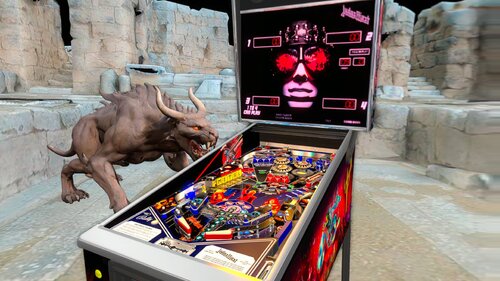
Judas Priest (Original 2019) DT-FSS-VR Mod dif Patch for use with VPU Remix Tool **** PLEASE NOTE a B2S file is required. I have created one you can use that I have included or you can download your own. First off, thanks to MauiPunter and all involved with this table. They deserve all the credit. This is an oldie but a goodie that unleashed the unstoppable cosmic force that is Judas Priest! I have added a VR Mega Room and VR Minimal Room to the Table with 3D Models and animated plunger. I have also added 3 side blade choices for your taste. All options are in the F12 menu. The Technical Info and Links: VPU Remix Tool Link You MUST download the original table created by MauiPunter at While you are there don't forget to grab the music and place an entry in VPMAlias.txt file as instructed below. *** IMPORTANT *** Place the music files in your Music directory in a subdirectory called: judas. Add the follwing entry to your VPMAlias.txt file: judas,skatebll **** THANKS SO MUCH TO MAUIPUNTER AND EVERYONE INVOLVED FOR CREATING AN OLDIE BUT A GOODIE! ROCK ON PREIST FREAKS! ****-
- 16
-
-
- judas priest
- music
- (and 2 more)
-
.thumb.jpg.97fc0c70d9b895ca5faa5f58ed5269d0.jpg)
Version 1.0.
249 downloads
Been a few weeks and still Loading screen for this GEM!! So I made one, ENJOY!! -
-frameat0m12s.thumb.jpg.daf88ce04171d58526b5350dfe6c4a61.jpg)
Version 1.0.0
491 downloads
Dukes of Hazzard Cabinet Side Blade Mod. My ini is included.- 2 comments
- 3 reviews
-
- 29
-
-
- dukes of hazzard
- dukes
- (and 1 more)
-
View File Dukes of Hazzard (2022) Cabinet Side Blade Mod Dukes of Hazzard Cabinet Side Blade Mod. My ini is included. Submitter capnclaw Submitted 01/28/25 Category VPURemix - VPX Table Patches Modified by capnclaw Original Table Version 1.5
-
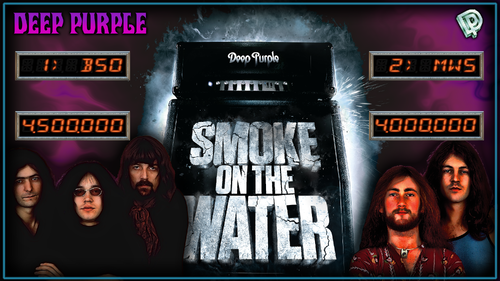
Version 2.0.0
122 downloads
Deep Purple (Original 2024) 2 screen Backglass To be used by 2 screen users with balutito’s Deep Purple table.- 1 comment
-
- 8
-
-
- deep purple
- balutito
- (and 3 more)
-
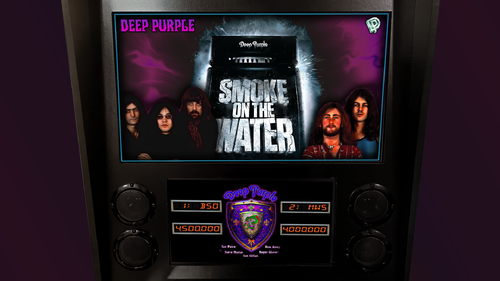
Version 2.0.0
143 downloads
Backglass for Deep Purple (Original 2024) table by Balutito This Backglass is for use with 3 screens as the scoring is on the full dmd Enjoy! -
Wheel.thumb.png.c08dcfd10190c3561e1171d41240edcb.png)
Version 1.0.0
121 downloads
A wheel I designed for balutito's Deep Purple Table. Thanks to @balutito for the table-
- 7
-
-
- wheel
- deep purple
- (and 2 more)
-
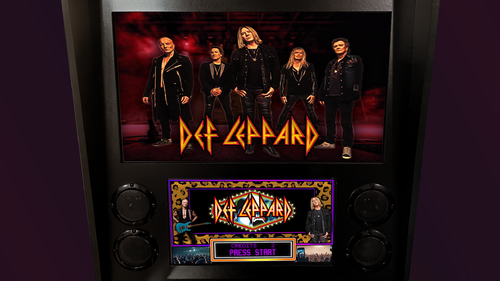
Version 1.0.0
226 downloads
Revisiting all my Tables and making adjustments here and there. Today's project was Def Leppard B2S with Full DMD. Please hide Grill and DMD making B2S DMD visible, make sure you set "SET FORM TO BACK" for this B2S so the Flex DMD will be visible as shown in the screenshots above. Thank you to Goldchicco for the conversion of this vpx table (version 1.3) from VP9. Thank you to the original authors AAron James and Destruk.- 3 comments
-
- 11
-
-
- def leppard
- full dmd
- (and 3 more)
-
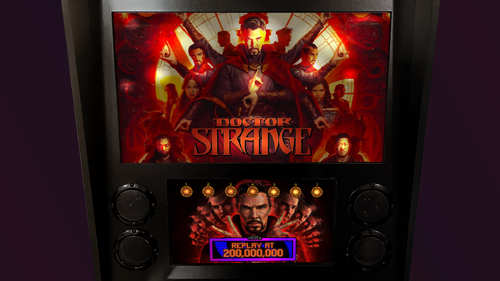
Version 1.0.0
302 downloads
Next up, Doctor Strange B2S with Full DMD, this original table is from the amazing @balutito, such a great artist. Backglass was untouched. Added Full DMD onto the BS2 and copied the 7 illumination frames from the grill onto the BS2 DMD. Please make sure you "HIDE GRILL" in the BS2 settings for the table.-
- 11
-
-
- doctor strange
- b2s
- (and 3 more)
-
View File Dukes of Hazzard Pinball 2022 Table and PupPack Dukes of Hazzard Pinball 2022 Table and Pup Pack Gameplay DUKES OF HAZZARD 2022 TABLE AND PUP PACK BROUGHT TO YOU BY CAPNCLAW ------------------------------------------------------------------------------------------------------------------------------------------------------------------- THANK YOU 32assassin, for the incredible original High Speed table Chokeee, for allowing me to work with his fantastic mod of the High Speed table Naibuster and Team, for the amazing PUP system, without you guys none of this would be possible VPNation, for running such a kick ass FB Group with amazing members The Entire VP Community, for freely sharing your knowledge and awesome creations Hawkeyez88 for optimizing the file sizes in the Pup Pack A Special Thanks to Smaug for his Support and Guidance! If I have missed anyone please let me know and I will amend. Thanks! ------------------------------------------------------------------------------------------------------------------------------------------------------------------- Just a few notes on this... Please dont use the VR option on this table as it likely will not work as I never worked on anything related to VR It is highly recommended you play with the PUP Pack as almost all sounds/triggers are generated from the PUP Pack This Pup Pack uses "PupCapture" triggers in some cases so the External DMD must be on The table requires you to add a line in the VPMalias text file in your VPINMAME folder. You can copy and paste the line found in the Install Instructions below The table has script built in that turns on the External DMD automatically and shuts it off again on Table Exit The table has script built in to automatically mute the rom and then unmute the rom on Table Exit as to not interfere with the actual High Speed table Custom Backglass created for Full DMD Pup Pack Users for their Backglass Screen I have included a media Wheel file for your use in the Pinup System as well ------------------------------------------------------------------------------------------------------------------------------------------------------------------- GET THE HIDEOUT JACKPOT… CATCH THE BAD GUYS... SAVE HAZZARD COUNTY! Advance the ramp light to red, shoot the ramp to start a Hazzard Police Chase! Shoot the ramp again for a getaway from Roscoe and company, this triggers Multi-Ball, shoot the ramp during Mult-Ball to get the jackpot and catch the bad guys! Save the day for the fine folks of Hazzard County! AN OUT OF THIS WORLD SURPRISE AWAITS WHEN YOU GET THE SPECIAL Light the Special by turning the Ramp Light Red twice in a game A Special is awarded when the ball rolls over the lit Special in either the left or right outlane DUKES OF HAZZARD 2022 PLAY SUMMARY Make Stoplight Targets to change Ramp Stoplight from Green to Yellow to Red. Eject Hole and Ramp spot Stoplight Lamp. Shoot Ball up Ramp to run Red Stoplight, starting Police Chase. Shoot Ball up Ramp DURING Police Chase to make a Getaway from Roscoe and Company and Begin *Multi-Ball* Play. Shoot Ball up Ramp DURING *Multi-Ball* Play to WIN Hideout Jackpot and Catch the Bad Guys. The Citizens of Hazzard will Thank You! Flipper return lanes light timed Freeway Arrow. Shooting up Lit Freeway scores and advances Freeway value toward Extra Ball. Each ball: 1st Freeway Shot lights Flipper Lanes; 2nd lights Spinners; 3rd lights Hold Bonus. Flashing 1-6 Targets Advances Ramp value and lights Kickback. ------------------------------------------------------------------------------------------------------------------------------------------------------------------- INSTALLATION INSTRUCTIONS *** PLEASE NOTE EXTERNAL DMD MUST BE VISIBLE IN ORDER FOR THE PUP CAPTURE TRIGGERS TO WORK *** ------------------------------------------------------------------------------------------------------------------------------------------------------------------- Option 1 - PUP on Full DMD Unzip the file to a temporary location and copy the "dukes" folder to your PuP Videos folder Run the "Option 1 - Pup on FullDMD" .bat file in the "dukes" folder Edit your VPMAlias.txt file found in your VPINMame folder and add the following line to it dukes,hs_l4 Copy the table and backglass files to your "Tables" folder Move/Resize/Save the position for the External DMD when into place with the frame provided in the bottom of the PUP Overlay ------------------------------------------------------------------------------------------------------------------------------------------------------------------- Option 2 - PUP on Backglass External DMD Separate Unzip the file to a temporary location and copy the puppack "dukes" folder to your PuP Videos folder Run the "Option 2 - Pup on BG Ext DMD Separate" .bat file in the "dukes" folder Edit your VPMAlias.txt file found in your VPINMame folder and add the following line to it dukes,hs_l4 Copy ONLY THE TABLE to your "Tables" folder, if you use the Backglass it will interfere with the PUP pack on your Backglass screen ------------------------------------------------------------------------------------------------------------------------------------------------------------------- Option 3 - PUP on Backglass with External DMD Unzip the file to a temporary location and copy the puppack "dukes" folder to your PuP Videos folder Run the "Option 3 - Pup on BG with Ext DMD" .bat file in the "dukes" folder Edit your VPMAlias.txt file found in your VPINMame folder and add the following line to it dukes,hs_l4 Copy ONLY THE TABLE to your "Tables" folder, if you use the Backglass it will interfere with the PUP pack on your Backglass screen Move/Resize/Save the position for the External DMD when into place with the frame provided in the bottom of the PUP Overlay ------------------------------------------------------------------------------------------------------------------------------------------------------------------- HAVE FUN AND ENJOY! Submitter capnclaw Submitted 10/07/22 Category PuP-Pack Original (PuP-Original) Game Creations Modified by
- 32 replies
-
- 1
-
-
- dukes of hazzard
- capnclaw
- (and 1 more)
-
View File Killers Hall of Fame 1.2 VR Edition (Original 2023) Killers Hall of Fame 1.2 VR Edition (Original 2023) by CAPNCLAW This is a separate VR ONLY table to be used in conjunction with the Killers Hall of Fame Pup Pack which can be found at the link below. There is an option at the top of the table script to choose Full VR Room or Mimimal Room. The default is Full VR Room. In the root of the Pup Pack you will see Option 4 -PUP on VR bat file. Please run that as shown below. Option 4 - PUP on VR (FOR USE WITH THE VR EDITION TABLE ONLY) Unzip the file to a temporary location and copy the puppack "killershof" folder to your PuP Videos folder Run the "Option 4 - Pup on VR" .bat file in the "killershof" folder Copy ONLY THE TABLE to your "Tables" folder, if you use the Backglass it will interfere with the PUP pack on your Backglass screen Please take the time to read the credits and thank you's in the Pup Pack post. HAVE FUN AND ENJOY! Submitter capnclaw Submitted 03/29/24 Category VPX - Pinball Tables
-
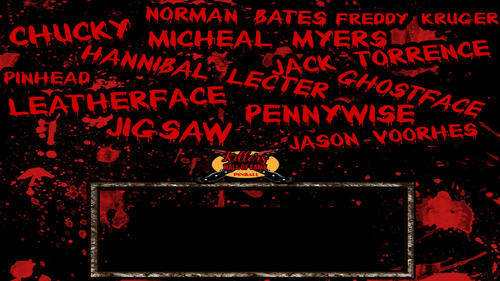
Version 1.0.0
95 downloads
Here is a static pic of just the DMD, some were asking for one to us with the Backglass. Thanks CapnClaw for your work!!