No files in this category yet.
Files From Subcategories
-
(Backglass).thumb.png.c913d351490fd5f2bbf189535babfadc.png)
Fantomas - Louis de Funes - French Edition 2023 (Icepinball, VLive)
By VLive
Salut, Avec l'aimable permission d'Icepinball, j'ai réalisé cette version française de la table VPX de Fantomas.
Amusez-vous bien !
425 downloads
(2 reviews)0 comments
Updated
-
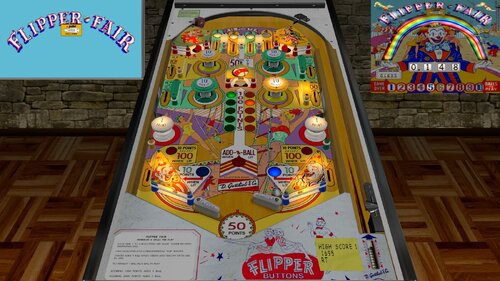
Flipper Fair (Gottlieb 1961)_Teisen_MOD
By teisen
First I would like to thank Loserman76 for the beautiful work... wherever he is playing pinball!
small changes were made only aesthetically
small improvements in the playfield, plastics, lighting,flippers position... I want to make it clear that the descriptions for the tables I'm sharing are "standard" for all, changes are made when there is a need for some adjustment.
version used, follow the link to the original table
Adjustments made:
- Playfield color correction
- color correction of Playfield lights
- new apron back
- new tabs, with colors like the real table (IPDB)
- new cap bumpers
- lighting
- metals
- screws
- flippers adjustment
- new posts in colors like the real table (IPDB)
- addition of posts next to the passive bumpers (IPDB)
- correction of the white metal on the upper gate
- I'm definitely forgetting something...lol
Loserman Description:
Flipper Fair (Gottlieb 1961)
https://www.ipdb.org...hine.cgi?id=894
Build/Coding by Loserman76
Images by GNance
With my manual ball lift tables, you can press whatever key you have configured to start a new game (typically a "1") or the "A" key to load the ball to the shooter lane
Alternatively, in the options menu (when a game is not in play, hold the left shift key for 3 seconds to bring it up) you can set it to auto-lift the ball
495 downloads
-
-
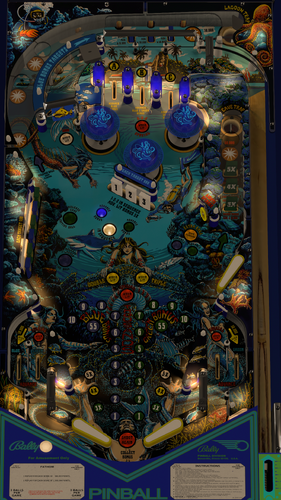
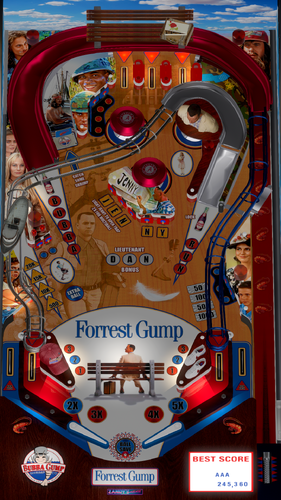
Fathom (Bally 1981) w VR Room
By UnclePaulie
Version 2.0 by UnclePaulie 2023
This version was done with my Medusa table and other recent Bally tables as a baseline to start, since they were Bally 1981. Built everything ground up from there. Used a few prims and images from Goldchicco's prior table, as well as some logic. I used EBisLit's playfield as a baseline, and Redbone did lots graphics updates to that playfield, as well as the plastics, targets, apron, flippers, and many others. The VPW team did lots of testing and recommended that I use Circus's VR room as an option, as it has you playing on the ocean floor with fish swimming around you, so his very cool environment is also included, and is the default environment for VR users. Thanks to Circus for permission!
Included in this Version 2.0 is Hybrid VR/desktop/cabinet modes, new playfield, VPW physics, flipper tricks, dynamic shadows, Fleep sounds, Lampz, 3D inserts, new baked general illumination lighting and AO shadows, sling corrections, drop and stand-up targets, saucer, playfield meshes, various primitives, etc. Significant time was spent on researching online videos, to ensure accuracy of shots, ball drops, kickouts, and overall playability. I also created a desktop backglass with a lighting effect, as well as the VR backglass (image from Hauntfreaks) and other VR options. There are also some performance improvements and I added a playfield mesh for the playfield, so there's a realistic bevel in the saucer.
Thank you to EBisLit for the playfield image, and Redbone for upscaling and cleaning up the all the images. Thank you to Circus for the ocean VR environment. And thank you to the VPW team for testing, especially redbone, apophis, bountybob, dgrimmreaper, studlygoorite, pinstratsdan, wylte, trytotilt, bietekwiet, astronasty, and hauntfreaks.
There are several options in the script. Including VR rooms and environments, ball brightness, ocean environment sounds, and LUT lighting options. The LUT changes are done by holding cntl (or left mangasave) and then while holding, scroll through the options with the right magnasave. The Dip Switch settings are done in the script and are hardcoded. IF... you want to change them, there's a setting in the script to manually override that, and then use F6 during gameplay to bring up the Dip Switch setting.
This is a hybrid table done in VPX 10.74 (but will run fine in 10.8), and I have code in here to automatically choose between VR, desktop, and cabinet. Additional VR options in the script include three VR environments, a VR clock, a topper, posters, and settings for dynamic shadows if you experience a performance hit.
Thanks again to the VPW team for all the testing, Circus for the Ocean VR environment, and Redbone for all the graphics enhancements!
3689 downloads
-
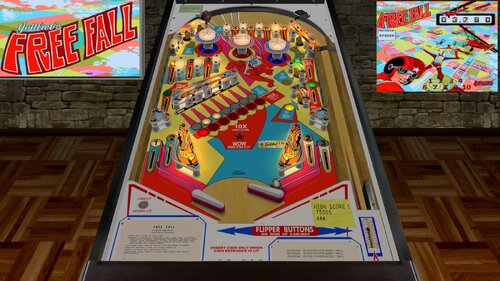
Free Fall (Gottlieb 1974)_Teisen_MOD
By teisen
First I would like to thank Loserman76 for the beautiful work... wherever he is playing pinball!
small changes were made only aesthetically
small improvements in the playfield, plastics, lighting,flippers position... I want to make it clear that the descriptions for the tables I'm sharing are "standard" for all, changes are made when there is a need for some adjustment.
version used, follow the link to the original table
Adjustments made:
- lighting and playfield lights
- adjust targets
- new POV
- plastic contrast and transparent edges
- bumpers color correction
- new metals
- screw adjustment
- new white plastic guides
- adjustment of target flags
Description of Loserman76:
Build/Coding by Loserman76
Artwork by GNance
hauntfreaks - newer postit note images, environment file, lighting information, primitives
BorgDog - his tables that helped me to understand more with VPX - and I probably lifted a primitive or 2 from them as well
GNance - score motor tweaks to behave like a real EM, PostIt routines, Options menu
JPSalas - gameroom backdrop
Pinuck - Gottlieb chimes and score motor routines
Arngrim - DOF coding and information
when game is not in progress, holding down left flipper for about 3-5 seconds will bring up the options menu. left flipper selects item, right flipper changes option
in addition to the "standard" keys (typically "1" to start game and "5" for coin), I've added "3" for coin and "4" for coin and auto-start game to simulate 3 coin slots
Shadow config settings:
Look for these 2 lines near the beginning of the scripting:
Const ShadowFlippersOn = true
Const ShadowBallOn = true
change to false if you want either of the shadows not showing on your tables
368 downloads
-
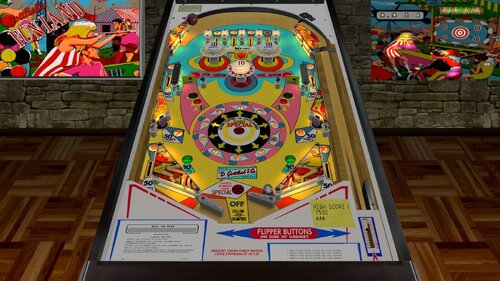
Fun Land (Gottlieb 1968)_Teisen_MOD
By teisen
First I would like to thank Loserman76 for the beautiful work... wherever he is playing pinball!
small changes were made only aesthetically
small improvements in the playfield, plastics, lighting,flippers position... I want to make it clear that the descriptions for the tables I'm sharing are "standard" for all, changes are made when there is a need for some adjustment.
version used, follow the link to the original table
Adjustments made:
- lighting and playfield lights
- adjust targets
- new POV
- plastic contrast
- playfield color adjustment and small touches
- adjust PF buttons color and animation
- bumpers color correction
- correction of spinners (correct animation)
- new metals
- screw adjustment
link to Wildman's new B2S!
Description of Loserman76:
Fun Land
Build/Coding by Loserman76
Artwork by GNance
hauntfreaks - newer postit note images, environment file, lighting information, primitives
BorgDog - his tables that helped me to understand more with VPX - and I probably lifted a primitive or 2 from them as well
GNance - score motor tweaks to behave like a real EM, PostIt routines, Options menu
JPSalas - gameroom backdrop
Pinuck - Gottlieb chimes and score motor routines
Arngrim - DOF coding and information
when game is not in progress, holding down left flipper for about 3-5 seconds will bring up the options menu. left flipper selects item, right flipper changes option
in addition to the "standard" keys (typically "1" to start game and "5" for coin), I've added "3" for coin and "4" for coin and auto-start game to simulate 3 coin slots
Shadow config settings:
Look for these 2 lines near the beginning of the scripting:
Const ShadowFlippersOn = true
Const ShadowBallOn = true
change to false if you want either of the shadows not showing on your tables
322 downloads
-
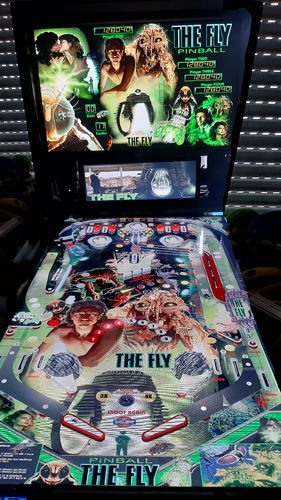
Fly The (1986) Edition 2023 Reskin (Iceman 2023)
By icepinball
Fly The (1986) Edition 2023 Reskin (Iceman 2023)
Jeff Goldblum, Geena Davis and John Get 1986 in THE FLY
Loosely based on George Langelaan's 1957 short story of the same name and the 1958 film of the same name, The Fly
I have added a small DMD PUP folder to it (freefall)
just put the folder ..... freefall ....... in the PUPVideos folder at your Cabinet (Alias) ............. (freefallp, freefall)
All logos, characters, copyrights and trademarks are the property of their respective owners
a special thanks to GauGau for the AI upscaling of the graphics
a small PUP version with a great DMD video by PEandS1Ws thanks a lot !!!
thanks to Joe Picasso for the great tutorial on inserting 3 D graphics into Virtual Pinball !!!!
.... my first attempts with 3 D graphics in the table The Fly 🙂
thank everyone who created the basis for the table. It is based on Freefall from 1981 / JPSalas / StrangeLeo72, and more
thanks to the genius artists. Reskin for THE FLY
.... NOT FOR SALE
FOR PERSONAL USE ONLY AND NOT FOR COMMERCIAL SALE OR DISTRIBUTION. PLEASE DO NOT DISTRIBUTE FINAL.
With this reskin have fun .... enjoy the table
Backglass, wheel, media in the folder
Rome: freefall ............. 1981
819 downloads
-
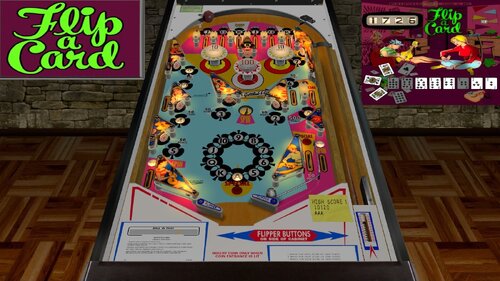
Flip A Card (Gottlieb 1970)_Teisen_MOD
By teisen
First I would like to thank Loserman76 for the beautiful work... wherever he is playing pinball!
small changes were made only aesthetically
small improvements in the playfield, plastics, lighting,flippers position... I want to make it clear that the descriptions for the tables I'm sharing are "standard" for all, changes are made when there is a need for some adjustment.
version used, follow the link to the original table
Adjustments made:
palyfield color adjustment
adjust color and transparency of plastics
new plastics for the upper guides
playfield lights and lighting
flipper adjustment
new metal side guides
color correction and bumper inscription
screw adjustment
inclusion of transparent upper left plastic with support pin
new backdrop with image of Wildman's new B2S
I want to say a big thank you to Wildman for allowing his new B2S to be used for this table! follow link of your new work
Description of Loserman76:
Gottlieb's Flip A Card (1970)
Table primary build/scripted by Loserman!
Thanks to the following for their contributions (whether they know it or not!)
If I have missed anyone, let me know as this table would not exist without the
folks in the community.
Hauntfreaks - new images for table and plastics
Grizz - image cuts/pastes from some of his images used on my redraw
JPSalas - gameroom backdrop and methods gleaned from his fantastic tables
EalaDubhSidhe - table object templates
Black - HS save/load routines
Itchigo - table templates which gave me ideas on how to accomplish what I wanted in this table
CONRAM - various code ideas learned by tracing through code on his tables
akiles50000 - for that totally awesome tutorial on table building. So much stuff I now understand because of the work put into this tutorial
Inkochnito - scorecards/instruction cards
Pinuck - Gottlieb chimes and score motor routines
Herweh - directB2S designer and tools
JimmyFingers - rolling ball and other objects' sound routines
GNance - update to spinner code to replicate slowing down
The options menu is now available by holding down the left flipper key for about 2 seconds when a game is not in progress. Once opened, left flipper moves between the different menu items and the right flipper goes through that item's available choices.
For this table, I am using my new method for enabling/disabling the dB2S backglass. By default the backglass is disabled. The easy way to enable it is this method:
1.Launch table and then exit. It will auto-create a file in the USER folder of VPinball named "LMEMTables.txt"
2.Open this file in notepad and change the "0" to a "1" and save.
3.Next time you launch, the backglass will launch.
Or for the die hards out there, create a text file in the USER folder named LMEMTables.txt and put a "1" (no quotes) on the first line and save it.
405 downloads
-
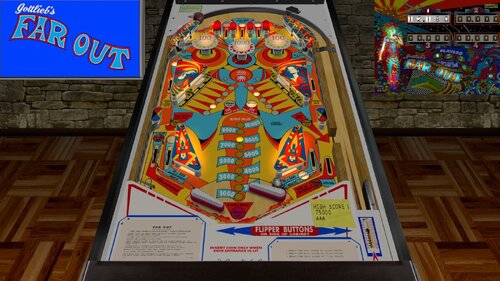
Far Out (Gottlieb 1974)_Teisen_MOD
By teisen
First I would like to thank Loserman76 for the beautiful work... wherever he is playing pinball!
small changes were made only aesthetically
small improvements in the playfield, plastics, lighting,flippers position... I want to make it clear that the descriptions for the tables I'm sharing are "standard" for all, changes are made when there is a need for some adjustment.
version used, follow the link to the original table
Adjustments made:
color correction of the upper part of the playfield
plastics color corretion
metals
upper guide plastics
flippers adjustment
playfield lights and lighting
new POV
bumper cap adjustment
star light fix
Description of Loserman76:
VPX conversion
Artwork done by GNance
Original Art by Popotte
others to thank: JPSalas, Pinuck, hauntfreaks, Borgdog, Arngrim
in addition to the "standard" keys (typically "1" to start game and "5" for coin), I've added "3" as another coin input and "4" for coin and auto-start game (like I recall the dime slots generally were) to simulate 3 coin slots
when game is not in progress, holding down left flipper for about 3-5 seconds will bring up the options menu. left flipper selects item, right flipper changes option.
I've also included shadows for the ball and flippers. If you want to turn them off look for these lines at the beginning of the script:
Const ShadowFlippersOn = true
Const ShadowBallOn = true
change to false if you want either of the shadows not showing on your tables
488 downloads
-
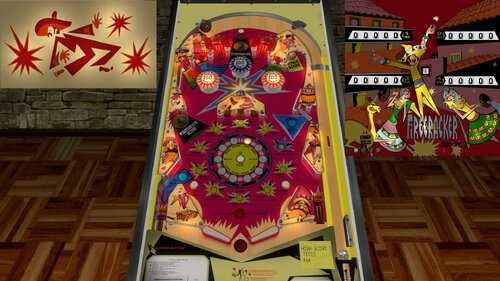
Firecracker (Bally 1971)_Teisen_MOD
By teisen
First I would like to thank Loserman76 for the beautiful work... wherever he is playing pinball!
small changes were made only aesthetically...
small improvements in the playfield, plastics, lighting,flippers position... I want to make it clear that the descriptions for the tables I'm sharing are "standard" for all, changes are made when there is a need for some adjustment.
- new apron / top apron (IPDB)
- subtle touches to the playfield
- lighting
- new upper guide plastics
- new side ramp metals
- adjustment of the position of the targets
- added lighting on the button between the "save ball" flippers
- color of the inner side woods (IPDB)
- retouching of plastics and transparent edge
version used, follow the link to the original table https://vpuniverse.c...ker-bally-1971/
Excellent work by Hauntfreaks with this B2S that goes very well with this table! Thanks Haunt.
Description of Loserman76:
Bally's Firecracker (1971)
Table primary build/scripted by Loserman!
Playfield/Plastics by hauntfreaks
Thanks to the following for their contributions (whether they know it or not!)
If I have missed anyone, let me know as this table would not exist without the
folks in the community.
Hauntfreaks - new images for table and plastics
Grizz - image cuts/pastes from some of his images used on my redraw
JPSalas - gameroom backdrop and methods gleaned from his fantastic tables
EalaDubhSidhe - table object templates
Black - HS save/load routines
Itchigo - table templates which gave me ideas on how to accomplish what I wanted in this table
CONRAM - various code ideas learned by tracing through code on his tables
akiles50000 - for that totally awesome tutorial on table building. So much stuff I now understand because of the work put into this tutorial
Inkochnito - scorecards/instruction cards
Pinuck - Gottlieb chimes and score motor routines
Herweh - directB2S designer and tools
JimmyFingers - rolling ball and other objects' sound routines
GNance - update to spinner code to replicate slowing down
For this table, I am using my new method for enabling/disabling the dB2S backglass. By default the backglass is disabled. The easy way to enable it is this method:
1.Launch table and then exit. It will auto-create a file in the USER folder of VPinball named "LMEMTables.txt"
2.Open this file in notepad and change the "0" to a "1" and save.
3.Next time you launch, the backglass will launch.
Or for the die hards out there, create a text file in the USER folder named LMEMTables.txt and put a "1" (no quotes) on the first line and save it.
Operator menu options are as follows:
"[" - open/close the operator menu
"6" - changes balls per game (3/5)
"7" - change replay settings - but for now I only have 1 set of replay settings so you can't change these.
On the full screen version, pay attention to the apron to tell whether it is set for 3 or 5 ball play.
985 downloads
-
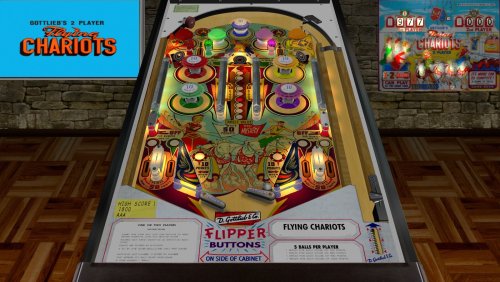
Flying Chariots (Gottlieb 1963)_Teisen_MOD
By teisen
First I would like to thank Loserman76 for the beautiful work... wherever he is playing pinball!
small changes were made only aesthetically, to my liking...
small improvements in the playfield, plastics, lighting,flippers position...
version used was 1.0, follow the link to the original table https://www.vpforums...&showfile=16108
Excellent work by Hauntfreaks with this B2S that goes very well with this table! Thanks Haunt.
Description of Loserman76:
Gottlieb's Flying Chariots (1963)
made possible by:
Halen for doing the redraws
Editoy for the score reel images
bord for his primitives that I use a lot of
$20 for the schematics so I know how this thing works
ZIP includes backglass and wheel image cut from flyer
This is for personal use only. DO NOT include this in any pre-packaged ZIP of tables for commercial/non-commercial products. You know who you are. Just enjoy what is provided for FREE instead of trying to earn a buck from our community's work.
Any mods, require permissions from ALL of the above folks listed as primary contributors for this table.
425 downloads
-
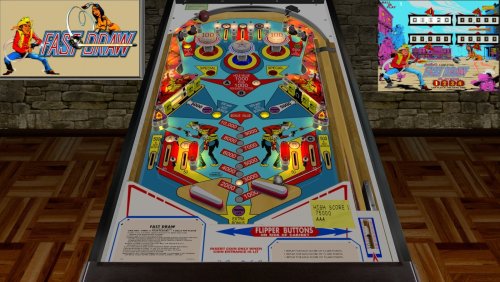
Fast Draw (Gottlieb 1975)_Teisen_MOD
By teisen
First I would like to thank Loserman76 for the beautiful work... wherever he is playing pinball!
small changes were made only aesthetically, to my liking...
small improvements in the playfield, plastics, lighting,flippers position...
version used, follow the link to the original table https://vpuniverse.c...-gottlieb-1975/
Description of Loserman76:
Gottlieb's Fast Draw (1975)
Table build/scripted by Loserman!
Thanks to the following for their contributions (whether they know it or not!)
If I have missed anyone, let me know as this table would not exist without the
folks in the community.
Images used for this table were culled from IPDB, Pinside, and various other websites only
JPSalas - gameroom backdrop and methods gleaned from his fantastic tables
EalaDubhSidhe - table object templates
Black - HS save/load routines
Itchigo - table templates which gave me ideas on how to accomplish what I wanted in this table
CONRAM - various code ideas learned by tracing through code on his tables
akiles50000 - for that totally awesome tutorial on table building. So much stuff I now understand because of the work put into this tutorial
Inkochnito - scorecards/instruction cards
Pinuck - Gottlieb chimes and score motor routines
Herweh - directB2S designer and tools
JimmyFingers - rolling ball and other objects' sound routines
Bodydump - for his assistance on various tables that got me using primitives and his lights
UncleWilly - for his primitive templates
Of course, the team behind Visual Pinball - without them, there wouldn't be much choice for playing pinball on a PC
I also must include Black and his Future Pinball as I used tables on that platform to help in building my VP tables.
You can enable dB2S by downloading my backglass file and modifying the script line that reads "B2SOn=false" to "B2SOn=True" (without the quotes of course)
To adjust Balls Per Game and Replay settings, hit '[' then '6' toggles 3 or 5 balls, and 7 moves through the replay settings (pay attention to the insert cards). When you have set them the way you like, hit '[' to exit settings.
NOTE: This table (like all of my recent releases) requires VP9.9x as it contains primitives
744 downloads
-
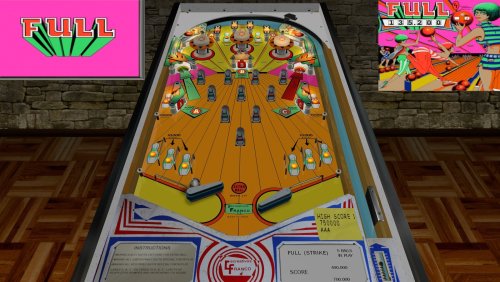
Full (Recreativos Franco 1977)_Teisen_MOD
By teisen
First I would like to thank Loserman76 for the beautiful work... wherever he is playing pinball!
small changes were made only aesthetically, to my liking...
small improvements in the playfield, plastics, lighting,flippers position...
version used was 1.0, follow the link to the original table https://vpuniverse.c...os-franco-1977/
This release wouldn't be possible without the following:
Popotte who provided the excellent redraws and permission for me to use his work from his FP release
Thalamus who provided the primitive I needed to finally be able to release this table (I've been sitting on it for a year in my "convert to VPX backlog")
Editoy who created an excellent directB2S which I am including in the ZIP for your useage
Like all of my releases, hold down the left flipper for 3 seconds when not playing a game to set the options.
ZIP includes a wheel image and the directB2S
This is for personal use only. DO NOT include this in any pre-packaged ZIP of tables for commercial/non-commercial products. You know who you are. Just enjoy what is provided for FREE instead of trying to earn a buck from our community's work.
250 downloads
(0 reviews)0 comments
Submitted
-
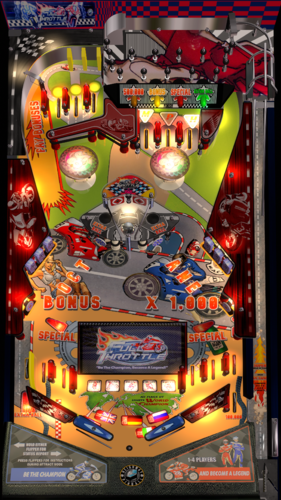
Full Throttle (RyGuy417 2023)
By ryguy417
Full Throttle was released by Heighway Pinball back in 2015. Well regarded by those who own it, I decided to create a tribute in my usual style. Many thanks to JP for permission to mod Inder 250. Hope you enjoy!
Key Features
Added soundtrack with music by Redline (same as the original table). Drop the included MP3s directly into your music folder Full graphic makeover on playfield, plastics, and backglass Animated backglass Left magna + right magna to change LUT Right magna to change tracks I would heavily suggest muting the rom by pressing F1--the rom-based sounds and music are...interesting.1021 downloads
-
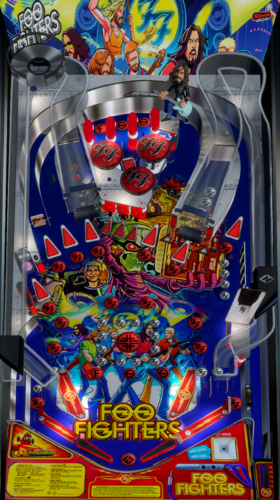
Foo Fighters (RyGuy417 2023)
By ryguy417
This is a tribute to the Stern Foo Fighters table, based on @darthwhat's Foo Fighters table (based on work with @Goldchicco, @hawkeyez88, destruk, and others on the Rush 2112 table). Similar to my Legends of Valhalla table, this is a tribute with some elements pulled from the real table, but not a full recreation by any sense of the word.
Features
Adapted @darthwhat's Pup Pack to primarily function as a music video player Created a b2s file from the Stern backglass with Full DMD support to hold the ultraDMD and videos Added solenoid support to the table script for bumpers, slings, and flippers Playfield art redesigned, based on the real table New apron Wheel, Help, Flyer, Topper all included (topper based on my "Real Topper" collection)
Install Instructions
Add the VPX table, directb2s file, and ultraDMD folder to the Tables folder Add the "rush2112_b2s_foo" folder to your Pup Videos folder Add "rush2112_b2s_foo,rush2112_b2s" to your vpmalias.txt file Add the mp3s to your "Music" folder
Alt PUP Pack
For those interested, @BurtMacklin has created a version of the pup pack that shows a simple PUP overlay and a PUP-driven backglass. He also turned the topper back on for those with a topper screen.
https://drive.google.com/file/d/1fgcfe6uioZZjJlk8jXc6Y1coCRxm_BjZ/view?fbclid=IwAR39y0gXE2q2O0JI9gLBRkL9CPQnXrqE00Ir_vZIf9J-R-WUDLg4VJYsWcw
4229 downloads
-
Fathom (Bally 1981) 1.0.0 - redbone(colorsmod)
By redbone
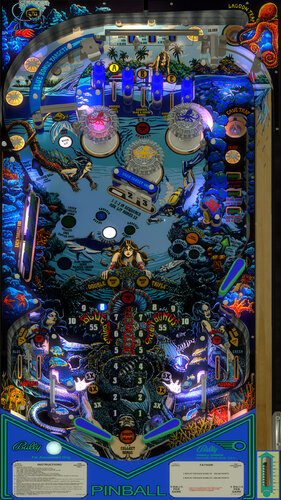
This table was modded after talking with Vogliadicane and Goldchicco. I settled on using Goldchicco's table because it was the most recent updated with some modern scripting features. I debated with myself quite a bit about even doing one because their 3 tables are really awesome. The LED and Antique MODS from Vogliadicane are undeniably unique and awesome. Goldchicco's table has the modern scripting and a bit of fixes. I knew there were some gains to be had on playfield quality and slight gains on plastics. I ended up recreating both by going back and pulling together some some online resources, ideas from Vogliadicane's plastics and even some of 32assassin's playfield. Beyond playfield and plastics, my focus was some accents on certain playfield elements using lights. I just really wanted to have some fun with this table. Some of you purists may not like it. You can turn these on/off in the script if you don't like them. Several lights and hues were tweaked to accent portions of the plastics as well. One of the last bigger things I did was create new bumper caps. I actually used a picture of an antique iridescent plate I found on ebay to create these. I thought it worked pretty nice. The inserts got worked a bit too and again.. colors added everywhere. I tried to make it new and interesting without overdoing it.
Here are some more highlights -
-rebuilt and upscaled playfield
-extended some graphics on playfield
-new iridescent bumper caps
-new octopus and colors on bumper caps
-rebuilt spinner
-new ball images
-playfield color corrections on upper left mermaid
-rebuilt and upscaled plastics
-drop target graphics rebuilt and realigned
-triton graphic on left drop targets
-lighting tweaks everywhere - COLORS
-many inlays redone
-lots of accent lighting added
-bumpers to 11 (from 7) for more speed
-flippers to 2000 (from 1800) for more speed
-lots of new text for correct font
-reworked other misc graphics
-fixed a few lights not coming on
-added a couple of easter eggs on the playfield Who can find them first? lol think... "I'm Old Gregg"
***EASTER EGGS - WHERE ARE THEY?***
Below are notes from Goldchicco's release:
This is a complete rebuilt of 32assassin table ver 2.0
Big thank you to you to:
Vogliadicane for the Plastics image/
agentEighty6 for adding the nFozzy flippers
What's new:
* New lights, new lighting
* New table physics
* Added nFozzy flippers (thanks @agentEighty6)
* Reworked all the images, cleaned and
upscaled
* New Plastics image (thanks @Vogliadicane)
* Added Flippers Shadows and Ball Shadows
* Added light bulbs primitives for GI
* Added missing mechanical sounds and replaced
ball rolling sound
* Tuned Slingshots and Bumpers force
* Corrected Rubbers Hit Height
* Added JP's LUT code
* New instruction Cards in the apron
* Repositioned Bumpers correctly
* Changed Drop Targets height so they don't
disappear when down
To rotate and select between the nine LUT files press and Hold the Left Magnasave and rotate pressing the Right Magnasave.
Backglass can be found here:
https://www.vpforums.org/index.php?app=downloads&showfile=12209
or
https://vpuniverse.com/forums/files/file/2912-fathom-bally-1981/
Hope you enjoy it and please leave constructive feedback or comments in the support topic and will try to make it better.
All Logos, Copyrights and Trademarks are property of their respective owners.
PROVIDED STRICTLY FOR PERSONAL / HOME USE AND NOT FOR COMMERCIAL SALE / RE-SALE OR DISTRIBUTION!
Permission to Mod: Yes with approval
1403 downloads
-
.thumb.jpg.75f86b5fd4d4206d5de249c7f89bc735.jpg)
Fathom (Bally 1981)
By Goldchicco
This is a complete rebuilt of 32assassin table ver 2.0
Big thank you to you to:
Vogliadicane for the Plastics image/
agentEighty6 for adding the nFozzy flippers
What's new:
* New lights, new lighting
* New table physics
* Added nFozzy flippers (thanks @agentEighty6)
* Reworked all the images, cleaned and
upscaled
* New Plastics image (thanks @Vogliadicane)
* Added Flippers Shadows and Ball Shadows
* Added light bulbs primitives for GI
* Added missing mechanical sounds and replaced
ball rolling sound
* Tuned Slingshots and Bumpers force
* Corrected Rubbers Hit Height
* Added JP's LUT code
* New instruction Cards in the apron
* Repositioned Bumpers correctly
* Changed Drop Targets height so they don't
disappear when down
To rotate and select between the nine LUT files press and Hold the Left Magnasave and rotate pressing the Right Magnasave.
Backglass can be found here:
https://www.vpforums.org/index.php?app=downloads&showfile=12209
or
https://vpuniverse.com/forums/files/file/2912-fathom-bally-1981/
Hope you enjoy it and please leave constructive feedback or comments in the support topic and will try to make it better.
All Logos, Copyrights and Trademarks are property of their respective owners.
PROVIDED STRICTLY FOR PERSONAL / HOME USE AND NOT FOR COMMERCIAL SALE / RE-SALE OR DISTRIBUTION!
Permission to Mod: Yes with approval
2765 downloads
-

Friday 13th 4.0.0 Table & Puppack
By GameOver
+++Please update your VPX 10.7 to the latest version 10.7.1 if you have troubles to run the latest 1.0.6 table update! Thanks
Vpx 10.7.1 here :
https://github.com/vpinball/vpinball/releases?fbclid=IwAR2cUWKCwbS1rDcjUYPqvOrnwd0gFHzEWxnbLugaSc0XpeBo3i0fbfo2nC4
(this pup pack includes Adult theme videos Violence and Nudity ) +18
11 random intros i think ( i dont remember ) + 12 movies scenes ... Etc etc
if you like blood and boobies you not gonna be disapointed ..
Dont Tilt please ..
You need vpx 10.7 to run this Table and Puppack
The Puppack only works with the table inside the download folder
Script - Options for ApronScreens - Backdrop and Slow Pcs are Off by Default just choose the one you like (Aprons screens are amazing )
Just Run the Bat file inside the puppack for your Screens Setup
Enjoy
Thanks To my TeamTuga Mate Pedro Peres
Thanks Joe Picasso and Mario
Thanks All
Teamtuga
10186 downloads
- friday13th
- vpx
- (and 4 more)
-
-
Firepower (Vs A.I.) V3.7
By 3rdaxis
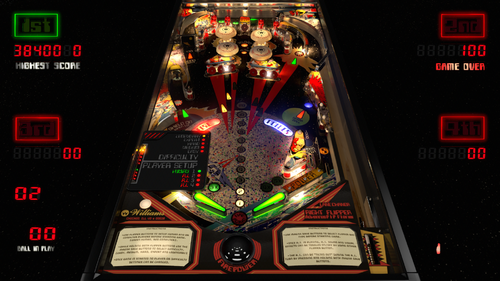
Welcome to Firepower (Vs A.I.) V3.7 Needs VPX 10.7.3 To Run
A first of it's kind pinball game that you can actually play and challenge a fully capable A.I. computer. (Hal-9000)
This release is both graphically and physically identical to my original Firepower but can also still be played in a vanilla state like the original.
By default the computer's level of skill is set to "Legendary" . Player 2, 3 and 4 are the computer. There are four levels of difficulty to choose from. Easy, Normal, Hard, Expert and Legendary.
You can pick and choose which player is human or computer and even have all four players computer if you wish (lots of fun to watch and even bet on games).
INSTRUCTIONS:
(In Game)
'*Use the "L" key on keyboard to select language.
'*Use Flipper Buttons to setup human and or computer players before starting game. (Green Human, Red Computer).
'*Use Magna Save buttons to select flipper bat type.
'*While pressing and holding both flipper buttons use the Magna save buttons to select difficulty. (Easy, Medium, Hard, Expert and Legendary)
'*Press and hold the Right Flipper Button (six seconds) to display player and difficulty status during game play. Logic Panel displays during DTmode only.
'*Once game is started no selections can be made or changed until game is over.
'*The A.I. can be shutdown during the A.I. turn by pressing and holding both Magna Save buttons. The player can then take control.
'*All options can be hard set in the script under Table Options as desired.
A very special thank you to rothbauerw for help with the coding and conditional logic. Slydog43 for additional coding and everyone else in the community. Vogliadicane for the cool backglass and coding.
This is something that I hope you will all enjoy as much as I have enjoyed making it. I very much plan I installing this on other tables in the near future.
Same as before I recommend turning off AO (Ambient Occlusion) in video preferences and keeping ScSp turned on.
Anything else (Anti-Aliasing, Post-proc AA) will depend on your set-up.
I also suggest going through the THX set-up to ensure that you are experiencing this table as it was intended. Enjoy...
V3.4.0 Change Log Notes:
*The A.I. has a few new tricks up it's sleeves and will average about 400,000 points. It will still have a bad game now and then but will also sometimes play until the cows come home. You have been warned.
*It will nudge harder, do bounce passes and his shot priority logic has been optimized to limit any dangerous shots and maximize points.
*By default the table now as instruction cards explaining the user interface for setting up the A.I. game including player(s) (A.I. or Human), difficulty, canceling the A.I.'s turn etc.
*If the AI Nudge is turned off the right outlane post will move to the easy position during the computers turn. This is in case you have an accelerometer that tilt's out during the AI's turn thus still giving it a fair advantage.
V3.4.8 Change Log Notes:
If the A.I "TILT's" it will learn not to nudge the table for the remainder of that game.
V3.5.8 Change Log Notes:
Hidden in-game functions:
*Press and hold the Right Flipper Button for six seconds to display Logic panel and Player/Difficulty Status during game play. Logic Panel displays with DTmode only.
*While still holding the Right Flipper Button:
*Use the Left Magna Save Button to change Flipper Bat Type.
*Use the Right Magna Save Button to toggle on/off A.I. sound effects, voice and laser sights.
*Use the Left Flipper Button to change the Score Display colors. (score reels only)
*These changes will stay for the remainder of that game and will revert back to your script options when the table is re-started.
V3.6 Change Log Notes:
Lots of UI bug fixes. (Thank hworths1545 for the catch)
Fixed Legendary difficulty light state.
Added French to languages.
PROVIDED STRICTLY FOR PERSONAL USE AND NOT FOR COMMERCIAL SALE OR DISTRIBUTION. PLEASE DO NOT MASS RE-DISTRIBUTE TABLES OR ROMS. Any unauthorized distribution may result in legal action taken against the party(s) in question.
4130 downloads
-
1.0.3.thumb.jpg.515b4e85873495bc29bb4f455f9b34bf.jpg)
Free Fall (Gottlieb 1974)(VR Room)
By RajoJoey
Description:
***************
The table is made by the great Jeff Whitehead (Loserman76).
May he rest in peace. 😞 I hope, there are pinballs where you are, Jeff.
I would like to thank Jeff, for allowing me, to convert his tables to VR.
Info
It is a hybrid table. So you can play in VR, desktop or cabinet mode, but you need the external backglass.
There is no need to change the script. A VR headset is automatically detected.
I added the following things:
VR room, artwork for cabinet, backbox and flyer, animations for buttons and plungers, LUT files (change with magnasave buttons).
'* Table build/scripted by Loserman76
'* Playfield/Plastics/etc by GNance
'* VR Update by Rajo Joey
Works in 10.7.2, but best to play in VPinball_GL 10.8: https://github.com/vpinball/vpinball/actions/workflows/vpinball.yml
***********************************************
These are quick conversions, as I don't like playing in absolute darkness.
If you want to do your own conversions, I wrote two tutorials for EM tables like Loserman76's and make templates of the tables, pictures and materials.
Also there are some .psd files, to change the artwork in an easy way for example.
In the template tables there are generic artwork for the cabinet and the backbox. Some people may be happy with that and don't need the real artwork.
There is a short tutorial for people, who know the editor and a longer one for newbies. Both instructions are in English and German.
https://mega.nz/folder/5csAGRAa#gSFFQN_jXbw03y7LpQENHg
409 downloads
(0 reviews)0 comments
Submitted
-
Hauntfreaks1.0.3.thumb.jpg.1d1eef954523d6785fccb939ca48c36d.jpg)
Flying Carpet (Gottlieb 1972)(VR Room)
By RajoJoey
Description:
***************
The table is made by the hauntfreaks.
I would like to thank hauntfreaks, for allowing me, to convert his tables to VR.
Info
It is a hybrid table. So you can play in VR, desktop or cabinet mode, but you need the external backglass.
There is no need to change the script. A VR headset is automatically detected.
I added the following things:
VR room, artwork for cabinet, backbox and flyer, animations for buttons and plungers, LUT files (change with magnasave buttons).
'* Layout and graphics by HauntFreaks
'* Scripting by BorgDog
'* VR update by Rajo Joey
Works in 10.7.2, but best to play in VPinball_GL 10.8: https://github.com/vpinball/vpinball/actions/workflows/vpinball-gl.yml
***********************************************
These are quick conversions, as I don't like playing in absolute darkness.
If you want to do your own conversions, I wrote two tutorials for EM tables like Loserman76's and make templates of the tables, pictures and materials.
Also there are some .psd files, to change the artwork in an easy way for example.
In the template tables there are generic artwork for the cabinet and the backbox. Some people may be happy with that and don't need the real artwork.
There is a short tutorial for people, who know the editor and a longer one for newbies. Both instructions are in English and German.
https://mega.nz/folder/5csAGRAa#gSFFQN_jXbw03y7LpQENHg
556 downloads
(2 reviews)0 comments
Submitted
-
Mustang19611.0.3.thumb.jpg.0f5b8423b2c6a117bd02bc29268f3447.jpg)
Fast Draw (Gottlieb 1975)(VR Room)
By RajoJoey
Description:
***************
The table is made by the great Jeff Whitehead (Loserman76).
May he rest in peace. 😞 I hope, there are pinballs where you are, Jeff.
Mustang1961 updated the table.
I would like to thank Jeff and Mustang1961, for allowing me, to convert the table to VR.
Info
It is a hybrid table. So you can play in VR, desktop or cabinet mode, but you need the external backglass.
There is no need to change the script. A VR headset is automatically detected.
I added the following things:
VR room, artwork for cabinet, backbox and flyer, animations for buttons and plungers, LUT files (change with magnasave buttons).
'* Table build/scripted by Loserman!
'* Visual update (shadows, dynamic DT shadows, plastics) - leeoneil
'* Table update by Mustang1961
'* VR update by Rajo Joey
Best to play in VPinball_GL 10.8: https://github.com/vpinball/vpinball/actions/workflows/vpinball-gl.yml
***********************************************
These are quick conversions, as I don't like playing in a dark room and don't want to spend more days or weeks to convert a table.
If you want to do your own conversions, I wrote two tutorials for EM tables like Loserman76's and make templates of the tables, pictures and materials.
Also there are some .psd files, to change the artwork in an easy way for example.
In the template tables there are generic artwork for the cabinet and the backbox. Some people may be happy with that and don't need the real artwork.
There is a short tutorial for people, who know the editor and a longer one for newbies. Both instructions are in English and German.
https://mega.nz/folder/5csAGRAa#gSFFQN_jXbw03y7LpQENHg
306 downloads
-
Mustang19611.0.3.thumb.jpg.c071af36860b7b910f2f4d0ae38f4b07.jpg)
Far Out (Gottlieb 1974)(VR Room)
By RajoJoey
Description:
***************
The table is made by the great Jeff Whitehead (Loserman76).
May he rest in peace. 😞 I hope, there are pinballs where you are, Jeff.
Mustang1961 updated the table.
I would like to thank Jeff and Mustang1961, for allowing me, to convert the table to VR.
Info
It is a hybrid table. So you can play in VR, desktop or cabinet mode, but you need the external backglass.
There is no need to change the script. A VR headset is automatically detected.
I added the following things:
VR room, artwork for cabinet, backbox and flyer, animations for buttons and plungers, LUT files (change with magnasave buttons).
'* Table build/scripted by Loserman76
'* Playfield/Plastics updated/redraws by GNance
'* Original Playfield/Plastics by Popotte
'* Table update by Mustang1961
'* VR update by Rajo Joey
Best to play in VPinball_GL 10.8: https://github.com/vpinball/vpinball/actions/workflows/vpinball-gl.yml
***********************************************
These are quick conversions, as I don't like playing in a dark room and don't want to spend more days or weeks to convert a table.
If you want to do your own conversions, I wrote two tutorials for EM tables like Loserman76's and make templates of the tables, pictures and materials.
Also there are some .psd files, to change the artwork in an easy way for example.
In the template tables there are generic artwork for the cabinet and the backbox. Some people may be happy with that and don't need the real artwork.
There is a short tutorial for people, who know the editor and a longer one for newbies. Both instructions are in English and German.
https://mega.nz/folder/5csAGRAa#gSFFQN_jXbw03y7LpQENHg
308 downloads
(1 review)0 comments
Submitted
-
SoundModv2_0b.thumb.PNG.648d972893b4c066bebbf590d9c69f2a.PNG)
Flash Gordon (Bally 1981) Sound Mod
By xenonph
Be sure to check the version number when downloading table from "new updated tables" section. The newest version is 2.1.
Usually the file needs to be approved by an administrator before you can download the table, but for some reason it is being put at front of list before it is approved.
So just be sure to check the file version, or you may be downloading old version, thinking it is the updated version.
I first would like to thank Rothbauerw for giving me permission to make this sound mod. I would also like to thank him for making a great table!! I also would like to thank everyone who contributed to this table including, Cyberpez, WRD1972, Sinbad, Scapino, Flupper, and the Devs that make this all possible!!
They put in alot of time and work on the original table, and it is appreciated!! So if you like this mod, I would encourage you to thank the original author of the table, as I have only made a few changes!
Original Table...
http://vpinball.com/VPBdownloads/flash-gordon-bally-1981/
I also would like to thank Allknowing2012 and Gtxjoe for teaching me how to add timers to script.
I also would like to thank DJRobX, STAT, Gtxjoe, and nFozzy, for helping me shorten my StopSounds and PlaySounds script commands.
(They each wrote out an example, and between them all, I was able to figure it out!! BIG THANKS!!!)
I also would like to thank Scottacus for adding TILT sound effect script!!
(I have always had trouble trying to add sound effect to light. BIG THANKS!!)
I also would like to thank Steve "Slydog43" for which these VPX mods would not be possible!!
Version 2.1
Converted all pics to WebP format to reduce overall size of table.(VPX7.2 Required)
Converted Wav files in sound manager to ogg format which reduces file size.
Found a double Timer Sub, so renamed my Timer Sub from dt01 to dta.
File size went from 92.1 MB's to 31.9 MB's!!!
Version 2.0
Added modified version of JPSalas LUT Script.
Toggle LUT's with the Buy-In Key. (2 Key)
Moved Plunger activated sounds to Plunger Lane Trigger.
Added Instruction Card.
Instruction Card Pic uploaded with permission of Inkochnito. (Huge thanks!!)
Find all your Pinball Card needs at Inkochnito's Pinball Cards site:
http://www.pinballrebel.com/pinball/cards/
Version 1.3
Changed sounds to be played through Backglass per Vogliadicanes info.
Removed sound effect "Rescue Friends and save Earth" from drain event.
Rothbauerw sent me updated table to use for this sound mod!! BIG THANKS!!
"Here’s the latest version, there were a couple of small mapping issues fixed in this version that are not in the most recent released version."
I added 43 sound effects including voice and background music.(Also changed original music Snippet.)
Hope you like it!!
2642 downloads
.thumb.png.c3f10bf0d78baa072423129a9928ef9e.png)
.thumb.jpg.51c7531114e2f7aeb4ee57cf584aeb66.jpg)
.thumb.png.35c418ea7c141a2a5682927da5bf2255.png)
fulldmdDark.thumb.png.720d86e44c1ed49fa7253836a8fe13b1.png)
.thumb.png.992a313f767bcd1daa0ac55d366cd978.png)
.thumb.png.2ad1e063155a6928eba32bb8f22824a4.png)
.thumb.png.f2ab273f0939d4e1d261b14a586d86e7.png)
.thumb.png.c678053045898b3c16f2852a2688b864.png)
.thumb.png.79f167488003ad866b4e74afb86ac3f9.png)
.thumb.gif.5e8abde834b01530ca82156cf50ae592.gif)



![More information about "Metallica [Pro + Premium]"](https://vpuniverse.com/screenshots/monthly_2023_08/5.thumb.gif.472d8feb5e95702beb61483527f5b50c.gif)
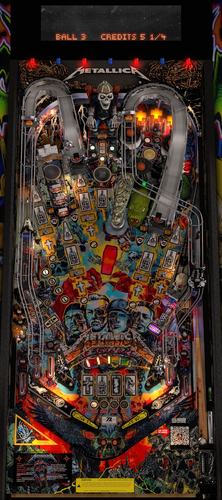
.thumb.png.ba90a34949ce509b954f8e4cb6c59a6d.png)
.thumb.jpg.ba656a703d0bb22ba01fa322675ea6b9.jpg)
v2.1.0-frameat0m1s.thumb.jpg.296d08c438be1b39e9971e42f920bdd5.jpg)
-frameat0m14s.thumb.jpg.1ec0c0c516968d809d1fae2e03226d00.jpg)
.thumb.png.6f232cb632361a139130a3513d6cf63e.png)


.thumb.jpg.49aee90f2b00e52091cb1bd853439408.jpg)
.thumb.JPG.7b7c979cda5a7c9e7153973795ca4c6e.JPG)




_4k.thumb.jpg.f3314582426319981eba7d0dd11ad8cf.jpg)
LEwithPROBG.thumb.png.21a16cabc94cd92a34de1fd813325e90.png)

.thumb.png.1422ec31120e805f0361830c70dfab33.png)
(2.0).thumb.png.c2aabe18db8b618f03293249b1a8e836.png)
(1).thumb.png.a64f8b882147c0a68e9f560432353b6b.png)
.thumb.png.4f1099d070114b8274f7540e6e160926.png)
.thumb.png.486030d28b945e0eaf7203ca9ac1e31d.png)


_Bigus(MOD)2_1bg.thumb.png.cc8e85a7173a6a019cceb1e03dc82fe7.png)