
No files in this category yet.
Files From Subcategories
-
FSS.thumb.png.62752e20ab3f670166004cfdf88eadb2.png)
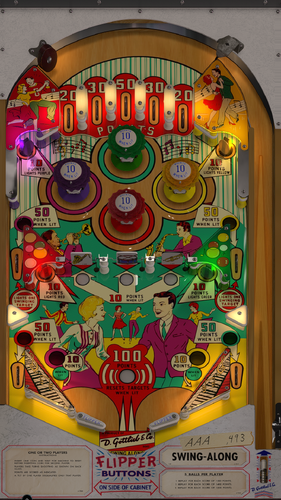
Jive Time (Williams 1970)
By rothbauerw
It's official and it's only on vpuniverse.com. The only ever released version of Jive Time on visual pinball (to my knowledge).
Version 2.0 supports desktop, fullscreen, FSS, and VR. It comes with updated physics, a few minor rule fixes, and rendering by bord. Definitely worth updating if you already have this table. The download includes 2 B2S options and media.
I'm very pleased with this build. It was a ton fun putting together and I really feel like the look and feel and game play (physics) are true to the real table. I tried to simulate the actual mechanical behavior of the machine and I'm very happy with the end result.
Options (at the top of the script):
VR Room: 0 - desktop, FSS, or Fullscreen (default), 1 - VR room
Balls per game: set to 3, 5 (default), or 10
West gate: 0 - keeps gate open until end of ball (default), 1 - will close when award is scored
Reset Bonus : 0 - bonus carries over to next game (default), 1 - Reset bonus each game (for competition)
Restore game: 0 - will begin in game over at restart (default), 1 - remembers where you left off and will resume on restart
Experimental Slings: 0 - use traditional sling physics, 1 - use new sling physics using flippers that I think provides more realistic rebound angles, I believe kiwi originally came up with this idea (default)
Chimes: 0 - DOF chimes disabled (default), 1 - DOF chimes enabled
This table uses two bells. The sounds were pulled from the actual machine and they are somewhat unique to this table, chimes don't feel right.
This download contains everything you should need. FSS, FS, DT, POV, B2S, and media. There are two backglasses, one with a border to help make the spinner wheel a little more proportional on a wide screen.
For those that haven't tried FSS yet, I encourage you to try at least one game of this table in FSS mode. Turn your screen to portrait, click the FSS box, then click the Test Desktop box. While I will mostly play this on my cab, the FSS version is by far my favorite. I feel like I'm sitting in front of the machine. Check out the EM Reels and spinner (same as desktop).
Credits:
Playfield: rothbauerw (redraw/clean-up), bord (stitch, and very well done!)
Plastics: rothbauerw, bord
Backglass: rothbauerw
Render: bord
B2S: rothbauerw, STAT, randr
Primitives: bord, 32assassin, kiwi, acronovum
Misc: borgdog, loserman, randr, acronovum
Sound package: Fleep
Original VR Room: Basti, Rawd, Rascal, Steely
1743 downloads
-
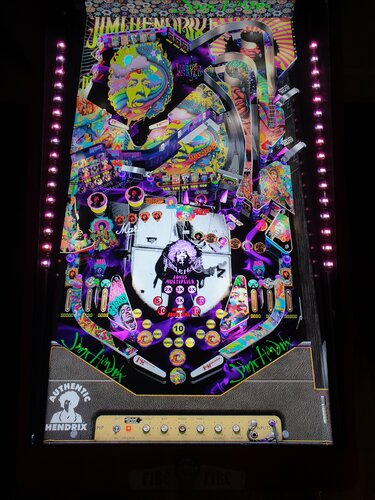
Jimi Hendrix V1
By balutito
If like me you are a fan of Jimi, I hope you will enjoy discovering this musical table.
BIG THANKS to JPSalas for these tables and for allowing them to modify their Iron Maiden Stern 1981 table.
He confessed to me being a fan of jimi too
It is a musical table so you can change the song during the game with the magna save if you are equipped, look in the options of the script.
You can also add some!
Be careful, this table can cause intense pleasure and a furious desire to get high 🙃
All Logos, Copyrights and Trademarks are property of their respective owners.
PROVIDED STRICTLY FOR PERSONAL / HOME USE AND NOT FOR COMMERCIAL SALE / RE-SALE OR DISTRIBUTION!
2005 downloads
-
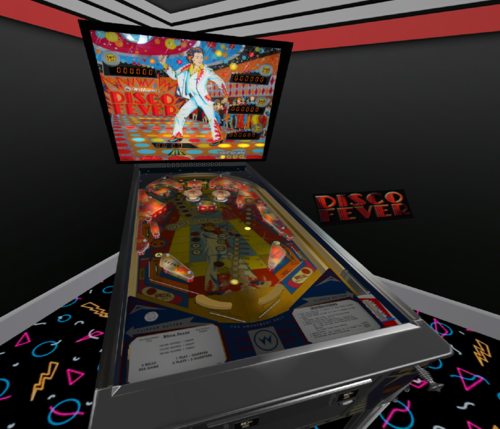
Disco Fever (Williams 1979)
By drinkcristal
(Updated from VR only)
Time to put on Saturday Night fever and light up the glitter ball, I introduce to you Disco Fever.
This is my first attempt at a SS table from the ground up.
I need to thank all from the community as there is a little piece of something from everyone to make this table. In particular, this table has the banana flippers flippers (selectable by magnasave) from Time Warp. The author of that table is Gilrock/bord/rothbauerw are ok with me publishing this table.
I had used the playfield images from IPDB so the table appears as a well worn table. If there is anyone that wants to re-draw or enhance any or all of the artwork, please feel free.
I have included the ROM as the one on vpforum had no sound.
Based on some feedback (and that I didn't realise that Wildman had produced an excellent b2s (thanks Rawd 🙂 )
( https://vpuniverse.com/forums/files/file/2197-disco-feverwilliams1978/ ) I have updated the table to support desktop and b2s (look in the script to amend as needed).
I welcome any feedback and let me know if there are any bugs. I hope you enjoy this early SS Williams table,
1836 downloads
-
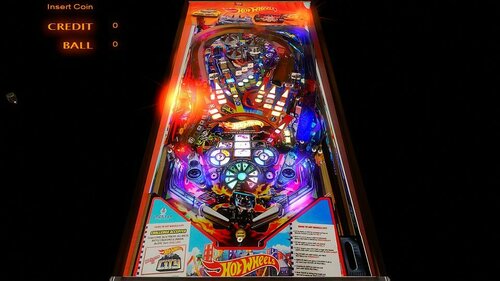
hot wheels DT
By fastdraw
table DT WIP
il y a un script et avec des règles basic , mais suffisantes pour cette table.
967 downloads
-
1.thumb.jpg.6529f2b48082f5cdb41319c55bcecd0b.jpg)
Surfer (Gottlieb 1976) DOF
By loserman76
Surfer (Gottlieb 1976) by the late loserman76.
DOF Added by @foxyt
1186 downloads
-
1.thumb.jpg.9d3ec03b0a4e4bf8be91d0e79abce0e2.jpg)
Surf Champ (Gottlieb 1976) DOF
By loserman76
Surf Champ (Gottlieb 1976) by the late loserman76.
DOF Added by @foxyt
777 downloads
(0 reviews)0 comments
Updated
-
motorshow nvram and cfg for visual pinball 10.7 will work now
By krusso222
motorshow nvram and cfg for visual pinball 10.7 will work now
126 downloads
(0 reviews)0 comments
Submitted
-
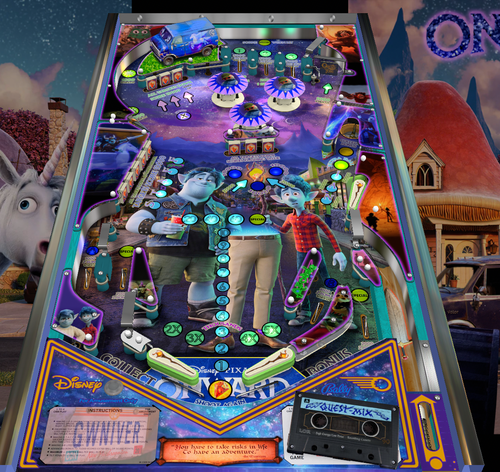
Disney Pixar Onward (Original 2021) Manbearpig 1.1
By Manbearpig
This is really for the kids of the players here. My kids love these reskinned tables and ask to play them all the time. Figured I would take a shot at doing one.
So this is my first full mod. I didn't realize how many others had used Skateball as a base until after I started. The one thing I did do is make this an alias so you can still play Skateball.
Update 12/31-
Watched the Scotty Wic YT videos and made a Guinevere van and a Quest Mix cassette 3D model.
Phenom also gave me the script to change tracks with the magna save buttons as well.
Mods-
I redid all the plastic image files and removed the jagged and wavy edges, so they have a smoother look.
I added a short wall behind the upper flipper because I kept losing balls up there during testing.
Altered a few trigger sounds.
Added music to the script (there is a Mega link in the text doc. I have never used Mega so not sure if there is a traffic limit).
In the zip-
Table
Back Glass
Wheel
Topper (mp4, that's a new process I'm still learning).
Text doc (Mega music link and alias)
Created/Mod in VPX6
Will need Sambuild 3.3 or higher for alias.
Table runs on skatebll rom
I also turned off the rom sound.
And of course all credit for this table belongs to JPSalas and Hauntfreak
Any and all feedback welcome. I'm sure I'll tackle another at some point.
Disney Pixar Onward (Original 2021) Manbearpig 1.1.vpx
1791 downloads
-
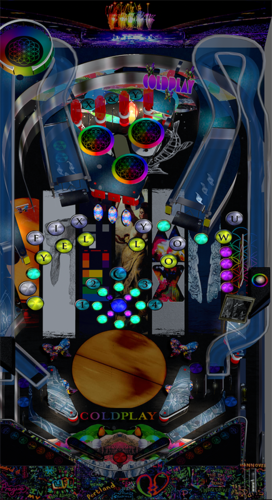
Coldplay Pinball with PupPack Videos
By darthwhat
Hey all! I had this table on vpinball but now its gone so here it is again but updated with music videos pup pack! Enjoy!
Special shoutout to Goldchicco (vpx) and Hawkeyez88 (pup) for all your help! You guys are legends
879 downloads
-
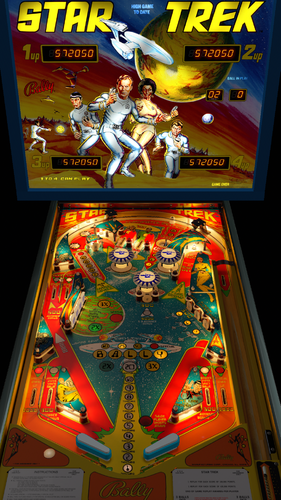
Star Trek
By rothbauerw
Star Trek (Bally 1979)
IPD No. 2355
Special thanks and credit to:
Blender - bord
Playfield redraw - Popotte, rothbauerw
Playfield upscale and image processing - movieguru
Backglass - blacksad
Script and physics - rothbauerw
Mechanical Sounds - fleep
Previous author - JPSalas
This was the first pinball I ever purchased over 20 years ago as a thank you gift to my brother. It provided our family with many years of entertainment until he sold it recently. I took on this project to build a faithful recreation of the actual look, feel, and game play of that table. I hope it provides as much enjoyment for you as it did for us.
This has a few minor enhancements from the version originally released at vpinball.com.
3525 downloads
-
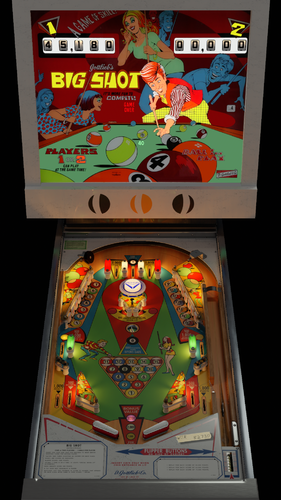
Big Shot (Gottlieb 1974)
By rothbauerw
Big Shot (Gottlieb 1974) IPD No. 271
One of my favorite EM's. Rule set has been updated to be accurate to the real machine. This file contains the VPX table and DB2S backglass. It supports desktop, fullscreen, FSS, and VR.
CREDITS
Blender - bord
Playfield and Plastics Redraw - Shannon1
Backglass - rothbauerw
Script and Physics - rothbauerw
Mechanical Sounds - Fleep
Previous Authors - Loserman, Wed21
VR Room by Rawd
This has minor enhancements since the release on vpinball.com.
2363 downloads
-
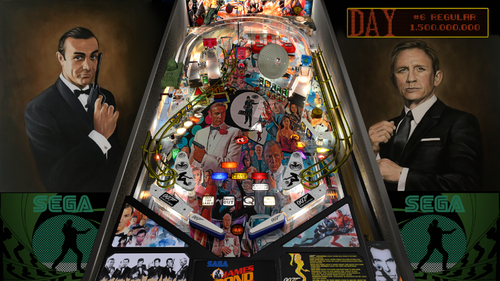
James Bond by Balutito
By balutito
This time, I invite you to rediscover the Goldeneye table, to trace this table, tribute to James Bond 1962 to 2012.
I particularly thank Bigus who authorized me to work since its last version, but also and especially all the predecessors who have created the Goldeneye table.
Author(s): JPJ, TeamPP, 32assassin, Pingod, UncleReamus, Destruk, The Trout
ROM = gldneye
Good Game
All Logos, Copyrights and Trademarks are property of their respective owners.
PROVIDED STRICTLY FOR PERSONAL / HOME USE AND NOT FOR COMMERCIAL SALE / RE-SALE OR DISTRIBUTION!
3071 downloads
-
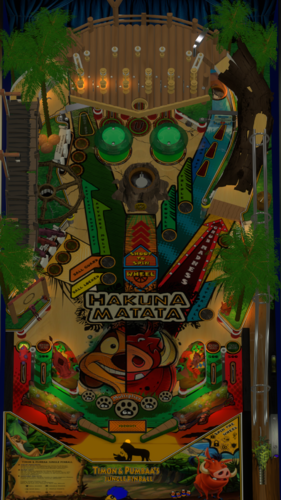
Timon and Pumbaa's Jungle Pinball
By dvs626
Timon and Pumbaa Jungle Pinball
Inspired by Disney's 1995 Timon and Pumbaa's Jungle Games, this was a project I had a bit of fun with trying to recreate what I thought this fun game would look like if it was ever to be a real pinball machine.
The table started out as JP's Jokerz!, the rom was stripped and everything was re-written to form this new fun game for all of the family to enjoy.
Don't be fooled by its childish theme this table can be challenging for the adults, but also toned down for the kids with the option to select between adult and child before starting gameplay.
Important
Visual Pinball v10.7 Required
FlexDMD 1.8 Required
FreezyDMD 1.9.0 Required
Note
If you get a script error when starting the table check the following settings in VP
Preference > Keys, Nudge and DOF : Disable B2S (must be UNCHECKED, have had reports of errors otherwise)
Installation
Copy the following files\folders to \Visual Pinball\Tables\
TimonPumbaaDMD
TimonPumbaa.directb2s
TimonPumbaa.vpx
Credits
' Converted to Orbital Framework by Devious626
' Original table design based on JP Salas Jokerz!
' Table design modified by Devious626
' Orbital Framework Compiled and built by Scottywic
' Code snippets by JP Salas, Flupper, DJRobX, NailBuster, ninuzzu, HauntFreaks rothbauerw & many more.
' Huge thanks to the VPW community for all of your assistance, your guidance will no doubt help me get better at creating tables.
3D Elements
' Tree Trunk: Full Credit to Aartee https://sketchfab.com/3d-models/stylized-tree-stump-04d51f5c2fb643aab3b93b451d1b77c9#download
' Stylized Lamps: Full credit to Izzy: https://sketchfab.com/3d-models/stylized-lantern-a1d81e3e271d47ee8ab7c9a5625eea47#download
' Tree Trunk Right Ramp: Credit to Tiffany Chu for Original Design https://sketchfab.com/3d-models/happy-little-log-2dcb97d29b0a42689b1dc2a1e11385f3 / Modified by Devious626
' Bridge: Full Credit to Hentoony https://sketchfab.com/3d-models/lowpoly-stylized-bridge-b99ab20cefcd4e9aa32ed8595a62db2a
' Targets, Wheel, Deck Area and Gate Created by Devious626
' 3D models baked by Remdwaas1986
'Audio / Visual
' Special thanks to the creator of the Fleep Sound Package which is implemented into this table. Documentation for Fleep was obtained from the archived article by Rauthbauerw at vpinball.com
' Special thanks to the creator of FlexDMD https://github.com/vbousquet/flexdmd
' Special thanks to Remdwaas1986 for the B2S
' Special thanks to Remdwaas1986 for his Timon and Pumbaa Wheel for Frontend
' Special thanks to Phenom for his Timon and Pumbaa Wheel for Frontend
' Special thanks to PEandS1Ws for his Timon and Pumbaa Wheel for Frontend
' Special thanks to PEandS1Ws for his Timon and Pumbaa FullDMD for Frontend
' Special thanks to PEandS1Ws for his Timon and Pumbaa Audio for Frontend
' Full Credit to Disney Interactive Studios and 7th Level https://en.wikipedia.org/wiki/Timon_%26_Pumbaa's_Jungle_Games for Audio Call Outs and Video/Image Elements
' Timon and Pumbaa Jungle Pinball logo was created from the original game logo from Timon and Pumbaa Jungles Games
' Timon and Pumbaa Center Peice created by Ochre Fox Tattoo (Located in Spain) FB:https://www.facebook.com/OchreFoxTattoo/?ref=page_internal / Instagram:http://instagram.com/ochrefoxtattoo
Gameplay
' Special thanks to nFozzy for Flipper and Physics corrections
' Special thanks to iaakki, apophis, Wylte and VPW members for Dynamic Ball Shadows
' Special thanks to iaakki for Rubberizer
' Special thanks to HauntFreaks for the use of Cockroaches code from CARToons Table
' Special thanks to Sixtoe, Flupper, 3rdaxis for VR Cabinet & Room
' Special thanks to Remdwaas1986 for FlexDMD images and Oqqsan for FlexDMD / Bug Fixes
' Special thanks to Remdwaas1986 for Coconuts and Larvae animations
Testers
' Special thanks to all who jumped in to test the Timon and Pumbaa Jungle Pinball table, your time and feedback is much appreciated.
Adult_Ruleset.txt Child_Ruleset.txt
1214 downloads
-
![More information about "Meteor (Stern 1979) [SK-5]"](https://vpuniverse.com/screenshots/monthly_2022_03/Met_dt.thumb.jpg.6cd9ccd75a3f7d84450070c4c50e696d.jpg)
Meteor (Stern 1979) [SK-5]
By bord
One the great classic pinball games and Steve Kirk's second of three for Stern. Meteor is a very satisfying game with balanced rules and multiple scoring strategies.
Game notes:
In the script options you must choose values for VR_Room, or Cab_mode. (The default is desktop mode of zero values). If you are using a full cabinet, VR_Room = 0, and cab_mode = 1. Desktop mode they are both zero. Additional options in the script include two VR environments, a VR clock, and settings for dynamic shadows if you experience a performance hit. The sound emulation for Meteor stinks. IRL the game sounds aren't nearly as awful. SORRY!
VR by Uncle Paulie.
3353 downloads
-
![More information about "Nine Ball (Stern 1980) [SK-3]"](https://vpuniverse.com/screenshots/monthly_2022_03/NB_dt.thumb.jpg.6143d7c78902c6a0778c7536500a8836.jpg)
Nine Ball (Stern 1980) [SK-3]
By bord
One the great classic pinball games and Steve Kirk's third of three for Stern. Nine Ball is an angular and challenging game with balanced rules and multiple scoring strategies.
Game notes:
In the script options you must choose values for VR_Room, or Cab_mode. (The default is desktop mode of zero values). If you are using a full cabinet, VR_Room = 0, and cab_mode = 1. Desktop mode they are both zero. Additional options in the script include two VR environments, a VR clock, and settings for dynamic shadows if you experience a performance hit.
VR by Uncle Paulie.
2648 downloads
-
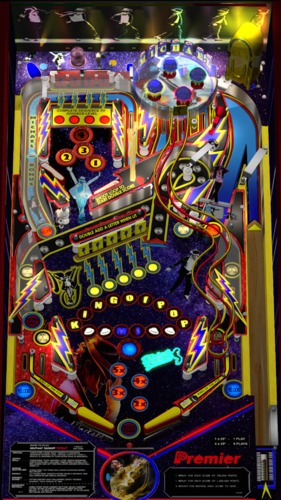
Michael Jackson 3.1
By marty02
Hi everyone today I am sharing Michael Jackson yet another table that was on the Vpinball site. It's an old table but fun to play for what it does not have good fun.
thank you Jpsalas
the pack contains
Table
The backglass
The rom
The media
Music
2484 downloads
-
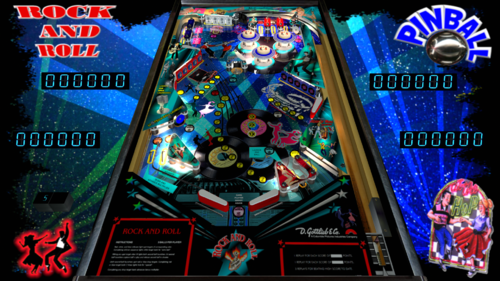
Rock and roll
By marty02
good we continue the update of the old tables here is Rock and roll one of force2 thanks to destruk.a table very fun to play despite its age.
the pack contains
the playfield
the backglass
the musics
the rom
good fun everyone in his complicated days with the covid
1057 downloads
-
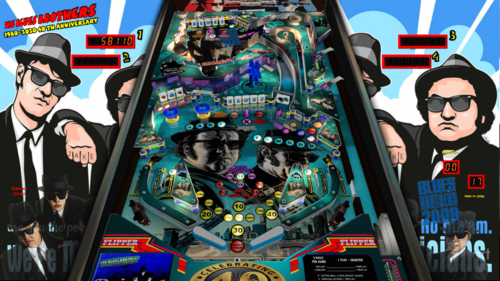
Blues Brothers 40 anniversary
By marty02
hello everyone we continue to share the old table that was on Vpinball. today blues brothers 40 years anniversary the table is nice but difficult so good fun for those who do not yet have this table. thanks to Jpsalas.
full pack,
playfield
backglass
media
music
rom
2667 downloads
-
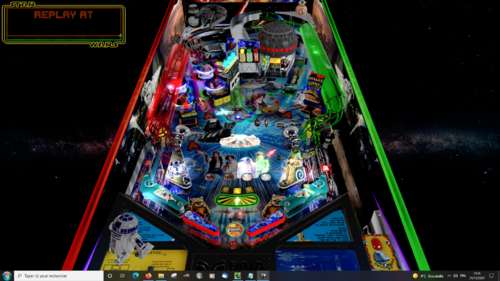
Star Wars millenium edition
By marty02
hello everyone as I said on godzilla's post I will share my tables which was at Vpinball.
I start with Star Wars millenium edition.
already thank you to Dids666 & DJRobX for the great table of star wars data east.
so new playfield
new lights
new 3D elements
new sounds
good feeling
4533 downloads
-
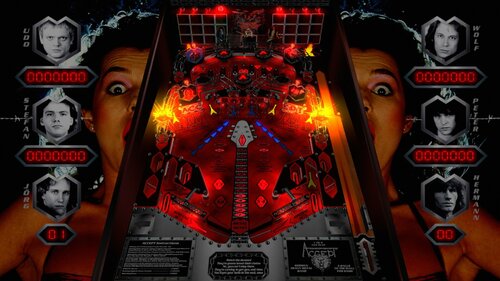
Accept (Germany) 1.2
By batch
Here is an original table about the German Heavy Metal band "ACCEPT"
I used the table "ALGAR" from Thalamus and Kalavera and Kalavera's B2S Backglass as a starting point, so, big thanks to them for their permission to use their work
So, you need to use the ROM "algar_l1" to run this table
I changed the location of every element and added wire ramps, but the rules remain almost the same
BALLS TO THE WALL replaces THE CHAMBER
RUSSIAN ROULETTE replaces RIVER STYX, but, each time, you have to reach the LEFT hole first, and then the RIGHT hole without the ball hitting any other element of the table to score the 2X value
METAL HEART replaces Extra-ball
Here are the new rules
Making 1-2-3-4 Advances X Value from 2X - 5X.
Making Either Bank of 3 Drop Targets Lites RUSSIAN and ROULETTE
Loops Shoots To Score 2X Value of Loop Shoot.
Making Six Flashing Drop Targets Awards 10,000 to 100,000 Value.
Making Six Flashing Drop Targets When 100,000 Lamp is Lit,
Lites Top Eject for Possible - METAL HEART
RUSSIAN and ROULETTE Loops Shoots Increase in Value
from 10,000 - 60,000. At 60,000 RUSSIAN and ROULETTE
Loops Shoots Lite Outlanes Which Alternate for Possible SPECIAL.
Driving Captive Balls Against BALLS TO THE WALL Targets
Scores Highest Flashing Values and Lights Ball Shooter Lanes
to Score 50,000 and to Release Balls in BALLS TO THE WALL Lanes.
If you want to listen to music when playing this table, just import your own mp3 files into your VPinball / Music folder
Name them as follows: Accept_01, Accept_02, and so on, and then, open the script and uncomment lines from 82 to 115
There are 24 lines for songs in the script, but you can remove some of them or add new ones, so don't forget to change quantity, Line 110 [musicNum = (musicNum + 1) mod XX]
You'll also find the b2s file in the download
Special thanks to :
Thalamus for setting sounds in the script, adding sounds and testing the table
JP Salas for testing the table and "cleaning" the script, and for his method to have flashers looking like flames from his table "DIABLO"
Xenonph for testing the table, and some of his comments
Flupper1 for his flashers templates
Kiwi for his "always" appropriate replies to my questions in topics, and also to many others for their availability and help !
Retro BASH for the primitive ramp I found in their Future Pinball table IRON MAIDEN
Zanny for his primitive Spotlights
Please tell me if I forgot someone !
And, of course, enormous thanks to VPX and VPinMAME developers !
Very special thanks to the band ACCEPT for their so "German" Heavy Metal (in the 80's, they seemed to come from another planet !)
and to all the fans who encouraged me when doing this table !
Sript options :
If you want to change sounds volumes, it's from lines 15 to 32 in the script
The artwork of the table is based on the five albums "Breaker", "Restless & Wild", "Balls to the Wall", "Metal Heart" and "Russian Roulette"
The band is : Udo Dirkschneider (vocals), Wolf Hoffmann (guitar), Peter Baltes (bass guitar), Stefan Kaufmann (Drums), Jörg Fischer (guitar), and Hermann Frank (guitar) - sometimes
Hope Accept fans will like this table (they will find no other ! ), and perhaps those who didn't know this band and don't listen to this kind of music too !
Let there be (German) Heavy Metal !
673 downloads
-
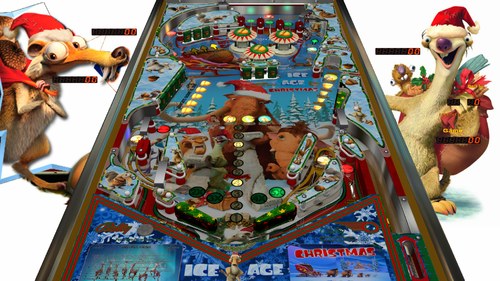
Ice Age Christmas
By balutito
Ice Age Christmas
Always with his agreement, I diverted Skateball from JP'Salas to offer you this Christmas table.
I hope you will be able to take advantage of the holidays to have fun with the children on this table.
Merry Christmas to everyone.
Good game
All Logos, Copyrights and Trademarks are property of their respective owners.
PROVIDED STRICTLY FOR PERSONAL / HOME USE AND NOT FOR COMMERCIAL SALE / RE-SALE OR DISTRIBUTION!
1230 downloads
-
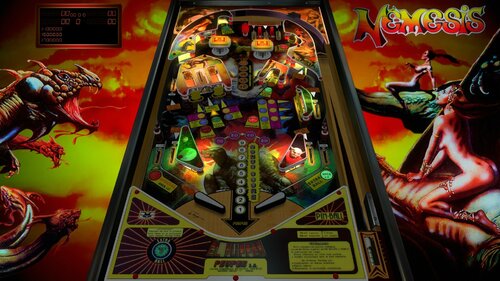
Nemesis 1.1.vpx
By batch
Ladies and Gentlemen, I'm glad and proud to propose you the VPX version of Nemesis (Peyper), one of the all fantastic VP9 tables from MFuegemann.
This table is from 2019, but I just wanna share it on VPU
I did a very soft lighting with no flashers, to show this colorful table to advantage.
Unfortunately, you can't register your highscore, this issue is ROM related.
I wanna thank the following persons:
First of all, MFuegemann, for accepting me to convert his VP9 table to VPX, and for his help.
Akiles for playfield and plastics images from the VP9 version I used as a starting point (I've had to redraw almost everything).
NFozzy for his flipper an rubber physics, and Rothbauerw for his tutorials, his help, and his patience.
Wiesshund for his method to delay the ball release
And, of course, big enormous thanks to VPinball and VPinMAME developers.
Hope you like it !
Bertrand (Batch)
976 downloads
-
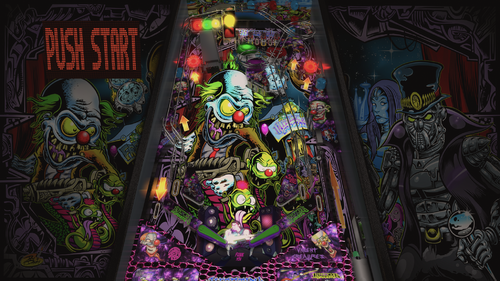
Infectious Grooves
By balutito
Hello everyone and thank you for your warm feedback.
This table is violent and funky.
I challenge you to manage to play without moving your ass on this music.
Note that the bassist of this group is not other than Mr. Robert Trujillo, current bassist of Metallica ...
I have not been able to trace the origins of the Aaron Speeling table on which I relied for this work. But I thank all those who have contributed from far or near.
Good game
All Logos, Copyrights and Trademarks are property of their respective owners.
PROVIDED STRICTLY FOR PERSONAL / HOME USE AND NOT FOR COMMERCIAL SALE / RE-SALE OR DISTRIBUTION!
2835 downloads
-
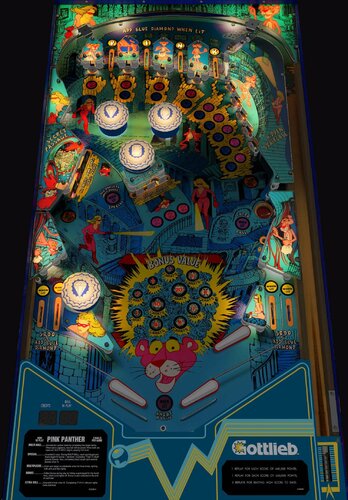
Pink Panther (Gottlieb 1981)
By bord
This is a legacy release of Gottlieb's Pink Panther widebody with a nice new VR update from @RajoJoey.
This was originally released in 2017, given a physics update in 2019, further tweaked w/ VR in 2021. Because of the age of the project and the limitations of the graphic assets no further updates or support is implied.
2492 downloads
-
.thumb.jpg.87c8c9c5cf996b27a41c4d3099b6c5ab.jpg)
Quicksilver (Stern 1980)
By Goldchicco
This is a complete rebuilt of 32assassin table ver 1.1
10.6 TABLE
Big thank you to you to:
@markrock76 for the playfield mesh, playfield image and playfield shadow image
What's new:
* New lights, new lighting
* New table physics
* Added nFozzy flippers
* Added Fleep Sound
* Correct few elements position on the table
* New script
* Reworked all the images, cleaned and upscaled
* Added Flippers Shadows and Ball Shadows
* Added playfield mesh (thanks @markrock76)
* New Playfield image (thanks @markrock76)
* Tuned Slingshots and Bumpers force
* Corrected Rubbers Hit Height
* Added JP's LUT code
* Corrected Bumpers Height
* Changed Drop Targets height so they don't disappear when down
* Adjusted numerous table elements physics properties
* Adjusted general table physics (added dampeners)
* Other small tuning
Press F6 and configure the Dip switches to select 5 balls and other features (need to do this only once)
To rotate and select between the nine LUT files press and Hold the Left Magnasave and rotate pressing the Right Magnasave.
Hope you enjoy it and please leave constructive feedback or comments in the support topic and will try to make it better.
All Logos, Copyrights and Trademarks are property of their respective owners.
PROVIDED STRICTLY FOR PERSONAL / HOME USE AND NOT FOR COMMERCIAL SALE / RE-SALE OR DISTRIBUTION!
Permission to Mod: Yes with approval
2464 downloads
.thumb.png.557350d1c3d2c33f9858e4f7b4ca12ae.png)
.thumb.png.559ffeefc18faf238c9a03f881e135dd.png)

.thumb.png.fe57fddb7770282f6016646c996c293f.png)
.thumb.png.cf73dbdbdc5b8f54b1a834d0b8b79185.png)
.thumb.png.25511275b3c5d73e50113bb1cba9c3d6.png)
.thumb.png.47ebdaab1a97f26cc03899a1acca0316.png)
.thumb.png.1f89cf8998a393ea6f8700991b2f697f.png)
.thumb.png.286dfc353cea4ac014063f3862b193cf.png)
.thumb.png.2c9d6e1a631cc227f552eb5de1919ec0.png)
.thumb.png.b27d4ca8766bd82434e54fd15225de8d.png)

.thumb.png.b6b82e89d74536734a428e8f2280d533.png)

Illuminated.thumb.jpg.1ea75ddbebb9e5600122b89d542cb73c.jpg)



.thumb.png.1344add9b4c97c9e4de83032e29a5b11.png)

.thumb.png.144c9c5cbceaf427701f1ba90ef551e5.png)







![More information about "COBRETTI MOD [PATCH] - (Cobra Nuova Bell 1987) final"](https://vpuniverse.com/screenshots/monthly_2025_12/desktop.thumb.jpg.cb87ab4b57358731080547ada6f7016b.jpg)
.thumb.jpg.6d5926eaebbbe5b0f36ebe3ebaa2a0d2.jpg)
FullDMD.thumb.jpg.43072decb46a3e0f974195bdbb3ef98b.jpg)
FullDMD.thumb.jpg.711ea33336b6ada7eb61056ac0acb1bb.jpg)
FullDMD.thumb.jpg.5ed54dbedaf801372cd779d9bc689df4.jpg)
FullDMD.thumb.jpg.1c7f0ec590b81b8b884d30fc9ce9f590.jpg)
FullDMD.thumb.jpg.315b079ffa18909913badbf37a68c34b.jpg)
.thumb.png.ab6b19bf2db454c177015223ab85a4c1.png)
.thumb.png.79a218329a89fd26c8f567176614fcce.png)
.thumb.png.064bdd2b072b016561e1873c067dd0cb.png)




Rules.thumb.png.833ea0dece231b1c27787bd325cc11e1.png)




Wheel.thumb.png.5ba343fcfb364e4162fcc13cc3b086d1.png)



VPWv1.2.2.thumb.png.421f22a9974c4e398270f66c5f7a99a0.png)
.thumb.png.4922fe4cff631fca4173f1af0488f65a.png)

