
No files in this category yet.
Files From Subcategories
-
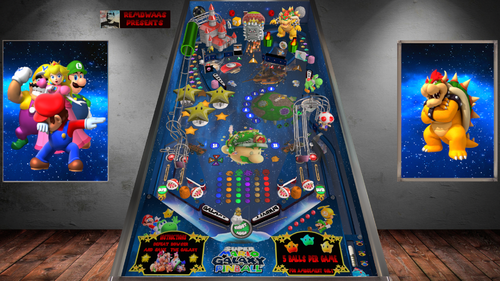
super mario galaxy pinball
By remdwaas1986
It's me! Remdwaas!
First of all the round of thanks:
Thanks to jpsals for helping me with the select player code and the last 7 problems that has been fixed today! Thanks again JP for trouble shooting the mario table!
Thanks to 3rdaxis for pushing me to do my own texture on a 3d model after 4 days i finally did it with blender!
Thanks to knorr for using his bucket and ramp from the soutpark table(i made the layout almost the same.)
Thanks to ninuzzu for letting me use parts from the Super Mario Brothers (1992) table
November 16, 2007
I was in the hardware store buying super mario galaxy for the Wii! This was something new, mario in space, walking around planets with nice music! When i saw there where only 2 mario pinball tables i needed to make the thirt one.
This is an original table, with everything included in the vpx file, and it doesn't need any external program to run. It can be run in desktop mode and in FS mode. The DMD will rotate accordingly. This is a 5 ball game with on 3,6 and 9 million an extra ball. This table is with ball savers on the side for more playing time!
For this table you can play as:
mario - diffrent playerball/ball lost dmd/ slingshot player and 50+ own sounds
luigi - diffrent playerball/ball lost dmd/ slingshot player and 50+ own sounds
peach - diffrent playerball/ball lost dmd/ slingshot player and 50+ own sounds
wario - diffrent playerball/ball lost dmd/ slingshot player and 50+ own sounds
- Each round you have the opportunity to defeat bowser. Kamek put a targetbank spell up, so first you need to hit the targetbank 3 times before you can hit browser 5 times after that. Can you defeat browser 5 times and win the super jackpot?
- Defeat spike,boo,koopa,goomba and bomb after 5 times hitting the target you will get an extra ball(if multiball is not enabled allready)
- Did you find the switch for king boo? he will send his boo army up and you can hit the boo's(code modified from the ghostbusterslimer table jpsalas) for extra bonuspoints--
- Hit the flag for extra points!
- There is a slotmachine in the castle, do you get lucky?
- Get all 8 galaxy's (Terrace, Fountain, Kitchen, Bedroom, Engine Room, Garden, Comet Observatory, Trial) so you collect all the letters smgalaxy for an extra multiball bonus
- Hit the yoshi bucket and have 25% change to find a yoshi egg, after 5 eggs a multiball bonus is waiting.
Leave a message behind and rank the table please!
Mushroom on!
2236 downloads
-
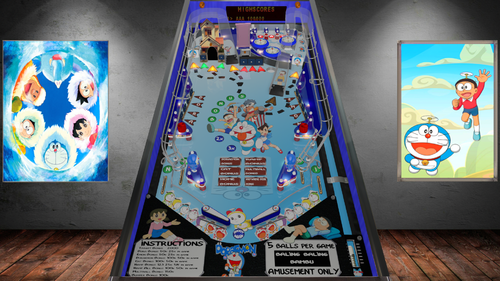
Doraemon
By remdwaas1986
Where do you want to go Nobi? We can just use the anywhere door to go to every place you want to go!
This is my first table released and there where a couple of problems that i fixed now. I decided to keep the DMD as it is now.
This is an original table, with everything included in the vpx file, and it doesn't need any external program to run. It can be run in desktop mode and in FS mode. This is a 5 ball game with on 1,3 and 5 million an extra ball. This table has no ball savers!
This table is based on Doraemon the animated series, which is very popular in Asia.
Features of this table :
Ramp bonus and sounds when shooting the ramps
Target bonus
target bank that has to be down before you can enter the slot machine.
Bonus from the slot machine
It was my first table ever made so i expand every time i learn more. Thanks to JPsalas for helping me with the code and providing me tips and tricks.
374 downloads
(1 review)0 comments
Submitted
-
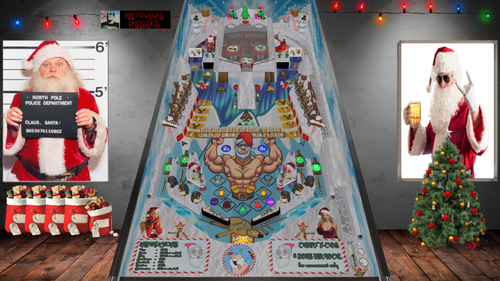
Drunken Santa
By remdwaas1986
Christmas is almost here!
It was the 6th of november this year i got a message to make a table together with somebody. I send this person messages with all the information, but didn't got any reply back lol. I decided to postpone my other projects and started on the 10th of November on new x-mas table "Drunken Santa". 19 days later this is the result!
First to all thanks to Davor Lipovac for using a sound from his Heineken table. Also my special thanks to stevegooner, because he is mister x-mas and provide all the nice x-mas tables in this community! I hope I'm also a good contribution to this community!
This is an original table, with everything included in the vpx file, and it doesn't need any external program to run. It can be run in desktop mode and in FS mode. The DMD will rotate accordingly. This is a 5 ball game with on 1,3 and 5 million an extra ball. This table is with ball savers on the side for more playing time! I put the music in the backglass(I also learn from last time) and add a flex dmd table. (for the flex table i used a different letter type, because the original wasn't showing nice on the dmd)
He drinks, burbs and he farts it's drunken Santa. Santa crashed with his sleigh when he wanted to deliver a package and now he is stuck in the chimney. Can you help drunken Santa and his elfs to lift the sleigh and get the package delivered?
Collect the 100 toys in Santa's workshop for an extra bonus.
Don't forget the beer and toy bonus.
Hit the beers out of the ice for extra bonus points
Can you get al 10 reindeers from the parking?
Hit three times the Christmas for an extra ball
complete the chimney for multiball
complete the sleigh for multiball
Leave a message behind and rank the table please!
Drink one on me and have a merry x-mas and a happy new year!
Cheers
636 downloads
-
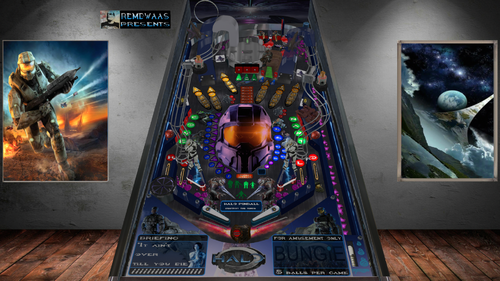
Halo
By remdwaas1986
Stick with the master chief He'll know what to do!
14 march 2002 Halo came out for the xbox in europe. For our generation was this one of the best games ever made. I played this a lot with friends on a old crt televions with split screen lol! Even Halo 2 we finished in one night playing(on easy of cource). snipering with the blood gulch level, what brings this back a lot of memories for sure! I didn't saw a Halo table out there and i felt the urge to make one.
First of all the round of thanks:
Thanks to jpsals for helping me with helping troubleshoot the code and explaining how the big ufo works in attack from mars. Also his patient because of all my messages. i was in panic mode because i almost had to redo 100+ 3d objects and 3d animations, it costed me 4 hours to find my own fault and its is fixed!
Thanks to flupper for helping me out with his light code.
Thanks to terry red to inspire me because his retro flair table.
This is an original table, with everything included in the vpx file, and it doesn't need any external program to run. It can be run in desktop mode and in FS mode with flexdmd automatically(with JP code fixes). This is a 5 ball game with on 3,6 and 9 million an extra ball. This table has no ball savers, only when the ball goes in to the left outer lane it will go in cortana's station and will be shoot back to the warzone!
This table is based on attack from mars. It hasn't the jumping aliens on it but so much more. It has needler bumpers, plasma rifle slingshots, changing flashers, changing colors, explosions and 3d animations.
Play the bank away by hitting the three bank targets. Then hit the door of the blood gulch bunker to enter the bunker. When you shoot into the bunker the covenantship will fly to you and stays above the bunker(instead of the big UFO), shoot the bunker again to destroy the covenantship every wave you have to shoot the bunker one more time extra to destroy the covenant ship, six times total. then it will restart. but the total waves,kills and missions that have been completed will be shown in the gameover screen.
At the end of the wave the bonus is 100K more then the last time. the small ufo's are replaced by banshees, who doesn't love banshees(hours we flew in them!)!
collect all six jackpots for the super jackpot(50K for each jackpot and 500k for the super jackpot). Every time your assistant Cortana will help you remind the status on how much % you are for getting a jackpot. (accept for the teleport lane, there will be only the lights).
If you shoot the ball in the teleport portal above your ball will be teleported to one of the 3 sides for extra randomness(with an extra ball it goes to the portal below).
If you shoot in the portal where Johnsen is sitting on, then 3 things can happen; teleport to three locations or missions/battles will start or the bonus level will start on the playfield below.
So every time you play it's different because you don't know where the ball teleports too!
Missions with timers:
1. collect 5 halo logo's - 60 seconds
2. collect letters C-H-I-E-F - 60 seconds
3. Skillshot low - 60 seconds
4. collect 5 frag grenades - 60 seconds
5. Skillshot high - 60 seconds
6. Collect 5 skulls - 60 seconds
7. Activate Halo Alpha - 90 seconds (bring the reactor on the left side offline)
8. Destroy Halo Alpha - no timer (destroy the left reactor and the halo ring, Halo Beta will now be available under the missions)
9. Activate Halo Beta - 90 seconds (bring the reactor on the right side offline)
10. Destroy Halo Beta - no timer (destroy the right reactor and the halo ring)
The mission lights are for mission 1 till 10 and the custom lights are for the mission animated battles
This missions/ animated battles are added above the main missions and you have change to get them also from the mission spinner(this are the other lights down the super jackpot):
11. Defeat 5 Flood carriers
12. Defeat 5 flood elites
13. Defeat 5 jackals
14. Defeat 5 grunds
15. Defeat 5 elites
After almost every mission you will get an extra ball and then the grund multiball modus will start. Kill the grunds till one ball remains on the table then the normal gameplay will be resumed.
I wanted to bring this table to the next level so i tried to do that by adding 3d annimation(wrote an tutorial for this see 1.6), so the enemies move and there is interaction with the master chief himself. Also by adding flashers which change from colors. I hope everybody enjoys this and remember we all work hard! So please rank/like the table and leave a message behind, thats the only appriciation we need and ask!
Now get back to the war soldier remdwaas out!
943 downloads
-
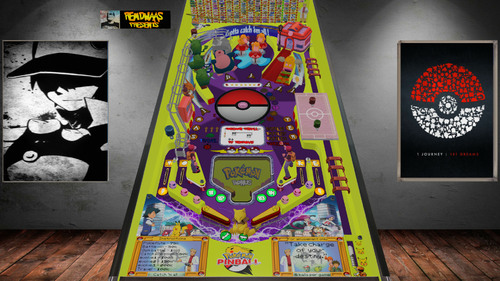
Remdwaas pokemon pinball
By remdwaas1986
I choose you Pikachu!
First my thanks to JP! thanks for letting me use your ramp from zelda, pikachu, eggs, some sounds and the pokemonballs. Also thanks again for helping troubleshooting the table and helping with some of the code.(when finished i had 11 issues) I'm so happy that JP always willing to help me, if i'm stuck. I really love his Pokémon table!
This is an original table, with everything included in the vpx file, and it doesn't need any external program to run. It can be run in desktop mode and in FS mode. The DMD will rotate accordingly.
It was 1999 and Pokémon came out for the Gameboy with all the nostalgic sounds! I remember playing while i was 13 years old and i thought that my accu was broken because a Pokémon was poisoned and the screen did weird. Next year i had Pokémon yellow and for the first time Pokémon pinball(2000).
This table is based on pokemon pinball(gameboy pokedex graphics)/ pokemon pinball ruby/ Pokémon Red en Blue(Gameboy) as well the first season of Pokémon the anime series. I made the playfield almost the same as Pokémon pinball ruby, but i use the pokecenter instead of a pokemarkt.(i don't have a flying bird or egg's that hatch) I only focus on the first 151 Pokémon's because that remembers me of my childhood.
You are ash and start in pallet town, you have to catch Pokémon's, do battles and win gym badges, just like the original Pokémon games.
The features of this table.
This table has like the original no multiballs, because that makes it nostalgic(just like Pokémon pinball from the Gameboy).
for this table i made more than 1100 dmd pictures, own letterype, 233 upperflashers for the town names/ catch update/ animations, 246 pokedex items / pokemons / towns / animations.
After 284 3d object for this table i stopped counting...
The script is more than 15.000 lines
This table has 2 Pikachu ball savers and a 60 second ball saver if you play the ball in the pokecenter. If you hit the spinner the Pikachu ball saver lights will be activated.
I use 78 Pokémon 3d objects from Pokémon quest(to let it look more authentic/old) with the 78 Gameboy sounds from the Pokémon's.(for the catching Pokémon part)
When you get the letters BAL then the ball will be upgraded and changed in another poke ball.(just like in pokemon pinball)
instead of sprout i used weepingbell, to start the catchmode. (weepingbell/victorybell always eat James from team rocket)
When the catch mode start you also have to hit the bumpers 3 times before the poke ball in the middle will open(thnx for helping with the magnet JP) to get the Pokémon appear on the playfield.
There is a 30 second time bonus to catch the Pokémon in the time for extra points. (i didn't want the Pokémon disappear because i would be frustrated and it has to be playable)
after hitting the Pokémon 3 times, shoot the middle from the poke ball again to really catch the pokemon.(there will be a 3d animation)
after catching and a Pokémon you can evolve the Pokémon(if its possible) hit the pokemoncenter and start evolve modus. You now need to hit the 3 letters E V O. (this is also from pokemon pinball only they use x-something)
Now again hit the poke ball in the middle if it opens after you get the letters EVO.
There are 4 bonus games on this table. If you evolve a Pokémon for the first time, the bonus game will start in the playfield below. I used the same layout of the bonus games that is used in the original pokemon pinball.
In this pinball version you can also travel to other city's, but you have to battle first with trainers
There are 27 trainers and 8 gymleaders
When traveling, the pokebattlefield(8 times) will change and also the car on the monorail(3 times).
You have a 50% change to win the battle, so you can also loose a battle and then you have to try again.
To access the battle cave you have first have to move snorlax in front of the cave, hit 3 times the target near the cave so you will get the poke flute and ash and his friends will move snorlax away in the dmd.
You can get a gym badge after the third battle that you win, after the gymbadge, travel start and the arrows of the lanes will blink to shoot. It works the same as Pokémon pinball, you need to get the 3 triggers in the left en right lane above and then travel will blink. then you can shoot the ball in the pokecenter to travel to the next city.
you start in pallet town and after one battle that you win, travel will start.
This table has also a 2x and 3x bonus multiplier
You can get the letters POKE from the lanes below for a 50k bonus
You can hit the targets MASTER for a 100k bonus
With 3,5 and 7 million you will get an extra ball for more playing time.
This table has only a target bonus at the end of a ball lost because you will get many points with battling/ catching and evolving Pokémon.
Play tip: if the ball comes from the right upper lane just leave your flippers and don't try to hit the ball, 9 from the 10 times it will come on the edge of your left flipper!
This pin cost me 6 weeks to build. Please leave a reply(so much appreciated) and rank the table! I will be busy the most of this year with my study and have to put my other projects on hold. Maybe later i will post another pinball project.
I hope you like it and how many Pokémon do you catch?
Like my other tables i have a normal table and flex table.
Cheers,
Remdwaas
986 downloads
-
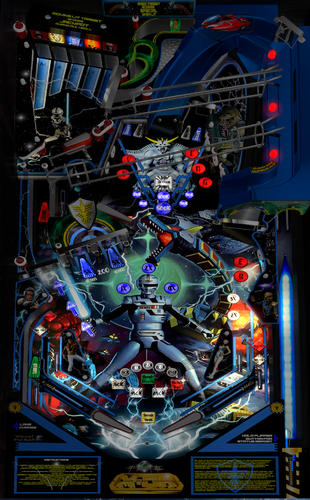
Space Sheriff Gavan (X-Or)
Table Based on Sword of Fury (Williams 1988) by Takut, which I thank.
I intentionally left the sound of the table on, but you can mute in the script, I put whatever it takes. The music file is in the table and the B2S archive as well as the logos and the dmd background for pinball X.
A Puppack is also available in the link to display a DMD.
Table Basée sur Sword of Fury (Williams 1988) de Takut, que je remercie.
J'ai laissé volontairement le son de la table activé, mais vous pouvez couper dans le script, j'ai mis ce qu'il fallait. Le fichier music est dans l'archive de la table et le B2S ainsi que les logos et le dmd background pour pinball X.
Un Puppack est aussi dispo dans le lien pour afficher un DMD.
887 downloads
-
_DT.thumb.PNG.3029545a8bd5a8c5b9ed0a79e127c26d.PNG) (0 reviews)
(0 reviews)0 comments
Submitted
-
_DT.thumb.PNG.8f6979057b7367a0a50713ba20e351da.PNG)
-
_DT.thumb.PNG.c06c8e1c13b1e2e8bb043b18ef4b2dd2.PNG) (0 reviews)
(0 reviews)0 comments
Submitted
-
_DT.thumb.PNG.4b922598d95c8a336eb1766873e95e5c.PNG) (1 review)
(1 review)0 comments
Submitted
-
_DT.thumb.PNG.6ce4bc4f579d1100896f16df81f1b553.PNG) (0 reviews)
(0 reviews)0 comments
Submitted
-
_DT.thumb.PNG.cdad7663f24616f1fe4502cb8b4113de.PNG) (0 reviews)
(0 reviews)0 comments
Submitted
-
_DT.thumb.PNG.ae9960a6bd347dd8a7e007848a0c871b.PNG)
-
_DT.thumb.PNG.c6c8d7d8e7904b3ec3edd99ff1204af0.PNG)
-
_DT.thumb.PNG.e08ea4ad21ea53596479ef524009313f.PNG) (1 review)
(1 review)0 comments
Submitted
-
_DT.thumb.PNG.2c4073bbbdfd7619edb4e1a3d6b10453.PNG)
-
_DT.thumb.PNG.afe1f99cc08f1f99d21d0407e8f6ee13.PNG) (0 reviews)
(0 reviews)0 comments
Submitted
-
_DT.thumb.PNG.e437133cd5cf765a9c880efecd5c65fc.PNG)
Pin Up (Gottlieb 1973)
By loserman76
VPX conversion
Artwork done by GNance
others to thank: JPSalas, Pinuck, hauntfreaks, Borgdog, Arngrim
486 downloads
(1 review)0 comments
Submitted
-
_DT.thumb.PNG.475f0c620d5abcb7432a56dbb552b3fa.PNG)
Outer Space (Gottlieb 1972)
By loserman76
VPX conversion
Artwork done by GNance
others to thank: JPSalas, Pinuck, hauntfreaks, Borgdog, Arngrim
in addition to the "standard" keys (typically "1" to start game and "5" for coin), I've added "3" as another coin input and "4" for coin and auto-start game (like I recall the dime slots generally were) to simulate 3 coin slots
when game is not in progress, holding down left flipper for about 3-5 seconds will bring up the options menu. left flipper selects item, right flipper changes option.
I've also included shadows for the ball and flippers. If you want to turn them off look for these lines at the beginning of the script:
Const ShadowFlippersOn = true
Const ShadowBallOn = true
change to false if you want either of the shadows not showing on your tables
799 downloads
-
_DT.thumb.PNG.32ab9cc79e127cd880074f5905144dab.PNG)
Olympics (Gottlieb 1962)
By loserman76
VPX conversion
Artwork done by GNance
others to thank: JPSalas, Pinuck, hauntfreaks, Borgdog, Arngrim
in addition to the "standard" keys (typically "1" to start game and "5" for coin), I've added "3" as another coin input and "4" for coin and auto-start game (like I recall the dime slots generally were) to simulate 3 coin slots
when game is not in progress, holding down left flipper for about 3-5 seconds will bring up the options menu. left flipper selects item, right flipper changes option.
I've also included shadows for the ball and flippers. If you want to turn them off look for these lines at the beginning of the script:
Const ShadowFlippersOn = true
Const ShadowBallOn = true
change to false if you want either of the shadows not showing on your tables
447 downloads
(0 reviews)0 comments
Submitted
-
.thumb.jpg.e3578cceb0d846bba5044343ef78cec7.jpg)
Car Hop (Gottlieb 1991)
By Goldchicco
This is a complete rebuilt of 32assassin table
10.6 TABLE
Big thank you to you to:
@markrock76 for the playfield mesh and playfield shadow image
@batch for the new scans Backdrop image for DT Users
@apophis for tuning the flashers
What's new:
* New lights, new lighting
* New table physics
* Added nFozzy flippers
* Added Fleep Sound
* Correct few elements position on the table
* New script
* Reworked all the images, cleaned and upscaled
* Added Flippers Shadows and Ball Shadows
* Added playfield mesh (thanks @markrock76)
* Added Flupper's flashers
* Tuned Slingshots force
* Corrected Rubbers Hit Height
* Added JP's LUT code
* Changed Drop Targets height so they don't disappear when down
* Adjusted numerous table elements physics properties
* Adjusted general table physics (added dampeners)
* Other small tuning
To rotate and select between the nine LUT files press and Hold the Left Magnasave and rotate pressing the Right Magnasave.
Hope you enjoy it and please leave constructive feedback or comments in the support topic and will try to make it better.
All Logos, Copyrights and Trademarks are property of their respective owners.
PROVIDED STRICTLY FOR PERSONAL / HOME USE AND NOT FOR COMMERCIAL SALE / RE-SALE OR DISTRIBUTION!
Permission to Mod: Yes with approval
2843 downloads
-
1.thumb.jpg.13198fd95d931de1d551e74b89b4e607.jpg)
Crescendo (Gottlieb 1970)
By loserman76
Crescendo (Gottlieb 1970) made by late loserman76.
396 downloads
(0 reviews)0 comments
Submitted
-
1.thumb.jpg.547cd914f12674547ef61da35e7e216c.jpg)
Desert City (Fipermatic 1977)
By loserman76
Desert City (Fipermatic 1977) made by late loserman76.
450 downloads
(0 reviews)0 comments
Submitted
-
1.thumb.jpg.663fc70df57e51b42e5751a2cc43e60b.jpg)
Diamond Jack (Gottlieb 1967)
By loserman76
Diamond Jack (Gottlieb 1967) made by late loserman76.
543 downloads
(0 reviews)0 comments
Submitted
-
1.thumb.jpg.ffde04aa3c968dc2a3a0b970bf4420d3.jpg)
Dimension (Gottlieb 1971)
By loserman76
Dimension (Gottlieb 1971) made by late loserman76.
431 downloads
(1 review)0 comments
Submitted
.thumb.png.c3f10bf0d78baa072423129a9928ef9e.png)
.thumb.jpg.51c7531114e2f7aeb4ee57cf584aeb66.jpg)

.thumb.png.35c418ea7c141a2a5682927da5bf2255.png)
fulldmdDark.thumb.png.720d86e44c1ed49fa7253836a8fe13b1.png)
.thumb.png.992a313f767bcd1daa0ac55d366cd978.png)
.thumb.png.2ad1e063155a6928eba32bb8f22824a4.png)
.thumb.png.f2ab273f0939d4e1d261b14a586d86e7.png)
.thumb.png.c678053045898b3c16f2852a2688b864.png)
.thumb.png.79f167488003ad866b4e74afb86ac3f9.png)
.thumb.gif.5e8abde834b01530ca82156cf50ae592.gif)

-frameat0m5s.thumb.jpg.b96a41d0ea804baa7ef2871a30b33b68.jpg)
v2.0.1-frameat0m20s.thumb.jpg.8869f48ad34b4b1a06d14ca1a3ef484d.jpg)
.thumb.png.6f232cb632361a139130a3513d6cf63e.png)
.thumb.png.b9a954bb085ec8aaef841696bd65e9d6.png)

.thumb.png.6bffcbe57b0280f277d7fb7261f3a89b.png)
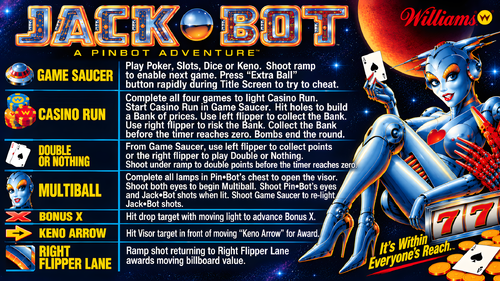




.thumb.jpg.2abec9cf73e96059a965e13ddce3e860.jpg)
v6.20Wheel.thumb.png.868462df7ed3a4b2217cf506a02c02b2.png)
.thumb.png.e798cf11dd74925690db372107cead76.png)
Wheel.thumb.png.16602695e444ed968b9491089c1de862.png)
