-
SYSTEM SEARCH
System Scanners Online:
Username: Guest
>> System Scan?
>> The Universe >
Incoming Message:
Due to system limitations searching with words of 3 or less characters will not return results. For instance; Doctor Who. This will not return results as the system is trying to search for both Doctor AND Who in which Who will not be found as it's a 3 character word. To find Doctor Who; you'd search for either Doctor or "Doctor Who".
Search Tips:
For specific searches; enclose your search with quotes. Example: "Doctor Who" or "Addams Family".
Search the Community
Showing results for tags 'Stern'.
-
-
Version 3.0
6678 downloads
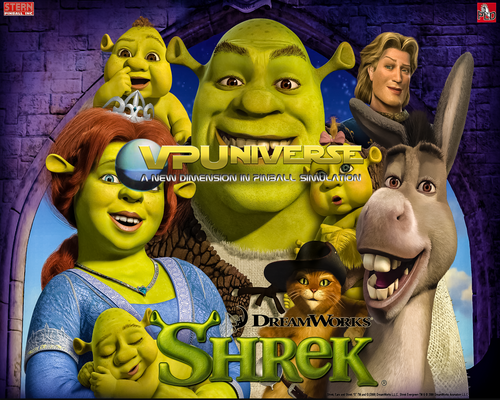
Shrek(stern 2008)- 9 comments
- 5 reviews
-
- 117
-

-
Version 2.0
11957 downloads
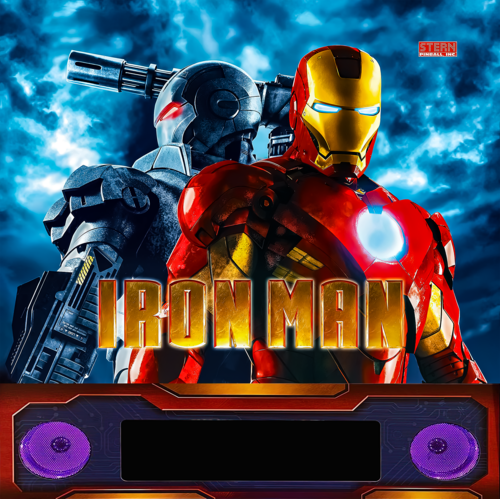
Iron Man (Stern 2010) -
2.thumb.png.ec0d7f969ee902ff031d1e6e1f61c23e.png)
Version 1.0.0
13 downloads
Metallica Remastered (Stern 2024) - Wheels Cheers, FD.-
- 1
-
-
- metallica
- remastered
- (and 1 more)
-
Version 1.1
2018 downloads
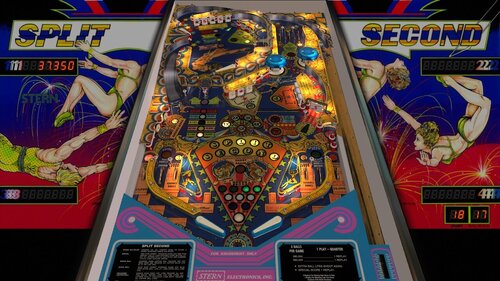
Thank you to jpsalas for creating this beautiful table and allowing this mod! This is a VPX version of Split Second, a classic widebody focused on precision and timing. Featuring multiple flippers and a layered playfield, it rewards controlled play and accurate shots—true to its name, every move matters in a split second. This mod was a joint effort between @studly_do_right and myself: I added nFozzy physics and Fleep sounds studly_do_right did the original VR implementation, visual tweaks, and sound polish @DGrimmReaper replaced VR cabinet and added VR backglass digits Special HUGE thanks to @outhere for verifying DOF functionality after the Fleep conversion. I just can't thank him enough for all his help on every table Enjoy! Note: This is a widebody table, so it shouldn’t fill your entire cabinet screen. Leave a few inches of black at the bottom (shrink vertically) and move the table upward toward the backglass. You won’t notice the empty space during gameplay—and the proportions will look much more natural. If you want the robot voice: Press F6 Check/Enable talking sound Click OK Press F3 -

Version 1.1.0
27557 downloads
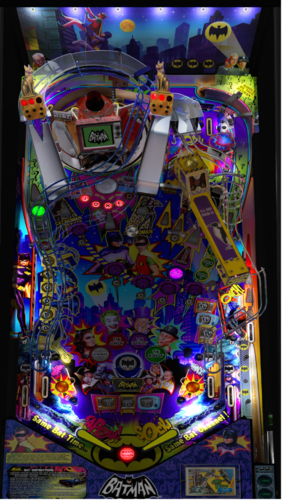
BATMAN 66 Stern Tribute Daphishbowl, Mr H, MPT3k & Harlan Special Thanks: Harlan - Pup help, graphics, sounds MPT3K - Gameplay, videos, real table comparison, sound and testing Dimi - Video & resources Flipstream - Awesome Gameplay videos EbIsLit - Playfield scan Nailbuster - Massive Pup help (and VPX code tips!) Rik - Massive Testing TerryRed - DOF and lots of support wAxx - Awesome Physics and detail tweaks Joey - Backglass graphics DJRobX - Turntable help Sixtoe - VR Room G5K - Turntable help Pinballfan2018 - Table support VPW - nFozzy fixes and details (Benji, Apophis, Iaakki, Astronasty, Bord, Sixtoe) Alpha/Beta Testers - Too many to list INTRO: Huge thanks to everyone for the massive help! After a year in the making we hope yall enjoy it and feel it was worth the wait. Nobody can match the amazing code Lyman Sheats did for the original table but this was hand coded and shows how much work it must of taken to make the real table. We tried to replicate every detail on the gameplay with exact scoring, bonuses, modes, pinup interactions, gadgets, service menus and so forth. In the 27K lines of code I am sure there are a few things we still missed so feel free to let us know. Our goal is to pay tribute to this amazing table but also show that there are no limits when it comes to originals. We hope this will bring something the community will enjoy and inspire others to join in on the fun. NOTE: YOU WILL NEED THE NEW 1.4.6 PINUP (also included in the Baller Installer): https://www.nailbuster.com/wikipinup/doku.php?id=release_notes PUP Pack: Run the appropriate batch file and "Read the on screen instructions to know how to setup the script in VPX" Version 1.1.0 - https://mega.nz/file/XMIgnRwC#LmRlA5GjAzxrWdjxl4O87PxqjUldOF4kA-fLoU0odFQ Version 1.0.0 - https://mega.nz/file/eJh0lARL#BCzPwXZLqc9ylRgwwlLtEFd6FAmdGymNMrrPf_kIiEo The Rules: There is a lot to this table so don’t forget to read the rules so you can enjoy all this has to offer http://tiltforums.com/t/batman-66-rulesheet/2463 Ownership: This table is collectively owned by all of those that contributed to it in order to give back to the community. No one author retains the right to pull this table from the community. If you would like to mod this table you shall obtain permission from one of the authors, leave the list of original authors at the top of the source and finally add your name to the list. If for some reason we all leave this community and we are unreachable then this table will then become open to anyone in the community. -
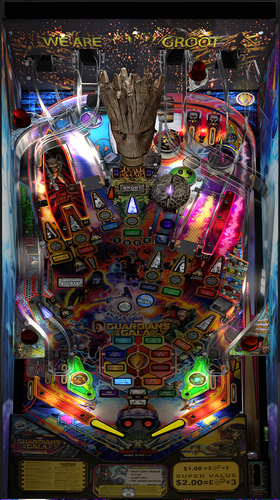
Version 2.1.1
44260 downloads
**************************************************************** Guardians of the Galaxy 2.1.0 By: Pincredibles **************************************************************** Special thanks: Arngrim, MPT3k, Mr H, Nailbuster, Rik, Harlan, Orbital Group, VAAS, wAxx, Ashtone6, Al, Terry VPW Team, namely Apophis, PinStratsDan, BountyBob, Sixtoe, Wylte, Hauntfreaks and many more... **************************************************************** Intro: This is my first table and I really want to thank everyone for all the help. The table script was hand coded to match the original table. I tried to replicate every detail on the gameplay with exact scoring, bonuses, modes, pinup interactions and so forth I am sure there are things I missed in the 11K lines of code but I am hoping the hundreds of hours we put into the making of this will bring something the community will enjoy and show there are no limits to what can be done. NOTES: - Make sure your PINUP is up to date: https://www.nailbuster.com/wikipinup/doku.php?id=release_notes - VPX Version: I tested in VPX 10.6 but works in 10.7. Some users identified some stutter in 10.7 so try 10.6 if you see this. - Enabling Orbital Scoreboard will hide your local scores but not achievement scores. **************************************************************** INSTALL: 1) Copy VPX to your VPX Tables directory 2) Copy GOTG_2020 insize the pup zip to your <drive>:\PinUPSystem\PUPVideos directory 3) Run the batch file in the pup pack that matches your config. It should make all necessary script changes for you. 4) Update DOF (If necessary) **************************************************************** 2.1.0 PUP Pack location https://mega.nz/file/DVoQRTrZ#FxQg78RY0W5rgEg2DHnLoUEp78fpm6Zh7lqcGxD7jQ8 **************************************************************** MPT3K Scorbit Setup and Tutorial **************************** Manu made a great step by step on how to setup and use Scorbit https://youtu.be/Sb6GF_3wDtc Version History: 2.1.0 - See Changelog for the 2nd 2.0.0 in the dropdown. 2.0.0 Massive update to bring it up to where it should be. Too many changes to list but here is a summary: - Added missing sores, mode animations, displays and major bug fixes and core table capabilities 1.2.1 - Fixed cherry bomb so you can do it again after finishing. - Fixed hole where ball could bounce through to shooter lane - Bug fix where DOF was getting left on. - Added desktop backdrop that MrFireshots created - Added pup script for desktop mode - Incorporated wAxx changes for the following - Physics changes to give it a more realistic feel. - Updated slingshots - Added changes needed for Desktop mode - Moved Stern button on the actual lockbar - Updated missing details on playfield (magnet position, rocket strength, flipper position, missing 3d prims and rubbers, metal holding Orb, GI and many more..) 1.2.0 - Fixed billboard/standup above scoop so it doesn’t look blurry (Also fixed blur on Groot) - Added small wall to prevent ball from getting stuck in left Outlane - Quills Quest didn’t give progress the first time you hit the scoop - DOF Enhancements - Thanks James D. - Music leveling - I didnt get it all in but thanks to Rajo for the help - Trimmed game over song to 30 seconds like original game - VR Support – Thanks Toby!!! - Locked all objects in editor so that they were not inadvertently moved. - Changed 12 primitives on layer 9 called "Post Plastic+Fluro(OnlyScrewCap)" to "PostFluroOSC(num)" as the original name was too long and was crashing the editor (thanks to DJRobX for compiling a version of VPX which let you edit out-of-range filenames). - Changed layers assets were on to free up layer 11 for VR stuff and to organise them for better visibility, dropped editor detail for some primitives. - Changed cabinet blade primitive and added new higher res blade image, added script switch to change back to old sideblades. - Added Stern Spike 2 cabinet and VR Room primitives to Layer 11, including importing images and materials. - Added "VRStuff" collection and put all of the VR objects in it. - Added VR Room switch to turn on or off the vr room primitives (Line 36) and the code to control (Lines 97-136) - Added lockdown bar "fire" button, switchable between Apron (cabinet/desktop) and lockdown bar (VR mode) (lines 97-136) - Added timer plunger code (Lines 1226-1229) so sync VR shooter rod with table plunger. - Added -15 height wall called "trigger" and assigned all playfield triggers to use it as a surface to drop them to the correct height. - Repositioned all flasher primitives to correctly sit on the plastics. - Replaced "Flasherlight" lights with secondary "FlasherFlash" flashers so they can be angled with the table slope, you shouldn't even notice. (5157 - 5375) - Made MetalPost(Point)4 (Layer 9) visible as it wasn't (hidden underneath right ramp), was a "floating" rubber. - Added deeper wood for all playfield holes. - Updated apron primitive including UVmap so that it looked OK in reverse angle. - Made apron wall visible, changed material and tidied up apron underneath. - Fixed plunger audio and positional sound. - Repositioned billboard and all assets on billboard aligned. - Changed depth bias settings for ramps, blades and flashers. - Changed Groot mouth wall (Wall017) to stop losing balls under plastics. - Change height of wall001 and wall005 ramp triggers to match ramp height, removed collidable status. - Repositioned ramp rubber bungs (Primitive2) - Added missing flathead screws to ramp entrances - Added missing mounting poles to left and right slings, added pole to right inlane guide, removed old redundant screwheads. - Adjusted spinner to stop it clipping through the plastics. - Added sleeves to hexpoles on playfield level, removed doubled up sleeves. - Cut GI so it doesn't stick out sides of cabinet -
.thumb.png.bddf3c9186beb9ae1a3883ea01b199bc.png)
Version 1.0.0
4744 downloads
Wheel of Fortune (Stern 2007) 1.0- 11 comments
- 3 reviews
-
- 70
-
-
- wheel of fortune
- stern
- (and 2 more)
-

Version 1.0.0
1589 downloads
Please note: This Serum colorization was developed and tested on both virtual and real tables to ensure accurate color depth and optimal performance. However, for real tables, this applies exclusively to ZeDMD <> PPUC/DMD displays. Use with any other hardware solution is strongly discouraged. Videos and user reports have shown reduced frame rates and poor color output specifically on PIN2DMD. Please be aware that these issues are not caused by Serum itself, but by the hardware/software limitations of PIN2DMD. Hello friends, for my third colorization I've chosen other of my Top 20 pinball tables. It's a simple colorization, without excessive additions, because the theme itself is already colorful enough without needing more. As for the ROM, for someone not very skilled at the game, I thought it would be easy, but it turned out to be a very interesting game with many minigames and quite complex if you want to unlock all its secrets (that darn frog...). That's why it took me almost a year to complete (more than 550 hours of editing). I hope you like it. Note: This serum colorization has being upgrade with the new and highly optimized cROMc format, the successor to cRZ, with up to a 90% reduction in memory footprint - You MUST use the newest 2.4.0 or later Dmdext release by freezy HERE and delete old SerumXX dll's- 19 comments
- 20 reviews
-
- 152
-
-
- ipd no. 4917
- serum
- (and 1 more)
-
Version 1.0.1
2762 downloads
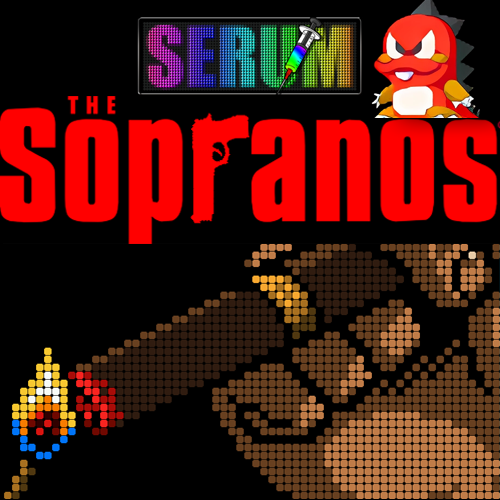
"Those who want respect, give respect." - Tony Soprano I am pleased to share my Serum colorization of The Sopranos (Stern 2005). Took me 150 hours for this one and I hope you will enjoy it. Requires DMDEXT 2.4.0 or newer. Also use the latest Serum DLL that supports .cROMc and it's advanced features: Serum DLL latest release Cheers! 🍻 -
Version 1.0.0
4975 downloads
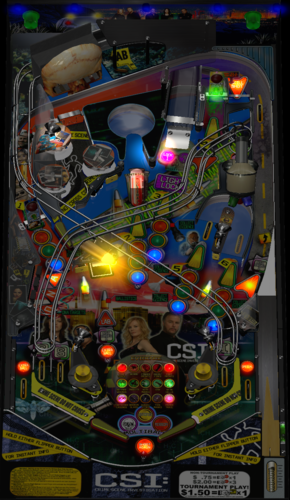
Based in CSI Stern 2008 CREDITS: FRANSISCO666 AND ROM: Models 3d and resources redraw GTXJOE: Animation the Skull MAKUSTE: For excelent PhysMod WILDMAN: B2S Backglass ARNGRIM: DOF Bodydump: DroppTargets Flippers Koadic: New Plunger code Zany: Flasher Domes Dark : Primitive screws bolts 32Assassin: VPX 10.4 comvertion I apologize if I forget to mention someone -
.thumb.png.26244a5180bc705732fed3fabcbb8fbe.png)
Version 1.0.0
73 downloads
Stars (Stern 1978) HI REZ ALT with Wheel -

Version 1.0.0
696 downloads
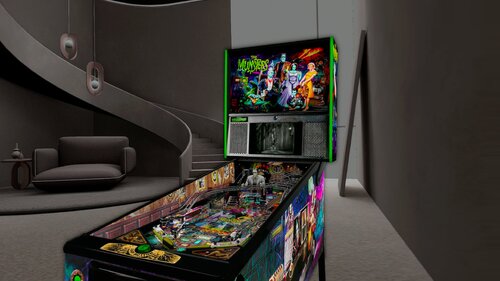
First off Thank you to allknowing2012 for making this fine table. This is based off the VR ROOM The Munsters (PRO)(Original 2020) v1.06b version. It is the last updated version by allknowing2012 that included a minimal VR room as well as scorbit. I discovered there were issues with the VR cabinet and decided to embark on fixing them. I first made the "cabinet" rails and lock down bar invisible", I then proceeded to upgrade all the VR cabinet art and material color to the true to life Stern Pro Edition. I got a hold of high resolution scans as well for the art. I also fixed the animated plunger as it was stuck in the pull position and moved the DMD back a tiny bit to give it more depth. I have included a VR Deluxe Room, Minimal Room, and Ultra Minimal Room, for your tastes. Accessible via the F12 menu. Enjoy and have Fun, and thanks again to allknowing2012 for his excellent work on this table. VPU Remix Tool Link You MUST download the original table the patch is based on from allknowing2012 at **** THANKS SO MUCH TO ALL WHO CONTRIBUTED TO CREATING THIS TABLE! *** capnclaw -
Version 1.0.0
1147 downloads
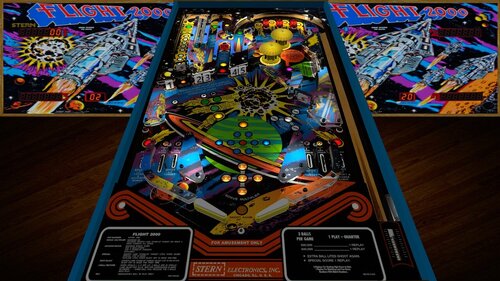
Thank you to @HSM and @jpsalasfor creating the VPX build of this table! And thanks @bigus1 for allowing us to mod your excellent mod Stern’s Flight 2000 pinball machine is a space-themed adventure for the true enthusiast. As the flyers put it, “Stern’s first talking pinball game is really taking off!”. One of the most interesting features of this game is the 3-ball multi ball. Each of the three balls has its own lift-off stages located on the upper left hand portion of the play field. Steppers, driven by solenoids, also move the balls in play along until kickers can kick the ball into the arch at the top. Changes in this version: I added nFozzy and Fleep @studly_do_rightimproved the look and sound, resolved issues, tested, and more @DGrimmReaper for the VR implementation @hauntfreaks for the new VR backglass/cabinet assets and link to new b2s! @Ext2k for the cabinet models @outhere for verifying DOF functionality following fleep conversion Enjoy! Note: This is a widebody table, so in my opinion it should not vertically fill the entire cabinet screen. If you want the robot voice: Press F6 Check/Enable talking sound Click OK Press F3 Desktop users can try the F12 option "Desktop VR Mode". Set that to on, then restart the table. Zoom out using Z offset (also in F12) to see the whole cabinet and backglass in the vr room on your desktop. You wont be able to look around but it's cool to see the whole cabinet with the table in it, imo -
Version 1.0.0
557 downloads
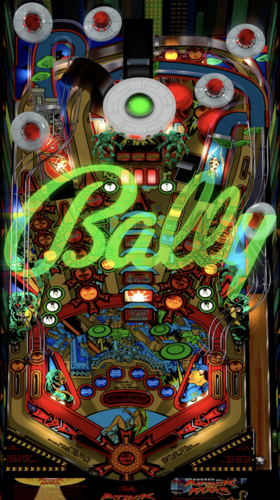
Manufacturer Playlist Playfield Media Bally, Williams, Data East, Gottlieb, Stern, Williams. -

Version 1.02 with VR
11755 downloads
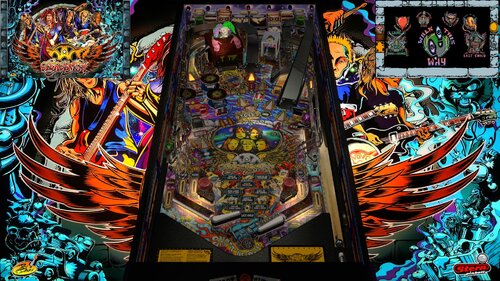
Aerosmith Pro 2017 (Stern/Tribute) V 1.0 By: Allknowing2012 Thanks to the folks of GOTG for providing a framework for the code. Here is the much delayed release of my Aerosmith recreation. It includes much of the rules that are out there but being a recreation it will NOT be an exact replication like a rom based game. Notes: 1) Copy vpx to your tables directory 2) Install the "aerosmith" pup-pack (located elsewhere) in to your PinUpSystem\PupVideos directory. 3) Run the batch file in the pup pack folder to match your hardware (Desktop, 2 screen etc) 4) Optionally run PinupPackEditor.exe to configure/reconfigure your screen layout (for ALL your pups) This table uses the Apron/FULLDMD of PUP - be sure you have this display configured with your PinUpPackEditor program! 5) Optionally disable/enable Scorbit High Score tracking. See Scorbit.io for details. (Line 127) Extra: There are options to use FlexDMD, Pup or neither. PUP use is highly advisable. (Line 131) PuP Pack Location https://mega.nz/file/ErxEHAQY#9G1aWoR0aDAAFfz_bK3XrCB0clRzn5n7sBwzd7FX6-8 FlexDMD (Very minimal Flex implementation) https://mega.nz/file/Bn5igJbA#Gz-IbiLlnK01SvYoeOUWZupVez2XjeS50H_SO9BPwvk You WILL need to upload the music portion of the pup-pack Copy the Music folder into your existing <drive>:\Visual Pinball\Music (Note don't create Music\Music\Aerosmith - you want Music\Aerosmith Any graphical improvements are encouraged and welcomed! Daryl allknowing2012 -
.thumb.png.79d4b8dbc4dac977bc18fa9adac3b052.png)
Version 2.0
3144 downloads
High Roller Casino(Stern 2001) -
-
(Small).thumb.png.5f0ff7bac61335d00c7915cf119fd265.png)
Version 2.0
9036 downloads
The Simpsons Pinball Party (Stern 2003) Hi Rez- 12 comments
- 13 reviews
-
- 131
-
-
- DirectB2S
- The Simpsons Pinball Party
- (and 3 more)
-
.thumb.png.d4aed863d04d1632fa8003fcb275d86b.png)
Version 1.2
152 downloads
Trident (Stern 1979) HI REZ ALT -

Version 1.0.1
1459 downloads
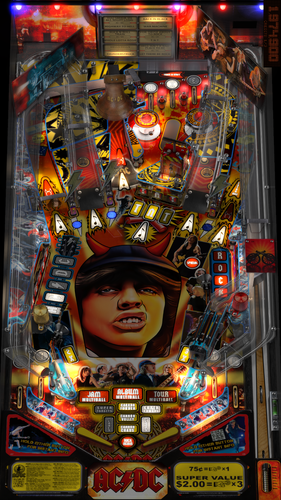
I’ve been asked several times if I could fix @ninuzzu’s tables. If your software is up to date, the tables have excessively bright lights and are unplayable. Here is the fix for all six of his versions. I haven't made any other improvements. I also couldn't find any difference between Ninuzzu's versions of "Let There Be Rock" and "Back in Black." Make sure you download ACD170.BIN from the Stern website if you want to play the two Pro versions. Thanks to @deadmanworking. Have fun, and feel free to use my patch for further improvements. -
.thumb.gif.463bcfd687c8e5cfe78aff28b28fdc3b.gif)
Version 2.0
2064 downloads
thanks to Sliderpoint and Xenonph for allowing me to modify his incredible NFL table. thanks to Sliderpoint for his model of goalkeeper, really stayed perfect! This table is one of my favorites, the first stern design after acquiring the division of sega pinballs and it is believed that this design was inherited from that company. the version that had been quite old and with graphics in low resolution, the playfield recreates it by parts, since I could not find a good quality photo to do it, the script is the same as the one that had the Sliderpoint and Xenonph table, with some small changes, like the lights. I hope you like it.- 1 review
-
- 46
-
-
- striker xtreme
- striker
- (and 3 more)
-
View File AC-DC (Stern 2012) - Lighting Bug Fix for Ninuzzu´s tables I’ve been asked several times if I could fix @ninuzzu’s tables. If your software is up to date, the tables have excessively bright lights and are unplayable. Here is the fix for all six of his versions. I haven't made any other improvements. I also couldn't find any difference between Ninuzzu's versions of "Let There Be Rock" and "Back in Black." Make sure you download ACD170.BIN from the Stern website if you want to play the two Pro versions. Thanks to @deadmanworking. Have fun, and feel free to use my patch for further improvements. Submitter MisterCoffee Submitted 06/24/26 Category VPURemix - VPX Table Patches Modified by Original Table Version 1.0 and 1.5 (see file names)
-
View File Rolling Stones, The (Stern 2011) Balutito(MOD) 2.0 Rolling Stones, The (Stern 2011) Balutito(MOD) 2.0 This is an unreleased update to balutito's fabulous Rolling Stones table mod and it's absolutely gorgeous! He was gracious enough to allow me to add custom side blades to it and release it on his behalf. So thank you so much to @balutito All credit goes to him! There is also a mini pup pack included for the video screen in the centre of the table. Unzip that and place the "rolstone" folder in your pup videos folder in Pinup. The video screen works great with the table! F12 Menu to turn custom side blades off and on. Submitter capnclaw Submitted 03/07/25 Category VPX - Pinball Tables VPX Standalone No
-
.thumb.png.1f91aacb795f51099755ea897a6f4766.png)
Version 1.2
100 downloads
Star Gazer (Stern 1980) HI REZ ALT- 1 review
-
- 18
-
-
- star gazer
- stern
- (and 3 more)