-
SYSTEM SEARCH
System Scanners Online:
Username: Guest
>> System Scan?
>> The Universe >
Incoming Message:
Due to system limitations searching with words of 3 or less characters will not return results. For instance; Doctor Who. This will not return results as the system is trying to search for both Doctor AND Who in which Who will not be found as it's a 3 character word. To find Doctor Who; you'd search for either Doctor or "Doctor Who".
Search Tips:
For specific searches; enclose your search with quotes. Example: "Doctor Who" or "Addams Family".
Search the Community
Showing results for tags 'pov'.
Found 18 results
-

Version 1.0.0
35 downloads
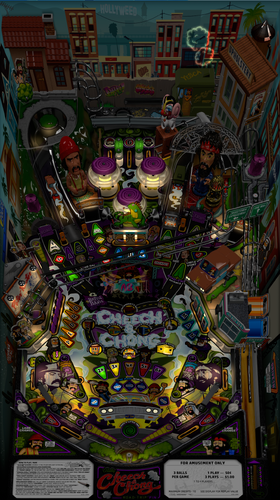
This is a Cabinet POV for 43" display, using VPX10.8. It is an alternate option to those offered by LoadedWeapon. The objective of this POV is to maximise the depth perception of the playfield utilising the "Window" option in "View Layout Mode". The result is, when viewed directly from above, the image may look distorted - as shown in the attached screen shot - but when viewed from the front of the cabinet, the images regain their perspective (much like "STOP" painted on a road surface). Although specifically customised for this particular table, it should also be a close fit for the same table made by other creators. Link to Table: Installation procedure: 1. Make a backup copy of your *.ini file for this table which will be located in your "Tables" folder. 2. Paste the downloaded *.ini file into your "Tables" folder 3. Rename the downloaded file to be exactly the same as your table file and B2S file. The most reliable way to do this is to select all files Table file,B2S and ini file. Right click with mouse. Select rename option. Rename the file. All 3 files will then be renamed automatically Troubleshooting: a) If you start the table and it is not visible or not centred properly 1. press f12. 2. Make sure you are on the page with heading "Point of View" which is the POV setting screen. 3. Use the Magna button to scroll down until "Vertical Offset" is highlighted 4. Use your flipper keys to adjust this value which will move playfield either up or down. 5. If the playfield is "black colour" it means that the playfield is "beyond" the location of your screen display. In such a case the "Vertical Offset" value is most likely a high negative value. In that case press the right flipper key. The value should reduce towards zero. As you get near to zero the playfield will become visible. Continue to adjust it until the edge of the apron is aligned with the bottom of your display screen. b) In the unlikely event that you cannot get the screen to size to your playfield, simply delete the ini file and replace it with your backup copy. -
Version 1.0.0
34 downloads
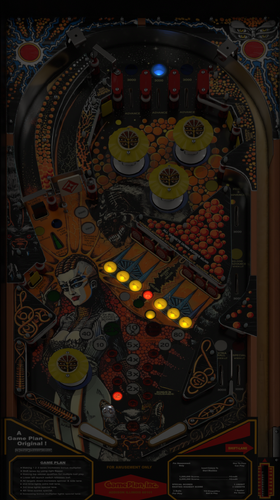
This is a Cabinet POV for 43" display, using VPX10.8. It is an alternate option to those offered by LoadedWeapon. The objective of this POV is to maximise the depth perception of the playfield utilising the "Window" option in "View Layout Mode". The result is, when viewed directly from above, the image may look distorted - as shown in the attached screen shot - but when viewed from the front of the cabinet, the images regain their perspective (much like "STOP" painted on a road surface). Although specifically customised for this particular table, it should also be a close fit for the same table made by other creators. Link to Table: Installation procedure: 1. Make a backup copy of your *.ini file for this table which will be located in your "Tables" folder. 2. Paste the downloaded *.ini file into your "Tables" folder 3. Rename the downloaded file to be exactly the same as your table file and B2S file. The most reliable way to do this is to select all files Table file,B2S and ini file. Right click with mouse. Select rename option. Rename the file. All 3 files will then be renamed automatically Troubleshooting: a) If you start the table and it is not visible or not centred properly 1. press f12. 2. Make sure you are on the page with heading "Point of View" which is the POV setting screen. 3. Use the Magna button to scroll and highlight "Vertical Offset" 4. Use your flipper keys to adjust this value which will move playfield up or down. 5. If the playfield is "black colour" it means that it is "beyond" the location of your display screen. In such a case the "Vertical Offset" value is most likely a high negative value. In that case press the right Magna key. The value should reduce towards zero. As you get near to zero the playfield will become visible. Continue to adjust it until the apron is aligned with the bottom of your display screen. b) In the unlikely event that you cannot get the screen to size to your playfield, simply delete the ini file and replace it with your backup copy. -
 Why is it when I adjust a table and press the player 1 button it exports .POV and .INI, If I quite the table and export the .POV but then VPX will not read POV settings from either way. It also seems that the Global defaults are always changing as well and I am not aware when it happen until I go look at the settings. I've never experienced such difficulty setting up a table. And saving POV's. Its seems like it's become a bit of a cluster. If it its not broken why change it? Don't get me wrong, I love the Window view but after spending so much time adjusting the POV and then to not have it work really makes me feel like I just wasted so much time for nothing. I have watched all youtube videos I can find on this, and nothing shows how to save and how to this and how to that and why do this and not that. Is it because nobody really knows how to use and setup VPX 10.8.0.XXX and what all the new settings do and how to use them? Looking for any help setting up VPX with Window mode: How to set defaults, How to save table POV's how to use "Specific table overrides", how to not let the default settings keep changing. Its sad and a little embarrassing , I've been at this since the beginning of VP and now I cant even get POV to work or the settings to stay. Thank you for any help.
 -
Version 1.0.0
208 downloads
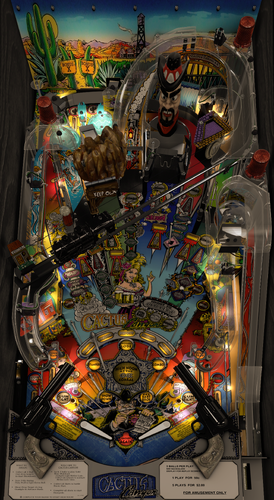
This is a Cabinet POV for 43" display, using VPX10.8. It is an alternate option to those offered by LoadedWeapon. The objective of this POV is to maximise the depth perception of the playfield utilising the "Window" option in "View Layout Mode". The result is, when viewed directly from above, the image may look distorted - as shown in the attached screen shot - but when viewed from the front of the cabinet, the images regain their perspective (much like "STOP" painted on a road surface). Although specifically customised for this particular table, it should also be a close fit for the same table made by other creators. Link to Table: Installation procedure: 1. Make a backup copy of your *.ini file for this table. 2. Paste the downloaded file into your "Tables" folder 3. Rename the downloaded file to be exactly the same as your table file and B2S file. The most reliable way to do this is to select all files, right click with mouse, then select rename option on one of the files. All 3 files will then be renamed automatically Troubleshooting: a) If you start the table and it is not visible or not centred properly 1. press f12. 2. Make sure you are on the page with heading "Point of View" which is the POV setting screen. 3. Use the Magna button to scroll and highlight "Vertical Offset" 4. Use your flipper keys to adjust this value which will move playfield up or down. 5. If the playfield is "black colour" it means that it is "beyond" the location of your display screen. In such a case the "Vertical Offset" value is most likely a high negative value. In that case press the right Magna key. The value should reduce towards zero. As you get near to zero the playfield will become visible. Continue to adjust it until the apron is aligned with the bottom of your display screen -

POV.thumb.jpg.3b505ae651fed3d094b41d7778358553.jpg)
Version 1.0.0
1140 downloads
I thank Fredobiwan for allowing me to modify his table; he is the original author of this table, who in turn based it on a VP8 version by TAB/Joep. I also deeply appreciate @MikeDASpike and @studlygoorite for their immense patience in assisting me whenever I needed help. Of course, I also want to thank @strangeleo7 and jolo for introducing me to the world of virtual pinball. Thanks to my friend who shared with me the high-quality cabinet graphics. This is my first MOD, it might not be perfect but I will continue to update it as I gain more and better skills. Some of the changes made: - VR ROOM, the table is now hybrid. - Included .POV file for VPX 10.8 or higher, created under the new "Window" mode which provides an excellent point of view in cabinets. - Improvements in physics. - Enhancement of some SSF sound effects. - Minor gameplay improvements. If you're going to play the table with VPX versions prior to 10.8, then you should not use the .POV file. -
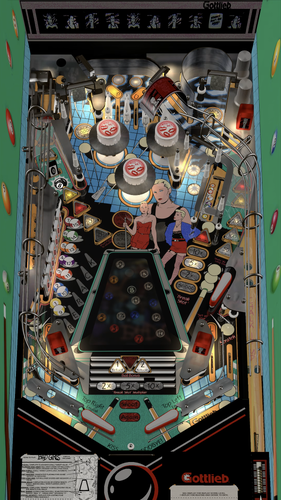
Version 1.0.1
330 downloads
Bad Girls (Gottlieb 1988) Side Blade Mod. Big thanks to cheese3075 for creating this one! You can disable the side blades in the table script. Have fun!! Original Table Author: cheese3075 Original Table Version: 1.6.5 Original Table Link:- 16 comments
- 2 reviews
-
- 21
-

-
- sideblade
- sideblades
- (and 3 more)
-

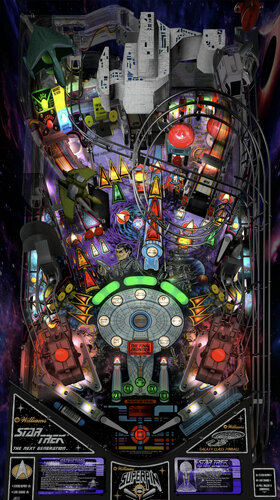
Version 1.0.0
406 downloads
Star Trek The Next Generation (Williams 1993) Side Blade Mod. Big thanks to VPW for allowing me to add these to this classic, incredible table! You can disable the side blades in the table script. Have fun!! Original Table Author: VPW Original Table Version: 1.1 Original Table Link:- 6 reviews
-
- 38
-
-
- sideblade
- sideblades
- (and 3 more)
-
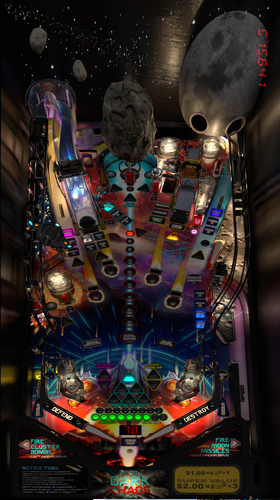
Version 1.0.0
163 downloads
This is a Cabinet POV for 43" display, using VPX10.8. It is an alternate option to those offered by LoadedWeapon. The objective of this POV is to maximise the depth perception of the playfield utilising the "Window" option in "View Layout Mode". The result is, when viewed directly from above, the image may look distorted - as shown in the attached screen shot - but when viewed from the front of the cabinet, the images regain their perspective (much like "STOP" painted on a road surface). Although specifically customised for this particular table, it should also be a close fit for the same table made by other creators. Link to Table: Installation procedure: 1. Make a backup copy of your *.ini file for this table. 2. Paste the downloaded file into your "Tables" folder 3. Rename the downloaded file to be exactly the same as your table file and B2S file. The most reliable way to do this is to select all files, right click with mouse, then select rename option on one of the files. All 3 files will then be renamed automatically Troubleshooting: a) If you start the table and it is not visible or not centred properly 1. press f12. 2. Make sure you are on the page with heading "Point of View" which is the POV setting screen. 3. Use the Magna button to scroll and highlight "Vertical Offset" 4. Use your flipper keys to adjust this value which will move playfield up or down. 5. If the playfield is "black colour" it means that it is "beyond" the location of your display screen. In such a case the "Vertical Offset" value is most likely a high negative value. In that case press the right Magna key. The value should reduce towards zero. As you get near to zero the playfield will become visible. Continue to adjust it until the apron is aligned with the bottom of your display screen -
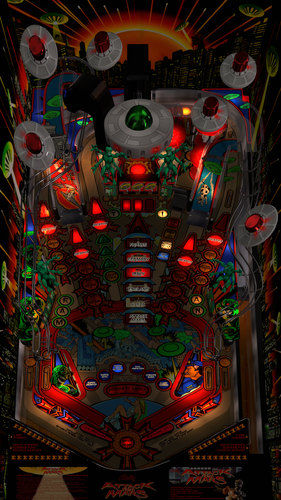
Version 1.0.0
296 downloads
This POV is for 43" display in cabinet , using VPX10.8. It is an alternate option to those offered by LoadedWeapon. The objective of this POV is to maximise the depth perception of the playfield utilising the "Window" option in "View Layout Mode". The result is, when viewed directly from above, the image may look distorted - as shown in the attached screen shot - but when viewed from the front of the cabinet, the images regain their perspective (much like "STOP" painted on a road surface). Although specifically customised for this particular table, it should also be a close fit for the same table made by other creators. https://www.vpforums.org/index.php?app=downloads&showfile=11603 Installation procedure: 1. Make a backup copy of your *.ini file for this table. 2. Paste the downloaded file into your "Tables" folder 3. Rename the downloaded file to be exactly the same as your table file and B2S file. The most reliable way to do this is to select all files, right click with mouse, then select rename option on one of the files. All 3 files will then be renamed automatically Troubleshooting: a) If you start the table and it is not visible or not centred properly 1. press f12. 2. Make sure you are on the page with heading "Point of View" which is the POV setting screen. 3. Use the Magna button to scroll and highlight "Vertical Offset" 4. Use your flipper keys to adjust this value which will move playfield up or down. 5. If the playfield is "black colour" it means that it is "beyond" the location of your display screen. In such a case the "Vertical Offset" value is most likely a high negative value. In that case press the right Magna key. The value should reduce towards zero. As you get near to zero the playfield will become visible. Continue to adjust it until the apron is aligned with the bottom of your display screen.- 1 review
-
- 8
-
-
- pov
- attack from mars
- (and 1 more)
-
Version 1.0.0
141 downloads
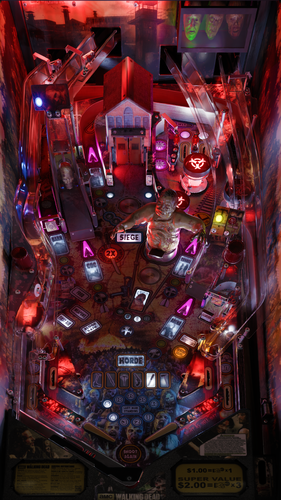
This POV is for 43" display in cabinet mode using VPX10.8. It is an alternate option to those offered by LoadedWeapon. The objective of this POV is to maximise the depth perception of the playfield utilising the "window" POV mode. The result is that, when viewed from directly from above, the image may look distorted - as shown in the attached screen shot - but when viewed from the front of the cabinet, the images regain their perspective (much like "STOP" painted on a road surface). Although specifically customised for this particular table, it should also be a close fit for the same table made by other creators. Installation procedure: 1. Make a backup copy of your *.ini file for this table. 2. Paste the downloaded file into your "Tables" folder 3. Rename the downloaded file to be exactly the same as your table file and B2S file. The most reliable way to do this is to select all files, right click with mouse, then select rename option on one of the files. All 3 files will then be renamed automatically Troubleshooting: a) If you start the table and it is not visible or not centred properly 1. press f12. 2. Make sure you are on "page 2/3" which is the POV setting screen. 3. Use the Magna button to highlight "Vertical Offset" 4. Use your flipper keys to adjust this value which will move playfield up or down. 5. If the playfield is "black colour" it means that it is "beyond" the location of your display screen. In such a case the "Vertical Offset" value is most likely a high negative value. In that case press the right Magna key. The value should reduce towards zero. As you get near to zero the playfield will become visible. Continue to adjust it until the apron is aligned with the bottom of your display screen.-
- 8
-
-
- walking dead
- pov
- (and 2 more)
-
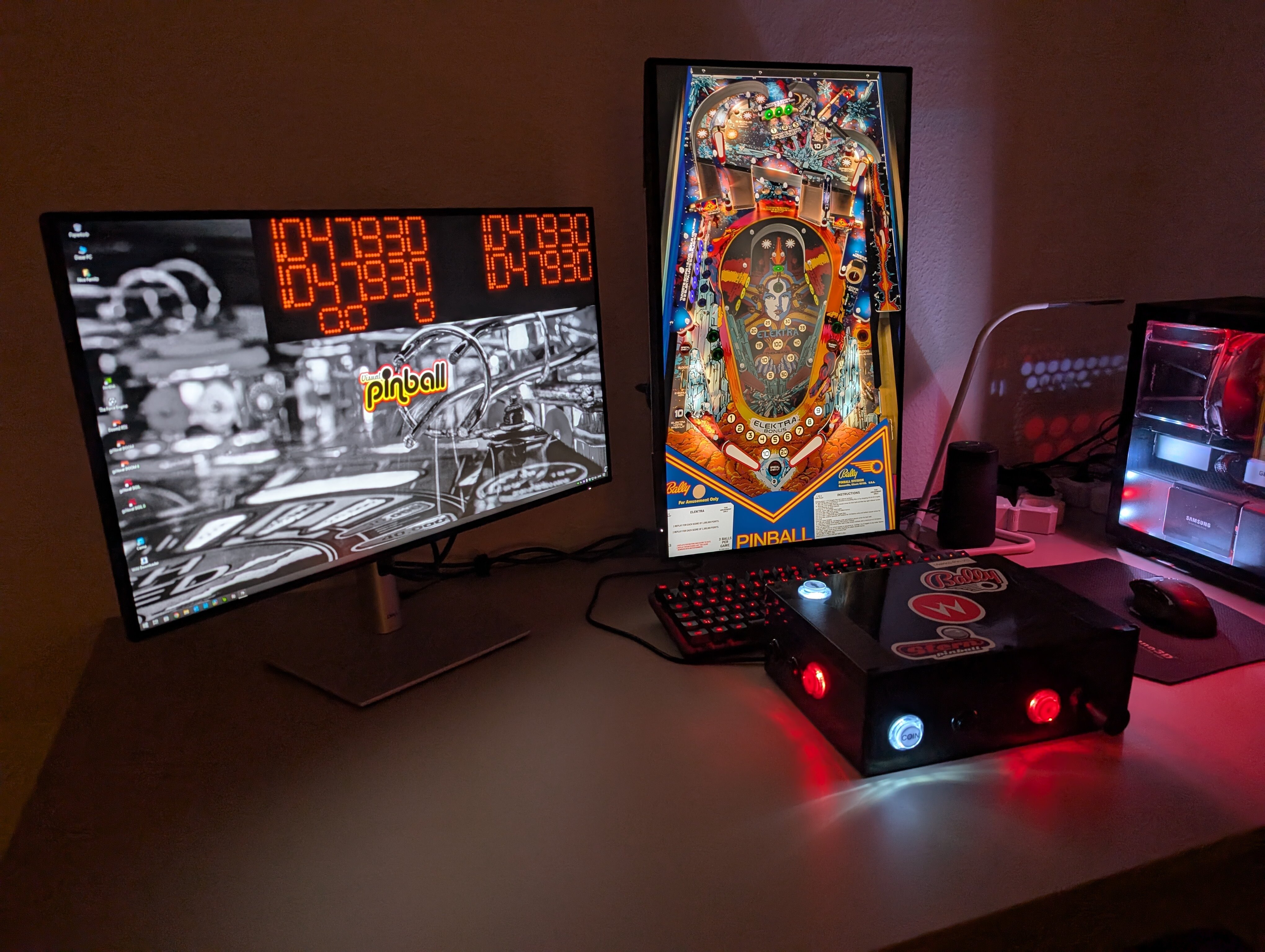
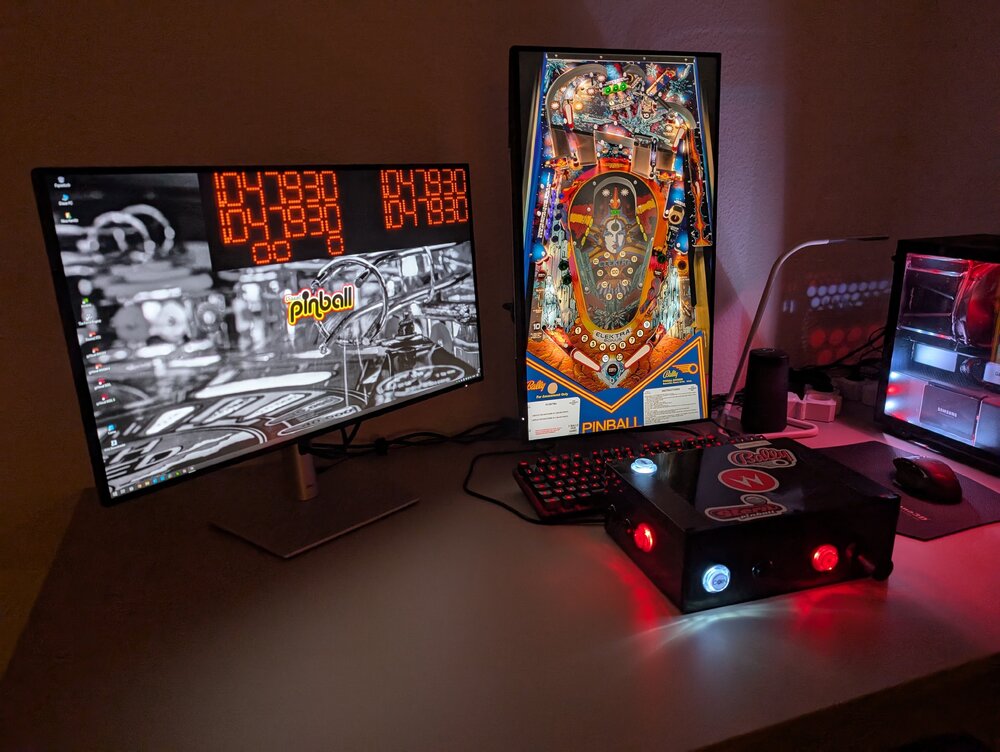
Hi guys, i am really new to Visual Pinball since some month now and i am very grateful for the talents that are providing so great tables, and of cause for Visual Pinball itself! It´s bringing back so much great memories and it became an almost daily obsession! 😅 I am playing on a desktop right now, one landscape display for the external DMD and one display in portrait for the playfield, no backglass or anything else: I also built a pinball controller myself to get a more authentic experience (there will be a cab some day for sure but i need my money for the real life lately.....😉). Buuut, i am messing with POV settings lately. I started with the landscape desktop mode for the tables, but i don´t like how much space of the screen is not used by the table - but the immersion is great! I changed to portrait one day (camera mode) and adjusted the tables to nearly fit the whole screen, but because of that the tables feel flat because of this POV. Right now i am trying to fine tune to a more immerse perspective but it really depends and differs from to table. I am trying to hide the lock bar and aligning the perspective on the left lane corner to get perspective. But i am curious what others do in this circumstances. Especially wide body tables are not so easy to set up, so i often reduce the table width a little bit to get mostly everything from the table on the display. What do you think guys? Are there any no gos etc.? Thank you and kindly regards! Update: Done POVs
-
View File Bad Girls (Gottlieb 1988) Sideblade Mod **********NOTE: Please wait for v1.0.1. It is in approval process now. Do not use 1.0********** Bad Girls (Gottlieb 1988) Side Blade Mod. Big thanks to cheese3075 for creating this one! You can disable the side blades in the table script. Have fun!! Original Table Author: cheese3075 Original Table Version: 1.6.5 Original Table Link: Submitter baberim Submitted 03/12/25 Category VPURemix - VPX Table Patches Modified by Baberim Original Table Version 1.6.5
-
Version 1.0.0
249 downloads
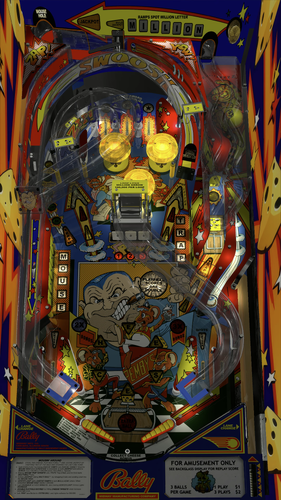
Mousin' Around (Bally 1989) Side Blade Mod. Big thanks to UnclePaulie for creating this fantastic table! You can disable the side blades in the table script. Have fun!! Original Table Author: UnclePaulie Original Table Version: 2.1.0 Original Table Link:- 2 comments
- 4 reviews
-
- 31
-
-
- sideblade
- sideblades
- (and 3 more)
-
View File Mousin' Around (Bally 1989) Sideblade Mod Mousin' Around (Bally 1989) Side Blade Mod. Big thanks to UnclePaulie for creating this fantastic table! You can disable the side blades in the table script. Have fun!! Original Table Author: UnclePaulie Original Table Version: 2.1.0 Original Table Link: Submitter baberim Submitted 03/07/25 Category VPURemix - VPX Table Patches Modified by Baberim Original Table Version 2.1.0
-
View File Star Trek The Next Generation (Williams 1993) Sideblade Mod Star Trek The Next Generation (Williams 1993) Side Blade Mod. Big thanks to VPW for allowing me to add these to this classic, incredible table! You can disable the side blades in the table script. Have fun!! Original Table Author: VPW Original Table Version: 1.1 Original Table Link: Submitter baberim Submitted 03/07/25 Category VPURemix - VPX Table Patches Modified by Baberim Original Table Version 1.1
-
Version 1.01
664 downloads
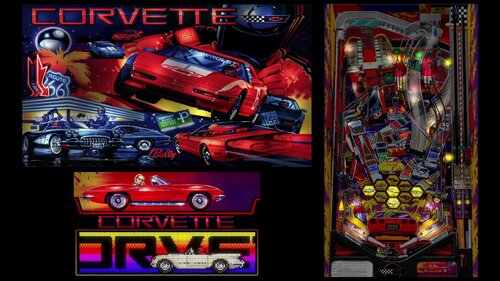
Since the amazing colorization of corvette came out, this table was begging for side blades. I added sideblades to the table and also included my pov ini file if anyone is interested. CorvetteDemo.mp4- 8 comments
- 1 review
-
- 37
-
-
- corvette
- cabinet mod
- (and 2 more)
-
 View File Corvette Cabinet Side Blade Mod Since the amazing colorization of corvette came out, this table was begging for side blades. I added sideblades to the table and also included my pov ini file if anyone is interested. CorvetteDemo.mp4 Submitter capnclaw Submitted 01/28/25 Category VPURemix - VPX Table Patches Modified by capnclaw Original Table Version 1.4.2
 -
View File World Challenge Soccer (Gottlieb 1994) DacstyleMOD VR.rar I thank Fredobiwan for allowing me to modify his table; he is the original author of this table, who in turn based it on a VP8 version by TAB/Joep. I also deeply appreciate @MikeDASpike and @studlygoorite for their immense patience in assisting me whenever I needed help. Of course, I also want to thank @strangeleo7 and jolo for introducing me to the world of virtual pinball. Thanks to my friend who shared with me the high-quality cabinet graphics. This is my first MOD, it might not be perfect but I will continue to update it as I gain more and better skills. Some of the changes made: - VR ROOM, the table is now hybrid. - Included .POV file for VPX 10.8 or higher, created under the new "Window" mode which provides an excellent point of view in cabinets. - Improvements in physics. - Enhancement of some SSF sound effects. - Minor gameplay improvements. If you're going to play the table with VPX versions prior to 10.8, then you should not use the .POV file. Submitter dacstyle Submitted 08/10/23 Category Modified (MOD) Games Modified by dacstyle
.thumb.jpg.decceff133422b95738e94527167555c.jpg)