No files in this category yet.
Files From Subcategories
-
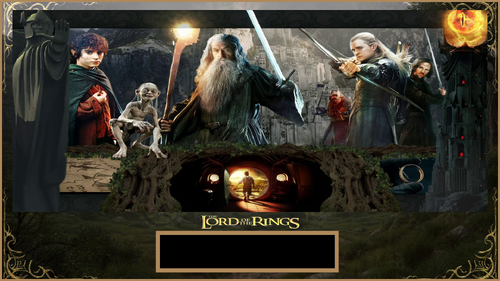
2 screen / FullDMD fix for Lord of the Rings LOTR puppack
By kilazz
2 screen & FullDMD fix for the puppack below
It is just a fix for a 2 screen users who cannot use this original pup Pack because it is designed for 3 screens. Just unpack & replace files in pupvideos/lotr folder
238 downloads
-
FullDMD.thumb.jpg.a93b22e1416f870884f260d9aa7a6bca.jpg)
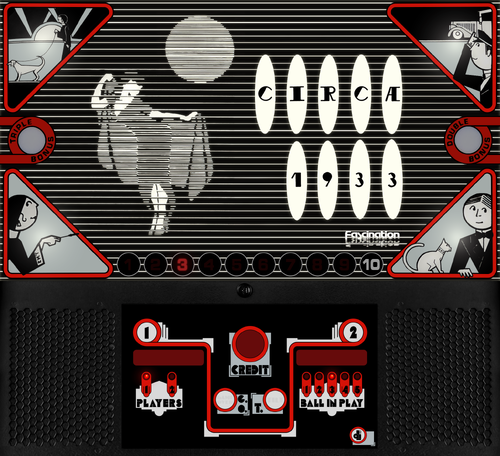
4 Queens (Bally 1970) Full DMD
By MasonStorm
4 Queens (Bally 1970) Full DMD
Personal, non-commercial use only. Please contact me if you would like to use it in another way.
All Logos, Copyrights and Trademarks are property of their respective owners.
PROVIDED STRICTLY FOR PERSONAL / HOME USE AND NOT FOR COMMERCIAL SALE / RE-SALE OR DISTRIBUTION!
31 downloads
(0 reviews)0 comments
Submitted
-
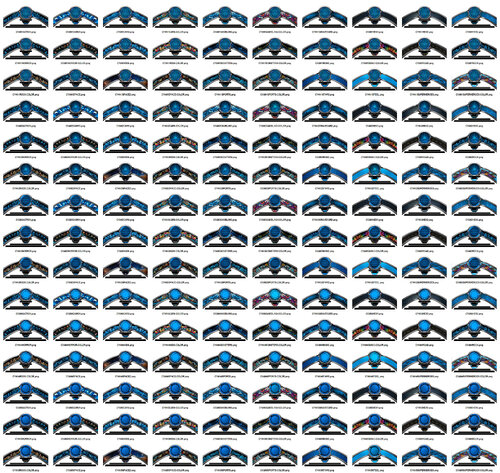
1650+ T-Arc Theme Files
By wottenad
This download is a PDF file that contains links to over 1650 high-res T-Arc theme files that I have made over the past couple weeks. All are original, and some use AI-generated images. The bare T-Arc image came from files posted by "Zandy's Arcade". If credit should go to others for that artwork, please comment below.
There are dozens of different versions of graphics that can be used to customize your Pinup Popper T-Arcs, with unique patterns or images to illustrate filtering tables by “Horror” or “Sports” or “Music”, etc. All are separated by colors and there are 5 different center images that signify the “theme”.
There are 11 different colors with 150 files in each folder, and 5 themes with all colors, so 1650+ files in total. You should be able to find something you like. :- )
There are contact sheets for all colors in the PDF, as well as much larger versions in the G-Drive folder so you can see all the images in each collection without having to download them all.
All files are provided free of charge – please share and give credit where you can. :- )
137 downloads
(1 review)0 comments
Submitted
-
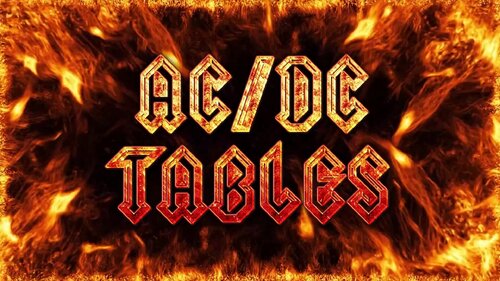
"AC/DC Tables" Videos for Playfield & Backglass/DMD
By wottenad
Playfield and backglass/full DMD videos for your AC/DC tables.
There are four different videos:
"AC/DC" text static.
"AC/DC" text in motion.
"AC/DC TABLES" text static.
"AC/DC TABLES" text in motion.
Background video is copyright free video from YouTube.
170 downloads
(0 reviews)0 comments
Updated
-

"SUPERHEROES" Videos for Playfield & Backglass/DMD
By wottenad
Playfield and backglass/full DMD videos for filtering your tables by a "Superheroes" theme.
Background video is copyright free video from Free Stock Footage 4K channel on YouTube.
42 downloads
-

"SCI-FI" Videos for Playfield & Backglass/DMD
By wottenad
Video for playfield and backglass/full DMD videos for filtering your tables by a "SCI-FI" theme.
Background video is copyright free video from Infinite Visual channel on YouTube.
67 downloads
-

"SPACE" Videos for Playfield & Backglass/DMD
By wottenad
Two versions of playfield and backglass/full DMD videos for filtering your tables by a "Space" theme.
One has static text and the other has floating text.
Background video is copyright free video from Free Video Background Loops channel on YouTube.
80 downloads
(0 reviews)0 comments
Submitted
-
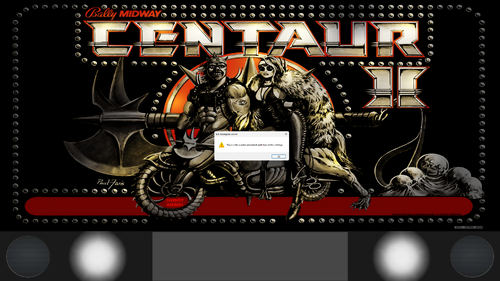
16x9 PUP Grill with White Flashers.zip
By PaulDrummond
Been workingon this during the week trying to get it sorted. Happy with where it is now so uploading the white version but will upload colors in different zips as i create the MP4s. Enjoy
Tie any table events into multi color flashing lights with triggers in puppackeditor.
PUP Grill with Speakers, White Flashers and 1000x250 DMD space for 16:9 displays. It is setup for a 32" 2K screen but should scale to HD fine. NO more stretched speaker grills from the 4x3 B2S grills.
Setup your Full DMD screen at 2560/256 for UHD screens and position at bottom. Fill top of screen with Backglass screen 2560 x 1184. Use B2S with its included grill turned off.
Yell out if you have any questions. I have included lots of configuration pictures to guide you along. Its faily simple.
157 downloads
(0 reviews)0 comments
Updated
-
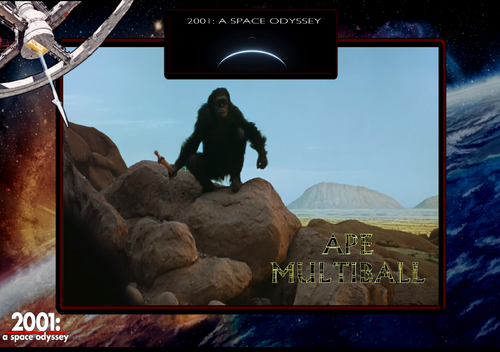
2001 A Space Odyssey Pup Pack
By GtecArcade
Dedicated to every Dave who ever said, "This one's made for me." @cl4ve🤣
ALL CREDIT GOES TO @burgereater289, @Tombg, @Dr.Nobody, @guet35, @Hursty, @LoadedWeapon, & the crew and members of Team @SuperTilted
___________________________________________________________________________
Special Notes:
2 new notes
___
1. Download the Pup Version of the 2001 A Space Odyssey Table File from Burger's Link Here ---> "https://vpuniverse.com/files/file/25888-2001a-space-odyssey-original-2025/ "
2. Optional @LoadedWeapon2560 Monitor Cab perspective Mod ini in the download link. (rename this file to the exact name of the pup table file and place into your table folder.
3. Pressing Right Magna at the main screen will make HAL take over and play the table solo if you want to watch the pup without having to play yourself. I love this feature a LOT, especially for testing purposes. Press Start to cancel this mode and start your own game.
4. NEW This is intended to be a 5 ball game, i would not recommend changing that 5 ball count. I themed each ball launch "possibility" for each ball to tell a bit of a story! Same goes for ball 3,4,5 music switch, love that track it adds a little suspense.
5. NEW I'm thinking main video volume could go up a little higher, ever so slightly. still thinking about it. I might change the priority on the ball launch clips to not be overwritten by any ball lock vid. Thinking on that also
______________________________________________________________________________
Being a bit of a sci-fi junkie, I was absolutely thrilled when I found out Burger was doing this table. I was mentioning this theme to people years ago and no one seemed interested until now!!! Burger was the only one who had the "cojones" to do this theme justice. I immediately had to jump in on creating a pup for this table when I found out he was doing it. Burger was a pleasure to work with, he's such a cool dude and is getting really good at his craft. Special thanks to @Tombg for helping him with a lot of cool stuff to bring this table to life. A lot of heart and soul went into getting this pup and table right, and more is on the way I am sure. I honestly don't care if certain nit picky people don't enjoy this, (I've got 2 words for ya)...... it was a very satisfying project for me personally. Look out Pinball World.... Burger's cooking up some sweet stuff for us!!!
______________________________________________________________________________
Massive Thanks to @burgereater289for attempting such a daunting theme and project to go after. I love this thing, and I think most people will also. You've made this a memorable project, and I'm sure much more is to come!!!
Massive Thanks to @Tombg for helping Burger polish and improve this table, your help is greatly appreciated. You are so talented and don't get the credit you deserve for your epic work!!!! Your Discovery ship, animations, and other improvements really helped elevate this table to life and make it memorable!!!
Massive Thanks to @Dr.Nobody for whipping up several kickass overlays and making changes to said overlays when I wanted to change things up a little bit. I know thats a pain in the ass, I appreciate you my friend Thank you!!!!
Massive Thanks to @guet35 for making a BADASS pup backglass, it looks really good with this!!! Can't do it without you !!!! Thank you!!!
Massive Thanks to @Hurstyfor making us a BADASS fulldmd to include with the pup, your toppers are top notch. Can't think of anyone I would rather ask. Thank you for your work for the community!! Thank you!!!!
Massive Thanks to @LoadedWeaponfor making a 2560 playfield INI for me for the table!!!!! You always help out when we need it. Greatly appreciate you man!!!!!!! Thank you!!!!
Massive Thanks to @Cliffy and @Tombg for both making desktop pupoptions!!! They will have to be added later to an update or to the comments section until then because I had to make changes to some of the pup triggers. Will get these fixed soon and uploaded. I unfortunately can't get desktop mode to work right for me to test! I'm hoping we can get Hurstys FullDMD on the desktop mode screen for users when it gets posted, the previous setups didnt have that!!!
Massive Thanks to everyone in Team @SuperTilted for testing and feedback and good times!!!!!
______________________________________________________________________________
All Logos, Copyrights and Trademarks are property of their respective owners.
PROVIDED STRICTLY FOR PERSONAL HOME USE AND NOT FOR COMMERCIAL SALE RE-SALE OR DISTRIBUTION!
VIRTUAL PINBALL ALWAYS HAS AND ALWAYS WILL BE FREE TO ANYONE!!!!
3508 downloads
- 2001
- space odyssey
- (and 7 more)
-
.thumb.jpg.8b511086d43a59aa28bae763b02787d3.jpg)
1-2-3 (Talleres de Llobregat 1973) Full DMD
By MasonStorm
1-2-3 (Talleres de Llobregat 1973) Full DMD
Personal, non-commercial use only. Please contact me if you would like to use it in another way.
All Logos, Copyrights and Trademarks are property of their respective owners.
PROVIDED STRICTLY FOR PERSONAL / HOME USE AND NOT FOR COMMERCIAL SALE / RE-SALE OR DISTRIBUTION!
72 downloads
(0 reviews)0 comments
Submitted
-
![More information about "[Deutsch] Pup-Pack Bud Spencer and Terence Hill"](https://vpuniverse.com/screenshots/monthly_2024_09/Backglass.png.af543d1180649af04a73adb241139fea.thumb.jpg.9b6345cb6c3c1e7ef0e26a3998c0ea95.jpg)
[Deutsch] Pup-Pack Bud Spencer and Terence Hill
By Dicentim
Halo,
Sorry, Ich habe ganz alles um mein deutsch in die schüle vergessen ! 😉🤪😁
But... @floeschng did a terrific job... He spent hours and hours to dub my french pup-pack in german.
So all the credits of this release go to him, I'm very proud he asked me to post the german version for him.
I'm still waiting for italian and spanish languages cause Slaps and Beans are an universal language. 😇
Have fun !
148 downloads
(1 review)0 comments
Updated
-
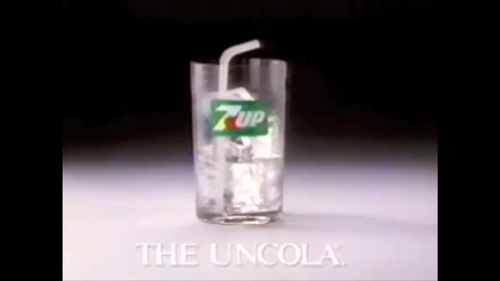
7Up FullDMD Commercial w/ Audio 1080p
By fudgeycaca
1080p classic 80s commercial for 7Up, great as a FullDMD or Topper asset for your front-end to go along with the 7 Up table by ivantba
Preview: https://rumble.com/v52edg1-7up-fulldmd-commercial-w-audio-1080p.html
For those who want to silence the audio and aren't aware: Simply right click the video after you've added it to the Pinup Popper Media Manager, choose Convert, choose the option to mute the volume. This will simply cut the audio so you are left with video and can use whatever other audio you want.
PROVIDED STRICTLY FOR PERSONAL / HOME USE AND NOT FOR COMMERCIAL SALE / RE-SALE OR DISTRIBUTION!
If you're going to reuse these assets in your own work, make sure to link back to this download and credit me.
42 downloads
(0 reviews)0 comments
Updated
-
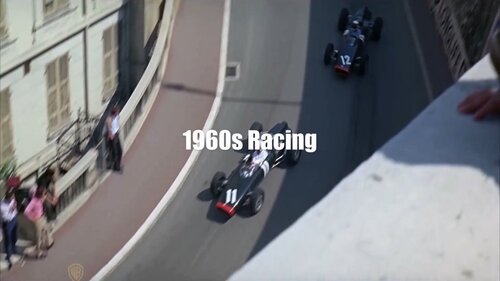
1960s Racing PUP-pack
By GauGau
Racing sound & videos for Pit Stop (Williams 1968) and Spin Out (Gottlieb 1975)
What does it do?
Music mods or sound mods are something that I really enjoy a lot. Ideally, the music adds to the pinball machine's theme and brings back the feeling of the bar where the pinball machine often was located near the jukebox. Especially for EM machines that only had chimes and bells, the added music can be nice. This PUP-pack doesn't feature music, but racing scenes with motor sounds from the era in some videos.
Tracks:
The PUP-pack comes with 8 tracks. Add your own videos as you see fit. Some of the videos feature the original footage, while others are movie versions or just show footage of the era.
Tables:
There are several tables that have similar themes. The PUP-pack "1960s Racing" is meant to be used with tables from the sixties that deal with racing.
It can be used with the tables
Pit Stop (Williams 1968) Spin Out (Gottlieb 1975) and any other table that you want to use it with (if you are ready to tweak the table code).
You can apply the PUP-pack for all or some of the above tables or just for one of them.
Controls:
To accomplish the PUP-pack as a video jukebox I had to add some controls to the table script. During game play, you can go to another random track with the right magnasave button. Pressing the left magnasave button stops the playback. The gameplay itself doesn't have any impact on video playback.
Patching:
I didn't want to go through a long approval request communication with the table authors, so I've come up with a dif file for each table that you need to apply using VPU's patching system "VPURemix". This way, the original author's work doesn't get touched; think of the patching systems as an easy way to keep you from adding code snippets to the tables manually.
Manual coding:
If you don't want to use the patching system or if you want to apply the code to another table that isn't listed above, here are the instructions for manually applying the code. All who don't want to apply code manually should skip this section:
At the top of the table code, add:
'****** PuP Variables ****** Dim usePUP: Dim cPuPPack: Dim PuPlayer: Dim PUPStatus: PUPStatus=false ' dont edit this line!!! '*************************** PuP Settings for this table ******************************** usePUP = true ' enable Pinup Player functions for this table. cPuPPack = "60sRacing" ' name of the PuP-Pack / PuPVideos folder within PinUPSystem\PUPVideos for this table '//////////////////// PINUP PLAYER: STARTUP & CONTROL SECTION ////////////////////////// ' This is used for the startup and control of Pinup Player Sub PuPStart(cPuPPack) If PUPStatus=true then Exit Sub If usePUP=true then Set PuPlayer = CreateObject("PinUpPlayer.PinDisplay") If PuPlayer is Nothing Then usePUP=false PUPStatus=false Else PuPlayer.B2SInit "",cPuPPack 'start the Pup-Pack PUPStatus=true End If End If End Sub Sub pupevent(EventNum) if (usePUP=false or PUPStatus=false) then Exit Sub PuPlayer.B2SData "E"&EventNum,1 'send event to Pup-Pack End Sub ' ******* How to use PUPEvent to trigger / control a PuP-Pack ******* ' Usage: pupevent(EventNum) ' EventNum = PuP Exxx trigger from the PuP-Pack ' Example: pupevent 102 ' This will trigger E102 from the table's PuP-Pack ' DO NOT use any Exxx triggers already used for DOF (if used) to avoid any possible confusion '************ PuP-Pack Startup ************** PuPStart(cPuPPack) 'Check for PuP - If found, then start Pinup Player / PuP-Pack '*************************************************************************************** Usually, somewhere between the declaration of constants (lines starting with "Const") and the variable dimensions (lines starting with "Dim") is a good place to add that code.
After doing that, run the table to see if it is playable without throwing errors. The videos should be playing, but you won't be able to pause/skip, as we haven't added yet the corresponding code. Enough! Stop playing the table and go back to the editor, will ya?
Next, add the Magnasave controls by searching the existing code for the term "magnasave". If it's NOT there, we're fine and can savely add our magnasave button definition into a new line of it's own right within the definition of the function "Sub Table1_KeyDown". Add this code:
If keycode = LeftMagnaSave Then PuPevent 801 End If If keycode = RightMagnaSave Then PuPEvent 800 End If We're done! Test-play, remember to save the table.
If your above search has found Magnasave code, you'll have to integrate that with the new code. For tables using JP's LUT code like Pit Stop, use something like this:
If keycode = LeftMagnaSave Then bLutActive = True SetLUTLine "Color LUT image " & table1.ColorGradeImage PuPevent 801 End If If keycode = RightMagnaSave Then If bLutActive = True Then NextLUT Else PuPEvent 800 End If End If
PUP-pack instructions:
Download the package and unblock it if applicable Extract the folder "60sRacing" into your PUP-pack folder (usually something like C:\vPinball\PinUPSystem\PUPVideos) Extract the dif files into a temporary folder (e.g. C:\temp) If you don't have it, download VPU's patching system "VPURemix" and expand it to any folder on your PC, e.g. C:\vPinball\VPPatch64 Download the original tables that you want to apply the patch to. You can follow the .url files in the zip to accompish that or just copy and paste the URLs below into the address bar of your browser: Pit Stop (Williams 1968) 1.0.1 Spin Out (Gottlieb 1975) Teisen MOD 1.1
PUP-pack options:
The PUP-pack videos can be positioned on topper, backglass or full DMD screen, with or without an overlay. It comes with these options:
Video on backglass, no overlay Video on backglass with overlay-frame Video on fullDMD, no overlay Video on fullDMD with overlay-frame Video on topper, no overlay Video on backglass with B2S (supplied by @Justthebest, thank you) To apply any of them, execute the corresponding batch file in the PUP-folder (e.g. C:\vPinball\PinUPSystem\PUPVideos\60sRacing).
Table authors:
I hope that all table authors are OK with this PUP-pack. I'd be more than happy if you would add the code to your next release as a sort of backport. My edits are trivial and most of it was blatantly taken from @Nailbuster's code. Some tables use the Magnasave buttons for LUT, so the interfering code needs to be adapted accordingly.
Known Issues:
If you want the PUP-pack video to play on the fullDMD for one table and on the topper for another table for example, you can't get away with just one folder "1960sRacing" within the PUPVideos folder. Create two instead and name them "1960sRacingFulldmd" and "1960sRacingTopper" or similar and refer to that name in the code section in the variable definition for cPuPPack.
I hope that some will find this PUP-pack fun and apologize for the long read. More PUP-packs coming if you're interessted; all reviews and comments are welcome.
Enjoy
Joachim
238 downloads
-
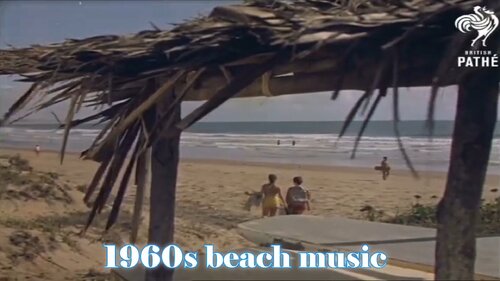
1960s Beach PUP-pack
By GauGau
What does it do?
Music mods or sound mods are something that I really enjoy a lot. Ideally, the music adds to the pinball machine's theme and brings back the feeling of the bar where the pinball machine often was located near the jukebox. Especially for EM machines that only had chimes and bells, the added music can be nice. This PUP-pack brings you beach-themed music from the era in some videos. After all, it's an enhanced sound mod.
Songs:
Beach Boys - Don't Worry Baby Beach Boys - Surfin USA Beach Boys - Surfer Girl Beach Boys - California Girls Bobby Freeman - C'mon and Swim Four Seasons - Sherry Jan & Dean - Ride The Wild Surf Jan & Dean - Surf City Ronny & The Daytonas - G.T.O. The Chantays - Pipeline The Hondells - Little Honda The Rivieras - California Sun - 1964 The Surfaris - Wipe Out The Ventures - Walk, Don't Run Add your own videos as you see fit. It should not come as a surprise that the video material from that era lacks in resolution, so sorry for that. Some of the videos feature the original artist, while others are cover versions or just show footage of the era.
Tables:
There are several tables that have similar themes. The PUP-pack "1960s Beach" is meant to be used with tables from the sixties that deal with beaches and surfing.
It can be used with the tables
Aloha (Gottlieb 1961) Beach Bums (Original 2018) Smart Set (williams 1969) Surf Side (Gottlieb 1967) Tropic Fun (Williams 1973) and any other table that you want to use it with (if you are ready to tweak the table code).
You can apply the PUP-pack for all or some of the above tables or just for one of them.
Controls:
To accomplish the PUP-pack as a video jukebox I had to add some controls to the table script. During game play, you can go to another random track with the right magnasave button. Pressing the left magnasave button stops the playback. The gameplay itself doesn't have any impact on video playback.
Patching:
I didn't want to go through a long approval request communication with all the table authors, so I've come up with a dif file for each table that you need to apply using VPU's patching system "VPURemix". This way, the original author's work doesn't get touched; think of the patching systems as an easy way to keep you from adding code snippets to the tables manually.
Manual coding:
If you don't want to use the patching system or if you want to apply the code to another table that isn't listed above, here are the instructions for manually applying the code. All who don't want to apply code manually should skip this section and continue reading at the section "PUP-pack instructions:".
At the top of the table code, add :
'****** PuP Variables ****** Dim usePUP: Dim cPuPPack: Dim PuPlayer: Dim PUPStatus: PUPStatus=false ' dont edit this line!!! '*************************** PuP Settings for this table ******************************** usePUP = true ' enable Pinup Player functions for this table. cPuPPack = "60sBeach" ' name of the PuP-Pack / PuPVideos folder within PinUPSystem\PUPVideos for this table '//////////////////// PINUP PLAYER: STARTUP & CONTROL SECTION ////////////////////////// ' This is used for the startup and control of Pinup Player Sub PuPStart(cPuPPack) If PUPStatus=true then Exit Sub If usePUP=true then Set PuPlayer = CreateObject("PinUpPlayer.PinDisplay") If PuPlayer is Nothing Then usePUP=false PUPStatus=false Else PuPlayer.B2SInit "",cPuPPack 'start the Pup-Pack PUPStatus=true End If End If End Sub Sub pupevent(EventNum) if (usePUP=false or PUPStatus=false) then Exit Sub PuPlayer.B2SData "E"&EventNum,1 'send event to Pup-Pack End Sub ' ******* How to use PUPEvent to trigger / control a PuP-Pack ******* ' Usage: pupevent(EventNum) ' EventNum = PuP Exxx trigger from the PuP-Pack ' Example: pupevent 102 ' This will trigger E102 from the table's PuP-Pack ' DO NOT use any Exxx triggers already used for DOF (if used) to avoid any possible confusion '************ PuP-Pack Startup ************** PuPStart(cPuPPack) 'Check for PuP - If found, then start Pinup Player / PuP-Pack '*************************************************************************************** Usually, somewhere between the declaration of constants (lines starting with "Const") and the variable dimensions (lines starting with "Dim") is a good place to add that code.
After doing that, run the table to see if it is playable without throwing errors. The videos should be playing, but you won't be able to pause/skip, as we haven't added yet the corresponding code. Stop playing and go back to the editor, will ya?
Next, add the Magnasave controls by searching the existing code for the term "magnasave". If it's NOT there, we're fine and can savely add our magnasave button definition into a new line of it's own right within the definition of the function "Sub Table1_KeyDown". Add this code:
If keycode = LeftMagnaSave Then PuPevent 801 End If If keycode = RightMagnaSave Then PuPEvent 800 End If We're done with applying the code manually! Test-play and remember to save the table ;-).
PUP-pack instructions:
Download the package and unblock it if applicable Extract the folder "60sBeach" into your PUP-pack folder (usually something like C:\vPinball\PinUPSystem\PUPVideos) Extract the dif files into a temporary folder (e.g. C:\temp) If you don't have it, download VPU's patching system "VPURemix" and expand it to any folder on your PC, e.g. C:\vPinball\VPPatch64 Download the original tables that you want to apply the patch to and do so. You can follow the .url files in the zip archive to accomplish that or the links below: Aloha (Gottlieb 1961) 1.1 Beach Bums 1.0 Smart Set (Williams 1969) 1.00 Surf Side (Gottlieb 1967) 1.0d Tropic Fun (Williams 1973) 1.06
PUP-pack options:
The PUP-pack videos can be positioned on topper, backglass or full DMD screen, with or without an overlay. It comes with these options:
Video on backglass, no overlay Video on backglass with overlay-frame Video on fullDMD, no overlay Video on fullDMD with overlay-frame Video on topper, no overlay Video on backglass with B2S (supplied by @Justthebest, thank you) To apply any of them, execute the corresponding batch file in the PUP-folder (e.g. C:\vPinball\PinUPSystem\PUPVideos\60sBeach).
Table authors:
I hope that all table authors are OK with this PUP-pack. I'd be more than happy if you would add the code to your next release as a sort of backport. My edits are trivial and most of it was blatantly taken from @Nailbuster's code. Some tables use the Magnasave buttons for LUT, so the interfering code needs to be adapted accordingly.
Known Issues:
For reasons of laziness and lacking coding skills I've removed the LUT code that came with Tropic Fun that was triggered with the Magnasave buttons to selfishly accomplish my little greedy needs. Anyone who's ready to fix that to make both work is welcome.
If you want the PUP-pack video to play on the fullDMD for one table and on the topper for another table for example, you can't get away with just one folder "1960sBeach" within the PUPVideos folder. Create two instead and name them "1960sBeachFulldmd" and "1960sBeachTopper" or similar and refer to that name in the code section in the variable definition for cPuPPack.
I hope that some will find this PUP-pack fun and apologize for the long read. More PUP-packs coming if you're interessted; all reviews and comments are welcome.
Enjoy
Joachim
565 downloads
-
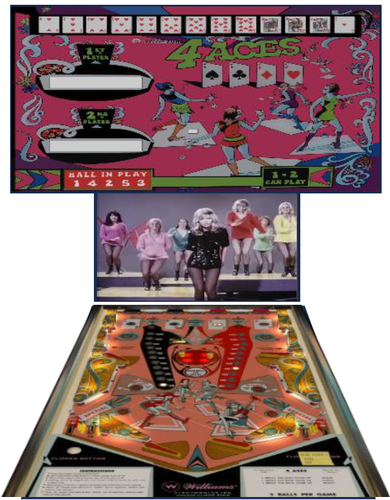
4 Aces (Williams 1970) music video PUP-pack
By GauGau
Music mods or sound mods are something that I really enjoy a lot. Ideally, the music adds to the pinball machine's theme and brings back the feeling of the bar where the pinball machine often was located near the jukebox. Especially for EM machines that only had chimes and bells, the added music can be nice.
I've created a small PUP-pack for the 1970 Williams table "4 Aces" with some music videos (mainly from the 1960s) that are more or less go-go dancer themed. It should not come as a surprise that the video material from that era lacks in resolution, so sorry for that. Some of the videos feature the original artist, while others are cover versions or just show footage of the era. The intro features a song that was well-known in Germany for being the trailer for tv show "Musikladen" that ran between mid-seventies and mid-eighties.
To accomplish the PUP-pack as a video jukebox I had to add some controls to the table script. During game play, you can go to another random track with the right magnasave button. Pressing the left magnasave button stops the playback. Holding down the left magnasave button enables the LUT selector that the original table came with. The gameplay itself doesn't have any impact on video playback.
The original version of the table 1.0.2 was released in August 2023 at VPF and is being used with kind approval by table author @jpsalas JP Salas. The table doesn't have a plunger; you launch the ball from the drain.
The PUP-pack videos can be positioned on topper, backglass or full DMD screen, with or without an overlay. It comes with these options:
Video on backglass, no overlay Video on backglass with overlay-frame Video on fullDMD, no overlay Video on fullDMD with overlay-frame Video on topper, no overlay To preserve the score display it's advisable to use the b2s file that originally came with the table or to combine it with the full DMD b2s file:
If you're short on screens I recommend hiding the backglass portion of the full DMD b2s and playing the videos on the backglass instead.
There is a PDF that comes with the package that explains the PUP-pack options. If you only want the music and not the videos, just play the pup-pack in the background hidden behind your backglass.
I'd appreciate comments if you find PUP-packs like this one usefull; I have some other video PUP-pack ideas on my mind for older, music or dancing-themed EM tables. Proposals would be welcome.
Thanks
Joachim
437 downloads
-
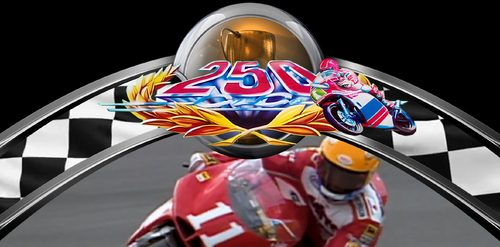
250 CC (Inder 1992) Loading T-Arc Video
By sydaroa
A tribute for this JP Salas's table.
Cleaned logo.
87 downloads
(0 reviews)0 comments
Updated
-
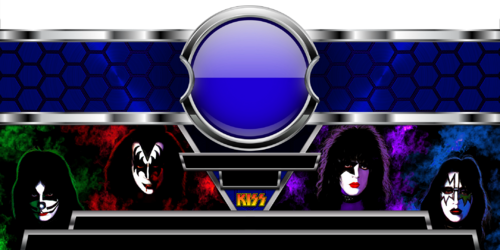
4K KISS T-BARS
By ZandysArcade
4K KISS T-BARS
https://mega.nz/folder/zE4CyZJb#LfEgxnw8rO3R3qHHN22oLA
32 downloads
(1 review)0 comments
Submitted
-

4K T-BAR THEME
By ZandysArcade
4K VERSION OF NEW T-BAR STYLE AND COLOR
https://mega.nz/folder/TExSCRbB#alUnRGCHQJcivTdPb5Bjyw
240 downloads
(1 review)0 comments
Submitted
-
 (0 reviews)
0 comments
Updated
-
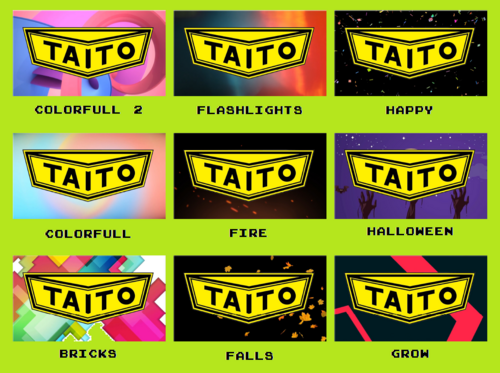
32 Themes Pack (Taito do Brasil) Animated FullDMD video
This is a pack with 32 theme for all Taito do Brasil Solid State Electronic tables in systems with 3 screens, where the score is displayed on the Backglass.
Name: 32 Themes Pack (Taito do Brasil) ;
Type: Animated FullDMD video;
Score: NO Scoring Area;
Resolution: 1360 x 768;
Format: .mp4
Just rename the files with the names of your tables and add it to your system folder that corresponds to your Apron/FullDMD display.
It can also be used as the default DMD for a custom folder with selected tables from Taito do Brasil.
Everyone who downloads, comment which theme you think is coolest. The most commented theme will be used in a next pack with all the logos for Solid State Electronic tables.
Enjoy! 🤘
134 downloads
-
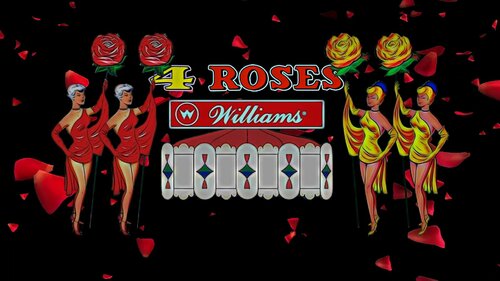
4 Roses (Williams 1962) Full DMD Video
By capnclaw
4 Roses (Williams 1962) Full DMD Video
155 downloads
-
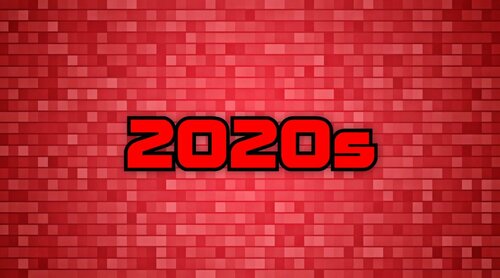
2020s FullDMD
By GauGau
FullDMD for playlist with tables that were released in the 2020s if you have a decade-driven playlist structure.
Obviously, the category is a bit misleading: the video could as well play on the backglass or the topper, depending on your setup. What I'm trying to say: it plays on the DMD screen on MY pincab.
Resolution 1920 x 1080.
Short loop put together from a free stock video background and a title with matching font.
58 downloads
(0 reviews)0 comments
Submitted
-
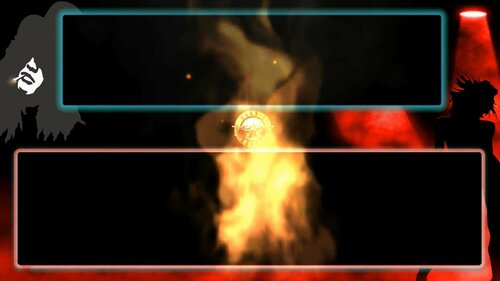
1080p Guns n Roses animated dmd with topper placement 1.0.0
By rjclarkee
I just had to do this for the incredible GNR pup pack. I hope you like it guys. Send a shout to all the creators of this work. peaceout
159 downloads
(0 reviews)0 comments
Submitted
-
2 Screen Pup Pack Conversions
By PEandS1Ws
Previously released on Vpinball.com
These files will convert your Pup Pack into a 2 screen version so that your DMD will not be blocked by any Overlay or Video. Drag and drop the files into the appropriate PupVideos folder and overwrite the files. These folders only contain speaker grilles, Pup Overlays, and a new screens.pup file to position your Pup Pack correctly. Some files will contain a new PinUpPlayer.ini to help configure the videos. This .ini when placed in your PupVideo folder will only change your display settings for that Pup Pack. You will need to download the original Pup Pack first for these to work. A big thank you to all the authors who had given me permission previously to release a conversion. No changes are made to the source material of the original Pup Pack.
330 downloads
-
VPU Staff's Top Picks
-
New & Updated Visual Pinball
-
New & Updated Future Pinball
-
New & Updated Backglasses
-
New & Updated DMD Colorizations
-
New & Updated Virtual Reality Enabled Tables
-
VPU Remix & Mods
-
New & Updated Popper Media
-
Updated Files
-
Download Statistics
30744
Files108387
Comments45232
Reviews
.thumb.png.557350d1c3d2c33f9858e4f7b4ca12ae.png)
BG.thumb.jpg.67ff1783d48e89db521122d337f7983f.jpg)

.thumb.png.fe57fddb7770282f6016646c996c293f.png)
.thumb.png.cf73dbdbdc5b8f54b1a834d0b8b79185.png)
.thumb.png.25511275b3c5d73e50113bb1cba9c3d6.png)
.thumb.png.47ebdaab1a97f26cc03899a1acca0316.png)
.thumb.png.1f89cf8998a393ea6f8700991b2f697f.png)
.thumb.png.286dfc353cea4ac014063f3862b193cf.png)
.thumb.png.2c9d6e1a631cc227f552eb5de1919ec0.png)
.thumb.png.b27d4ca8766bd82434e54fd15225de8d.png)
.thumb.png.b6b82e89d74536734a428e8f2280d533.png)

Illuminated.thumb.jpg.1ea75ddbebb9e5600122b89d542cb73c.jpg)



.thumb.png.1344add9b4c97c9e4de83032e29a5b11.png)

.thumb.png.144c9c5cbceaf427701f1ba90ef551e5.png)


.thumb.png.9e2768ccc91095a59606f575abaab0fa.png)
.thumb.png.cb1c9b2b7401519583aed898d2e4b0e7.png)


FullDMD.thumb.jpg.b8ed7f1c2813c431d89589f92d664374.jpg)
FullDMD.thumb.jpg.960ceccfd847b0fe785251fa58dac58e.jpg)
.thumb.png.b6385516544938aac242050627936a2f.png)
FullDMD.thumb.png.9d08da3339354fbf9c618e600dd85366.png)
DMDSS.thumb.jpg.77331db5a90dffa9c97e9643ea61062e.jpg)
PuPPackFullDMD.thumb.jpg.8c81ee27b3726afced0f6646f563dd44.jpg)

.thumb.png.1a81dc1ccde939ea789a9a84db0d18b0.png)
.thumb.png.442708ce6451dbc3a6afbcb8a06e700c.png)
Rules.thumb.png.96a398ac8d695b718e02307891276af4.png)
.thumb.jpg.753f020abf0f7058e8d768c9efcae031.jpg)
PuPPackWheel.thumb.png.372e0e8fced0cbdf51393114d51e7fc2.png)
Wheel.thumb.png.554abc70419661c5258e51147f845c04.png)


.thumb.png.2000494a722ff5f7151fd5eb14463abc.png)