
No files in this category yet.
Files From Subcategories
-

Bleach
By masonou
Welcome to the Soul Society! @akirasan and I collaborated on this one, which is a mod of JP's Mago de Oz. This table features custom fonts and backgrounds for the DMD, 5 songs to select from the anime, and a PUP pack with an overlay created by @PEandS1Ws. I will upload a VR version of this table soon. Included in the RAR is the table, B2S, PUP pack and wheel.
Please let me know if there are any issues running this. The pup should mostly be using the FullDMD, with some of the videos playing on the backglass. I STRONGLY recommend you go with the pup instead of the B2S. Also I darkened the main background on the DMD since these JP DMDs seem to get very bright when using FlexDMD. Thank you and enjoy!
Edit: If you are having trouble with the fullDMD pup pack you may just want to use the VR table, since that one only uses a backglass. Link to VR table: Bleach VR Room
Bleach(Original2023).mp4.fe96372677e1f98cf3a62ee2faf56b23.mp4894 downloads
-
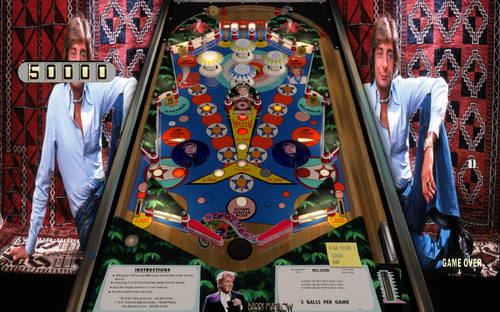
Barry Manilow
By masonou
Ladies and gentlemen... Barry Manilow!
I decided to do a relatively quick mod of one of JP's EM tables (Big Star) featuring the music icon Barry Manilow. I was able to add 3 songs to the table: one for attraction mode/game over, one for normal gameplay and another for activating the Special in the middle of the table.
This comes with a mini pup using the DMD screen. Please make sure to drop the "Barry" folder inside of your PUPVideos folder. I tested on two different computers and the PUP appeared on the regular DMD screens.
If people are interested I can create a fancier table later on. Please let me know and enjoy.
Note: @larouillas has posted a B2s for cab users down below.
507 downloads
-
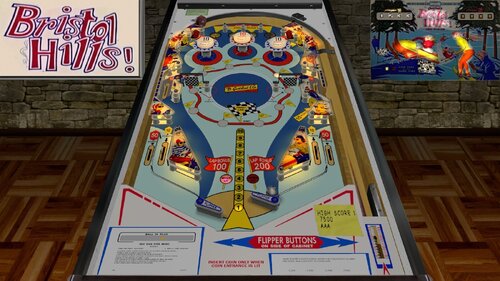
Bristol Hills (Gottlieb 1970)_Teisen_MOD
By teisen
First I would like to thank Loserman76 for the beautiful work... wherever he is playing pinball!
small changes were made only aesthetically
small improvements in the playfield, plastics, lighting,flippers position... I want to make it clear that the descriptions for the tables I'm sharing are "standard" for all, changes are made when there is a need for some adjustment.
version used, follow the link to the original table
Wildman B2S
Adjustments made:
- Playfield color correction
- color correction of Playfield lights
- cap bumpers colors corretion
- lighting
- metals
- screws
- new white tabs
-new targets in colors according to IPDB and adjustment
Loserman Description:
VPX conversion
Artwork done by GNance
others to thank: JPSalas, Pinuck, hauntfreaks, Borgdog, Arngrim
in addition to the "standard" keys (typically "1" to start game and "5" for coin), I've added "3" as another coin input and "4" for coin and auto-start game (like I recall the dime slots generally were) to simulate 3 coin slots
when game is not in progress, holding down left flipper for about 3-5 seconds will bring up the options menu. left flipper selects item, right flipper changes option.
I've also included shadows for the ball and flippers. If you want to turn them off look for these lines at the beginning of the script:
Const ShadowFlippersOn = true
Const ShadowBallOn = true
change to false if you want either of the shadows not showing on your tables
cleaned up a graphics glitch identified by opus33321
422 downloads
-
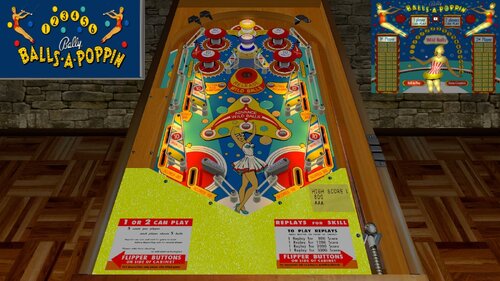
Balls-A-Poppin (Bally 1956)_Teisen_MOD
By teisen
TA...TAKARAKATAKARAKATAKATAKATAKARAKATA....
First I would like to thank Loserman76 for the beautiful work... wherever he is playing pinball!
small changes were made only aesthetically
small improvements in the playfield, plastics, lighting,flippers position... I want to make it clear that the descriptions for the tables I'm sharing are "standard" for all, changes are made when there is a need for some adjustment.
version used, follow the link to the original table
Adjustments made:
- Playfield color correction
- cap bumpers colors corretion
- lighting
- metals
- screws
- flippers adjustment
- Posts colors correction
Loserman76 description:
My first woodrail
Coding/Build - Loserman76
Images - GNance
550 downloads
-
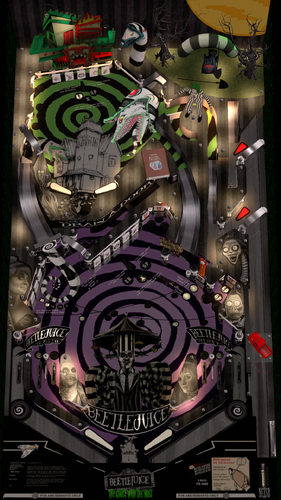
Beetlejuice (Original 2023) DVL Reskin
By Doivel
This is a Reskin of JPSalas Iron Maiden v4.0.0
First i would like to thanks everyone who created the basis for the table, based on Stern´s Iron Maiden from 1982
- Thx to JPSalas for his Table & allowing mod without permission
- Destruk for Lights, solenoids & switch numbers and vpinmame parts of the script
- Thx Flupper1 for LUT Text Display
- Scutters for Flex DMD Mod
- Big thanks to JoePicasso for his beautiful 3D models and making them available for the table
Beetlejuice runs the "ironmaid" ROM. To avoid conflict with other tables that based on Iron Maiden Table, like Evil Dead 2 USE a ALIAS, add the following line to your VPMalias.txt:
ironmaid_btj, ironmaid
By default, Scutters Flex DMD is disabled
By default, LUT is activ, hold down LEFT CTRL while change with RIGHT CTRL
Happy Halloween!
All logos, characters, copyrights and trademarks are the property of their respective owners.
PROVIDED STRICTLY FOR PERSONAL / HOME USE AND NOT FOR COMMERCIAL SALE / RE-SALE OR DISTRIBUTION!
3437 downloads
-
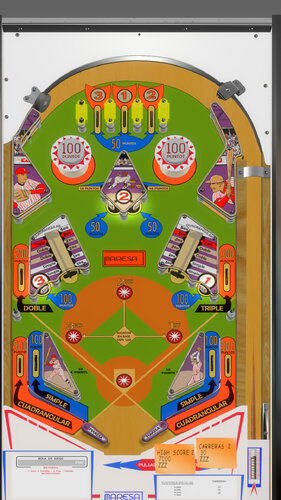
Beisbol (Maresa 1971)
By CactusDude
The World Series is going on, so I was doing some digging in the days leading up to it to see if there were any baseball themed tables I didn’t already have. In the process of that, I found Maresa’s “Beisbol” on IPDB and instantly thought it looked familiar. Turns out to be a clone of Gottlieb’s “Baseball” with some tweaks to the backglass/artwork. A loserman76 version of that table luckily exists, so I did my best to make the necessary changes. I’ll just say that my reference materials were limited (basically just the couple pictures on IPDB) so it might not be a perfect recreation. If anyone coming across this knows for a fact that a detail isn’t accurate or they have the text that belongs on the left apron card, feel more than free to share in the comments. I can’t promise that I’ll implement everything that’s suggested, but it might help someone down the road build a better version in the future or at least people can make whatever tweaks they want after downloading.
I obviously can’t post this table with a specific shout-out to loserman76. It’s a shame he’s not around to keep cranking out EM goodness, but his tables will continue to be enjoyed by a lot of people for a long time. RIP, Jeff.
***
List of changes from "Baseball" to "Beisbol" made by me:
- Edited the playfield image
- Remade the backglass (new images, so had to rearrange/redo the animation snippets)
- Changed the plastics from a flat ramp to walls so they look more 3-D
- Assigned a material to the base triggers
- Changed the color/image for many of the objects on the playfield
- New desktop background image
- New apron/post-it images
- New flipper prims
- Tried my best to implement nFozzy physics. First time trying, so I won’t claim that it was done properly/fully. But I’ve at least convinced myself that it plays a little differently than the original without breaking the table, so I call it a win.
- The table was built in 10.7. So I would recommend not using 10.6 or earlier, but I don't foresee any issue with opening it in 10.8.
***
Download includes the VP table, the backglass, and a couple of wheels (one Tarcisio, one not).
The table is free to mod since it started as the free-to-mod "Baseball" table by loserman76. Just be sure to credit the prior authors and please credit me if you use the Maresa flippers or any of the Besibol-specific images. Thanks and I hope you enjoy.
635 downloads
-
WIPPUP01VPX.thumb.jpg.6e94b4163e6dc3bb294d0c709ba57649.jpg)
Batgirl
By tuglisa
Contains a video marquee, a loading video, a static image and a wheel logo.
172 downloads
(0 reviews)0 comments
Updated
-
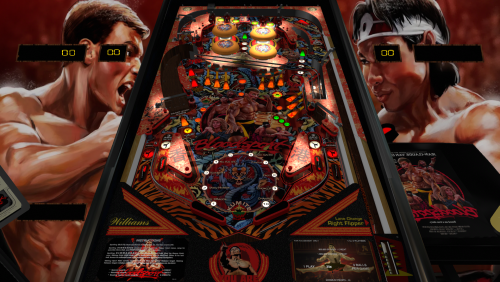
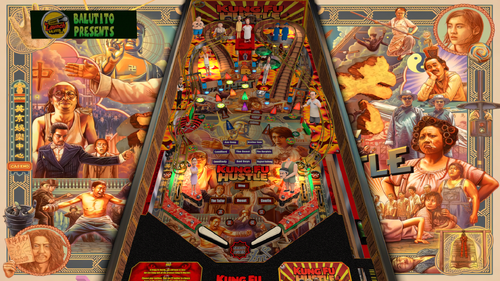
Bloodsport
By balutito
I know that some will be delighted to see this film again for the 10th time
Bloodsport
Based on FirePower II (Williams 1983) By Goldchicco, Apophis based on Walamab vpx table
Thank you so much to @Gman77 who didn't hesitate for a second when I told him about this project.
Fast as JC Van Damme, he made the puppack you'll need to play with this table:
* no music on this table which only works with the puppack*
had fun and a special thanks to Goldchicco, Apophis , Walamab and everyone who worked on this table before me.
Do you like my tables? did you load one or two? Do not hesitate, buy me a little beer from time to time, all this work makes me thirsty
Enjoy
BALUTITO
FOR PERSONAL USE ONLY AND NOT FOR COMMERCIAL SALE OR DISTRIBUTION. PLEASE DO NOT DISTRIBUTE FINAL.
3105 downloads
-
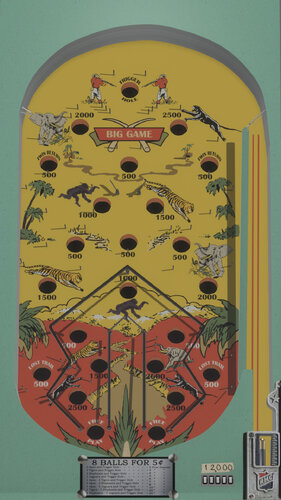
Big Game (Rock-ola 1935)
By CactusDude
Some history of the table: Released in July 1935 by Rock-Ola. It’s claimed in “Encyclopedia of Pinball Vol. 2” that this is the first pinball table with synthesized sounds. In this table, hitting the skill shot (AKA the trigger hole) activates a gunshot sound. (I pulled the actual audio of a table from a YouTube video, so you’ll hear approximately what people experiencing the first pinball sounds heard over 80 years ago).
Some background on the project: I’ve worked on this table on and off (mostly off) for ~2 years. Like basically all of my tables, I saw a video of one on YouTube and I decided to take a crack at recreating it. The real thing is pretty basic by modern standards, and that’s also heightened by my very rudimentary VP skills. Sure, I wish the table lighting was better and I wish the backglass was more realistic looking (or at least also had better lighting) and the gates above the cannon have a very basic animation that would be improved and on and on. But the game should function more or less as intended and it’s better than having no table at all, so I think it’s time to just go ahead and share it.
If you notice any unreported issues, go ahead and mention them in the support thread. If you have any potential improvements you’re ready to offer or solutions to issues that pop up in the thread, please get in touch. Otherwise, I hope you all enjoy the table!
~~~
Some notes about controls and such:
1 – Start Game
Right Flipper or Right Magna Save – Lift a ball into the shooter lane
Plunger – Shoot the ball
The game was mostly built in VPX 10.6, but when I tested it on a cabinet I made a couple of final tweaks in 10.7, so that’s what I’d recommend using.
Included in the download:
- The table
- Backglass [NOTE: There is an intentional black space above the image. The backglass might appear to not fill up your screen, but that is intentional. This was my way of preventing the backglass from being stretched out of its original proportions.]
- A Tarcisio style wheel
- A Non-Tarcisio style wheel
324 downloads
-
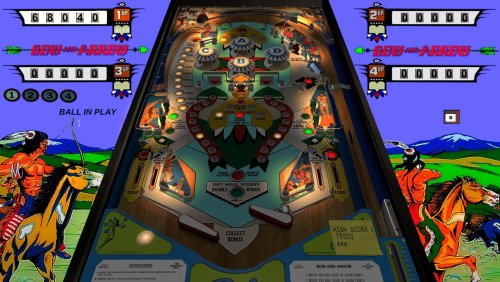
Bow and Arrow EM (Bally 1975)_Teisen_MOD
By teisen
First I would like to thank Loserman76 for the beautiful work... wherever he is playing pinball!
small changes were made only aesthetically, to my liking...
small improvements in the playfield, plastics, lighting,flippers position...
version used was 1.0, follow the link to the original table https://www.vpforums...showtopic=47908
Description of Loserman76:
This is the EM version based off Goldchicco & JPSalas' Bow And Arrow table.
Special Thanks to :
Goldchicco for allowing me to create the EM version of this one
JP Salas for the vp9 table used as base for create this one in VPX
@Arestis for redrawing the plastics.
@Thalamus for the Playfield mesh
@batch for the backdrop image for Desktop users (modified to be EM appropriate)
EM DirectB2S image thanks to Wildman.
I did my best to keep all the goodies Goldchicco has in the SS version:
' Fleep sound package
' Table physics (using nfozzy/roth/fleep guidline)
' nFozzy flippers physics
' JP's LUT code
hopefully I didn't break any of those things when I shoehorned my EM code base into this.
All Logos, Copyrights and Trademarks are property of their respective owners.
PROVIDED STRICTLY FOR PERSONAL / HOME USE AND NOT FOR COMMERCIAL SALE / RE-SALE OR DISTRIBUTION!
530 downloads
-
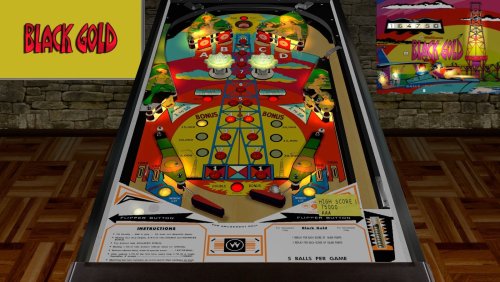
Black Gold (Williams 1975)_Teisen_MOD
By teisen
First I would like to thank Loserman76 for the beautiful work... wherever he is playing pinball!
small changes were made only aesthetically, to my liking...
small improvements in the playfield, plastics, lighting,flippers position...
version used was 1.0, follow the link to the original table https://www.vpforums...&showfile=16109
Excellent work by Hauntfreaks with this B2S that goes very well with this table! Thanks Haunt.
This is my take on Black Gold (I had a lot of help thanks to the schematics). Honestly, I can see why it got cancelled, but it is still fun to play.
Made possible by:
Halen for the redraws
$20 for the schematics
ZIP includes backglass and wheel image.
Like all of my releases, hold down the left flipper for 3 seconds when not playing a game to set the options. And this table has a bunch of options to change the gameplay.
This is for personal use only. DO NOT include this in any pre-packaged ZIP of tables for commercial/non-commercial products. You know who you are. Just enjoy what is provided for FREE instead of trying to earn a buck from our community's work.
386 downloads
-
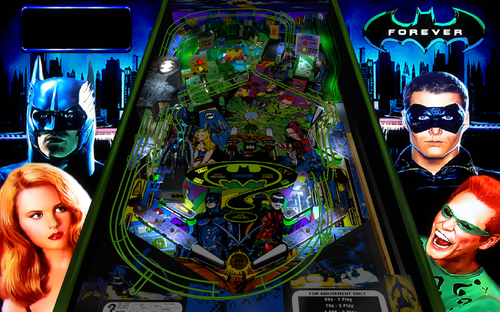
Batman Forever (Sega 1995) with VR Room
By drakkon
Hi,
Here is an updated version of Batman Forever. This version was updated from Bigus' 1.4 mod, and originally created by DevaL and mfuegemann.
This is a fun table and includes following updates:
nFozzy physics Fleep mechanical sounds New playfield and inserts - by @Sheltemke VR Room - by @TastyWasps and @Sixtoe LUT selection with magna keys
9133 downloads
-
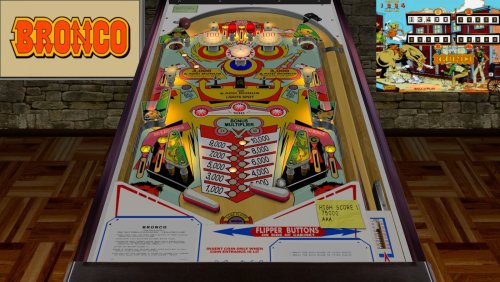
Bronco (Gottlieb 1977)_Teisen_MOD
By teisen
First I would like to thank Loserman76 for the beautiful work... wherever he is playing pinball!
small changes were made only aesthetically, to my liking...
small improvements in the playfield, plastics, lighting,flippers position...
version used, follow the link to the original table https://www.vpforums...&showfile=13321
Description of Loserman76:
Bronco (1977)
Table build/scripted by Loserman76
Table images by GNance
http://www.ipdb.org/machine.cgi?id=388
541 downloads
-
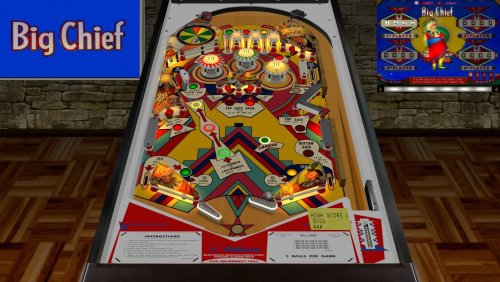
Big Chief (Williams 1965)_Teisen_MOD
By teisen
First I would like to thank Loserman76 for the beautiful work... wherever he is playing pinball!
small changes were made only aesthetically, to my liking...
small improvements in the playfield, plastics, lighting,flippers position...
version used was 1.0, follow the link to the original table https://www.vpforums...&showfile=16074
Big Chief (Williams 1965)
This release wouldn't be possible without the following:
user42 for the artwork
Wildman for the excellent backglass image
Albert for primitive wheel
Like all of my releases, hold down the left flipper for 3 seconds when not playing a game to set the options.
ZIP includes a wheel image and directB2S
This is for personal use only. DO NOT include this in any pre-packaged ZIP of tables for commercial/non-commercial products. You know who you are. Just enjoy what is provided for FREE instead of trying to earn a buck from our community's work.
354 downloads
-
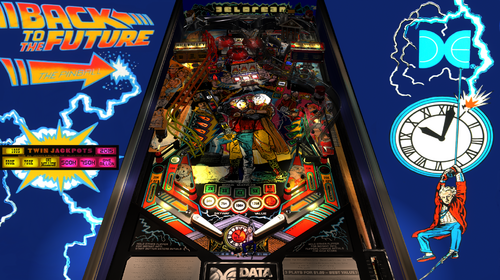
Back To The Future (Data East 1990)
By versins77
Table created by cyberpez
Changes and additions:
- nFozzys physics
- Fleep's sounds
- ball shadow and dynamic shadows
- lut selector (use magnasave)
- some changes here and there (graphics and primitives)
- some plastics upscaled
Special thanks to:
- cyberpez
- VPW
PS:
This table is a mod, not a creation. All the compliments go to those who have been building tables for all these years. A mod is only the addition of a few elements to upgrade the table. Nothing less, nothing more. Most of the improvements come from the incredible work of the VPW Team.
4257 downloads
-
Bugs Bunny's Birthday Ball (Bally 1991)
By wrd1972
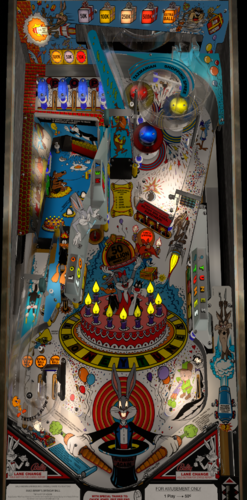
Welcome to my Bugs Bunny's Birthday Ball refresh for VP10.7 or >. This table has undergone a tremendous amount of refinement with countless new visual details, all new lighting, all new physics, better sound effects additional table options. This table also includes VR Room.
Shout-outs to Cyberpez, Rothbauerw, nfozzy, flupper, DJrobx and bord for heavily contributing to this latest refresh. Also want to thank the many talented folks at VPWorkshop too. And a very big big thanks to Bodydump for allowing me to complete the table he started many years ago. Cant thank you guys enough.
Please see beginning of script for the detailed credits and available table options.
6166 downloads
-
Banzai Run (Williams 1988) - PinCabViewVPX MOD (With Playable Backglass - 2/3 screens)
By Aubrel
Here a special release !!
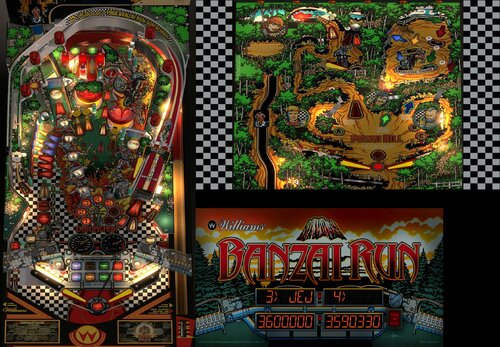
I'm glad to share here a mod of JPSalas Banzai Run 1.0.2 table with working and playable backglass playfield in 2nd screen 🥳
To work, this mod needs to be launched using the "PinCabViewVPX_launcher.exe" included. Please read the bellow instructions.
In fact it needs more than just a launcher... It needs a Custom VPinballX build, ReShade and PinCabView/ArcCabView shader 2.6
How to install :
- Just extract this full archive in your VPinballX root folder (standard D3D9 build / v10.7 minimum as I didn't test with previous versions)
- Do not change anything and run directly "PinCabViewVPX_launcher.exe" (it should be next to your usual VPinballX.exe)
- That's all
- You have to use the launcher (PinCabviewVPX_Launcher.exe) to run the supported games (for now only Banzai Run)
PS: If needed, after the 1st launch, you can set some options :
If it's slow, not nice enough or if your screens are not displayed where they should (DMD and Backglass screens switched), just check options in "PinCabViewVPX.ini" (should be next to the launcher in Visual Pinball X root directory)
(Keep "DMDPositions", "DMDSizes" and "BGScreenNbr" at "0" if it's ok like that and never edit any "xxx_default.cfg" files)
Depending of your configuration, it will display the score leds in the backglass screen or in your 3rd screen.
"PauseMenu" option is available to get or not the VisualPinball pause menu before quit (with Esc key)
"ApronCrop" option is available in PinCabViewVPX.ini if you don't want to display the apron part of the table
"DMDScreenPercent" option is available in PinCabViewVPX.ini if you don't use the full DMD screen area
"FullDMDScreen" option is available to display the DMD in your full DMD screen area (can work with "DMDScreenPercent" too)
"SetPerfMode" option can help for low configs (also setting the table to use "Fast FXAA" and lower "details level" for example can help too)
"IntResLevel=1" should be ok for most people and matches 1080p screens, "IntResLevel=0" will bring a big boost ("2" and "3" will require more power but the game will look better on UHD screens)
...
Also some more options are available in in ReShade’s UI (access with “home” key ingame)
Important :
- Don't change the table's POV !!
- Don’t edit any “_default.cfg” files !
- You need at least 2 screens to be able to play in cabinet mode (backglass display is needed to play)
- This mod was made to runs only in "Cabinet mode" (but a “landscape desktop mode” is now available)
- Your playfield screen has to be your main screen and should be your "top-left" screen (negatives screen positions are not supported)
- All your screens have to use the very same DPI Scale
- FSS mode, Stereo3D and TrueFullScreen are disabled
- The internal resolution level can be set in PinCabViewVPX.ini (it can be very slow with high values)
- The included table won't be displayed as it should using the official Visual Pinball releases
- The backglass width can be adjusted ingame in ReShade UI with the “BackglassWidth Scale” slider
- The display size of the table can be set in ReShade UI with “Manual Main Screen Zoom” sliders.
Banzai Run table MOD (mostly a functionnal mod, still the JP table at 99%) :
- Backglass parts moved to the bottom of the table
- Script update to get the backglass elements always visible
- Script update to get the lifter moves in the table's backwall too
- Script update to fix the lifter moves (should be accurate now, the switches hack is removed)
- Added ball falling down from backglass and ramp collision sound
- Many art's colors adjusted with less saturation
- Lifter moves and backglass playfield arts improved
- Flipper shadows added
- Some small other changes...
Thanks to JP Salas for allowing me to share here this mod of his awesome table!
Thanks to Toxie to let me include my custom VPinballX build
Thanks to Smaug, Bietekwiet and BountyBob for their tests and feedbacks.
Side Note :
If you manage to understand how it works, you can add tables to this release
The tables should be named "TableName_PCV.vpx" and put in "PinCabViewVPX\Tables\" folder
To run you will have to send the "TableName" to the launcher (without or without path and "_PCV.vpx")
Example : "D:\MyVPinballDir\PinCabViewVPX_Launcher.exe” TableName
You can also put for this new table default “Preset” cgf files, a “Data” ini file and "Textures" images just like I did for "BanzaiRun" (and some special options in PinCabViewVPX.ini too!)
Enjoy !
***********************************************************************************
PinCabViewVPX by Aubrel
The pack contains :
- PinCabViewVPX Launcher by Aubrel
- PinCabView Custom VPX table "Banzai Run (Williams 1988)" (Original 1.0.2 table by JP Salas, PinCabView MOD and DirectB2S DMD Screen by Aubrel).
- PinCabView 2.6 ReShade's shader by Aubrel and Ducon2016 (ArcCabView 2.6 with Pinball options activated)
- ArcCabView Custom ReShade 4.9.1 build (ReShadeMod32.dll / ReShadeMod64.dll)
- PinCabView Custom VPinballX 10.7.3 build (VPinballX32_PCV.exe / VPinballX64_PCV.exe)
***********************************************************************************
PinCabView Info / Support :
https://vpuniverse.com/forums/topic/5494-pincabview-bigraceusa-fantasticjourney-timeshock-theweb-wormspinball-worldrallyfever-slamtilt-resurrection/
PinCabView2D Info / Support :
https://vpuniverse.com/forums/topic/5744-pincabview2d-most-old-dos-pinball-games-in-your-pincab/
PinCabViewWFS Info / Support :
https://vpuniverse.com/forums/topic/5903-pincabviewwfs-all-wildfire-studios-pinball-pc-games-in-your-pincab/
ArcCabView/PinCabView shader Info / Support :
https://www.emuline.org/topic/2598-arccabview-pincabview-display-your-arcade-games-just-as-you-want/
Thanks to Ducon2016 and Houb for the amazing "CRTGeomMOD" shader (and thanks to cgwg for the original CRTGeom shader)
http://www.emuline.org/topic/1420-shader-crt-multifonction-kick-ass-looking-games/
ReShade home : https://reshade.me
Visual Pinball repository : https://github.com/vpinball/vpinball
Original Banzai Run (Williams 1988) 1.0.2 by JP Salas :
https://www.vpforums.org/index.php?app=downloads&showfile=17036
3697 downloads
- banzairun
- banzai run
- (and 2 more)
-
Bad (RyGuy417 2022)
By ryguy417
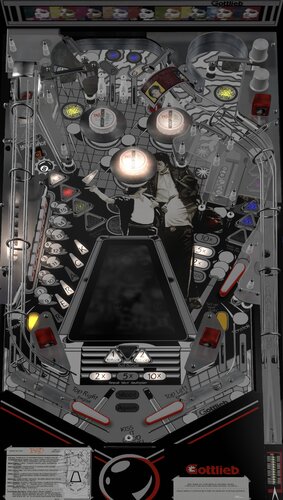
Full reskin of Bad Girls, staying true to the theme that inspired it--Michael Jackson's Bad Album (same font, same music).
Bad Girls was done in VP 10.5 by @bodydump and 32assassin. I've reached out to @bodydump for mod permission, but he was last active on VPU back in early 2021, so not sure I will hear back from him anytime soon . I will pull this down if he denies permission. That being said, I want to stress how authors like Bodydump, 32 assassin, Dark, Randr, and others did ALL the work on these tables back in the day. This has some "polish" at best...kind of.
Regardless, enjoy and happy holidays to all.
4/6/23 Update: added support for adding MP3s. Test mp3 added to Google Drive link (drop in your Music folder; right magna to start the audio). You can add more songs by adding to your Music folder and updating the script in below (version here includes the first track using the test track available). You must re-download the .vpx to take advantage.
If musicNum = 0 Then PlayMusic "mjbad.mp3" End If If musicNum = 1 Then PlayMusic "YourMusicTrack.mp3" End If If musicNum = 2 Then PlayMusic "YourMusicTrack.mp3" End If If musicNum = 3 Then PlayMusic "YourMusicTrack.mp3" End If If musicNum = 4 Then PlayMusic "YourMusicTrack.mp3" End If If musicNum = 5 Then PlayMusic "YourMusicTrack.mp3" End If If musicNum = 6 Then PlayMusic "YourMusicTrack.mp3" End If If musicNum = 7 Then PlayMusic "YourMusicTrack.mp3" End If If musicNum = 8 Then PlayMusic "YourMusicTrack.mp3" End If If musicNum = 9 Then PlayMusic "YourMusicTrack.mp3" End If
1285 downloads
-
.thumb.jpg.0144054f8fcc3e7a34490b48f4f8b68a.jpg)
BMX - RAD Edition (Bally 1983) MauiPunter MOD
By MauiPunter
BMX - RAD Edition (Bally 1983)
v1.0
By: MauiPunter
RAD was one of my favorite movies when I was growing up in the 80s and when I discovered there was a Bally BMX table by JPSalas, I just had to do a sound and theme mod for it. Also, thanks to hauntfreaks for creating an amazing backglass.
Please keep in mind this is my very first attempt at anything with VPX, so your patience is appreciated. While my mod is quite simple I hope to revisit it over time to learn more about creating and modding tables. A pup-pack for the movie to go with this table is coming in the future.
Notes:
The zip file contains everything you need for the table; the backglass, the media files, and the soundtrack to the movie.
1. Place the found files in your Music directory in a directory named bmx.
2. The media zip contains all the media files you will need for Pinup Popper.
3. Place the VPX and directB2s file in your Tables directory.
Music Control:
Music starts immediately when the table is loaded. Then randomly chooses songs from the playlist, which contains the whole RAD soundtrack except for one song.
All Artwork, Logos, Music, Copyrights, and Trademarks are the property of their respective owners.
PROVIDED STRICTLY FOR PERSONAL / HOME USE AND NOT FOR COMMERCIAL SALE / RE-SALE OR DISTRIBUTION!
285 downloads
-
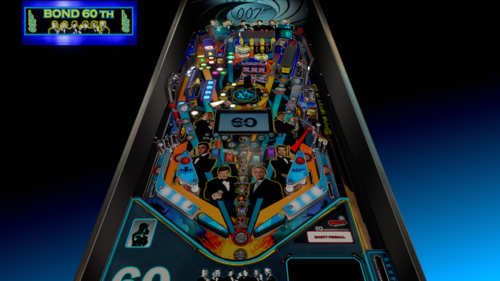
BOND 60 limited edition
By marty02
Hello everyone I share a new based on Bond 60 th edition limited. I used my bond table and modify a little the script to adapt it to this new table with some surprise that I find nice.I redid 80% of the playfield it is not perfect but already nice.
description of the table
playfield
new set of lights
new sounds
dmd redone for bond 60
new toxic mode (i love it)
3D creation of the board with the rotating hat
the pack contains the table, the backglass + backglass 3 screen, media
good fun
Many thanks to JPSALAS for the use and modification of his script.
thanks to Virtual Pinball Gameplay youtube channel for the videos
For info the future table to come 2023:
LES INSUS (in progress)
CENTRAL TOUR INDOCHINA (in progress)
PIRATES OF THE CARAIBES JJP
AEROSMITH ?
6636 downloads
-
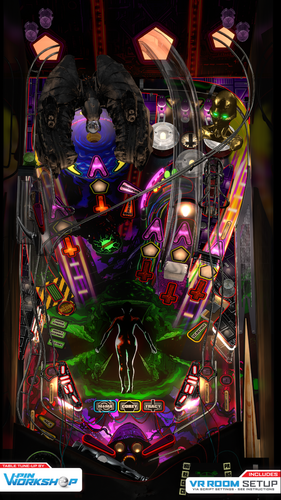
Blood Machines (VPW Original 2022)
By VPinWorkshop
**************************************
Version 2.0 Additional instruction:
This needs VPX 10.7.3 or later and for VR it is optimized for 10.8 #814. Lighting works a bit differently per revision Scorbit uses 3 extra EXE files that should be but into VPX tables folder. Same place where you put the VPX file and BloodMachinesDMD-folder. Notice that some of these EXE files may need to be unblocked 2 of the EXE's are same than previous Scorbit tables, but this time they are just stored in tables folder. 3rd one is QRView which is made to enable QR code to be seen in VPX table. VPX doesn't normally support loading of external image files. Sources: https://github.com/iaakki/VPXQRView By default it runs still with FlexDMD. You must enable PUP from script and also remember to use options batch files under pup folder.
**************************************
Alright, let’s do this old school…
VPinWorkshop are proud to present our very first original table, “Blood Machines”, based on the movie from Seth Ickerman with music by Carpenter Brut.
After watching Blood Machines iaakki thought that it would make a great theme for a pinball table, so we started talking about it in VPW and decided that if we were going to do it as our first completely original VPW table, that we wanted to do it properly.
With this in mind we contacted Seth Ickerman to see if they would be interested in the project and to see if there was any chance they would be able to provide any assets that we could use. Thankfully Not only were they amazed at what we were doing, but they supplied us with 70gig of 3D models and textures which were used in the film!
The only issue now was that these were so high detail that a huge amount of work was needed to optimize them so they would even load in VPX, but thankfully Flupper came to the rescue and did a fantastic job optimising the models and textures so we could put them in the table without setting your PC on fire (for example the ship went down from 8 million polygons to 130,000!)
At the time of writing this the table was at revision 335 (release candidate 1.5) with *well* over 1000 man-hours sunken into it, the amount of work has been staggering but we hope that you’ll agree that it was worth it.
The table itself has loads of features that have never been seen before in other VPX tables and we have tried our best to keep most/all of it secret as we want everyone to experience it for themselves firsthand, which is why until very recently we’ve kept details very close to our chest.
*IMPORTANT*
In order to fully enjoy the table and play it as it was designed to be played, you will need to purchase the awesome soundtrack by Carpenter Brut (about £5/$5/5e) and place the MP3s in your vpinball music directory:
C:\Visual Pinball\Music\BLOOD MACHINES OST
We really hope people do support the artist and purchase it from;
https://carpenterbrut.bandcamp.com/album/blood-machines-ost
VPW Blood Machines
Project Lead – iaakki Table Layout Design – iaakki, Dapheni Art Lead & 2D Graphics – Astronasty 3D Objects & Textures – Tomate, Flupper, iaakki, Sixtoe, D.J. Scripting & Coding – iaakki, Apophis, oqqsan, Wylte, Lumigado, fluffhead35 DMD – Oqqsan, eMBee, Astronasty, Lumigado. Pupdmd - Frank H, HeartbeatMD VR – Sixtoe, leojreimroc, iaakki Table Rules – Apophis, iaakki, VPW Team. Shot Tester – gtxjoe Testing – Rik, PinStratsDan, VPW Team
Installation Instructions
===================
VPX 10.7
https://github.com/vpinball/vpinball/releases
VPVR 10.7.3
https://github.com/vpinball/vpvr/releases/
FlexDMD v1.8.0
https://github.com/vbousquet/flexdmd/releases/
Windows 11 Crashing with oPlayer1 error?
Go into windows11 apps>optional features>more windows features and check "media features"
Riks Cabinet WIP Video
PinStratsDan Desktop Video
Rawds VR video:
You can watch the film on Shudder, AMC’s streaming service;
https://www.shudder.com/series/watch/blood-machines/033e95260abc2604?season=1
31101 downloads
-
-
.thumb.png.991c2d2ec6d1eba179cd90ae029646c1.png)
Bram Stoker's Dracula (B&W)
By dragon44
First and foremost I would like to say that it is just a Black and White modification of the original ICPJuggla table, which I thank for allowing me to do it and making it available to the entire community.
The goal of this table was to recreate a mod I saw on youtube: https://www.youtube.com/watch?v=smZbKsvyoP4&t=229s
This table originally comes from FP , from Francisco666 and Rom. He was made VP by ICPJuggla and had a few helpers at big names like Tom Tower, Zany, Ninuzzu, Bodydump and Ezepov.
I think that JP Salas is also working on this project.
I hope I haven't forgotten anyone.
I only ask one thing of you, keep having fun in this wonderful pastime.
878 downloads
-
SoundMODv2_0b.thumb.PNG.c78604492133702faf9ffd56109f30c5.PNG)
Buck Rogers (Gottlieb 1980) Sound MOD
By xenonph
I first would like to thank BorgDog for giving me permission to make this sound mod. I would also like to thank him for making a great table!! I also would like to thank everyone who contributed to this table including, Hauntfreaks and Sindbad!!
They put in alot of time and work on the original table, and it is appreciated!! So if you like this mod, I would encourage you to thank the original author of the table, as I have only made a few changes!
Check Original Table download page for more important info.
Original Table...
http://vpinball.com/VPBdownloads/buck-rogers-gottlieb-1980/
I also would like to thank Allknowing2012 and Gtxjoe for teaching me how to add timers to script.
I also would like to thank DJRobX, STAT, Gtxjoe, and nFozzy, for helping me shorten my StopSounds and PlaySounds script commands.
(They each wrote out an example, and between them all, I was able to figure it out!! BIG THANKS!!!)
I would also like to thank Scottacus for all the help with the TILT sound effects script!! BIG THANKS!!
I also would like to thank Steve "Slydog43" for which these VPX mods would not be possible!!
Version 2.1
Converted all pics to WebP format to reduce overall size of table.(VPX7.2 Required)
Converted Wav files in sound manager to ogg format which reduces file size.
File size went from 166 MB's to 54.3 MB's!!!
Version 2.0
Added Modified version of JPSalas LUT script.
LUT's are toggled with the Buy-In Key.(2 Key)
Added Instruction Card.
Instruction Card Pic uploaded with permission of Inkochnito. (Huge thanks!!)
Find all your Pinball Card needs at Inkochnito's Pinball Cards site:
http://www.pinballrebel.com/pinball/cards/
Version 1.11a
Stopped some timers that were still activated after pressing player1 start.
Added coin sound effect to 3 key.
Version 1.1a
Noticed "Drain" sound effect was missing from sound manager, so I added it to sound manager from another table.
(It was hard to catch this as you could only tell after last ball drain.)
Also fixed script so coin is heard on coin insert.(There was not a coin sound effect named "coin" that the script was calling for. So I just changed to "Coin3" as there were 2 different coin sound effects already in the sound manager.)
Scottacus helped fix the script for DT view objects to disappear when in FS mode.
(If you ran FS view without B2s, the objects didn't disappear as per Scotts info.)
BIG THANKS!!
I added GI lights to Buck Rogers Logo and pic on left side of DT backdrop.
Scottacus came up with working TILT sound effects script!! BIG THANKS!! (I will learn this if it kills me!!)
1 of 4 sound effects will be played when you TILT table.
I Added 133 sound effects triggered by events.
All of these sound effects are played through backglass instead of table per Vogliadicanes info.
There are 4 background music sound effects triggered by plunger.(From actual Movie.)
There are 2 other background music sound effects that are not triggered by plunger.
1 is triggered by hitting upper kicker. (1 in 16 chance of triggering it.) Twiggy says "Get Down Groovy" and a groovy song is played.(One from actual movie.)
The other background music sound effect is only played during attract mode after losing a game.
(This is the song that was played at end of tv show. It sounds corny, but true Buck Rogers fans will appreciate it.)
You will need to hit F6 to bring up the Dipswitch Menu, and turn off ROM scoring sounds.
(Or use the nvram I included with download.) Copy the nvram to your nvram folder where Visual Pinball is installed.
I couldn't seem to shut off the ROM sounds and have them turn back on with table exit like other sound mods I have released.
So you will need to turn off these sounds with either method above.
BorgDog has made this in Portrait Mode. STAT left a POV.xml for Landscape Mode as attachment here in BorgDog's Support Topic..
http://vpinball.com/forums/topic/buck-rogers-gottlieb-1980/#post-49053
I will include this with download, but be sure to thank STAT for it!!
Simply load table into Visual Pinball Editor, and click "File" tab, then click "Import Backdrop POV".
Then a window will pop up allowing you to browse to BuckRogersPOV.xml.
After importing simply start table. You will need to save the table after making changes, for them to stay
If you are looking for a dB2S Backglass, Borgdog included one with his table download. (I didn't have enough room to include the dB2S Backglass, as these 2 Buck Rogers Sound Mods are over 166 MB's each.)
So you need to go to his download page if you want the dB2S Backglass.
All pics, trademarks, Logos and sounds belong to their respectful owners. This table is for personal home, and non-commercial use only. This table should be used for educational purposes only..
Hope you enjoy!!
I also made a version 1.1b that Scottacus changed all the DT LED's to reels to get his No Credit sound effect script to work, but I have a 720p monitor, so people with other screen resolutions, will see the LED's don't line up correctly. So I will try to get this fixed and have it uploaded shortly. I guess someone with a 1080p monitor will have to line them up correctly, as my screen resolution is 1365x768, which makes them not line up on others monitors.
2389 downloads
-
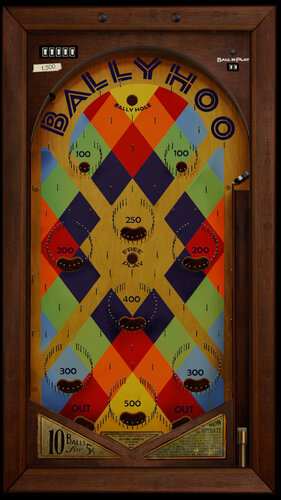
flipperless Ballyhoo (Bally 1932)
By CactusDude
Some explanation first. My username on VPinball was Warbler33. It still is over at VPForums. Why did I change my name here? If I had really thought about it, I probably would’ve been CactusDude everywhere from the start. But things didn’t happen that way. So after VPinball closed, I considered starting fresh here (you know, in that way high schoolers plan to become cool kids in college?). But in the aftermath of the shutdown, I kept learning about all the awesome tables I didn’t know about until they were already gone. I’d hate for anyone to be searching high and low for my stuff, so I decided to upload them at VPF under my old name. But I’ve come to learn that plenty of authors over here, that I enjoy the work of, don’t/can’t spend time over at VPF. Rather than give the impression that I support one site over the other, and to give more people access to my tables, I’ll be uploading stuff over here as well.
TL;DR – Warbler33 at VPF is CactusDude here at VPUniverse. I’m not reposting someone else’s tables without permission. They’re mine to share. I hope you enjoy them.
***
Here's "Ballyhoo" - the smash-hit that kicked off Bally's success back in 1932, recreated in VPX. No flippers in sight - just pins and balls living in the moment.
A huge thank you to mfuegemann for creating "Cavalcade (Stoner 1935)" which I stripped down and rebuilt as Ballyhoo. This was my first recreation in VPX (I did it in the fall of 2020) and I'm still proud of it.
I hope you enjoy playing it as much as I enjoyed making it.
This is essentially the version that was on VPinball. I just added the right magna key as a ball loader in addition to the originally mapped right flipper.
Download includes the table with a static backglass. There are also two wheels to choose from.
***
August 26, 2022 UPDATE: Thanks to Dan (dude81818) for contacting me with an offer to send over much nicer looking playfields/aprons/plungers for the table. He also spent a lot of time making sure that the frame around the table looked WAY better. If you open up the script, there are numbers you can change under "Playfield Options" which toggles the playfield/apron/plunger images. Trust me, a redownload is worth it - the table looks better than I ever could've hoped when I first made it.
1967 downloads
.thumb.png.c51ff1b2d0a3a63659307748211a3b32.png)
(VRRoom)1.0.3.thumb.jpg.cb74f327712a9842f39b1ad6fefbc894.jpg)
.thumb.png.a5cbfa69f1dfff77e022c9172e66a755.png)
PF.thumb.jpg.f6a38d1ace1d4eccca5b2310d38b2a6c.jpg)
BG.thumb.jpg.8b11216f592066a6d57f75f8e8d108c5.jpg)
.thumb.png.7e39b856c278aa2d29655796dbfad341.png)
.thumb.png.f53cb093f5d7fff494df50b776000fbc.png)

.thumb.png.7a390501d23376646a2a0f0e33b753ba.png)

.thumb.png.7ab3abfb2b0b332e3a4f8c9aec6842af.png)

.thumb.png.881f566bf2e386f22e88d7a340c89c7a.png)
.thumb.png.5bf65b8edb243d54fcfac5c2c039a4be.png)

.thumb.png.9db5e75da7776edf4dbbfc91a7dd7397.png)
.thumb.png.fcb2cabb7aade7a67cf414e48a5abc7c.png)


.thumb.png.b1dd627e0875f024d1ead924536c0576.png)
.thumb.png.7aa4fda2cf9b6d28bd9f0742aafe87ca.png)
.thumb.png.bc38c35aac45153fca416cb56807b306.png)
(Small).thumb.png.bf9db81f76efa7c538e7d5f0cf012c2b.png)

.thumb.jpg.29992146f7750d9ecbec6623b75ee49d.jpg)
.thumb.jpg.a4090ce5464f95c7227bf783f5dcb53a.jpg)
kopia.thumb.png.fc2260e2fed052ad572ae20bdad05b18.png)
_desktop.thumb.jpg.77bae81ae3f013df12ce835deeaaad1f.jpg)
FullDMD.thumb.jpg.97222a62a461d6b8c29b2c250cc9a56d.jpg)
FullDMD.thumb.jpg.1e8b1c3b7aac6f1b00f70892c78da8db.jpg)
FullDMD.thumb.png.0fc6271a18b79e0be3a5fb7cf9ee8a45.png)
.thumb.jpg.78eac96729a723a5d1609cc9ff7b1462.jpg)
.thumb.jpg.2271d7e343a10ba54add6f37d7d8f2c5.jpg)
.thumb.jpg.d62cc71d5b728bff04500bc73d893c9d.jpg)
.thumb.jpg.02b5fc6b90f2b198afec82ed9af1bebe.jpg)
.thumb.jpg.a8a06cdd9eb21b305b5a5d6b6a594535.jpg)
.thumb.jpg.7c0a903c2ee6dee00cde2aab160cce01.jpg)






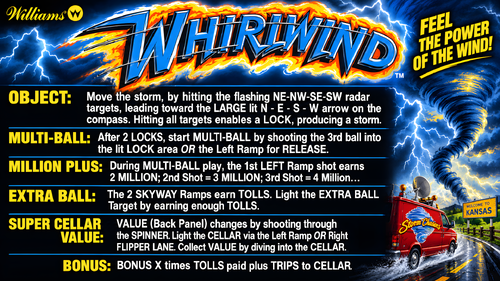
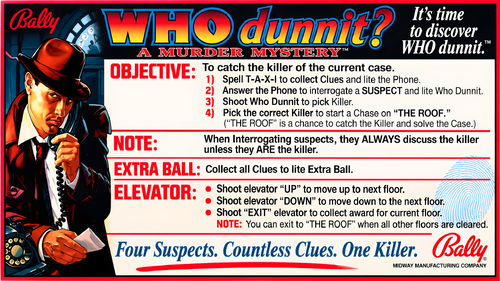
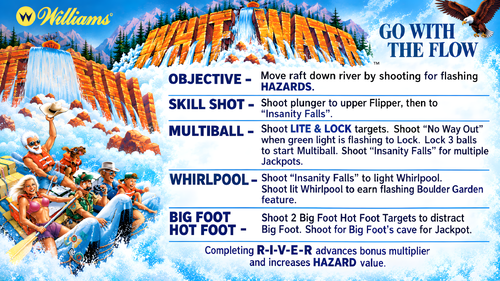
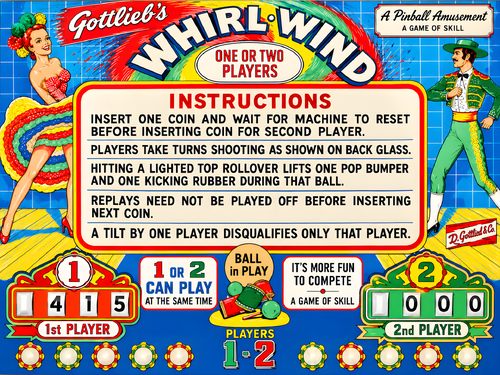




.thumb.jpg.ca2e48aaa7e3b0c3f1351c718ae1bd99.jpg)
.thumb.jpg.20dd148ff1405b0ecfdeca60a86b3448.jpg)
Rules.thumb.png.a366babf79fcfda036944253e9ccf383.png)
V5.thumb.jpg.69763cf83bb1d4276f12248eadeafcaa.jpg)

