232 files
-
pup pack Batman: The Dark Knight (Stern) Pup Pack in IMAX
By Precise
Peace Y'all,
"Your balls drop off? Ummmmmmm?"
Unzip and place the bdk_294 folder in your pup folder.
This pack was made for a 3 screen setup. If using a 2 screen setup, this pup works with Flex-DMD, so you'll need it to put the score wherever you want it. Since I decided to make this a true IMAX Pup, it would have been more trouble than it's worth to do this for a 2 screen setup also. What is IMAX? Some of the videos in the IMAX version of the movie are in a full IMAX aspect ratio. I've retained them from the IMAX Blu-ray for this Pup.
I will make upgrades to all my Pup Packs when necessary and as my understanding of this craft increases. This Pup is currently missing one pupcapture (guess which one). Once I'm able to get it, I'll update the Pup. Otherwise....... Endure Master Wayne..... take it.
Precise
All Logos, Copyrights and Trademarks are property of their respective owners.
PROVIDED STRICTLY FOR PERSONAL / HOME USE AND NOT FOR COMMERCIAL SALE / RE-SALE OR DISTRIBUTION!
VIRTUAL PINBALL ALWAYS HAS AND ALWAYS WILL BE FREE TO ANYONE!!!!
2521 downloads
- pipallah
- ipd no. 5307
- (and 1 more)
-
pup pack Starship Troopers (English) Pup Pack
By Precise
Peace Y'all,
Do you get me?!
Unzip and place the startrp2 folder in your pup folder.
This pack is defaulted for a 3 screen setup. If using a 2 screen setup or desktop please remove the three pup files (playlist, screens and triggers) from the main folder and then use the appropriate bat file. This pup works with Flex-DMD, so you'll need it to move the score around. Desktop users can use their own pinupplayer.ini or they can use mine (in Pup Pack Options - Option 3 folder).
I'd like to give a shout out to @harrykoseck and @DeathInc for their prior Pup Pack submissions for this table. They inspired me to make my own.
This Pup Pack was made from scratch and is completely done in English. It was a labor of love because of my affinity to the vpx table, movie and franchise. This Pup Pack was made for me, but because I'm such an awesome individual, I'm sharing it with the community. 😉
Much to see here with surprises around every corner. Like the rest of my Pup Packs, I wanted it to be busy.
I will make upgrades to all my Pup Packs when necessary and as my understanding of this craft increases. Otherwise....... Enjoy!
Precise
All Logos, Copyrights and Trademarks are property of their respective owners.
PROVIDED STRICTLY FOR PERSONAL / HOME USE AND NOT FOR COMMERCIAL SALE / RE-SALE OR DISTRIBUTION!
VIRTUAL PINBALL ALWAYS HAS AND ALWAYS WILL BE FREE TO ANYONE!!!!
2267 downloads
- pipallah
- starship troopers
- (and 1 more)
-

Dune Puppack & Table
By GameOver
2024-05-25 14-15-39.mp4
First , i would like to Thanks Zandy's Arcade for given Us permission to share is awesome Table with this Puppack
THANKS JO and all the People involved in this Creation !!
*Run the Bat file You want for Your Setup - Theres 6 Options available - 2 , 3 , 4 screens and Puppack playing in the Fulldmd !!!!
NOTE - If You choose the Puppack in the Fulldmd YOu will need a B2S or a Video playing in the BAckglass !!! Just Find one You Like (Youtube is Your Friend)
*At the top of the Table script You have options for the Apron screens Videos ( by default they are On ) and options for Slow and fast Pcs FPS ( by default its OFF ) **** choose the one YOu want
* There s only 3 balls at the Multiball in this Table , You want more BAlls just change it in the script !!!!!
*Set the Puppack volume to whatever You want ( In my Cab sounds Good )
and Yes Table music stops when a Mode or Multiball starts ( iTs not a BUG )
Note - Skillshot is now fixed for this table ( Thanks to Zandys Arcade )
*******NO OTHER TABLE WILL WORK WITH THIS PUPPACK**********
There s to much videos to discover in this Table ..
And Before some Dune lovers or HAters start Talking ,we did our best with the videos , some video modes are not for the character in question ( to much talking scene ) so You are warning !!!
Jopati Kolona Mode is the only one with short videos !! sorry we didnt find a long one
So If You have a better option im all ears !!!!
Thanks To my Tugas :
MArio Joao Paulo
Pedro Peres
Enjoy it
1399 downloads
-

Western pup-packs
By GauGau
What does it do?
This PUP-pack features videos from western movies to add to the atmosphere of your virtual pinball tables from the Western genre. It is aimed at EM tables mostly that are slower-paced and usually only feature chimes and bells and no background music.
Variants:
There is a lot of different material available for Westerns, as Hollywood has produced tons of movies over a long time span. That's why I have come up with several PUP-packs that can be combined easily. The content resides in the "MusicVideos" folder of each of the PUP-packs (i.e. C:\vPinball\PinUPSystem\PUPVideos\WesternTrailers\MusicVideos or C:\vPinball\PinUPSystem\PUPVideos\WesternMusic\MusicVideos). Copy your own files into that folder, delete the files you don't like, or copy movies from one Western PUP-pack to the other.
So far, there are two "flavors" of western pup-packs:
The pack "WesternTrailers" contains 13 tracks from trailers of classical Western movies from the early sixties. The pack "WesternMusic" contains 16 tracks with western-themed music videos. Some come from movie soundtracks and contain scenes from the movie, and some are just western-themed music.
Tables:
There are several tables that have themes dealing with the American West. The western PUP-packs are meant to be used with such tables.
It can be used with the tables
Apache! (Taito do Brasil 1978) Arizona (LTD do Brasil 1977) Big Brave (Gottlieb 1974) Big Brave (Maresa 1974) Big Chief (Williams 1965) Big Indian (Gottlieb 1974) Bow And Arrow (Bally 1974) Bronco (Gottlieb 1977) Cow Poke (Gottlieb 1965) Double Barrel (Williams 1961) El Dorado (Gottlieb 1975) Fast Draw (Gottlieb 1975) Flip Flop (Bally 1976) Frontier (Bally 1980) Full House (Williams 1966)
Golden Arrow (Gottlieb 1977) Klondike (Williams 1971) Lariat (Gottlieb 1969) Lawman (Gottlieb 1971) Little Chief (Williams 1975) Mississippi (Recreativos Franco 1973) Pistol Poker (Alvin G. 1993) Prospector (Sonic 1977) Quick Draw (Gottlieb 1975) Rainbow (Gottlieb 1956) Rawhide (Stern 1977) Saloon (Taito do Brasil 1978) Sharpshooter (Game Plan) (1979) Sharpshooter II (Gameplan 1983) Sheriff (Gottlieb 1971) Sherokee (Rowamet 1978) Stampede (Stern 1977) Sweet Sioux (Gottlieb 1959) Texas Ranger (Gottlieb 1972) Totem (Gottlieb 1979) Trick Shooter (LTD 1980) Wild Card (Williams 1977) and any other table that you want to use it with (if you are ready to tweak the table code).
You can apply the PUP-pack for all or some of the above tables or just for one of them.
Make sure to specify the proper folder name in the VPX script: the variable cPuPPack needs to point to the corresponding folder, so if you stick to the default pup-pack folder names, the line in the code should be something like
cPuPPack = "WesternTrailers" or
cPuPPack = "WesternMusic" or
cPuPPack = "WesternGoldenAge" or anything other name you prefer; just name your pup-pack folder accordingly.
Controls:
To accomplish the PUP-pack as a video jukebox I had to add some controls to the table script. During game play, you can go to another random track with the right magnasave button. Pressing the left magnasave button stops the playback. The gameplay itself doesn't have any impact on video playback.
I tried to keep the LUT selector that comes with some tables intact. To toggle the LUT, press the right magnasave button with the left magnasave button held.
Patching:
I didn't want to go through a long approval request communication with all the table authors, so I've come up with a dif file for each table that you need to apply using VPU's patching system "VPURemix". This way, the original author's work doesn't get touched; think of the patching systems as an easy way to keep you from adding code snippets to the tables manually. If you prefer the manual process, scroll down to the section "Manual coding".
Table authors:
I hope that all table authors are OK with this PUP-pack. I'd be more than happy if you would add the code to your next release as a sort of backport.
My edits are trivial and most of it was blatantly taken from @NailBuster's code. Some tables use the Magnasave buttons for LUT, so the interfering code needs to be adapted accordingly.
Instructions:
1) Download the actual pup-pack and unblock it if applicable
2) Extract the folder "WesternTrailers" and/or "WesternMusic" into your PUP-pack folder (usually something like C:\vPinball\PinUPSystem\PUPVideos)
3) The are some tables that were released with the code for PUP playback and magnasave controls already included, so they should work out of the box (you will have to edit the pup-pack name though in the vpx code):
Lawman (Gottlieb 1971) soundmod 4K released by GauGau Sheriff (Gottlieb 1971) soundmod 4K released by GauGau If you want just those tables to work with the PUP-pack, you can skip steps 4 to 8. If you want the pup-pack to play with the other tables from the list as well, read on.
4) If you don't have it, download VPU's patching system "VPURemix" and expand it to any folder on your PC, e.g. C:\vPinball\VPPatch64
5) Download the tables package "WesternTablePatches" that contains the dif files
6) Extract the dif files into a temporary folder (e.g. C:\temp)
7) Download the original tables that you want to apply the patch to. You can follow the .url files in the zip to accomplish that or just follow the links below:
Apache! (Taito do Brasil 1978) 4.3.0 by @jpsalas Arizona (LTD do Brasil 1977) 1.1 by @mfuegemann Big Brave (Gottlieb 1974) 4.0.1 by @hauntfreaks Big Brave (Gottlieb 1974)(VR Room) 1.0.0 by @RajoJoey Big Brave (Maresa 1974) 4.0.0 by JP Salas Big Chief (Williams 1965)_Teisen_MOD 1.0.0 by @teisen Big Chief (Williams 1965) 1.0c by Jeff "Loserman76" Whitehead Big Indian (Gottlieb 1974) 4.0.1 by JP Salas Bow And Arrow (Bally 1974) 1.0.0 by @Goldchicco Bow and Arrow EM (Bally 1975)_Teisen_MOD 1.0.0 Bow and Arrow EM (Bally 1975) 1.0b by Jeff "Loserman76" Whitehead Bronco (Gottlieb 1977)_Teisen_MOD 1.0.0 Bronco (Gottlieb 1977) 1.0.0f by Jeff "Loserman76" Whitehead Cow Poke (Gottlieb 1965) 1.0.0f by Jeff "Loserman76" Whitehead Double Barrel (Williams 1961) 1.0 by @jino0372 El Dorado (Gottlieb 1975)_Teisen_MOD 1.0.0 El Dorado (Gottlieb 1975) 1.0.0f by Jeff "Loserman76" Whitehead Fast Draw (Gottlieb 1975)_Teisen_MOD 1.0.0 Fast Draw (Gottlieb 1975)1.0.0f by Jeff "Loserman76" Whitehead Flip Flop (Bally 1976) 1.0.1 by JP Salas Frontier (Bally 1980) 1.2 by @bord Full House (Williams 1966) 1.1.0 by @drinkcristal
Golden Arrow (Gottlieb 1977) 2.1 by @BorgDog Klondike (Williams 1971) 1.0.0f by Jeff "Loserman76" Whitehead Klondike (Williams 1971) 1.0.2 by kiwi Lariat (Gottlieb 1969) 1.0a by @Mustang1961 Little Chief (Williams 1975) 4.0.0 by JP Salas Mississippi (Recreativos Franco 1973) 4.0.0 by JP Salas Pistol Poker (Alvin G. and Company 1993) 1.3 by @antisect Prospector (Sonic 1977) 1.0.0f by Jeff "Loserman76" Whitehead Quick Draw (Gottlieb 1975) 1.0.0f by Jeff "Loserman76" Whitehead Rainbow (Gottlieb 1956) 1.0.0f Jeff "Loserman76" Whitehead Rawhide (Stern 1977) 1.0.1 by JP Salas Saloon (Taito do Brasil 1978) 1.0.1 by JP Salas Sharpshooter II (Gameplan 1983) 1.2.2 by @kalavera3 Sharpshooter (Game Plan 1979) 1.1 by @HSM Sharpshooter (Gameplan 1979) by Bigus 1.1 Sherokee (Rowamet 1978) 1.0.0 by JP Salas Stampede (Stern 1977) 1.0.1 by JP Salas Sweet Sioux (Gottlieb 1959) 1.0.0 by JP Salas Texas Ranger (Gottlieb 1972) 1.0.0f by Jeff "Loserman76" Whitehead Totem (Gottlieb 1979) 1.3 by @ARMYAVIATION Totem (Gottlieb 1979) 1.0 by 32assassin Trick Shooter (LTD 1980) 1.0.0 by JP Salas Wild Card (Williams 1977)_Teisen_MOD 1.0.0 Wild Card (Williams 1977) 1.0.0f by Jeff "Loserman76" Whitehead 8 ) Apply the patch for the desired table(s): as a result, you should obtain a modified VPX file. Put those files into your tables folder (e.g. C:\vPinball\VisualPinball\Tables)
PUP-pack options:
The PUP-pack videos can be positioned on topper, backglass or full DMD screen, with or without an overlay. It comes with these options:
Video on backglass Video on fullDMD Video on topper Video on backglass with B2S (supplied by @Justthebest, thank you) To apply any of them, execute the corresponding batch file in the PUP-folder (e.g. in C:\vPinball\PinUPSystem\PUPVideos\WesternTrailers or C:\vPinball\PinUPSystem\PUPVideos\WesternMusic).
Known Issues:
If you want the PUP-pack video to play on the fullDMD for one table and on the topper for another table for example, you can't get away with just one folder "WesternTrailers" within the PUPVideos folder. Create two instead and name them "WesternTrailersFullDMD" and "WesternTrailersTopper" or similar and refer to that name in the code section in the variable definition for cPuPPack.
Manual coding:
If you don't want to use the patching system or if you want to apply the code to another table that isn't listed above, here are the instructions for manually applying the code. All who don't want to apply code manually should skip this section:
At the top of the table code, add:
'****** PuP Variables ****** Dim usePUP: Dim cPuPPack: Dim PuPlayer: Dim PUPStatus: PUPStatus=false ' dont edit this line!!! '*************************** PuP Settings for this table ******************************** usePUP = true ' enable Pinup Player functions for this table. cPuPPack = "WesternTrailers" ' name of the PuP-Pack / PuPVideos folder within PinUPSystem\PUPVideos for this table '//////////////////// PINUP PLAYER: STARTUP & CONTROL SECTION ////////////////////////// ' This is used for the startup and control of Pinup Player Sub PuPStart(cPuPPack) If PUPStatus=true then Exit Sub If usePUP=true then Set PuPlayer = CreateObject("PinUpPlayer.PinDisplay") If PuPlayer is Nothing Then usePUP=false PUPStatus=false Else PuPlayer.B2SInit "",cPuPPack 'start the Pup-Pack PUPStatus=true End If End If End Sub Sub pupevent(EventNum) if (usePUP=false or PUPStatus=false) then Exit Sub PuPlayer.B2SData "E"&EventNum,1 'send event to Pup-Pack End Sub ' ******* How to use PUPEvent to trigger / control a PuP-Pack ******* ' Usage: pupevent(EventNum) ' EventNum = PuP Exxx trigger from the PuP-Pack ' Example: pupevent 102 ' This will trigger E102 from the table's PuP-Pack ' DO NOT use any Exxx triggers already used for DOF (if used) to avoid any possible confusion '************ PuP-Pack Startup ************** PuPStart(cPuPPack) 'Check for PuP - If found, then start Pinup Player / PuP-Pack '*************************************************************************************** Usually, somewhere between the declaration of constants (lines starting with "Const") and the variable dimensions (lines starting with "Dim") is a good place to add that code.
After doing that, run the table to see if it is playable without throwing errors. The videos should be playing, but you won't be able to pause/skip, as we haven't added yet the corresponding code.
Next, add the Magnasave controls by searching the existing code for the term "magnasave". If it's NOT there, we're fine and can savely add our magnasave button definition into a new line of it's own right within the definition of the function "Sub Table1_KeyDown". Add this code:
If keycode = LeftMagnaSave Then PuPevent 801 End If If keycode = RightMagnaSave Then PuPEvent 800 End If We're done! Test-play, remember to save the table.
Changelog:
v1.0.0
initial release v1.1.0
added PUP-pack "WesternGoldenAge" added dif for Full House (Williams 1966)
I hope that some will find this PUP-pack fun and apologize for the long read.
Enjoy
Joachim aka GauGau
1288 downloads
-
X-Files Pup Pack Heavy Edition (HE)
By GtecArcade
👽The Truth is Out There! 👽
A fan made homage for our friends at Sega!
A New Project to tinker with and expand deeper on clips later should we decide I missed any priceless clips of this show we STILL love and watch to this day! My crazy concept of how an X-Files pup should be, I go big or go home! Top topper is solely dedicated to my all-time favorite X-Files Episode "Rm9sbG93ZXJz" relating to artificial intelligence from season 11. It's such a priceless episode to me, YUM!
HAPPY BIRTHDAY today 🎂, May 4th for @guet35 who made the amazing👽 alien animated backglass and fulldmd video backglass for the pup!!! Have a fantastic Birthday today man, appreciate you bringing this pup concept to life! You really blew me away with that awesome creation! Thank you so much mate, this ones for you!
All Credit goes to @JoePicasso for awesome concept overlays so clean sir, amazing! @Dr.Nobody for modifying said overlays with topper slots and making a fulldmd base for the pup! @guet35 for the amazing backglass and fulldmd video backglass! @80sRkadeguy70 for some sweet wheels he made to release with the pup! @PIPAllah for callaborating on the project for a simultaneous release of 2 different pup versions once we found out we were doing the same pup already.
______________________
All Logos, Copyrights and Trademarks are property of their respective owners.
PROVIDED STRICTLY FOR PERSONAL / HOME USE AND NOT FOR COMMERCIAL SALE / RE-SALE OR DISTRIBUTION!
VIRTUAL PINBALL ALWAYS HAS AND ALWAYS WILL BE FREE TO ANYONE!!!!
______________________
IMPORTANT
1. Music is Pup Controlled. You MUST 100% go into the pups "Music" folder and delete any music tracks you do NOT want. Test them all first tho before you decide! This is not even the exact playlist I use for my own personal version. I use ONLY the metal tracks for my own personal version however you may be the exact opposite from me, do not skip this step. I tried to include music tracks that would appeal to a wide spectrum of fans of the show! Pup packs are all about modifying to meet your own personal tastes and unfortunately some of you will 100% immediately start criticizing the music or other things before you even ATTEMPT to delete the music you do not want to use....I don't care, I prefer metal music over any other. You can safely delete ALL contents the pups "music" folder if you want no music.
2. Dare to Cher?! Pup-Options 1 & 2 are ONLY for people with a sense of humor who want my crazy concept multiball music video clips. If you do not want the multiball music videos to trigger then you must use PupOptions 4 or 5. I was 50/50 on whether or not to include these because the pupcapture killswitch for them isnt 100% reliable, pupcapture is never 100% reliable unfortunately. I think there's one other thing im gonna try for the Multiball Killswitch. Might be an update for this coming soon. It's the nature of the beast. Mulder/Scully select usually triggers but sometimes pupcapture still "misses" even with multiple pupcapture "backup triggers". If you do not want to experience "Cher Multiball", lmao or Filter's song "Hey Man Nice Shot Multiball" use pupoptions 4 or 5. OR DELETE THE "truth multiball" folders music videos you do NOT want! There is about 10 different multiball vids currently.
3. I didn't think I would have been able to do this with zero pupevent yet somehow it is here! Kinda opens the door for some other projects I'm thinking about attacking in which there is no hope in ever getting permission to modify the table files directly on (with pupevent)...... you know exactly what particular tables I'm talking about
4. This is a challenging and intense table to master!! It takes a massive pinball grind to perfect your skills on this table!! This pup is for all us Attention Deficit Disorder people who want to keep it interesting long term!! I urge you to check out Digital Victories Youtube Video Tutorial on this table, he explains it all in precise detail, thank you sir! You will master this table..........Have Fun!
______________________
Massive Thanks to @TastyWasps for being an amazing community asset and granting me permission to add pupevent and share the modified table file IF THE NEED arised. Which is a big help for me going into this thing if I got cornered into a position of NEEDING pupevent added during the creation process. It was important to me to do this one to be compatible with all X-Files table file versions tho! Thank you so much for this amazing recreation of a table I love. I just wanted to liven up the experience a little with some craziness!
Massive Thanks to @Siggi @balutito @Hanibal2001 who all made different versions and mods of this amazing table!!! I used Siggi's mod for the majority of my testing!
Massive Thanks to the Legendary 👽JPSalas and 👽Sliderpoint for their work on the original xfiles table for VP! Thank you!!
Massive Thanks to @JoePicasso for the beautiful concept overlays he made for this! Made the decision to do the pup in the first place a whole lot easier!! Thank you for your help bro. All your work is visually stunning, always.
Massive Thanks to @guet35 for this amazing video backglass he made, i love how this makes it look. Hope you have an amazing Birthday today my guy!!! Thank you so much!!!!
Massive Thanks to @Dr.Nobody for modifying JoePicassos overlays to include topper slots and the xfiles logo, as well as the fulldmd base. Thank you so much bro! You're a busy guy and truly appreciate you squeaking in time to help a pinball project we all need!
Massive Thanks to @PIPAllahfor being an awesome guy and sharing that hard to get final multiball mode pupcapture with me that is very difficult to get. When we found out we were each doing the same pup we agreed immediately to release them on the same day!! It's is the correct way to do it in any situation like that! Looking forward to future projects! Maybe we could merge the pups somehow for a cool take on it at some point.
Massive Thanks to @80sRkadeguy70 for making some sick wheels to release with the pup, thank you so much!
Massive Thanks to @masonm, Dave Barnes and several others for pretty extensive playtesting and ideas to liven it up! You guys rule TY.
Massive Thanks to all who like the pup and/or leave a positive mojo review! I've been slowing down my pup pacing, the swimming pool is open now lol. It might be another month before I put out another pup. I just need to pull the trigger on what I decide to do next. There's about 10 different ones I wanna do.
______________________
I'm excited to think about what some of you amazing digital art professionals decide to make for SPECIFIC X-Files tables...... one of these days i need someone to train me how to make my own overlays. I need to take the plunge. Each different X-Files table file deserves its own overlay imo. Anyone who makes any X-Files overlays I'll put you a 5-star review instantly when i see it, with topper coordinates etc in the review if you don't include already in the post. Possibly even some .bat pupoptions extension attachment.
______________________
All Logos, Copyrights and Trademarks are property of their respective owners.
PROVIDED STRICTLY FOR PERSONAL / HOME USE AND NOT FOR COMMERCIAL SALE / RE-SALE OR DISTRIBUTION!
VIRTUAL PINBALL ALWAYS HAS AND ALWAYS WILL BE FREE TO ANYONE!!!!
______________________
1503 downloads
-
pup pack X-Files Pup Pack Lite Edition (LE)
By Precise
Peace Y'all,
"I want to believe"
Unzip and place the xfiles304 folder in your pup folder.
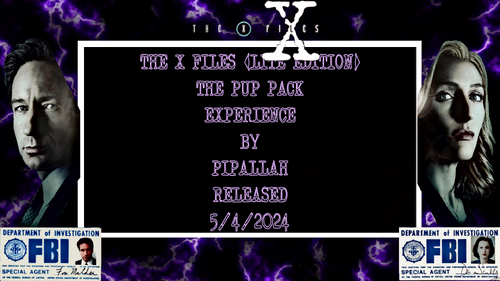
In collaboration with my main man @Gman77, I bring to you The X-Files Pup Pack Lite Edition (LE). As much as I wanted to keep this thing small, it's still my largest Pup Pack to date. It has 8 bat files, two color schemes and a FullDMD. This Pup Pack is made for a 3 screen, 2 screen and single screen setup. This pup also works with Flex-DMD, so you'll need it to move the score around. The Pup Pack was tested with 5 different versions of the table. I want to thank all the people who've made an X-Files table. What can I say..... I'm a champion for diversity. This Pup Pack was made around the 304 rom. It's a fan rom but by far the best rom out there for the table. This Pup will work with the 303 rom as well, but you won't get all the events. If you haven't already, try the 304 rom. Trust me, you won't go back.
I've seen this series more than once. The last time was after I got married. When I started this Pup Pack, the wife agreed we should watch it again this year. Lots of fun stuff going on in this Pup Pack. I got really creative with some of the videos.
I will make upgrades and updates to all my Pup Packs when necessary and as my understanding of this craft increases. Otherwise....... Enjoy!
Precise
All Logos, Copyrights and Trademarks are property of their respective owners.
PROVIDED STRICTLY FOR PERSONAL / HOME USE AND NOT FOR COMMERCIAL SALE / RE-SALE OR DISTRIBUTION!
VIRTUAL PINBALL ALWAYS HAS BEEN AND ALWAYS WILL BE FREE TO ANYONE!!!!
388 downloads
-
Beavis and Butt-head Pinballed (Original 2024) PUP Topper
By Migs
Beavis and Butt-head Pinballed (Original 2024) Interactive Topper
A Mini PuP Pack by @Migs
OVERVIEW:
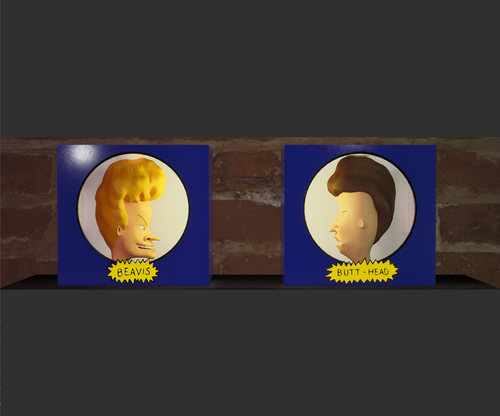
This mini Pup Pack was inspired by @watacaractr's phenomenal Beavis & Butt-head table. The topper was built using Blender and Unreal Engine 5, and responds to the characters' headbang animations on the playfield. Install this pack and you'll definitely going to score.
INSTALLATION:
1) Unzip and copy the beav_butt folder to your PinUPSystem\PUPVideos folder.
Enjoy and please let me know if you have any feedback or ideas for improvement!
CREDITS:
Big thanks to @watacaractr for creating a production-quality VPin table. Digging through the code for the animation triggers opened my eyes to the incredible amount of work that went into scripting this project. Beavis 3D model was taken from the .vpx table. Thank you to whomever modeled it. Butt-head 3D model by RTN on Sketchfab.
DISCLAIMER:
** FOR PERSONAL USE ONLY. DO NOT RESELL. ** This fan recreation contains unlicensed art assets. All IP is property of its respective owners and rights holders. Unauthorized monetization of these assets or any other commercial use may be in violation of copyright laws.
224 downloads
- beavis and butthead
- puppack
- (and 1 more)
(4 reviews)0 comments
Updated
-
Close Encounters of the Third Kind Pup-Pack
By GtecArcade
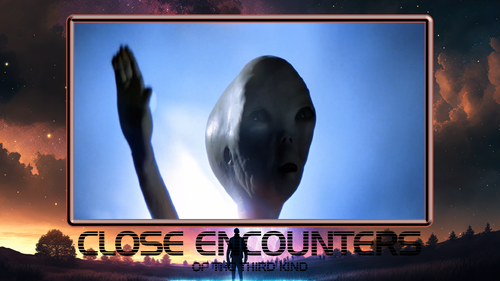
We Are Not Alone!
This is part 1 of a 2 part redo on this pup!
Will add all the toppers when @Dr.Nobody finishes the new overlay set that has topper slots! Gonna be adding star skillshots, multiplier, extra ball, ball lost topper callouts when the topper overlays are ready! Thank you Dr Nobody!!!
______________________
All Logos, Copyrights and Trademarks are property of their respective owners.
PROVIDED STRICTLY FOR PERSONAL / HOME USE AND NOT FOR COMMERCIAL SALE / RE-SALE OR DISTRIBUTION!
VIRTUAL PINBALL ALWAYS HAS AND ALWAYS WILL BE FREE TO ANYONE!!!!
______________________
IMPORTANT
Pup Megalink disabled until new version is approved.
Use VPX 10.8 or 10.7.4. 10.8 is gorgeous and perfect for this. Use included table file with pupevent added.
1. YOU MUST USE B2S for scoring by hauntfreaks. 2 Screen Users you are out of luck im afraid.... 2 screen users must skip this pup or go buy another screen unfortunately. Download @hauntfreaks amazing B2S here on VPU, put it on your fulldmd Like I would do or put the pup on the fulldmd. His B2S is flawless and a completely authentic recreation for this amazing table. Thank you @hauntfreaks!!!!
2. Pup-options folder contains a .res file that works for 3-4 screen users that are 1920X1080 resolution monitors for the playfield, backglass, and fulldmd. Put the .res file in your tables folder and make sure it's named to the exact same name the table file is. This will work with empire strikes back and any pup if you're using 1920x1080 monitors theoretically. If you have different resolution monitors you will need to open the .res file in a text editor and modify the file to match your screens resolutions in your setup. If you're using those resolution monitors this should be plug n play for you!
______________________
Major Thanks to my Dad for buying Close Encounters and Gold Rush pinball tables from a YARD SALE when I was 5 years old! I've played these 2 real tables more than any other table ever I'd have to say, LOL. Got me diggin pinball at an early age.
Major Thanks to @BorgDog for this perfect recreation on a table I grew up with. You nailed it, every aspect, sound, color, reflections, even down to the wear and tear on the playfield. Runs perfect on 10.8 too.... masterful man, seriously. Appreciate your work on this table immensely Thank you!
Major Thanks to @Dr.Nobody for help on this when I was first learning how to put a pup together a year ago almost a year to the day. Seriously thank you for doing overlays for the redo!! Appreciate you tons man thank you!!
Major Thanks to TheBackglassGuy for the original overlays when I started this 1st pup!!!! What did you change your name to on VPU?? I haven't been able to find you on VPU for a while!? Name Change? Message me plz bro, wanted to catch up and thank you again. I kinda tried to merge your old overlay onto Dr Nobodys one screen overlay, i Love that UFO and landscape you made for that original overlay.
Major Thanks to @thelivingarcade for inspiring me to redo this pup sooner than I was planning. Satisfying redo so far, thank you bro.
I think you might even love this table as much as I do! Appreciate you!
Major Thanks to everyone who likes this project!!
______________________
This table is the one that got it all started for me, the love for the game. This table was side by side Gold Rush my whole childhood. Currently both tables are in my dad's garage needing a minor restoral and minor repaint on the exterior which I intend to do!!! Had to do a Homage for both tables!!! Dedicated to my dad and brother so they could see a VPin version!!!
______________________
Not to mention, the close encounters theme..... I've had multiple alien craft sightings that were completely not earthly.....One which is as vivid as the day I saw it..... a craft so towering large and bright and completely silent, you'd be a believer too if you've seen what I've seen..... We Are Not Alone, I promise you!
All Logos, Copyrights and Trademarks are property of their respective owners.
PROVIDED STRICTLY FOR PERSONAL / HOME USE AND NOT FOR COMMERCIAL SALE / RE-SALE OR DISTRIBUTION!
VIRTUAL PINBALL ALWAYS HAS AND ALWAYS WILL BE FREE TO ANYONE!!!!
3017 downloads
-
Safeaus
By slugger000
safeaus re-think
videos1-2 seconds longer audio added to all 4 clips
please read discription on table download for screen position
please leave a thought here there if you get a laugh
73 downloads
(0 reviews)0 comments
Submitted
-
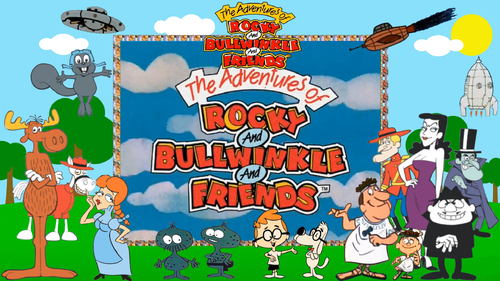
pup pack Adventures of Rocky and Bullwinkle The, Pup Pack
By Precise
Peace Y'all,
"Hey Rocky watch me pull a rabbit out of my hat."
Unzip and place the rab_320 folder in your pup folder.
This Pup Pack is made for a 3 screen, 2 screen and single screen setup. This pup also works with Flex-DMD, so you'll need it to move the score around. I've now included bat files, so choose the bat file for your system. This Pup Pack includes Andrew Walsh's FullDMD and also includes an altsound folder. If you want table sounds that don't clash so much with the Pup Pack, I suggest you use the altsound files. If you don't know how to use altsound files please see the link.......
This Pup Pack was made for the children (and the adults who like to pinball like children). I used to watch Rocky and Bullwinkle as a child and I hope the youth of today can appreciate what people like me watched when I was their age. A lot of work went into the animations and making the cartoon suit my Pup Pack. As I continue making Pup Packs, my list of tools continues to grow. The Pup was created using Bigus' as well as cyberpez's tables. There shouldn't be any compatibility issues.
This is my first Pup Pack for the new era. From now on, all my Pup Packs will include altsound files (if necessary), bat files for easy screen selection and functionality for single screen PC desktops. Shout out to @iDigStuff for putting me on the altsound path.
Version 1.1.0 has a tweaked altsound file and functionality for desktop users.
I will make upgrades and updates to all my Pup Packs when necessary and as my understanding of this craft increases. Otherwise....... Enjoy!
Precise
All Logos, Copyrights and Trademarks are property of their respective owners.
PROVIDED STRICTLY FOR PERSONAL / HOME USE AND NOT FOR COMMERCIAL SALE / RE-SALE OR DISTRIBUTION!
VIRTUAL PINBALL ALWAYS HAS BEEN AND ALWAYS WILL BE FREE TO ANYONE!!!!
1505 downloads
-
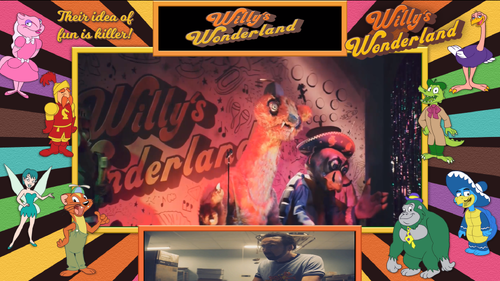
Willys Wonderland Pup Adventure
By GtecArcade
Welcome to Willy's Wonderland!
All Logos, Copyrights and Trademarks are property of their respective owners.
PROVIDED STRICTLY FOR PERSONAL / HOME USE AND NOT FOR COMMERCIAL SALE / RE-SALE OR DISTRIBUTION!
VIRTUAL PINBALL ALWAYS HAS AND ALWAYS WILL BE FREE TO ANYONE!!!!
Major Thanks to @Goldchiccofor making this awesome table, it's one of my top 10 favorites to play very easily in unison with the pup now. Even to just use as a jukebox when I'm doing other stuff. I appreciate you letting me make one for this table, I would have sooner had I known what this awesome movie was all about.... I had thought it was a cartoon or something.
Major Thanks to @Jagandy82 for this absolutely perfect overlay AND fulldmd. You never cease to amaze me how clean your overlays turn out. Thank you so much bro.
Mega Thanks to @nagaidevil for requesting this pup get done. You rule bro! I had no clue this movie even existed..... let alone its mainly about the pinball table! lol..... epic. I woulda never thought this was gonna be my personal favorite pup to this point, but it's been a blast playtesting this and it's all because of you man. You've been so helpful through makin it with every step man.... can't thank you enough. It's satisfying to me that you have a pup that you always wanted..... and I think it turned out better than we both might have expected.
Major Thanks to @80sRkadeguy70 for making a sweet "static" wheel option, thank you so much!!
Major Thanks to @pritch33 for this sweet animated wheel he made for this table, TY !!!!!!!
Major Thanks to @Cliffy AKA the desktop mode master for getting it working in desktop mode, i understand he had to tinker with a few things to get it working in desktop mode
Major Thanks to Nicholas Cage for doing this movie...... for us hardcore pinballers..... this means everything. That's some of the best inspirational stuff to see for us pinballers (you rocking out playing to this badass table). I think I'm gonna buy that Nicholas Cage pillow that I've seen online EPIC...... The pinball community loves you, and I wanna do my part to make sure every pinballer goes and sees this movie, it is your sworn duty to go see this movie.
Table Notes
1. Pup only works with included table file in the winrar .rar pup folder. It has pupevent added. Renumbered all pupevents above #699 to not interfere with DOF
2. Pup runs fine on VPMAlias if you need to run it on one due to another pup on the same rom.
3. Reprocessed and normalized all media. Correctly this time.
4. Totally removed all the playfield clips of the kid actors....i hate those and just can't leave those in. Almost removed all the kid actor ball losts too. This pup is about Cage!
5. This is a music table hybrid pup. Right magna changes song anytime.
6. Just delete any mp3's thats not your flav out of the pupmusic folder.... or ADD your own normalized mp3's to personalize it for yourself.
More to come! There's still more I have in mind for this, extending the ball lost delay and adding more callouts are on the to do list.
All Logos, Copyrights and Trademarks are property of their respective owners.
PROVIDED STRICTLY FOR PERSONAL / HOME USE AND NOT FOR COMMERCIAL SALE / RE-SALE OR DISTRIBUTION!
VIRTUAL PINBALL ALWAYS HAS AND ALWAYS WILL BE FREE TO ANYONE!!!!
Cheers VPUniverse!!!!!!!
1935 downloads
-
Safeaus
By slugger000
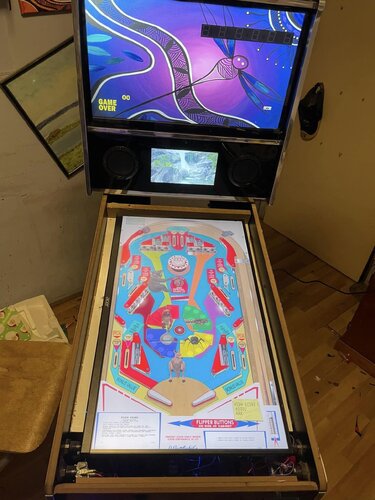
this is safe australia spiders sharks snakes octopus all jump out of you 3rd screen
im not sure if this up;oad is working as pup config file send them to a folder vpuniverse doesnt allowwhole FOLDER upload
needed to zip it
dont forget to unblock zip in prperties
https://drive.google.com/drive/folders/1tlhI1d6cebApeckgg-GsD3fKckZvWCQC?usp=drive_link
203 downloads
(0 reviews)0 comments
Updated
-
NFL Default PuPPack
By hawkeyez88
1st link is the muted rom - 2nd link is the "standard" PuPPack
***READ THE INSTALLATION TAB***
Just in time for Superbowl!!!
Thanks to Joey Beaulieu for the overlays! SuperDimi and Harlan are awesome - always willing to help and test for me as well. Thanks to my discord testers and Moviguru for being my 4x3 tester!
Thanks as always to the "Guru's" Opeckie, David, Peter and Terry for always lending a hand!
This is for Fun DO NOT SELL or Redistribute or reupload as your own.
1st link is the muted rom - 2nd link is the "standard" PuPPack
Every user should grab the nfl.zip file as this is a muted rom. Use the latest version 2.1 of Xenoph's tables. He has added a script option in the table to turn the sound mode on or off. If you're using the PuPPacks I would suggest off. But it's up to you, the user.
"Standard" puppack users get the nflpup.zip download and place the files into your pinupsystempupvideos folder as you would any other puppack. Select 1 of the 5 options that suites your system.
I recommend using a vpmalias so you can have multiple team PuPacks. If you only like one team, that's fine too, rename your PuPPack to just NFL.
If you're looking at customizing this for your own team, you may do so at your own risk, and please do not upload as your own. Any video and song can be replaced if you don't like it, keep things named the same or you might break things. Changes and mods to the PuPPacks won't be supported in forums. I do plan on releasing more teams as time permits in the future.
Enjoy!
1172 downloads
-
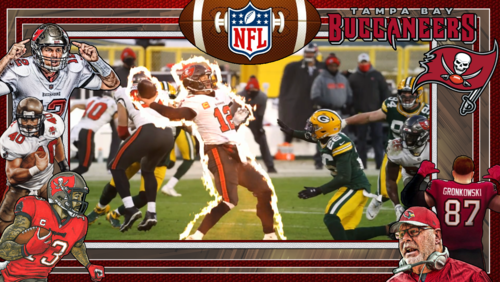
NFL Bucs PuPPack
By hawkeyez88
1st link is the muted rom - 2nd link is the "Buccaneers" themed PuPPack
***READ THE INSTALLATION TAB***
Just in time for Superbowl!!!
Thanks to Joey Beaulieu for the overlays! SuperDimi and Harlan are awesome - always willing to help and test for me as well. Thanks to my discord testers and Moviguru for being my 4x3 tester!
Thanks as always to the "Guru's" Opeckie, David, Peter and Terry for always lending a hand!
This is for Fun DO NOT SELL or Redistribute or reupload as your own.
1st link is the muted rom - 2nd link is the "Buccaneers" PuPPack
Every user should grab the nfl.zip file as this is a muted rom. Use the latest version 2.1 of Xenoph's tables. He has added a script option in the table to turn the sound mode on or off. If you're using the PuPPacks I would suggest off. But it's up to you, the user.
"Standard" puppack users get the nflpup.zip download and place the files into your pinupsystempupvideos folder as you would any other puppack. Select 1 of the 5 options that suites your system.
I recommend using a vpmalias so you can have multiple team PuPacks. If you only like one team, that's fine too, rename your PuPPack to just NFL.
If you're looking at customizing this for your own team, you may do so at your own risk, and please do not upload as your own. Any video and song can be replaced if you don't like it, keep things named the same or you might break things. Changes and mods to the PuPPacks won't be supported in forums. I do plan on releasing more teams as time permits in the future.
Enjoy!
258 downloads
(2 reviews)0 comments
Updated
-
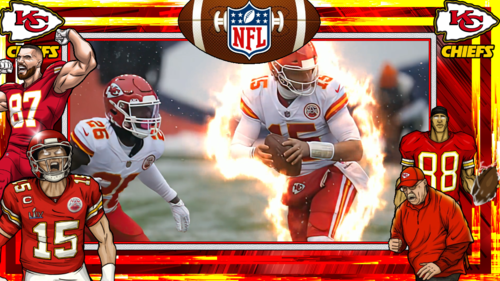
NFL Chiefs PuPPack
By hawkeyez88
1st link is the muted rom - 2nd link is the "Buccaneers" themed PuPPack
***READ THE INSTALLATION TAB***
Just in time for Superbowl!!!
Thanks to Joey Beaulieu for the overlays! SuperDimi and Harlan are awesome - always willing to help and test for me as well. Thanks to my discord testers and Moviguru for being my 4x3 tester!
Thanks as always to the "Guru's" Opeckie, David, Peter and Terry for always lending a hand!
This is for Fun DO NOT SELL or Redistribute or reupload as your own.
1st link is the muted rom - 2nd link is the "Buccaneers" PuPPack
Every user should grab the nfl.zip file as this is a muted rom. Use the latest version 2.1 of Xenoph's tables. He has added a script option in the table to turn the sound mode on or off. If you're using the PuPPacks I would suggest off. But it's up to you, the user.
"Standard" puppack users get the nflpup.zip download and place the files into your pinupsystempupvideos folder as you would any other puppack. Select 1 of the 5 options that suites your system.
I recommend using a vpmalias so you can have multiple team PuPacks. If you only like one team, that's fine too, rename your PuPPack to just NFL.
If you're looking at customizing this for your own team, you may do so at your own risk, and please do not upload as your own. Any video and song can be replaced if you don't like it, keep things named the same or you might break things. Changes and mods to the PuPPacks won't be supported in forums. I do plan on releasing more teams as time permits in the future.
Enjoy!
393 downloads
-
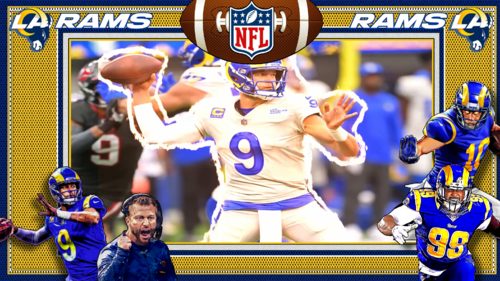
NFL Rams PuPPack
By hawkeyez88
Just in time for Superbowl!!!
Thanks to Joey Beaulieu for the overlays!
This is for Fun DO NOT SELL or Redistribute or reupload as your own.
Use the latest version 2.1 of Xenoph's tables. He has added a script option in the table to turn the sound mode on or off. If you're using the PuPPacks I would suggest off. But it's up to you, the user.
Place the nflrams folder into your pinupsystempupvideos folder as you would any other puppack. Select 1 of the 6 options that suites your system.
I recommend using a vpmalias so you can have multiple team PuPacks. If you only like one team, that's fine too, rename your PuPPack folder to just NFL.
If you're looking at customizing this for your own team, you may do so at your own risk, and please do not upload as your own. Any video and song can be replaced if you don't like it, keep things named the same or you might break things. Changes and mods to the PuPPacks won't be supported in forums. I do plan on releasing more teams as time permits in the future.
Enjoy!
275 downloads
-
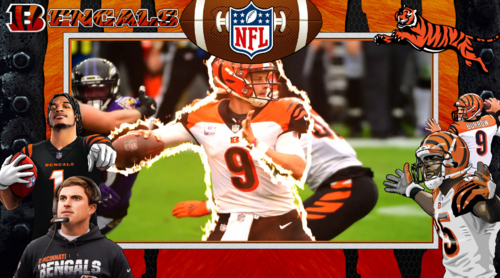
NFL Bengals PuPPacks
By hawkeyez88
Just in time for Superbowl!!!
Thanks to Joey Beaulieu for the overlays!
This is for Fun DO NOT SELL or Redistribute or reupload as your own.
Use the latest version 2.1 of Xenoph's tables. He has added a script option in the table to turn the sound mode on or off. If you're using the PuPPacks I would suggest off. But it's up to you, the user.
Place the nflbengals folder into your pinupsystempupvideos folder as you would any other puppack. Select 1 of the 6 options that suites your system.
I recommend using a vpmalias so you can have multiple team PuPacks. If you only like one team, that's fine too, rename your PuPPack folder to just NFL.
If you're looking at customizing this for your own team, you may do so at your own risk, and please do not upload as your own. Any video and song can be replaced if you don't like it, keep things named the same or you might break things. Changes and mods to the PuPPacks won't be supported in forums. I do plan on releasing more teams as time permits in the future.
Enjoy!
267 downloads
(0 reviews)0 comments
Updated
-
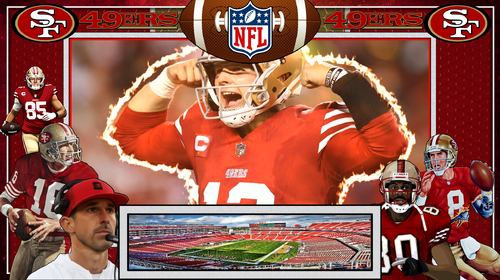
NFL 49ers PuPPack
By hawkeyez88
Just in time for Superbowl!!!
Thanks to Joey Beaulieu for the overlays!
This is for Fun DO NOT SELL or Redistribute or reupload as your own.
Use the latest version 4.4 of Xenoph's tables - check out his files, https://vpuniverse.com/profile/8789-xenonph/?tab=node_filestabprofile_filesTab. He has added a script option in the table to turn the sound mode on or off for PuP. If you're using the PuPPacks I would suggest off. But it's up to you, the user.
Place the nfl_san folder into your pinupsystem\pupvideos folder as you would any other puppack. Select 1 of the bat options that suites your system.
If you're looking at customizing this for your own team, you may do so at your own risk, and please do not upload as your own. Any video and song can be replaced if you don't like it, keep things named the same or you might break things. Changes and mods to the PuPPacks won't be supported in forums. I do plan on releasing more teams as time permits in the future.
Enjoy!
151 downloads
-
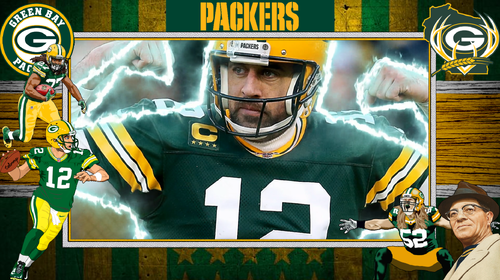
NFL Packers PuPPack
By hawkeyez88
Just in time for Superbowl!!!
Thanks to Joey Beaulieu for the overlays!
This was a "tribute" to Aaron Rodgers and his last season as a Green Bay Packer, never released until today!
This is for Fun DO NOT SELL or Redistribute or reupload as your own.
Use the latest version 4.4 of Xenoph's tables - check out his files, https://vpuniverse.com/profile/8789-xenonph/?tab=node_filestabprofile_filesTab. He has added a script option in the table to turn the sound mode on or off for PuP. If you're using the PuPPacks I would suggest off. But it's up to you, the user.
Place the nfl_gre folder into your pinupsystempupvideos folder as you would any other puppack. Select 1 of the bat options that suites your system.
If you're looking at customizing this for your own team, you may do so at your own risk, and please do not upload as your own. Any video and song can be replaced if you don't like it, keep things named the same or you might break things. Changes and mods to the PuPPacks won't be supported in forums. I do plan on releasing more teams as time permits in the future.
Enjoy!
122 downloads
(0 reviews)0 comments
Submitted
-
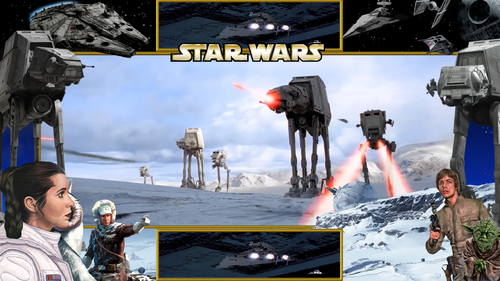
Star Wars Empire Strikes Back Pup
By GtecArcade
May The Force Be With You
in memory of Carrie Fisher
Must Use VPMAlias or it wont't work for you, add line to your vpmalias.txt file then save. It's in your visualpinball/vpinmame folder.
empsbackpup,empsback
Lots of pup-options: Choose wisely youngling. I would recommend Overlay # 6
Mega Thanks to @xenonph for his epic mod to this table and everyone who helped with it's creation. Love your work Thank you!!!
Mega Thanks to @JoePicasso for his 6 beautiful overlay options, which inspired me to make this in the first place, empire strikes back was a side project! Project Empire Strikes Back would not exist if it wasn't for him ! Thank you so much!
Mega Thanks to @ryguy417, @classicradios, @xenonph, @DarthVito, @JoePicassofor bein united in our love of Star Wars and gettin this idea off the ground! You guys rule!
Mega Thanks to @Cliffy for his desktop options, AKA desktop master thank you!
Mega Thanks to @Fabouh for his magnificent Fulldmd creation..... I knew it was the one that had to be used to make this really pop, amazing and thank you!! You sir are why i will only use 1920 resolution fulldmds
I'm kinda dying to do Return of the Jedi, if someone wants to make a custom Return of the Jedi Table I'll make a pup and you can release it with it.
Also..... someone please make a cool backglass for episode 1 pup.... and topper backglass.... might speed things up
All Logos, Copyrights and Trademarks are property of their respective owners.
PROVIDED STRICTLY FOR PERSONAL / HOME USE AND NOT FOR COMMERCIAL SALE / RE-SALE OR DISTRIBUTION!
VIRTUAL PINBALL ALWAYS HAS AND ALWAYS WILL BE FREE TO ANYONE!!!!
1820 downloads
-
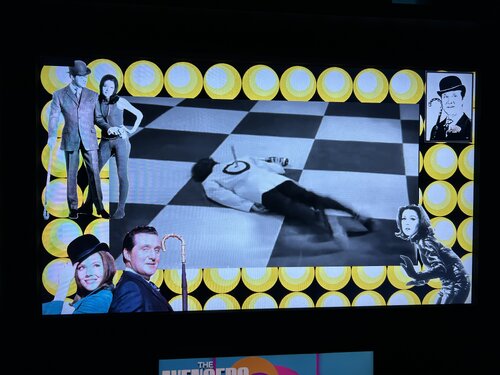
Avengers TV-series PUP-pack
By GauGau
What does it do?
Music mods or sound mods are something that I really enjoy a lot. Ideally, the music adds to the pinball machine's theme and brings back the feeling of the bar where the pinball machine often was located near the jukebox. Especially for EM machines that only had chimes and bells, the added music can be nice. This PUP-pack features songs mostly from the 60s and 70s with video cut scenes from the tv series "The Avengers". The focus is on giving you some background music.
What does it NOT do?
This PUP-pack does NOT deal with the Marvel superhero franchise of the same name. If you expected Thor, Captain America or the Hulk here I'm sorry to disappint you, they are not to be found here. We're talking about the British TV series from the sixties instead that featured John Steed (played by Patrick Macnee) and various female side-kicks. The best-known female character was Emma Peel, played by Diana Rigg.
Tracks:
There are 17 tracks that come with this PUP-pack. Add your own videos as you see fit.
Tables:
There are several tables that have similar themes. The PUP-pack "Avengers TV-series PUP-pack" is meant to be used with tables that deal with the TV series from the 1960s.
It can be used with the tables
Avengers,TV Series by stevegooner123 (reskin of @jpsalas' Space Cadet) Chapeau Melon et Bottes de Cuir by @VLive and @icepinball (reskin of JP Salas' Space Cadet) Avengers TV-Series multilingual by @icepinball (reskin on Road Kings) unreleased as of 2024-01-04 and any other table that you want to use it with (if you are ready to tweak the table code).
You can apply the PUP-pack for all or some of the above tables or just for one of them.
Controls:
To accomplish the PUP-pack as a video jukebox I had to add some controls to the table script. During game play, you can go to another random track with the right magnasave button. Pressing the left magnasave button stops the playback. The gameplay itself doesn't have any impact on video playback.
Patching:
I went through a long approval request communication with some of the table authors with no final result, so I've come up with a dif file for each table that you need to apply using VPU's patching system "VPURemix". This way, the original author's work doesn't get touched; think of the patching systems as an easy way to keep you from adding code snippets to the tables manually.
Manual coding:
If you don't want to use the patching system or if you want to apply the code to another table that isn't listed above, here are the instructions for manually applying the code. All who don't want to apply code manually should skip this section:
At the top of the table code, add:
'****** PuP Variables ****** Dim usePUP: Dim cPuPPack: Dim PuPlayer: Dim PUPStatus: PUPStatus=false ' dont edit this line!!! '*************************** PuP Settings for this table ******************************** usePUP = true ' enable Pinup Player functions for this table. cPuPPack = "TheAvengers" ' name of the PuP-Pack / PuPVideos folder within PinUPSystem\PUPVideos for this table '//////////////////// PINUP PLAYER: STARTUP & CONTROL SECTION ////////////////////////// ' This is used for the startup and control of Pinup Player Sub PuPStart(cPuPPack) If PUPStatus=true then Exit Sub If usePUP=true then Set PuPlayer = CreateObject("PinUpPlayer.PinDisplay") If PuPlayer is Nothing Then usePUP=false PUPStatus=false Else PuPlayer.B2SInit "",cPuPPack 'start the Pup-Pack PUPStatus=true End If End If End Sub Sub pupevent(EventNum) if (usePUP=false or PUPStatus=false) then Exit Sub PuPlayer.B2SData "E"&EventNum,1 'send event to Pup-Pack End Sub ' ******* How to use PUPEvent to trigger / control a PuP-Pack ******* ' Usage: pupevent(EventNum) ' EventNum = PuP Exxx trigger from the PuP-Pack ' Example: pupevent 102 ' This will trigger E102 from the table's PuP-Pack ' DO NOT use any Exxx triggers already used for DOF (if used) to avoid any possible confusion '************ PuP-Pack Startup ************** PuPStart(cPuPPack) 'Check for PuP - If found, then start Pinup Player / PuP-Pack '*************************************************************************************** Usually, somewhere between the declaration of constants (lines starting with "Const") and the variable dimensions (lines starting with "Dim") is a good place to add that code.
After doing that, run the table to see if it is playable without throwing errors. The videos should be playing, but you won't be able to pause/skip, as we haven't added yet the corresponding code.
Next, add the Magnasave controls by searching the existing code for the term "magnasave". If it's NOT there, we're fine and can savely add our magnasave button definition into a new line of it's own right within the definition of the function "Sub Table1_KeyDown". Add this code:
If keycode = LeftMagnaSave Then PuPevent 801 End If If keycode = RightMagnaSave Then PuPEvent 800 End If We're done! Test-play, remember to save the table.
The two tables that are a Space Cadet reskin do contain Magnasave functionality, so I have changed
If keycode = LeftMagnaSave Then bLutActive = True: Lutbox.text = "level of darkness " & LUTImage + 1 If keycode = RightMagnaSave Then If bLutActive Then NextLUT End If End If into:
If keycode = LeftMagnaSave Then bLutActive = True 'SetLUTLine "Color LUT image " & table1.ColorGradeImage PuPevent 801 End If If keycode = RightMagnaSave Then If bLutActive = True Then NextLUT Else PuPEvent 800 End If End If
Instructions:
Download the package and unblock it if applicable Extract the folder "TheAvengers" into your PUP-pack folder (usually something like C:\vPinball\PinUPSystem\PUPVideos) Extract the dif files into a temporary folder (e.g. C:\temp) If you don't have it, download VPU's patching system "VPURemix" and expand it to any folder on your PC, e.g. C:\vPinball\VPPatch64 Download the original tables that you want to apply the patch to. You can follow the .url files in the zip to accompish that or just copy and paste the URLs below into the address bar of your browser:
* Avengers,TV Series by stevegooner123 (reskin of JP Salas' Space Cadet). No need to apply the dif patch, as Steve has already added the needed code into his release v1.1 or better. The dif patch just brings minor code changes that mainly result in smaller file size; only apply it if you need bleeding edge code.
* Chapeau Melon et Bottes de Cuir by VLive and Iceman (reskin of JP Salas' Space Cadet)
* Avengers TV-Series multilingual by Iceman (reskin on Road Kings): unreleased as of 2024-01-04. Watch VPU for a release. Apply the patch for the desired table(s): as a result, you should obtain a modified VPX file. Put those files into your tables folder (e.g. C:\vPinball\VisualPinball\Tables)
PUP-pack options:
The PUP-pack videos can be positioned on topper, backglass or full DMD screen, with or without an overlay. It comes with these options:
1-Video on backglass, no overlay
2a-Video on backglass,overlay-frame
2b-Video on backglass,tv-bigscreen
2c-Video on backglass,tv-mediumscreen
2d-Video on backglass,tv-smallscreen
3-Video on fullDMD, no overlay
4a-Video on fullDMD,overlay-frame
4b-Video on fullDMD,tv-bigscreen
4c-Video on fullDMD,tv-mediumscreen
4d-Video on fullDMD,tv-smallscreen
5-Video on topper, no overlay
6-Video on backglass with B2S (supplied by @Justthebest, thank you)
To apply any of them, execute the corresponding batch file in the PUP-folder (e.g. C:\vPinball\PinUPSystem\PUPVideos\TheAvengers).
Table authors:
I hope that all table authors are OK with this PUP-pack. I'd be more than happy if you would add the code to your next release as a sort of backport. In fact, Stevegooner123 has already done so in his 1.1 release by adding the core functionality. My dif contains minor code adjustments and removes unneeded extra files.
My edits are trivial and most of it was blatantly taken from @NailBuster's code. Some tables use the Magnasave buttons for LUT, so the interfering code needs to be adapted accordingly.
Known Issues:
If you want the PUP-pack video to play on the fullDMD for one table and on the topper for another table for example, you can't get away with just one folder "TheAvengers" within the PUPVideos folder. Create two instead and name them "TheAvengersFullDMD" and "TheAvengersTopper" or similar and refer to that name in the code section in the variable definition for cPuPPack.
I hope that some will find this PUP-pack fun and apologize for the long read.
Enjoy
Joachim
529 downloads
-
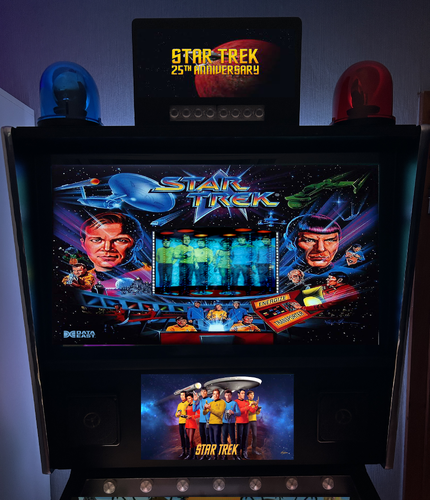
Star Trek TOS PUP-pack
By GauGau
Star Trek (The Original Series) PUP-Pack
This PUP-pack adds a video jukebox to Star Trek themed tables.
What does it do?
Music mods or sound mods are something that I really enjoy a lot. Ideally, the music adds to the pinball machine's theme and brings back the feeling of the bar where the pinball machine often was located near the jukebox. Especially for EM machines that only had chimes and bells, the added music can be nice. There are already several puck packs out there that have video snippets of the TV series and the Star Trek movies. This PUP-pack features songs from the 60s and 70s with video cut scenes. The focus is on giving you some background music.
Tracks:
There are 11 tracks that come with this PUP-pack. Add your own videos as you see fit.
Tables:
There are several tables that have similar themes. The PUP-pack "Star Trek (The Original Series)" is meant to be used with tables that deal with the TV series featuring Kirk, Spock, McCoy, Scotty, Uhura, Zulu and Chekov.
It can be used with the tables
Star Trek (Gottlieb 1971) Star Trek (Bally 1979) Star Trek Mirror Universe (Bally 1978) Star Trek 25th Anniversary (Data East 1991) Bigus MOD 1.1 Star Trek 25th Anniversary (Data East 1991) versins77 1.0 Star Trek Spock Tribute (Original 2022) Iceman and any other table that you want to use it with (if you are ready to tweak the table code).
You can apply the PUP-pack for all or some of the above tables or just for one of them.
Technically, the 1971 Gottlieb tables doesn't deal with the TV series, but has just "borrowed" the name.
Controls:
To accomplish the PUP-pack as a video jukebox I had to add some controls to the table script. During game play, you can go to another random track with the right magnasave button. Pressing the left magnasave button stops the playback. The gameplay itself doesn't have any impact on video playback.
Patching:
I didn't want to go through a long approval request communication with all the table authors, so I've come up with a dif file for each table that you need to apply using VPU's patching system "VPURemix". This way, the original author's work doesn't get touched; think of the patching systems as an easy way to keep you from adding code snippets to the tables manually.
Manual coding:
If you don't want to use the patching system or if you want to apply the code to another table that isn't listed above, here are the instructions for manually applying the code. All who don't want to apply code manually should skip this section:
At the top of the table code, add:
'****** PuP Variables ****** Dim usePUP: Dim cPuPPack: Dim PuPlayer: Dim PUPStatus: PUPStatus=false ' dont edit this line!!! '*************************** PuP Settings for this table ******************************** usePUP = true ' enable Pinup Player functions for this table. cPuPPack = "StarTrekTOS" ' name of the PuP-Pack / PuPVideos folder within PinUPSystem\PUPVideos for this table '//////////////////// PINUP PLAYER: STARTUP & CONTROL SECTION ////////////////////////// ' This is used for the startup and control of Pinup Player Sub PuPStart(cPuPPack) If PUPStatus=true then Exit Sub If usePUP=true then Set PuPlayer = CreateObject("PinUpPlayer.PinDisplay") If PuPlayer is Nothing Then usePUP=false PUPStatus=false Else PuPlayer.B2SInit "",cPuPPack 'start the Pup-Pack PUPStatus=true End If End If End Sub Sub pupevent(EventNum) if (usePUP=false or PUPStatus=false) then Exit Sub PuPlayer.B2SData "E"&EventNum,1 'send event to Pup-Pack End Sub ' ******* How to use PUPEvent to trigger / control a PuP-Pack ******* ' Usage: pupevent(EventNum) ' EventNum = PuP Exxx trigger from the PuP-Pack ' Example: pupevent 102 ' This will trigger E102 from the table's PuP-Pack ' DO NOT use any Exxx triggers already used for DOF (if used) to avoid any possible confusion '************ PuP-Pack Startup ************** PuPStart(cPuPPack) 'Check for PuP - If found, then start Pinup Player / PuP-Pack '*************************************************************************************** Usually, somewhere between the declaration of constants (lines starting with "Const") and the variable dimensions (lines starting with "Dim") is a good place to add that code.
After doing that, run the table to see if it is playable without throwing errors. The videos should be playing, but you won't be able to pause/skip, as we haven't added yet the corresponding code. Stop playing and go back to the editor, will ya?
Next, add the Magnasave controls by searching the existing code for the term "magnasave". If it's NOT there, we're fine and can savely add our magnasave button definition into a new line of it's own right within the definition of the function "Sub Table1_KeyDown". Add this code:
If keycode = LeftMagnaSave Then PuPevent 801 End If If keycode = RightMagnaSave Then PuPEvent 800 End If We're done! Test-play, remember to save the table.
If your above search has found Magnasave code, you'll have to integrate that with the new code. For tables using JP's LUT code like Pit Stop, use something like this:
If keycode = LeftMagnaSave Then bLutActive = True SetLUTLine "Color LUT image " & table1.ColorGradeImage PuPevent 801 End If If keycode = RightMagnaSave Then If bLutActive = True Then NextLUT Else PuPEvent 800 End If End If
Instructions:
Download the package and unblock it if applicable Extract the folder "StarTrekTOS" into your PUP-pack folder (usually something like C:\vPinball\PinUPSystem\PUPVideos) Extract the dif files into a temporary folder (e.g. C:\temp) If you don't have it, download VPU's patching system "VPURemix" and expand it to any folder on your PC, e.g. C:\vPinball\VPPatch64 Download the original tables that you want to apply the patch to. You can follow the .url files in the zip to accompish that or just copy and paste the URLs below into the address bar of your browser:
Star Trek (Gottlieb 1971) 1.2 BorgDog
Star Trek (Bally 1979) 2.1.1 rothbauerw
Star Trek Mirror Universe (Bally 1978)
Star Trek 25th Anniversary (Data East 1991)_Bigus(MOD) 1.1
Star Trek 25th Anniversary (Data East 1991) 1.0.0 versins77
Star Trek Spock Tribute 1.0.0 Iceman Apply the patch for the desired table(s): as a result, you should obtain a modified VPX file. Put those files into your tables folder (e.g. C:\vPinball\VisualPinball\Tables)
PUP-pack options:
The PUP-pack videos can be positioned on topper, backglass or full DMD screen, with or without an overlay. It comes with these options:
1-Video on backglass, no overlay
2-Video on backglass with overlay-frame
3-Video on fullDMD, no overlay
4a-Video on fullDMD,overlay-screen
4b-Video on fullDMD,overlay-bridge
4c-Video on fullDMD,overlay-sickbay
4d-Video on fullDMD,overlay-tricorder
5-Video on topper, no overlay
6-Video on backglass with B2S (supplied by @Justthebest, thank you)
To apply any of them, execute the corresponding batch file in the PUP-folder (e.g. C:\vPinball\PinUPSystem\PUPVideos\StarTrekTOS).
Table authors:
I hope that all table authors are OK with this PUP-pack. I'd be more than happy if you would add the code to your next release as a sort of backport. My edits are trivial and most of it was blatantly taken from @Nailbuster's code. Some tables use the Magnasave buttons for LUT, so the interfering code needs to be adapted accordingly.
Known Issues:
If you want the PUP-pack video to play on the fullDMD for one table and on the topper for another table for example, you can't get away with just one folder "StarTrekTOS" within the PUPVideos folder. Create two instead and name them "StarTrekTOSFullDMD" and "StarTrekTOSTopper" or similar and refer to that name in the code section in the variable definition for cPuPPack.
For reasons of laziness and lacking coding skills I've removed the LUT code that came with Star Trek 25th Anniversary (Data East 1991) from versins77 that was triggered with the Magnasave buttons to selfishly accomplish my little greedy needs. I'd appreciate code donations to re-add the LUT selector to accomplish both LUT at well as video jukebox functionality.
The table Star Trek 25th Anniversary (Data East 1991) came with ROM music. To silence only that music without muting the ROM sounds completely I've modified the altsound package found on http://altsound.vpin24.com/. To enable that option, copy the folder trek_201 from the package that resides in the folder "Altsound Star Trek 25th Anniversary (Data East 1991)" into the altsound folder on your hard drive (usually C:\vPinball\VisualPinball\VPinMAME\altsound). Then start the game, hit [F1] and change the value of the field "Alt Sound Mode (0-3)" from 0 to 1. Hit OK to return to the game, quit the game and close VPX to restart vpinmame.
The Mirror Universe table is a very unofficial and work-in-progress project that gains a lot with the fun backglass by CarnyPriest.
I hope that some will find this PUP-pack fun and apologize for the long read. More PUP-packs coming if you're interessted; all reviews and comments are welcome.
Enjoy
Joachim
524 downloads
-
.thumb.png.09b2fde46ade3152c5195e63c32ca715.png)
KAT PUP
By bombaj344
I hope you enjoy the puppy with Kat's music ")
Instruction
Add this version of the table to the Tables folder
Add folder kat to folder Music
Add the folder katpup to PUPVideos
If you have a script error, change the script lines to musicPath = FileSystemObject.GetAbsolutePathName("..") ' get path to vpinball\table
Cliffy, thanks for your help
The night wraps sarcophagus like a black robe
I spread out memories like beads
Nestled in coat of hair, fragrant and fertile,
Hidden behind your dream
My hand is half frozen, your lips are ice cold
Where not so long ago we were ablaze
I felt ecstasy of wind, of mast pressured by storm
I'm giving you my tear.
My ship sails ahead, somewhere...
My heart though cracked, still beats
You don't exist, you never did... it's night
I don't exist, I never did...it's day
Łza dla cieniów minionych
Roman Kostrzewski
264 downloads
-
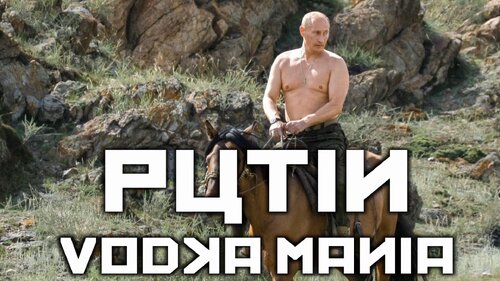
Putin Vodka Mania PUP-pack
By GauGau
Instead of playing the music that is buit into @remdwaas1986' table "Putin Vodka Mania", the PUP-pack plays some videos that feature everyone's favorite mass-murderer and wanted war-criminal Vlad Putin.
Tracks:
There are 7 tracks in total, out of which 2 are in German (filenames starting with "DE"). All of them are not my own work, but have been taken from the internet. Delete the tracks you don't like. Add your own videos as you see fit.
Controls:
To accomplish the PUP-pack as a video jukebox I had to add some controls to the table script. During game play, you can go to another random track with the right magnasave button. Pressing the left magnasave button stops the playback. The gameplay itself doesn't have any impact on video playback.
When the pup-pack is enabled, the original music that comes with Remdaas' table is muted.
The PUP-pack controls exist in version 1.2 (or better) of the table
Instructions:
If you don't have v1.2 (or better) of the table "Putin Vodka Mania" by @remdwaas1986, download and extract it.
Download the PUP-pack and extract the folder "Putin" into your PUP-pack folder (usually something like C:\vPinball\PinUPSystem\PUPVideos).
The line
usePUP = true ' enable Pinup Player functions for this table. in the VPX script toggles the usage of the PUP-pack vs. music playback.
PUP-pack options:
The PUP-pack videos can be positioned on topper, backglass or full DMD screen, with or without an overlay. It comes with these options:
Video on backglass, no overlay Video on backglass with overlay-frame Video on fullDMD, no overlay Video on fullDMD with overlay-frame Video on topper, no overlay Video on backglass with B2S (supplied by @Justthebest , thank you) To apply any of them, execute the corresponding batch file in the PUP-folder (e.g. C:\vPinball\PinUPSystem\PUPVideos\Putin).
Enjoy
Joachim
409 downloads
(1 review)0 comments
Submitted
-
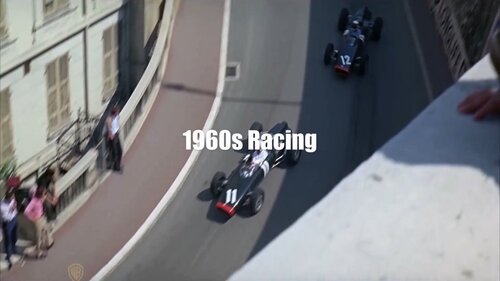
1960s Racing PUP-pack
By GauGau
Racing sound & videos for Pit Stop (Williams 1968) and Spin Out (Gottlieb 1975)
What does it do?
Music mods or sound mods are something that I really enjoy a lot. Ideally, the music adds to the pinball machine's theme and brings back the feeling of the bar where the pinball machine often was located near the jukebox. Especially for EM machines that only had chimes and bells, the added music can be nice. This PUP-pack doesn't feature music, but racing scenes with motor sounds from the era in some videos.
Tracks:
The PUP-pack comes with 8 tracks. Add your own videos as you see fit. Some of the videos feature the original footage, while others are movie versions or just show footage of the era.
Tables:
There are several tables that have similar themes. The PUP-pack "1960s Racing" is meant to be used with tables from the sixties that deal with racing.
It can be used with the tables
Pit Stop (Williams 1968) Spin Out (Gottlieb 1975) and any other table that you want to use it with (if you are ready to tweak the table code).
You can apply the PUP-pack for all or some of the above tables or just for one of them.
Controls:
To accomplish the PUP-pack as a video jukebox I had to add some controls to the table script. During game play, you can go to another random track with the right magnasave button. Pressing the left magnasave button stops the playback. The gameplay itself doesn't have any impact on video playback.
Patching:
I didn't want to go through a long approval request communication with the table authors, so I've come up with a dif file for each table that you need to apply using VPU's patching system "VPURemix". This way, the original author's work doesn't get touched; think of the patching systems as an easy way to keep you from adding code snippets to the tables manually.
Manual coding:
If you don't want to use the patching system or if you want to apply the code to another table that isn't listed above, here are the instructions for manually applying the code. All who don't want to apply code manually should skip this section:
At the top of the table code, add:
'****** PuP Variables ****** Dim usePUP: Dim cPuPPack: Dim PuPlayer: Dim PUPStatus: PUPStatus=false ' dont edit this line!!! '*************************** PuP Settings for this table ******************************** usePUP = true ' enable Pinup Player functions for this table. cPuPPack = "60sRacing" ' name of the PuP-Pack / PuPVideos folder within PinUPSystem\PUPVideos for this table '//////////////////// PINUP PLAYER: STARTUP & CONTROL SECTION ////////////////////////// ' This is used for the startup and control of Pinup Player Sub PuPStart(cPuPPack) If PUPStatus=true then Exit Sub If usePUP=true then Set PuPlayer = CreateObject("PinUpPlayer.PinDisplay") If PuPlayer is Nothing Then usePUP=false PUPStatus=false Else PuPlayer.B2SInit "",cPuPPack 'start the Pup-Pack PUPStatus=true End If End If End Sub Sub pupevent(EventNum) if (usePUP=false or PUPStatus=false) then Exit Sub PuPlayer.B2SData "E"&EventNum,1 'send event to Pup-Pack End Sub ' ******* How to use PUPEvent to trigger / control a PuP-Pack ******* ' Usage: pupevent(EventNum) ' EventNum = PuP Exxx trigger from the PuP-Pack ' Example: pupevent 102 ' This will trigger E102 from the table's PuP-Pack ' DO NOT use any Exxx triggers already used for DOF (if used) to avoid any possible confusion '************ PuP-Pack Startup ************** PuPStart(cPuPPack) 'Check for PuP - If found, then start Pinup Player / PuP-Pack '*************************************************************************************** Usually, somewhere between the declaration of constants (lines starting with "Const") and the variable dimensions (lines starting with "Dim") is a good place to add that code.
After doing that, run the table to see if it is playable without throwing errors. The videos should be playing, but you won't be able to pause/skip, as we haven't added yet the corresponding code. Enough! Stop playing the table and go back to the editor, will ya?
Next, add the Magnasave controls by searching the existing code for the term "magnasave". If it's NOT there, we're fine and can savely add our magnasave button definition into a new line of it's own right within the definition of the function "Sub Table1_KeyDown". Add this code:
If keycode = LeftMagnaSave Then PuPevent 801 End If If keycode = RightMagnaSave Then PuPEvent 800 End If We're done! Test-play, remember to save the table.
If your above search has found Magnasave code, you'll have to integrate that with the new code. For tables using JP's LUT code like Pit Stop, use something like this:
If keycode = LeftMagnaSave Then bLutActive = True SetLUTLine "Color LUT image " & table1.ColorGradeImage PuPevent 801 End If If keycode = RightMagnaSave Then If bLutActive = True Then NextLUT Else PuPEvent 800 End If End If
PUP-pack instructions:
Download the package and unblock it if applicable Extract the folder "60sRacing" into your PUP-pack folder (usually something like C:\vPinball\PinUPSystem\PUPVideos) Extract the dif files into a temporary folder (e.g. C:\temp) If you don't have it, download VPU's patching system "VPURemix" and expand it to any folder on your PC, e.g. C:\vPinball\VPPatch64 Download the original tables that you want to apply the patch to. You can follow the .url files in the zip to accompish that or just copy and paste the URLs below into the address bar of your browser: Pit Stop (Williams 1968) 1.0.1 Spin Out (Gottlieb 1975) Teisen MOD 1.1
PUP-pack options:
The PUP-pack videos can be positioned on topper, backglass or full DMD screen, with or without an overlay. It comes with these options:
Video on backglass, no overlay Video on backglass with overlay-frame Video on fullDMD, no overlay Video on fullDMD with overlay-frame Video on topper, no overlay Video on backglass with B2S (supplied by @Justthebest, thank you) To apply any of them, execute the corresponding batch file in the PUP-folder (e.g. C:\vPinball\PinUPSystem\PUPVideos\60sRacing).
Table authors:
I hope that all table authors are OK with this PUP-pack. I'd be more than happy if you would add the code to your next release as a sort of backport. My edits are trivial and most of it was blatantly taken from @Nailbuster's code. Some tables use the Magnasave buttons for LUT, so the interfering code needs to be adapted accordingly.
Known Issues:
If you want the PUP-pack video to play on the fullDMD for one table and on the topper for another table for example, you can't get away with just one folder "1960sRacing" within the PUPVideos folder. Create two instead and name them "1960sRacingFulldmd" and "1960sRacingTopper" or similar and refer to that name in the code section in the variable definition for cPuPPack.
I hope that some will find this PUP-pack fun and apologize for the long read. More PUP-packs coming if you're interessted; all reviews and comments are welcome.
Enjoy
Joachim
236 downloads
-
VPU Staff's Top Picks
-
New & Updated Visual Pinball
-
New & Updated Future Pinball
-
New & Updated Backglasses
-
New & Updated DMD Colorizations
-
New & Updated Virtual Reality Enabled Tables
-
VPU Remix & Mods
-
New & Updated Popper Media
-
Updated Files
-
Download Statistics
30599
Files107803
Comments45063
Reviews
.thumb.png.7ba565be6e6de21664996c30ff261a55.png)
.thumb.png.1f1587894de4031af1711c9cab12fb62.png)
.thumb.png.4fed455e6fe435e6d0ed576430ccaefe.png)
Screenshot.thumb.png.9077adc9434e976d9fe5b91e85062ba5.png)

BG.thumb.jpg.983e5c5881d8fac9cc37344b25ab45a8.jpg)
BG.thumb.jpg.995fda378a6992a25dde673780d8ffbf.jpg)
BG.thumb.jpg.8b11216f592066a6d57f75f8e8d108c5.jpg)
BG.thumb.jpg.5e84d0f816e85020ad7543d8bb54ff5f.jpg)

BG.thumb.jpg.ec4ce676cd27278c64ce26c75ea27474.jpg)





.thumb.png.9e2768ccc91095a59606f575abaab0fa.png)
JGBMod.thumb.jpg.31636f935b2d3cd9bb24d4b84a750c80.jpg)
FullDMD.thumb.jpg.449b0953dda8b2b8557c344ed3b8deb6.jpg)
FullDMD.thumb.jpg.669a887f6f92082fca96c76aaf77c4a7.jpg)
FullDMD.thumb.jpg.023317ba05c57a64f91c7de4b4a69d84.jpg)
.thumb.png.893666075be97742be90d861268db6f8.png)
PuPPackOverlay.thumb.png.a8c0983b0a88e2ad442c70197fb32e93.png)
PuPPackFullDMD.thumb.png.5a4db73523208aaf11a8764c884f5bef.png)
PuPPackFullDMD.thumb.jpg.7ba2e395c8717dbeb83d0181c9cf8a80.jpg)

.thumb.png.cf052ab83a81a970708492fd3d31ac4f.png)






Wheel.thumb.png.5ba343fcfb364e4162fcc13cc3b086d1.png)
Neekzz2.5-4K30FPSPlayfieldVideo.thumb.jpg.1adaa6a8981204763351779c5c26b665.jpg)
Manbearpig-4K30FPSPlayfieldVideo.thumb.jpg.b01cc4a4b40d449d279c7641e5b0bb2c.jpg)
Tombg-4K30FPSPlayfieldVideo.thumb.jpg.839b9c68b913bc2052ed5f07b2b486f2.jpg)