390 files
-
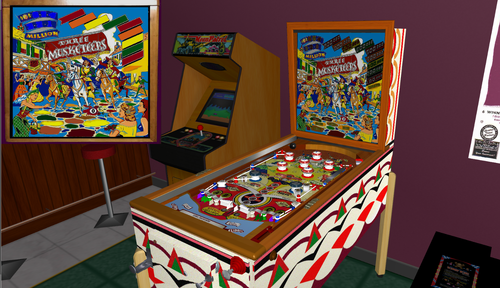
Three Musketeers
By Francisco
Three Musketeers / IPD No. 2541 / July, 1949 / 1 Player
Manufacturer:D. Gottlieb & Company (1931-1977) [Trade Name: Gottlieb]
Date Of Manufacture:July, 1949
Model Number:22
Type:Electro-mechanical (EM)
Production:800 units (confirmed)
Serial Number Database:View at The Internet Pinball Serial Number Database (IPSND.net) (External site)
Theme:Adventure - Fictional Characters
Notable Features:Flippers (2), Pop bumpers (2), Passive bumpers (6), Kick-out hole (1), Left and right dual outlanes.
Sound: 2 bells
Design by:Harry Mabs
Art by:Roy Parker
Notes:This game took its name from the Alexandre Dumas novel, first published in 1844, which was made into a movie many times since then, including a star-studded Hollywood version in 1948.
71 downloads
-
.thumb.png.559ffeefc18faf238c9a03f881e135dd.png)
King Arthur and his Round Table
By Francisco
King Arthur and his Round Table / IPD No. 1367 / October, 1949 / 1 Player
[ Submit Changes to Us ]
Average Fun Rating:Needs More Ratings! 7.6 / 10 (1 ratings) [ Add Your Rating! ]
Manufacturer:D. Gottlieb & Company (1931-1977) [Trade Name: Gottlieb]
Date Of Manufacture:October, 1949
Model Number:24
Type:Electro-mechanical (EM)
Production:1,220 units (confirmed)
Serial Number Database:View at The Internet Pinball Serial Number Database (IPSND.net) (External site)
Theme:Historical - Knights
Notable Features:Flipper (2), Pop bumpers (2), Passive bumpers (2), Kick-out holes (2), Dual outlanes. No slingshots.
Sound: 2 bells
Design by:Harry Mabs
Art by:Roy Parker
86 downloads
(0 reviews)0 comments
Submitted
-
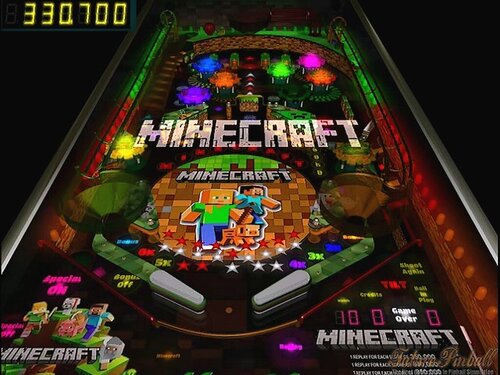
Minecraft
By mark1
Minecraft,
An original future pinball table, based on the minecraft video games.
Table rules,
Light "Minecraft" for special at the top kicker, by hitting targets
in the rotospinner,
( special lasts for 90 seconds).
Lighting "GOLD" also lights a chance for Bonus'.
and gives center chance segment , so will the topleft kicker hole under the ramp.
The Roto spinner will also give small bonus chances.
.
Replay scores on the table card.
( Some very well made Midi renditions of Minecraft and Peter Gabriel music, were used for background music.)
https://mark1pinball.weebly.com/
104 downloads
-
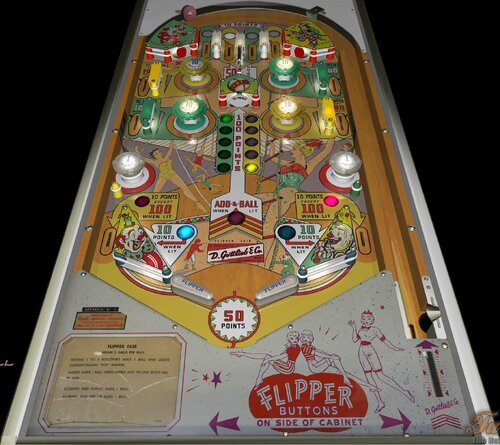
Flipper Fair (Gottlieb-1961) (FizX3.3)
By Popotte
Flipper Fair (Gottlieb-1961)
IPD No. 894
NOTES:
MOD UNAUTHORIZED WITHOUT EXPLICIT PERMISSION FROM THE AUTHORS
You can access to the menu with the Special2Key.
You can toggle (by the toggle HUD key) the HUD reel.
If you use arrows for plunger (optional), you have to use arrow down and arrow up (customisable) in order to pull or push the plunger.
You have to lift manually the balls with the Special1Key or set in the menu the automatic ball lift.
RULES:
Hitting 1 to 4 rollovers adds 1 ball and lights corresponding pop bumper.
Target adds 1 ball when green and yellow spots are in line.
IPDB HIGHLIGHTS:
Date Of Manufacture: October, 1961
Production: 1,150 units (confirmed)
Notable Features: Flippers (2), Pop bumpers (4), Passive bumpers (2), Slingshots (2), Standup targets (3), Rollunder (1). Mechanical backbox animation (ball is kicked from side to side). Wide flipper gap.
Design by: Wayne Neyens
Art by: Roy Parker
Notes: Compare playfield layout to Gottlieb's 1966 'Cross Town'.
Add-A-Ball with mechanical backbox animation
65 downloads
(0 reviews)0 comments
Submitted
-
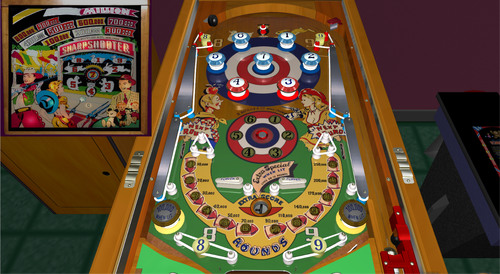
Sharpshooter
By Francisco
Sharpshooter / IPD No. 2112 / May, 1949 / 1 Player
Manufacturer:D. Gottlieb & Company (1931-1977) [Trade Name: Gottlieb]
Date Of Manufacture:May, 1949
Model Number:20
Type:Electro-mechanical (EM)
Production:1,840 units (confirmed)
Serial Number Database:View at The Internet Pinball Serial Number Database (IPSND.net) (External site)
Theme:Sports - Target Practice
Notable Features:Flippers (2), Pop bumpers (2), Kick-out hole (1).
Design by:Harry Mabs
Art by:Roy Parker
65 downloads
(0 reviews)0 comments
Submitted
-
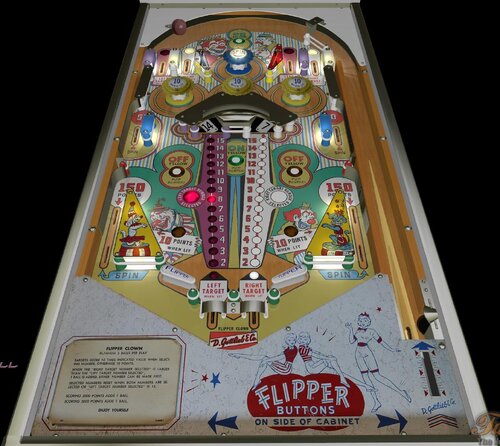
Flipper Clown (Gottlieb-1962) (FizX3.3)
By Popotte
Flipper Clown (Gottlieb, 1962)
IPD No. 892
NOTES:
You can access to the menu with the Special2Key.
You can toggle (by the toggle HUD key) the HUD reel.
If you use arrows for plunger (optional), you have to use arrow down and arrow up (customisable) in order to pull or push the plunger.
You have to lift manually the balls with the Special1Key.
RULES:
* Targets score 10 times indicated value when selecting number, otherwise 10 points.
* When the "right target bumber selected" is larger than the "left target selected", 1 ball is added. Either number can be made first.
* Selected numbers reset when both numbers are selected or "left target number selected" is 15.
* Scoring 2000 points adds 1 ball.
* Scoring 3000 points adds 1 ball.
IPDB HIGHLIGHTS:
Date Of Manufacture: March, 1962
Production: 1,550 units (confirmed)
Notable Features: Flippers (2), Pop bumpers (4), Slingshots (2), Roto-targets (2).
Maximum displayed point score is 9,999 points.
Sound: 3 bells, knocker
Design by: Wayne Neyens
Art by :Roy Parker
Notes: Add-A-Ball with mechanical backbox animation
54 downloads
(0 reviews)0 comments
Submitted
-
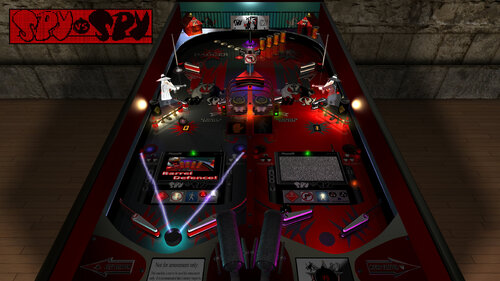
Spy vs Spy - BAM Edition (PinEvent Lite, FizX)
By TerryRed
Spy vs Spy - BAM Edition (PinEvent Lite, FizX 3.3)
Version: 1.0 (Aug 2026)
====================================================================
RAWD was a significant contributor to the virtual pinball hobby for many years. Spy vs Spy was his first original table creation (made in 2010), and was very unique for its time.
RAWD wasn't active with FP in recent years, but he always wondered what his old table would be like with modern updates for FizX physics, BAM lighting, shadows, and more. I took an evening to do that very thing in 2025 and passed the results to RAWD, much to his delight.
Sadly RAWD passed away on Aug 26 - 2026. I couldn't help but think that updating this mod of his table, like I do my other PinEvent Lite releases, would be my own way of remembering him and hoping others can know part of him in some way.
RIP RAWD (Rod). You will be missed by many.
TerryRed
====================================================================
Who Created it?
RAWD : Spy vs Spy (2010)
TerryRed : Spy vs Spy – BAM Edition (2026)
Thanks to:
FLEEP: mechanical sounds
JLou : FizX and support
ravarcade: BAM and support
Nailbuster: Pinup Player and support
Chris Leathley: Future Pinball
From RAWD (on the DMD credits)
Special Thanks:
Grizz/Ace
UncleWilly
Steve Paradis
Rascal
Chris Leathley
and my Wife.
And thank you Beta testers!
Rossi
Pinball Buzz
Gravy
====================================================================
DISCLAIMER:
This table is a fan-made work of passion, and is NOT intended for commercial usage or to be included in any part of a commercial sale!
====================================================================
This is a two player game
====================================================================
Physics: FizX v3.3
====================================================================
TABLE REQUIREMENTS (very important!)
- all Visual C Runtime updates
- DirectX
- Future Pinball
- the latest BAM update
- FuturePinball.exe and FPLoader.exe patched for 4 GB access
- BAM Settings files installed
- FizX 1K ball model (for more accurate physics, default.zip in BAM folder)
- the REQUIRED “Video / Rendering Options” and “Editor Options” in Future Pinball video settings
NOT TO WORRY!
All of the above is included with the latest FP and BAM Essentials AIO package!
Super easy to use for a new install, or just to update your existing install. I recommend everyone install this package to ensure you have the latest required BAM updates and other files installed!
https://vpuniverse.com/files/file/14807-future-pinball-and-bam-essentials-all-in-one/
====================================================================
PinEvent Lite
This table is a PinEvent Lite table. This means it has all PinEvent features with the following exceptions:
- no PUP DMD / score / text
- no PUP Stream
- DMDExt must be run if you want the FP DMD displayed on another screen / window
- no TILT BOB (this table has no TILTING)
This table requires the latest PUP 2.0 installed if you want to use PUP SSF. Read the included Install Instructions for more info.
====================================================================
GUIDES INCLUDED WITH THE GAME
It's important that all players get to know the following docs, for their own benefit! They are VERY helpful and will save you lots of time!
INSTALL INSTRUCTIONS - read this guide to learn how to properly install and run this game!
TABLE MANUAL - read this guide for more information about this table and its features!
====================================================================
TABLE OPTIONS
- at the top of the table script, scroll down to the "TABLE OPTIONS" section
- you can tailor this game to almost any way you want!
- there are some specific features that can only be enabled in this section!
====================================================================
INSTALL INSTRUCTIONS (REQUIRED)
- PLEASE read the Install Instructions (included with the table's zip file)
- it shows you how to install all the REQUIRED items
- it shows you how to easily setup FP and BAM with the REQUIRED settings
It's super easy, and only takes minutes to do!
====================================================================
HOW TO RUN FP AND PLAY A TABLE
Read the Install Instructions to know how to properly use FP and BAM
===================================================================
GAME NOT RUNNING SMOOTH?
Read the TABLE MANUAL for the solutions!
====================================================================
PROBLEMS?
Read the Install Instructions included in the table's zip file. It tells you everything you need to know!
====================================================================
Some of the new features and updates for the BAM Edition:
- FizX physics
- modern BAM Lighting and Post Processing
- shadowmaps
- lightmaps
- ray cast ball shadows
- Lighting settings (TABLE OPTIONS)
- Ball settings (TABLE OPTIONS)
- Minimal room wall with art
- MR (mixed reality) options
- Static Camera Views
- other new settings in TABLE OPTIONS
- Fleep mechanical sounds
- Ball Rolling sounds
- PinEvent Lite features (PUP SSF, DOF)
- misc table updates
561 downloads
-
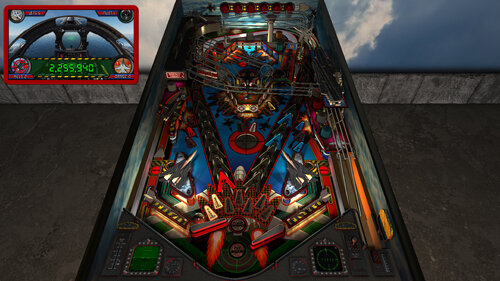
F-14 Tomcat - Afterburner (PinEvent V2, FizX 3.3)
By TerryRed
F-14 Tomcat - Afterburner (PinEvent V2, FizX 3.3)
Version: 2.0 (Aug 2026)
====================================================================
This table began as F14 Tomcat by SLAMT1LT and Chaos. I proceeded to do a complete table overhaul / update / mod with many new additions and features which became F14 Tomcat - AFTERBURNER. This table now has new art, new RGB lighting, new RayBaked lighting and shadows, new models, new Afterburner music, new sounds, new PUP DMD styles, new VR / MR / Minimal room options, and much more!
It has been completely updated to use the newest modern BAM features to create an amazing real-time visual treat. It’s also been overhauled to use the latest FizX physics which completely transforms a Future Pinball table to have excellent modern physics for the entire table! I updated it to my PinEvent V2 standard, to allow for optional DOF, SSF, PUPDMD and other features that take this to another level. (now also updated to use PUP 2.0’s latest features!)
====================================================================
A video preview of the 2.0 update can be seen here:
====================================================================
Created by:
TerryRed : F14 Tomcat - Afterburner
SLAMT1LT and Chaos : the original F14 Tomcat FP table
Thanks to:
ganjafarmer : new Williams F14 playfield image
Schlabber34: insert jewel images
FLEEP: mechanical sounds
JLou : FizX and support
ravarcade: BAM and support
Nailbuster: Pinup Player and support
Chris Leathley: Future Pinball
====================================================================
DISCLAIMER:
This table is a fan-made work of passion, and is NOT intended for commercial usage or to be included in any part of a commercial sale!
====================================================================
This is a four player game
====================================================================
Physics: FizX v3.3
====================================================================
TABLE REQUIREMENTS (very important!)
- all Visual C Runtime updates
- DirectX
- Future Pinball
- the latest BAM update
- FuturePinball.exe and FPLoader.exe patched for 4 GB access
- BAM Settings files installed
- FizX 1K ball model (for more accurate physics, default.zip in BAM folder)
- the REQUIRED “Video / Rendering Options” and “Editor Options” in Future Pinball video settings
NOT TO WORRY!
All of the above is included with the latest FP and BAM Essentials AIO package!
Super easy to use for a new install, or just to update your existing install. I recommend everyone install this package to ensure you have the latest required BAM updates and other files installed!
https://vpuniverse.com/files/file/14807-future-pinball-and-bam-essentials-all-in-one/
====================================================================
IMPORTANT! - UPDATE REQUIRED!
This table REQUIRES a newer version of BAM (1.5-409 or higher)
This is included with the FP and BAM Essentials AIO package version 3.7 or higher!
EVERYONE needs this new update to run this table! Simply install the latest FP and BAM Essentials AIO, and you are good to go!
====================================================================
What options can you try if your GPU has less VRAM (less than 6 GB)?
- you can enable Texture Compression (in FP video settings) which greatly reduces how much vram is used
- if you use a "Start FP" bat file, then you will also need to enable Texture Compression in that file!
- enabling Texture Compression may take a little longer to load, but not much
====================================================================
GUIDES INCLUDED WITH THE GAME
It's important that all players get to know the following docs, for their own benefit! They are VERY helpful and will save you lots of time!
INSTALL INSTRUCTIONS - read this guide to learn how to properly install and run this game!
TABLE MANUAL - read this guide for more information about this table and its features!
RULES - read this detailed guide to learn all the secrets of this game!
====================================================================
TABLE OPTIONS
- at the top of the table script, scroll down to the "TABLE OPTIONS" section
- this game has a MASSIVE number of features, options, and difficulty settings you can change!
- you can tailor this game to almost any way you want!
- there are some specific features that can only be enabled in this section!
====================================================================
INSTALL INSTRUCTIONS (REQUIRED)
- PLEASE read the Install Instructions (included with the table's zip file)
- it shows you how to install all the REQUIRED items
- it shows you how to easily setup FP and BAM with the REQUIRED settings
It's super easy, and only takes minutes to do!
====================================================================
HOW TO RUN FP AND PLAY A TABLE
Read the Install Instructions to know how to properly use FP and BAM
===================================================================
GAME NOT RUNNING SMOOTH?
Read the TABLE MANUAL for the solutions!
====================================================================
LOADING TIMES
With the 2.0 update of the table, I have highly optimized the table to drastically reduce load times. Combine this with the new BAM v409 update, and you see a massive difference in load times!
====================================================================
PROBLEMS?
Read the Install Instructions included in the table's zip file. It tells you everything you need to know!
====================================================================
Table MODS
- please read the Disclaimer in the Install Instructions included with the table
- please ask me first, as I am still updating this table
====================================================================
Some of the new features and updates:
2.0 update
- new art for... everything! (playfield, plastics, sidewalls, backbox, cabinet, etc)
- new apron with F14 cockpit display models
- new playfield models (f14 jets, enemy jets, missiles, airfield, aircraft carrier, etc)
- new animated topper models
- new cabinet coin door model
- new RayBaked GI lighting and shadows and inserts lighting
- new GI changes colour during different modes and events (TABLE OPTIONS)
- music can be toggled between Modern / Classic / Afterburner (TABLE OPTIONS)
- PUP DMD style can now be toggled between Modern / Afterburner (TABLE OPTIONS)
- new Attract mode flyby camera sequence (TABLE OPTIONS)
- new VR Room options for Attract mode and Gameplay (TABLE OPTIONS)
- new Mega / MR (mixed reality) / Minimal choices for VR room (TABLE OPTIONS)
- new Mega Room has large hanger with F14 jet and enemy jet
- new Room has animated Beacon lighting (TABLE OPTIONS)
- new Normal Map options for those who want them reduced in lower resolutions (TABLE OPTIONS)
- new Ball settings (TABLE OPTIONS)
- new Lighting settings (TABLE OPTIONS)
- new FP DMD color options (TABLE OPTIONS)
- converted ALL textures to power of two (MUCH faster "injecting textures", half the loading time)
- updated startup checks for BAM / PUP / PuP-Pack version (will notify you if wrong version)
- updated startup code for BAM settings and PinEvent (PinEvent VR settings should apply correctly now)
- updated pup dmd and pup ssf code to work correctly with PUP v2.0 (now required for those features)
- new pup ssf v2.0 ball rolling updates - code / changing rolling sounds on ramps / tracking 10 balls
- new ball rolling sound mode options: OFF, FP, SSF (TABLE OPTIONS)
- new volume settings for ball rolling / FP Mech Sounds / PUP SSF (TABLE OPTIONS)
- new pup-pack and pup dmd v2.0 code with real time shader effects and new alpha videos! (TABLE OPTIONS)
- pupstream options for left apron / right apron / mini pf screen now only show on center of apron
- new Cabinet_Mode_Preset automatically hides items not needed for cabinet mode (TABLE OPTIONS)
- lots of fixes and other things not covered here!
1.1 to 1.9 update
- updated table for FizX physics v3.3
- rebuilt table geometry to allow for better ball flow with new physics
- new built in Static Camera Views for Desktop mode (toggle with plunger during attract mode)
- updated spinners to use Wecoc's spinner code
- updates to table, layout, code, sound, music, items, lighting, models, etc
- updated BAM lighting and post processing
- updated entire table's G.I. and lighting
- new insert models, lighting, textures, normal maps, decals
- new raycast ball shadows
- new shadowmaps for G.I and flashers (made to work properly with ray cast ball shadows)
- new FLEEP mechanical sounds
- added option to change both music and PuP-Pack video display between Modern / Classic / Afterburner
- added PinEvent V2 support for DOF, SSF, PUP DMD, PUP Stream, TILT BOB, Ball Rolling, etc
- added TABLE OPTIONS to customize many things on startup, and for performance, etc.
- added new "real" Beacon Lighting using BAM mini playfield and hardware lights
- added new RGB animated effects for inserts
- added new RGB lighting to inserts
- added new sideblades and art
- new 4K playfield redrawn image from ganjafarmer
- added PuP Afterburner videos for Arcade mode
- updated the music to now have options to change to new Afterburner music
- added new apron wire trim
- updated upperleft ramp hub, and added new plastic top cover
- added fixes for Damage 100% (now properly makes the game act like a tilt, and ends Ace mode)
- lots of other updates and details I can't keep track of
11229 downloads
-
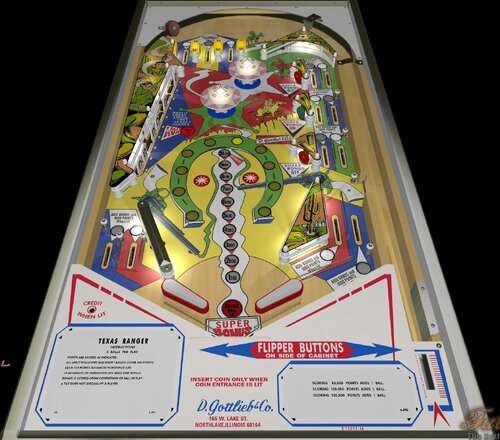
Texas Ranger (Gottlieb-1972) (FizX3.3)
By Popotte
Sheriff (Gottlieb, 1971)
IPDB No. 2116
NOTES:
MOD UNAUTHORIZED WITHOUT EXPLICIT PERMISSION FROM THE AUTHOR
You can access to the menu with the Special2Key.
You can toggle (by the toggle HUD key) the HUD reel.
If you use arrows for plunger (optional), you have to use arrow down and arrow up (customisable) in order to pull or push the plunger.
RULES:
INSERT ONE COIN AND WAIT FOR MACHINE TO RESET BEFORE INSERTING COINS FOR ADDITIONAL PLAYERS.
PLAYERS TAKE TURNS SHOOTING AS SHOWN ON BACK GLASS.
POINTS ARE SCORED AS INDICATED.
ALL UNLIT ROLLOVERS AND DROP TARGETS SCORE 500 POINTS.
EACH 100 POINTS ADVANCES HORSESHOE LITE.
10 ADVANCES OF HORSESHOE LITE ADDS ONE BONUS.
BONUS IS SCORED UPON COMPLETION OF BALL IN PLAY.
A TILT DOES NOT DISQUALIFY A PLAYER.
MATCHING LAST TWO NUMBERS IN SCORE TO NUMBER THAT APPEARS ON BACK GLASS AFTER GAME IS OVER SCORES REPLAY.
IPDB HIGHLIGHTS:
Date Of Manufacture:September, 1971
Production:2,900 units (confirmed)
Notable Features:
Flippers (2), Pop bumpers (2), Slingshots (2), Drop targets (10), Standup targets (3), Right outlane ball return gate. Right side of playfield has parallel lanes of serial rollovers. End-of-ball bonus.
Design by: Ed Krynski
Art by: Gordon Morison
Notes:
Also released in a 2-player version Gottlieb's 1971 'Lawman' and as a single-player Italian version Gottlieb's 1972 'Texas Ranger'. A single-player Spanish version is Maresa's 1972 'Dakota'.
Compare playfield to that of Gottlieb's 1975 'Atlantis'.
We previously showed a date for this game of October 1, 1971. The new date is per Gottlieb documentation.
65 downloads
(0 reviews)0 comments
Submitted
-
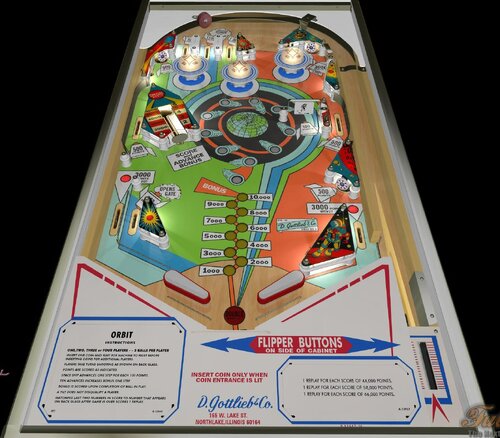
Orbit (Gottlieb 1971) (FizX3.3)
By Popotte
Orbit (Gottlieb, 1971)
IPDB No. 1724
NOTES
BAM 357 or higher is mandatory in order to play this table.
Known bugs:
- ball can go through vari target,
- spinner can stop in unusual position.
You can access to the menu with the Special2Key.
You can toggle (by the toggle HUD key) the HUD reel.
If you use arrows for plunger (optional), you have to use arrow down and arrow up (customisable) in order to pull or push the plunger.
Special is lit when #light (spinner) is lit:
- Liberal 3 balls: 2, 3, 5, 6, 7, 8, 9
- Liberal 5 balls: 2, 5, 7, 8
- Medium 3 balls: 2, 3, 5, 6, 8, 9
- Medium 5 balls: 2, 5, 8
- Conservative 3 balls: 5, 6, 8, 9
- Conservative 5 balls: 5, 8
RULES:
Insert coin and wait for machine to reset before inserting coins for additional players.
Players take turns shooting as shown an back glass.
Points are scored as indicated.
Space ship advances one step for each 100 points.
Ten advances increases bonus one step..
Bonus is scored upon completion of ball in play.
A tilt does not disqualify a player.
Matching last two numbers in score to number that appears on back glass after game is over scores 1 replay.
IPDB HIGHLIGHTS:
Date Of Manufacture: December, 1971
Production: 3,200 units (confirmed)
Notable Features: Flippers (2), Pop bumpers (3), Slingshot (1), Standup targets (3), Vari-target (1), Spinning target (1), Upper right ball return rollunder, Right outlane ball return gate. End-of-ball bonus.
Design by: Ed Krynski
Art by: Gordon Morison
81 downloads
(0 reviews)0 comments
Submitted
-
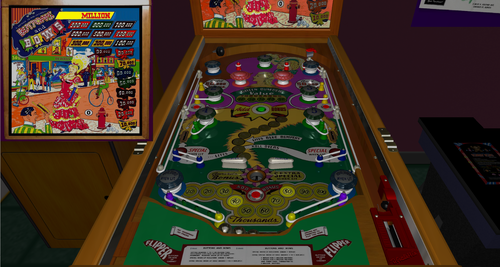
Buttons and Bows
By Francisco
Buttons and Bows / IPD No. 413 / March, 1949 / 1 Player
Manufacturer:D. Gottlieb & Company (1931-1977) [Trade Name: Gottlieb]
Date Of Manufacture:March, 1949
Model Number:19
Type:Electro-mechanical (EM)
Production:2,200 units (confirmed)
Serial Number Database:View at The Internet Pinball Serial Number Database (IPSND.net) (External site)
Design by:Harry Mabs
Art by:Roy Parker
95 downloads
(0 reviews)0 comments
Submitted
-
FP.thumb.jpg.89b84ca31758150656a13d12b20896d4.jpg)
Barbarella (Talleres Llobregat 1972) 1 EM
By eduguitar72
Barbarella / IPD No. 5809 / 1 Player
Amazing and single classic pinball from Talleres Llobregat.
A lot difficult in this version Future pinball if we compare it with the versionvp9 or vpx
Enjoy!!!!
76 downloads
(0 reviews)0 comments
Updated
-
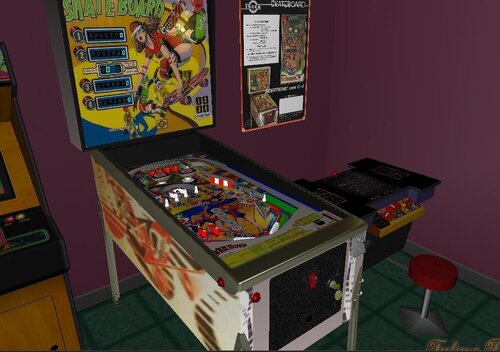
Skateboard (Inder 1980) 4 PL
By eduguitar72
Skateboard / IPD No. 4479 / 1980 / 4 Players
Here is one of my favorite pinball machines; it marked the end of an era for Inder, paving the way years later for a much better one. I faced some challenges in recovering the original sound, but the result is still more than satisfactory. I hope you enjoy it.
95 downloads
(0 reviews)0 comments
Updated
-
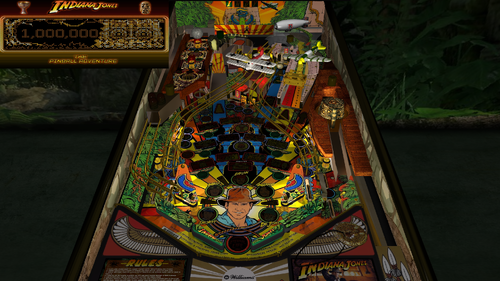
Indiana Jones, The Pinball Adventure (Williams, 1993) (Color DMD, SSF, FizX 3.3) (Versions included for Desktop, 2 and 3 Monitor Setup and VR)
By GeorgeH
For years, I have released Future Pinball tables with color DMD support for desktop PCs, but I always had to tell cabinet users that DMDExt did not support color. That has now changed—DMDExt version 2.5 adds color support! Click on the following link to learn more and download setup instructions for DMDExt 2.5:
https://vpuniverse.com/files/file/24721-indiana-jones-the-pinball-adventure-williams-1993-color-dmd-ssf-fizx-33-versions-included-for-desktop-2-and-3-monitor-setup-and-vr/page/2/?tab=comments#findComment-108605
Indiana Jones: The Pinball Adventure is a wide-body pinball machine designed by Mark Ritchie and released by Williams in 1993. It is based on the first three Indiana Jones films: Raiders of the Lost Ark, Temple of Doom, and The Last Crusade. The playfield features rectangular light inserts for 12 modes, with four modes representing each movie. Additionally, there is one video mode corresponding to each film. The bottom row of lights represents modes for Raiders of the Lost Ark, while the top row corresponds to The Last Crusade. The kicker, located beneath the biplane, allows players to lock three balls for multiball. There are 3 additional multiball modes. The game's goal is to complete the 12 modes and start the wizzard mode, where you score one billion points. Actor John Rhys-Davies (reprising his role as Sallah) recorded some new voice quotes for the game. What truly sets this game apart is how thoughtfully designed and enjoyable all the modes are to play.
About five years ago, Gimli and I modified the Future Pinball (FP) version of this table. The first-ever use of the miniplayfield option in BAM was on his Ultimatum 3 version. Gimli incorporated the miniplayfield option in several areas, most notably to enable the Path of Adventure (POA) to tilt when using the flippers. In previous FP versions of the table, the POA was static and unmoving. Gimli's tilting POA worked flawlessly. Although I added new textures to the plastics at the time, I couldn’t locate any other textures, so they remained unchanged. As a result, the textures for the POA and right ramp were quite dark, and the playfield was of marginal quality.
When I decided to update this table, I searched for better graphics but initially had little success. However, I eventually came across Bigus1's VPX version of the table, which features a beautiful playfield texture of outstanding quality. Bigus1 graciously allowed me to use his playfield texture; as well as, any other textures from his table that I needed. Thank you, Bigus1!
Gimli had previously added several animations to the table that everyone liked so I left them intact. He also added what he calls his "True Multiplayer" feature. This feature provides true multiplayer functionality, saving each player's game and restoring it on their next turn. Although he used most of the available save registers, I discovered an unused nvS register, which allowed me to add one tweaker. I chose to implement a game tweaker, the most versatile of the three tweakers that Gimli and I have developed.
Video Overview of the Table
In addition to the new textures and game tweaker, I added FizX, Surround Sound Feedback (SSF), and a color DMD. I also reworked the problematic right ramp for smoother performance and revamped all the lighting with new shadow maps and spotlights. Two versions of the cabinet are switchable (see the instruction PDF file for more information).
It seems that more users are running AMD processors on their PCs. Historically, AMD CPUs have had compatibility issues with Future Pinball. Many users report hard crashes after about 10 minutes of gameplay—or even sooner. In addition to crashing, AMD processors can cause stuttering and other performance problems. I received a report from a user on another table, where the playfield appeared as a gray screen with no image, and the system was using an AMD CPU. Systems with AMD GPUs are even more prone to crashes, and unfortunately, there’s little that can be done to resolve these issues. AMD graphics cards are known to have compatibility problems with many games, not just Future Pinball. Table developers cannot be held responsible for issues related to AMD hardware. Some users mistakenly blame these issues on script errors when they are actually caused by hardware incompatibility.
Users with AMD Ryzen CPUs paired with NVIDIA graphics cards have had more success running Future Pinball. I’ve received reports that some users with this configuration encounter a string error, but it was successfully fixed using a solution I posted in the script. You might want to try this fix if you’re experiencing other issues with this setup. Since I have an Intel CPU in my PC, I’m unable to replicate or test any AMD-related problems you may encounter.
Gimli’s original menu system, though effective, combined certain options to minimize the number of save registers needed. For example, the balls-per-game option was combined with an easy play mode. With the addition of the game tweaker, I could save 28 parameters to a single save register. This allowed me to split the combined options into separate choices. I also added several new parameters and 13 audio controls for sound and music, similar to those I’ve implemented in other tables.
Gimli’s original menu system for saving games is still included. It is explained in the instruction PDF file accompanying the download and also displays a list of high scores.
Video Demonstrating the 3 Menu Systems
I’ve done my best to optimize the playing experience for both desktop PCs and pinball cabinets. As part of this effort, I included three versions of the table in the download:
1. Main Version – Suitable for desktops, cabinets with two monitors, and virtual reality headsets.
2. Three-Monitor Version – Designed for cabinets with three monitor displays. This version removes the speaker panel from the backbox and it works with DMDExt.
3. Rotated Display Version – For desktop PCs with a single monitor that can rotate to an upright (portrait) orientation.
Make sure to refer to the instruction PDF file included in the download for setup guidance.
I prefer to play the rotated display version on my desktop PC because it fills about 90% of the monitor’s available space. In comparison, the Full Table 2 view in Future Pinball only occupies about 50% of the screen, excluding the HUD (which isn’t necessary for the rotated display version). The rotated display offers a more immersive and engaging gameplay experience.
I want to express my sincere gratitude to MadMrMax for assisting with testing and providing some custom fonts he created. Also, enhancing the visual appearance of this table would not have been possible without Bigus1's textures. Thanks again, Bigus1!
—George
List of Changes
1) Replaced the art on the playfield apron with similar gold-colored art.
2) Added a new desktop table loading texture with a rope bridge, matching the table's rope bridge mode.
3) Got permission from Bigus1 to use textures from his VPX version of Indiana Jones, The Pinball Adventure. Used Bigus1's playfield texture, the texture for the Path of Adventure (POA), textures for both slingshot plastics, textures for stationary targets, a portion of his backwall, a portion of the rope bridge from his plastics, and a portion of the texture for the right ramp.
4) The backwall was raised higher so you can see more than just the top of it. Reworked it to make it brighter.
5) Filled in gaps in the rope bridge plastic that goes around objects on the real table that aren’t present in this version to create a rectangular shape.
6) Found a higher-resolution texture for the backglass. Reconstructed Slamt1lt's animated backglass using the new texture to recreate the 12-step sequence.
7) Created a custom texture for each flipper.
8. The original table's HUD underlay featured an image to the left of the DMD, which caused the DMD to be reduced in size. The texture was replaced with one that has narrow sides, allowing the DMD to be made larger.
9) The instruction cards were previously added to the texture for the plastics. I added two surfaces for instruction cards on the apron, allowing for the use of higher-resolution cards, making the text easier to read.
10) Fixed several textures so they fit the plastics better, filled in exposed bolt holes, and upscaled the textures using an AI program. Changed the edge of the upper plastics from red to a texture colored similarly to the top of the plastics. Extended the plastic on the sides of the right ramp so that they fit on top of the posts. Added screw heads to the plastics.
11) Combined "cookie-cutter" 2048x4096 textures for one of the plastics with the POA to save PC resources.
12) Edited Bigus1's lenses for "The Pit" and "Extra Ball" and added them to the texture for the POA. Reshaped the light inserts for these two lenses and modified them so that the "cookie-cutter" option could be used. Extended the top of the texture by creating content to fill the gap to the top of the POA. Moved some objects around on the POA to center the lanes and make them fit the texture.
13) Created new side blades for the cabinet interior.
14) As spectacular as Bigus1's playfield is, some adjustments were made to the dark blue color so that the two center lanes and columns are slightly lighter, matching photographs of the Williams table. The flesh tones of Willie, Marian, and Dr. Jones were lightened slightly. The text on the ball saver light (labeled "Eternal Life") was adjusted to a more consistent red color.
15) The Indy sign above the top of the backbox had stopped working. I exported the model of the sign from Slamt1lt's original table and imported it into this table, which made it work again. I then revised the texture to match the colors of the logo on the backbox texture.
16) Changed the model for the side blades and added a model for the top rail that covers the default rail. I also added a surface that covers the default apron. Covering the default rail and apron allows them to be changed to a dark brown color, as seen on the original Williams cabinet.
17) Replaced the round playfield light inserts for Sallah, Marion, and Dr. Jones with shapeable lights to accommodate areas of the lens that are not perfectly round.
18) Reshaped the metal box on the exit to the Path of Adventure to improve its fit and finish, ensuring a better attachment to the metal ramp.
19) Added a texture to the bottom of the exterior wall of the Path of Adventure to make it consistent with the rest of the wall.
20) Added a new floor to the right upper ramp to improve performance (making the ball travel faster). Replaced the existing ball guide on the right upper ramp, which was not visible.
21) Added FizX physics using an older version of the tweaker that does not save settings because all the save registers were already used.
22) Reconfigured the plunger and nearby objects so that the ball no longer gets stuck in an area where the plunger cannot hit it when the ball is kicked out.
23) Added a surface above the right ramp to stop the ball from flying too high and hitting the edge of the plastic above the ramp.
24) Added texture to the stationary target hidden behind the drop targets, where no texture had previously existed.
25) Added Fleep's recordings and Surround Sound Feedback, including his ball-rolling sound on the playfield and ramps.
25) Changed the shape of the entrance to the ball lock so that the ball no longer partially enters and bounces out.
26) The table has a "Status Report" that can sometimes display. It can also be manually triggered during a game by pressing the "S" key.
27) Resolved an issue with the "big boulder ball" special effect, which appeared to bounce after FizX was added. This was fixed by temporarily increasing the table slope to 7.5 when the boulder starts and reducing it after the effect ends.
28) Added a "Sound Level Control Panel" that allows for controlling the volume of all audio on the table.
29) Moved the rubber band above the ball lock kicker to prevent balls from getting stuck there.
30) Added snake sound effects to the arc animation when a player chooses poorly in the video game.
31) Added color DMDs and coded them to include a background color for DMD text. This feature must be turned off on pinball cabinets that use DMDExt by changing the ColorDMDStatus in the script to "2." Cabinets that do not use DMDExt (such as 2-monitor setups) can display the color DMDs.
32) Created an alternate version of the backglass animation that does not flash, making it more accessible for individuals with photophobia.
33) Added the Game Tweaker. Moved several combined options from the menu to the tweaker as separate parameters, such as easy mode, balls per game, enhanced mode on/off, game rooms, original/Disney cabinets, game console cabinet, pan & zoom, and lighting modes. Added new parameters for ray casting on/off, 14 desktop camera views, swapping 3 playfield sounds and 2 wire ramp sounds, swapping 3 different side blades, toggling flashes on backglass animation, and creating a custom backglass speaker grill, which can be switched with the original. The original menu was retained for game save options and high score displays.
34) Made the "special 1" and "special 2" keys switchable between the original menu and the tweaker, as an option in the script.
35) Added JP's game pause code to pause the game when using the stable save option.
36) Added 13 audio controls to the game tweaker, allowing all sound levels to be adjusted in-game.
37) Added a keyboard key to change lighting modes by pressing the "L" key, eliminating the need to open the Game Tweaker.
38) Added an audio preset option to the game tweaker that has presets for 9 parameters to reduce sound level in increments of 0.05.
39) Replaced the texture for the right plastic ramp with a combined version of the original and Bigus1's version.
40) Completely reworked all the lighting from the previous version, adding modes for Day, Dusk, Night, and Dark Night. These modes are switchable via the Game Tweaker or by pressing the "L" key on the keyboard.
41) Reworked all the shadow maps.
42) Added spotlights to the planes and lit the spotlight on the biplane when pressing the start game key, tying it to the voice quotes.
43) Added two versions of the table: one for 3-monitor cabinets and another for single-monitor rotated displays for desktops
44) Created an instruction manual in PDF format.
45) Reworked Gimli's PDF of "Adrian's Guide to Indiana Jones: The Pinball Adventure" with Gimli's comments about this table.
46) The drop target in front of the captive ball has been changed. Previously, the target only dropped on the third ball hit, while the first two hits left the target standing. Now, the target will drop for 1 second after the first two ball hits before raising back up. This change matches the behavior of the real Williams table.
47) Constructed a new boulder ball using a bump map. (Adding the bump map required creating a new ball). Added another new custom ball to replace an older one.
48) Added a feature to the script where the Easy Mode times can be increased by any desired percentage.
Table Developers
GLXB, Highlnder00, Slamt1lt, Gimli, GeorgeH
Valued Contributors
On this version: Bigus1 textures, MadMrMax for helping test the table and providing fonts that he created. Thanks to Popotte for creating the code to pause the ball when performing the stable save.
On Gimli's versions: Starac, Umpa, and Skinooe for testing and physics, Miownkhan for custom balls, Wecoc for Array Template that permits True Multiplayer tracking, Gin for help with Tank Chase DMD fonts
On GLXB's version: Pinbalt, Highrise, LordHiryu, Wtiger, Magnox, and Toxie
2723 downloads
-
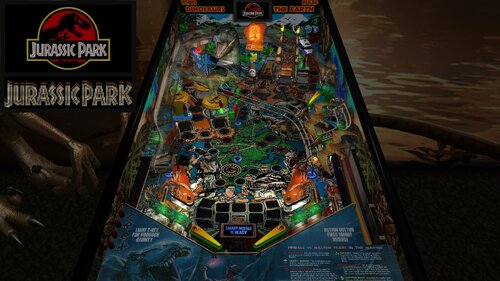
Jurassic Park, Revised Slamt1lt Edition (Data East, 1993) (Color DMD, SSF-PUP 2.0, 3 Monitor Setup, FizX 3.3)
By GeorgeH
Note: In order to read the description for the new Version 1.02, you have to click on the "Permission to Mod" tab.
For years, I have released Future Pinball tables with color DMD support for desktop PCs, but I always had to tell cabinet users that DMDExt did not support color. That has now changed—DMDExt version 2.5 adds color support! Click on the following link to learn more and download setup instructions for DMDExt 2.5:
https://vpuniverse.com/files/file/30061-jurassic-park-revised-slamt1lt-edition-data-east-1993-color-dmd-ssf-pup-20-3-monitor-setup-fizx-33/page/3/?tab=comments#findComment-108589
This posting updates Slamt1lt’s Jurassic Park ULTIMATE Pro version 1.05. This table introduces three new features that have not been added to my previous table mods:
1. Faster game play on FizX – Several users asked me whether FizX could be made to play faster, and I suspected many others would appreciate the option as well. After working on this intermittently for about two months, I developed a solution that is included in this update. Four speed settings are available: Slow, Medium, Fast and Very Fast. The Slow setting matches the original FizX game speed. End users can boost the very fast game speed to make it even faster (or make other changes) with guidance provided in the instruction PDF file in the download.
2. Correct HUD DMD aspect ratio – A new version of BAM corrects the aspect ratio of the HUD DMD and it has the same shape as the backbox DMD. This feature requires some simple set up with guidance provided in the instruction PDF file included in the download.
3. Ball rolling sounds for ramps on cabinets - This table uses an updated FizX template with PUP 2.0 support. With PUP 2.0, you’ll hear ball rolling sounds on the plastic and wire ramps that are different from those on the playfield. Although I don't have a cabinet, DigitalArts successfully played this table on his cabinet verifying everything works correctly including the ramp sounds.
In my Revised Slamt1lt Edition, my goal was to enhance and polish Slamt1lt's work while leaving the core design and gameplay untouched. I also incorporated a few select features from Rom’s version of the table; these are identified in the list of changes below.
Slamt1lt's original features included changing playfield light insert colors during gameplay. He also added switchable original and modern audio modes. I personally prefer the modern mode, where Slamt1lt introduced new sounds and music. As expected, he included movie clips from Jurassic Park.
Table Requirements
BAM 1.5-397 or higher
Required to display the HUD and overlays with the correct aspect ratio. BAM_v1.5-397 can be downloaded here:
https://pinballnirvana.com/forums/threads/bam-update-v1-5-395.23944/#post-163376
PUP 2.0
This table was coded for PUP Surround Sound Feedback (SSF), which requires PUP 2.0 to function correctly. Follow the same installation method used for TerryRed’s Masters of the Universe Version 1.4.
Note: The PUP pack for this table contains audio only (no video) and is used solely for SSF. Desktop users do not need to install PUP 2.0.
Other Requirements
If you wish to use SSF,
the options for Backbox and Arcade Mode must be enabled on the FP Video / Rendering options.
you need to change the "DOF_enabled" and "PUP_SSF_enabled" flags in the script to true.
Video Overview of the Table and Game Play
As with my recent table mods, I’ve added extensive in-game adjustments through a menu system that Gimli and I developed, called the “Tweaker.” Tweakers are available for game settings, lighting, and FizX. You can adjust parameters such as camera views, physics, ambient lighting, and sound levels.
The first option in the FizX Tweaker allows you to select the game speeds (slow, medium, fast, very fast) mentioned earlier. The Tweakers include cabinet-friendly DMD displays and overlays. See the instruction manual included in the download for details on using the Tweaker and other table features.
Another major upgrade is the complete overhaul of the table’s audio system. Every sound and piece of music is now categorized as music, game sound, sound effect, or voice quote, with independent volume controls for each category available in the game tweaker.
Many other changes are identified in the "List of Changes" section which include adding Fleep’s recordings for all of the mechanical sounds. All of the large textures on the table were reworked with increased resolution and color correction. The textures were replaced on the backglass, speaker grill, side blades, apron, and exterior cabinet. Four lighting modes were added for Day, Dusk, Night and Dark Night and can be adjusted by the lighting tweaker. Colors were adjusted on lights used on the table to make them less harsh. See the list for more changes.
Slamt1lt’s original Jurassic Park table was already a lot of fun to play, and I spent six months refining it. Based on videos of his recent tables, which feature faster gameplay, I believe he would appreciate the faster FizX options included here. After playing at faster speeds, it can be difficult to return to the slow setting.
A big thank-you to Pop Bumper Pete for recording a new ball launcher sound to replace the previously used saucer sound. Thanks also to Fourbanks for general testing, and to DigitalArts for testing the three-monitor cabinet version—you can see a photo of his cabinet setup in the included image gallery.
Please be sure to read the included PDF for setup instructions and additional tips.
Thank you for downloading my table mod—and enjoy Jurassic Park, Revised Slamt1lt Edition!
—George
List of Changes
1. Replaced 1024x1024 backglass texture with 2048x2048 texture.
2. Added new custom speaker grill.
3. Replaced side blade textures on the inner cabinet wall.
4. Added a new custom apron texture and wire guides. Incorporated some of Slamt1lt’s original text using different colors.
5. Repositioned dinosaur models and adjusted the colors of the Parasaur and other dinosaurs.
6. Replaced the red bulbs at the top of the ramp entrance columns with animated flames that brighten during certain game modes.
7. Added music from the movie that alternates with Slamt1lt’s dinosaur soundtrack during attract mode.
8. Replaced the startup loading texture with 8 optional versions (4 for desktop, 4 for cabinets). Also changed the loading screen text from red to yellow.
9. Increased brightness of the topper and game room.
10. After reviewing Rom’s version, I implemented the flashing backglass bottom lights by copying the six lights, sequencer, and code. (Other unused lights in Rom’s version were not included.)
11. Added a new game room wall texture with an option to switch between it and the original.
12. Replaced the original exterior cabinet texture with two new custom textures.
13. Upscaled the playfield and all the plastics. Upscaled the texture for the "Shoot the T-Rex When Lit" box and edited it to clean it up. Upscaled the texture for the backwall and increased the contrast so it doesn't look washed out. Edited the top area of the backwall where to correct what looked like mistakes made on the graphic. Changed the text on the backwall so it reads from top to bottom on both sides and emphasized the correct words by making them larger. Filled in screw holes from the photos used to create the plastics.
14. Added the "Data East Presents Jurassic Park" to the DMD during the attract mode. Parts of Data East's DMD sequence were deleted and changed. Moved a "Game over" DMD animated sequence so it runs at the end of the game instead of during the attract mode.
15. Upscaled and edited the texture for the model of the amber mosquito. The area of the texture around the mosquito was made brighter to make the wings more obvious. Also added more bulbs so the mosquito is better lit.
16. Added code to eliminate the pop-up that asks for permission for the game to take control of the camera when the game starts.
17. Changed the brightness of the JP logo on the movie clip overlays so it is darker and matches the other frames of the video clips.
18. Added FizX physics and the most recent version of the menu system, called a tweaker. Adjusted the strength of several kickers to make them match FizX. Changed the start angle and swing of the flippers so it is now possible to hit the drop targets on the far left and right sides of the playfield. Adjusted the ramptor pit kicker so it points more to the left so it hits the center of the left flipper.
19, Fourbanks reported that the ball bounced out of the right inlane when dropped from the wire ramp. Invisible walls were added to both sides of the lane to prevent recurrence. Added the same walls to the left inlane.
20. Replaced the round boat kicker with a square kicker to prevent the ball from bouncing out of the kicker without triggering it.
21. Changed many of the colors of the playfield light inserts (and the corresponding colors defined in the script) and bulbs on the playfield and backbox to a less garish version. Reduced the glow radius of the bulbs under the slingshots and lane guides.
22. Found a dip in the ramp at the first bend on the uphill side of the custom ramp model. Added a short invisible FP ramp under the ramp model to fill in the dip and added an invisible wall to the right side of the ramp. Added an invisible approach ramp at the ramp entrance to make the transition between the playfield and ramp smoother. Changed the transition of the plastic ramp and diverter to the wire ramp so it is smoother. Changed the color of the end protector on the ramp exit from white to gray so it is the same color as the original table.
23. Slamt1lt's version changed the brightness of the plastics during game mode changes, but the apron remained dark throughout the game. Changed the apron on this version so it brightens and dims along with the rest of the plastics during gameplay.
24. Added a color DMD to the animated DMD sequences and background color with a border on the DMD text. Set up the DMD text so that the text with the brown background usually has game status info and the orange background usually has action required to identify a game mode (except during the attract mode). Added a section to the beginning of the script called "COLOR DMD STATUS," where cabinet users can turn off the color DMD because DMDExt cannot support it. In the process of making this change, I found some sequences where Slamt1lt missed duplicating some animated sequences on the backglass DMD that are on the HUD DMD. Revised Sub RampLightsOff() and Sub TRaptor1_Hit() to duplicate them.
25. Changed the captive ball configuration so it follows my guide at the following web address and makes it perform better: https://pinballnirvana.com/forums/threads/resolving-problems-with-captive-balls-on-future-pinball.23568/#post-160485
26. Changed the color of the 3 bumpers from greenish yellow caps with white base to yellow caps with dark gray base.
27. Added 6 unused dino sounds so they randomly play when the coin-in button is pressed. (from Rom's version of this table) Also fixed small bug where the voice quote "Hold onto your butts" was never played.
28. Added movement of the playfield texture during the earthquake sequence to make it appear more like an earthquake. Changed the sound played during the earthquake sequence from a mechanical sound to earthquake sound. (from Rom's version of this table) Slamt1lt added a "quick quake" sound that used a similar mechanical sound and was replaced with a short earthquake sound.
29. Duplicated the display of the movie clips onto the apron, mostly to improve visibility for cabinet users.
30. Added game and lighting tweakers.
31. Added lenses to 7 playfield light inserts that were missing.
32. The right side of the backwall was darker on all previous versions of the table. Fixed it by deleting a wall in front of the backwall on the playfield and adding the texture to an overlay at the bottom of the translite.
33. Reshaped the outer orbit lane wall to prevent the ball from getting stuck.
34. Added FizX presets for slow, medium, and fast gameplay. Added an option near the beginning of the script where end users can adjust the default settings.
35. Implemented BAM code allowing scores beyond 2 billion. Verified stability up to 922 trillion points
36. Added game tweaker option to choose video clip display location on the backwall or apron
37. Added option on the game tweaker to select whether the desktop camera view is changed during multiball or not.
38. Added option on the game tweaker to select between 2 audio options during the attract mode or alternate between the 2 during each startup.
39. Added game tweaker option to select between 2 cabinet textures or alternate between the 2 during each startup.
40. Added option on the game tweaker to select between 2 game room textures or alternate between the 2 during each startup.
41. Added 2 new options to the game tweaker. One adjusts how fast the earthquake sequence runs. The other turns the earthquake effect on and off that affects the ball.
42. Added an index to the beginning of the script to simplify finding the most used sections of the script.
43. Removed 14 MB of unused audio (overall file still ~10 MB larger than the original).
44. A rubber backstop was added to the end of the plastic ramp that exits to the left inlane to prevent the ball from bouncing around excessively.
45. Replaced all mechanical sounds with Fleep’s recordings and added ramp ball rolling sounds.
46. Pop Bumper Pete recorded a ball launcher sound that was added to replace the saucer sound previously used.
47. Added ball and flipper shadows.
48. Added an option in the script to disable DMD transition effects for cabinets that don't support it.
49. Updated to AIO template version 3.30.07 (PUP 2.0), enabling ramp ball rolling sounds on cabinets.
50. Categorized every sound and music file in the script. Added a way to adjust each of the 9 categories in the game tweaker. Found 2 misnamed sounds in the script that were corrected so that they will play.
51. Improved T-Rex lighting effect by replacing a dim flasher with a visible spotlight and adjusting brightness. The spotlight illuminates on each hit of the kicker in front of the T-Rex.
52. Created versions for 3 monitor cabinets and rotated display for desktops that are turned to portrait orientation.
53. Created an instruction manual for the table in PDF format, which includes more instructions on how to operate the tweakers than were available on earlier tables.
Table Developers
Polygame
Puma
Rom
Slamt1lt
GeorgeH
Valued Contributors
Gimli – Codeveloper of the Tweaker
JLou5641 - Creator of FizX
Fleep - Created recordings for mechanical sounds
TerryRed – developed the FizX template
Fourbanks –Tester of the desktop version
Digitalarts – Tester of DOF and PUP SSF on this cabinet
Pop Bumper Pete – recorded a new ball launcher sound
1710 downloads
-
.thumb.jpg.b23a398ac8d0611a2f65e1cf7eb55201.jpg)
Screech (Inder 1978) 4 PL
By eduguitar72
Screech / IPD No. 5718 / 4 Players
The same playfield was produced in 1976, followed two years later by this four-player SS version, created in 1985 by the same company, Inder (Brave Team) but with a different design.
49 downloads
(0 reviews)0 comments
Updated
-
.thumb.jpg.cfffd4dc6f098e6e3f1abfc82c857b35.jpg)
Brave team (Inder 1985) 4 PL
By eduguitar72
Brave Team / IPD No. 4480 / 1985 / 4 Players
Inspired by the "Screech" playfield, it was released to mark the company's twentieth anniversary.
It features the machine's original sound, and playing it in Future Pinball is an absolute blast.
53 downloads
(0 reviews)0 comments
Updated
-
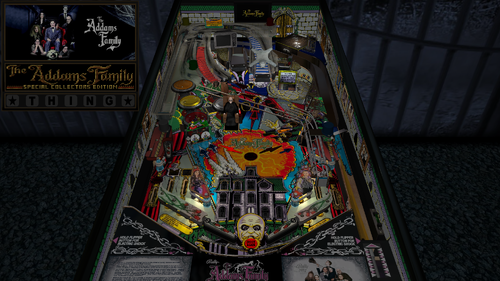
The Addams Family, Revised Slamt1lt Edition (Bally, 1992) (Color DMD, SSF-PUP 2.0, 3 Monitor Setup, FizX 3.3)
By GeorgeH
I am sharing my update to Slamt1lt’s Addams Family ULTIMATE Pro version 1.05. Slamt1lt brilliantly expanded Bally’s 1992 classic with changing playfield light insert colors during gameplay. He added a new Mansion Mode that he calls Classic Addams TV Show, replacing the old six-million-point mode. He added the switchable retro and modern modes. The retro mode plays the original sounds and music where the modern mode adds new sounds, music and other features. He added sideblades with pictures of the Addams family members textured with a bump map. He also added movie clips, revamped DMD graphics, and attract mode enhancements.
For years, I have released Future Pinball tables with color DMD support for desktop PCs, but I always had to tell cabinet users that DMDExt did not support color. That has now changed—DMDExt version 2.5 adds color support! Click on the following link to learn more and download setup instructions for DMDExt 2.5:
https://vpuniverse.com/files/file/27062-the-addams-family-revised-slamt1lt-edition-bally-1992-color-dmd-ssf-pup-20-3-monitor-setup-fizx-33/page/2/?tab=comments#findComment-108333
Video Overview of the Table and Game Play
In my Revised Slamt1lt Edition, my goal was to enhance and polish Slamt1lt’s work while leaving his core design and gameplay untouched. Slamt1lt mentioned in the script that he not able to add a black and white mode. At the time he created the ULTIMATE Pro version, the only way to replace a texture in the script was to list a table object's name and the texture. Unfortunately, Future Pinball leaves many table objects unnamed. A newer BAM feature later introduced global texture replacement by name, allowing textures on unnamed objects to be replaced as well. Using this new capability, I was able to add the black-and-white mode.
The best place to showcase the black and white mode is on the Classic Addams TV Show mode, reflecting the original show’s black-and-white broadcast. You can also choose to play the entire game in black and white or disable the mode entirely to enjoy full color — all adjustable through the new game menu.
Gimli and I developed a menu system that we call a "tweaker". Tweakers were added for game, lighting and FizX. You can adjust parameters like camera views, physics, and sound levels. It has cabinet-friendly DMD displays and overlays. See the instruction manual in the download for not only how to operate the tweaker but other features on the table as well.
Another major upgrade is the complete overhaul of the table’s audio system. Every sound and piece of music is now categorized as music, game sound, sound effect, or voice quote, with independent volume controls for each category available in the game tweaker.
Cabinet users will also appreciate the addition of Surround Sound Feedback (SSF) which uses Fleep’s recordings and adds FizX 3.3.
My friend Paolo replaced the low-polygon bear rug model with a new, higher-quality version — it now raises its head and its eyes glow red at various points during the game.
The Addams Family is my favorite table that Slamt1lt created, and if you’ve been thinking about trying one of my tables, this is the perfect place to start. I feel like the four months of development time paid off.
A big thank-you to Paolo for the new bear model and animation script, to Fourbanks for testing assistance, and to DigitalArts for testing the three-monitor cabinet version. You can see a photo of his cabinet setup in the image gallery included with the posting. Please be sure to read the included PDF for setup instructions and additional tips.
Thank you for downloading my table mod — and enjoy The Addams Family, Revised Slamt1lt Edition!
— George
List of Changes
1) Replaced nearly all of the textures on the plastics with higher resolution graphics.
2) Replaced the playfield textures with unbaked textures from the previous version. Replaced the apron textures with higher resolution unbaked textures.
3) Created instruction cards and added them onto new surfaces on top of the apron (The new surfaces allow higher resolution textures be used.)
4) Added new backglass texture and speaker panel with higher resolution graphics.
5) Added the electric shock onto the left flipper with the same one that was on the right flipper. (It displays the status report that Slamt1lt added).
6) Identified 2 playfield textures that were being loaded into memory but never used and so they were deleted.
7) Replaced the HUD texture that had Addams Family logo with picture of the family with logo.
😎 Removed dynamic flippers and installed FizX with Hud toggle key code. Removed Smoke's ball rolling sound so as to not conflict with the version of ball rolling sound on the FizX template. Removed all of Slamt1lt's triggers that added ball hit sounds. The ones added by FizX sound better and use Fleep's recordings.
9) After installing FizX, the ball would only travel about 2/3 of the way up the right bear ramp before rolling back down. Found that Slamt1lt had changed the custom ramps to be not collidable and added FP ramps. It was determined that he did this because of the prior physics made the ball jump off the ramp. An effort was made to fix the FP ramps but the custom ramps from the previous version worked better so they were added and the old FP ramps deleted. This made the ramps fully functional.
10) Moved the upper left flipper slightly and reconfigured the area around it to allow the flipper to hit the stationary targets and kickers on the right side of the table. Made corresponding changes to the playfield texture to make it match the position of the flipper. Blackened the playfield behind the 2 grave targets.
11) Reconfigured the upper right flipper and surrounding objects to make it easier to hit the ramp and the train lane.
12) Changed the code for the camera so that the message is no longer displayed that asks permission for the game to take over camera control.
13) Added and tested lighting and game tweakers.
14) The slingshots flash when hit on Slamt1lt's version. The shadow maps were changed to be brighter during the flashes by adding more bulbs.
15) Slamt1lt added black and white versions of the playfield and plastics to the texture manager; however, he posted in the script "BAM seems capable of switching all textures to Black and White, but it didn't work when I tested it. The code is still here should I wish to return to the idea in a later update." Since Slamt1lt posted this table, a new method of swapping textures was added to BAM that swaps one texture for another rather than having to apply a new texture to each surface. This makes it easier to replace the textures on the plastics. I managed to create black and white version using the new code. Slam created a new mode called "Classic Addams TV Show" that replaces the 6 million point mode on the original table. I decided to apply the black and white colors to this mode since the show was broadcast in black and white. I think it is what he would have done. Most textures where changed to B&W but a little bit of color was retained to keep it from looking sterile.
15) Fourbanks found that after launching the ball, the ball would hit the blue plastic that was sticking out into the lane. The blue plastic was moved and the launch ramp was moved slightly so the ball falls directly into the lane instead of bouncing off the wall.
16) Replaced the default textures for the targets with custom textures.
17) Changed the geometry of the table so that after the skill shot is hit, the ball will roll down to the right main flipper if the upper flipper is not moved.
18) Found a lane wall on the approach to the left ramp that was not correctly aligned with the ramp and fixed it. The change makes the upper right flipper hit the ramp better.
19) Added option for end users to be able to turn the camera view during multiball on or off.
20) Added camera view options to the game tweaker that allow full view of the plunger window so end users can see when to release the plunger to hit the skill shot (except for option #14). Also set the views up to be able to see the full overlay on the backwall that displays video clips.
21) Found a small bug on spelling THING on the backbox. The stars could not be lit up but it has been fixed.
22) Fixed a place that Fourbanks found where the ball would get stuck between the bookcase (after it rotates 90 degrees) and a rubber band. Changed the playfield texture to incorporate changes need for changing the rubber band.
23) Slamt1lt added a bump map to the side blades which included the photographs of family members. The photographs didn't look good with the bump maps so they were removed although the bump maps were retained for the rest of the side blades. Also removed the burned in shadows on the texture for the side blades.
24) Replaced the rap music that played during quick multiball with new music. The rap music still plays with the video during the attract mode.
25) Added frames to the DMD during the attract mode that identify the keys to press to open the tweaker, choose modern or retro mode, change lighting modes and view in-game statistics.
26) Found a high resolution texture to replace the ramp stair case texture which does not have burned in shadows.
27) Added code that allows the score to exceed 2 billion points and tested it by adding a score of nine hundred trillion points.
28) When the partially clear plastic on the swamp near the upper right flipper) was illuminated, a narrow white border around all the images. Found a higher resolution texture and identified a way to remove the white borders.
29) Added a light blue texture to the large posts and set them to crystal in the FP editor.
30) Added a spotlight on Fester and turned it on during the appropriate sequences.
31) Changed Uncle Lester's model from gray to a skin tone with reduced shininess.
32) Revised the playfield texture to remove the exposed wood on the left side of the plunger lane. Blacked the exposed wood on the playfield texture where the ball drains. Removed exposed wood on playfield texture for the train wreck lane. Changed the green area of the playfield texture on the left of the bumpers to color in areas where raw wood was visible.
33) Reshaped the green plastic under the ramp to cover the exposed wood and other markings on the playfield texture.
34) Paolo added a new model of the bear and animated the head.
35) Changed Fester's kicker hole so it blinks red at the same time as the red light on the side of the chair prior to multiball.
36) Added an option where the end user can toggle the playfield so it does not turns black and white or have it on for the whole game (default).
37) Added TGA file to the image manager to eliminate the saving of the shadow maps to the cache.
38) Changed the backbox lights so they change brightness with the lighting modes (Day, Dusk, Night, Dark Night).
39) Fixed the short ramp between the train wreck and the bear ramp to prevent the ball from bouncing back when going up the ramp.
40) Added color to the DMDs with an option in the script that turns it off for cabinet users that have DMDExt installed which does not allow the color to pass.
41) Added an option in the game tweaker to adjust the amount of time needed to hold a flipper down to display a status report during gameplay.
42) Added an option in the script where the DMD transition effects can be disabled. Many of these effects are not as smoothly on DMDext as they are on FP. Also the last frame of any DMD transition doesn't get picked up by DMDext and the DMD may still show the last frame until the next display.
44) Duplicated the spelling of THING onto the Hud which will free desktop users from having to look at the backglass periodically.
45) Added a plunger modification that still functions like the one that Slamt1lt added but it changes it so you can press the arrow up and down keys to move the plunger up and down so it can be finely adjusted before pressing the plunger key to launch the ball. It makes it easier to hit the skill shot. Code was also added that allows the flippers to operate in place of the arrow keys for the cabinet users.
46) Duplicated the video display onto the playfield apron and made it switchable on the game tweaker so that the video can be display on either the backwall or the apron or also displayed on both (the default). This makes the video easily displayed on a cabinet because it is not easily seen on the backwall of cabinets. Desktop users may like the video better on the apron.
47) Changed the topper lighting so it stays lit during the game but gets brighter during the lightning effects.
48) Removed execute commands in the script and changed to use standard coding to prevent possible stuttering.
49) Added code for ball/flipper shadows at the beginning of the script.
50) Added third place scores to the attract mode.
51) Added a parameter to the game tweaker where users can adjust the number of seconds they have between hitting the left orbit and hitting the left ramp so that a star is lit on the display for the spelling of THING.
52) If you change the camera view to one of FP's standard views, the option was added so you can press the letter "V" and change the view back to the view that is selected on the game tweaker. Note that if you want to change to a different view, you will need to open the game tweaker and change the "Desktop Camera View" option.
53) Added option to the game tweaker where the end user can select when the playfield goes dark. The first option is to display all dark sequences that Slamt1lt created. The second is for no dark sequences and have the playfield bright during the entire game. The third option is to have the dark sequences run during the attract mode, the two multiball modes, when the swamp kicker is hit, and when the ball drains.
54) Added the Retro/Modern switch to the tweaker but kept the Special 2 key. Both options save your setting for the next time you play the table.
55) Replaced the table sounds with Fleep's recordings and Surround Sound Feedback (SSF). Added ball rolling sound to the playfield and ramps.
56) Categorized all the music and every sound used on the table into the groups: background music, game sounds, sound effects and voice quotes.
57) Added volume controls for each of the categories of sound and ball rolling sound controls on the game tweaker.
58) With the help of Popotte, TerryRed and Shiva, fixed the code for the train wreck target so it no longer registers double hits which made 2 sets of code run at the same time and made 2 conflicting sets of audio run at the same time.
59) Created versions for 3 monitor cabinets and rotated display for desktops turned to portrait orientation.
60) Created instruction manual for the table in PDF format.
Table Developers
GLXB
Highlnder00
PolyGame
Slamt1lt
Paolo – added new bear model and head animations script
GeorgeH
Valued Contributors
Gimli – Codeveloper of the Tweaker
JLou5641 - Creator of FizX
Fleep - Created recordings for mechanical sounds
TerryRed – developed the FizX template
Popotte - Developer of the plunger modification
Fourbanks –Tester of the desktop version
Digitalarts – Tester of DOF and PUP SSF on this cabinet
Popotte, TerryRed, and Shiva – Resolved the issue of 2 hits on a target registering as a single hit.
3172 downloads
-
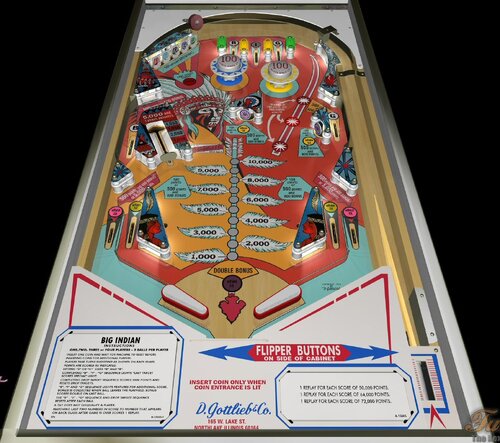
Big Indian (Gottlieb-1974) (FizX3.3)
By Popotte
Big Indian (Gottlieb, 1974)
IPDB No. 257
NOTES
BAM 357 or higher is mandatory in order to play this table.
What is new:
- vari target is now a toy
Known bugs:
- ball can go through vari target,
You can toggle (by the toggle HUD key) the HUD reel.
You access to the adjustment menu by the Special2Key.
RULES:
INSERT ONE COIN AND WAIT FOR MACHINE TO RESET BEFORE INSERTING COINS FOR ADDITIONAL PLAYERS.
PLAYERS TAKE TURNS SHOOTING AS SHOWN ON BACK GLASS.
POINTS ARE SCORED AS INDICATED.
HITTING "B" OR "G" GIVES "B" AND "G" (3 balls game)
COMPLETING "B" - "I" - "G" SEQUENCE LIGHTS "LAST TARGET SCORES SPECIAL" LIGHT.
COMPLETING DROP TARGET SEQUENCE SCORES 5000 POINTS AND RESETS DROP TARGETS.
"B", "I" AND "G" SEQUENCE LIGHTS FEATURES FOR ADDITIONAL SCORE.
BONUS IS COLLECTED WHEN BALL LEAVES THE PLAYFIELD, BONUS SCORES DOUBLE ON LAST BALL.
THE "B" - "I" - "G" SEQUENCE AND DROP TARGET SEQUENCE RESETS AFTER EACH BALL.
A TILT DOES NOT DISQUALIFY A PLAYER.
MATCHING LAST TWO NUMBERS IN SCORE TO NUMBER THAT APPEARS ON BACK GLASS AFTER GAME IS OVER SCORES 1 REPLAY.
IPDB HIGHLIGHTS:
Date Of Manufacture: February, 1974
Production: 8,030 units (confirmed)
Notable Features: Flippers (2), Pop bumpers (2), Slingshots (2), 5-bank drop targets (1), Star rollovers (3), Standup targets (2), Vari-target (1). End-of-ball bonus.
Design by: Ed Krynski
Art by: Gordon Morison
Notes: Prior to production, this game was named 'Chief' and then renamed to 'Big Injun'. Sample games were produced as 'Big Injun' and, according to the Encyclopedia of Pinball Vol 1, the Native American employees in Gottlieb's wiring and assembly plant in South Dakota complained about this. So, the name was changed again, to 'Big Indian', stalling production for three months.
192 downloads
(1 review)0 comments
Updated
-
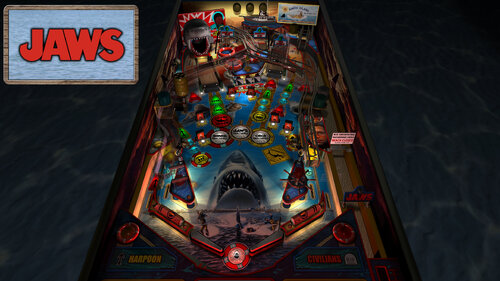
JAWS - BIGGER BOAT EDITION (PinEvent V2, FizX 3.3)
By TerryRed
JAWS - BIGGER BOAT EDITION
Table version: 2.0 (July 2026)
======================================
This table began as Rom's classic JAWS table for Future Pinball from many years ago. Then SLAMT1LT modded it over the years which evolved to his Ultimate Pro version. I proceeded to mod and update the Ultimate Pro table for FizX physics, PinEvent, and a complete table overhaul with many new additions and features which became the BIGGER BOAT EDITION.
It has been completely updated to use the newest modern BAM features to create an amazing real-time visual treat. It’s also been overhauled to use the latest FizX physics which completely transforms a Future Pinball table to have excellent modern physics for the entire table! I updated it to my PinEvent V2 standard, to allow for optional DOF, SSF, PUPDMD and other features that take this to another level. (now also updated to use PUP 2.0’s latest features!)
====================================================================
A video preview of the 2.0 update can be seen here:
======================================
Created by:
TerryRed : Jaws - Bigger Boat Edition
SLAMT1LT : Ultimate Pro table update
ROM : the original FP Jaws table
Thanks to:
Schlabber34: insert jewel images
FLEEP: mechanical sounds
JLou : FizX and support
ravarcade: BAM and support
Nailbuster: Pinup Player and support
Chris Leathley: Future Pinball
====================================================================
DISCLAIMER:
This table is a fan-made work of passion, and is NOT intended for commercial usage or to be included in any part of a commercial sale!
====================================================================
This is a three player game!
====================================================================
Physics: FizX v3.3
====================================================================
TABLE REQUIREMENTS (very important!)
- all Visual C Runtime updates
- DirectX
- Future Pinball
- the latest BAM update
- FuturePinball.exe and FPLoader.exe patched for 4 GB access
- BAM Settings files installed
- FizX 1K ball model (for more accurate physics, default.zip in BAM folder)
- the REQUIRED “Video / Rendering Options” and “Editor Options” in Future Pinball video settings
NOT TO WORRY!
All of the above is included with the latest FP and BAM Essentials AIO package!
Super easy to use for a new install, or just to update your existing install. I recommend everyone install this package to ensure you have the latest required BAM updates and other files installed!
https://vpuniverse.com/files/file/14807-future-pinball-and-bam-essentials-all-in-one-complete/
====================================================================
IMPORTANT! - UPDATE REQUIRED!
This table REQUIRES a newer version of BAM (1.5-409 or higher)
This is included with the FP and BAM Essentials AIO package version 3.7 or higher!
EVERYONE needs this new update to run this table! Simply install the latest FP and BAM Essentials AIO, and you are good to go!
====================================================================
What options can you try if your GPU has less VRAM (less than 6 GB)?
- you can enable Texture Compression (in FP video settings) which greatly reduces how much vram is used
- if you use a "Start FP" bat file, then you will also need to enable Texture Compression in that file!
- enabling Texture Compression may take a little longer to load, but not much
====================================================================
GUIDES INCLUDED WITH THE GAME
It's important that all players get to know the following docs, for their own benefit! They are VERY helpful and will save you lots of time!
INSTALL INSTRUCTIONS - read this guide to learn how to properly install and run this game!
TABLE MANUAL - read this guide for more information about this table and its features!
RULES - read this detailed guide to learn all the secrets of this game!
====================================================================
TABLE OPTIONS
- at the top of the table script, scroll down to the "TABLE OPTIONS" section
- this game has a MASSIVE number of features, options, and difficulty settings you can change!
- you can tailor this game to almost any way you want!
- there are some specific features that can only be enabled in this section!
====================================================================
INSTALL INSTRUCTIONS (REQUIRED)
- PLEASE read the Install Instructions (included with the table's zip file)
- it shows you how to install all the REQUIRED items
- it shows you how to easily setup FP and BAM with the REQUIRED settings
It's super easy, and only takes minutes to do!
====================================================================
HOW TO RUN FP AND PLAY A TABLE
Read the Install Instructions to know how to properly use FP and BAM
===================================================================
GAME NOT RUNNING SMOOTH?
Read the TABLE MANUAL for the solutions!
====================================================================
LOADING TIMES
With the 2.0 update of the table, I have highly optimized the table to drastically reduce load times. Combine this with the new BAM v408 update, and you see a massive difference in load times!
====================================================================
PROBLEMS?
Read the Install Instructions included in the table's zip file. It tells you everything you need to know!
====================================================================
Table MODS
- please read the Disclaimer in the Install Instructions included with the table
- please ask me first, as I am still updating this table
====================================================================
Some of the new features and updates:
- updates to the table, layout, code, sound, music, items, lighting, models, etc
- adjusted table geometry to allow for better ball flow
- updated entire table for FizX physics
- updated BAM lighting and post processing
- GI changes colour during different modes
- RayBaked GI lighting and shadows and inserts lighting
- insert models, lighting, textures, normal maps
- BAM spotlights
- ray cast ball shadows
- shadowmaps for G.I and flashers (made to work properly with ray cast ball shadows)
- updated playfield artwork (from Rom's original "clean" artwork)
- artwork for plastics, apron, backbox, ramp, sidewalls, backwall
- animated boat wheel and shark cage models and lights for slingshots
- animated life saver bumpers models
- new detailed animated Orca toy on the playfield
- bloody civilian death animations (arm and head models that pop up from bumper)
- animated blood on Jaws ramp when ball is eaten
- animated "water" effects on plastics and bumpers
- FP DMD color options
- Hooper's oxygen tank models
- lights on the apron for harpoon and civilians
- JAWS plunger lane sign with flasher, and plunger lane sand art
- FLEEP mechanical sounds
- PinEvent V2 support for DOF, SSF, PUP DMD, and PUP Stream (now updated for PUP DMD 2.0 features)
- enable / disable FP videos or PUP Stream on the Amity Billboard
- new Amity Billboard model for the playfield and Topper
- new cabinet coin door model
- attract mode flyby camera sequence
- VR Room options for Attract mode and Gameplay
- Mega / MR (mixed reality) / Minimal choices for VR room
- Mega Room has animated shark, highly detailed Orca boat, shark cage, larger animated caustics
- Mega Room changes lighting to blood water when civilians are killed and during other events
- lots of fixes and other things not covered here!
16174 downloads
-
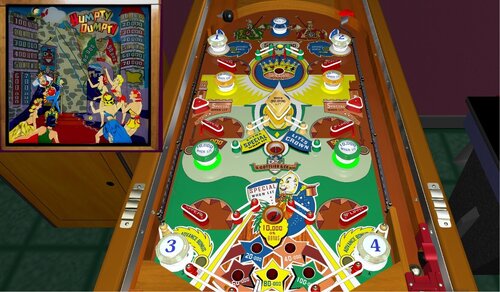
em real pinball recration Humpty Dumpty
By Francisco
Humpty Dumpty / IPD No. 1254 / October 25, 1947 / 1 Player
Manufacturer:D. Gottlieb & Company (1931-1977) [Trade Name: Gottlieb]
Date Of Manufacture:October 25, 1947
Model Number:1
Type:Electro-mechanical (EM)
Production:6,500 units (confirmed)
Serial Number Database:View at The Internet Pinball Serial Number Database (IPSND.net) (External site)
Theme:Fictional Characters
Notable Features:Flippers (6), Passive bumpers (10), Kick-out holes (2). Backglass stop-motion light animation (Humpty Dumpty falls). Illuminated credit display on backglass.
Design by:Harry Mabs
Art by:Roy Parker
68 downloads
(0 reviews)0 comments
Submitted
-
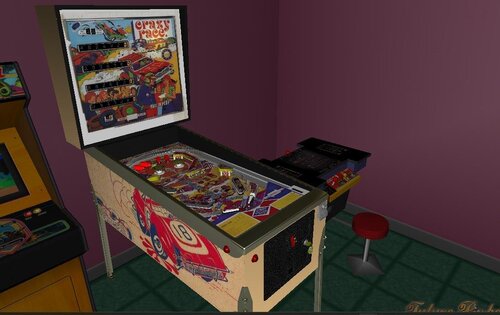
Crazy race (Petaco recel 1978) 4 PL
By eduguitar72
Crazy Race / IPD No. 587 / August, 1978 / 4 Players
Fun table from Petaco Recel
The Future Pinball version gives it a speed that increases the difficulty.
I am very happy with the result and hope you enjoy it.
53 downloads
-
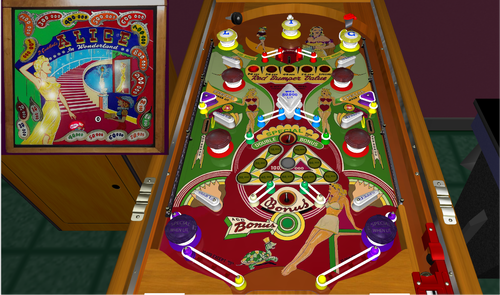
Alice in Wonderland
By Francisco
Alice in Wonderland / IPD No. 47 / August, 1948 / 1 Player
Manufacturer:D. Gottlieb & Company (1931-1977) [Trade Name: Gottlieb]
Date Of Manufacture:August, 1948
Model Number:7
Type:Electro-mechanical (EM)
Production:1,000 units (confirmed)
Serial Number Database:View at The Internet Pinball Serial Number Database (IPSND.net) (External site)
Theme:Fictional Characters
Notable Features:Flippers (6), Passive bumpers (10), Kick-out holes (2).
Design by:Harry Mabs
Art by:Roy Parker
Notes:This game is one of the so-called "Fairy Tale" games produced by Gottlieb during 1947-1948.
64 downloads
-
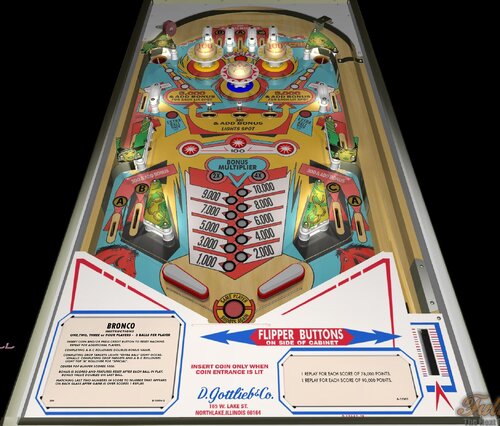
Bronco (Gottlieb-1977) (FizX3.3)
By Popotte
Bronco (Gottlieb, 1977)
IPDB No. 388
NOTES:
MOD UNAUTHORIZED WITHOUT EXPLICIT PERMISSION FROM THE AUTHORS
You can access to the menu with the Special2Key.
You can toggle (by the toggle HUD key) the HUD reel.
You can manage plunger with the Plunger Key or arrow up-arrow down.
RULES:
> Insert coin and/or press credit button to reset machine. Repeat for additional players.
> Completing A-B-C rollovers doubles bonus value.
> Completing drop targets lights "Extra Ball" light occasionally. Completing drop targets and A-B-C rollovers light top "A" rollover for "Special".
> Center pop bumper scores 1000 points (3 balls game) or 10 points (5 balls game).
> Bonus is scored and features reset after each ball in play. Bonus value doubles on last ball.
> Matching last two numbers in score to number that appears on back glass after game is over scores 1 replay.
IPDB HIGHLIGHTS:
Date Of Manufacture:March, 1977
Production:9,160 units (confirmed)
Notable Features:
Flippers (2), Pop bumpers (3), Star rollovers (3), Kicker lanes (2), Kick-out holes (2), 3-bank drop targets (1). No slingshots. 3 or 5 ball play.
76 downloads
(0 reviews)0 comments
Submitted
-
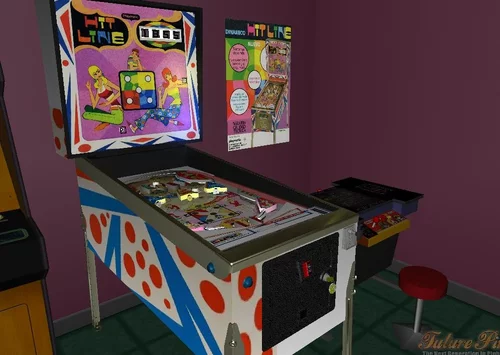
Hit line (Playmatic 1969) 1 EM
By eduguitar72
Hit Line / IPD No. 1194/ 1969 / 1 Player
A psycodelic ye ye pinball from Playmatic, pinball rescued from oblivion, I think there is no preserved unit, only photo of the flyer.
Enjoy!!!
62 downloads
(0 reviews)0 comments
Updated
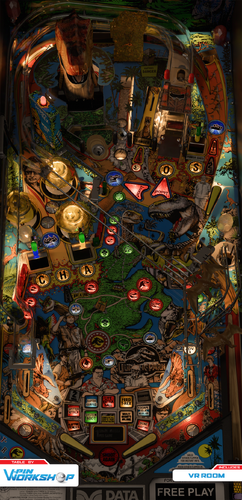

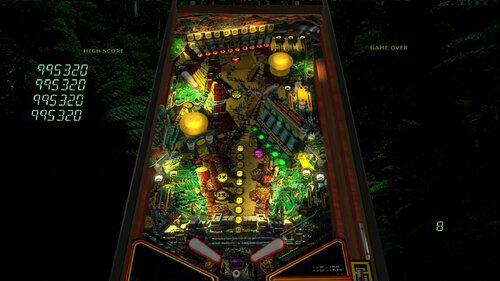
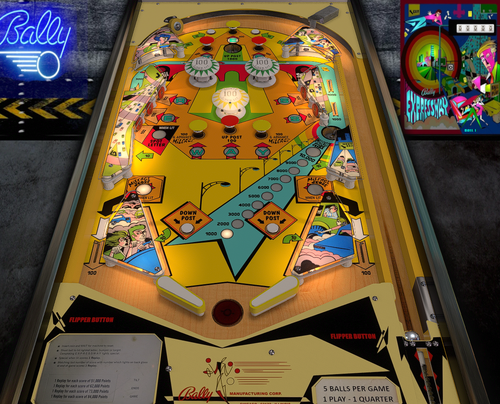
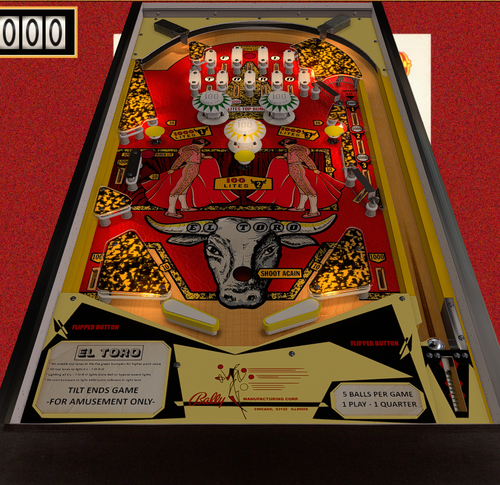
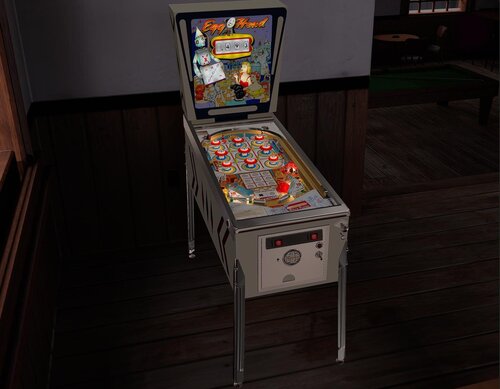
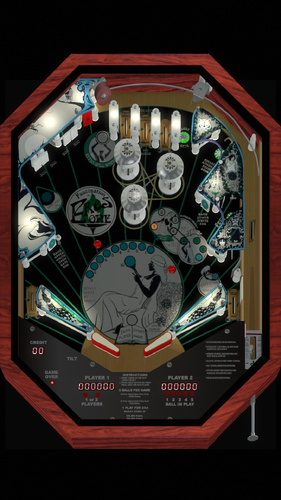
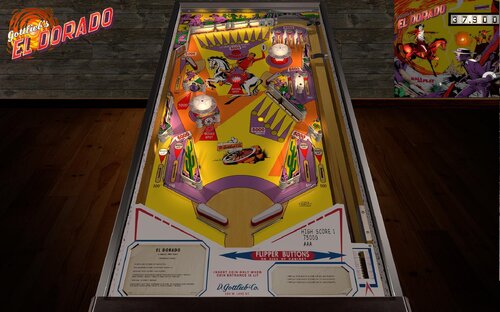
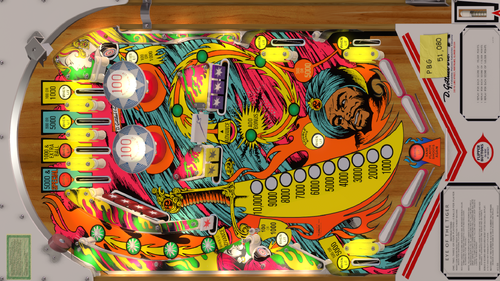
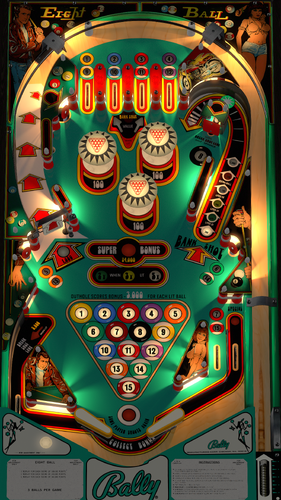
.thumb.png.cb7d972caf1a2ad79b1f087f2f94ec7b.png)
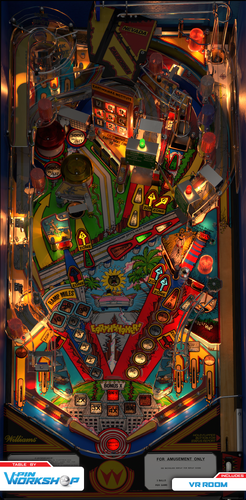
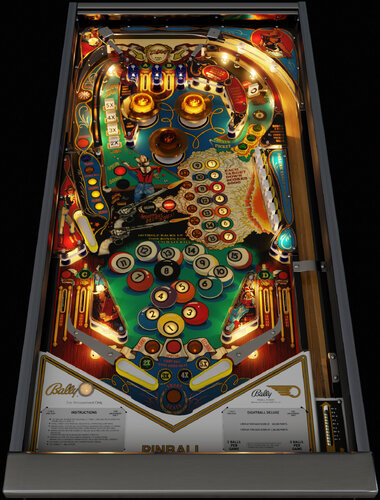
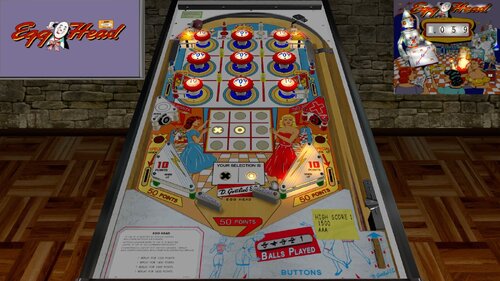
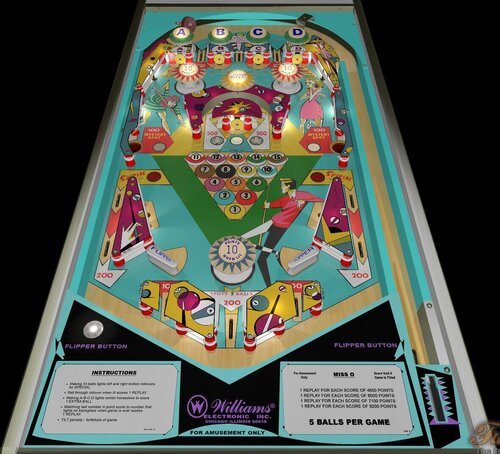
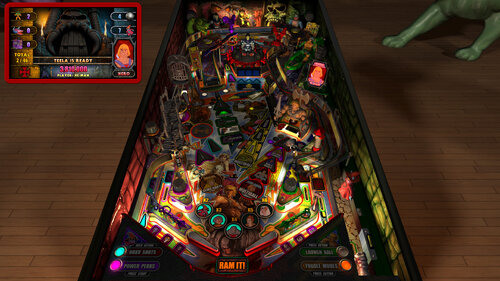
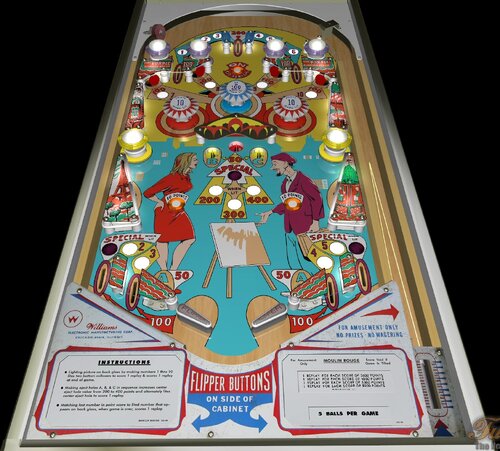
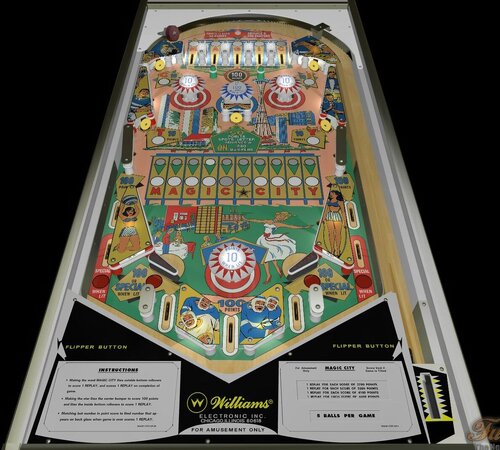
(v1.07)RightSide.thumb.png.2649c5d14cfcd0c22978cb8460673f59.png)
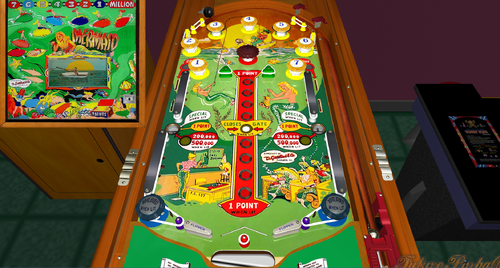
.thumb.png.241323cf65b092bd9cd0cf48f0979112.png)
.thumb.png.2215bb15e6c989ea7f5b01d267b80a1d.png)
.thumb.png.ff5075b9530704c2a50af36986187856.png)
.thumb.png.999e2b899f670e1608a87761874dd007.png)
.thumb.png.48d3b681f8298cdc23fc019db217b402.png)
.thumb.png.af73b952c009e9e147b0e8b3a4319469.png)
_nFozzyBloodRedKissEditionfulldmd-Copy.thumb.png.1969354e705c7da15d707ac3e7ce655d.png)








.thumb.png.6af3d41a9a8f50a1db4898522d973ef2.png)
.thumb.png.668ca432f0977ee016e594fde3f0318a.png)

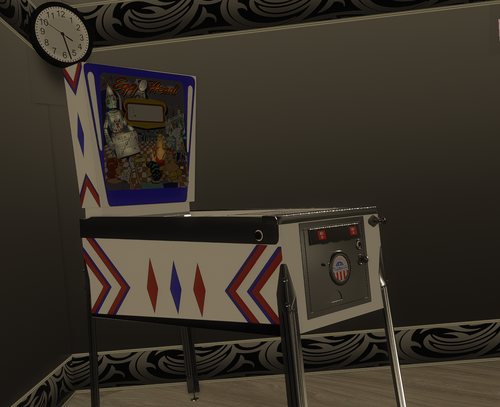
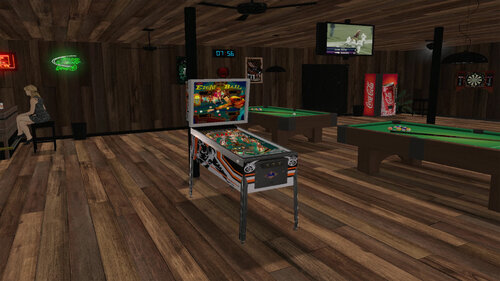
(Backglass).thumb.png.c71b4dcad29e4f8b4367129650f9d4b0.png)
PuPPackFullDMD.thumb.jpg.e43a83ba8908fe226b040034e9ee248c.jpg)
.thumb.png.06056555f6f8a6c2227d961900e42a5f.png)
FullDMD.thumb.jpg.2e59823475837f388151570fdd3b1746.jpg)
FullDMD.thumb.jpg.5caa4bb4592a491e31e8a4794ab59aaf.jpg)
.thumb.jpg.9a23ce67ef59344e983d467f4d9c2b81.jpg)
.thumb.jpg.bfa998823e189186b47c3b6fef818093.jpg)
-DMD-Background.thumb.jpg.f6a7b0069f4b866644954ae537431084.jpg)


.thumb.jpg.643c9e27f3f1d7c0af9fb74047a14527.jpg)
.thumb.png.a71410c0533cc9925084a1c94d44cd44.png)
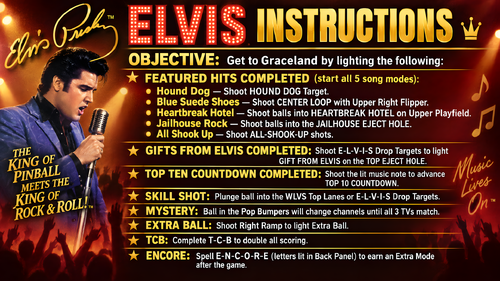
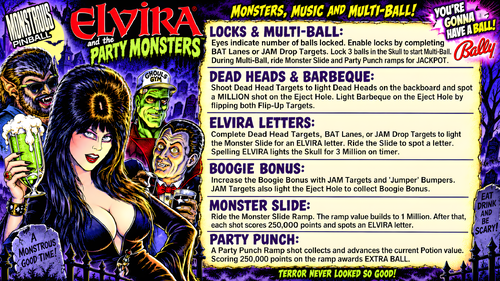
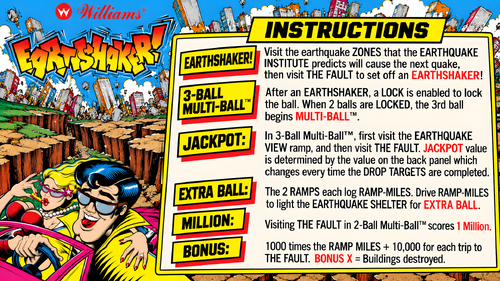

.thumb.jpg.822c3e8acd9d5299101139c64d514b85.jpg)


1.thumb.png.2ab08592f64755f0350f48b5730a696e.png)
4.thumb.png.f7d06b50871f9a8a2baf2408e9a16197.png)
1.thumb.png.48918bfee1ef3043e970658807c62a63.png)