394 files
-
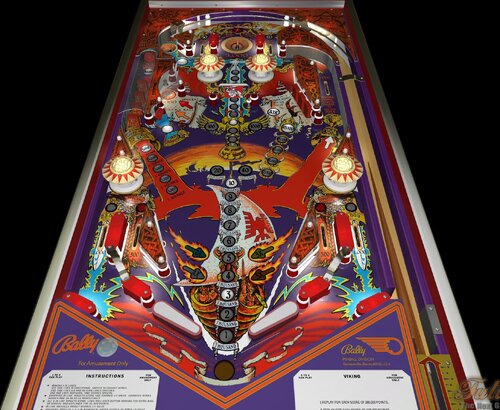
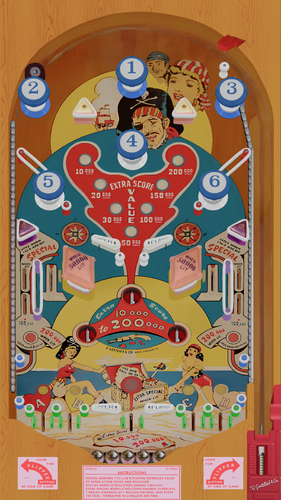
Viking (Bally-1980) (FizX3.3)
By Popotte
Viking (Bally, 1980)
IPDB No. 2737
NOTES
A Destruck62 & Popotte table
BAM 357 or higher is mandatory in order to play this table.
MOD UNAUTHORIZED WITHOUT EXPLICIT PERMISSION FROM THE AUTHORS
You can access to the menu with the Special2Key.
You can toggle (by the toggle HUD key) the HUD reel.
If you use arrows for plunger (optional), you have to use arrow down and arrow up (customisable) in order to pull or push the plunger.
RULES:
* Making A-B lanes:
1st time lites bi-directional saucer to collect bonus.
2nd time lites A-B and return lanes specials.
3rd and each aditional time scores special.
* Dropping in line targets score and advance lit value. Advances bonus scores and 2X-3X-4X-5X respectively
* All 4 in line targets down, lites roll-over button arrows for extra ball or special and outlanes for 25,000 points.
* In line Valhalla target scores lit value.
* Dropping target 1-2-3 in numerical order scores 10 times lit value.
* Spinner scores and self-advances in value from 10 to 1000 points.
* Maximum 1 extra ball per ball in play.
* Tilt penalty - ball in play.
IPDB HIGHLIGHTS:
Date Of Manufacture: July, 1980
Production: 2,600 units (confirmed)
Notable Features: Flippers (2), Pop bumpers (4), Slingshots (2), Kick-out holes (2), Standup targets (2), 3-bank drop targets (1), 4-in-line drop targets (1), Spinning target (1), Star rollover (1). Bounce-back outlanes allow the player to nudge a draining ball back into play.
Design by: Jim Patla
Art by: Kevin O'Connor
132 downloads
(0 reviews)0 comments
Submitted
-
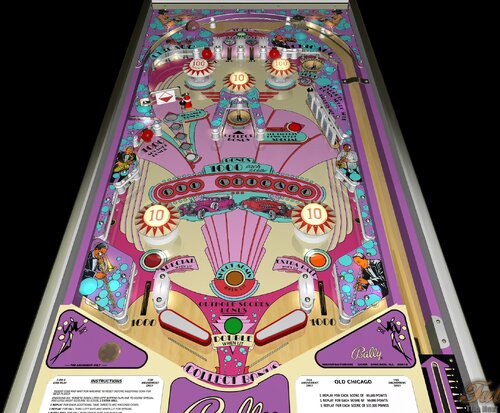
Old Chicgo (Bally-1976) (FizX3.3)
By Popotte
Old Chicago (Bally, 1976) v2.00
IPDB No. 1704
NOTES
BAM 357 or higher is mandatory in order to play this table.
You can play Old Chicago without BAM.
You can toggle (by the toggle HUD key) the HUD reel.
You access to the ajustment menu by the Special2Key in order to manage:
- balls per game,
- scrolling,
- spinner score,
- double bonus at first ball,
- bottom lanes (Special and Extra Ball),
- chimes
- reset high score entries,
- tilt handling.
RULES:
* INSERT COIN AND WAIT FOR MACHINE TO RESET BEFORE INSERTING COIN FOR NEXT PLAYER.
* KNOCKING ALL TARGETS DOWN LITES LEFT BOTTOM OUTLANE TO SCORE SPECIAL AND LITES RIGHT OUTLANE TO SCORE 1 EXTRAL BALL.
* 1 REPLAY FOR EACH ADDITIONAL TIME TARGETS ARE KNOCKED DOWN.
* 1 REPLAY FOR BALL THRU LEFT OUTLANE WHEN LIT FOR SPECIAL.
* 1 EXTRA BALL FOR BALL THRU RIGHT OUTLANE WHEN LIT.
- MAXIMUM - 1 EXTRA BALL PER BALL IN PLAY
* TOP ROLLOVERS SCORE 3000 AND ADVANCES BONUS WHEN LIT.
* OUTHOLE SCORES DOUBLE BONUS ON 1st, 3rd and 5th BALLS.
* TILT PENALTY - BALL IN PLAY.
* 1 REPLAY FOR EACH PLAYER MATCHING LAST TWO NUMBERS ON SCORE REELS WITH NUMBER WITH LITES ON BACK GLASS AT END OF GAME.
IPDB HIGHLIGHTS:
Date Of Manufacture: April, 1976
Production: 7,155 units (confirmed)
Notable Features: Flippers (2), Pop bumpers (5), Standup targets (3), Kick-out holes (2), 5-bank drop targets (1), Spinning target (1). End-of-ball bonus. No slingshots.
Design by: Greg Kmiec
Art by: Dave Christensen, John Youssi
122 downloads
(1 review)0 comments
Submitted
-
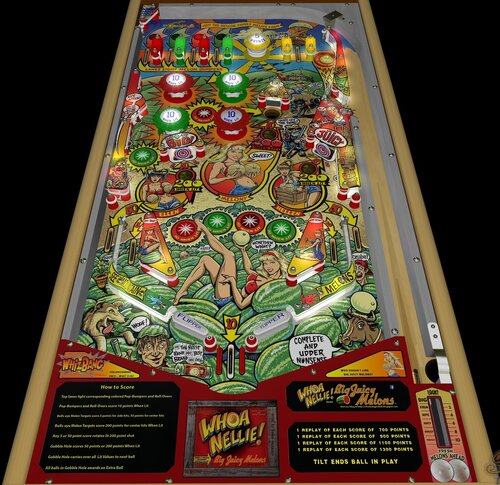
Whoa Nellie! Big Juicy Melons (Whizbang Pinball-2011) (FizX3.3)
By Popotte
Whoa Nellie! Big Juicy Melons (Whizbang Pinball, 2011) FizX3 v1.00
IPDB No. 5863
NOTES:
This table is from moogster66 and me.
From IPDB:
This is a converted game using Gottlieb's 1957 'Continental Cafe' and with its rules slightly adjusted. A new backglass and playfield were created. Three units were made using a solid state "Pinkit MPU" and one prototype was made using an EM score motor. All four games used four score reels.
This reproduction concerns the first prototype, namely the pure EM
You must have BAM 365 or higher in order to play this table.
You can toggle (by the toggle HUD key) the HUD reel.
You access to the adjustment menu by the Special2Key in order to manage:
- balls number,
- scrolling,
- tilt handling: normal FP's way (8 warning allowed), liberal (16 warnings allowed), and not tilt,
- reset high score entries,
- automatic ball lift.
- use arrows for plunger
RULES:
Top lanes light corresponding colored Pop-Bumpers and Roll-Overs
Pop Bumpers and Roll-Overs score 10 points When Lit
Bulls-eye Melon Targets score 5 points for side hits, 50 points for center hits
Bulls-eye Melon Targets score 200 points for center hits When Lit
Any 5 or 50 points score rotates lit 200 point shot
Gobble Hole scores 50 points or 200 points When Lit
Gobble Hole carries over all Lit Values to next ball
All balls in Gobble Hole awards an Extra Ball
IPDB HIGHLIGHTS:
Date Of Manufacture: October, 2011
Production: 4
Notable Features:
Flippers (2), Pop bumpers (4), Passive bumper (1), Slingshots (2), Star rollovers (8), Bullseye targets (2), Gobble hole (1), Free ball return lane. 3 or 5 ball play.
Design by: Dennis Nordman
Art by: Greg Freres
127 downloads
(0 reviews)0 comments
Submitted
-
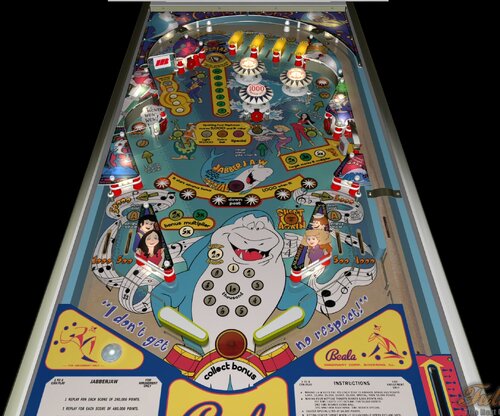
Jabberjaw (Original) (FizX3.3)
By Popotte
NOTES:
BAM 357 or higher is required in order to play this table.
MOD UNAUTHORIZED WITHOUT EXPLICIT PERMISSION FROM THE AUTHORS
You can access to the menu with the Special2 Key in order to set the dip switches:
- balls per game,
- scrolling,
- reset to recommanded settings,
- mode,
- J-A-W Special,
- saucer Special,
- saucer value,
- Neptune targets,
- bumper score,
- reset High Score to Date,
- tilt handling,
- reset High Score entries.
RULES:
* Making J-A-W lites one rollover star to advance bonus and scores 5,000, 10,000, 15,000, 25,000, Special, then 30,000 points.
* Making four Neptune targets scores 5,000 points and:
1st time lights left outlane for 50,000 points.
2nd time scores Extra Ball.
3rd and each additional time scores Special.
* Saucer Special lites at 14,000 points.
* Hitting center target when lit occasionally opens outlane gate.
* Center bumper scores 1,000 points.
* Drop target lites 2X, 3X & 5X bonus multipliers. Upper gate resets target.
* Spinner advances bonus every 5 spins.
* Special when lit awards one replay.
* Maximum 1 Extra Ball per ball in play.
* Tilt penalty - ball in play.
127 downloads
-
Backglass.thumb.jpg.f1847d539aad17cca10ff071a612e855.jpg)
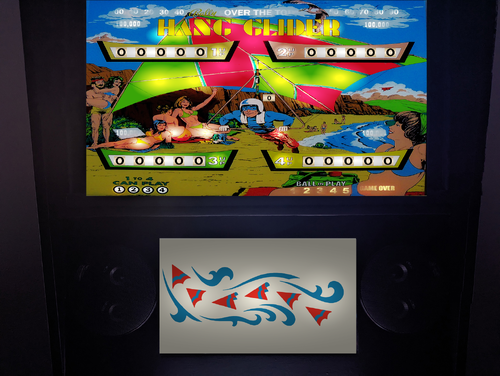
HangGlider (Bally 1976).zip
By Popotte
Updon719: playfield
Popotte: backglass, plastics, script
MOD UNAUTHORIZED WITHOUT EXPLICIT PERMISSION FROM THE AUTHORS
You can access to the menu with the Special2Key.
You can toggle (by the toggle HUD key) the HUD reel.
If you use arrows for plunger (optional), you have to use arrow down and arrow up (customisable) in order to pull or push the plunger.
RULES:
* Insert coin and wait for machine to reset before inserting coin for next player.
* Each target knocked down lites a center saucer kite.
* Center saucer advances bonus 1000 for each lit kite.
* Knocking all targets down lites center saucer to score 1 extra ball.
* Knocking all targets down 2nd and each additional times lite center saucer to score special.
* 1 replay for ball in saucer when lit for special.
* Bottom out lanes lite to score special when bonus reaches 15,000.
* 1 replay for ball thru out lane when lit.
* Maximum - 1 extra ball per ball in play.
Tilt penalty * ball in play.
* 1 replay for each player matching last two numbers on score reels with number wich lights on backglass at end of game.
243 downloads
-
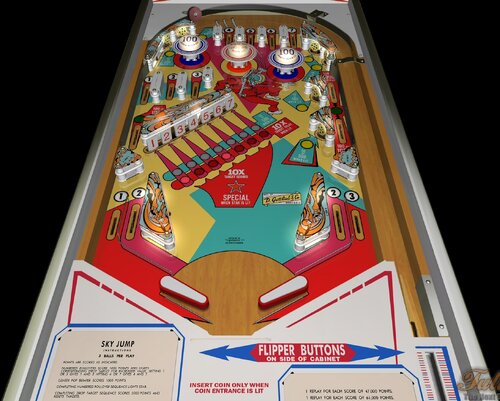
Sky Jump (Gottlieb-1974) (FizX3.3)
By Popotte
Sky Jump (Gottlieb - 1974)
IPDB No. 2195
NOTE
You must have BAM with 3.57 version or higher
You can toggle (by the toggle HUD key) the HUD reel.
You access to the ajustment menu by the Special2Key in order to manage:
- balls per game,
- scrolling,
- difficulty (from easy to hard),
- tilt handling: normal FP's way (8 warning allowed), liberal (16 warnings allowed), and not tilt,
- reset high score entries,
- automatic ball lift.
- 10X multiplier lights
Wayne Neyens told us that the N188PA on the backglass airplane is the registration number of the plane that his son owned around the time of this game. Wayne told the artist to put this number on the backglass airplane as a lark.
RULES:
POINTS ARE SCORED AS INDICATED
NUMBERED ROLLOVERS SCORE POINTS AND LIGHTS CORRESPONDING DROP TARGET FOR INCREASED VALUE. FOR 3 BALLS GAME: HITTING 1 OR 3 GIVES 1 AND 3 AND HITTING 4 OR 7 GIVES 4 AND 7
CENTER POP BUMPER SCORES 1000 POINTS
COMPLETING DROP TARGET SEQUENCE SCORES 5000 POINTS AND RESETS TARGETS
SPECIAL SCORES 1 REPLAY
MATCHING LAST TWO NUMBERS IN SCORE TO NUMBER THAT APPEARS ON BACK GLASS AFTER GAME IS OVER SCORES 1 REPLAY
IPDB HIGHLIGHTS:
Date Of Manufacture: May, 1974
Production: 4 200 units (confirmed)
Notable Features: Flippers (2), Pop bumpers (3), Slingshots (2), 7-bank drop targets (1), Standup targets (6).
Maximum displayed point score is 99,990 points.
Sound: 3 chimes, knocker.
Design by: Ed Krynski
Art by: Gordon Morison
90 downloads
(0 reviews)0 comments
Submitted
-
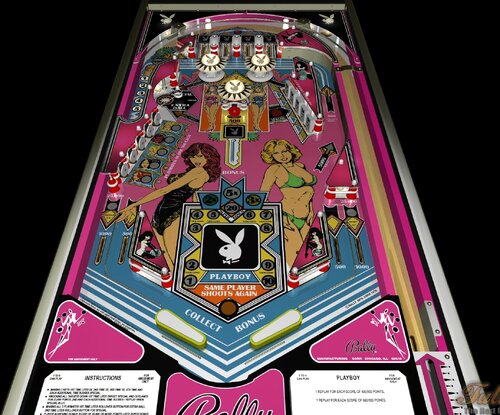
Playboy (Bally-1978)
By Popotte
Playboy (Bally, 1978)
IPDB No. 1823
NOTE:
You must have BAM with 3.57 version or higher
A table from Popotte & Mike Mills from CPR (Classic Playfield Reproductions)
You can toggle (by the toggle HUD key) the HUD reel.
You access to the ajustment menu by the Special2Key in order to manage:
- balls per game,
- scrolling,
- difficulty (from easy to hard),
- tilt handling: normal FP's way (8 warning allowed), liberal (16 warnings allowed), and not tilt,
- reset high score entries,
- all of the main switches
RULES:
* Making 5 keys 1st time lites 2X, 2nd time 3X, 3rd time 5X, 4th and each additional time scores Special.
* Knocking all targets down 1st time lites target Special and outlanes for 25,000 points, 2nd and each additional time scores 1 replay when Special is lit.
* Making all 5 playmates 1st time lites rollover button for extra ball. 2nd time lites rollover button for Special.
* Player achieving bonus score of 20,000 or more points lites super bonus. Bonus score starts at 20,000 points when super bonus is lit.
* Maximum - 1 extra ball per ball in play.
* Tilt penalty - ball in play.
Rules are depending on dip switches...
IPDB HIGHLIGHTS:
Date Of Manufacture: December, 1978
Production: 18 250 units (confirmed)
Notable Features: Flippers (2), Pop bumpers (3), Slingshots (2), Standup targets (6), 5-bank drop targets (1), Star rollover (1), Upper left kickback lane (the Grotto)
Design by: Jim Patla
Art by: Paul Faris
160 downloads
(0 reviews)0 comments
Submitted
-
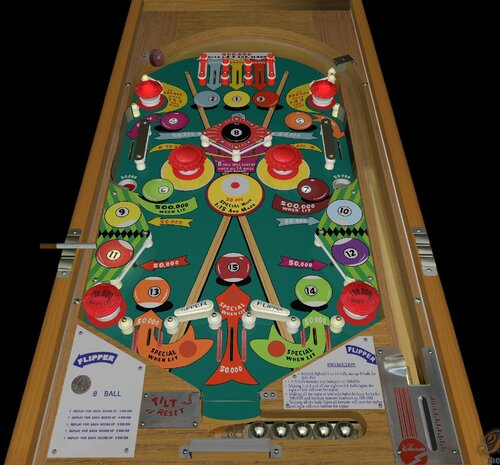
8 Ball (WIlliams-1952) (FizX3.3)
By Popotte
8 Ball (Williams, 1952)
IPDB No. 765
NOTES:
You must have BAM 365 or higher in order to play this table.
You can toggle (by the toggle HUD key) the HUD reel.
You access to the ajustment menu by the Special2Key in order to manage:
- scrolling,
- tilt handling: normal FP's way (8 warning allowed), liberal (16 warnings allowed), and not tilt,
- reset high score entries,
- automatic ball lift.
- use arrows for plunger
- flippers: original (both flippers are actuated), normal handling
RULES:
Making lighted 1 to 14 balls sets up 8 ball for skill shot
Making 1-2-3 and all the right or left balls lights the right or left roll over for replay
Making all the right or left balls lights kickout holes for 500,000 and increase bottom bumpers to 100,000
Making all the balls lights all bottom roll over for replay and light roll ovr button for replay
IPDB HIGHLIGHTS:
Date Of Manufacture: February, 1952
Production: Unknown
Notable Features:
Reversed flippers (2), Pop bumpers (2), Passive bumpers (4), Kick-out holes (2). Tilt penalty is ball in play, tilt is reset by ball passing through rollunder wire at bottom of playfield below flippers.
Design by: Harry Williams
Art by: George Molentin
66 downloads
(0 reviews)0 comments
Submitted
-
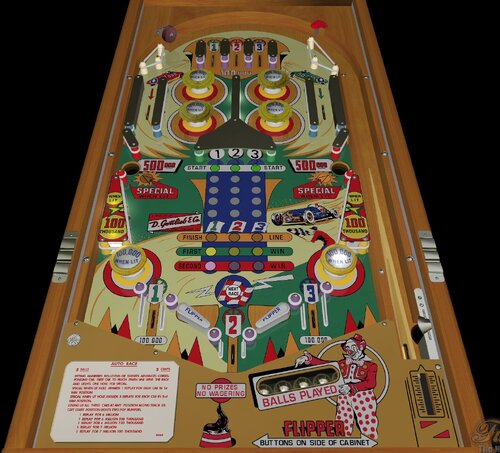
Auto Race (Gottlieb-1956) (FizX3.3)
By Popotte
Auto Race (Gottlieb, 1956)
IPDB No. 112
NOTES:
You must use BAM 365 or higher
You can access to the menu with the Special2Key.
You can toggle (by the toggle HUD key) the HUD reel.
If you use arrows for plunger (optional), you have to use arrow down and arrow up (customisable) in order to pull or push the plunger.
You have to lift manually the balls with the Special1Key or set in the menu "Automatic Ball Lift" to yes.
RULES:
Hitting numbered rollovers or targets advances corresponding car. First car to reach finish line wins the race and lights one hole for special.
Special when lit awards 1 replay for each car in 1st win position.
Special when lit awards 3 replays for each car in 2nd win position.
Lining up all three cars in any position along track except start position lights two pop bumpers.
IPDB HIGHLIGHTS:
Date Of Manufacture: September, 1956
Production: 1,500 units (confirmed)
Notable Features:
Flippers (2), Pop bumpers (4), Passive bumpers (2), Slingshots (2), Standup targets (3), Gobble holes (2). Hit center targets or rollovers to advance each of three cars to complete races and light gobble holes alternately for Special. Each ball into gobble hole when lit for Special can award up to nine replays, depending on how many races were completed.
Design by: Wayne Neyens
Art by: Roy Parker
Notes: The backglass carries Gottlieb's famous phrase: Amusement Pinballs, as American as Baseball and Hot Dogs!
71 downloads
(0 reviews)0 comments
Submitted
-
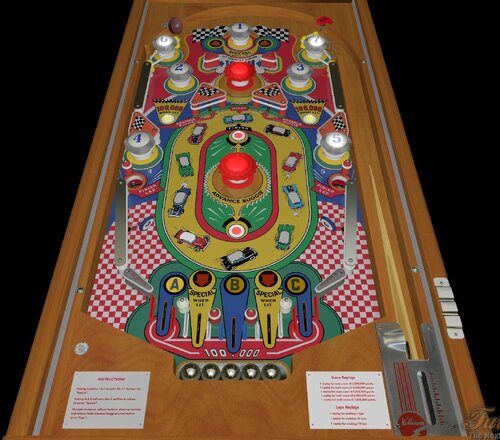
Struggle Buggies (Williams-1953) (FizX3.3)
By Popotte
Struggle Buggies (Williams - 1953) FizX3 v1.00
IPDB No. 2407
NOTES:
MOD UNAUTHORIZED WITHOUT EXPLICIT PERMISSION FROM THE AUTHOR
You must use BAM 365 or higher
You can access to the menu with the Special2Key.
You can toggle (by the toggle HUD key) the HUD reel.
If you use arrows for plunger (optional), you have to use arrow down and arrow up (customisable) in order to pull or push the plunger.
You have to lift manually the balls with the Special1Key or set in the menu "Automatic Ball Lift" to yes.
RULES:
* Making numbers 1 to 7 in order lite n°1 bumper for "Special".
* Making A-B-C rollovers lites 2 additional rollover lanes for "Special".
* Thumper bumpers, rollover buttons, stand up switches and kickout holes advance buggy around track to score "Laps".
IPDB HIGHLIGHTS:
Date Of Manufacture: November 20, 1953
Production: Unknown
Notable Features:
Flippers (2), Pop bumpers (2), Passive bumpers (7), Slingshots (2), Kick-out holes (2). Has four dummy zero score reel segments.
Design by: Harry Mabs
Art by: George Molentin
Notes: We previously showed the designer was Harry Williams. The manufacturer’s original playfield drawing (not shown here) is dated 9/22/53 and is signed by (Harry) Mabs.
59 downloads
(0 reviews)0 comments
Submitted
-
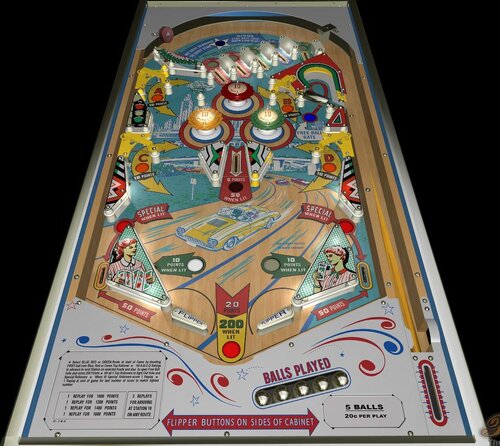
Cross-Country (Bally-1963) (FixZ 3.3)
By Popotte
MOD UNAUTHORIZED WITHOUT EXPLICIT PERMISSION FROM THE AUTHOR
You can access to the menu with the Special2Key.
You can toggle (by the toggle HUD key) the HUD reel.
You have to press the Special1Key in order to lift the ball.
You can use arrows for plunger. You have to use arrow down and arrow up (customisable) in orfer to pull or push the plunger.
Rules:
* Select BLUE, RED or GREEN Route at start of game by shooting FIRST ball over Blue, Red or Green Rollover
* Hit A-B-C-D Swings to advance to next Station on selected Route and also open Free Ball Gate and score 200 Points
* Hit all 5 Top Rollovers to light Out Hole and Special Rollovers
* When lit Special Rollovers score 1 Replay
* 1 Replay at end of game for last number of score to match lighted number
3 REPLAYS FOR ARRIVING AT STATION 10 ON ANY ROUTE
IPDB HIGHLIGHTS:
Date Of Manufacture:March, 1963
Production:500 units (confirmed)
Notable Features:Flippers (2), Pop bumpers (3), Rollunders (4), Free ball gate. Rebounding skill shot. At start of game, shooting the red, green, or blue rollover selects the cross country route. Rollunder gates advance route. Reaching the end of the route awards a free game. This is a carry-over feature from game to game. This can also be set to award 2 replays or 3 replays at the operator's option.
Design by:Ted Zale
125 downloads
(0 reviews)0 comments
Updated
-
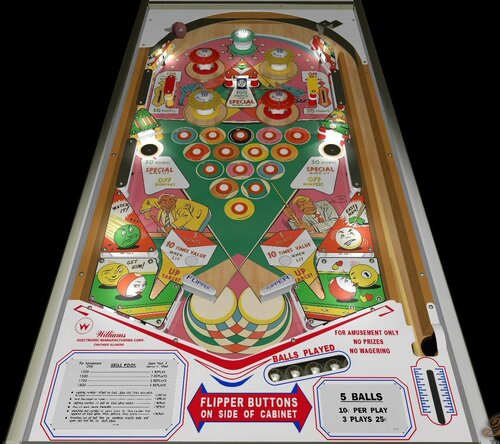
Skill Pool (Williams-1963) (FizX3.3)
By Popotte
Skill Pool (Williams-1963) FizX 3.3 V1.00
IPDB No. 2182
NOTES:
MOD UNAUTHORIZED WITHOUT EXPLICIT PERMISSION FROM THE AUTHOR
You can access to the menu with the Special2Key.
You can toggle (by the toggle HUD key) the HUD reel.
If you use arrows for plunger (optional), you have to use arrow down and arrow up (customisable) in order to pull or push the plunger.
Rules (adjustable via the menu):
Lighting number 10 ball on backglass lites holes alternately to score 1 replay
And lites target to score 1 replay
Lighting number 15 ball on back glass scores 1 replay
And on each rerack thereafter 1 replay
Matching last number in point score to lited number that appears on back glass when game is over, scores 1 replay
Knocking out all ball lites on playfield, reracks balls and spots next ball lite, on back glass
IPDB HIGHLIGHTS:
Date Of Manufacture:June 04, 1963
Production:2,250 units (confirmed)
Notable Features:Flippers (2), Pop bumpers (4), Passive bumper (1), Slingshots (2), Rollover buttons (15), Gobble holes (2), Drop target (1), Ball kickers (2). Complete fifteen rollover buttons to score a rack. Completed racks tracked by backglass light animation. Reverse wedge head. 3 or 5 ball play.
Maximum displayed point score is 1,999 points.
Design by:Steve Kordek
Art by:Unknown
Notes:
144 downloads
(1 review)0 comments
Updated
-
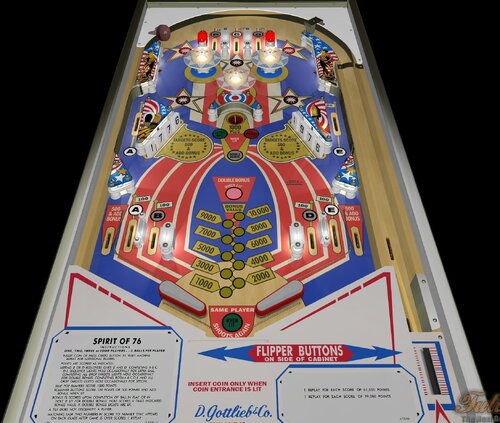
Spirit of 76 (Gottlieb-1975) (FizX3.3)
By Popotte
Spirit of 76 (Gottlieb, 1975) FizX 3.3 V1.10
IPDB No. 2293
NOTES:
You must use BAM 365 or higher
MOD UNAUTHORIZED WITHOUT EXPLICIT PERMISSION FROM THE AUTHORS
You can access to the menu with the Special2Key.
You can toggle (by the toggle HUD key) the HUD reel.
If you use arrows for plunger (optional), you have to use arrow down and arrow up (customisable) in order to pull or push the plunger.
RULES:
Insert coin or press credit button to reset machine. Repeat for additional players.
Points are scored as indicated.
Hitting B or D gives B and D (3 balls game).
Completing A-B-C-D-E sequence lights hole occasionally for extra ball. Completing all drop targets lights hole occasionally for double bonus. Completing both A-B-C-D-E and all drop targets lights hole accasionally for special.
Blue pop bumpers score 1000 points (3 balls game).
Rollover buttons score 100 points or 500 points and add bonus when lit.
Bonus is scored upon completion of ball in play or in hole if lit for double bonus. Hole scores 4 times indicated bonus value if double bonus lights are lit.
A tilt does not disqualify a player.
Matching last two numbers in score to number that appears on back glass after game is over scores 1 replay.
Free replays depend on the difficulty level chosen
IPDB HIGHLIGHTS:
Date Of Manufacture: December, 1975
Production: 10,569 units (confirmed)
Notable Features:
Flippers (2), Pop bumpers (3), Star rollovers (5), 4-bank drop targets (2), Kick-out hole (1), Left and right dual inlanes, Half-moon credit window. End-of-ball bonus. No slingshots.
Replay wheel maximum: 9
Sound: 3 chimes, knocker.
Design by: Ed Krynski
Art by: Gordon Morison
Notes: 'Spirit of 76' introduced a larger (taller) Gottlieb coin door than games that preceded it, thus the cabinet was deeper as well, making the front legs shorter.
The 2-player version of this game is Gottlieb's 1976 'Pioneer'. A special 2-player Add-a-ball version, Gottlieb's 1976 'New York', was made in celebration of the 1976 lifting of the laws that had banned pinball in New York.
Wayne Neyens told the story at Expo 2005 of back when 'Spirit of 76' was being produced, he and a few colleagues were enjoying after-dinner conversation with Judd Weinberg, the president of D. Gottlieb and Company. While Wayne's colleagues predicted a production run of 2,500 games, or 3,000 games, and other numbers in this range, Wayne remained silent. Judd noticed this and asked Wayne to give his prediction of how long the run would last. When Wayne confidently stated the number would be 10,000 games, an amused Judd promised that if it went that high, he personally would deliver one of the games to Wayne's door. Wayne says that the serial numbering of 'Spirit of 76' began at 3001, and it was serial number 13000 that was stamped on the machine that Judd delivered to Wayne in recognition of the 10,000th game produced. It was the only game that Wayne owned but is now with the Pacific Pinball Museum.
According to Gottlieb production run data identified by Wayne Neyens as handwritten by Bob Malvasio, Gottlieb made 268 Sample games in 1975, then made 10,300 Production games in 1975-76, and 1 game in 1977, for a total of 10,569 games of 'Spirit of 76'. This would account for the known Sample games all having serial numbers that precede 3001, the acknowledged starting number of Production games.
67 downloads
(0 reviews)0 comments
Submitted
-
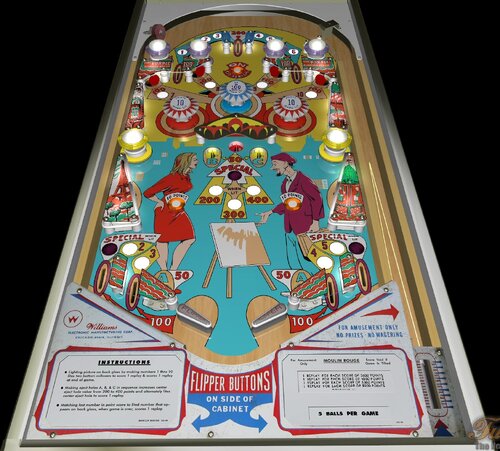
Moulin Rouge (WIlliams-1965) (FizX3.3 V1.00)
By Popotte
Moulin Rouge (Williams, 1965) FizX3.2 v1.00
IPDB No. 1634
NOTES:
MOD UNAUTHORIZED WITHOUT EXPLICIT PERMISSION FROM THE AUTHOR
You can access to the menu with the Special2Key.
You can toggle (by the toggle HUD key) the HUD reel.
If you use arrows for plunger (optional), you have to use arrow down and arrow up (customisable) in order to pull or push the plunger.
RULES:
Lighting picture on back glass by making numbers 1 thru 10 lites two bottoms rollovers to score 1 replay & scores 1 replay at end of game.
Making eject A, B, & C in sequence increases center eject hole value from 200 to 400 points and alternaty lites center eject hole to score 1 replay.
Matching last number in point score to lited number that appears on back glass, when game is over, score 1 replay.
IPDB HIGHLIGHTS:
Date Of Manufacture: May, 26 1965
Production: 1,325 units (confirmed)
Notable Features:
Flippers (2), Pop bumpers (3), Passive bumpers (6), Slingshots (2), Kick-out holes (5), Standup targets (4). Illuminated backglass marquee. Backglass light animation (scene lights up in segments as playfield objectives achieved). Drop-down cabinet.
Design by: Norm Clark
Art by: Art Stenholm
Notes:
The manufacturer flyer shows on the playfield what looks like a light shield over the center kick-out holes and in the shape of a chevron. This part is not found on production games. However, in this listing is a game located in France having serial number 19267 and it does have this chevron part on its playfield. It is made of metal and carries the Williams part number 1B-3649. That part number is a valid Williams format and, although we did not find it listed in the Williams 1969 Parts Catalog, we assume that it was discontinued during production of this game thus was not made available for operators to order. Serial number 19267 is numerically low when compared to other serial numbers for this game of which we are aware so we have marked this game as Early Production. Its upper playfield light shields have different text than on later production games. There is a mini-post between the flippers but we did not seen one on the game on the manufacturer's flyer. This game has a blue stripe in the ball shooter lane extending along the top ball arch, and we are advised that adding this kind of stripe was a practice of the French operators.
50 downloads
(0 reviews)0 comments
Submitted
-
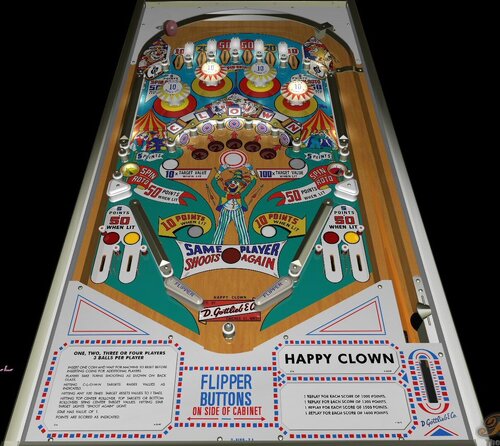
Happy Clown (Gottlieb-1964) (FizX3.3 V1.00)
By Popotte
Happy Clown (Gottlieb, 1964) FizX 3.3 V1.00
IPDB No. 1114
NOTES:
You must use BAM 365 or higher
MOD UNAUTHORIZED WITHOUT EXPLICIT PERMISSION FROM THE AUTHORS
You can access to the menu with the Special2Key.
You can toggle (by the toggle HUD key) the HUD reel.
If you use arrows for plunger (optional), you have to use arrow down and arrow up (customisable) in order to pull or push the plunger.
You have to lift manually the balls with the Special1Key or set in the menu "Automatic Ball Lift" to yes.
RULES:
Insert one coin and wait for machine to reset before inserting coins for aditional players.
Players take tuns shooting as shown on backglass.
Hitting C-L-O-W-N targets raises values as indicated.
Hitting any 100 times target resets value to 1 times.
Hitting top center rollover, top targets or bottom rollovers spins center target values. Hitting star target lights "shoot agaib" light.
Star has value of 1.
Points are scores as indicated.
Free replays depend on the difficulty level chosen
IPDB HIGHLIGHTS:
Date Of Manufacture: November, 1964
Production: 3,235 units (confirmed)
Notable Features:
Flippers (2), Pop bumpers (4), Slingshots (2), Standup targets (7), Kick-out holes (2), Projection roto unit under playfield, Stationary post between flippers, Backbox animation (illuminated clown face bounces up and down whenever 1-point values are scored).
Maximum displayed point score is 1,999 points per player.
Replay wheel maximum: 26
Sound: 3 bells, knocker.
Design by: Wayne Neyens
Art by: Roy Parker
Notes: Gottlieb documentation unusually shows two production runs for this game:
November 1964 for a quantity of 2,825 games.
February 1965 for a quantity of 410 games.
The game in the manufacturer's flyer shows a ball shooter with a plastic beehive escutcheon. Machines from later in production reportedly had the beehive replaced with the newer full metal plunger housing (flat, not beehive) and a heavier duty ball lift. The two production run quantities may coincide with this change of shooter escutcheon. There may be other differences between the two runs of which we are not aware. Happy Clown appears to be the last Gottlieb pin game produced with the beehive escutcheon.
71 downloads
(0 reviews)0 comments
Submitted
-
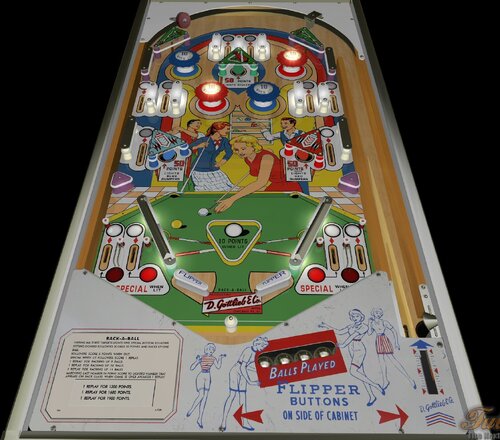
Rack aBall (Gottlieb-1962) (FizX3.3)
By Popotte
Rack-a-Ball (Gottlieb, 1962) FizX3.3 v1.00
IPDB No. 1903
NOTES:
MOD UNAUTHORIZED WITHOUT EXPLICIT PERMISSION FROM THE AUTHORS
You can access to the menu with the Special2Key.
You can toggle (by the toggle HUD key) the HUD reel.
If you use arrows for plunger (optional), you have to use arrow down and arrow up (customisable) in order to pull or push the plunger.
You have to lift manually the balls with the Special1Key or set in the menu "Automatic Ball Lift" to yes.
RULES:
Hitting all three targets lights one special bottom rollover.
Hitting lighted rollovers scores 50 points and racks up one ball.
Rollover score 5 points when out.
1 replay for racking up 9 balls.
1 replay for racking up 10 balls.
1 replay for racking up 11 balls.
Matching last number in point score to lighted number that appears on back glass when game is over awards 1 replay.
IPDB HIGHLIGHTS:
Date Of Manufacture: December, 1962
Production: 2,700 units (confirmed)
Notable Features:
Flippers (2), Pop bumpers (4), Slingshots (2), Standup targets (3), Stationary post below flippers. Mechanical backbox animation (billiard balls added). Wedge head. 5 ball play.
Maximum displayed point score is 1,999 points.
Replay wheel maximum: 26
Sound: 3 bells, knocker.
Design by: Wayne Neyens
Art by: Roy Parker
Notes:
There is no 3/5 ball option on this game or in the schematic.
Same playfield layout as Gottlieb's 1964 'Bowling Queen' and Gottlieb's 1969 'Mibs'.
51 downloads
(0 reviews)0 comments
Submitted
-
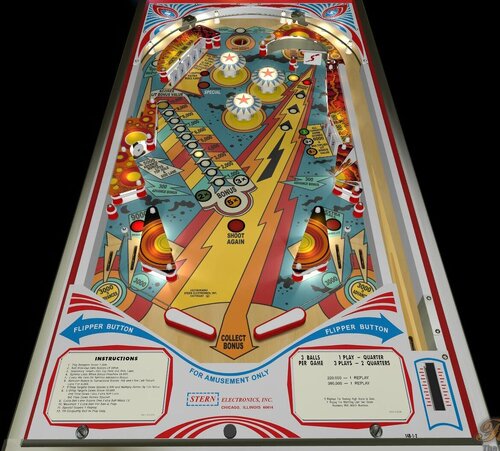
Lectronamo (Stern-1978) (FizX3.3)
By Popotte
Lectronamo (Stern-1978) FizX 3.3 V1.00
IPDB No. 1429:
NOTES:
Martin Bruncker: playfield
Popotte: plastics, back glass, script
You must use BAM 365 or higher
MOD UNAUTHORIZED WITHOUT EXPLICIT PERMISSION FROM THE AUTHOR
You can choose (by the Special1Key) to scroll or not the ball.
You can toggle (by the toggle HUD key) the HUD reel.
You access to the dip switches menu by the Special2Key.
You can read rules and switches explanations in the manual included in the .zip file.
RULES:
Bonus Score Feature:
A bonus score of 1,000 to 19,000 may be scored. The game starts with a bonus score of 1,000. The bonus score advances one step at a time, each time the ball goes into the top eject hole, every FOURTH spin of the spinning target, each time the ball goes over the rollover switch in the upper left lane. Single bonus advances are also scored when either of the two rebound rubbers are hit in the middle of the playfield or the stationary target is made. The two outlanes advance the bonus 3 steps as does the center eject when lit and the upper left lane when lit. The bonus is collected when the ball goes into the outhole or the side lane (upper left).
3 Bank DT:
Each target scores 500 points.
1st Time Down: Double Bonus is awarded. The lower 2X lite goes out when the ball goes into the outhole and the Bonus Score is collected.
2nd Time Down: Triple Bonus is awarded. The lower 3X lite goes out when the ball goes into the outhole and three times the lit Bonus Score is collected.
3rd Time Down: Five times the Bonus is awarded. The lower 5X lite goes out when the ball leaves the playfield and the Bonus Score is collected.
EVERY TIME: All drop targets are down an additional 6,000 points is awarded.
5 Bank DT Feature:
Each Target scores 500 points.
1st Time Down: Lites "Lights Extra Ball Lane"
2nd Time Down: Lites Extra Ball Lane (Right Return Lane) and lites "Score Special"
3rd Time Down: Scores Special adjustable to:
1) Go Out - 1 Special per ball
2) Open Ended - Continues to award special every time
Special Lite Feature (Adjustable to Award)
1) 1 free game
2) 1 extra ball
3) 1 free game and 1 extra ball
4) 100,000 points
EVERY TIME: All drop targets are down an additional 10,000 points is awarded.
EB Feature:
When the 5 Bank Target is made for the 2nd time, the right return lane is lit for extra ball. The ball going thru the lane when lit awards an extra ball and lites the Shoot Again lite
Rules are depending dip switches...
IPDB HIGHLIGHTS:
Date Of Manufacture:August, 1978
Production:2,423 units (confirmed)
Notable Features:Flippers (2), Pop bumpers (3), Slingshots (2), Standup targets (6), Kick-out hole (1), Spinning target (1). Ten star rollover buttons are in the shape of a rack of bowling pins. Plays a tune at start-up known in professional horseracing as "The Call to the Post".
Maximum displayed point score is 999,990 points per player.
Design by:Flippers (2), Pop bumpers (3), Slingshots (2), 5-bank drop targets (1), 3-bank drop targets (1), Spinning target (1), Kick-out hole (1), Upper left kickback lane.
Art by:Mike Kubin
Notes:First Stern game with electronic sound. Generated by the SB-100 sound board.
Service Bulletin #7A indicates this game uses the same ROMs as Stern's 1978 'Nugent'.
Pictured in this listing is a game with a narrow-neck, one of two of which we are aware. While the playfield is the same size as other games, the cabinet is almost three inches shorter than normal which required that the neck be narrower. The backbox uses three bolts instead of the usual four. An owner reports that the front leg bolts are in the same place as other Stern cabinets but the rear ones are 3/4 of a inch lower. We don't know the reason for this "narrow-neck" cabinet variation or how many of them were produced.
158 downloads
(0 reviews)0 comments
Updated
-
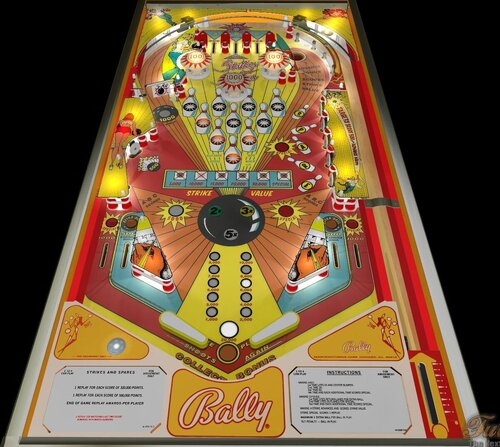
Strikes and Spares (Bally-1979) (FizX3.3)
By Popotte
Strikes and Spares (Bally-1978) FizX 3.3 V1.00
IPDB No. 2406:
NOTES:
You must use BAM 365 or higher
MOD UNAUTHORIZED WITHOUT EXPLICIT PERMISSION FROM THE AUTHOR
You can choose (by the Special1Key) to scroll or not the ball.
You can toggle (by the toggle HUD key) the HUD reel.
You access to the dip switches menu by the Special2Key.
RULES:
* Making A-B-C:
1st time lites 2x and center bumper
2nd time 3X
3rd time 5X
4th time and each additionnal time scores special
* Making S-P-A-R-E:
1st time lites return lanes for extra ball
2nd time lites outlanes for special
3rd time and each additionnal time scores special
* Making a strike advances and scores strike value
* Maximum 1 extra ball per ball in play
* Tilt penality - ball in play
Rules are depending dip switches...
IPDB HIGHLIGHTS:
Date Of Manufacture:June, 1978
Production:12,820 units (confirmed)
Notable Features:Flippers (2), Pop bumpers (3), Slingshots (2), Standup targets (6), Kick-out hole (1), Spinning target (1). Ten star rollover buttons are in the shape of a rack of bowling pins. Plays a tune at start-up known in professional horseracing as "The Call to the Post".
Maximum displayed point score is 999,990 points per player.
Design by:Gary Gayton
Art by:Kevin O'Connor
Notes:Artist Kevin O'Connor said at the 2004 Texas Pinball Festival that the girl in the backglass is a fantasy girl and was not based on an actual person.
192 downloads
-
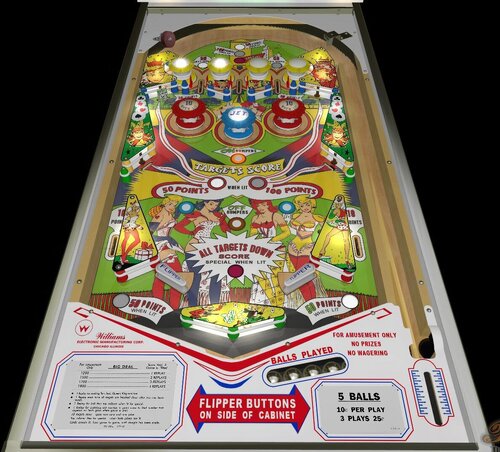
Big Deal (Williams-1963) (FizX3.3 V1.00)
By Popotte
Miss O (Williams-1969) FizX 3.3 V1.00
IPDB No. 244
NOTES:
MOD UNAUTHORIZED WITHOUT EXPLICIT PERMISSION FROM THE AUTHOR
You can access to the menu with the Special2Key.
You can toggle (by the toggle HUD key) the HUD reel.
If you use arrows for plunger (optional), you have to use arrow down and arrow up (customisable) in order to pull or push the plunger.
Rules:
1 replay for making Ten, Jack, Queen, King and Ace.
1 replay each time all targets are knocked down after Ace has been made.
1 replay for ball thru top rollover when lit for special.
1 replay for matching last number in point score to lited number that appears on back glass when game is over.
All targets done spots next card and one joker.
Top rollover lites for special when both kokers are lit.
Cards remain lit, from game to game, until straight has been made.
IPDB HIGHLIGHTS:
Date Of Manufacture: February 7, 1963
Production: 1,350 units (confirmed)
Notable Features: Flippers (2), Pop bumpers (3), Passive bumpers (4), Slingshots (2), Drop targets (4), Rollover buttons (4). Large non-kicking rebound rubber between and below flippers. Backglass has a feature awarding a Special that carries over from game to game. Backglass light animation (playing cards light up). Reverse wedge head.
Maximum displayed point score is 1,999 points.
Design by: Steve Kordek
Art by: Unknown
Notes: Upper left corner of backglass has the words "Steve's Diner", an apparent reference to designer Steve Kordek.
88 downloads
(0 reviews)0 comments
Updated
-
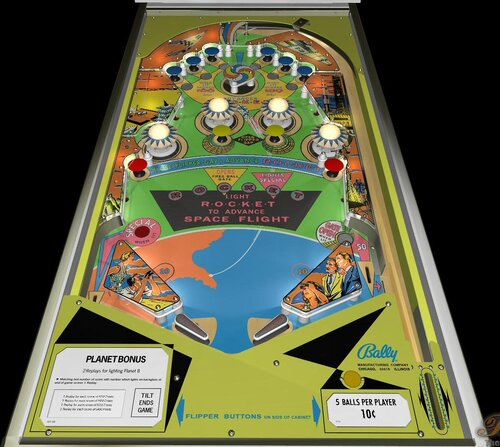
Rocket III (Bally-1967) (FizX3.3)
By Popotte
Rocket III (Bally, 1967) FizX3.3 V1.00
IPDB No. 1989
NOTES:
You can access to the menu with the Special2Key.
You can toggle (by the toggle HUD key) the HUD reel.
If you use arrows for plunger (optional), you have to use arrow down and arrow up (customisable) in order to pull or push the plunger.
RULES:
Matching last number of score with numbers wich lights on backglass at end of game scores 1 Replay.
1 or 2 Replay(s) for reaching planet 8 or 9 (depending on settings).
Tilt ends game.
IPDB HIGHLIGHTS:
Date Of Manufacture: January 24, 1967
Production: 2,603 units (confirmed)
Notable Features: Zipper flippers (2), Pop bumpers (4), Mushroom bumpers (10), Spinning bumper (1). Slingshots (2), Left outlane ball kicker. Right outlane ball return gate.
Design by: Ted Zale
Art by: Christian Marche
Notes:
The manufacturer produced the backglasses in both crystal glass and Plexiglas.
Near the center of the motor board is a 10-pin jack with a 4-pin shorting plug. This shorting plug is required for replay operation. This jack will accommodate an Add-a-ball relay, likely ordered separately by the operator, required for Add-a-ball operation. The operator would remove (and save) the shorting plug and attach the Add-a-ball relay to the nearby vacant area of the motor board, plugging it into the vacated jack. In the Files section are instructions for converting this game from Replay operation to Add-a-ball operation. The schematic refers to the "add-a-ball relay".
Early Production games (like the ones featured in the promo photo and the flyer) differ from the rest of the production run because they have no "Special" on reaching letter 'E' of 'Rocket' on the playfield, thus no Special light on the left outlane, and no left outlane kickback. Also, they feature a bottom arch with different graphics, different colors on the playfield and the cabinet (while the plastics are the same), and a different playfield glass, being the familiar sliding glass, while later in production the glass was changed to lift upwards from the front in a metal frame.
Although the games featured in the flyer and in the promo photo are normal replay games, Federico Croci, a collector in Italy, tells us that several Early Production versions were found there with no replay unit and no replay window in the backglass.
The Italian add-a-ball version is Bally's 1967 'Rocket III (Italy)'.
89 downloads
(0 reviews)0 comments
Updated
-
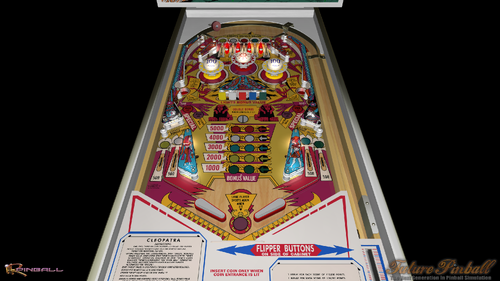
Cleopatra (Gottlieb-1979) (FizX3.3)
By Popotte
Cleopatra (Gottlieb, 1979)
IPDB No. 532
NOTES:
This table is not a Popotte table but a tomásaco table. You can choose with Special1Key the color of the DMD, and with Special2Key the appearance of the playfield and plastics. You have a full HD version and a full 4K version.
RULES:
HITTING ROLLOVERS AND CORRESPONDING DROP TARGETS INCREASES
BONUS VALUE. COMPLETING DROP TARGETS LIGHTS CENTER TARGET
ALTERNATELY. COMPLETING ROLLOVERS OR DROP TARGETS LIGHTS
BULLS-EYE TARGETS ALTERNATELY FOR “EXTRA BALL”. COMPLETING
ROLLOVERS AND DROP TARGETS LIGHTS BULLS-EYE TARGETS .
ALTERNATELY FOR “SPECIAL”.
DROP TARGET VALUE IS 1000 POINTS FOR EACH COMPLETED ROLLOVER.
CENTER POP BUMPER VALUE IS 1000 POINTS (100 POINTS FOR 5 BALLS GAME).
CENTER TARGET VALUE IS 500 OR 5000 WHEN LIT.
HOLE VALUE IS 5000 POINTS (3000 POINTS FOR 5 BALLS GAME).
IPDB HIGHLIGHTS:
Date Of Manufacture:December, 1977
Production:7,300 units (confirmed)
Notable Features:
Flippers (2), Pop bumpers (3), Slingshots (2), Standup targets (3), 5-bank drop targets (1), Kick-out holes (2). One standup target is behind the drop targets.
Sound: 3 chimes.
Design by:
Ed Krynski
Art by:Gordon Morison
Notes:First solid state game from this manufacturer.
This game was also produced as a 4-player EM version Gottlieb's 1977 'Cleopatra' and a 2-player EM version Gottlieb's 1978 'Pyramid' but with different backglass art.
204 downloads
(0 reviews)0 comments
Updated
-
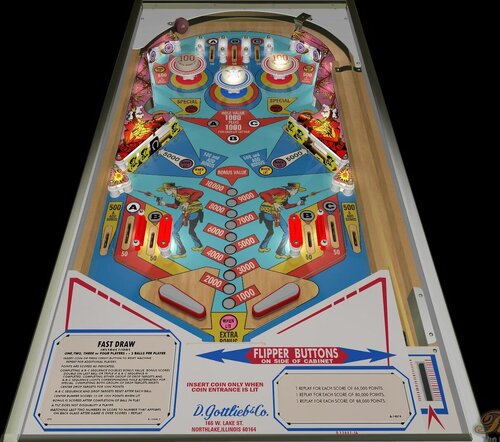
Fast Draw (Gottlieb-1975) (FizX3.3)
By Popotte
Fast Draw (Gottlieb - 1975)
IPDB No. 828
NOTES:
MOD UNAUTHORIZED WITHOUT EXPLICIT PERMISSION FROM THE AUTHOR
Cinematic for credit reel by kind permission of Greywolf
You can access to the menu with the Special2Key.
You can toggle (by the toggle HUD key) the HUD reel.
If you use arrows for plunger (optional), you have to use arrow down and arrow up (customisable) in order to pull or push the plunger.
RULES:
Insert coin or press credit button to reset machine. Repeat for additional players.
Points are scored as indicated.
Completing A-B-C sequence and either group of drop targets lights corresponding hole alternately for special. Completing both groups of drop targets resets center drop target for 5000 points.
Completing A-B-C sequence doubles bonus value (3 balls game).
Bonus scores double on last ball or triple if A-B-C sequence is completed.
A-B-C sequence and drop targets reset after each ball.
Center bumper scores 10 or 100 points (for 5 balls game, 1000 points for 3 balls game) when lit.
Bonus is scored after completion of ball in play.
A tilt does not disqualify a player.
Matching last two numbers in score to number that appears on back glass after game is over scores 1 replay.
IPDB HIGHLIGHTS:
Date Of Manufacture: April, 1975
Production: 8,282 units (confirmed)
Notable Features: Flippers (2), Pop bumpers (3), 5-bank drop targets (2) with trip arm, Standup targets (4), Kick-out holes (2), Dual inlanes, Half-moon credit window. End-of-ball bonus. No slingshots.
Maximum displayed point score is 99,990 points per player.
Replay wheel maximum: 9
Hitting all ten drop targets during a ball in play not only resets all targets but a drop target trip coil mounted on each drop target chassis operates a trip arm having four trip arm wireforms to immediately drop all eight yellow targets, leaving only the two center black targets to hit for 5000 points each. Dropping both black targets resets all ten targets then again trips the eight yellow ones to leave only the black targets for 5000 points, and this pattern will repeat until the end of the ball in play. All ten targets reset at start of next ball with none tripped.
Design by: Ed Krynski
Art by: Gordon Morison
Notes:
The 2-player version of this game is Gottlieb's 1975 'Quick Draw'.
We previously showed a date for this game of March 17, 1975. The new date is per Gottlieb documentation.
We have increased our confirmed production run quantity to include 237 Sample games produced in 1975 that were not part of the former quantity per handwritten documentation identified by Wayne Neyens as coming from Bob Malvasio, a draftsman for Gottlieb whose initials RHM can be found on schematics
97 downloads
(0 reviews)0 comments
Updated
-
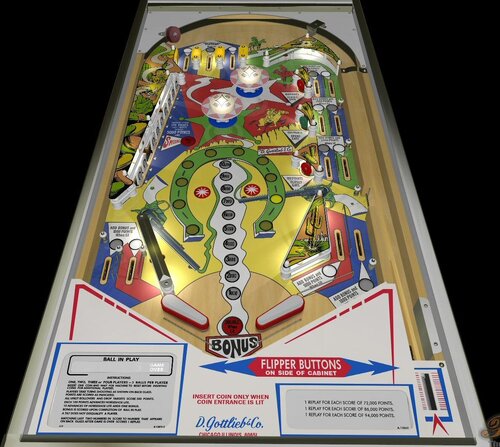
Sheriff (Gottlieb-1971) (FizX3.3)
By Popotte
Sheriff (Gottlieb, 1971)
IPDB No. 2116
NOTES:
MOD UNAUTHORIZED WITHOUT EXPLICIT PERMISSION FROM THE AUTHOR
You can access to the menu with the Special2Key.
You can toggle (by the toggle HUD key) the HUD reel.
If you use arrows for plunger (optional), you have to use arrow down and arrow up (customisable) in order to pull or push the plunger.
RULES:
INSERT ONE COIN AND WAIT FOR MACHINE TO RESET BEFORE INSERTING COINS FOR ADDITIONAL PLAYERS.
PLAYERS TAKE TURNS SHOOTING AS SHOWN ON BACK GLASS.
POINTS ARE SCORED AS INDICATED.
ALL UNLIT ROLLOVERS AND DROP TARGETS SCORE 500 POINTS.
EACH 100 POINTS ADVANCES HORSESHOE LITE.
10 ADVANCES OF HORSESHOE LITE ADDS ONE BONUS.
BONUS IS SCORED UPON COMPLETION OF BALL IN PLAY.
A TILT DOES NOT DISQUALIFY A PLAYER.
MATCHING LAST TWO NUMBERS IN SCORE TO NUMBER THAT APPEARS ON BACK GLASS AFTER GAME IS OVER SCORES REPLAY.
IPDB HIGHLIGHTS:
Date Of Manufacture:September, 1971
Production:2,900 units (confirmed)
Notable Features:
Flippers (2), Pop bumpers (2), Slingshots (2), Drop targets (10), Standup targets (3), Right outlane ball return gate. Right side of playfield has parallel lanes of serial rollovers. End-of-ball bonus.
Design by:
Ed Krynski
Art by:Gordon Morison
Notes:Also released in a 2-player version Gottlieb's 1971 'Lawman' and as a single-player Italian version Gottlieb's 1972 'Texas Ranger'. A single-player Spanish version is Maresa's 1972 'Dakota'.
Compare playfield to that of Gottlieb's 1975 'Atlantis'.
We previously showed a date for this game of October 1, 1971. The new date is per Gottlieb documentation.
109 downloads
(0 reviews)0 comments
Updated
-
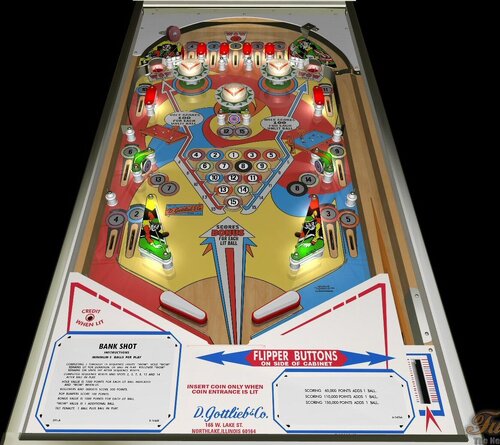
Bank Shot (Gottlieb-1976)
By Popotte
Bank Shot (Gottlieb-1976) FizX 3.3 V1.00
IPDB No. 169
NOTES:
MOD UNAUTHORIZED WITHOUT EXPLICIT PERMISSION FROM THE AUTHORS
You can access to the menu with the Special2Key.
You can toggle (by the toggle HUD key) the HUD reel.
If you use arrows for plunger (optional), you have to use arrow down and arrow up (customisable) in order to pull or push the plunger.
Rules:
Completing 1 through 15 sequence lights "WOW". Hole "WOW" remains lit for duration of ball in play. Rollover "WOW" remains on until hit after sequence resets.
Completed sequence resets and spots 2, 3, 7, 8, 13 and 14 after ball in play.
Hole value is 1000 points for each lit ball indicated and "WOW when lit.
Rollovers and targets score 500 points.
Pop bulpers score 100 points.
Bonus value is 1000 points for each lit ball.
"WOW" value 1 additional ball.
Tilt penalty, 1 ball plus ball in play.
IPDB HIGHLIGHTS:
Date Of Manufacture:March, 1976
Production:746 units (confirmed)
Notable Features:
Flippers (2), Pop bumpers (3), Slingshots (2), Standup targets (3), Kick-out holes (2). End-of-ball bonus. Wedge head.
Sound: 3 chimes.
Design by:Ed Krynski
Art by:Gordon Morison
Notes:
The replay version of this game is Gottlieb's 1976 'Sure Shot'. The Add-a-ball version for export to Italy is Gottlieb's 1976 'Spot Pool'.
Gottlieb Domestic & Export Sales Sheets for Bank Shot: 730 total
Domestic Sales: 730
Export Sales: 0
The above total does not include 16 Sample games produced in 1975 per handwritten documentation identified by Wayne Neyens as coming from Bob Malvasio, a draftsman for Gottlieb whose initials RHM can be found on schematics.
127 downloads
(0 reviews)0 comments
Updated
-
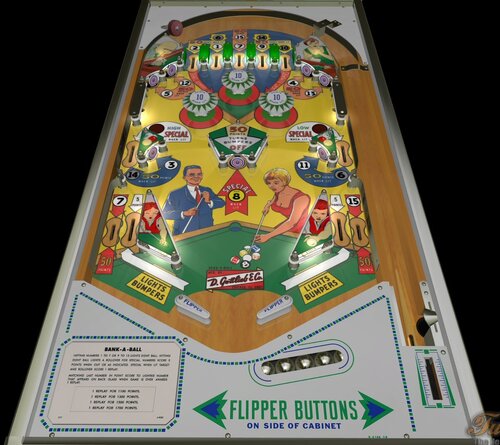
Bank a Ball (Gottlieb-1965) (FizX3.3)
By Popotte
Bank a Ball (Gottlieb, 1965)
IPDB No. 170
NOTES:
MOD UNAUTHORIZED WITHOUT EXPLICIT PERMISSION FROM THE AUTHORS
You can access to the menu with the Special2Key.
You can toggle (by the toggle HUD key) the HUD reel.
If you use arrows for plunger (optional), you have to use arrow down and arrow up (customisable) in order to pull or push the plunger.
You have to use the Special1Key in order to lift the ball or to choose automatic ball lift in the menu.
Menu in order to manage:
- balls per game,
- scrolling,
- difficulty with 3 levels: easy, normal (recommended by Gottlieb), hard,
- bumpers adjustment, based on match unit: bumpers are lit more or less frequently,
- reset high score entries,
- use arrows (up and down) for plunger,
- tilt handling: normal FP's way (8 warning allowed), liberal (16 warnings allowed), and not tilt,
- Automatic ball lift (for lazy boys).
Click to expand...
RULES:
Hitting rollovers increases score of corresponding holes.
Holes light intermittently after each hole sequence is completed.
Hitting four clubs lights top center rollover occasionally for special.
Special when lit hole or special when lit rollover scores 1 replay.
Rollovers score 5 points.
Matching last number in point score to lighted number that appears on backglass when game is over awards 1 replay
IPDB HIGHLIGHTS:
Date Of Manufacture:September, 1965
Production:3,400 units (confirmed)
Notable Features:
Flippers (2), Pop bumpers (3), Slingshots (2), Standup targets (7). Two backbox animations: at start of game, billiard table in backglass shows all balls lit up and all mechanical balls above it are reset out of view. Hitting lit numbered target on playfield turns off corresponding lit ball in backglass and mechanically drops that ball into view.
Maximum displayed score is 1,999 points.
Replay wheel maximum: 15
Sound: 3 bells, knocker
Design by:Ed Krynski
Art by:
Roy Parker
Notes:
The Add-a-ball version of this game is Gottlieb's 1965 'Flipper Pool'.
'Bank-A-Ball' was the first pinball machine produced with flipper return lanes, which are wireforms that allow the ball to roll behind the slingshot and towards a waiting flipper. According to the book All About Pinball, Paradise and its add-a-ball version Pleasure Isle were the first games designed to have return lanes. However, Gottlieb rescheduled the production of Bank-A-Ball so that it could be released first.
Pictured in this listing are Early Production playfields that match the playfield shown in the manufacturer's flyer. The return lane white arrows show the words "Lights Bumpers" in them. Also, the lower playfield shows the 8-ball as an actual illuminating insert. Sometime during production, the words were moved to be below the arrows and the illuminating insert was removed, leaving the 8-ball painted on solid wood. One example we picture shows a certificate with serial number 01072. We know that Sample games do not show the 'S' designation on the certificate but only show it stamped into the wood of the cabinet. It's possible this game is a Sample.
The backbox on this game is sufficiently crowded with mechanisms such that there was no room on the back of the insert for the connector jacks to be installed to allow the playfield plugs to connect to them there. Instead, the connectors were placed onto a separate "plug mounting panel" that just hangs down into the cabinet through the access hole between the backbox and the cabinet. Because of this, Gottlieb affixed to the inside bottom of the backbox an Assembly Instructions card to assist the operator with proper placement of this separate panel to allow the insert to be lowered to its service position without obstruction. The example card pictured here is A-9487-1 and was stapled inside a Bank-A-Ball backbox even though the card carries the Model Number 222 for the game that immediately preceded it in production, the 4-player Gottlieb's 1965 'Dodge City'.
95 downloads
(0 reviews)0 comments
Updated

.thumb.png.557350d1c3d2c33f9858e4f7b4ca12ae.png)
.thumb.png.559ffeefc18faf238c9a03f881e135dd.png)
.thumb.webp.0bf173c9897e6a0abb31dc0860d65739.webp)
.thumb.png.0d6edd49266048ee1998af124c7af1d1.png)
.thumb.png.678791bf85dc22bd18eef01a9d31ba8f.png)








Illuminated.thumb.png.d6fa09b724b6e29a5df6c2ff5f158c5b.png)
.thumb.jpg.e4d1136d8f00f0cfa812a8795e6f1d47.jpg)
.thumb.png.08a22dbcead2fb04268be37adc9de545.png)
.thumb.png.01beb8826637bdf57154f8d5dafc7368.png)



JGBMod.thumb.jpg.31636f935b2d3cd9bb24d4b84a750c80.jpg)
AltPlayfield.thumb.png.868677014248e937cbe5681c68927b46.png)
.thumb.png.f3c8ee56bb379022851b5d021a92280d.png)


FullDMD.thumb.png.5354ac01dd7326f018cb4b299e8b57b4.png)
PuPPackFullDMD.thumb.jpg.4156b2f0c6328fc077d11c85d1c493db.jpg)
FullDMD.thumb.jpg.74cdf5c1eca92292ce46ff2ea9b286b5.jpg)

.thumb.png.1a81dc1ccde939ea789a9a84db0d18b0.png)
.thumb.png.442708ce6451dbc3a6afbcb8a06e700c.png)
Rules.thumb.png.96a398ac8d695b718e02307891276af4.png)
.thumb.jpg.753f020abf0f7058e8d768c9efcae031.jpg)
PuPPackWheel.thumb.png.372e0e8fced0cbdf51393114d51e7fc2.png)
Wheel.thumb.png.554abc70419661c5258e51147f845c04.png)

.thumb.png.2000494a722ff5f7151fd5eb14463abc.png)