390 files
-
_PF.thumb.jpg.491cd050afe103e703532ec90686b262.jpg)
Star-Jet (Bally-1963)
By Popotte
NOTES:
MOD UNAUTHORIZED WITHOUT EXPLICIT PERMISSION FROM THE AUTHOR
You must use the "L" key in order to lift the ball.
You can toggle (by the toggle HUD key) the HUD reel.
You access to the dip switches menu by the Special2Key.
RULES (replay mode):
> 1st AND 3rd PLAYERS PLAY SOLID BALLS 1 THRU 7, 2nd AND 4th PLAYERS
PLAY STRIPED BALLS 9 THRU 15.
> 8 BALL TARGET LITES WHEN ALL SOLID OR ALL STRIPED BALLS ARE MADE
> MAKING 8 BALL LITES RIGHT OUTLANE TO SCORE SPECIAL.
> 1 REPLAY FOR BALL THRU RIGHT OUTLANE WHEN LIT FOR SPECIAL.
> PLAYER MAKING 8 BALL QUALIFIES FOR SUPER BONUS ON HIS OR HER FOLLOWING
BALL IN PLAY.
> TILT PENALTY _ BALL IN PLAY.
> MAXIMUM _ 1 EXTRA BALL PER BALL IN PLAY.
176 downloads
(0 reviews)0 comments
Updated
-
_PF.thumb.jpg.c58459b82184b59da48c8e7472994573.jpg)
Kings & Queens (Gottlieb-1965)
By Popotte
MOD UNAUTHORIZED WITHOUT EXPLICIT PERMISSION FROM THE AUTHORS
You can access to the menu with the Special2Key.
You can toggle (by the toggle HUD key) the HUD reel.
If you use arrows for plunger (optional), you have to use arrow down and arrow up (customisable) in order to pull or push the plunger.
You have to use the Special1Key in order to lift the ball or to choose automatic ball lift in the menu.
Menu in order to manage:
- balls per game,
- scrolling,
- difficulty with 3 levels: easy, normal (recommended by Gottlieb), hard,
- bumpers adjustment, based on match unit: bumpers are lit more or less frequently,
- reset high score entries,
- use arrows (up and down) for plunger,
- tilt handling: normal FP's way (8 warning allowed), liberal (16 warnings allowed), and not tilt,
- Automatic ball lift (for lazy boys).
RULES:
Hitting rollovers increases score of corresponding holes.
Holes light intermittently after each hole sequence is completed.
Hitting four clubs lights top center rollover occasionally for special.
Special when lit hole or special when lit rollover scores 1 replay.
Rollovers score 5 points.
Matching last number in point score to lighted number that appears on backglass when game is over awards 1 replay
189 downloads
(0 reviews)0 comments
Updated
-
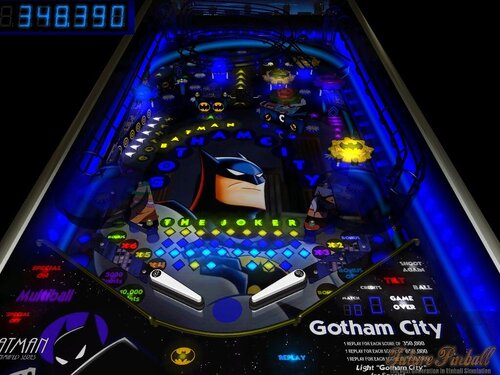
Gotham City (Bat Man)
By mark1
Gotham City (Bat Man),
An original future pinball table, based on warner brothers television show "Batman,the animated series".
Table rules,
Light "Gotham City" for special at the top kicker, by hitting targets on the left side,and
in the rotospinner,
( special lasts for 90 seconds).
Knock down the three drop targets (on the mid right side) for a chance for a 5,000 point
bonus and bonus multiplier to increase at kicker behind the drop targets,( Under hologram))
Lighting "City" (with the rotospinner),also lights a chance for Multiball, in the upper left kicker (under hologram).
The Roto spinner will give small bonus chances (roto points doubled when the blue dub light is on).
Lighting "The Joker" gives a chance for 10,000 bonus points.
Lighting "Bat Man" gives a chance for 7,500 bonus points.
Replay scores on the table card.
( Some very well made Midi renditions of Bat Man music were used for background music.)
Visit https://mark1pinball.weebly.com/
94 downloads
(0 reviews)0 comments
Submitted
-
TableImage.thumb.png.7e8fdbe2b89631cc947cd581b94f1df0.png)
The Munsters Pro (v1.0)
By VP1000
'*********************************************************************
'** The Munsters **
'** Pro v1.0 **
'** Game Instructions **
'** **
'** 1 ) Award ExtraBall - Enter the Raceway to Spell Dracula **
'** **
'** MultiBall: **
'** 2) Hit Bumpers 5 Times or Light Up Lilly **
'** To open Trap Door behind left Spinner **
'** to lock the Ball. **
'** Lock Ball 3 Times **
'** for Eddie's Multi-Ball. **
'** **
'** 3) Bumpers have been adjusted for more ball control, **
'** as the levels increase the bumpers become more aggressive. **
'** **
'** 4) Be Patient with MidField Kickers **
'** Videos to Come for delays in kick out. **
'** 5) Will Add more music later with new call outs. **
'** **
'*********************************************************************
430 downloads
-
 (0 reviews)
0 comments
Updated
-
 (0 reviews)
0 comments
Updated
-
(v1.07)RightSide.thumb.png.2649c5d14cfcd0c22978cb8460673f59.png)
Megadeth (Thermo-Nuclear Protection) (v1.07)
By VP1000
Megadeth "Thermo-Nuclear Protection" (v1.06)
1) Knock Down Both Targets behind middle Spinner
to go to Upper Level.
2) Extra-Ball: There is a Trigger on the Upper Level
hit this 5 times Awards Extra-Ball.
3) Megadeth (Thermo-Nuclear) Multi-Ball: Top Of PlayField
on each side of Lane Guides are 2 Kickers
Fall into either one for Megadeth (Thermo-Nuclear) Multi-Ball.
4) R.I.P MultiBall:Left Ramp goes Down for 10 seconds
Knock ball under Ramp without going to the end of the tunnel,
If ramp lifts up while ball is under Ramp
Ball Is Captured and Released within Time for R.I.P. Multi-Ball.
5) Knock Ball through Left Spinner to enter "The Cage"
For A Period Of Time the Ball will Bounce around until Released.
6) Change Song: Add Coin to Change Song.
Enjoy Playing,
More To Come.
400 downloads
-
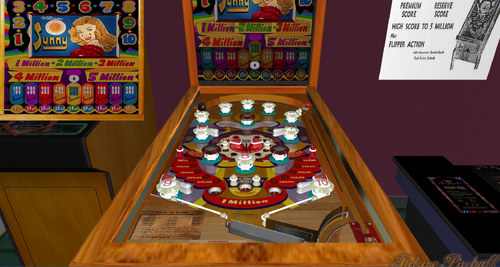
Sunny
By Francisco
Manufacturer:Williams Manufacturing Company (1944-1958) [Trade Name: Williams]
Date Of Manufacture:December 29, 1947
Model Number:14
Type:Electro-mechanical (EM)
Serial Number Database:View at The Internet Pinball Serial Number Database (IPSND.net) (External site)
Notable Features:5 balls for 5 cents. Flippers (4), Passive bumpers (13), Kick-out holes (3).
Design by:Gordon Horlick
Art by:George Molentin
Notes:'Sunny' was the first flipper pinball machine made by Williams.
We previously showed the designer of this game was Harry Williams. The manufacturer’s original playfield drawing (not shown here) is dated x/x/49 (edge of paper is missing) and is signed with initials GTH. It also indicates the original game name was 'Super Bonanza'.
NOTE:" VERSION 1.0 "
This version 1.0 is a new, corrected version due to a bug detected in the original version by me that affects the game's gameplay.
Now you can play it with no problem. Is 100% playable.
Enjoy ioThis version 1.0 is a new, corrected version due to a bug detected in the original version that affects the game's gameplay.
Feel free to send me comments. Thank you.
124 downloads
(0 reviews)0 comments
Submitted
-
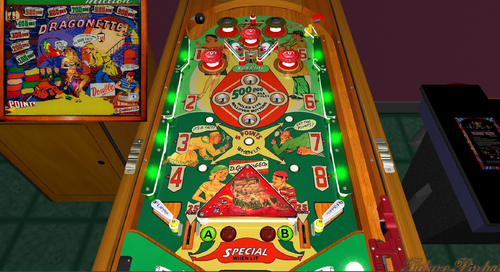
Dragonette
By Francisco
1954 Gottlieb Dragonette pinball
Description: Dragonette, Gottlieb, 6/54, 950 produced, 5 trap holes, double award, BALL COLLECT TRAY, complete side bumpers 1 to 8 in order to light playfield replays, outstanding Roy Parker backglass and playfield art, woodrail pinball. Dragonette came out first, but was so popular Gottlieb released 4 Belles, which is a copy of Dragonette.
Gottlieb Dragonette has several ways to win a replay (or if game played as Double award, two replays). First is to complete the 1-8 side bumper sequence (in order). If this is done, the red "ding dong" bottom rollovers (A/B lanes next to the flipper) lights for a replay. These two left/right side rollovers alternate with the 10,000 unit. Next is to complete both the A and B rollovers next to the flippers, as this awards a Replay. It also lights the center rollover between the red pop bumpers for a Replay. The next way is to put a ball in each of the four outside trap holes. This also awards a Replay. Putting a ball into the fifth center trap hole gives another replay.
Notes:Same playfield layout as Gottlieb's 1954 '4-Belles'.
'Dragonette' artwork satirized the popular 'Dragnet' television show.
97 downloads
(0 reviews)0 comments
Submitted
-
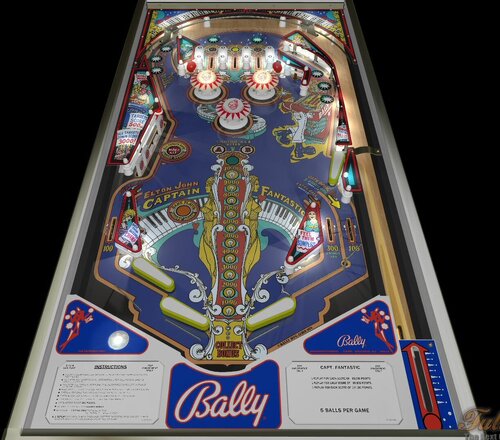
Capt. Fantastic and The Brown Dirt Cowboy (Bally-1976) (FizX 3.3)
By Popotte
Capt. Fantastic and The Brown Dirt Cowboy (Bally-1976) FizX 3.3 V1.00
IPDB No. 438:
NOTES:
You must use BAM 365 or higher
MOD UNAUTHORIZED WITHOUT EXPLICIT PERMISSION FROM THE AUTHOR
You can access to the menu with the Special2Key.
You can toggle (by the toggle HUD key) the HUD reel.
If you use arrows for plunger (optional), you have to use arrow down and arrow up (customisable) in order to pull or push the plunger.
RULES:
You can find more explanations in the manual included in the .zip
* Insert coin and wait for machine to reset before inserting coin for next player.
* Knocking all targets down lites ball return lane to score 1 extra ball.
* Knocking all targets down 2nd times lites left out lane to score special.
* Knocking down all targets 3rd and each additional times score special.
* 1 replay for ball thru left outlane when lit for special.
* 1 replay for knocking all targets down when lit for special.
* 1 extra ball for ball thru ball return lane when lit.
* Lit bumpers score 100 points.
* Making "A" and "B" lites double bonus.
* Maximum - 1 extral ball per ball in play.
* Tilt penalty - ball in play.
* 1 replay for each player matching last two numbers on score reels with number wich lites on back glass at end of game.
IPDB HIGHLIGHTS:
Date Of Manufacture:June, 1976
Production:16,155 units (confirmed)
Notable Features:Flippers (4), Pop bumpers (3), Slingshots (2), Star rollovers (8), Standup targets (2), 5-bank drop targets (1), Right outlane detour gate. End-of-ball bonus.
Maximum displayed point score depends on the version:
Early production Over The Top games show 99,990 points per player.
Modified production games show 199,990 points per player.
Design by:Greg Kmiec
Art by:Dave Christensen
Notes:'Capt. Fantastic' was inspired by the movie 'Tommy' and includes a representation of Elton John, as his character from the movie, playing pinball on the backglass. The game name, however, is the title of Elton John's 1975 autobiographical song and album where "Captain Fantastic" was Elton and "The Brown Dirt Cowboy" was his then-lyricist Bernie Taupin. Included in the song lyrics are the words "From the end of the world to your town" which appear at the very top center of the backglass.
Tom Nieman, VP of Marketing for Bally Pinball, tells us the flyer was made while Elton was recording a new album in Canada. For this flyer, a game was shipped to the Toronto hotel where Elton was staying. That is why he is shown wearing a Canadian hockey jersey. Elton then asked Nieman to send a game to his various residences and one to his "mum" in the UK.
Artist Dave Christensen included in the backglass several depictions of people doing things that, at first, escaped notice by Bally management. A small number of games with these so-called "X-rated" or "uncensored" backglasses made it through production before changes were required to be made. Specifically, small mirrored stars were added over the objectionable parts and, curiously, these stars did not effectively obscure the offending art in all instances. Nieman explained to us that he and Christensen wanted the correction to be as minimal as possible because they knew they had "a monster hit" on their hands. The X-rated version is often referred to as the "no stars" version even though all of the backglasses in the production run did contain a certain number of peripheral decorative stars anyway. Nieman is depicted in the backglass as the man in the three-piece suit, and he says that 'Brutus' is artist Paul Faris.
Mr. Nieman attended the 1975 New York premier party for the movie "Tommy" held in the 57th Street subway station. He had agreed with artist Christensen to represent the date of this event in the backglass art as the score 31775. A biography of Keith Moon records the date of this party as March 18, 1975. It is easy to believe that the party extended over both days.
Bally made an unknown quantity of playfields for this game having orange star rollover inserts instead of the usual green ones. This version is seldom seen, which indicates the quantity made was small. Pictured in this listing are three different examples of this "orange version" playfield. Two of the three also have a white drop target Special insert, instead of the expected red-colored one. The production run of this game was over 16,000 units, and these "orange version" playfields may have simply resulted from spot shortages during the production run of playfield parts having the correct colors. More information is needed to understand the reason for these playfield differences.
The Early Production game pictured here has serial number 1088 and has green star rollover inserts on its playfield. It has the Over The Top backglass which is uncensored and, like the game in the flyer, its cabinet front has the "reversed" red and blue striping as compared to the striping on the cabinet sides.
Included in this listing is a playfield showing signatures of both the designer and artist silkscreened in the black area at the bottom where the outlanes exit towards the outhole. Greg Kmiec tells us that Christensen had sneaked their signatures there but when Bally management heard about it and saw it, they made Christensen remove the signatures. Greg initially stated that only ten playfields were produced like this in a pilot run, not to appear on production games, but when the production game with serial number 1087 was identified as having a signed playfield, it caused him to wonder if a larger quantity of, say, 100 was actually made, to have appeared on production games. Another explanation would be that game 1087 was retrofitted with a pilot run playfield after it left the factory. We note that the game with serial number 1088 does not have a signed playfield.
One game in this listing has a backbox frame painted red instead of the usual white. We have no further information on this except the same variation has been seen on Bally's 1978 'Bobby Orr Power Play'.
A home version of this game was also produced; see Bally's 1977 'Captain Fantastic & The Brown Dirt Cowboy'.
190 downloads
(0 reviews)0 comments
Updated
-
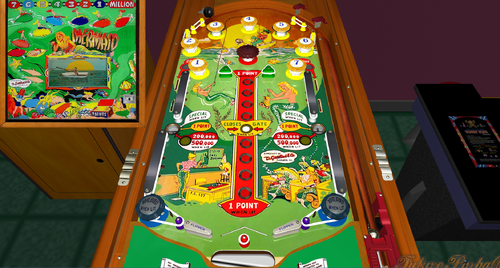
Mermaid
By Francisco
Mermaid / IPD No. 1574 / May, 1951 / 1 Player
Manufacturer:D. Gottlieb & Company (1931-1977) [Trade Name: Gottlieb]
Date Of Manufacture:May, 1951
Model Number:50
Type:Electro-mechanical (EM)
Production:600 units (confirmed)
Serial Number Database:View at The Internet Pinball Serial Number Database (IPSND.net) (External site)
Theme:Sports - Fishing
Specialty:Mechanical Backbox Animation
Notable Features:Flippers (2), Pop bumpers (3), Passive bumpers (7), Kick-out holes (2), V-shaped Safety Gate between flippers. Backbox animation (man catches boot when points are scored while a fish surfaces to apparently thumb its "nose").
Design by:Wayne Neyens
Art by:Roy Parker
222 downloads
-
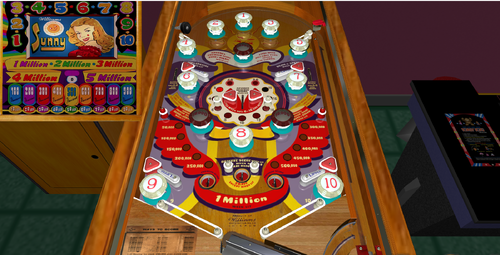
Sunny
By Francisco
Sunny / IPD No. 2421 / December 29, 1947 / 1 Player
Manufacturer:Williams Manufacturing Company (1944-1958) [Trade Name: Williams]
Date Of Manufacture:December 29, 1947
Model Number:14
Type:Electro-mechanical (EM)
Serial Number Database:View at The Internet Pinball Serial Number Database (IPSND.net) (External site)
Notable Features:5 balls for 5 cents. Flippers (4), Passive bumpers (13), Kick-out holes (3).
Design by:Gordon Horlick
Art by:George Molentin
Notes:'Sunny' was the first flipper pinball machine made by Williams.
We previously showed the designer of this game was Harry Williams. The manufacturer’s original playfield drawing (not shown here) is dated x/x/49 (edge of paper is missing) and is signed with initials GTH. It also indicates the original game name was 'Super Bonanza'.
76 downloads
(0 reviews)0 comments
Submitted
-
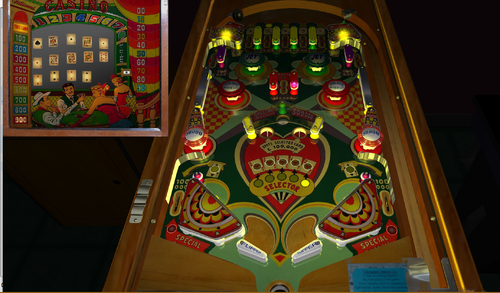
Casino
By Francisco
Casino / IPD No. 463 / August 20, 1958 / 1 Player
Manufacturer:Williams Manufacturing Company (1944-1958) [Trade Name: Williams]
Date Of Manufacture:August 20, 1958
Model Number:201
Type:Electro-mechanical (EM)
Serial Number Database:View at The Internet Pinball Serial Number Database (IPSND.net) (External site)
Theme:Cards/Gambling
Notable Features:Flippers (2), Pop bumpers (4), Kick-out holes (2), Gobble hole (1). Rollovers and kick-out holes light playing cards on backglass.
Design by:Harry Mabs
Art by:George Molentin
Notes:We previously showed the designer was Harry Williams. The manufacturer’s original playfield drawing (not shown here) is dated 1/29/58, revised 3/19/58, and is signed by (Harry) Mabs.
174 downloads
-
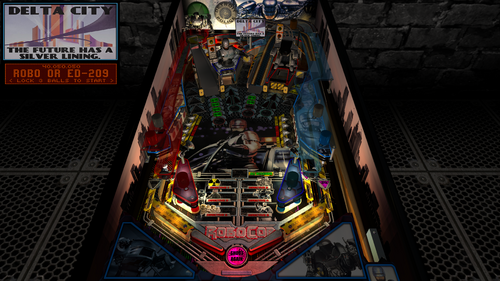
RoboCop - Dead or Alive Edition (PinEvent Lite, FizX 3.3)
By TerryRed
RoboCop - Dead or Alive Edition (PinEvent Lite, FizX 3.3)
Version 1.3 (Feb 2024)
Original table build by: ROM
Ultimate Pro update by: SLAMT1LT
Dead or Alive Edition, PinEvent Lite, FizX update by: TerryRed
SLAMT1LT did a massive update to Rom's original build of this table years ago for his Ultimate Pro update which completely changes this to a new game. New gameplay / rules / code, new sounds / voices / music, new lighting effects, new videos and more.
I love RoboCop, so I really wanted to add my own bit of flair to this amazing table. I've added my PinEvent Lite features for DOF, SSF, etc (PUP DMD is a future update).
I've also overhauled this table and modernized it to my own preferences for lighting, shadows, FizX physics, new art, and more. I added some new features and added many fixes that prevented game progression, etc. This makes an already great game look / sound / play absolutely amazing. I love it!
This table has been fully updated with FizX physics for game changing new physics on Future Pinball. FizX uses techniques similar to nFozzy physics on VPX to completely change the physics for the flippers, slings, rubbers, targets, ball behavior and more that allows this table play much more realistically than anyone ever thought was possible on Future Pinball. You will be amazed at the difference!
PinEvent Lite
I've added my PinEvent Lite features for DOF, SSF, etc (PUP DMD is a future update).
PinEvent Lite features for this table:
DOF (basic config, no custom animated effects... yet) PUP (simple backglass and speaker grill options) PUP SSF Night Mode TILT BOB
NOTE: PinEvent Lite tables do NOT have PUP-Pack options that include support for PUPDMD / videos / modern text, etc. That will come at a later date, when the table is upgraded to PinEvent V2.
DMDExt
Cabinet users will need to use DMDExt to mirror the FP DMD to their DMD display / real DMD. Read the included Install Instructions for more info and links on how to do this.
For an EPIC video preview of this table's updates and new features, and a gameplay demo of almost all modes, check out this video:
Thanks of course to these awesome contributors:
ROM – original table build
SLAMT1LT – Ultimate Pro update
TerryRed – Dead or Alive Edition, PinEvent, FizX updates
Schlabber34 - new pre-rendered insert images
FLEEP - new mechanical sounds
JLou - for FizX and support
Everyone at Pinball Nirvanna for ideas, examples, and support
Nailbuster - Pinup Player and SSF support
Ravarcade - for creating the awesome BAM and providing assistance with BAM features
Chris Leathley - creator of Future Pinball
DISCLAIMER:
This table is a fan-made work of passion, and is NOT intended for commercial usage or to be included in any part of a commercial sale!
====================================================================
====================================================================
This table is single player only.
====================================================================
Desktop Static Camera Views
during attract mode only, you can press plunger to toggle integrated static desktop camera views
if you want to use your own BAM camera settings, or a FP camera view, then you must disable this feature in TABLE OPTIONS in the table script
Playfield Video Screen
the playfield video screen will adjust for a better view in cabinet mode
Action Buttons (digital plunger, special 1, special 2)
all buttons/keys will act as an autoplunger during gameplay
====================================================================
TABLE OPTIONS
BAM Ray Cast Ball Shadows:
this table was created to look best with the new BAM Ray Cast Ball shadows this feature is ENABLED on the table script by default this feature requires a fast video card, and will use much more of your GPU if the table doesn’t run smooth, then your PC may not be fast enough to handle this feature (and you should disable it)
To disable this feature, you MUST disable it in TABLE OPTIONS (in the table script)
BAM Menu - Light and Post Processing settings:
BAM Lighting and Post Processing settings are set by the table script and will ALWAYS override the user's settings this is required to ensure that all lighting is set correctly at all times on this table, you can make changes to the Ambient and Diffusion Lighting in the table script in TABLE OPTIONS
Physics: FizX v3.3
===================================================================
Game not running smooth? Try the following:
run FP in Fullscreen, not Windowed disable RayCast Ball Shadows in TABLE OPTIONS (in table script) disable Reflections options in FP's Video / Rendering settings reduce / disable Antialiasing in FP's Video / Rendering settings disable any SSAO options in BAM plugins menu (disabled by default)
====================================================================
TABLE REQUIREMENTS (very important!)
all Visual C Runtime updates DirectX Future Pinball the latest BAM update FuturePinball.exe and FPLoader.exe patched for 4 GB access BAM Settings files installed FizX 1K ball model (for more accurate physics, default.zip in BAM folder) the REQUIRED “Video / Rendering Options” and “Editor Options” in Future Pinball video settings
All of the above is included with the latest FP and BAM Essentials AIO package!
Super easy to use for a new install, or just to update your existing install. I recommend everyone install this package to ensure you have the latest required BAM updates.
https://vpuniverse.com/files/file/14807-future-pinball-and-bam-essentials-all-in-one-complete/
====================================================================
INSTALL INSTRUCTIONS (REQUIRED)
PLEASE read the Install Instructions (included with the table's zip file) it shows you how to check what version of BAM you have installed it shows you how to install all the REQUIRED items above it shows you how to easily setup FP and BAM with the REQUIRED settings It's super easy, and only takes minutes to do!
====================================================================
How to run Future Pinball to play the table
PLEASE read the Install Instructions (included with the table's zip file) to know how to properly use FP and BAM
====================================================================
PROBLEMS?
Read the Install Instructions included in the table's zip file. It tells you everything you need to know!
====================================================================
Table MODS
please read the Disclaimer in the Install Instructions included with the table please ask me first, as I am still updating this table
====================================================================
Changelog
Dead or Alive Edition (PinEvent Lite - FizX - Table updates) by TerryRed
1.3
- updated FizX physics code (includes some fixes) and physics xml settings
- removed flipper nudge commands that are no longer needed
- updated table to reflect changes in new physics code and settings
1.2
- updated table for FizX physics v3.3 (much more efficient with CPU usage)
- new Debug options that can be enabled / disabled
- new Toggle_Static_Camera option (disables toggling the static view during attract mode with plunger button)
- use_RayCast_Shadows can now completely disable ray cast shadows (no need to disable in the BAM menu after)
Note: this table update requires the new BAM 1.5-373 update (included in my newest FP and BAM Essentials AIO)
1.1
- table completely updated for FizX v3.2 physics
- new Lighting settings in TABLE OPTIONS in the table script
- small fixes
- updated PuP-Pack
1.0
- completely updated entire table for FizX physics v3.0
- added FizX Tweaker Tool and HUD DMD
- added new rubbers, sling diverters, bumpers for FizX
- various table changes needed to properly work with new physics
- removed older smoke ball rolling code and commands (no need for vbs file)
- added new static desktop camera options (can be toggled during attract, or set in script)
- removed older mechanical sounds and triggers
- replaced all mechanical sounds with FLEEP sounds
- removed items / surfaces no longer being used (dark plastics, sound triggers, etc)
- updated table for all PinEvent features (except for PUP DMD and PUP Stream)
- added PUP SSF and DOF support (basic DOF for now)
- added new Ball rolling code for FP sounds and PUP SSF (detects which is enabled and works with that)
- updated BAM lighting and post processing
- added new shadowmaps to many GI bulbs and flashers and enabled ray cast shadows
- added shadowmaps TGA directly to table (cache does not need to be created)
- overhauled entire table for new lighting and shadows
- added new beacon flashers that trigger during various events
- added new BAM spotlight flashers and events for Robocop and ED209
- added new bump mapped jewel images for all inserts
- video screen will now move to an angle to be more visible (cabinet mode only)
- updated spinner toys and code to use Wecoc's spinner code
- updated / new art for plastics, sidewalls, backbox, apron, room wall, flippers
- edited ramps to remove portions that interfered with proper ball flow
- repositioned drop targets and standup targets for better ball flow and shots
- various other updates and fixes
A huge amount of work overall...so I'm sure there's lots I've forgotten to include - TerryRed
6890 downloads
-
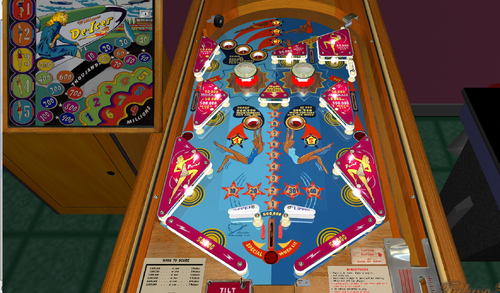
De-Icer
By Francisco
De-Icer / IPD No. 653 / November 18, 1949 / 1 Player
Manufacturer:Williams Manufacturing Company (1944-1958) [Trade Name: Williams]
Date Of Manufacture:November 18, 1949
Model Number:33
Type:Electro-mechanical (EM)
Serial Number Database:View at The Internet Pinball Serial Number Database (IPSND.net) (External site)
Theme:Aviation - Travel - Women
Notable Features:Impulse flippers (2), Pop bumpers (2), Kick-out holes (5). Pressing either flipper button pulses both flippers simultaneously. Tilt penalty is ball in play, tilt is reset by ball passing through rollunder wire at bottom of playfield below flippers.
Design by:Harry Williams
Art by:George Molentin
Notes:The manufacturer’s original playfield drawing (not shown here) is dated 9/21/49 and has the signed initials HEW.
The name of this game comes from "Lil' De-Icer", one of many appellations given to pin-up artwork painted on the front of American aircraft during WWI and especially WWII, known collectively as "Nose Art".
247 downloads
(1 review)0 comments
Submitted
-
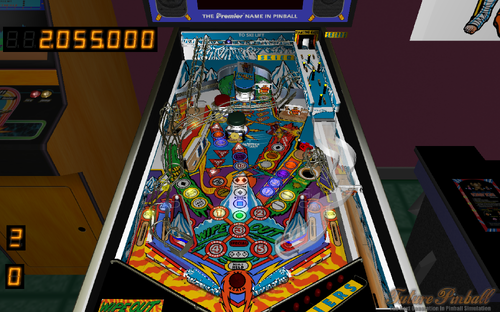
WipeOut v1.01
By VP1000
Big Thanks for all the Contributors for making an Awesome Table in Visual Pinball.
Here is WipeOut Future Pinball
Enjoy.
' *********************************************************************
' ** WipeOut **
' ** v1.01 **
' ** By: 1000 **
' ** And Other Contributors in Visual Pinball **
' *********************************************************************
653 downloads
-
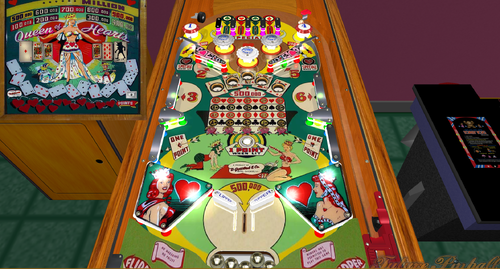
Queen of Hearts
By Francisco
Queen of Hearts / IPD No. 1891 / December, 1952 / 1 Player
Manufacturer:D. Gottlieb & Company (1931-1977) [Trade Name: Gottlieb]
Date Of Manufacture:December, 1952
Model Number:72
Type:Electro-mechanical (EM)
Production:2,200 units (confirmed)
Serial Number Database:View at The Internet Pinball Serial Number Database (IPSND.net) (External site)
Theme:Cards/Gambling
Notable Features:Flippers (2), Pop bumpers (3), Passive bumpers (2), Slingshots (2), Gobble holes (5), Rollunders (2).
Sound: 3 bells.
Design by:Wayne Neyens
Art by:Roy Parker
Notes:On the backglass, the Seven of Clubs card incorrectly has eight pips (clubs) on it.
This is not the first game to have gobble holes. Gottlieb and other manufacturers used them as far back as 1934.
Designer Wayne Neyens told an audience at Chicago's Expo 2010 that 'Queen of Hearts' was his favorite of the games he designed.
206 downloads
(2 reviews)0 comments
Submitted
-
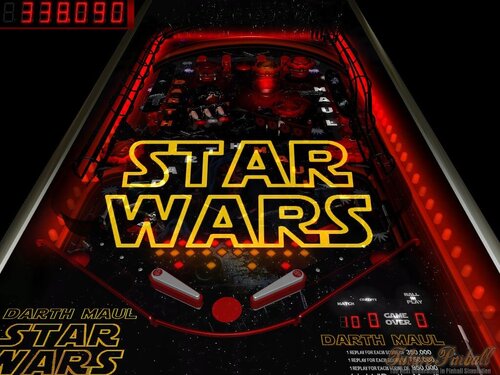
Darth Maul
By mark1
Darth Maul,
an original future pinball table,based on Star Wars by George Lucas and 20th Century fox' films.
Table rules; Lighting, "D.A.R.T.H."and "M.A.U.L."(by hitting targets on the left or right side),will light specials in the very top kickerhole.(Note: Special only lasts 90 seconds, and if you hit Darth Maul in the roto-spinner, specials will end.You have to start over again).
Lighting "P.R.O.B.E." (by hitting star targets(scattered around top center,and bumpers) ,will light a 60 second bonus chance, and if you hit the Emperer in the roto-spinner, the bonus chance will end.You have to start over again,otherwise the roto spinner targets give 10 to 100 points.)
Getting all the targets under the blue star holograms, also give's a bonus chance.
replay scores on the table card.
(background music includes some great midi renditions of John Williams Star Wars classics).
(It's a fun table and with some new holograms.)
You can find other Future pinball tables at my website, https://mark1pinball.weebly.com/
327 downloads
-
v1.0TableImage1.thumb.png.e1e7106c2cf87350128105084787746e.png)
Circus Starr (Basic) v1.0
By VP1000
' Table Play
'**1) Hit All 3 Splash Girls Left Side Top And Right lower gate will open .
'**2) Hit all 5 bottles get xtra-ball and open left gate left outlane for multiball.
'**3) Left Gate will open to access Kicker1 "Left Outlane" go inside to start MultiBall.
'**Have Fun.
'===========================
'Bonus Center Playfield
'Roto Target
'1color on same line=100 points
'2color on same line=500 points
'3color on same line=1000 points
' color activate with 3 stars upper right side and
' with manege in center.
' manege have 2 horses with 3 colors super bonus
' shoot same target color two or more
' go up color in center playfield.
'=======================================
171 downloads
(0 reviews)0 comments
Submitted
-
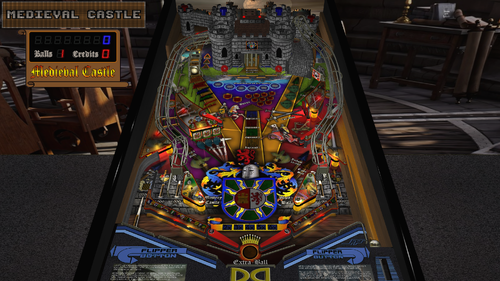
Medieval Castle (Original) (SSF, FizX 3.3) (Versions included for Desktop, 2 and 3 Monitor Cabinets and VR)
By GeorgeH
In order to read the description for Version 1.2, you have to click on the "Permission to Mod" tab.
Version 1.1 Description:
This table is a little-known gem. I know that some of you avoid original tables like the plague but Roney Pinball created something here that is really special. This is one of the first tables I found when I first started playing Future Pinball more years ago that I care to mention. I played it for many hours. Everything about it just feels right for medieval knights and castles. It is very immersive and transports you to a bygone era of chivalry, castles, and epic battles. The sound effects are particularly good. The dynamic soundtrack includes the sounds of swords clashing, horses galloping, and dungeon echoes. When I replayed it before creating this modification, I could not hear the flipper sounds because they were overpowered by other sounds so I knew I had my work cut out for me.
Note: Be sure you read the "Must Read" sections below and all the text in bold print.
The following video demonstrates the unique features of Medieval Castle and has a short bit of game play:
BAM – Must Read
This table requires BAM version 1.5-373 or later for it to perform as intended and to not crash or generate error messages. This version was released on 1/28/24 and you must have it installed for FizX 3.3 to work. You can download it here:
https://www.ravarcade.pl/download
Zip File – Must Read
There is a zip file included in the download. It contains the model of a ball with 1K polygons. Do not unzip the zip file. Just save it with the same name as the table and place it in the same folder as the table. If you don't use it, the physics won't be correct. Some end users have added the zip file to their BAM folder so it works on all tables. If you have done this, you can delete the zip file in the download.
DOF and PUP SSF
I decided to add PinMechSound which is a first for me. If you are not aware of what it is, it is a way for pinball cabinet users to add DOF and surround sound feedback (SSF) to their cabinets. I think there is a way to add it to a desktop but I don't think it produces much benefit for my setup. Debo26 was nice enough to test this table on his cabinet. To make SSF work, you must add the PUP-Pack that is included in the download. Copy "FP_PUP_SSF_GEORGE" to your PUPVideos folder.
Just adding PinMechSound wasn't enough for the sound, however. The sound was not balanced so I added what I call a "Sound Level Control Panel" where I balanced each of the 6 groups of all sounds used on the table and then balanced the 6 groups together so they sounded right. You can adjust the 6 groups in the script yourself if you wish but I think I got it right.
FizX and Tweaker
I added FizX 3.3 with the latest version of the FizX menu system that we call a "tweaker". Press the Special 1 key to open the FizX tweaker and read the directions on the overlay that appears on your screen for navigating the system. I moved the options on the tweaker so the parameters I use the most are displayed first on the list with the lesser-used parameters at the bottom. If you are not familiar with FizX, you might find the parameters on the tweaker intimidating. You will however be able to understand the option for "Bounce Choices" which is the very first option. The option refers to the bounce of the ball off the flippers. The "Bounce Choices" option allows you to make selections that anyone can understand. For example, you can select "Low Bounce" or "Medium Bounce". I recommend you try making changes to this option. I have already made adjustments on the tweaker but everyone knows I like the flippers to have a very low bounce. From what I have seen, most folks prefer higher bounce.
Lighting
I added lighting modes for Day, Dusk, Night, Dark Night, and FP Original. I went a bit further than I usually do by adjusting over 50 parameters for each lighting mode that you can see near the beginning of the script. Press the Special 2 key to toggle through the lighting modes. FP Original doesn't look quite as good as the other lighting modes but it helps those that have lower-end PCs.
Camera Views
This table has a large segmented display on the backbox that cannot be seen with the popular "Full Table 2" view. If you can't see the display, you can't play the game very effectively. I created three camera view profiles that show the segmented display. I set one of them, to be the default in the script so the segmented display should be visible when you first play the table. You can change the default camera view by pressing the "V" key repeatedly to toggle through the three options.
Plunger Modification
Popotte developed a plunger mod that added a new feature to the code I had been using. The code that I used in the past makes the plunger pull back more slowly, making it easier to hone in on just the right power to hit certain skill shots on most tables. This table does not have a skill shot but it does have a hidden kicker in the back of the castle where this modification makes it easier to hit.
The plunger that Popotte created has two modes of operation. The slow plunger pullback is the same as previous versions I used and works like a normal plunger would by pressing the plunger key. The second method is where you can use the up and down arrow keys to position the plunger exactly before it is released. Then you press the plunger key to release the ball. Popotte had been using this mod for a long time but it required setting a switch to either use the slow pullback or the arrow keys. He and I worked together to figure out a way to code it so it does not require a switch. ...So you can either press the plunger key and release it at the point where you want it to let go or you can very precisely adjust the plunger with the up and down arrow keys and then press the plunger key to let go of the plunger.
Easy Game Play
There is an option in the script for easy gameplay. The option is set to false by default. You can change it to true if you want easier gameplay. The comments in the script identify all the changes it makes.
Rules
I wrote a set of rules that I added to the instruction cards on the apron. I had written rules which included what happens when the kicker is hit that is inside the castle on the left side. Then I decided that Roney Pinball might have wanted this to be unknown to the end user because he calls it a "Mystery" in the game. I decided to add that content exclusively to a PDF file that is in the download. The content of the PDF is identical to the rules added to the instruction cards except for what happens inside the castle. If you want the castle rules to remain a "Mystery", you should delete the PDF file.
The Spinner
I had some trouble with the spinner on this table from the start. It would only spin once or twice when it was hit and would stop. I tried adding some code that Ravarcade created but it didn't perform any better. Wecoc developed a method where the spinner object on the table is converted to a toy with some special code that operates it. It makes the spinner on this table work perfectly. It also helps your score quite a bit when you complete the mode that adds 1000 points to your score for each spin.
Table Loading Screen
There are two table-loading textures as listed below. The first landscape texture is the default and is intended to be used on desktop PCs. The portrait texture is intended to be used on pinball cabinets and is used on the "rotated display" version of the table described below.
LoadingLandscape.jpg
LoadingPortrait.jpg
Rotated Display
Finally, I added a version of the table for those of us who have desktop PCs with a single monitor that can swivel so it is oriented in an upright position. I call it a rotated display. To play the table, you need to change the "Rotation" option to 270 degrees on the "Preferences" > "Video / Rendering Options" screen of the FP editor. You can try it on a standard monitor to see what it looks like but it will be oriented sideways. The popular Full Table 2 view only uses about 50% of the screen for the playfield whereas this option uses about 90% of the screen. It produces a more immersive gaming experience.
Conclusion
I hope you give this table a chance. It is truly one of the best original tables. You would think the castle uses a model but it uses 80+ Future Pinball standard walls and surfaces. It must have taken Roney Pinball some time to create. I added everything I could think of to improve the gameplay of this table. I hope you like it.
Table Developers
Roney Pinball
GeorgeH
Contributions by:
Gimli – Codeveloper of the FizX Tweaker
JLou5641 - Creator of FizX
Fleep - Created recordings for mechanical sounds
TerryRed – developed the "All in One" template of FizX
Popotte - Developer of the plunger modification
Wecoc - Developer of the spinner
Debo26 – Tester of DOF and PUP SSF on this table
List of Changes:
1) Upscaled most of the textures on the table except for the castle.
2) Made the castle textures darker.
3) The segmented display was not visible on the Full Table 2 view so 3 switchable camera views were added which can be changed by pressing the letter "V" repeatedly.
4) Added model for game room with texture.
5) Added new rock texture to the ramp and new shingle texture for the castle roof.
6) Added Hud toggle key that saves setting to fpRam.
7) Added plunger pull special script to slow down pull-back, making it easier to hone in on a shot to the hidden kicker.
😎 Added a ball stop surface above the ramp to keep the ball from flying and added an invisible approach ramp.
9) Fixed bug that displays M1Count not defined.
10) Added more time to display the text on the segmented display on the backwall so you have time to read it.
11) Moved the lens for the "Jackpot 100,000" light on the playfield texture up higher on the playfield so the light for it could be moved so it does not cover the text.
12) Added Fleep recordings for mechanical sounds.
13) Aligned the left wall of the table that has a break in it and made the ball bounce to the right.
14) Adjusted the color of all the light inserts on the playfield.
15) Changed the displays on the long segmented display 1) to include baseline point values (without bonuses) 2) added displays for when the hidden kicker is hit 3) made displays last longer so you have time to read them.
16) Added custom flipper texture.
17) Added black side rail caps and lock down bar.
18) Added BAM code that allows the score to exceed 2 billion points and made some code changes to support it.
19) After upscaling the lenses for the 2x to 6x bonus multiplier lights, the text was centered, and the background lightened to make the numbers more prominent.
20) When all lights were illuminated on the 2-bank stationary targets and the 3-bank drop targets they never displayed long enough to see it. Added more time to allow end users to see the light before turning off.
21) There were 2 extra ball lights on the playfield where the coding was never finished. Added extra ball awards completing the sequences for 2-bank stationary targets and the 3-bank drop targets (see the rules).
22) Fixed the display so it does not say multiball when no prisoner lights are lit and only the original ball returned.
23) Wrote rule sheet and added it to instruction cards on the apron and included a PDF in the download with the rules.
24) Added portrait loading texture for cabinet users.
25) Added a new feature by Popotte to the plunger mod. You can now use the up and down arrow keys to position the plunger exactly where you want then press the plunger key to let go of the plunger. If you don't want to use the arrow keys, press and hold the plunger key.
26) Added Sound Level Control Panel that adjusts every sound used on the table.
27) Added music to the attract mode.
28) Added Pin Mech Sound.
29) Changed 3 modes that could only be completed one time so they can be repeated.
30) Corrected a problem with the trigger below the left gate in the middle of the table. This trigger did not consistently turn on the green lights in front of the ramp in the correct sequence. This was fixed.
31) Created a version of the table for Rotated Display for those that have single monitor PCs and can tilt their monitor 90 degrees.
1310 downloads
-
Oktoberfest "Pinball On Tap" v1.7
By VP1000
' *******************************
' ** Oktoberfest **
' ** "Pinball On Tap" **
' ** Version 1.7 **
' ** Coded By: 1000 **
' ** Spell T A P **
' ** To Make Ramps **
' ** Go Down For **
' ** CorkScrew **
' ** Multi-Ball **
' ** Put Music On **
' ** Timers **
' ** Changed Lights **
' *******************************
387 downloads
-
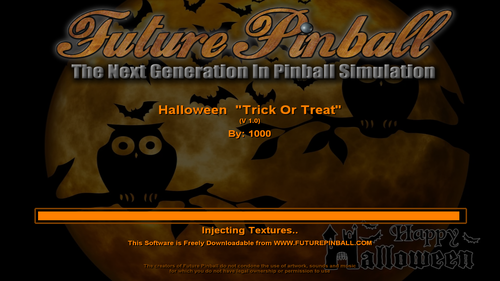
Holloween "Trick Or Treat" v1.0
By VP1000
' ************************************
' ** Holloween **
' ** "Trick Or Treat " **
' ** v1.0 **
' ** Coded By: 1000 **
' ************************************
165 downloads
(1 review)0 comments
Submitted
-
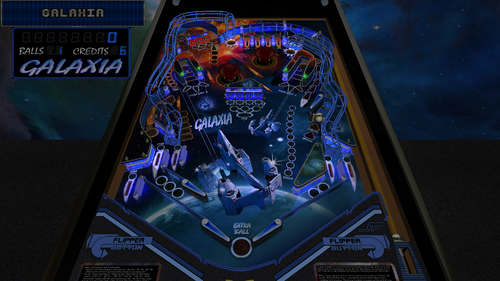
Galaxia (Original) (SSF, FizX 3.3) (Versions included for Desktop, 2 and 3 Monitor Cabinets and VR)
By GeorgeH
With this table, I’ve updated my third release that was originally created by Roney Pinball. Galaxia has always been one of my favorite tables from when I first started playing pinball on my PC. It quickly became addictive. Part of the reason, I believe, was how easy it became to earn extra balls once I learned the table’s mechanics. After a modest improvement in my gameplay, I could often keep a single game going for 30 minutes to an hour.
In this update, I’ve modified nearly every aspect of Galaxia. The original music track was replaced with three new ones. I also added FizX 3.3, using the most current FizX Tweaker. Surround Sound Feedback (SSF) and ball rolling sounds have been implemented using Fleep's recordings.
Visually, the most noticeable change is the addition of two vertical up-kickers equipped with wire ramps. Several geometry issues affecting table objects were corrected. I also created a custom game room environment. Popotte's ingenious plunger modification has been included, allowing precise positioning of the plunger before launching the ball.
Four lighting modes have been added: Day, Dusk, Night, and Dark Night. Numerous light lenses and object textures have been revised. A HUD DMD is now included, displaying the same content as the 27-digit segmented display. This is useful for desktop users and for cabinet users with third monitors via DMDExt.
One of the most challenging fixes was correcting errors related to one of the three extra ball options. And that’s just the beginning—see the “List of Changes” section below for a complete breakdown.
AMD CPUs and GPUs have historically caused compatibility issues with Future Pinball, often misinterpreted as script errors when hardware incompatibility is the real culprit. AMD GPUs are known to create problems in other games as well, not just Future Pinball. Users with AMD Ryzen CPUs paired with NVIDIA GPUs have generally reported better results. However, some have encountered a "string error" with this setup. In those cases, the issue was successfully resolved using a fix I discuss in the instructions PDF file included in the download. I can’t guarantee that this fix will resolve your specific issue, only that others reported success using it. Since I use an Intel CPU and an NVIDIA GPU, I’m unable to replicate or test AMD-specific problems myself.
Galaxia is a widebody table, and I estimate its width falls somewhere between Genie and Embryon. I was concerned it might not fit well in a pinball cabinet, so I asked DigitalArts to test it. I posted a screenshot from a video he sent me so you can see how it looks—I think it turned out beautifully. He also shared the CFG file from his cabinet, which I’ve included in the download. It should work for most users, though you may need to make adjustments for your setup. He confirmed that the physics, DOF, and SSF all worked properly. From the video, I could see that the DMD displayed perfectly on his third monitor using DMDExt.
A big thank-you to DigitalArts for testing the table on his cabinet. Since I don’t have one myself, his help was invaluable in ensuring everything functions properly for cabinet users.
Although this update required a deep dive and took longer than expected, it was truly a labor of love. Be sure to read the instruction PDF included in the download to take full advantage of all the table’s features. You’ll also find a rulesheet to help you learn how to play. I hope you enjoy it!
—George
List of Changes
1. Added two vertical up-kickers (VUKs) with wire ramps and set the score for hitting them to 5,000 points. A flare was added around the left VUK to match the right one.
2. Translated Spanish text to English on playfield textures, decals, and the 27-digit display.
3. Fixed several geometry issues:
After rolling around the bottom of the launch lane when kicked out, the ball would often settle in an area where the plunger couldn’t reach it. This was fixed by lowering the plunger (the rod was overextended), repositioning the autoplunger and plunger kicker, and narrowing the launch lane.
The right upper flipper was set back into a recess into the wall where the ball would often get stuck. Extended the wall behind the flipper straight out to the end of the enclosure for the captive ball. The wall behind the flipper was extended to the edge of the captive ball enclosure. The lane guide on the approach to the flipper was moved to improve ball trajectory. Playfield and plastic textures were updated to match the new layout.
Adjusted lane guides for all four flippers to prevent the ball from jumping when rolling onto the flippers.
Repositioned the end of the lane guide above the left ball lock to prevent the ball from getting stuck.
4. Added new table loading textures for desktops and cabinets.
5. Moved the opening on the apron above the for improved ball visibility.
6. Installed bulbs on top of plastics for locked balls. Bulb color indicates mode:
Green: ball ready to be locked
Yellow: ball locked and awaiting drop target hit
Red: pop-up raised, lock blocked
7. Darkened the texture of the plunger lane.
8. Added FizX 3.3 with the latest version of the tweaker menu.
9. Replaced the original music theme with three new tracks for attract mode, multiball, and gameplay music.
10. Reshaped the apron to be symmetrical and edited its texture accordingly.
11. Updated the right slingshot so it is no longer transparent (matching other plastics). The green starfield texture was revised to include the Lagoon Nebula.
12. Reviewed all scoring events awarding 10,000+ points and added point values to both the 27-digit display and DMD.
13. Played an unused sound when Special is completed.
14. Created a new game room featuring a background texture of the Orion Nebula.
15. Added BAM code to allow scores above 2 billion and corrected related scripting errors.
16. Implemented Popotte’s plunger mod. The plunger now pulls back more slowly, allowing better reaction time. See the included PDF for instructions.
17. Upscaled the textures for the playfield, plastics, apron, backglass and cabinet. Edited the cabinet texture slightly.
18. Fixed scoring logic for awarding an extra ball on the half-round lane below the left ball lock (orange arrow).
Removed flashers that triggered on each star target hit.
Fixed light sequencing.
All the lights and other functions for this extra ball were set up to carry over to the next ball. (The original version had one light that carried over to the next ball and the other lights did not.)
All the lights and related functions for this extra ball have been configured to carry over to the next ball. (In the original version, only one light carried over, while the others did not.)
19. Added four bulbs under the slingshots to trigger the flash of shadow maps when the ball hits the slings.
20. Developed a set of rules that were added the rules to the instruction cards on the apron.
21. Added three switchable camera views that can be toggled using the "V" key.
22. Added ball rolling sounds for the playfield and both wire ramps.
23. Added surround sound feedback (SSF) for DOF and PUP.
24. Adjusted colors of all light inserts to be more subdued while retaining the original aesthetic.
25. Added ball count and credits to the HUD, which were previously only visible on the backbox.
26. Converted five bitmap decals used for extra ball lights on the bottom-left of the playfield to use black text (replacing white). Converted these to TGA files with alpha transparency.
27. Replaced low-resolution lens textures for green 2x–6x playfield light inserts with high-res versions.
28. Updated segmented display colors to a less garish tone and disabled the “Boredom Effect.”
29. Added four lighting modes—Day, Dusk, Night, and Dark Night that can be toggled using the Special 2 key.
30. Added a HUD DMD that mirrors the 27-digit display. For cabinet users, the DMD also supports third monitor output via DMDExt.
31. Configured the left flipper key to cycle through the four lighting modes before the game starts. The right flipper key now opens the Tweaker menu pre-game, helping cabinet users with limited buttons.
32. Updated the 27-digit display and DMD to indicate which keys control lighting modes and the Tweaker during attract mode.
33. Added shadow maps to selected bulbs beneath the plastics.
34. Added adjustments in the script for ball/flipper shadows, ball Brightness, ball reflections, ball shininess and ball specular, and ray casting.
35. Replaced default flipper textures with custom ones.
36. Set the posts holding rubber bands to crystal with lighting-responsive sphere-mapped textures.
37. Discovered some abandoned code and completed it to increase jet bumper scores when the jet light is on.
The jet light activates after 20 bumper hits.
Once active, bumper scoring increases from 50 to 300 points.
38. Changed two flashers on the back wall to display different colors based on six major in-game events.
39. Replaced captive ball posts with a different material and aligned them to the lower-left flipper for performance optimization.
40. Added two missing blue bulbs under the rounded back plastics between the posts.
41. Replaced all target textures and applied a metal texture from Shiva’s collection.
42. Created a rotated display version of the table.
43. Created a three-monitor version of the table.
44. Included a PDF download containing a full instruction manual.
45. Added to the download a rulesheet with screenshots as a PDF file.
46. The table features pop-up blockers in the ball locks, which prevent access to the kicker during multiball. Originally, these pop-ups remained raised until all balls had drained after multiball and a new ball was launched from the plunger. This was changed so access to the kicker is allowed when only one ball remains on the playfield.
Table Developers
Roney Pinball
GeorgeH
Contributions by:
Gimli – Codeveloper of the Tweaker
JLou5641 - Creator of FizX
Fleep - Created recordings for mechanical sounds
TerryRed – Developer of the "All in One" template of FizX
Popotte – Creator of the plunger mod
DigitalArts – Cabinet tester
Shiva – textures for all the targets and a metal texture
Anthias – The flipper texture is from his Custom Flipper Pack
774 downloads
-
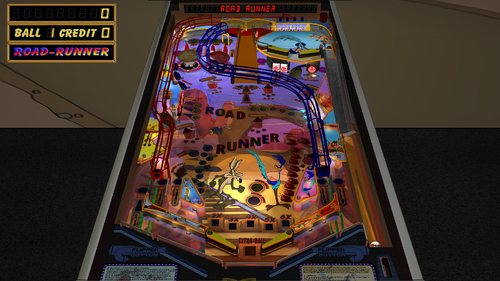
fizx Road Runner (Original) (SSF, 3 Monitor Setup, FizX 3.3)
By GeorgeH
Road Runner is a great table created by the incredible table developer Roney Pinball. I decided I wanted to work on a simple table with a simple update so I chose Road Runner. It didn't take long; however, to determine that it was a bit more sophisticated than I thought. It has a flyer that explains a few things but not everything. I decided to write a set of rules since no one had ever posted them before now. I wrote quite a few rules that filled up both instruction cards on the apron but I was able to add everything I wanted.
I added FizX Lite 3.0 and the latest version of the FizX tweaker. An improved version of the lighting tweaker was published on Avatar 2.2. Since then, Gimli and I have spent much time improving the tweaker. We found three huge bugs that have been resolved. Avatar 2.2 had occasions where end users reported getting string errors that have now been resolved. One bug was caused by Future Pinball sometimes performing calculation errors, like 6 times 10 being equal to 59.9999. That might be considered close enough but it causes havoc on an array where every two characters in the string represents the saved value for one parameter. We fixed it by adding rounding for each calculated value to a non-decimal number. I have noticed that the fix has made the tweaker much more stable without any string errors.
I have added overlays that describe each of the parameters on the FizX tweaker. I provide directions on how to navigate the tweaker on the first screen that you see when the tweaker opens. All you need to remember is to press the Special 1 key to open the tweaker. If you want a longer description of the Reset to Default, Reset to StartUp, and Save functions, arrow down to the end of the parameters and you will find a detailed description of each. Unfortunately, the tweaker does not have enough save locations to add settings for the upper flippers. If you want to change the settings for the upper flippers, they can be changed in the script. You can, however, change the settings for the main flippers on the tweaker.
If you are not familiar with FizX, you might find the parameters on the tweaker intimidating. You will however be able to understand the option for "Bounce Choices". The option refers to the bounce of the ball off the flippers. The "Bounce Choices" option allows you to make selections that anyone can understand. For example, you can select "Low Bounce" or "Medium Bounce". I recommend you try making changes to this option. I have already made adjustments on the tweaker but everyone knows I like the flippers to have a very low bounce. From what I have seen, most folks like higher bounce.
I didn't add my usual lighting mod this time but I think you will like the lighting nevertheless. There are lots of options at the beginning of the script where you can change the lighting and other options.
Zip File – Must Read
There is a zip file included in the download. It contains the model of a ball with 1K polygons. Do not unzip the zip file. Just save it with the same name as the table and place it in the same folder as the table. If you don't use it, the physics won't be correct.
Table Loading Screen
There are two table-loading textures as listed below. The first landscape texture is the default and is intended to be used on desktop PCs. The portrait texture is intended to be used on pinball cabinets.
LoadingLandscape.jpg
LoadingPortrait.jpg
Conclusion
The entrance to the right wire ramp was rather problematic. The ball kept bouncing around the ramp entrance and not going down it. However, persistence paid off and I managed to get it to work. This table was otherwise a pleasure to work on. I hope you enjoy it.
GeorgeH
List of Changes
1) Added ball/flipper shadows, ball configuration, and ray casting to the script.
2) Added FizX Lite 3.0.
3) Added the latest version of the FizX tweaker which includes a Flipper Bounce Choice option that combines the settings of 3 FizX parameters for each of the 9 bounce choices.
4) Added overlays to the tweaker that explain each of the FizX parameters.
5) Added a HUD Toggle Key that saves settings.
6) Added new lighting and spotlight with lights turning off when the ball is not in play.
7) Added new landscape-shaped texture on the table loading screen for desktops and portrait-shaped texture for cabinets.
😎 Added game room floor and backwall.
9) Added BAM code that allows the score to exceed 2 billion points.
10) Added plunger pull special script to slow down pull-back.
11) Added new music to attract mode and new background music to all modes.
12) Upscaled textures for playfield, backglass, and cabinet.
13) Reworked the entrance to the right wire ramp to improve performance. Adjusted all ramps.
14) Added rolling ball sounds to the playfield and all four ramps.
15) Adjusted the color of all light inserts on the playfield and changed the color on one ramp.
16) Added more time to display the text on the segmented display on the backwall so you have time to read it.
17) Developed a set of rules which include many of the point values. Added the rules to the instruction cards on the apron.
18) Added desktop camera setting to the script.
Table Developers
Roney Pinball
Mugsy
GeorgeH
Contributions by:
Gimli – Codeveloper of the Tweaker
JLou5641 - Creator of FizX
Fleep - Created recordings for mechanical sounds
TerryRed – Developer of the "All in One" template of FizX
2202 downloads
- bam
- future pinball
- (and 2 more)
-
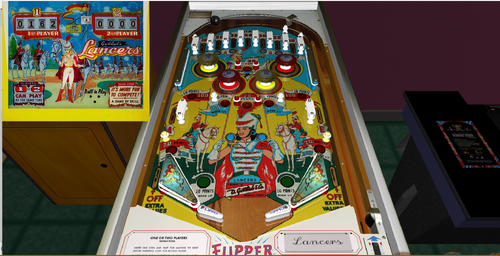
Lancers
By Francisco
Average Fun Rating: 7.0/10 (7 ratings/6 comments) [ Add Your Rating! ]
Manufacturer:D. Gottlieb & Company (1931-1977) [Trade Name: Gottlieb]
Date Of Manufacture:August, 1961
Model Number:178
Type:Electro-mechanical (EM)
Production:1,700 units (confirmed)
Serial Number Database:View at The Internet Pinball Serial Number Database (IPSND.net) (External site)
Theme:Cavalry - Military
Notable Features:Flippers (2), Pop bumpers (4), Slingshots (2), Kick-out holes (4). The two center kick-out holes propel balls towards top of playfield. The two side holes kick balls towards flippers. 3 or 5 ball play.
Design by:Wayne Neyens
Art by:Roy Parker
151 downloads
.thumb.png.cb7d972caf1a2ad79b1f087f2f94ec7b.png)
PF.thumb.jpg.6a367073abc8bc9e915af4c055a15387.jpg)

.thumb.png.e8d923569c7ad8c0d8293085399d615a.png)
Illuminated.thumb.png.75d715670170e48968830f6d23115f86.png)
Illuminated.thumb.png.664aae020e341029e4b89a53e67488f4.png)
.thumb.jpg.6cbec5e31b40eb04e540030e38075882.jpg)
FullDMD.thumb.jpg.af8f65120cc711a9bfb553095f5b44ac.jpg)

.thumb.gif.5c8a601819e4556501dd57f82df53074.gif)





.thumb.jpg.3530e4850fded8859d326dd9144b0840.jpg)
.thumb.jpg.78d793e62ed621ddb70fa0fbd2746a50.jpg)

_4k.thumb.jpg.c3d5bcdee209b697de0a756332e20013.jpg)
-v55_VPX8_4k_4k.thumb.jpg.e6a66d72d5484dacd0046a640f1ae939.jpg)
_4k.thumb.jpg.5d69a6c61ced5cd5ab79d87f46d3af7c.jpg)