-
SYSTEM SEARCH
System Scanners Online:
Username: Guest
>> System Scan?
>> The Universe >
Incoming Message:
Due to system limitations searching with words of 3 or less characters will not return results. For instance; Doctor Who. This will not return results as the system is trying to search for both Doctor AND Who in which Who will not be found as it's a 3 character word. To find Doctor Who; you'd search for either Doctor or "Doctor Who".
Search Tips:
For specific searches; enclose your search with quotes. Example: "Doctor Who" or "Addams Family".
Search the Community
Showing results for tags 'desktop'.
Found 21 results
-
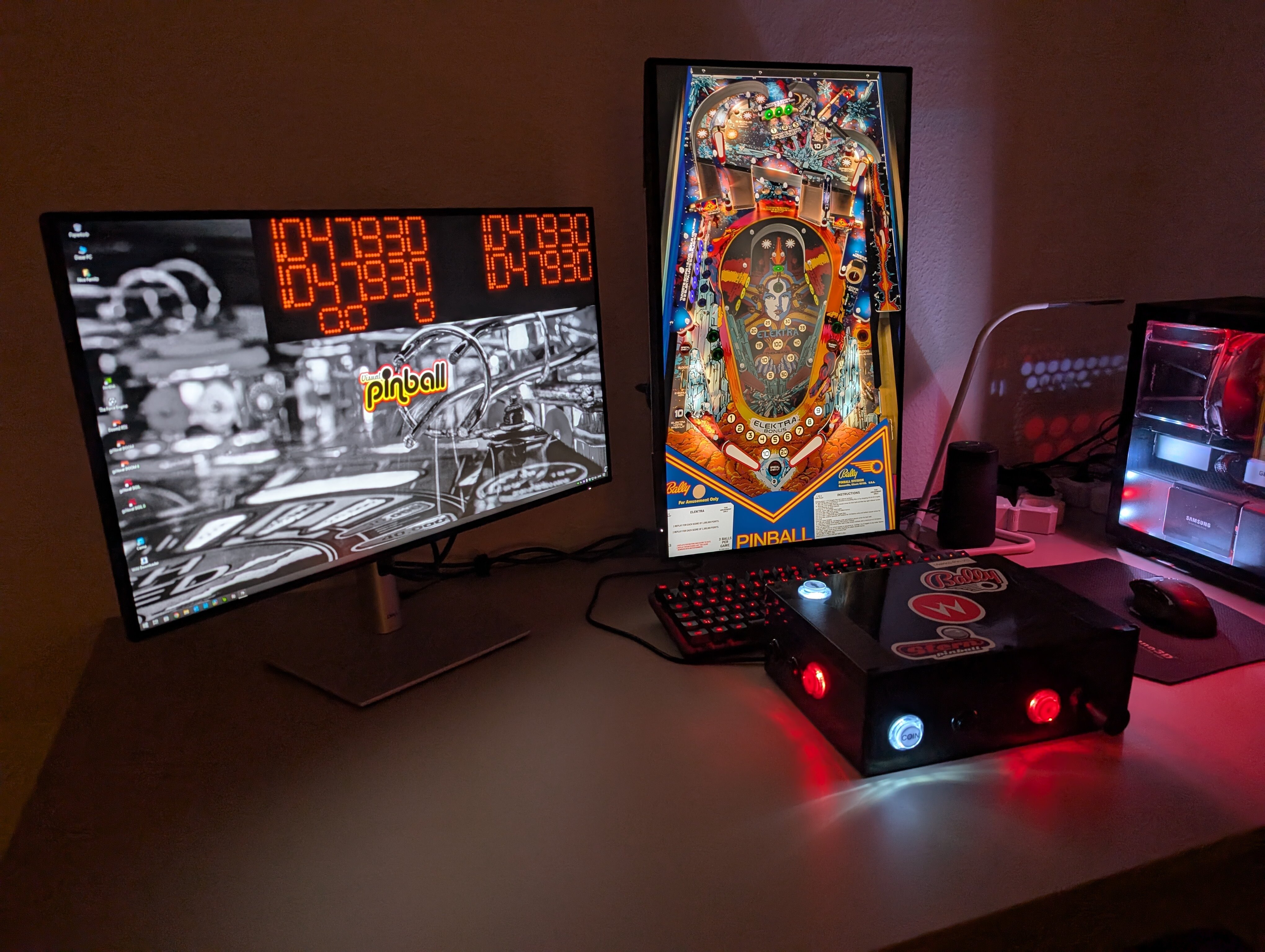
Hello. I’m stopping by to share my project for side buttons to play pinball on a keyboard. I’m finding it really fun to play with. It’s 3D printed and available for free download on MakerWorld: https://makerworld.com/en/models/3245367-virtual-pinball-controller-fully-3d#profileId-3687404
-
Version 1.1
1964 downloads
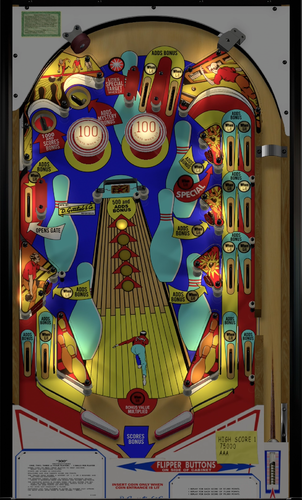
Strike! A perfect score! Presenting Gottlieb’s “300” Team-Scampa123 Mod 1.0 This is a major update to Loserman76’s (and team!) recreation of Gottlieb’s 300 Bowling Themed Table This table is a hybrid containing the cabinet, desktop, and VR all in one. This mod was a true team effort, and the number of enhancements wouldn’t have been possible without the help of some great folks!! I’ve learned so much in working with them and reviewing their contributions to this release! Huge thanks to: - @Loserman76 for permission to enhance the table! - @HauntFreaks for all the graphical work on the playfield and the traditional b2s, guidance and collaboration - @Rawd for the VR backglass animation work and for the VR coaching, guidance, and tweaking! - @Leojreimroc for the amazing VR reels and VR backglass lighting work - @Pritch33 for his wonderful animated wheel work - @Apophis for the coaching on nFozzy and Fleep… and extra eyes on my work - @VR Community for all the resources VR Video Demo: https://www.youtube.com/watch?v=In1j-V3s4YU/ The team hopes you enjoy it!! Table Instructions: * Changing LUT: To rotate and select between the 16 LUT files press the Left MagnaSave * Changing VR Carpets: To select one of 5 different VR carpets press the Right MagnaSave * Game settings: Hold the Left Flipper for 3+ seconds to launch the game changes menu (left flipper to change and right to select) What's New in Version 1.0 * Physics and Sounds: * Added nFozzy physics (scampa123) * Added nFozzy flippers (scampa123) * Added Fleep sounds (scampa123) * Playfield, Desktop and Traditional Backglass: * Complete redraw of playfield (thanks @Hauntfreaks) * Complete redraw of plastics (thanks @Hauntfreaks) * New Backdrop image for DT users (thanks @Hauntfreaks) * Enhanced Lighting and shadows (thanks @Hauntfreaks) * Cleaned up Backglass a bit (thanks @Hauntfreaks) * Game Enhancements: * Added missing triggers on the left side for additional scoring to match the real table (scampa123) * Added JP's LUT code * VR Room and Enhancements * Added Minimal VR Room (scampa123, thanks @Rawd) * VR Animated backglass created from scratch (thanks @Rawd and @Leojreimroc) * New Gottlieb VR Coin Door model (scampa123 and George H.) * New Gottlieb 300 VR backbox model (scampa123) * Customize your VR Room's Carpet!! 5 carpets to choose from! * Included Animated Wheels: * Animated Wheels for Front ends (thanks @Pritch33) * …And so much more!! This is for personal use only. DO NOT include this in any pre-packaged ZIP of tables for commercial/non-commercial products.- 15 comments
- 6 reviews
-
- 140
-

-
 This is something that has bothered me greatly when editing tables with my own custom backdrop images and continues to discourage me from doing more. I have a 1440p widescreen monitor (2560 x 1440) that I play VPX with and all my tables play fantastic on it. I get a bit bored seeing a void of black or get turned off by seeing low-resolution images or images that are of low quality fill the background, and being a graphic artist I try to enhance my experience with new artwork that'll make the screen look better in my eyes. What will happen is I will make a new custom backdrop in 4K (3180 x 2160) and use the Image Manager in VPX to Import a new PNG image backdrop, then go to the Backglass Properties area on the right side of VPX and click the DT Image dropdown window to select my new custom backdrop that was imported, play the table and it plays totally fine initially. However, if I save the table, exit VPX, open VPX back up and play the table again.. ALL of the slingshots and bumpers everywhere on the table completely lose all functionality and no longer work. I've tested in both 10.7 as well as the 10.8 beta and both yield the same result. It really aggravates, frustrates, and downright angers me that any time I want to give a table a facelift, VPX tends to always give me the middle finger for trying. Is VPX plagued with this disabled slingshot/bumper after-effect when saving custom desktop backdrop images for tables? Can someone guide me in the right direction to getting my tables working that I've modified with new desktop backdrop images or tell me the proper procedure with importing/saving?
 -
 View File Gottlieb's "300" Team Scampa123 Mod Strike! A perfect score! Presenting Gottlieb’s “300” Team-Scampa123 Mod 1.0 This is a major update to Loserman76’s (and team!) recreation of Gottlieb’s 300 Bowling Themed Table This table is a hybrid containing the cabinet, desktop, and VR all in one. This mod was a true team effort, and the number of enhancements wouldn’t have been possible without the help of some great folks!! I’ve learned so much in working with them and reviewing their contributions to this release! Huge thanks to: - @Loserman76 for permission to enhance the table! - @HauntFreaks for all the graphical work on the playfield and the traditional b2s, guidance and collaboration - @Rawd for the VR backglass animation work and for the VR coaching, guidance, and tweaking! - @Leojreimroc for the amazing VR reels and VR backglass lighting work - @Pritch33 for his wonderful animated wheel work - @Apophis for the coaching on nFozzy and Fleep… and extra eyes on my work - @VR Community for all the resources VR Video Demo: https://www.youtube.com/watch?v=In1j-V3s4YU/ The team hopes you enjoy it!! Table Instructions: * Changing LUT: To rotate and select between the 16 LUT files press the Left MagnaSave * Changing VR Carpets: To select one of 5 different VR carpets press the Right MagnaSave * Game settings: Hold the Left Flipper for 3+ seconds to launch the game changes menu (left flipper to change and right to select) What's New in Version 1.0 * Physics and Sounds: * Added nFozzy physics (scampa123) * Added nFozzy flippers (scampa123) * Added Fleep sounds (scampa123) * Playfield, Desktop and Traditional Backglass: * Complete redraw of playfield (thanks @Hauntfreaks) * Complete redraw of plastics (thanks @Hauntfreaks) * New Backdrop image for DT users (thanks @Hauntfreaks) * Enhanced Lighting and shadows (thanks @Hauntfreaks) * Cleaned up Backglass a bit (thanks @Hauntfreaks) * Game Enhancements: * Added missing triggers on the left side for additional scoring to match the real table (scampa123) * Added JP's LUT code * VR Room and Enhancements * Added Minimal VR Room (scampa123, thanks @Rawd) * VR Animated backglass created from scratch (thanks @Rawd and @Leojreimroc) * New Gottlieb VR Coin Door model (scampa123 and George H.) * New Gottlieb 300 VR backbox model (scampa123) * Customize your VR Room's Carpet!! 5 carpets to choose from! * Included Animated Wheels: * Animated Wheels for Front ends (thanks @Pritch33) * …And so much more!! This is for personal use only. DO NOT include this in any pre-packaged ZIP of tables for commercial/non-commercial products. Submitter scampa123 Submitted 08/20/2021 Category VPX - Pinball Tables ROM Name Link to B2S Included Link to Media Pack Permission to Mod Contact Author First.
 -

Version 1.0.0
501 downloads
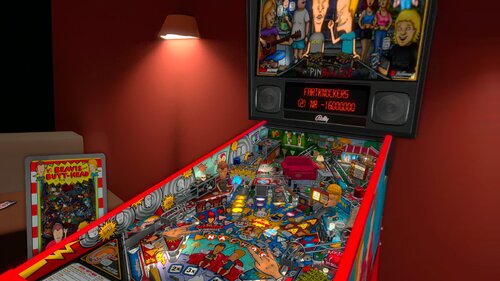
First off Thank you to watacaractr for all his contributions to the scene, his work is excellent and he doesn't disappoint here with Beavis and Butthead, in my eyes a masterpiece. If you look at the deluxe vr room I pay homage to this table and some other ones he has created. All credit goes to him for this amazing table. PLEASE NOTE IF YOU ARE PLAYING IN VR YOU MUST USE A B2S. IF YOU DONT HAVE B2S PLEASE SEARCH ON VPU. Also please hide B2S DMD if it is enabled in the back glass settings and enable external DMD in the rom settings (F1) or it wont show the score in VR VPU Remix Tool Link https://vpuniverse.com/files/file/2581-vpuremix-system-vppatching-system-vpx-only/ You MUST download the original table created by watacaractr at https://vpuniverse.com/files/file/18299-beavis-and-butt-head-pinballed-original-2024/ **** THANKS SO MUCH TO watacaractr FOR CREATING THIS TABLE! IT IS IN MY TOP 10 FOR SURE **** Added Deluxe VR Room and Minimal VR Room Added Animated Plunger Added VR Topper No modifications were done to the table itself and you can play this table in VR, Desktop, or Cabinet. Have fun and if you like it please leave some feedback. Thanks! And last but not least please give some love to watacaractr. He deserves all the credit! capcnlaw- 13 comments
- 2 reviews
-
- 27
-
-
- beavis and butthead
- capnclaw
- (and 7 more)
-
View File Beavis and Butt-head Pinballed (Original 2024) DT FSS VR VPURemix 1.0 First off Thank you to watacaractr for all his contributions to the scene, his work is excellent and he doesn't disappoint here with Beavis and Butthead, in my eyes a masterpiece. If you look at the deluxe vr room I pay homage to this table and some other ones he has created. All credit goes to him for this amazing table. PLEASE NOTE IF YOU ARE PLAYING IN VR YOU MUST USE A B2S. IF YOU DONT HAVE B2S PLEASE SEARCH ON VPU. Also please hide B2S DMD if it is enabled in the back glass settings and enable external DMD in the rom settings (F1) or it wont show the score in VR VPU Remix Tool Link https://vpuniverse.com/files/file/2581-vpuremix-system-vppatching-system-vpx-only/ You MUST download the original table created by watacaractr at https://vpuniverse.com/files/file/18299-beavis-and-butt-head-pinballed-original-2024/ **** THANKS SO MUCH TO watacaractr FOR CREATING THIS TABLE! IT IS IN MY TOP 10 FOR SURE **** Added Deluxe VR Room and Minimal VR Room Added Animated Plunger Added VR Topper No modifications were done to the table itself and you can play this table in VR, Desktop, or Cabinet. Have fun and if you like it please leave some feedback. Thanks! And last but not least please give some love to watacaractr. He deserves all the credit! capcnlaw Submitter capnclaw Submitted 11/16/25 Category VPURemix - VPX Table Patches Modified by capnclaw Original Table Version 1.1
-
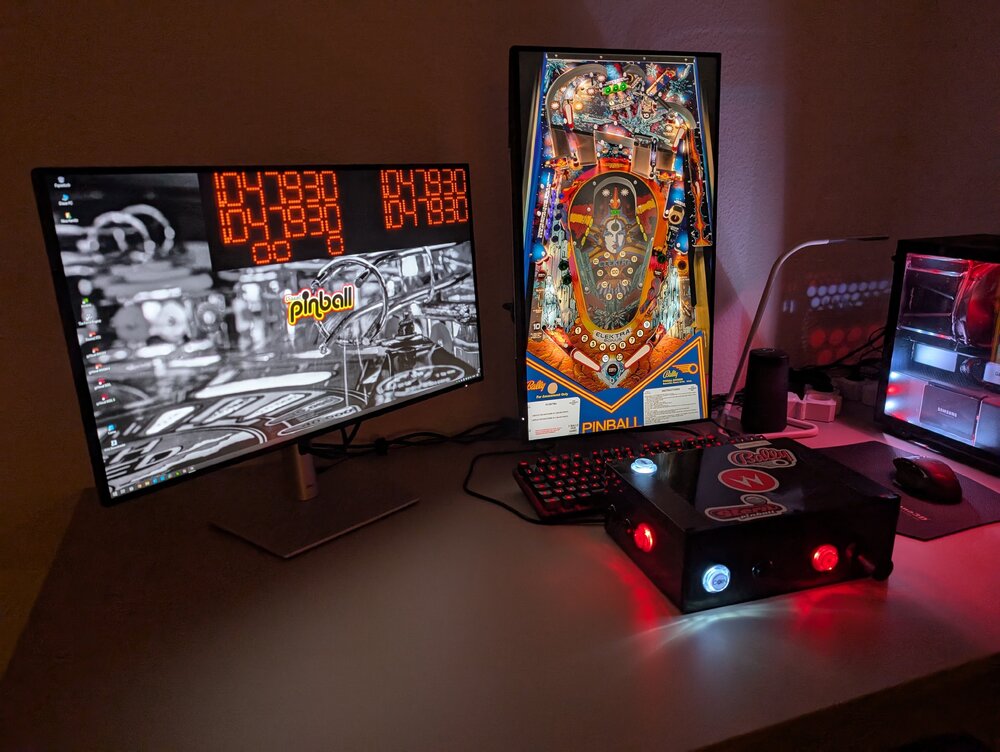
Hi guys, i am really new to Visual Pinball since some month now and i am very grateful for the talents that are providing so great tables, and of cause for Visual Pinball itself! It´s bringing back so much great memories and it became an almost daily obsession! 😅 I am playing on a desktop right now, one landscape display for the external DMD and one display in portrait for the playfield, no backglass or anything else: I also built a pinball controller myself to get a more authentic experience (there will be a cab some day for sure but i need my money for the real life lately.....😉). Buuut, i am messing with POV settings lately. I started with the landscape desktop mode for the tables, but i don´t like how much space of the screen is not used by the table - but the immersion is great! I changed to portrait one day (camera mode) and adjusted the tables to nearly fit the whole screen, but because of that the tables feel flat because of this POV. Right now i am trying to fine tune to a more immerse perspective but it really depends and differs from to table. I am trying to hide the lock bar and aligning the perspective on the left lane corner to get perspective. But i am curious what others do in this circumstances. Especially wide body tables are not so easy to set up, so i often reduce the table width a little bit to get mostly everything from the table on the display. What do you think guys? Are there any no gos etc.? Thank you and kindly regards! Update: Done POVs
-
Version 1.2.3.DT
445 downloads
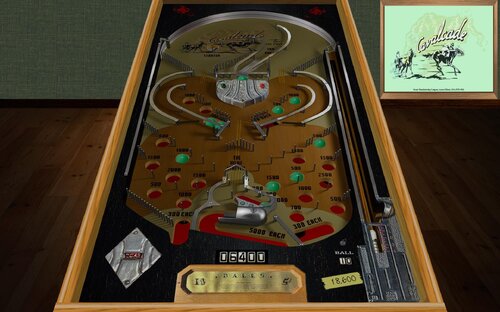
Full version table, not a patch. This is my desktop modified version of the @MachWon table release from December 2024. All changes are in the Table Info but in brief I added siderails and lockdown bar, fixed the missing drain sound, added a table exit sub and controller stop. Of course I changed the POV making it suitable for desktop mode and added one of my custom desktop backdrops. .res file and directb2s included Instructions for play from MachWon; This is a free play bagatelle game, no coin up, no flippers, simply press 1 to start. Use the right flipper key/button to lift balls into the shooter lane. Plunge the ball. Once it has passed the first gate, You can release the next ball. Aim for the central "To the Post" area to collect balls. Then shoot the Starter hole to activate the central kicker. Each kicked ball will activate the kicker again for an alternating kick. Balls kicked into the Starter hole can be released again. The main goal is to hit the central area. The first three balls score 1K, 2K and 3K points. After that additional balls are fed to the lower kicker for 5K points each. A Tilt voids the complete game. Learning the plunger is the key to these bagatelles. Have fun!- 18 comments
- 5 reviews
-
- 38
-
-
- https://www.ipdb.org/machine.cgi?id=473
- cavalcade
- (and 4 more)
-
 View File Cavalcade (Stoner 1935) Desktop Mod Full version table, not a patch. This is my desktop modified version of the @MachWon table release from December 2024. All changes are in the Table Info but in brief I added siderails and lockdown bar, fixed the missing drain sound, added a table exit sub and controller stop. Of course I changed the POV making it suitable for desktop mode and added one of my custom desktop backdrops. .res file and directb2s included Instructions for play from MachWon; This is a free play bagatelle game, no coin up, no flippers, simply press 1 to start. Use the right flipper key/button to lift balls into the shooter lane. Plunge the ball. Once it has passed the first gate, You can release the next ball. Aim for the central "To the Post" area to collect balls. Then shoot the Starter hole to activate the central kicker. Each kicked ball will activate the kicker again for an alternating kick. Balls kicked into the Starter hole can be released again. The main goal is to hit the central area. The first three balls score 1K, 2K and 3K points. After that additional balls are fed to the lower kicker for 5K points each. A Tilt voids the complete game. Learning the plunger is the key to these bagatelles. Have fun! Submitter Cliffy Submitted 03/04/25 Category Modified (MOD) Games Modified by Cliffy
 -
Desktop backdrops: Adding or changing - The basics
Cliffy posted a tutorial in Visual Pinball - How Tos & Wikis
I'm one of the few hold-outs still running visual pinball on a single screen, aka desktop mode. Thankfully the majority of table authors still include a desktop option. Most will include a desktop backdrop or background but some do not. Some will simply have the table floating in black space. Backdrops are, in many cases, a personal preference thing while others are functional with the scoring displays "built-in". My goal here is to tackle the most basic how-to since I was helping another VPU user add a backdrop to loserman76's (rip) vpx table, Yukon Special. I will use this as the example in this tutorial. As we see it has only a solid gray backdrop with a single score reel. We can spice this up a bit with a nice image for the backdrop. I make my own backdrops either from scratch or by bashing together from other peoples backdrops. I prefer my backdrops to look like a room. I'm attaching one I think will look good for this game. Its got rustic wood floors and a barnwood back wall. You can use any image you like! Create your own to match your screen resolution. I started by using Image Manager built into Visual Pinball to export backdrop images from other tables. I have to throw some thanks out to guys like @32assassin , @batch, @hauntfreaks and many others who took the time to create some magnificent artworks and who also encourage me to create. I'll be using VPX 10.7.4-64bit but all current versions will work the same for this. I prefer using the 64 bit versions when editing as it tends to be robust. As always make backups of anything you want to save in case something goes sideways. I usually make a folder and name it WORKING under the table's folder. I also keep every game table in it's own folder but whatever you do, please make a backup first. As the narrator says in Bally's Creature from the Black Lagoon, "and now on with the show!" Read the text and follow the pics. Download my bd-plank-barnwood.png to your Yukon folder (or wherever you like, doesn't matter really as long as you'll be able to find it) Now open the table in edit mode and on the left click on the toggle backglass view button You should see the silhouette of a table in the middle surrounded by boxes- these are the score reels and lamps simulating the backglass. I will be using the directb2s instead so I will drag these lamps and reels off screen (the bounding box). You should see a screen like the pic above. If not make sure all layers are checked in the properties pane. Make sure also the Enable EM Reels and Enable Decals are checked (thanks @user512) Now use your mouse and drag a selection area around the reels and lamps and then use your cursor keys to slide them off screen per pic attached. Note if they do not move they are locked so again select them all then click EDIT, LOCK. There is no unlock, it just toggles by color change (blue is unlocked, gray is locked) Once cleaned go to Table, Image Manager In image manager click on Import and then go to the folder that has the backdrop you just downloaded and select it. It will now show in the list of images and a preview will be on the right. Click OK. Now back in the editor you should click on the dropdown arrow where it says DT Image. Scroll to find the bd-plank-barnwood image. NOTE- for backdrops to be visible make sure the box for Enable Decals is checked. To get an idea of what it will look like go to View and select Playfield Image/Backdrop. Click on File-Save and you're done! Since we are using the directb2s backglass you need to edit or create a screenres.text (or tablename.res) and position the glass and size it how you like. I'm attaching mine as an example for this table. My screen is 1920x1200 but it will work nicely for 1920x1080 as well. The same methods apply regardless of screen resolution. Ok so there is the very basic steps to add a backdrop. Perhaps in the future I'll dive deeper into active or functioning backdrops. I just worked on a very cool active backdrop for Mauipunter's Speed Racer Mod. It was fun to do but is a lot more than I can include here. I hope this tutorial helps! Yukon Special (Williams 1971).res -
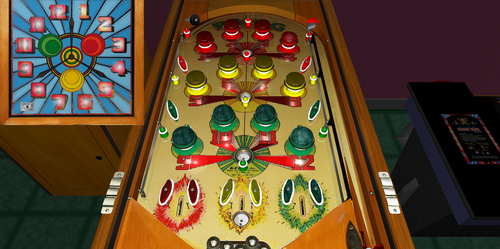
View File " Bang " (Genco 1939) v 1.2 Desktop " Bang " / IPD No. 166 / July, 1939 / 1 Player Manufacturer:Genco Manufacturing Company, of Chicago, Illinois, USA (1931-1958) Date Of Manufacture:July, 1939 Type:Electro-mechanical (EM) Serial Number Database:View at The Internet Pinball Serial Number Database (IPSND.net) (External site) Specialty:Flipperless Notable Features:Spring bumpers (12), Trap holes (4). Operates on batteries. Patent No. 2,134,185 [GAME APPARATUS] filed January 2, 1936. Granted October 25, 1938 to Leslie M. Hansen. This patent states "Another object of this invention is to provide a coin operated game apparatus in which it is possible by the skillful operation of the same, to obtain a free second operation without inserting a coin into the coin slide." Submitter Francisco Submitted 04/17/2023 Category Future Pinball Tables
-
Version 1.2
115 downloads
" Bang " / IPD No. 166 / July, 1939 / 1 Player Manufacturer:Genco Manufacturing Company, of Chicago, Illinois, USA (1931-1958) Date Of Manufacture:July, 1939 Type:Electro-mechanical (EM) Serial Number Database:View at The Internet Pinball Serial Number Database (IPSND.net) (External site) Specialty:Flipperless Notable Features:Spring bumpers (12), Trap holes (4). Operates on batteries. Patent No. 2,134,185 [GAME APPARATUS] filed January 2, 1936. Granted October 25, 1938 to Leslie M. Hansen. This patent states "Another object of this invention is to provide a coin operated game apparatus in which it is possible by the skillful operation of the same, to obtain a free second operation without inserting a coin into the coin slide." -
-
Version 1.1
411 downloads
New version of the 1979 Roger Sharpe table, Sharpshooter by Game Plan. Thanks to Eala for his original vp8 table and his object table which I borrowed from Thanks to JimmyFingers for physics tweaks and BMPR modding and improved sound/sound routines. Thanks to Rob046, Uncle Willy and Destruk for help, question answering and opinions. For 4:3 either download version 1.0 or change x-scale in backdop to 1.1 and change backdrop image from "backdropws" to "backdrop"- 2 reviews
-
- 1
-
-
- Sharpshooter
- Game Plan
- (and 4 more)
-
Version 1.1b
148 downloads
Cherry Bell Desktop Table by Sonic It is my first Recreation, so please be easy with me I was very busy with the Script, there was no Rules avaiable. Please read the Rules.pdf inside the Downloadfile. Thanks to zany for Test and Bumpercabs Primitives Thanks to dark für some Informations about it I am working on a 1.1 also ... I hope you like it, thanks for Playing, have Fun ! -
Version v1.4b_VP99_DT
626 downloads
Desktop Patch for Pirates Of the Caribbean.vpt by 85Vett (coolball for the Desktop-Patch) Changes i´ve done - added new Backdrop - change the values to create a desktop version - adjusts the flashers I'm not really happy with the Flipper settings, maybe someone can help with better settings. Need a better placed wall (for this desktop version at the plank to prevent ball from getting stuck behind bumper. Download and use the VPU Patching System - VPPatch - 32bit & 64bit 1.02 to create the Mod http://vpuniverse.com/forums/files/file/2581-vpu-patching-system-vppatch-32bit-64bit/ Download the original Table: "Pirates Of the Caribbean.vpt" /http://vpuniverse.com/forums/files/file/2458-pirates-of-the-caribbean-stern-2006-85vett-fs-12/ Use the Mod: "PotC_v1.4b_VP99_DT.dif" Have fun To Apply a patch: a. If you do not already have the table that the patch was created for; you will need to download that file. Read the "ReadMe.txt" file that comes with the patch download. The file should contain a link to the original file that the patch is based on. b. Make sure that you are on the "Apply Patch" tab located at the top of the window. c. Under "Original Table (Unmodified)". Click on "Choose" and then select the Original Unmodified Table that the patch was created for. d. Under "New Table Patch" click on "Choose" and select the patch file (.dif) that you want to apply to the table. e. Under "New Table File Name". Type in the name that you want to call your new table. Make sure that the file name ends in .vpt. f. Click "Apply Patch" - You will get a pop-up window indicating the location where your new file was created. This should be in the "mods" folder located in the same folder as the VPPatchXX.exe. If you have made any changes to the original table release then this patch will not work. -
Version 1.0
202 downloads
Gottlieb's Road Race (1969) Table primary build/scripted by Loserman! Thanks to the following for their contributions (whether they know it or not!) If I have missed anyone, let me know as this table would not exist without the folks in the community. Dazz - Playfield resources Freneticamnesiac - Playfield redraw (not used on this particular version) Grizz - Playfield and plastics redraws JPSalas - gameroom backdrop and methods gleaned from his fantastic tables EalaDubhSidhe - table object templates Black - HS save/load routines Itchigo - table templates which gave me ideas on how to accomplish what I wanted in this table CONRAM - various code ideas learned by tracing through code on his tables akiles50000 - for that totally awesome tutorial on table building. So much stuff I now understand because of the work put into this tutorial Inkochnito - scorecards/instruction cards Pinuck - Gottlieb chimes and score motor routines Herweh - directB2S designer and tools JimmyFingers - rolling ball and other objects' sound routines Bendigo - routines for rotating arrow target Arngrim - DOF scripting! Message from Dazz - Thanks to loserman76 and everyone for helping out with this build weather they know it or not. This game has been noted as one of the worst pinball games by Gottlieb. For the complete story about why this game means a lot to me check out my post on BYOAC. -
Version v1.0b
369 downloads
Desktop Patch for Spiderman Stern 1-01.zip by 85Vett (coolball for the Desktop-Patch) Thank you 85vett for the fantastic table and the permission to mod your table. Changes i´ve done - added new Backdrop - change the values to create a desktop version - adjusts the flashers Download and use the VPU Patching System - VPPatch - 32bit & 64bit 1.02 to create the Mod http://vpuniverse.com/forums/files/file/2581-vpu-patching-system-vppatch-32bit-64bit/ Download the original Table: "Spiderman Stern 1-01.zip" / http://vpuniverse.com/forums/files/file/2743-spiderman-fs-stern-2007-85vett/ Use the Mod: "Spidermandesk2.dif" Have fun To Apply a patch: a. If you do not already have the table that the patch was created for; you will need to download that file. Read the "ReadMe.txt" file that comes with the patch download. The file should contain a link to the original file that the patch is based on. b. Make sure that you are on the "Apply Patch" tab located at the top of the window. c. Under "Original Table (Unmodified)". Click on "Choose" and then select the Original Unmodified Table that the patch was created for. d. Under "New Table Patch" click on "Choose" and select the patch file (.dif) that you want to apply to the table. e. Under "New Table File Name". Type in the name that you want to call your new table. Make sure that the file name ends in .vpt. f. Click "Apply Patch" - You will get a pop-up window indicating the location where your new file was created. This should be in the "mods" folder located in the same folder as the VPPatchXX.exe. If you have made any changes to the original table release then this patch will not work. -
Version v1.0
459 downloads
Desktop Patch for XMen FS 1-02.zip by 85Vett (coolball for the Desktop-Patch) Thank you 85vett for the fantastic table and the permission to mod your table. Changes i´ve done - added new Backdrop - change the values to create a desktop version - adjusts the flashers Download and use the VPU Patching System - VPPatch - 32bit & 64bit 1.02 to create the Mod http://vpuniverse.com/forums/files/file/2581-vpu-patching-system-vppatch-32bit-64bit/ Download the original Table: "XMen FS 1-02.zip" / http://vpuniverse.com/forums/files/file/2679-x-men-pro-stern-2012-85vett/ Use the Mod: "XMENdesk1.dif" Have fun To Apply a patch: a. If you do not already have the table that the patch was created for; you will need to download that file. Read the "ReadMe.txt" file that comes with the patch download. The file should contain a link to the original file that the patch is based on. b. Make sure that you are on the "Apply Patch" tab located at the top of the window. c. Under "Original Table (Unmodified)". Click on "Choose" and then select the Original Unmodified Table that the patch was created for. d. Under "New Table Patch" click on "Choose" and select the patch file (.dif) that you want to apply to the table. e. Under "New Table File Name". Type in the name that you want to call your new table. Make sure that the file name ends in .vpt. f. Click "Apply Patch" - You will get a pop-up window indicating the location where your new file was created. This should be in the "mods" folder located in the same folder as the VPPatchXX.exe. If you have made any changes to the original table release then this patch will not work. -
Version v1.0
472 downloads
Desktop Patch for Ironman FS 1.04.zip by 85Vett (coolball for the Desktop-Patch) Thank you 85vett for the fantastic table and the permission to mod your table. Changes i´ve done - added new Backdrop - change the values to create a desktop version - adjusts the flashers Download and use the VPU Patching System - VPPatch - 32bit & 64bit 1.02 to create the Mod http://vpuniverse.com/forums/files/file/2581-vpu-patching-system-vppatch-32bit-64bit/ Download the original Table: "Ironman FS 1.04.zip" / http://vpuniverse.com/forums/files/file/2470-iron-man-stern-2010-85vett/ Use the Mod: "Ironmandesk1.dif" Have fun To Apply a patch: a. If you do not already have the table that the patch was created for; you will need to download that file. Read the "ReadMe.txt" file that comes with the patch download. The file should contain a link to the original file that the patch is based on. b. Make sure that you are on the "Apply Patch" tab located at the top of the window. c. Under "Original Table (Unmodified)". Click on "Choose" and then select the Original Unmodified Table that the patch was created for. d. Under "New Table Patch" click on "Choose" and select the patch file (.dif) that you want to apply to the table. e. Under "New Table File Name". Type in the name that you want to call your new table. Make sure that the file name ends in .vpt. f. Click "Apply Patch" - You will get a pop-up window indicating the location where your new file was created. This should be in the "mods" folder located in the same folder as the VPPatchXX.exe. If you have made any changes to the original table release then this patch will not work. -
Version v1.0
426 downloads
Desktop Patch for Tron FS 1-4.vpt by 85Vett (coolball for the Desktop-Patch) Thank you 85vett for the fantastic table and the permission to mod your table. Changes i´ve done - added new Backdrop - change the values to create a desktop version - adjusts the flashers Download and use the VPU Patching System - VPPatch - 32bit & 64bit 1.02 to create the Mod http://vpuniverse.com/forums/files/file/2581-vpu-patching-system-vppatch-32bit-64bit/ Download the original Table: "Tron FS 1-4.vpt" / http://vpuniverse.com/forums/files/file/2624-tron-le-stern-201185vett/ Use the Mod: "Trondesk1.dif" Have fun To Apply a patch: a. If you do not already have the table that the patch was created for; you will need to download that file. Read the "ReadMe.txt" file that comes with the patch download. The file should contain a link to the original file that the patch is based on. b. Make sure that you are on the "Apply Patch" tab located at the top of the window. c. Under "Original Table (Unmodified)". Click on "Choose" and then select the Original Unmodified Table that the patch was created for. d. Under "New Table Patch" click on "Choose" and select the patch file (.dif) that you want to apply to the table. e. Under "New Table File Name". Type in the name that you want to call your new table. Make sure that the file name ends in .vpt. f. Click "Apply Patch" - You will get a pop-up window indicating the location where your new file was created. This should be in the "mods" folder located in the same folder as the VPPatchXX.exe. If you have made any changes to the original table release then this patch will not work.

.thumb.jpg.decceff133422b95738e94527167555c.jpg)