-
SYSTEM SEARCH
System Scanners Online:
Username: Guest
>> System Scan?
>> The Universe >
Incoming Message:
Due to system limitations searching with words of 3 or less characters will not return results. For instance; Doctor Who. This will not return results as the system is trying to search for both Doctor AND Who in which Who will not be found as it's a 3 character word. To find Doctor Who; you'd search for either Doctor or "Doctor Who".
Search Tips:
For specific searches; enclose your search with quotes. Example: "Doctor Who" or "Addams Family".
Search the Community
Showing results for tags '1997'.
Found 23 results
-
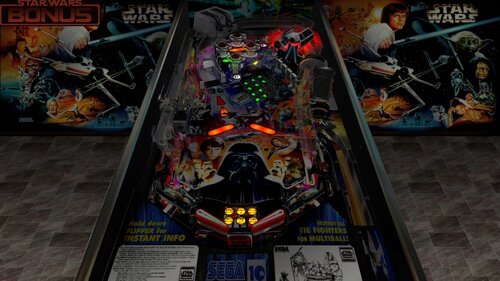
Version 1.2
3849 downloads
With each passing moment, you make yourself MORE addicted to pinball Credits for this version: I added nFozzy and Fleep @DaRdog81 created this insanely amazing VR Room! @r2z2helped with improving the feel of the physics Enjoy! from a certain point of view -
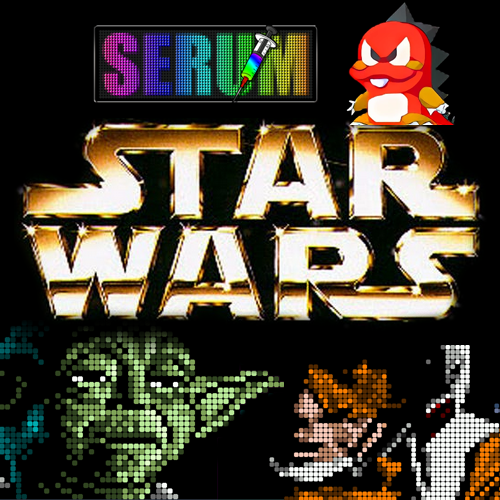
Version 1.0.2
2514 downloads
May the Force be with you! I'm happy to share my Star Wars Trilogy colorization in Serum format. This is the OG/Purist version where every frame has been hand colored (the digitized movie sequences were NOT FUN! 🥵). This project took me ~150 hours. At a minimum, you will need the Serum DLL file version 2.2.0 (released June 10th 2025) for this colorization as it uses dynamic sprites. Simply download and drop it in your vPinMame folder. Github link: Serum DLL latest release Cheers! 🍻 Kraken Coming soon to a galaxy near you: HD Theatrical Edition!- 58 comments
- 36 reviews
-
- 219
-

-
- 4054
- star wars trilogy
- (and 3 more)
-
 View File Star Wars Trilogy (Sega 1997) With each passing moment, you make yourself MORE addicted to pinball Credits for this version: I added nFozzy and Fleep @DaRdog81 created this insanely amazing VR Room! @r2z2helped with improving the feel of the physics Enjoy! from a certain point of view Submitter burger Submitted 05/19/26 Category VPX - Pinball Tables VPX Standalone No
 -
Version 1.0
2932 downloads
SINGLE MODE BACKGLASS Single mode backglass with five different ball animations. I wasn't able to get a lot information about the exact location of the backglass G.I. strings, on the other hand it looks like there is not too much "action" in the illumination. Backglass image provided by Aurich (thanks so much, wonderful artwork!!!), based on one of Chriz99's backglass images. directB2S backglass for the 1997 Bally table. Backglass needs server 1.25 or higher. -
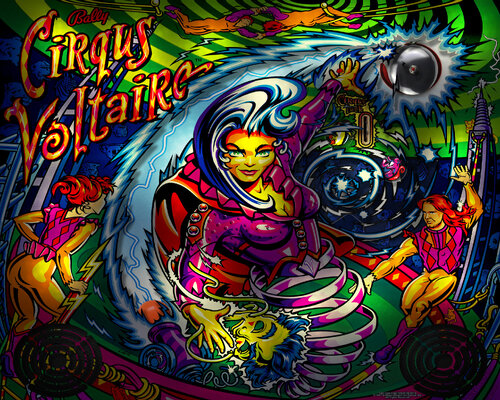
Version 1.0.1
2454 downloads
I've finally picked up and completed this 2019 project... A lot of head-scratching over little details that I hope you'll appreciate. • Full rebuild from scratch • New, more realistic cannonball animation technique based on videos. • 2 images per flash animation • Bell Mod included • HD translite resolution : 2560 x 2048 px • For 2 and 3 screens, FULL DMD Image • Authentic bulb placement • Removable grill • Photoshop lighting Special thank to all the VP tables authors and VPX developpers). Cheers Blacksad Disclaimer : Please do not redistribute, repost, repurpose or use the content for public or commercial purposes, images, or software code is prohibited without prior permission from author. Please respect our hobby and keep it free. 💖 -
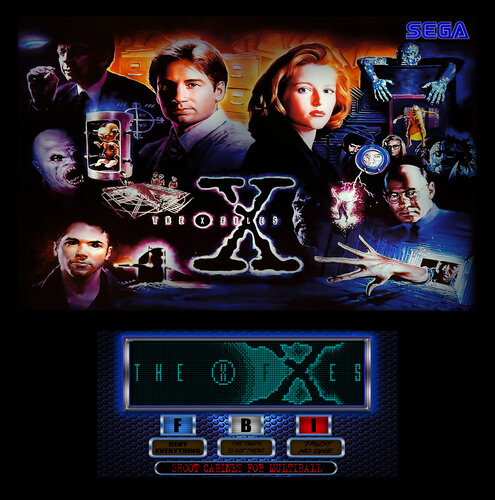
Version 1.0
1018 downloads
X-Files FullDMD (SEGA 1997) -
Version 1.0
589 downloads
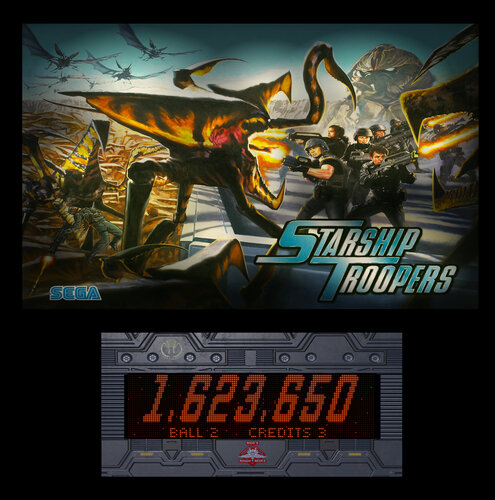
Starship Troopers FullDMD (Sega 1997) -
 View File Medieval Madness (Williams, 1997) (FizX 3.3) Although Medieval Madness was not a huge commercial success at launch, it quickly became a fan favorite and is now widely considered one of the greatest pinball machines of all time. The game features a medieval theme combined with modern elements and tongue-in-cheek humor. It was designed by Brian Eddy, who also created the highly acclaimed Attack From Mars (AFM), which I recently finished modifying. While AFM remains my favorite table, Medieval Madness is a close second. Video Overview of the Table: As with Attack from Mars, my goal was to enhance Medieval Madness to be functional, visually appealing, and play well using the latest BAM tools—without overloading it with excessive models or animations. As a result, the table now features four light settings, FizX 3.3, Surround Sound Feedback (SSF), and numerous new graphics. Additionally, it allows users to adjust more than 50 parameters in real-time through the Game, Lighting, and FizX menus (referred to as "tweakers"). I also installed a four-color Dot Matrix Display (DMD). Please refer to the included PDF for instructions on installing the table and the zip file. On the MEGA 1.3.5 version of Medieval Madness, Flug added two game modes to Slamt1lt's ULTIMATE 1.02 version that are easier to play. Flug's version ended up having Slamt1lt's Normal play mode, "Mega-Multiball" and "Mega-Easy". This table modifies Flug's version. The game modes can be switched after the game loads but before the game starts by pressing the Special 2 key. There is also an option on the game tweaker that can switch game modes. The tweaker is started by pressing the Special 1 key. The instruction PDF provides discussion on how to operate the tweakers. You should however be able to navigate and operate the system by reading the overlays that appear when you start it. The only thing you really need to remember is to open the tweaker with the Special 1 key. Video Demonstrating the "Tweakers" Menu System: Slamt1lt’s original audio was decent, but I knew it could be improved. To enhance the sound, I added the "Sound Level Control Panel," a feature I previously developed in AFM. This tool categorizes sounds into music, game mechanical sounds, special effects, and voice quotes, each with separate volume adjustments for loud and soft levels where necessary. I also integrated these sound categories into the Game Tweaker. Since Medieval Madness contains four times as many voice quotes and more than double the total number of audio files as AFM, the process of fine-tuning the sound was much more time-consuming. I’ve heard that some cabinet users have trouble hearing the ball rolling sound on some tables. To address this, I added the same option I used in AFM to lower the volume of all other sounds except for the ball rolling sound. Note that Future Pinball provides two options to adjust music and game sounds. I recommend setting both to maximum and not using them, as the music manager includes various non-musical sounds that are best managed through the Game Tweaker’s sound options. Since I don't have a cabinet setup myself, a user known as Enthusiast generously helped me test the table on his cabinet. I’ve put in my best effort to provide the best playing experience on both desktop PCs and pinball cabinets. As part of this effort, I included three versions of the table in the download: Main Version – For desktops, cabinets with two monitors, and virtual reality headsets. Three-Monitor Version – For cabinets with three monitor displays, which removes the speaker panel from the backbox texture and aligns the lights to the texture. Rotated Display Version – For desktop PCs with a single desktop PC monitor that can rotate to a portrait orientation. Be sure to follow the instructions in the included PDF for setting up these three versions correctly. I prefer to play the rotated display version on my desktop PC, as it fills about 90% of the monitor's available space. In contrast, the full table 2 view in Future Pinball only occupies about 50% of the screen, not including the HUD, which isn't necessary for the rotated display version. The rotated display offers a much more immersive and engaging gameplay experience. I’ve recorded a video that explains the simple setup process and showcases some gameplay: Video Demonstrating the Rotated Display Version: I want to express my sincere gratitude to Enthusiast for his invaluable help testing the table on his pinball cabinet. I’m always looking for ways to improve my table modifications. In this version, I figured out how to display a color background on DMD frames that show text. I also enhanced the lightning effects added by Slamt1lt. I’ve added several new frames of lightning on the backwall and thunder sounds, which now play randomly, and I’ve introduced a spotlight effect that illuminates the castle during the lightning sequence. This effect now plays during several game modes, as well as during the attract mode, greatly enhancing the drama of the game. I worked on this table every day for the last two months. It required a lot of effort, but it was also incredibly fun. I hope you enjoy playing it as much as I have. — George List of Changes: 1. Added color DMD with a newly discovered method for adding background color to DMD text. 2. Added two new loading textures: one for desktops and one for cabinets. 3. Darkened the red side rails and lockdown bar. 4. Fixed the right ramp to prevent the ball from getting stuck and ensure smoother performance. Replaced the half-circle section of the right ramp with a new ramp and removed the kicker assist. 5. Replaced the old dynamic flippers with FizX, using the latest version of the tweaker. 6. Added Surround Sound Feedback (SSF) and ball rolling sound on ramps using Fleep's recordings. 7. Changed the start game sequence to allow the game to begin at any time, instead of requiring a timer to run out in the attract mode. 8. Changed the "execute" command in the script to use alternate coding to prevent stuttering. 9. Replaced the exposed wood in the playfield area around the catapult with hand painted. Also edited the seam between two playfield photo merges to make it seamless. 10. Reworked the texture for the three stationary targets to make them larger and more visually appealing. 11. Changed the color, edited, and upscaled the texture of Merlin above Merlin's magic kicker. 12. Replaced the exterior cabinet textures with new high-resolution versions. 13. Found a higher-resolution version of the art for the game room, upscaled it, and installed it. 14. After upscaling the textures, added bump maps to the castle texture, two castle gates, and the dragon to create a 3D effect. 15. Changed the color of the castle interior floor and upscaled it. 16. Resized the six overlays on the backbox to make them smaller and moved "Troll Bombs" to the right so it aligns with the other overlays. 17. Upscaled the textures for the plastics, adjusted the color to make them brighter with less purple, and filled in numerous holes. Increased the brightness and contrast of the archers on top of the slingshots. Touched up the texture on the left ramp. No changes were made to the plastic with the flags below the catapult. 18. Changed the metal surface around the sides and back of the castle from bronze to black metal. 19. Created a custom texture for the flippers. 20. Fixed the right inlane barrier so that the top surface aligns with the bottom layer. Made changes to the texture to fit the new shape. 21. Found that the original texture of the damsel was too dark. Brightened it, touched it up, and upscaled it. 22. Deleted all unused audio files to improve table performance. 23. Revised Slamt1lt's lightning effect on the backwall. Updated the coding, added 9 new backwall textures, and 7 lightning sound effect files. Added a spotlight and 4 bulbs on the castle to simulate lightning flashes. Increased the number of calls to run the lightning effect. 24. Added a topper above the backbox. 25. Added a missing bulb to the plastics in the back area of the table. 26. Added lighting and game tweakers. 27. Added 3 spotlights and 1 nanoflasher to provide general illumination, controlled by the lighting tweaker. 28. Added specular lighting controlled by the lighting tweaker. 29. Added code for 63 light inserts, allowing control of 3 lighting options via the tweaker. Made many adjustments to backbox lights and added settings for each light mode in the lighting tweaker. Also adjusted the brightness of approximately 50 textures for each of the 4 light modes. 30. Added 8 missing voice quotes from the original table. 31. Changed the color of all light inserts on the playfield to use richer, less garish colors. 32. Changed the background color of the light lenses on the catapult tower to make them easier to identify. 33. Added another bulb to the castle-on-fire sequence and slightly adjusted the timing. 34. Added Flug's game modes to the Game Tweaker, which can also be changed by pressing the Special 2 key. 35. Adjusted the 14 desktop views from Attack From Mars to work with this table. 36. Categorized all audio files, added variables for each, and integrated a "Sound Level Control Panel" into the script. Added adjustment options to the Game Tweaker. 37. Replaced one of Merlin's voice quotes, which had significant noise, with a cleaner version of the same quote. Also adjusted the sound level of one of the damsel voice quotes to match the level of the others. 38. Created a version of the table for pinball cabinets with three monitors. 39. Created a version of the table for desktop PCs with swivel monitors. Submitter GeorgeH Submitted 11/14/24 Category Future Pinball Tables
 -
Version 1.03
2549 downloads
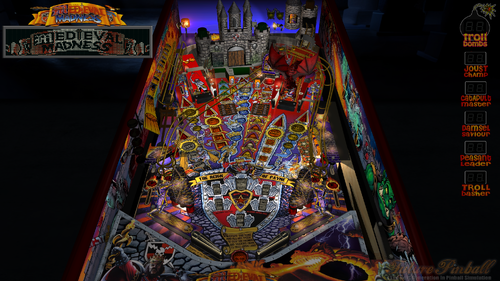
Although Medieval Madness was not a huge commercial success at launch, it quickly became a fan favorite and is now widely considered one of the greatest pinball machines of all time. The game features a medieval theme combined with modern elements and tongue-in-cheek humor. It was designed by Brian Eddy, who also created the highly acclaimed Attack From Mars (AFM), which I recently finished modifying. While AFM remains my favorite table, Medieval Madness is a close second. Video Overview of the Table: As with Attack from Mars, my goal was to enhance Medieval Madness to be functional, visually appealing, and play well using the latest BAM tools—without overloading it with excessive models or animations. As a result, the table now features four light settings, FizX 3.3, Surround Sound Feedback (SSF), and numerous new graphics. Additionally, it allows users to adjust more than 50 parameters in real-time through the Game, Lighting, and FizX menus (referred to as "tweakers"). I also installed a four-color Dot Matrix Display (DMD). Please refer to the included PDF for instructions on installing the table and the zip file. On the MEGA 1.3.5 version of Medieval Madness, Flug added two game modes to Slamt1lt's ULTIMATE 1.02 version that are easier to play. Flug's version ended up having Slamt1lt's Normal play mode, "Mega-Multiball" and "Mega-Easy". This table modifies Flug's version. The game modes can be switched after the game loads but before the game starts by pressing the Special 2 key. There is also an option on the game tweaker that can switch game modes. The tweaker is started by pressing the Special 1 key. The instruction PDF provides discussion on how to operate the tweakers. You should however be able to navigate and operate the system by reading the overlays that appear when you start it. The only thing you really need to remember is to open the tweaker with the Special 1 key. Video Demonstrating the "Tweakers" Menu System: Slamt1lt’s original audio was decent, but I knew it could be improved. To enhance the sound, I added the "Sound Level Control Panel," a feature I previously developed in AFM. This tool categorizes sounds into music, game mechanical sounds, special effects, and voice quotes, each with separate volume adjustments for loud and soft levels where necessary. I also integrated these sound categories into the Game Tweaker. Since Medieval Madness contains four times as many voice quotes and more than double the total number of audio files as AFM, the process of fine-tuning the sound was much more time-consuming. I’ve heard that some cabinet users have trouble hearing the ball rolling sound on some tables. To address this, I added the same option I used in AFM to lower the volume of all other sounds except for the ball rolling sound. Note that Future Pinball provides two options to adjust music and game sounds. I recommend setting both to maximum and not using them, as the music manager includes various non-musical sounds that are best managed through the Game Tweaker’s sound options. Since I don't have a cabinet setup myself, a user known as Enthusiast generously helped me test the table on his cabinet. I’ve put in my best effort to provide the best playing experience on both desktop PCs and pinball cabinets. As part of this effort, I included three versions of the table in the download: Main Version – For desktops, cabinets with two monitors, and virtual reality headsets. Three-Monitor Version – For cabinets with three monitor displays, which removes the speaker panel from the backbox texture and aligns the lights to the texture. Rotated Display Version – For desktop PCs with a single desktop PC monitor that can rotate to a portrait orientation. Be sure to follow the instructions in the included PDF for setting up these three versions correctly. I prefer to play the rotated display version on my desktop PC, as it fills about 90% of the monitor's available space. In contrast, the full table 2 view in Future Pinball only occupies about 50% of the screen, not including the HUD, which isn't necessary for the rotated display version. The rotated display offers a much more immersive and engaging gameplay experience. I’ve recorded a video that explains the simple setup process and showcases some gameplay: Video Demonstrating the Rotated Display Version: I want to express my sincere gratitude to Enthusiast for his invaluable help testing the table on his pinball cabinet. I’m always looking for ways to improve my table modifications. In this version, I figured out how to display a color background on DMD frames that show text. I also enhanced the lightning effects added by Slamt1lt. I’ve added several new frames of lightning on the backwall and thunder sounds, which now play randomly, and I’ve introduced a spotlight effect that illuminates the castle during the lightning sequence. This effect now plays during several game modes, as well as during the attract mode, greatly enhancing the drama of the game. I worked on this table every day for the last two months. It required a lot of effort, but it was also incredibly fun. I hope you enjoy playing it as much as I have. — George List of Changes: 1. Added color DMD with a newly discovered method for adding background color to DMD text. 2. Added two new loading textures: one for desktops and one for cabinets. 3. Darkened the red side rails and lockdown bar. 4. Fixed the right ramp to prevent the ball from getting stuck and ensure smoother performance. Replaced the half-circle section of the right ramp with a new ramp and removed the kicker assist. 5. Replaced the old dynamic flippers with FizX, using the latest version of the tweaker. 6. Added Surround Sound Feedback (SSF) and ball rolling sound on ramps using Fleep's recordings. 7. Changed the start game sequence to allow the game to begin at any time, instead of requiring a timer to run out in the attract mode. 8. Changed the "execute" command in the script to use alternate coding to prevent stuttering. 9. Replaced the exposed wood in the playfield area around the catapult with hand painted. Also edited the seam between two playfield photo merges to make it seamless. 10. Reworked the texture for the three stationary targets to make them larger and more visually appealing. 11. Changed the color, edited, and upscaled the texture of Merlin above Merlin's magic kicker. 12. Replaced the exterior cabinet textures with new high-resolution versions. 13. Found a higher-resolution version of the art for the game room, upscaled it, and installed it. 14. After upscaling the textures, added bump maps to the castle texture, two castle gates, and the dragon to create a 3D effect. 15. Changed the color of the castle interior floor and upscaled it. 16. Resized the six overlays on the backbox to make them smaller and moved "Troll Bombs" to the right so it aligns with the other overlays. 17. Upscaled the textures for the plastics, adjusted the color to make them brighter with less purple, and filled in numerous holes. Increased the brightness and contrast of the archers on top of the slingshots. Touched up the texture on the left ramp. No changes were made to the plastic with the flags below the catapult. 18. Changed the metal surface around the sides and back of the castle from bronze to black metal. 19. Created a custom texture for the flippers. 20. Fixed the right inlane barrier so that the top surface aligns with the bottom layer. Made changes to the texture to fit the new shape. 21. Found that the original texture of the damsel was too dark. Brightened it, touched it up, and upscaled it. 22. Deleted all unused audio files to improve table performance. 23. Revised Slamt1lt's lightning effect on the backwall. Updated the coding, added 9 new backwall textures, and 7 lightning sound effect files. Added a spotlight and 4 bulbs on the castle to simulate lightning flashes. Increased the number of calls to run the lightning effect. 24. Added a topper above the backbox. 25. Added a missing bulb to the plastics in the back area of the table. 26. Added lighting and game tweakers. 27. Added 3 spotlights and 1 nanoflasher to provide general illumination, controlled by the lighting tweaker. 28. Added specular lighting controlled by the lighting tweaker. 29. Added code for 63 light inserts, allowing control of 3 lighting options via the tweaker. Made many adjustments to backbox lights and added settings for each light mode in the lighting tweaker. Also adjusted the brightness of approximately 50 textures for each of the 4 light modes. 30. Added 8 missing voice quotes from the original table. 31. Changed the color of all light inserts on the playfield to use richer, less garish colors. 32. Changed the background color of the light lenses on the catapult tower to make them easier to identify. 33. Added another bulb to the castle-on-fire sequence and slightly adjusted the timing. 34. Added Flug's game modes to the Game Tweaker, which can also be changed by pressing the Special 2 key. 35. Adjusted the 14 desktop views from Attack From Mars to work with this table. 36. Categorized all audio files, added variables for each, and integrated a "Sound Level Control Panel" into the script. Added adjustment options to the Game Tweaker. 37. Replaced one of Merlin's voice quotes, which had significant noise, with a cleaner version of the same quote. Also adjusted the sound level of one of the damsel voice quotes to match the level of the others. 38. Created a version of the table for pinball cabinets with three monitors. 39. Created a version of the table for desktop PCs with swivel monitors. -
(Custom).thumb.png.6a44148292d530bd261239e4084afe92.png)
Version 3.0
7518 downloads
Medieval Madness(Williams 1997) -
.thumb.png.e3373e66993b4c60620a0fd0fcb1790d.png)
Version 3.0
3379 downloads
The Lost World Jurassic Park (Sega 1997)- 3 comments
- 5 reviews
-
- 64
-
-
- DirectB2S
- The Lost World Jurassic Park
- (and 3 more)
-
- 1 comment
- 6 reviews
-
- 44
-
-
- Star Wars Trilogy
- Sega
- (and 3 more)
-
.thumb.png.d687c540d53a3431a290aa9b4c44dc9f.png)
Version 2.0
3510 downloads
No Good Gofers(Williams 1997) -
File Name: The Lost World Jurassic Park (Sega 1997) File Submitter: Wildman File Submitted: 15 Nov 2014 File Category: B2S Backglasses The Lost World Jurassic Park (Sega 1997) Click here to download this file
-

Version 1.1
178 downloads
This is a patch to convert jpsalas's 1997 Bally Cirqus Voltiare to the hybrid view. A big thank you to jpsalas for letting me convert his fine table. The file contains the .dif file used to patch the original table. Get the original table from the link posted on this page lower right. Use the VP Patcher System to create the modified HV version. The VP Patcher can be found here.- 1 review
-
- 1
-
-
- VPPatch
- Cirqus Voltaire
- (and 5 more)
-
Version 1.1
1852 downloads
TABLE MUST BE PLAYED WITH PHYSMOD 5!!! Previous version released earlier. but this update adds some nice features and hopefully has all the bugs out of it! Thank you list: dark - lots of primitive work including the ramps, ramp decals, dino egg, baby-trex plus custom lighting for the t-rex, snagger arm, etc. Plus play testing and finding lots of misc issues freneticamnesic - lots of assistance in scripting primitive animation for the snagger arm and dino egg and also did some primitive work as well. Also helped with misc bugs and issues and provided info on how to convert to PM5 fredobiwan - provided a very nice redrawn playfield Slydog43 - provided very nice decal images gtxjoe - assistance with some issues onemanproject - provided Hummer primitive B2S backglass, and play testing powerfufi - play testing arngrim - DOF support javier1515 - updated physics, ballrolling sounds, other table adjustments Hopefully I didn't forget someone! I apologize in advance if I did. Well, here is the table! One thing holding up the release was the snagger ball lock animation. It is not 100% where I would like it to be, but I think it works well enough for now. If anyone would like to improve it, by all means! As you can see, I had a lot of help with this one. Enjoy! One thing I added that is not accurate is the raptor near the shooter lane lights up at certain times, such as when you have a smart missle. The light is actually on the shoot button. Overall, pretty fun table. The skill shot and video mode are some of the most easy ones I've seen. first, the skill shot is really slow and doesn't speed up on successive shots. Also, the video mode, you get the same score if you jump over the T-rex, or if you get eaten by him...What?!? Haha. Ok, enough writing.- 2 reviews
-
- 4
-
-
- Jurassic Park
- The Lost World
- (and 2 more)
-
Version 1.1
245 downloads
This is a patch to convert jpsalas's 1997 Sega Star Wars Trilogy to the hybrid view. A big thank you to jpsalas for letting me convert his fine table. The file contains the .dif file used to patch the original table. Get the original table from the link posted on this page lower right. Use the VP Patcher System to create the modified HV version. The VP Patcher can be found here.- 1 review
-
- 2
-
-
- VPPatch
- Star Wars Trilogy
- (and 5 more)
-
Version 1.1
271 downloads
This is a patch to convert jpsalas's 1997 Williams Medieval Madness to the hybrid view. A big thank you to jpsalas for letting me convert his fine table. The file contains the .dif file used to patch the original table. Get the original table from the link posted on this page lower right. Use the VP Patcher System to create the modified HV version. The VP Patcher can be found here.- 1 review
-
- 2
-
-
- VPPatch
- Medieval Madness
- (and 5 more)
-
-
-
Version 1.0
443 downloads
XML: <game name="TableName goes here"> <description>Star Wars Trilogy (Sega 1997)</description> <manufacturer>Sega</manufacturer> <year>1997</year> <type>SS</type> </game> The media pack contains backglass images, a table image, wheel logos, an instruction card and a flyer. Thanks to: jpsalas (and all others involved) - table release, wheel image Flying Dutchman - backglass images DreamTrap - alternative wheel image ipdb.org - instruction card, flyer-
- 1
-
-
- Star Wars Trilogy
- Sega
- (and 3 more)
-

Version 1.0
690 downloads
ENHANCED BACKGLASS I've only got one rule, nobody quits! This is a fantasy backglass recreation using some advanced animations and does not represent the original machine backglass layout or globe sequence. The majority of my backglasses will be like this to add some life to the original game. Hope you enjoy it - Dozer316. Oh, I would also suggest you run the backglass in .exe mode to increase performance.-
- 3
-
-
- Starship Troopers
- Sega
- (and 1 more)