No files in this category yet.
Files From Subcategories
-
Mars Trek (Sonic 1977) clear wheel logos 4k
Logo taken from backglass, upscaled and restored for high resolution and cleaned up, optimized for 2K/4K frontends
Download the regular version if you're using 1440p or less resolution, or the "_max" version if you're using 4K resolution or any other configuration like Desktop mode
Logos are optimized for cabinet mode using PinballX; since PinballX is using 70% of the respective screen width for the logo display, the 2k versions are set at 1008px width to avoid internal downscaling/upscaling of the frontend that might introduce unwanted artifacts, moiree or aliasing effects.
48 downloads
(0 reviews)0 comments
Updated
-
Magic Castle (Zaccaria 1984) clear wheel logo 4K
Logo taken from backglass, upscaled and restored for high resolution and cleaned up, optimized for 4K/2K frontends
Download the 4K version if you use a frontend like PinballX or Pinup Popper on a 4K monitor, or the regular version if you have a 1440p resolution or less. Logos are optimized for each resolution since the internal downscaling/upscaling of the frontends might introduce unwanted artifacts, moiree or aliasing effects.
14 downloads
(0 reviews)0 comments
Updated
-
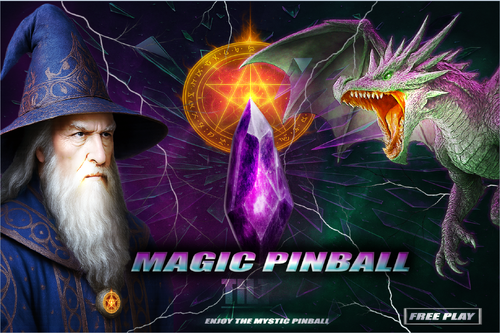
Magic Pinball (Original 2025) clear wheel logos 4K
Logo taken from backglass, upscaled and restored for high resolution and cleaned up, optimized for 2K/4K frontends
Providing files optimized for 1440p cabinet mode in PinballX and maximum available resolution.
PinballX is using 70% of the respective screen width for the logo display at a 1.66 aspect ratio, so the provided optimized version is set at 1008px max width / 605px max height to avoid internal downscaling/upscaling of the frontend that might introduce unwanted artifacts, moiree or aliasing effects.
DOWNLOAD ALL LOGOS (2000+) at this link: https://mega.nz/folder/22pRyY6K#t9cVLDbWaIlyDflG_QVTjw
6 downloads
(0 reviews)0 comments
Submitted
-
Magic Circle (Bally 1965) clear wheel logo 4K
Logo taken from backglass, upscaled and restored for high resolution and cleaned up, optimized for 2K/4K frontends
Providing files optimized for 1440p cabinet mode in PinballX and maximum available resolution.
PinballX is using 70% of the respective screen width for the logo display at a 1.66 aspect ratio, so the provided optimized version is set at 1008px max width / 605px max height to avoid internal downscaling/upscaling of the frontend that might introduce unwanted artifacts, moiree or aliasing effects.
DOWNLOAD ALL LOGOS (2000+) at this link: https://mega.nz/folder/22pRyY6K#t9cVLDbWaIlyDflG_QVTjw
4 downloads
(0 reviews)0 comments
Submitted
-
Magic Clock (Williams 1960) clear wheel logos 4K
Logo taken from backglass, upscaled and restored for high resolution and cleaned up, optimized for 2K/4K frontends
Providing files optimized for 1440p cabinet mode in PinballX and maximum available resolution.
PinballX is using 70% of the respective screen width for the logo display at a 1.66 aspect ratio, so the provided optimized version is set at 1008px max width / 605px max height to avoid internal downscaling/upscaling of the frontend that might introduce unwanted artifacts, moiree or aliasing effects.
DOWNLOAD ALL LOGOS (2000+) at this link: https://mega.nz/folder/22pRyY6K#t9cVLDbWaIlyDflG_QVTjw
4 downloads
(0 reviews)0 comments
Submitted
-
Momonga Pinball Adventures (Paladin Studios 2016) Media Files & Cabinet Instructions
By SixOfTwelve
Just when you thought it was safe to go back into the mancave, here's yet another episode of
Let's Put Things On Cabinets That Were Never Meant To Be On Cabinets!
Today it's fun for all ages as we launch a small furry creature against hard objects in Momonga Pinball Adventures, released by Paladin Studios in 2016. As Momo the flying squirrel traverses the world in search of the evil owl soldiers who kidnapped his family, he meets a bunch of quirky characters and has to overcome many obstacles - mainly by curling up into a ball and smashing them to bits.
Momonga Pinball Adventures can't deny its origins as a casual game originally created for mobile devices. You will make many shots due more to luck than skill, but what the game lacks in accurate pinball physics, it more than makes up for in the charm department. The graphics are lush and colorful, the character designs are excellent, and the overall presentation is top-notch. Unfortunately, the game is rather short and ends on a cliffhanger that was never resolved, since the design studio closed its doors in 2024.
The included AutoHotKey script moves the game to the backglass, covers the playfield and DMD screen with filler images, and maps your cabinet's buttons to the game's keys.
I've included a ton of media:
4 frontend backglasses (two in 4:3 and two in 16:9 format) a company logo 2 DMD images, one for the frontend and a filler image used by the script 7 flyer images (collages of character concept art from Paladin Studio's production blog) 2 instruction cards a promo video (the launch trailer for the iOS version) table audio 2 table images, one for the frontend and a filler image used by the script a table video a wheel image
Image sources include Paladin Studio's website, the game's Steam page, MobyGames and the Launchbox Games Database
As usual, the launch script needs to be adapted to your system, but no fear - it's extensively annotated. Please take a good long look through it before asking for help in the comments section.
I'll gladly try to help, but please do make an effort first.
Share and enjoy!
SOME MORE NOTES:
Where to get it:
Momonga Pinball Adventures is available on Steam. At the time of this posting, it's on sale for less than a buck, but in my opinion the game is worth it even at the full Steam price (around $6).
How to run it:
The game should run "out of the box" on modern systems, but being a Steam game, the Steam client will launch along with it and hang around in the background. If you don't mind that, fine.
However, if you have an offline cabinet and want to run the game without the Steam client popping up:
Download the Goldberg Emulator and extract the steam_api.dll. Go to your game folder and rename or backup the original steam_api.dll and replace it with the one from step 1. Create a simple Notepad text file in the same folder, name it steam_appid.txt and paste the game's Steam ID into it. You can find the ID number in the URL of the game's Steam Store website. Running the game's EXE file should now work without Steam. It should be noted that use of a Steam emulator can be a legally gray area. Check your local jurisdiction and make sure you own a legal copy of the game.
The Phantom Input Menace:
If your cabinet has an analog device such as a VirtuaPin Controller that registers in Windows as a joystick, you may find that the game reads one of the joystick's axes as active, which can result in the "up" or "down" direction being pushed constantly - most visible during the main menu screen. This will either prevent you from quitting the game (if the "up-push" is active, since you can never move down to "Quit game") or from starting it (if the "down-push" is active, since you can never move up to "Start").
My solution for this was to install HIDHide, an insanely useful little tool which lets you create a white- or blacklist of software which is allowed (or not allowed) to "see" your gaming input devices.
Here is a quick rundown:
(Since I use my VirtuaPin Controller for many games on my cab in addition to Visual Pinball, a blacklist of "forbidden" games made more sense.)
1. In the "Devices" tab of HIDHide, select your gaming device and make sure to tick "Enable device hiding".
2. Then in the "Applications" tab, tick "Inverse application cloak" (which makes the selection a blacklist), and add the game's EXE file by clicking the plus button.
3. Unplug and replug your gaming device or (if, like me, you don't feel like opening up your cab and pulling out stuff) simply reboot your PC.
4. The next time you run Momonga Pinball Adventures, it won't see your device and the menus should work normally. You can use the flipper buttons (Shift) to move left and right and the magnasave buttons (Control) to move up and down.
Special thanks to:
@iwantpinball for testing the script on his cabinet and providing the alternate backglass images
5 downloads
(0 reviews)0 comments
Updated
-
Monopoly Full Instructions
By thrillride11
Complete Rule set for Monoply Sterns 2001 Table. I have created 7 rule cards to fit them all on.
In Pinup Frontend I have my info screen set to my backglass and then use flippers to navigate through each card. If anyone is unsure how this is done here is a link to nailbusters page explaining this exact process:
https://www.nailbuster.com/wikipinup/doku.php?id=other_settings
But it is really quite simple, you just add each one to the popper media and instead of overwriting each one you add to list (so each one is named for example rulecard01, rulecard02 etc.
You can have tutorial videos as well as images like these and just keep cycling through. I like to have a tutorial video as well as rule cards, because - why not!
Hope you enjoy them as much as I had fun creating them. Enjoy and hope they come in handy as much as they do for me.
31 downloads
(0 reviews)0 comments
Submitted
-
Monster Fair (LittleWing 2004) Media Files & Cabinet Instructions
By SixOfTwelve
On tonight's spoooky episode of
Let's Put Things On Cabinets That Were Never Meant To Be On Cabinets!
we're visiting Monster Fair, another game by Japanese studio LittleWing, released in 2004 for Windows and Macintosh. It's a carnival run by monsters, who are really aliens, who crashed their spaceship on Earth hundreds of years ago, and are now trying to earn enough money to return home. Seriously, that's the background story. Just like LittleWing's previous Jinni Zeala, this one is a lot of fun, and the wacky factor has even been turned up a few notches.
The included AutoHotKey script rotates the playfield to portrait mode, lowers the resolution to 1024x1080, fills the backglass and DMD screens with decorative images, launches the game and maps the keys to standard cabinet buttons.
I've included
the AutoHotKey launch script, fully annotated (please go through it and adapt the variables to your system before running it!) a DDrawCompat INI file for the resolution - see further below under "How to run it" a DMD filler image for in-game purposes a backglass image (also usable for your frontend of choice), in both 4:3 and 16:9 formats
Also, tons of frontend media:
36 instruction cards (taken from the official player's guide) table audio (recorded directly from the game) table image (an upscale of the playfield) company logo (taken from Crystal Caliburn's official PDF guide) two wheel logos Sadly, no flyer images this time, since from Monster Fair onward, LittleWing sold their games exclusively as downloads, so there are no box covers or any other large-scale artwork I could find.
Share and enjoy!
SOME MORE NOTES:
Where to get it:
The company's website at www.littlewingpinball.com is still up as of 2026, and you can download the demo version of the game there. It needs to be be unlocked to full version with a code you could once buy at the website store, but that store has been "out of service due to a maintenance" since 2013. Never fear though, just browse any Archive that's reasonably well Organized, and you should find it before you can count to 1.2.0 😉
How to run it:
Monster Fair will run terribly choppy or even crash on most modern systems since it uses an obsolete DirectX version, and also cut parts of the image off when played in portrait mode. Go to https://github.com/narzoul/DDrawCompat/releases and download the latest version of DDrawCompat (expand the "Assets" tab under the latest post and get the ZIP file). Unzip and put the ddraw.dll file into your Monster Fair game directory. This Media Pack includes a file called DDrawCompatOverlay-MonsterFair.ini that needs to be dropped into the same folder, as it will tell DDrawCompat what resolution to use.
The menu system in this game is a bit counter-intuitive, as you have to press Esc to start. I mapped the Start button to Esc, just because I'm used to pressing it whenever I start a game. The script also remaps the flipper keys so they can be used to navigate the menu. Press the Launch button (Enter) to select.
The controls in the script will not work if you mapped different keys in-game. Go to "Options", "Controls" and "Reset to Default" and you should be fine.
Highscore workaround:
Unfortunately, when it comes to the highscore table, LittleWing moved away from the "select letters with flippers" method of their earlier games and opted for keyboard typing input. I solved this by mapping three letters plus Enter to the Coin button (5). They're set to "N-E-W" in the script - feel free to change them to your preference.
AI use disclaimer:
As I already mentioned, there is no high-resolution artwork available for Monster Fair, and the in-game graphics don't really lend themselves to backglass images (unlike earlier LittleWing games up to Angel Egg, which had large images next to the playfield). So it was with a heavy heart that I decided to use AI to generate a title screen that looked vaguely like it could have been created at the time of release: Low-polygon 3D rendered characters with glossy surfaces that have a touch of the uncanny valley about them. I picked the game's four most prominent characters: The golden-suited Dracula (from the game's "Showtime" mode), the Frankenstein's monster popcorn seller, the old hippie witch from the "Goat Rodeo" attraction and the young hip-hop werewolf who rides the rollercoaster. I hope you find the result somewhat acceptable.
The backglass image was created by accident in ChatGPT after about 60 failed tries in FreePik, when I asked ChatGPT how to better refine my prompts 😅 I then used Freepik to upscale and expand the image, and finally tweaked it further in Photoshop. The wheel logo was taken from a screenshot of the game's intro, upscaled with Freepik and further edited in Photoshop.47 downloads
(0 reviews)0 comments
Updated
-
Mad Daedalus (LittleWing 2010) Media Files & Cabinet Instructions
By SixOfTwelve
Recorded live in front of a studio audience, here's another round of
Let's Put Things On Cabinets That Were Never Meant To Be On Cabinets!
We've arrived at Mad Daedalus, the final game by Japanese studio LittleWing, released in 2010 for Windows and Macintosh. The game is a sequel to 1994's Loony Labyrinth and the story is basically a prequel to the earlier game. As usual, the presentation is flawless, gameplay is engaging, ball physics are great, and considering LittleWing has been a two-person studio, this is an amazing effort.
Sadly, this was to be the last computer pinball game LittleWing would ever release. They followed up Mad Daedalus with a port of Tristan and a sequel to Crystal Caliburn for Apple mobile devices, but sadly, those two don't seem to run on today's iPhones and iPads anymore. (I can confirm that the Apple App store doesn't even show them on my devices when I search for them.)
As far as I could gather, Yoshikatsu Fujita and Reiko F. Nojima seem to have relocated from Toyama to California, where he works at Google and she's still doing art, but it seems they have closed the pinball chapter of their lives.
But let's not mourn what could've been, let's celebrate what we have:
The included AutoHotKey script rotates the playfield to portrait mode, fills the backglass and DMD screens with decorative images, launches the game and maps the keys to standard cabinet buttons.
This time, I also added optional support for JoyToKey in the script. Pressing buttons to nudge the ball doesn't feel right on my cabinet - I'm used to slapping the sides. This way I can do that and even use my analog plunger to launch the ball. (You can find a screenshot of my own JoyToKey setup in the images for this post to get you started.)
I've included
the AutoHotKey launch script, fully annotated (please go through it and adapt the variables to your system before running it!) a DMD filler image (repurposed from Loony Labyrinth, since this is the sequel) a backglass image (also usable for your frontend of choice), in both 4:3 and 16:9 formats
Also, tons of frontend media:
17 instruction cards (taken from the official Player's Guide) table audio (recorded directly from the game) table image (an upscale of the playfield) company logo (taken from Crystal Caliburn's official PDF guide) a wheel logo (in two sizes) a promo video (taken from Reiko F. Nojima's YouTube channel, featuring game animation and behind-the-scenes photos) 5 flyer images, taken from promotional material on the website (a credits page with photos of the team, a printable CD and cover, a concept art drawing of Ariadne) and from Reiko F. Nojima's Facebook page (an art installation featuring face casts of Daedalus that were also used in the game)
Share and enjoy!
SOME MORE NOTES:
Where to get it:
The company's website at www.littlewingpinball.com is still up as of 2026, and you can download the demo version of the game there. It needs to be be unlocked to full version with a code you could once buy at the website store, but that store has been "out of service due to a maintenance" since 2013. Never fear though, just browse any Archive that's reasonably well Organized, and may both Angel and Man help you 😉
How to run it:
Mad Daedalus should run out of the box on a modern system - no extra DLLs required, as has been the case with some earlier games.
The menu system in this game is a bit counter-intuitive, as you have to press Esc to start. I mapped the Start button to Esc, just because I'm used to pressing it whenever I start a game. The script also remaps the flipper keys so they can be used to navigate the menu. Press the Launch button (Enter) to select.
The controls in the script will not work if you mapped different keys in-game. Go to "Options", "Controls" and "Reset to Default" and you should be fine.
What didn't work:
I've been informed that mapping a key to send Esc might kill Pinup Popper. Since I don't use it, I didn't run into that problem, but I'm working on figuring it out. Please let me know if you find a workaround!
Highscore workaround:
Unfortunately, when it comes to the highscore table, LittleWing moved away from the "select letters with flippers" method of their earlier games and opted for keyboard typing input. I solved this by mapping three letters plus Enter to the Coin button (5). They're set to "N-E-W" in the script - feel free to change them to your preference.
AI use disclaimer:
The wheel image was taken from an in-game screenshot, upscaled with Freepik and tweaked further in Photoshop. For the backglass, I used an image of Reiko F. Nojima's "Days of Knossos" art installation I found on Facebook, edited it in Photoshop and pasted the logo and an image of the time travel device from the Player's Guide on top of it. It's far from the prettiest thing I've ever done, but honoring Ms. Nojima's art this way felt at least more appropriate than AI-generating something new from scratch.
And that's it.
That's all there is on the subject of LittleWing Studios.
What?
What's that you say, little wise old swamp creature?
Oh yeah, that's right, there was another. Two, actually.
If you look at LittleWing's game list on their website, you'll see that I left out Eight Ball Deluxe for MS-DOS, and Psychedelic"O" Pinball for Windows and Mac.
I dismissed Eight Ball Deluxe deliberately, since the MS-DOS version a) most importantly wasn't coded by the LittleWing team, but also b) isn't very good, c) takes ages to load, d) needs a mouse to navigate the menu, and e) we already have excellent Visual Pinball versions, so there's literally no point to play the port.
But Psychedelic"O" Pinball looks interesting. Apparently it's a sound mod of Jinni Zeala, created in 2006 by LittleWing for Japanese band Love Psychedelico and was only ever included as a bonus disc on one of their CD releases. I haven't been able to find a download anywhere, so if some kind soul should stumble across it, I'd appreciate a pointer. I'd love to create another media pack for it someday.
14 downloads
(0 reviews)0 comments
Updated
-
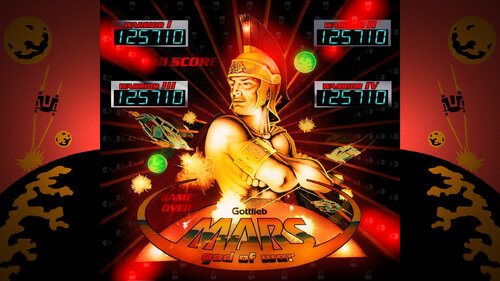
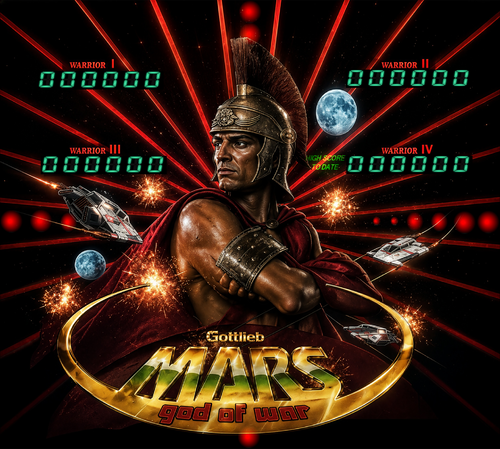
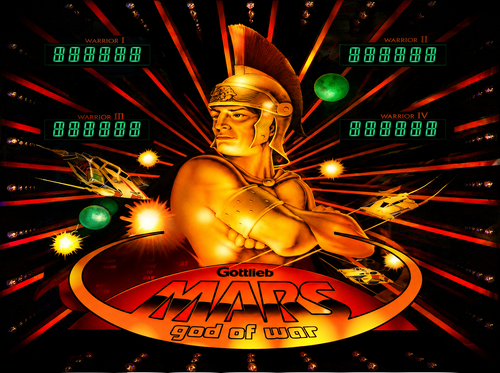
Mars God of War (Gottlieb 1981) clear wheel logo 4k
Logo taken from backglass, upscaled and restored for high resolution and cleaned up, optimized for 2K/4K frontends
Download the regular version if you're using 1440p or less resolution, or the "_max" version if you're using 4K resolution or any other configuration like Desktop mode
Logos are optimized for cabinet mode using PinballX; since PinballX is using 70% of the respective screen width for the logo display, the 2k versions are set at 1008px width to avoid internal downscaling/upscaling of the frontend that might introduce unwanted artifacts, moiree or aliasing effects.
44 downloads
(0 reviews)0 comments
Updated
-
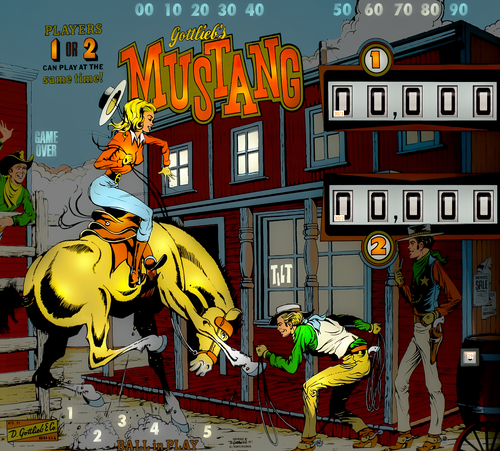
Mustang (Stern 2014) backglass / topper FHD
By kilazz
Mustang (Stern 2014) backglass / topper FHD
2 versions
24 downloads
(0 reviews)0 comments
Submitted
-
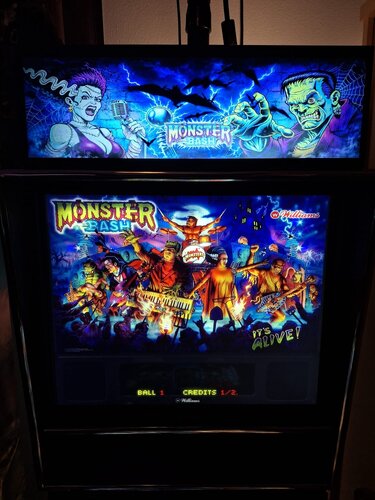
Monster Bash (Williams 1998) - Vpx Video Instruction (French audio)
By pat.852
Bonjour à tous
Voici une nouvelle traduction audio française des instructions vidéo de KONGEDAM du groupe (LAURENT EGAPEL, GARGA SURQUES, THIERRY DELOMIER et PATRICE SALERNO).
La dix-huitième publication est « Monster Bash (Williams 1998) ».
Aux vues du nombre de vidéo on a besoin de renfort !!
Si vous souhaiter nous aider pour les traductions contacter moi en Message privé
Le process est assez simple je génère un fichier texte de la traduction française « brute » de la vidéo.
Vous corrigez dans le fichier texte les anomalies de traduction de l’I.A et je renvois la traduction corrigée dans Clidéo pour génération de la vidéo traduite.
En plus cela vous permet d’avoir la vidéo traduite d’une table que vous affectionné non encore traitée.
Hello everyone
Here is a new French audio translation of the KONGEDAM video instructions from the group (LAURENT EGAPEL, GARGA SURQUES, THIERRY DELOMIER, and PATRICE SALERNO).
The Eighteenth release is « Monster Bash (Williams 1998) ».
Given the number of videos, we need reinforcements!
If you'd like to help with translations, contact me via private message.
The process is quite simple: I generate a text file of the "raw" French translation of the video.
You correct any AI translation errors in the text file, and I send the corrected translation back to Clideo to generate the translated video.
In addition, this allows you to have a translated video of a table you like that hasn't been processed yet.
31 downloads
(0 reviews)0 comments
Updated
-
(2 reviews)
0 comments
Submitted
-
Mountain Climbing Game (Komaya 1981) clear wheel logo 4K
Logo taken from backglass, upscaled and restored for high resolution and cleaned up, optimized for 2K/4K frontends
Providing files optimized for 1440p cabinet mode in PinballX and maximum available resolution.
PinballX is using 70% of the respective screen width for the logo display at a 1.66 aspect ratio, so the provided optimized version is set at 1008px max width / 605px max height to avoid internal downscaling/upscaling of the frontend that might introduce unwanted artifacts, moiree or aliasing effects.
DOWNLOAD ALL LOGOS (2000+) at this link: https://mega.nz/folder/22pRyY6K#t9cVLDbWaIlyDflG_QVTjw
8 downloads
(0 reviews)0 comments
Submitted
-
Motor Show (Mr. Game 1989) clear wheel logo 4K
Logo taken from backglass, upscaled and restored for high resolution and cleaned up, optimized for 4K/2K frontends
Download the 4K version if you use a frontend like PinballX or Pinup Popper on a 4K monitor, or the regular version if you have a 1440p resolution or less. Logos are optimized for each resolution since the internal downscaling/upscaling of the frontends might introduce unwanted artifacts, moiree or aliasing effects.
24 downloads
-
Monaco (Segasa 1977) clear wheel logo 4K
Logo taken from backglass, upscaled and restored for high resolution and cleaned up, optimized for 4K/2K frontends
Download the 4K version if you use a frontend like PinballX or Pinup Popper on a 4K monitor, or the regular version if you have a 1440p resolution or less. Logos are optimized for each resolution since the internal downscaling/upscaling of the frontends might introduce unwanted artifacts, moiree or aliasing effects.
22 downloads
(0 reviews)0 comments
Updated
-
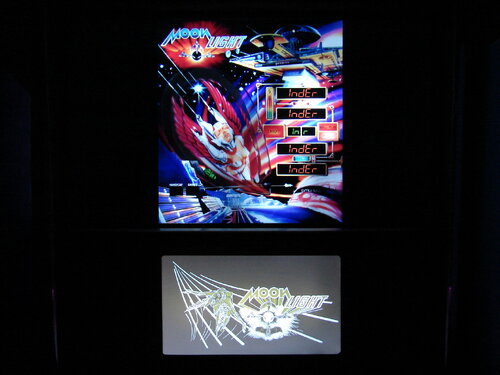
Moon Light (INDER 1987) clear wheel logo 4k
Logo taken from backglass, upscaled and restored for high resolution and cleaned up, optimized for 2K/4K frontends
Download the regular version if you're using 1440p or less resolution, or the "_max" version if you're using 4K resolution or any other configuration like Desktop mode
Logos are optimized for cabinet mode using PinballX; since PinballX is using 70% of the respective screen width for the logo display, the 2k versions are set at 1008px width to avoid internal downscaling/upscaling of the frontend that might introduce unwanted artifacts, moiree or aliasing effects.
16 downloads
(0 reviews)0 comments
Updated
-
Metropolis (Maresa 1981) clear wheel logo 4K
Logo taken from backglass, upscaled and restored for high resolution and cleaned up, optimized for 4K/2K frontends
Download the 4K version if you use a frontend like PinballX or Pinup Popper on a 4K monitor, or the regular version if you have a 1440p resolution or less. Logos are optimized for each resolution since the internal downscaling/upscaling of the frontends might introduce unwanted artifacts, moiree or aliasing effects.
23 downloads
(0 reviews)0 comments
Updated
-
Medusa (Bally 1981) clear wheel logo 4K
Logo taken from backglass, upscaled and restored for high resolution and cleaned up, optimized for 4K/2K frontends
Download the 4K version if you use a frontend like PinballX or Pinup Popper on a 4K monitor, or the regular version if you have a 1440p resolution or less. Logos are optimized for each resolution since the internal downscaling/upscaling of the frontends might introduce unwanted artifacts, moiree or aliasing effects.
31 downloads
(0 reviews)0 comments
Updated
-
Merry go Round (Gottlieb 1960) clear wheel logo 4K
Logo taken from backglass, upscaled and restored for high resolution and cleaned up, optimized for 4K/2K frontends
Download the 4K version if you use a frontend like PinballX or Pinup Popper on a 4K monitor, or the regular version if you have a 1440p resolution or less. Logos are optimized for each resolution since the internal downscaling/upscaling of the frontends might introduce unwanted artifacts, moiree or aliasing effects.
19 downloads
(0 reviews)0 comments
Updated
-
Maverick The Movie (Data East 1994) clear wheel logos 4k
Logo taken from backglass, upscaled and restored for high resolution and cleaned up, optimized for 2K/4K frontends
Providing files optimized for 1440p cabinet mode in PinballX and maximum available resolution.
PinballX is using 70% of the respective screen width for the logo display at a 1.66 aspect ratio, so the provided optimized version is set at 1008px max width / 605px max height to avoid internal downscaling/upscaling of the frontend that might introduce unwanted artifacts, moiree or aliasing effects.
DOWNLOAD ALL LOGOS (1900+) at this link: https://mega.nz/folder/22pRyY6K#t9cVLDbWaIlyDflG_QVTjw
38 downloads
(0 reviews)0 comments
Updated
-
Martian Queen (Taito do Brasil 1981) clear wheel logo 4K
Logo taken from backglass, upscaled and restored for high resolution and cleaned up, optimized for 4K/2K frontends
Download the 4K version if you use a frontend like PinballX or Pinup Popper on a 4K monitor, or the regular version if you have a 1440p resolution or less. The logos are optimized for each resolution since the internal downscaling/upscaling of the frontends might introduce unwanted artifacts, moiree or aliasing effects.
32 downloads
(1 review)0 comments
Updated
-
Magic City (Williams 1967) clear wheel logo 4K
Logo taken from backglass, upscaled and restored for high resolution and cleaned up, optimized for 4K/2K frontends
Download the 4K version if you use a frontend like PinballX or Pinup Popper on a 4K monitor, or the regular version if you have a 1440p resolution or less. Logos are optimized for each resolution since the internal downscaling/upscaling of the frontends might introduce unwanted artifacts, moiree or aliasing effects.
23 downloads
(0 reviews)0 comments
Updated
-
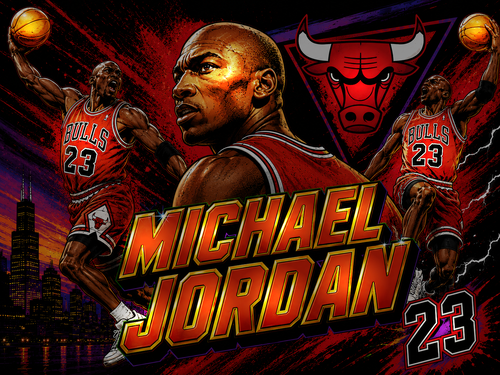
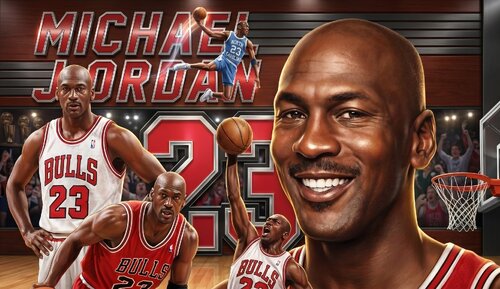
Michael Jordan (Data East 1992) clear wheel logo 4k
Logo taken from backglass, upscaled and restored for high resolution and cleaned up, optimized for 2K/4K frontends
Providing files optimized for 1440p cabinet mode in PinballX and maximum available resolution.
PinballX is using 70% of the respective screen width for the logo display at a 1.66 aspect ratio, so the provided optimized version is set at 1008px max width / 605px max height to avoid internal downscaling/upscaling of the frontend that might introduce unwanted artifacts, moiree or aliasing effects.
DOWNLOAD ALL LOGOS (1600+) at this link: https://mega.nz/folder/22pRyY6K#t9cVLDbWaIlyDflG_QVTjw
26 downloads