357 files
-
Sin-Di-Cats (Anthias, 2024, Original, BAM)
By Anthias
kitty crime just got organised.
A game about the feline mafia.
246 downloads
-
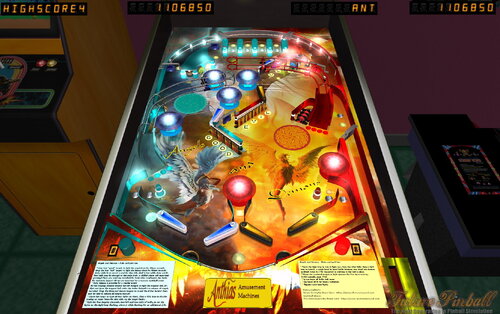
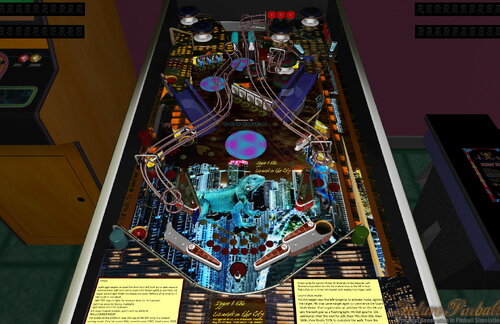
Lizard Harem (Anthias, 2024, original, EM)
By Anthias
King Goana has a harem full of lizard girls he has charmed from all over the lizard world.
And now, you get to play with them!
An EM original table with GeorgeH's BAM physics.
269 downloads
-
Sonic Pinball Mania (PinEvent V2, FizX 3.3)
By TerryRed
Sonic Pinball Mania (PinEvent V2 - FizX)
Created by: TerryRed
Version 2.0 (Feb 2024)
Get ready for the most EPIC Sonic pinball table ever created... and a pinball game like you've never seen before!
This has everything a Sonic fan could want in one table. Green Hill zone scenery, Sonic Loop ramp, animated bumpers, springs, item box, checkpoint, chaos emerald flashers, red star spinner, launch tunnel, rotating goal sign, moving robots, animated characters such as Sonic / Knuckles / Shadow... and even Dr Robotnik and his eggmobile which will follow your ball with it's spotlight... and much more!
This table takes full advantage of BAM's latest features with full dynamic lighting and ray cast shadows and shadowmaps to create a stunning visual pinball showcase!
What started as a quick BAM mod to update Brendan Bailey's classic Sonic table of 2005 (which was updated by SLAMT1LT in 2014), evolved into a complete overhaul to the entire table. Everything in the table has either been updated or changed, and I've added so many new things (new layout, art, models, lighting, modes, code, fixes, etc) that it's like a new table. Hence... Sonic Pinball Mania.
This table has been fully updated with FizX physics for game changing new physics on Future Pinball. FizX uses techniques similar to nFozzy physics on VPX to completely change the physics for the flippers, slings, rubbers, targets, ball behavior and more that allows this table play much more realistically than anyone ever thought was possible on Future Pinball. You will be amazed at the difference!
PinEvent V2
This table is also updated to fully support PinEvent V2 features (DOF, PUP SSF, PUP DMD). It has modern PUP DMD display options that can work with all setups. With it's crisp HD text and dazzling videos, it's sure to wow everyone who sees it.
I'm really proud of what I pulled off with this, and I really hope you enjoy it!
For an EPIC video preview of this table in action with PinEvent V2 features, check out this video:
Thanks of course to these awesome contributors:
TerryRed - Sonic Pinball Mania
Brendan Bailey (PinWizKid) - created the original Sonic the Hedgehog table in 2005
SLAMT1LT - sounds, music, code, DMD, etc from his Ultimate mod in 2014
Schlabber34 - new pre-rendered insert images
FLEEP - new mechanical sounds
JLou - for FizX and support
All the FP lads at Pinball Nirvanna for ideas, examples, and support
Nailbuster - Pinup Player and SSF support
Ravarcade - for creating the awesome BAM and providing assistance with BAM features
Chris Leathley - creator of Future Pinball
DISCLAIMER:
This table is a fan-made work of passion, and is NOT intended for commercial usage or to be included in any part of a commercial sale!
====================================================================
This table is single player only.
====================================================================
Static Camera Views (desktop mode only)
during attract mode only, you can press plunger to toggle integrated static desktop camera views
if you want to use your own BAM camera settings, or a FP camera view, then you must disable this feature in TABLE OPTIONS in the table script
SONIC BALL
right flipper button will toggle between Sonic and Chrome ball texture (only in attract mode). This can be set in TABLE OPTIONS in the table script
Plunger and Action Buttons (digital plunger, special 1, special 2)
all buttons/keys will activate Sonic Spin Dash and Magna-Spinner all buttons/keys will act as an autoplunger during gameplay
Second Stage Flippers
this table supports second stage flippers for cabinet players with this setup this needs to be enabled in TABLE OPTIONS in the table script ensure that your Second Flippers are setup in FP Control Settings ensure that your Special 1 and Special 2 keys / buttons are NOT the same keys / buttons as Second Flippers! (they are by default)
====================================================================
BAM Ray Cast Ball Shadows:
this table was created to look best with the new BAM Ray Cast Ball shadows this feature is ENABLED on the table script by default this feature requires a fast video card, and will use much more of your GPU if the table doesn’t run smooth, then your PC may not be fast enough to handle this feature (and you should disable it)
To disable this feature, you MUST disable it in TABLE OPTIONS (in the table script)
BAM Menu - Light and Post Processing settings:
BAM Lighting and Post Processing settings are set by the table script and will ALWAYS override the user's settings this is required to ensure that all lighting is set correctly at all times on this table, you can make changes to the Ambient and Diffusion Lighting in the table script in TABLE OPTIONS
Physics: FizX v3.3
===================================================================
Game not running smooth? Try the following:
run FP in Fullscreen, not Windowed disable RayCast Ball Shadows in TABLE OPTIONS (in table script) disable Reflections options in FP's Video / Rendering settings reduce / disable Antialiasing in FP's Video / Rendering settings disable any SSAO options in BAM plugins menu (disabled by default)
====================================================================
TABLE REQUIREMENTS (very important!)
all Visual C Runtime updates DirectX Future Pinball the latest BAM update FuturePinball.exe and FPLoader.exe patched for 4 GB access BAM Settings files installed FizX 1K ball model (for more accurate physics, default.zip in BAM folder) the REQUIRED “Video / Rendering Options” and “Editor Options” in Future Pinball video settings
All of the above is included with the latest FP and BAM Essentials AIO package!
Super easy to use for a new install, or just to update your existing install. I recommend everyone install this package to ensure you have the latest required BAM updates.
https://vpuniverse.com/files/file/14807-future-pinball-and-bam-essentials-all-in-one-complete/
====================================================================
INSTALL INSTRUCTIONS (REQUIRED)
PLEASE read the Install Instructions (included with the table's zip file) it shows you how to check what version of BAM you have installed it shows you how to install all the REQUIRED items above it shows you how to easily setup FP and BAM with the REQUIRED settings It's super easy, and only takes minutes to do!
====================================================================
How to run Future Pinball to play the table
PLEASE read the Install Instructions (included with the table's zip file) to know how to properly use FP and BAM
====================================================================
PROBLEMS?
Read the Install Instructions included in the table's zip file. It tells you everything you need to know!
====================================================================
Table MODS
please read the Disclaimer in the Install Instructions included with the table please ask me first, as I am still updating this table
====================================================================
20580 downloads
-
JAWS - BIGGER BOAT EDITION (PinEvent V2, FizX 3.3)
By TerryRed
JAWS – BIGGER BOAT EDITION
Original Table created by: ROM
Ultimate Pro Update by: SLAMT1LT
BIGGER BOAT EDITION by TerryRed
Table version: 1.7 (Feb 2024)
======================================
What began as ROM’s classic Jaws table for Future Pinball, has evolved over the years from SLAMT1LT’s massive Ultimate Pro update, to my new BIGGER BOAT EDITON.
This table has been completely updated to use the newest modern BAM features to create an amazing real-time visual treat that will blow you away! Almost everything you see has been updated to the max and many cool additions have been added!
See new effects, such as the ramp spilling the blood of any ball eaten by the shark. New animated bumpers fill with bloody water. Gasp as you see victims reach out from the bumpers for help! Witness Ben Gardner’s dead corpse bob up and down. New animated water plastics, boat wheel and orca toys, Hooper’s tanks, buoy flashers, underwater VR room and more!
======================================
This table has been fully updated with FizX physics for game changing new physics on Future Pinball. FizX uses techniques similar to nFozzy physics on VPX to completely change the physics for the flippers, slings, rubbers, targets, ball behavior and more that allows this table play much more realistically than anyone ever thought was possible on Future Pinball. You will be amazed at the difference!
PinEvent V2
This table is also updated to fully support PinEvent V2 features (DOF, PUP SSF, PUP DMD). It has modern PUP DMD display options that can work with all setups. With it's crisp HD text and dazzling videos, it's sure to wow everyone who sees it.
======================================
For a video walkthrough off all game modes and features, checkout this video:
To see the evolution of this table from ROM’s original table, to SLAMT1LT’s Ultimate Pro update, then to this Bigger Boat Edition, watch this video:
======================================
******** CONTRIBUTORS TO THE CREATION OF THIS TABLE ********
ROM: Jaws Pinball
- created and designed the excellent original table
- layout, script, code, gameplay, art, sounds, voice overs, music, models, animation
SLAMT1LT: Jaws - Ultimate Pro update
- many table updates from Ultimate Edition to Ultimate Pro
- massive new updates to script, code, sounds, voice overs, music, lighting
- many new additions to gameplay / modes, and new harpoon shooter
- "FP" HUD and backglass videos, DMD
- lots more stuff that went into making an awesome update
TerryRed: Jaws - BIGGER BOAT EDITION 1.0 - Oct 2022
- updates to the table, layout, code, sound, music, items, lighting, models, etc
- removed older items / surfaces / lights no longer used
- adjusted table geometry to allow for better ball flow
- updated BAM lighting and post processing
- updated entire table's G.I. and coloured lighting
- updated playfield artwork (sand) and used original "clean" artwork
- new insert models, lighting, textures, normal maps
- new BAM spotlights
- new artwork for plastics, apron, backbox, ramp, sidewalls, backwall
- new shadowmaps for G.I and flashers (made to work properly with ray cast ball shadows)
- new VR Room with animated water / caustics / detailed Orca model / shark model
- new animated boat wheel models and lights for slingshots
- new animated life saver bumpers models
- new bloody civilian death animations (arm and head models that pop up from bumper)
- new animated blood on Jaws ramp when ball is eaten
- new animated "water" effects on platics and bumpers
- new detailed Orca model and animation
- new Hooper's oxygen tank models
- new lights on the apron for harpoon and civilians
- new JAWS plunger lane sign with flasher, and plunger lane sand art
- new FLEEP mechanical sounds
- updated entire table for FizX physics
- PinEvent V2 support for DOF, SSF, PUP DMD, and PUP Stream
- added TABLE OPTIONS to customize many things on startup, and for performance, etc.
- a huge amount of work and lots of other updates and details I can't keep track of
Other contributors to this table:
Schlabber34: insert jewel images
FLEEP: mechanical sounds
JLou: FizX and support
ravarcade: BAM and support
Nailbuster: Pinup Player, PUP DMD, PUP SSF
Chris Leathley: Future Pinball
======================================
****** This table is a 3 player game ******
Desktop Static Camera Views (attract mode)
during attract mode only, you can press plunger to toggle integrated static desktop camera views
if you want to use your own BAM camera settings, or a FP camera view, then you must disable this feature in TABLE OPTIONS in the table script
During Gameplay, the following will fire the Harpoon Ball Launcher and act as a plunger
Plunger button, Special 1 button, Special 2 button
====================================================================
BAM Ray Cast Ball Shadows:
this table was created to look best with the new BAM Ray Cast Ball shadows this feature is ENABLED on the table script by default this feature requires a fast video card, and will use much more of your GPU if the table doesn’t run smooth, then your PC may not be fast enough to handle this feature (and you should disable it)
To disable this feature, you MUST disable it in TABLE OPTIONS (in the table script)
BAM Menu - Light and Post Processing settings:
BAM Lighting and Post Processing settings are set by the table script and will ALWAYS override the user's settings this is required to ensure that all lighting is set correctly at all times on this table, you can make changes to the Ambient and Diffusion Lighting in the table script in TABLE OPTIONS
Physics: FizX v3.3
===================================================================
Game not running smooth? Try the following:
run FP in Fullscreen, not Windowed disable RayCast Ball Shadows in TABLE OPTIONS (in table script) disable Reflections options in FP's Video / Rendering settings reduce / disable Antialiasing in FP's Video / Rendering settings disable any SSAO options in BAM plugins menu (disabled by default)
====================================================================
TABLE REQUIREMENTS (very important!)
all Visual C Runtime updates DirectX Future Pinball the latest BAM update FuturePinball.exe and FPLoader.exe patched for 4 GB access BAM Settings files installed FizX 1K ball model (for more accurate physics, default.zip in BAM folder) the REQUIRED “Video / Rendering Options” and “Editor Options” in Future Pinball video settings
All of the above is included with the latest FP and BAM Essentials AIO package!
Super easy to use for a new install, or just to update your existing install. I recommend everyone install this package to ensure you have the latest required BAM updates.
https://vpuniverse.com/files/file/14807-future-pinball-and-bam-essentials-all-in-one-complete/
====================================================================
INSTALL INSTRUCTIONS (REQUIRED)
PLEASE read the Install Instructions (included with the table's zip file) it shows you how to check what version of BAM you have installed it shows you how to install all the REQUIRED items above it shows you how to easily setup FP and BAM with the REQUIRED settings It's super easy, and only takes minutes to do!
====================================================================
How to run Future Pinball to play the table
PLEASE read the Install Instructions (included with the table's zip file) to know how to properly use FP and BAM
====================================================================
PROBLEMS?
Read the Install Instructions included in the table's zip file. It tells you everything you need to know!
====================================================================
Table MODS
please read the Disclaimer in the Install Instructions included with the table please ask me first, as I am still updating this table
====================================================================
13527 downloads
-
Halloween - Big Bloody Mike (PinEvent V2, FizX 3.3)
By TerryRed
Halloween - Big Bloody Mike (PinEvent V2, FizX)
Version: 2.0 (Feb 2024)
This is SLAMT1LT’s Halloween (Ultimate Pro) table which has been updated to my Big Bloody Mike mod. It has been completely updated to use the newest BAM features to create an amazing real-time visual treat with many cool new additions, as well as excellent new mechanical sounds from FLEEP!
See new effects, such as blood spilling down the playfield during Score Drain, animated spotlights, flashlight ball, pumpkin ball, and animated Michael Myers character which will stalk you on the playfield and in the VR Game Room.
This table has been fully updated with FizX for game changing new physics on Future Pinball. FizX uses techniques similar to nFozzy on VPX to completely change the physics for the flippers, slings, rubbers, targets, ball behavior and more that allows this table play much more realistically than anyone ever thought was possible on Future Pinball. You will be amazed at the difference!
PinEvent V2
This table is also updated to fully support PinEvent V2 features (DOF, PUP SSF, PUP DMD). It has modern PUP DMD display options that can work with all setups. With it's crisp HD text and dazzling videos, it's sure to wow everyone who sees it.
For a video walkthrough of the updates, new features, and all game modes, watch here:
Screenshots:
Thanks of course to these awesome contributors:
SLAMT1LT: created the original Ultimate Pro 1.02 table
TerryRed: BIG BLOODY MIKE mod, PinEvent V2, FizX
Schlabber34: insert jewel images
FLEEP: mechanical sounds
JLou: FizX and support
ravarcade: BAM and support
Nailbuster: Pinup Player, PUP DMD, PUP SSF
Chris Leathley: Future Pinball
DISCLAIMER:
This table is a fan-made work of passion, and is NOT intended for commercial usage or to be included in any part of a commercial sale!
====================================================================
This table is single player only.
====================================================================
Desktop Static Camera Views (attract mode)
during attract mode only, you can press plunger to toggle integrated static desktop camera views
if you want to use your own BAM camera settings, or a FP camera view, then you must disable this feature in TABLE OPTIONS in the table script
During Attract, the flipper buttons will toggle between Pumpkin Ball and Chrome Ball
====================================================================
BAM Ray Cast Ball Shadows:
this table was created to look best with the new BAM Ray Cast Ball shadows this feature is ENABLED on the table script by default this feature requires a fast video card, and will use much more of your GPU if the table doesn’t run smooth, then your PC may not be fast enough to handle this feature (and you should disable it)
To disable this feature, you MUST “first” disable it in TABLE OPTIONS (in the table script)
BAM Menu - Light and Post Processing settings:
BAM Lighting and Post Processing settings are set by the table script and will ALWAYS override the user's settings this is required to ensure that all lighting is set correctly at all times on this table, you can make changes to the Ambient and Diffusion Lighting in the table script in TABLE OPTIONS
Physics: FizX v3.3
===================================================================
Game not running smooth? Try the following:
run FP in Fullscreen, not Windowed disable RayCast Ball Shadows in TABLE OPTIONS (in table script) disable Reflections options in FP's Video / Rendering settings reduce / disable Antialiasing in FP's Video / Rendering settings disable any SSAO options in BAM plugins menu (disabled by default)
====================================================================
TABLE REQUIREMENTS (very important!)
all Visual C Runtime updates DirectX Future Pinball the latest BAM update FuturePinball.exe and FPLoader.exe patched for 4 GB access BAM Settings files installed FizX 1K ball model (for more accurate physics, default.zip in BAM folder) the REQUIRED “Video / Rendering Options” and “Editor Options” in Future Pinball video settings
All of the above is included with the latest FP and BAM Essentials AIO package!
Super easy to use for a new install, or just to update your existing install. I recommend everyone install this package to ensure you have the latest required BAM updates.
https://vpuniverse.com/files/file/14807-future-pinball-and-bam-essentials-all-in-one-complete/
====================================================================
INSTALL INSTRUCTIONS (REQUIRED)
PLEASE read the Install Instructions (included with the table's zip file) it shows you how to check what version of BAM you have installed it shows you how to install all the REQUIRED items above it shows you how to easily setup FP and BAM with the REQUIRED settings It's super easy, and only takes minutes to do!
====================================================================
How to run Future Pinball to play the table
PLEASE read the Install Instructions (included with the table's zip file) to know how to properly use FP and BAM
====================================================================
PROBLEMS?
Read the Install Instructions included in the table's zip file. It tells you everything you need to know!
====================================================================
Table MODS
please read the Disclaimer in the Install Instructions included with the table please ask me first, as I am still updating this table
====================================================================
11976 downloads
-
RetroFlair - BAM Edition (PinEvent V2, FizX 3.3)
By TerryRed
RetroFlair - Bam Edition (PinEvent V2, FizX)
Version: 2.2 (Feb 2024)
This is Rom's classic Future Pinball table the lets us jam to classic Arcade and Amiga tunes.
I have updated it to my BAM Edition and PinEvent V2 mod to use the newest BAM features to create an amazing real-time visual treat with cool new additions, as well as excellent new mechanical sounds from FLEEP!
See cool features such as the new PAC-MAN, Outrun, and Speedball modes. New mesh inserts, new RGB G.I. lighting effects, real beacon and spotlights, new shadowmaps, ray cast shadows, and more.
This table has been fully updated with FizX physics for game changing new physics on Future Pinball. FizX uses techniques similar to nFozzy physics on VPX to completely change the physics for the flippers, slings, rubbers, targets, ball behavior and more that allows this table play much more realistically than anyone ever thought was possible on Future Pinball. You will be amazed at the difference!
PinEvent V2
This table is also updated to fully support PinEvent V2 features (DOF, PUP SSF, PUP DMD). It has modern PUP DMD display options that can work with all setups. With it's crisp HD text and dazzling videos, it's sure to wow everyone who sees it.
For a video walkthrough of the updates, new features, and all game modes, watch here:
Screenshots:
Thanks to these awesome contributors:
ROM: original RetroFlair table build
TerryRed: BAM Edition table update, PinEvent V2, FizX
Schlabber34: insert jewel images
FLEEP: mechanical sounds
JLou: FizX and support
ravarcade: BAM and support
Nailbuster: Pinup Player, PUP DMD, PUP SSF support
Chris Leathley: Future Pinball
DISCLAIMER:
This table is a fan-made work of passion, and is NOT intended for commercial usage or to be included in any part of a commercial sale!
====================================================================
This table is single player only.
====================================================================
Desktop Static Camera Views (attract mode)
during attract mode only, you can press plunger to toggle integrated static desktop camera views
if you want to use your own BAM camera settings, or a FP camera view, then you must disable this feature in TABLE OPTIONS in the table script
Action Buttons - digital plunger, special 1, special 2 (gameplay)
all buttons/keys will act as an autoplunger and an action button during gameplay
RGB Animated G.I. Lighting
Flipper buttons will toggle between Default G.I., and RGB G.I. that will cycle through all colours. This can be done only during attract mode.
====================================================================
BAM Ray Cast Ball Shadows:
this table was created to look best with the new BAM Ray Cast Ball shadows this feature is ENABLED on the table script by default this feature requires a fast video card, and will use much more of your GPU if the table doesn’t run smooth, then your PC may not be fast enough to handle this feature (and you should disable it)
To disable this feature, you MUST “first” disable it in TABLE OPTIONS (in the table script)
BAM Menu - Light and Post Processing settings:
BAM Lighting and Post Processing settings are set by the table script and will ALWAYS override the user's settings this is required to ensure that all lighting is set correctly at all times on this table, you can make changes to the Ambient and Diffusion Lighting in the table script in TABLE OPTIONS
Physics: FizX v3.3
===================================================================
Game not running smooth? Try the following:
run FP in Fullscreen, not Windowed disable RayCast Ball Shadows in TABLE OPTIONS (in table script) disable Reflections options in FP's Video / Rendering settings reduce / disable Antialiasing in FP's Video / Rendering settings disable any SSAO options in BAM plugins menu (disabled by default)
====================================================================
TABLE REQUIREMENTS (very important!)
all Visual C Runtime updates DirectX Future Pinball the latest BAM update FuturePinball.exe and FPLoader.exe patched for 4 GB access BAM Settings files installed FizX 1K ball model (for more accurate physics, default.zip in BAM folder) the REQUIRED “Video / Rendering Options” and “Editor Options” in Future Pinball video settings
All of the above is included with the latest FP and BAM Essentials AIO package!
Super easy to use for a new install, or just to update your existing install. I recommend everyone install this package to ensure you have the latest required BAM updates.
https://vpuniverse.com/files/file/14807-future-pinball-and-bam-essentials-all-in-one-complete/
====================================================================
INSTALL INSTRUCTIONS (REQUIRED)
PLEASE read the Install Instructions (included with the table's zip file) it shows you how to check what version of BAM you have installed it shows you how to install all the REQUIRED items above it shows you how to easily setup FP and BAM with the REQUIRED settings It's super easy, and only takes minutes to do!
====================================================================
How to run Future Pinball to play the table
PLEASE read the Install Instructions (included with the table's zip file) to know how to properly use FP and BAM
====================================================================
PROBLEMS?
Read the Install Instructions included in the table's zip file. It tells you everything you need to know!
====================================================================
Table MODS
please read the Disclaimer in the Install Instructions included with the table please ask me first, as I am still updating this table
====================================================================
8400 downloads
-
F-14 Tomcat - Afterburner (PinEvent V2, FizX 3.3)
By TerryRed
F-14 Tomcat - Afterburner (PinEvent V2, FizX)
Version: 1.9 (Feb 2024)
This is SLAMT1LT’s F-14 Tomcat (Ultimate Pro 1.01) table which has been updated to my AFTERBURNER and PinEvent V2 mod. It has been completely updated to use the newest BAM features to create an amazing real-time visual treat with cool new additions, as well as excellent new mechanical sounds from FLEEP!
See new features such as real beacon lighting, new mesh inserts with animated RGB lighting effects, new shadowmaps, ray cast shadows, updated playfield art, and more. I’ve added options to change between Modern / Original / AfterBurner music and Modern or Arcade (AfterBurner) PUP-Pack displays at any time during gameplay!
This table has been fully updated with FizX physics for game changing new physics on Future Pinball. FizX uses techniques similar to nFozzy physics on VPX to completely change the physics for the flippers, slings, rubbers, targets, ball behavior and more that allows this table play much more realistically than anyone ever thought was possible on Future Pinball. You will be amazed at the difference!
PinEvent V2
This table is also updated to fully support PinEvent V2 features (DOF, PUP SSF, PUP DMD). It has modern PUP DMD display options that can work with all setups. With it's crisp HD text and dazzling videos, it's sure to wow everyone who sees it.
For a video walkthrough of the updates, new features, and all game modes, watch here:
Screenshots:
Thanks of course to these awesome contributors:
SLAMT1LT and Chaos: table build
SLAMT1LT: Ultimate Pro 1.01 update
TerryRed: AFTERBURNER table update, PinEvent V2, FizX
Puma: topperlight
JPSalas: apron image
wtiger + ian: plastics source
ganjafarmer: new 4K playfield redraw image
Schlabber34: insert jewel images
FLEEP: mechanical sounds
JLou: FizX and support
ravarcade: BAM and support
Nailbuster: Pinup Player, PUP DMD, PUP SSF
Chris Leathley: Future Pinball
DISCLAIMER:
This table is a fan-made work of passion, and is NOT intended for commercial usage or to be included in any part of a commercial sale!
====================================================================
This table is 4 player
====================================================================
Desktop Static Camera Views (attract mode)
during attract mode only, you can press plunger to toggle integrated static desktop camera views
if you want to use your own BAM camera settings, or a FP camera view, then you must disable this feature in TABLE OPTIONS in the table script
Action Buttons - digital plunger, special 1, special 2 (gameplay)
all buttons/keys will act as an autoplunger and an action button during gameplay
Special 1 or Special 2 key will toggle between Music / Video modes at any time
====================================================================
BAM Ray Cast Ball Shadows:
this table was created to look best with the new BAM Ray Cast Ball shadows this feature is ENABLED on the table script by default this feature requires a fast video card, and will use much more of your GPU if the table doesn’t run smooth, then your PC may not be fast enough to handle this feature (and you should disable it)
To disable this feature, you MUST disable it in TABLE OPTIONS (in the table script)
BAM Menu - Light and Post Processing settings:
BAM Lighting and Post Processing settings are set by the table script and will ALWAYS override the user's settings this is required to ensure that all lighting is set correctly at all times on this table, you can make changes to the Ambient and Diffusion Lighting in the table script in TABLE OPTIONS
Physics: FizX v3.3
===================================================================
Game not running smooth? Try the following:
run FP in Fullscreen, not Windowed disable RayCast Ball Shadows in TABLE OPTIONS (in table script) disable Reflections options in FP's Video / Rendering settings reduce / disable Antialiasing in FP's Video / Rendering settings disable any SSAO options in BAM plugins menu (disabled by default)
====================================================================
TABLE REQUIREMENTS (very important!)
all Visual C Runtime updates DirectX Future Pinball the latest BAM update FuturePinball.exe and FPLoader.exe patched for 4 GB access BAM Settings files installed FizX 1K ball model (for more accurate physics, default.zip in BAM folder) the REQUIRED “Video / Rendering Options” and “Editor Options” in Future Pinball video settings
All of the above is included with the latest FP and BAM Essentials AIO package!
Super easy to use for a new install, or just to update your existing install. I recommend everyone install this package to ensure you have the latest required BAM updates.
https://vpuniverse.com/files/file/14807-future-pinball-and-bam-essentials-all-in-one-complete/
====================================================================
INSTALL INSTRUCTIONS (REQUIRED)
PLEASE read the Install Instructions (included with the table's zip file) it shows you how to check what version of BAM you have installed it shows you how to install all the REQUIRED items above it shows you how to easily setup FP and BAM with the REQUIRED settings It's super easy, and only takes minutes to do!
====================================================================
How to run Future Pinball to play the table
PLEASE read the Install Instructions (included with the table's zip file) to know how to properly use FP and BAM
====================================================================
PROBLEMS?
Read the Install Instructions included in the table's zip file. It tells you everything you need to know!
====================================================================
Table MODS
please read the Disclaimer in the Install Instructions included with the table please ask me first, as I am still updating this table
====================================================================
9633 downloads
-
Junkyard Cats - BAM Edition (PinEvent V2 - FizX 3.3)
By TerryRed
Junkyard Cats - BAM Edition
Original Table by Brendan Bailey, 2012
BAM Edition, PinEvent V2, FizX mod by TerryRed
Version 2.1, Feb 2024
Thank you so much Brendan Bailey for supporting this update!
====================================================================
Brendan Bailey is one of FP's classic "original" table authors. EVERYTHING on this table was made by him! The layout, art, music, sounds, code. Such an amazing work of passion deserves to be updated to be enjoyed by a new generation of virtual pinball lovers!
I wanted to update to a classic FP "original" table to bring it up to my own modern day BAM standards, add my PinEvent V2 features, and completely update the table with FizX physics. The result is an excellent table that plays great with modern dynamic lighting, shadowmaps, ray cast shadows, and full cabinet support.
====================================================================
This table has been fully updated with FizX physics for game changing new physics on Future Pinball. FizX uses techniques similar to nFozzy physics on VPX to completely change the physics for the flippers, slings, rubbers, targets, ball behavior and more that allows this table play much more realistically than anyone ever thought was possible on Future Pinball. You will be amazed at the difference!
====================================================================
PinEvent V2
This table is also updated to fully support PinEvent V2 features (DOF, PUP SSF, PUP DMD). It has modern PUP DMD display options that can work with all setups. With it's crisp HD text and dazzling videos, it's sure to wow everyone who sees it.
For a video preview (before adding FizX) of the PinEvent V2 update that showcases the DOF cabinet lighting and the modern PUP DMD display, go here:
For a video preview of the new BAM update (before adding FizX), go here:
======================================
Original Table by Brendan Bailey:
- table
- art
- animation
- music
- sounds
- script
TerryRed's BAM Edition update:
- updated entire table for FizX physics
- added PinEvent V2 support for DOF, PUP SSF, PUP DMD, PUP Stream and new PuP-Pack
- added ball rolling sounds
- added nano kicker to left ramp scoop to make shots easier (was way too hard without it)
- made various adjustments to table geometry and layout to make it play easier
- added additional ramp blocker surfaces to prevent ball from flying off ramps / scoops
- added new 4K playfield, plastics, backbox textures created from Brendan's original files
- new G.I. lighting (dynamic lighting - x4 hidden flashers in lower and upper plastics)
- new drain flasher for accented colour
- new BAM post processing
- added shadowmaps to most G.I lights
- added pre-baked shadowmaps (created by BAM) to playfield and plastics textures
- added illuminated look to GI ON plastics texture
- adjusted playfield / plastics / apron, etc texture brightness to better match new lighting
- new 3D model inserts
- new pre-rendered insert textures
- new bump maps for inserts
- disabled glow radius for all inserts
- added sphere maps to the sides of all plastics
- updated GI on/off code
- adjusted GI on/off brightness for all lights / inserts / textures
- added all new FLEEP sounds for all mechanical actions (flippers, bumpers, slings, drain, etc)
- added BAM DF1 physics (updated settings in editor to better work with new physics)
- added invisible ramp blocker to prevent ball from flying off the ramp
- added invisible playfield blocker to prevent ball from flying on top of plastics
- hid slingshot bulbs that interfered with shadowmaps
Additional Contributors:
Schlabber34 - new pre-rendered insert images
FLEEP - new mechanical sounds
JLou - FizX and support
Nailbuster - Pinup Player and SSF support
Ravarcade - for creating the awesome BAM and providing assistance with BAM features
Chris Leathley - creator of Future Pinball
====================================================================
*** This table is single player only ***
====================================================================
Desktop Static Camera Views (attract mode)
during attract mode only, you can press plunger to toggle integrated static desktop camera views
if you want to use your own BAM camera settings, or a FP camera view, then you must disable this feature in TABLE OPTIONS in the table script
Action Buttons - digital plunger, special 1, special 2 (gameplay)
all buttons/keys will act as an autoplunger and an action button during gameplay
Second Stage Flippers
this table supports second stage flippers for cabinet players with this setup this needs to be enabled in TABLE OPTIONS in the table script ensure that your Second Flippers are setup in FP Control Settings ensure that your Special 1 and Special 2 keys / buttons are NOT the same keys / buttons as Second Flippers! (they are by default)
====================================================================
BAM Ray Cast Ball Shadows:
this table was created to look best with the new BAM Ray Cast Ball shadows this feature is ENABLED on the table script by default this feature requires a fast video card, and will use much more of your GPU if the table doesn’t run smooth, then your PC may not be fast enough to handle this feature (and you should disable it)
To disable this feature, you MUST disable it in TABLE OPTIONS (in the table script)
BAM Menu - Light and Post Processing settings:
BAM Lighting and Post Processing settings are set by the table script and will ALWAYS override the user's settings this is required to ensure that all lighting is set correctly at all times on this table, you can make changes to the Ambient and Diffusion Lighting in the table script in TABLE OPTIONS
Physics: FizX v3.3
===================================================================
Game not running smooth? Try the following:
run FP in Fullscreen, not Windowed disable RayCast Ball Shadows in TABLE OPTIONS (in table script) disable Reflections options in FP's Video / Rendering settings reduce / disable Antialiasing in FP's Video / Rendering settings disable any SSAO options in BAM plugins menu (disabled by default)
====================================================================
TABLE REQUIREMENTS (very important!)
all Visual C Runtime updates DirectX Future Pinball the latest BAM update FuturePinball.exe and FPLoader.exe patched for 4 GB access BAM Settings files installed FizX 1K ball model (for more accurate physics, default.zip in BAM folder) the REQUIRED “Video / Rendering Options” and “Editor Options” in Future Pinball video settings
All of the above is included with the latest FP and BAM Essentials AIO package!
Super easy to use for a new install, or just to update your existing install. I recommend everyone install this package to ensure you have the latest required BAM updates.
https://vpuniverse.com/files/file/14807-future-pinball-and-bam-essentials-all-in-one-complete/
====================================================================
INSTALL INSTRUCTIONS (REQUIRED)
PLEASE read the Install Instructions (included with the table's zip file) it shows you how to check what version of BAM you have installed it shows you how to install all the REQUIRED items above it shows you how to easily setup FP and BAM with the REQUIRED settings It's super easy, and only takes minutes to do!
====================================================================
How to run Future Pinball to play the table
PLEASE read the Install Instructions (included with the table's zip file) to know how to properly use FP and BAM
====================================================================
PROBLEMS?
Read the Install Instructions included in the table's zip file. It tells you everything you need to know!
====================================================================
Table MODS
please read the Disclaimer in the Install Instructions included with the table please ask me first, as I am still updating this table
====================================================================
8987 downloads
-
Blue vs Pink - BAM Edition (PinEvent V2 - FizX 3.3)
By TerryRed
Blue vs Pink - BAM Edition (PinEvent V2 - FizX 3.3)
Original Table by Brendan Bailey, 2009
BAM Edition, PinEvent V2, and FizX mod by TerryRed, 2022
Table version: 2.1 - BAM Edition (PinEvent V2, FizX 3.3) (Feb 2024)
Thank you so much Brendan Bailey for supporting this update!
====================================================================
Brendan Bailey is one of FP's classic "original" table authors. EVERYTHING on this table was made by him! The layout, art, music, sounds, code. Such an amazing work of passion deserves to be updated to be enjoyed by a new generation of virtual pinball lovers!
I wanted to update to a classic FP "original" table to bring it up to my own modern day BAM standards, add my PinEvent V2 features, and completely update the table with FizX physics. The result is an excellent table that plays great with modern dynamic lighting, shadowmaps, ray cast shadows, and full cabinet support.
====================================================================
This table has been fully updated with FizX physics for game changing new physics on Future Pinball. FizX uses techniques similar to nFozzy physics on VPX to completely change the physics for the flippers, slings, rubbers, targets, ball behavior and more that allows this table play much more realistically than anyone ever thought was possible on Future Pinball. You will be amazed at the difference!
PinEvent V2
This table is also updated to fully support PinEvent V2 features (DOF, PUP SSF, PUP DMD). It has modern PUP DMD display options that can work with all setups. With it's crisp HD text and dazzling videos, it's sure to wow everyone who sees it.
====================================================================
For a video preview of the new BAM update comparison, go here:
====================================================================
Original Table by Brendan Bailey:
- table
- art
- animation
- music
- sounds
- script
TerryRed's BAM Edition update:
- updated entire table for FizX physics
- added PinEvent V2 support for DOF, PUP SSF, PUP DMD, PUPStream, and a new pup-pack
- new G.I. lighting (dynamic lighting - x4 hidden flashers in lower and upper plastics)
- added drain flasher for accented lighting
- new options for changing G.I lighting colours (dynamic lighting only)
- new BAM post processing
- added shadowmaps to most lights
- added pre-baked shadowmaps (created by BAM) to playfield and plastics texture
- adjusted playfield / plastics / apron, etc texture brightness to better match new lighting
- new 3D model inserts
- new pre-rendered insert textures
- new bump maps for inserts
- disabled glow radius for all inserts
- adjusted brightness of all playfield video textures (what a pain!) to better match new lighting
- added sphere maps to the sides of all plastics
- added new GI on/off code
- adjusted GI on/off brightness for all lights / inserts / playfield videos
- added all new FLEEP sounds for all mechanical actions (flippers, bumpers, slings, drain, etc)
- updated entire table for FizX physics
- added playfield blocker surface to prevent ball from jumping on plastics
Thanks of course to these awesome contributors:
Brendan Bailey (PinWizKid) - created the original Blue vs Pink table in 2009
Schlabber34 - new pre-rendered insert images
FLEEP - new mechanical sounds All the FP lads at Pinball Nirvanna for ideas, examples, and support
JLou - FizX and support
Nailbuster - Pinup Player and SSF support
Ravarcade - for creating the awesome BAM and providing assistance with BAM features
Chris Leathley - creator of Future Pinball
DISCLAIMER:
This table is an "original" creation, and is NOT intended for commercial usage or to be included in any part of a commercial sale!
====================================================================
*** This table is single player only ***
====================================================================
Desktop Static Camera Views
during attract mode only, you can press plunger to toggle integrated static desktop camera views
if you want to use your own BAM camera settings, or a FP camera view, then you must disable this feature in TABLE OPTIONS in the table script
G.I. colour and Brightness
Special key / button 1 = change G.I. colours Special key / button 2 = change G.I. brightness
Second Stage Flippers
this table supports second stage flippers for cabinet players with this setup this needs to be enabled in TABLE OPTIONS in the table script ensure that your Second Flippers are setup in FP Control Settings ensure that your Special 1 and Special 2 keys / buttons are NOT the same keys / buttons as Second Flippers! (they are by default)
====================================================================
BAM Ray Cast Ball Shadows:
this table was created to look best with the new BAM Ray Cast Ball shadows this feature is ENABLED on the table script by default this feature requires a fast video card, and will use much more of your GPU if the table doesn’t run smooth, then your PC may not be fast enough to handle this feature (and you should disable it)
To disable this feature, you MUST “first” disable it in TABLE OPTIONS (in the table script)
BAM Menu - Light and Post Processing settings:
BAM Lighting and Post Processing settings are set by the table script and will ALWAYS override the user's settings this is required to ensure that all lighting is set correctly at all times on this table, you can make changes to the Ambient and Diffusion Lighting in the table script in TABLE OPTIONS
Physics: FizX v3.3
===================================================================
Game not running smooth? Try the following:
run FP in Fullscreen, not Windowed disable RayCast Ball Shadows in TABLE OPTIONS (in table script) disable Reflections options in FP's Video / Rendering settings reduce / disable Antialiasing in FP's Video / Rendering settings disable any SSAO options in BAM plugins menu (disabled by default)
====================================================================
TABLE REQUIREMENTS (very important!)
all Visual C Runtime updates DirectX Future Pinball the latest BAM update FuturePinball.exe and FPLoader.exe patched for 4 GB access BAM Settings files installed FizX 1K ball model (for more accurate physics, default.zip in BAM folder) the REQUIRED “Video / Rendering Options” and “Editor Options” in Future Pinball video settings
All of the above is included with the latest FP and BAM Essentials AIO package!
Super easy to use for a new install, or just to update your existing install. I recommend everyone install this package to ensure you have the latest required BAM updates.
https://vpuniverse.com/files/file/14807-future-pinball-and-bam-essentials-all-in-one-complete/
====================================================================
INSTALL INSTRUCTIONS (REQUIRED)
PLEASE read the Install Instructions (included with the table's zip file) it shows you how to check what version of BAM you have installed it shows you how to install all the REQUIRED items above it shows you how to easily setup FP and BAM with the REQUIRED settings It's super easy, and only takes minutes to do!
====================================================================
How to run Future Pinball to play the table
PLEASE read the Install Instructions (included with the table's zip file) to know how to properly use FP and BAM
====================================================================
PROBLEMS?
Read the Install Instructions included in the table's zip file. It tells you everything you need to know!
====================================================================
Table MODS
please read the Disclaimer in the Install Instructions included with the table please ask me first, as I am still updating this table
====================================================================
7290 downloads
-
Indiana Jones - Fortune and Glory Edition (PinEvent Lite, FizX 3.3)
By TerryRed
Indiana Jones - Fortune and Glory Edition (PinEvent Lite, FizX 3.3)
Version 1.3 (Feb 2024)
Original wip table build by: GLXB & Highlnder00
Ultimate Pro update by: SLAMT1LT
Fortune and Glory Edition, PinEvent Lite, FizX update by: TerryRed
Do not make the mistake in thinking this is the same as the Stern table. The layout and art are where the similarities end. SLAMT1LT did a massive update to the older WIP build of this table years ago for his Ultimate Pro update which completely changes this to a new game. New gameplay / rules / code, new sounds / voices / music, new lighting effects, new videos, new freeshots / action button and more.
I've never played the original (real) Stern table (only the VP version). Once I played the FP Ultimate Pro table, I was blown away, and it has become one of my favorite all time tables. BAM has had many new updates and new features added since the original Ultimate Pro table was released years ago. I'm a big Indy fan, so I really wanted to add my own bit of flair to this amazing table.
I've also overhauled this table and modernized it to my own preferences for lighting, shadows, FizX physics, and more. I added some new features and many fixes that prevented game progression, etc. This table takes full advantage of BAM's latest features with full dynamic lighting and ray cast shadows and shadowmaps to create a stunning visual pinball showcase! Top that off with all new FLEEP mechanical sounds! This makes an already great game look / sound / play absolutely amazing. I love it!
This table has been fully updated with FizX physics for game changing new physics on Future Pinball. FizX uses techniques similar to nFozzy physics on VPX to completely change the physics for the flippers, slings, rubbers, targets, ball behavior and more that allows this table play much more realistically than anyone ever thought was possible on Future Pinball. You will be amazed at the difference!
PinEvent Lite
I've added my PinEvent Lite features for DOF, SSF, etc.
PinEvent Lite features for this table:
DOF (basic config, no custom animated effects... yet) PUP (simple backglass and speaker grill options) PUP SSF Night Mode TILT BOB
NOTE: PinEvent Lite tables do NOT have PUP-Pack options that include support for PUPDMD / videos / modern text, etc. That will come at a later date, when the table is upgraded to PinEvent V2.
DMDExt
Cabinet users will need to use DMDExt to mirror the FP DMD to their DMD display / real DMD. Read the included Install Instructions for more info and links on how to do this.
For an EPIC video preview of this table's updates and new features, and a gameplay demo of almost all modes, check out this video
Thanks of course to these awesome contributors:
GLXB & Highlnder00 – original wip table build
SLAMT1LT – Ultimate Pro update
TerryRed – Fortune and Glory, PinEvent, FizX updates
Schlabber34 - new pre-rendered insert images
FLEEP - new mechanical sounds
JLou - for FizX and support
Everyone at Pinball Nirvanna for ideas, examples, and support
Nailbuster - Pinup Player and SSF support
Ravarcade - for creating the awesome BAM and providing assistance with BAM features
Chris Leathley - creator of Future Pinball
DISCLAIMER:
This table is a fan-made work of passion, and is NOT intended for commercial usage or to be included in any part of a commercial sale!
====================================================================
This table is single player only.
====================================================================
Desktop Static Camera Views
during attract mode only, you can press plunger to toggle integrated static desktop camera views
if you want to use your own BAM camera settings, or a FP camera view, then you must disable this feature in TABLE OPTIONS in the table script
Playfield Video Screen
during attract mode, left flipper will toggle the position if the playfield video screen
Indy animated model
you can have an animated Indy character on the playfield, in the game room, or not at all this can be set in TABLE OPTIONS near the top of the table script
Action Buttons (digital plunger, special 1, special 2)
all buttons/keys will act as an autoplunger during gameplay all buttons/keys will act as activate ACTION or FREESHOT when they are lit
====================================================================
ACTION and FREESHOT
On the apron you will see lights for Action and Freeshot. These indicate when you can use these functions. They are activated with plunger, special 1, special 2 buttons.
Action
green = launch ball red = shoot the swordsman yellow = toggle next active scene
Freeshot
a Freeshot can be used when you are in a mode and want to instantly make the lit shot the Freeshot light will light up orange when you are allowed to make a Freeshot you get an additional Freeshot on each new ball Freeshots can be stacked up if you don’t use them not all lit shots are allowed for a Freeshot there are other times when you are NOT allowed to make a Freeshot (you’ll hear a buzz if you try) such as when a ball is held, a ball is in a kicker, a mode starts, during some video sequences, etc.
TABLE OPTIONS
BAM Ray Cast Ball Shadows:
this table was created to look best with the new BAM Ray Cast Ball shadows this feature is ENABLED on the table script by default this feature requires a fast video card, and will use much more of your GPU if the table doesn’t run smooth, then your PC may not be fast enough to handle this feature (and you should disable it)
To disable this feature, you MUST disable it in TABLE OPTIONS (in the table script)
BAM Menu - Light and Post Processing settings:
BAM Lighting and Post Processing settings are set by the table script and will ALWAYS override the user's settings this is required to ensure that all lighting is set correctly at all times on this table, you can make changes to the Ambient and Diffusion Lighting in the table script in TABLE OPTIONS
Physics: FizX v3.3
===================================================================
Game not running smooth? Try the following:
run FP in Fullscreen, not Windowed disable RayCast Ball Shadows in TABLE OPTIONS (in table script) disable Reflections options in FP's Video / Rendering settings reduce / disable Antialiasing in FP's Video / Rendering settings disable any SSAO options in BAM plugins menu (disabled by default)
====================================================================
TABLE REQUIREMENTS (very important!)
all Visual C Runtime updates DirectX Future Pinball the latest BAM update FuturePinball.exe and FPLoader.exe patched for 4 GB access BAM Settings files installed FizX 1K ball model (for more accurate physics, default.zip in BAM folder) the REQUIRED “Video / Rendering Options” and “Editor Options” in Future Pinball video settings
All of the above is included with the latest FP and BAM Essentials AIO package!
Super easy to use for a new install, or just to update your existing install. I recommend everyone install this package to ensure you have the latest required BAM updates.
https://vpuniverse.com/files/file/14807-future-pinball-and-bam-essentials-all-in-one-complete/
====================================================================
INSTALL INSTRUCTIONS (REQUIRED)
PLEASE read the Install Instructions (included with the table's zip file) it shows you how to check what version of BAM you have installed it shows you how to install all the REQUIRED items above it shows you how to easily setup FP and BAM with the REQUIRED settings It's super easy, and only takes minutes to do!
====================================================================
How to run Future Pinball to play the table
PLEASE read the Install Instructions (included with the table's zip file) to know how to properly use FP and BAM
====================================================================
PROBLEMS?
Read the Install Instructions included in the table's zip file. It tells you everything you need to know!
====================================================================
Table MODS
please read the Disclaimer in the Install Instructions included with the table please ask me first, as I am still updating this table
====================================================================
Changelog
Fortune and Glory Edition (PinEvent Lite - FizX - Table updates) by TerryRed
1.3
- updated FizX physics code (includes some fixes) and physics xml settings
- removed flipper nudge commands that are no longer needed
- updated table to reflect changes in new physics code and settings
1.2
- updated table for FizX physics v3.3 (much more efficient with CPU usage)
- new Debug options that can be enabled / disabled
- new Toggle_Static_Camera option (disables toggling the static view during attract mode with plunger button)
- use_RayCast_Shadows can now completely disable ray cast shadows (no need to disable in the BAM menu after)
Note: this table update requires the new BAM 1.5-373 update (included in my FP and BAM Essentials AIO)
1.1
- table completely updated for FizX v3.2 physics
- new Lighting settings in TABLE OPTIONS in the table script
- small fixes
- updated PuP-Pack
1.0
- completely updated entire table for FizX physics v3.0
- added FizX Tweaker Tool and HUD DMD
- various table changes needed to properly work with new physics
- added new rubbers, sling diverters, bumpers for FizX
- removed old EM kickers in bumpers (no longer needed)
- removed older smoke ball rolling code and commands (no need for vbs file)
- removed older mechanical sounds and triggers
- replaced all mechanical sounds with FLEEP sounds
- removed items / surfaces no longer being used (dark plastics, sound triggers, etc)
- updated table for all PinEvent features (except for PUP DMD and PUP Stream)
- added PUP SSF and DOF support (basic DOF for now)
- added new Ball rolling code for FP sounds and PUP SSF (detects which is enabled and works with that)
- updated lighing and post processing
- added new shadowmaps to many GI bulbs and flashers and enabled ray cast shadows
- added shadowmaps TGA directly to table (no cache needs to be created)
- overhauled entire table for new lighting and shadows
- replaced some flasher bulbs with real flashers
- changed spotlights to real BAM spotlights
- updated spinner toys to use Wecoc's spinner toy code and one trigger
- added new static desktop camera options (can be toggled during attract, or set in script)
- added new apron art, lights, ring models for ACTION and FREESHOT functions
- added fixes to update "time left" in realtime on the DMD
- completely overhauled rules and code for FREESHOT
- new freeshot rule: you get additional FREESHOT on each new ball
- new freeshot rule: you can use more than one freeshot during a scene (but not for every lit shot)
- new freeshot rule: you can choose how much Thrust Boost you get during Crystal Skull Scene 1 if using a Freeshot
- freeshot / action / autoplunger can all be controlled with plunger / special 1 / special 2 buttons
- added option to change location of video screen (backwall, backramp, apron - can be toggled during attract, or set in script)
- fixed bugs that prevented progression when all scenes were lit for any movie
- new light insert images, and new decal cut outs (overlay layer)
- new Indy animated model with options to show him on the playfield, in the room, or not at all
- various other fixes and updates
A huge amount of work overall...so I'm sure there's lots I've forgotten to include - TerryRed
6948 downloads
-
Blade Runner - Replicant Edition (PinEvent Lite, FizX 3.3)
By TerryRed
Blade Runner - Replicant Edition (PinEvent Lite, FizX 3.3)
Version 1.3 (Feb 2024)
Original Ultimate Pro 1.04 table by: SLAMT1LT
Replicant Edition, PinEvent Lite, FizX update by: TerryRed
SLAMT1LT's original table captures the visuals, sounds and atmosphere of this sci-fi classic movie.
I love Blade Runner, so I really wanted to add my own bit of flair to this amazing table. I've added my PinEvent Lite features for DOF, SSF, etc (PUP DMD is a future update).
I've also overhauled this table and modernized it to my own preferences for lighting, shadows, FizX physics, new art, and more. I added some new features and added many fixes that prevented game progression, etc. This makes an already great game look / sound / play absolutely amazing. I love it!
This table has been fully updated with FizX physics for game changing new physics on Future Pinball. FizX uses techniques similar to nFozzy physics on VPX to completely change the physics for the flippers, slings, rubbers, targets, ball behavior and more that allows this table play much more realistically than anyone ever thought was possible on Future Pinball. You will be amazed at the difference!
PinEvent Lite
I've added my PinEvent Lite features for DOF, SSF, etc (PUP DMD is a future update).
PinEvent Lite features for this table:
DOF (basic config, no custom animated effects... yet) PUP (simple backglass and speaker grill options) PUP SSF Night Mode TILT BOB
NOTE: PinEvent Lite tables do NOT have PUP-Pack options that include support for PUPDMD / videos / modern text, etc. That will come at a later date, when the table is upgraded to PinEvent V2.
DMDExt
Cabinet users will need to use DMDExt to mirror the FP DMD to their DMD display / real DMD. Read the included Install Instructions for more info and links on how to do this.
For an EPIC video preview of this table's updates and new features, and a gameplay demo of almost all modes, check out this video:
Thanks of course to these awesome contributors:
SLAMT1LT – original Ultimate Pro 1.04 table
TerryRed – Replicant Edition, PinEvent, FizX updates
Schlabber34 - new pre-rendered insert images
FLEEP - new mechanical sounds
JLou - for FizX and support
Everyone at Pinball Nirvanna for ideas, examples, and support
Nailbuster - Pinup Player and SSF support
Ravarcade - for creating the awesome BAM and providing assistance with BAM features
Chris Leathley - creator of Future Pinball
DISCLAIMER:
This table is a fan-made work of passion, and is NOT intended for commercial usage or to be included in any part of a commercial sale!
====================================================================
====================================================================
This table is single player only.
====================================================================
Desktop Static Camera Views
during attract mode only, you can press plunger to toggle integrated static desktop camera views
if you want to use your own BAM camera settings, or a FP camera view, then you must disable this feature in TABLE OPTIONS in the table script
Video Screen (apron option - cabinet only)
you can chose to have the video screen displayed on the apron. This can be changed in the table script in TABLE OPTIONS
Action Buttons (digital plunger, special 1, special 2)
all buttons/keys will act as an autoplunger during gameplay
====================================================================
TABLE OPTIONS
BAM Ray Cast Ball Shadows:
this table was created to look best with the new BAM Ray Cast Ball shadows this feature is ENABLED on the table script by default this feature requires a fast video card, and will use much more of your GPU if the table doesn’t run smooth, then your PC may not be fast enough to handle this feature (and you should disable it)
To disable this feature, you MUST disable it in TABLE OPTIONS (in table script)
BAM Menu - Light and Post Processing settings:
BAM Lighting and Post Processing settings are set by the table script and will ALWAYS override the user's settings this is required to ensure that all lighting is set correctly at all times on this table, you can make changes to the Ambient and Diffusion Lighting in the table script in TABLE OPTIONS
Physics: FizX v3.3
===================================================================
Game not running smooth? Try the following:
run FP in Fullscreen, not Windowed disable RayCast Ball Shadows in TABLE OPTIONS (in table script) disable Reflections options in FP's Video / Rendering settings reduce / disable Antialiasing in FP's Video / Rendering settings disable any SSAO options in BAM plugins menu (disabled by default)
====================================================================
TABLE REQUIREMENTS (very important!)
all Visual C Runtime updates DirectX Future Pinball the latest BAM update FuturePinball.exe and FPLoader.exe patched for 4 GB access BAM Settings files installed FizX 1K ball model (for more accurate physics, default.zip in BAM folder) the REQUIRED “Video / Rendering Options” and “Editor Options” in Future Pinball video settings
All of the above is included with the latest FP and BAM Essentials AIO package!
Super easy to use for a new install, or just to update your existing install. I recommend everyone install this package to ensure you have the latest required BAM updates.
https://vpuniverse.com/files/file/14807-future-pinball-and-bam-essentials-all-in-one-complete/
====================================================================
INSTALL INSTRUCTIONS (REQUIRED)
PLEASE read the Install Instructions (included with the table's zip file) it shows you how to check what version of BAM you have installed it shows you how to install all the REQUIRED items above it shows you how to easily setup FP and BAM with the REQUIRED settings It's super easy, and only takes minutes to do!
====================================================================
How to run Future Pinball to play the table
PLEASE read the Install Instructions (included with the table's zip file) to know how to properly use FP and BAM
====================================================================
PROBLEMS?
Read the Install Instructions included in the table's zip file. It tells you everything you need to know!
====================================================================
Table MODS
please read the Disclaimer in the Install Instructions included with the table please ask me first, as I am still updating this table
====================================================================
Changelog
Replicant Edition (PinEvent Lite - FizX - Table updates) by TerryRed
1.3
- updated FizX physics code (includes some fixes) and physics xml settings
- removed flipper nudge commands that are no longer needed
- updated table to reflect changes in new physics code and settings
1.2
- updated table for FizX physics v3.3 (much more efficient with CPU usage)
- new Debug options that can be enabled / disabled
- new Toggle_Static_Camera option (disables toggling the static view during attract mode with plunger button)
- use_RayCast_Shadows can now completely disable ray cast shadows (no need to disable in the BAM menu after)
- updated some lighting
Note: this update requires the new BAM 1.5-373 (included with my latest FP and BAM Essentials AIO)
1.1
- table completely updated for FizX v3.2 physics
- new Lighting settings in TABLE OPTIONS in the table script
- small fixes
- updated PuP-Pack
1.0
- completely updated entire table for FizX physics v3.0
- added FizX Tweaker Tool and HUD DMD
- added new rubbers, sling diverters, bumpers for FizX
- removed old EM kickers in bumpers (no longer needed)
- updated lighting (headlight spotlight) with Spinner (flying police car)
- added easing to Spinner (flying police car) miniplayfield to give it smooth movement
- various table changes needed to properly work with new physics
- removed older smoke ball rolling code and commands (no need for vbs file)
- added new static desktop camera options (can be toggled during attract, or set in script)
- removed older mechanical sounds and triggers
- replaced all mechanical sounds with FLEEP sounds
- removed items / surfaces no longer being used (dark plastics, sound triggers, etc)
- updated table for all PinEvent features (except for PUP DMD and PUP Stream)
- added PUP SSF and DOF support (basic DOF for now)
- added new Ball rolling code for FP sounds and PUP SSF (detects which is enabled and works with that)
- updated lighting and post processing
- added new shadowmaps to many GI bulbs and flashers and enabled ray cast shadows
- added shadowmaps TGA directly to table (cache does not need to be created)
- overhauled entire table for new lighting and shadows
- extended spinner alarm time to around 12 secs (instead of 6 secs)
- added option to specify Range Timer duration in TABLE OPTIONS
- converted DMD and related code from 128x16 to 128x32
- added new HUD frame for 128x32 DMD, added new Backglass art for 128x32 DMD
- added new option to display video screen on the apron (cabinet / vr mode only)
- moved GUN targets and drop targets up to give more room (to hard to hit with new correct flipper angles)
- updated playfield and plastics art to accomodate GUN Target changes
- added new insert jewel images and decals
- various other fixes
A huge amount of work overall...so I'm sure there's lots I've forgotten to include - TerryRed
5500 downloads
-
Aliens Legacy - "Game Over, Man" (PinEvent Lite, FizX 3.3)
By TerryRed
Aliens Legacy - "Game Over, Man" (PinEvent Lite, FizX 3.3)
Version 1.3 (Feb 2024)
Original table design and concept by: David Eisner
Ultimate Pro 1.03 table by: SLAMT1LT
Game Over Man, PinEvent Lite, FizX update by: TerryRed
Aliens Legacy Pinball started long ago around 2010 as an original design by David Eisner, then later updated by Destruk, Pinballwzd, Steve Paradis and Tom Niwinski.
After that, the table was updated many times by SLAMT1LT (ULTRA, HARDCORE, Ultimate / Bad Ass, etc). Years later, he updated the table with a massive awesome update for his Ultimate Pro version. It has become one of my favorite all time tables.
BAM has had many new updates and new features added since the Ultimate Pro table was released years ago. I love the Alien movies, so I really wanted to add my own bit of flair to this amazing table.
I've added my PinEvent Lite features and overhauled this table and modernized it to my own preferences for lighting, shadows, FizX physics, and more. I added some new features, new models, new changes, and more. This makes an already great game look / sound / play absolutely amazing. I love it!
This table has been fully updated with FizX physics for game changing new physics on Future Pinball. FizX uses techniques similar to nFozzy physics on VPX to completely change the physics for the flippers, slings, rubbers, targets, ball behavior and more that allows this table play much more realistically than anyone ever thought was possible on Future Pinball. You will be amazed at the difference!
PinEvent Lite
I've added my PinEvent Lite features for DOF, SSF, etc (PUP DMD is a future update).
PinEvent Lite features for this table: DOF (basic config, no custom animated effects... yet) PUP (simple backglass and speaker grill options) PUP SSF Night Mode TILT BOB
NOTE: PinEvent Lite tables do NOT have PUP-Pack options that include support for PUPDMD / videos / modern text, etc. That will come at a later date, when the table is upgraded to PinEvent V2.
DMDExt
Cabinet users will need to use DMDExt to mirror the FP DMD to their DMD display / real DMD. Read the included Install Instructions for more info and links on how to do this.
For an EPIC video preview of this table's updates and new features, and a gameplay demo of almost all modes, check out this video:
Thanks of course to these awesome contributors:
David Eisner : original build, additional audio design (Mother voice)
SLAMT1LT : Ultimate Pro 1.03 table update, coding, artwork, audio design, videos, VFX, Motion Tracker animation
Steve Paradis : Alien creature and NOSTROMO models
Wild : Sentry Gun toy
TerryRed : "Game Over Man" update, PinEvent Lite, FizX, coding, lighting, shadows, art, models, table updates
Schlabber34 - new pre-rendered insert images
FLEEP - new mechanical sounds
JLou - for FizX and support
Everyone at Pinball Nirvanna for ideas, examples, and support
Nailbuster - Pinup Player and SSF support
Ravarcade - for creating the awesome BAM and providing assistance with BAM features
Chris Leathley - creator of Future Pinball
====================================================================
DISCLAIMER:
This table is a fan-made work of passion, and is NOT intended for commercial usage or to be included in any part of a commercial sale!
====================================================================
====================================================================
This table is single player only.
====================================================================
Desktop Static Camera Views (attract mode)
during attract mode only, you can press plunger to toggle integrated static desktop camera views
if you want to use your own BAM camera settings, or a FP camera view, then you must disable this feature in TABLE OPTIONS in the table script
Action Buttons - digital plunger, special 1, special 2 (gameplay)
all buttons/keys will act as an autoplunger and an action button during gameplay
Change G.I. colours (attract mode)
special 1 / 2 buttons will toggle the G.I. colours during attract mode
Video Screen (apron option – cabinet or vr only)
the video screen can be displayed on the apron. This can be changed in the table script in TABLE OPTIONS
====================================================================
TABLE OPTIONS
BAM Ray Cast Ball Shadows:
this table was created to look best with the new BAM Ray Cast Ball shadows this feature is ENABLED on the table script by default this feature requires a fast video card, and will use much more of your GPU if the table doesn’t run smooth, then your PC may not be fast enough to handle this feature (and you should disable it)
To disable this feature, you MUST disable it in TABLE OPTIONS (in the table script)
BAM Menu - Light and Post Processing settings:
BAM Lighting and Post Processing settings are set by the table script and will ALWAYS override the user's settings this is required to ensure that all lighting is set correctly at all times on this table, you can make changes to the Ambient and Diffusion Lighting in the table script in TABLE OPTIONS
Physics: FizX v3.3
===================================================================
Game not running smooth? Try the following:
run FP in Fullscreen, not Windowed disable RayCast Ball Shadows in TABLE OPTIONS (in table script) disable Reflections options in FP's Video / Rendering settings reduce / disable Antialiasing in FP's Video / Rendering settings disable any SSAO options in BAM plugins menu (disabled by default)
====================================================================
TABLE REQUIREMENTS (very important!)
all Visual C Runtime updates DirectX Future Pinball the latest BAM update FuturePinball.exe and FPLoader.exe patched for 4 GB access BAM Settings files installed FizX 1K ball model (for more accurate physics, default.zip in BAM folder) the REQUIRED “Video / Rendering Options” and “Editor Options” in Future Pinball video settings
All of the above is included with the latest FP and BAM Essentials AIO package!
Super easy to use for a new install, or just to update your existing install. I recommend everyone install this package to ensure you have the latest required BAM updates.
https://vpuniverse.com/files/file/14807-future-pinball-and-bam-essentials-all-in-one-complete/
====================================================================
INSTALL INSTRUCTIONS (REQUIRED)
PLEASE read the Install Instructions (included with the table's zip file) it shows you how to check what version of BAM you have installed it shows you how to install all the REQUIRED items above it shows you how to easily setup FP and BAM with the REQUIRED settings It's super easy, and only takes minutes to do!
====================================================================
How to run Future Pinball to play the table
PLEASE read the Install Instructions (included with the table's zip file) to know how to properly use FP and BAM
====================================================================
PROBLEMS?
Read the Install Instructions included in the table's zip file. It tells you everything you need to know!
====================================================================
Table MODS
please read the Disclaimer in the Install Instructions included with the table please ask me first, as I am still updating this table
====================================================================
Changelog
**** Game Over, Man - PinEvent Lite - FizX - Table updates - by TerryRed ****
v1.3
- updated FizX physics code (includes some fixes) and physics xml settings
- removed flipper nudge commands that are no longer needed
- updated table to reflect changes in new physics code and settings
v1.2
- updated table for FizX physics v3.3 (much more efficient with CPU usage)
- new Debug options that can be enabled / disabled
- new Toggle_Static_Camera option (disables toggling the static view during attract mode with plunger button)
- use_RayCast_Shadows can now completely disable ray cast shadows (no need to disable in the BAM menu after)
V 1.1
- table completely updated for FizX v3.2 physics
- new Lighting settings in TABLE OPTIONS in the table script
- small fixes
- updated PuP-Pack
v1.0
- completely updated entire table for FizX physics v3.0
- added FizX Tweaker Tool and HUD DMD
- added new rubbers, sling diverters, bumpers for FizX
- various table changes needed to properly work with new physics
- removed older smoke ball rolling code and commands (no need for vbs file)
- removed older mechanical sounds and triggers
- replaced all mechanical sounds with FLEEP sounds
- removed items / surfaces no longer being used (dark plastics, sound triggers, etc)
- added new static desktop camera options (can be toggled during attract, or set in script)
- updated table for all PinEvent features (except for PUP DMD and PUP Stream)
- added PUP SSF and DOF support (basic DOF for now)
- added new Ball rolling code for FP sounds and PUP SSF (detects which is enabled and works with that)
- updated lighting and post processing
- added new shadowmaps to many GI bulbs and flashers and enabled ray cast shadows
- added shadowmaps TGA directly to table (cache does not need to be created)
- overhauled entire table for new lighting and shadows
- added new beacon flasher that triggers during various events
- converted DMD and related code from 128x16 to 128x32
- added new option to display video screen on the apron (cabinet / vr mode only)
- updated spinner toy and code to use Wecoc's spinner code
- added new bump mapped jewel images for arrow inserts
- updated plastics art
- added new Backglass art and grill for 128x32 DMD
- new apron layout, new apron art, new launch and action lights on the apron
- new animated Ripley model
- new table models (bumper eggs, motion tracker, rifle, face hugger)
- new gameroom models (face hugger topper, alien, alien queen)
- positioned motion tracker hologram on new motion tracker model
- new animated explosion effect for when ship explodes
- new options for second stage flippers
- new options for changing G.I. colours
- new options for changing the FP DMD colours
- various other updates and fixes
A huge amount of work overall...so I'm sure there's lots I've forgotten to include - TerryRed
7293 downloads
-
fizx The Hungry Dead (Original)
By GeorgeH
Just in time for Halloween come the ghouls on The Hungry Dead! I have always loved this table even though I have never cared too much for the macabre. This table never carries the macabre too far and it is all in fun. It is kid-friendly and fun for all ages to play.
This table was originally designed to delete the progress you make in the game if the ball drains before you reach your goal. For that reason, it might produce some disappointment, especially for kids. However, on this version, I have added Easy Mode! It not only keeps your progress in the game when the ball drains, but you can also adjust how long two timed sequences last. The default is to have it turned off so you need to change it before you give it to your kids. To be honest, I rather like the easy mode myself. I have added a full description at the beginning of the script on how to make changes.
I added FizX Lite 3.0 and the latest version of the FizX tweaker. Gimli and I have spent much time improving the tweaker. I have noticed that the tweaker is much more stable than it was when it was first released. The tweaker has overlays that describe each of the FizX parameters and how to navigate the tweaker. All you need to remember is to press the Special 1 key to open the tweaker. Even if you don't understand the options, I encourage you to at least make adjustments to "Bounce Choices" that have options anyone will understand. I set it up for my personal preference but I think most people prefer more bounce than I do.
This table has never had an attract mode. That is the light show and music that play before you start the game. All the tables I have modified have always had a light sequence during the attract mode. This is the first time I have ever added one. It was a learning experience. I think you will like it.
This table has five lighting options that you can adjust by pressing the Special 2 key. The "FP Orig" lighting mode is for those of you who have low-end PCs. There are lots of other options at the beginning of the script where you can change settings for those of you who like to tweak things. The HUD Toggle key also works.
Zip File – Must Read
There is a zip file included in the download. It contains the model of a ball with 1K polygons. Do not unzip the zip file. Just save it with the same name as the table and place it in the same folder as the table. If you don't use it, the physics won't be correct.
Table Loading Screen
There are five table-loading textures as listed below. The three landscape textures are intended to be used on desktop PCs. The two portrait textures are intended to be used on pinball cabinets. In this version, I added a less gruesome landscape texture that is more kid-friendly.
LoadingLandscape1.jpg
LoadingLandscape2.jpg
LoadingLandscape3.jpg
LoadingPortrait1.jpg
LoadingPortrait2.jpg
Rotated Display Version
If you have ever downloaded one of my table mods, you have probably noticed there are usually two variations. There is a basic version for general PC usage and pinball cabinets. The other version of the table is for use on a desktop PC on a single monitor with a portrait orientation. This version would be of interest to you if your monitor can be turned 90 degrees.
The tweaker on this table presented a special problem for my rotated display version. It requires more space on the backbox for the tweaker overlays than I usually allocate. I couldn't use a HUD for the same reasons that it doesn't usually work on a cabinet. I managed to create views using BAM's desktop camera. I was surprised it worked for a table with 270-degree rotation. Then I thought about having to revise my setup guide. I normally use the same Static Cam menu used by the cabinet guys. My old guide was 1 1/2 pages long. After thinking about it, I realized that the only instructions you need are:
1) Open the "Video / Rendering Options" menu in FP and change the "Rotation" option to 270 degrees.
2) Rotate your monitor clockwise 90 degrees and play the table.
The camera settings are coded in the script and are run automatically. The view will change when you open the tweaker so you can see more of the backbox. When you close the tweaker, the view changes back to the normal view. If you ever replace the monitor on your PC, be sure to get one that has a stand that rotates. I added screenshots of the normal and tweaker views.
Conclusion
I hope you enjoy the table. I have revised it three times so it should be obvious I like it.
GeorgeH
List of Changes
1) Added FizX Lite 3.0 with the latest version of the FizX tweaker and overlays that explain each FizX parameter.
2) Added a new loading screen image for desktop with less graphic imagery for children.
3) Added attract mode (the previous version did not have one) with light sequences and music.
4) Created easy mode which does not delete your progress in the game when the ball drains.
5) Added other easy mode options to allow changes to the length of two timed modes.
6) Made shadow maps brighter than version 1.3 and changed settings on the lighting modes.
7) Created a rotated display version of the table using BAM's desktop camera option in the script.
😎 Added ball configuration and ray casting to the script.
9) Added rolling ball sounds to the playfield.
See the beginning of the script for changes to previous versions.
Table Developers
Ruckage
Protricity
NoppZ
Djpretzel
Pangier
GeorgeH
Contributions by:
Gimli – Codeveloper of the Tweaker
JLou5641 - Creator of FizX
Fleep - Created recordings for mechanical sounds
TerryRed – Developer of the "All in One" template of FizX
902 downloads
- bam
- future pinball
- (and 3 more)
-
BEN TEN (3.0)
By mark1
BEN TEN, Version (3.0)
An original future pinball table, based on The Cartoon Network's "Ben 10".
Table rules,
Their are two ways to get specials on this table,
First by lighting "BEN TEN" for special at the top kicker,
by (hitting targets on the right side), ( special lasts for 75 seconds).
Second, By getting the ball around "The Loop" 10 times.
for another special in the center of the table,
( you will see it when you hit the trigger at the top of the loop 10 times).
( This special lasts for 60 seconds,( you can have both specials going at the same time)).
Also lighting "ALIEN" by hitting Green star targets( around the top, under green star holograms )
lights a chance for Bonus multiplier, at the top kicker, and several small bonus' around the table.
Bonus will stop when specials come on.
Getting all the left side drop targets is one way to close the left drain diverter,
(the lit star doubles points on drop targets when lit.)
And lighting all 10 gold stars by hitting gold star targets( under gold star holograms ),
lights a chance for a 20.000 point bonus at the top left kicker.
Replay scores on table card.
( Updated 3.0 version includes a few fixes, new features and some new holograms).
( Some very well made Midi renditions of Rock and Pop music were used for background music ).
219 downloads
(0 reviews)0 comments
Submitted
-
bam Battle For The Down
By Anthias
I thought I'd set this free for now. Free to mod. I have included a package of source art, layered playfields in paint.net format etc for the benefit of mods. May never be used, but it's there. If I will get back to it at a later date I do not know.
The Down was a mighty rabbit nation. They rose to wealth and prosperity by the grass, they held on to it by the sword.
Neighbouring warrens were envious, and the invasion was only a matter of time.
But when it came, the warrior rabbits of The Down were ready.
Rules:
Hunt Mode:
Drop the four blue targets to light the blue burrow kicker,
Drop the four red targets to light the red burrow kicker.
Hit the lit burrow kickers to lock ball and light kicker to fire.
Hit the lit battle kicker (beneath rear platform) to fire both locks for three ball multiball.
Shooting Gallery Mode:
Drop the TARGET targets to launch shooting gallery mode.
Hit invaders which will appear in random locations around the main playfield. Mode lasts 35 seconds, new invader every 3.5 seconds.
Ramp Mode:
Hit the single target on the left of the main playfield to light the channel behind it, then hit the channel to light the ramps for 25 seconds. Hit lit ramps for 5k each shot.
HOLEDIGGER Mode:
Light HOLEDIGGER by hitting targets on left of rear raised playfield. This lights the flasher and awards 5x scoring for all items on the raised playfields. Hit HOLEDIGGER while the flasher is lit to increment table multiplier.
Activate ballsaver by lighting in/out lanes.
Access raised playfields by shooting ramps or kickers.
Left and Right lanes redirected to kickers by using flipper buttons.
Light the three targets right side of main raised platform to activate RUN mode, which gives increased scoring to all items on the second raised right playfield (bumpers and channels)
RIGHTS:
This table is released with open permission to modify this Future Pinball table provided original authorship is acknowledged. This permission does not extend to other projects outside of this table - in as much as permission is not then given for any assets, title, thematic ellements, story ellements, characters, art etc, to be used or exploited in other projects without express written permission from this table's original creator.
233 downloads
(0 reviews)0 comments
Submitted
-
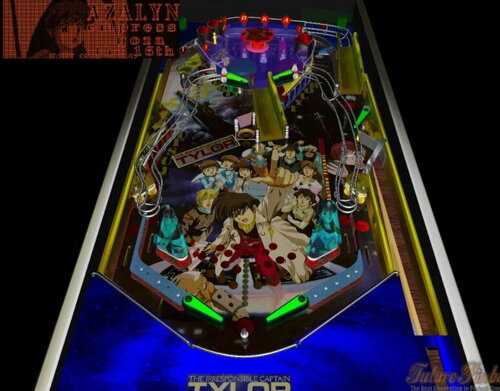
bam The Sand Reapers - Assassins of the desert
By Anthias
The Sand Reapers are a non existent electronica/rock fusion band. This table is based on their non existent album: Assassins of the Desert. All 14 tracks are included in this table. It uses my stereo system (originally from my Road Trip table, which this layout was built upon,) so you can skip tracks, set to random etc. Tracks were generated by an AI ("Accidental Intersection" between their reality and ours 😛 with the band name and album and year 1999 as prompt.)
Track list:
1- Melting Heat
2- Drifting Sands
3- Diving into the shadows
4- Imagining an oasis
5- Hunting the bounty
6- Campfire Ambush
7- Falling in blood
8- How it ends
9- Tired of running
10- Whatever the cost
11- No way home
12- Being a ghost
13- Companion in arms
14- Dunes of wrath
Ruleset:
Light REAPER targets to open first lock (back left) lock 1st to open second (center/lower left) lock 2nd to open 3rd (lower right) At any time, hit upper center right kicker to release any locks. Release all at once for 4 ball multi across the desert
Light SAND targets to light the bumper lamp for 3x bumpers.
Light top RUN lanes for bonus multiplier
Light in/out lanes for ballsaver.
center loop channel doubles point each hit while lit.
Light the HUNT letter spots to get some nice points.
Hit the H and T targets immediately below the left and right channels while the target is already lit to raise the ramps to access the raised playfield.
hit three platform exit triggers to light, then light assassins targets to trigger three ball multiball event. The three triggers remain lit for the rest of your ball.
Hitting the lower left and right bumpers or kickers will activate the out lane diverters.
Additional notes:
This table is coded as a late SS era table, however it has potential for some radical later DMD era ruleset changes, so feel free to mod if you feel inspired and capable. This table, like most of my recent work, is free to mod.
I also realise that the simple audio controls share key bindings with some of the bam functions. Sorry about that, the audio stuff was coded long ago, and I don't have the energy to dive back into them right now (though if I ever do, I will add much more controls to them, like volume etc.) The key sharing situation does not impact gameplay at all, so I let it slide.
246 downloads
-
Space Dragon Princess
By Anthias
SURPRISE! a new Anime themed table by Anthias. Except the anime in question only exists in my head. I hope you enjoy it anyway!
Space Dragon Princess - a story of a princess. Who is a dragon. In space. What's not to love?
RULES:
Light HOARD targets to open first lock front left) lock 1st to open second (centre/lower left) lock 2nd to open 3rd (against rear left ramp) At any time, hit upper centre right kicker to release any locks. Release all at once for 4 ball multi to run a rampage.
Light SKY targs to light the bumper lamp for 3x bumpers.
Light top lanes for bonus multiplier
Light in/out lanes for ballsaver.
left loop channel doubles point each hit while lit.
Light PLANETS to open right hand flipper lane kicker. Hit kicker to activate ROYAL ENTOURAGE. Every three seconds the right hand centre kicker will launch another ball for ten balls! (NOTE only five balls on table at any time, if you already have five the machine will wait three seconds and retry until all ten are released.)
ROYAL FLIGHT mode:
Hit the target near the left slingshot to activate mode, lighting the target. Hit that same target again to commence the ROYAL FLIGHT Mode. The target scores an addition 5k on this hit and sets the next goal as a flashing light. Hit that goal for 10k additional, then the next for 20k, then 40k, then 80k, then 160k, then finally 320k to complete the flight. From the second strike of the first target, you have sixty seconds to complete the flight before it all resets.
DRAGON FLIGHT MODE:
The kicker on the platform near the top of the left ramp is a looped scoring mode. First hit scores 500, second scores 1000, third scores 2000, fourth scores 4000, fifth scores 8000, sixth scores 16000 seventh scores 32000, and sets the wall lights flashing, retaining the 32k value for the rest of the ball. YES the ball WILL jump the kicker - it's not supposed to be easy.
NOTE:
No mode will launch additional balls if there are five or more balls already in play. Modes will either not trigger or not launch if you have too many in play already.
As usual, free to mod. I have even included several source images within the table that were not used for modders to export and use in their modding. Some of them would suit very different styles of the anime interpretation, which could be cool to see.
184 downloads
-
Avatar, Neytiri's Revenge (Stern, 2010) (FizX 3.0, DOFLinx MX) (for Cabinets, VR and Desktop PCs)
By GeorgeH
When you play this pinball game, your spirit will go with Eywa but your body will stay behind... Be like Jake Sully, become one with the Na’vi, and immerse yourself into the world of Pandora. Walk through the dream; I see you!
Alas! After a year of work by Gimli and myself, version 3.0 of Avatar is finally finished! Nearly all the visual things that you see in this version are the work of Gimli. He added several animations, most notably the models of Neytiri and the Sacred Seeds. He even made the spinning unobtainium rock a bit larger and animated it. One of the few visual things I added is the purplish pink ball that appears during the Seeds mode. Gimli liked it so well that he added it to the multiball modes. Of course, I did the lighting which seems to be my forte.
Gimli and I spent a lot of time working on a menu system that we call tweakers. This table has three tweakers that have a total of 50 parameters. To turn the tweakers on, press the Special 1 key repeatedly to cycle through the three tweakers and press the same key again to turn the tweakers off. Gimli developed a different method for those of you who may have a limited number of keys available on your pinball cabinet. Cabinet users can press either flipper key to open the tweakers before starting the game. Once you have the tweaker open, an overlay will appear that has directions on how to navigate through the tweaker using both methods. There are overlays on both the backbox and the Hud. The overlays on the backbox will only be displayed if you have the table installed on a cabinet or use virtual reality.
Gimli created a whole new tweaker for lighting. You may not notice any dramatic improvements but it reduces the number of save locations that are required. It made it easier for us to add another parameter we call Playfield Specular lighting. Gimli decided to remove the old menu system from Version 2.2 and developed a gaming tweaker that has the options from the Version 2.2 menu system of the table and many new options added. The gaming tweaker has an option called User Profiles that loads preselected options for all the gaming selections. You will find options that turn all the bells and whistles on or off, along with the preferred setups of Gimli and myself. I added the latest version of a tweaker for FizX 3.0. The FizX tweaker has presets for Bounce Choices that automatically load three parameters with nine selections for low to high bounce off the flippers. The "Bounce Choices" option is great for novices because you can select options that say things like "Low Bounce" or "Medium Bounce" instead of having to figure out how to adjust three different parameters for bounce that have names you probably won't be able to identify. All the tweakers can be adjusted before the game starts or during the game except for the "Balls Per Game" option on the game tweaker because of a limitation of Future Pinball. You don't have to remember any of the information I have given you except to press the Special 1 key to open the tweakers. I added a new feature for each of the tweaker parameters that displays text that provides directions and other information about the option unless the purpose of the parameter is obvious.
One of the reasons that it took so long to develop this version is Gimli and I fixed three difficult-to-resolve bugs on the tweakers. Having three different tweakers on one table seemed to make the presence of the bugs more obvious. Some of the end-users reported problems with string errors when they first played Version 2.2 of the table. That bug is now gone. The bugs' resolution has made the tweakers' performance very stable and problem-free.
This is a video of Avatar that Gimli made using his Virtual Reality set up that provides an overview of the table.
I made this video to demonstrate how to use the tweakers on this table.
Script File (vbs) – Must Read
Many of you have probably heard of DOFLinx. It is the way guys with pinball cabinets drive lights, addressable LEDs, buzzers, shakers, blowers, etc. Even though this table has the coding for all that, you can still play it on a desktop PC. The download contains a file named "DOFLinx.vbs". If you are a desktop user, save the file to the folder, "C:\Games\Future Pinball\Scripts". If you don't have a Scripts folder in this location, you need to add it. If you have a cabinet, don't use this file if you have DOFLinx installed because the "DOFLinx.vbs" may be out of date. You can use an out-of-date version on a desktop PC without any problem.
If you don't save the script file to the folder, "C:\Games\Future Pinball\Scripts", you will get error messages and won't be able to play the table.
Zip File – Must Read
There is a zip file included in the download. It contains the model of a ball with 1K polygons. Do not unzip the zip file. Just save it with the same name as the table and place it in the same folder as the table. The zip file contains a texture that drives the color DMD. You still need to use the zip file in this download even if you have already saved a 1K ball to the BAM folder. If you don't use the zip file from the download, the DMDs will appear white (they are intended to be blue) and the physics won't be as good.
BAM – Must Read
This table requires BAM version BAM 1.5-363 or later for it to perform as intended and to not crash or generate error messages.
Options in the Script
This table can be demanding on resources for many PCs. If you have problems with resources, I wrote a guide on how to reduce resources. I added it to the beginning of the script because several of the options have to be implemented in the script.
There are several other areas in the script where I have written comments on how to tweak different parameters.
Table Loading Screen
There are six table-loading textures as listed below. The first three landscape textures are intended to be used on desktop PCs. The last three portrait textures are intended to be used on pinball cabinets.
LoadingLandscape1.jpg
LoadingLandscape2.jpg
LoadingLandscape3.jpg
LoadingPortrait1.jpg
LoadingPortrait2.jpg
LoadingPortrait3.jpg
"Rotated Display" Version
There are two variations of this table. There is a basic version for general PC usage and pinball cabinets. The other version of the table is for use on a desktop PC on a single monitor with a portrait orientation that I call a "rotated display". This version would be of interest to you if your monitor can be turned 90 degrees. Most desktop users tend to use the "Full Table 2" view; however, the table only occupies about 50% of your screen whereas the portrait orientation uses 80 to 90% of your screen. I have figured out a way of creating views using BAM's desktop camera so the views are coded in the script. When you open the tweaker, there is a different camera view that automatically opens which has space to display the overlays. I had to disable the Camera View option on the "rotated display" version because I couldn't make it work otherwise. The only instructions you need for it are:
1) Open the "Video / Rendering Options" menu in FP and change the "Rotation" option to 270 degrees.
2) Rotate your monitor clockwise 90 degrees and play the table. (You can play it on a landscape monitor and it will appear sideways but you will be able to see what it looks like.)
If you ever replace the monitor on your PC, be sure to get one that has a stand that rotates. I added a screenshot of the normal camera view.
Conclusion
Gimli and I may have gotten a little carried away with the tweakers on this table. However, we persevered through it and after adding 8,000 lines of new code, we succeeded. I think it was worth it. The tweakers have improved a lot. Anyone who wants to use the tweaker code may do so without permission. You can consult Gimli or myself if you have questions. The gameplay is pretty much the same as it was in version 2.2 although I do recall Gimli improved some of the coding for the link multiball (the captive ball under the coffin).
A lot is happening now with Future Pinball. It seems that new technology keeps coming out. This table adds some of the new technology with FizX physics and certainly breaks new ground with three in-game tweakers. I hope you enjoy this new version of Avatar. I have played it hundreds (probably thousands) of times testing all the changes. I can say that I never get tired of playing it.
I hope this makes a nice Christmas present to everyone. Merry Christmas!
George
1. Created In-Game Game Option Tweaker Tool
2. Revamped the Menu System for desktop, cab, and VR accessed by Special 1 key with instructions on main game DMDs
3. Three In-Game Tweaks are accessible with each press of the Special 1 key ( Game options, Lighting, and FizX tweakers)
4. Added Neytiri Model and Animations
5. Added Seed Models and Animations
6. Added Bioluminescent Custom Balls that Glow when impacting table objects and in seed mode
7. Added a slight magnetic field "The Flux Vortex" that diverts slightly when the ball passes from the upper bumpers ( this decreases the frequent and annoying draining of the ball from above)
8. Removed previous menu system that was added on version 2.1 and cheat codes to simplify the process and hopefully prevent key code conflicts
9. Multichannel /Multiball Sound For Ball Rolling
10. Tilt Recovery system. If you Bump 4 times You will hear "Watch out Hot Rod !". If you wait 5 seconds then Bump Count gets recharged and you can bump again with Tilting. Jake Will Say "This is Great !"
11. Added 9 Bounce Profiles under FizX tweaker, Add 5 Game Option Profiles under Game Option Tweaker
12. Added Easy Mode accessible as the first choice under Game Option Tweaker
13. Enlarged unobtainium rock and animated it.
14. Replaced Smoke's rolling ball sound with a new system using a mini-playfield that has separated sounds for the playfield and ramp. When ball velocity is increased, sound frequency is increased causing a higher pitch.
15. Upgraded to FizX 3.0 and updated the FizX tweaker to use the new values.
16. Added overlays that have comments that support the parameters on each of the tweakers. There is a HUD overlay and one on the backbox which can only be seen on a cabinet or in VR.
17. Added a new feature to two of the tweakers where a profile of multiple parameters can be selected (FizX Bounce option and Game Tweaker Profiles).
18. Added an option for DMD-based high score entry.
19. Added specular lighting option on the lighting tweaker.
20. Removed all previous Video coding and redundant overlays and used Pup Video coding to enable videos on the backglass, apron, back box, etc...
21. Created a new lighting tweaker that uses fewer save locations than the previous version.
22. Added new lighting options for Wall Brightness, Neytiri Brightness, Spotlight Brightness, and Ball Brightness.
23. Created a "rotated display" version of this table.
4740 downloads
-
Ghostbusters (Ultimate Edition) Daytime (V1.4)
By VP1000
Hello everyone I had to reupload this file to add the FPL files needed my apologies,
after this table is approved please delete the other copy thank you.
Here is Ghostbusters (Ultimate Edition) Daytime (V1.4) an awesome table:
You will need Bam installed for this table to work properly.
If your new to future pinball you will need :
Visual C++ Redistributable Runtimes
https://www.techpowerup.com/download/visual-c-redistributable-runtime-package-all-in-one/
Future pinball and Bam and also Bam Open-VR here is a link install all 3.
https://www.ravarcade.pl/
After you install these put Bam and Bam open VR in your Future pinball folder.
To play this table open Bam loader in Bam folder or quick launch Bam from desktop.
If you would like to see the changes made open the script and read Rev 1.4
JP Salas and Smoke are the original creators then modded by other coders.
Enjoy.
3251 downloads
-
Ghostbusters (Ultimate Edition) Daytime (V1.4)
By VP1000
Hello everyone here is Ghostbusters (Ultimate Edition) Daytime (V1.4) an awesome table:
You will need Bam installed for this table to work properly.
If your new to future pinball you will need :
Visual C++ Redistributable Runtimes
https://www.techpowerup.com/download/visual-c-redistributable-runtime-package-all-in-one/
Future pinball and Bam and also Bam Open-VR here is a link install all 3.
https://www.ravarcade.pl/
After you install these put Bam and Bam open VR in your Future pinball folder.
To play this table open Bam loader in Bam folder or quick launch Bam from desktop.
If you would like to see the changes made open the script and read Rev 1.4
JP Salas is the original creator then modded by other coders.
Enjoy.
1679 downloads
- ghostbusters
- daytime
- (and 1 more)
-
SHARKS
By mark1
Sharks,
An original future pinball table.
Table rules light "SHARKS" for special at the top kicker,
by hitting targets in the roto spinner, special lasts for 120 seconds.
Hitting all of the star targets (under the treasure holograms)
lights a chance for 15,000-point bonus,
at the mid left kicker (under treasure hologram).
lighting "Dolphins", (by hitting star triggers under the dolphin holograms),
lights a 60 second chance at Bonus multiplier increase,
and bonus, at the kicker behind the center drop targets.
It's A fun table with many holograms.
(Some very well-made Midi renditions of Rock and Pop music were used for background music.)
251 downloads
-
" Reserve " ( Williams 1961 ) CAB
By Francisco
Reserve / IPD No. 1953 / October 02, 1961 / 1 Player
Manufacturer:Williams Electronic Manufacturing Corporation (1958-1967) [Trade Name: Williams]
Date Of Manufacture:October 02, 1961
Model Number:253
Type:Electro-mechanical (EM)
Production:750 units (confirmed)
Serial Number Database:View at The Internet Pinball Serial Number Database (IPSND.net) (External site)
Theme:Boats - Nautical - Scuba Diving - Water
Notable Features:Flippers (2), Pop bumpers (3), Passive bumpers (2), Slingshots (2), Standup targets (4), Kick-out holes (2), Gobble hole (1).
Maximum displayed point score is 1,999 points.
Sound: 2 bells, knocker.
Design by:Steve Kordek
Art by:George Molentin
245 downloads
-
" Reserve "
By Francisco
Reserve / IPD No. 1953 / October 02, 1961 / 1 Player
Manufacturer:Williams Electronic Manufacturing Corporation (1958-1967) [Trade Name: Williams]
Date Of Manufacture:October 02, 1961
Model Number:253
Type:Electro-mechanical (EM)
Production:750 units (confirmed)
Serial Number Database:View at The Internet Pinball Serial Number Database (IPSND.net) (External site)
Theme:Boats - Nautical - Scuba Diving - Water
Notable Features:Flippers (2), Pop bumpers (3), Passive bumpers (2), Slingshots (2), Standup targets (4), Kick-out holes (2), Gobble hole (1).
Maximum displayed point score is 1,999 points.
Sound: 2 bells, knocker.
Design by:Steve Kordek
Art by:George Molentin
108 downloads
-
" Super Jumbo " ( gottlieb 1954 ) CAB. version 1.0
By Francisco
Super Jumbo / IPD No. 2434 / October, 1954 / 4 Players
Manufacturer:D. Gottlieb & Company (1931-1977) [Trade Name: Gottlieb]
Date Of Manufacture:October, 1954
Model Number:94
Type:Electro-mechanical (EM)
Production:500 units (confirmed)
Serial Number Database:View at The Internet Pinball Serial Number Database (IPSND.net) (External site)
Theme:Happiness - Circus/Carnival
Notable Features:10 cents per play. Flippers (2), Pop bumpers (4), Slingshots (2), Standup target (1). 3-, 4-, or 5-ball play. Triple match feature. A fluorescent lamp mounted underneath the lockdown bar lights the coin door area.
Maximum displayed point score is 999 points per player.
Replay wheel maximum: 26
Sound: 2 bells, knocker.
Design by:Wayne Neyens
Art by:Roy Parker
174 downloads
-
" Super Jumbo " ( Gottlieb 1954 )
By Francisco
Super Jumbo / IPD No. 2434 / October, 1954 / 4 Players
Average Fun Rating:Needs More Ratings! 7.4 / 10 (2 ratings) [ Add Your Rating! ]
Manufacturer:D. Gottlieb & Company (1931-1977) [Trade Name: Gottlieb]
Date Of Manufacture:October, 1954
Model Number:94
Type:Electro-mechanical (EM)
Production:500 units (confirmed)
Serial Number Database:View at The Internet Pinball Serial Number Database (IPSND.net) (External site)
Theme:Happiness - Circus/Carnival
Notable Features:10 cents per play. Flippers (2), Pop bumpers (4), Slingshots (2), Standup target (1). 3-, 4-, or 5-ball play. Triple match feature. A fluorescent lamp mounted underneath the lockdown bar lights the coin door area.
Maximum displayed point score is 999 points per player.
Replay wheel maximum: 26
Sound: 2 bells, knocker.
116 downloads
(0 reviews)0 comments
Submitted
-
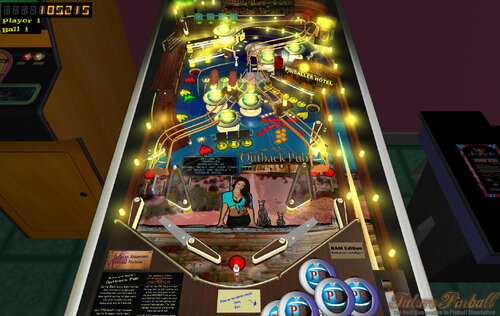
VPU Staff's Top Picks
-
New & Updated Visual Pinball
-
New & Updated Future Pinball
-
New & Updated Backglasses
-
New & Updated DMD Colorizations
-
New & Updated Virtual Reality Enabled Tables
-
VPU Remix & Mods
-
New & Updated Popper Media
-
Updated Files
-
Download Statistics
29028
Files103238
Comments42366
Reviews