No files in this category yet.
Files From Subcategories
-
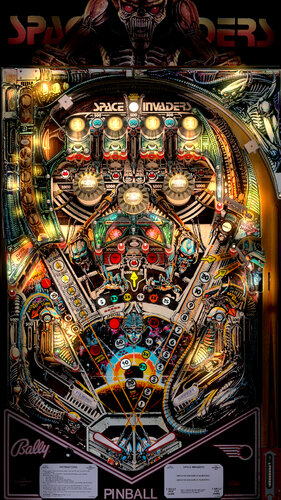
Space Invaders (Bally 1979)
By hauntfreaks
re-upload from 2018
Space Invaders (Bally 1979)
this come with my B2S v1.1 - NEW dual mode with fantasy LED green alien light - 2048 res - authentic lighting - authentic animation
2930 downloads
-
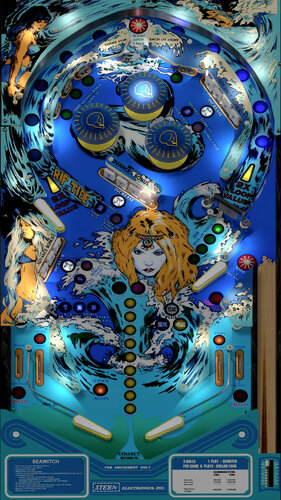 (0 reviews)
0 comments
Submitted
-
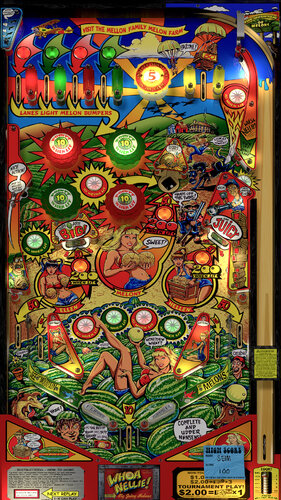
Whoa Nellie! Big Juicy Melons (Stern 2015)
By hauntfreaks
re-upload from 2018
Whoa Nellie! Big Juicy Melons (Stern 2015)
3824 downloads
-
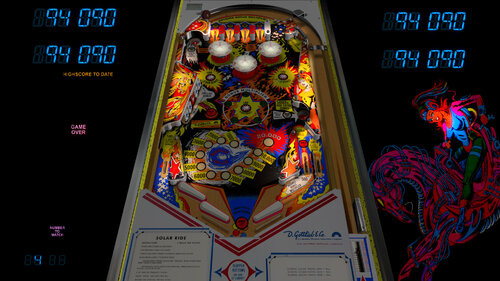
Solar Ride (Gottlieb 1979)
By BorgDog
re-up of old vpinball table.
This is a mod, with permission, of LynnInDenver's Solar Ride. Started mainly to fix the playfield to be proper size and position, and did lots of other scripting, graphical and object changes/updates with much help from hauntfreaks and sliderpoint.
There are a few options at the top of the script for turning on ball and flipper shadows and changing flipper rubber color.
zip includes solaride.nv nvram file that sets the replay values to match the score cards. place in vpinmamenvram folder, as usual press F6 to change some of the rom options
973 downloads
-
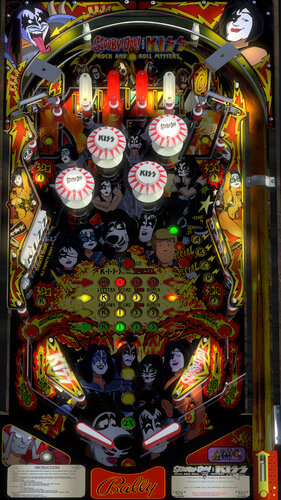
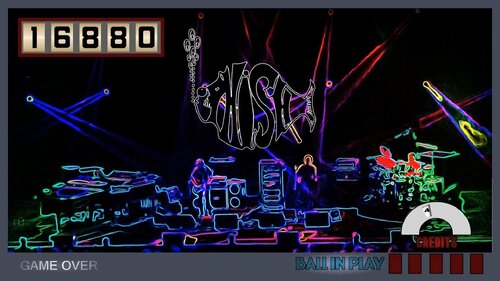
Scooby Doo! and KISS Rock n' Roll Mystery
By hauntfreaks
I seen this got converted to VPX so I'm adding it here
Scooby Doo! and KISS: Rock n' Roll Mystery
this is a re-skin of Bally's 1979 KISS table
I wanted to have this done before the end of October to added to the halloween style tables
it comes with a music pack, covers of KISS songs.... why covers?... I love when artists cover other artists work....
if you want you can change the music list very easy in the script and add your own MP3's
I play this game as a 5 ball game (it has 5 music tracks)
I use the kissb rom
795 downloads
-
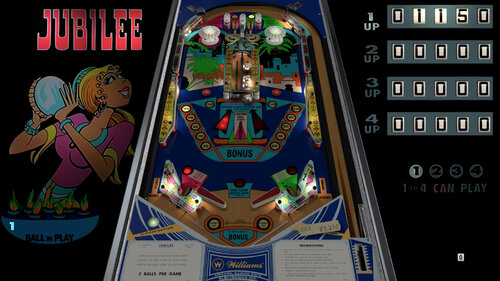
Jubilee (Williams 1973)
By BorgDog
another re-up from a couple years ago.
This is the 4 player version of my Darling table for those of you with more friends. Pretty much the same game, some of the table physics has been tweaked slightly mostly with the captive balls. Hauntfreaks provided the artwork for the db2s and of course had done the playfield graphics as well.
Includes my version of the loserman and gnance option menu, hold down left flipper before starting a game for 3 or 5 ball, free play, and extra ball options.
933 downloads
-
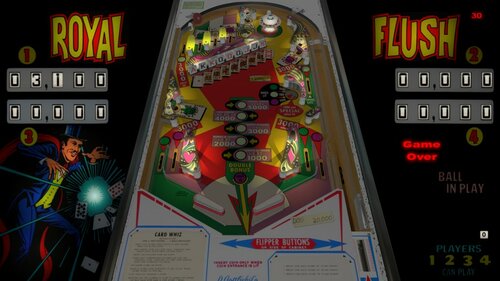
Royal Flush (Gottlieb 1976)
By BorgDog
re-up from a couple years back, no changes.
For those of you with more friends than I have, I did a quick conversion of my Card Whiz into the 4 player Royal Flush. The table is identical, just changed the backdrop, put the score reels back in view (my base template is 4 player so scripted Card Whiz with this in mind) and built a new directb2s to go with it from images found online.
1382 downloads
-
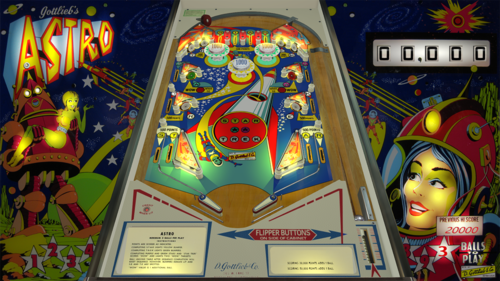
Astro (Gottlieb 1971)
By BorgDog
re-up of 2016 table, no changes from vpinball.com version
This is an add-a-ball game only. It is the domestic USA version of the Star Trek table of the same year that was export only. The replay version is '4 Square' and has different artwork.
Hold down left flipper key before starting a game for a couple seconds to open the option menu (inspired by loserman76 and gnance) Many thanks to sliderpoint and StevOz for physics and bug testing! Thanks to Plumb on vpf for the Astro playfield scan that started this.
501 downloads
-
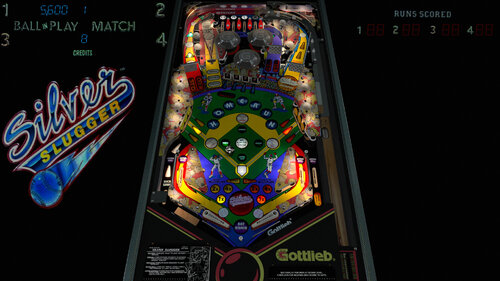
Silver Slugger (Gottlieb 1990)
By BorgDog
re-upload from a couple years back. I think this is the last of my tables except for a few variations (4 player or import/export) of tables I've already uploaded.
Some time back I ran across some decent photos of a stripped/NOS playfield for Silver Slugger, did a quick look around and didn't see a VPX release, so started building it up. Sometime later while looking for plastics I ran across bodydumps early vpx WIP of Silver Slugger that included redrawn playfield and plastics, and I said "dammit". since I had put a fair amount of work into my build I decided to keep on with it, and eventually got in touch with bodydump who gave me permission to use his resources. since the playfields were not a direct match I decided to stick with mine instead of moving everything around, but it was fairly easy to move around bodydumps plastics to match my setup.
first a couple thank you's and kudos:
@bodydump, thanks for letting me use your resources, very much appreciated
@DCrosby, thanks for the upscale/cleanup of my playfield
@Schreibi34, thanks for the new kicker primitives
@bord, thanks for all the blender instruction
So speaking of blender, I'm still learning, and this includes my first try at some reflections on walls. Not a lot of them, but just the most visible of the shiny metal walls. Also did another set of GI shadows in blender. I'm sure none of these are as good as others are capable of, but I think they turned out OK, and I'm learning something new (they say that's good for us old people's brains).
Table has a few options near the top of the script for turning flipper and ball shadows on and off and for choosing the apron card colors (stock black on white or inverse white on black).
FS is setup for my cab which has the playfield in windows portrait mode, I'm sure you all can figure it out, or at some point someone will post a wrong landscape pov file.
1734 downloads
-
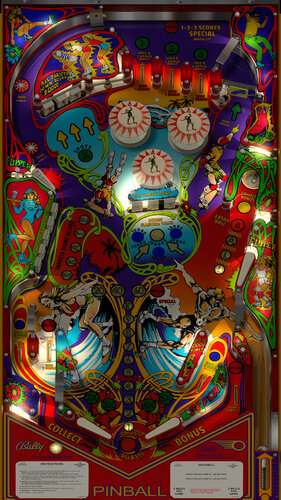
Skateball (Bally 1980)
By hauntfreaks
re-upload from 2018
Skateball (Bally 1980) 1.0.4 detail mod.... extra time was spent on this because of the subject matter (was a skater for most of my life)
this is a detail mod of JP’s table, so he gets the credit… lights, shadows, material, color gradient and some textures primitive cutouts768 downloads
-
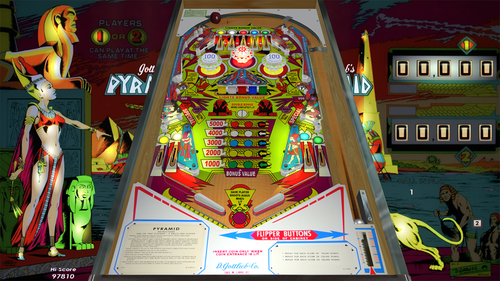
Pyramid (Gottlieb 1978)
By BorgDog
another old, old table from vpinball.com. This one could really use an update.
This is a 2 player EM version of Gottlieb’s Cleopatra. Cleopatra was available in EM and SS versions, Pyramid is EM only. I ran across an old VP8 jpsalas version of Pyramid on one of those other sites, and JP was nice enough to share even more of his resources than what was in the table, and with the more recent Cleopatra SS tables that have been done there were plenty of good resources, and I found a decent backglass image on the internet somewhere. Used JP’s code mostly for play logic, and went off to the races. I happened to get enough resources to do something I had wanted to do with my Gemini table, and that was make two versions in one, yes TWO! There is a old, rusty, faded, worn, yellowed version and there is a nice bright shiny version all in the same table. Borrowed the idea from loserman76 and gnance for the hold down left shift to open the options menu, and let you choose not only number of balls and replay levels, but whether you want to play clean or dirty.
So big thanks to jpsalas, loserman76, gnance and the internet. Oh yeah and those guys who made VP10.
Thanks also to sliderpoint and hauntfreaks for the vp and graphics help as always.
Hold down left flipper key for options menu when not in a game.
705 downloads
-
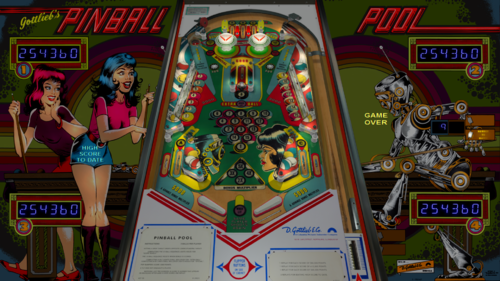
Pinball Pool (Gottlieb 1979)
By BorgDog
re-up of my table from vpinball.com
I took on doing this table after I bought a project real Pinball Pool. I finished getting both running about the same time, and I'm glad I took both of them on, this is a simple yet very fun game. Shoot the drop targets, clear the A-B-C (hint try to get B on plunge), hit the kick holes to up the bonus, and nail the captive 8-ball. simple right?
A oddity about this table is that when you hit a drop target on one side, the corresponding one on the other side is knocked down as well. When playing 3 ball all drop targets do this, on 5 ball only the even numbered ones do. Press F6 as usual for the rom options.
This table is basically a rebuild of 32assassin's table, thanks to him for the starting point and it's script. The playfield is a scan of my real machine, thanks to hauntfreaks for putting together all the scan images into one, and for the shadow layer Starting from a scan made sure everything got put in the right place, and all but maybe 2 posts got moved. I also added a new plastic image from a scan of my plastics (new set).
793 downloads
-
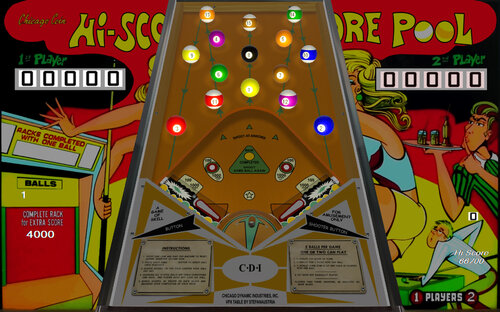
Hi-Score Pool (Chicago Coin 1971)
By BorgDog
re-up of vpinball.com table, no updates or changes
Prompted by a post from drothste12 on vpforums, a whole gang of VPers jumped in to get this table done. STAT started it off with the initial build and coding of the gameplay and rules and figured out how to do a rotating ball shooter turret with great advice from the forum. PinballShawn owns the real table and very helpfully provided measurements, gameplay rules, and videos of how it all works, table probably would not be done without all his info. I jumped in when STAT got to busy to finish it up and I resized the table and all it's parts and objects to correct size, and finished up the coding with added features. Hauntfreaks took all my and STATs initial images and made them all much nicer (he has a way with things like that).
Basic idea of the gameplay is hit the balls to clear the rack. A great part of the fun is you can't actually see the ball most of the time it's in play. The right flipper or the plunger button shoots the ball (real table has no plunger so just right flipper) as the turret rotates. Clearing the rack adds the listed bonus and give you another ball (well really the same one, but continues to play). PinballShawn says the game is much better with 2 players as you can steal racks the other player doesn't complete.
There are a couple of gameplay options available by holding down the left flipper before starting a game (thanks to loserman76 and gnance for the idea).
directb2s file is included in the download.
478 downloads
-
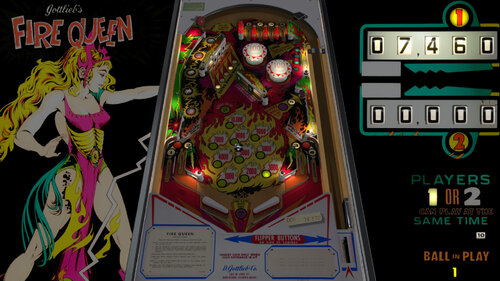
Fire Queen (Gottlieb 1977)
By BorgDog
re-up of version from vpinball.com (newer than VPF version).
The 2 player version of Gottlieb's Vulcan.
1046 downloads
-
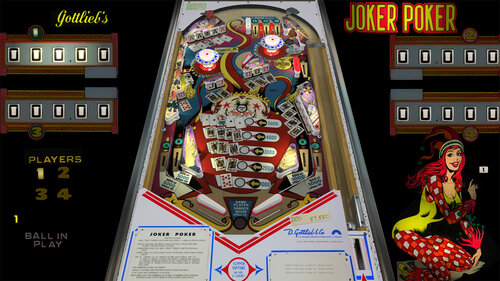
Joker Poker EM (Gottlieb 1978)
By BorgDog
re-upload of vpinball.com table, no changes.
Thanks to all who provided stuff to the community that I used, dark and sliderpoint in particular for some primitives, and loserman76 for some scripting I borrowed from Target Alpha.
Hold down left flipper button before starting a game for some options (added a freeplay option to the balls and replays).
And of course as usual the FS backdrop settings are for my cab which has the playfield in portrait orientation.
Let me know of any bugs/issues/feedback in the support topic please. Thanks!
705 downloads
-
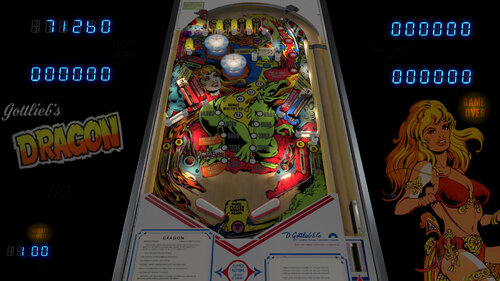
Dragon (Gottlieb 1978)
By BorgDog
re-up of old vpinball table, no changes. Note, this includes the db2s I originally did for this, blacksad has done an updated one with nicer image, located here on VPU.
This is the solid state version of Dragon, Gottlieb also made this an EM version. When JP recently released his Charlie's Angels table I updated my spreadsheet of Gottlieb system 1 tables (yes I have a spreadsheet) and realized there was only one left that had not been done in VPX, the 1978 Dragon. I decided it was time to make it. Looked high and low for good resources, and ended up settling for ok resources, table image from vpf, backglass image from ipdb. Both of them I did some doctoring to and then my buddy hauntfreaks did more. but still can only do so much with so-so starts, so this is decidedly NOT a "4k" build. I did find some decent plastics images, not great but decent, so those helped.
One thing I did do new for this table is an improved vari-target primitive and animation. All the ones I'd seen in the past have been just a slide back of an object that is just above the playfield level (transx for those in the know). what I did is took that primitive and extended it below the table to an approximate distance to where the real one has a pivot point. I then redid the scripting for it so the vari-target actually rotates around that pivot point like the real one (rotx).
Big thanks to hauntfreaks for cleaning up and color fixing images for the playfield and the included db2s. Also big thanks to the ever busy bord for doing his fancy gi shadow treatment, much more detail then what I usually do. Thanks guys!
1343 downloads
-
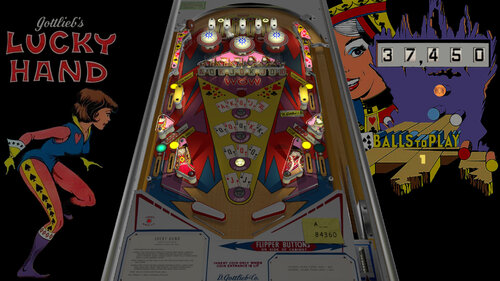
Lucky Hand (Gottlieb 1977)
By BorgDog
re-upload from vpinball.
Can't find the original description for this one, but it is the add-a-ball version of Jack's Open. This is based off sliderpoints awesome Jack's Open table, physics and all is from that, I redid the art where needed and rule scripting for this one and threw together a db2s to go with it.
759 downloads
-
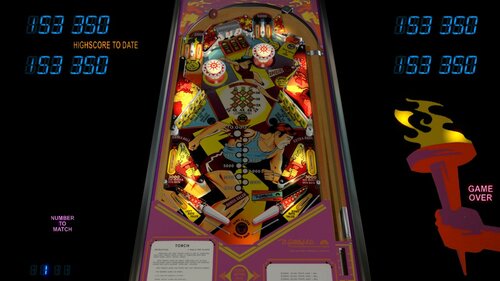
Torch (Gottlieb 1980)
By BorgDog
original description from vpinball.com below. file has not changed, however I'm not sure which version of the db2s is included with this as haunt and I had put out an updated one separately.
I started Torch after doing Close Encounters, because roto-target. I then got side tracked with Nobs, real Nobs, Bubba Hollywood, and well frankly forgot where I was with this. So today I got some top arch pictures from FortyTwo on pinside (thanks!) who is parting out a real one and decided to spend a little time getting this together. I made a quick db2s from an image I liked and included it or you can use one from vpu which I'm guessing is a Wildman production. There are a couple options at the top of the script for turning ball and flipper shadows on or off and for selecting some tone or chime sounds (the dof config will play your chimes if you have them).
876 downloads
-
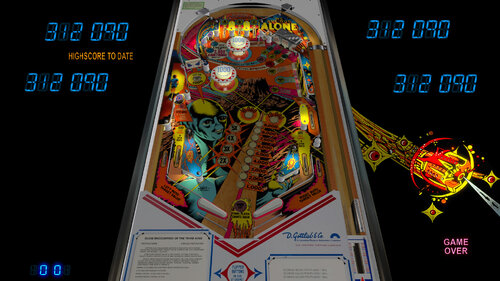
Close Encounters (Gottlieb 1978)
By BorgDog
re-upload of vpinball.com table, no changes.
Gottlieb's 1978 Close Encounters, solid state version, continues my collection of system 1 tables. I happened to pick up a Close Encounters parts cabinet that included a somewhat warped playfield in otherwise decent shape that I stripped down and scanned for the starting point for this.
Includes, nfozzy's FastFlips flippers, rothbauerw's Ball Control script, ninuzzu's ball shadow routine (turn on or off at top of script, off by default), some logic and sound effect (roto target movement) from pinuck's vp9 table, and vp10.4 surround sound scripting.
Thanks to hauntfreaks for some primitive and graphics work and play testing.
Had fun making the roto target primitives and getting it all to work and animate. It's actually 15 seperate primitives all rotating together so that I could animate the individual ones when hit.
1109 downloads
-
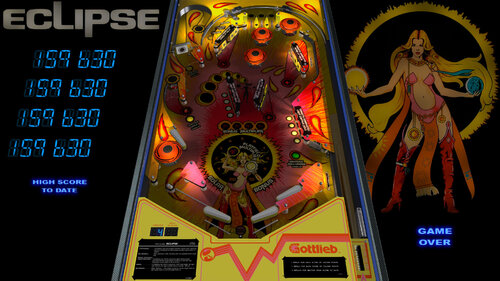
Eclipse (Gottlieb 1982)
By BorgDog
Eclipse is basically a single level version of Gottlieb's 1981 Black Hole. the targets that were on the lower level are moved up to the middle of the playfield, and the entrance to the hole is now a ball lock for multiball. to get to multiball you first need to clear the 4 stand-up targets on the right side, then it lights the lower left hole for lock. after you lock a ball you then need to clear the 4 stand-up targets to the right of the upper left flipper, which then lights the upper hole entrance through the spinner for lock. once a ball is locked there as soon as the next ball launch hits a playfield switch it releases the other 2 balls for 3 ball multi-ball. easy right.. not so much. before someone gets there and asks (like anybody reads this) if you drain after locking the first ball it will kick the locked ball out before giving you the next ball and you will need to re-lock it, however it will be lit to lock it, don't have to do everything over.
playfield and plastic images are from pinsider IamNaN without whom this would not have been made. playfield image cleaned up by my buddy hauntfreaks (this has been in works awhile)
included db2s made by hauntfreaks with some modifications by me, don't remember where the image came from
bord did the awesome lighting/shadows and plastics, made swapable rubber primitives (see option in script to change from black rails/rubber to stock), fixed my primitives, and made the flipper primitives and probably other stuff I'm forgetting. thanks man.
1140 downloads
-
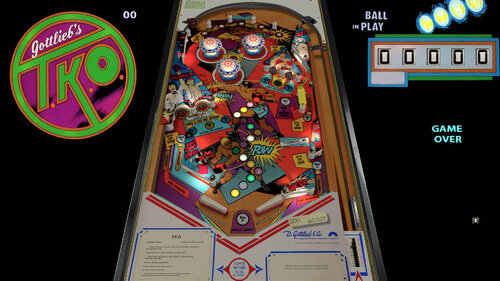
TKO (Gottlieb 1979)
By BorgDog
another old build from vpinball.com
Last wedgehead made by Gottlieb.
613 downloads
-
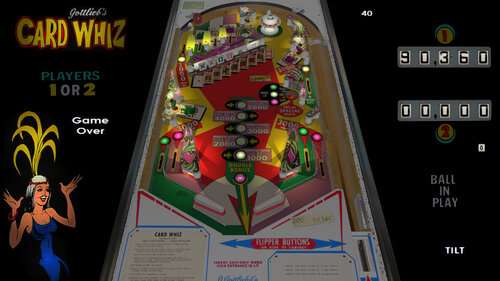
Card Whiz (Gottlieb 1976)
By BorgDog
re-upload of table on vpinball.com, no changes or testing has occurred.
Gottlieb's 1976 Card Whiz. This 2 player table was also made in a much more common 4 player version, Royal Flush. I'm partial to 2 player machines, so made Card Whiz, but it would be a fairly easy conversion to Royal Flush if there is enough demand for the 4 player as well (I don't have that many friends). As far as I can tell this truly em scripted version of royal Flush or Card Whiz has not been made in vp before, although there was a couple versions that used the 1983 Royal Flush Deluxe rom with this playfield (no I don't know the gameplay differences), and there is an FP version as well.
the playfield started with Popette's FP version, and has been much modified/upscaled/stretched etc to more accurately match images of stripped playfields I found as well as better match the playfield map from the Royal Flush manual which I found online (don't tell Steve @ PBR). Most if not all the insert images were replaced with better copies I found on line.
The image for the backglass came from a collection by Scott Amus on flickr.
Couple things I'm not sure on, the first is the ball return gate. The rollover on the right opens the gate so the ball can return to the plunger lane. I'm fairly certain that once it does the trigger in the plunger lane closes the gate and also fairly certain the kick hole on the right side of the playfield also closes it, just not sure if those are the only things?? The rollover in the plunger lane would also be triggered and close the ball return gate on the next plunge. The other thing that I'm not sure of is that post on the left side that deflects balls coming down from the upper left joker rollovers. In watching videos there seems to be some wide variety in how that deflects, and actually a lot of times it seems to not get hit at all which happens very rarely on my version. I'm pretty sure I have it in the right spot, but I think something above that may be causing the ball to miss it.. again not sure, having never actually played on in the wild that I can recall.
Directb2s included, hold down left flipper before starting a game to get some options.
As usual thanks to everyone for everything, blah blah blah..
1176 downloads
-
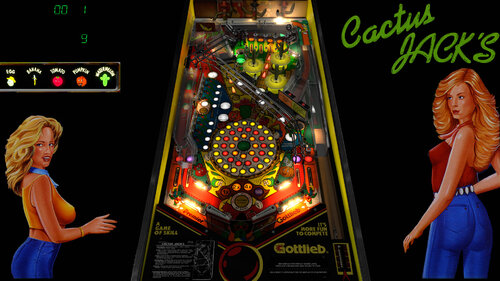
Cactus Jacks (Gottlieb 1991)
By BorgDog
Welcome to Cactus Jacks, it's Party Time!
So first up the kudos:
@bodydump for the initial working version with his great redraws of the playfield and plastics
@dark for all the cactus models, including the animations of the big 3 back cacti
@bord for all the lighting and shadow stuff he does that he did for this
@rothbauerw for his physics tutorial and updates and play testing and tweaking
So, I think that's about it for now, hope you all enjoy it, I'm sure there are things not quite right and updates to be done still but it's time for me to throw it out there.
1368 downloads
-
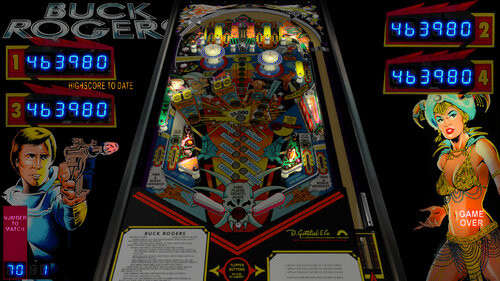
Buck Rogers (Gottlieb 1980)
By BorgDog
re-upload of old vpinball table. hope to update someday now that I own a real one.
This started out as an upgrade to Sindbad's vp9 table found over on VPF. Hauntfreaks did the inital layout and lighting etc in VPX last summer from a beta sindbad had put out during the vp10 beta phase and it's been mostly hanging out since then. I rebuilt all the code, keeping mainly the vari-target scripting form Sindbad's table, found some nicer plastic images courtesy of the interwebs and went to town this week.
New the top of the script is a line that currently reads "Const VT_Delay_Factor = .88". What this line does is controls how fast the vari-target slows down the captive ball that hit's it. The smaller the number the more it slows it down. I'm not sure exactly where this number should be, but I do know a couple things: 1. it is possible to set the vari-target to the very back in one shot, I've seen it done in videos, 2. .8 I think makes it too hard to every achieve the 1 shot reset of the vari-target, 3. .95 makes it too easy to make that shot. So somewhere in the middle is where we sit. I have not yet made it in one hit with the current settings, but I have come close, it takes a timing shot with momentum on the ball to make it happen. Feel free to play with this variable and report back what happens.
1755 downloads
-
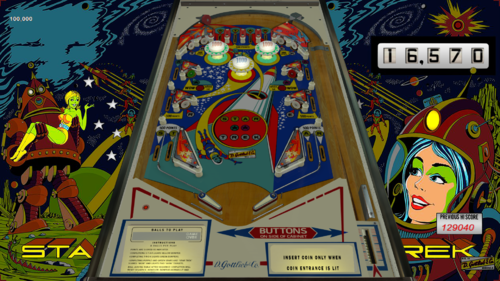
Star Trek (Gottlieb 1971)
By BorgDog
re-upload of vpinball table, no changes.
This is Gottlieb's 1971 Star Trek. This is the export (Italy) version of Astro. This is an add-a-ball game only. The replay version of this with different artwork is 4 square.
This update has new logic thanks to allknowing2012/Daryl who found some backglass images on ebay that showed why there is that crazy area in the upper left of the backglass. It is there for the 10 rollover values, 100,000 to 1,000,000. So I needed to modify the logic and the backglass due to the new info.
Hold down left flipper key before starting a game for a couple seconds to open the option menu (inspired by loserman76 and gnance) Many thanks to sliderpoint and StevOz for physics and bug testing! Thanks to Plumb on vpf for the Astro playfield scan that started this.
directb2s included DOF enabled FS settings in the table are for my cab which has the playfield in portrait mode, most of you will need to adjust the Backdrop settings.
472 downloads
.thumb.jpg.48f7733c145a20bd79f95b037dcd15f5.jpg)



TableImageWithTopper.thumb.png.f8c610ca6030a7e31acbbdb1214c55c2.png)
.thumb.png.cec808e8b058fde901e411dbcf2c7984.png)


.thumb.png.6513cffb1ed48c60cf1d137fb5575ada.png)


.thumb.png.aeae10b352e798871d417e3d270bda59.png)



3.thumb.png.a339b0eea71c5430b17000837b936312.png)
.thumb.png.70be8dce9c3fd69f5914d1976bef170a.png)






Playfield.thumb.png.f88f3b97f56a5baf97032d3dd7d2fd23.png)
.thumb.png.819ca38f5a97412f7acd399b8fc43d5c.png)
SS.thumb.png.73fe6be8979bbacda947b93020218177.png)
FullDMD.thumb.jpg.97222a62a461d6b8c29b2c250cc9a56d.jpg)
FullDMD.thumb.jpg.1e8b1c3b7aac6f1b00f70892c78da8db.jpg)
FullDMD.thumb.png.0fc6271a18b79e0be3a5fb7cf9ee8a45.png)
.thumb.jpg.78eac96729a723a5d1609cc9ff7b1462.jpg)
.thumb.jpg.2271d7e343a10ba54add6f37d7d8f2c5.jpg)
.thumb.jpg.d62cc71d5b728bff04500bc73d893c9d.jpg)
.thumb.jpg.02b5fc6b90f2b198afec82ed9af1bebe.jpg)
.thumb.jpg.a8a06cdd9eb21b305b5a5d6b6a594535.jpg)
.thumb.jpg.7c0a903c2ee6dee00cde2aab160cce01.jpg)







Rules.thumb.png.ed72cfbdfe9753c18ed4e918f1e7a24c.png)
Rules.thumb.png.0f3e74c15d74f754940e08fbebe44cdc.png)


.thumb.png.a8cc4560b1d1d1802d2cb48571c221a2.png)