29 files
-
Minecraft
By mark1
Minecraft,
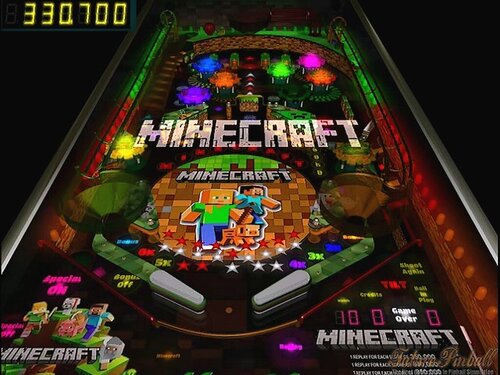
An original future pinball table, based on the minecraft video games.
Table rules,
Light "Minecraft" for special at the top kicker, by hitting targets
in the rotospinner,
( special lasts for 90 seconds).
Lighting "GOLD" also lights a chance for Bonus'.
and gives center chance segment , so will the topleft kicker hole under the ramp.
The Roto spinner will also give small bonus chances.
.
Replay scores on the table card.
( Some very well made Midi renditions of Minecraft and Peter Gabriel music, were used for background music.)
https://mark1pinball.weebly.com/
107 downloads
-
Miss O (WIlliams-1969) (FizX 3.3)
By Popotte
MOD UNAUTHORIZED WITHOUT EXPLICIT PERMISSION FROM THE AUTHOR
You can toggle (by the toggle HUD key) the HUD reel.
You access to the dip switches menu by the Special2Key in order to manage:
- balls per game,
- scrolling,
- difficulty with 3 levels: easy, normal (recommended by Williams), hard,
- bottom rollover adjustment (both lanes are lit for special) or alternate,
- auto replay adjustment: a replay is won when you complete 15 balls,
- reset high score entries,
- tilt handling: normal FP's way (8 warning allowed), liberal (16 warnings allowed), and not tilt.
Rules:
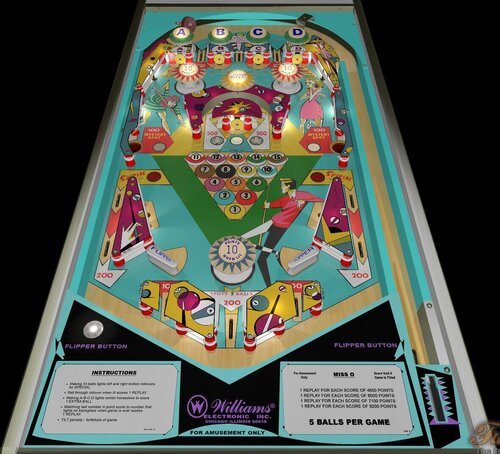
> Making 15 balls lights left and right bottom rollovers
for SPECIAL.
> Ball through rollover when lit scores 1 REPLAY.
> Making A-B-C-D lights center horseshoe to score
1 EXTRA BALL.
> Matching last number in point score to number that
lights on backglass when game is over scores
1 REPLAY.
> TILT penalty - forfeiture of game.
184 downloads
(1 review)0 comments
Updated
-
Magnotron (Gottlieb-1974)
By Popotte
Magnotron (Gottlieb-1974)
IPDB No. 1519
NOTES:
- MOD UNAUTHORIZED WITHOUT EXPLICIT PERMISSION FROM THE AUTHOR
- Access the menu with the Special2Key.
- You can toggle (by the toggle HUD key) the HUD reel.
- If you use arrows for plunger (optional), you have to use arrow down and arrow up (customisable) in order to pull or push the plunger.
RULES:
Insert one coin and wait for machine to reset before inserting coins for additional players.
Players take turns shooting as shown on back glass.
Points are scored as indicated.
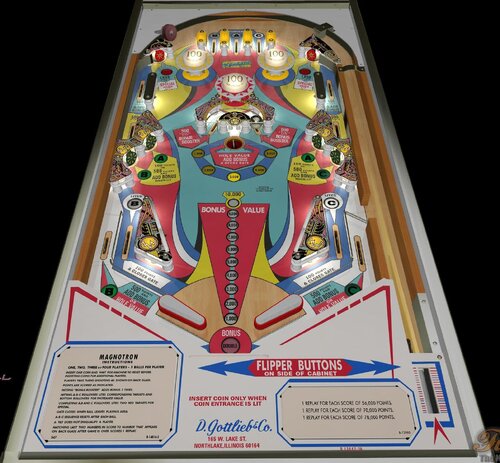
Hitting "bonus booster" adds bonus 5 times (for 3 balls game - 3 times for 5 balls game).
Hitting A-B-C rollovers lites corresponding targets and bottom rollovers for increased value.
Completing A,B abd C rollovers lites two red targets for special.
Gate closes when ball leaves palying area.
A-B-C sequance resets after each ball.
A tilt does not disqualify a player.
Matching last two numbers in score to number that appears on back glass after game is over scores 1 replay.
IPDB HIGHLIGHTS:
Date Of Manufacture: June, 1974
Production: 6,650 units (confirmed)
Notable Features:
Flippers (2), Pop bumpers (3), Slingshots (2), Standup targets (6), Kick-out hole (1), Captive ball (1), Upper left and right kickback lanes, Right outlane ball return gate. End-of-ball bonus. 3 or 5 ball play.
Maximum displayed point score is 99,990 points per player.
Sound: 3 chimes, knocker
Design by: Ed Krynski
Art by: Gordon Morison
Notes:
The 2-player version of this game is Gottlieb's 1974 'Duotron'.
We previously showed a date for this game of August 1974. The new date is per Gottlieb documentation.
Pictured in this listing is an exported Sample game with serial number 01154 S. It does not have inserts at the top three rollover lanes or at the flipper inlanes to represent A-B-C, instead using painted red letters. The copyright notice is below the left flipper and not in the blue area above the bonus ladder, and the outlane B and C inserts have nearby text entirely on a blue background instead of half blue and half red.
This Sample game also was never equipped at the factory with a chime unit and having no mounting holes in the cabinet wall prove this. The owner, located in the UK, recalls he got the game from either Holland or Germany. For more information about factory non-installation of bells and chimes in USA games exported to Europe, see our Notes for Bally's 1969 'Cosmos'.
134 downloads
(1 review)0 comments
Updated
-
Masters of the Universe - Collector's Edition (PinEvent V2, FizX 3.3)
By TerryRed
Masters of the Universe - Collector's Edition (PinEvent V2 - FizX 3.3)
Created by TerryRed
Version 1.41 (April 2026)
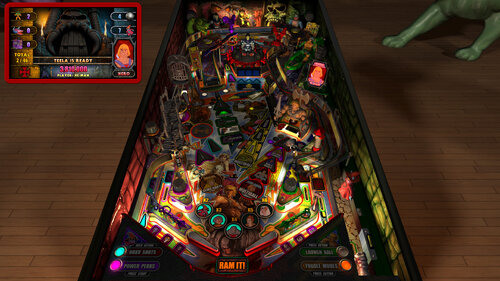
Masters of the Universe - Collector's Edition" has been a passion project of mine for a good 18 months. I started with Rom's classic table from 2013, and then proceeded to do a complete table rebuild with all-new code with the intent to make The Most POWERFUL Pinball game in the UNIVERSE! This is virtual pinball at a scale like you've never seen before!
First, I rebuilt it for modern FizX physics, BAM lighting, shadows and PinEvent features. With updated FizX physics, I needed to rebuild much of the layout with significant changes to how this table plays. From there I proceeded to make a completely new and massive game that lives up to the potential of MOTU and what is possible with FP-BAM in 2024! To give you an idea, the old MOTU table was 70 MB while the new MOTU CE is 846 MB just for the table file!
New Blender raytraced baked lighting and shadows combined with FP's dynamic lighting / shadowmaps / lightmaps and ray cast shadows creates a unique and gorgeous visual spectacle like no other!
All new detailed and painted models scanned from actual 80's MOTU toys are brought to life with my new custom animation code made just for this table! You've never seen pinball toys look and move like this!
The objective of the game is to complete each of the new 16 modes and get all collectables (action figures, vehicles, playsets) to become the Master of the Universe!
TerryRed
For the Epic Preview Trailer video, watch here:
For a preview of Virtual Reality and Mixed Reality options and features, watch here:
====================================================================
Who Created it?
TerryRed : Masters of the Universe - Collector’s Edition (2024)
ROM : The original MOTU table (2013)
Thanks to:
Rom : for building the classic MOTU table so long ago!
Schlabber34 : pre-rendered insert images
FLEEP : mechanical sounds
Joey Picasso : testing and providing some models
MPT3K : testing and feedback
LynnInDenver : mirror background images from old MOTU pup-pack
AstroNasty : pestered me to remove third bumper (this inspired me to create the BumperHead toy)
JLou : FizX and support
Nailbuster : Pinup Player and SSF support
Ravarcade : BAM and support
Chris Leathley : Future Pinball
Everyone at Pinball Nirvanna for ideas, examples, and support
====================================================================
DISCLAIMER:
This table is a fan-made work of passion, and is NOT intended for commercial usage or to be included in any part of a commercial sale!
====================================================================
There are TWO versions of this game you can download
- the normal complete game
- the "Minimal" version
Both are identical except for a couple of differences with the "Minimal" version
- this version of the table has the entire Mega Room and all Toppers removed
- this is intended for those with low vram on their GPU or for slower PCs
- cabinet users (who do not see the VR Room or Toppers at all) can use this version as well
- choosing any Mega Room or Topper options in the script will have no effect!
- this version of table is set to the Minimal Room by default
====================================================================
This game supports up to three players!
Each player chooses a faction and a character to play in the game!
====================================================================
Physics: FizX v3.3
====================================================================
TABLE REQUIREMENTS (very important!)
- all Visual C Runtime updates
- DirectX
- Future Pinball
- the latest BAM update
- FuturePinball.exe and FPLoader.exe patched for 4 GB access
- BAM Settings files installed
- FizX 1K ball model (for more accurate physics, default.zip in BAM folder)
- the REQUIRED “Video / Rendering Options” and “Editor Options” in Future Pinball video settings
NOT TO WORRY!
All of the above is included with the latest FP and BAM Essentials AIO package!
Super easy to use for a new install, or just to update your existing install. I recommend everyone install this package to ensure you have the latest required BAM updates and other files pre-installed!
https://vpuniverse.com/files/file/14807-future-pinball-and-bam-essentials-all-in-one-complete/
====================================================================
IMPORTANT! - UPDATE REQUIRED!
This table REQUIRES a newer beta version of BAM (1.5-401) that is not yet released on Ravarcade's site.
This BAM 1.5-401 update is included with the FP and BAM Essentials AIO package version 3.3 or higher!
EVERYONE needs this new update to run this table! Simply install the latest FP and BAM Essentials AIO, and you are good to go!
====================================================================
PC HARDWARE REQUIREMENTS
What options can you try if your GPU has less VRAM (around 4 GB)?
- use the "Minimal" version which uses alot less vram
- you can enable Texture Compression (in FP video settings) which greatly reduces how much vram is used
- if you use a "Start FP" bat file, then you will also need to enable Texture Compression in that file!
- enabling Texture Compression may take a little longer to load, but not much
Total VRAM usage on my PC (fresh boot of windows - only FP is running - 4K resolution)
1.4 Table = 4.5 GB
1.4 Table - Minimal = 3.8 GB
note: enabling Trilinear Filtering adds around 600 MB more vram usage)
Total VRAM usage after enabling Texture Compression in FP Video settings
1.4 Table = 3.4 GB
1.4 Table - Minimal = 2.7 GB
So as you can see, with the 1.4 update, users with a GPU with 4 GB vram now have options to play the table!
====================================================================
GUIDES INCLUDED WITH THE GAME
It's important that all players get to know the following docs, for their own benefit! They are VERY helpful and will save you lots of time!
INSTALL INSTRUCTIONS - read this guide to learn how to properly install and run this game!
TABLE MANUAL and INFO - read this guide for more information about this table and its features!
RULES - read this detailed guide to learn all the secrets of this game!
====================================================================
TABLE OPTIONS
- at the top of the table script, scroll down to the "TABLE OPTIONS" section
- this game has a MASSIVE number of features, options, and difficulty settings you can change!
- you can tailor this game to almost any way you want!
- there are some specific features that can only be enabled in this section!
====================================================================
INSTALL INSTRUCTIONS (REQUIRED)
- PLEASE read the Install Instructions (included with the table's zip file)
- it shows you how to install all the REQUIRED items
- it shows you how to easily setup FP and BAM with the REQUIRED settings
It's super easy, and only takes minutes to do!
====================================================================
HOW TO RUN FP AND PLAY A TABLE
Read the Install Instructions to know how to properly use FP and BAM
===================================================================
GAME NOT RUNNING SMOOTH?
Read the TABLE MANUAL and INFO guide for the solutions!
====================================================================
LOADING TIMES
With the 1.4 update of the table, I have highly optimized the table to drastically reduce load times. Combine this with the new BAM v401 update, and you see a massive difference in load times!
Load times : from "clicking play" to "ready to start playing" (Intel i5 13600K CPU)
1.3 Table (Trilinear Filtering) = 1 minute 3 seconds
1.4 Table (Trilinear Filtering) = 31 seconds
1.4 Table (Bilinear Filtering) = 20 seconds
====================================================================
PROBLEMS?
Read the Install Instructions included in the table's zip file. It tells you everything you need to know!
====================================================================
Table MODS
- please read the Disclaimer in the Install Instructions included with the table
- please ask me first, as I am still updating this table
====================================================================
v1.0 (18+ months of extensive work - phew!)
- new FizX physics
- playfield rebuild and layout adjustments
- 16 new modes (compared to the original game's 4 MB modes)
- Toggle Modes
- Orko Shots
- Power Perks
- Power Points
- bonus multiplier
- end of ball bonuses
- skillshot
- combo shot
- Mekaneck Mystery
- collect action figure
- collect vehicle
- collect playset
- Choose Your Faction
- Choose Your Character
- complete multiplayer support for 3 players (each chooses a faction and character)
- all new playfield art, decals, autoplungers, and ball textures that changes with each player's faction!
- new MEGA VR room with amazingly detailed MOTU vehicles and playsets and more!
- minimal VR Room
- mixed reality VR room
- Topper options (Granamyr dragon, Bone Throne)
- holographic Castle Grayskull mirror
- Battlecat Bumpers
- Man-E Modes
- new detailed toy models on the playfield and VR room
- new BumperHead Villain popup toy
- new Snake Mountain ramp models for Wolfhead Gate, snake, and bridge
- all new dynamic FP lighting for entire playfield (except inserts and apron)
- new insert mesh lights
- new ray traced baked lighting and shadows
- new shadowmaps, lightmaps, and dynamic raycast shadows
- many 100's of callouts from the 80's show
- 100's of custom new "evil villain" callouts
- massive new soundtrack from different MOTU series
- all PinEvent V2 features (SSF, Fleep, DOF, PUP DMD videos, PUP Stream, etc)
The original's multiball modes are kept, but have all new rules and gameplay
- Ripper MB (2 balls)
- Castle MB (3 balls)
- He-Man MB (4 balls)
- Skeletor MB (9 balls)
New main playfield modes in the game are:
- Sorceress Struggles
- Hordak is Horrible
- She-Ra Slingshots
- Teela's Training
New Man-E Modes are:
- Orko is Outta Here
- Robot Roundup
- Glowing Getaway
- Jaw Breakers
- Tri Stop
- Khan Artist
- Diamond Ray Dilemma
- Skeletor is Stunning
20319 downloads
-
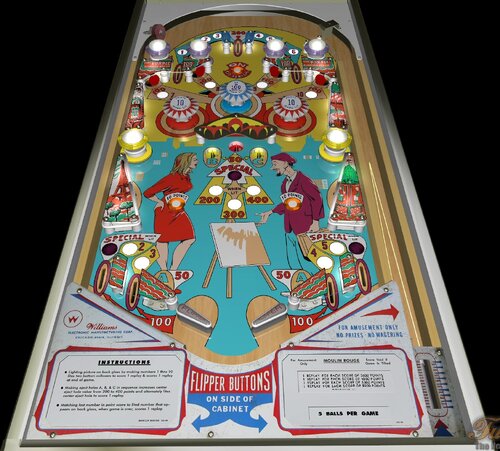
Moulin Rouge (WIlliams-1965) (FizX3.3 V1.00)
By Popotte
Moulin Rouge (Williams, 1965) FizX3.2 v1.00
IPDB No. 1634
NOTES:
MOD UNAUTHORIZED WITHOUT EXPLICIT PERMISSION FROM THE AUTHOR
You can access to the menu with the Special2Key.
You can toggle (by the toggle HUD key) the HUD reel.
If you use arrows for plunger (optional), you have to use arrow down and arrow up (customisable) in order to pull or push the plunger.
RULES:
Lighting picture on back glass by making numbers 1 thru 10 lites two bottoms rollovers to score 1 replay & scores 1 replay at end of game.
Making eject A, B, & C in sequence increases center eject hole value from 200 to 400 points and alternaty lites center eject hole to score 1 replay.
Matching last number in point score to lited number that appears on back glass, when game is over, score 1 replay.
IPDB HIGHLIGHTS:
Date Of Manufacture: May, 26 1965
Production: 1,325 units (confirmed)
Notable Features:
Flippers (2), Pop bumpers (3), Passive bumpers (6), Slingshots (2), Kick-out holes (5), Standup targets (4). Illuminated backglass marquee. Backglass light animation (scene lights up in segments as playfield objectives achieved). Drop-down cabinet.
Design by: Norm Clark
Art by: Art Stenholm
Notes:
The manufacturer flyer shows on the playfield what looks like a light shield over the center kick-out holes and in the shape of a chevron. This part is not found on production games. However, in this listing is a game located in France having serial number 19267 and it does have this chevron part on its playfield. It is made of metal and carries the Williams part number 1B-3649. That part number is a valid Williams format and, although we did not find it listed in the Williams 1969 Parts Catalog, we assume that it was discontinued during production of this game thus was not made available for operators to order. Serial number 19267 is numerically low when compared to other serial numbers for this game of which we are aware so we have marked this game as Early Production. Its upper playfield light shields have different text than on later production games. There is a mini-post between the flippers but we did not seen one on the game on the manufacturer's flyer. This game has a blue stripe in the ball shooter lane extending along the top ball arch, and we are advised that adding this kind of stripe was a practice of the French operators.
50 downloads
(0 reviews)0 comments
Submitted
-
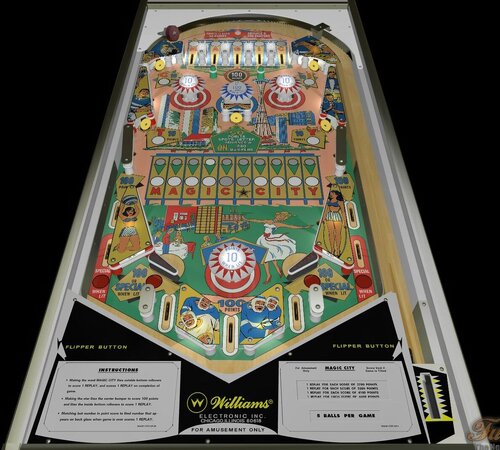
Magic City (Williams 1967)
By Popotte
NOTES:
- You can choose (by the Special2key) to play a 3 or 5 balls game.
- You can choose (by the Special1Key) to scroll or not the ball.
- You can toggle (by the toggle HUD key) the HUD reel.
RULES:
Making the word MAGIC CITY lites the outside bottom rollovers to score 1 REPLAY.
Making the star lites the center bumper to score 100 points and lites the inside bottom rollovers to score 1 REPLAY.
Matching last number in point score to lited number that appears on back glass when game is over scores 1 REPLAY.
123 downloads
- williams
- recreation
- (and 3 more)
(0 reviews)0 comments
Updated
-
(v1.07)RightSide.thumb.png.2649c5d14cfcd0c22978cb8460673f59.png)
Megadeth (Thermo-Nuclear Protection) (v1.07)
By VP1000
Megadeth "Thermo-Nuclear Protection" (v1.06)
1) Knock Down Both Targets behind middle Spinner
to go to Upper Level.
2) Extra-Ball: There is a Trigger on the Upper Level
hit this 5 times Awards Extra-Ball.
3) Megadeth (Thermo-Nuclear) Multi-Ball: Top Of PlayField
on each side of Lane Guides are 2 Kickers
Fall into either one for Megadeth (Thermo-Nuclear) Multi-Ball.
4) R.I.P MultiBall:Left Ramp goes Down for 10 seconds
Knock ball under Ramp without going to the end of the tunnel,
If ramp lifts up while ball is under Ramp
Ball Is Captured and Released within Time for R.I.P. Multi-Ball.
5) Knock Ball through Left Spinner to enter "The Cage"
For A Period Of Time the Ball will Bounce around until Released.
6) Change Song: Add Coin to Change Song.
Enjoy Playing,
More To Come.
400 downloads
-
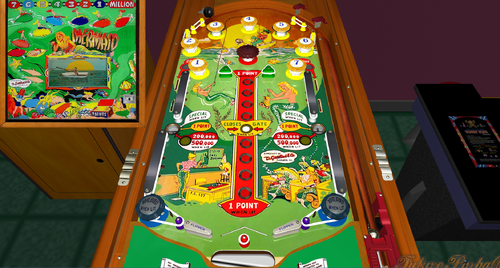
Mermaid
By Francisco
Mermaid / IPD No. 1574 / May, 1951 / 1 Player
Manufacturer:D. Gottlieb & Company (1931-1977) [Trade Name: Gottlieb]
Date Of Manufacture:May, 1951
Model Number:50
Type:Electro-mechanical (EM)
Production:600 units (confirmed)
Serial Number Database:View at The Internet Pinball Serial Number Database (IPSND.net) (External site)
Theme:Sports - Fishing
Specialty:Mechanical Backbox Animation
Notable Features:Flippers (2), Pop bumpers (3), Passive bumpers (7), Kick-out holes (2), V-shaped Safety Gate between flippers. Backbox animation (man catches boot when points are scored while a fish surfaces to apparently thumb its "nose").
Design by:Wayne Neyens
Art by:Roy Parker
222 downloads
-
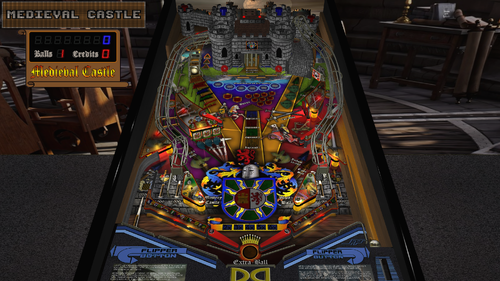
Medieval Castle (Original) (SSF, FizX 3.3) (Versions included for Desktop, 2 and 3 Monitor Cabinets and VR)
By GeorgeH
In order to read the description for Version 1.2, you have to click on the "Permission to Mod" tab.
Version 1.1 Description:
This table is a little-known gem. I know that some of you avoid original tables like the plague but Roney Pinball created something here that is really special. This is one of the first tables I found when I first started playing Future Pinball more years ago that I care to mention. I played it for many hours. Everything about it just feels right for medieval knights and castles. It is very immersive and transports you to a bygone era of chivalry, castles, and epic battles. The sound effects are particularly good. The dynamic soundtrack includes the sounds of swords clashing, horses galloping, and dungeon echoes. When I replayed it before creating this modification, I could not hear the flipper sounds because they were overpowered by other sounds so I knew I had my work cut out for me.
Note: Be sure you read the "Must Read" sections below and all the text in bold print.
The following video demonstrates the unique features of Medieval Castle and has a short bit of game play:
BAM – Must Read
This table requires BAM version 1.5-373 or later for it to perform as intended and to not crash or generate error messages. This version was released on 1/28/24 and you must have it installed for FizX 3.3 to work. You can download it here:
https://www.ravarcade.pl/download
Zip File – Must Read
There is a zip file included in the download. It contains the model of a ball with 1K polygons. Do not unzip the zip file. Just save it with the same name as the table and place it in the same folder as the table. If you don't use it, the physics won't be correct. Some end users have added the zip file to their BAM folder so it works on all tables. If you have done this, you can delete the zip file in the download.
DOF and PUP SSF
I decided to add PinMechSound which is a first for me. If you are not aware of what it is, it is a way for pinball cabinet users to add DOF and surround sound feedback (SSF) to their cabinets. I think there is a way to add it to a desktop but I don't think it produces much benefit for my setup. Debo26 was nice enough to test this table on his cabinet. To make SSF work, you must add the PUP-Pack that is included in the download. Copy "FP_PUP_SSF_GEORGE" to your PUPVideos folder.
Just adding PinMechSound wasn't enough for the sound, however. The sound was not balanced so I added what I call a "Sound Level Control Panel" where I balanced each of the 6 groups of all sounds used on the table and then balanced the 6 groups together so they sounded right. You can adjust the 6 groups in the script yourself if you wish but I think I got it right.
FizX and Tweaker
I added FizX 3.3 with the latest version of the FizX menu system that we call a "tweaker". Press the Special 1 key to open the FizX tweaker and read the directions on the overlay that appears on your screen for navigating the system. I moved the options on the tweaker so the parameters I use the most are displayed first on the list with the lesser-used parameters at the bottom. If you are not familiar with FizX, you might find the parameters on the tweaker intimidating. You will however be able to understand the option for "Bounce Choices" which is the very first option. The option refers to the bounce of the ball off the flippers. The "Bounce Choices" option allows you to make selections that anyone can understand. For example, you can select "Low Bounce" or "Medium Bounce". I recommend you try making changes to this option. I have already made adjustments on the tweaker but everyone knows I like the flippers to have a very low bounce. From what I have seen, most folks prefer higher bounce.
Lighting
I added lighting modes for Day, Dusk, Night, Dark Night, and FP Original. I went a bit further than I usually do by adjusting over 50 parameters for each lighting mode that you can see near the beginning of the script. Press the Special 2 key to toggle through the lighting modes. FP Original doesn't look quite as good as the other lighting modes but it helps those that have lower-end PCs.
Camera Views
This table has a large segmented display on the backbox that cannot be seen with the popular "Full Table 2" view. If you can't see the display, you can't play the game very effectively. I created three camera view profiles that show the segmented display. I set one of them, to be the default in the script so the segmented display should be visible when you first play the table. You can change the default camera view by pressing the "V" key repeatedly to toggle through the three options.
Plunger Modification
Popotte developed a plunger mod that added a new feature to the code I had been using. The code that I used in the past makes the plunger pull back more slowly, making it easier to hone in on just the right power to hit certain skill shots on most tables. This table does not have a skill shot but it does have a hidden kicker in the back of the castle where this modification makes it easier to hit.
The plunger that Popotte created has two modes of operation. The slow plunger pullback is the same as previous versions I used and works like a normal plunger would by pressing the plunger key. The second method is where you can use the up and down arrow keys to position the plunger exactly before it is released. Then you press the plunger key to release the ball. Popotte had been using this mod for a long time but it required setting a switch to either use the slow pullback or the arrow keys. He and I worked together to figure out a way to code it so it does not require a switch. ...So you can either press the plunger key and release it at the point where you want it to let go or you can very precisely adjust the plunger with the up and down arrow keys and then press the plunger key to let go of the plunger.
Easy Game Play
There is an option in the script for easy gameplay. The option is set to false by default. You can change it to true if you want easier gameplay. The comments in the script identify all the changes it makes.
Rules
I wrote a set of rules that I added to the instruction cards on the apron. I had written rules which included what happens when the kicker is hit that is inside the castle on the left side. Then I decided that Roney Pinball might have wanted this to be unknown to the end user because he calls it a "Mystery" in the game. I decided to add that content exclusively to a PDF file that is in the download. The content of the PDF is identical to the rules added to the instruction cards except for what happens inside the castle. If you want the castle rules to remain a "Mystery", you should delete the PDF file.
The Spinner
I had some trouble with the spinner on this table from the start. It would only spin once or twice when it was hit and would stop. I tried adding some code that Ravarcade created but it didn't perform any better. Wecoc developed a method where the spinner object on the table is converted to a toy with some special code that operates it. It makes the spinner on this table work perfectly. It also helps your score quite a bit when you complete the mode that adds 1000 points to your score for each spin.
Table Loading Screen
There are two table-loading textures as listed below. The first landscape texture is the default and is intended to be used on desktop PCs. The portrait texture is intended to be used on pinball cabinets and is used on the "rotated display" version of the table described below.
LoadingLandscape.jpg
LoadingPortrait.jpg
Rotated Display
Finally, I added a version of the table for those of us who have desktop PCs with a single monitor that can swivel so it is oriented in an upright position. I call it a rotated display. To play the table, you need to change the "Rotation" option to 270 degrees on the "Preferences" > "Video / Rendering Options" screen of the FP editor. You can try it on a standard monitor to see what it looks like but it will be oriented sideways. The popular Full Table 2 view only uses about 50% of the screen for the playfield whereas this option uses about 90% of the screen. It produces a more immersive gaming experience.
Conclusion
I hope you give this table a chance. It is truly one of the best original tables. You would think the castle uses a model but it uses 80+ Future Pinball standard walls and surfaces. It must have taken Roney Pinball some time to create. I added everything I could think of to improve the gameplay of this table. I hope you like it.
Table Developers
Roney Pinball
GeorgeH
Contributions by:
Gimli – Codeveloper of the FizX Tweaker
JLou5641 - Creator of FizX
Fleep - Created recordings for mechanical sounds
TerryRed – developed the "All in One" template of FizX
Popotte - Developer of the plunger modification
Wecoc - Developer of the spinner
Debo26 – Tester of DOF and PUP SSF on this table
List of Changes:
1) Upscaled most of the textures on the table except for the castle.
2) Made the castle textures darker.
3) The segmented display was not visible on the Full Table 2 view so 3 switchable camera views were added which can be changed by pressing the letter "V" repeatedly.
4) Added model for game room with texture.
5) Added new rock texture to the ramp and new shingle texture for the castle roof.
6) Added Hud toggle key that saves setting to fpRam.
7) Added plunger pull special script to slow down pull-back, making it easier to hone in on a shot to the hidden kicker.
😎 Added a ball stop surface above the ramp to keep the ball from flying and added an invisible approach ramp.
9) Fixed bug that displays M1Count not defined.
10) Added more time to display the text on the segmented display on the backwall so you have time to read it.
11) Moved the lens for the "Jackpot 100,000" light on the playfield texture up higher on the playfield so the light for it could be moved so it does not cover the text.
12) Added Fleep recordings for mechanical sounds.
13) Aligned the left wall of the table that has a break in it and made the ball bounce to the right.
14) Adjusted the color of all the light inserts on the playfield.
15) Changed the displays on the long segmented display 1) to include baseline point values (without bonuses) 2) added displays for when the hidden kicker is hit 3) made displays last longer so you have time to read them.
16) Added custom flipper texture.
17) Added black side rail caps and lock down bar.
18) Added BAM code that allows the score to exceed 2 billion points and made some code changes to support it.
19) After upscaling the lenses for the 2x to 6x bonus multiplier lights, the text was centered, and the background lightened to make the numbers more prominent.
20) When all lights were illuminated on the 2-bank stationary targets and the 3-bank drop targets they never displayed long enough to see it. Added more time to allow end users to see the light before turning off.
21) There were 2 extra ball lights on the playfield where the coding was never finished. Added extra ball awards completing the sequences for 2-bank stationary targets and the 3-bank drop targets (see the rules).
22) Fixed the display so it does not say multiball when no prisoner lights are lit and only the original ball returned.
23) Wrote rule sheet and added it to instruction cards on the apron and included a PDF in the download with the rules.
24) Added portrait loading texture for cabinet users.
25) Added a new feature by Popotte to the plunger mod. You can now use the up and down arrow keys to position the plunger exactly where you want then press the plunger key to let go of the plunger. If you don't want to use the arrow keys, press and hold the plunger key.
26) Added Sound Level Control Panel that adjusts every sound used on the table.
27) Added music to the attract mode.
28) Added Pin Mech Sound.
29) Changed 3 modes that could only be completed one time so they can be repeated.
30) Corrected a problem with the trigger below the left gate in the middle of the table. This trigger did not consistently turn on the green lights in front of the ramp in the correct sequence. This was fixed.
31) Created a version of the table for Rotated Display for those that have single monitor PCs and can tilt their monitor 90 degrees.
1310 downloads
-
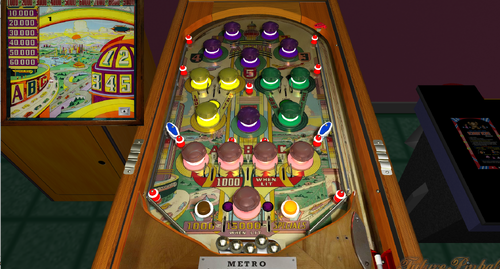
em real pinball recreation Metro
By Francisco
Metro / IPD No. 1582 / October, 1940 / 1 Player
Manufacturer:Genco Manufacturing Company, of Chicago, Illinois, USA (1931-1958)
Date Of Manufacture:October, 1940
Type:Electro-mechanical (EM)
Serial Number Database:View at The Internet Pinball Serial Number Database (IPSND.net) (External site)
Theme:Automobiles - City Skyline - Travel
Specialty:Flipperless
Notable Features:Passive bumpers (17). Hitting numbered purple bumpers 1 through 5 in sequence lights each one. When all five are lit, each subsequent hit of a purple bumper awards a free play. The purple bumper in center of playfield is always lit and scores 1000 points. Hitting any lit bumper advances lit car on backglass and advances the backglass Bonus ladder up to 15 steps. The lit car steps twelve times on the backglass to award 1000 points at the twelfth step, and each step alternates the yellow and green rollovers for 1000 points when lit. Scoring either yellow or green rollover when lit lights correspondingly colored bumpers for 1000 points which can then also advance car. The white bumper at bottom of playfield sits between two rollovers and not only advances the car when hit but alternately lights these rollovers to score the backglass Bonus value of 1000 to 15000 points depending on Bonus ladder position, then the Bonus resets. If A-B-C were already made in sequence, scoring a lit bottom rollover awards free plays instead of points.
Design by:Harvey Heiss
Art by:Roy Parker
132 downloads
-
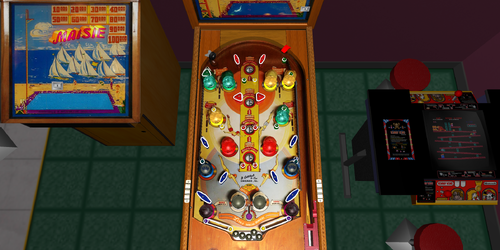
Maisie
By Francisco
Maisie / IPD No. 1520 / March, 1947 / 1 Player Manufacturer: D. Gottlieb & Company (1931-1977) [Trade Name: Gottlieb] Date Of Manufacture: March, 1947 Model Number: E Type: Electro-mechanical (EM) Production: 3,500 units (confirmed) Serial Number Database: View at The Internet Pinball Serial Number Database (IPSND.net) (External site) Theme: Beach - Boating - High Diving - Recreation - Swimming - Water - Women Specialty: Flipperless Notable Features: Passive bumpers (14), Kick-out holes (4). Backglass light animation.
In the backglass light animation, Maisie climbs the ladder as the player hits the "Advance" rollovers or drops a ball into a kickout hole. When Maisie is at the top of the ladder, the two white bumpers at bottom-center will light. Rolling through the rollover between these bumpers steps Maisie down into the pool, awards a replay and 10,000 points, and lights all four kickout holes for replays.
Design by: Harry Mabs Art by: Roy Parker
90 downloads
(0 reviews)0 comments
Submitted
-
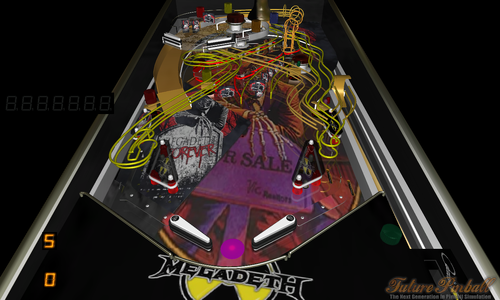
Megadeth Thermo-Nuclear Protection v1.05
By VP1000
Megadeth Thermo-Nuclear Protection v1.05
No Rules Yet,just play.
190 downloads
(0 reviews)0 comments
Submitted
-
.thumb.png.b07cc8e2c025deb4d728b576ed81c3b4.png)
Marble Queen (Gottlieb '53)
By okobojimusky
Manufacturer: D. Gottlieb & Co.
Date of Manufacture: June, 1953
Design by: Wayne Neyens
Art by: Roy Parker
5 ways to win replays:
Score
Points (rollover buttons 1 and 6 lit at start of game, hitting gobble hole lights another button to score points)
Hitting A B C and D lights the side lanes for specials.
Hitting Bumpers 1-9 in consecutive order light the top rollover button and the gobble hole for specials.
Hitting all 5 balls in gobble hole scores a special.
What's New in Version 1.1 :
Tilt adjusted to just affect current ball.
Balls in gobble hole counted so 5 total balls still generated correctly for the next game.
Hitting bumpers 1-9 in order now also lights gobble hole for special.
Points now display properly.
Replays start to be awarded at a score of 3.5 million or 15 points.
Oher bugs fixed.
148 downloads
(0 reviews)0 comments
Submitted
-
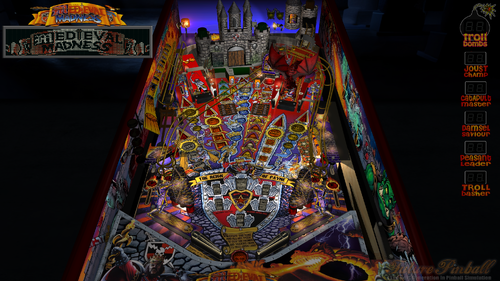
Medieval Madness (Williams, 1997) (FizX 3.3)
By GeorgeH
Although Medieval Madness was not a huge commercial success at launch, it quickly became a fan favorite and is now widely considered one of the greatest pinball machines of all time. The game features a medieval theme combined with modern elements and tongue-in-cheek humor. It was designed by Brian Eddy, who also created the highly acclaimed Attack From Mars (AFM), which I recently finished modifying. While AFM remains my favorite table, Medieval Madness is a close second.
Video Overview of the Table:
As with Attack from Mars, my goal was to enhance Medieval Madness to be functional, visually appealing, and play well using the latest BAM tools—without overloading it with excessive models or animations. As a result, the table now features four light settings, FizX 3.3, Surround Sound Feedback (SSF), and numerous new graphics. Additionally, it allows users to adjust more than 50 parameters in real-time through the Game, Lighting, and FizX menus (referred to as "tweakers"). I also installed a four-color Dot Matrix Display (DMD). Please refer to the included PDF for instructions on installing the table and the zip file.
On the MEGA 1.3.5 version of Medieval Madness, Flug added two game modes to Slamt1lt's ULTIMATE 1.02 version that are easier to play. Flug's version ended up having Slamt1lt's Normal play mode, "Mega-Multiball" and "Mega-Easy". This table modifies Flug's version. The game modes can be switched after the game loads but before the game starts by pressing the Special 2 key. There is also an option on the game tweaker that can switch game modes. The tweaker is started by pressing the Special 1 key. The instruction PDF provides discussion on how to operate the tweakers. You should however be able to navigate and operate the system by reading the overlays that appear when you start it. The only thing you really need to remember is to open the tweaker with the Special 1 key.
Video Demonstrating the "Tweakers" Menu System:
Slamt1lt’s original audio was decent, but I knew it could be improved. To enhance the sound, I added the "Sound Level Control Panel," a feature I previously developed in AFM. This tool categorizes sounds into music, game mechanical sounds, special effects, and voice quotes, each with separate volume adjustments for loud and soft levels where necessary. I also integrated these sound categories into the Game Tweaker. Since Medieval Madness contains four times as many voice quotes and more than double the total number of audio files as AFM, the process of fine-tuning the sound was much more time-consuming.
I’ve heard that some cabinet users have trouble hearing the ball rolling sound on some tables. To address this, I added the same option I used in AFM to lower the volume of all other sounds except for the ball rolling sound. Note that Future Pinball provides two options to adjust music and game sounds. I recommend setting both to maximum and not using them, as the music manager includes various non-musical sounds that are best managed through the Game Tweaker’s sound options.
Since I don't have a cabinet setup myself, a user known as Enthusiast generously helped me test the table on his cabinet. I’ve put in my best effort to provide the best playing experience on both desktop PCs and pinball cabinets. As part of this effort, I included three versions of the table in the download:
Main Version – For desktops, cabinets with two monitors, and virtual reality headsets. Three-Monitor Version – For cabinets with three monitor displays, which removes the speaker panel from the backbox texture and aligns the lights to the texture. Rotated Display Version – For desktop PCs with a single desktop PC monitor that can rotate to a portrait orientation.
Be sure to follow the instructions in the included PDF for setting up these three versions correctly.
I prefer to play the rotated display version on my desktop PC, as it fills about 90% of the monitor's available space. In contrast, the full table 2 view in Future Pinball only occupies about 50% of the screen, not including the HUD, which isn't necessary for the rotated display version. The rotated display offers a much more immersive and engaging gameplay experience. I’ve recorded a video that explains the simple setup process and showcases some gameplay:
Video Demonstrating the Rotated Display Version:
I want to express my sincere gratitude to Enthusiast for his invaluable help testing the table on his pinball cabinet.
I’m always looking for ways to improve my table modifications. In this version, I figured out how to display a color background on DMD frames that show text. I also enhanced the lightning effects added by Slamt1lt. I’ve added several new frames of lightning on the backwall and thunder sounds, which now play randomly, and I’ve introduced a spotlight effect that illuminates the castle during the lightning sequence. This effect now plays during several game modes, as well as during the attract mode, greatly enhancing the drama of the game.
I worked on this table every day for the last two months. It required a lot of effort, but it was also incredibly fun. I hope you enjoy playing it as much as I have.
— George
List of Changes:
1. Added color DMD with a newly discovered method for adding background color to DMD text.
2. Added two new loading textures: one for desktops and one for cabinets.
3. Darkened the red side rails and lockdown bar.
4. Fixed the right ramp to prevent the ball from getting stuck and ensure smoother performance. Replaced the half-circle section of the right ramp with a new ramp and removed the kicker assist.
5. Replaced the old dynamic flippers with FizX, using the latest version of the tweaker.
6. Added Surround Sound Feedback (SSF) and ball rolling sound on ramps using Fleep's recordings.
7. Changed the start game sequence to allow the game to begin at any time, instead of requiring a timer to run out in the attract mode.
8. Changed the "execute" command in the script to use alternate coding to prevent stuttering.
9. Replaced the exposed wood in the playfield area around the catapult with hand painted. Also edited the seam between two playfield photo merges to make it seamless.
10. Reworked the texture for the three stationary targets to make them larger and more visually appealing.
11. Changed the color, edited, and upscaled the texture of Merlin above Merlin's magic kicker.
12. Replaced the exterior cabinet textures with new high-resolution versions.
13. Found a higher-resolution version of the art for the game room, upscaled it, and installed it.
14. After upscaling the textures, added bump maps to the castle texture, two castle gates, and the dragon to create a 3D effect.
15. Changed the color of the castle interior floor and upscaled it.
16. Resized the six overlays on the backbox to make them smaller and moved "Troll Bombs" to the right so it aligns with the other overlays.
17. Upscaled the textures for the plastics, adjusted the color to make them brighter with less purple, and filled in numerous holes. Increased the brightness and contrast of the archers on top of the slingshots. Touched up the texture on the left ramp. No changes were made to the plastic with the flags below the catapult.
18. Changed the metal surface around the sides and back of the castle from bronze to black metal.
19. Created a custom texture for the flippers.
20. Fixed the right inlane barrier so that the top surface aligns with the bottom layer. Made changes to the texture to fit the new shape.
21. Found that the original texture of the damsel was too dark. Brightened it, touched it up, and upscaled it.
22. Deleted all unused audio files to improve table performance.
23. Revised Slamt1lt's lightning effect on the backwall. Updated the coding, added 9 new backwall textures, and 7 lightning sound effect files. Added a spotlight and 4 bulbs on the castle to simulate lightning flashes. Increased the number of calls to run the lightning effect.
24. Added a topper above the backbox.
25. Added a missing bulb to the plastics in the back area of the table.
26. Added lighting and game tweakers.
27. Added 3 spotlights and 1 nanoflasher to provide general illumination, controlled by the lighting tweaker.
28. Added specular lighting controlled by the lighting tweaker.
29. Added code for 63 light inserts, allowing control of 3 lighting options via the tweaker. Made many adjustments to backbox lights and added settings for each light mode in the lighting tweaker. Also adjusted the brightness of approximately 50 textures for each of the 4 light modes.
30. Added 8 missing voice quotes from the original table.
31. Changed the color of all light inserts on the playfield to use richer, less garish colors.
32. Changed the background color of the light lenses on the catapult tower to make them easier to identify.
33. Added another bulb to the castle-on-fire sequence and slightly adjusted the timing.
34. Added Flug's game modes to the Game Tweaker, which can also be changed by pressing the Special 2 key.
35. Adjusted the 14 desktop views from Attack From Mars to work with this table.
36. Categorized all audio files, added variables for each, and integrated a "Sound Level Control Panel" into the script. Added adjustment options to the Game Tweaker.
37. Replaced one of Merlin's voice quotes, which had significant noise, with a cleaner version of the same quote. Also adjusted the sound level of one of the damsel voice quotes to match the level of the others.
38. Created a version of the table for pinball cabinets with three monitors.
39. Created a version of the table for desktop PCs with swivel monitors.
2587 downloads
-
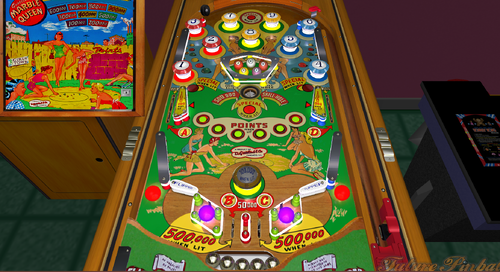
Marble Queen
By Francisco
Marble Queen / IPD No. 1541 / June, 1953 / 1 Player
Manufacturer:D. Gottlieb & Company (1931-1977) [Trade Name: Gottlieb]
Date Of Manufacture:June, 1953
Model Number:75
Type:Electro-mechanical (EM)
Production:1,000 units (confirmed)
Serial Number Database:View at The Internet Pinball Serial Number Database (IPSND.net) (External site)
Theme:Playing Marbles
Notable Features:Flippers (2), Pop bumpers (4), Passive bumpers (6), Gobble hole (1). Large, illuminated marbles on playfield.
Design by:Wayne Neyens
Art by:Roy Parker
142 downloads
(0 reviews)0 comments
Submitted
-
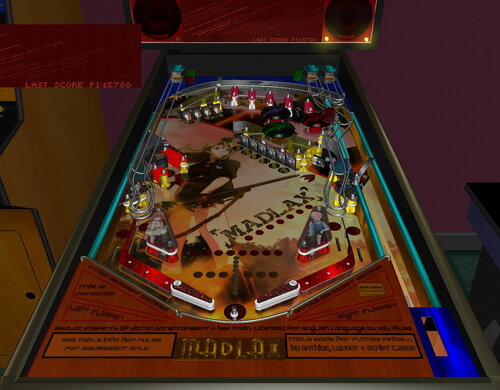
Madlax (Original, 2006, v1.4bam 2021)
By Anthias
Another from the back catalogue. A 2006 FP table updated for BAM in 2021. Haven't played this for years, but I always enjoyed it. And the DMD was cool
1.4 (2021)
MADLAX BAM Edition
When this table was first made in 2006, FP didn't support ramps, and it didn't have any native DMD, so a DMD engine was built from overlays. That engine is still in this table, but it is hidden by default, as when FP did get DMD native, it was converted to use it, but older PC's ran better with the overlays. It's an interesting thing to look through if you are into coding, but only really a curiosity these days. Just use the FP DMD, it looks better.
For years 1.3 has been the latest version, which had the FP DMD implemented. Now, fifteen years to the month after the first release, I have given it BAM physics and flippers
1.3 (2006)
MADLAX (Original) v1.3
Fanwork dedicated to the anime series "MADLAX."
THIS TABLE HAS TWIN DMD SYSTEMS! it contains the original Overlay 'fake' DMD the table was created with and also has been adapted to use the FP dmd that has since been created. By default the Overlay DMD is turned OFF. Press the letter "o" on the keyboard to toggle it back on or off.
This table incorporates "twin rulesets" - two seperate and functional rulesets that operate simultaneously using the same table elements. For 1st release, I have removed several unworkable rules. Some will be reworked others replaced for a future update. For now, I feel the set that is here is ok for initial release. It will be a long while before the update, which is to include more rules, more animations, and more sound samples.
RULESET 1: (Basic)
Light TALUTA targets to open first lock (back left) lock 1st to open second (centre/lower left) lock 2nd to open 3rd (lower right) At any time, hit upper centre right kicker to release any locks. Release all at once for 4 ball multi to see the essence!
Light ELDA targs to light the bumper lamp for 3x bumpers.
Light MADLAX top lanes for bonus mulitplier
Light in/out lanes for ballsaver.
RHS loop channel (below TALUTA) doubles point each hit while lit.
RULESET 2: (Advanced)
Light ELDA TALUTA - Without locking ramps - for ESSENCE MODE (table x 3 for 60 seconds)
ELDA activatees left ramp lock
TALUTA activates right ramp lock
Lock both to set kicker (lowest left) - shoot that left loop kicker once active for NEW ERA mode / Margaret and Madlax multiball
150 downloads
(0 reviews)0 comments
Submitted
-
(FizX)2.thumb.png.4928651b32f2eaee907ac064ac1a1228.png)
Metal Slug v3.5 (BAM) (FizX)
By Wolfanoz
-Update by AnonTet (aka rkader on VPUniverse). Code was added to allow HUD DMD on my behalf (and to turn it on and off ) as AnonTet didn't have time to add it as is on leave until September with blessings for updates in absence.
-Special thanks to Brendan for the personal blessing and hats off to all for amazing updates to this game.
-All files included and where they belong (i.e. PuP folder, BAM cfg file depending on your use and table with associated zip file)
'Wolfanoz - v3.5
'-- Fixed HUD DMD and DMD to Display warning when nudging game, subsequent display when tilting the game as well on top of sound alert.
'-- Corrected last score and top score displays. Was running into other text when displayed on DMD.
'-- Added Graphics to backglass (games typically have the title on the back glass), changed up the background a bit to the ambiance
'-- Further DOF tweaks (doesn't sound as loud for some aspects of the table (aka flipper noise))
'AnonTet - v3.0 - FizX Mod
' - Thanks go to (in no particular order):
' -- Brendan Bailey for the table and the already good update from Dominique
' -- JLou for FizX and the code to separate DMDExt dmddevice.ini from the VP DMDdevice.ini
' -- Ravarcade for BAM
' -- TerryRed for the instructions on how to apply the new inserts
' -- JLou for redoing the plastics and apron
' -- HUD DMD code added / tested by Wolfanoz
' - added FizX
' - new inserts
' - new Lighting
' - small tweaks
' - added SSF
' - added PUP pack with Options for Backglass
' - added a DMD (now dmd extensions can be used)
' - added DMD animations for a few actions
' - is now possible to choose between DMD or original alphanumeric DispSegs'
' - added new voice for plunger
' - added sideblades and backwall + textures
' - added 2 spinners
' - Added a new (side) mission: "Expel the Rebel Army". Hit spinners 100x and win extra ammo... i mean ball.
' - added some hintlights to METAL|SLUG|WEAPON targets for better visibility in darker settings
' - added general music volume. default is 0.75 but it can be changed with variable MusicVolume
' - translite lighting changes
' - removed *.fpl dependencies
' - sound related changes
' - added 3/4 new weapon voices and randomized the calls to them
' Press N key to change ball looks
' Press StartGameKey +
' - Letter G: enables/disables old gameroom
' - Letter R: rotates new gameroom
' - Special2Key: increases brightness
' - Special1Key: decreases brightness
2341 downloads
- metal slug
- fizx
- (and 1 more)
-
v1.2.thumb.png.afc78fdd984856c264621b0d586d7056.png)
Maisie (Gottlieb '47)v1.2
By okobojimusky
Manufacturer: David Gottlieb & Co.
Date: March, 1947
Design: Harry Mabs
Art: Roy Parker
Flipperless
Original Table: Fpozo45
Modifications: Okobojimusky
Modifications:
Backglass now functional.
Ball tray trigger tank adjusted to prevent next ball being generated too soon by balls moving around in tray.
Tilt adjusted.
Scoring and other bugs fixed.
145 downloads
- em
- flipperless
- (and 2 more)
(0 reviews)0 comments
Submitted
-
v1.1.thumb.png.0a2dc21497252c82dd8cda2e1ef09a15.png)
Marjorie (Gottlieb '47) v1.1
By okobojimusky
Manufacturer: David Gottlieb & Co.
Date: July 1947
Design: Harry Mabs
Art: Roy Parker
Authors:
Original Table: Fpozo45
Modifications: Okobojimusky
Modifications:
Backglass fully functional.
Ball tray enlarged to prevent next ball being generated too soon by balls moving in tray.
High scores enabled.
Tilt adjusted.
Scoring and other bugs fixed.
137 downloads
- em
- flipperless
- (and 2 more)
-
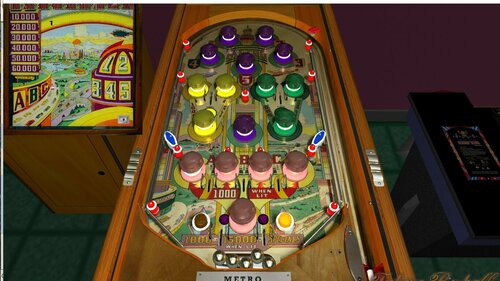
Metro
By Francisco
Metro / IPD No. 1582 / October, 1940 / 1 Player
Manufacturer:Genco Manufacturing Company, of Chicago, Illinois, USA (1931-1958)
Date Of Manufacture:October, 1940
Type:Electro-mechanical (EM)
Serial Number Database:View at The Internet Pinball Serial Number Database (IPSND.net) (External site)
Theme:Automobiles - City Skyline - Travel
Specialty:Flipperless
Notable Features:Passive bumpers (17). Hitting numbered purple bumpers 1 through 5 in sequence lights each one. When all five are lit, each subsequent hit of a purple bumper awards a free play. The purple bumper in center of playfield is always lit and scores 1000 points. Hitting any lit bumper advances lit car on backglass and advances the backglass Bonus ladder up to 15 steps. The lit car steps twelve times on the backglass to award 1000 points at the twelfth step, and each step alternates the yellow and green rollovers for 1000 points when lit. Scoring either yellow or green rollover when lit lights correspondingly colored bumpers for 1000 points which can then also advance car. The white bumper at bottom of playfield sits between two rollovers and not only advances the car when hit but alternately lights these rollovers to score the backglass Bonus value of 1000 to 15000 points depending on Bonus ladder position, then the Bonus resets. If A-B-C were already made in sequence, scoring a lit bottom rollover awards free plays instead of points.
Design by:Harvey Heiss
142 downloads
-
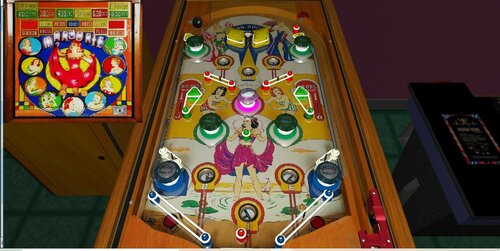
em real flipperless pinball recreation. Marjorie (Gottlieb 1947)
By Francisco
Marjorie / IPD No. 1548 / July, 1947 / 1 Player
Manufacturer:D. Gottlieb & Company (1931-1977) [Trade Name: Gottlieb]
Date Of Manufacture:July, 1947
Model Number:G
Type:Electro-mechanical (EM)
Production:1,200 units (confirmed)
Serial Number Database:View at The Internet Pinball Serial Number Database (IPSND.net) (External site)
Theme:Girls - Women
Specialty:Flipperless
Notable Features:5 balls for 5 cents. Passive bumpers (9), Trap holes (6).
Design by:Harry Mabs
Art by:Roy Parker
131 downloads
-
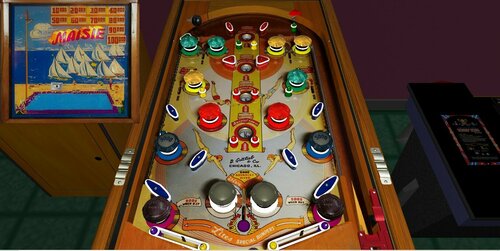
Maisie - Gottlieb 1947
By Francisco
Maisie / IPD No. 1520 / March, 1947 / 1 Player
Manufacturer:D. Gottlieb & Company (1931-1977) [Trade Name: Gottlieb]
Date Of Manufacture:March, 1947
Model Number:E
Type:Electro-mechanical (EM)
Production:3,500 units (confirmed)
Serial Number Database:View at The Internet Pinball Serial Number Database (IPSND.net) (External site)
Theme:Beach - Boating - High Diving - Recreation - Swimming - Water - Women
Specialty:Flipperless
Notable Features:Passive bumpers (14), Kick-out holes (4). Backglass light animation.
In the backglass light animation, Maisie climbs the ladder as the player hits the "Advance" rollovers or drops a ball into a kickout hole. When Maisie is at the top of the ladder, the two white bumpers at bottom-center will light. Rolling through the rollover between these bumpers steps Maisie down into the pool, awards a replay and 10,000 points, and lights all four kickout holes for replays.
Design by:Harry Mabs
Art by:Roy Parker
218 downloads
(0 reviews)0 comments
Submitted
-
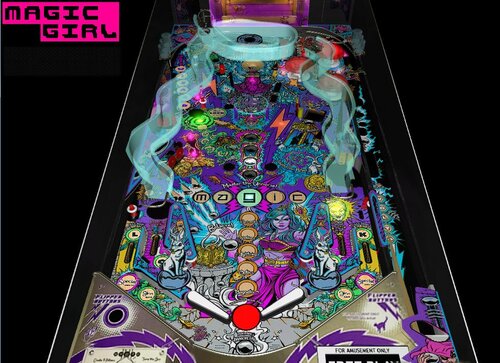
Magic Girl
By theGhost787
Magic Girl 1.0 for future pinball. table by shawna. plastic, scripts, and sounds by ghost.
Free for upgrades. Version 1.0 includes green magic ball for double score. 2 ramps. DMD, Hologram and lighting.
Soundtrack from Soundcloud. Enjoy the game.
1335 downloads
- magic girl
- shawna
- (and 7 more)
-
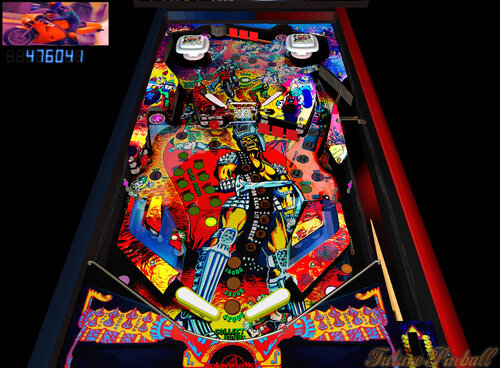
Mad Race
By theGhost787
Mad Race pinball from playmatic, ghostmachine. Music soundtrack obtained legally from http://www.italo-disco.net/
Free to modify. Enjoy the Game.
367 downloads
(3 reviews)0 comments
Submitted
-
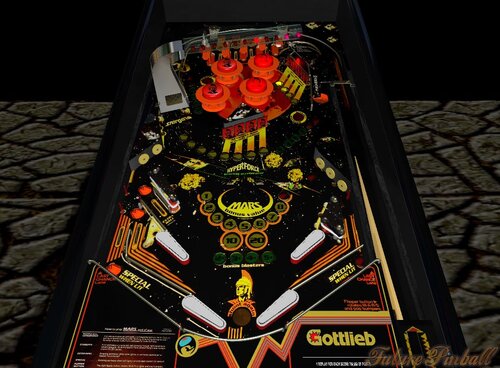
Mars God of War
By theGhost787
Mars God of War. Pinball game looks nice this is version 1.0 Free to update for anyone.
319 downloads
(3 reviews)0 comments
Submitted
.thumb.png.557350d1c3d2c33f9858e4f7b4ca12ae.png)
.thumb.png.559ffeefc18faf238c9a03f881e135dd.png)
.thumb.png.cec808e8b058fde901e411dbcf2c7984.png)

BG.thumb.jpg.983e5c5881d8fac9cc37344b25ab45a8.jpg)







Playfield.thumb.png.f88f3b97f56a5baf97032d3dd7d2fd23.png)
.thumb.png.819ca38f5a97412f7acd399b8fc43d5c.png)
SS.thumb.png.73fe6be8979bbacda947b93020218177.png)
FullDMD.thumb.jpg.512a4da5dac469c30d30d4492c0317b4.jpg)
.thumb.jpg.a602513f0b53fe9c58c3f81d29fdb5e0.jpg)
.thumb.jpg.f166d4b0aac7996cb7c26b8e04d30d7b.jpg)
_dmd.thumb.png.df002d0c95792901ebb881b074855572.png)
.thumb.png.d149ff9925723a54025724409c89cdc0.png)
Wheel.thumb.png.3c759a45da5257e29a5a159a1bf70ed9.png)
.thumb.jpg.afbec040bacb0b32e1b036db5834e084.jpg)
.thumb.jpg.b3d8b9ce34b20092bc73e81a0f485304.jpg)
1.0.0.thumb.png.d74a1c4720c673917f3fc0fa19e510ad.png)
.thumb.jpg.bc4dbba2fc4e237a6f2c8235b4e36c48.jpg)
.thumb.jpg.7d28f432479c71519e1d4773450c8b4f.jpg)
_4k.thumb.jpg.7d5aa25e7bfc4d69e72e5b28c399da1d.jpg)
PuPPackWheel.thumb.png.eaae9c4ec1857bf51e246a141fb74ca1.png)
.thumb.png.a926f2ef37eb2169e5fd67adff46b67d.png)
t.thumb.png.c7dc295265f849da0f6f8d171f60c8f8.png)
.thumb.png.36ac0b70b581047878644237fc559459.png)


.thumb.png.35b172f2fb1a80a21ae173c315f0ae1d.png)